# Encode Wiki full corpus
Content version: ca42e61ede0a24f789d7287a0001244ad22f4abf
# AV1 Encoding for Dummies
Canonical URL: https://encode.wiki/articles/av1-encoding-for-dummies/
Collection: articles
Status: current
License: CC BY-SA 4.0
Checksum: 4ea629cf8d922c9fe9214c4b6fe88b77d2f59c20d19579c754a098f9cad4e3cb
> **Note — Editorial correction — 7 September 2026.**
>
> The original September 2023 aom-av1-lavish example and illustrations are preserved as history. Obsolete installation instructions have been replaced and false technical explanations corrected. The long command is not a current recommendation: its fork-specific flags must not be copied into upstream encoders. No historical encode was rerun.
This article documents the authors' September 2023 Av1an/aom-av1-lavish workflow. Standalone encoders and FFmpeg wrappers are valid choices; chunking is not automatically optimal for every source or machine.
> **Caution — Historical recipe.**
>
> For new work, use [AV1 with SVT-AV1](/guides/av1-with-svt-av1/) or the maintained [Av1an guide](/tools/utilities/av1an/). The other “AV1 for Dummies” article also contains a dated tool survey.
Av1an can run multiple encoder workers on independent chunks. Parallelism is bounded by CPU, RAM, decoding, and I/O; it is not infinite. Chunk boundaries can affect compression, seeking, and rate control. The original estimate of more than 16 GB for four 4K aomenc workers was a workload-specific warning, not a current resource requirement.
## Installing tools now
Use [Av1an's upstream installation documentation](https://github.com/rust-av/Av1an) and the release-specific requirements for its selected decoder backend and encoder. Match VapourSynth to the supported Python version rather than pinning the old Python 3.10/VapourSynth R63 combination. Install maintained FFmpeg and muxing tools, then inspect:
```bash
av1an --version
av1an --help
ffmpeg -version
aomenc --help
```
Record the versions and resolved executable paths used for a real job. Avoid copying shared libraries between package-manager prefixes or overwriting several encoder binaries to make an old command work. Configure the build to find the intended dependency versions instead.
On Windows, a native build or WSL may be appropriate. WSL2 runs a Linux kernel in a managed virtual machine; the original claim that it runs on bare metal without a VM was incorrect. [Microsoft WSL architecture](https://learn.microsoft.com/en-us/windows/wsl/compare-versions).
The old source edits referenced moving line numbers in an aom-av1-lavish branch. Those are not reproducible patches for a current checkout. For historical reproduction, recover the exact fork commit and dependencies from the original source; for new work follow the [upstream aomenc guide](/tools/software-encoders/aomenc/).
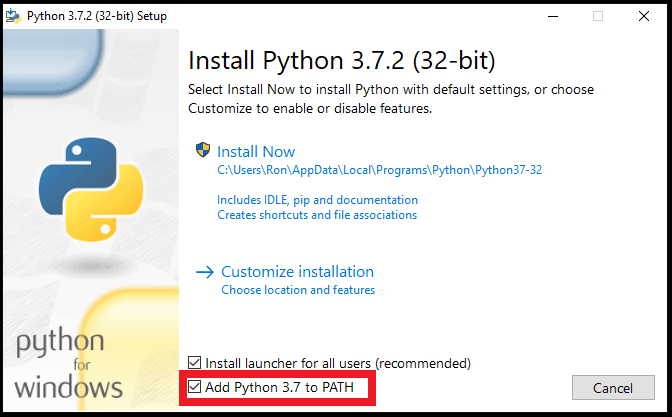
Original Windows installer illustration
The Python PATH screenshot is retained as historical media, not a recommendation to install that Python version:
## Encoding
The following is the authors' **historical 3 September 2023 recipe**, retained for provenance. It targets a particular aom-av1-lavish/Av1an combination; no current build is claimed to accept all these flags:
```bash
av1an -x 300 -i input.mkv -w 4 -e aom -c mkvmerge --resume -m lsmash --photon-noise=10 --set-thread-affinity=2 --verbose -a " -an " -f " -an " -v " --bit-depth=10 --cpu-used=4 --end-usage=q --cq-level=24 --threads=2 --tile-columns=0 --tile-rows=0 --lag-in-frames=64 --tune-content=psy --tune=ssim --enable-keyframe-filtering=1 --disable-kf --kf-max-dist=9999 --enable-qm=1 --deltaq-mode=0 --aq-mode=0 --quant-b-adapt=1 --enable-fwd-kf=0 --arnr-strength=1 --sb-size=dynamic --enable-dnl-denoising=0 " -o "output.mkv"
```
> **Note — Version-specific parameters.**
>
> The explanations below describe the historical example. For new commands use the installed encoder's help and release documentation. Community recipes are test candidates, not universal quality settings.
Now let's dissect it one-by-one
**Av1an parameters:**
- ``-i`` Input.
- ``-x 300`` Set the historical maximum scene length to 300 frames. Longer chunks can affect compression, parallelism, and seeking; they do not guarantee higher quality.
- ``-w 4`` Specifies the amount of "workers" or amount of encoders working on the video.
- ``--verbose`` Sets logging to verbose.
- ``--resume`` Resumes the encode even when you haven't encoded yet. I strongly recommend leaving this if you resume a lot since you can accidentally delete your whole progress (There's no delete confirmation feature.. yet) if you "resumed" without the parameter in place.
- ``-e aom`` Specifies we're using aomenc encoder which should be the default option.
- ``-c mkvmerge`` Specifies we're using mkvmerge (MKVToolNix) to concatenate the parts when done, you can specify with ffmpeg if you want to but validate the chosen concatenation method and output streams.
- ``-m lsmash`` Selected the historical L-SMASH backend. Backend compatibility, frame accuracy, and speed depend on input and version; this article does not establish that other backends inherently lag or are inferior.
- ``-f " -an "`` ``-f`` Stands for ffmpeg parameters, ``-an`` is to remove all audio since its better to encode and merge it separately. To crop use ``-f " -an -vf crop=1920:800 "`` for example to crop the video to 1920x800.
- ``-v " "`` Is where you put the encoder's parameters in.
- ``-a " -an "`` FFmpeg audio encoding options, we're removing it cause we can always add it later. But if you want to, you can also encode directly. Here's an example for encoding to Opus using libopus assuming stereo: `-a " -c:a libopus -b:a 128k "`.
- ``--photon-noise=10`` AV1 grain synthesis, which is a technique where the encoder puts fake grain in so it looks more natural and potentially hiding video artifacts (cause grain is hard to encode and explodes bitrate usage because of their randomness), 5-8 for almost none to little grain, 10-14 for medium, 15+ heavy, 20+ extremely heavy, 30+ for extremely grainy 90s live action films.
- ``--set-thread-affinity=2`` Pins the thread to the encoder, aligns with ``--threads=2`` in the encoder parameter so set them accordingly.
**aomenc parameters:**
- ``--bit-depth=10`` Selected 10-bit coding. It can help precision and banding but does not guarantee smaller files or target compatibility; confirm the output profile and playback path.
- ``--cpu-used=4`` Selected the historical CPU-effort setting. Valid ranges and speed/quality tradeoffs depend on encoder build and usage mode; 4 is not a universal sweet spot.
- ``--end-usage=q --cq-level=24`` Selected libaom's constant-quality mode and CQ level 24. CQ is not numerically equivalent to x264/x265 CRF 24.
- `--threads=2` Sets the amount of threads the encoder can use, aligns with `--set-thread-affinity` in Av1an.
- ``--tile-columns=0 --tile-rows=0`` This is the tiles options, where the encoder splits the videos into tiles to encode faster, see the image below (Yellow lines):
> **Note — Tile tradeoffs.**
>
> Tile row/column controls use logarithmic counts in this interface: 0 means one, 1 means two, and 2 means four. Additional tiles may improve decoder parallelism at a compression cost. Test the intended decoder; resolution alone does not determine the right setting.
- ``--lag-in-frames=64`` Similar to x264/x265 `rc-lookahead`. Sets a number of frames to look ahead for frametype and ratecontrol, allowing for better compression decision making. Setting to a value greater than 64 is generally not considered useful.
- ``--aq-mode`` adaptive quantization mode; 0 was the author's historical choice, not a demonstrated general optimum
- ``--tune-content=psy --tune=ssim`` As the name suggests they are tunes that affect the video output, for the better, and for the worst
> **Note — Historical fork tunes.**
>
> The example's `psy`, `lavish`, and related tuning advice was specific to aom-av1-lavish at the time. These names and the old CQ30 rule are not portable upstream guidance. Inspect the exact fork revision for reproduction; use current encoder documentation for new work.
- ``--enable-keyframe-filtering=1`` Used the historical value 1. The old compatibility report was specific to that pipeline; it does not establish a current universal limitation.
- ``--sb-size=dynamic`` Allows the encoder to use 128x128 block partitioning besides 64x64 which gives an efficiency boost, ignore it.
- ``--deltaq-mode`` was set to 0 in the historical recipe; a universal improvement was not demonstrated.
- ``--arnr-strength=1`` Controls how strong the filtering will be, 1 is good for 3D Pixar CGI-like and 2D animation, use 4 if you're doing live action content. Using maximum at higher bitrates would just result in a blurry mess.
- ``--disable-kf --enable-fwd-kf=0`` We're disabling keyframes cause **Av1an already did scene detection, so we wont have to.**. And it speeds things up.
- ``--kf-max-dist=9999`` Maximum keyframe interval, we're setting it at the highest possible value since av1an's scene detection keyframe interval is already 240 by default
- ``--enable-chroma-deltaq=1 --enable-qm=1 --quant-b-adapt=1`` Fork/version-specific choices from the old recipe. Their gains, costs, and interactions require measurement.
- ``--enable-dnl-denoising=0`` Disables the encoder's built-in denoising technique when grain synthesis is enabled, you can optionally set it to 1 when you have a pretty noisy video since it works quite well.
> **Note — Concatenation Error on Linux.**
>
> The old guide suggested raising the file-descriptor limit and manually invoking a saved mkvmerge options file. That was a workaround for its historical pipeline, not a general fix. Inspect the actual error, current Av1an resume behavior, and generated files before changing process limits or manually concatenating chunks.
## Merging Everything
Verify the output streams explicitly: the historical command disables audio, and subtitles should not be assumed preserved. Use [audio and subtitle mapping](/guides/audio-and-subtitles/) when adding or copying them. Select a compatible container and test playback; MP4 and Matroska have different subtitle and codec mappings. The old blanket statement that Opus support is experimental is not a current compatibility test.
## Additional historical fork settings
- `--denoise-noise-level=10` Alternative to `photon-noise`, slower than photon-noise and is the OG grain synthesis method, performs okay and just serves as an alternative. Don't attempt to use it at high values (>12) since it creates noticeable grain patterns.
- `--arnr-maxframes` to set max reference frames that will be used to filter the encode, higher values would make the video blurrier at high fidelity but look better at lower bitrates.
- `--butteraugli-resize-factor=2` if you use any of the butteraugli-based tunes (lavish, butteraugli) to speed it up without much losses and `--butteraugli-intensity-target=250` to match the content light level.
## Final Thoughts
Encoding has always been about experimentation for the best, there is really no "One size fits all" for encoding content, as they differ from scene complexity, how it's captured (2D/Real life), film grain, dark scenes, etc. So experiment away for your specific type of content!
> **Guide originally hosted on https://rentry.co/AV1, rewrite and migration by Simulping.**
---
# AV1 for Dummies
Canonical URL: https://encode.wiki/articles/av1-for-dummies/
Collection: articles
Status: current
License: CC BY-SA 4.0
Checksum: cea45ba42665ef0c17e4b4610b58b9f95a1ecab1e23761fcad81d5a16fe4fa19
> **Note — Editorial correction — 7 September 2026.**
>
> This guide originated in June 2024. The historical tool-rating tables and credited authorship are retained, but the prose below corrects bit-depth guarantees, encoder capabilities, and project status. The tables record the authors' opinions at publication and are not current compatibility tests or product rankings. Use the linked canonical guides for new encodes.
This article introduces AV1 encoding and preserves the authors' 2024 view of the tooling landscape. For a maintained starting workflow, use [AV1 with SVT-AV1](/guides/av1-with-svt-av1/) and [choosing a codec](/guides/choose-a-codec/).

## Introduction
[AV1](/codecs/video/av1/) is a royalty-free video codec developed by the Alliance for Open Media. It is designed to replace [VP9](/codecs/video/vp9/) and presently competes with [H.266](/codecs/video/vvc/). AV1 is known for its high compression efficiency, which the marketing will have you believe reduces file sizes by up to 50% compared to [H.264](/codecs/video/avc/) and up to 30% compared to [H.265](/codecs/video/hevc/) across the board. It is supported by several major browsers and is widely used across many streaming services and video platforms.
### Why AV1?
Before we dive in, it is important to understand *why* you may want to use AV1 instead of other codecs. The reality is that AV1 is *not* better than H.264/5 in every single scenario; video encoding is a complicated field, and the best codec for you will depend on your specific needs. AV1 excels in:
- Low to medium-high fidelity encoding
- Higher resolution encoding
- Encoding content with very little grain or noise
- Slow, non-realtime contexts (e.g. offline encoding)
The enumeration above still consists of broad strokes, but the point is to understand that AV1 is not a silver bullet. It will not automatically make your videos smaller while preserving your desired quality. To make things more difficult, the [x264](/tools/software-encoders/x264/) & [x265](/tools/software-encoders/x265/) encoders are very mature, while encoder implementations continue to evolve. Relative performance must be measured with named versions and workloads.
This guide focuses almost entirely on tools great for offline, non-realtime encoding for various kinds of content. Streaming is an altogether different application of AV1, and is only covered sparsely here.
### Do's & Don'ts
Due to a lot of misunderstandings about codecs and compression, there are a lot of common misconceptions that are held regarding video encoding. We'll start by outlining some bad practices:
- **Don't** encode the same video multiple times. This is a common mistake made by people new to video encoding. Repeated **lossy** transcoding can introduce generation loss. Lossless encoding and stream copying are different operations and do not inherently discard decoded sample information. This is why it is important to keep the original video file if you frequently re-encode it.
- **Don't** blindly copy settings from others without understanding them. What works for one person's content and workflow may not work for yours. Treat defaults as a starting point to test against your requirements.
- **Don't** assume that higher bitrate equates to better quality. Inefficient encoding can waste bits without improving visual quality, and efficient encoding can make lower bitrate video look drastically better than higher bitrate video using the same codec.
- **Don't** assume all encoders/presets/settings/implementations are created equal. Even given two encoding frameworks that use the same underlying encoder, you may achieve different results given encoder version mismatches or subtly different settings used under the hood.
- **Don't** use unnecessarily slow presets/speeds unless you have a specific need and ample time. While slower presets improve encoding efficiency most of the time, the quality gains reach a point of diminishing returns beyond a certain point. Use the slowest preset you can tolerate, not the slowest preset available.
- **Don't** blindly trust metric scores. [VMAF](/reference/metrics/vmaf/) depends on the selected model, viewing assumptions, and preprocessing; this guide does not establish its frequency of agreement with viewers. Even the beloved [SSIMULACRA2](/reference/metrics/ssimulacra2/) is not a perfect one-to-one with the human eye.
Now, let's move on to some **good** practices:
- Experiment with different settings and compare the results.
- Consider your content type when choosing encoding settings. Film, animation, and sports all have different characteristics that benefit from distinct approaches.
- Try to use CRF for offline encoding, as opposed to CBR or VBR. While the latter two are effective for precisely targeting a particular bitrate, CRF is more effective at targeting a specific quality level efficiently.
- Test 10-bit encoding when the target supports it. It can improve precision and reduce banding, including for some 8-bit sources, but it cannot recover missing source precision or guarantee a smaller or better-looking encode. AV1 Main profile includes 8- and 10-bit coding; profile membership alone does not guarantee that a particular device, browser, container, or playback path supports it. [AV1 specification](https://aomediacodec.github.io/av1-spec/av1-spec.pdf).
- Consider using grain synthesis for grainy content, as AV1 can struggle with preserving film grain efficiently.
- Keep your encoding software up-to-date; the encoding world moves quickly.
## Tools
The following tables preserve the authors' June 2024 tool survey. Platform and bundled-encoder entries describe that historical survey; verify current releases before installation. Dot ratings are editorial opinions without a controlled comparison.
### GUI
Here's the key:
- **Encoder(s)**: The AV1 encoder(s) the software uses or is able to use. This is between [SVT-AV1](/tools/software-encoders/svt-av1/), [aomenc](/tools/software-encoders/aomenc/), [rav1e](/tools/software-encoders/rav1e/), [SVT-AV1-PSY](/tools/software-encoders/svt-av1-psy/), and various aomenc forks. We'll get into this more later.
- **Ease of Use**: How intuitive the software is, especially for beginners.
- **Complexity**: How flexible the software can be for advanced users.
- **Efficiency**: How "good" the underlying encoder(s) are. This is more subjective, but tools with bad defaults, misleading options, or slow release cycles won't score well here.
| Name | Platform(s) | Encoder(s) | Ease of Use | Complexity | Efficiency |
|---------|-------------|:----------:|:-----------:|:-----------:|------------|
| [Aviator](/tools/utilities/aviator/) | Linux | SVT-AV1-PSY| ●●●●● | ●○○○○ | ●●●●● |
| [NMKODER](/tools/utilities/nmkoder/) | Windows | Any | ●●●○○ | ●●●●○ | ●●○○○ |
| [Av1ation Station](https://github.com/Av1ation-Association/Av1ation-Creations/releases/) | Any | Any | ●●●○○ | ●●●●● | ●●●●○ |
| [StaxRip](https://github.com/staxrip/staxrip) | Windows | Any | ●●○○○ | ●●●●● | ●●●●○ |
| [NEAV1E](https://github.com/Alkl58/NotEnoughAV1Encodes) | Windows | Any | ●●●○○ | ●●●○○ | ●●○○○ |
| [Handbrake](https://handbrake.fr/) | Any | SVT-AV1 | ●●●●○ | ●●○○○ | ●●○○○ |
| [FastFlix](https://github.com/cdgriffith/FastFlix) | Any | Any | ●●●●○ | ●●●○○ | ●●○○○ |
| [rAV1ator](/tools/utilities/rav1ator/) | Linux | rav1e | ●●●●○ | ●●●○○ | ●○○○○ |
| [Autocompressor](https://autocompressor.net/) | Web | SVT-AV1 | ●●●●● | ●○○○○ | ●●●○○ |
For a new GUI workflow, check the tool's current platform support, bundled encoder version, subtitle handling, and color/HDR behavior. The original rankings do not establish current suitability. Consult the [tools index](/tools/) and test a short representative encode before committing to a workflow.
### CLI
In the terminal, advanced encoders can explore a much greater degree of complexity than many GUIs allow. That being said, ease of use is still a consideration when managing complex command-line encoding workflows. Let's begin with the key:
- We're omitting the "Platform(s)" column here, as this section targets Linux users. As a Windows user, WSL has you covered - as a Mac user, you're likely to experience parity with Linux (most of the time).
| Name | Framework(s) | Ease of Use | Complexity | Features | Scene Detection |
|------|--------------|:-----------:|:----------:|:--------:|:---------------:|
| SvtAv1EncApp | None | ●○○○○ | ●●○○○ | ●○○○○ | No |
| [FFmpeg](/tools/utilities/ffmpeg/) | Itself | ●●○○○ | ●●●●● | ●●●●○ | No |
| [Av1an](/tools/utilities/av1an/) | FFmpeg | ●○○○○ | ●●●●● | ●●●○○ | Yes |
| [rAV1ator CLI](/tools/utilities/rav1ator-cli/) | Av1an | ●●●●○ | ●●●●○ | ●●●●○ | Yes |
| [alabamaEncoder](https://github.com/kingstefan26/alabamaEncoder) | FFmpeg | ●●○○○ | ●●●●● | ●●●●● | Yes |
For a new CLI workflow, begin with [FFmpeg](/tools/utilities/ffmpeg/) or the [SVT-AV1 guide](/guides/av1-with-svt-av1/). Use [Av1an's current documentation](https://github.com/rust-av/Av1an) when you need scene-based orchestration, and verify its encoder/backend dependencies. The historical table is not an installation matrix.
### Conclusion
Choose tooling by supported inputs, target playback, automation needs, and available resources. A GUI and a CLI using the same encoder can still differ through version, settings, stream handling, or preprocessing.
## Encoders
**Editorial update:** these descriptions replace the original unconditional rankings and obsolete capability lists. An encoder's speed preset is not a quality guarantee, and lossy AV1 is not an archival substitute for retaining a master.
### SVT-AV1
[SVT-AV1](/tools/software-encoders/svt-av1/) provides a library and `SvtAv1EncApp`, with parallelism aimed at practical throughput. Threads, tiling, preset, and rate control are different controls; “parallel processing is lossless” is not a guarantee that all parallel configurations produce identical bitstreams or quality.
Preset ranges and mappings have changed since 2024. Inspect `SvtAv1EncApp --help` and the documentation for the installed release instead of copying the old 0–13 list. Compare speed and size at your desired quality. [Official parameters](https://gitlab.com/AOMediaCodec/SVT-AV1/-/blob/master/Docs/Parameters.md).
### rav1e
[rav1e](/tools/software-encoders/rav1e/) is an AV1 encoder written in Rust and assembly. Its design emphasizes safety, but language choice alone does not prove crash freedom or superior bitstream correctness. Check supported pixel formats, speed settings, and current release behavior in the [upstream repository](https://github.com/xiph/rav1e). This article supplies no controlled evidence that it universally preserves more detail or is more reliable than other encoders.
### aomenc / libaom
[aomenc](/tools/software-encoders/aomenc/) is the command-line encoder from AOMedia's reference implementation. It supports multiple usage modes and many coding controls; valid `--cpu-used` ranges depend on mode and version. Reference-software status does not make it universally slowest, highest quality, or exempt from validation. Its pixel-format support extends beyond common delivery profiles, so verify the intended decoder as well. [Upstream source and documentation](https://aomedia.googlesource.com/aom/).
### SVT-AV1-PSY and successors
The original [SVT-AV1-PSY](/tools/software-encoders/svt-av1-psy/) fork announced its end on 20 April 2025. Its repository now points readers toward successor work and upstream integration. The original article's claim that it is an actively maintained universal best choice is no longer applicable. [Project status](https://github.com/psy-ex/svt-av1-psy).
Names, tunes, ranges, and defaults differ between upstream SVT-AV1 and forks; a tune number is not portable between them. Variance boost allocates additional precision to low-contrast regions and is not exclusively a PSY feature. HDR metadata handling also requires compatible input, transformation, muxing, and playback: an encoder option alone cannot guarantee Dolby Vision or HDR10+ preservation. See [color and HDR guidance](/guides/preserve-color-and-hdr/).
### Choosing among them
Measure named versions on representative content, keep output sizes comparable, and inspect difficult scenes. No evidence in this introductory guide establishes a universal speed/quality winner. Use [quality controls](/guides/quality-controls/) to separate bitrate targets, quality targets, and encoding effort.
## Final Conclusion
The AV1 ecosystem has grown to the point where a single comprehensive guide cannot effectively cover the entire extent of the available tools and techniques for AV1 encoding across *every* use case. If you want more detail about a particular tool, where to acquire it, or how to compile an encoder, you can find that information throughout the various wiki entries linked on this page.
Reading can get you far, but it is natural to have questions. Please don't hesitate to connect with the team behind the Codec Wiki and many of these tools via our [AV1 for Dummies Discord server](https://discord.gg/bbQD5MjDr3). We're happy to help you with anything you need, and your questions and feedback help the wiki grow and improve. We hope you enjoy your journey into AV1 encoding, and we wish you the best of luck in your encoding endeavors!
---
# Codec Wiki: One Year Later
Canonical URL: https://encode.wiki/articles/codec-wiki-one-year-later/
Collection: articles
Status: current
License: CC BY-SA 4.0
Checksum: b2ab5aac761f4b7d7526e6323e00c496cb6915d75c3537c21bec402423e1f45a
> **Historical community report.** This July 2024 article describes the original Codec Wiki project and its then-current analytics and screenshots. Those visitor totals, hosting locations, tools, and community observations are historical author reports, not measurements of today's Encode Wiki. The original data was not re-audited in October 2026. See the [current privacy notice](/reference/privacy/) for this site's analytics and separate Ask preview.
Around a month ago, Codec Wiki celebrates it's very first anniversary as it officially hits one year old (Wow, that's a very long time!).
First and foremost, I apologize for this delayed celebration post, I have been very busy for the past month, y'know, real life things. Second of all, I would like to say **THANK YOU** for everyone who helped build this wiki from the ground up and writing down the entries, you know who you are!
## Stats
Thanks to everyone's efforts, over the course of 12 months Codec Wiki has grown into the (almost) go-to documentation and guide for newcomers just starting out in the quirky and wild world of multimedia encoding. So here are some pretty graphs to look at our progress so far!
### Plausible
As you may know, we ran our own Plausible Analytics instance: self-hosted, open source, and privacy-respecting analytics. It was hosted in Singapore and its former public dashboard is no longer available.
7.7K unique total visitors for a whole year may not be much but it's a great start!
Let's not forget those who use uBlock Origin or similar to block the analytics script. So the visitor count could be two or three times more!
### Google Search Console
For those who are unfamiliar, Google Search Console is used for viewing well.. Google search data for your website. This data is unfortunately private and only the owner and those invited can see the data, no setting available for public view. Probably for the better.
some embed site
Hi
Just your friendly neighborhood video embed site
```
< br />
These interactive sites usually deploy a live script, like a Javascript framework. Examples are NodeJS, ExpressJS, Svelte, etc. These are used to parse video and thumbnails realtime so they can be embedded on Discord (or potentially other platforms).
### Discord's End
Traditionally, Discord's media embedder will impose it's own video embed size limit (50 MiB) when a user sends a direct video link as usual. But in this case Discord will embed the thumbnail first, not the video. You could say the link "tricks" Discord by showing a "false face" first.
## Strengths & Limitations
After a combination of countless hours of observation, rigorous testing throughout the period of a year, and conversations with the sites' creators, the current strengths & limitations of this exploit are enumerated below.
#### Strengths
- You can embed non-web compatible codecs such as [HEVC](/codecs/video/hevc/) in [MP4/MOV](/start-here/terminology/#mp4--m4v), but the user must be using a compatible browser. [Thorium](https://thorium.rocks) or Safari version 13 or greater will work for HEVC playback.
- There is no maximum size. You could embed a video the size of a raw Bluray, although I do not condone this unless you have the necessary legal permissions to do so or you're uploading a Creative Commons licensed movie like Big Buck Bunny while adhering to the restrictions of the applicable Creative Commons license. This also means you can send high bitrate gaming clips to your friends without any restrictions, assuming you already have a place to upload them.
#### Limitations
- You can only use [hotlinks](https://simple.wikipedia.org/wiki/Hotlinking), which means direct linking to the video itself ending in the appropriate file extension such as `.mp4`. Cloud services like Google Drive or OneDrive will not work for storage.
- You cannot use Discord's CDN (cdn.discordapp.com) as the video source. I assume this is because of Discord's proxy blocking embeds over 50 MiB, but **only discord.nfp.is can do this**, as it **proxies cdn.discordapp.com** itself.
- You cannot embed videos in any resolutions higher than 3840 x 2160, Discord imposes a hard limit for this on all video after it was discovered that some videos could play normally but then be maliciously scaled to ridiculous resolutions during playback to crash Discord.
## Differences between Sites
As mentioned before, there are five known sites at the time of writing. They all serve the same function, but one may interest you more than another due to slight differences in features & functionality.
Here are the sites, each with one noteworthy special benefit:
- https://stolen.shoes - Recognition, as it is the OG.
- https://discord.nfp.is - You can use Discord CDN as video source.
- https://embeds.video - Immediately input video source into the URL (`https://embeds.video/https://example.com/v/video.mp4`)
- https://x266.mov/discord-embed - Attractive domain, simple layout.
- https://autocompressor.net/av1 - Lots of info dump, pretty advanced features.
That concludes the technical overview! Next, let's cover the history of this exploit.
## The Lore
### Dwayne
In around April of 2022, a Reddit user going by the name of u/CreativeGamer03 [posted a video on r/discordapp](https://www.reddit.com/r/discordapp/comments/u96kky/someone_sent_this_in_the_memes_channel_and_bruh) of a link where a GIF of Dwayne "The Rock" Johnson plays caption with "Is this a GIF or is it a video?" When played, a low-quality music video of Rick Astley's "Never Gonna Give You Up" plays.
The link used, `archuser.de/the-rock`, has since been removed.
### Discovery
On 23rd June 2022, a Discord user *Clybius* on the AV1 Community server asked people for [VP9](/codecs/video/vp9/) or [H.264](/codecs/video/avc/) videos that were over 100 MB in size. At the time the current 500 MB nitro tier did not exist. They then decided to use a 59 minute 1080p sample video of nature scenery from around the world with a thumbnail featuring a GIF of a waterfall to test the exploit. It worked.
He tried shortly afterward with [AV1](/codecs/video/av1/). Eureka, it also worked:
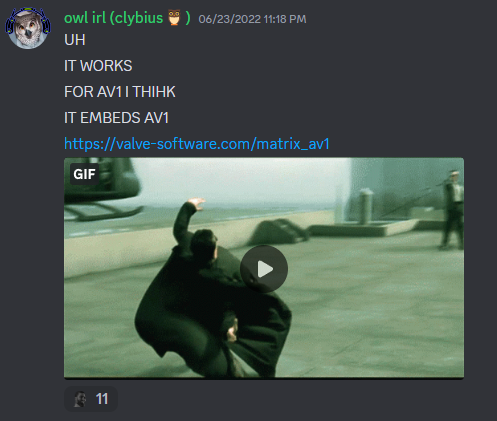
Clybius confirmed that this could be patched if discovered. He cites having had the idea from the Dwayne Johnson example above, but forgetting about it for a couple of months. So, it seems this entire concept stemmed from a silly rickroll.

### The Experiments & Interactive Site
After the discovery of AV1 embedding, experimentation brought about the discovery that *any* video codec will work as long as the user can decode/play the codec and the container/extension is an MP4, MOV, or WebM. These are all traditionally web-compatible containers. If you're interested in learning about containers, please see the [Containers](/start-here/terminology/#container) section on the [Terminology](/start-here/terminology/) page.
This applies to HEVC, ProRes, [xHE-AAC](/codecs/audio/aac/#xhe-aac), and other bizarre codecs that are rarely seen on the Web.
While experimentating, Clybius converted one their idle domains `stolen.shoes` into an interactive embedder that provided a textbox for a video URL, a thumbnail URL, a width value, & a height value for the desired video. This would be the first website for Discord embedding.
### Virality
It's not long before people outside of the AV1 Community discovered `stolen.shoes`, and its popularity increased rapidly. Its use usually involved the illicit distribution of full-length, unauthorized copies of movies; this sometimes happened very shortly after some movies were released. There were a couple notable instances of this happenening that caused quite the stir online each time.
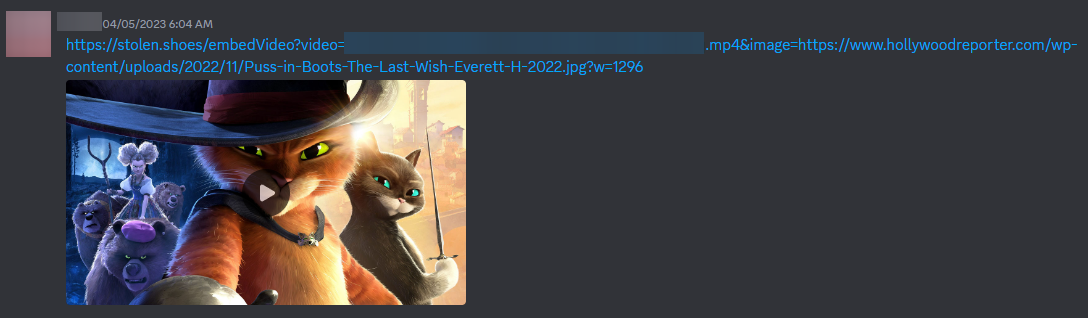
- The first instance featured the DreamWorks sequel of "Puss in Boots (2011)", "Puss in Boots: The Last Wish (2022)". A 1080p video sourced from a streaming site was the first wake up call that attracted attention to the existence of these embed sites. This example used `stolen.shoes`.
- The second instance was when highly-anticipated animated film "The Super Mario Bros. Movie (2023)" produced by Illumination, Universal Studios, and Nintendo was spread around Discord. It was first spotted as a Cam (A camera recording by someone in theaters), then as it went out on streaming services a different link appeared but spread faster and with upgraded 1080p quality. Both used `stolen.shoes` as the embed site.
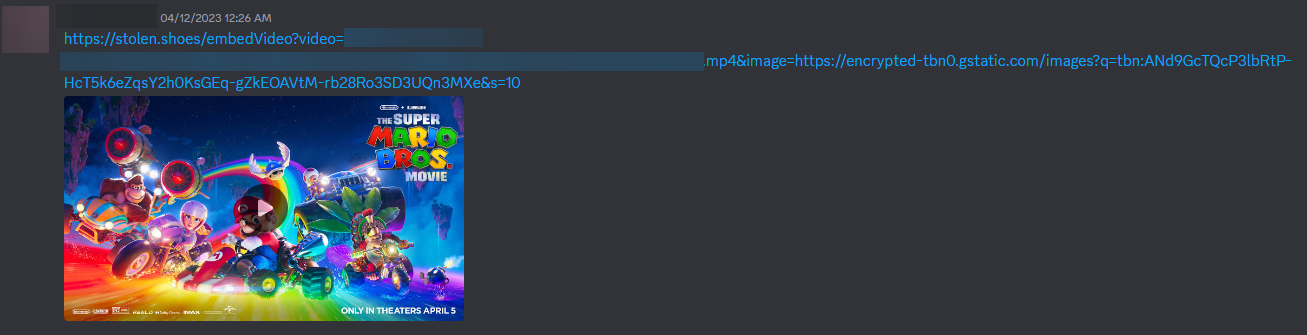
- The third instance is very recent as of the day this was posted. A streaming-service sourced "Five Nights at Freddy's (2023)" was spread around since the movie released both in theaters and streaming service (Peacock) day one, and it gained steam extremely fast as most people had not seen it yet. Currently, this illegal novelty is gaining [hundreds of upvotes within the r/discordapp subreddit](https://www.reddit.com/r/discordapp/comments/17hx45y/is_discordnfp_an_ip_grabber/). The copy seems to be a compressed 720p encode. This example used `discord.nfp.is`.
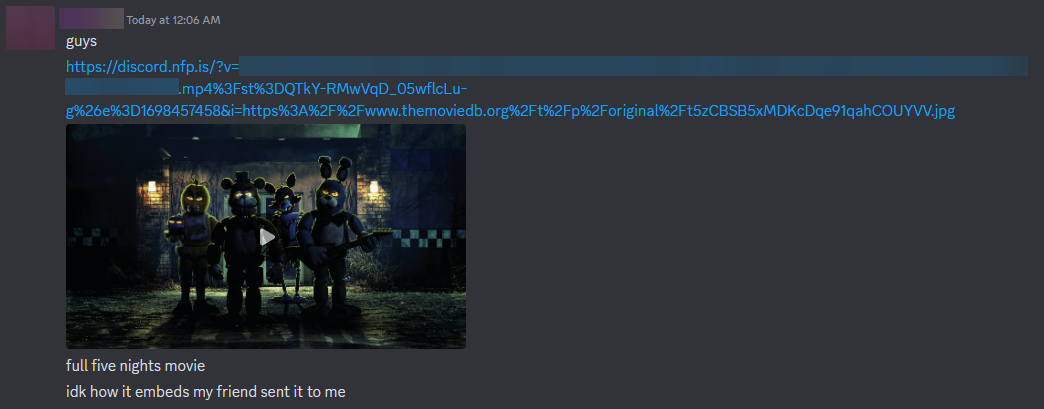
Note the ones listed here are the ones that I saw become extremely popular. There may be lesser known links that have been spread around privately or just did not cause enough noise for me to notice. Some less popular examples I've noticed, featuring more illicit copyrighted content distribution:
- Top Gun Maverick (2022)
- The SpongeBob trilogy (2005/2015/2020)
- Spider-Man: Across the Spider-Verse (2023)
## Closing
The ability to embed unusually large videos on Discord has enabled both positive and negative use cases. On the one hand, it allows high-quality content to be shared easily among friends. However, it has also facilitated mass copyright infringement by empowering virtually anyone with a Discord accound to freely spread pirated movies.
While this is fascinating from a technical perspective, embedding techniques like these tread a fine ethical line. As with anything, it is important to be mindful of how our actions affect others, and I should remind everyone that content creators deserve to be compensated for their work. As users, we should support them by accessing their content via legitimate platforms.
It is hard to say how long this exploit will continue to be usable. Instead of enabling piracy, which may cause Discord to be more likely to patch this exploit if they see it as a serious threat, let's instead use these capabilities responsibly to share our own creations, gaming highlights, and other media which we can share legally. Given some thoughtfulness, perhaps we can find a fair balance between respecting copyright law and appeasing Discord's sensibilities while allowing some creative flexibility on the platform.
Thank you for reading this blog post, I hope you learned something!
---
# Reducing Image Load Online
Canonical URL: https://encode.wiki/articles/site-optimization/
Collection: articles
Status: current
License: CC BY-SA 4.0
Checksum: 9bd28d034343f75ee6c21bb82f2062b539e467903a292ffdfe243a5f08fce753
> **Note — Editorial correction — 7 September 2026.**
>
> The author's image files, scores, sizes, and timings below are preserved as historical observations; no encodes were rerun for this correction. Delivery advice and format claims have been corrected in place. This one-photograph comparison cannot rank formats for all images or encoder versions.
A big part of understanding any multimedia codec technology is knowing the application for such technology. For images, a big use case is web delivery. Compared to other multimedia, images are incredibly popular on the Web & knowing how to serve them properly can be a massive boon to your website's traffic as well as less of a headache for users on slower connections or who are under bandwidth constraints. The most disappointing part is that images are often poorly done on the web; all too frequently will you run into a site serving massive photographic PNGs for no reason, or photography sites serving photographs fresh out of the editing software with no thought put into their final delivery. A little effort, patience, & knowledge will go a long way toward improving the user experience for individuals using your site, & this article will illustrate some of the basics.
> **Caution.**
>
> These instructions are for *photographic* images; other kinds of images, like non-photographic, artwork, pixel art, etc. should likely be handled differently.
> **Caution — Viewing the historical samples.**
>
> Some samples require JPEG XL or AVIF decoding and correct ICC color management. Support depends on the browser build and configuration; the original browser list was not a continuing compatibility guarantee. Use the JPEG examples when a format does not display, and test [current image-format guidance](/codecs/images/) on your actual targets.
## Fire & Forget
First, we'll illustrate what *not* to do, which is fortunately not incredibly difficult to avoid. Taking an image straight out of your editing software at a massive size will often bloat the size & resolution to something that isn't generally usable for a website regardless of the codec you're using & its quality per bit. It can be argued there are specific use cases that demand incredible resolution & fidelity coexist on the Web, but we won't be covering those here. Here's an example of a bloated image:
*exported straight from Darktable at JPEG q90, with no scaling*
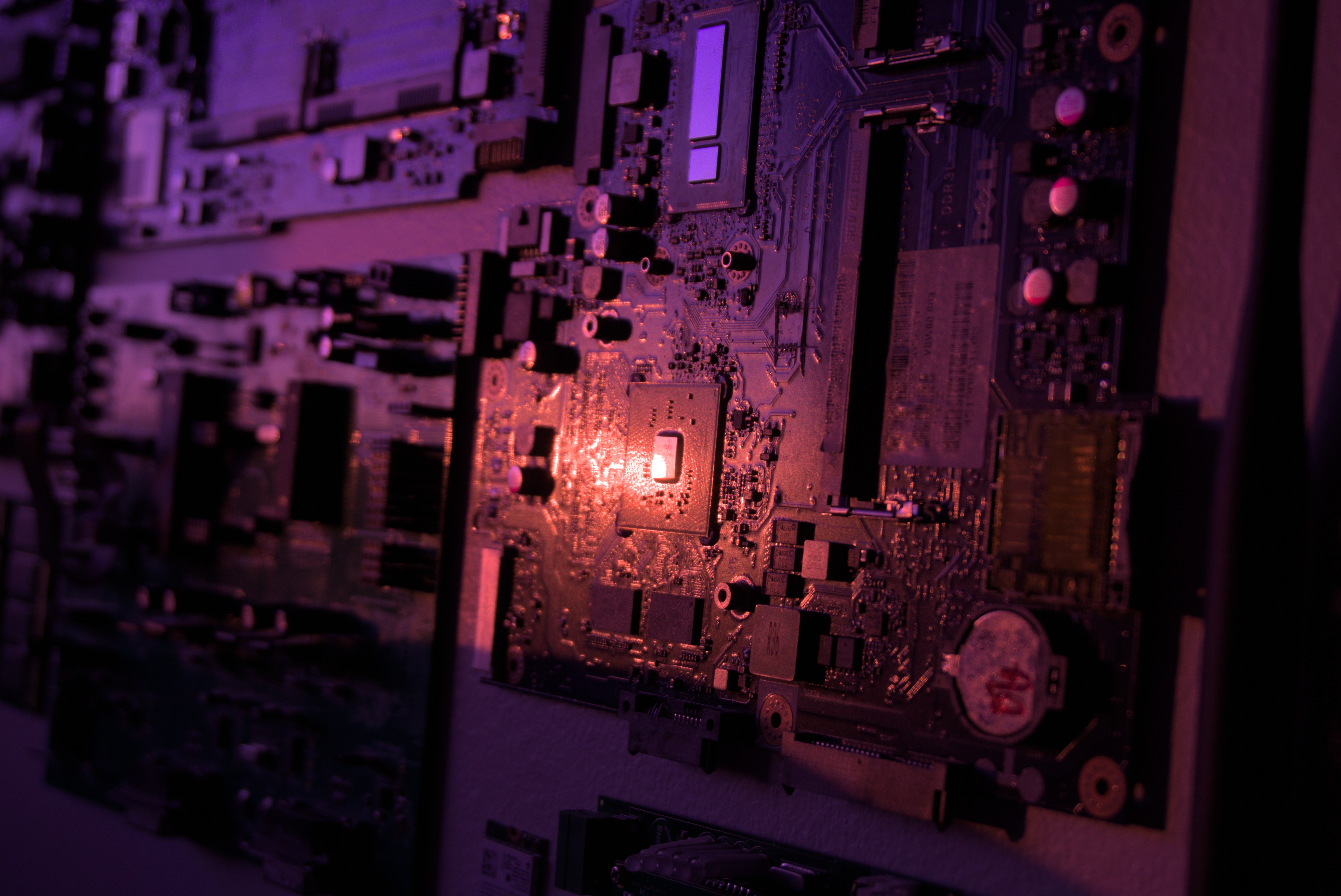
**2.2 MB**
## Massive Improvement
Reducing unnecessary image dimensions can substantially cut transfer size. Choose source dimensions using both the displayed CSS size and device pixel ratio, and provide responsive candidates for different layouts. A 2× display can need about twice the CSS width in source pixels. Resizing may hide some artifacts but does not recover information lost in a previous JPEG export; resize from the best source available. [HTML responsive images](https://html.spec.whatwg.org/multipage/images.html).
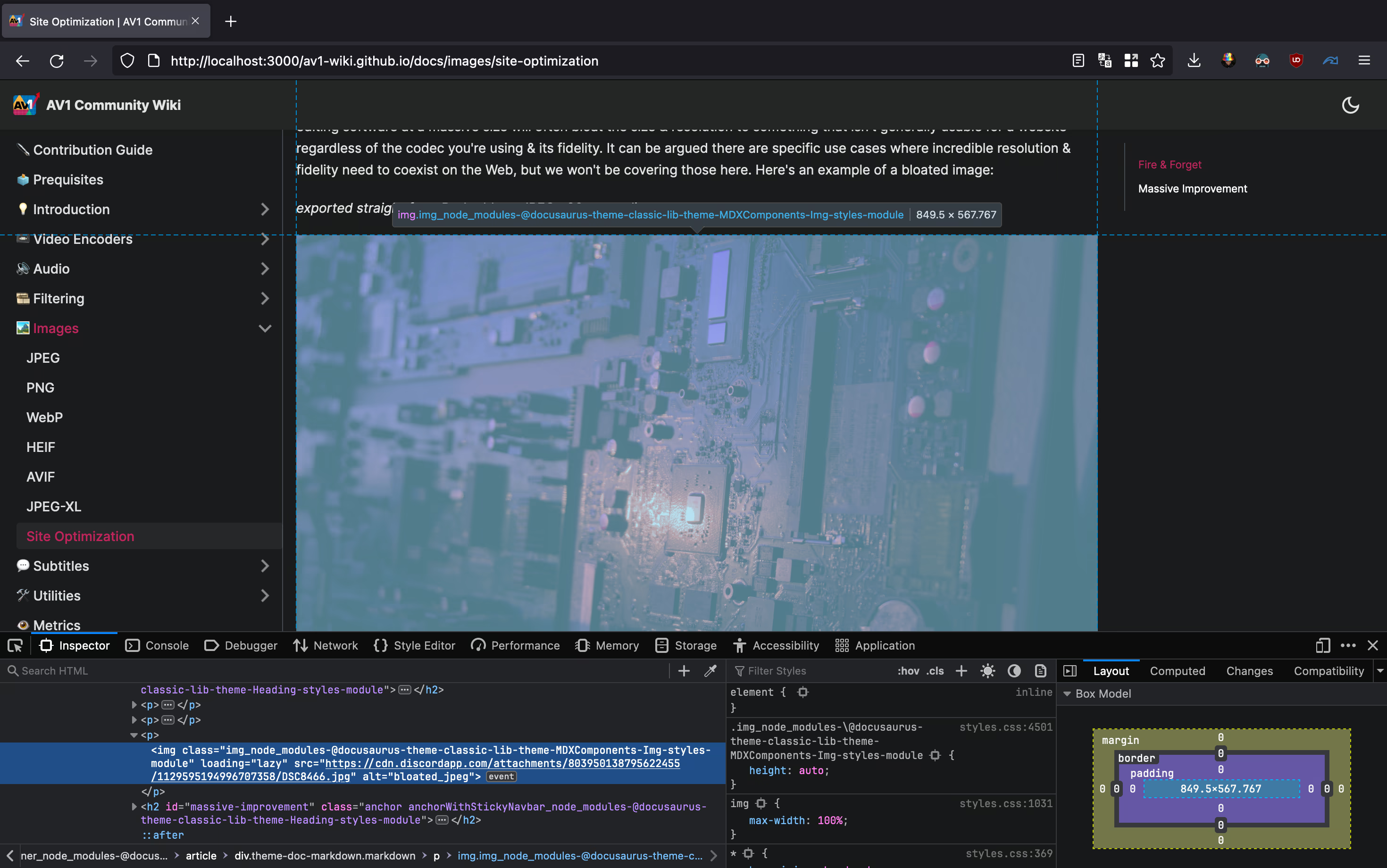
*Inspect Element in Firefox. The Mac used to take this screenshot has a relatively high display resolution of 2560x1664. Because Macs scale things differently, we're probably going to want to double the horizontal resolution here.*
The width is the most important value here, so our new image is going to be exported with a width of 1699 pixels. This new image, encoded at JPEG q90 with `cjpegli`, looks like this:
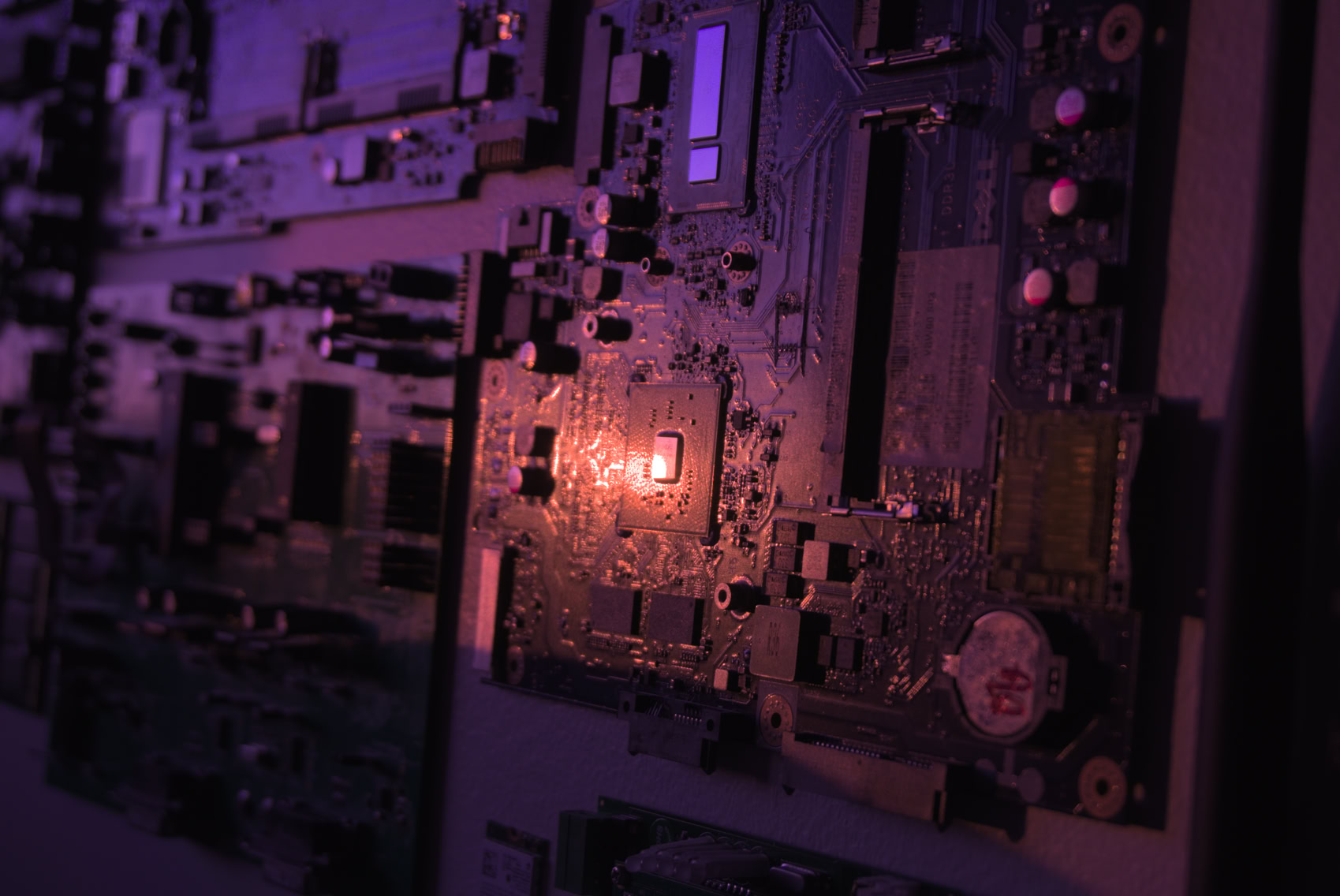
Obviously, there's lost fidelity compared to the original, but considering this is *so much smaller*, it is worth the trade-off for many. It is also worth noting we are using an improved jpeg encoder in the form of `cjpegli`, although that is secondary to the resize. If it doesn't look as good as you want it to, you can always scale the resolution up a bit, though currently, it looks plenty passable for its size.
2.2 MB -> **233 kB**
> **Chart — Page-weight reduction in the article example.** Resizing and re-encoding reduces the example image to roughly one tenth of its original transfer size. Data: Original: 2200 kB; Optimized: 233 kB.
### Lazy Loading
Add `loading="lazy"` to the **img** element, including when it is inside **picture**, for images below the initial viewport. It defers fetching until the browser's loading threshold is approached, and **can save bandwidth if the visitor never approaches the image**. It does not reduce the size of an image that is eventually fetched. Avoid lazy loading a prominent image needed for the initial view. [HTML lazy-loading behavior](https://html.spec.whatwg.org/multipage/urls-and-fetching.html#lazy-loading-attributes).
```html
```
## New Codecs
This historical experiment compares JPEG, AVIF, and JPEG XL encodes of one photograph. It does not test WebP or HEIC, so it cannot establish that WebP loses to JPEG, that HEIC has been superseded in every application, or that JPEG XL and AVIF always compress better. Encoding time, fidelity target, alpha, bit depth, color management, and decoder support all matter. Compare representative images with current implementations; see [AVIF](/codecs/images/avif/), [JPEG XL](/codecs/images/jxl/), and [WebP](/codecs/images/webp/). WebP supports both lossy and lossless coding, with different capabilities. [WebP specification](https://www.rfc-editor.org/rfc/rfc9649.html).
### Fallbacks
Provide an image the target browser can decode. A `picture` element can offer several formats with a JPEG fallback; the browser selects a supported source according to source order and its selection rules. Support is not a prediction about a format's future adoption. [HTML image selection](https://html.spec.whatwg.org/multipage/images.html). For example:
```html
```
Here the browser can select JPEG XL, AVIF, WebP, or the JPEG fallback in that order. Each extra variant adds encoding and storage work; include formats whose measured savings and target support justify maintaining them.
### Compression Efficacy
The following preserved commands document the author's historical encodes, not current CLI recipes; current options are covered in the linked format guides. Let's look at how those image examples compare to the original. We'll be aiming for high visual fidelity, so around the same quality as our initial JPEG encoded with `cjpegli` (which scores ~`83.01` with the [SSIMULACRA2](/reference/metrics/ssimulacra2/) visual fidelity metric).

**137.0 kB** *JPEG-XL image, encoded with `cjxl lossless.png out.jxl -d 1.49 -e 9`. Score: ~`83.04`* *3.06s user time*
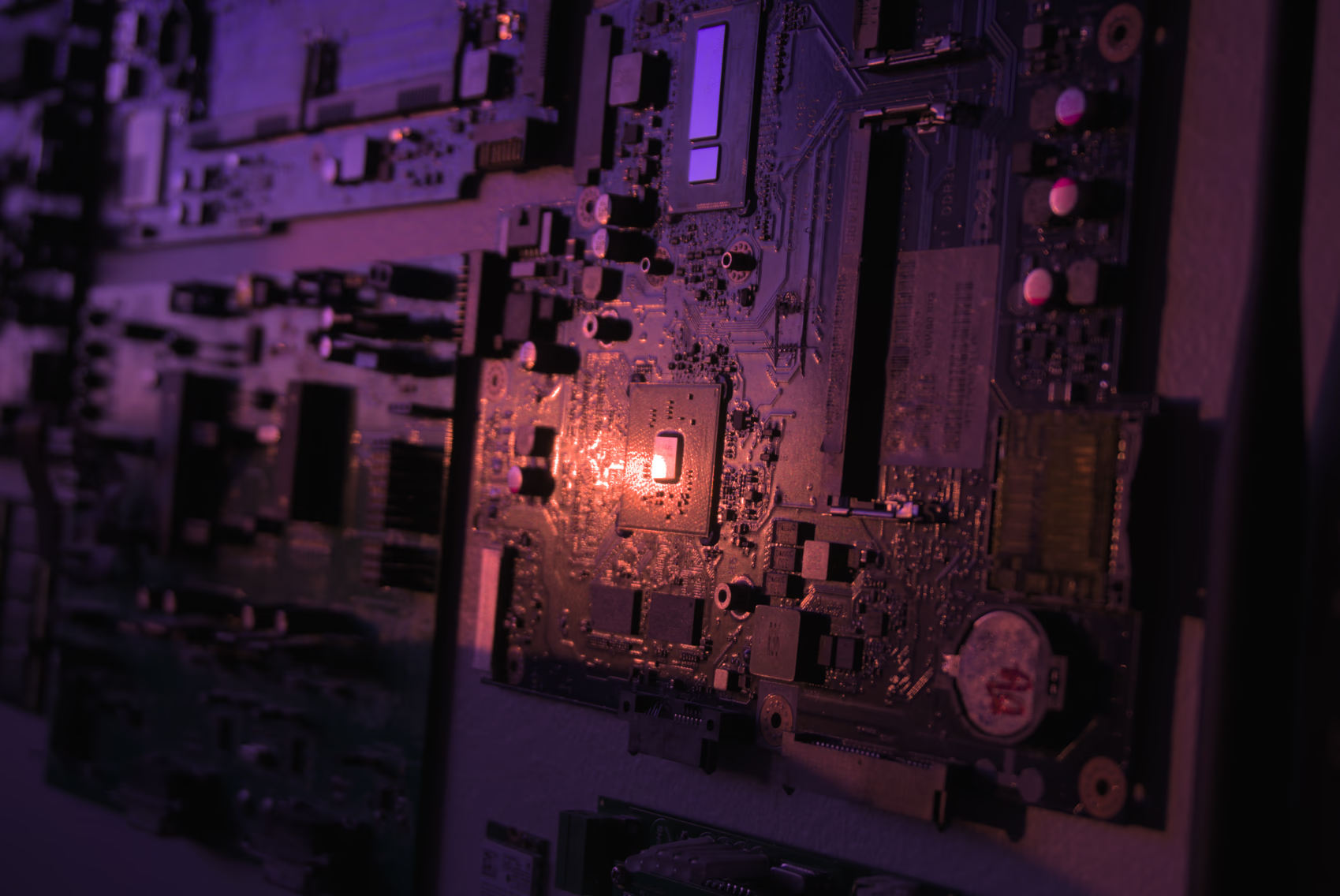
**124.8 kB** *AVIF image, encoded with `avifenc -c aom -s 4 -j 8 -d 10 -y 444 --min 1 --max 63 -a end-usage=q -a cq-level=16 -a tune=ssim lossless.png out.avif`. Score: ~`83.03`* *7.54s user time*
JPEG XL can preserve an existing JPEG's coding information so that the original JPEG file can be reconstructed byte-for-byte when reconstruction data is retained. This is distinct from encoding decoded pixels losslessly. The score mismatch reported below is unresolved: it could involve differing decode or color-conversion paths and is not evidence of improved fidelity. Verify reconstruction by decoding back to JPEG and comparing file hashes; do not infer correctness from close metric scores. [cjxl documentation](https://github.com/libjxl/libjxl/blob/main/doc/man/cjxl.txt).

**189.4 kB** *JPEG-XL image from JPEG, encoded with `cjxl input.jpg input-recomp.jxl -d 0.0 -e 9 --brotli_effort=11`. Score: ~`84.92` (???)* *0.67s user time*
The author's XYB JPEG example uses jpegli's `--xyb` mode and its associated ICC profile. Displaying the intended colors requires correct profile handling; decoders that ignore the profile can show incorrect colors. This is not universal display compatibility, and the size/quality result below applies to this sample. [jpegli documentation](https://github.com/google/jpegli).
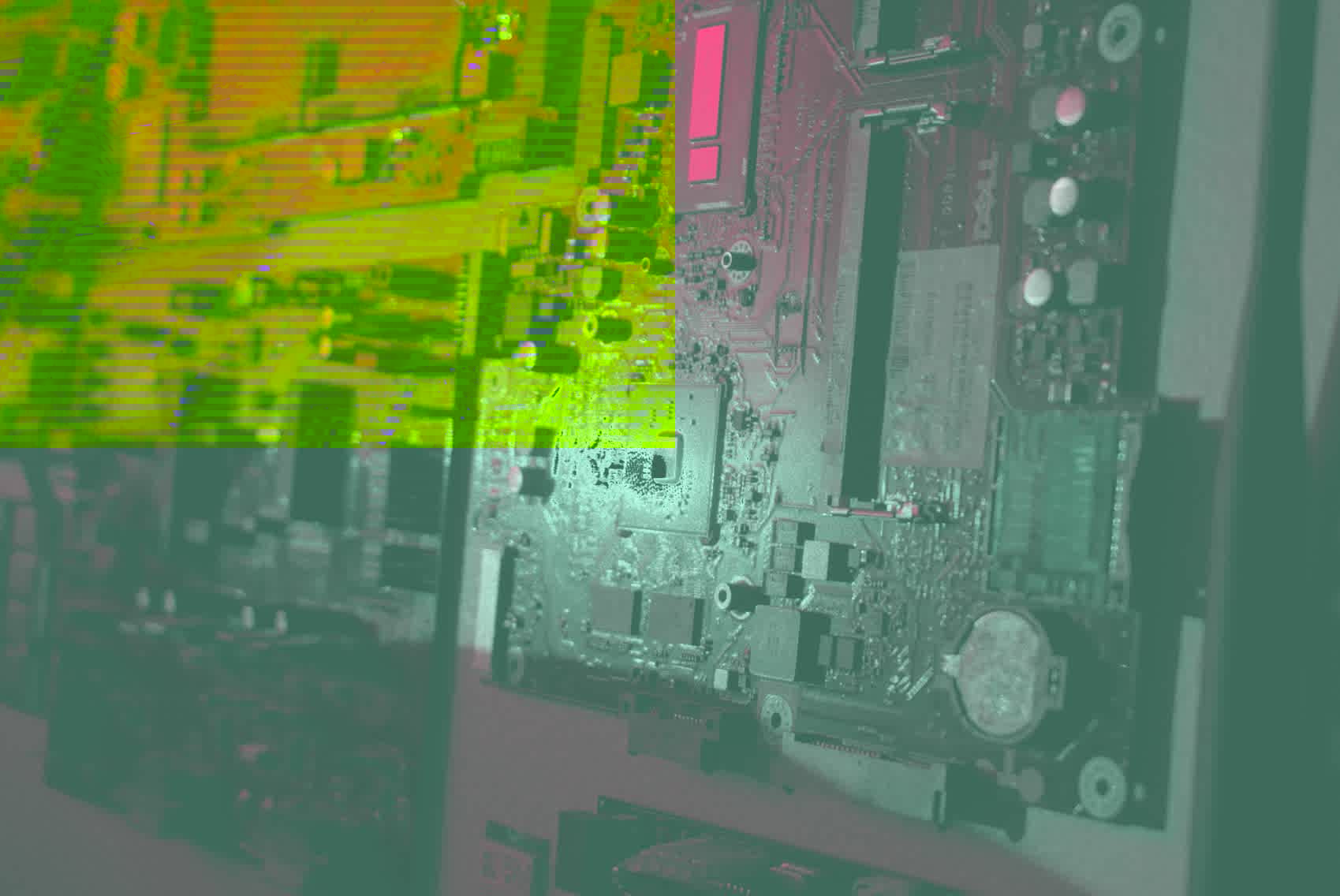
**208.3 kB** *XYB JPEG, encoded with `cjpegli lossless.png out.jpg --xyb -d 1.155`. Score: ~`83.04`* *0.10s user time*
At the author's approximately matched SSIMULACRA2 scores, this AVIF file was smaller than the tested JPEG XL and JPEG files. That supports a result for this image and these settings, not a general ranking or identical perceived quality. The input was 16-bit PNG, but a lossy output accepting that precision does not preserve all original sample information. The reported encoding times are observations from this run.
## Responsive Images
Displaying an image that is too large for a viewport is a waste of bandwidth, & displaying an image that's too small for the viewport leaves fidelity to be desired. Luckily, we have the [Responsive Image Linter](https://ausi.github.io/respimagelint/) that can help us figure out which image sizes we should be using.
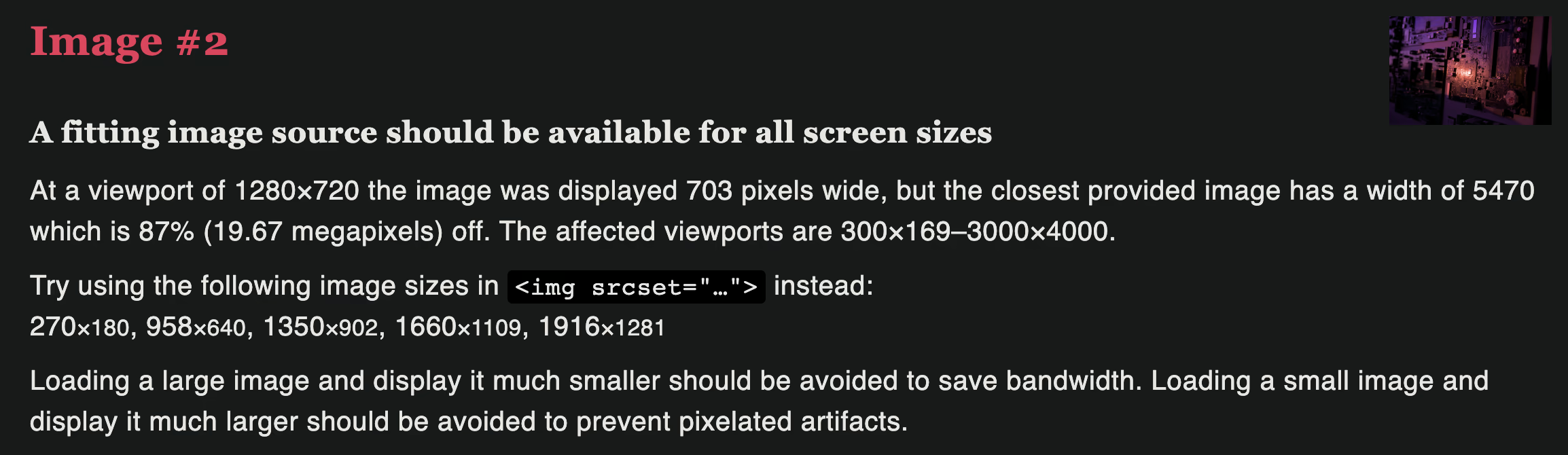
In our fire & forget example, we see that we are serving an image that is far too large. We already know that, but now we can see that given various viewport sizes we could be serving images that have respective widths of 270px, 958px, 1350px, 1660px, & 1916px to optimize for delivery to a variety of different devices. Here's how we'd write that in HTML:
```html
```
It is worth noting that this example above & the example below aren't perfect implementations of a responsive image given the conditions of this site, but the general concept still applies. Some things to note:
- `srcset` = the images available to your browser to serve, & their respective widths
- `sizes` = the conditions given to the browser explaining under what conditions should it serve which image
- `(min-width: XXXpx) YYYpx` describes an image slot of YYY CSS pixels when that viewport condition matches. The browser uses the slot size, device pixel ratio, and its selection policy to choose a candidate; it is not an instruction to fetch an exact pixel width.
- `calc(100vw - 24px)` = Usually preceded by a (min-width) condition. Specifies a value the browser should calculate on its own to pick the closest option from the srcset. Let's say we have `(min-width: 997px) calc(75vw - 257px)`. This means given the viewport is at least 997px wide, calculate 0.75 \* the current viewport resolution - 257 to find the closest image in the srcset to fit the number of pixel specified.
That's all! Massive thanks to Auto-Rez Media Technologies for the inspiration behind this article & explicit permission to use their [Reduce Your Page's Image Load](https://autocompressor.net/blog/reduce-image-load) blog post when writing this entry. I have [confirmed](https://autumn.revolt.chat/attachments/GtFGuwNfeRdcwUN0MWzhDCAiiadWOk88XXC3pQv6RI) with their leadership that this wiki entry can be safely licensed under CC BY-SA 4.0.
---
# Encoding Animation with SVT-AV1: A Deep Dive
Canonical URL: https://encode.wiki/articles/svt-av1-deep-dive/
Collection: articles
Status: current
License: CC BY-SA 4.0
Checksum: 31e634c5d9f18313946a0ca9c585252b999f5e8853e91b9362b560a9356908b6
# Introduction
> **Historical benchmark, reviewed October 4, 2026.** These are the author's December 2023 results for **SVT-AV1 1.8.0**, the listed anime clips, and the stated hardware. The preserved charts were not regenerated. Defaults, parameter availability, and conclusions must not be applied unchanged to current SVT-AV1 or its forks; use the [current encoder reference](/tools/software-encoders/svt-av1/) and test your own content. The linked [Zig VapourSynth metric plugin](https://github.com/dnjulek/vapoursynth-ssimulacra2) is now archived and points to a successor; that does not change which implementation the original experiment reports using.
This blog post is based on a series of visual quality benchmarks with SSIMULACRA2 and speed benchmarks of SVT-AV1 1.8.0 on a corpus of animated clips.
The resources available will range from ***graphs*** to ~~**image comparisons**~~ (WIP). The ***former*** has the advantage of being easily understandable, showcasing pure efficiency comparisons between encoder parameters using metrics as the reference, while the **latter** are image samples from the encoded files during the tests that enable you to check quality for yourself and add another layer of subjective interpretation to these comparisons.
The testing methodology involves using relatively short video samples from a wide range of modern anime genre, which have been either losslessly encoded with `x264 --qp 0` for ease of use or losslessly cut from their source. These lossless files are then pipped into SvtAv1EncApp *directly*, meaning we are measuring the performance of a single encoder instance and not using chunked encoding; chunking is a separate throughput choice with scene-boundary, resource, and rate-control trade-offs. Once an encode is done, SSIMULACRA2 scores are calculated using the [Zig implementation](https://github.com/dnjulek/vapoursynth-ssimulacra2) and lots of useful data are aggregated to make the graphs for this benchmark, including encoding time, encode size (bitrate), and SSIMULACRA2 scores. Bits per pixel scores (BPP) are calculated so that the `Metric / BPP` graphs may represent the closest we have to real efficiency.
The clips used in this test were acquired legally. The Codec Wiki and its contributors do not endorse media piracy.
SvtAv1EncApp was compiled directly from the [v1.8.0 source code](https://gitlab.com/AOMediaCodec/SVT-AV1/-/releases/v1.8.0) using the provided `Build/linux/build.sh` script, Clang 16.0.6, and Profile-Guided Optimization (PGO). The testing machine is comprised of an i7 8750H running at 35W with 16GB of 2666MHz DDR4 RAM in Arch Linux with kernel 6.6.6 and the performance governor enabled. All encodes have been made in the same session without rebooting.
This testing was conducted within the [AV1 Weeb Edition](https://discord.gg/83dRFDFDp7) Discord server, which is focused on encoding animated content in AV1.
## Samples
The samples are as follows:
- 11s `Blame!` clip which sports 3DCG action with lots of grain, effects and high-contrast elements. Most complex source of this set.
- 13s `Blue Lock` clip which sports rapid camera movements and rotations + high-contrast elements.
- 15s `Fate/Grand Order: Babylonia` relatively slow-paced clip with lots of effects still. Easiest source of this set but easy sources still give interesting data.
- 22s `Jigokuraku (Hell's Paradise)` flashback clip with huge static grain in a very dark scenery and some action.
- 14s `Kaguya-sama` opening sequence with lots of effects and fast change of scenery.
The resolution of every clip is 1080p, except for the first one which is 1920x804.
> **All clips have been encoded in a wide quality range, from `--crf 8` to `--crf 43`.**
Without further ado, let's start with the first comparisons!
## Presets comparisons (-1 -> 13)
**In the following graphs, you may find comparisons between all SVT-AV1 presets, ranging from the slowest `--preset -1` to the fastest `--preset 13`.**
*Please remember that these two extreme presets are meant for development purposes and as such should not be used in normal encoding conditions. You will soon understand why.*
`--preset X` is the only parameter used here, in conjunction with the CRF values. That means everything else is default. The defaults worth mentioning are:
- `--tune 1`: tune PSNR
- `--aq-mode 2`: variance deltaq
- `--enable-qm 0`: quantisation matrices disabled
- `--irefresh-type 2`: closed GOP
- `--enable-tf 1`: temporal filtering enabled
And more, like CDEF and restoration enabled, overlays and film-grain disabled...
- First of all, here are the efficiency graphs:
> **Interactive comparison:** [Open the complete media manifest](/media/articles/svt-av1-deep-dive.json).
This could be too much information.
- Now the same graphs but focusing on the "high quality" range (CRF8 -> 23):
> **Interactive comparison:** [Open the complete media manifest](/media/articles/svt-av1-deep-dive.json).
- Same again but without presets 9 to 13 for better clarity:
> **Interactive comparison:** [Open the complete media manifest](/media/articles/svt-av1-deep-dive.json).
- Now for the "low quality" range (CRF28 -> 43):
> **Interactive comparison:** [Open the complete media manifest](/media/articles/svt-av1-deep-dive.json).
- Same but without presets 9 to 13 for better clarity:
> **Interactive comparison:** [Open the complete media manifest](/media/articles/svt-av1-deep-dive.json).
- **Let's now see speed comparisons between all presets:**
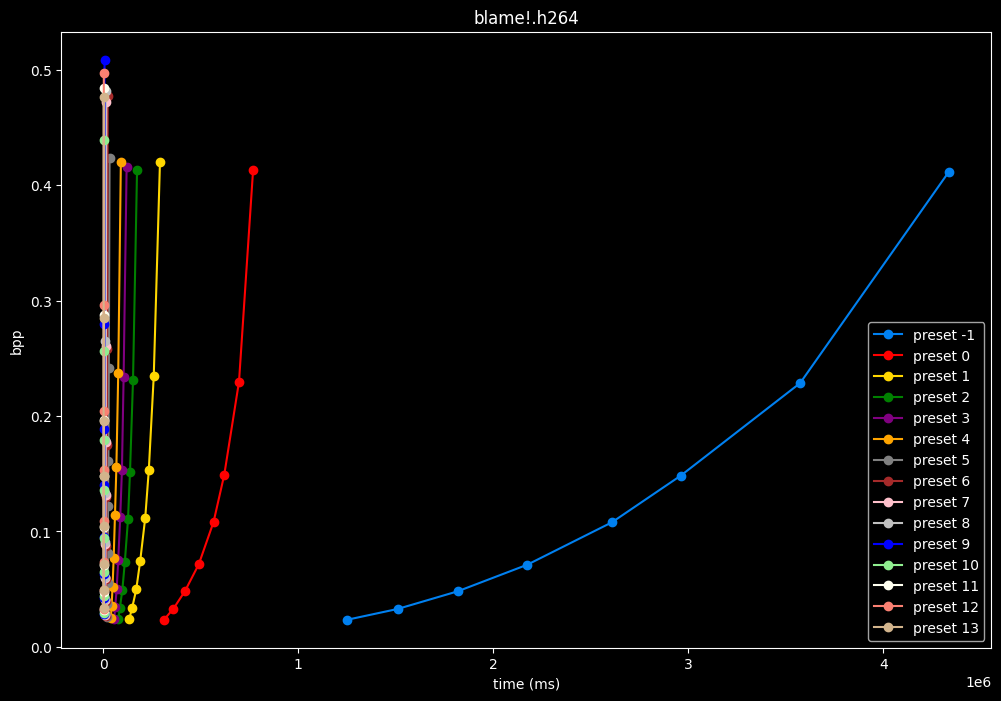
As we can see, preset -1 is so abysmally slow it makes the graph unusable
(BTW, notice the `1e6` in the lower right corner, it is obviously not encoding at 1 to 4 ms, but at 1 000 000 to 4 000 000 ms)
- Here is what it looks like with a logarithmic scale:
> **Interactive comparison:** [Open the complete media manifest](/media/articles/svt-av1-deep-dive.json).
- **Now the speed graphs but with SSIMU2 on the y-axis instead of BPP: (logarithmic scale)**
> **Interactive comparison:** [Open the complete media manifest](/media/articles/svt-av1-deep-dive.json).
- Here are speeds graphs for preset 1 to 6 with a linear scale:
> **Interactive comparison:** [Open the complete media manifest](/media/articles/svt-av1-deep-dive.json).
One interpretation we can have is that **presets 2 to 4** have actually pretty close scores (pretty much the same at HQ, 2 points at max in the low quality range) but **preset 2** is **2x slower than preset 4**. The quality gap between **preset 2** and **preset 1** is even narrower but the speed penalty is also ~2x.
That makes it hard to recommend **preset 1**, while **preset 3** is in a strange middle ground between **2** and **4** where it makes little sense to choose it over those two: it's better to choose **preset 2** for the higher efficiency at 1.5x slower speeds, or **preset 4** for the 1.33 to 1.5x higher speeds. At least the option exists.
A similar observation can be made between **preset 5** and **6**. They can be so close in scores in many samples (especially at HQ) while also being close in speeds that **preset 5** becomes rather obsolete most of the time.
### TLDR
**Clear quality gains can be observed as we decrease presets, until the very last one, however the effectiveness of dropping presets becomes less and less impressive the higher in quality you go.**
- For instance, in worst-case scenario, we observe that (for the CRF23 to CRF8 range), __**preset 4**__ only loses at maximum **2** SSIMU2 **points** compared to __**preset -1**__ while being 50-60x faster. Though to be fair, the speed loss from __**preset 4**__ to __**preset 0**__ is "only" 5-10x for a maximum SSIMU2 difference close to **1.5 point**.
- From CRF43 to CRF28, the difference between __**preset 4**__ and __**preset -1**__ can be as much as **5** SSIMU2 **points**, so lower presets become more attractive.
## Tunes comparisons
**In the following graphs, you may find comparisons between SVT-AV1 tunes, from the default `--tune 1` (PSNR) to the other two tunes: `--tune 0` (VQ) and `--tune 2` (SSIM).**
Except for the tunes, `--preset 4` is set due to its good balance of quality and speed, in conjunction with the CRF values. That means everything else is default. The defaults have been mentioned earlier above.
- **Let's compare the efficiency of every tunes:**
> **Interactive comparison:** [Open the complete media manifest](/media/articles/svt-av1-deep-dive.json).
- Now let's focus on the "high quality" range (CRF8 -> 23):
> **Interactive comparison:** [Open the complete media manifest](/media/articles/svt-av1-deep-dive.json).
- And the "low quality" range (CRF28 -> 43):
> **Interactive comparison:** [Open the complete media manifest](/media/articles/svt-av1-deep-dive.json).
- And here is the speed difference:
> **Interactive comparison:** [Open the complete media manifest](/media/articles/svt-av1-deep-dive.json).
- Graphs comparing the tunes individually between each others will be made available soon.
- The image comparisons will make the conclusion quite more nuanced, stay tuned (heheh) for that.
### TLDR
**SSIMU2 favors __tune 1 and 2__ above __tune 0__. At high quality, __tune 1 and 2__ are matched, while at low quality __tune 2__ takes the edge. __Tune 0__ is sometimes a match for the other two on certain clips and other times fare pretty badly.**
**For some reason, __tune 0__ is quite a bit faster now, compared to 1 and 2 which are basically the same.**
Keep in mind that I have observed multiple times in the past that __tune 0__ kept more fine detail and was sharper than the other tunes, at the expense of potential artifacting, like ringing and distortion. It may very well explain why the metric doesn't like its results. The image comparisons may give a different interpretation than what we concluded here, please stay *tuned* for these subjective comparisons.
## Parameters comparisons
**In the following graphs, you may find comparisons between many SVT-AV1 parameters.**
*Additional graphs focusing on the high and low qualities will be made available later down the line*
`--preset 4` is used here due to its good balance of quality and speed, in conjunction with the CRF values. That means everything else is default. The defaults have been mentioned earlier above.
### `--tile-rows 1 --tile-columns 1` vs default `--tile-rows 0 --tile-columns 0`
- Efficiency graphs:
> **Interactive comparison:** [Open the complete media manifest](/media/articles/svt-av1-deep-dive.json).
- Speed graphs:
> **Interactive comparison:** [Open the complete media manifest](/media/articles/svt-av1-deep-dive.json).
> __tiles__ here are both slightly harmful and slower.
### `--aq-mode 0` vs default `--aq-mode 2`
- Efficiency graphs:
> **Interactive comparison:** [Open the complete media manifest](/media/articles/svt-av1-deep-dive.json).
- Speed graphs:
> **Interactive comparison:** [Open the complete media manifest](/media/articles/svt-av1-deep-dive.json).
> Except for the Jigokuraku clip, __aq-mode 0__ is harmful in the eyes of SSIMU2, while being slower at low CRF levels, and sometimes a match or faster at high CRF levels.
### `--aq-mode 1` vs default `--aq-mode 2`
- Efficiency graphs:
> **Interactive comparison:** [Open the complete media manifest](/media/articles/svt-av1-deep-dive.json).
- Speed graphs:
> **Interactive comparison:** [Open the complete media manifest](/media/articles/svt-av1-deep-dive.json).
> __aq-mode 1__ fares closer to __aq-mode 2__ than __aq-mode 0__ did, both in quality and speed, but is still overall inferior according to SSIMU2
### `--enable-cdef 0` vs default `--enable-cdef 1`
- Efficiency graphs:
> **Interactive comparison:** [Open the complete media manifest](/media/articles/svt-av1-deep-dive.json).
- Speed graphs:
> **Interactive comparison:** [Open the complete media manifest](/media/articles/svt-av1-deep-dive.json).
> According to SSIMU2, disabling CDEF barely impact efficiency. But as its a pretty demanding tool, there's a slight speed benefit of having it disabled too. I advise you to take these results with a grain of salt until the image comparisons, because in anime particularly, CDEF *can* be beneficial for the line-art.
### `--enable-dg 0` vs default `--enable-dg 1`
- Efficiency graphs:
> **Interactive comparison:** [Open the complete media manifest](/media/articles/svt-av1-deep-dive.json).
- Speed graphs:
> **Interactive comparison:** [Open the complete media manifest](/media/articles/svt-av1-deep-dive.json).
> __Dynamic GoP control__ yields bit-perfect results in all clips except for Blue Lock and Jigokuraku. There is no speed benefit to disabling it except in clips where it is in use. Let's not jump to conclusions too easily, the image comparisons will tell if it's "safe" to keep the setting disabled at all times or not.
### `--enable-dlf 0` vs default `--enable-dlf 1`
- Efficiency graphs:
> **Interactive comparison:** [Open the complete media manifest](/media/articles/svt-av1-deep-dive.json).
- Speed graphs:
> **Interactive comparison:** [Open the complete media manifest](/media/articles/svt-av1-deep-dive.json).
> In these tested clips, the __deblocking loop filter__ was sometimes slightly beneficial and no harmful result was observed. This limited corpus does not establish that it can never hurt another source.
### `--fast-decode 1` vs default `--fast-decode 0`
- Efficiency graphs:
> **Interactive comparison:** [Open the complete media manifest](/media/articles/svt-av1-deep-dive.json).
- Speed graphs:
> **Interactive comparison:** [Open the complete media manifest](/media/articles/svt-av1-deep-dive.json).
> __fast-decode 1__ is pretty harmful in the Fate clip and slightly harmful in the rest. There is a speed benefit of enabling it though.
### `--irefresh-type 1` vs default `--irefresh-type 2`
- Efficiency graphs:
> **Interactive comparison:** [Open the complete media manifest](/media/articles/svt-av1-deep-dive.json).
- Speed graphs:
> **Interactive comparison:** [Open the complete media manifest](/media/articles/svt-av1-deep-dive.json).
> Finally something interesting to analyse!
- __irefresh-type 1__ is either a match or beneficial compared to __irefresh-type 2__ at high CRF levels.
- __irefresh-type 1__ either wins or lose to __irefresh-type 2__ at low CRF levels depending on the clip. As such, it is NOT recommended to blindly set __irefresh-type__ to __1__ at "high quality" as it might be harmful depending on the content.
- __irefresh-type 1__ is always slower compared to __irefresh-type 2__, so I might argue it is more safe to leave __irefresh-type__ default at "high quality" than not.
- According to the content type of those clips, it appears that __irefresh-type 1__ may benefit *extremely grainy* content while default __irefresh-type 2__ is better suited for *cleanish* content. This needs to be confirmed with *moar* testing though.
### `--lookahead 0` vs default `--lookahead -1` (auto)
- Efficiency graphs:
> **Interactive comparison:** [Open the complete media manifest](/media/articles/svt-av1-deep-dive.json).
- Speed graphs:
> **Interactive comparison:** [Open the complete media manifest](/media/articles/svt-av1-deep-dive.json).
### `--lookahead 60` vs default `--lookahead -1` (auto)
- Efficiency graphs:
> **Interactive comparison:** [Open the complete media manifest](/media/articles/svt-av1-deep-dive.json).
- Speed graphs:
> **Interactive comparison:** [Open the complete media manifest](/media/articles/svt-av1-deep-dive.json).
### `--lookahead 120` (max) vs default `--lookahead -1` (auto)
- Efficiency graphs:
> **Interactive comparison:** [Open the complete media manifest](/media/articles/svt-av1-deep-dive.json).
- Speed graphs:
> **Interactive comparison:** [Open the complete media manifest](/media/articles/svt-av1-deep-dive.json).
> __lookahead__ seems to behave strangely when set...
- __lookahead 0__ shifts quality around a lot and it is difficult to draw conclusions but there's a clear speed drawback of disabling lookahead.
- __lookahead 60__ is perfectly bit-perfect to every clips EXCEPT for some damn reason in Jigokuraku at CRF23
- __lookahead 120__ is somehow also bit-perfect, but this time in every clips and every CRF levels. Both 60 and 120 don't see much speed differences.
> Soooo.... this behavior is so odd I don't advise to set any lookahead value. Let the encoder decide.
### `--enable-overlays 1` vs default `--enable-overlays 0`
- Efficiency graphs:
> **Interactive comparison:** [Open the complete media manifest](/media/articles/svt-av1-deep-dive.json).
- Speed graphs:
> **Interactive comparison:** [Open the complete media manifest](/media/articles/svt-av1-deep-dive.json).
> __overlays__ do not seem to either improve efficiency or performance.
### `--enable-qm 1` vs default `--enable-qm 0`
- Efficiency graphs:
> **Interactive comparison:** [Open the complete media manifest](/media/articles/svt-av1-deep-dive.json).
- Speed graphs:
> **Interactive comparison:** [Open the complete media manifest](/media/articles/svt-av1-deep-dive.json).
> Enabling __quantization matrices__ alone increase efficiency at "high quality" with no real speed impact.
### `--enable-qm 1 --qm-min 0` vs `--enable-qm 1`
- Efficiency graphs:
> **Interactive comparison:** [Open the complete media manifest](/media/articles/svt-av1-deep-dive.json).
- Speed graphs:
> **Interactive comparison:** [Open the complete media manifest](/media/articles/svt-av1-deep-dive.json).
> Setting __qm-min__ to __0__ on top of enabling __quantization matrices__ can be beneficial in some clips at no added compute time.
I will re-tests many QMs ranges in the future, but I doubt it changed much from v1.7.0 where 0 was the most appropriate choice for most content.
### `--enable-restoration 0` vs default `--enable-restoration 1`
- Efficiency graphs:
> **Interactive comparison:** [Open the complete media manifest](/media/articles/svt-av1-deep-dive.json).
- Speed graphs:
> **Interactive comparison:** [Open the complete media manifest](/media/articles/svt-av1-deep-dive.json).
> Even though the efficiencies are very similar, nothing is bit-perfect here. So according to SSIMU2, the __loop restoration filter__ isn't necessarily useful. However, just like CDEF, it's a pretty demanding tool, so disabling it yields some performance improvements. Let's take these with a grain of salt until the image comparisons.
### `--scm 0` vs default `--scm 2` (content adaptive)
In all the clips, the results are bit-perfect and there is no notable performance difference.
### `--scm 1` vs default `--scm 2` (content adaptive)
- Efficiency graphs:
> **Interactive comparison:** [Open the complete media manifest](/media/articles/svt-av1-deep-dive.json).
- Speed graphs:
> **Interactive comparison:** [Open the complete media manifest](/media/articles/svt-av1-deep-dive.json).
> Interestingly enough, __screen content tools__ seem to improve efficiency according to SSIMU2, at the cost of a huge performance regression. After the image comparisons are published, I will conduct additional testing on this.
### `--enable-tf 0` vs default `--enable-tf 1`
- Efficiency graphs:
> **Interactive comparison:** [Open the complete media manifest](/media/articles/svt-av1-deep-dive.json).
- Speed graphs:
> **Interactive comparison:** [Open the complete media manifest](/media/articles/svt-av1-deep-dive.json).
> Disabled __temporal filtering__ *can* sometimes improve efficiency slightly at "high quality", however it is very much clip dependent. It also improves performance slightly. The image comparisons will give another perspective to these results.
### `--enable-tpl-la 0` vs default `--enable-tpl-la 1`
In all the clips, the results are bit-perfect and there is no notable performance difference.
### `superres`:
Kinda lazy to make, share and comment so much graphs for something that can be told in two lines...
All superres variants are freaking useless as they:
- do not improve efficiency
- decrease encoding speeds
- decrease decoding speeds when either bitrate or quality normalized.
### __Early TLDR on parameters results:__
***For a previous test with SVT-AV1 1.7.0 I did all parameters tests with `--preset 6 --tune 2`, now I did them with `--preset 4 --tune 1`. Mostly everything tested on v1.7.0 still stands today, but now we have more valuable data. Images comparisons are still needed to give more context to some results, so the conclusion presented here remains early as they are 100% based on SSIMU2 results and will require more analysis down the line.***
**Here is a quick run down of how each parameter affect encoding:**
- In these SVT-AV1 1.8.0 tests, `--tile-rows` / `--tile-columns` reduced the measured trade-off. Tiles can serve parallelism or delivery requirements; choose them for the actual encoder, decoder, and content rather than treating this corpus as a universal prohibition.
- `--aq-mode 2` is the most efficient / fastest
- `--enable-cdef 0` *might* improve performance at almost no efficiency loss *(needs more thorough testing)*
- `--enable-dg` and `--enable-dlf` barely do anything
- `--fast-decode 1` decreases efficiency, improves encoding times, and the decoding gains still need to be determined.
- `--irefresh-type` should be kept default at high CRF values and for cleanish content at low CRF values, but can be set to 1 at low CRF values for extremely grainy content
- `--lookahead` should be kept default
- `--enable-overlays 1` does not improve efficiency, slight speed regression as well
- `--enable-qm 1 --qm-min 0` should be set for increased efficiency especially at low CRF values at no perf cost
- `--enable-restoration` barely does anything but disabling yields better performance *(needs visual confirmation)*
- `--scm 1` screen content tools can improve efficiency with a big performance trade-off *(needs more thorough testing)*
- `--enable-tf 0` is a mixed bag efficiency wise but improves performance
- `superres & resize` please don't.
## Conclusion
The extensive benchmarking reveals that obviously the slower presets provide better efficiency, with diminishing returns past preset 2. However, preset 4 provides a good balance of quality and speed for most use cases. Presets 6 and 8 are good options for the people that find 4 to be too slow for their liking.
The default settings tend to provide good results, but some tweaks like enabling quantization matrices can further optimize efficiency. Parameters like tile encoding and super resolution modes are not beneficial. Overall, SVT-AV1 continues to be a competitive option for encoding animation in AV1, with its speed being a notable strength.
Further testing with more content samples would help solidify these findings. The image comparisons will also provide additional subjective evaluation to complement the objective metrics used here, and we can discover the potential usefulness of Tune 0 that may betray what the metrics suggest. Overall, this comprehensive deep dive should give encoders a helpful starting point for choosing settings when encoding animation with the tested SVT-AV1 1.8.0. Thanks for reading!
{}
---
# Deep Dive into SVT-AV1's Evolution (Part 1): Presets Analysis from v2.0 to v3.0
Canonical URL: https://encode.wiki/articles/svt-av1-fourth-deep-dive-p1/
Collection: articles
Status: current
License: CC BY-SA 4.0
Checksum: 8166bc983f698ef6e73b64c53b0a53159483fb976e365db0e10e1a030d93c5d6
> **Note — Editorial correction — 7 September 2026.**
>
> The author's SVT-AV1 2.0.0–3.0.1 experiments, modified builds, clips, graphs, comparisons, and numerical results are preserved. This is exploratory benchmarking: W-VMAF, W-XPSNR, adjusted Butteraugli, and harmonic SSIMULACRA2 have not been validated here as perceptual video metrics. The methods and conclusions below now state those limits. No benchmark or subjective validation was rerun.
# Introduction
It's been almost a year since SVT-AV1 v2.0.0 dropped in March 2024, and we finally got v3.0.0 in late February of this year. Minor versions v3.0.1 and v3.0.2 came along afterward with some bug fixes and ARM SIMD improvements, but they didn't meaningfully alter encoding results.
So what's actually different between these versions? I've been wanting to run tests across all the major releases from v2.0.0 to v3.0.x to see how the speed vs quality trade-offs have evolved this past year. Using SSIMULACRA2, Butteraugli, XPSNR, and VMAF (plus some methodology tweaks I'll get into), I'll break down what each version brought to the table and in a second part, we'll also deep dive a few specific options that appeared in the encoder since my first blog post release so you can figure out what you may want to use for your projects. That includes variance boost, fast decode, temporal filtering strength and a few others...
## Feedback
Although the reception was warm, I got less feedback than usual this time around, but honestly, that hasn't prevented me from wanting more. And better! I'm keeping the stuff that seemed well-received: the diverse test clips, visual comparisons, and my ongoing attempt to stay as objective as possible.
In my last post's conclusion, I mentioned some frustrations: XPSNR was acting up, metrics were taking forever to calculate, and there was just too much data to make sense of. Good news is I've tackled all of these. I fixed the XPSNR issue (it expected mod-8 inputs), started using the new [Vship](https://codeberg.org/Line-fr/Vship) to speed up metrics calculation, and found a cleaner way to present all the data points at just two quality levels, like I used to do.
Also, it needs to be pointed out I've been way too optimistic about how often I can get these posts out. Especially when I revamp the methodology each time. I'm sorry about that, again. Though, my ambition may also be at fault: the size of this article got so out of hand I eventually decided to split it into two parts for convenience's sake.
## Methodology
You'll find both graphs and visual comparisons in this analysis. The graphs give you objective data on encoder efficiency across different settings, using various metrics. The image comparisons show the actual encoded samples so you can judge quality for yourself, adding that subjective element that numbers alone can't capture.
This time, I'm using a new tool called [*Metrics*](https://github.com/psy-ex/metrics) from the self-proclaimed Psychovisual Experts group, which provides scripts for measuring and comparing video codecs. I've heavily modified these scripts for my specific needs, but if you want to run your own tests locally, definitely check out the original *Metrics* toolkit!
---
Here's how the testing works: I use relatively short video samples covering a wide range of content types, all converted to uncompressed y4m format (if they weren't already!) for consistency. These lossless files go straight into *SvtAv1EncApp*, so we're measuring single-instance encoder performance here. Chunked encoding with a tool such as [Av1an](https://github.com/rust-av/Av1an) is an optional throughput strategy; this single-instance experiment does not test its boundary, rate-control, or resource tradeoffs.
The author used Vship for SSIMULACRA2 and Butteraugli, and modified FFmpeg-based processing for VMAF and XPSNR. Using several metrics can expose disagreement; it does not prove that their errors cancel or that the combination tracks human judgments.
**Harmonic SSIMULACRA2:** the author pooled frame scores harmonically to emphasize low scores. This is an experimental aggregation of an image metric, not a validated temporal model. SSIMULACRA2 scores can be zero or negative; harmonic pooling becomes undefined at zero and can behave misleadingly across mixed signs. Inspect per-frame values and any exclusions before interpreting these curves. [Reference metric](https://github.com/cloudinary/ssimulacra2).
**W-VMAF:** the historical pipeline ran a v0 NEG model separately on Y, U, and V and combined the results as `((4.0 * vmaf_y) + vmaf_u + vmaf_v) / 6.0`, with `motion.motion_force_zero=true`. Running a luma-trained model on chroma planes and selecting a 4:1:1 weight is not validated chroma modeling. Disabling motion also changes the input features from those used for normal prediction. NEG is a documented model variant, but it does not validate these additional changes. This article's W-VMAF is not Netflix VMAF. The old luma-only statement concerned the v0 model used here; newer v1 models include chroma features. [V0 models](https://github.com/Netflix/vmaf/blob/master/resource/doc/models_v0.md), [v1 models](https://github.com/Netflix/vmaf/blob/master/resource/doc/models_v1.md).
**W-XPSNR:** the author disabled motion-related code, converted component dB scores back to linear error values, pooled them as `((4.0 * xpsnr_mse_y) + xpsnr_mse_u + xpsnr_mse_v) / 6.0`, and converted back to dB. That defines a modified measurement, not the published XPSNR algorithm. The original instruction to comment out a moving source-code line is not a reproducible patch; exact historical source and patch revisions are needed to reproduce it. For new comparisons use the [built-in XPSNR workflow](/reference/metrics/xpsnr/) and report components before inventing a combined score.
**Butteraugli:** the author set intensity to 203 nits rather than the 80-nit default reported for the tested build. Display-intensity assumptions affect scores; a reference-white convention does not validate the resulting video rankings or HDR treatment. Current Vship documentation uses its own default, so record the explicit parameter and implementation version. [Vship Butteraugli API](https://codeberg.org/Line-fr/Vship/src/branch/main/doc/BUTTERAUGLI.md).
**Interpretation:** no subjective validation of these transformations is supplied. The plots remain observations of the author's chosen functions, useful for generating hypotheses and selecting visual comparisons. Agreement among them does not establish equal perceived quality, a transparent threshold, or a universal preset ranking. Validating such claims requires independent subjective data and documented viewing conditions; [ITU-R BT.500](https://www.itu.int/rec/R-REC-BT.500) describes relevant assessment methods.
The "speed graphs" plot *Constant Rate Factor* (CRF) against encoding time to show speed efficiency at different quality targets. For compression efficiency, I plot metric scores against output file size. Since *Metrics* doesn't use *bits per pixel* (BPP) and I had received feedback a few blog posts back that this metric could be confusing, I decided to drop it this time around.
To achieve more accurate efficiency curves with fewer probes, it is more effective to prioritize probes in the higher-quality (lower CRF) range of the quality spectrum, since bitrate will increase quicker. I used the following formula, courtesy of better-vmaf's author, to determine ten CRF values from 10 to 50 to use for the testing: `crfs = [min_q + (max_q - min_q) * ((step / (q_steps - 1)) ** scaling_factor) for step in range(q_steps)]`, then equally split into *High Quality* and *Low Quality* graphs and visual comparisons.
How to read the graphs? For the compression efficiency graphs, higher and further left is better, except for Butteraugli, which is a distance metric where lower scores mean better quality, so you want bottom-left instead of top-left. For the encoding speed graphs, further left means faster.
One important caveat about speed measurements: reproducing the efficiency curves also requires matching encoder and metric revisions, patches, preprocessing, and settings; GPU and CPU numerical paths can differ. Separately, measuring encoding speed is trickier. The performance numbers you see here will likely differ on your setup depending on your specific hardware configuration. Please take them with a grain of salt.
---
The clips used in this test were acquired legally. The Codec Wiki and its contributors do not endorse media piracy.
As the testing started a good while ago, about when v3.0.1 released in fact, and many encodes were already completed by the time v3.0.2 was out, I used the following encoder versions for this test: **v2.0.0**, **v2.1.2**, **v2.2.1**, **v2.3.0** and **v3.0.1**. The different *SvtAv1EncApp* binaries were compiled directly from their respective [source codes](https://gitlab.com/AOMediaCodec/SVT-AV1/-/releases/) found on the release section of the SVT-AV1 Gitlab repository, using **Clang 19.1.7** and the provided `Build/linux/build.sh` script with the following command: `build.sh cc=clang cxx=clang++ jobs=$(nproc) enable-lto static native release`. The testing machine is now comprised of an **i7 12700F**, whose E-cores have been disabled to avoid scheduler-related issues, with **2x8GB** of TOTL 3200MHz CL14 DDR4 RAM, in **Arch Linux** with kernel 6.12.17 and the performance governor enabled. I tried my best to run most encodes in the same session without rebooting, but a few issues made it so I had to re-run some in a new session. However, this does not concern this part of the article, so we'll revisit this in the next one.
There is an exception to one of my above statement. As you may know, there is a feature that significantly impacted SVT-AV1's competitiveness: [**variance boost**](https://gitlab.com/AOMediaCodec/SVT-AV1/-/blob/master/Docs/Appendix-Variance-Boost.md)! This feature can provide good efficiency improvements by increasing quality in low-contrast areas in frames, at little to no performance cost when properly bitrate normalized. This feature was in the work during the v1.7.0 days, but it only got merged to git relatively shortly after v2.0.0 released. As I wanted to enable *varboost* by default for this entire testing (as I had expressed in the conclusion of the last blog post), I decided to manually patch the v2.0.0 source code as provided on the release page with the following two commits: ["Introduce the variance boost feature"](https://gitlab.com/AOMediaCodec/SVT-AV1/-/commit/cb6de1134e9695e48f547a799e3818115f18ae93) and ["Do not adjust picture QP/qindex value with variance boost on"](https://gitlab.com/AOMediaCodec/SVT-AV1/-/commit/128712bf0aa83e4f680352b87c4b75ac3419364d). Of course, the feature slightly evolved since then, but this little modification still allowed me to test the evolution of the encoder performance with this key feature on.
We're almost ready to deep dive into an ocean of metrics, graphs, and revelations! (Okay, maybe not revelations... but hopefully a few surprises.)
## Samples
The samples are the same as last time:
- 17s `Avatar The Way Of Water (trailer 3)` clip sourced from [thedigitaltheater.com](https://thedigitaltheater.com/category/movie-trailers/lossless-movie-trailers/) (1920x808p *with 4 columns and 4 rows of pure black borders to fix XPSNR*, 23.976fps).
- 6s `Ducks Take Off` clip sourced from [xiph.org](https://media.xiph.org/video/derf/) (1280x720p, 50fps).
- 3s `Fallout 4` clip sourced from another encoder fellow (1920x1080p, 60fps).
- 8s `Minecraft` clip sourced from [xiph.org](https://media.xiph.org/video/derf/) (1920x1080p, 60fps).
- 8s `Sol Levante` HDR clip sourced from [opencontent.netflix.com](http://download.opencontent.netflix.com/?prefix=SolLevante/) (3840x2160p, 24fps). Its HDR status does not make the custom SDR metric paths valid for HDR. Interpretation requires documented transfer handling and viewing conditions; metadata presence alone does not describe all encoder behavior.
- 21s `Suzume (trailer 2)` clip sourced from [thedigitaltheater.com](https://thedigitaltheater.com/category/movie-trailers/lossless-movie-trailers/) *(seems to have been deleted since)* (1920x808p, 23.976fps).
- 13s `The Mandalorian (trailer 2)` clip sourced from [thedigitaltheater.com](https://thedigitaltheater.com/category/movie-trailers/lossless-movie-trailers/) (1920x800p, 23.976fps).
## Visual comparisons
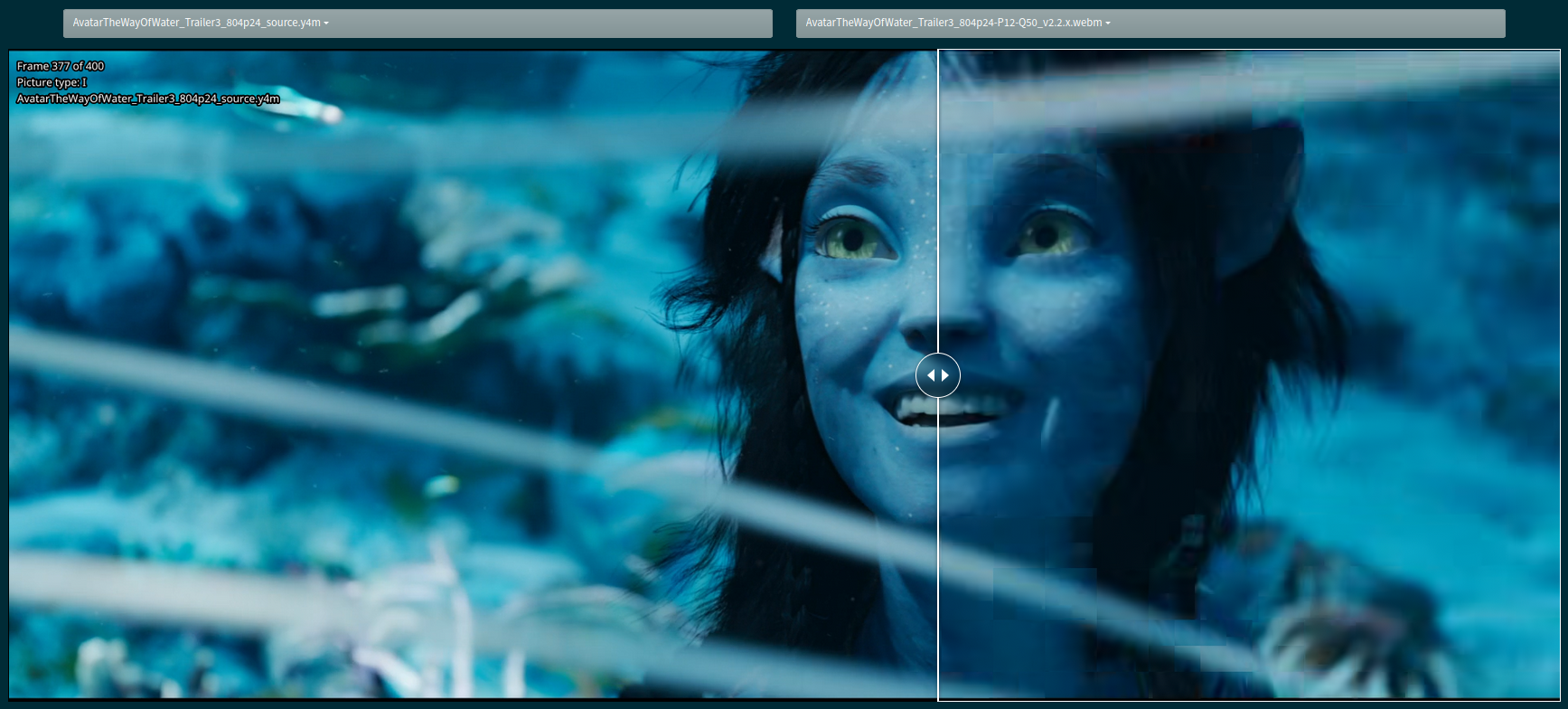
Throughout this blog post, you’ll find *slow.pics* links that provide various visual comparisons between presets.
The *"High Quality"* (noted HQ) and *"Low Quality"* (noted LQ) links showcase comparisons at two different quality targets. These have been carefully handcrafted to be as size-normalized as possible, given the available encodes. We want to be focusing on encodes with minimal bitrate deviation for a fair comparison.
Feel free to double-check the bitrate of each frame or scene (as written in the top-left corner of each screenshot) to make a more informed observation, keeping the size difference in mind when comparing the encodes.
Use the arrow keys and numpad to navigate between screenshots. Alternatively, you can click on "Slider comparison" and select two sources if you prefer comparing this way.
## Quality Target & Encoding Settings
> **All clips have been encoded in a wide quality range, from `--crf 10` to `--crf 50`, with values determined using the previously described formula.**
`--preset X --enable-variance-boost 1` are the only parameters used here, in conjunction with the CRF values. We will compare various varboost parameters' combinations in Part 2 of the article, but for now, the defaults are used. Obviously, it wouldn't be fun without me realizing, as I'm writing these words, that I forgot to use `--hierarchical-levels 4` like last time, but well, it is what it is. Nothing *that* significant.
Else, the SVT-AV1 defaults were used. The ones worth mentioning are:
- `--tune 1`: tune PSNR
- `--aq-mode 2`: variance deltaq
- `--enable-qm 0`: quantisation matrices disabled
- `--enable-tf 1`: temporal filtering enabled
- `--tf-strength 3`: default temporal filtering strength
- `--sharpness 0`: default deblock and rate distortion mode decision
- `--fast-decode 0`: decode optimizations disabled
And more, like CDEF and restoration enabled, overlays and film-grain disabled...
Anyway, time to kick things off with the presets comparisons!
## SVT-AV1 v3.0.x Presets Comparisons (-1 -> 10)
*If all you care about is what preset to use in the latest available version, this is the section for you!*
**In the following graphs, you may find comparisons between all SVT-AV1 v3.0.x presets, ranging from the slowest `--preset -1` to the current fastest `--preset 10`.**
> Since **v2.3.0** (and unlike in **v2.1.x** and **v2.2.x**), preset 6 made its return as its own separate preset: it is not mapped to preset 7 anymore. However, the maximum preset has become 10, and anything above it is effectively mapped to 10.
### Efficiency
---> Here are the full efficiency graphs:
> **Interactive comparison:** [Open the complete media manifest](/media/articles/svt-av1-fourth-deep-dive-p1.json).
Quite a lot of data eh? So much so that readability is impacted. Hence why we'll also focus on two quality targets to better understand what's exactly going on.
---> Thus, let's look at the same data but zooming in on the *"high quality"* range (defined here as CRF10 through 23):
> **Interactive comparison:** [Open the complete media manifest](/media/articles/svt-av1-fourth-deep-dive-p1.json).
---> And now, let's zoom in on the *"low quality"* range (defined here as CRF28 through 50):
> **Interactive comparison:** [Open the complete media manifest](/media/articles/svt-av1-fourth-deep-dive-p1.json).
As we can see, **presets 9 and 10** can be quite unpredictable depending on the clip. Their efficiency curves are also clearly not monotonic, with unexpected efficiency regressions happening at very low CRFs (high bitrates), especially visible on SSIMU2. This behavior is likely enhanced by the harmonic scoring, but it is also observable on Butteraugli and W-VMAF to a lesser extent. When looking at **preset 10** in the low quality range, the curves can be so chaotic on the SSIMU2 side we can easily conclude there's a quality consistency issue at play, that is to say that certain frames score significantly lower than others.
---
---> Therefore, let's remove **presets 9 and 10** from the equation and have a better look at the "usable" presets, from **8 and below**:
> **Interactive comparison:** [Open the complete media manifest](/media/articles/svt-av1-fourth-deep-dive-p1.json).
---> Same, but focusing on the *"high quality"* range (CRF10 -> 23):
> **Interactive comparison:** [Open the complete media manifest](/media/articles/svt-av1-fourth-deep-dive-p1.json).
---> And the *"low quality"* range (CRF28 -> 50):
> **Interactive comparison:** [Open the complete media manifest](/media/articles/svt-av1-fourth-deep-dive-p1.json).
Efficiency wise, we instantly notice **presets 2 and below** are grouped together very tightly, while every other presets appear to be more evenly spaced. Consistency, and thus SSIMU2 harmonic scores in particular, tend to get really bad below *CRF38* or *44* depending on the clip, which at least teaches us that SVT-AV1 begins to struggle around these quality targets whatever the chosen preset (in its almost-stock configuration).
Something interesting seems to be happening with **preset 8** where it scores better than *preset 7* on certain clips, even going neck and neck with *preset 6* at times according to W-VMAF. That is something worth investigating visually, in the following visual comparisons between the three presets:
| HQ | LQ |
|:-:|:-:|
| [Avatar (HQ)](https://slow.pics/c/rxAIcuu7) | [Avatar (LQ)](https://slow.pics/c/8LCApWef) |
| [Ducks (HQ)](https://slow.pics/c/jIDYwjXn) | [Ducks (LQ)](https://slow.pics/c/K0fQfPew) |
| [Fallout (HQ)](https://slow.pics/c/zvLeJCdH) | [Fallout (LQ)](https://slow.pics/c/dsrtj4aN) |
| [Minecraft (HQ)](https://slow.pics/c/Yc1tnPhN) | [Minecraft (LQ)](https://slow.pics/c/WSE7zC8B) |
| [Sol Levante (HQ)](https://slow.pics/c/zmUvEM6J) | [Sol Levante (LQ)](https://slow.pics/c/kiP6AOYN) |
| [Suzume (HQ)](https://slow.pics/c/OepN2y8E) | [Suzume (LQ)](https://slow.pics/c/lvkQehjN) |
| [Mandalorian (HQ)](https://slow.pics/c/XknHyTna) | [Mandalorian (LQ)](https://slow.pics/c/M6D29CR1) |
Do you agree with W-VMAF's numbers here? I think I do, to an extent.
---
---> Let's take a closer look at **presets 4 and below** to see if we can better observe the differences between the slower modes:
> **Interactive comparison:** [Open the complete media manifest](/media/articles/svt-av1-fourth-deep-dive-p1.json).
---> At *"high quality"* (CRF10 -> 23):
> **Interactive comparison:** [Open the complete media manifest](/media/articles/svt-av1-fourth-deep-dive-p1.json).
---> And at *"low quality"* (CRF28 -> 50):
> **Interactive comparison:** [Open the complete media manifest](/media/articles/svt-av1-fourth-deep-dive-p1.json).
It is better, but still clear the differences are relatively small. Though, we can also put BD-rate numbers to these differences thanks to psy-ex's *metrics*!
---
The following table show the BD-rate regressions of preset 0 through 4, with **preset -1** as the reference, when averaged across all four metrics and all seven clips:
| Preset | BD-rate regression (vs P-1) |
|:-:|:-:|
| 0 | 0.97% |
| 1 | 3.79% |
| 2 | 7.82% |
| 3 | 17.08% |
| 4 | 22.41% |
**Presets 0 through 2** are pretty close to the **reference preset -1** and we notice a huge jump from **preset 2** to **3**, with **preset 4** relatively scoring very close to **preset 3**.
We will put these numbers into perspective after having looked at the performance of every presets.
### Speed
Efficiency numbers are great, but they only tell half the story. The relative speed differences between presets can paint a drastically different picture of the situation and change our entire interpretation of the results so far.
In the following graphs, you may find speed comparisons of the different presets, with either a linear or a logarithmic scale. The latter is useful to better visualize the large speed variations between presets, as it compresses the scale and makes smaller differences more apparent.
I must reiterate my previous disclaimer that these numbers should be taken with a grain of salt. They only represent the speed of the given presets at each CRF value *over a single run* on a given machine. Making multiple runs could help eliminate small, undesired variations, but they'd come at the cost of time and electricity. It is not reasonable here considering the scale of this blog post, sacrifices must unfortunately be made. To help mitigate this issue, the processor temperature is closely monitored and the fans actively adjust to prevent overheating. I also make sure no background tasks are running and that only a single encoder instance is running at all times. This won't prevent some outliers from passing through, but they are usually easier to detect.
---> That said, let's begin by comparing the performance of all presets, from **-1 to 10**:
> **Interactive comparison:** [Open the complete media manifest](/media/articles/svt-av1-fourth-deep-dive-p1.json).
First thing first, SVT-AV1 scales exceptionally well, from well above realtime speeds, to painfully placebo speeds. Looking at the graphs with logarithmic scales, we can see that encoding speeds, the slower presets we go, tend to increase in an exponential manner. Unfortunately for us, efficiency doesn't usually follow that trend! We do notice a substancial gap between **presets 4 and 5** however.
---> Let's also look at the performance of just **presets -1 through 4**, considered the slower, non-realtime presets:
> **Interactive comparison:** [Open the complete media manifest](/media/articles/svt-av1-fourth-deep-dive-p1.json).
On the logarithmic scale, the presets are impressively evenly spaced, except for **preset -1** which is somewhat closer to **preset 0**.
Now then, we need to combine what we learned about efficiency and speed to interpret the results in an informative way!
### Interpretation (TLDR)
Despite the repeated presets shifting, some things never change.
For *good* modes, **presets 2 and 4** still offer the best bang for your buck in balancing efficiency and speed. **Preset 2** is usually slightly more than 2x faster than *preset 1* and about 2x slower than *preset 3* while offering close to *preset 1* efficiency and largely better efficiency than *preset 3*. **Preset 4** happens to be the "slowest" good preset that's still very competitive, with little efficiency differences against *preset 3*, making it a valuable choice for anyone wanting a good balance of quality and speed for non-realtime usecases.
For *realtime* modes, **any preset from 5 and above** will do as long as it reaches realtime on your system! However, consistency takes a huge hit at **presets 9 and 10**, rendering those two presets unappealing compared to hardware solutions that are likely to be quite competitive for this usecase. **Preset 8**, which strikes an excellent efficiency to speed ratio for what it is, is the last preset I would deem truly usable in SVT-AV1 v3.0.x.
## SVT-AV1 v2.0.0 -> v3.0.x Initial Presets Comparisons (-1 -> 10)
In this section, we will first examine the *presets -1 to 10* range, independently of the presets shifting happening between the tested encoder versions. In a following section, we'll make more targeted comparisons taking into account the shifts.
### `preset -1`: v2.0.0 -> v3.0.x
---> Compression efficiency graphs, *full* quality range:
> **Interactive comparison:** [Open the complete media manifest](/media/articles/svt-av1-fourth-deep-dive-p1.json).
---> Compression efficiency graphs, *"high quality"* range (CRF10 -> 23):
> **Interactive comparison:** [Open the complete media manifest](/media/articles/svt-av1-fourth-deep-dive-p1.json).
---> Compression efficiency graphs, *"low quality"* range (CRF28 -> 50):
> **Interactive comparison:** [Open the complete media manifest](/media/articles/svt-av1-fourth-deep-dive-p1.json).
---> Speed graphs:
> **Interactive comparison:** [Open the complete media manifest](/media/articles/svt-av1-fourth-deep-dive-p1.json).
---> Interpretation:
Efficiency wise, **preset -1** has not improved from v2.0.0 to v3.0.x, rather it has stagnated. At worst, it regressed of exactly 2.0% BD-rate on one metric in one given clip. On average, the regression is closer to 0.5%. The good news though is that the preset became *up to 65% faster vs v2.0.0*! That's the best case scenario, as on average across the studied quality range, it has gotten *faster of about 37.5%*, which is still an amazing trade-off!
It is fascinating to see how very different the presets' speed behave with CRF between versions, as at CRF50, the preset is barely faster on v3.0.x than it was on v2.0.0.
Now, feel free to look at the following comparisons to see if you can spot much of a difference between the different versions at preset -1!
---> Preset -1 Visual Comparisons:
| HQ | LQ |
|:-:|:-:|
| [Avatar (HQ)](https://slow.pics/c/7snxpOZv) | [Avatar (LQ)](https://slow.pics/c/h3cE9Pva) |
| [Ducks (HQ)](https://slow.pics/c/9Q2mes9k) | [Ducks (LQ)](https://slow.pics/c/VVtIWwgO) |
| [Fallout (HQ)](https://slow.pics/c/CmFkc6g5) | [Fallout (LQ)](https://slow.pics/c/xpE2mZiX) |
| [Minecraft (HQ)](https://slow.pics/c/i6xsIUa1) | [Minecraft (LQ)](https://slow.pics/c/F3KSC9w2) |
| [Sol Levante (HQ)](https://slow.pics/c/pb9UcwUd) | [Sol Levante (LQ)](https://slow.pics/c/yF6fN4b9) |
| [Suzume (HQ)](https://slow.pics/c/2ySf85bn) | [Suzume (LQ)](https://slow.pics/c/R8DBurLN) |
| [Mandalorian (HQ)](https://slow.pics/c/cl1c54cP) | [Mandalorian (LQ)](https://slow.pics/c/CAWDE2f7) |
---
### `preset 0`: v2.0.0 -> v3.0.x
---> Compression efficiency graphs, *full* quality range:
> **Interactive comparison:** [Open the complete media manifest](/media/articles/svt-av1-fourth-deep-dive-p1.json).
---> Compression efficiency graphs, *"high quality"* range (CRF10 -> 23):
> **Interactive comparison:** [Open the complete media manifest](/media/articles/svt-av1-fourth-deep-dive-p1.json).
---> Compression efficiency graphs, *"low quality"* range (CRF28 -> 50):
> **Interactive comparison:** [Open the complete media manifest](/media/articles/svt-av1-fourth-deep-dive-p1.json).
---> Speed graphs:
> **Interactive comparison:** [Open the complete media manifest](/media/articles/svt-av1-fourth-deep-dive-p1.json).
---> Interpretation:
Here, we have an interesting case where **preset 0** efficiency got slightly better since v2.0.0 (by about 1.75%), though it remained largely unchanged after v2.1.x. There's one funny exception: according to all metrics, it peaked at *HQ* on the Minecraft clip during v2.1.x and regressed ever since. Speed wise, the preset took a hit in v2.1.x, improved a lot in v2.2.x almost closing the gap with v2.0.0, and regressed again in v2.3.0 and especially in v3.0.x. The regressions are not a good look, even though by in large, they're rather insignificant.
Can you spot the differences in the comparisons below though?
---> Preset 0 Visual Comparisons:
| HQ | LQ |
|:-:|:-:|
| [Avatar (HQ)](https://slow.pics/c/u9OZOSxK) | [Avatar (LQ)](https://slow.pics/c/HXc5J1WU) |
| [Ducks (HQ)](https://slow.pics/c/sv71x9XV) | [Ducks (LQ)](https://slow.pics/c/feQLSoX6) |
| [Fallout (HQ)](https://slow.pics/c/u8KQnRuG) | [Fallout (LQ)](https://slow.pics/c/eYe84LaK) |
| [Minecraft (HQ)](https://slow.pics/c/gtL1DkE4) | [Minecraft (LQ)](https://slow.pics/c/bcd8dyr6) |
| [Sol Levante (HQ)](https://slow.pics/c/zsXcTpz4) | [Sol Levante (LQ)](https://slow.pics/c/tvaZVwuT) |
| [Suzume (HQ)](https://slow.pics/c/XeKhvH4u) | [Suzume (LQ)](https://slow.pics/c/tVrFmswl) |
| [Mandalorian (HQ)](https://slow.pics/c/sFL9h8zi) | [Mandalorian (LQ)](https://slow.pics/c/z5zW6yRP) |
---
### `preset 1`: v2.0.0 -> v3.0.x
---> Compression efficiency graphs, *full* quality range:
> **Interactive comparison:** [Open the complete media manifest](/media/articles/svt-av1-fourth-deep-dive-p1.json).
---> Compression efficiency graphs, *"high quality"* range (CRF10 -> 23):
> **Interactive comparison:** [Open the complete media manifest](/media/articles/svt-av1-fourth-deep-dive-p1.json).
---> Compression efficiency graphs, *"low quality"* range (CRF28 -> 50):
> **Interactive comparison:** [Open the complete media manifest](/media/articles/svt-av1-fourth-deep-dive-p1.json).
---> Speed graphs:
> **Interactive comparison:** [Open the complete media manifest](/media/articles/svt-av1-fourth-deep-dive-p1.json).
---> Interpretation:
We start seeing more diverse results with **preset 1**. Versions after v2.0.0 tend to fare better efficiency wise, but each version present different strengths and weaknesses depending on the clip and metric. The speed graphs are quite chaotic, though the preset seems to have consistently gotten slightly slower and slower since the v2.0.0 days. Taking all of this into account, the overall interpretation would still be that the preset behavior is *mostly unchanged* from before.
Let's play at "spot the differences"! After looking at the following comps, tell me what you think of the new trade-offs!
---> Preset 1 Visual Comparisons:
| HQ | LQ |
|:-:|:-:|
| [Avatar (HQ)](https://slow.pics/c/E72LcsSl) | [Avatar (LQ)](https://slow.pics/c/KFuurqAg) |
| [Ducks (HQ)](https://slow.pics/c/FPId4Zqe) | [Ducks (LQ)](https://slow.pics/c/qMqqL0Lz) |
| [Fallout (HQ)](https://slow.pics/c/vwixXHUX) | [Fallout (LQ)](https://slow.pics/c/k0nicdyT) |
| [Minecraft (HQ)](https://slow.pics/c/gyer6fDr) | [Minecraft (LQ)](https://slow.pics/c/BRGkTPoT) |
| [Sol Levante (HQ)](https://slow.pics/c/WtxUfd7I) | [Sol Levante (LQ)](https://slow.pics/c/ePf4GiMQ) |
| [Suzume (HQ)](https://slow.pics/c/SjuspSWV) | [Suzume (LQ)](https://slow.pics/c/IVDIqGK9) |
| [Mandalorian (HQ)](https://slow.pics/c/E2BqCUTc) | [Mandalorian (LQ)](https://slow.pics/c/FuS5w2bn) |
---
### `preset 2`: v2.0.0 -> v3.0.x
---> Compression efficiency graphs, *full* quality range:
> **Interactive comparison:** [Open the complete media manifest](/media/articles/svt-av1-fourth-deep-dive-p1.json).
---> Compression efficiency graphs, *"high quality"* range (CRF10 -> 23):
> **Interactive comparison:** [Open the complete media manifest](/media/articles/svt-av1-fourth-deep-dive-p1.json).
---> Compression efficiency graphs, *"low quality"* range (CRF28 -> 50):
> **Interactive comparison:** [Open the complete media manifest](/media/articles/svt-av1-fourth-deep-dive-p1.json).
---> Speed graphs:
> **Interactive comparison:** [Open the complete media manifest](/media/articles/svt-av1-fourth-deep-dive-p1.json).
---> Interpretation:
On Minecraft, we notice (especially at *HQ*) a trend of **preset 2** progressively becoming worse after v2.1.x, by about 2.5% in fact vs v3.0.x. On other clips, it has either stagnated or slightly improved, except for v3.0.x where it seems to score consistently last or second to last. Relatively, *the differences are small*, so broadly speaking, the preset is again very similar to what it used to be. Well, except for its consistent *speed improvement of 10-40%* since v2.0.0, making the new trade-off considerably more appealing.
Does the following comparisons help quantify the speed improvements in the new version? Well, no... they can't, but it's nice to have them anyway! Check them out!
---> Preset 2 Visual Comparisons:
| HQ | LQ |
|:-:|:-:|
| [Avatar (HQ)](https://slow.pics/c/GmKOaffP) | [Avatar (LQ)](https://slow.pics/c/XsTfILBQ) |
| [Ducks (HQ)](https://slow.pics/c/1MapPnXt) | [Ducks (LQ)](https://slow.pics/c/Dr7IoQ6j) |
| [Fallout (HQ)](https://slow.pics/c/86DRKP0R) | [Fallout (LQ)](https://slow.pics/c/VZNSVtdy) |
| [Minecraft (HQ)](https://slow.pics/c/MKfT4aR7) | [Minecraft (LQ)](https://slow.pics/c/clfDCYS0) |
| [Sol Levante (HQ)](https://slow.pics/c/9JkuBBUQ) | [Sol Levante (LQ)](https://slow.pics/c/gKOHHyxj) |
| [Suzume (HQ)](https://slow.pics/c/uCTa7ncr) | [Suzume (LQ)](https://slow.pics/c/auIbFheo) |
| [Mandalorian (HQ)](https://slow.pics/c/t9x5kOGV) | [Mandalorian (LQ)](https://slow.pics/c/q4kmtobA) |
---
### `preset 3`: v2.0.0 -> v3.0.x
---> Compression efficiency graphs, *full* quality range:
> **Interactive comparison:** [Open the complete media manifest](/media/articles/svt-av1-fourth-deep-dive-p1.json).
---> Compression efficiency graphs, *"high quality"* range (CRF10 -> 23):
> **Interactive comparison:** [Open the complete media manifest](/media/articles/svt-av1-fourth-deep-dive-p1.json).
---> Compression efficiency graphs, *"low quality"* range (CRF28 -> 50):
> **Interactive comparison:** [Open the complete media manifest](/media/articles/svt-av1-fourth-deep-dive-p1.json).
---> Speed graphs:
> **Interactive comparison:** [Open the complete media manifest](/media/articles/svt-av1-fourth-deep-dive-p1.json).
---> Interpretation:
At last, efficiency changes that can be considered significant! The presets shifting is at play here, and it will only become more evident as we progress towards the faster presets. With v3.0.x having fewer presets than some earlier versions, the SVT-AV1 team spread them out more to fill the gaps, completing the shifting initiated in v2.3.0.
**Preset 3** in v3.0.x almost consistently scores last, though that is less pronounced at *Low Quality*. On average, *its BD-rate is 2.7% lower* in v3.0.x vs v2.0.0. However, partly thanks to that, it received a hefty *speed boost of about 24%* since!
Take a look at the graphs below, does this seem worth it to you?
---> Preset 3 Visual Comparisons:
| HQ | LQ |
|:-:|:-:|
| [Avatar (HQ)](https://slow.pics/c/bswlVaS9) | [Avatar (LQ)](https://slow.pics/c/bVlBtF5U) |
| [Ducks (HQ)](https://slow.pics/c/WMB8HiIa) | [Ducks (LQ)](https://slow.pics/c/MRtHNOAV) |
| [Fallout (HQ)](https://slow.pics/c/BEuwKWeU) | [Fallout (LQ)](https://slow.pics/c/CLIwIDQA) |
| [Minecraft (HQ)](https://slow.pics/c/6nU4h6Av) | [Minecraft (LQ)](https://slow.pics/c/noTwMunx) |
| [Sol Levante (HQ)](https://slow.pics/c/PMWrAwJ6) | [Sol Levante (LQ)](https://slow.pics/c/0yKDNkSG) |
| [Suzume (HQ)](https://slow.pics/c/oXePAVWf) | [Suzume (LQ)](https://slow.pics/c/3RPadLsV) |
| [Mandalorian (HQ)](https://slow.pics/c/9lwUBV2H) | [Mandalorian (LQ)](https://slow.pics/c/cjyYORDs) |
---
### `preset 4`: v2.0.0 -> v3.0.x
---> Compression efficiency graphs, *full* quality range:
> **Interactive comparison:** [Open the complete media manifest](/media/articles/svt-av1-fourth-deep-dive-p1.json).
---> Compression efficiency graphs, *"high quality"* range (CRF10 -> 23):
> **Interactive comparison:** [Open the complete media manifest](/media/articles/svt-av1-fourth-deep-dive-p1.json).
---> Compression efficiency graphs, *"low quality"* range (CRF28 -> 50):
> **Interactive comparison:** [Open the complete media manifest](/media/articles/svt-av1-fourth-deep-dive-p1.json).
---> Speed graphs:
> **Interactive comparison:** [Open the complete media manifest](/media/articles/svt-av1-fourth-deep-dive-p1.json).
---> Interpretation:
Same goes for **preset 4**! Our slow preset of choice has become *29% faster on average*, at the cost of a *3.0% efficiency loss*.
With that in mind and the comps available right below, have your opinion of **preset 4** changed?
---> Preset 4 Visual Comparisons:
| HQ | LQ |
|:-:|:-:|
| [Avatar (HQ)](https://slow.pics/c/tyQdj3fH) | [Avatar (LQ)](https://slow.pics/c/RTSn1mek) |
| [Ducks (HQ)](https://slow.pics/c/TSnz1fH3) | [Ducks (LQ)](https://slow.pics/c/JYB28hs1) |
| [Fallout (HQ)](https://slow.pics/c/myrv1Wug) | [Fallout (LQ)](https://slow.pics/c/8RO9hvGH) |
| [Minecraft (HQ)](https://slow.pics/c/Z3LOcUlJ) | [Minecraft (LQ)](https://slow.pics/c/jrTsw9Ph) |
| [Sol Levante (HQ)](https://slow.pics/c/9rZCYMS6) | [Sol Levante (LQ)](https://slow.pics/c/bnpxfOo8) |
| [Suzume (HQ)](https://slow.pics/c/cyUqkiWq) | [Suzume (LQ)](https://slow.pics/c/xTBouY62) |
| [Mandalorian (HQ)](https://slow.pics/c/8Fao1kY8) | [Mandalorian (LQ)](https://slow.pics/c/7SVJpFiU) |
---
### `preset 5`: v2.0.0 -> v3.0.x
---> Compression efficiency graphs, *full* quality range:
> **Interactive comparison:** [Open the complete media manifest](/media/articles/svt-av1-fourth-deep-dive-p1.json).
---> Compression efficiency graphs, *"high quality"* range (CRF10 -> 23):
> **Interactive comparison:** [Open the complete media manifest](/media/articles/svt-av1-fourth-deep-dive-p1.json).
---> Compression efficiency graphs, *"low quality"* range (CRF28 -> 50):
> **Interactive comparison:** [Open the complete media manifest](/media/articles/svt-av1-fourth-deep-dive-p1.json).
---> Speed graphs:
> **Interactive comparison:** [Open the complete media manifest](/media/articles/svt-av1-fourth-deep-dive-p1.json).
---> Interpretation:
Unsurprisingly, the spreading continues! The gaming clips are the most affected here, showing an efficiency decrease of 6.1% and 14.3% respectively. Then again, the average across all seven clips is quite a bit lower at *4.5% lower efficiency*. *Speed is improved by 44%*, so the trade-off sounds reasonable.
I'm starting to lose inspiration to introduce the comparisons, so simply have a look!
---> Preset 5 Visual Comparisons:
| HQ | LQ |
|:-:|:-:|
| [Avatar (HQ)](https://slow.pics/c/fwRG6aYK) | [Avatar (LQ)](https://slow.pics/c/93jKW8uB) |
| [Ducks (HQ)](https://slow.pics/c/xZq2VS4u) | [Ducks (LQ)](https://slow.pics/c/iHY2I6Pp) |
| [Fallout (HQ)](https://slow.pics/c/5k7S6JjP) | [Fallout (LQ)](https://slow.pics/c/VWAZyZLS) |
| [Minecraft (HQ)](https://slow.pics/c/XV1if9np) | [Minecraft (LQ)](https://slow.pics/c/N4CugkJp) |
| [Sol Levante (HQ)](https://slow.pics/c/pNqh7oLp) | [Sol Levante (LQ)](https://slow.pics/c/ia89EKhf) |
| [Suzume (HQ)](https://slow.pics/c/ICbt1UM9) | [Suzume (LQ)](https://slow.pics/c/nJQCjkvK) |
| [Mandalorian (HQ)](https://slow.pics/c/DQjLIrE2) | [Mandalorian (LQ)](https://slow.pics/c/6gpzZo9B) |
---
### `preset 6`: v2.0.0 -> v3.0.x
---> Compression efficiency graphs, *full* quality range:
> **Interactive comparison:** [Open the complete media manifest](/media/articles/svt-av1-fourth-deep-dive-p1.json).
---> Compression efficiency graphs, *"high quality"* range (CRF10 -> 23):
> **Interactive comparison:** [Open the complete media manifest](/media/articles/svt-av1-fourth-deep-dive-p1.json).
---> Compression efficiency graphs, *"low quality"* range (CRF28 -> 50):
> **Interactive comparison:** [Open the complete media manifest](/media/articles/svt-av1-fourth-deep-dive-p1.json).
---> Speed graphs:
> **Interactive comparison:** [Open the complete media manifest](/media/articles/svt-av1-fourth-deep-dive-p1.json).
---> Interpretation:
More of the same! Though, the shift seems to have been initiated in v2.1.x, so **preset 6** in v3.0.x is quite different from its older sibling from v2.0.0. **Compared to v2.0.0**, *preset 6* is now both *47% faster* and *8.8% lower efficiency*, while **compared to v2.1.2 instead**, it is roughly *27% faster* and *2.6% lower efficiency*. The gaming clips are the most affected again, showcasing that complex content suffers more as you move to higher presets.
Find the visual comparisons right after, if you're interested.
---> Preset 6 Visual Comparisons:
| HQ | LQ |
|:-:|:-:|
| [Avatar (HQ)](https://slow.pics/c/NfMp2Qxb) | [Avatar (LQ)](https://slow.pics/c/fvRtLfXJ) |
| [Ducks (HQ)](https://slow.pics/c/k68hC9TU) | [Ducks (LQ)](https://slow.pics/c/8YpIfbGP) |
| [Fallout (HQ)](https://slow.pics/c/936r0JxK) | [Fallout (LQ)](https://slow.pics/c/QXc8lc0V) |
| [Minecraft (HQ)](https://slow.pics/c/LhqYPsqK) | [Minecraft (LQ)](https://slow.pics/c/NusQfYg0) |
| [Sol Levante (HQ)](https://slow.pics/c/H5TkQgQO) | [Sol Levante (LQ)](https://slow.pics/c/ZF0aLLti) |
| [Suzume (HQ)](https://slow.pics/c/lt3HXK9x) | [Suzume (LQ)](https://slow.pics/c/H1qa9TTW) |
| [Mandalorian (HQ)](https://slow.pics/c/0mDTEvnx) | [Mandalorian (LQ)](https://slow.pics/c/mRRQt2Ky) |
---
### `preset 7`: v2.0.0 -> v3.0.x
---> Compression efficiency graphs, *full* quality range:
> **Interactive comparison:** [Open the complete media manifest](/media/articles/svt-av1-fourth-deep-dive-p1.json).
---> Compression efficiency graphs, *"high quality"* range (CRF10 -> 23):
> **Interactive comparison:** [Open the complete media manifest](/media/articles/svt-av1-fourth-deep-dive-p1.json).
---> Compression efficiency graphs, *"low quality"* range (CRF28 -> 50):
> **Interactive comparison:** [Open the complete media manifest](/media/articles/svt-av1-fourth-deep-dive-p1.json).
---> Speed graphs:
> **Interactive comparison:** [Open the complete media manifest](/media/articles/svt-av1-fourth-deep-dive-p1.json).
---> Interpretation:
With **preset 7**, it is clear the downward shift in efficiency was progressively set in motion since v2.3.0. **Compared to v2.0.0**, *v3.0.x's preset 7* sees an *11.6% efficiency hit*, traded for a *68% speed improvement*, not too bad. **Versus v2.3.0**, the *new preset 7* has a *5% worse efficiency* and only *14% better speeds*. This difference is arguably the least appealing of every presets so far...
How did the preset evolve visually though? The answer is in the following comparisons!
---> Preset 7 Visual Comparisons:
| HQ | LQ |
|:-:|:-:|
| [Avatar (HQ)](https://slow.pics/c/UVDaSDcb) | [Avatar (LQ)](https://slow.pics/c/zh84Mp6e) |
| [Ducks (HQ)](https://slow.pics/c/0DrdFnYu) | [Ducks (LQ)](https://slow.pics/c/86F1oqdy) |
| [Fallout (HQ)](https://slow.pics/c/IHZ5zSsa) | [Fallout (LQ)](https://slow.pics/c/PGWRkxiF) |
| [Minecraft (HQ)](https://slow.pics/c/MAcpzaop) | [Minecraft (LQ)](https://slow.pics/c/hCwQbbLe) |
| [Sol Levante (HQ)](https://slow.pics/c/nSfCm0lW) | [Sol Levante (LQ)](https://slow.pics/c/1CKfXF9T) |
| [Suzume (HQ)](https://slow.pics/c/v8GZVrQ8) | [Suzume (LQ)](https://slow.pics/c/V9aFc5d3) |
| [Mandalorian (HQ)](https://slow.pics/c/hMmMbBBS) | [Mandalorian (LQ)](https://slow.pics/c/0HgfcQto) |
---
### `preset 8`: v2.0.0 -> v3.0.x
---> Compression efficiency graphs, *full* quality range:
> **Interactive comparison:** [Open the complete media manifest](/media/articles/svt-av1-fourth-deep-dive-p1.json).
---> Compression efficiency graphs, *"high quality"* range (CRF10 -> 23):
> **Interactive comparison:** [Open the complete media manifest](/media/articles/svt-av1-fourth-deep-dive-p1.json).
---> Compression efficiency graphs, *"low quality"* range (CRF28 -> 50):
> **Interactive comparison:** [Open the complete media manifest](/media/articles/svt-av1-fourth-deep-dive-p1.json).
---> Speed graphs:
> **Interactive comparison:** [Open the complete media manifest](/media/articles/svt-av1-fourth-deep-dive-p1.json).
---> Interpretation:
**Preset 8**'s trade-offs are significantly altered in v3.0.x. This is relatively proportionate to the gain in speed, but we may have expected better. Efficiency wise, it is *15.8% lower* and *48% faster* than in v2.0.0. To be fair, as the presets are starting to stray too much from each other, we should probably compare it to a faster v2.0.0 preset like 9.
Look up the visual comparisons while keeping that in mind.
---> Preset 8 Visual Comparisons:
| HQ | LQ |
|:-:|:-:|
| [Avatar (HQ)](https://slow.pics/c/j1HlBkwz) | [Avatar (LQ)](https://slow.pics/c/DTxPsMDM) |
| [Ducks (HQ)](https://slow.pics/c/Y5MifaMo) | [Ducks (LQ)](https://slow.pics/c/qQN9QNWU) |
| [Fallout (HQ)](https://slow.pics/c/RitaiAEa) | [Fallout (LQ)](https://slow.pics/c/PHsPKE03) |
| [Minecraft (HQ)](https://slow.pics/c/N9Gg6dvo) | [Minecraft (LQ)](https://slow.pics/c/rNVmLiEz) |
| [Sol Levante (HQ)](https://slow.pics/c/b0LHyz5w) | [Sol Levante (LQ)](https://slow.pics/c/FJH9IhKi) |
| [Suzume (HQ)](https://slow.pics/c/mvPN2u37) | [Suzume (LQ)](https://slow.pics/c/Ei7Wbvk9) |
| [Mandalorian (HQ)](https://slow.pics/c/g2I52mPH) | [Mandalorian (LQ)](https://slow.pics/c/kz6qcrTm) |
---
### `preset 9`: v2.0.0 -> v3.0.x
---> Compression efficiency graphs, *full* quality range:
> **Interactive comparison:** [Open the complete media manifest](/media/articles/svt-av1-fourth-deep-dive-p1.json).
---> Compression efficiency graphs, *"high quality"* range (CRF10 -> 23):
> **Interactive comparison:** [Open the complete media manifest](/media/articles/svt-av1-fourth-deep-dive-p1.json).
---> Compression efficiency graphs, *"low quality"* range (CRF28 -> 50):
> **Interactive comparison:** [Open the complete media manifest](/media/articles/svt-av1-fourth-deep-dive-p1.json).
---> Speed graphs:
> **Interactive comparison:** [Open the complete media manifest](/media/articles/svt-av1-fourth-deep-dive-p1.json).
---> Interpretation:
Similar to *preset 8*, it is becoming really hard to make a fair comparison between very disparate presets, especially when it is starting to break at extreme CRF values. It is clear **v3.0.x's preset 9** is built differently than *v2.0.0's*, it plays in a completely different league. I will not elaborate further at this point, as we will revisit this preset in the next section.
There are still visual comparisons, if you're curious:
---> Preset 9 Visual Comparisons:
| HQ | LQ |
|:-:|:-:|
| [Avatar (HQ)](https://slow.pics/c/OdUkbCaJ) | [Avatar (LQ)](https://slow.pics/c/l9QdddJH) |
| [Ducks (HQ)](https://slow.pics/c/cjgpua5F) | [Ducks (LQ)](https://slow.pics/c/9VCjfwSs) |
| [Fallout (HQ)](https://slow.pics/c/T7CeIQxx) | [Fallout (LQ)](https://slow.pics/c/4oWIQ96e) |
| [Minecraft (HQ)](https://slow.pics/c/cS9XPPvJ) | [Minecraft (LQ)](https://slow.pics/c/OC42ixqX) |
| [Sol Levante (HQ)](https://slow.pics/c/GLY1TNke) | [Sol Levante (LQ)](https://slow.pics/c/O4wQ8qI5) |
| [Suzume (HQ)](https://slow.pics/c/g12kkzKH) | [Suzume (LQ)](https://slow.pics/c/XgzXw5do) |
| [Mandalorian (HQ)](https://slow.pics/c/roJJVsLE) | [Mandalorian (LQ)](https://slow.pics/c/wSPqbIjf) |
---
### `preset 10`: v2.0.0 -> v3.0.x
---> Compression efficiency graphs, *full* quality range:
> **Interactive comparison:** [Open the complete media manifest](/media/articles/svt-av1-fourth-deep-dive-p1.json).
---> Compression efficiency graphs, *"high quality"* range (CRF10 -> 23):
> **Interactive comparison:** [Open the complete media manifest](/media/articles/svt-av1-fourth-deep-dive-p1.json).
---> Compression efficiency graphs, *"low quality"* range (CRF28 -> 50):
> **Interactive comparison:** [Open the complete media manifest](/media/articles/svt-av1-fourth-deep-dive-p1.json).
---> Speed graphs:
> **Interactive comparison:** [Open the complete media manifest](/media/articles/svt-av1-fourth-deep-dive-p1.json).
---> Interpretation:
Unlike the previous two presets, the new **preset 10** can somewhat be compared to its previous iterations. After disregarding *v2.2.1's* which is the one to behave distinctly here, **v3.0.x's preset 10** show similar characteristics across the quality range. For what it's worth, the preset is *38.5% less efficient* but *39.1% faster* compared to v2.0.0. It should be noted that as we go faster, the gap between fast presets is more likely to shrink on shorter clips due to the low encode times (in the order of a few seconds). As the time taken by the encoder to initialize isn't quite negligible anymore, using longer clips would likely increase the lead of **preset 10** in v3.0.x vs v2.0.0 as encoding speeds would have gotten enough time to stabilize. This is obviously out of the scope of this blog post, but still, the analysis in the next section will help shed light on how the fastest preset in v3.0.x compares to the fastest one in v2.0.0.
I invite you to take a look at the visual comparisons if you want to see how *preset 10* evolved from v2.0.0 to v3.0.x.
---> Preset 10 Visual Comparisons:
| HQ | LQ |
|:-:|:-:|
| [Avatar (HQ)](https://slow.pics/c/TzFCXBiX) | [Avatar (LQ)](https://slow.pics/c/1ynK7ErT) |
| [Ducks (HQ)](https://slow.pics/c/phOYk2Un) | [Ducks (LQ)](https://slow.pics/c/vjEFuqlA) |
| [Fallout (HQ)](https://slow.pics/c/TTUG4Oha) | [Fallout (LQ)](https://slow.pics/c/BY7pZJdR) |
| [Minecraft (HQ)](https://slow.pics/c/7TwJykvh) | [Minecraft (LQ)](https://slow.pics/c/rYIW5Flt) |
| [Sol Levante (HQ)](https://slow.pics/c/NJLhXART) | [Sol Levante (LQ)](https://slow.pics/c/5UJnwTuq) |
| [Suzume (HQ)](https://slow.pics/c/hlDThBg0) | [Suzume (LQ)](https://slow.pics/c/rmDWXipa) |
| [Mandalorian (HQ)](https://slow.pics/c/QqkHhYsk) | [Mandalorian (LQ)](https://slow.pics/c/vwbowkAs) |
## SVT-AV1 v2.0.0 vs v3.0.x Selective Presets Comparisons
Some presets cannot be directly compared anymore, as the reduction in presets since v2.0.0 means the gap had to be filled, and the fastest presets were the most affected by this move. I decided to focus on SVT-AV1 v3.0.x's *presets 8*, *9* and *10* here, then we'll proceed do something new for this blog post series...
### v3.0.x's `preset 10` vs v2.0.0's `preset 13`
How does v3.0.x's fastest preset fares against v2.0.0's own?
---> Compression efficiency graphs, *full* quality range:
> **Interactive comparison:** [Open the complete media manifest](/media/articles/svt-av1-fourth-deep-dive-p1.json).
---> Compression efficiency graphs, *"high quality"* range (CRF10 -> 23):
> **Interactive comparison:** [Open the complete media manifest](/media/articles/svt-av1-fourth-deep-dive-p1.json).
---> Compression efficiency graphs, *"low quality"* range (CRF28 -> 50):
> **Interactive comparison:** [Open the complete media manifest](/media/articles/svt-av1-fourth-deep-dive-p1.json).
---> Speed graphs:
> **Interactive comparison:** [Open the complete media manifest](/media/articles/svt-av1-fourth-deep-dive-p1.json).
---> Interpretation:
Well, the answer is quite nicely! Depending on the clip and metric, v3.0.x is overall either lightly ahead or lightly behind, while staying equally fast! The trade-offs are mildly different, as v3.0.x is capable of being even slightly faster, at the cost of some efficiency. It's fair to say the dev team managed to preserve the performance of the fastest mode despite said reduction in presets. *Preset 13* was always considered an experimental mode reserved for convex hull purposes, so it's my assumption that the dev team had no real intention of making the fastest preset even faster if accuracy was impacted further than it already is.
Here are some visual comparisons to visualize the situation! Did you miss them?
---> Visual Comparisons:
| HQ | LQ |
|:-:|:-:|
| [Avatar (HQ)](https://slow.pics/c/CeJKaDn9) | [Avatar (LQ)](https://slow.pics/c/gixmjNww) |
| [Ducks (HQ)](https://slow.pics/c/uOYxGIh5) | [Ducks (LQ)](https://slow.pics/c/4JxasZSn) |
| [Fallout (HQ)](https://slow.pics/c/RYSBtmDW) | [Fallout (LQ)](https://slow.pics/c/paBShIhM) |
| [Minecraft (HQ)](https://slow.pics/c/SceyUJPY) | [Minecraft (LQ)](https://slow.pics/c/XqhPRl2m) |
| [Sol Levante (HQ)](https://slow.pics/c/S9PRwEUf) | [Sol Levante (LQ)](https://slow.pics/c/3JgTLYcs) |
| [Suzume (HQ)](https://slow.pics/c/SFKjq59f) | [Suzume (LQ)](https://slow.pics/c/kZdSkYaw) |
| [Mandalorian (HQ)](https://slow.pics/c/VhGBR0G6) | [Mandalorian (LQ)](https://slow.pics/c/qtucNxVy) |
---
### v3.0.x's `preset 9` vs v2.0.0's `presets 11 & 12`
---> Compression efficiency graphs, *full* quality range:
> **Interactive comparison:** [Open the complete media manifest](/media/articles/svt-av1-fourth-deep-dive-p1.json).
---> Compression efficiency graphs, *"high quality"* range (CRF10 -> 23):
> **Interactive comparison:** [Open the complete media manifest](/media/articles/svt-av1-fourth-deep-dive-p1.json).
---> Compression efficiency graphs, *"low quality"* range (CRF28 -> 50):
> **Interactive comparison:** [Open the complete media manifest](/media/articles/svt-av1-fourth-deep-dive-p1.json).
---> Speed graphs:
> **Interactive comparison:** [Open the complete media manifest](/media/articles/svt-av1-fourth-deep-dive-p1.json).
---> Interpretation:
In a nutshell, **preset 9** in v3.0.x fares in between v2.0.0's presets 11 and 12 in efficiency, though usually closer to preset 11 overall, while usually being closer in speed to preset 12 (notable exception on the gaming clips)! That is a favorable custom-score/time tradeoff on the tested non-gaming clips, not a guaranteed gain for every other workload.
Screenshots... screenshots everywhere! Find them right below:
---> Visual Comparisons:
| HQ | LQ |
|:-:|:-:|
| [Avatar (HQ)](https://slow.pics/c/cO94QQdI) | [Avatar (LQ)](https://slow.pics/c/9cjrP2O4) |
| [Ducks (HQ)](https://slow.pics/c/AlNsI0Zj) | [Ducks (LQ)](https://slow.pics/c/FtcbLYlh) |
| [Fallout (HQ)](https://slow.pics/c/yM0zgRkY) | [Fallout (LQ)](https://slow.pics/c/aKvQww2A) |
| [Minecraft (HQ)](https://slow.pics/c/LqYh01UD) | [Minecraft (LQ)](https://slow.pics/c/ZDe8R4de) |
| [Sol Levante (HQ)](https://slow.pics/c/nhdlzESm) | [Sol Levante (LQ)](https://slow.pics/c/GRv94zWH) |
| [Suzume (HQ)](https://slow.pics/c/JLSRi3aX) | [Suzume (LQ)](https://slow.pics/c/7FnyFHAn) |
| [Mandalorian (HQ)](https://slow.pics/c/Fi79eSMN) | [Mandalorian (LQ)](https://slow.pics/c/USPgAC2s) |
---
### v3.0.x's `preset 8` vs v2.0.0's `presets 9 & 10`
---> Compression efficiency graphs, *full* quality range:
> **Interactive comparison:** [Open the complete media manifest](/media/articles/svt-av1-fourth-deep-dive-p1.json).
---> Compression efficiency graphs, *"high quality"* range (CRF10 -> 23):
> **Interactive comparison:** [Open the complete media manifest](/media/articles/svt-av1-fourth-deep-dive-p1.json).
---> Compression efficiency graphs, *"low quality"* range (CRF28 -> 50):
> **Interactive comparison:** [Open the complete media manifest](/media/articles/svt-av1-fourth-deep-dive-p1.json).
---> Speed graphs:
> **Interactive comparison:** [Open the complete media manifest](/media/articles/svt-av1-fourth-deep-dive-p1.json).
---> Interpretation:
As with *preset 9* previously, **preset 8** in v3.0.x usually competes closer to *v2.0.0's preset 9* in efficiency, while performing one tier higher with speeds comparable to *v2.0.0's preset 10*. The results are more chaotic on the gaming clips but one clear advantage of *preset 8* is its robust consistency, unlike *v2.0.0's preset 10* (and *v3.0.x's two faster presets*).
Here's our last set of comps for the day:
---> Visual Comparisons:
| HQ | LQ |
|:-:|:-:|
| [Avatar (HQ)](https://slow.pics/c/ldcvqdEf) | [Avatar (LQ)](https://slow.pics/c/NdmLe6Bh) |
| [Ducks (HQ)](https://slow.pics/c/lhwMU6m4) | [Ducks (LQ)](https://slow.pics/c/EegUibz1) |
| [Fallout (HQ)](https://slow.pics/c/t1gd5pQE) | [Fallout (LQ)](https://slow.pics/c/3P4lmgXC) |
| [Minecraft (HQ)](https://slow.pics/c/0XcVB7M0) | [Minecraft (LQ)](https://slow.pics/c/7zo5ZuCT) |
| [Sol Levante (HQ)](https://slow.pics/c/gcMqaiP5) | [Sol Levante (LQ)](https://slow.pics/c/B3mjiCJ9) |
| [Suzume (HQ)](https://slow.pics/c/ANtnJzta) | [Suzume (LQ)](https://slow.pics/c/91YCoS9b) |
| [Mandalorian (HQ)](https://slow.pics/c/YZErMped) | [Mandalorian (LQ)](https://slow.pics/c/nIoc7RN4) |
## SVT-AV1 v2.0.0 -> v3.0.x General BD-rate Evolution
Before we wrap up on the presets analysis, I'm going to attempt an exercise widely used for comparing video encoder performance in both academic research and industry benchmarks. *BD-rate* (Bjøntegaard Delta rate) calculates the bitrate savings between two encoders at equivalent quality levels, giving you a single percentage that represents compression efficiency gains. You've already seen these numbers throughout the post. While BD-rate has its limitations (it assumes rate-distortion curves follow specific mathematical models and can struggle with very different encoder behaviors), it remains the most widely accepted metric for encoder comparisons. Psy-ex's *metrics* conveniently outputs BD-rate numbers when running its benchmarking scripts, so this served as the basis for what we're about to do.
The graphs in this section plot *BD-rate* (%) against *encoding time* (ms), showing you the classic speed-vs-efficiency trade-off that defines encoder development.
The first batch of graphs uses SVT-AV1 *v2.0.0's preset -1* as the reference:
> **Interactive comparison:** [Open the complete media manifest](/media/articles/svt-av1-fourth-deep-dive-p1.json).
These combined plots mix two separate quantities: BD-rate is derived from rate–distortion curves, while encoding time forms the other axis. Timing noise does not itself change a correctly computed BD-rate. The original inference that bumpy curves prove timing errors is therefore unsupported. Results also depend on overlap range, interpolation, and non-monotonic or unstable metric curves; averaging across these custom measurements does not validate perceived bitrate savings.
Anyway, let's try to interpret these results a bit. The faster presets can be found at the top left of the graph, and the slower ones in the bottom right. We can still generally notice the brighter colors tend to be above the darker ones (representing the newer versions), meaning the trade-offs did in fact improve *overall*. If we take **preset -1** as an easy-to-analyze example, we can confirm our previous findings that it did in fact get faster and faster with versions at little to no efficiency impact.
What happens if we take a radically different preset as the reference though? Well, I got you covered with the following graphs, using *SVT-AV1 v2.0.0's preset 10* (the default if unspecified) as the reference:
> **Interactive comparison:** [Open the complete media manifest](/media/articles/svt-av1-fourth-deep-dive-p1.json).
In this case, it tends to straighten the curves and make any sort of analysis harder. It does not help the situation and there's not much more to say with these graphs. At least, it gives a different perspective of the results.
All in all, let's just say this was a fine experiment and a good learning opportunity. I'll think of ways I can do this better by next time.
## SVT-AV1 v2.0.0 -> v3.0.x Conclusion
So what do you think of SVT-AV1's evolution from v2.0.0 to v3.0.x? Do you find it underwhelming? Well, that's almost expected. The SVT-AV1 dev team has been hard at work to reduce the amount of presets. As that's been a focus for quite some time, I'm not sure the initial reasons for this are still valid today.
Anyway, what we're mostly seeing are small but free speed improvements from smart trade-off decisions. It's worth noting that versions 2.0.0 and 3.0.0 weren't actually major feature milestones. The version numbers jumped because of breaking API changes that aren't backward compatible with previous releases.
Beyond the incremental performance gains, analysis of the different changelogs reveals a clear development strategy focused on specific areas. The dev team has invested heavily in ARM optimizations and memory requirements reduction, worked on the fast-decode feature to further reduce decoding cycles, and streamlined the architecture by removing the decoder component entirely. While many of these changes might not influence quality metrics, they represent important steps toward broader SVT-AV1 adoption by facilitating integration for actors in the industry and ensuring cross-platform consistency.
The biggest changes since v2.0.0 probably lie in the parameters originating from *SVT-AV1-PSY* that were recently introduced.
## Presets Analysis TLDR
**Editorially scoped conclusion:** presets 2 and 4 were promising candidates in the author's v3.0.1 corpus and custom-score analysis, while presets 5–8 offered faster measured encoding. The single-run timing limitations and unvalidated quality scales prevent calling them universal efficiency champions. The v2.0.0 baseline also contains variance-boost patches, so this is not a comparison of untouched release defaults.
Use these preserved results to choose experiments, then evaluate a current build on representative sources with [documented metrics and visual checks](/guides/compare-encoding-quality/). They do not establish the best preset for another workload or version.
## SVT-AV1 v3.0.x Parameters Revisited
This blog post is already pretty long... Although we won't revisiting *every* encoder parameter like we did back in the first deep dive on v1.8.0, we will concentrate on a few important ones, some of them coming straight from the *SVT-AV1-PSY* project!
**EDIT:** This section has been developed further in Part 2 of the article, now [available here](/articles/svt-av1-fourth-deep-dive-p2/)!
## Closing Thoughts
Today, we tested five SVT-AV1 versions, ranging from v2.0.0 to v3.0.x, to quantify their relative efficiency and speed. New metrics were introduced and the format from the last blog post entry was iterated upon to improve the overall quality and flow of this present article. We used this opportunity to experiment and learn encoding knowledge along the way, I hope it was valuable to you too! This is only the first part of this benchmarking session, as we'll deep dive variance boost and a few other exciting features in the next one. Revisiting certain key parametres in such a context has been on my mind for quite a while, so I hope you will look forward to Part 2!
Your feedback and suggestions are always welcome as I work to improve this blog format. Do you have a request for me? Something you'd like to see fixed or added? Let me know what you think on socials or in the different communities I'm active in!
Thanks for reading and see you soon!
I want to extend my thanks to the people who contributed, directly or indirectly, to the making of this article, including [Gianni Rosato (gb82)](https://github.com/gianni-rosato), [Line (Lumen)](https://codeberg.org/Line-fr), [Soda](https://github.com/GreatValueCreamSoda), [Emre](https://github.com/emrakyz), [Bolu](https://github.com/0xb01u/), [Julio Barba](https://github.com/juliobbv-p), the people behind slow.pics for hosting thousands of screenshots each time I make these articles, the SVT-AV1 dev team for the work on this amazing encoder, and probably others I'm forgetting...
---
*Consider supporting me by making a donation on [my Ko-Fi page](https://ko-fi.com/nekotrix), to reward my efforts and to compensate for the electricity bills of weeks of non-stop encoding.*
{}
---
# Deep Dive into SVT-AV1's Evolution (Part 2): Encoder Parameters Revisited
Canonical URL: https://encode.wiki/articles/svt-av1-fourth-deep-dive-p2/
Collection: articles
Status: current
License: CC BY-SA 4.0
Checksum: 32212348d89dde4f21bd17e4405950c115ff3e95123e8e578ffac97e8138e67a
> **Note — Editorial correction — 7 September 2026.**
>
> The author's SVT-AV1 3.0.x samples, graphs, tables, screenshots, and timings remain historical experimental results. Part 2 inherits Part 1's unvalidated custom metric transformations, so quality rankings and pooled BD-rates are exploratory. Visual examples are useful observations but do not validate objective scales. Parameter conclusions below have been narrowed; no encodes or validation study were rerun.
# Introduction
Welcome to the second part of my SVT-AV1 testing analysis!
I received lots of kind words, including constructive feedback to improve on my methodology, I sincerely appreciate it! While I couldn’t incorporate those suggestions for this follow-up, stay tuned, because you’ll likely hear more from me before summer ends.
Before we continue, if you haven’t seen Part 1 yet, I recommend giving it a quick look! It covers the test methodology, sample clips, and base encoder settings in detail. The only change to this Part is my decision to remove the *full* graphs in an attempt to cut down on bloat. If you really want to, you can still access them on the repository where we upload pictures for the blog posts [here](https://github.com/av1-community-contributors/images).
Now, without further ado, let’s dive right back in where we left off!
## How to interpret this experiment
W-VMAF applies a historical luma model to separate color planes and disables motion; W-XPSNR changes motion processing and pools component errors; Butteraugli changes the assumed intensity; SSIMULACRA2 uses harmonic frame pooling. Those outputs must not be treated as standard validated video metrics. Harmonic pooling is particularly problematic for zero or negative scores. Averaging BD-rates from four such functions does not turn them into a perceptual savings estimate.
Read the [corrected methodology in Part 1](/articles/svt-av1-fourth-deep-dive-p1/#methodology) before using the plots. Every “efficiency” statement below means efficiency under this historical corpus and scoring pipeline. Version-specific defaults are those of the tested 3.0.x builds; verify current options in the [official parameters](https://gitlab.com/AOMediaCodec/SVT-AV1/-/blob/master/Docs/Parameters.md). For new work start with [the current guide](/guides/av1-with-svt-av1/) and [quality-comparison workflow](/guides/compare-encoding-quality/).
## SVT-AV1 v3.0.x Parameters Revisited
Today, we are looking at **8 encoder features** present in SVT-AV1 v3.0.x! Although we won't be revisiting *every* encoder parameter like we did back in the first deep dive on v1.8.0, we are going to concentrate on a few important ones, some of them coming straight from the *SVT-AV1-PSY* project!
Let's start with the feature you are likely most exciting about: *varboost*!
### Variance Boost
The author of variance boost made a highly visual explanation of the feature in the official SVT-AV1 documentation you can find [here](https://gitlab.com/AOMediaCodec/SVT-AV1/-/blob/master/Docs/Appendix-Variance-Boost.md). This overview will probably do a better job than me in describing what it does, but in a few words, *varboost* allocates more bits to low-contrast areas in a frame.
You can enable varboost via the `--enable-variance-boost` parameter and control its behavior by changing its `--variance-boost-strength` or its `--variance-octile` setting. Basically, the strength controls how much areas are to be boosted, while octile controls how much of the area needs to be deemed low-contrast before being boosted.
> *In every graph of this section, you will notice `vbs_o_` in the legend. The `vb` stands for `varboost`, the `s` stands for `strength` and lastly the `o` stands for octile. In the last subsection, you will even see `vbs_o_c_` with the `c` standing for `curve`. To take one example, `vbs1o4c2` means `varboost at strength 1 and octile 4 on the 2nd curve`.*
---
#### Varboost Strength
We're going to test all 4 available *strengths* values, with *octile* as the variable...
##### ...starting with `--variance-boost-strength 1`!
---> Compression efficiency graphs, *"high quality"* range (CRF10 -> 23):
> **Interactive comparison:** [Open the complete media manifest](/media/articles/svt-av1-fourth-deep-dive-p2.json).
At HQ, on almost all metrics (excepted VMAF which is more inconsistent here), all octile values are more efficient than *varboost disabled*. With one notable exception in *octile 8* which often scores the same or worse than *no varboost* depending on the clip. The lower octiles seem to score increasingly better here.
---> Compression efficiency graphs, *"low quality"* range (CRF28 -> 50):
> **Interactive comparison:** [Open the complete media manifest](/media/articles/svt-av1-fourth-deep-dive-p2.json).
At LQ, the results tend to be the same, however there are more outliers and overall the octile value seem to be more negligible. *No varboost* often scores better than many octile values on VMAF, which is an interesting behavior to observe.
---> Speed graphs:
> **Interactive comparison:** [Open the complete media manifest](/media/articles/svt-av1-fourth-deep-dive-p2.json).
In terms of speed, we won't be surprised to learn that the lower octile you go, the slower the encoding instance will be, as the output filesize is bigger and that *tends* to slow down SVT-AV1. By bitrate normalizing, we would get closer performance between all options.
---> Interpretation:
`1` is the most conservative strength value, so we expect reasonable results from varboost here. All octile values consistently provide efficiency improvements except for `--variance-octile 8`. It is counter-intuitive to see lower octiles score better in efficiency so far, but we'll see if that changes as we increase the strength.
---> Visual Comparisons:
| HQ | LQ |
|:-:|:-:|
| [Avatar (HQ)](https://slow.pics/c/mVtRwupm) | [Avatar (LQ)](https://slow.pics/c/Qoa3amhs) |
| [Ducks (HQ)](https://slow.pics/c/LpnpWeCh) | [Ducks (LQ)](https://slow.pics/c/Ei6cY7hT) |
| [Fallout (HQ)](https://slow.pics/c/HzcmlT95) | [Fallout (LQ)](https://slow.pics/c/H4lJgTSZ) |
| [Minecraft (HQ)](https://slow.pics/c/EcRac2q1) | [Minecraft (LQ)](https://slow.pics/c/7zucoraP) |
| [Sol Levante (HQ)](https://slow.pics/c/Ra474TKQ) | [Sol Levante (LQ)](https://slow.pics/c/dfo9gMIX) |
| [Suzume (HQ)](https://slow.pics/c/HF6ls9AW) | [Suzume (LQ)](https://slow.pics/c/RaZ0Q6SM) |
| [Mandalorian (HQ)](https://slow.pics/c/0vwqi52J) | [Mandalorian (LQ)](https://slow.pics/c/9dBsnQaJ) |
##### Let's continue with `--variance-boost-strength 2`, the default *strength* value in every iteration of SVT-AV1:
---> Compression efficiency graphs, *"high quality"* range (CRF10 -> 23):
> **Interactive comparison:** [Open the complete media manifest](/media/articles/svt-av1-fourth-deep-dive-p2.json).
---> Compression efficiency graphs, *"low quality"* range (CRF28 -> 50):
> **Interactive comparison:** [Open the complete media manifest](/media/articles/svt-av1-fourth-deep-dive-p2.json).
---> Speed graphs:
> **Interactive comparison:** [Open the complete media manifest](/media/articles/svt-av1-fourth-deep-dive-p2.json).
---> Interpretation:
The picture is consistent with what we've previously seen, so I won't repeat myself. However, we must keep in mind that the higher strength and the lower octile we go, the more the curve is shifted to the top right, which *may not* paint the most fair picture of the situation and might skew our interpretation in favor of the one end of the graph or another. That being said, except for VMAF which behaves a bit differently with varboost, we see the default of `--variance-boost-strength 2 --variance-octile 6` always increases efficiency over *no varboost* across basically all clips and metrics, which is an observation under these custom metrics, not proof of a perceptual improvement.
---> Visual Comparisons:
| HQ | LQ |
|:-:|:-:|
| [Avatar (HQ)](https://slow.pics/c/ij7c8xbT) | [Avatar (LQ)](https://slow.pics/c/I8VX0gmb) |
| [Ducks (HQ)](https://slow.pics/c/SRIm1hoy) | [Ducks (LQ)](https://slow.pics/c/SR3f3YWp) |
| [Fallout (HQ)](https://slow.pics/c/7NeqER2Z) | [Fallout (LQ)](https://slow.pics/c/CQFdBB9C) |
| [Minecraft (HQ)](https://slow.pics/c/crBjBTvx) | [Minecraft (LQ)](https://slow.pics/c/hfA0CXrp) |
| [Sol Levante (HQ)](https://slow.pics/c/3l2dOaoE) | [Sol Levante (LQ)](https://slow.pics/c/cSDSKnv7) |
| [Suzume (HQ)](https://slow.pics/c/pSVfrZSK) | [Suzume (LQ)](https://slow.pics/c/1B0Af0Ta) |
| [Mandalorian (HQ)](https://slow.pics/c/t6MEfwHh) | [Mandalorian (LQ)](https://slow.pics/c/UJmCWT1T) |
##### Now for `--variance-boost-strength 3`:
---> Compression efficiency graphs, *"high quality"* range (CRF10 -> 23):
> **Interactive comparison:** [Open the complete media manifest](/media/articles/svt-av1-fourth-deep-dive-p2.json).
---> Compression efficiency graphs, *"low quality"* range (CRF28 -> 50):
> **Interactive comparison:** [Open the complete media manifest](/media/articles/svt-av1-fourth-deep-dive-p2.json).
---> Speed graphs:
> **Interactive comparison:** [Open the complete media manifest](/media/articles/svt-av1-fourth-deep-dive-p2.json).
---> Interpretation:
It's more of the same, varboost at *strength 3* tends to perform better in efficiency at higher quality targets though there can still be gains at lower qualities depending on the content at hand.
---> Visual Comparisons:
| HQ | LQ |
|:-:|:-:|
| [Avatar (HQ)](https://slow.pics/c/l1PSZy1m) | [Avatar (LQ)](https://slow.pics/c/6XyZa5m2) |
| [Ducks (HQ)](https://slow.pics/c/HfgyEtI6) | [Ducks (LQ)](https://slow.pics/c/vNb218sk) |
| [Fallout (HQ)](https://slow.pics/c/lTxBGS4h) | [Fallout (LQ)](https://slow.pics/c/Zb1SsMXo) |
| [Minecraft (HQ)](https://slow.pics/c/t7pX8SGu) | [Minecraft (LQ)](https://slow.pics/c/dKcQDN48) |
| [Sol Levante (HQ)](https://slow.pics/c/q98rqqlx) | [Sol Levante (LQ)](https://slow.pics/c/fiTECJdJ) |
| [Suzume (HQ)](https://slow.pics/c/xAcvt1gg) | [Suzume (LQ)](https://slow.pics/c/pZxBf9s9) |
| [Mandalorian (HQ)](https://slow.pics/c/0dhkMBkj) | [Mandalorian (LQ)](https://slow.pics/c/ab9AOw54) |
##### And lastly, `--variance-boost-strength 4`, which will print you a warning that this may be too aggressive in some usecases:
---> Compression efficiency graphs, *"high quality"* range (CRF10 -> 23):
> **Interactive comparison:** [Open the complete media manifest](/media/articles/svt-av1-fourth-deep-dive-p2.json).
---> Compression efficiency graphs, *"low quality"* range (CRF28 -> 50):
> **Interactive comparison:** [Open the complete media manifest](/media/articles/svt-av1-fourth-deep-dive-p2.json).
---> Speed graphs:
> **Interactive comparison:** [Open the complete media manifest](/media/articles/svt-av1-fourth-deep-dive-p2.json).
---> Interpretation:
So, what does this unusual varboost strength have in store for us? Well, nothing as dangerous as we're led to believe. In fact, by in large, we observe the same things as the other three strengths. You may have noticed this yourself, as we've increased the strength, Butteraugli has tended to highlight *lower octiles* more and more at high quality and *no varboost* more and more at low quality. Still, *varboost on* often provides great gains and the optimal octile depends a lot on the sample. Octile 6 was the tested default; this experiment does not establish that it is best for every source.
---> Visual Comparisons:
| HQ | LQ |
|:-:|:-:|
| [Avatar (HQ)](https://slow.pics/c/qUhijQqk) | [Avatar (LQ)](https://slow.pics/c/fLvog0BW) |
| [Ducks (HQ)](https://slow.pics/c/DCX9HCno) | [Ducks (LQ)](https://slow.pics/c/M8PcEi4T) |
| [Fallout (HQ)](https://slow.pics/c/yfF24i4L) | [Fallout (LQ)](https://slow.pics/c/1aCFxgND) |
| [Minecraft (HQ)](https://slow.pics/c/bTHqdZS3) | [Minecraft (LQ)](https://slow.pics/c/0vk3SJ0C) |
| [Sol Levante (HQ)](https://slow.pics/c/hYRDUXh1) | [Sol Levante (LQ)](https://slow.pics/c/DcIxPyX2) |
| [Suzume (HQ)](https://slow.pics/c/FaTSgkNC) | [Suzume (LQ)](https://slow.pics/c/1exzpYov) |
| [Mandalorian (HQ)](https://slow.pics/c/RARbCDOr) | [Mandalorian (LQ)](https://slow.pics/c/SMe5q0Kv) |
---
#### Varboost Octile
Now, let's do the contrary and test all 8 *octile* values while solely adjusting the *strength*...
##### ...starting with `--variance-octile 1`!
---> Compression efficiency graphs, *"high quality"* range (CRF10 -> 23):
> **Interactive comparison:** [Open the complete media manifest](/media/articles/svt-av1-fourth-deep-dive-p2.json).
---> Compression efficiency graphs, *"low quality"* range (CRF28 -> 50):
> **Interactive comparison:** [Open the complete media manifest](/media/articles/svt-av1-fourth-deep-dive-p2.json).
---> Speed graphs:
> **Interactive comparison:** [Open the complete media manifest](/media/articles/svt-av1-fourth-deep-dive-p2.json).
---> Interpretation:
For an octile value that supposedly should boost too many blocks in frames, `1` scores pretty consistently better than *no varboost*, especially at high quality. What's more, even though it can be argued all varboost curves are extremely close to one another, higher strengths are ever so slightly better performing than lower ones at high quality, while the contrary is more often observed at low quality though not always! Fallout seems to benefit less from varboost, heck it can be harmful at low quality according to some metrics. You will be unsurprised to hear that the higher the strength the slower encoding tends to be. Again, speed is affected by the resulting output filesize.
---> Visual Comparisons:
| HQ | LQ |
|:-:|:-:|
| [Avatar (HQ)](https://slow.pics/c/GzZ0xiAW) | [Avatar (LQ)](https://slow.pics/c/ZuIOSRed) |
| [Ducks (HQ)](https://slow.pics/c/jUNbTEHV) | [Ducks (LQ)](https://slow.pics/c/bknKSeOY) |
| [Fallout (HQ)](https://slow.pics/c/zvc0jqvt) | [Fallout (LQ)](https://slow.pics/c/ongtADY8) |
| [Minecraft (HQ)](https://slow.pics/c/NKeFM3q4) | [Minecraft (LQ)](https://slow.pics/c/8LTGKKGa) |
| [Sol Levante (HQ)](https://slow.pics/c/CB3GU6g5) | [Sol Levante (LQ)](https://slow.pics/c/h3jJaTAG) |
| [Suzume (HQ)](https://slow.pics/c/kCJj6jDP) | [Suzume (LQ)](https://slow.pics/c/fpzkIsUb) |
| [The Mandalorian (HQ)](https://slow.pics/c/ZeVlmDlS) | [The Mandalorian (LQ)](https://slow.pics/c/PVvi6EWQ) |
##### Let's look at `--variance-octile 2`:
---> Compression efficiency graphs, *"high quality"* range (CRF10 -> 23):
> **Interactive comparison:** [Open the complete media manifest](/media/articles/svt-av1-fourth-deep-dive-p2.json).
---> Compression efficiency graphs, *"low quality"* range (CRF28 -> 50):
> **Interactive comparison:** [Open the complete media manifest](/media/articles/svt-av1-fourth-deep-dive-p2.json).
---> Speed graphs:
> **Interactive comparison:** [Open the complete media manifest](/media/articles/svt-av1-fourth-deep-dive-p2.json).
---> Interpretation:
**Octile 2**'s results are similar to *1*, that is to say close curves between all strengths, with a tendency for higher strengths to be better at high quality, for lower strengths to be at times preferable at low quality, and for varboost to overall be beneficial over it disabled, except according to VMAF.
---> Visual Comparisons:
| HQ | LQ |
|:-:|:-:|
| [Avatar (HQ)](https://slow.pics/c/ImqHaKb7) | [Avatar (LQ)](https://slow.pics/c/EhkP5ZaF) |
| [Ducks (HQ)](https://slow.pics/c/0CRmG4s9) | [Ducks (LQ)](https://slow.pics/c/lkB0foeJ) |
| [Fallout (HQ)](https://slow.pics/c/TlQCQoeH) | [Fallout (LQ)](https://slow.pics/c/ZSxW0PTv) |
| [Minecraft (HQ)](https://slow.pics/c/KuqBscxE) | [Minecraft (LQ)](https://slow.pics/c/fZL3hiWK) |
| [Sol Levante (HQ)](https://slow.pics/c/eLZy8Fjv) | [Sol Levante (LQ)](https://slow.pics/c/B77FJMuy) |
| [Suzume (HQ)](https://slow.pics/c/zvkKQTHO) | [Suzume (LQ)](https://slow.pics/c/5B82eyRP) |
| [The Mandalorian (HQ)](https://slow.pics/c/80ofSD0W) | [The Mandalorian (LQ)](https://slow.pics/c/ZWSi8W6G) |
##### Let's test `--variance-octile 3`:
---> Compression efficiency graphs, *"high quality"* range (CRF10 -> 23):
> **Interactive comparison:** [Open the complete media manifest](/media/articles/svt-av1-fourth-deep-dive-p2.json).
---> Compression efficiency graphs, *"low quality"* range (CRF28 -> 50):
> **Interactive comparison:** [Open the complete media manifest](/media/articles/svt-av1-fourth-deep-dive-p2.json).
---> Speed graphs:
> **Interactive comparison:** [Open the complete media manifest](/media/articles/svt-av1-fourth-deep-dive-p2.json).
---> Interpretation:
It can be summarized the same as *octile 1* and *2*.
---> Visual Comparisons:
| HQ | LQ |
|:-:|:-:|
| [Avatar (HQ)](https://slow.pics/c/WriHrzHL) | [Avatar (LQ)](https://slow.pics/c/bXA4FPus) |
| [Ducks (HQ)](https://slow.pics/c/RwggDVq4) | [Ducks (LQ)](https://slow.pics/c/Z8MERQqW) |
| [Fallout (HQ)](https://slow.pics/c/Cnsx12Ct) | [Fallout (LQ)](https://slow.pics/c/KUFUrvhX) |
| [Minecraft (HQ)](https://slow.pics/c/SxnyNTDr) | [Minecraft (LQ)](https://slow.pics/c/GTydHu65) |
| [Sol Levante (HQ)](https://slow.pics/c/iJFd4qzD) | [Sol Levante (LQ)](https://slow.pics/c/gVNXWh7C) |
| [Suzume (HQ)](https://slow.pics/c/kYGB1IWf) | [Suzume (LQ)](https://slow.pics/c/yGLJnHAB) |
| [The Mandalorian (HQ)](https://slow.pics/c/ryzIi6Ky) | [The Mandalorian (LQ)](https://slow.pics/c/er2a3xNi) |
##### And `--variance-octile 4`:
---> Compression efficiency graphs, *"high quality"* range (CRF10 -> 23):
> **Interactive comparison:** [Open the complete media manifest](/media/articles/svt-av1-fourth-deep-dive-p2.json).
---> Compression efficiency graphs, *"low quality"* range (CRF28 -> 50):
> **Interactive comparison:** [Open the complete media manifest](/media/articles/svt-av1-fourth-deep-dive-p2.json).
---> Speed graphs:
> **Interactive comparison:** [Open the complete media manifest](/media/articles/svt-av1-fourth-deep-dive-p2.json).
---> Interpretation:
I swear it's not just me getting lazy, there's not much more to say than as already been said!
---> Visual Comparisons:
| HQ | LQ |
|:-:|:-:|
| [Avatar (HQ)](https://slow.pics/c/bn1iUk8T) | [Avatar (LQ)](https://slow.pics/c/S40uaj7w) |
| [Ducks (HQ)](https://slow.pics/c/5auZYNLd) | [Ducks (LQ)](https://slow.pics/c/OH59amm8) |
| [Fallout (HQ)](https://slow.pics/c/PppdU8Cp) | [Fallout (LQ)](https://slow.pics/c/LWF9w3KG) |
| [Minecraft (HQ)](https://slow.pics/c/Z3Rl51sK) | [Minecraft (LQ)](https://slow.pics/c/UdptXCxk) |
| [Sol Levante (HQ)](https://slow.pics/c/ySMBddAM) | [Sol Levante (LQ)](https://slow.pics/c/tNrgSJSR) |
| [Suzume (HQ)](https://slow.pics/c/9FVioL5x) | [Suzume (LQ)](https://slow.pics/c/WWCDsBGc) |
| [The Mandalorian (HQ)](https://slow.pics/c/pOCex4aG) | [The Mandalorian (LQ)](https://slow.pics/c/2IiO8loM) |
##### And `--variance-octile 5`!
---> Compression efficiency graphs, *"high quality"* range (CRF10 -> 23):
> **Interactive comparison:** [Open the complete media manifest](/media/articles/svt-av1-fourth-deep-dive-p2.json).
---> Compression efficiency graphs, *"low quality"* range (CRF28 -> 50):
> **Interactive comparison:** [Open the complete media manifest](/media/articles/svt-av1-fourth-deep-dive-p2.json).
---> Speed graphs:
> **Interactive comparison:** [Open the complete media manifest](/media/articles/svt-av1-fourth-deep-dive-p2.json).
---> Interpretation:
Cf. previous interpretations.
---> Visual Comparisons:
| HQ | LQ |
|:-:|:-:|
| [Avatar (HQ)](https://slow.pics/c/xfux0wc3) | [Avatar (LQ)](https://slow.pics/c/4wUXeENY) |
| [Ducks (HQ)](https://slow.pics/c/byPkfKGV) | [Ducks (LQ)](https://slow.pics/c/jhr4SelN) |
| [Fallout (HQ)](https://slow.pics/c/XlWDEMlG) | [Fallout (LQ)](https://slow.pics/c/PoElCuV3) |
| [Minecraft (HQ)](https://slow.pics/c/gFx0OGXz) | [Minecraft (LQ)](https://slow.pics/c/5mFpmbqq) |
| [Sol Levante (HQ)](https://slow.pics/c/XcpyeAfl) | [Sol Levante (LQ)](https://slow.pics/c/elhMkf3h) |
| [Suzume (HQ)](https://slow.pics/c/pBXnSGgh) | [Suzume (LQ)](https://slow.pics/c/1ZmKPN5Y) |
| [The Mandalorian (HQ)](https://slow.pics/c/xSNu2fAK) | [The Mandalorian (LQ)](https://slow.pics/c/ICwJ27DI) |
##### What about `--variance-octile 6`, the default *octile* value in every iteration of SVT-AV1:
---> Compression efficiency graphs, *"high quality"* range (CRF10 -> 23):
> **Interactive comparison:** [Open the complete media manifest](/media/articles/svt-av1-fourth-deep-dive-p2.json).
---> Compression efficiency graphs, *"low quality"* range (CRF28 -> 50):
> **Interactive comparison:** [Open the complete media manifest](/media/articles/svt-av1-fourth-deep-dive-p2.json).
---> Speed graphs:
> **Interactive comparison:** [Open the complete media manifest](/media/articles/svt-av1-fourth-deep-dive-p2.json).
---> Interpretation:
The default octile value tends, again, to perform better on higher strengths at high quality, and sometimes lower strengths at low quality. We notice it is getting easier to distinct between strengths as we've increased octile, which can be good depending on how you see things. Something we haven't discussed until now is how higher strengths tend to be more inconsistent according to SSIMU2 as you get closer to the *CRF40-50* range, which could be problematic depending on your usecase, and thus something to keep in mind.
---> Visual Comparisons:
| HQ | LQ |
|:-:|:-:|
| [Avatar (HQ)](https://slow.pics/c/uh1kwBCy) | [Avatar (LQ)](https://slow.pics/c/BhXRytzk) |
| [Ducks (HQ)](https://slow.pics/c/45p8EDsI) | [Ducks (LQ)](https://slow.pics/c/7xCXSvO2) |
| [Fallout (HQ)](https://slow.pics/c/4xqrsZJ9) | [Fallout (LQ)](https://slow.pics/c/lvmSA3XE) |
| [Minecraft (HQ)](https://slow.pics/c/w2OOsRQF) | [Minecraft (LQ)](https://slow.pics/c/VCsRWnKr) |
| [Sol Levante (HQ)](https://slow.pics/c/9Cbo7ua5) | [Sol Levante (LQ)](https://slow.pics/c/r1tP3s25) |
| [Suzume (HQ)](https://slow.pics/c/oZ61IBgw) | [Suzume (LQ)](https://slow.pics/c/UhzGesBH) |
| [The Mandalorian (HQ)](https://slow.pics/c/u5atwJ8W) | [The Mandalorian (LQ)](https://slow.pics/c/eXAZ1p0g) |
##### Following with `--variance-octile 7` tests:
---> Compression efficiency graphs, *"high quality"* range (CRF10 -> 23):
> **Interactive comparison:** [Open the complete media manifest](/media/articles/svt-av1-fourth-deep-dive-p2.json).
---> Compression efficiency graphs, *"low quality"* range (CRF28 -> 50):
> **Interactive comparison:** [Open the complete media manifest](/media/articles/svt-av1-fourth-deep-dive-p2.json).
---> Speed graphs:
> **Interactive comparison:** [Open the complete media manifest](/media/articles/svt-av1-fourth-deep-dive-p2.json).
---> Interpretation:
Cf. previous interpretations.
---> Visual Comparisons:
| HQ | LQ |
|:-:|:-:|
| [Avatar (HQ)](https://slow.pics/c/dPYDMxXt) | [Avatar (LQ)](https://slow.pics/c/1bOEH4Ts) |
| [Ducks (HQ)](https://slow.pics/c/22BsOu46) | [Ducks (LQ)](https://slow.pics/c/gzuNDayw) |
| [Fallout (HQ)](https://slow.pics/c/LnrHCX4b) | [Fallout (LQ)](https://slow.pics/c/JOTbCI5m) |
| [Minecraft (HQ)](https://slow.pics/c/RfMprkEY) | [Minecraft (LQ)](https://slow.pics/c/whW5d55t) |
| [Sol Levante (HQ)](https://slow.pics/c/qcR6vp2Q) | [Sol Levante (LQ)](https://slow.pics/c/cGoytwwE) |
| [Suzume (HQ)](https://slow.pics/c/f7cPlcI0) | [Suzume (LQ)](https://slow.pics/c/S20TviAL) |
| [The Mandalorian (HQ)](https://slow.pics/c/x736Wk54) | [The Mandalorian (LQ)](https://slow.pics/c/f3hZchK5) |
##### And lastly `--variance-octile 8` testing:
---> Compression efficiency graphs, *"high quality"* range (CRF10 -> 23):
> **Interactive comparison:** [Open the complete media manifest](/media/articles/svt-av1-fourth-deep-dive-p2.json).
---> Compression efficiency graphs, *"low quality"* range (CRF28 -> 50):
> **Interactive comparison:** [Open the complete media manifest](/media/articles/svt-av1-fourth-deep-dive-p2.json).
---> Speed graphs:
> **Interactive comparison:** [Open the complete media manifest](/media/articles/svt-av1-fourth-deep-dive-p2.json).
---> Interpretation:
Well, here we are, *octile 8* barely provides any gains and can be (quite) harmful depending on the clip and metric, especially at low qualities, so it was not a promising candidate on these plots; other content or objectives may differ.
---> Visual Comparisons:
| HQ | LQ |
|:-:|:-:|
| [Avatar (HQ)](https://slow.pics/c/qsJDQuH9) | [Avatar (LQ)](https://slow.pics/c/sSjtrfV7) |
| [Ducks (HQ)](https://slow.pics/c/AkPNi9tB) | [Ducks (LQ)](https://slow.pics/c/Ovc74G5T) |
| [Fallout (HQ)](https://slow.pics/c/wftx5BS3) | [Fallout (LQ)](https://slow.pics/c/zhaFrhou) |
| [Minecraft (HQ)](https://slow.pics/c/DgxYKGC3) | [Minecraft (LQ)](https://slow.pics/c/QUTIHXJo) |
| [Sol Levante (HQ)](https://slow.pics/c/H9IjcZdh) | [Sol Levante (LQ)](https://slow.pics/c/D3gA2BNr) |
| [Suzume (HQ)](https://slow.pics/c/OfIcrFq3) | [Suzume (LQ)](https://slow.pics/c/o28ioyrm) |
| [The Mandalorian (HQ)](https://slow.pics/c/rdZTAUJn) | [The Mandalorian (LQ)](https://slow.pics/c/RVprUbv4) |
---
#### Varboost Curve
We will be comparing all 3 available varboost curves...
##### ...with the default settings first:
---> Compression efficiency graphs, *"high quality"* range (CRF10 -> 23):
> **Interactive comparison:** [Open the complete media manifest](/media/articles/svt-av1-fourth-deep-dive-p2.json).
---> Compression efficiency graphs, *"low quality"* range (CRF28 -> 50):
> **Interactive comparison:** [Open the complete media manifest](/media/articles/svt-av1-fourth-deep-dive-p2.json).
---> Speed graphs:
> **Interactive comparison:** [Open the complete media manifest](/media/articles/svt-av1-fourth-deep-dive-p2.json).
---> Interpretation:
We observe that all three curves tend to be blurred together, with the notable exception of *curve 2* scoring non-negligibly better on a few clips, consistently across all metrics. Speed-wise, I would argue it's a tie as all three curves are sometimes situationally slightly slower or faster.
---> Visual Comparisons:
| HQ | LQ |
|:-:|:-:|
| [Avatar (HQ)](https://slow.pics/c/F44iAZvt) | [Avatar (LQ)](https://slow.pics/c/OsPifnca) |
| [Ducks (HQ)](https://slow.pics/c/UdPvmsZd) | [Ducks (LQ)](https://slow.pics/c/MWvE2PhS) |
| [Fallout (HQ)](https://slow.pics/c/mE4DPv4b) | [Fallout (LQ)](https://slow.pics/c/imXOhRu3) |
| [Minecraft (HQ)](https://slow.pics/c/0M03K6Td) | [Minecraft (LQ)](https://slow.pics/c/vtXMiDX4) |
| [Sol Levante (HQ)](https://slow.pics/c/0HkpGRVh) | [Sol Levante (LQ)](https://slow.pics/c/eUFlYP4S) |
| [Suzume (HQ)](https://slow.pics/c/4pPMQEHl) | [Suzume (LQ)](https://slow.pics/c/tc6t8142) |
| [Mandalorian (HQ)](https://slow.pics/c/CrjP7X1t) | [Mandalorian (LQ)](https://slow.pics/c/hdxcVqCC) |
##### I also conducted the tests with a different combination of varboost settings I have used on occasion:
---> Compression efficiency graphs, *"high quality"* range (CRF10 -> 23):
> **Interactive comparison:** [Open the complete media manifest](/media/articles/svt-av1-fourth-deep-dive-p2.json).
---> Compression efficiency graphs, *"low quality"* range (CRF28 -> 50):
> **Interactive comparison:** [Open the complete media manifest](/media/articles/svt-av1-fourth-deep-dive-p2.json).
---> Speed graphs:
> **Interactive comparison:** [Open the complete media manifest](/media/articles/svt-av1-fourth-deep-dive-p2.json).
---> Interpretation:
The winner is less clear here, this time we can say it's a tie. Such results are why testing with a different combination of settings can be educative.
---> Visual Comparisons:
| HQ | LQ |
|:-:|:-:|
| [Avatar (HQ)](https://slow.pics/c/PPInVFpH) | [Avatar (LQ)](https://slow.pics/c/3ddsAMj8) |
| [Ducks (HQ)](https://slow.pics/c/r4N2mCXD) | [Ducks (LQ)](https://slow.pics/c/eVvOPXBr) |
| [Fallout (HQ)](https://slow.pics/c/6EzFC57R) | [Fallout (LQ)](https://slow.pics/c/EUZWdHKu) |
| [Minecraft (HQ)](https://slow.pics/c/Gz32ytoJ) | [Minecraft (LQ)](https://slow.pics/c/UKpTJkzI) |
| [Sol Levante (HQ)](https://slow.pics/c/DkIz3Ti1) | [Sol Levante (LQ)](https://slow.pics/c/agKlz4Ul) |
| [Suzume (HQ)](https://slow.pics/c/1XL15C39) | [Suzume (LQ)](https://slow.pics/c/daIcH6Bh) |
| [Mandalorian (HQ)](https://slow.pics/c/52CQl8aI) | [Mandalorian (LQ)](https://slow.pics/c/gFNSbm5v) |
---
#### Varboost Conclusion
On the author's tested clips and custom measurements, varboost frequently improved score/rate curves, with different behavior at low and high quality. The recorded default was `--variance-boost-strength 2 --variance-octile 6`; the stronger combinations are experimental candidates, not general recommendations.
Changing strength or octile can increase bitrate at a fixed CRF. Raising CRF to restore the file size **can also change visible quality and where bits are spent**. The old claim that this compromises nothing is withdrawn. Match output sizes, inspect low-contrast areas and motion, and test your content before changing defaults.
---
### `--tune`
The tested SVT-AV1 3.0.x implementation offered these three tunes:
- **`--tune 0` (VQ - Visual Quality)**: Favors sharper decisions, reducing blur but potentially introducing artifacts.
- **`--tune 1` (PSNR - Peak Signal-to-Noise Ratio)**: The **default** in mainline SVT-AV1.
- **`--tune 2` (SSIM - Structural Similarity Index Measure)**: The previous efficiency champion.
Has the dynamics between tunes changed since we last tested them on SSIMULACRA2 almost a year and a half ago? Let's see!
---> Compression efficiency graphs, *"high quality"* range (CRF10 -> 23):
> **Interactive comparison:** [Open the complete media manifest](/media/articles/svt-av1-fourth-deep-dive-p2.json).
---> Compression efficiency graphs, *"low quality"* range (CRF28 -> 50):
> **Interactive comparison:** [Open the complete media manifest](/media/articles/svt-av1-fourth-deep-dive-p2.json).
---> Speed graphs:
> **Interactive comparison:** [Open the complete media manifest](/media/articles/svt-av1-fourth-deep-dive-p2.json).
---> Interpretation:
In most cases, on most metrics, *tune 1* comes out on top in efficiency, with *tune 2* sometimes trading blows and even winning. Tune 0 is usually quite a bit behind, except on XPSNR. In terms of speed, all tunes seem to perform closely from one another, without a clear winner.
Tune 1 scored well in this historical pipeline, but the custom metrics do not establish it as the best balance for most users. Compare tune choices at similar output sizes using playback as well as documented metrics; defaults and available tunes vary by encoder release.
>#### **Specialized Tunes in SVT-AV1 Forks**
>The SVT-AV1-PSY based forks introduced new tunes to catter to new usecases. We won't be testing these forks today but I'm mentioning them for reference purposes. Note that the following two `--tune 3` modes are entirely different depending on the encoder variant!
>- **`--tune 3` (_SVT-AV1-PSY(EX)_ exclusive)**: A psychovisual enhancement of `--tune 2`, borrowing some features from `--tune 0` and other tweaks. A general-purpose psychovisual tune for a wide range of content.
>- **`--tune 3` (_SVT-AV1-HDR_)**: Acts as a *grain-optimized* mode, disabling CDEF, restoration, and temporal filtering while applying aggressive psychovisual adjustments. Described by that fork as grain-oriented; this untested feature is not validated by the present experiment.
We may want to confirm our findings with a visual analysis on the encoded samples:
---> Visual Comparisons:
| HQ | LQ |
|:-:|:-:|
| [Avatar (HQ)](https://slow.pics/c/KoZYGlBL) | [Avatar (LQ)](https://slow.pics/c/CDMgkOVT) |
| [Ducks (HQ)](https://slow.pics/c/eiklaXqz) | [Ducks (LQ)](https://slow.pics/c/kLeCUR5k) |
| [Fallout (HQ)](https://slow.pics/c/3lzjEFEX) | [Fallout (LQ)](https://slow.pics/c/u9Wx37CU) |
| [Minecraft (HQ)](https://slow.pics/c/gQPbq4j0) | [Minecraft (LQ)](https://slow.pics/c/FGGpyjeZ) |
| [Sol Levante (HQ)](https://slow.pics/c/9B9lOQ1c) | [Sol Levante (LQ)](https://slow.pics/c/Nr2DBM1m) |
| [Suzume (HQ)](https://slow.pics/c/RTlTjyW4) | [Suzume (LQ)](https://slow.pics/c/kV5XUUi1) |
| [Mandalorian (HQ)](https://slow.pics/c/CO81FwdN) | [Mandalorian (LQ)](https://slow.pics/c/IxDW70kW) |
Lastly, my own opinion regarding the tunes is that it probably does not matter as much as you think. Again, unless you're willing to hyper-tune, which implies testing parameters each time you encode a new source, no one can guess in advance what's going to be best for that content because it depends on an almost infinite amount of variables. The thing with psychovisual approaches is that metrics may be saying something and your eyes something else. Plus it is wildly subjective: my eyes may disagree with yours, or anyone else's. Don't fret too much over the tune.
---
Let's continue with the newly introduced parameters of v3.0.0, starting out with an important feature in the context of AV1: luma bias!
### `--luminance-qp-bias`
Anyone familiar with AV1 for long enough is aware that its encoders have struggled on dark scenes forever. As the encoder implementations mature, performance in such scenes naturally improve, however in many cases they persist in allocating insufficient bits to these darker scenes. This setting changes (almost) everything! It effectively applies a dumb qp offset to frames of lower overall brightness. The higher the value, the stronger the effect is. This implementation has one advantage and one weakness: it gives the user control over the bitrate balancing between bright and dark frames, however if only parts of the frame are dark and the rest is fairly bright, it may not fix cases of localized detail loss or blurring.
So let's see the effect it can have on efficiency and visuals!
---> Compression efficiency graphs, *"high quality"* range (CRF10 -> 23):
> **Interactive comparison:** [Open the complete media manifest](/media/articles/svt-av1-fourth-deep-dive-p2.json).
---> Compression efficiency graphs, *"low quality"* range (CRF28 -> 50):
> **Interactive comparison:** [Open the complete media manifest](/media/articles/svt-av1-fourth-deep-dive-p2.json).
---> Speed graphs:
> **Interactive comparison:** [Open the complete media manifest](/media/articles/svt-av1-fourth-deep-dive-p2.json).
---> Interpretation:
On the HQ graphs, we can see no luma-bias tends to score last or at least lower than conservative luma-bias values.
On the LQ graphs, we usually observe the opposite, that is to say that no luma-bias tends to barely come out on top, with increasing luma-bias values decreasing efficiency ever so slightly.
If we look at performance, the impact of luma-bias is negligible at lower *CRF* values, but gradually increases with higher *CRF* values for the simple reason that the frames whose QP will be reduced will take a bit more time to encode, as is the expected behavior of any encoder. The effect on QP, and thus performance, is going to be more important the higher base *CRF* you start with.
Let's look at some BD-rate numbers directly, to try and clarify the graphs:
| Luma-Bias Effect | LB0 | LB10 | LB20 | LB30 | LB40 | LB50 | LB60 | LB70 | LB80 | LB90 | LB100 |
|:-:|:-:|:-:|:-:|:-:|:-:|:-:|:-:|:-:|:-:|:-:|:-:|
| Avatar | 0% | +0.18% | +0.59% | +0.74% | +0.89% | +1.11% | +1.28% | +1.45% | +1.63% | +1.73% | +1.94% |
| Ducks | 0% | +1.33% | +2.34% | +3.04% | +3.76% | +4.43% | +5.02% | +5.74% | +6.29% | +6.82% | +7.43% |
| Fallout | 0% | -0.31% | +0.79% | +1.29% | +1.84% | +2.56% | +2.72% | +3.04% | +3.40% | +3.73% | +4.06% |
| Minecraft | 0% | +0.69% | +1.43% | +1.99% | +2.64% | +3.10% | +3.47% | +3.87% | +4.26% | +4.59% | +5.06% |
| Sol Levante | 0% | -0.09% | -0.12% | -0.02% | +0.21% | +0.29% | +0.44% | +0.42% | +0.53% | +0.60% | +0.75% |
| Suzume | 0% | -0.45% | -0.43% | -0.34% | -0.31% | -0.30% | -0.21% | -0.11% | -0.07% | +0.02% | +0.08% |
| Mandalorian | 0% | +0.57% | +0.91% | +1.29% | +1.56% | +1.80% | +2.24% | +2.30% | +2.53% | +2.78% | +3.03% |
Unfortunately, I couldn't easily separate the BD-rate numbers at low quality and the ones at high quality, so we can't exactly reproduce what I interpreted from the graphs earlier. Still, this gives insightful data, which showcase that the BD-rate across the entire quality range is improved the most on the anime clips and tends to be harmful on live action and gaming clips, again across the entire quality range, not when isolating a smaller range where we could make luma-bias look way more appealing.
Luma bias changes quantization allocation according to average frame luminance. A score improvement or regression reflects the chosen objective and distribution of bits; it does not by itself diagnose badly tuned rate control.
My advice for choosing a luma-bias value is to simply isolate a test sample in your source and test out a few values (like 10, 30, 50...), look at the bitrate balance between dark and bright frames by checking the impact on visuals and filesizes, and finally decide what you prefer. No value below 50 is guaranteed harmless; even a small bias can alter bitrate distribution and visible detail.
Beware that the author of the feature warned me it isn't suited for the PQ transfer used in most UHD blu-rays! Use luma-bias exclusively on SDR and HDR HLG videos.
---> Visual Comparisons:
| HQ | LQ |
|:-:|:-:|
| [Avatar (HQ)](https://slow.pics/c/NUsH5vl0) | [Avatar (LQ)](https://slow.pics/c/dxkop5sv) |
| [Ducks (HQ)](https://slow.pics/c/oWY5nMIr) | [Ducks (LQ)](https://slow.pics/c/Ai0GXaAZ) |
| [Fallout (HQ)](https://slow.pics/c/cWT7QhiL) | [Fallout (LQ)](https://slow.pics/c/hskxyERo) |
| [Minecraft (HQ)](https://slow.pics/c/yRa03RAb) | [Minecraft (LQ)](https://slow.pics/c/DLp6cOsW) |
| [Sol Levante (HQ)](https://slow.pics/c/Z8XcDPxn) | [Sol Levante (LQ)](https://slow.pics/c/kUemyTCw) |
| [Suzume (HQ)](https://slow.pics/c/WZPOKhQt) | [Suzume (LQ)](https://slow.pics/c/kc2Zgskv) |
| [Mandalorian (HQ)](https://slow.pics/c/D1QSRGhy) | [Mandalorian (LQ)](https://slow.pics/c/eXysNAjI) |
---
### `--sharpness`
Sharpness is a straighforward parameter, though it may not do exactly what you'd assume it to do. It does not affect the encodes' clarity but rather impacts the deblocking filter sharpness, which can lead to increased fidelity.
---> Compression efficiency graphs, *"high quality"* range (CRF10 -> 23):
> **Interactive comparison:** [Open the complete media manifest](/media/articles/svt-av1-fourth-deep-dive-p2.json).
---> Compression efficiency graphs, *"low quality"* range (CRF28 -> 50):
> **Interactive comparison:** [Open the complete media manifest](/media/articles/svt-av1-fourth-deep-dive-p2.json).
---> Speed graphs:
> **Interactive comparison:** [Open the complete media manifest](/media/articles/svt-av1-fourth-deep-dive-p2.json).
---> Interpretation:
Changing deblocking sharpness trades smoothing against retained edges and artifacts; no one setting must suit all viewing objectives. On surface, it looks like there is not much room for improvements. It does depend on the metric and clip, but in many of these, all sharpness values perform extremely closely from each another, apart from 3 (a bit lower or higher) and 4+ (usually noticeably lower).
Speed wise, negative sharpness values perform closely to the default of 0, and increasing positive values become slower and slower, but as we can see on the x axis, it's rather negligible.
Again, there are so many data points that a BD-rate table will help visualize stuff differently:
| Sharpness Effect | -7 | -6 | -5 | -4 | -3 | -2 | -1 | 0 | +1 | +2 | +3 | +4 | +5 | +6 | +7 |
|:-:|:-:|:-:|:-:|:-:|:-:|:-:|:-:|:-:|:-:|:-:|:-:|:-:|:-:|:-:|:-:|
| Avatar | 0% | -0.04% | -0.05% | -0.04% | -0.16% | -0.04% | -0.03% | -0.02% | -0.03% | -0.01% | +1.07% | +3.44% | +6.05% | +8.28% | +9.65% |
| Ducks | 0% | -0.05% | -0.09% | -0.10% | -0.14% | -0.10% | -0.09% | -0.06% | +0.04% | +0.06% | +2.14% | +8.94% | +14.24% | +18.19% | +20.74% |
| Fallout | 0% | -0.05% | -0.07% | -0.13% | -0.16% | -0.15% | -0.13% | -0.13% | +0.01% | +0.01% | +0.99% | +5.62% | +10.23% | +13.68% | +16.00% |
| Minecraft | 0% | -0.04% | -0.08% | -0.12% | -0.17% | -0.11% | -0.08% | -0.01% | +0.21% | +0.26% | -1.14% | +0.88% | +3.88% | +5.60% | +6.83% |
| Sol Levante | 0% | -0.03% | -0.07% | -0.10% | -0.02% | -0.01% | -0.17% | -0.06% | -0.05% | +0.04% | -3.61% | -3.61% | -2.65% | -1.89% | -1.53% |
| Suzume | 0% | -0.03% | -0.07% | -0.15% | -0.13% | -0.17% | -0.20% | -0.13% | -0.75% | -0.77% | -0.46% | +2.73% | +5.87% | +7.89% | +8.91% |
| Mandalorian | 0% | -0.02% | -0.04% | -0.01% | -0.17% | -0.13% | -0.06% | -0.20% | -0.95% | -1.07% | -1.86% | -0.49% | +1.09% | +2.16% | +2.65% |
**Editorial clarification:** this table averages BD-rate results from four custom measurement functions across a broad range. That aggregate is preserved as the author's statistic, not validated perceptual bitrate savings. Different overlap ranges, unstable curves, and metric disagreement can change the result. Inspect individual curves and visual samples; their presence does not validate the aggregate.
Anyway, on average we can see in the table above that negative sharpness values (-7 to -1) generally show minor BD-rate improvements or neutral effects, while positive sharpness values (+1 to +7) can show decent, consistent BD-rate improvements or neutral effects with 1 & 2, and either bigger gains or significant degradations with 3 and above.
We notice that *"Sol Levante"* loves sharpness (any value really), whereas the gaming clips and *"ducks take off"* rather dislike it.
So, what effect does sharpness have on visuals:
---> Visual Comparisons:
| HQ | LQ |
|:-:|:-:|
| [Avatar (HQ)](https://slow.pics/c/ygCCh0bq) | [Avatar (LQ)](https://slow.pics/c/Y4qtod2v) |
| [Ducks (HQ)](https://slow.pics/c/iNLdFEQl) | [Ducks (LQ)](https://slow.pics/c/Ks9N1GI0) |
| [Fallout (HQ)](https://slow.pics/c/pI7ijRcy) | [Fallout (LQ)](https://slow.pics/c/E8dfmTz7) |
| [Minecraft (HQ)](https://slow.pics/c/gJPslpwr) | [Minecraft (LQ)](https://slow.pics/c/XWc5abmS) |
| [Sol Levante (HQ)](https://slow.pics/c/SMMOEbcj) | [Sol Levante (LQ)](https://slow.pics/c/F0invSsk) |
| [Suzume (HQ)](https://slow.pics/c/J1esnTPE) | [Suzume (LQ)](https://slow.pics/c/Wc22o61r) |
| [Mandalorian (HQ)](https://slow.pics/c/65LP89UX) | [Mandalorian (LQ)](https://slow.pics/c/g0vG4p8B) |
---
### `--tf-strength`
Temporal filtering in SVT-AV1 combines information from multiple nearby video frames to create cleaner reference pictures with reduced noise, which helps improve compression quality especially for noisy source material.
The feature was often considered too strong and often created unavoidable blocking on keyframes, so we historically disabled temporal filtering. Thankfully, a strength parameter
has been introduced which has allowed to tame its effects.
---> Compression efficiency graphs, *"high quality"* range (CRF10 -> 23):
> **Interactive comparison:** [Open the complete media manifest](/media/articles/svt-av1-fourth-deep-dive-p2.json).
---> Compression efficiency graphs, *"low quality"* range (CRF28 -> 50):
> **Interactive comparison:** [Open the complete media manifest](/media/articles/svt-av1-fourth-deep-dive-p2.json).
---> Speed graphs:
> **Interactive comparison:** [Open the complete media manifest](/media/articles/svt-av1-fourth-deep-dive-p2.json).
---> Interpretation:
On this corpus and custom scoring pipeline, *tf-strength 4* performed poorly; this does not rule it out for all content. Lower strengths than the default 3 tend to score increasingly better, though we seem to hit a ceiling below 2. *No temporal filtering* is competitive with low *tf-strength*s, though it still gets beaten slightly at times. There is an interesting outlier in Minecraft where low strengths and especially no tf perform noticeably worse for some reason. The difference in speed between all options is overall negligible.
The historical results suggest testing lower temporal-filter strengths when similar blocking occurs. They do not prove that `--tf-strength 1` eliminates every blocking artifact or is optimal for all sources. Compare keyframes and moving detail at matched sizes, and check the installed version's defaults.
> #### **Additional Parameter in SVT-AV1 Forks**
> The SVT-AV1-PSY based forks include an additional `--kf-tf-strength` parameter which decouples tf strength on keyframes, and allows the user to concurrently fix the blocking issue and use a stronger tf strength on all other frames if they want. In mainline SVT-AV1, tf-strength is the same between keyframes and other frames, unless you use tune 0 in which case tf-strength on keyframes will be 1 value lower than on other frames (so for example *1* on keyframes if `--tune 0 --tf-strength 2` is set, the strength being capped at a minimum of 0 in any case).
---> Visual Comparisons:
| HQ | LQ |
|:-:|:-:|
| [Avatar (HQ)](https://slow.pics/c/SgZuDVbk) | [Avatar (LQ)](https://slow.pics/c/WHh361VL) |
| [Ducks (HQ)](https://slow.pics/c/LbanU7Yl) | [Ducks (LQ)](https://slow.pics/c/pbfa7YFg) |
| [Fallout (HQ)](https://slow.pics/c/tL86eXXv) | [Fallout (LQ)](https://slow.pics/c/fVKdbsw4) |
| [Minecraft (HQ)](https://slow.pics/c/juHcIEFk) | [Minecraft (LQ)](https://slow.pics/c/9M9u6Srw) |
| [Sol Levante (HQ)](https://slow.pics/c/DsXaFYfg) | [Sol Levante (LQ)](https://slow.pics/c/Et2cKCt0) |
| [Suzume (HQ)](https://slow.pics/c/LIwgjH4w) | [Suzume (LQ)](https://slow.pics/c/nOLPdxus) |
| [Mandalorian (HQ)](https://slow.pics/c/CVqDrlrX) | [Mandalorian (LQ)](https://slow.pics/c/zHxREyku) |
---
### `--lossless`
SVT-AV1 added its lossless option in v3.0.0. This section examines the author's early 3.0.x results against the available aomenc/x264 workflows; it is not an exhaustive history of every AV1 encoder's capabilities. A zero-valued quality control is not by itself a cross-encoder definition of losslessness.
I initially intended this section to compare aomenc to SVT-AV1, but complications quickly arose from my testing as you'll soon be able to see. Obviously, there is no question of efficiency graphs here as the metrics are expected to always be maxed out with lossless enabled. Anyway, no graphs will be needed here.
The author's tested 3.0.x pipeline produced small nonzero sample errors for most clips, as recorded below. That observation must be scoped to those builds and conversions; it does not redefine mathematical losslessness or establish that later implementations have the same behavior. The [feature merge request](https://gitlab.com/AOMediaCodec/SVT-AV1/-/merge_requests/2312) provides historical implementation context. For preservation, compare decoded samples exactly in the same pixel format and separately check metadata.
Running `--preset 4 --lossless 1` proves it on my test samples:
| "Lossless" Test | PSNR (average) | PSNR (min) | PSNR (max) |
|:-:|:-:|:-:|:-:|
| Avatar | 96.616006 | 86.680008 | inf |
| Ducks | inf | inf | inf |
| Fallout | 104.378402 | 92.930594 | inf |
| Minecraft | 96.263052 | 87.993916 | inf |
| Sol Levante | 119.890723 | 106.868980 | inf |
| Suzume | 116.226350 | 102.759654 | inf |
| Mandalorian | 102.546893 | 91.381363 | inf |
> *XPSNR and W-VMAF are not included here as the numbers were nonsensical due to the chroma weighting at play. As for Butteraugli's different intensity multiplier and SSIMULACRA2's harmonic scoring, they are not expected to affect the score of a lossless frame, however the GPU implementation itself isn't 100% score accurate to their original's so they can't be considered reliable for this specific usecase. Therefore, regular ffmpeg's PSNR filter was used here.*
Sure, the scores are high, but not lossless-like! Funnily enough, the anime clips' average score a bit higher. That makes SVT-AV1 more lossless on anime than on live action! Is this confirmation that SVT-AV1 is a weeb encoder? You tell me. Anyway, for some reason, *"ducks take off"* is the only clip that is properly lossless out of SVT-AV1 here.
What's even more concerning is that even though the outputs are not mathematically lossless, the filesizes are often bigger than `libx264 -preset veryfast -qp 0`, the latter of which is properly lossless:
| "Lossless" Test | x264 Filesize | SVT-AV1 Filesize |
|:-:|:-:|:-:|
| Avatar | 282,198,409 o | 280,441,784 o (-0.6%) |
| Ducks | 244,077,992 o | 234,884,891 o (-3.8%) |
| Fallout | 272,838,887 o | 278,457,794 o (+2.1%) |
| Minecraft | 382,935,638 o | 473,884,851 o (+23.8%) |
| Sol Levante | 438,207,769 o | 448,937,567 o (+2.4%) |
| Suzume | 372,844,589 o | 384,223,861 o (+3.1%) |
| Mandalorian | 182,526,455 o | 185,680,771 o (+1.7%) |
Needless to say the AV1 encodes took at least 10x longer to encode as well!
Considering that *"Ducks"* is mathematically lossless and a few percents smaller, it shows that the format is in fact capable of compression gains in this department. The reported mismatch needs diagnosis of the exact historical encoder and conversion path; this correction does not attribute intent or assert a current-version defect.
While the encodes are not *mathematically* lossless, I doubt anyone can see any difference with our bare eyes, but I still made comps so you can see for yourself.
---> Visual Comparisons:
- [Avatar](https://slow.pics/c/B5ITVoCV)
- [Ducks](https://slow.pics/c/yAjveP75)
- [Fallout](https://slow.pics/c/M9F6GgKB)
- [Minecraft](https://slow.pics/c/Hqx6vb5X)
- [Sol Levante](https://slow.pics/c/Hqx6vb5X)
- [Suzume](https://slow.pics/c/F3wXKV3g)
- [Mandalorian](https://slow.pics/c/Makytom1)
---
### `--fast-decode`
SVT-AV1 ships with its own built-in method for reducing decoding bottlenecks by smartly tuning down or disabling specific internal tools that trade off some efficiency for decoding performance.
The encoder offers two `--fast-decode` levels, with `2` being more aggressive. The default is `0`.
Three presets have been tested with the feature to quantify what the effects would be for different usecases. Due to some hardware-related issues, all the encodes in this section were re-run, so the speed numbers of disabled *fast-decode* encodes are different from before, however this ensured there would be no impact on my subsequent analysis.
#### Preset 2
---> Compression efficiency graphs, *"high quality"* range (CRF10 -> 23):
> **Interactive comparison:** [Open the complete media manifest](/media/articles/svt-av1-fourth-deep-dive-p2.json).
---> Compression efficiency graphs, *"low quality"* range (CRF28 -> 50):
> **Interactive comparison:** [Open the complete media manifest](/media/articles/svt-av1-fourth-deep-dive-p2.json).
---> Speed graphs:
> **Interactive comparison:** [Open the complete media manifest](/media/articles/svt-av1-fourth-deep-dive-p2.json).
---> Interpretation:
The efficiency impact of *fast-decode* is clearly visible, be it at low or high quality targets. Beware of the much different scales on the y-axix between the HQ and LQ graphs, which could mislead you into thinking the effect at low quality is lesser, even though that's not the case.
We observe that *fast-decode* can non-negligibly influence the speed of your encoding instances, with **1** appearing slower than *0* and **2** being faster than both. There's an exception in *"Sol Levante"* where *0* and *1* perform the same.
Let's look at the effects on decoding speed with data I nicely aggregated into tables!
>Decoding speeds were collected using ffmpeg 7.1.0 from Arch's official repository using: `ffmpeg -hide_banner -benchmark -i "" -f null - > /dev/null`. The tests were repeated 5 times and the performance numbers you'll see are the average of these 5 runs. I can say with confidence the speed deviation was *largely* negligible, but better safe than sorry!
| Preset 2 Decoding Test (CRF12) | FD0 | FD1 | FD2 |
|:-:|:-:|:-:|:-:|
| Avatar | 197fps | 204fps *(+3.6%)* | 212fps *(+7.6%)* |
| Ducks | 118fps | 126fps *(+6.8%)* | 125fps *(+5.9%)* |
| Fallout | 65fps | 67fps *(+3.1%)* | 68fps *(+4.6%)* |
| Minecraft | 82fps | 85fps *(+3.7%)* | 91fps *(+11.0%)* |
| Sol Levante | 98fps | 105fps *(+7.1%)* | 107fps *(+9.2%)* |
| Suzume | 360fps | 401fps *(+11.4%)* | 397fps *(+10.3%)* |
| Mandalorian | 326fps | 348fps *(+6.7%)* | 340fps *(+4.3%)* |
In our *high quality* target, `--fast-decode 1` provides a `+6%` decoding performance increase on average, while `--fast-decode 2` provides `+7.5%`.
| Preset 2 Decoding Test (CRF33) | FD0 | FD1 | FD2 |
|:-:|:-:|:-:|:-:|
| Avatar | 429fps | 465fps *(+8.4%)* | 482fps *(+12.4%)* |
| Ducks | 341fps | 366fps *(+7.3%)* | 342fps *(+0.3%)* |
| Fallout | 131fps | 140fps *(+6.9%)* | 140fps *(+6.9%)* |
| Minecraft | 182fps | 211fps *(+15.9%)* | 217fps *(+19.2%)* |
| Sol Levante | 194fps | 211fps *(+8.8%)* | 210fps *(+8.2%)* |
| Suzume | 684fps | 766fps *(+12.0%)* | 770fps *(+12.6%)* |
| Mandalorian | 885fps | 912fps *(+3.1%)* | 946fps *(+6.9%)* |
At *CRF33*, `--fast-decode 1`'s decoding speeds were faster of about `+8.9%` and `--fast-decode 2` of about `+9.5%`.
Sure, `--fast-decode 2` doesn't provide substancial decoding benefits over `1`, heck even over `0` at times, however it also acts as a "fast-encode" parameter, so it can be argued it has its purpose.
Before we continue with the visual comparisons, I will add that we are not on a low powered device, so the importance of such gains may not be immediately visible nor perfectly accurate to be honest.
---> Visual Comparisons:
| HQ | LQ |
|:-:|:-:|
| [Avatar (HQ)](https://slow.pics/c/mHlwNgCj) | [Avatar (LQ)](https://slow.pics/c/3W7ELwA1) |
| [Ducks (HQ)](https://slow.pics/c/BeiJQRSs) | [Ducks (LQ)](https://slow.pics/c/rj4jFQGb) |
| [Fallout (HQ)](https://slow.pics/c/WPqNeTjN) | [Fallout (LQ)](https://slow.pics/c/ZcKpdvBR) |
| [Minecraft (HQ)](https://slow.pics/c/1ElnTugb) | [Minecraft (LQ)](https://slow.pics/c/ODFp1HmP) |
| [Sol Levante (HQ)](https://slow.pics/c/E84J2Jdc) | [Sol Levante (LQ)](https://slow.pics/c/xKIDF42q) |
| [Suzume (HQ)](https://slow.pics/c/vaQ57EY2) | [Suzume (LQ)](https://slow.pics/c/UJCsXDmV) |
| [Mandalorian (HQ)](https://slow.pics/c/Qy1roRVu) | [Mandalorian (LQ)](https://slow.pics/c/vwAg1glu) |
---
#### Preset 4
---> Compression efficiency graphs, *"high quality"* range (CRF10 -> 23):
> **Interactive comparison:** [Open the complete media manifest](/media/articles/svt-av1-fourth-deep-dive-p2.json).
---> Compression efficiency graphs, *"low quality"* range (CRF28 -> 50):
> **Interactive comparison:** [Open the complete media manifest](/media/articles/svt-av1-fourth-deep-dive-p2.json).
---> Speed graphs:
> **Interactive comparison:** [Open the complete media manifest](/media/articles/svt-av1-fourth-deep-dive-p2.json).
---> Interpretation:
It can be observed the gaming clips's efficiency is less affected by the *fast-decode* feature, if at all. Even then, `--fast-decode 2` continue to provide encoding performance benefits.
As we move to faster presets, the resulting streams are expected to be less complex and thus easier to decode. Is that assumption correct? And if so, does it imply that *fast-decode* will have a smaller impact when using preset 4?
| Preset 4 Decoding Test (CRF12) | FD0 | FD1 | FD2 |
|:-:|:-:|:-:|:-:|
| Avatar | 185fps | 202fps *(+9.2%)* | 203fps *(+9.7%)* |
| Ducks | 117fps | 126fps *(+7.7%)* | 121fps *(+3.4%)* |
| Fallout | 67fps | 71fps *(+6.0%)* | 70fps *(+4.5%)* |
| Minecraft | 87fps | 95fps *(+9.2%)* | 94fps *(+8.0%)* |
| Sol Levante | 91fps | 100fps *(+9.9%)* | 99fps *(+8.8%)* |
| Suzume | 324fps | 372fps *(+14.8%)* | 360fps *(+11.1%)* |
| Mandalorian | 312fps | 336fps *(+7.7%)* | 326fps *(+4.5%)* |
Looking at the FD0 column of the below and above table, compared to the *preset 2* ones, my claim seems to barely apply and only consistently at low quality levels at that. We'll see how it goes for *preset 6* in the next sub-section.
Anyway, the average decoding speed impact at *HQ* is as follow:
- `+9.2%` for `--fast-decode 1`,
- `+7.1%` for `--fast-decode 2`.
| Preset 4 Decoding Test (CRF33) | FD0 | FD1 | FD2 |
|:-:|:-:|:-:|:-:|
| Avatar | 432fps | 494fps *(+14.4%)* | 499fps *(+15.5%)* |
| Ducks | 354fps | 394fps *(+11.3%)* | 375fps *(+5.9%)* |
| Fallout | 143fps | 156fps *(+9.1%)* | 146fps *(+2.1%)* |
| Minecraft | 197fps | 258fps *(+31.0%)* | 254fps *(+28.9%)* |
| Sol Levante | 200fps | 224fps *(+12.0%)* | 217fps *(+8.5%)* |
| Suzume | 696fps | 811fps *(+16.5%)* | 763fps *(+9.6%)* |
| Mandalorian | 902fps | 981fps *(+8.8%)* | 999fps *(+10.8%)* |
`--fast-decode 1` gives a hefty `+14.7%` increase in decoding performance at *lower quality* targets, as certain clips like *"Minecraft"* greatly benefit from it.
`--fast-decode 2` brings a more modest `+11.6%` improvement.
The trade-offs are quite a bit different than at *preset 2* which is quite fascinating, but `--preset 4` seems to draw more benefit from *fast-decode*!
---> Visual Comparisons:
| HQ | LQ |
|:-:|:-:|
| [Avatar (HQ)](https://slow.pics/c/z063QyOe) | [Avatar (LQ)](https://slow.pics/c/fjOkslFE) |
| [Ducks (HQ)](https://slow.pics/c/mUdjpzQE) | [Ducks (LQ)](https://slow.pics/c/PJFYyxwC) |
| [Fallout (HQ)](https://slow.pics/c/pBUEwMuo) | [Fallout (LQ)](https://slow.pics/c/Rk9yKcOL) |
| [Minecraft (HQ)](https://slow.pics/c/0M6hKQxg) | [Minecraft (LQ)](https://slow.pics/c/ZNovZDlt) |
| [Sol Levante (HQ)](https://slow.pics/c/sodLtXq2) | [Sol Levante (LQ)](https://slow.pics/c/5Oqc0ljs) |
| [Suzume (HQ)](https://slow.pics/c/IdFzXbrh) | [Suzume (LQ)](https://slow.pics/c/pUqrSDSp) |
| [Mandalorian (HQ)](https://slow.pics/c/HvpNGjj7) | [Mandalorian (LQ)](https://slow.pics/c/JKLlXygr) |
---
#### Preset 6
---> Compression efficiency graphs, *"high quality"* range (CRF10 -> 23):
> **Interactive comparison:** [Open the complete media manifest](/media/articles/svt-av1-fourth-deep-dive-p2.json).
---> Compression efficiency graphs, *"low quality"* range (CRF28 -> 50):
> **Interactive comparison:** [Open the complete media manifest](/media/articles/svt-av1-fourth-deep-dive-p2.json).
---> Speed graphs:
> **Interactive comparison:** [Open the complete media manifest](/media/articles/svt-av1-fourth-deep-dive-p2.json).
---> Interpretation:
The efficiency situation here is the same as on *preset 4*, however we notice `--fast-decode 1` is no longer slower than disabled. Instead, it places itself in-between *0* and *2* in terms of performance, offering another kind of trade-off again!
What influence on decoding speeds can we expect at `--preset 6`?
| Preset 6 Decoding Test (CRF12) | FD0 | FD1 | FD2 |
|:-:|:-:|:-:|:-:|
| Avatar | 218fps | 216fps *(-0.9%)* | 228fps *(+4.6%)* |
| Ducks | 128fps | 127fps *(-0.8%)* | 130fps *(+1.6%)* |
| Fallout | 76fps | 74fps *(-2.6%)* | 77fps *(+1.3%)* |
| Minecraft | 110fps | 106fps *(-3.6%)* | 112fps *(+1.8%)* |
| Sol Levante | 100fps | 104fps *(+4.0%)* | 107fps *(+7.0%)* |
| Suzume | 382fps | 381fps *(-0.3%)* | 394fps *(+3.1%)* |
| Mandalorian | 343fps | 343fps *(0.0%)* | 357fps *(+4.1%)* |
This time, be it at high or low quality, the base decoding speed without fast-decode is almost always faster.
At *CRF12*, `--fast-decode 1` and `--fast-decode 2` respectively deliver a `-0.6%` decoding speed regression and a `+3.4%` speed improvement.
| Preset 6 Decoding Test (CRF33) | FD0 | FD1 | FD2 |
|:-:|:-:|:-:|:-:|
| Avatar | 468fps | 480fps *(+2.6%)* | 508fps *(+8.5%)* |
| Ducks | 358fps | 364fps *(+1.7%)* | 382fps *(+6.7%)* |
| Fallout | 169fps | 168fps *(-0.6%)* | 177fps *(+4.7%)* |
| Minecraft | 278fps | 303fps *(+9.0%)* | 335fps *(+20.5%)* |
| Sol Levante | 209fps | 215fps *(+2.9%)* | 221fps *(+5.7%)* |
| Suzume | 667fps | 694fps *(+4.0%)* | 715fps *(+7.2%)* |
| Mandalorian | 878fps | 912fps *(+3.9%)* | 950fps *(+8.2%)* |
The gains at low qualities are more appealing, at `+3.4%` for `--fast-decode 1` and `+8.8%` for `--fast-decode 2`.
`--preset 6` benefits less from *fast-decode*, especially mode *1*, probably due to a shift in the decoding bottlenecks past this point.
---> Visual Comparisons:
| HQ | LQ |
|:-:|:-:|
| [Avatar (HQ)](https://slow.pics/c/P1ghVYLa) | [Avatar (LQ)](https://slow.pics/c/FtUPq8PL) |
| [Ducks (HQ)](https://slow.pics/c/sNribSBQ) | [Ducks (LQ)](https://slow.pics/c/MYYl1GBK) |
| [Fallout (HQ)](https://slow.pics/c/3GXE1MYP) | [Fallout (LQ)](https://slow.pics/c/YtIF51Xn) |
| [Minecraft (HQ)](https://slow.pics/c/ccPFfGsI) | [Minecraft (LQ)](https://slow.pics/c/3hsSuzSD) |
| [Sol Levante (HQ)](https://slow.pics/c/0MBOG9TK) | [Sol Levante (LQ)](https://slow.pics/c/NOIjeZkg) |
| [Suzume (HQ)](https://slow.pics/c/6ghzI8QM) | [Suzume (LQ)](https://slow.pics/c/ktntjOqm) |
| [Mandalorian (HQ)](https://slow.pics/c/0hv7XLQv) | [Mandalorian (LQ)](https://slow.pics/c/kVc5GHuR) |
---
#### Fast Decode Conclusion
The recorded decode timings can motivate testing fast-decode on a constrained device, but this workstation experiment does not demonstrate an ARM playback benefit. Measure the actual target decoder, frame deadlines, power use, and visible artifacts. The custom-score curves do not establish the size/quality cost for another viewer or device.
---
### Tiles
Tiles partition a coded frame to enable independent tile decoding work; AV1 does not require every tile to have identical dimensions. Extra tiles can alter compression and parallelism. The following experiment measures effects on this SVT-AV1 build and decoder, not a guarantee of encoding or playback speed on all devices.
> *In the following graphs and tables, `c` refers to `--tile-columns` and `r` refers to `--tile-rows`. For instance, `c2r1` can be read as `--tile-columns 2 --tile-rows 1`.*
---> Compression efficiency graphs, *"high quality"* range (CRF10 -> 23):
> **Interactive comparison:** [Open the complete media manifest](/media/articles/svt-av1-fourth-deep-dive-p2.json).
---> Compression efficiency graphs, *"low quality"* range (CRF28 -> 50):
> **Interactive comparison:** [Open the complete media manifest](/media/articles/svt-av1-fourth-deep-dive-p2.json).
---> Speed graphs:
> **Interactive comparison:** [Open the complete media manifest](/media/articles/svt-av1-fourth-deep-dive-p2.json).
---> Interpretation:
Except on *"Suzume"*, and to some extent on *"Mandalorian"* at low qualities, where we see the higher number of tiles start to impact efficiency, the effect of tiles on efficiency is by in large negligible. It does seem like encoding speeds aren't particularly impacted by tiles in this encoder.
Let's also look at decoding speeds, as we did with *fast-decode*!
What follows are the relative decoding speed improvements relative to `c0r0`, starting with tests at *CRF12*:
| Tiles Decoding Test (CRF12) | c0r0 | c1r0 | c1r1 | c2r0 | c2r1 |
|:-:|:-:|:-:|:-:|:-:|:-:|
| Avatar | 185fps | 335fps *(+81%)* | 446fps *(+141%)* | 477fps *(+158%)* | 487fps *(+163%)* |
| Ducks | 117fps | 224fps *(+91%)* | 330fps *(+182%)* | 348fps *(+197%)* | 410fps *(+250%)* |
| Fallout | 67fps | 125fps *(+87%)* | 186fps *(+178%)* | 202fps *(+201%)* | 223fps *(+233%)* |
| Minecraft | 87fps | 164fps *(+89%)* | 223fps *(+156%)* | 256fps *(+194%)* | 267fps *(+207%)* |
| Sol Levante | 91fps | 162fps *(+78%)* | 205fps *(+125%)* | 219fps *(+141%)* | 217fps *(+138%)* |
| Suzume | 324fps | 544fps *(+68%)* | 679fps *(+110%)* | 732fps *(+126%)* | 729fps *(+125%)* |
| Mandalorian | 312fps | 520fps *(+67%)* | 631fps *(+102%)* | 681fps *(+118%)* | 688fps *(+121%)* |
The same tests were conducted at *CRF33* to quantify the differences in impact between two very distinctive quality targets:
| Tiles Decoding Test (CRF33) | c0r0 | c1r0 | c1r1 | c2r0 | c2r1 |
|:-:|:-:|:-:|:-:|:-:|:-:|
| Avatar | 432fps | 698fps *(+62%)* | 780fps *(+81%)* | 816fps *(+89%)* | 758fps *(+75%)* |
| Ducks | 354fps | 650fps *(+84%)* | 845fps *(+139%)* | 860fps *(+143%)* | 920fps *(+160%)* |
| Fallout | 143fps | 259fps *(+81%)* | 355fps *(+148%)* | 375fps *(+162%)* | 386fps *(+170%)* |
| Minecraft | 197fps | 346fps *(+76%)* | 432fps *(+119%)* | 489fps *(+148%)* | 481fps *(+144%)* |
| Sol Levante | 200fps | 295fps *(+48%)* | 285fps *(+43%)* | 312fps *(+56%)* | 292fps *(+46%)* |
| Suzume | 696fps | 991fps *(+42%)* | 1020fps *(+47%)* | 1082fps *(+55%)* | 1008fps *(+45%)* |
| Mandalorian | 902fps | 1183fps *(+31%)* | 1164fps *(+29%)* | 1207fps *(+34%)* | 1128fps *(+25%)* |
No, you aren't dreaming! We immediately realize that the impact of tiles is significantly greater than either of the *fast-decode* modes, an especially appealing outcome given their relatively minor effect on compression efficiency. Decoding speeds improve even further at higher quality settings, with the smallest gain reaching **+67%** at *CRF12*. That kind of difference can turn an unplayable file into one that runs smoothly. A single additional tile can have important consequences.
*Tile-rows* on average offer less benefit than *tile-columns*, and in some cases even cause slight regressions at lower qualities. Still, seeing up to +250% improvements in decoding speed is nothing to scoff at. [Dav1d](https://code.videolan.org/videolan/dav1d/)’s performance is genuinely impressive, now exceeding **1000fps** on certain clips!
---> Visual Comparisons:
| HQ | LQ |
|:-:|:-:|
| [Avatar (HQ)](https://slow.pics/c/6ZctTOwN) | [Avatar (LQ)](https://slow.pics/c/bHKBXQsC) |
| [Ducks (HQ)](https://slow.pics/c/psvcfJR0) | [Ducks (LQ)](https://slow.pics/c/dYIJoDX9) |
| [Fallout (HQ)](https://slow.pics/c/9cImaJgO) | [Fallout (LQ)](https://slow.pics/c/lfD5I54d) |
| [Minecraft (HQ)](https://slow.pics/c/TG61F71o) | [Minecraft (LQ)](https://slow.pics/c/HVRceUiN) |
| [Sol Levante (HQ)](https://slow.pics/c/rWdmd8dP) | [Sol Levante (LQ)](https://slow.pics/c/I9H4Akva) |
| [Suzume (HQ)](https://slow.pics/c/uC13Y3J7) | [Suzume (LQ)](https://slow.pics/c/zL4abWSW) |
| [Mandalorian (HQ)](https://slow.pics/c/cnUI9sTu) | [Mandalorian (LQ)](https://slow.pics/c/5WlGC4R6) |
The author's `--tile-columns 1 --tile-rows 0` and `--tile-columns 2 --tile-rows 0` settings are candidates suggested by these decode runs, not resolution-based rules. These values are logarithmic: they request two and four tile columns respectively, subject to encoder constraints.
Compare against `--tile-columns 0 --tile-rows 0` on the intended decoder and content. A workstation throughput gain does not guarantee low-power playback, and additional tiles are not inherently future-proof. Combining fast-decode and tiles requires its own test; the isolated results cannot predict the combined tradeoff.
## Statistics
Who doesn't love a bunch of random and useless stats? Well, if you recognize yourself in this, I got you. I compiled a few, though I only included stuff that ended up being used in these two parts. Yes, test encodes, test graphs or test comps figures are *not* included here.
Here's this deep dive in numbers:
- **10577** total AV1 encodes...
- ...which account for a total size of **294GB**...
- ...which makes for an average of about **28MB** per file
- **3928** total graphs
- **2030** total decoding runs
- **483** slow.pics comps...
- ...for a grand total of about *12000* distinct screenshots uploaded!
Even I was flabbergasted when I discovered the actual scope of this benchmarking session!
## Conclusion
In this second part, we took a deep dive into several key SVT-AV1 encoding parameters, evaluating them in the article's historical 3.0.x context. The goal was mainly to explore how these settings impact efficiency and encoding speeds, but at times also decoding performance or practical usability. While I could have revisited even more parameters, the sheer time investment required means I had to draw the line somewhere. I made sure to go **really in-depth** with the ones that mattered most in my opinion.
As always, your mileage may vary regarding any kind of speed figures. The key is to **test things yourself**, with your own clips, workflows, and goals in mind. What works for one setup might not suit another, and that’s what makes this kind of testing both challenging... and somewhat rewarding too.
This wraps up Part 2, but there’s more to come. I'm always thinking about what to explore next, and your feedback helps shape that direction. So if you have suggestions, requests, or thoughts to share, I’d love to hear them, in the usual places.
Thanks again for reading, and I hope you found this deep dive insightful!
## Future plans recorded in 2025
~~First of all, I do not consider this testing complete. I have been told some comps had issues, and while re-generating them, I ended up rate-limited by slow.pics again, though only temporarily fortunately. As you can imagine, even with scripts, preparing and uploading these takes quite a while already, but I'm taking even more precautions to avoid getting banned again. I decided not to delay this Part further, so you wouldn't have to wait more, but I'll ask you to be patient a bit longer for me to add the fixed comps for Part 1 and the varboost octiles comps for this Part. I expect to be able to update both articles before the end of the week.~~
**EDIT (July 4):** These concerns have been addressed. Thanks for your patience.
As I alluded to in the last section, I have ideas for future blog posts. First of all, **SVT-AV1 v3.1.0 is right around the corner**, and it is touted to be quite an update especially for VBR and realtime usecases! It could be the occasion for me to do the long awaited *target bitrate* tests and compare efficiency with CRF on our test samples...
Second, most of the ideas I proposed in past articles remain valid possibilities and I still want to test other AV1 encoders in this format. AV2 is approaching too so it would be interesting to make some early comparisons of AV1 with AVM, if there's enough time for that.
Third, there's still so much that could be improved in my methodology, to make it more robust and precise, so I will continue experimenting as usual to find a better overall formula!
Lastly, I’ve also been working on a few AV1-related projects behind the scenes, including one that involves SVT-AV1 directly... I’m looking forward to sharing more about it in the future, so stay tuned!
I want to extend my thanks a second time to the people who contributed, directly or indirectly, to the making of this article, including [Gianni Rosato (gb82)](https://github.com/gianni-rosato), [Line (Lumen)](https://codeberg.org/Line-fr), [Soda](https://github.com/GreatValueCreamSoda), [Emre](https://github.com/emrakyz), [Bolu](https://github.com/0xb01u/), [Julio Barba](https://github.com/juliobbv-p), the people behind slow.pics for hosting thousands of screenshots each time I make these articles, the SVT-AV1 dev team for the work on this amazing encoder, and probably others I'm forgetting...
---
*Consider supporting me by making a donation on [my Ko-Fi page](https://ko-fi.com/nekotrix).*
{}
---
# Observing SVT-AV1 v2.1.0's improvements: A New Deep Dive
Canonical URL: https://encode.wiki/articles/svt-av1-second-deep-dive/
Collection: articles
Status: current
License: CC BY-SA 4.0
Checksum: 56dbc3778a1456e58fe15c2a2b39655e547d156cfa09cc29bb51cf797f88c32d
> **Note — Editorial correction — 7 September 2026.**
>
> The author's SVT-AV1 2.0.0/2.1.0 experiments, five short anime samples, settings, graphs, and results are preserved. The sample does not represent all modern video, and no completed visual comparison or new benchmark run has been added. The interpretation and conclusion below are limited to this corpus and these versions.
# Introduction
SVT-AV1, the most scalable AV1 encoder, has received a new update and one may wonder if the old presets recommendation still holds today. We will delve into that in this blog post, based on a series of speed and visual quality benchmarks with SSIMULACRA2 and XPSNR of SVT-AV1 2.1.0 on a corpus of varied animated clips.
## Feedback
The planned image comparisons were not completed for this article. Its five clips cover several animation characteristics, including grain, 3DCG, and rapid motion, but that diversity does not make them representative of live action, sports, screen recordings, or full-length encodes. The original claim of universal representativeness is withdrawn. Adding XPSNR provides another view of these samples; it does not replace a broader corpus or controlled subjective evaluation. [ITU-R BT.500 subjective-assessment methodology](https://www.itu.int/rec/R-REC-BT.500).
I have also decided to complement this benchmark of another psychovisually-driven metric (XPSNR) so that double-checking is made easier. Thus, each graph possesses a SSIMULACRA2 version and a XPSNR version. Don't hesitate to switch between one another!
## Methodology
The resources available will range from ***graphs*** to ~~**image comparisons**~~ (WIP). The ***former*** has the advantage of being easily understandable, showcasing pure efficiency comparisons between encoder parameters using metrics as the reference, while the **latter** are image samples from the files encoded during the tests that enable you to check quality for yourself, adding another layer of subjective interpretation to these comparisons.
The testing methodology involves using relatively short video samples from a wide range of modern anime genre, which have been either losslessly encoded with `x264 --qp 0` for ease of use or losslessly cut from their source. These lossless files are then pipped into SvtAv1EncApp *directly*, meaning we are measuring the performance of a single encoder instance and not using chunked encoding. Chunking is an optional workflow with its own resource, boundary, and rate-control tradeoffs. Once an encode is done, SSIMULACRA2 scores are calculated using the [Zig implementation](https://github.com/dnjulek/vapoursynth-ssimulacra2), XPSNR scores on the other hand are calculated using a [ffmpeg filter](https://github.com/fraunhoferhhi/xpsnr), and lots of useful data are aggregated to make the graphs for this benchmark, including encoding time, encode size (bitrate), and metrics scores. Bits per pixel (BPP) is used to compare rate against the selected objective score. Those curves describe this metric/corpus combination, not a direct measurement of perceived quality.
The clips used in this test were acquired legally. The Codec Wiki and its contributors do not endorse media piracy.
SvtAv1EncApp was compiled directly from the [v2.0.0 and v2.1.0 source code](https://gitlab.com/AOMediaCodec/SVT-AV1/-/releases/) using the provided `Build/linux/build.sh` script, Clang 16.0.6, and Profile-Guided Optimization (PGO). The testing machine is comprised of an i3 12100 with 16GB of 3200MHz CL14 DDR4 RAM in Arch Linux with kernel 6.7.7 and the performance governor enabled. All encodes have been made in the same session without rebooting.
## Samples
The samples are as follows:
- 11s `Blame!` clip which sports 3DCG action with lots of grain, effects and high-contrast elements.
- 13s `Blue Lock` clip which sports rapid camera movements, complex geometry and high-contrast elements.
- 5s `Spy x Family` first ending sequence with an extremely high amount of dynamic noise. New most complex source of this set.
- 12s `Jigokuraku (Hell's Paradise)` flashback clip with huge static grain in a very dark scenery and some action.
- 5s `The Garden of Sinners` clean but fast-paced 3DCG scene with explosions.
The resolution of every clip is 1080p, except for the first one which is 1920x804.
> **All clips have been encoded in a wide quality range, from `--crf 6` to `--crf 46`, by increments of 4.**
Without further ado, let's start with the first comparisons!
## Presets comparisons (-1 -> ~~13~~ 12)
**In the following graphs, you may find comparisons between all SVT-AV1 presets, ranging from the slowest `--preset -1` to the fastest `--preset 12`.**
> Yes, you heard that right. Preset 7 and 13 are no more in __v2.1.0__. This new update, like the previous one, mostly consisted of optimizing the presets trade-offs. The devs have made the choice to map `preset 7` to `preset 6` and `preset 13` to `preset 12` due to the lack of spacing between the new presets. We will discuss the implications of this further ahead.
`--preset X` is the only parameter used here, in conjunction with the CRF values. That means everything else is default. The defaults worth mentioning are:
- `--tune 1`: tune PSNR
- `--aq-mode 2`: variance deltaq
- `--enable-qm 0`: quantisation matrices disabled
- `--irefresh-type 2`: closed GOP
- `--enable-tf 1`: temporal filtering enabled
And more, like CDEF and restoration enabled, overlays and film-grain disabled...
### Efficiency
- First of all, here are the full efficiency graphs:
> **Interactive comparison:** [Open the complete media manifest](/media/articles/svt-av1-second-deep-dive.json).
This is all very cool, but visually bloated.
- Now the same graphs but focusing on the "high quality" range (CRF6 -> 22):
> **Interactive comparison:** [Open the complete media manifest](/media/articles/svt-av1-second-deep-dive.json).
- Same, but now focusing on the "low quality" range (CRF26 -> 46):
> **Interactive comparison:** [Open the complete media manifest](/media/articles/svt-av1-second-deep-dive.json).
- If we now focus on __presets 4__ and below, where it's more difficult to discern the differences between presets, we get this at "high quality":
> **Interactive comparison:** [Open the complete media manifest](/media/articles/svt-av1-second-deep-dive.json).
- And the following at "low quality":
> **Interactive comparison:** [Open the complete media manifest](/media/articles/svt-av1-second-deep-dive.json).
### Speed
- **Let's now see speed comparisons between all presets:**
> **Interactive comparison:** [Open the complete media manifest](/media/articles/svt-av1-second-deep-dive.json).
Once is not custom, __preset -1__ is so abysmally slow it makes the graph unusable.
- Same, but without the placebo __preset -1__:
> **Interactive comparison:** [Open the complete media manifest](/media/articles/svt-av1-second-deep-dive.json).
- Lastly, here is what it looks like with a logarithmic scale:
> **Interactive comparison:** [Open the complete media manifest](/media/articles/svt-av1-second-deep-dive.json).
### Interpretation
**Editorially scoped interpretation:** on this five-clip SVT-AV1 2.1.0 test, presets 2 and 4 appeared to offer useful score/time tradeoffs, with preset 3 between them. The author's graphs show relatively small score gains from slower presets at some quality targets, with substantial time costs.
This does not establish that presets 0 or -1 are pointless for every source, or that presets 5–9 satisfy real-time deadlines. The short single-instance runs do not measure live latency, long-duration throughput, or hardware encoders. Similarly, this CRF experiment cannot establish that target-bitrate mode is inherently less efficient.
Use the historical curves to form a shortlist for a matching workload, then compare encodes at similar sizes and inspect playback. Recheck presets with the installed encoder version; numbering and defaults change. [Current SVT-AV1 guide](/guides/av1-with-svt-av1/).
### TLDR
The same conclusions as the previous blog post can be made:
**clear quality gains can be observed as we decrease presets, until __preset 2__, however the effectiveness of dropping presets is noticeably less and less important as quality is increased.**
In the next part, we will evaluate the differences in efficiency and speed of every presets when updating from SVT-AV1 2.0.0 to 2.1.0, which should enable an increase of nuance from the previous results alone.
## SVT-AV1 v2.0.0 vs v2.1.0 presets comparisons:
In the author's earlier comparison, v2.0.0 presets -1 through 8 appeared similar to v1.8.0 presets 0 through 9 on the selected samples and metrics. That observation is retained. It does not establish a universal regression or explain why upstream release benchmarks differed. Corpus, settings, metrics, hardware, and build configuration can all change measured tradeoffs; the original speculation about developers being misled by metrics was not demonstrated.
The next comparisons examine whether the preset tradeoffs changed on this test corpus.
### `preset -1`: v2.0.0 vs v2.1.0
- **Let's start off with a battle of the placebos, with the efficiency at "high quality":**
> **Interactive comparison:** [Open the complete media manifest](/media/articles/svt-av1-second-deep-dive.json).
- And the efficiency at "low quality":
> **Interactive comparison:** [Open the complete media manifest](/media/articles/svt-av1-second-deep-dive.json).
Yes, this is a bit underwhelming, but you can't just improve the best an encoder has to offer with just tweaking right?
- Now, let's compare their respective speeds:
> **Interactive comparison:** [Open the complete media manifest](/media/articles/svt-av1-second-deep-dive.json).
Let's be grateful it became ever so slightly faster, I guess.
### `preset 0`: v2.0.0 vs v2.1.0
- Efficiency graphs, high quality:
> **Interactive comparison:** [Open the complete media manifest](/media/articles/svt-av1-second-deep-dive.json).
- Efficiency graphs, low quality:
> **Interactive comparison:** [Open the complete media manifest](/media/articles/svt-av1-second-deep-dive.json).
Overall, efficiency wise, this new **preset 0** places itself in-between old **preset -1** and **0**
- Speed graphs:
> **Interactive comparison:** [Open the complete media manifest](/media/articles/svt-av1-second-deep-dive.json).
Interestingly enough, its speed is much closer to the old **preset 0** than to the old **preset -1**. This means **preset 0** was genuinely improved over v2.0.0!
### `preset 1`: v2.0.0 vs v2.1.0
- Efficiency graphs, high quality:
> **Interactive comparison:** [Open the complete media manifest](/media/articles/svt-av1-second-deep-dive.json).
- Efficiency graphs, low quality:
> **Interactive comparison:** [Open the complete media manifest](/media/articles/svt-av1-second-deep-dive.json).
In efficiency, this new **preset 1** is often equal to old **preset 0**, else in-between old **preset 0 and 1**.
- Speed graphs:
> **Interactive comparison:** [Open the complete media manifest](/media/articles/svt-av1-second-deep-dive.json).
We observe that the new preset is a bit closer to old **preset 1** speeds than it is to old **preset 0** speeds. Good news!
### `preset 2`: v2.0.0 vs v2.1.0
- Efficiency graphs, high quality:
> **Interactive comparison:** [Open the complete media manifest](/media/articles/svt-av1-second-deep-dive.json).
- Efficiency graphs, low quality:
> **Interactive comparison:** [Open the complete media manifest](/media/articles/svt-av1-second-deep-dive.json).
Oh well, that's awkward.
- Speed graphs:
> **Interactive comparison:** [Open the complete media manifest](/media/articles/svt-av1-second-deep-dive.json).
Speed was left untouched too, meaning **preset 2** is unchanged in v2.1.0.
### `preset 3`: v2.0.0 vs v2.1.0
- Efficiency graphs, high quality:
> **Interactive comparison:** [Open the complete media manifest](/media/articles/svt-av1-second-deep-dive.json).
- Efficiency graphs, low quality:
> **Interactive comparison:** [Open the complete media manifest](/media/articles/svt-av1-second-deep-dive.json).
The new **preset 3**'s efficiency is the same as the old one.
- Speed graphs:
> **Interactive comparison:** [Open the complete media manifest](/media/articles/svt-av1-second-deep-dive.json).
However, the preset got slightly faster, so this is a speedup!
### `preset 4`: v2.0.0 vs v2.1.0
- Efficiency graphs, high quality:
> **Interactive comparison:** [Open the complete media manifest](/media/articles/svt-av1-second-deep-dive.json).
- Efficiency graphs, low quality:
> **Interactive comparison:** [Open the complete media manifest](/media/articles/svt-av1-second-deep-dive.json).
We can observe that **preset 4** got slightly to moderately worse efficiency wise.
- Speed graphs:
> **Interactive comparison:** [Open the complete media manifest](/media/articles/svt-av1-second-deep-dive.json).
Fortunately, the consequence of that slight efficiency decrease is a big performance improvement!
### `preset 5`: v2.0.0 vs v2.1.0
- Efficiency graphs, high quality:
> **Interactive comparison:** [Open the complete media manifest](/media/articles/svt-av1-second-deep-dive.json).
- Efficiency graphs, low quality:
> **Interactive comparison:** [Open the complete media manifest](/media/articles/svt-av1-second-deep-dive.json).
**Preset 5** seems to have gotten ever so slightly worse efficiency wise.
- Speed graphs:
> **Interactive comparison:** [Open the complete media manifest](/media/articles/svt-av1-second-deep-dive.json).
Yet it became slightly faster, this is overall a good trade-off.
### `preset 6`: v2.0.0 vs v2.1.0
- Efficiency graphs, high quality:
> **Interactive comparison:** [Open the complete media manifest](/media/articles/svt-av1-second-deep-dive.json).
- Efficiency graphs, low quality:
> **Interactive comparison:** [Open the complete media manifest](/media/articles/svt-av1-second-deep-dive.json).
The new **preset 6** has a huge responsibility: being able to compensate in the absence of its **preset 7** sibling. It seems to performs in-between old **preset 6 and 7**, usually closer to old **7**.
- Speed graphs:
> **Interactive comparison:** [Open the complete media manifest](/media/articles/svt-av1-second-deep-dive.json).
**Preset 6** is now ever so slightly slower to old **7**, this is an interesting trade-off, overall a win over old **7**.
### `preset 7`: v2.0.0 vs v2.1.0
Again, there is no preset 7. Actually, it's preset 6 that disappeared but I'm not remaking the graphs just for fun. If you select preset 6, you will be granted the following message: `Svt[warn]: Preset M6 is mapped to M7.`
### `preset 8`: v2.0.0 vs v2.1.0
- Efficiency graphs, high quality:
> **Interactive comparison:** [Open the complete media manifest](/media/articles/svt-av1-second-deep-dive.json).
- Efficiency graphs, low quality:
> **Interactive comparison:** [Open the complete media manifest](/media/articles/svt-av1-second-deep-dive.json).
In efficiency, this new **preset 8** is sometimes equal or slightly worse to the old **8**, and sometimes equal or slightly worse than old **7**...
- Speed graphs:
> **Interactive comparison:** [Open the complete media manifest](/media/articles/svt-av1-second-deep-dive.json).
Overall, the speed is pretty much unchanged from old **8**. It looks like a slight regression, that's pretty disappointing.
### `preset 9`: v2.0.0 vs v2.1.0
- Efficiency graphs, high quality:
> **Interactive comparison:** [Open the complete media manifest](/media/articles/svt-av1-second-deep-dive.json).
- Efficiency graphs, low quality:
> **Interactive comparison:** [Open the complete media manifest](/media/articles/svt-av1-second-deep-dive.json).
The new **preset 9** is the same as ever, ever so slightly better in some scenario but nothing groundbreaking.
- Speed graphs:
> **Interactive comparison:** [Open the complete media manifest](/media/articles/svt-av1-second-deep-dive.json).
Its speed remains the same, sometimes ever so slightly slower. Basically the preset is pretty much unchanged, which may as well be a relief, as the last usable preset of the encoder.
### `preset 10`: v2.0.0 vs v2.1.0
- Efficiency graphs, high quality:
> **Interactive comparison:** [Open the complete media manifest](/media/articles/svt-av1-second-deep-dive.json).
- Efficiency graphs, low quality:
> **Interactive comparison:** [Open the complete media manifest](/media/articles/svt-av1-second-deep-dive.json).
**Preset 10** is slightly to moderately worse efficiency wise.
- Speed graphs:
> **Interactive comparison:** [Open the complete media manifest](/media/articles/svt-av1-second-deep-dive.json).
Its speed is mostly the same, sometimes ever so slightly faster. It's a wash, avoid this preset at all costs!
### `preset 11`: v2.0.0 vs v2.1.0
- Efficiency graphs, high quality:
> **Interactive comparison:** [Open the complete media manifest](/media/articles/svt-av1-second-deep-dive.json).
- Efficiency graphs, low quality:
> **Interactive comparison:** [Open the complete media manifest](/media/articles/svt-av1-second-deep-dive.json).
**Preset 11**'s efficiency is untouched.
- Speed graphs:
> **Interactive comparison:** [Open the complete media manifest](/media/articles/svt-av1-second-deep-dive.json).
**Preset 11**'s speed is unchanged as well.
### `preset 12`: v2.0.0 vs v2.1.0
- Efficiency graphs, high quality:
> **Interactive comparison:** [Open the complete media manifest](/media/articles/svt-av1-second-deep-dive.json).
- Efficiency graphs, low quality:
> **Interactive comparison:** [Open the complete media manifest](/media/articles/svt-av1-second-deep-dive.json).
Just as **preset 6**, **preset 12** is now mapped to **13**, and unsurprisingly, its efficiency is equal to old **13**.
- Speed graphs:
> **Interactive comparison:** [Open the complete media manifest](/media/articles/svt-av1-second-deep-dive.json).
The speeds seem to be in-between old 12 and 13, so potentially a slight speedup. Still, nothing to get excited at.
### TLDR
From these extensive comparisons, it appears that some presets have received genuine improvements in their respective efficiency/speed trade-off.
Some presets, like **-1**, **0**, **1** and **3**, received the most significant improvements, followed by **4**, **5** and **6** with overall beneficial new trade-offs. **Preset 12** got slightly faster too. On the other hand, **presets 8 and 10** seemed to have regressed slightly, and **presets 2 and 9** are perfectly unchanged from v2.0.0.
## Conclusion
The historical results suggest presets 2–4 as candidates for this animation workload, with faster presets worth measuring when time is constrained. They do not identify universally optimal settings. Parameters not retested here cannot be assumed unchanged.
SVT-AV1-PSY was active when the article was written; its original project subsequently announced its end. Its changed defaults and features were not tested by this comparison and should not be described as a free efficiency gain. Consult the [project's status notice](https://github.com/psy-ex/svt-av1-psy) and [current SVT-AV1 guide](/guides/av1-with-svt-av1/) for new work. The [2.1.0 release](https://gitlab.com/AOMediaCodec/SVT-AV1/-/releases/v2.1.0) remains the version context for this article.
## Future plans recorded by the author
My plans for the future regarding the blog post include:
- polishing this blog post.
- a follow-up article in the relatively near future about giving you encoding tips and explaining common AV1 encoding knowlegde, for instance showcasing why film grain synthesis is a game-changer or why chunked encoding can prove beneficial to your encoding pipeline.
- an article focused on observing the evolution of SVT-AV1 since the beginning of its development, as well as comparisons with current aomenc, rav1e and SVT-AV1-PSY, including a quick look at the current state of AVM (development ground for AV2) in comparison to VVC's state.
Thanks for reading!
{}
---
# Better late than never: SVT-AV1 v2.2.x Deep Dive
Canonical URL: https://encode.wiki/articles/svt-av1-third-deep-dive/
Collection: articles
Status: current
License: CC BY-SA 4.0
Checksum: d4949b79c12e3b1491b1b3d49343c7930ce709c20fde5bbe1faa46f775bb4db1
# Introduction
> **Historical benchmark, reviewed October 4, 2026.** The charts and visual comparisons below report the author's 2024 **SVT-AV1 2.1.2 / 2.2.1** experiment, not the current encoder's defaults or performance. They were not rerun for this update. The metric plugin linked in the methodology is now [archived](https://github.com/dnjulek/vapoursynth-ssimulacra2). Consult the [current encoder reference](/tools/software-encoders/svt-av1/) for present controls and use the stated samples, versions, and hardware when interpreting these results.
SVT-AV1 v2.2.0 was released in late August and a minor version v2.2.1 followed suit to adress some bugs. This blog post will focus on comparing this new encoder version to the last, on the basis of benchmarks and visual comparisons. We will quantify the new trade-offs between compression efficiency and encoding speed, so you can choose the right balance for your projects. Our metrics of choice today will be SSIMULACRA2 and XPSNR, used in conjonction with a revised methodology.
## Feedback
The biggest missed opportunity of the previous SVT-AV1 deep dives was the absence of visual comparisons. Indeed, metrics may be convenient for easily quantifying differences between encoder versions or encoding parameters, but they fail to give the information of how much these differences matter for your eyes. However, making properly useful visual comparisons isn't an easy task. Comparing two encodes of varying bitrates will bias the result against one or the other, which is not desirable. Figuring out the best way to present these comparisons and making the appropriate scripts took me weeks. Gathering all the necessary data, crafting the comparisons and proceeding to a double-checking pass took me another few weeks. These reasons explain why this blog post took so long to release, but I hope it will have been worth the wait! On that note though, I have been uploading thousands of png screenshots to *slow.pics* and I ended up rate-limited. This has prevented me from uploading the visual comparisons for preset 11, 12 and some of 10. I'm actively trying to fix this situation, so please understand.
Another reason for this taking so long was my decision to increase the amount of video samples while increasing the amount of CRF values tested. A grand total of 3682 encodes were done for this blog post alone, in the span of around two weeks, where my PC would be exclusively encoding 24/7. Send help.
The charts use the author's harmonic-mean pooling alongside SSIMULACRA2 standard deviation. For positive scores, harmonic pooling weights low values more strongly than the arithmetic mean; neither mean alone describes the full distribution. **This is a study-specific aggregation choice, not a default metric definition.** SSIMULACRA2 can produce zero or negative scores: a zero score makes reciprocal pooling undefined, and mixed signs undermine its usual interpretation. The preserved article does not document how such frames were handled, so the graphs near that region cannot establish a generally valid pooling rule. The original score series was not reprocessed; inspect scene/frame scores and report a defined zero/negative-score policy in new experiments. [Upstream SSIMULACRA2 score implementation](https://github.com/libjxl/libjxl/blob/main/tools/ssimulacra2.cc).
Lastly, the biggest complaint I have received is me exclusively using anime clips. The reason for that is pretty simple: I mostly encode anime content on my free time and am myself very little interested in other types of media. However, these blog posts have grown in exposure and I understand a majority of people is more concerned about the performance of encoders on live action content or gaming clips. Thus, this new blog post is comprised of 3 live action clips, 2 gaming clips and 2 anime clips! See the sacrifices I'm making for y'all?
## Methodology
The resources provided will include both graphs and image comparisons. Graphs offer a straightforward, objective look at efficiency across encoder parameters, using metrics as benchmarks for performance. In contrast, image comparisons display actual samples from encoded files, allowing you to assess quality firsthand. This adds a subjective dimension to the comparisons, giving you a more nuanced understanding of each preset's impact on visual quality.
The testing methodology involves using relatively short video samples with a wide range of content types, uncompressed to the y4m file format for ease of use. These lossless files are *directly* fed to SvtAv1EncApp, implying the performance of a single encoder instance is what's being measured here. Chunked encoding is a separate throughput option, especially on high-core-count systems, and introduces its own boundary, resource, and rate-control trade-offs. Once an encode is done, SSIMULACRA2 scores are calculated using the [Zig implementation](https://github.com/dnjulek/vapoursynth-ssimulacra2), XPSNR scores on the other hand are calculated using a [ffmpeg filter](https://github.com/fraunhoferhhi/xpsnr), and the data is then aggregated into a final Harmonic or Standard Deviation score to create the graphs for this benchmark. The Constant Rate Factor (CRF) is plotted against encoding time, and the metrics scores against encode size (bitrate). The former may represent the efficiency as defined by the speed achieved at a certain quality target. For the latter, Bits Per Pixel scores (BPP) are calculated so that the `Metric / BPP` graphs may represent the compression efficiency, normalized by resolution.
How to read the graphs? For the compression efficiency ones, the closer to the top left the better. For the encoding speed ones, the closer to the left the faster. For the standard deviation ones, the closer to the bottom left the better.
The clips used in this test were acquired legally. The Codec Wiki and its contributors do not endorse media piracy.
SvtAv1EncApp was compiled directly from the [v2.1.2 and v2.2.1 source code](https://gitlab.com/AOMediaCodec/SVT-AV1/-/releases/) using Clang 18.1.8 and the provided `Build/linux/build.sh` script with the following command: `build.sh cc=clang cxx=clang++ jobs=$(nproc) enable-lto static native release`. The testing machine is comprised of an i3 12100 in its stock configuration, with 2x8GB of 3200MHz CL14 DDR4 RAM, in Arch Linux with kernel 6.9.12 and the performance governor enabled. All encodes have been made in the same session without rebooting.
I want to give a disclaimer concerning encoding speeds. Contrary to the efficiency results which should be reproducible independantly of the machine, measuring speed is a pretty difficult endeavor, with increased risks for errors. The performance numbers I mention may differ for you depending on the hardware configuration at hand.
## Samples & Encoding Settings
The samples are as follows:
- 17s `Avatar The Way Of Water (trailer 3)` clip sourced from [thedigitaltheater.com](https://thedigitaltheater.com/category/movie-trailers/lossless-movie-trailers/) (1916x804p, 23.976fps).
- 6s `Ducks Take Off` clip sourced from [xiph.org](https://media.xiph.org/video/derf/) (1280x720p, 50fps).
- 3s `Fallout 4` clip sourced from another encoder fellow (1920x1080p, 60fps).
- 8s `Minecraft` clip sourced from [xiph.org](https://media.xiph.org/video/derf/) (1920x1080p, 60fps).
- 8s `Sol Levante` HDR clip sourced from [opencontent.netflix.com](http://download.opencontent.netflix.com/?prefix=SolLevante/) (3840x2160p, 24fps). This one is pretty educative as SVT-AV1's behavior isn't influenced by the existence (or lack thereof) of HDR metadata in a source.
- 21s `Suzume (trailer 2)` clip sourced from [thedigitaltheater.com](https://thedigitaltheater.com/category/movie-trailers/lossless-movie-trailers/) (1920x808p, 23.976fps).
- 13s `The Mandalorian (trailer 2)` clip sourced from [thedigitaltheater.com](https://thedigitaltheater.com/category/movie-trailers/lossless-movie-trailers/) (1920x800p, 23.976fps).
> **All clips have been encoded in a wide quality range, from `--crf 10` to `--crf 50`, by increments of 2, with the exception of preset -1 that uses increments of 4.**
`--preset X --hierarchical-levels 4` are the only parameter used here, in conjunction with the CRF values. I have been asked to use `--hierarchical-levels 4` by fellow SVT-AV1-PSY developers to force smaller mini GOPs, more appropriate for testing.
Else, the SVT-AV1 defaults were used. The ones worth mentioning are:
- `--tune 1`: tune PSNR
- `--aq-mode 2`: variance deltaq
- `--enable-qm 0`: quantisation matrices disabled
- `--irefresh-type 2`: closed GOP
- `--enable-tf 1`: temporal filtering enabled
And more, like CDEF and restoration enabled, overlays and film-grain disabled...
## Visual comparisons

Throughout this blog post, you’ll find *slow.pics* links that provide various visual comparisons between presets.
- The “full” links offer comparisons across the entire quality range for each source.
- The HQ (High Quality), MQ (Medium Quality), and LQ (Low Quality) links showcase more targeted comparisons. These have been carefully handcrafted to be as size-normalized as possible, given the available encodes. We want to be focusing on encodes with minimal bitrate deviation for a fair comparison.
Feel free to double-check the bitrate of each frame or scene to make a more informed observation, keeping the size difference in mind when comparing the encodes.
Use the arrow keys and numpad to navigate between screenshots. Alternatively, you can click on "Slider comparison" and select two sources if you prefer comparing this way.
Without further ado, let's start with the first comparisons!
## Presets comparisons (-1 -> 12)
**In the following graphs, you may find comparisons between all SVT-AV1 presets, ranging from the slowest `--preset -1` to the fastest `--preset 12`.**
> Just like in __v2.1.x__, preset 6 and 13 do not exist in __v2.2.x__ and are instead mapped to preset 7 and 12 respectively.
### Efficiency
- First of all, the complete efficiency graphs:
> **Interactive comparison:** [Open the complete media manifest](/media/articles/svt-av1-third-deep-dive.json).
You may notice something odd going on with the Avatar results using XPSNR. I have tried to understand the cause, without success. For the remainder of this blog post, the Avatar XPSNR results will be omitted. I will continue investigating and aim to have a workaround in place for next time.
Anyway, this graph may be impressive, but difficult to read. So let's analyse different quality targets.
- The same graphs but focusing on the "high quality" range (CRF10 -> 22):
> **Interactive comparison:** [Open the complete media manifest](/media/articles/svt-av1-third-deep-dive.json).
- Same, but now focusing on the "medium quality" range (CRF24 -> 36):
> **Interactive comparison:** [Open the complete media manifest](/media/articles/svt-av1-third-deep-dive.json).
- And lastly, focusing on the "low quality" range (CRF38 -> 50):
> **Interactive comparison:** [Open the complete media manifest](/media/articles/svt-av1-third-deep-dive.json).
- If we now focus on __presets 4__ and below, where it's more difficult to discern the differences between presets, we get this at "high quality":
> **Interactive comparison:** [Open the complete media manifest](/media/articles/svt-av1-third-deep-dive.json).
- This at "medium quality":
> **Interactive comparison:** [Open the complete media manifest](/media/articles/svt-av1-third-deep-dive.json).
- And the following at "low quality":
> **Interactive comparison:** [Open the complete media manifest](/media/articles/svt-av1-third-deep-dive.json).
### Speed
- **Let's now compare the speed of all presets:**
> **Interactive comparison:** [Open the complete media manifest](/media/articles/svt-av1-third-deep-dive.json).
Unusable, right?
- Then, here is what it looks like with a logarithmic scale:
> **Interactive comparison:** [Open the complete media manifest](/media/articles/svt-av1-third-deep-dive.json).
### Interpretation
It appears as if once again **preset 2** through **preset 4** remain the most balanced presets all-around in an efficient encoding scenario, with **preset 3** not offering much improvements over **preset 4** in average scores but nicely improving on consistency instead, and **preset 2** offering a nice efficiency and consistency uplift on top.
In this release again, the quality gap between **preset 2** and **preset 1** is pretty narrow, and the speed penalty from **preset 1** onward continuously increases, ending up close to ~2x. In comparison, the penalty of going from **preset 3** to **preset 2** is closer to ~1.5x. As such, using **preset 1** is entering placebo territory and it is usually not recommended to waste precious encoding resources on **preset 0** and **preset -1**. This especially applies at medium to high quality, though at extremely low quality targets, like the CRF40-50 range, we can still see appreciable gains from these placebo presets in some clips.
As for the faster presets, **presets 5 to 10** are usually grouped on the graphs focusing on average scores and the ones focusing on consistency. They tend to stand apart from their slower counterparts by just a bit. Though **preset 10** can be worryingly close to **preset 11** on some occasions. They are all viable for your real-time needs. The rule is the same as usual: **go the slowest you can bear that still achieves your goal!**
**Presets 11 and 12** are especially inefficient and inconsistent, and to be avoided at all costs. If possible, forget they even exist, as it's probably better to use a comparably fast (or faster) competing codec. They could still be of use in a convex-hull scenario, but in the case of realtime transcoding, you will be better off with some hardware solution like the ones found in RTX 4000 or Arc GPUs.
### TLDR
The same conclusions as the previous blog posts can be made:
**clear quality gains can be observed as we decrease presets, until __preset 2__, however the effectiveness of dropping presets is noticeably less and less important as quality is increased.**
## SVT-AV1 v2.1.x vs v2.2.x presets comparisons:
In this section, we’ll examine the efficiency and speed differences across presets when upgrading from SVT-AV1 2.1.x to 2.2.x. This comparison should bring a new level of nuance to our results, highlighting both incremental improvements and any notable shifts in performance.
SVT-AV1 __v2.1.x__ brought some nice improvements over __v2.0.0__, but does __v2.2.x__ bring appreciable improvements in the presets trade-offs this time around as well? Let's find out!
### `preset -1`: v2.1.x vs v2.2.x
- **Let's start things off with the battle of the placebos, with the Compression efficiency & consistency at "high to medium-ish quality" (CRF10 -> 30):**
> **Interactive comparison:** [Open the complete media manifest](/media/articles/svt-av1-third-deep-dive.json).
- Along with the Compression efficiency & consistency at "medium-ish to low quality" (CRF34 -> 50):
> **Interactive comparison:** [Open the complete media manifest](/media/articles/svt-av1-third-deep-dive.json).
Basically no changes at all, except a slight regression on Minecraft.
- What about their speeds though?:
> **Interactive comparison:** [Open the complete media manifest](/media/articles/svt-av1-third-deep-dive.json).
Well **preset -1** basically became 15 to 25% faster, not bad at all!
- Preset -1 visual comparisons:
[Avatar (full)](https://slow.pics/c/LdIsYSua), [Avatar (HQ)](https://slow.pics/c/2a4aILcQ), [Avatar (LQ)](https://slow.pics/c/zT82h9rX)
[Ducks (full)](https://slow.pics/c/BpxD7oZd), [Ducks (HQ)](https://slow.pics/c/vQfwqoid), [Ducks (LQ)](https://slow.pics/c/1hSeoXlp)
[Fallout (full)](https://slow.pics/c/EOIoOoAQ), [Fallout (HQ)](https://slow.pics/c/GAfLlWLl), [Fallout (LQ)](https://slow.pics/c/nXGUeEyI)
[Minecraft (full)](https://slow.pics/c/XRHmsQOw), [Minecraft (HQ)](https://slow.pics/c/UpCRq43R), [Minecraft (LQ)](https://slow.pics/c/835PVO4r)
[Sol Levante (full)](https://slow.pics/c/AQC1xzLS), [Sol Levante (HQ)](https://slow.pics/c/tLv4zf68), [Sol Levante (LQ)](https://slow.pics/c/x8r8YUvF)
[Suzume (full)](https://slow.pics/c/Ab6bkcpS), [Suzume (HQ)](https://slow.pics/c/lsGgf2pL), [Suzume (LQ)](https://slow.pics/c/KPNiucZk)
[The Mandalorian (full)](https://slow.pics/c/BAF89tjA), [The Mandalorian (HQ)](https://slow.pics/c/tI50zGYS), [The Mandalorian (LQ)](https://slow.pics/c/V2q6DHYT)
### `preset 0`: v2.1.x vs v2.2.x
- Compression efficiency & consistency graphs, high quality range:
> **Interactive comparison:** [Open the complete media manifest](/media/articles/svt-av1-third-deep-dive.json).
- Compression efficiency & consistency graphs, medium quality range:
> **Interactive comparison:** [Open the complete media manifest](/media/articles/svt-av1-third-deep-dive.json).
- Compression efficiency & consistency graphs, low quality range:
> **Interactive comparison:** [Open the complete media manifest](/media/articles/svt-av1-third-deep-dive.json).
Efficiency wise, this new **preset 0** is close to unchanged from the old **preset 0**, but its consistency improved slightly in a few clips at high quality and decreased in one clip at low quality.
- Speed graphs:
> **Interactive comparison:** [Open the complete media manifest](/media/articles/svt-av1-third-deep-dive.json).
**Preset 0**'s speed sees an improvement of about 20% at best. Overall, **preset 0** got a proper upgrade!
- Preset 0 visual comparisons:
[Avatar (full)](https://slow.pics/c/7n5bAB2d), [Avatar (HQ)](https://slow.pics/c/AHmNT8Pw), [Avatar (MQ)](https://slow.pics/c/VC6lZr6D), [Avatar (LQ)](https://slow.pics/c/97SAuLaO)
[Ducks (full)](https://slow.pics/c/m9iPnqqW), [Ducks (HQ)](https://slow.pics/c/gBXawmpH), [Ducks (MQ)](https://slow.pics/c/7dRVJzXD), [Ducks (LQ)](https://slow.pics/c/qshRSgnZ)
[Fallout (full)](https://slow.pics/c/aq9eTZf5), [Fallout (HQ)](https://slow.pics/c/xu99HM0j), [Fallout (MQ)](https://slow.pics/c/eC0gzO7y), [Fallout (LQ)](https://slow.pics/c/pB9Ps3a6)
[Minecraft (full)](https://slow.pics/c/aWbIxmgr), [Minecraft (HQ)](https://slow.pics/c/3jVGagWZ), [Minecraft (MQ)](https://slow.pics/c/MlYl7i4e), [Minecraft (LQ)](https://slow.pics/c/7MImyYc0)
[Sol Levante (full)](https://slow.pics/c/SmDGEAPx), [Sol Levante (HQ)](https://slow.pics/c/ZiCgjlxE), [Sol Levante (MQ)](https://slow.pics/c/4GbaSzv6), [Sol Levante (LQ)](https://slow.pics/c/EPTFWHQI)
[Suzume (full)](https://slow.pics/c/oVZqCWsl), [Suzume (HQ)](https://slow.pics/c/LqadqVGG), [Suzume (MQ)](https://slow.pics/c/TnD6CAyF), [Suzume (LQ)](https://slow.pics/c/CDuu3SOK)
[The Mandalorian (full)](https://slow.pics/c/x8Sot0wg), [The Mandalorian (HQ)](https://slow.pics/c/idbPz3uh), [The Mandalorian (MQ)](https://slow.pics/c/OpFzXtjr), [The Mandalorian (LQ)](https://slow.pics/c/3d8gpuoo)
### `preset 1`: v2.1.x vs v2.2.x
- Compression efficiency & consistency graphs, high quality range:
> **Interactive comparison:** [Open the complete media manifest](/media/articles/svt-av1-third-deep-dive.json).
- Compression efficiency & consistency graphs, medium quality range:
> **Interactive comparison:** [Open the complete media manifest](/media/articles/svt-av1-third-deep-dive.json).
- Compression efficiency & consistency graphs, low quality range:
> **Interactive comparison:** [Open the complete media manifest](/media/articles/svt-av1-third-deep-dive.json).
**Preset 1** is mostly unchanged but sees another slight regression in Minecraft at high quality.
- Speed graphs:
> **Interactive comparison:** [Open the complete media manifest](/media/articles/svt-av1-third-deep-dive.json).
Depending on the clip, speed is mostly unchanged or ever so slighty improved. **Preset 1** is a bit stagnant this release.
- Preset 1 visual comparisons:
[Avatar (full)](https://slow.pics/c/BnOX37oJ), [Avatar (HQ)](https://slow.pics/c/bWjBtTyR), [Avatar (MQ)](https://slow.pics/c/6UQKyNac), [Avatar (LQ)](https://slow.pics/c/NpyxU3uF)
[Ducks (full)](https://slow.pics/c/KVX4piAj), [Ducks (HQ)](https://slow.pics/c/EsEpbKVY), [Ducks (MQ)](https://slow.pics/c/8AxTTvKw), [Ducks (LQ)](https://slow.pics/c/ZgW8715d)
[Fallout (full)](https://slow.pics/c/xQprIMbB), [Fallout (HQ)](https://slow.pics/c/qRvBez7k), [Fallout (MQ)](https://slow.pics/c/taXnNGUx), [Fallout (LQ)](https://slow.pics/c/s6fbIqvr)
[Minecraft (full)](https://slow.pics/c/cE86n2Gb), [Minecraft (HQ)](https://slow.pics/c/eOyUxHhq), [Minecraft (MQ)](https://slow.pics/c/tKPYsd9K), [Minecraft (LQ)](https://slow.pics/c/evfzJDjc)
[Sol Levante (full)](https://slow.pics/c/BSzecR9N), [Sol Levante (HQ)](https://slow.pics/c/mWIoU45b), [Sol Levante (MQ)](https://slow.pics/c/geYXLoIY), [Sol Levante (LQ)](https://slow.pics/c/QzSjaYXF)
[Suzume (full)](https://slow.pics/c/pBVidgiB), [Suzume (HQ)](https://slow.pics/c/5KtTXd3q), [Suzume (MQ)](https://slow.pics/c/lb0yMDhZ), [Suzume (LQ)](https://slow.pics/c/TipcRRJr)
[The Mandalorian (full)](https://slow.pics/c/4ouGFV9s), [The Mandalorian (HQ)](https://slow.pics/c/oxPNsHdU), [The Mandalorian (MQ)](https://slow.pics/c/EPju5ULC), [The Mandalorian (LQ)](https://slow.pics/c/e58LmgFm)
### `preset 2`: v2.1.x vs v2.2.x
- Compression efficiency & consistency graphs, high quality range:
> **Interactive comparison:** [Open the complete media manifest](/media/articles/svt-av1-third-deep-dive.json).
- Compression efficiency & consistency graphs, medium quality range:
> **Interactive comparison:** [Open the complete media manifest](/media/articles/svt-av1-third-deep-dive.json).
- Compression efficiency & consistency graphs, low quality range:
> **Interactive comparison:** [Open the complete media manifest](/media/articles/svt-av1-third-deep-dive.json).
**Preset 2**'s efficiency has regressed at high quality on some clips, improved in some and stayed the same in others. Except in one clip, consistency seems to have improved all around. At low to medium quality targets, efficiency is mostly unchanged, same for consistency. Not exactly noteworthy.
- Speed graphs:
> **Interactive comparison:** [Open the complete media manifest](/media/articles/svt-av1-third-deep-dive.json).
Speed was improved by about 10-20%. Not a bad showcase, for sure.
- Preset 2 visual comparisons:
[Avatar (full)](https://slow.pics/c/CJg3dsFg), [Avatar (HQ)](https://slow.pics/c/71wpH5eB), [Avatar (MQ)](https://slow.pics/c/AN0syhNv), [Avatar (LQ)](https://slow.pics/c/NRocyEay)
[Ducks (full)](https://slow.pics/c/NyGfMRpQ), [Ducks (HQ)](https://slow.pics/c/OAqs5b8k), [Ducks (MQ)](https://slow.pics/c/tQSF50Ro), [Ducks (LQ)](https://slow.pics/c/gJjm3BGl)
[Fallout (full)](https://slow.pics/c/snQuTi1f), [Fallout (HQ)](https://slow.pics/c/0rLG3TUT), [Fallout (MQ)](https://slow.pics/c/MMX6DgNz), [Fallout (LQ)](https://slow.pics/c/lwoIkLfm)
[Minecraft (full)](https://slow.pics/c/5OYsrhGY), [Minecraft (HQ)](https://slow.pics/c/kCwbA7Ir), [Minecraft (MQ)](https://slow.pics/c/1nnyrvjD), [Minecraft (LQ)](https://slow.pics/c/F1RTfQf7)
[Sol Levante (full)](https://slow.pics/c/xduJGoTU), [Sol Levante (HQ)](https://slow.pics/c/8SdKLegQ), [Sol Levante (MQ)](https://slow.pics/c/uHNR7DNz), [Sol Levante (LQ)](https://slow.pics/c/wgZgH7w6)
[Suzume (full)](https://slow.pics/c/zC4AEMLt), [Suzume (HQ)](https://slow.pics/c/kGip9wuY), [Suzume (MQ)](https://slow.pics/c/aoQ0m9ms), [Suzume (LQ)](https://slow.pics/c/7ZMT3inc)
[The Mandalorian (full)](https://slow.pics/c/8BKkJ4du), [The Mandalorian (HQ)](https://slow.pics/c/XQeD7vfY), [The Mandalorian (MQ)](https://slow.pics/c/6rQMASQR), [The Mandalorian (LQ)](https://slow.pics/c/Jl2Fh5wE)
### `preset 3`: v2.1.x vs v2.2.x
- Compression efficiency & consistency graphs, high quality range:
> **Interactive comparison:** [Open the complete media manifest](/media/articles/svt-av1-third-deep-dive.json).
- Compression efficiency & consistency graphs, medium quality range:
> **Interactive comparison:** [Open the complete media manifest](/media/articles/svt-av1-third-deep-dive.json).
- Compression efficiency & consistency graphs, low quality range:
> **Interactive comparison:** [Open the complete media manifest](/media/articles/svt-av1-third-deep-dive.json).
Practically, it's a wash.
- Speed graphs:
> **Interactive comparison:** [Open the complete media manifest](/media/articles/svt-av1-third-deep-dive.json).
Still, **preset 3** got slightly faster, I'm happy to report this is a speedup!
- Preset 3 visual comparisons:
[Avatar (full)](https://slow.pics/c/Vql4MJWQ), [Avatar (HQ)](https://slow.pics/c/Iuqp0Zbz), [Avatar (MQ)](https://slow.pics/c/MuTOEHE9), [Avatar (LQ)](https://slow.pics/c/poiDDJRQ)
[Ducks (full)](https://slow.pics/c/mqWOgsYF), [Ducks (HQ)](https://slow.pics/c/16L6HyaH), [Ducks (MQ)](https://slow.pics/c/KaoPy7ae), [Ducks (LQ)](https://slow.pics/c/0L84OWnI)
[Fallout (full)](https://slow.pics/c/JuXAjSY6), [Fallout (HQ)](https://slow.pics/c/mR5rJfsU), [Fallout (MQ)](https://slow.pics/c/Zpy7Hzds), [Fallout (LQ)](https://slow.pics/c/GeQrpfhp)
[Minecraft (full)](https://slow.pics/c/rBCbaJkx), Minecraft (HQ comparison unavailable), [Minecraft (MQ)](https://slow.pics/c/MYLA8KPH), [Minecraft (LQ)](https://slow.pics/c/aEMnRk7D)
[Sol Levante (full)](https://slow.pics/c/F7rmPiaW), [Sol Levante (HQ)](https://slow.pics/c/PYO4K4sy), [Sol Levante (MQ)](https://slow.pics/c/viWYsgX7), [Sol Levante (LQ)](https://slow.pics/c/4NBaUoEX)
[Suzume (full)](https://slow.pics/c/d15XbowQ), [Suzume (HQ)](https://slow.pics/c/eS6EQKng), [Suzume (MQ)](https://slow.pics/c/IJtLW35Z), [Suzume (LQ)](https://slow.pics/c/zf352iox)
[The Mandalorian (full)](https://slow.pics/c/UrAekqg6), [The Mandalorian (HQ)](https://slow.pics/c/WWgygRS4), [The Mandalorian (MQ)](https://slow.pics/c/ry5sPqmB), [The Mandalorian (LQ)](https://slow.pics/c/6wI4wexZ)
### `preset 4`: v2.1.x vs v2.2.x
- Compression efficiency & consistency graphs, high quality range:
> **Interactive comparison:** [Open the complete media manifest](/media/articles/svt-av1-third-deep-dive.json).
- Compression efficiency & consistency graphs, medium quality range:
> **Interactive comparison:** [Open the complete media manifest](/media/articles/svt-av1-third-deep-dive.json).
- Compression efficiency & consistency graphs, low quality range:
> **Interactive comparison:** [Open the complete media manifest](/media/articles/svt-av1-third-deep-dive.json).
**Preset 4** sees a consistent though small improvement in average scores and standard deviation across the entire quality range on basically all clips.
- Speed graphs:
> **Interactive comparison:** [Open the complete media manifest](/media/articles/svt-av1-third-deep-dive.json).
Unfortunately, it got slower as a result. If you remember, **v2.1.0** did the exact contrary over **v2.0.0**, I wonder if **preset 4** simply took back the place it previously had...
- Preset 4 visual comparisons:
[Avatar (full)](https://slow.pics/c/ArdO4K7R), [Avatar (HQ)](https://slow.pics/c/88ikqaZn), [Avatar (MQ)](https://slow.pics/c/rM6LRBg0), [Avatar (LQ)](https://slow.pics/c/ofmHWCkv)
[Ducks (full)](https://slow.pics/c/HVkqo5G3), [Ducks (HQ)](https://slow.pics/c/w44DNiqe), [Ducks (MQ)](https://slow.pics/c/GlRLCaBt), [Ducks (LQ)](https://slow.pics/c/Lkzi1VBU)
[Fallout (full)](https://slow.pics/c/44jtBEqw), [Fallout (HQ)](https://slow.pics/c/G9YPifBb), [Fallout (MQ)](https://slow.pics/c/86m4exaw), [Fallout (LQ)](https://slow.pics/c/m4KHBihZ)
[Minecraft (full)](https://slow.pics/c/n9OP2sht), [Minecraft (HQ)](https://slow.pics/c/JohJ3MzJ), [Minecraft (MQ)](https://slow.pics/c/e6b8R24h), [Minecraft (LQ)](https://slow.pics/c/xNwNlmAG)
[Sol Levante (full)](https://slow.pics/c/vB7ndGZI), [Sol Levante (HQ)](https://slow.pics/c/R5uENbD5), [Sol Levante (MQ)](https://slow.pics/c/i7eV72sl), [Sol Levante (LQ)](https://slow.pics/c/zUMYarNf)
[Suzume (full)](https://slow.pics/c/rgmuB5xB), [Suzume (HQ)](https://slow.pics/c/y9rxWVre), [Suzume (MQ)](https://slow.pics/c/4GhRL8gZ), [Suzume (LQ)](https://slow.pics/c/F3Hq8V9z)
[The Mandalorian (full)](https://slow.pics/c/3BAR5P80), [The Mandalorian (HQ)](https://slow.pics/c/s2xzApJd), [The Mandalorian (MQ)](https://slow.pics/c/Ihjks1JO), [The Mandalorian (LQ)](https://slow.pics/c/JjGKUO1r)
### `preset 5`: v2.1.x vs v2.2.x
- Compression efficiency & consistency graphs, high quality range:
> **Interactive comparison:** [Open the complete media manifest](/media/articles/svt-av1-third-deep-dive.json).
- Compression efficiency & consistency graphs, medium quality range:
> **Interactive comparison:** [Open the complete media manifest](/media/articles/svt-av1-third-deep-dive.json).
- Compression efficiency & consistency graphs, low quality range:
> **Interactive comparison:** [Open the complete media manifest](/media/articles/svt-av1-third-deep-dive.json).
Both metrics say **preset 5** regressed slightly to moderately, though surprisingly its consistency is basically unchanged.
- Speed graphs:
> **Interactive comparison:** [Open the complete media manifest](/media/articles/svt-av1-third-deep-dive.json).
The result of this regression is an impressive speedup of up to 25%.
- Preset 5 visual comparisons:
[Avatar (full)](https://slow.pics/c/Lc8HjJBK), [Avatar (HQ)](https://slow.pics/c/r3gJkCv3), [Avatar (MQ)](https://slow.pics/c/k2TwNLHN), [Avatar (LQ)](https://slow.pics/c/cMlNo17a)
[Ducks (full)](https://slow.pics/c/X4EZFJcM), [Ducks (HQ)](https://slow.pics/c/zKLphp19), [Ducks (MQ)](https://slow.pics/c/dYs1snV3), [Ducks (LQ)](https://slow.pics/c/JFtne5WV)
[Fallout (full)](https://slow.pics/c/9ye1q9Rm), [Fallout (HQ)](https://slow.pics/c/zhEuOjRc), [Fallout (MQ)](https://slow.pics/c/YmZ3aRLO), [Fallout (LQ)](https://slow.pics/c/9ye1q9Rm)
[Minecraft (full)](https://slow.pics/c/kyjcJWxt), [Minecraft (HQ)](https://slow.pics/c/UTWgYc3P), [Minecraft (MQ)](https://slow.pics/c/FtOxX3RH), [Minecraft (LQ)](https://slow.pics/c/jNyqLPgP)
[Sol Levante (full)](https://slow.pics/c/ipyfREjA), [Sol Levante (HQ)](https://slow.pics/c/73V8CGKk), [Sol Levante (MQ)](https://slow.pics/c/z8P9UokS), [Sol Levante (LQ)](https://slow.pics/c/OPwerF86)
[Suzume (full)](https://slow.pics/c/xfsYGM5C), [Suzume (HQ)](https://slow.pics/c/dL2J923D), [Suzume (MQ)](https://slow.pics/c/OhZNMzjx), [Suzume (LQ)](https://slow.pics/c/XFCnEebJ)
[The Mandalorian (full)](https://slow.pics/c/xrO227rQ), [The Mandalorian (HQ)](https://slow.pics/c/m7Yky6EK), [The Mandalorian (MQ)](https://slow.pics/c/pN0cH6Yn), [The Mandalorian (LQ)](https://slow.pics/c/vB9zK9iz)
### ~~`preset 6`: v2.1.x vs v2.2.x~~
**Preset 6** is mapped to **preset 7** in **v2.2.x**.
### `preset 7`: v2.1.x vs v2.2.x
- Compression efficiency & consistency graphs, high quality range:
> **Interactive comparison:** [Open the complete media manifest](/media/articles/svt-av1-third-deep-dive.json).
- Compression efficiency & consistency graphs, medium quality range:
> **Interactive comparison:** [Open the complete media manifest](/media/articles/svt-av1-third-deep-dive.json).
- Compression efficiency & consistency graphs, low quality range:
> **Interactive comparison:** [Open the complete media manifest](/media/articles/svt-av1-third-deep-dive.json).
**Preset 7** is close to unchanged in **v2.2.x**.
- Speed graphs:
> **Interactive comparison:** [Open the complete media manifest](/media/articles/svt-av1-third-deep-dive.json).
It still got some slight to moderate speedups though, which can be appreciated.
- Preset 7 visual comparisons:
[Avatar (full)](https://slow.pics/c/YtvMG9X6), [Avatar (HQ)](https://slow.pics/c/P0gF7nbQ), [Avatar (MQ)](https://slow.pics/c/syT6uiVt), [Avatar (LQ)](https://slow.pics/c/zkkv1ePp)
[Ducks (full)](https://slow.pics/c/pyVQmAWj), [Ducks (HQ)](https://slow.pics/c/eXSNnqV7), [Ducks (MQ)](https://slow.pics/c/ja7d0sFU), [Ducks (LQ)](https://slow.pics/c/JCTFfcMu)
[Fallout (full)](https://slow.pics/c/S6SbCW8x), [Fallout (HQ)](https://slow.pics/c/bWCLQWwV), [Fallout (MQ)](https://slow.pics/c/hvauusst), [Fallout (LQ)](https://slow.pics/c/04LVSbGD)
[Minecraft (full)](https://slow.pics/c/mh8VUfrO), [Minecraft (HQ)](https://slow.pics/c/P0pIx6XP), [Minecraft (MQ)](https://slow.pics/c/vnrXVajs), [Minecraft (LQ)](https://slow.pics/c/8WKQdw2N)
[Sol Levante (full)](https://slow.pics/c/kH9LcEzG), [Sol Levante (HQ)](https://slow.pics/c/1DWCNq2B), [Sol Levante (MQ)](https://slow.pics/c/clxjB7Uw), [Sol Levante (LQ)](https://slow.pics/c/52wLF7NR)
[Suzume (full)](https://slow.pics/c/3VlVk3O9), [Suzume (HQ)](https://slow.pics/c/FKel5bhI), [Suzume (MQ)](https://slow.pics/c/XXiyyCNN), [Suzume (LQ)](https://slow.pics/c/rrBoua68)
[The Mandalorian (full)](https://slow.pics/c/unxuKHEK), [The Mandalorian (HQ)](https://slow.pics/c/GMXnxSdA), [The Mandalorian (MQ)](https://slow.pics/c/v8wSN90W), [The Mandalorian (LQ)](https://slow.pics/c/fswh5kCT)
### `preset 8`: v2.1.x vs v2.2.x
- Compression efficiency & consistency graphs, high quality range:
> **Interactive comparison:** [Open the complete media manifest](/media/articles/svt-av1-third-deep-dive.json).
- Compression efficiency & consistency graphs, medium quality range:
> **Interactive comparison:** [Open the complete media manifest](/media/articles/svt-av1-third-deep-dive.json).
- Compression efficiency & consistency graphs, low quality range:
> **Interactive comparison:** [Open the complete media manifest](/media/articles/svt-av1-third-deep-dive.json).
The efficiency and consistency of **preset 8** has improved at high quality.
- Speed graphs:
> **Interactive comparison:** [Open the complete media manifest](/media/articles/svt-av1-third-deep-dive.json).
And we can observe a speed increase of around 10%. Some crazy speed deviations can be noticed in Sol Levante.
- Preset 8 visual comparisons:
[Avatar (full)](https://slow.pics/c/8tKOAvGN), [Avatar (HQ)](https://slow.pics/c/YLWgqmxU), [Avatar (MQ)](https://slow.pics/c/pDg4gLry), [Avatar (LQ)](https://slow.pics/c/ADFSsXmP)
[Ducks (full)](https://slow.pics/c/ug0TVcoF), [Ducks (HQ)](https://slow.pics/c/WiDmtcVZ), [Ducks (MQ)](https://slow.pics/c/ERVfuYHH), [Ducks (LQ)](https://slow.pics/c/I0N97rQw)
[Fallout (full)](https://slow.pics/c/MqVzmFIi), [Fallout (HQ)](https://slow.pics/c/jUoB0PGo), [Fallout (MQ)](https://slow.pics/c/hXGIfwVj), [Fallout (LQ)](https://slow.pics/c/QUy3iX2H)
[Minecraft (full)](https://slow.pics/c/frkuJR97), [Minecraft (HQ)](https://slow.pics/c/GayEkyrn), [Minecraft (MQ)](https://slow.pics/c/S36Ha8LP), [Minecraft (LQ)](https://slow.pics/c/lxoYsv8k)
[Sol Levante (full)](https://slow.pics/c/YupMFGeu), [Sol Levante (HQ)](https://slow.pics/c/evfWqxZ9), [Sol Levante (MQ)](https://slow.pics/c/Juh027Eq), [Sol Levante (LQ)](https://slow.pics/c/ETPf9ppU)
[Suzume (full)](https://slow.pics/c/oeFUWMHd), [Suzume (HQ)](https://slow.pics/c/01vzYfnq), [Suzume (MQ)](https://slow.pics/c/BIL4g7zk), [Suzume (LQ)](https://slow.pics/c/boxyyeZN)
[The Mandalorian (full)](https://slow.pics/c/57M6RHM0), [The Mandalorian (HQ)](https://slow.pics/c/8WJcnZfU), [The Mandalorian (MQ)](https://slow.pics/c/M7q5PYz8), [The Mandalorian (LQ)](https://slow.pics/c/ctoke6p1)
### `preset 9`: v2.1.x vs v2.2.x
- Compression efficiency & consistency graphs, high quality range:
> **Interactive comparison:** [Open the complete media manifest](/media/articles/svt-av1-third-deep-dive.json).
- Compression efficiency & consistency graphs, medium quality range:
> **Interactive comparison:** [Open the complete media manifest](/media/articles/svt-av1-third-deep-dive.json).
- Compression efficiency & consistency graphs, low quality range:
> **Interactive comparison:** [Open the complete media manifest](/media/articles/svt-av1-third-deep-dive.json).
Efficiency and consistency stayed mostly the same.
- Speed graphs:
> **Interactive comparison:** [Open the complete media manifest](/media/articles/svt-av1-third-deep-dive.json).
Speed improved by a few percents at most. **Preset 9** has stagnated over **v2.1.x**.
- Preset 9 visual comparisons:
[Avatar (full)](https://slow.pics/c/P3zZKVF0), [Avatar (HQ)](https://slow.pics/c/sL4HPZLa), [Avatar (MQ)](https://slow.pics/c/QOxyI9h0), [Avatar (LQ)](https://slow.pics/c/RfLKIRjj)
[Ducks (full)](https://slow.pics/c/aj6SVcIZ), [Ducks (HQ)](https://slow.pics/c/UpnejngN), [Ducks (MQ)](https://slow.pics/c/KJRzl3FY), [Ducks (LQ)](https://slow.pics/c/4mMq9sz3)
[Fallout (full)](https://slow.pics/c/vHqlIJBK), [Fallout (HQ)](https://slow.pics/c/XHoe9Udp), [Fallout (MQ)](https://slow.pics/c/tukibDud), [Fallout (LQ)](https://slow.pics/c/cV57jRF9)
[Minecraft (full)](https://slow.pics/c/XRT1OYnX), [Minecraft (HQ)](https://slow.pics/c/HqtoRlvV), [Minecraft (MQ)](https://slow.pics/c/Ml2rLjvO), [Minecraft (LQ)](https://slow.pics/c/EGCsqcSl)
[Sol Levante (full)](https://slow.pics/c/8URvlnba), [Sol Levante (HQ)](https://slow.pics/c/jPFT5hMG), [Sol Levante (MQ)](https://slow.pics/c/92EZO3U3), [Sol Levante (LQ)](https://slow.pics/c/bWgcvUtj)
[Suzume (full)](https://slow.pics/c/yA2y0v92), [Suzume (HQ)](https://slow.pics/c/pAPBbl7r), [Suzume (MQ)](https://slow.pics/c/7hTvbMy1), [Suzume (LQ)](https://slow.pics/c/arrDGAd9)
[The Mandalorian (full)](https://slow.pics/c/KQHqkAVZ), [The Mandalorian (HQ)](https://slow.pics/c/UzdN0rSC), [The Mandalorian (MQ)](https://slow.pics/c/dxKpfcvs), [The Mandalorian (LQ)](https://slow.pics/c/FPJAf74J)
### `preset 10`: v2.1.x vs v2.2.x
- Compression efficiency & consistency graphs, high quality range:
> **Interactive comparison:** [Open the complete media manifest](/media/articles/svt-av1-third-deep-dive.json).
- Compression efficiency & consistency graphs, medium quality range:
> **Interactive comparison:** [Open the complete media manifest](/media/articles/svt-av1-third-deep-dive.json).
- Compression efficiency & consistency graphs, low quality range:
> **Interactive comparison:** [Open the complete media manifest](/media/articles/svt-av1-third-deep-dive.json).
**Preset 10** received the most efficiency and consistency improvements out of all presets in this release. What will be the cost of such drastic change though?
- Speed graphs:
> **Interactive comparison:** [Open the complete media manifest](/media/articles/svt-av1-third-deep-dive.json).
Well, not that much all things considered! **Preset 10**'s speed did decrease from barely anything to 20% in the most extreme situation, but its improvements well outshine its speed regression. Overall, **preset 11** went from borderline unusable to becoming an interesting new fast real-time preset. This is pretty huge in my opinion, as it offers a new kind of trade-off no other AV1 encoder or prior SVT-AV1 versions did.
- Preset 10 visual comparisons:
[Avatar (full)](https://slow.pics/c/8GjtQQAm), [Avatar (HQ)](https://slow.pics/c/FriwG6rw), [Avatar (MQ)](https://slow.pics/c/vqau9jk1), [Avatar (LQ)](https://slow.pics/c/WQTbcWvH)
[Ducks (full)](https://slow.pics/c/xYotraaP), [Ducks (HQ)](https://slow.pics/c/HHlwCvwc), [Ducks (MQ)](https://slow.pics/c/bgV6MoQz), [Ducks (LQ)](https://slow.pics/c/bOAyMVUk)
[Fallout (full)](https://slow.pics/c/MrYTMHoQ), [Fallout (HQ)](https://slow.pics/c/qL9xmCfI), [Fallout (MQ)](https://slow.pics/c/dwdE0pWt), [Fallout (LQ)](https://slow.pics/c/uo7Ztb5f)
[Minecraft (full)](https://slow.pics/c/fICToF3E), [Minecraft (HQ)](https://slow.pics/c/cGBhBsaS), [Minecraft (MQ)](https://slow.pics/c/w1P4LAu5), [Minecraft (LQ)](https://slow.pics/c/rNqRWd61)
[Sol Levante (full)](https://slow.pics/c/UyMpDhx0), [Sol Levante (HQ)](https://slow.pics/c/b0B7ndsZ), [Sol Levante (MQ)](https://slow.pics/c/3H4ewpMI), [Sol Levante (LQ)](https://slow.pics/c/wpCnz72u)
[Suzume (full)](https://slow.pics/c/ZYoFdtdS), [Suzume (HQ)](https://slow.pics/c/L2z8yEd5), [Suzume (MQ)](https://slow.pics/c/DEphKnbY), [Suzume (LQ)](https://slow.pics/c/Dm3OP4xO)
[The Mandalorian (full)](https://slow.pics/c/NhYFWBzc), [The Mandalorian (HQ)](https://slow.pics/c/MFMQjVRD), [The Mandalorian (MQ)](https://slow.pics/c/pTt74iCi), [The Mandalorian (LQ)](https://slow.pics/c/e6VwtFfU)
### `preset 11`: v2.1.x vs v2.2.x
- Compression efficiency & consistency graphs, high quality range:
> **Interactive comparison:** [Open the complete media manifest](/media/articles/svt-av1-third-deep-dive.json).
- Compression efficiency & consistency graphs, medium quality range:
> **Interactive comparison:** [Open the complete media manifest](/media/articles/svt-av1-third-deep-dive.json).
- Compression efficiency & consistency graphs, low quality range:
> **Interactive comparison:** [Open the complete media manifest](/media/articles/svt-av1-third-deep-dive.json).
The new **preset 11** places itself between the old **preset 11** and the old **preset 12** efficiency and consistency wise.
- Speed graphs:
> **Interactive comparison:** [Open the complete media manifest](/media/articles/svt-av1-third-deep-dive.json).
Unsurprisingly, its speed is also in-between the old **preset 11** and the old **preset 12**. I'm unsure this new trade-off helps in anything.
### `preset 12`: v2.1.x vs v2.2.x
- Compression efficiency & consistency graphs, high quality range:
> **Interactive comparison:** [Open the complete media manifest](/media/articles/svt-av1-third-deep-dive.json).
- Compression efficiency & consistency graphs, medium quality range:
> **Interactive comparison:** [Open the complete media manifest](/media/articles/svt-av1-third-deep-dive.json).
- Compression efficiency & consistency graphs, low quality range:
> **Interactive comparison:** [Open the complete media manifest](/media/articles/svt-av1-third-deep-dive.json).
**Preset 12** is almost unchanged from the previous release.
- Speed graphs:
> **Interactive comparison:** [Open the complete media manifest](/media/articles/svt-av1-third-deep-dive.json).
Same speed wise. So, no improvements at all for the two fastest presets. They remain all around very bad performers. In hindsight, it doesn't matter that I couldn't upload the **preset 11 & 12** visual comparisons, because there is literally nothing to see.
### ~~`preset 13`: v2.1.x vs v2.2.x~~
**Preset 13** is mapped to **preset 12** in **v2.2.x**.
### TLDR
With **v2.2.x**, we observed new efficiency/speed trade-offs for a good amount of presets.
Some presets, like **-1** and **0**, received significant speed improvements at no efficiency cost. **Presets 3 and 7** received more reasonable speedups. **Presets 2, 8 and 11** have seen new trade-offs that are mostly beneficial. **Preset 10** was deeply revamped and replaces **preset 9** in my book as the fastest, still viable, real-time preset. **Preset 4** seems to have returned to the state it was in **v2.0.0**. On the other hand, **preset 5** seemed to have regressed slightly, and **presets 1, 9 and 12** are basically unchanged from **v2.1.x**.
## Conclusion
The release of SVT-AV1 **v2.2.x** brings some welcome speed improvements. **Presets 2 through 4** continue to lead in efficiency for AV1 encoding, delivering top-tier quality and compression. Meanwhile, **presets 5 through 10** offer solid alternatives for those who find **presets 2 through 4** too slow, balancing quality with noticeably faster encoding times.
Hopefully, this comprehensive third deep dive has given you a helpful starting point for choosing settings when encoding with ~~the latest~~ SVT-AV1(-PSY) v2.2.x.
## Future
Once more, this testing focused on establishing the new presets dynamics, however I haven't revisited the different SVT-AV1 parameters since **v1.8.0**. A few meaningful features have been added since, like variance boost, and with this overhauled methodology, the conclusion made in that blog post may be different now. I think it will be worth to revisit this in the future, maybe in the next blog post for **v2.3.0**?
Yes, I'm fully aware I'm late because **v2.3.0** has already been out for two whole weeks. Even if the frontend of this blog post doesn't seem to have radically changed, my entire workflow has tremendously evolved since last time. It may have taken me since mid-August to manage to complete this blog post, but my efforts should allow me to produce a follow-up faster.
I am conscious of this blog post's limitations. First of all, I observed some odd behaviors from XPSNR on certain clips which I haven't been able to pinpoint yet. It would also give me nonsensical standard deviation results, which is the reason why only the standard deviation in SSIMU2 scores was given. Second of all, SVT-AV1's own behavior starts to get messy when you approach the SSIMULACRA2 0 score, rendering all the data in that region pretty much useless. Plus, aggregating these metrics scores take forever, so I'm looking into ways to accelerate the process, for instance by offloading the work to my GPU using [turbo-metrics](https://github.com/Gui-Yom/turbo-metrics). Also, I'm stuck between wanting to increase the amount of data points in each graphs to get more detailed results and having to keep everything readable. This time around I had to seperate each graph into three quality levels, but that's already too much for my liking. I will look into improving myself on the data presentation front. I feel like I have to streamline this formula to make it more digestible for everyone.
Please, I'm open to **your** remarks and suggestions to improve on this blog post formula.
That said, here are my plans for future blog posts:
- a follow-up v2.3.0 article that also revisits the useful SVT-AV1 parameters. *__I'm planning for this to release before 2025.__*
- an article focused on giving you encoding tips and explaining common AV1 encoding knowlegde is still planned for *someday*.
- a *future* article focused on observing the evolution of all software AV1 encoders since the beginning of their development, as well as comparisons with vpxenc, AVM (development ground for AV2) and VVenC.
- and many more...
Thanks for reading!
*Support me by making a donation on [my Ko-Fi page](https://ko-fi.com/nekotrix), as a reward for my efforts and to compensate for the electricity bills of two whole weeks of non-stop encoding.*
{}
---
# Fast Computation of SSIMULACRA2 on GPUs: A Performance Evaluation
Canonical URL: https://encode.wiki/articles/turbo-metrics-performance/
Collection: articles
Status: current
License: CC BY-SA 4.0
Checksum: 0ddb5d5e7700f119988a48247e40f14f62d4061e7032eed180ec0029244de0a2
> **Note — Editorial correction — 7 September 2026.**
>
> This is the author's 2024 timing experiment, preserved with its hardware, tables, graphs, and preliminary scoring observations. It establishes measured throughput on those workloads, not perceptual validity or equivalence to reference SSIMULACRA2. No validation rerun has been performed. Corrections below withdraw the general stride and quality-assessment recommendations.
# Introduction
In this blog entry, we will evaluate the performance of [TurboMetrics](https://github.com/Gui-Yom/turbo-metrics), a software which provides a GPU-accelerated implementation of SSIMULACRA2, and promises to save a lot of time in its computation.
Video encoding is a time-consuming task by itself. When it comes to assessing the resulting encodes, objective quality metrics are often used, providing advantages over subjective measurements, e.g., faster evaluation processes. Nevertheless, the computation of some of these metrics is still somewhat slow. This is the case for [SSIMULACRA2](/reference/metrics/ssimulacra2/), one of the most popular objective metrics for image and video assessment.
## Basics
Before we start with the evaluation, we will first cover some fundamental (and not-so-fundamental) concepts.
### SSIMULACRA2
SSIMULACRA2, which is sometimes abbreviated as "ssimu2", is a perceptual metric for images, based on the concept of the multi-scale structural similarity index measure ([MS-SSIM](https://en.wikipedia.org/wiki/Structural_similarity_index_measure)). In the words of its developer, it is "[based on MS-SSIM], computed in a perceptually relevant color space, adding two other (asymmetric) error maps, and aggregating using two different norms". A total of 54 error maps are computed over multiple downscalings (from 1:1 to 1:32) of the image to assess (_distorted_) and its source image (_reference_). These error maps are then added using a weighted sum to produce the final SSIMULACRA2 score. The weight of each error map is tuned based on a large set of subjective scores from different image benchmarks.
SSIMULACRA2 scores are in the range [-inf, 100]. They are reported to correlate to subjective visual quality scores as follows:
* 30 = low quality
* 50 = medium quality
* 70 = high quality
* 90 = very high quality; likely impossible to distinguish from the original when viewed at 1:1 from a normal viewing distance
**Editorial correction:** there is no validated universal video-transparency threshold of 80 established here. Image-score interpretations do not automatically transfer to pooled video scores; motion can mask some defects and reveal others. The reference project describes image measurements, not a guarantee for every viewer or video. [SSIMULACRA2 reference](https://github.com/cloudinary/ssimulacra2).
The reference implementation for SSIMULACRA2 can be found [here](https://github.com/cloudinary/ssimulacra2). Other popular implementations include [the Rust implementation](https://docs.rs/crate/ssimulacra2_rs/latest), and [the Zig implementation](https://github.com/dnjulek/vapoursynth-zip).
SSIMULACRA2 can be applied independently to corresponding video frames. Means, percentiles, and per-frame traces summarize those image measurements, but they do not model temporal artifacts. A low standard deviation also does not guarantee consistently good quality. This article does not establish that SSIMULACRA2 universally outperforms PSNR, SSIM, or VMAF for video.
As stated previously, SSIMULACRA2 computes 54 error maps per image assessed. This entails a high amount of computation, especially for videos, which usually contain tens of thousands of frames (images). That explains its rather slow execution time. Speeding up these computations would be very much desired, if possible.
---
#### In-depth: SSIMULACRA2 computation
The summary of the algorithm for SSIMULACRA2 is the following, as [reported here](https://github.com/Gui-Yom/turbo-metrics/blob/master/crates/ssimulacra2-cuda/README.md#computing-ssimulacra2):
1. Get the frame pair (reference and distorted).
2. Convert the frames to linear RGB (using 32-bit floating-point).
3. For each scale (1:1 to 1:32, downsampling by 2 every step: 6 different scales):
1. Downscale by the scale number (if needed).
2. Convert the frames to XYB color space.
3. Blur the following pictures, using a recursive Gaussian blur: (reference * reference), (distorted * distorted), (reference * distorted), (reference), (distorted).
4. Compute 1-SSIM, artifact and detail\_loss error scores from the 5 blurred images and the original frame pair; this yields 3 error maps.
5. The error maps are reduced to a single number using the 1-norm and 4-norm.
4. From this, we get 6 scores for each scale (6) and color component (3), totaling 108 scores.
5. The scores are added using a weighted sum.
6. The final value is processed through a non-linear function and clipped to render a score between 100 and -infinite.
#### SSIMULACRA2 subsampling
Given that the metric is quite slow to compute, it is often computed over a subset (subsample) of the video frames, instead of over all of them. For example, a _stride_ of 3 could be used, to compute SSIMULACRA2 scores for 1 frame out of every 3 in the video, skipping the computation for the other 2 frames. This is expected to speedup the computation by a factor of ×3.
Skipping frames changes the sampled population. Its error can grow or shrink with stride depending on the content and phase; it is not necessarily monotonic. Prime strides such as 3 or 5 do not guarantee unbiased coverage of temporal layers, periodic motion, scene cuts, or short defects. Compare several offsets with a full-frame run on representative material before adopting subsampling, and retain full-frame checks for brief failures. The timing results below measure speed, not sampling accuracy.
### TurboMetrics
[TurboMetrics](https://github.com/Gui-Yom/turbo-metrics) is a WIP software suite developed by the very talented [Gui-Yom/LimelioN](https://github.com/Gui-Yom). It is "a collection of video related libraries and tools oriented at performance and hardware acceleration". It comes as a collection of Rust libraries/crates, and some include command-line applications to interact with them. There are currently no public releases of the suite in the dedicated "Releases" page of its GitHub repository, but you can download the code and compile it yourself. The latest tagged version of the software, at the moment of writing, is v0.2.2.
TurboMetrics focuses mainly on **NVIDIA GPUs** using CUDA. However, the developer is actively working on adding support for other hardware (e.g., AMD and Intel GPUs). Nevertheless, I only have experience with NVIDIA GPUs, so I cannot tell how the progress is going on that front.
Among the tools, there is a working SSIMULACRA2 implementation that uses CUDA to leverage GPU acceleration, ssimulacra2-cuda. We will focus exclusively on it from now on. We will use this tool to compute SSIMULACRA2 scores for certain video samples. However, it is worth noting that the tool is also able to compute other metrics, such as SSIM and PSNR. It can even compute multiple metrics on the same rum.
ssimulacra2-cuda is [stated to be](https://github.com/Gui-Yom/turbo-metrics/tree/master/crates/ssimulacra2-cuda) "close to the original implementation, and with close results". Also, the developer has said that "[r]ight now, [it] can compute SSIMULACRA2 orders of magnitude faster than the ssimulacra2\_rs implementation". Therefore, we can expect the tool to compute SSIMULACRA2 scores for videos much faster than any CPU implementation out there, but provide scores that are not quite the same as the ones those CPU implementations would give, including the reference one. In this blog entry, we will test that second claim, concerning the speed of TurboMetrics in computing SSIMULACRA2.
---
#### In-depth: Implementation differences from the reference
As [reported here](https://github.com/Gui-Yom/turbo-metrics/blob/master/crates/ssimulacra2-cuda/README.md#differences-from-the-reference-implementation), the GPU implementation of SSIMULACRA2 provided in TurboMetrics differs from the reference implementation in the following ways that can affect the accuracy of the reported scores:
* The conversion from YUV to linear RGB might not be yielding the same results as other tools.
* Explicit Fused Multiply-Add (FMA) operations are used when possible, as the GPU can leverage them for higher performance.
* The order of operations might not be the same, as some calculations have been rearranged.
* Floating-point operations might not yield the same results, especially with the approximated math functions used in the GPU (like `powf`).
Additionally, the differences in scores are amplified by the following features of the SSIMULACRA2 computation:
* The original weights were computed by fitting the error scores to Mean Opinion Score (MOS), and deviation in the error scores is amplified by them.
* The final non-linear function is rather steep (it is a cubic function, x³), and, thus, score variations are amplified again.
## Performance evaluation
### Setup
In this experiment, we will evaluate TurboMetrics in terms of performance; that is, the amount of ssimu2 scores computed per unit of time. For that, an episode of an animated series (~25 minutes), encoded with H.264, has been chosen as sample video. The selected clip has 1080p resolution (1920×1080), 8 bits per sample, and YUV 4:2:0 chroma subsampling. These properties affect the metric workload, while codec, encoding settings, I/O, and decoder paths can also affect end-to-end throughput. The experiment does not isolate GPU kernel speed.
The video source and example distorted encode have been compared using **ssimulacra2\_rs**, **vszip**, and **TurboMetrics**. ssimulacra2\_rs and vszip are both CPU implementations of SSIMULACRA2, the former written in Rust and the latter in Zig (but invoked from VapourSynth/Python scripts). It has been reported that the Zig implementation is considerably faster than the Rust one, and we can check that out as well!
The CPU implementations have been executed on an Intel i5-11400 CPU (base frequency of 2.60 GHz, turbo frequency of 4.40 GHz), using 6 CPU cores (`-f 6` parameter in ssimulacra2\_rs, `-t 6` parameter in ssimulacravszip.py). TurboMetrics has been executed both on an NVIDIA GTX 1060 GPU and an NVIDIA RTX 4060 GPU. The three programs have been executed for the same video pair with **varying frame strides: 1, 3, 5, 7, 11, 13, 17, 19, and 23** (not skipping frames, plus every prime number lower than 24 frames / 1 second, excluding 2).
For the CPU and RTX 4060 executions, the distorted video was a custom AV1 encode of the reference video. For the GTX 1060, as it does not have AV1 decoding hardware support, the H.264 reference video was compared to itself **This is a different decode workload from the H.264/AV1 pair used elsewhere, so the GTX and RTX timings are not a controlled GPU-only comparison.**
### Results and discussion
The exact results of this experiment are shown in the following table:
| Stride | ssimulacra2\_rs FPS | vszip FPS | GTX 1060 GPU FPS | RTX 4060 GPU FPS |
|:-:|:-:|:-:|:-:|:-:|
| 1 | 3.37 | 14.63 | 46.70 | 85.64 |
| 3 | 9.55 | 37.67 | 133.86 | 245.73 |
| 5 | 15.15 | 49.34 | 164.34 | 350.01 |
| 7 | 20.45 | 56.37 | 197.17 | 400.94 |
| 11 | 30.23 | 64.46 | 222.98 | 458.61 |
| 13 | 34.54 | 66.65 | 239.17 | 488.83 |
| 17 | 40.51 | 69.23 | 249.58 | 520.30 |
| 19 | 42.82 | 69.99 | 258.71 | 525.44 |
| 23 | 45.43 | 88.60 | 264.85 | 546.14 |
Here they are in graph form, for better visualization:
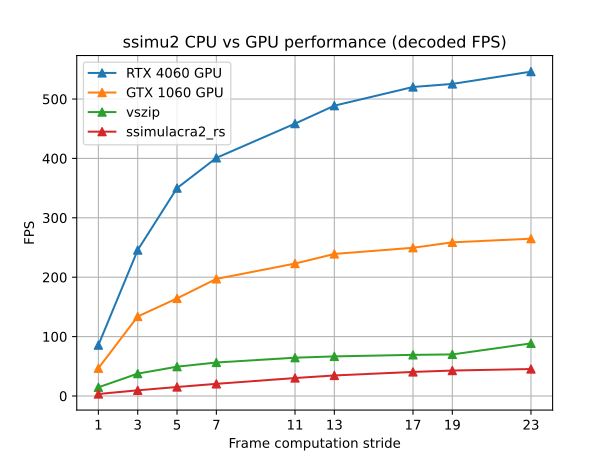
On a superficial level, we can already make some observations:
* SSIMULACRA2 computation with ssimulacra2\_rs is quite slow: 3.37 frames per second (without skipping frames) when using 6 threads. That is like 0.56 frames per second per thread. I know the CPU used is no beast by any measure, but beast CPUs are quite expensive and not that common (that is something to keep in mind). Those processing speeds are comparable to some of the slower-ish presets of SVT-AV1.
- vszip is, in fact, considerably faster: Between ×4.34 (full video computation) and ×1.63 (stride of 19) with the same amount of threads. However, it seems that vszip does not scale as well as the other implementations (except for that weird performance boost with a stride of 23).
* GPU computation of SSIMULACRA2 scores is impressive, considering the CPU performances:
- Compared to ssimulacra2\_rs: Speedups for the GTX 1060 (an 8-year-old GPU) are between ×14.01 (stride of 3) and ×5.83 (stride of 23). Speedups for the RTX 4060 are between ×25.73 (stride of 3) and ×12.02 (stride of 23).
- Compared to vszip: Speedups for the GTX 1060 are between ×3.70 (stride of 19) and ×2.99 (stride of 23). Speedups for the RTX 4060 are between ×7.51 (stride of 17) and ×5.85 (stride of 1 / full video computation).
- It is amazing seeing how GPUs not only achieve real-time SSIMULACRA2 computation of entire videos, but more than ×1.94 and ×3.56 real-time processing, even (GTX and RTX, respectively).
Nevertheless, the most interesting observation is made when we use computation strides bigger than 1: The performance does _not_ scale linearly with the stride, as it would be expected. This happens with both the CPU and GPUs, although it is more noticeable in the case of the GPUs due to their higher performance.
Why is that? Well, there is actually a good explanation: The reported FPS are _decoded_ FPS. That is, the speed in which the software is decoding and processing all the video frames. All the frames in the video bitstream are decoded and reconstructed as images, but the SSIMULACRA2 score is only computed for some of them. SSIMULACRA2 computation affects decoding speed in that the decoding of each frame only starts after the processing of the previous has finished (kind of, this is not be entirely true for multithreaded CPU implementations, but we can ignore that). The faster the SSIMULACRA2 processing is done, the sooner the next frame starts decoding. And there is no faster processing than not doing any processing at all, that is, skipping the frame! However, **the decoding itself is a process that has to be done regardless**, and the time it takes should not be disregarded. Although decoding as a process is considerably faster than SSIMULACRA2 computation, it starts becoming the bottleneck when you both compute SSIMULACRA2 so fast, and skip computing frames.
### Considerations about video decoding performance
[NVIDIA's Video Codec SDK 13.0 application note](https://docs.nvidia.com/video-technologies/video-codec-sdk/13.0/nvdec-application-note/index.html#nvdec-performance) gives these indicative per-NVDEC figures for 1080p YUV 4:2:0 decoding:
* Pascal architecture decodes H.264 at up to 694 frames per second.
* Ada architecture decodes H.264 at up to 903 frames per second.
* Ada architecture decodes AV1 at up to 1,018 frames per second.
Being proprietary NVIDIA technology, served as a black box through their API, we cannot be sure how the NVDEC engines are implemented and what exactly are their limitations under scenarios such as these (i.e., concurrent decoding of multiple video streams of same or different codecs). We can only trust the information NVIDIA provides. NVDEC engine count and capability are product-specific; the statement that all GeForce products have one engine is not a current hardware rule. The ratios below are the author's comparison against indicative SDK figures, not measurements of decoder utilization.
In our case, considering two videos are being decoded at the same time:
* The GTX 1060 decodes up to 529.7 H.264 (2×264.85) frames per second when using a stride of 23 frames, which corresponds to 75% of its reported peak decoding performance for H.264.
* The RTX 4060 decodes up to 546.14 H.264 + 546.14 AV1 (1092.28 total) frames per second when using a stride of 23 frames, which corresponds to 61.85% and 54.34% of its reported peak decoding performance for H.264 and AV1 respectively. Notice how, even though the NVDEC hardware resources are reportedly being shared between the two decodes, both are able to reach more than 50% peak performance **at the same time**.
We can just focus on _processed_ FPS, that is, only not-skipped frames processed per second, or SSIMULACRA2 scores computed per second, to see how the processing performance degrades with increasing strides.
| Stride | ssimulacra2\_rs FPS | vszip FPS | GTX 1060 GPU FPS | RTX 4060 GPU FPS |
|:-:|:-:|:-:|:-:|:-:|
| 1 | 3.37 | 14.63 | 46.70 | 85.64 |
| 3 | 3.18 | 12.56 | 44.62 | 81.91 |
| 5 | 3.03 | 9.87 | 32.87 | 70.00 |
| 7 | 2.92 | 8.05 | 28.17 | 57.28 |
| 11 | 2.75 | 5.86 | 20.27 | 41.69 |
| 13 | 2.66 | 5.13 | 18.40 | 37.60 |
| 17 | 2.38 | 4.07 | 14.68 | 30.61 |
| 19 | 2.25 | 3.68 | 13.62 | 27.65 |
| 23 | 1.98 | 3.85 | 11.52 | 23.75 |
Here they are in graph form, for better visualization:
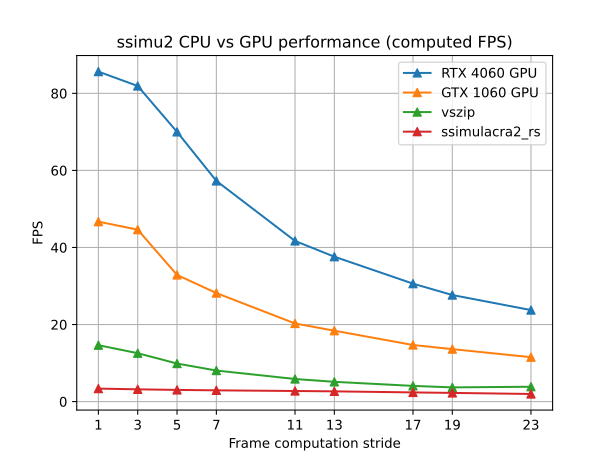
It can be seen how the actual SSIMULACRA2 processing performance quickly decreases, as more and more relative time gets dedicated to decoding the videos.
**Editorial correction:** these measurements do not justify a GPU purchase recommendation or a claim that increasing stride has insignificant scoring error. Decoder throughput depends on the GPU model, clocks, stream characteristics, and software pipeline; generation alone does not guarantee identical end-to-end performance. Profile the intended workload before deciding whether decoding, conversion, transfer, or metric computation is the bottleneck. Sampling error and implementation error require separate validation.
### Conclusions
As a quick summary of the experiment, we can highlight:
* **GPU processing greatly accelerates SSIMULACRA2 computation**, with modern GPUs enabling speeds **faster than real-time** on the tested RTX 4060 workload (~85 fps), while the GTX 1060's different H.264 self-comparison workload reached ~46 fps.
* As SSIMULACRA2 computations accelerate, **video decoding speed becomes a relevant factor, to the point of being the main bottleneck when the computation stride is large enough**. It is not worthwhile to increase the computation stride too much, as you will quickly get diminishing returns in performance.
---
### Further discussion: Possible improvements
One may think that a possible solution to the decoding speed bottleneck, which does not require waiting until the next-generation GPUs implement faster decoding hardware, would be to **make the software decode only the frames that are going to be processed**. Nevertheless, that approach comes with significant caveats: Inter-predicted frames require their reference dependencies to be decoded, but not necessarily every frame in the entire GOP. Savings from selective decoding depend on the dependency graph, random-access points, and decoder API; this experiment did not measure such a pipeline. (Aside from the possible accuracy/representativeness concerns associated to using such big strides.) Additionally, when leveraging GPU programming, the actual hardware is often treated like a black box, and the available APIs may limit considerably the control the user has over it.
Another, more useful approach one may think of, would be to exploit **computation overlapping**: To keep decoding frames while the SSIMULACRA2 scores are being computed, storing the decoded frames that are to be processed in a buffer. This seems to be partially implemented in TurboMetrics already, but only to some extent.
Without any modification to the SSIMULACRA2 computations, the overlap in computation and decoding would still have limited effect for low strides (where SSIMULACRA2 computation is still the bottleneck), as every time the decoded frame buffer fills completely, the decoder would have to wait for it to have free space again. In theory, the SSIMULACRA2 computations could be sped up further (maybe requiring faster but more imprecise approximations). And, ideally, TurboMetrics should aim to approach the theoretical decode FPS limit in the computation of the SSIMULACRA2 scores, thus perfectly overlapping computing and decoding. In such scenario, skipping the computation of any frames would not make sense anymore, as no speed advantage would be obtained from it. However, this is still far from being a reality, as a speedup of at least ×10.31 is needed for an RTX 4060 to match its decoding speeds with a computation stride of 1.
## Short discussion on scoring error
My original idea for this blog entry was to evaluate TurboMetrics both in terms of performance and scoring error. By "scoring error" I mean "the difference between the scores a CPU reference provides, and the ones TurboMetrics provides". However, once the first draft for that original version of this blog entry was completed, I realized I was not satisfied with the methodology followed and conclusions extracted from that second experiment. Therefore, I am putting off that evaluation for a second blog entry, that I will write once I make a new, bigger, and better, evaluation of the error.
The main concern about the error the GPU computation incurs on SSIMULACRA2 scores is that SSIMULACRA2 scores have been tuned mathematically to correlate with visual quality, while the GPU implementation's scores _try to mimic_ those scores, but have not undergone any kind of mathematical tuning or assessment themselves. The GPU scores could be seen as "SSIMULACRA2 + random error", and that "random error" might break the desired correlation, thus reducing the reliability of the metric.
Nevertheless, it is worth noting that SSIMULACRA2 is not by any means a kind of "perfect metric" or "absolute truth" about video quality assessment. **SSIMULACRA2 still is unreliable in some situations, and it does not always present a perfect correlation with visual observations**. You may find here and there specific examples of SSIMULACRA2 scores that do not accurately reflect the (perceived) quality of a compressed image or video. Besides, we should keep in mind that quality is a subjective matter. In that regard, and as an example, people who do not care much about film grain might give denoised videos higher quality scores than those that SSIMULACRA2 gives. (Other metrics, such as VMAF, are more tolerant to denoising.) Calling the output an “alternative metric” does not validate it. A changed implementation needs agreement checks against the reference with identical preprocessing, and a changed perceptual model needs testing against independent subjective data. The preliminary findings below are reasons to investigate, not proof of either perceptual validity or universal invalidity.
Just to give a preview on the error evaluation thus far, I will share the following: The preliminary results I obtained from that now-scraped evaluation seem to indicate that:
* The scores provided by the GPU implementation of SSIMULACRA2 are **statistically different** to the real scores (provided by the CPU implementations).
* **No linear correlation** between the real scores and the GPU scores has been found.
* TurboMetrics **might tend to under-score**, compared to the real scores (i.e., the results for the frames tend to be lower than those a CPU implementation gives). This has yet to be assessed over a larger sample size to prove if it is really true, though.
I am looking for help with the error evaluation for the follow-up blog entry. Mainly, I need a considerably larger sample of SSIMULACRA2 scores for videos, computed both in CPU and GPU. I myself do not have enough material (encoded videos and/or the SSIMULACRA2 scores for all their frames) yet to do a sufficiently good evaluation, and it would take me quite some time to get it. Thus, I am looking for anyone who has saved the SSIMULACRA2 scores for all the frames of any video they had assessed, and is able to re-assess those same videos using TurboMetrics. If you think you can help, and are willing to, please contact me through the [AV1 for Dummies Discord server](https://discord.gg/bbQD5MjDr3).
## Overall conclusions and final thoughts
In this blog entry, we have tested the GPU implementation of SSIMULACRA2 available through TurboMetrics, in terms of performance (i.e., scores computed per unit of time). The main conclusions are the following:
* All in all, TurboMetrics provides **impressive acceleration** of the SSIMULACRA2 computation.
* **The performance of TurboMetrics does not scale linearly with the computational stride/frame skipping**. When increasing the stride, a point of diminishing returns is reached rather soon.
- This is caused by the time taken to decode the video frames, which is non-negligible, and becomes the bottleneck when computing SSIMULACRA2 so fast and only for some of the frames.
Hardware acceleration of computationally-intensive tasks is an important topic nowadays in several fields, especially considering how powerful current-day GPUs are; and I would hope for the teams developing these quality assessment metrics to consider it as an existing option. So far, only [XPSNR](https://github.com/fraunhoferhhi/xpsnr) has seemed to be concerned about computational complexity from the beginning, and the developers' response was not to consider hardware acceleration, but rather to simplify the design of their metric.
**Editorial correction to the recommendation:** the reported speedups justify considering TurboMetrics for further evaluation, but this article does not establish it as a substitute for reference SSIMULACRA2 quality scores. Do not transfer reference score thresholds to it or assume stride 3 or 5 is harmless. First match color conversion and frame alignment, quantify score and ranking differences on representative distortions, and validate sampling separately. Use [quality-comparison guidance](/guides/compare-encoding-quality/) and the [reference implementation](https://github.com/cloudinary/ssimulacra2) for a reproducible baseline.
## Future plans recorded in November 2024
TurboMetrics' development is still ongoing, and I know Gui-Yom has tons of ideas for it. To begin with, I know the following ideas are being worked on:
* Support for GPUs of other vendors (AMD, Intel).
* Support for FFmpeg piping, to enable working with videos of any codec.
* GPU acceleration of XPSNR.
All these features would improve TurboMetrics significantly, while also opening the door for more tests to be performed. Additionally, as it has been mentioned in this blog entry, the SSIMULACRA2 computation can still be optimized further, including overlapping computation and decoding. Gui-Yom knows this, and plans to tackle that issue eventually.
A list of features to improve TurboMetrics' computation of SSIMULACRA2, written by the main developer, can be found [here](https://github.com/Gui-Yom/turbo-metrics/blob/master/crates/ssimulacra2-cuda/README.md#how-to-do-better-).
As I said earlier, I also plan to write a follow-up blog entry evaluating the scoring error incurred in the GPU implementation, to test the reliability of the scores provided by TurboMetrics. Additionally, it may be insightful to evaluate the error for GPU implementations of other video metrics, such as [VMAF CUDA](https://github.com/Netflix/vmaf/blob/master/libvmaf/README.md), and see if we find any similarities. I do not recall reading any analysis on the matter for other metrics, either. Nevertheless, I cannot give a date yet for when that follow-up blog entry might come out. I reckon it will take quite some time to perform the required experimentation, as well as processing and analyzing the results.
Also, this blog entry is heavily missing information on 4K video, which I believe to be of high interest. The main reason for it is that most 4K content is served using HEVC, and TurboMetrics still does not support that codec. When support for it gets added, experiments with 4K video should be conducted.
If you like TurboMetrics and have knowledge about programming, please consider [contributing to it](https://github.com/Gui-Yom/turbo-metrics) to the best of your ability. Together, we can make it even more awesome than it already is!
And, lastly, thank you very much for reading!
#### Special thanks
* **Gui-Yom**, for developing TurboMetrics, and also for proofreading and green-lighting this blog entry.
* **Trix**, for linking me to the Python script to easily compute SSIMULACRA2 using vszip (ssimulacravszip.py), and for helping me to get it to work the way I needed.
{}
---
# Welcome to Encode Wiki
Canonical URL: https://encode.wiki/articles/welcome/
Collection: articles
Status: current
License: CC BY-SA 4.0
Checksum: 68e71c4247dec11538d72fa96b5b2e6303c5c1e8b792dab4cce25649e5973bab
Encode Wiki is a community-maintained home for practical information about codecs and encoding
tools. It combines durable reference documentation with reproducible guides, experiments, and
benchmark articles.
The initial corpus comes from the AV1 Community Contributors'
[Codec Wiki](https://github.com/av1-community-contributors/codec-wiki). Its pages will be migrated
with source provenance and modification notices under CC BY-SA 4.0. The application and deployment
code written for Encode Wiki is separately licensed under MIT.
The public site is designed to remain useful without accounts, analytics, or an AI service. Clean
machine-readable editions will also make the reviewed corpus easier to use from other tools.
---
# Codecs
Canonical URL: https://encode.wiki/codecs/
Collection: docs
Status: current
License: CC BY-SA 4.0
Checksum: 7f384091cef782dd5174114ad208ed679fbe7c200b55f5d5b89d464aa7d08444
Each codec page describes a format: what its bitstreams can express, the profiles and containers it
uses, and where implementations differ. Use these pages to choose a format, then the tool pages to
pick the encoder that writes it.
---
# Audio codecs overview
Canonical URL: https://encode.wiki/codecs/audio/
Collection: docs
Status: current
License: CC BY-SA 4.0
Checksum: ac5b6b4c63041cced59b08640034ea5aac9f5c55c1a43b7bf8273fd9a22a93ee
New to audio coding? Start with the [intro](/codecs/audio/intro/). Otherwise, this is the short version of what to pick.
## Which codec should I use?
| You want | Use | Notes |
| --- | --- | --- |
| Lossy audio for most things — music, speech, video soundtracks | [Opus](/codecs/audio/opus/) | Best quality per bit across the whole range, from low-bitrate speech to near-transparent music. Ogg, WebM, Matroska, MP4. |
| Lossy audio that has to play on everything, including hardware players, TVs and old phones | [AAC](/codecs/audio/aac/) in MP4/M4A | The safe choice for MP4 video and streaming. |
| Lossy audio for really old devices | [MP3](/codecs/audio/mp3/) | Needs more bitrate than AAC or Opus for the same quality, but plays on anything. |
| Lossless archive or lossless delivery | [FLAC](/codecs/audio/flac/) | Open, fast, supported nearly everywhere. |
| Lossless in an Apple-only library | [ALAC](/codecs/audio/alac/) | Same idea as FLAC; Apple's ecosystem prefers it. |
| Lossless with a lossy-plus-correction hybrid mode | [WavPack](/codecs/audio/wavpack/) | Niche; the hybrid mode is its selling point. |
| Surround on Blu-ray, TVs and receivers | [Dolby](/codecs/audio/dolby/) (AC-3, E-AC-3, TrueHD) | Keep the original track when remuxing; re-encoding costs quality. |
| Object-based or immersive audio | [Spatial audio](/codecs/audio/spatial-audio/) | Atmos, MPEG-H, IAMF and so on are metadata systems on top of codecs. |
[Vorbis](/codecs/audio/vorbis/) and [Speex](/codecs/audio/speex/) are both superseded by Opus. Keep them only for existing files or devices that require them.
## Comparison
| Codec | Type | Typical channels | Containers | Encoders |
| --- | --- | --- | --- | --- |
| Opus | Lossy | Mono and stereo; multichannel via channel mapping families | Ogg, WebM, Matroska, MP4 | libopus (`opusenc`, FFmpeg `libopus`) |
| AAC | Lossy | Up to 5.1 and 7.1 in common profiles | MP4/M4A, MPEG-TS, ADTS, Matroska | Apple, Fraunhofer FDK, FFmpeg native |
| MP3 | Lossy | Mono and stereo only | Raw MP3, Matroska, MP4 | LAME |
| Vorbis | Lossy | 1–255 | Ogg, WebM, Matroska | libvorbis |
| FLAC | Lossless | 1–8 | Native FLAC, Ogg, Matroska | `flac`, FFmpeg |
| ALAC | Lossless | 1–8 | MP4/M4A, MOV | Apple, FFmpeg |
| WavPack | Lossless or hybrid | Many (hundreds supported) | Native WavPack, Matroska | `wavpack`, FFmpeg |
| Speex | Lossy, speech only | Mono and stereo | Ogg | `speexenc` |
FLAC stores 4–32-bit integer PCM. ALAC stores 16, 20, 24 and 32-bit integer PCM, though FFmpeg's encoder writes only 16 and 24-bit. WavPack also stores 32-bit float and DSD.
## Browser support
MP3, AAC in MP4 and FLAC play in every current browser. Opus and Vorbis in Ogg or WebM play in Chrome, Edge and Firefox, and Safari 18.4 added Ogg Opus and Vorbis on recent Apple operating systems. ALAC is effectively Safari-only, AC-3 and E-AC-3 play only where the operating system supplies a licensed decoder (Apple platforms, some Windows and TV browsers), and Speex and WavPack need an application-supplied decoder. The [image and audio support guide](/reference/image-audio-support/) has the detection code.
## Channels versus spatial audio
More channels is not the same as spatial audio. Immersive systems describe objects, scenes and speaker layouts in metadata that a renderer interprets; the actual samples are carried by an ordinary codec. See [spatial and immersive audio](/codecs/audio/spatial-audio/).
---
# AAC
Canonical URL: https://encode.wiki/codecs/audio/aac/
Collection: docs
Status: current
License: CC BY-SA 4.0
Checksum: 1229335095fdc1dbb2e05df9d5a84114ed04375f79dd322e0249be13267a5a56
AAC is a family of lossy MPEG audio profiles. "AAC" on its own almost always means **AAC-LC**, the profile every phone, player, TV and browser can decode. It is the right default whenever the file has to play everywhere: MP4 video, iTunes/Apple Music, Bluetooth, broadcast. If compatibility is not a constraint, [Opus](/codecs/audio/opus/) is usually the better lossy codec.
## Profiles
| Profile | What it is | When to use it |
| --- | --- | --- |
| **AAC-LC** | The standard profile. | Default for everything from about 96 kbit/s stereo up. |
| **HE-AAC (v1)** | LC core at half the sample rate plus Spectral Band Replication (SBR), which rebuilds the high frequencies from side data. | Stereo below roughly 64 kbit/s, e.g. streaming and spoken word. Above ~96 kbit/s, plain LC is as good or better. |
| **HE-AAC v2** | HE-AAC plus Parametric Stereo (PS), which codes stereo as a mono downmix plus spatial parameters. | Stereo at 32 kbit/s and below. Stereo only. |
| **AAC-LD / AAC-ELD** | Low-delay variants for conferencing. | Real-time use. Almost no file or player support; encoded by FDK-AAC and Apple's encoder. |
| **xHE-AAC (USAC)** | MPEG-D USAC with MPEG-D DRC loudness metadata; handles speech and music well at very low rates. | Low-rate streaming where you control the player. [exhale](/tools/software-encoders/exhale/) is the only free encoder. |
### xHE-AAC
xHE-AAC is natively decodable on current Android, Apple (iOS, macOS, tvOS, watchOS) and Windows 11 platforms, but not in most other players, and FFmpeg's decoder does not handle every stream (see [exhale](/tools/software-encoders/exhale/#decoding-in-ffmpeg)). Keep an AAC-LC version if you cannot control the player.
In MP4, the profile is signalled by the codec string: `mp4a.40.2` (LC), `mp4a.40.5` (HE-AAC), `mp4a.40.29` (HE-AAC v2), `mp4a.40.42` (xHE-AAC). HE-AAC decoders output at double the core sample rate, which matters if you handle the decoded audio yourself.
## Which encoder to use
| Encoder | Profiles | Notes |
| --- | --- | --- |
| **Apple Core Audio** | LC, HE-AAC, LD, ELD (FFmpeg's `aac_at` also requests HE-AAC v2; qaac has no v2 mode) | Generally regarded by the Hydrogenaudio community as the best AAC encoder. Use [qaac](/tools/software-encoders/qaac/) on Windows, `afconvert` or FFmpeg's `aac_at` on macOS. |
| **FDK-AAC** (`fdkaac`, `libfdk_aac`) | LC, HE-AAC, HE-AAC v2, LD, ELD | Close to Apple at typical rates and available everywhere. Its license is GPL-incompatible: an FFmpeg build that also uses `--enable-gpl` (as any build with x264 or x265 does) needs `--enable-nonfree` and cannot be redistributed, so most downloadable builds leave it out. The standalone [`fdkaac`](https://github.com/nu774/fdkaac) tool avoids building FFmpeg yourself. |
| **FFmpeg native `aac`** | LC | Free and built into every FFmpeg. Behind Apple and FDK, most noticeably at low bitrates; give it more bitrate (160–192 kbit/s stereo) to compensate. Use `-b:a`: its `-q:a` VBR mode works but has no calibrated scale. |
| **exhale** | xHE-AAC | See above. |
FAAC and the discontinued Nero encoder still turn up in old guides; there is no reason to use either today.
## Starting points
For stereo music the usual targets are 128 kbit/s for small files, 160–192 kbit/s for a comfortable margin, and 256 kbit/s as overkill insurance. Bitrate is the total for all channels.
```sh
# FFmpeg native encoder
ffmpeg -i input.flac -c:a aac -b:a 192k output.m4a
# FDK-AAC through the standalone tool: VBR 4 is roughly 150 kbit/s for stereo
fdkaac -m 4 -o output.m4a input.wav
# FDK-AAC through an FFmpeg build that includes libfdk_aac
ffmpeg -i input.flac -c:a libfdk_aac -vbr 4 output.m4a
# Apple encoder through qaac (Windows), true VBR around 190 kbit/s
qaac64 --tvbr 91 -o output.m4a input.wav
```
FDK's VBR modes 1–5 target roughly 32, 40, 48–56, 64 and 80–96 kbit/s per channel; FFmpeg documents its `libfdk_aac` VBR as experimental, and it is only dependable with AAC-LC. For HE-AAC, use a plain bitrate:
```sh
fdkaac -p 5 -b 64000 -o he-aac.m4a input.wav
fdkaac -p 29 -b 32000 -o he-aac-v2.m4a input.wav
```
`fdkaac` reads WAV or raw PCM (`-R`), not FLAC; pipe from FFmpeg with `ffmpeg -i input.flac -f wav - | fdkaac -m 4 -o output.m4a -`. Its `-b` takes bit/s, and `-m 1`–`5` selects VBR and overrides `-b`.
> **Caution.**
>
> FFmpeg's native encoder only makes AAC-LC. Passing `-profile:a aac_he` to it fails; HE-AAC needs `libfdk_aac` or an Apple encoder.
## Containers and files
| Container | Notes |
| --- | --- |
| **MP4/M4A** | The normal choice. Stores the profile and encoder delay, so gapless playback works. Add `-movflags +faststart` for web delivery. |
| **ADTS (`.aac`)** | Raw frames with a header on each. Needed by some hardware and streaming tools; carries no tags or gapless information. `fdkaac -f 2` writes it. |
| **LATM/LOAS** | Broadcast transport (`fdkaac -f 10`, `libfdk_aac -latm 1`). |
| **MPEG-TS, Matroska** | Fine for video; check the player. |
Neither `.aac` nor `.m4a` tells you the profile. Run `ffprobe` on the file if you need to know.
For gapless playback in iTunes-style players, keep the encoder-delay metadata (`fdkaac -G 2` writes both the iTunes and ISO forms; qaac does this by default). Do not trim decoded samples by hand.
## Pitfalls
- Re-encoding an AAC (or any lossy) source stacks artefacts. Encode from the lossless original.
- Downmixing with `-ac 1` or `-ac 2` can cause phase cancellation on some mixes; check by ear.
## Related
[Opus](/codecs/audio/opus/) for open, royalty-free lossy audio. [FLAC](/codecs/audio/flac/) for lossless. [Vorbis](/codecs/audio/vorbis/) in older Ogg/WebM workflows.
## Full option reference
Every option of the encoders above in FFmpeg 9.0.2 and `fdkaac` 1.0.9 (with FDK-AAC 2.0.3). Defaults are what you get when the option is omitted.
## FFmpeg native AAC parameter reference
Private options of the native [`aac` encoder](https://github.com/FFmpeg/FFmpeg/blob/n9.0.2/libavcodec/aacenc.c). The `anmr` coder and the `aac_pred`/`aac_ltp` options in older guides no longer exist.
| Parameter | Default | Values / units | Effect |
| --- | --- | --- | --- |
| `-aac_coder` | `twoloop` | `twoloop`, `fast` | Quantizer search. `twoloop` gives the best quality; `fast` is quicker and worse. |
| `-aac_ms` | `auto` | `auto`, `0`, `1` | Mid/side stereo. `auto` decides per band, `1` forces M/S on every band, `0` disables it. Always off for more than three channels. |
| `-aac_is` | `1` | `0`/`1` | Intensity stereo: codes some high bands as one channel plus a position. Saves bits at low bitrates. |
| `-aac_pns` | `1` | `0`/`1` | Perceptual noise substitution: replaces noise-like bands with synthesized noise. Turned off for `-profile:a mpeg2_aac_low`. |
| `-aac_tns` | `1` | `0`/`1` | Temporal noise shaping; reduces pre-echo on transients. |
| `-aac_pce` | `0` | `0`/`1` | Signal the channel layout with a Program Config Element even for standard layouts. Non-standard layouts always get one. |
### Generic audio controls used by AAC encoders
| Parameter | Native `aac` | `libfdk_aac` | Notes |
| --- | --- | --- | --- |
| `-profile:a` | `aac_low` (default), `mpeg2_aac_low` | `aac_low` (default), `aac_he`, `aac_he_v2`, `aac_ld`, `aac_eld`, `mpeg2_aac_low`, `mpeg2_aac_he` | The native encoder can't do HE-AAC or xHE-AAC. |
| `-b:a` | 128k per channel pair, 69k per single channel, 16k per LFE (128k stereo) | About 96k mono or 128k stereo at 44.1 kHz, scaled with sample rate; halved for HE-AAC | Total bitrate for all channels. |
| `-q:a` | Constant quality: fixed quantizer, no rate control | `1`–`5`, same as `-vbr` | Selects VBR instead of `-b:a`. Higher means more bits. |
| `-cutoff` | Encoder chooses | Library chooses; at most 20000 Hz | Low-pass in Hz. |
| `-ar` | 7350–96000 Hz (the 13 AAC rates) | Depends on profile | FFmpeg resamples to a supported rate. |
| `-sample_fmt` | `fltp` | `s16` | Input format; FFmpeg converts automatically. |
## FFmpeg `libfdk_aac` parameter reference
Private options of the [FFmpeg 9.0.2 `libfdk_aac` wrapper](https://github.com/FFmpeg/FFmpeg/blob/n9.0.2/libavcodec/libfdk-aacenc.c). It needs FFmpeg built with `--enable-libfdk-aac` (non-free, so not in most distributed builds).
| Parameter | Default | Values / units | Effect |
| --- | --- | --- | --- |
| `-afterburner` | `1` | `0`/`1` | Extra analysis for better quality at some CPU cost. Leave it on. |
| `-eld_sbr` | `0` | `0`/`1` | Enable SBR with `-profile:a aac_eld`. HE-AAC gets SBR from `-profile:a aac_he`/`aac_he_v2`. |
| `-eld_v2` | `0` | `0`/`1` | ELDv2 (LD-MPS) for stereo AAC-ELD. Only present when FFmpeg is built against fdk-aac 2.0 or later. |
| `-signaling` | `default` | `default`, `implicit`, `explicit_sbr`, `explicit_hierarchical` | How SBR/PS are signalled. `default` uses `explicit_hierarchical` when the muxer stores a global header (MP4, Matroska) and `implicit` for ADTS/LATM. |
| `-latm` | `0` | `0`/`1` | Write LOAS/LATM instead of ADTS when the muxer doesn't use a global header. No effect for MP4 or Matroska. |
| `-header_period` | `0` | `0`–`65535` frames | With `-latm 1`, repeat the StreamMuxConfig/PCE every N frames. `0` keeps the library default. |
| `-vbr` | `0` | `0`–`5` | `0` uses `-b:a`. `1`–`5` are FDK's VBR modes; its documented stereo averages are about 32 (HE-AAC v2), 72 (HE-AAC), 112, 148 and 228 kbit/s. FFmpeg warns that VBR only works with some parameter combinations. |
| `-drc_profile` | `0` | `0` none, `1` film standard, `2` film light, `3` music standard, `4` music light, `5` speech | MPEG-4 DRC profile written as metadata for the decoder; the encoded audio is unchanged. |
| `-drc_target_ref` | `0` | Integer dB, `-31`–`0` | Target reference level for `-drc_profile`. |
| `-comp_profile` | `0` | Same as `-drc_profile` | ETSI heavy-compression profile; only written when `-drc_profile` is non-zero. |
| `-comp_target_ref` | `0` | Integer dB, `-31`–`0` | Target reference level for `-comp_profile`. |
| `-prog_ref` | `0` | Integer dB, `-31`–`0` | Programme (dialogue) reference level metadata. `0` means it is not written. |
| `-frame_length` | `-1` | `1024` (LC, HE), `512`/`480` (LD, ELD), `256`/`240`/`128`/`120` (downscaled ELD) | Core frame length in samples. `-1` keeps the profile default. |
## Standalone `fdkaac` 1.0.9 parameter reference
[`fdkaac`](https://github.com/nu774/fdkaac/blob/v1.0.9/src/main.c) is a separate command-line frontend to FDK-AAC; its options and units differ from FFmpeg's wrapper. Its help lists `--header-period` as `-h`, but the working short form is `-P` (`-h` prints help).
### Coding and transport
| Parameter | Default | Values / units | Effect |
| --- | --- | --- | --- |
| `-p`, `--profile N` | `2` | `2` AAC-LC, `5` HE-AAC, `29` HE-AAC v2, `23` AAC-LD, `39` AAC-ELD | Audio object type. |
| `-b`, `--bitrate N` | None; required unless `-m` is 1–5 | bit/s; values below 10000 are read as kbit/s | CBR target. `-b 128` and `-b 128000` are the same. |
| `-m`, `--bitrate-mode N` | `0` | `0` CBR, `1`–`5` VBR | VBR modes ignore `-b`. Mode 1 is tuned for HE-AAC v2, 2 for HE-AAC, 3–5 for AAC-LC; FDK's documented stereo averages are about 32, 72, 112, 148 and 228 kbit/s. |
| `-w`, `--bandwidth N` | `0` (auto) | Hz | Low-pass frequency, AAC-LC only. At most 20 kHz or half the sample rate; the automatic choice is usually better. |
| `-a`, `--afterburner N` | `1` | `0`/`1` | Extra analysis for better quality. Leave it on. |
| `-L`, `--lowdelay-sbr N` | `0` | `-1` auto, `0` off, `1` on | SBR for AAC-ELD. |
| `-s`, `--sbr-ratio N` | `0` (library default) | `0`, `1` downsampled, `2` dual-rate | SBR sampling ratio. The library defaults to downsampled SBR for ELD+SBR and dual-rate for HE-AAC. |
| `-f`, `--transport-format N` | `0` (M4A) | `0` M4A, `1` ADIF, `2` ADTS, `6` LATM MCP=1, `7` LATM MCP=0, `10` LOAS/LATM | Anything other than `0` writes a raw AAC stream (default extension `.aac`) instead of M4A. |
| `-C`, `--adts-crc-check` | Off | Flag | Add CRC protection to ADTS headers. |
| `-P`, `--header-period N` | `0` (library default) | Frames | StreamMuxConfig/PCE repetition period for LATM/LOAS. |
| `-o FILE` | Input name with `.m4a`, or `.aac` if `-f` is not `0` | Filename; `-` (stdout) only when `-f` is not `0` | Output file. M4A output must be seekable. |
| `-G`, `--gapless-mode N` | `0` | `0` iTunSMPB, `1` ISO (`edts` + `sgpd`), `2` both | How encoder delay and padding are signalled in M4A. |
| `--include-sbr-delay` | Off | Flag | Count the SBR decoder delay in the signalled encoder delay. This is FDK's own convention but is not iTunes-compatible. |
| `--moov-before-mdat` | Off | Flag | Put the `moov` index before the audio data, for progressive playback. |
| `--no-timestamp` | Off | Flag | Write zero creation/modification times, for reproducible output. |
### Input and reporting
| Parameter | Default | Values / units | Effect |
| --- | --- | --- | --- |
| `-h`, `--help` | — | Flag | Print the version and help, then exit. |
| `-I`, `--ignorelength` | Off | Flag | Ignore the WAV data-chunk length, for WAV piped from tools that write a placeholder length. |
| `-S`, `--silent` | Off | Flag | No progress output. |
| `-R`, `--raw` | Off | Flag | Read headerless PCM described by the `--raw-*` options instead of WAV or CAF. |
| `--raw-channels N` | `2` | Channel count | Raw channel count. |
| `--raw-rate N` | `44100` | Hz | Raw sample rate. |
| `--raw-format SPEC` | `S16L` | `S` or `U` with 8–32 bits, or `F` with 32/64; then `L` or `B` | Raw sample format, case-insensitive (`S24L`, `F32L`). Endianness defaults to little. |
### Metadata
M4A tags. Tags from the input file are copied; these options set or override them.
| Parameter | Default | Values / syntax | Effect |
| --- | --- | --- | --- |
| `--title TEXT` | — | Text | Title. |
| `--artist TEXT` | — | Text | Artist. |
| `--album TEXT` | — | Text | Album. |
| `--genre TEXT` | — | Text | Genre. |
| `--date TEXT` | — | Text | Date. |
| `--composer TEXT` | — | Text | Composer. |
| `--grouping TEXT` | — | Text | Grouping. |
| `--comment TEXT` | — | Text | Comment. |
| `--album-artist TEXT` | — | Text | Album artist. |
| `--track N[/TOTAL]` | — | `N` or `N/TOTAL` | Track number. |
| `--disk N[/TOTAL]` | — | `N` or `N/TOTAL` | Disc number. |
| `--tempo N` | — | Integer | Tempo (BPM). |
| `--tag FCC:VALUE` | — | `FCC:VALUE` | Set an iTunes atom by four-character code; a three-character code gets the `©` prefix (`day` → `©day`). |
| `--tag-from-file FCC:FILE` | — | `FCC:FILE` | As `--tag`, with the value read from a file. |
| `--long-tag NAME:VALUE` | — | `NAME:VALUE` | Custom iTunes (`----`) tag. |
| `--tag-from-json FILE[?PATH]` | — | `FILE` or `FILE?dotted.path` | Read tags from a JSON object, e.g. `ffprobe -print_format json -show_format` output with `?format.tags`. |
---
# ALAC
Canonical URL: https://encode.wiki/codecs/audio/alac/
Collection: docs
Status: current
License: CC BY-SA 4.0
Checksum: 7ca856682988da8c455c2b2f2c6384eafe5aa1a4943347cb9dfb9d62f90ae600
ALAC (Apple Lossless Audio Codec) is Apple's lossless format. It compresses about as well as [FLAC](/codecs/audio/flac/) and decodes back to identical samples, but it lives in MP4/`.m4a` files that iPhones, iPods, Macs, Apple TV and iTunes/Music play natively. Use ALAC when the destination is an Apple library; use FLAC for everything else. Apple's reference implementation is open source (Apache 2.0).
ALAC stores integer PCM at 16, 20, 24 or 32 bits with 1–8 channels. It cannot store floating-point audio.
## Encoding
```sh
ffmpeg -i input.flac -c:a alac output.m4a
```
FFmpeg's `alac` encoder is the usual route off a Mac. It writes **16-bit or 24-bit** ALAC only: a 32-bit integer source is stored as 24-bit, so the lowest eight bits are lost. Apple's reference encoder handles all four bit depths.
`-compression_level` only goes 0–2 (default 2) and the result changes size, not fidelity. The extra `-min_prediction_order` and `-max_prediction_order` options (defaults 4 and 6) are rarely worth touching.
## Converting to and from FLAC
ALAC and FLAC are both lossless, so converting between them loses nothing as long as the bit depth is preserved:
```sh
ffmpeg -i input.m4a -c:a flac output.flac
ffmpeg -i input.flac -c:a alac output.m4a
```
## Compatibility
- Apple hardware and software play ALAC natively, as does Safari. Chrome, Edge and Firefox do not list ALAC as a supported browser audio format.
- Outside Apple's ecosystem, support is software-only (FFmpeg-based players such as mpv and VLC); hardware players and car stereos are far less likely to handle it than FLAC.
- ALAC also appears in `.caf` files, mainly as an Apple tool format.
For anything web-facing, publish FLAC (or a lossy codec) instead.
---
# Dolby audio codecs and Atmos
Canonical URL: https://encode.wiki/codecs/audio/dolby/
Collection: docs
Status: current
License: CC BY-SA 4.0
Checksum: 4440ff69888514cbedbed74caccb8ecc1cdc15421a8d9646a55b9f79e4325a40
Dolby has several unrelated-looking things under one name: AC-3 and E-AC-3 are lossy surround codecs, TrueHD is a lossless one, AC-4 is a newer lossy one, and Atmos is an immersive-audio system that rides on top of E-AC-3, TrueHD and AC-4. If you work with Blu-rays, streaming rips or home theatre files you will meet all of them. The practical rule: **copy Dolby tracks rather than re-encoding them**, because FFmpeg can only make plain channel-based AC-3, E-AC-3 and (experimentally) TrueHD, with no Atmos.
## The codecs
| Codec | Type | What it is |
| --- | --- | --- |
| **AC-3** (Dolby Digital) | Lossy | The original 5.1 codec: DVD, broadcast, Blu-ray core tracks. Up to 640 kbit/s. Every surround device plays it. |
| **E-AC-3** (Dolby Digital Plus) | Lossy | AC-3's successor: more efficient, 32 kbit/s to 6 Mbit/s, up to 7.1 discrete channels. The main surround codec of streaming services; also how Atmos reaches streaming. Not bitstream-compatible with AC-3, but E-AC-3 decoders also decode AC-3. |
| **TrueHD** | Lossless | MLP-derived lossless codec used on Blu-ray: 44.1–192 kHz, up to 24-bit, up to 16 channels in the format. Blu-ray limits it to eight channels at 96 kHz or six at 192 kHz. Carries Atmos on disc. |
| **AC-4** | Lossy | Newer broadcast and streaming codec with multiple presentations (languages, dialogue enhancement) and Atmos support. Not compatible with AC-3 or E-AC-3. |
On Blu-ray, a TrueHD track is interleaved with an AC-3 version in the same stream for players that cannot decode TrueHD. FFmpeg and eac3to expose the two as separate tracks, so you can keep just the lossless one.
## Atmos is not a codec
Atmos is a production and rendering system. A mix is a channel bed (for example 7.1.2) plus positioned audio objects and metadata, and the player's renderer maps that to whatever speakers or headphones are present. That payload is carried by a normal Dolby codec:
- **TrueHD Atmos** on Blu-ray: the usual lossless 7.1/5.1/stereo presentations, rendered from the full mix, plus an extra substream with the object data.
- **E-AC-3 with JOC** (Joint Object Coding) on streaming: a lossy 5.1 or 7.1 mix rendered from the full mix, plus side data from which an Atmos decoder reconstructs the objects. Decoders without Atmos support play the channel mix.
- **AC-4** for broadcast and some streaming.
So an E-AC-3 or TrueHD file is not necessarily Atmos; check the profile. `ffprobe` reports Atmos streams as "Dolby Digital Plus + Dolby Atmos" or "Dolby TrueHD + Dolby Atmos" in the `profile` field.
## What FFmpeg can and cannot do
| Task | FFmpeg |
| --- | --- |
| Copy any Dolby track into another container | Yes (`-c copy`). Atmos survives. |
| Encode plain AC-3 or E-AC-3 from PCM | Yes: `ac3` and `eac3`, up to 5.1. A 7.1 input is silently downmixed to 5.1. |
| Encode TrueHD from PCM | Experimental: `truehd`, up to 5.1, needs `-strict -2`. Bit-exact on decode. |
| Encode AC-4 | No. |
| Create Atmos | No. Needs Dolby's Atmos tools and licensed encoders. |
| Decode Atmos | Decodes the backward-compatible 7.1 or 5.1 mix and ignores the object data, so height and object positioning are lost. |
Re-encoding an Atmos track with FFmpeg to AC-3, E-AC-3, AAC or Opus permanently discards the object data. If you need a compatibility copy, make it additionally and keep the original track.
## Commands
Copy a Dolby track into a new file without touching the audio:
```sh
ffmpeg -i input.mkv -map 0:a:0 -c:a copy output.mka
```
Encode a 5.1 PCM master to AC-3 or E-AC-3:
```sh
ffmpeg -i input.wav -c:a ac3 -b:a 640k output.ac3
ffmpeg -i input.wav -c:a eac3 -b:a 640k output.eac3
```
Use 448 kbit/s for 5.1 AC-3 if the target doesn't need the maximum. Stereo is typically 192 kbit/s. The encoder has a lot of metadata options (`-dialnorm`, `-dmix_mode`, `-center_mixlev` and others) that matter for broadcast delivery and rarely otherwise; the defaults are fine for a compatibility track.
Encode lossless TrueHD (5.1 or fewer channels):
```sh
ffmpeg -i input.wav -c:a truehd -strict -2 output.thd
```
This is experimental and rarely worth it; if you just want lossless surround, use [FLAC](/codecs/audio/flac/).
AC-3, E-AC-3 and TrueHD go into MP4 (E-AC-3 and AC-3) or Matroska (all). MP4 labels them `ac-3` and `ec-3`. Most TVs and receivers want a bitstream passthrough over HDMI to get Atmos, which means copying the track, not decoding it.
## When to choose what
- **Remuxing a disc or streaming rip:** keep the original track.
- **A surround compatibility copy for a TV:** E-AC-3 or AC-3 at 448–640 kbit/s. For most people [AAC](/codecs/audio/aac/) or [Opus](/codecs/audio/opus/) are better codecs, but only the Dolby ones pass through to an AV receiver.
- **Lossless surround you encode yourself:** [FLAC](/codecs/audio/flac/).
- **Authoring Atmos:** professional Dolby tools; see [spatial and immersive audio](/codecs/audio/spatial-audio/) for the open alternatives.
---
# FLAC
Canonical URL: https://encode.wiki/codecs/audio/flac/
Collection: docs
Status: current
License: CC BY-SA 4.0
Checksum: 0968a68dc25dce115ebc6643375888691fbb25d736e54fb627581926c934113e
FLAC (Free Lossless Audio Codec) compresses PCM audio to roughly half its size and decodes back to identical samples. It is open, fast to decode, plays almost everywhere, has good tagging, and is the default choice for music archives and lossless downloads. Use it unless you are locked into Apple's ecosystem ([ALAC](/codecs/audio/alac/)) or need something FLAC lacks, such as [WavPack](/codecs/audio/wavpack/)'s float support or hybrid mode.
FLAC holds 4–32-bit integer PCM with 1–8 channels. It cannot store floating-point audio or DSD. Encoding a lossy source (MP3, AAC, Opus) to FLAC only preserves the damage at several times the size, so don't.
## Encoding
With the reference encoder:
```sh
flac -8 -V input.wav -o output.flac
```
Or with FFmpeg:
```sh
ffmpeg -i input.wav output.flac
```
`-V` verifies the encode by decoding it as it goes. Use `flac -t file.flac` any time to test a file; it checks the MD5 of the audio stored in the header.
### Compression levels
The levels only trade encoding time against file size. Every level decodes to the same samples, and decoding speed barely changes.
| Tool | Levels | Default | Notes |
| --- | --- | --- | --- |
| `flac` | `-0` … `-8` | `-5` | `-8` is `--best`. Add `-e` for an exhaustive model search, which is very slow for a tiny gain. |
| FFmpeg | `-compression_level 0` … `12` | 5 | 0–8 roughly mirror `flac`'s levels. 11 and 12 allow LPC orders up to 32, which takes the file outside the streamable subset at 48 kHz and below. |
The gap between `-5` and `-8` is typically a percent or two, so the default is fine for most work. FLAC 1.5.0 can use several threads (`-j`) when encoding.
## Tags, cover art and metadata
FLAC stores tags in a Vorbis comment block, cover art in a PICTURE block and seek points in a SEEKTABLE. `metaflac` edits these without touching the audio:
```sh
metaflac --list output.flac
metaflac --set-tag="ARTIST=Name" --import-picture-from=cover.jpg output.flac
```
## Containers and compatibility
Plain `.flac` is the normal form. FLAC can also live in Ogg (`flac --ogg`, usually `.oga`), Matroska/`.mka`, and MP4. Native FLAC plays in all current browsers and most hardware; Ogg FLAC and FLAC in MP4 are less widely supported.
The format has a "streamable subset" that restricts block sizes, LPC order and sample-rate signalling so hardware decoders can cope. `flac` stays inside it unless you pass `--lax`, and FFmpeg does up to `-compression_level 10`; stay there if the files are headed for hardware players.
Check 5.1 and 7.1 files on the device you care about, since some players ignore the channel layout.
## Decoding and converting
```sh
flac -d input.flac -o output.wav
ffmpeg -i input.flac output.wav
```
To get the original WAV back byte for byte, including non-audio chunks, pass `--keep-foreign-metadata` to both the encode and the decode.
## See also
- [ALAC](/codecs/audio/alac/) and [WavPack](/codecs/audio/wavpack/) for the other lossless options
- [Opus](/codecs/audio/opus/) and [AAC](/codecs/audio/aac/) for lossy delivery from a FLAC master
---
# Intro
Canonical URL: https://encode.wiki/codecs/audio/intro/
Collection: docs
Status: current
License: CC BY-SA 4.0
Checksum: 94260ef96c9ef739265d8720c13e129cc2a98fa637a9eb2cc389adf81b5c0b78
Digital audio is a waveform stored as a series of numbers. Everything else in this section — codecs, containers, spatial formats — is about storing or compressing those numbers.
## The basics
- **Sample rate** is how many measurements per second are taken. CDs use 44.1 kHz; video and most production work use 48 kHz. A sampled signal can represent frequencies up to half the sample rate (the Nyquist frequency), so 44.1 kHz already covers everything people can hear. Higher rates mainly matter for production headroom, not playback.
- **Bit depth** is the precision of each sample. 16 bits gives roughly 96 dB of dynamic range and 24 bits far more than any real recording needs. Dropping to a lower depth should be done with dither, which replaces correlated quantization distortion with low-level noise.
- **Channels** are the separate signals in a stream: mono, stereo, 5.1 and so on. A channel count says nothing about speaker positions — two channels can be stereo or two unrelated mono tracks — so layout and channel order matter for surround.
- **Bitrate** is the size of the stream per second. Uncompressed PCM is sample rate × bit depth × channels: stereo 48 kHz/24-bit is 2,304 kbit/s. Compressed bitrate depends on the codec and settings.
Upsampling or converting to a higher bit depth adds no detail. A 48 kHz file made from a 22 kHz source still contains nothing above 11 kHz.
## Lossless versus lossy
**Lossless** codecs ([FLAC](/codecs/audio/flac/), [ALAC](/codecs/audio/alac/), [WavPack](/codecs/audio/wavpack/), Dolby TrueHD) shrink PCM typically to around half its size and decode back to identical samples. Use them for masters, archives and anything you may edit or re-encode later. See [lossless compression](/start-here/lossless/) for how they work.
**Lossy** codecs ([Opus](/codecs/audio/opus/), [AAC](/codecs/audio/aac/), [MP3](/codecs/audio/mp3/), [Vorbis](/codecs/audio/vorbis/), AC-3) discard information to reach much smaller files, often a tenth of the PCM size or less. They are built on perceptual coding: a transform (usually an MDCT) splits the signal into frequency bands, and a psychoacoustic model decides which components are masked by louder neighbours and can be quantized coarsely or dropped. At a sufficient bitrate the result is transparent, meaning indistinguishable from the source in a blind test. Where "sufficient" lies depends on the codec, encoder and material. See [lossy compression](/start-here/lossy/).
Never re-encode lossy files if you can avoid it. Each generation adds new artifacts on top of the old ones, and transcoding a lossy file to a lossless format only preserves its flaws at a larger size. Keep a lossless master and make delivery copies from that.
## Inspecting a file
```sh
ffprobe -v error -select_streams a -show_entries stream=codec_name,sample_rate,channels,channel_layout,bit_rate input.mka
```
Check this before and after any conversion, and listen for clipping, downmix cancellation and timing problems. The [audio overview](/codecs/audio/) compares the codecs and [image and audio support](/reference/image-audio-support/) covers browser playback.
---
# MP3
Canonical URL: https://encode.wiki/codecs/audio/mp3/
Collection: docs
Status: current
License: CC BY-SA 4.0
Checksum: b2c8db27fb9ca3bc902d99f375414a2272746ea8dc288d463ecefbd5080eaeb8
MP3 (MPEG-1/2 Audio Layer III) is a lossy codec from the early 1990s. It is far less efficient than [AAC](/codecs/audio/aac/) or [Opus](/codecs/audio/opus/): at the same bitrate it sounds worse, and it cannot do surround. It stays relevant for one reason, which is that everything can play it — old hardware, car stereos, DJ gear, cheap players. Use it only when you need that. Otherwise use Opus or AAC.
The MP3 patent licensing program ended in 2017, so patents are no longer a practical concern.
MP3 is mono or stereo only. Sample rates run from 8 to 48 kHz, split across MPEG-1 (32, 44.1, 48 kHz), MPEG-2 (16, 22.05, 24 kHz) and an unofficial MPEG-2.5 extension (8, 11.025, 12 kHz) that some players reject. Bitrates run from 8 to 320 kbit/s depending on the generation.
## Encoding with LAME
LAME is the only MP3 encoder worth using. Always encode from a lossless source, with variable bitrate (VBR) quality mode:
```sh
lame -V 2 input.wav output.mp3
```
`-V` goes from 0 (best) to 9 (smallest). Without `-V`, `lame` encodes 128 kbit/s CBR, and `-V` without a number means 4; both are lower quality than most people want. Approximate averages for music, which vary with the material:
| Setting | Average bitrate | Use |
| --- | --- | --- |
| `-V 0` | ~245 kbit/s | Highest VBR quality; the sensible choice if you want margin. |
| `-V 2` | ~190 kbit/s | The usual recommendation: transparent for most listeners on most music. |
CBR 320 (`-b 320`) is the only fixed-rate setting worth using, and only when a device demands CBR. It is larger than `-V 0` for no audible benefit.
LAME reads WAV and AIFF directly. For FLAC and other formats, pipe the decode through:
```sh
ffmpeg -i input.flac -f wav - | lame -V 2 - output.mp3
```
## Encoding with FFmpeg
FFmpeg uses LAME through `libmp3lame` and needs no pipe. `-q:a` is the same scale as LAME's `-V`:
```sh
ffmpeg -i input.flac -c:a libmp3lame -q:a 2 output.mp3
```
For a fixed bitrate use `-b:a 320k`, and add `-abr 1` to ask for average-bitrate mode instead of CBR. FFmpeg's separate `-compression_level` (0–9) affects only encoder effort and speed, not bitrate. Don't copy options between `lame` and FFmpeg; the spellings differ.
## Pitfalls
- **Don't transcode.** Encoding a lossy file to MP3 stacks artifacts on artifacts. Keep a lossless master.
- **Gapless playback.** The encoder adds delay and padding at the start and end. Players need the LAME/Xing tag, which LAME and FFmpeg write, to trim it. Never join MP3s by byte-concatenating them for gapless albums.
- **VBR seeking.** Some old players seek or show duration incorrectly with VBR files because they ignore the Xing header. CBR avoids that.
- **Low-rate files.** Below ~128 kbit/s MP3 degrades quickly; switch to Opus or AAC.
- **Tags.** MP3 uses ID3v2. Cover art is stored in the tag, so it appears as a video stream when FFmpeg reads it.
---
# Opus
Canonical URL: https://encode.wiki/codecs/audio/opus/
Collection: docs
Status: current
License: CC BY-SA 4.0
Checksum: f9105752d54c46a4476df916bc0aed6e878cd1103c2bc7865b2cda8ca1354ef3
Opus is an open, royalty-free lossy audio codec standardised as [RFC 6716](https://datatracker.ietf.org/doc/rfc6716/). It combines Skype's SILK (speech) and Xiph's CELT (general audio) and switches between them automatically, so one codec covers voice calls, podcasts and music. It is the default recommendation for lossy audio unless you need MP4/Apple-device compatibility, where [AAC](/codecs/audio/aac/) is still the safe choice. For web video it is the standard companion to [VP9](/codecs/video/vp9/) and [AV1](/codecs/video/av1/) in WebM.
At the same bitrate Opus generally sounds better than AAC-LC, Vorbis and MP3, and it stays usable far lower. Stereo music is near-transparent at around 128 kbit/s VBR. It is lossy: encode from the lossless original, never from another lossy file.
## Recommended bitrates
Bitrates are for the whole stream, not per channel. These are the [Xiph recommended settings](https://wiki.xiph.org/Opus_Recommended_Settings):
| Content | Channels | kbit/s |
| --- | --- | --- |
| Voice over IP | Mono | 10–24 |
| Podcast / audiobook | Mono | 24 |
| Podcast / audiobook | Stereo | 32 |
| Music streaming | Stereo | 64–96 |
| Music archive / storage | Stereo | 96–128 |
| Music | 5.1 | 128–256 |
| Music | 7.1 | 256–450 |
Below about 19 kbit/s the encoder starts folding stereo to mono. Opus covers 6–510 kbit/s. For archiving, keep a lossless copy ([FLAC](/codecs/audio/flac/)) instead.
## Encoding with opusenc
`opusenc` (from [opus-tools](https://gitlab.xiph.org/xiph/opus-tools)) is the reference encoder. Its defaults are already the right ones for stored audio: VBR, complexity 10, 20 ms frames, automatic speech/music detection. It reads WAV, AIFF and FLAC and resamples 44.1 kHz material itself.
```sh
opusenc --bitrate 128 input.flac output.opus
opusenc --speech --downmix-mono --bitrate 24 interview.wav interview.opus
```
`--bitrate` is in kbit/s, unlike FFmpeg's bit/s. `--speech` and `--music` override the automatic speech/music detection and only matter at low bitrates. `--cvbr` and `--hard-cbr` exist for transports with a strict rate limit; leave VBR on for files.
## Encoding with FFmpeg
```sh
ffmpeg -i input.flac -c:a libopus -b:a 128k output.opus
```
Everything else defaults sensibly: `-vbr on`, `-application audio`, 20 ms frames, complexity 10. The options worth knowing:
| Option | Use |
| --- | --- |
| `-application voip` | Speech intelligibility tuning for voice recordings. `audio` (default) is right for music; `lowdelay` is only for real-time work. |
| `-vbr constrained` | Limits rate swings for streaming. `-vbr off` is hard CBR. |
| `-frame_duration` | Leave at 20. Longer frames only help at very low bitrates; shorter ones cost quality and are for latency. |
| `-mapping_family 1` | Surround layouts, see below. |
| `-ac 1` | Mono downmix for speech. |
`-q:a` is not supported by `libopus`; control quality with `-b:a`. `-packet_loss` and `-fec` are for real-time links and do nothing useful in a stored file.
### Sample rate
Opus works at 48 kHz internally, and players and FFmpeg decode to 48 kHz (8, 12, 16 and 24 kHz are also accepted as input rates). A 44.1 kHz source is resampled by `opusenc` or FFmpeg automatically; do not force `-ar 44100`. The original rate is stored only as informational metadata. Audible bandwidth tops out around 20 kHz regardless of the input rate.
### Surround
Opus carries mono and stereo directly (mapping family 0). For 3–8 channels it uses mapping family 1, which defines the channel order and enables surround-specific bit allocation. FFmpeg writes a family 1 header by default but only uses libopus's surround-aware encoder when you ask for it:
```sh
ffmpeg -i surround.mkv -c:a libopus -b:a 256k -mapping_family 1 output.mka
```
`libopus` rejects the `5.1(side)` layout that many Blu-ray and AC-3 sources use ("Invalid channel layout 5.1(side) for specified mapping family"). Convert it to plain 5.1 first:
```sh
ffmpeg -i input.mkv -af aformat=channel_layouts=5.1 -c:a libopus -b:a 256k -mapping_family 1 output.mka
```
`aformat` relabels the side channels as back channels; nothing is downmixed. `-af` applies to every audio output stream, so when a command encodes several audio tracks, target the surround one with `-filter:a:N` instead (see [audio and subtitles](/guides/audio-and-subtitles/)). To handle unknown inputs in one command, offer several layouts and let FFmpeg pick the closest: `-af aformat=channel_layouts=7.1|5.1|stereo -mapping_family 1`. More than 8 channels needs mapping family 255 (unmapped channels), which most players will not render as surround.
`opusenc` handles 5.1 WAV files directly.
### FFmpeg's native encoder
FFmpeg also has its own `opus` encoder (CELT-only, mono/stereo, 48 kHz). It is experimental, needs `-strict -2`, and is not better than libopus; the only reason to reach for it is a build without libopus.
## Containers and playback
**Opus container mappings**
| Relationship | Project or format | Evidence and scope | Status |
| --- | --- | --- | --- |
| Carried By | [Ogg](/containers/ogg/) | Ogg Opus uses OpusHead and OpusTags headers with 48 kHz granule-position semantics. Scope: Container Mapping. Sources: [RFC 7845: Ogg Encapsulation for the Opus Audio Codec](https://datatracker.ietf.org/doc/rfc7845/). | Normative |
| Carried By | [Matroska](/containers/matroska/) | Uses the A_OPUS Codec ID and stores the Opus identification header in CodecPrivate. Scope: Container Mapping. Sources: [Matroska codec mappings](https://www.matroska.org/technical/codec_specs.html). | Normative |
| Carried By | [WebM](/containers/webm/) | Opus is one of the audio codecs listed by the WebM Project. Scope: Container Mapping. Sources: [WebM container guidelines](https://www.webmproject.org/docs/container/). | Documented |
| Carried By | [ISO Base Media File Format](/containers/isobmff/) | The public Opus binding defines the Opus sample entry and dOps box, but remains an old incomplete draft. Scope: Container Mapping. Sources: [Encapsulation of Opus in ISO Base Media File Format](https://www.opus-codec.org/docs/opus_in_isobmff.html), [MP4 Registration Authority codec registry](https://mp4ra.org/registered-types/codecs). | Registered |
[Open the complete typed relationship catalog](/api/v1/catalog.json).
- **Ogg Opus** (`.opus`, [RFC 7845](https://datatracker.ietf.org/doc/rfc7845/)) is the standard file format for audio. Safari supports it from 18.4 (macOS 15.4, iOS 18.4).
- **WebM / Matroska** is the usual choice with video; `-c:a copy` between them is lossless.
- **MP4** can carry Opus, but player support is patchier than for the other two.
Opus is also one of the codecs IAMF/Eclipsa Audio can use; see [spatial audio](/codecs/audio/spatial-audio/#iamf-and-eclipsa-audio).
## Full option reference
Every option of `opusenc` 0.2 (with libopus 1.6.1 and libopusenc 0.3) and of FFmpeg 9.0.2's two Opus encoders. Defaults are what you get when the option is omitted.
### Complete `opusenc` 0.2 parameter reference
#### Rate, signal, and latency
| Parameter | Default | Values / units | Effect |
| --- | --- | --- | --- |
| `--bitrate N` | Auto: 64 kbit/s mono, 96 stereo | kbit/s for the whole stream, decimals allowed; 6–256 per channel is the useful range | Target bitrate. The automatic value is 64 kbit/s per stream plus 32 per coupled pair (5.1 gets 320), scaled down for inputs below 44.1 kHz (16 kHz mono gets 33). Capped at 256 kbit/s per channel. |
| `--vbr` | On | Flag | Unconstrained VBR: the bitrate follows the content around the target. The right mode for files. |
| `--cvbr` | Off | Flag | Constrained VBR: packet sizes vary but stay close to the target, like CBR with a small reservoir. For streaming over constant-rate links. |
| `--hard-cbr` | Off | Flag | Every packet the same size, at a quality cost. Only for transports that need it. The last of `--vbr`, `--cvbr` and `--hard-cbr` wins. |
| `--music` | Auto-detected | Flag | Treat the input as music, overriding speech/music detection. Mainly matters at low bitrates. |
| `--speech` | Auto-detected | Flag | Treat the input as speech, favouring the SILK modes at low bitrates. The last of `--music` and `--speech` wins. |
| `--comp N`, `--complexity N` | `10` | `0`–`10` | Encoder effort; 10 is slowest and best. Lower it only for real-time encoding on weak CPUs. |
| `--framesize N` | `20` | `2.5`, `5`, `10`, `20`, `40`, `60` ms | Maximum frame duration. 20 ms suits almost everything; 40 or 60 ms save a little overhead for low-bitrate speech. Frames under 10 ms can only use CELT and cost efficiency. |
| `--expect-loss N` | `0` | `0`–`100` % | Expected packet loss. Makes frames more robust to loss at some quality cost. It does not turn on in-band FEC; add `--set-ctl-int 4012=1` for that. |
| `--downmix-mono` | Off | Flag | Downmix to mono before encoding. |
| `--downmix-stereo` | Off | Flag | Downmix inputs with more than two channels to stereo. |
| `--no-downmix` | Off | Flag | Disable the automatic downmix: with more than two channels and `--bitrate` below 16 kbit/s per channel, opusenc otherwise downmixes to stereo (3–8 channels) or mono (more than 8). Not listed by `--help`. |
| `--no-phase-inv` | Off | Flag | Disable intensity-stereo phase inversion. Slightly lowers stereo quality, but avoids artefacts if the decoded audio is later downmixed to mono. |
| `--max-delay N` | `1000` | `0`–`1000` ms | Maximum Ogg muxing delay: how long packets may wait before a page is written. Lower it for live streaming. |
#### Input interpretation
| Parameter | Default | Values / units | Effect |
| --- | --- | --- | --- |
| `--raw` | Off | Flag | Read headerless PCM instead of detecting WAV, AIFF or FLAC. Any `--raw-*` option implies it. |
| `--raw-bits N` | `16` | `8`, `16`, `24` | Raw sample size; 8-bit is unsigned, 16- and 24-bit are signed. |
| `--raw-rate N` | `48000` | Hz, `100`–`768000` | Raw sample rate. Opus always codes at 48 kHz internally; opusenc resamples any other input rate. |
| `--raw-chan N` | `2` | `1`–`255` | Raw channel count. More than eight channels are coded as discrete channels (mapping family 255). |
| `--raw-endianness N` | `0` | `0` little, `1` big | Raw byte order. |
| `--ignorelength` | Off | Flag | Ignore the WAV data-chunk length, for WAV piped from tools that write a placeholder length. |
#### Tags, pictures, and padding
Tags and pictures from the input file are copied unless you discard them; command-line tags are added to them.
| Parameter | Default | Values / units | Effect |
| --- | --- | --- | --- |
| `--title TEXT` | Copied from input | Text | Title. |
| `--artist TEXT` | Copied from input | Text; repeatable | Artist. |
| `--album TEXT` | Copied from input | Text | Album. |
| `--tracknumber N` | Copied from input | Text | Track number. |
| `--genre TEXT` | Copied from input | Text; repeatable | Genre. |
| `--date TEXT` | Copied from input | `YYYY`, `YYYY-MM` or `YYYY-MM-DD` | Date. |
| `--comment TAG=VALUE` | — | `NAME=value`; repeatable | Add any Vorbis comment. |
| `--picture FILE` | Input pictures copied | JPEG, PNG or GIF file, or `[TYPE]\|[MIME]\|[DESC]\|[WxHxD]\|FILE`; repeatable | Attach cover art. The type defaults to `3` (front cover); `--help-picture` lists the types. |
| `--padding N` | `512` | Bytes | Spare room in the comment header so tags can be edited later without rewriting the file. |
| `--discard-comments` | Off | Flag | Don't copy tags or pictures from the input (implies `--discard-pictures`). Tags given on the command line are still written. |
| `--discard-pictures` | Off | Flag | Don't copy pictures from the input. |
#### Diagnostics and advanced controls
| Parameter | Default | Values / units | Effect |
| --- | --- | --- | --- |
| `-h`, `--help` | — | Flag | Print help and exit. |
| `-V`, `--version` | — | Flag | Print the opus-tools and libopus versions and exit. |
| `--version-short` | — | Flag | Same output as `--version` in 0.2. Not listed by `--help`. |
| `--help-picture` | — | Flag | Print the `--picture` syntax and picture types `0`–`20`. |
| `--quiet` | Off | Flag | Suppress progress and the final statistics. |
| `--serial N` | Random | Integer | Ogg stream serial number. |
| `--save-range FILE` | Off | Filename | Write per-frame range-coder check values, for decoder conformance testing. |
| `--set-ctl-int [S:]X=Y` | — | `X=Y`, or `S:X=Y` to target stream `S` of a multistream file; repeatable | Pass an integer encoder control, applied after all other settings. Only the requests in the next table are accepted. |
#### Allowed advanced integer requests
`--set-ctl-int` accepts only these requests. Numbers are from the [libopus 1.6.1 headers](https://github.com/xiph/opus/blob/v1.6.1/include/opus_defines.h) and [libopusenc 0.3](https://github.com/xiph/libopusenc/blob/v0.3/include/opusenc.h); defaults are what opusenc sets, which differ from bare libopus in places. Use the named option where one exists.
| Request X | opusenc default | Values Y | Control |
| --- | --- | --- | --- |
| `4000` | `2049` (audio) | `2048` VoIP, `2049` audio, `2051` low delay | Application. |
| `4002` | From `--bitrate` | bit/s; `-1000` auto, `-1` maximum | Bitrate. Without `S:` it is the total for all streams; with `S:` it sets one stream. |
| `4004` | `1105` (fullband) | `1101`–`1105` = 4, 6, 8, 12, 20 kHz | Maximum bandwidth the encoder may choose. |
| `4006` | `1` | `0`/`1` | VBR. |
| `4008` | `-1000` (auto) | `-1000` or `1101`–`1105` | Force a bandwidth. |
| `4010` | `10` | `0`–`10` | Complexity. |
| `4012` | `0` | `0` off, `1` on, `2` on without forcing SILK for music | In-band FEC; also set `--expect-loss`. |
| `4014` | `0` | `0`–`100` % | Expected packet loss. |
| `4016` | `0` | `0`/`1` | DTX. |
| `4020` | `0` (unconstrained) | `0`/`1` | Constrained VBR; ignored with hard CBR. Bare libopus defaults to `1`. |
| `4022` | `-1000` (auto) | `-1000`, `1` mono, `2` stereo | Force the coded channel count of a stream. |
| `4024` | `-1000` (auto) | `-1000`, `3001` voice, `3002` music | Signal type. |
| `4036` | Input bit depth, clamped to `8`–`24` | `8`–`24` | Significant bits in the input. |
| `4042` | `0` | `0`/`1` | Disable inter-frame prediction. |
| `4046` | `0` | `0`/`1` | Disable intensity-stereo phase inversion. |
| `14000` | `96000` (2 s) | 48 kHz samples, at most `96000` | libopusenc decision lookahead. |
| `14002` | `48000` (1 s) | 48 kHz samples | Ogg muxing delay; `--max-delay` sets the same thing in ms. |
| `14004` | `512` | Bytes | Comment padding. |
| `14006` | Random | Integer | Ogg stream serial. |
| `14010` | `0` | 1/256 dB, signed 16-bit | Output gain stored in the Opus header and applied by the player. |
### Complete FFmpeg `libopus` private options
The private options of the [FFmpeg 9.0.2 `libopus` wrapper](https://github.com/FFmpeg/FFmpeg/blob/n9.0.2/libavcodec/libopusenc.c).
| Parameter | Default | Values / units | Effect |
| --- | --- | --- | --- |
| `-application` | `audio` | `audio`, `voip`, `lowdelay` | `audio` for music and general content; `voip` favours speech intelligibility; `lowdelay` uses CELT only for minimum latency. Frames under 10 ms force `lowdelay`. |
| `-frame_duration` | `20` | `2.5`, `5`, `10`, `20`, `40`, `60`, `80`, `100`, `120` ms | Frame length. Other values are rejected, although help shows a continuous 2.5–120 range. 80–120 ms need libopus 1.2 or later. |
| `-packet_loss` | `0` | `0`–`100` % | Expected packet loss. Makes frames more loss-robust and sets how much FEC to send when `-fec 1`. |
| `-fec` | `0` | `0`/`1` | In-band forward error correction (SILK and hybrid modes). Needs `-packet_loss` above 0. |
| `-vbr` | `on` | `off`, `on`, `constrained` | Hard CBR, VBR or constrained VBR. `on` is the right choice for files. |
| `-mapping_family` | `-1` | `-1`, `0`, `1`, `255` | `-1`: family 0 for mono/stereo; for 3–8 channels a family 1 header, but without libopus's surround analysis. `1`: the surround encoder with inter-channel masking, up to 8 channels; use it for 5.1 and 7.1. `0`: mono/stereo only. `255`: up to 254 discrete channels. |
| `-dtx` | `0` | `0`/`1` | Discontinuous transmission: send almost nothing during silence. For VoIP. |
| `-apply_phase_inv` | `1` | `0`/`1` | Intensity-stereo phase inversion. Set `0` if the output will be downmixed to mono. Only present when built against libopus 1.2 or later. |
Generic FFmpeg options the wrapper also reads:
| Parameter | Default | Values / units | Effect |
| --- | --- | --- | --- |
| `-b:a` | 64k per stream + 32k per coupled pair (64k mono, 96k stereo) | `500`–`256000 × channels` bit/s | Total bitrate. Unlike opusenc, the default does not drop for low input sample rates. |
| `-compression_level` | `10` | `0`–`10` | Complexity. |
| `-cutoff` | `0` (auto) | `4000`, `6000`, `8000`, `12000`, `20000` Hz | Maximum coded bandwidth. Other values are ignored with a warning. |
| `-ar` | Input rate if supported | `8000`, `12000`, `16000`, `24000`, `48000` | Other input rates, such as 44.1 kHz, are resampled. |
| `-ac`, `-ch_layout` | Input layout | Channel count or layout name | Output channels. |
| `-q:a` | — | Not supported | Rejected; use `-b:a` with `-vbr`. |
### FFmpeg native `opus`: a separate interface
FFmpeg's own [Opus encoder](https://github.com/FFmpeg/FFmpeg/blob/n9.0.2/libavcodec/opus/enc.c) is experimental (`-strict -2`), CELT-only, and takes 48 kHz mono or stereo. Its default bitrate is 48k mono or 96k stereo. The `libopus` options above don't apply; it has two of its own.
| Parameter | Default | Values / units | Effect |
| --- | --- | --- | --- |
| `-opus_delay` | `360` | `2.5`–`360` ms | Maximum encoder delay. Values below 20 ms also shorten the frame size. |
| `-apply_phase_inv` | `1` | `0`/`1` | Intensity-stereo phase inversion; set `0` if the output will be downmixed to mono. |
---
# Spatial and immersive audio
Canonical URL: https://encode.wiki/codecs/audio/spatial-audio/
Collection: docs
Status: current
License: CC BY-SA 4.0
Checksum: 647bbadafb0d0aa50e8200ec73aa93b868fbbdb7c1331f9663afbbf470881116
"Spatial audio" covers several different layers, and most confusion comes from mixing them up:
- A **codec** compresses audio samples: [Opus](/codecs/audio/opus/), AAC-LC, FLAC.
- An **immersive format** describes channels, objects, ambisonics and rendering metadata on top of a codec: IAMF, Dolby Atmos, MPEG-H.
- A **renderer** turns that description into output for a particular speaker layout or headphones.
- **Binaural** is a headphone rendering method, not a codec or container.
Converting the underlying codec usually throws away the object or scene metadata, even though a channel mix still plays. Keep the original immersive track and make any compatibility mix in addition. See [Dolby](/codecs/audio/dolby/) for what FFmpeg can and cannot do with Atmos.
## Comparison
| System | What it is | Carried by | Openness |
| --- | --- | --- | --- |
| IAMF / Eclipsa Audio | Open immersive format (channels, objects, ambisonics, mix metadata); Eclipsa is the consumer brand | Opus, AAC-LC, FLAC or LPCM in ISOBMFF | Open AOMedia specification, with a reference decoder and the Open Audio Renderer |
| MPEG-H 3D Audio | ISO standard for channels, objects and higher-order ambisonics, with interactivity and accessibility metadata | Its own codec | International standard; licensed |
| Sony 360 Reality Audio | Sony's object-based music format | Built on MPEG-H 3D Audio | Proprietary ecosystem |
| Dolby Atmos | Channel bed plus objects and metadata | E-AC-3 JOC, TrueHD, AC-4 | Proprietary, licensed |
| DTS:X | DTS's object-based format | An extension of DTS-HD Master Audio on Blu-ray | Proprietary |
| Auro-3D | Layered height-channel format | Height channels folded into a 5.1 or 7.1 PCM signal, on Blu-ray usually inside DTS-HD Master Audio | Proprietary |
| Binaural | HRTF-filtered stereo derived from a spatial scene | Any stereo codec | A technique, not a format |
## IAMF and Eclipsa Audio
IAMF (Immersive Audio Model and Formats) is the open option from the Alliance for Open Media; the current specification is version 2.0. It is codec-agnostic: Opus, AAC-LC, FLAC and LPCM are the allowed codecs, and Opus is just one of them. It supports channel layouts such as 5.1.2 and 7.1.4, objects and ambisonics. Streams carry the coded audio plus metadata for mixing, loudspeaker rendering and binaural rendering, packaged in ISOBMFF (MP4). AOMedia publishes a reference decoder (`libiamf`) and the Open Audio Renderer. Eclipsa Audio is the consumer brand and certification program built on IAMF, backed by Google and Samsung. Device support is still limited.
**IAMF's sourced codec and ecosystem relationships**
| Relationship | Project or format | Evidence and scope | Status |
| --- | --- | --- | --- |
| Permits Codec | [Opus](/codecs/audio/opus/) | IAMF defines an Opus codec configuration alongside AAC-LC, FLAC, and LPCM configurations. Scope: Codec Binding. Sources: [Immersive Audio Model and Formats v1.1](https://aomediacodec.github.io/iamf/v1.1.0.html). | Normative |
| Renders To | [Binaural rendering](/codecs/audio/spatial-audio/) | IAMF mix presentations can be rendered to binaural headphone output. Scope: Renderer. Sources: [Immersive Audio Model and Formats v1.1](https://aomediacodec.github.io/iamf/v1.1.0.html), [Open Audio Renderer 1.0.0](https://aomedia.org/specifications/oar/1.0.0/). | Normative |
| Based On by | [Eclipsa Audio](/codecs/audio/spatial-audio/) | Eclipsa Audio builds consumer tools, certification, and device interoperability around IAMF. Scope: Ecosystem. Sources: [Eclipsa Audio ecosystem and certification](https://eclipsamedia.org/), [Immersive Audio Model and Formats v1.1](https://aomediacodec.github.io/iamf/v1.1.0.html). | Documented |
[Open the complete typed relationship catalog](/api/v1/catalog.json).
## MPEG-H and Sony 360 Reality Audio
MPEG-H 3D Audio supports channels, objects and higher-order ambisonics with flexible layouts and headphone output. Sony describes 360 Reality Audio as an object-based music experience whose distribution format is based on MPEG-H 3D Audio.
## Dolby Atmos, DTS:X and Auro-3D
Atmos is covered on the [Dolby page](/codecs/audio/dolby/). DTS:X and Auro-3D tracks on Blu-ray are backward compatible: a player without the decoder plays the ordinary DTS-HD MA or PCM surround mix. FFmpeg decodes only that mix. Copy these tracks if you want to keep the immersive version.
## Binaural
A binaural renderer filters a spatial scene with head-related transfer functions to make a two-channel headphone mix. Quality depends on the HRTF and whether head tracking is used. The resulting stereo file plays anywhere, but it no longer contains the original scene.
## Playback
No browser or OS exposes a single "spatial audio" capability. Playing the 5.1 mix of an E-AC-3 Atmos stream, or running a Web Audio `PannerNode`, does not mean an authored scene or its objects are being rendered. The [image and audio support guide](/reference/image-audio-support/) covers detection.
---
# Speex
Canonical URL: https://encode.wiki/codecs/audio/speex/
Collection: docs
Status: current
License: CC BY-SA 4.0
Checksum: b6bc199bad22994e1de430a91b40b7e4a8fe128bd80be4c1ef2408d3b3152bb2
Speex is a lossy speech codec from Xiph, designed for VoIP and other low-bitrate voice. Xiph's own site says it has been obsoleted by [Opus](/codecs/audio/opus/), which is better in every respect, and the last release (1.2.1) dates from 2022. Don't use Speex for new work. The only reasons to touch it are playing or converting old `.spx` files and talking to legacy VoIP equipment.
Speex works at three sampling rates: narrowband (8 kHz), wideband (16 kHz) and ultra-wideband (32 kHz). It handles speech, not music, and its quality is poor outside that. SpeexDSP, the companion library with resampling, echo cancellation and noise suppression, is separate and still used.
## Encoding and decoding
With the reference tools:
```sh
speexenc --wideband --quality 8 input.wav output.spx
speexdec output.spx output.wav
```
`--narrowband`, `--wideband` and `--ultra-wideband` say which rate the input is (8, 16 or 32 kHz); resample first, since speexenc warns about other rates. `--quality` goes 0–10.
With FFmpeg (needs `libspeex`):
```sh
ffmpeg -i speech.wav -ar 16000 -c:a libspeex -b:a 24k speech.spx
```
FFmpeg's wrapper also exposes `-vad` and `-dtx` (voice activity detection and discontinuous transmission), `-abr 1` (average bitrate), `-frames_per_packet` (1–8) and `-compression_level` (0–10, default 3). It accepts mono or stereo at 8, 16 or 32 kHz.
## Migrating to Opus
Re-encoding Speex to Opus decodes and recompresses lossy audio, so keep the originals and expect some extra loss. Opus handles speech well at 24–32 kbit/s mono. `.spx` files use the Ogg container. Browsers do not play them natively.
---
# Vorbis
Canonical URL: https://encode.wiki/codecs/audio/vorbis/
Collection: docs
Status: current
License: CC BY-SA 4.0
Checksum: f1c6354ccbbe1b367b6bf021b6adcd9be00ce055bc3cf2c598c8bcdeba7abb6e
Vorbis is a free lossy audio codec from Xiph.Org, finalised in 2002 (Vorbis I) as an open alternative to MP3. It was widely used in games (Minecraft's sounds and music are Ogg Vorbis) and in Ogg and WebM media. [Opus](/codecs/audio/opus/) is its successor and is more efficient, especially at low bitrates, so choose Opus for anything new. Use Vorbis when a game engine, device or existing library needs it.
Vorbis is almost always found in Ogg (`.ogg`, `.oga`), WebM or Matroska. The `.ogg` extension alone does not tell you the codec, since Ogg also carries Opus, FLAC and Speex.
## Encoding
Use libvorbis through FFmpeg:
```sh
ffmpeg -i input.flac -c:a libvorbis -q:a 5 output.ogg
```
Or `oggenc` from vorbis-tools, which uses the same encoder:
```sh
oggenc -q 5 input.wav -o output.ogg
```
`-q` is a VBR quality scale from -1 to 10 (FFmpeg's default is 3). The nominal stereo bitrates are about 112 kbit/s at 3, 160 at 5 and 224 at 7, but the actual rate varies with the content. Quality 5 is a good starting point for music; go higher only if you can hear a difference.
Don't use FFmpeg's built-in `vorbis` encoder. It is flagged experimental and its quality is below libvorbis. Make sure your FFmpeg has `--enable-libvorbis`.
### Other options
| Option | Effect |
| --- | --- |
| `-b:a 128k` | Managed (ABR-like) bitrate instead of quality VBR. |
| `-cutoff` | Lowpass frequency in Hz. Off by default (0). |
| `-iblock` | Impulse block bias, -15 to 0 (default 0). More negative keeps transients crisper at a higher bitrate. |
## Compatibility
Vorbis in Ogg or WebM plays in Chrome, Edge and Firefox. Safari 18.4 added Ogg Vorbis and Ogg Opus on macOS 15.4, iOS/iPadOS 18.4 and visionOS 2.4; older versions do not play Ogg. Hardware players are less consistent than for AAC or MP3.
Vorbis supports 1–255 channels. It defines channel order for up to eight, so multichannel files are portable only up to 7.1; check the order in your player for anything above that.
## Pitfalls
- **Don't transcode Vorbis to Opus.** Both are lossy; encode from the lossless master.
- **Keep all three headers** (identification, comment, setup) if you ever repack the raw packets.
- **Chained Ogg streams** (several files joined end to end) confuse some players and seek poorly.
---
# WavPack
Canonical URL: https://encode.wiki/codecs/audio/wavpack/
Collection: docs
Status: current
License: CC BY-SA 4.0
Checksum: a76ad99aab04332737ab3e82170dba9a5208a0284201fa76d83ef5cbd891fe01
WavPack is an open lossless audio codec by David Bryant, dating from 1998. It compresses about as well as [FLAC](/codecs/audio/flac/), with slower high-compression modes, handles integer PCM, 32-bit float and DSD, supports a very large number of channels, and has a hybrid mode that stores a lossy file plus a separate correction file. Player and hardware support is much narrower than FLAC's, which is why most people use FLAC. Choose WavPack when you need floating-point or DSD stored losslessly, or want the hybrid mode.
## Encoding
Defaults are lossless, so for archiving just run it:
```sh
wavpack input.wav -o output.wv
wvunpack output.wv -o restored.wav
```
For smaller files at the cost of speed:
```sh
wavpack -hh -x4 -m input.wav -o output.wv
```
| Option | Effect |
| --- | --- |
| `-f` | Fast: quicker encode and decode, larger files. |
| `-h` / `-hh` | High and very high: better compression, slower to encode and decode. |
| `-x0` … `-x6` | Extra encoder-side search (default 1). Only costs encoding time. 4–6 build custom filters and are very slow. |
| `-m` | Store an MD5 of the audio so `wvunpack -v` can check integrity. |
| `-v` | Verify the file right after encoding (not possible with pipes). |
| `--threads=n` | Up to 12 threads; on by default on multicore machines, but not used in hybrid mode except for multichannel files. |
`-h` and `-x` change effort and size, not fidelity. DSD input is always lossless and ignores `-x` and the hybrid options. Check the [WavPack manual](https://www.wavpack.com/wavpack_doc.html) for the full list.
## Hybrid mode
Hybrid mode writes a lossy `.wv` file. With `-c` it also writes a `.wvc` correction file; playing both gives the exact original, and the `.wv` alone plays as a lossy file.
```sh
# lossy .wv only, targeting 256 kbit/s
wavpack -b256 input.wav -o lossy.wv
# lossy .wv plus a .wvc correction file that makes it lossless, at 4 bits per sample
wavpack -b4 -c input.wav -o hybrid.wv
```
`-b` takes either a bitrate in kbit/s (24–9600) or, below 24, bits per sample (2.0–23.9). So `-b4` is four bits per sample, not 4 kbit/s. The floor of 2 bits per sample is about 200 kbit/s for CD stereo, which is high. WavPack's lossy mode has no psychoacoustic model, so [Opus](/codecs/audio/opus/) or [AAC](/codecs/audio/aac/) sound better at far lower rates. Hybrid is mainly useful if you want a portable lossy copy and a lossless archive from a single encode. `-cc` squeezes the pair further, at some cost to lossy quality and decode speed.
Always keep each `.wvc` next to its `.wv`.
## FFmpeg
FFmpeg has its own WavPack encoder and decoder:
```sh
ffmpeg -i input.flac -c:a wavpack output.wv
```
The encoder does lossless only, with no lossy or hybrid mode, and `-compression_level` (0–8) trades speed for size. The decoder ignores `.wvc` files, so a hybrid file plays as the lossy version. Use the native `wavpack` and `wvunpack` for anything hybrid or DSD.
## Compatibility
- Foobar2000, mpv, VLC and FFmpeg-based players handle ordinary WavPack. Browsers do not play it natively, and few hardware players do.
- Many players ignore hybrid correction files, DSD, or float WavPack.
- Matroska can hold lossless WavPack.
- Tagging uses APEv2 (or ID3v1); `wvtag` edits tags and `wvgain` calculates ReplayGain.
For web or general distribution, keep the WavPack archive and deliver FLAC or a lossy codec.
---
# 7z
Canonical URL: https://encode.wiki/codecs/data/7z/
Collection: docs
Status: current
License: CC BY-SA 4.0
Checksum: c99de4744622b3edb7f8b598ef8f49982876144c22fcd20457b25fe1660cfc31
7z is the native format of [7-Zip](https://7-zip.org/), Igor Pavlov's open-source archiver. It uses LZMA2 (the algorithm behind [xz](/codecs/data/xz/)) with large dictionaries, and by default compresses all files together as one **solid** block, so similar files share context. For collections of many similar files, it is typically the smallest common archive format, well ahead of [ZIP](/codecs/data/zip/). It also does AES-256 encryption (including file names) and applies filters that help executables and some binary data.
7-Zip is also a general archive reader: it opens ZIP, tar, gz, xz, bz2, RAR, ISO, WIM, disk images and many others, and since 24.01 it can unpack `.zst` files.
## Install
On Windows use the 7-Zip installer. On Linux, use your distribution's `7zip` package or the official `7zz` build from 7-zip.org; the old `p7zip` is unmaintained. The command is `7z` or `7zz`.
## Common commands
```sh
7z a archive.7z dir/ # create (LZMA2, level 5)
7z a -mx=9 archive.7z dir/ # maximum compression
7z a -mx=9 -md=256m archive.7z dir/ # bigger dictionary
7z x archive.7z -oout/ # extract with paths into out/
7z l archive.7z # list
7z t archive.7z # test
7z a -p -mhe=on secret.7z dir/ # AES-256, encrypt file names too (prompts for password)
```
The options that matter:
| Switch | Effect |
| -------------------------------------------- | ------------------------------------------------------------------------------------------------ |
| `-mx=0…9` | Level; default 5. 9 is "ultra" |
| `-md=Nm` | LZMA2 dictionary size; bigger finds more repeats but needs that much RAM to compress and extract |
| `-ms=on` | Solid archive (default); `-ms=off` allows fast extraction of single files at a worse ratio |
| `-mmt=N` | Thread count; all cores by default |
| `-mhe=on` | Encrypt file names as well as data (needs a password) |
| `-t7z`, `-tzip`, `-txz`, `-tbzip2`, `-tgzip` | Output format |
Use `-bso0 -bsp0` to silence output in scripts.
## Pitfalls
- **Solid archives are slow to extract from.** Pulling one file out of a solid 7z means decoding everything before it in the same block. Use `-ms=off` or smaller solid blocks (`-ms=100m`) when you need random access.
- **Not for Unix backups.** 7z does not preserve Unix owner/group, ACLs or extended attributes, so use [tar](/codecs/data/tar/) with xz or zstd for system backups and preserve permissions.
- **No recovery data.** A damaged 7z can often be partly extracted, but there is no built-in repair; keep a second copy or use PAR2.
- **Compatibility:** not built into macOS or most Linux file managers without a 7-Zip/p7zip install. Choose ZIP for strangers.
- **Large dictionaries** require the same memory on extraction; `-md=1536m` archives can fail on small devices.
---
# brotli
Canonical URL: https://encode.wiki/codecs/data/brotli/
Collection: docs
Status: current
License: CC BY-SA 4.0
Checksum: 0b7bcbd64a864d940a1a5d13cfb8c6695a265b103d6bf29c85028e3774a869cf
Brotli is a compression format from Google ([RFC 7932](https://www.rfc-editor.org/rfc/rfc7932)) designed for the web. It combines LZ77, Huffman coding and a built-in dictionary of common words and markup from HTML, CSS, JavaScript and natural language. That dictionary is why it beats [gzip](/codecs/data/gzip/) by a clear margin on small text assets. It is also the format inside WOFF2 fonts and the `br` HTTP content coding. As a general archive compressor it is unusual; use [zstd](/codecs/data/zstd/) or [xz](/codecs/data/xz/) for that.
## Common commands
```sh
brotli -q 11 file # file.br, maximum quality (the CLI default)
brotli -q 5 file # fast, good for on-the-fly use
brotli -d file.br # decompress
brotli -t file.br # test
brotli -c file > file.br # to stdout
```
Unlike gzip and xz, `brotli` **keeps** the input (`-j`/`--rm` deletes it). Quality runs 0–11, and the default of 11 is very slow (many times slower than zstd or gzip at similar size gains), which is fine for static files compressed once but too slow for dynamic responses. For responses compressed per request, servers use qualities 4–5.
| Option | Effect |
| ------------------ | ---------------------------------------------------------------------------------------------------- |
| `-q N` | Quality 0–11 |
| `-w N` | Window size `2^N − 16` bytes, N from 10 to 24; the CLI uses 24 (16 MiB), shrunk to fit smaller files |
| `--large_window=N` | Non-standard window up to 2^30; only decodable by decoders that support it |
| `-D file` | Custom raw dictionary (both sides must have it) |
## Use it on the web
Browsers send `Accept-Encoding: br` over HTTPS, so serve precompressed files:
```sh
brotli -q 11 app.js app.css index.html # then serve app.js.br with Content-Encoding: br
```
nginx (`ngx_brotli`), Apache (`mod_brotli`) and CDNs such as Cloudflare can compress responses on the fly at a low quality; Caddy serves precompressed `.br` files with `file_server { precompressed br }`. Precompress static assets at 11 and let the server handle dynamic responses at 4–5. Brotli does not help already-compressed data (images, video, WOFF2 itself). Serving `Content-Encoding: br` to browsers that did not ask for it breaks the page; keep a gzip fallback.
## Limits
- **Not an archive format.** There is no directory support, and tools such as GNU tar do not auto-detect it: use `tar -I brotli -cf dir.tar.br dir/` and `tar -I brotli -xf dir.tar.br`.
- **Large windows** (`--large_window`) are not RFC 7932 and are not valid for HTTP.
- Decompression is fast (comparable to gzip), so the cost is entirely at compression time.
---
# bzip2
Canonical URL: https://encode.wiki/codecs/data/bzip2/
Collection: docs
Status: current
License: CC BY-SA 4.0
Checksum: 625f9d783511d8ba7a82f7d95c83dafe8fcb3d52f800f69f823b10abe2e1fa22
bzip2, by Julian Seward, compresses with the Burrows–Wheeler transform in independent blocks of 100–900 kB. It beats [gzip](/codecs/data/gzip/) on ratio, particularly for text, but is slow in both directions, single-threaded, and is outperformed on speed, and usually on ratio, by [xz](/codecs/data/xz/) and [zstd](/codecs/data/zstd/). Today it is mainly something you decompress: old source tarballs (`.tar.bz2`) and some datasets. For new files, use zstd or xz.
## Common commands
```sh
bzip2 -k file # file.bz2, 900k blocks, keep the original
bzip2 -1 file # 100k blocks: faster, less memory, worse ratio
bzip2 -d file.bz2 # decompress (or bunzip2); bzcat to stdout
bzip2 -t file.bz2 # test integrity
```
bzip2 **deletes** the input unless you pass `-k`. The `-1` … `-9` options set the block size to 100 kB … 900 kB; the default is `-9`, and smaller blocks only help when memory is limited. Compression at `-9` needs about 7.6 MB of memory and decompression about 3.7 MB (`-s` reduces it to at most 2.5 MB, at some cost in speed).
## Archives and parallelism
```sh
tar -cjf backup.tar.bz2 dir/
tar -xf backup.tar.bz2
```
The reference `bzip2` uses a single thread. Because blocks are independent, parallel implementations such as `pbzip2` and `lbzip2` can speed it up and also decompress `.bz2` files in parallel. 7-Zip can also create bzip2 with multiple threads (`7z a -tbzip2`).
## Pitfalls
- **Block independence helps recovery.** Damage to one block loses only that block, and `bzip2recover` can extract the intact ones. gzip has no equivalent.
- **Poor on binary or already-compressed data** and slower than modern alternatives; the gain over gzip rarely justifies the time.
- **`.bz2` is a single stream,** not an archive. Combine it with [tar](/codecs/data/tar/) for directories.
---
# gzip
Canonical URL: https://encode.wiki/codecs/data/gzip/
Collection: docs
Status: current
License: CC BY-SA 4.0
Checksum: a8fc53196c7251ca17fc1599e513a6a5f99e8a71c05de8bbf5ca95f2fdbced64
gzip is the oldest and most universally readable general-purpose compressor. It uses DEFLATE (32 KiB window), the same algorithm inside ZIP and PNG, and every Unix system, browser, programming language and CDN reads it. Its ratio is the weakest of the common tools, but it is fast, needs almost no memory, and works everywhere. Use it when compatibility matters more than size; otherwise prefer [zstd](/codecs/data/zstd/).
## Common commands
```sh
gzip -k file # file.gz, level 6, keep the original
gzip -9 -k file # best ratio; slower, usually a few % smaller
gzip -d file.gz # decompress (or gunzip)
zcat file.gz | less # to stdout (gzip -dc)
gzip -t file.gz # test integrity
gzip -l file.gz # sizes and ratio
```
Like xz, gzip **replaces** the input file unless you pass `-k`. Levels run 1–9, default 6; `-9` buys little over 6, and zopfli-style optimisers (`pigz -11`) can squeeze a few percent more for files that are compressed once and served often.
For reproducible output, add `-n`, which stops gzip storing the original file name and timestamp in the header: the same input then gives the same bytes. `--rsyncable` makes the stream friendlier to rsync, at a small cost in size.
## pigz: parallel gzip
pigz is a drop-in multithreaded gzip that writes standard `.gz` files:
```sh
pigz -p 8 -9 -k file
pigz -dc file.gz | tar -x
tar -I pigz -cf backup.tar.gz dir/
```
Compression scales with cores; decompression of a normal `.gz` is mostly single-threaded, since DEFLATE blocks depend on each other. It is not part of most base installs.
## Directories
gzip compresses one stream. For a tree use [tar](/codecs/data/tar/):
```sh
tar -czf backup.tar.gz dir/
tar -xzf backup.tar.gz
```
Concatenating `.gz` files produces a valid multi-member `.gz` that decompresses to the concatenated data, which is useful for appending to compressed logs.
## HTTP and web delivery
`gzip` is the fallback content coding supported by every client. Servers compress responses on the fly at a low-to-medium level; for static assets, precompress once at `-9` (or with `pigz -11`) and serve it with `Content-Encoding: gzip`. [Brotli](/codecs/data/brotli/) compresses text assets noticeably smaller, but gzip remains the compatibility baseline.
## Pitfalls
- **Already-compressed data** (JPEG, MP4, ZIP, video) does not shrink; gzip may make it slightly larger.
- **`.gz` is not `.zip`.** gzip stores one file stream with no directory structure; ZIP stores many entries. See [ZIP](/codecs/data/zip/).
- **Corruption:** the CRC detects damage but gzip has no recovery; a damaged stream is lost from the bad point onward.
---
# tar
Canonical URL: https://encode.wiki/codecs/data/tar/
Collection: docs
Status: current
License: CC BY-SA 4.0
Checksum: 5452489501a14d08ea6c9c662a16aba2a947c3cfa3c46fd94a15cea7f9fb6dac
tar ("tape archive") packs a directory tree into one stream, keeping names, permissions, owners, timestamps, symlinks and (optionally) ACLs and extended attributes. It does not compress; compression is a separate layer that tar runs for you, giving `.tar.gz`, `.tar.xz`, `.tar.zst` and so on. Combined with a good compressor, tar is the right tool for Unix backups and source distribution, and the compressor sees the whole archive as one stream, so it can exploit redundancy across files, unlike [ZIP](/codecs/data/zip/).
## Common commands
```sh
tar -cf archive.tar dir/ # create
tar -tf archive.tar # list
tar -xf archive.tar -C out/ # extract (into out/, which must exist)
tar -xf archive.tar path/in/archive # extract one member
```
Reading is automatic: `tar -xf` detects gzip, xz, bzip2, zstd and others by content. For creating, pick the compressor by flag or suffix:
| Flag | Compression |
| ------------------------ | ----------------------------------------------------------- |
| `-z` | [gzip](/codecs/data/gzip/) |
| `-J` | [xz](/codecs/data/xz/) |
| `-j` | [bzip2](/codecs/data/bzip2/) |
| `--zstd` | [zstd](/codecs/data/zstd/) |
| `-a` (`--auto-compress`) | chosen from the archive suffix: `tar -caf out.tar.zst dir/` |
| `-I 'prog args'` | any program: `tar -I 'zstd -19 -T0' -cf out.tar.zst dir/` |
Use `-I` for options such as threads and levels; `-I pigz` gives parallel gzip. For compressors tar does not know, such as brotli, pass `-I` for extraction as well: `tar -I brotli -xf out.tar.br`.
## Backups and restores
To preserve everything you will need on restore:
```sh
tar --xattrs --acls --numeric-owner -I 'zstd -T0' -cpf backup.tar.zst /path/to/dir
sudo tar --xattrs --acls --numeric-owner -xpf backup.tar.zst -C /restore
```
`-p` keeps permissions exactly (extraction as root does this by default). Owner restore only works as root, and `--numeric-owner` restores by UID/GID instead of names, which matters when restoring on a different system. `--one-file-system` stops tar crossing mount points, and `--exclude='pattern'` skips paths.
### Reproducible archives
Tar embeds timestamps, ordering and owner names. To get identical bytes from identical content:
```sh
tar --sort=name --mtime='2026-01-01 00:00Z' --owner=0 --group=0 --numeric-owner -cf - dir/ | zstd -T0 > dir.tar.zst
```
## Formats and tools
GNU tar writes the GNU format by default. `--format=pax` (POSIX.1-2001) supports long paths and sub-second times without the GNU extensions, and `--format=ustar` is the oldest and most limited. bsdtar (libarchive, the default on macOS and Windows) reads all of them. Because tar archives are a plain stream, there is no index: listing or extracting one file means reading through the archive, and a damaged stream loses everything after the damage unless the compressor limits it.
## Pitfalls
- **Absolute paths:** GNU tar strips the leading `/` on creation, so `tar -xf` will not overwrite system files. Use `-C /` for a full restore.
- **Compression flags and `-f`:** `-f` takes the next argument, so `tar -cfz out.tgz dir` creates a file named `z`. Put `-f` last (`-czf out.tgz`).
- **Symlinks and hard links** are stored as links; use `-h` to follow symlinks instead.
---
# xz
Canonical URL: https://encode.wiki/codecs/data/xz/
Collection: docs
Status: current
License: CC BY-SA 4.0
Checksum: d637ea08e9c3efd9c4224ed33c2c703db4c310b19cc31283734fdd269c2a8192
`xz` compresses with LZMA2, the algorithm behind 7z. It produces some of the smallest files of any common tool, decompresses reasonably fast, and is the standard for source tarballs (`.tar.xz`) and many package formats. Compression is slow and memory-hungry. If you compress once and distribute widely, xz is a good choice; if you compress often, use [zstd](/codecs/data/zstd/).
## Common commands
```sh
xz file # file.xz, preset 6; deletes file
xz -9e -k file # maximum compression, keep the original
xz -d file.xz # decompress (or unxz)
xz -dc file.xz | less
xz -t file.xz # test integrity
xz -l file.xz # sizes and ratio
```
Note that xz **deletes the input** after success unless you pass `-k`.
## Presets
`-0` … `-9` select dictionary size and match-finder effort. The default is `-6`. Appending `-e` (`-6e`, `-9e`) searches harder for a little extra compression at significant extra time.
| Preset | Dictionary | Compress memory | Decompress memory |
| ------ | ---------- | --------------- | ----------------- |
| `-1` | 1 MiB | 9 MiB | 2 MiB |
| `-3` | 4 MiB | 32 MiB | 5 MiB |
| `-6` | 8 MiB | 94 MiB | 9 MiB |
| `-9` | 64 MiB | 674 MiB | 65 MiB |
A dictionary larger than the input is wasted memory, so `-9` on a 5 MB file is slower than `-6` for no gain. The decompressor needs memory proportional to the dictionary, which matters for small devices and installers: a `-9e` file needs ~65 MiB to unpack.
Since XZ Utils 5.6.0, xz compresses multithreaded by default, using all cores. It splits the input into independent blocks, which slightly reduces the ratio and multiplies memory by the thread count, but lets the file be decompressed multithreaded too. Use `-T1` for the single-threaded compressor when you need the smallest possible output or memory is tight. Older versions were single-threaded unless given `-T0`.
## Archives and pipelines
xz compresses one stream. Use [tar](/codecs/data/tar/) for directories:
```sh
tar -cJf backup.tar.xz dir/
XZ_OPT='-9e' tar -cJf backup.tar.xz dir/
tar -xf backup.tar.xz
```
`-J` uses the default preset; set others through `XZ_OPT` or `-I 'xz -9e'`.
## Other notes
- **Integrity check:** xz stores a CRC64 by default (`--check=crc32|crc64|sha256|none`). `xz -t` verifies it.
- **`.lzma` and `lzip`:** the older raw LZMA format (`xz --format=lzma`) is obsolete. lzip is a separate format.
- **Not for HTTP:** there is no `xz` HTTP content coding. Use [brotli](/codecs/data/brotli/), [zstd](/codecs/data/zstd/) or [gzip](/codecs/data/gzip/).
- **Memory limit errors** while decompressing only happen when a limit is set (for example `XZ_DEFAULTS=--memlimit=150MiB`); xz has none by default. Raise it with `--memlimit-decompress=…`.
---
# ZIP
Canonical URL: https://encode.wiki/codecs/data/zip/
Collection: docs
Status: current
License: CC BY-SA 4.0
Checksum: c5e214ac78213f167063e617bac6aca28cbaf40539f4ab275f98410d41b9871b
ZIP is an archive format: one file holding many entries, each compressed on its own and listed in a central directory at the end. That makes extracting a single file fast and appending cheap, and every operating system opens `.zip` natively. The price is a weaker ratio than [7z](/codecs/data/7z/) or `.tar.xz`, because entries are compressed independently (no shared dictionary across files). Use ZIP when the recipient might be anyone; also remember that `.docx`, `.jar`, `.apk`, `.epub` and `.cbz` are ZIP files.
## Common commands
```sh
zip -r archive.zip dir/ # Deflate, recurse
zip -r -9 archive.zip dir/ -x '*.tmp' # best Deflate, exclude pattern
zip -r -y archive.zip dir/ # store symlinks as links
unzip -l archive.zip # list
unzip -t archive.zip # test
unzip archive.zip -d out/ # extract into out/
```
Running `zip` on an existing archive adds and replaces entries (`-u` only updates changed ones); `-0` stores without compression, which is the right choice for already-compressed content such as video or JPEGs. The Info-ZIP `zip`/`unzip` tools are on most Linux systems; macOS and Windows ship their own, and `7z a -tzip` also works.
## Compression methods
The default is Deflate (method 8), and that is the only one you can count on everywhere. The format also defines others, which built-in OS tools and Info-ZIP `unzip` often cannot read:
| Method | Notes |
| -------------- | --------------------------------------------------------------------- |
| Deflate | Universal; the default |
| Deflate64 | Larger window variant; 7-Zip writes it, Info-ZIP `unzip` 6.0 reads it |
| bzip2 | `zip -Z bzip2` or 7-Zip; `unzip` 6.0 reads it |
| LZMA, xz, PPMd | 7-Zip and similar tools only; `unzip` 6.0 skips these entries |
| Zstandard (93) | Added in APPNOTE 6.3.8; 7-Zip 24.01+ can read it |
For anything but Deflate, check that the other side's tool supports it. If you want better compression, use 7z or `.tar.zst` instead.
## Encryption and limits
- **Classic ZipCrypto** (`zip -e`) is weak and can be broken with known plaintext. AES-256 ZIP (`7z a -tzip -mem=AES256 -p`) is secure but unreadable to Info-ZIP `unzip` and to some built-in OS tools. File names stay readable either way.
- **ZIP64** removes the old 4 GiB and 65,535-entry limits; current tools write it automatically when needed. Very old extractors may not read it.
- **Metadata:** ZIP stores modification time and basic permissions but not Unix owner/group or xattrs. For system backups use [tar](/codecs/data/tar/).
- **File names:** non-ASCII names are the usual cross-platform problem. Modern tools write UTF-8 names with the correct flag; older ones use the local code page and show mojibake.
---
# zpaq
Canonical URL: https://encode.wiki/codecs/data/zpaq/
Collection: docs
Status: current
License: CC BY-SA 4.0
Checksum: a0bf0274f8d40a875a67e83c91cef5b76f749ffcc6ff02ab71f84bd96dea2dbf
ZPAQ is a format and journaling archiver by Matt Mahoney. Where other tools overwrite or rewrite archives, `zpaq` only ever **appends**: each run adds a new version containing the changes since the last one, with identical data deduplicated across files and versions. Every earlier state remains restorable. That makes it a good fit for incremental backups of a directory that changes slowly, such as projects, VM images or databases, where it often beats everything else on stored size.
The ZPAQ format is self-describing: each archive embeds the decompression program for its own data, so any compliant reader can open archives written with any compression model, including ones that did not exist at the time. The reference tool is `zpaq` 7.15 from 2016, and the format has been stable since.
## Common commands
```sh
zpaq a backup.zpaq dir/ # add (first run: full; later runs: only changes)
zpaq a backup.zpaq dir/ -m5 # slower, better compression
zpaq l backup.zpaq # list the current contents
zpaq l backup.zpaq -all # list every version
zpaq x backup.zpaq dir/ -to restore/ # restore the latest version into restore/
zpaq x backup.zpaq dir/ -until 3 -to old/ # restore as of version 3
zpaq x backup.zpaq -test # verify without writing
```
Put the options **after** the file names. Options that matter:
| Option | Effect |
| --------------- | --------------------------------------------------------------------------------------- |
| `-m0` … `-m5` | Method: 0 stores (deduplication only), 1 is default and fast, 5 is the slowest and best |
| `-t N` | Number of threads (default: all cores) |
| `-key password` | Encrypt the archive |
| `-until N` | List or extract as of version N (or `-N` counting from the end) |
| `-to path` | Extract into a different location |
| `-f` | Add files whose contents changed even if dates did not |
By default `zpaq a` decides what changed by file modification dates, so a file touched without changes is re-checked cheaply through deduplication.
## What it is good and bad at
- **Good:** incremental backup, deduplication, high ratios on text, source trees and disk images, restoring any past version, and appending without rewriting.
- **Bad:** speed at high `-m` levels (compression and decompression speed are about the same, and slow), and wide availability: it is not installed by default anywhere and there is no native OS support or HTTP coding. Extraction needs the `zpaq` tool or a compatible library.
- **No in-place deletion.** Removed files are tracked as deletions; the data remains until you rewrite the archive (`-repack`, or extract and re-add).
- **Single file by design.** An archive name with `????` (quote it in the shell), such as `'backup_????.zpaq'`, writes numbered parts, and you must keep every part.
For archives you write once and read widely, use [7z](/codecs/data/7z/), [xz](/codecs/data/xz/) or [zstd](/codecs/data/zstd/).
---
# zstd
Canonical URL: https://encode.wiki/codecs/data/zstd/
Collection: docs
Status: current
License: CC BY-SA 4.0
Checksum: 7784754cbce9e3f7a91a4246d719229609c5d23a7b3d6edd5aed5415dec61eef
Zstandard (zstd) is Yann Collet's compressor, developed at Facebook (now Meta) and specified in [RFC 8878](https://www.rfc-editor.org/rfc/rfc8878). It compresses and decompresses faster than gzip at a better ratio, its high levels approach xz, and decompression speed barely depends on the level. That makes it the sensible default for archives, backups, logs, container images and intermediate files. Arch Linux packages are zstd-compressed, and the Linux kernel, btrfs, SquashFS and OpenZFS all support it.
## Common commands
```sh
zstd file # file.zst, level 3, source kept
zstd -19 -T0 file # slower, much smaller, all cores
zstd --ultra -22 -T0 file # maximum; needs lots of memory
zstd -d file.zst # decompress
zstd -dc file.zst | less # to stdout
zstd -t file.zst # test integrity
```
Unlike gzip and xz, zstd **keeps** the input file by default (`--rm` deletes it). Output has a `.zst` extension.
| Option | Effect |
| ----------------- | ---------------------------------------------------------------------------------------------------------------------------- |
| `-1` … `-19` | Compression level; default 3. `-19` is about the useful limit |
| `--ultra -20…-22` | Even slower and memory-hungry, with small gains; the decoder also needs more memory |
| `--fast=N` | Negative levels, faster than `-1` with worse ratios |
| `-T0` | Use all cores (default is 1); also speeds up higher levels a lot |
| `--long[=27]` | Long-distance matching with a 128 MiB window; helps on big files with distant repeats (VM images, tarballs of similar trees) |
| `--adapt` | Change the level on the fly to match how fast the output is being consumed (good for piping over a network) |
| `-D dict` | Use a trained dictionary; `zstd --train files…` builds one. Big wins on many small similar files |
Levels 3–9 are the sweet spot for logs, backups and anything compressed repeatedly. Use 19 for things compressed once and read many times.
### Larger windows need matching decompression settings
With `--long=N` for N above 27, the decompressor must be given `--long=N` too (or `--memory=…`), otherwise it refuses the file to protect itself from huge allocations. Archives made with the default window decompress anywhere.
## Archives and other formats
zstd compresses one stream, not a directory, so combine it with [tar](/codecs/data/tar/):
```sh
tar --zstd -cf backup.tar.zst dir/
tar -I 'zstd -19 -T0' -cf backup.tar.zst dir/
tar -xf backup.tar.zst
```
The `zstd` binary can also read and write gzip, xz and lzma streams (`--format=gzip`). [7-Zip](/codecs/data/7z/) can unpack `.zst` files since 24.01 but does not create them.
## HTTP
`zstd` is a registered HTTP content coding. Chrome and Edge 123, Firefox 126 and Safari 26.3 (iOS, or macOS 26.3 and later) advertise it in `Accept-Encoding`; see [Can I use](https://caniuse.com/zstd). HTTP zstd limits the window to 8 MiB ([RFC 9659](https://www.rfc-editor.org/rfc/rfc9659)), so do not serve files compressed with `--long` or `--ultra` levels (20–22) as `Content-Encoding: zstd`. Level 19 and below stay within the limit. Brotli ([brotli](/codecs/data/brotli/)) is the established alternative for static web assets and has wider browser support.
## Compared with others
| vs. | zstd |
| ------------------------------ | ----------------------------------------------------------------------------- |
| [gzip](/codecs/data/gzip/) | Faster at a similar or better ratio, and multithreaded |
| [xz](/codecs/data/xz/) | Slightly worse ratio at max, but decompresses several times faster |
| [brotli](/codecs/data/brotli/) | Faster; brotli wins on small text/web files thanks to its built-in dictionary |
---
# Image codecs overview
Canonical URL: https://encode.wiki/codecs/images/
Collection: docs
Status: current
License: CC BY-SA 4.0
Checksum: 7edbfb58214bf78149cd3885ff801d0b43fe1469399143ea77140353ccb5ed18
Pick a format by what the image is and where it has to be displayed. This page gives the short answer; each format page covers encoders, settings and pitfalls.
## Which format should I use?
| You have... | Use | Why |
| --- | --- | --- |
| **Photos for the web** | [AVIF](/codecs/images/avif/) or [WebP](/codecs/images/webp/), with a [JPEG](/codecs/images/jpeg/) fallback | AVIF compresses best and has wide browser support; WebP encodes faster and is supported everywhere current; JPEG opens on anything |
| **Photos where quality matters most**, or HDR and wide gamut | [JPEG XL](/codecs/images/jxl/) | Excellent at high quality, supports HDR, lossless and progressive decoding. Supported in Safari 17+ and Chrome 155+; Firefox 158 (due 13 October 2026) enables it |
| **Existing JPEGs you want smaller** | [JPEG XL](/codecs/images/jxl/) lossless transcode, or `jpegtran` / MozJPEG | JPEG XL keeps the original JPEG recoverable bit for bit |
| **Screenshots, UI, logos, line art** | [PNG](/codecs/images/png/) (optimised with oxipng), or lossless [WebP](/codecs/images/webp/) | Lossless and sharp; `pngquant` makes a lossy palette version much smaller |
| **Transparency** | PNG, WebP, AVIF or JPEG XL | JPEG and GIF can't do soft alpha |
| **Lossless masters and archives** | PNG or TIFF; [JPEG XL](/codecs/images/jxl/) lossless for smaller files; [JPEG 2000](/codecs/images/jpeg2000/) in institutions that already use it | Keep a lossless master and export delivery files from it |
| **Animation** | A looping muted video, animated [WebP](/codecs/images/webp/) or AVIF; [GIF](/codecs/images/gif/) only where nothing else works | GIF is the largest and has 256 colours; see the [GIF page](/codecs/images/gif/) |
| **Phone and Apple-camera files** | [HEIC](/codecs/images/heic/) | Common camera output, but convert before sharing: licensing and support are patchy |
| **Fast lossless in a game or tool** | [QOI](/codecs/images/qoi/) | Trivial to implement and very fast, but larger files and no browser support |
## At a glance
| Format | Compression | Bit depth | Alpha | Animation | Browser support (October 2026) |
| --- | --- | --- | --- | --- | --- |
| [JPEG](/codecs/images/jpeg/) | Lossy | 8 | No | No | Everywhere |
| [PNG](/codecs/images/png/) | Lossless | Up to 16 | Yes | APNG | Everywhere |
| [GIF](/codecs/images/gif/) | Lossless, 256 colours | 8 (palette) | 1-bit | Yes | Everywhere |
| [WebP](/codecs/images/webp/) | Lossy or lossless | 8 | Yes | Yes | All current browsers |
| [AVIF](/codecs/images/avif/) | Lossy or lossless | 8, 10, 12 | Yes | Yes | All current browsers |
| [JPEG XL](/codecs/images/jxl/) | Lossy or lossless | Up to 32 | Yes | Yes | Safari 17+ (stills only), Chrome 155+, Firefox 158+ |
| [HEIC](/codecs/images/heic/) | Lossy or lossless (HEVC) | 8, 10 and up | Yes (auxiliary) | Image sequences | Safari 17+ only |
| [JPEG 2000](/codecs/images/jpeg2000/) | Lossy or lossless | 1–38 in the standard (tools mostly handle ≤16) | Yes (JP2 channels) | MJ2 only | None (Safari dropped it in 18.0) |
| [QOI](/codecs/images/qoi/) | Lossless | 8 | Yes | No | None |
Browser support changes quickly; the [image and audio support guide](/reference/image-audio-support/) is kept up to date, and the [guide to the option tables](/reference/encoder-parameters/) lists every command-line option for the tools on these pages.
## Tips that apply to all of them
- **Always encode from a lossless master.** Re-encoding a lossy file stacks errors.
- **Compare by eye.** For automatic comparison across formats use [SSIMULACRA2](/reference/metrics/ssimulacra2/) or [Butteraugli](/reference/metrics/butteraugli/); PSNR and SSIM reward blur and mislead on perceptually tuned encoders.
- **Check metadata and colour.** Orientation, ICC profiles and HDR signalling are the first things converters drop. Test one image from your pipeline in each target viewer.
- **Quality numbers are per encoder.** `-q 80` in `cjpeg`, `cwebp`, `avifenc` and `cjxl` gives four different quality levels; compare outputs, not settings.
---
# AVIF
Canonical URL: https://encode.wiki/codecs/images/avif/
Collection: docs
Status: current
License: CC BY-SA 4.0
Checksum: 6649f626c8ccebb5f8e813163a9928a12fcd593643fd26f72a73841ac515f97f
AVIF is AV1 intra-frame coding stored in a HEIF/ISO-BMFF container. It is the format to reach for when you want the smallest lossy images that every current browser can display, and it also gives you 10- and 12-bit depth, HDR signalling, alpha and animation. It is a poor choice for lossless archival, and encoding is slower than JPEG or WebP.
The container is the same family as [HEIC](/codecs/images/heic/); the payload is the [AV1](/codecs/video/av1/) video codec, so any AV1 encoder can in principle produce AVIF images.
## Strengths and weaknesses
**Strengths**
- Very good lossy compression on photos and on flat graphics. At low and medium bitrates it beats [JPEG](/codecs/images/jpeg/) and [WebP](/codecs/images/webp/) by a wide margin; against [JPEG XL](/codecs/images/jxl/) it usually produces smaller files at web-delivery quality, while JPEG XL pulls ahead at very high quality and in lossless.
- 8-, 10- and 12-bit, 4:2:0 / 4:2:2 / 4:4:4 / monochrome, wide gamut and HDR signalling (PQ, HLG), ICC or CICP colour, and a separate alpha plane.
- Animation using real inter-frame video coding, which makes it a far better animated format than GIF or animated WebP for most clips.
- Royalty-free, and supported by every current browser.
**Weaknesses**
- Slower encoding than JPEG, WebP or JPEG XL. libaom at its slowest speeds (`-s 0`–`3`) and on large images takes seconds to minutes per file.
- Weak lossless mode. It is usually larger than lossless WebP or JPEG XL, and sometimes larger than PNG.
- No JPEG-style progressive decode: a plain AVIF shows nothing until enough of the file has arrived. Layered "progressive" files exist in the AVIF 1.2 spec and `avifenc --progressive` can write them, but check your target decoders before relying on them.
- Smooth gradients can band and fine texture can smear at low bitrates, and 4:2:0 bleeds saturated colour edges and small coloured text.
- Very large images need tiling or a grid, which costs a little efficiency and can leave faint seams.
## Support
| Platform | Still AVIF | Notes |
| --------------------------- | --------------------------------------------------------- | ------------------------------------------------- |
| Chrome | 85+ | Other Chromium browsers follow their Chromium version |
| Firefox | 93+ | Animated AVIF from Firefox 113 |
| Edge | 121+ | |
| Safari | 16.4+ on macOS, 16.1+ on iOS | Safari 16.1–16.3 on macOS worked only on Ventura |
| Android system decoder | Android 12+ (8-bit) | 10-bit decoding is optional per device |
Browser versions are from [MDN's AVIF data](https://github.com/mdn/browser-compat-data/blob/main/mediatypes/image/avif.json) and Android's [supported media formats](https://developer.android.com/media/platform/supported-formats). Desktop OS thumbnailers, editors and messaging apps are patchier than browsers; see [image and audio support](/reference/image-audio-support/) for how to check a given file.
Profiles matter less than they used to, but they still bound what a conservative decoder accepts. The Baseline brand (`MA1B`) is AV1 Main profile (8/10-bit, 4:2:0 or monochrome) at level 5.1 or lower; the Advanced brand (`MA1A`) is High profile (adds 4:4:4) up to level 6.0. Larger images are built from a grid of tiles.
## Encode with avifenc
`avifenc` from [libavif](https://github.com/AOMediaCodec/libavif) is the standard encoder. It takes PNG, JPEG or Y4M input and calls an AV1 backend (libaom, SVT-AV1 or rav1e, whatever your build includes).
```sh
avifenc -q 65 -s 4 input.png output.avif
```
`-q` and `-s` are the two knobs you will actually turn. The defaults are `-q 60` and `-s 6`. Pick the quality by eye at a fast speed, then encode the final file at `-s 4` or slower; speeds below 4 cost a lot of time for a small gain.
| Option | What it does |
| --------------------- | --------------------------------------------------------------------------------------------------------------------------------------------- |
| `-q 0..100` | Colour quality; 100 is lossless AV1 coding. Not comparable between backends or libavif releases. |
| `--qalpha 0..100` | Alpha quality, inherited from `-q` unless set. Use `--qalpha 100` if the alpha edge must stay clean. |
| `-s 0..10` | Speed; lower is slower and smaller. Default 6. |
| `-d 8/10/12` | Output bit depth; follows 8-bit input by default. Use 10 for HDR and high-bit-depth sources. `-d 10` is also common for 8-bit sources because it reduces banding in smooth gradients. |
| `-y 444/422/420/400` | Chroma format. `auto` gives 4:4:4 for PNG, keeps the subsampling of a JPEG and uses 4:0:0 for greyscale PNG. |
| `--sharpyuv` | Sharper RGB→4:2:0 conversion; only does anything with `-y 420`. |
| `-c aom/svt/rav1e` | Choose the backend. |
| `-j N` | Worker threads (default `all`). |
| `-a KEY=VALUE` | Pass a backend option, e.g. `-a tune=iq`. libaom keys can be limited to one plane with `color:` or `alpha:`. |
| `-l` | Lossless: sets RGB-identity, full-range, 4:4:4 defaults. |
| `--cicp P/T/M`, `--icc` | Signal colour primaries/transfer/matrix or attach an ICC profile. |
### Chroma: 4:4:4 or 4:2:0
`avifenc` keeps 4:4:4 for PNG input, and libaom handles 4:4:4 well, so the extra chroma usually costs little. Keep it for screenshots, UI, line art and coloured text, where 4:2:0 visibly bleeds colour. Use `-y 420` (plus `--sharpyuv`) when you need the smallest photo files or files that stay within the Baseline brand and AV1 Main profile that hardware decoders support.
### Tuning
Since libavif 1.4.0, `avifenc` with libaom 3.13 or newer encodes still images (YUV, not RGB-matrix) with `tune=iq` by default, and maps `-q` to quantizers with a formula designed for it. `tune=iq` is libaom's still-image mode, added in 3.12: it was developed with [SSIMULACRA2](/reference/metrics/ssimulacra2/) as a guide and checked visually, and uses Variance Boost, adaptive CDEF and quantization matrices. Alpha is encoded with `tune=psnr`, because `tune=ssim` causes ringing on alpha.
The older recipe of `-a tune=ssim -a end-usage=q -a cq-level=…` is obsolete: use `-q` and leave the tune alone. Because `tune=iq` was shaped around SSIMULACRA2, check comparisons against other tunes by eye as well.
### Backends
| Backend | Notes |
| ------------ | ----------------------------------------------------------------------------------------------------------------------------------------------------------------------------------------- |
| libaom | The default and the usual best choice for stills: full chroma and bit-depth support, `tune=iq`, and the most intra-coding work behind it. |
| SVT-AV1 | Faster, but libavif's SVT adapter is 4:2:0 only, 8/10-bit. A PNG defaults to 4:4:4, so `-c svt` without `-y 420` fails with "Only support 420 now". The libaom `-a` keys do not apply. |
| rav1e | Works, but is slow for stills and lacks libaom's still-image tuning. |
libheif's `heif-enc --avif` is a second frontend with the same backends and its own defaults (quality 50); its plugin parameter tables are in the reference below. AVIF is also writable from FFmpeg and ImageMagick, which go through libavif or libheif.
## Alpha, HDR and animation
- **Alpha** is stored as a separate monochrome AV1 image, so it has its own quality (`--qalpha`). Use `-p` only if you intend premultiplied (associated) alpha.
- **HDR**: keep the source's real transfer function and primaries (`--cicp 9/16/9` for PQ BT.2020, `9/18/9` for HLG) and encode at 10 bit or more. Tagging SDR pixels as PQ does not make them HDR. In builds with gain-map support, `avifenc` converts gain maps embedded in JPEG input (`--qgain-map`, `--ignore-gain-map`).
- **Animation**: pass several PNGs with `--fps`, or pipe Y4M from FFmpeg: `ffmpeg -i in.mp4 -pix_fmt yuv420p -f yuv4mpegpipe - | avifenc --stdin out.avif`. Firefox plays animated AVIF from version 113.
## Pitfalls
- A lossless AV1 stream does not make the file lossless: RGB→YUV conversion and 4:2:0 are lossy unless you use `-l`.
- `avifenc` copies Exif, XMP and ICC from PNG and JPEG input and turns the Exif orientation into AVIF `irot`/`imir` transforms. Use `--ignore-exif`, `--ignore-xmp` or `--ignore-icc` to drop them; dropping the ICC profile of a wide-gamut source changes its colours.
- Re-encoding an AVIF from a previous lossy AVIF compounds loss; keep the original source.
## Other encoders
Any AV1 encoder can produce AVIF; see [aomenc](/tools/software-encoders/aomenc/), [SVT-AV1](/tools/software-encoders/svt-av1/) and [rav1e](/tools/software-encoders/rav1e/). Rachel Barker's [tinyavif](https://github.com/rachelplusplus/tinyavif) is a minimal AVIF encoder written to show how AVIF and AV1 work, not for production.
## Related pages
- [AV1](/codecs/video/av1/) is the video codec underneath.
- [JPEG XL](/codecs/images/jxl/) has lossless JPEG recompression and a stronger lossless and high-quality story.
- [WebP](/codecs/images/webp/) is the older, faster, 8-bit-only alternative.
- [HEIC](/codecs/images/heic/) uses the same container with HEVC.
## Full option reference
The tables below are the full `avifenc` and libheif AVIF plugin parameter references. [Reading option tables](/reference/encoder-parameters/) explains the Default column.
## avifenc 1.4.2 complete parameter reference
INPUT to --target-size
| Parameter / aliases | Type or accepted values | Default | Purpose and constraints |
| ---------------------------------------------------------------------- | ------------------------- | ------------------------------------------ | -------------------------------------------------------------------------------------------------------------------------------- |
| `INPUT` | path(s) | required | JPEG, PNG or Y4M input. Several inputs make an animated sequence, or the layers/cells with --layered/--grid. |
| `OUTPUT` | path | required, unless --output is used | Output .avif. Taken from the last positional argument unless --output is given. |
| `--help`, `-h` | action | not requested | Print usage and the compiled-in codec versions. |
| `--version`, `-V` | action | not requested | Print the libavif and codec library versions. |
| `--qcolor`, `-q`, `--qcolor:u`, `--qcolor:update`, `-q:u`, `-q:update` | integer 0–100 | 60 | Colour quality, 0–100. 100 is lossless AV1 coding, though RGB→YUV conversion can still be lossy. The :u forms apply only to the inputs after them. |
| `--qalpha`, `--qalpha:u`, `--qalpha:update` | integer 0–100 | same as qcolor | Alpha quality, 0–100. Follows --qcolor unless set. |
| `--speed`, `-s` | 0–10, default or d | 6 | Encoder speed, 0 (slowest) to 10, or default/d for the codec's own default. Slower is smaller. |
| `--jobs`, `-j` | positive integer or all | all detected CPUs | Worker threads, or all. What it controls depends on the codec. |
| `--no-overwrite` | flag | false | Fail instead of replacing an existing output file. |
| `--output`, `-o` | path | final positional filename | Output path, instead of the last positional argument. |
| `--lossless`, `-l` | flag | false | Set lossless defaults: quality 100, full range, 4:4:4 and identity matrix. Warns when the input can't be stored losslessly. |
| `--depth`, `-d` | D[,extension] | input-dependent | Output bit depth, 8, 10 or 12. A second value (8,8 / 12,4 / 12,8) adds a hidden extension image for 16-bit output. Y4M keeps its own depth. |
| `--yuv`, `-y` | auto, 444, 422, 420, 400 | auto | Chroma format: auto, 444, 422, 420 or 400. auto keeps a JPEG's subsampling, uses 400 for greyscale PNG and 444 otherwise; Y4M keeps its format. |
| `--premultiply`, `-p` | flag | false | Multiply colour by alpha before encoding and mark alpha as premultiplied. Changes pixel values. |
| `--sharpyuv` | flag | false | Sharper RGB→4:2:0 conversion (needs libsharpyuv). No effect on Y4M or non-4:2:0 output. |
| `--stdin` | flag | false | Read one stream (Y4M by default) from standard input. No other input paths are allowed; the output path is still required. |
| `--input-format` | auto, jpg, jpeg, png, y4m | auto for paths; y4m for stdin | Force the input type: jpeg/jpg, png, y4m or auto. Needed only when the extension is misleading. |
| `--cicp`, `--nclx` | P/T/M integers | 2/2/6 before input-specific handling | Colour primaries/transfer/matrix as three numbers (H.273); 2 means unspecified. Tags the file; samples are not converted. |
| `--range`, `-r` | full/f or limited/l | full for JPEG/PNG; retained for Y4M | YUV range, full or limited. Y4M input keeps its own range. |
| `--target-size` | positive bytes | disabled | Aim for this file size in bytes by searching over quality. Up to 7× slower; conflicts with fixed --qcolor/--qalpha. |
--progressive to --irot
| Parameter / aliases | Type or accepted values | Default | Purpose and constraints |
| ---------------------------------- | ------------------------- | ---------------------------------- | ----------------------------------------------------------------------------------------------------------------- |
| `--progressive` | flag | false | Write a two-layer image that can render progressively from one input. Needs --qcolor of at least 10; support is limited. |
| `--layered` | flag | false | Encode two to four inputs as layers of one image. Not an animation. |
| `--grid`, `-g` | columns x rows | disabled | Write a grid of COLSxROWS cells, from identical inputs or one image split evenly. |
| `--codec`, `-c` | build-specific encoder ID | auto | Pick the AV1 encoder, for example aom, rav1e or svt. Decoder-only IDs can't encode. |
| `--exif` | payload path | preserve input metadata if present | Use this Exif payload instead of any embedded Exif. |
| `--xmp` | payload path | preserve input metadata if present | Use this XMP payload instead of any embedded XMP. |
| `--icc` | profile path | preserve input profile if present | Use this ICC profile instead of any embedded one. Tags the image; samples are not converted. |
| `--timescale`, `--fps` | positive integer | 30; may inherit Y4M timing | Sequence ticks per second. With one-tick frames this is the frame rate. Y4M frame rate is used if unset. |
| `--creation-time` | nonnegative Unix seconds | 0: use modification time | Sequence creation time in Unix seconds. 0 uses the modification time. |
| `--modification-time` | nonnegative Unix seconds | 0: use current time | Sequence modification time in Unix seconds. 0 uses the current time. |
| `--keyframe`, `-k` | integer | 0: disabled | Maximum keyframe interval for sequences, in frames. 0 disables the limit. |
| `--ignore-exif` | flag | false | Drop embedded Exif. |
| `--ignore-xmp` | flag | false | Drop embedded XMP. |
| `--ignore-icc`, `--ignore-profile` | flag | false | Drop the embedded ICC profile. |
| `--ignore-gain-map` | build-gated flag | false | Drop an embedded JPEG gain map. Needs a libavif built with gain-map conversion. |
| `--qgain-map` | build-gated integer 0–100 | 60 | Gain map quality, 0–100. Needs a gain-map build; takes no :u form. |
| `--pasp` | H,V positive spacing | absent | Pixel aspect ratio as H,V. Metadata only. |
| `--crop` | x,y,width,height | absent | Clean-aperture crop as x,y,width,height. Applied at display time; pixels are not removed. |
| `--clap` | eight rational components | absent | Clean aperture as eight numerator/denominator values: width, height, horizontal offset, vertical offset. |
| `--irot` | integer 0–3 | absent | Rotation in 90° steps anticlockwise (0–3). Stored as a transform. |
--imir to --
| Parameter / aliases | Type or accepted values | Default | Purpose and constraints |
| ---------------------------------------------------------------------------- | ------------------------------- | ------------------------- | ---------------------------------------------------------------------------------------------------- |
| `--imir` | 0 or 1 | absent | Mirror axis: 0 top-to-bottom, 1 left-to-right. Stored as a transform. |
| `--clli` | MaxCLL,MaxPALL | absent | MaxCLL,MaxPALL content light level metadata. Doesn't make the image HDR. |
| `--repetition-count` | nonnegative integer or infinite | infinite | How many times a sequence plays, or infinite. |
| `--tilerowslog2`, `--tilerowslog2:u`, `--tilerowslog2:update` | integer 0–6 | 0 before automatic tiling | log2 of the number of tile rows (0–6). Setting it switches to manual tiling. |
| `--tilecolslog2`, `--tilecolslog2:u`, `--tilecolslog2:update` | integer 0–6 | 0 before automatic tiling | log2 of the number of tile columns (0–6). Setting it switches to manual tiling. |
| `--autotiling`, `--autotiling:u`, `--autotiling:update` | flag | true | Choose AV1 tiling automatically. This is the starting mode; it is separate from a HEIF grid. |
| `--min`, `--min:u`, `--min:update` | deprecated quantizer 0–63 | 0 | Deprecated minimum quantizer (0–63). Use --qcolor. |
| `--max`, `--max:u`, `--max:update` | deprecated quantizer 0–63 | 63 | Deprecated maximum quantizer (0–63). Use --qcolor. |
| `--minalpha`, `--minalpha:u`, `--minalpha:update` | deprecated quantizer 0–63 | 0 | Deprecated minimum alpha quantizer (0–63). Use --qalpha. |
| `--maxalpha`, `--maxalpha:u`, `--maxalpha:update` | deprecated quantizer 0–63 | 63 | Deprecated maximum alpha quantizer (0–63). Use --qalpha. |
| `--scaling-mode`, `--scaling-mode:u`, `--scaling-mode:update` | positive N[/D] | 1/1 | Frame or layer scaling as N[/D], for example 1/2. |
| `--duration`, `--duration:u`, `--duration:update` | positive clock ticks | 1; may inherit Y4M timing | Frame duration in timescale ticks for the following inputs. Applies with or without :u. |
| `--advanced`, `-a`, `--advanced:u`, `--advanced:update`, `-a:u`, `-a:update` | KEY[=VALUE], repeatable | none | Pass KEY[=VALUE] straight to the codec, for example -a tune=ssim. Repeatable. Keys are the codec's own. |
| `--mini` | build-gated flag | false | Compact-header writer. Needs a build with AVIF_ENABLE_EXPERIMENTAL_MINI; not in current binaries. |
| `--` | separator | not used | End of options; later arguments are filenames. |
## libheif AVIF plugin references
Plugin parameters for `heif-enc --avif -e aom|rav1e|svt`, set with `-p NAME=VALUE`. The full `heif-enc` frontend reference is on the [HEIC page](/codecs/images/heic/#heif-enc-1236-complete-frontend-reference).
### libheif AOM plugin parameters
| Parameter / aliases | Type or accepted values | Default | Purpose and constraints |
| ------------------- | ----------------------- | ------------------------------------------------ | -------------------------------------------------------------------------------------------- |
| `realtime` | boolean | false | Use libaom's realtime mode instead of good-quality mode. Faster, larger. |
| `speed` | integer 0–9 | 6 | libaom cpu-used, 0 is slowest. Realtime mode changes what the values mean. |
| `threads` | integer 1–64 | CPU count, max 64 (4 if undetectable) | Worker threads. |
| `quality` | integer 0–100 | 50 | Colour quality. |
| `lossless` | boolean | false | Lossless colour coding. |
| `chroma` | 420, 422 or 444 | 420 | Chroma subsampling. Lossless RGB needs 444. |
| `tune` | auto, psnr, ssim or iq | auto | auto picks by image type (still, sequence, alpha). iq can't be combined with lossless. |
| `min-q` | integer 0–63 | 0 | Lowest quantizer index the encoder may use. |
| `max-q` | integer 0–63 | 63 | Highest quantizer index the encoder may use. |
| `alpha-quality` | integer 0–100 | same as quality | Alpha quality. Follows the colour quality if unset. |
| `alpha-min-q` | integer 0–63 | same as min-q | Lowest alpha quantizer. Follows min-q if unset. |
| `alpha-max-q` | integer 0–63 | same as max-q | Highest alpha quantizer. Follows max-q if unset. |
| `lossless-alpha` | boolean | false | Code alpha losslessly while colour stays lossy. |
| `auto-tiles` | boolean | false | Let libaom choose the tile layout. |
| `enable-intrabc` | boolean | true | Allow intra block copy, which helps screen content. |
### libheif rav1e plugin parameters
| Parameter / aliases | Type or accepted values | Default | Purpose and constraints |
| ------------------- | ---------------------------- | -------------------------------------------------- | ------------------------------------------------------------------------------------------------------------------------------- |
| `speed` | integer 0–10 | 8 | rav1e speed, 0 is slowest. |
| `threads` | integer 1–16 | 4 | Worker threads. |
| `tile-rows` | 1, 2, 4, 8, 16, 32, 64 | 4 | Number of tile rows (a count, not the log2 value avifenc uses). |
| `tile-cols` | 1, 2, 4, 8, 16, 32, 64 | 4 | Number of tile columns (a count, not log2). |
| `chroma` | 420, 422 or 444 | 420 | Chroma subsampling. |
| `min-q` | integer 0–255 | 0 | Lowest quantizer rav1e may use. |
| `quality` | integer 0–100, -q only | 50 (set by heif-enc) | Set with heif-enc -q and mapped to a 0–255 quantizer. Not in the parameter list, so -p quality= is rejected. |
| `lossless` | not settable | unsupported | No lossless mode: -L falls back to lossy with a warning, and -p lossless= is rejected. |
### libheif SVT-AV1 plugin parameters
| Parameter / aliases | Type or accepted values | Default | Purpose and constraints |
| ------------------- | --------------------------- | --------------------------- | ------------------------------------------------------------------------------------------------- |
| `speed` | integer 0–13 | 12 | SVT-AV1 preset. Lower is slower and smaller. |
| `threads` | integer 1–16 | 4 | Thread hint, not a guaranteed worker count. |
| `tile-rows` | 1, 2, 4, 8, 16, 32, 64 | 4 | Number of tile rows. |
| `tile-cols` | 1, 2, 4, 8, 16, 32, 64 | 4 | Number of tile columns. |
| `quality` | integer 0–100 | 50 | Quality, converted to a QP unless qp is set. |
| `lossless` | boolean, SVT ≥3 | false | Lossless coding, SVT-AV1 3 or newer. heif-enc -L on RGB input (PNG, JPEG) exits with 'Unsupported encoder parameter' because it also sets chroma=444, which this plugin lacks. |
| `qp` | integer 0–63 | unset: derived from quality | Quantizer. Overrides quality when set. |
| `min-q` | integer 0–63 | 0 | Lowest quantizer SVT-AV1 may use. |
| `max-q` | integer 0–63 | 63 | Highest quantizer SVT-AV1 may use. |
| `tune` | vq, psnr, ssim, iq, ms-ssim | psnr | SVT-AV1 tune: vq, psnr, ssim, iq, ms-ssim. iq and ms-ssim need SVT-AV1 4 or newer. |
| `chroma` | fixed 420 | 420 | Not a parameter: the plugin always encodes YCbCr 4:2:0, and -p chroma= is rejected. |
---
# GIF
Canonical URL: https://encode.wiki/codecs/images/gif/
Collection: docs
Status: current
License: CC BY-SA 4.0
Checksum: fa89d1006799b36de31293503e09d0f277124101b15a6c274cd16320d8ff3f92
GIF (CompuServe, 1987) is an indexed-colour format with LZW compression: at most 256 colours per frame, one fully transparent colour at most, no partial alpha. It survives because every chat app, forum and browser plays it without asking. Compression is poor by modern standards, so GIFs of video-like content are many times larger than the same clip as video, animated [WebP](/codecs/images/webp/), animated [AVIF](/codecs/images/avif/) or [APNG](/codecs/images/png/).
| Property | Value |
| ------------ | -------------------------------------------------------------------- |
| Compression | Lossless LZW of palette indices (making the palette is the lossy step) |
| Colours | 256 per frame (a global table plus optional per-frame tables) |
| Transparency | One fully transparent palette index, no partial alpha |
| Animation | Yes, frame delays in hundredths of a second, loop count |
| Royalty-free | Yes |
## When to use it
- Short loops that must work in apps that accept nothing else: chat, forums, issue trackers, email.
- Small flat-colour animations, pixel art and UI demos with few colours and little motion.
- **Don't use it for screen recordings or clips of film or games** if you control the page. A muted, looping `` (MP4 or WebM) is far smaller and keeps full colour. Animated WebP or AVIF is the middle path when you need an `
All Gifsicle options, aliases and omission defaults
| Parameter / aliases | Default | Values / effect |
| ----------------------------------------------------------------------------------------------------------------------------------------------------------------------------- | ----------------------------- | ---------------------------------------------------------------------------------------------------- |
| `--append` | not invoked | Appends frames from the following GIFs to the end of the input. |
| `--app-extension`, `-x` | not invoked | Adds an application extension (name, data) to the next frames. |
| `--no-app-extensions` | off | Removes application extensions from the input. |
| `--background`, `-B`, `+B`, `--no-background`, `--bg`, `--no-bg` | input-dependent | Sets the background colour, as a palette index or colour; the negated form picks index 0. |
| `--batch`, `-b` | off | Modifies the named input files in place; overwrites every input. |
| `--careful`, `--no-careful` | off | Writes larger GIFs that avoid bugs in some other programs. |
| `--change-color`, `--no-change-color` | none | Replaces one colour with another throughout: --change-color COL1 COL2. |
| `--color-info`, `--cinfo`, `--no-cinfo`, `--no-color-info` | off | Adds palette details to --info output. |
| `--crop`, `--clip`, `--no-clip`, `--no-crop` | none | Crops frames to X,Y+WxH or X,Y-X2,Y2. |
| `--colors`, `-k`, `+k`, `--no-colors` | 0 (no reduction) | Reduces the palette to N colours (2–256); changes pixels. |
| `--color-method`, `--method` | diversity | Palette selection used by --colors: diversity, blend-diversity or median-cut. |
| `--comment`, `-c` | none added | Adds a comment before the next frame. |
| `--no-comments`, `+c` | off | Removes comments from the input; +c is the same. |
| `--conserve-memory`, `--no-conserve-memory` | 0 (not requested) | Uses less memory at the cost of speed. |
| `--crop-transparency`, `--no-crop-transparency` | off | Crops transparent borders off the image. |
| `--delay`, `-d`, `+d`, `--no-delay` | input-dependent (-1) | Frame delay in hundredths of a second (16-bit). |
| `--delete` | not invoked | Deletes the selected frames until --done. |
| `--disposal`, `-D`, `+D`, `--no-disposal` | input-dependent (-1) | Frame disposal: none/0, asis/1, background/2, previous/3; 4–7 are reserved. |
| `--dither`, `-f`, `+f`, `--no-dither` | none | Dithers after a palette change; optional method name (see below), bare means default. |
| `--done` | not invoked | Ends a --delete, --insert-before, --append or --replace operation. |
| `--explode`, `-e` | off | Writes each frame to its own file, named input.frame-number. |
| `--explode-by-name`, `-E` | off | Like --explode, but names files after the stored frame names. |
| `--extension` | not invoked | Adds a raw extension: --extension NUMBER DATA. |
| `--no-extension`, `--no-extensions`, `+x` | off | Removes non-application extensions from the input; +x is the same. |
| `--extension-info`, `--no-extension-info`, `--xinfo`, `--no-xinfo` | off | Adds extension details to --info output. |
| `--flip-horizontal`, `--no-flip-horizontal` | off | Mirrors the following frames left to right. |
| `--flip-vertical`, `--no-flip-vertical` | off | Mirrors the following frames top to bottom. |
| `--no-flip` | not invoked | Clears pending flips. |
| `--gamma`, `--no-gamma` | sRGB | Gamma for colour reduction: sRGB, a number, or oklab on builds that support them. |
| `--gray` | off | Reduces to a grayscale palette; same as --use-colormap gray. |
| `--help`, `-h` | not invoked | Prints help and exits. |
| `--ignore-errors`, `--no-ignore-errors` | on | Keeps going after recoverable input errors; --no-ignore-errors quits on badly damaged GIFs. |
| `--info`, `-I`, `+I`, `--no-info` | off | Prints input information and suppresses GIF output; -II keeps the output. |
| `--insert-before` | not invoked | Inserts the following GIFs before the selected frame. |
| `--interlace`, `-i`, `+i`, `--no-interlace` | input-dependent (-1) | Writes interlaced frames; +i turns it off. |
| `--logical-screen`, `-S`, `+S`, `--no-logical-screen`, `--screen`, `--no-screen` | input-dependent | Canvas size WxH; the negated form recomputes it from the frames. |
| `--loopcount`, `-l`, `+l`, `--no-loopcount` | input-dependent (-2) | Repeats after the first play: =1 shows the animation twice; bare or forever loops endlessly. |
| `--lossy` | 0 | Trades colour accuracy for smaller files, adding noise; bare means 20. |
| `--merge`, `-m` | on (normal mode) | Combines all inputs into one GIF; this is the default mode. |
| `--multifile`, `--no-multifile` | off | Reads concatenated GIF streams from one file. |
| `--name`, `-n` | none added | Sets the next frame's name. |
| `--nextfile`, `--no-nextfile` | off | Reads concatenated GIF streams, one stream per input. |
| `--no-names`, `+n` | off | Removes frame names from the input; +n is the same. |
| `--optimize`, `-O`, `+O`, `--no-optimize` | 0 | Shrinks animations: 1 stores changed areas, 2 adds transparency, 3 tries more methods; bare means 1. |
| `--output`, `-o` | mode-dependent | Output file; - means stdout. |
| `--position`, `-p`, `+p`, `--no-position` | input-dependent (-1,-1) | Frame offset as X,Y; the negated form sets 0,0. |
| `--replace` | not invoked | Replaces the selected frames with the following GIFs. |
| `--resize`, `--no-resize`, `--resiz`, `--no-resiz`, `--resi`, `--no-resi`, `--res`, `--no-res` | none | Resizes to WxH; 0 for one side keeps the aspect ratio, both sides can change it. |
| `--resize-width`, `--no-resize-width` | none | Resizes to this width, keeping the aspect ratio. |
| `--resize-height`, `--no-resize-height` | none | Resizes to this height, keeping the aspect ratio. |
| `--resize-fit`, `--no-resize-fit`, `--resize-fi`, `--no-resize-fi`, `--resize-f`, `--no-resize-f` | none | Shrinks to fit inside WxH, keeping the aspect ratio; never enlarges. |
| `--resize-fit-width`, `--no-resize-fit-width` | none | Shrinks to this width if wider, keeping the aspect ratio. |
| `--resize-fit-height`, `--no-resize-fit-height` | none | Shrinks to this height if taller, keeping the aspect ratio. |
| `--resize-touch`, `--no-resize-touch`, `--resize-touc`, `--no-resize-touc`, `--resize-tou`, `--no-resize-tou`, `--resize-to`, `--no-resize-to`, `--resize-t`, `--no-resize-t` | none | Resizes up or down until it touches WxH, keeping the aspect ratio. |
| `--resize-touch-width`, `--no-resize-touch-width` | none | Resizes to this width, enlarging if needed, keeping the aspect ratio. |
| `--resize-touch-height`, `--no-resize-touch-height` | none | Registered, but 1.96 treats the value as a width; use --resize-touch WxH. |
| `--resize-geometry`, `--no-resize-geometry` | none | Resizes using a geometry string with optional fit, fill and percentage modifiers. |
| `--resize-method`, `--scale-method` | mix | Resampling filter: point, mix, box, catrom, lanczos2, lanczos3 or mitchell. |
| `--resize-colors`, `--no-resize-colors`, `--scale-colors`, `--no-scale-colors` | 0 | Lets resizing add colours up to N (at most 256). |
| `--rotate-90` | off | Rotates the following frames by 90 degrees. |
| `--rotate-180` | off | Rotates the following frames 180 degrees. |
| `--rotate-270` | off | Rotates the following frames by 270 degrees. |
| `--no-rotate` | not invoked | Clears the pending rotation. |
| `--same-app-extensions` | not invoked | Goes back to the source's application extensions. |
| `--same-background`, `--same-bg` | not invoked | Goes back to the source's background colour. |
| `--same-clip`, `--same-crop` | not invoked | Goes back to the source's frame size, with no crop. |
| `--same-comments` | not invoked | Goes back to the source's comments. |
| `--same-extensions` | not invoked | Goes back to the source's extensions. |
| `--same-interlace` | not invoked | Goes back to the source's interlacing. |
| `--same-logical-screen`, `--same-screen` | not invoked | Goes back to the source's canvas size. |
| `--same-loopcount` | not invoked | Goes back to the source's loop count. |
| `--same-disposal` | not invoked | Goes back to the source's frame disposal. |
| `--same-delay` | not invoked | Goes back to the source's frame delays. |
| `--same-names` | not invoked | Goes back to the source's frame names. |
| `--same-position` | not invoked | Goes back to the source's frame positions. |
| `--same-transparent` | not invoked | Goes back to the source's transparent colour. |
| `--scale`, `--no-scale` | none | Scales by X or XxY factors. |
| `--size-info`, `--sinfo`, `--no-sinfo`, `--no-size-info` | off | Adds compression details to --info output. |
| `--transform-colormap`, `--no-transform-colormap` | none | Pipes each output palette through a shell command; never insert untrusted text. |
| `--transparent`, `-t`, `+t`, `--no-transparent` | input-dependent | Makes a colour transparent, by palette index or colour; the negated form removes transparency. |
| `--unoptimize`, `-U`, `+U`, `--no-unoptimize` | off | Expands optimized frames into full images before editing. |
| `--use-colormap`, `--no-use-colormap` | none | Uses web, gray, bw or a GIF file's palette; output may use only part of it. |
| `--use-exact-colormap`, `--no-use-exact-colormap` | none | Same palette sources, but keeps the whole palette. |
| `--verbose`, `-V`, `+V`, `--no-verbose`, `-v`, `+v` | off | Prints progress, listing files read and written. |
| `--version` | not invoked | Prints the version and exits. |
| `--warnings`, `-w`, `+w`, `--no-warnings` | on | -w hides warnings, +w shows them. |
| `--threads`, `-j`, `+j`, `--no-threads` | 0 | Uses N threads (bare means 8); needs a build with thread support. |
| `FILE` | stdin when no files are named | Input GIF; reads stdin when none is named. |
| `FRAME` | all input frames | Frame selector: #num, #first-last, #first- or #name; quote it so the shell keeps the #. |
| `--` | not invoked | Ends options so later arguments are filenames. |
Dither names: `none`/`posterize`, `default`, `floyd-steinberg`/`fs`, `atkinson`/`at`, `o3`, `o4`, `o8`, `ro64`/`ordered`, `diag45`, `halftone`, `sqhalftone`. Comma-separated numbers select matrix size or level count (for example `o,3`).
`--resize-touch-height` is registered but dispatches its value as a width in 1.96, so use `--resize-touch WxH`. The initial gamma mode is sRGB although the help prints `[2.2]`.
## Complete FFmpeg GIF encoder options
| Parameter / aliases | Default | Values / effect |
| ------------------- | -------------------- | ------------------------------------------------------------------------------------------------------ |
| `-gifflags` | offsetting+transdiff | offsetting (1) crops each frame to the changed area; transdiff (2) makes unchanged pixels transparent. |
| `-gifimage` | false | Writes each frame as its own complete single-image GIF. |
| `-global_palette` | true | Writes a global palette in the header when the frames allow it. |
## Complete FFmpeg GIF muxer options
Loop counts and the last frame's delay change presentation, not decoded colours.
| Parameter / aliases | Default | Values / effect |
| ------------------- | ------- | -------------------------------------------------------------------------------------------- |
| `-loop` | 0 | Loop count, -1 to 65535: 0 loops forever, -1 omits the loop extension. |
| `-final_delay` | -1 | Hold time after the last frame in hundredths of a second; -1 uses that frame's own duration. |
## Complete palettegen filter options
Filter syntax is `palettegen=key=value:key=value`.
| Parameter / aliases | Default | Values / effect |
| --------------------- | ------- | ------------------------------------------------------------------------------------------------------ |
| `max_colors` | 256 | Palette size limit, 2–256; reserve_transparent uses one of the slots. |
| `reserve_transparent` | true | Reserves a palette entry for transparency; set 0 for opaque sources to gain a colour. |
| `transparency_color` | lime | Colour stored in the reserved transparent entry. |
| `stats_mode` | full | full (0) analyzes every frame, diff (1) only changed regions, single (2) builds one palette per frame. |
## Complete paletteuse filter options
`debug_kdtree` is a debugging option outside the stable filter API.
| Parameter / aliases | Default | Values / effect |
| ------------------- | ---------- | -------------------------------------------------------------------------------------------------------------------------------------------- |
| `dither` | sierra2_4a | Dither algorithm by name or number: 0 off, 1 bayer, 2 heckbert, 3 floyd_steinberg, 4 sierra2, 5 sierra2_4a, 6 sierra3, 7 burkes, 8 atkinson. |
| `bayer_scale` | 2 | 0–5 for dither=bayer: lower shows more crosshatch, higher shows more banding. |
| `diff_mode` | 0 | rectangle (1) re-maps only the area that changed since the last frame; 0 maps whole frames. |
| `new` | false | Takes a new palette for every frame; pair with palettegen stats_mode=single. |
| `alpha_threshold` | 128 | Pixels with alpha below this value, 0–255, become transparent. |
| `debug_kdtree` | unset | Writes a Graphviz kd-tree dump to this path; for debugging only. |
---
# HEIC
Canonical URL: https://encode.wiki/codecs/images/heic/
Collection: docs
Status: current
License: CC BY-SA 4.0
Checksum: 7b999b88756f426f1e1601d432df9445aafea5e9d3cb09cd2a74ee89a936a5f1
HEIC is HEVC (H.265) intra-frame coding stored in a HEIF container. It is the default photo format on iPhones and iPads (Settings ▸ Camera ▸ Formats ▸ High Efficiency), and it is noticeably smaller than JPEG at similar quality. Outside Apple's ecosystem it is awkward: HEVC is patent-encumbered, so browsers, most Windows installs and many web services do not decode it.
For anything you publish, convert it. [AVIF](/codecs/images/avif/) uses the same HEIF container with royalty-free AV1 and has far wider support, and [JPEG XL](/codecs/images/jxl/) and [JPEG](/codecs/images/jpeg/) cover the other cases. HEIC is a capture and interchange format: read it and convert it, don't author it for the web.
## Format basics
- **HEIF** (ISO/IEC 23008-12) is the container: a primary image, thumbnails, auxiliary images (alpha, depth), grids of tiles, collections, transformations (rotate, crop, mirror), metadata (Exif, XMP, ICC/nclx) and image sequences. **HEIC** is HEIF carrying HEVC. HEIF can also carry AV1 (AVIF), AVC, JPEG, VVC and others.
- **HEVC profiles.** Phones use Main (8-bit 4:2:0) or Main 10 (10-bit 4:2:0, used for HDR). 4:2:2 and 4:4:4 need range-extension profiles that many hardware decoders and viewers lack.
- **Lossless exists** (HEVC lossless tools), but it is not widely used and files are large; use PNG or JPEG XL.
- **Alpha and depth** are separate auxiliary image items, not a fourth channel. Exporters and converters often drop them, and a plain converted copy loses portrait-mode depth maps and Live Photo relationships.
- Not royalty-free. HEVC is licensed through patent pools such as [Access Advance](https://accessadvance.com/licensing-programs/hevc-advance/) and others, and some patent holders are not in any pool. Apps that use the operating system's codec rely on the OS vendor's licence; an app that ships its own HEVC decoder or encoder may need its own. libheif is LGPL, x265 is GPL, and neither licenses the patents.
## Support
| Platform | HEIC |
| ------------------- | ------------------------------------------------------------------------------------------------------------------------------------------------- |
| Safari, iOS, macOS | Safari 17+ displays HEIC ([Safari 17 notes](https://webkit.org/blog/14445/webkit-features-in-safari-17-0/)); the OS and Photos have supported it for years. |
| Chrome, Edge, Firefox | No `
INPUT to --avc
| Parameter / aliases | Type or accepted values | Default | Purpose and constraints |
| ------------------- | ----------------------------- | ------------------------------------------------------ | ------------------------------------------------------------------------------------------------------------------------------------- |
| `INPUT` | path(s) | required for encoding | One or more input images. Several inputs go into one file as separate images, not an animation (use --sequence for that). |
| `OUTPUT` | optional path | derived from first input | Output file. The suffix (.heic, .avif) picks the codec when no codec switch is given. |
| `--help`, `-h` | action | not requested | Print usage. Hides several registered switches that are listed below. |
| `--version`, `-v` | action | not requested | Print the heif-enc and libheif versions. Lowercase -v is not verbose. |
| `--quality`, `-q` | integer 0–100 | 50 | Lossy quality passed to the selected encoder plugin. Not comparable across plugins or with avifenc. |
| `--output`, `-o` | path | derived from first input | Output filename. Without it, the name is derived from the first input. |
| `--lossless`, `-L` | flag | false | Lossless coding with identity matrix (RGB). Plugins without lossless support fall back to lossy with a warning. |
| `--thumb`, `-t` | positive maximum dimension | 0: disabled | Add a thumbnail whose longer side is at most this many pixels. |
| `--verbose` | repeatable flag | 0 repetitions | More codec logging. Repeat for more detail. |
| `--params`, `-P` | action | not requested | List the selected plugin's parameters and exit. |
| `--no-alpha` | flag | false: master alpha saved | Drop the alpha channel from the main image. |
| `--no-thumb-alpha` | flag | false: thumbnail alpha saved | Drop the alpha channel from the thumbnail only. |
| `--list-encoders` | action | not requested | List the encoder plugins in this build, per codec. |
| `--encoder`, `-e` | plugin ID | highest-priority plugin for the codec | Pick an encoder plugin by ID from --list-encoders (for example x265, aom, svt, rav1e). |
| `--bit-depth`, `-b` | integer 9–16 | 10 | Bits kept from 16-bit PNG or TIFF input (9–16). The encoder plugin limits the coded depth (x265: 8, 10 or 12). |
| `--avif`, `-A` | flag | false | Encode as AVIF (AV1). Not needed when the output name ends in .avif. |
| `--hevc` | flag | false (HEVC is the fallback) | Encode as HEVC (HEIC). HEVC is also used when no codec flag is given and the output suffix names no other codec. |
| `--vvc` | flag | false | Encode VVC. Experimental; needs a VVC plugin. |
| `--avc` | flag | false | Encode AVC (H.264, x264 plugin). Experimental. |
--jpeg to --benchmark
| Parameter / aliases | Type or accepted values | Default | Purpose and constraints |
| --------------------------- | ---------------------------------------- | ---------------------------- | ---------------------------------------------------------------------------------------------------- |
| `--jpeg` | flag | false | Store JPEG-coded data inside HEIF. This does not write a plain .jpg. |
| `--jpeg2000` | flag | false | Store JPEG 2000 data inside HEIF. Experimental; needs an OpenJPEG plugin. |
| `--htj2k` | flag | false | Store High Throughput JPEG 2000 data inside HEIF. Experimental; needs an OpenJPH plugin. |
| `--uncompressed`, `-U` | build-gated flag | false | Store raw pixels (HEIF uncompressed codec). Only in builds with WITH_UNCOMPRESSED_CODEC. |
| `--unci-compression-method` | none, brotli, deflate, zlib | zlib | Compression for uncompressed-codec payloads. Needs an uncompressed-codec build. |
| `--component-content-ids` | build-gated flag | false | Write component content IDs for uncompressed images. Needs uncompressed and experimental builds. |
| `--color-profile` | custom, auto, compatible, 601, 709, 2020 | custom | NCLX preset: custom uses the flags below, auto guesses from the input, compatible avoids rarely implemented values, 601/709/2020 are fixed presets. |
| `--matrix_coefficients` | H.273 integer | 6 | NCLX matrix coefficients (H.273) for the custom profile. 6 is BT.601; --lossless forces 0 (identity). |
| `--colour_primaries` | H.273 integer | 1 | NCLX colour primaries (H.273) for the custom profile. 1 is BT.709/sRGB. |
| `--transfer_characteristic` | H.273 integer | 13 | NCLX transfer characteristics (H.273) for the custom profile. 13 is sRGB. |
| `--full_range_flag` | 0 or 1 | 1 | NCLX range for the custom profile: 1 full range, 0 limited. |
| `--enable-two-colr-boxes` | flag | false | Write both ICC and NCLX profiles when the input has both. |
| `--clli` | two 16-bit unsigned values | absent | Set MaxCLL,MaxPALL (cd/m², 16-bit values) content light level metadata. Metadata only; no HDR conversion. |
| `--pasp` | two unsigned spacing values | absent | Set pixel aspect ratio as h,v. Metadata only; pixels aren't resampled. |
| `--premultiplied-alpha` | flag | false | Tell the encoder the input alpha is already premultiplied. Doesn't premultiply the input. |
| `--rotate-cw` | 0, 90, 180 or 270 | 0 | Store a clockwise rotation (0, 90, 180, 270) as a transform; pixels are not rewritten. |
| `--flip-h` | flag | false | Store a horizontal flip as a transform. |
| `--flip-v` | flag | false | Store a vertical flip as a transform. |
| `--plugin-directory` | directory path | default plugin path | Load encoder plugins from this directory in addition to the default search path. |
| `--benchmark` | flag | false | Print encoding time, PSNR and output size. |
--enable-metadata-compression to --metadata-track-uri
| Parameter / aliases | Type or accepted values | Default | Purpose and constraints |
| ------------------------------- | ---------------------------------------- | --------------------------------------- | ----------------------------------------------------------------------------------------------- |
| `--enable-metadata-compression` | auto, off, deflate, zlib, brotli | off | Compress metadata items. Experimental; listed in --help only in builds with header compression. |
| `--pitm-description` | text | empty | Text description attached to the primary image. Experimental. |
| `--chroma-downsampling`, `-C` | nn, nearest-neighbor, average, sharp-yuv | average (preferred, not forced) | RGB-to-YUV chroma downsampling: nn (nearest-neighbor), average or sharp-yuv (needs libsharpyuv). Without -C, libheif prefers average but may use another method; -C forces the choice. |
| `--cut-tiles` | positive side length | 0: disabled | Split the input into square tiles of this many pixels per side and store it as a tiled image. |
| `--tiled-input`, `-T` | flag | false | Read a tile set from numbered files (for example tile-01-05.jpg); give one filename and the rest are found. |
| `--tiled-image-width` | positive pixels | 0: infer from tiles | Override the total width of a tiled image, in pixels. |
| `--tiled-image-height` | positive pixels | 0: infer from tiles | Override the total height of a tiled image, in pixels. |
| `--tiled-input-x-y` | flag | false: filename numbers are y,x | Read the first number in tile filenames as x instead of y. |
| `--tiling-method` | grid; build-gated unci/tili | grid | How tiles are stored: grid items, tili (experimental builds) or unci (builds with the uncompressed codec). |
| `--add-pyramid-group` | flag | false | Put several input images into a multi-resolution pyramid group. Experimental; listed in --help only in experimental builds. |
| `--sequence`, `-S` | flag | false | Encode a timed image sequence; a numbered filename pulls in all files with that pattern. |
| `--video`, `-V` | flag | false | Use a video track handler for sequence output. |
| `--timebase` | positive ticks per second | 30 | Sequence clock in ticks per second. |
| `--duration` | positive ticks per frame | 1 | Frame duration in ticks. Seconds per frame = duration ÷ timebase. |
| `--fps` | positive frame rate | unset | Set timebase and duration from a frame rate. 29.97 maps to 30000/1001; other fractions are rounded on a 90000-tick clock. |
| `--repetitions` | positive integer or infinite | 1 | How many times playback repeats, or infinite. 0 is rejected. |
| `--max-frames` | positive integer | 0: no limit | Stop after this many frames. 0 is rejected. |
| `--vmt-metadata` | build-gated file path | none | Video metadata track input file. Experimental; needs an experimental-features build. |
| `--binary-metadata-track` | build-gated flag | false | Write the metadata track as binary. Experimental. |
| `--metadata-track-uri` | build-gated URI | vmt:metadata | URI identifying the metadata track. Experimental. |
--add-mime-item to --
| Parameter / aliases | Type or accepted values | Default | Purpose and constraints |
| ------------------------- | ------------------------------------------------------- | --------------------------------------------- | ----------------------------------------------------------------------------------------- |
| `--add-mime-item` | build-gated MIME type | none | Attach a generic MIME item of this type. Experimental. |
| `--mime-item-file` | build-gated payload path | none | File holding the payload for --add-mime-item. Experimental. |
| `--mime-item-name` | build-gated text | empty | Name for the MIME item. Experimental. |
| `--turtle` | build-gated file path | none | Read RDF Turtle content-ID relationships from a file. Experimental. |
| `--embed-turtle` | build-gated flag | false | Embed the --turtle file as an item. Experimental. |
| `--gop-structure` | intra-only, low-delay/p, unrestricted/b | low-delay | Prediction structure for sequences: intra-only, low-delay (P) or unrestricted (B). The plugin must support it. |
| `--min-keyframe-distance` | nonnegative integer | 0: undefined | Minimum frames between keyframes in a sequence. 0 leaves it to the encoder. |
| `--max-keyframe-distance` | nonnegative integer | 0: undefined | Maximum frames between keyframes in a sequence. 0 leaves it to the encoder. |
| `--set-gimi-track-id` | text ID | none | GIMI track ID for the visual track of a sequence. Experimental; listed in --help only in experimental builds. |
| `--sai-data-file` | file path | none | File with SAI (sample auxiliary information) data for sequence frames. Listed in --help only in experimental builds. |
| `--omaf-image-projection` | equirectangular or cube-map | absent | Mark the image as equirectangular or cube-map for OMAF viewers. Doesn't warp pixels. |
| `--add-compatible-brand` | four-character brand, repeatable | no added brands | Add a four-character compatible brand to the file. Repeatable; only add brands the file really conforms to. |
| `--unif` | flag | false | Use one ID namespace for items and tracks and add the unif brand. |
| `--mini` | flag | false | Use the compact mini box layout. Readers need explicit support. |
| `--raw` | flag | false | Treat the input as raw pixel data even without a .raw/.img suffix. |
| `--raw-width` | positive pixels | 0: derived from file size | Raw input width in pixels. Give width, height or both; a missing one is computed from the file size. |
| `--raw-height` | positive pixels | 0: derived from file size | Raw input height in pixels. Give width, height or both; a missing one is computed from the file size. |
| `--raw-type` | uint8/sint8/uint16/sint16/uint32/sint32/float32/float64 | none | Raw sample type: uint8, sint8, uint16, sint16, uint32, sint32, float32 or float64. Required for raw input. |
| `--raw-endian` | little or big | little | Byte order of raw samples, little or big. |
| `-p` | NAME=VALUE, repeatable | none | Set an encoder plugin parameter as NAME=VALUE. Repeatable; prefix with the encoder name (x265:ctu=64) to reach the library's own options. |
| `--` | separator | not used | End of options; everything after is an input filename. |
### libheif x265 plugin parameters
| Parameter / aliases | Type or accepted values | Default | Purpose and constraints |
| ------------------- | ----------------------------- | ------------------------------- | -------------------------------------------------------------------------------- |
| `quality` | integer 0–100 | 50 | Lossy quality, mapped to x265 CRF. |
| `lossless` | boolean | false | x265 lossless mode. Use chroma=444 for exact RGB. |
| `preset` | x265 preset name | slow | x265 speed preset. Slower presets compress better. |
| `tune` | psnr, ssim, grain, fastdecode | ssim | x265 tune. ssim is the plugin default, not x265's own default. |
| `tu-intra-depth` | integer 1–4 | 2 | Maximum intra transform-unit split depth. Higher is slower. |
| `complexity` | integer 0–100 | unset | Extra effort, 0–100: 60+ enables rd 6 and rd-refine, 70+ cu-lossless, 90+ turns off WPP. Slower for small gains. |
| `chroma` | 420, 422 or 444 | 420 | Chroma subsampling of the coded image. |
### Optional libheif Kvazaar plugin parameters
| Parameter / aliases | Type or accepted values | Default | Purpose and constraints |
| ------------------- | ----------------------- | ------- | ------------------------------------------------------------------------------------------------------------------------ |
| `quality` | integer 0–100 | 50 | Lossy quality. |
| `lossless` | boolean | false | Lossless mode. The plugin only accepts 4:2:0 for colour input, so RGB isn't preserved exactly. |
---
# JPEG
Canonical URL: https://encode.wiki/codecs/images/jpeg/
Collection: docs
Status: current
License: CC BY-SA 4.0
Checksum: 48522afc8848520b354b668d57b202159cf2ffc70bc4cb809f365b00d00e8f67
JPEG is the image format everything can open: browsers, phones, print shops, CMS uploads, thirty-year-old software. It is lossy (an 8×8 DCT with quantisation), 8-bit in practice, and has no alpha channel or animation. Newer formats ([AVIF](/codecs/images/avif/), [JPEG XL](/codecs/images/jxl/), [WebP](/codecs/images/webp/)) compress photos better, but a good JPEG encoder still gets noticeably more out of the old format than the default settings of most apps.
| Property | Value |
| ----------------- | --------------------------------------------------------------- |
| Compression | Lossy (the lossless JPEG mode in libjpeg-turbo 3.x is not usable for delivery) |
| Bit depth | 8-bit for anything that has to open everywhere |
| Alpha / animation | No / no |
| Progressive | Yes (coarse preview first, refined by later scans) |
| Royalty-free | Yes |
## When to use it
- **Photos that must open everywhere**: email attachments, uploads to sites that only take JPEG, print, archival access copies.
- **Camera originals you already have**: don't re-encode them. Recompress losslessly (see below) or leave them alone.
- **Not for**: screenshots, text, UI and line art (ringing around sharp edges, and PNG or lossless WebP are smaller anyway), anything needing transparency, HDR, or repeated edit-and-save cycles. Every lossy re-save loses quality, so edit from a lossless master.
## Pick an encoder
All three produce ordinary JPEG files that any decoder reads. Their quality numbers are **not** interchangeable: `-quality 80` means something different in each.
| Encoder | Use it for | Notes |
| --- | --- | --- |
| [libjpeg-turbo](https://libjpeg-turbo.org/) `cjpeg` | Fast, predictable encoding | What most apps, ImageMagick and libvips link against. Defaults: quality 75, 4:2:0, sequential. |
| [MozJPEG](https://github.com/mozilla/mozjpeg) `cjpeg` | Smaller web files at the same look | libjpeg-turbo fork with trellis quantisation and optimised progressive scans, both on by default. Slower to encode. It installs its own `cjpeg`, so use the full path if both are present. |
| [jpegli](https://github.com/google/jpegli) `cjpegli` | Best quality per byte at high quality | Google's encoder, quality set as a Butteraugli distance. Google reports about 35% smaller files than traditional encoders at high quality. Build from source (no tagged releases); its drop-in libjpeg replacement is also used by other tools. |
FFmpeg's `mjpeg` encoder (`-q:v 2` is the best setting, up to 31 for worst) is fine for grabbing frames but makes larger files than any of the above.
## Starting commands
```sh
# libjpeg-turbo: progressive 4:2:0, good for web photos
cjpeg -quality 82 -progressive photo.png > photo.jpg
# MozJPEG: progressive and trellis are already on; -sample 2x2 keeps 4:2:0
cjpeg -quality 80 -sample 2x2 photo.png > photo.jpg
# jpegli: distance 1.0 is the "visually lossless" default
cjpegli photo.png photo.jpg -d 1
```
- `cjpeg` reads PPM, BMP, GIF, Targa and (in current builds) PNG; add `-outfile out.jpg` instead of redirecting if you prefer.
- For libjpeg-turbo, quality 75 is the default and 85–90 is a common choice for large photos; judge by eye. For jpegli use `-d` (recommended 0.5–3.0, lower is better) or `-q` (recommended 68–96).
- `-progressive` implies optimised Huffman tables in libjpeg-turbo. Progressive files are usually a few percent smaller than sequential ones and render a preview while loading.
- Compare candidates with [SSIMULACRA2](/reference/metrics/ssimulacra2/) or [Butteraugli](/reference/metrics/butteraugli/) and look at them at 100%. jpegli's distance is a target Butteraugli distance.
## Chroma subsampling
JPEG stores colour at lower resolution than brightness. The usual 4:2:0 halves chroma resolution in both directions, which is invisible in most photos and saves a lot of bytes. It smears saturated red/blue edges, coloured text and UI.
- libjpeg-turbo: `-sample 1x1,1x1,1x1` gives 4:4:4. The default is 4:2:0.
- MozJPEG's `cjpeg` picks subsampling from `-quality` (4:2:0 below 80, 4:2:2 from 80, 4:4:4 from 90), so crossing those thresholds makes files jump in size. Pass `-sample` to pin it.
- ImageMagick also switches to 4:4:4 at quality 90 and above. Force it with `-sampling-factor 4:2:0` or `4:4:4`.
- jpegli defaults to 4:4:4. Add `--chroma_subsampling=420` for smaller files.
## Recompress an existing JPEG losslessly
Two options, both keep the decoded pixels identical:
```sh
# JPEG XL: about 20% smaller on average, and the original JPEG can be rebuilt bit for bit
cjxl photo.jpg photo.jxl
djxl photo.jxl restored.jpg
# JPEG to JPEG: re-do the entropy coding only
jpegtran -copy all -optimize -progressive photo.jpg > smaller.jpg
```
`cjxl` transcodes JPEG input losslessly by default. The result needs a JPEG XL-capable viewer (Safari 17+, Chrome 155+, Firefox from 158), but `djxl` restores the original file, so it is a safe way to shrink an archive. `jpegtran` is also what you use for lossless rotation and cropping (`-rotate 90 -perfect`). Its default `-copy comments` drops EXIF and ICC data, including the orientation tag, so use `-copy all` when you want them kept.
## Pitfalls
- **Metadata**: stripping EXIF removes the orientation tag, so camera photos can turn sideways; stripping the ICC profile from wide-gamut images shifts colours. Apply the rotation and convert to sRGB before stripping.
- **Generation loss**: opening, editing and saving a JPEG repeatedly adds error each time, worst with changed crops or subsampling. Keep a lossless master.
- **Banding**: 8-bit output bands in smooth gradients at low quality; add noise or raise quality, or use AVIF/JPEG XL.
- **Arithmetic coding, 12-bit and CMYK JPEG** exist but most decoders refuse or mishandle them. Don't use them for delivery.
- **Quality numbers across tools**: don't copy a quality value between libjpeg-turbo, MozJPEG, jpegli, ImageMagick and FFmpeg and expect the same result.
## How JPEG compresses an image
Understanding these steps helps with most other codecs.
1. **Colour conversion and subsampling**: RGB is converted to YCbCr (luma plus two colour-difference channels), and Cb/Cr are usually stored at half resolution.
2. **8×8 blocks and the [DCT](/start-here/terminology/#discrete-cosine-transform-dct)**: each block is converted to 64 frequency coefficients. Most of the energy lands in a few low-frequency values.
3. **Quantisation**: each coefficient is divided by a step size from a quantisation table and rounded. This is the only lossy step, and the quality setting scales the table. Coarser steps give more zeros and smaller files.
4. **Zigzag scan and run-length coding**: coefficients are read from low to high frequency so the trailing zeros collapse into short runs.
5. **Huffman coding**: the symbols are entropy coded, with shorter codes for common values. Optimised tables, built from the image itself, make the file a little smaller.
Decoding reverses the steps: dequantise, inverse DCT, upsample chroma, convert back to RGB. Progressive JPEG stores the coefficients over several scans instead of block by block.
## Full option reference
Every option and default for libjpeg-turbo 3.2.0, MozJPEG 4.1.5 and jpegli (commit 031a0077). [Reading option tables](/reference/encoder-parameters/) explains the Default column.
## libjpeg-turbo cjpeg parameters
Switches go before the input filename. Use full switch names in scripts; the parser also accepts abbreviations. `cjpeg -help` is not a registered option, so it prints usage and exits 1; `-version` exits 0.
All libjpeg-turbo cjpeg parameters and defaults
| Parameter / aliases | Type / syntax | Default | Effect and limits |
| -------------------------- | ------------------------------ | ---------------------------------------------------- | -------------------------------------------------------------------------------------------------------------------------- |
| `-quality` | integer list | 75 | JPEG quality, 0–100; a comma list sets each quantization table. 100 is still lossy. |
| `-grayscale`, `-greyscale` | flag | input-dependent | Write a one-component grayscale JPEG; chroma is discarded. |
| `-rgb` | flag | input-dependent | Store RGB components directly instead of converting to YCbCr; uses 1x1 sampling. |
| `-optimize`, `-optimise` | flag | disabled for ordinary 8-bit sequential output | Build image-specific Huffman tables for smaller files, at some cost in speed. Always on for progressive, lossless and 12-bit output. |
| `-progressive` | flag | disabled | Write a progressive JPEG using the built-in scan script; -scans overrides the script. |
| `-targa` | flag | disabled (format detection) | Force the Targa reader; other inputs are detected from their first byte. |
| `-precision` | integer | 8 | Sample bit depth, 2–16 with lossless support; DCT JPEG allows only 8 or 12. |
| `-lossless` | predictor[,point transform] | disabled; point transform 0 when selected | Predictive lossless JPEG: predictor 1–7 and optional point transform. Only point transform 0 is bit-exact. |
| `-arithmetic` | flag | disabled (Huffman coding) | Arithmetic entropy coding for smaller files; many decoders cannot read it. Needs a build with arithmetic support. |
| `-dct` | enum | int | DCT method: int (accurate), fast or float. Leave at int unless benchmarking. |
| `-icc` | file path | unset | Embed the ICC profile in this file. It does not convert colors. |
| `-noicc` | flag | disabled (copy input PNG ICC when present) | Do not copy the ICC profile from PNG input; an explicit -icc file still applies. |
| `-restart` | integer with optional B suffix | 0 | Restart interval in MCU rows, or in MCUs with a B suffix; 0 disables it. |
| `-smooth` | integer | 0 | Smooth dithered input; strength 0–100. Alters pixel values. |
| `-maxmemory` | integer with optional M suffix | 0 (unlimited unless JPEGMEM overrides) | Memory cap in decimal kilobytes, or megabytes with an M suffix. The JPEGMEM environment variable sets the default. |
| `-outfile` | file path | stdout | Write to this file. TWO_FILE_COMMANDLINE builds take a second positional path instead. |
| `-nooverwrite` | flag | disabled | Refuse to overwrite an existing output file. |
| `-memdst` | flag | disabled | Compress to memory and discard the result; for benchmarking. |
| `-report` | flag | disabled | Show compression progress. |
| `-strict` | flag | disabled | Treat warnings as fatal errors. |
| `-verbose`, `-debug` | repeatable flag | trace level 0 | Raise trace verbosity; repeat for more output. -debug is identical. |
| `-version` | action | not requested | Print the version and exit with status 0. |
| `-baseline` | flag | disabled (16-bit quantizers permitted) | Limit quantization tables to 8-bit entries for baseline-compatible output. Does not disable -progressive. |
| `-qtables` | file path | unset (built-in Annex K tables scaled to quality 75) | Read up to four 64-entry quantization tables from a file; -quality scaling still applies. |
| `-qslots` | integer list | 0,1,1 for YCbCr; 0 for grayscale/RGB | Quantization table number (0–3) for each component; the last value repeats. |
| `-sample` | HxV list | 2x2,1x1,1x1 for YCbCr; 1x1 for RGB/grayscale | Per-component sampling factors, each 1–4. 2x2,1x1,1x1 is 4:2:0; 1x1,1x1,1x1 is 4:4:4. |
| `-scans` | file path | unset (single scan unless -progressive) | Multi-scan script file listing components and Ss, Se, Ah, Al for each scan. |
| `INPUT` | positional file path | stdin | One BMP, GIF, PNG, PPM/PGM or Targa file, depending on build. JPEG input is not accepted. |
Available input readers, arithmetic coding, progressive and lossless modes and DCT variants depend on how the library was built.
## MozJPEG cjpeg parameters
MozJPEG's `cjpeg` has the same basic switches as libjpeg-turbo's, plus trellis, scan-optimisation and tuning controls, but it lacks `-precision`, `-lossless`, `-noicc` and `-nooverwrite`. Do not paste switches between the two programs without checking them.
All MozJPEG cjpeg parameters and defaults
| Parameter / aliases | Type / syntax | Default | Effect and limits |
| -------------------------- | ------------------------------ | ------------------------------------------------------ | -------------------------------------------------------------------------------------------------------------------------------------- |
| `-quality` | number list | 75 | Quality 0–100; fractions allowed. The last value sets default sampling: 4:2:0 below 80, 4:2:2 from 80, 4:4:4 from 90. |
| `-grayscale`, `-greyscale` | flag | input-dependent | Write a one-component grayscale JPEG; chroma is discarded. |
| `-rgb` | flag | input-dependent | Store RGB components directly instead of converting to YCbCr; uses 1x1 sampling. |
| `-optimize`, `-optimise` | flag | enabled in the default maximum-compression profile | Image-specific Huffman tables, on by default. -revert turns them off; arithmetic coding disables them. |
| `-progressive` | flag | enabled in the default maximum-compression profile | Optimized progressive scans, on by default. -baseline or -revert switches to sequential. |
| `-baseline` | flag | disabled (progressive coding active) | Sequential output with 8-bit quantizers. Unlike libjpeg-turbo, this also disables progressive coding. |
| `-targa` | flag | disabled (format detection) | Force the Targa reader; other inputs are detected from their first byte. |
| `-revert` | action/preset | not requested (maximum-compression profile) | Reset to plain libjpeg-turbo-style defaults: sequential, Annex K tables, no trellis. Put it before other switches. |
| `-fastcrush` | flag | disabled (scan optimization enabled) | Skip the progressive scan-script search for faster, slightly larger output. |
| `-dc-scan-opt` | integer | 0 (help text says 1) | DC scan layout: 0 one scan for all components, 1 one scan per component, 2 optimizer chooses. |
| `-notrellis` | flag | disabled (trellis enabled) | Turn off trellis quantization: faster, larger files. -revert also turns it off. |
| `-trellis-dc` | flag | enabled | Enable DC trellis quantization; already on by default. Does not undo -notrellis. |
| `-notrellis-dc` | flag | disabled (DC trellis enabled) | Turn off DC trellis quantization only. |
| `-trellis-dc-ver-weight` | float | 0 | Hidden. Weight of the vertical neighbour difference in the DC trellis cost. |
| `-lambda1` | float | 14.75 | Hidden. Trellis rate-distortion log scale 1; the -tune presets overwrite it. |
| `-lambda2` | float | 16.5 | Hidden. Trellis rate-distortion log scale 2; 0 or less selects a block-independent lambda. |
| `-tune-hvs-psnr` | preset flag | selected (table 3, lambda 14.75 and 16.5) | Preset for PSNR-HVS: quant table 3, lambda 14.75 and 16.5, weights on. The default. |
| `-tune-psnr` | preset flag | not selected | Preset for plain PSNR: quant table 1, lambda 9 and 0, weights off. |
| `-tune-ssim` | preset flag | not selected | Preset for SSIM: quant table 1, lambda 11.5 and 12.75, weights off. |
| `-tune-ms-ssim` | preset flag | not selected | Preset for MS-SSIM: quant table 3, lambda 12 and 13, weights on. |
| `-noovershoot` | flag | disabled (overshoot deringing enabled) | Turn off overshoot deringing, which reduces ringing around black-on-white edges. -revert also turns it off. |
| `-nojfif` | flag | disabled (JFIF for ordinary grayscale/YCbCr) | Omit the 18-byte JFIF header; browsers still read the file. |
| `-arithmetic` | flag | disabled (Huffman coding) | Arithmetic entropy coding for smaller files; many decoders cannot read it. Needs a build with arithmetic support. |
| `-dct` | enum | int | DCT method: int (accurate), fast or float. Leave at int unless benchmarking. |
| `-quant-baseline` | flag | disabled (quality-75 tables already fit 8-bit entries) | Clamp quantizer entries to 8 bits while keeping progressive coding. |
| `-quant-table` | integer | 3 | Base quantization table 0–8: 0 Annex K, 1 flat, 2–8 tuned or published tables. Other values are rejected. |
| `-icc` | file path | unset (PNG input profile is copied) | Embed the ICC profile in this file. A PNG input profile is copied automatically. |
| `-restart` | integer with optional B suffix | 0 | Restart interval in MCU rows, or MCUs with a B suffix. Progressive output with restarts fails strict decoding in 4.1.5; add -baseline. |
| `-smooth` | integer | 0 | Smooth dithered input; strength 0–100. Alters pixel values. |
| `-maxmemory` | integer with optional M suffix | 0 (unlimited unless JPEGMEM overrides) | Memory cap in decimal kilobytes, or megabytes with an M suffix. The JPEGMEM environment variable sets the default. |
| `-outfile` | file path | stdout | Write to this file. TWO_FILE_COMMANDLINE builds take a second positional path instead. |
| `-memdst` | flag | disabled | Compress to memory and discard the result; for benchmarking. |
| `-report` | flag | disabled | Show compression progress. |
| `-strict` | flag | disabled | Treat warnings as fatal errors. |
| `-verbose`, `-debug` | repeatable flag | trace level 0 | Raise trace verbosity; repeat for more output. -debug is identical. |
| `-version` | action | not requested | Print the version and exit with status 0. |
| `-qtables` | file path | unset (built-in table family 3 scaled to quality 75) | Read up to four 64-entry quantization tables from a file; -quality scaling still applies. |
| `-qslots` | integer list | 0,1,1 for YCbCr; 0 for grayscale/RGB | Quantization table number (0–3) for each component; the last value repeats. |
| `-sample` | HxV list | 2x2,1x1,1x1 at the default quality 75 | Per-component sampling factors, each 1–4; overrides the quality-based default. |
| `-scans` | file path | unset (optimized progressive script) | Custom scan script file; replaces the generated progressive script. |
| `INPUT` | positional file path | stdin | PNG, BMP, GIF, PPM/PGM, Targa or JPEG, depending on build. JPEG input is decoded and re-encoded, not transformed losslessly. |
The v4.1.5 help text calls DC scan mode 1 the default, but the source initialises `dc_scan_opt_mode` to **0**, which is what the table lists. An explicit `-sample` overrides the quality-based subsampling. `-revert` resets many settings, so put it before other overrides. JPEG input is decoded and re-encoded; use `jpegtran` for coefficient-domain changes.
## JPEGli cjpegli parameters
Choose one of `--distance`, `--quality` or `--target_size`. `--target_size` only appears with `-v -v -h`. The standalone frontend uses double-dash long options and positional input and output files.
All JPEGli cjpegli parameters and defaults
| Parameter / aliases | Type / syntax | Default | Effect and limits |
| --------------------------- | ----------------------- | ---------------------------------------- | ----------------------------------------------------------------------------------------------------------------------- |
| `INPUT` | positional file path | required | Image to encode: PNM, PFM, PAM or PGX, plus PNG, GIF and JPEG when built in. A single - reads stdin. |
| `OUTPUT` | positional file path | required unless --disable_output | Output JPEG path; a single - writes to stdout. |
| `--disable_output` | flag | disabled | Encode and discard the result; OUTPUT may be omitted. For benchmarking. |
| `--dec-hints`, `-x` | repeatable key=value | unset | Repeatable key=value input hint: color_space, icc_pathname, exif, xmp or jumbf (file paths), or strip=metadata-name. |
| `--distance`, `-d` | float | 1.0 | Butteraugli distance, 0–25; lower is higher quality and 1.0 is visually lossless. Excludes --quality and --target_size. |
| `--quality`, `-q` | integer | unset (distance 1.0, same as quality 90) | Quality 1–100, converted to a distance (90 equals 1.0). Excludes --distance and --target_size. |
| `--chroma_subsampling` | enum | unset (4:4:4 in ordinary non-XYB output) | 444, 440, 422 or 420. Default is 4:4:4 for non-XYB output; XYB uses library defaults. |
| `--progressive_level`, `-p` | integer | 2 | 0 is sequential; 1 and 2 are progressive with more scans. |
| `--xyb` | flag | disabled | Encode in the XYB color space with an embedded ICC profile; needs a color-managed viewer. |
| `--std_quant` | flag | disabled | Use Annex K quantization tables instead of the jpegli tables. |
| `--noadaptive_quantization` | flag | disabled (adaptive quantization enabled) | Turn off adaptive quantization, which spends bits according to local detail. |
| `--fixed_code` | flag | disabled (Huffman optimization enabled) | Skip Huffman optimization: faster, larger files. Requires -p 0. |
| `--target_size` | unsigned integer, bytes | 0 (disabled) | Search for output near N bytes, up to 20x slower. Excludes --distance and --quality; shown only with -v -v. |
| `--num_reps` | unsigned integer | 1 | Encode N times for timing; the file is written once. |
| `--quiet` | flag | disabled | Suppress status and timing messages. |
| `--verbose`, `-v` | repeatable flag | disabled; help verbosity 0 | Show advanced options in help; repeat (-v -v) to show all of them. |
| `--help`, `-h` | action | not requested | Print help and exit with status 0; -v -v -h lists every option. |
| `--` | parser separator | not supplied | End of options; later arguments are filenames, even if they start with -. |
Without `--quality` the distance is 1.0, which is the same as the help text's default quality of 90. The encoder accepts exactly one frame, so animated input can fail. Check orientation and colour afterwards, because not every metadata field is written.
---
# JPEG 2000
Canonical URL: https://encode.wiki/codecs/images/jpeg2000/
Collection: docs
Status: current
License: CC BY-SA 4.0
Checksum: e9b5d4eddc1ed34e7d2dca3aa0bfeb0c94ea3ec389513ed91f8868ad308de376
JPEG 2000 (ISO/IEC 15444, 2000) replaces JPEG's 8×8 DCT with a wavelet transform. One codestream can be lossless or lossy, decodes at lower resolutions or quality layers by simply reading less of the file, and has no block artefacts (it blurs at low rates instead). Only Safari ever displayed it, and Safari 18 dropped it. Nothing about it beats modern formats for photo delivery, but it is firmly established in a few places.
## Where it is still used
- **Digital cinema**: the DCI specification mandates JPEG 2000 for the picture in a DCP. Containers are 2048×1080 (2K, 24 or 48 fps) or 4096×2160 (4K, 24 fps), 12 bits per sample, with a ceiling of 250 Mbit/s. That is a lossy, "visually lossless" encode, not mathematically lossless.
- **Medical imaging**: DICOM defines JPEG 2000 transfer syntaxes, including a lossless-only one.
- **Archives and libraries**: JP2 is used for lossless masters and access copies of scans; the resolution scalability suits large images.
- **Geospatial and satellite imagery**: huge images with random-access decoding, usually through GDAL.
For anything else, use [JPEG](/codecs/images/jpeg/), [AVIF](/codecs/images/avif/), [WebP](/codecs/images/webp/) or [JPEG XL](/codecs/images/jxl/). No current browser decodes JPEG 2000.
## Formats and variants
| Piece | What it is |
| --- | --- |
| `.j2k` / `.j2c` | Raw codestream, no colour or metadata boxes |
| `.jp2` | Part 1 file wrapper with colour space/ICC and channel definitions (use this by default) |
| JPX (Part 2) | Extensions: extended colour, multiple codestreams. Many decoders do not read it |
| MJ2 (Part 3) | Motion JPEG 2000, a sequence of independently coded frames |
| HTJ2K (Part 15) | High Throughput block coder, much faster to encode and decode; can be converted to and from classic Part 1 codestreams without loss. Older decoders cannot read it |
Lossless coding uses the reversible 5/3 wavelet; lossy uses the irreversible 9/7. Bit depth and component sampling are per component, so 16-bit, 4:2:0 and more are all legal.
## Encoders
| Tool | Notes |
| --- | --- |
| [OpenJPEG](https://www.openjpeg.org/) | BSD-licensed reference software; `opj_compress`/`opj_decompress`. Latest release 2.5.4 (September 2025); the repository's README now describes it as unmaintained. This is what ImageMagick, GDAL and FFmpeg's `libopenjpeg` wrapper use. |
| [Kakadu](https://kakadusoftware.com/) | Commercial SDK (`kdu_compress`) with the most complete feature set and HTJ2K. |
| [Grok](https://github.com/GrokImageCompression/grok) | AGPL-3.0 codec with HTJ2K, random-access decoding and a transcoder; integrated into GDAL. |
| [OpenJPH](https://github.com/aous72/OpenJPH) | HTJ2K only. |
| FFmpeg | Native `jpeg2000` encoder and the `libopenjpeg` wrapper. |
DCP mastering needs more than a JPEG 2000 file (X′Y′Z′ conversion, MXF wrapping, naming, subtitles and audio). Use a DCP tool such as [DCP-o-matic](https://dcpomatic.com/) instead of encoding frames by hand.
## OpenJPEG commands
Lossless JP2 from a PNG, TIFF, PPM or BMP input:
```sh
opj_compress -i input.png -o output.jp2
opj_decompress -i output.jp2 -o restored.png
```
The default is lossless (reversible 5/3, one layer). For lossy, switch to the irreversible transform and give a compression ratio:
```sh
opj_compress -i input.png -o output.jp2 -I -r 20
```
| Option | What it does |
| --- | --- |
| `-r 20` | Target compression ratio (source size divided by output size), not a quality score. A comma list such as `-r 20,10,1` makes quality layers; a final `1` keeps all coded data (lossless only with the reversible transform). |
| `-q 40` | Target PSNR in dB per layer. It steers rate allocation and says little about how the image looks; `-r` is easier to reason about. |
| `-I` | Irreversible 9/7 wavelet. Lossy even without rate limits. |
| `-n 6` | Resolution levels (default 6). Lower it for small images, otherwise the encode fails with "Number of resolutions is too high". |
| `-p RPCL` | Packet order. `RPCL` suits progressive-by-resolution delivery; the default `LRCP` is progressive by quality. |
| `-t 1024,1024` | Tile size. Tiling enables partial decoding of huge images but costs some efficiency. |
| `-threads ALL_CPUS` | Multithreaded encode. |
Decoding at reduced size is cheap: `opj_decompress -i big.jp2 -o half.png -r 1` skips the highest resolution level.
FFmpeg works for single frames and sequences: `ffmpeg -i input.png -c:v jpeg2000 output.jp2` (native) or `-c:v libopenjpeg`.
## Pitfalls
- **Compression ratio, not quality**: `-r` and `-q` are rate targets. Judge lossy output by eye or with [SSIMULACRA2](/reference/metrics/ssimulacra2/), not by the PSNR you asked for.
- **Profile mismatches**: a lossless JP2 does not make a DCI or IMF delivery. Those profiles restrict size, precision, colour and rate. `opj_compress` has `-cinema2K`, `-cinema4K` and `-IMF` switches that enforce parts of them, but they are not a full DCP workflow.
- **Decoder support**: JPX extensions and HTJ2K are not read by every decoder. For long-term archives, stay with plain Part 1 JP2.
- **Raw codestreams** (`.j2k`) carry no ICC profile. Use `.jp2` when colour matters.
- **Invalid options are not fatal**: `opj_compress` prints a warning, ignores the option and encodes anyway, so read its output.
## Full option reference
This table lists every option and default for OpenJPEG 2.5.4. The sections above are the practical summary. [Reading option tables](/reference/encoder-parameters/) explains the Default column.
## OpenJPEG opj_compress parameters
Defaults are for the ordinary profile; the cinema and IMF profiles override some of them. Informational options and paths have no numeric default. `opj_compress -h` prints the option list and exits with status 1.
All OpenJPEG opj_compress parameters and defaults
| Parameter / aliases | Type / syntax | Default | Effect and limits |
| ----------------------- | --------------------------------------------- | ------------------------------------------------------ | ----------------------------------------------------------------------------------------------------------------------------------------------------------------- |
| `-i` | file path | required unless -ImgDir | Input image; the extension selects the reader (PNM, PGX, PNG, BMP, TIFF, RAW, RAWL, TGA). RAW and RAWL need -F. |
| `-o` | file path | required with -i | Output file: .jp2 writes a JP2 container, .j2k or .j2c a raw codestream. |
| `-ImgDir` | directory path | unset | Encode every image in this directory. Needs -OutFor; excludes -i and -o. |
| `-OutFor` | enum | required with -ImgDir | Output suffix for -ImgDir batches: JP2, J2K or J2C. |
| `-F` | raw geometry descriptor | required for RAW/RAWL; sampling 1x1 if omitted | Raw input layout: width,height,components,bitdepth,s or u, then optional @dxXdy per component. Required for RAW and RAWL. |
| `-h` | action | not requested | Print the help text and exit with status 1. |
| `-r` | decreasing number list | one untruncated layer (internal rate 0) | Target compression ratio per quality layer, in decreasing order; a final 1 means all data. Excludes -q. |
| `-q` | increasing number list, dB | unset | Target PSNR in dB per quality layer, in increasing order; a final 0 means lossless. Excludes -r. |
| `-n` | integer | 6 | Resolution levels (DWT decompositions plus one), 1–33; limited by tile size. |
| `-TargetBitDepth`, `-X` | positive integer | 0 (keep input precision) | Reduce TIFF input to this many bits per component. Other input formats ignore it. |
| `-b` | width,height | 64,64 | Code-block width,height: powers of two from 4 to 1024, with area at most 4096. |
| `-c` | precinct-size list | 32768x32768 at each resolution | Precinct sizes as [w,h] pairs (powers of two), highest resolution first; the last pair is halved for each lower level. |
| `-t` | width,height | one tile covering the image | Tile width,height. Choose -n so the smallest tile still fits all levels. |
| `-p` | enum | LRCP | Packet progression order: LRCP, RLCP, RPCL, PCRL or CPRL. |
| `-s` | dx,dy | 1,1 | Reference-grid subsampling dx,dy; it does not resize the image. Values above 2 may error. |
| `-POC`, `-P` | progression-change list | unset | Progression-order changes as Tn=resStart,compStart,layerEnd,resEnd,compEnd,order, joined by /. Tile numbers start at 1. |
| `-SOP`, `-S` | flag | disabled | Write a start-of-packet marker before each packet, for error resilience. |
| `-EPH`, `-E` | flag | disabled | Write an end-of-packet-header marker after each packet header. |
| `-PLT` | flag | disabled | Write packet-length (PLT) markers in tile-part headers, for random access. |
| `-TLM` | flag | disabled | Write tile-part-length (TLM) markers in the main header. |
| `-M` | integer bitmask | 0 | Code-block mode bitmask: 1 bypass, 2 reset, 4 terminate each pass, 8 vertical causal, 16 predictable termination, 32 segmentation symbols. Add values to combine. |
| `-TP`, `-u` | enum | disabled | Split each tile into tile-parts by resolution (R), layer (L) or component (C). |
| `-ROI`, `-R` | component index and upshift | disabled (component index -1) | c=component,U=shift (0–37): upshift one whole component. Not a spatial region of interest. |
| `-d` | x,y | 0,0 | Image origin x,y on the reference grid. |
| `-T` | x,y | 0,0 | Tile-grid origin x,y; neither value may exceed the image origin. |
| `-I` | flag | disabled (reversible 5/3 transform) | Use the lossy irreversible 9/7 wavelet instead of the reversible 5/3. |
| `-mct`, `-Y` | integer enum | 1 for at least 3 components; otherwise 0 | Component transform: 0 none, 1 RGB to YCC, 2 custom matrix (needs -m, which does not work). Subsampled RAW forces 0. |
| `-m` | file path | unset (option not registered) | Custom MCT matrix file. Listed in the help but missing from the option string, so it is rejected as invalid. |
| `-cinema2K` | integer enum | disabled | Digital Cinema 2K profile at 24 or 48 fps; overrides other coding options. |
| `-cinema4K` | flag | disabled; profile assumes 24 fps when selected | Digital Cinema 4K profile at 24 fps; overrides other coding options. |
| `-IMF` | profile descriptor | disabled; mainlevel 0, sublevel 0, no frame-rate limit | IMF profile 2K, 4K, 8K or the _R variants, with optional mainlevel (0–11), sublevel (0–9) and framerate. |
| `-GuardBits`, `-G` | integer | automatic: 2 ordinarily, 1 for cinema 2K | Quantization guard bits, 0–7. The default is 2, or 1 for cinema 2K. |
| `-jpip`, `-J` | flag | disabled | Add a JPIP index box to JP2 output; the help says it supports only RPCL order. |
| `-C` | string | generated OpenJPEG version comment | Comment text for the COM marker, replacing the generated OpenJPEG comment. |
| `-threads` | integer or ALL_CPUS | 0 (no workers unless OPJ_NUM_THREADS overrides) | Encoder thread count or ALL_CPUS. OPJ_NUM_THREADS sets the default. Needs a threaded build. |
| `-f` | legacy integer matrix string | disabled | Hidden legacy fixed-layer allocation matrix. Fragile; use -r or -q instead. |
| `-x` | file path (ignored) | unset | Index file path. Ignored with a warning because index generation is broken. |
| `-W` | JPWL comma-separated descriptor (conditional) | disabled (needs USE_JPWL) | JPWL error-protection descriptor. Needs a build with USE_JPWL. |
`-m` appears in the help and has a source branch but is missing from the registered option string, so it prints `Invalid option m` and is ignored. `-mct 2` (custom matrix) is therefore not usable. `-x` warns that index generation is broken and ignores its path. Neither is fatal, so read the log. The help says code blocks are limited to 64×64, but any power-of-two shape with area up to 4,096 (for example 128×32) works. `OPJ_NUM_THREADS` sets the default worker count when threading is built in; a positive `-threads` overrides it.
---
# JPEG XL
Canonical URL: https://encode.wiki/codecs/images/jxl/
Collection: docs
Status: current
License: CC BY-SA 4.0
Checksum: 5b84f15d02277e43bd86ab680a416200803962eaab093f2514fe8f3eeccd27b4
JPEG XL (JXL) is the JPEG committee's modern image format (ISO/IEC 18181). It does lossy and lossless coding well, handles HDR, wide gamut, high bit depth, alpha, layers and animation, decodes quickly, and is the only major format that can recompress an existing JPEG losslessly and give you the identical JPEG back. Browser support was the long-standing blocker; as of October 2026 that is changing quickly (see below).
Use it for archives and photo libraries (especially existing JPEG collections), for lossless images, for high-fidelity delivery, and anywhere you control the decoder. For lowest-bitrate web delivery, [AVIF](/codecs/images/avif/) usually still produces smaller files.
## Strengths and weaknesses
**Strengths**
- **Lossless JPEG recompression.** `cjxl photo.jpg photo.jxl` shrinks a typical JPEG by about 20 % and `djxl photo.jxl photo.jpg` restores the original file byte for byte.
- **Strong lossless mode**, usually well below PNG and lossless WebP on photographs, and it handles 16-bit properly.
- **High-fidelity lossy.** It is at its best at medium-to-high quality (distance 0.5–2), with graceful behaviour across a wide quality range.
- **Fast decode, and encoding that scales with effort** from near-JPEG speed to very slow.
- Progressive decoding, up to 32 bits per channel, HDR/wide gamut, many channels, tiled large images (over a billion pixels per side), layers and animation. Royalty-free.
**Weaknesses**
- Browser and application support is newer and patchier than for AVIF or WebP.
- At low bitrates (aggressive web compression) the best AVIF encodes are generally smaller and cleaner.
- Encoder tooling is essentially one implementation, `libjxl`. Its CLI and API still change between releases.
## Support
| Platform | Status as of 2026-10-08 |
| -------- | ------------------------------------------------------------------------------------------------------------------------------------------------------------------------------------ |
| Safari | Still images since Safari 17; animated JXL is not supported. |
| Chrome | Decoding is on by default from Chrome 155 (stable release scheduled 2026-10-06), using the Rust decoder `jxl-rs`. Chrome 145–154 had it behind `#enable-jxl-image-format`. |
| Firefox | Nightly only until Firefox 158, which enables it by default (stable scheduled 2026-10-13), also built on `jxl-rs`. |
| Edge, Opera, other Chromium | Follow their Chromium version, so expect support to spread over the following weeks. |
Sources: [Safari 17 notes](https://webkit.org/blog/14445/webkit-features-in-safari-17-0/), [Chrome 155 beta](https://developer.chrome.com/blog/chrome-155-beta) and [release notes](https://chromestatus.com/release-notes/155), [MDN's JPEG XL data](https://github.com/mdn/browser-compat-data/blob/main/mediatypes/image/jxl.json), [Firefox 158 beta release notes](https://www.firefox.com/en-US/firefox/158.0beta/releasenotes/) and [Mozilla's intent to ship](https://groups.google.com/a/mozilla.org/g/dev-platform/c/3YMV4MS34KA). Until Chrome 155 and Firefox 158 are widely installed, serve JXL through `` with an AVIF/WebP/JPEG fallback; [image and audio support](/reference/image-audio-support/) has the markup and a detection snippet.
## Encode with cjxl
`cjxl` and `djxl` come from [libjxl](https://github.com/libjxl/libjxl); most distributions package them.
```sh
cjxl input.png output.jxl -d 1
```
`-d 1` and effort 7 are the defaults for PNG input. The two settings that matter:
- **Distance (`-d`)** is the lossy quality target in roughly just-noticeable-difference units. `-d 1` is the default and is meant to be visually lossless at normal viewing; `-d 0` is mathematically lossless; larger values are smaller and lossier (range 0–25, sensible range 0.5–3). `-q` is a JPEG-like alternative scale (`-q 90` ≈ `-d 1`); use one or the other.
- **Effort (`-e`)** is encoder time versus density, 1–10, default 7. Higher effort mostly shrinks files slightly and makes the achieved quality more accurate; `-e 9`–`10` are worth it for final lossless archives and rarely for lossy delivery.
| Task | Command |
| --------------------------------- | ----------------------------------------------------------------- |
| Lossy, visually lossless | `cjxl in.png out.jxl -d 1` |
| Smaller web delivery | `cjxl in.png out.jxl -d 2` |
| Lossless | `cjxl in.png out.jxl -d 0 -e 9` |
| Lossless JPEG recompression | `cjxl in.jpg out.jxl` |
| Fresh lossy encode from a JPEG | `cjxl in.jpg out.jxl -j 0 -d 1` |
| Progressive loading | `cjxl in.png out.jxl -d 1 -p` |
| Photo-like grain on smooth images | `cjxl in.png out.jxl -d 1 --photon_noise_iso=800` |
| Animation from GIF/APNG | `cjxl in.gif out.jxl` |
| Decode to PNG | `djxl in.jxl out.png` |
| Restore original JPEG | `djxl in.jxl out.jpg` |
### JPEG input
A JPEG input is recompressed losslessly by default (`--lossless_jpeg=1`), keeping the reconstruction data so `djxl` can emit the original bytes. That is exactly what you want for archiving. If you instead want a new lossy JXL derived from the decoded pixels, pass `-j 0` and a distance. Do not pass `-d 0 -j 0` to a JPEG and expect the recompression: that is a lossless encode of the decoded pixels, and the file ends up several times larger than the JPEG.
Going the other way, `djxl in.jxl out.jpg` restores the original JPEG when the reconstruction data is present. `djxl -j` (`--pixels_to_jpeg`) forces a decode to pixels and a new, lossy JPEG encode, which is not a restore. Stripping metadata with `-x strip=exif` makes reconstruction impossible, and `cjxl` then requires `--allow_jpeg_reconstruction=0`.
### Other options worth knowing
| Option | Use |
| ----------------------------- | ---------------------------------------------------------------------------------------------------------------------------------------- |
| `-m 0/1` | Force VarDCT (0) or modular (1) coding; by default the encoder chooses. |
| `-a DISTANCE` | Alpha distance; default 0 (lossless alpha). |
| `--keep_invisible=1` | Keep RGB hidden under fully transparent pixels. It is on for lossless and off for lossy by default. |
| `-p`, `--progressive_dc=0..2` | More progressive/responsive decoding; `--progressive_dc=1` adds an extra low-resolution pass (`2` adds two). |
| `--faster_decoding=0..4` | Trade some density for lower decode cost on weak devices. |
| `--photon_noise_iso=N` | Synthesise film-like noise instead of encoding real grain (100 is a little, 3200 a lot). |
| `-x color_space=…` | Tell `cjxl` what colour space an untagged raw input is, or override one (`sRGB`, `DisplayP3`, `Rec2100PQ`, …). |
| `--num_threads` | Worker threads; default is the machine's. |
| `--container=1` | Force the ISO container; usually only needed for metadata boxes. |
Raw-pixel inputs (PPM, PFM and similar) carry no colour information; supply it with `-x color_space=…` or the output will be interpreted as sRGB. Animation inputs (GIF, APNG) are written as JXL animations with their frame timing; GIF input defaults to lossless (`-d 0`).
## Compare JXL with the alternatives
- **Against JPEG:** clearly smaller at the same quality, and recompressing an existing JPEG saves about 20 % with no loss at all. [jpegli](/codecs/images/jpeg/) narrows the gap for new lossy JPEGs.
- **Against AVIF:** AVIF is generally smaller at web-delivery quality; JXL encodes faster, decodes cheaply, holds up better at high quality and is much better in lossless.
- **Against WebP:** JXL wins in lossy at medium-to-high quality and in lossless, has no 8-bit/4:2:0 limits, and WebP has the support advantage.
For your own comparisons, [SSIMULACRA2](/reference/metrics/ssimulacra2/) and [Butteraugli](/reference/metrics/butteraugli/) are the useful metrics, but libjxl is itself tuned with Butteraugli, so look at the images at 1:1 as well.
## Pitfalls
- `-d` and `-q` are mutually exclusive.
- `-e 10` is far slower than `-e 9` for little gain; on camera-resolution images it is only worth trying for lossless archives.
- Check that the people who need to open the files have a JXL-capable viewer before converting a whole library; browser support is new and desktop and mobile apps vary.
- Re-encoding lossy JXL or lossy JPEG output with a lossy encoder compounds loss; keep sources.
## Other implementations
- [libjxl-tiny](https://github.com/libjxl/libjxl-tiny) is a stripped-down encoder for photographic images meant to guide hardware implementations.
- [Hydrium](https://github.com/Traneptora/hydrium) is a fast, very low-memory streaming encoder in C.
- [zune-jpegxl](https://github.com/etemesi254/zune-image/tree/dev/crates/zune-jpegxl) is a simple Rust encoder with lossless 8- and 16-bit output.
- [jxl-oxide](https://github.com/tirr-c/jxl-oxide) and `jxl-rs` are spec-conforming Rust decoders; `jxl-rs` is what Chrome and Firefox use.
## Related pages
- [JPEG](/codecs/images/jpeg/) is what JXL most directly replaces, and what it can losslessly absorb.
- [AVIF](/codecs/images/avif/) is the AV1-based alternative with better low-bitrate compression.
- [WebP](/codecs/images/webp/) is the older widely supported web format.
- [PNG](/codecs/images/png/) is what lossless JXL most often replaces.
## Full option reference
The table below is the full `cjxl` parameter reference for libjxl 0.12.0. [Reading option tables](/reference/encoder-parameters/) explains the Default column.
## cjxl 0.12.0 complete parameter reference
INPUT to --dec-hints
| Parameter / aliases | Type or accepted values | Default | Purpose and constraints |
| ------------------------ | ----------------------------------- | -------------------------------------------------- | ------------------------------------------------------------------------------------------------------------ |
| `INPUT` | path | required | Source image: JXL, PNG/APNG, GIF, JPEG, PNM/PFM/PAM or PGX. |
| `OUTPUT` | path | required unless --disable_output | Output .jxl path; an existing file is overwritten. |
| `--distance`, `-d` | float 0–25 | 0 for JPEG/GIF input; 1 otherwise | Quality target in JND units; 0 is lossless, 1 is visually lossless. Excludes --quality. |
| `--quality`, `-q` | float 0–100 | unset; input-dependent distance applies | Libjpeg-like quality mapped to distance; 100 is lossless, 90 is visually lossless. |
| `--effort`, `-e` | integer 1–10; 11 with expert opt-in | 7 | Encoder effort; higher is slower and usually smaller. 11 needs --allow_expert_options. |
| `--version`, `-V` | action | not requested | Print the encoder and library version, then exit. |
| `--quiet` | flag | false | Suppress progress and size messages. |
| `--verbose`, `-v` | repeatable flag | 0 repetitions | More output; repeat up to four times (-v -v -v -v) to also list advanced options in --help. |
| `--alpha_distance`, `-a` | float 0–25 | 0 | Distance for the alpha channel, 0–25; 0 keeps alpha lossless. |
| `--progressive`, `-p` | flag | false | Shortcut for progressive_ac, progressive_dc=1, center-first group order, no patches, and Squeeze. |
| `--group_order` | 0 or 1 | automatic: normally 0; progressive selects 1 | Codestream group order: 0 scanline, 1 center-first. Center-first suits progressive loading. |
| `--container` | 0 or 1 | automatic when metadata/reconstruction requires it | 1 forces the ISOBMFF container; 0 uses it only when metadata or JPEG reconstruction data needs it. |
| `--compress_boxes` | 0 or 1 | 1 | Brotli-compress metadata boxes when transcoding JPEG; 0 stores them uncompressed. |
| `--brotli_effort` | integer 0–11 | 9 | Brotli effort for metadata boxes, 0–11; higher is smaller but slower. |
| `--modular`, `-m` | 0 or 1 | encoder chooses | 1 forces Modular mode (lossless, graphics); 0 forces VarDCT (photos). |
| `--lossless_jpeg`, `-j` | 0 or 1 | 1 for JPEG input; disabled for other inputs | 1 transcodes JPEG input losslessly; set 0 to decode to pixels, required for lossy -d or -q on JPEG input. |
| `--num_threads` | integer -1 or nonnegative | -1: machine default | Worker threads; 0 disables multithreading and -1 uses all cores. |
| `--photon_noise_iso` | nonnegative float | 0 | Add film-like noise at this ISO (100 light, 3200 heavy); the output differs from the input. |
| `--intensity_target` | positive float, nits | 0: choose from color encoding | Peak display brightness in nits for HDR content; an explicit 0 is rejected, so omit it for automatic. |
| `--dec-hints`, `-x` | KEY=VALUE, repeatable | none | Set or strip metadata, e.g. -x color_space=sRGB, -x icc_pathname=FILE, -x strip=exif; repeatable. |
--allow_jpeg_reconstruction to --jpeg_reconstruction_cfl
| Parameter / aliases | Type or accepted values | Default | Purpose and constraints |
| ----------------------------- | ------------------------ | ------------------------------ | ------------------------------------------------------------------------------------------------------------------------------------------------ |
| `--allow_jpeg_reconstruction` | 0 or 1 | 1 | Store data to restore the original JPEG bytes; 0 gives a smaller file that cannot restore them. |
| `--codestream_level` | -1, 5 or 10 | -1: encoder chooses | Limit the codestream to level 5 (smaller limits, broadest decoder support) or 10; -1 chooses automatically. |
| `--buffering` | integer -1–3 | -1: encoder chooses | Input buffering: 0 whole image (best compression), 1–2 streamed; use --output_mode instead of 3. |
| `--faster_decoding` | integer 0–4 | 0 | Trade size or quality for faster decoding, 0 (off) to 4. |
| `--premultiply` | -1, 0 or 1 | -1: preserve input association | Force alpha to straight (0) or premultiplied (1); -1 keeps the input's. |
| `--keep_invisible` | 0 or 1 | 1 for lossless; 0 for lossy | 1 keeps RGB values under fully transparent pixels; 0 lets the encoder alter them for size. |
| `--center_x` | -1 or valid x coordinate | -1: image midpoint | Horizontal center for center-first group order; needs --group_order=1 or --progressive. |
| `--center_y` | -1 or valid y coordinate | -1: image midpoint | Vertical center for center-first group order; needs --group_order=1 or --progressive. |
| `--progressive_ac` | flag | false | Split AC coefficients into several passes so the image refines while loading. |
| `--qprogressive_ac` | flag | false | Progressive AC passes using shifted quantization instead of coefficient splitting. |
| `--progressive_dc` | integer -1–2 | -1: encoder chooses | Extra low-resolution DC passes: 0 off, 1 adds a 64x64 pass, 2 adds 512x512 and 64x64. |
| `--resampling` | -1, 1, 2, 4 or 8 | -1: input/quality-dependent | Downsample color channels by 1, 2, 4 or 8; -1 does so only at very low quality. |
| `--ec_resampling` | -1, 1, 2, 4 or 8 | -1: encoder chooses | Downsampling factor for extra channels such as alpha; same values as --resampling. |
| `--already_downsampled` | flag | false | Input is already downsampled; skip encoder downsampling but tell the decoder to upsample. |
| `--upsampling_mode` | -1, 0 or 1 | -1: nonseparable | Decoder upsampling: -1 smooth, 0 nearest neighbor (pixel art), 1 pixel dots at 4x and 8x. |
| `--epf` | integer -1–3 | -1: encoder chooses | Decoder edge-preserving filter strength, 0 (off) to 3; -1 lets the encoder choose. |
| `--gaborish` | 0 or 1 | encoder chooses | Enable (1) or disable (0) the gaborish smoothing filter; unset lets the encoder choose. |
| `--override_bitdepth` | unsigned integer | 0: input depth | Bit depth to write; 0 uses the input's depth. |
| `--noise` | 0 or 1 | encoder chooses | Enable or disable the encoder's adaptive noise synthesis; prefer --photon_noise_iso. |
| `--jpeg_reconstruction_cfl` | 0 or 1 | encoder chooses | Enable or disable chroma-from-luma when transcoding JPEG; unset lets the encoder choose. |
--num_reps to --responsive
| Parameter / aliases | Type or accepted values | Default | Purpose and constraints |
| ------------------------------------ | ------------------------- | ------------------------------------------------------- | ------------------------------------------------------------------------------------------------------- |
| `--num_reps` | positive integer | 1 | Encode this many times, for benchmarking. |
| `--streaming_input` | flag | false | Read PPM or PGM input incrementally to reduce memory use. |
| `--streaming_output` | flag | false | Write output through a callback as it is produced instead of buffering the whole file. |
| `--output_mode` | integer -1–2 | -1: encoder chooses | Output layout: 0 buffered, 1 streamed with seeking, 2 out-of-order jxlp boxes without seeking. |
| `--disable_output` | flag | false | Encode without writing a file, for timing. |
| `--dots` | 0 or 1 | encoder chooses | Enable or disable dot detection and coding; unset lets the encoder choose. |
| `--patches` | 0 or 1 | encoder chooses | Enable or disable repeated-patch detection; unset lets the encoder choose. |
| `--frame_indexing` | 0/1 index string | empty: no explicit index selection | Bit string marking which frames go in the frame index box, e.g. 1011. |
| `--allow_expert_options` | flag | false | Permit --effort=11, which is much slower for slightly denser lossless output. |
| `--disable_perceptual_optimizations` | flag | false | Turn off the encoder's perceptual heuristics; listed only at help verbosity 4. |
| `--iterations`, `-I` | float -1–100 | -1: encoder chooses | Percent of pixels used to learn modular MA trees; 0 disables the trees. |
| `--modular_colorspace`, `-C` | integer -1–41 | -1: encoder chooses | Modular color transform: 0 none, 1–41 fixed reversible transform (6 is YCoCg). |
| `--modular_group_size`, `-g` | integer -1–3 | -1: encoder chooses | Modular group size: 0 128, 1 256, 2 512, 3 1024 pixels per side. |
| `--modular_predictor`, `-P` | integer -1–15 | -1: normally 14 below effort 10, 15 at effort 10 | Modular predictor 0–15 (5 gradient, 6 weighted, 14 mixes 5 and 6, 15 mixes all). |
| `--modular_nb_prev_channels`, `-E` | integer -1–11 | -1: encoder chooses | Maximum previous channels used as MA tree properties, 0–11. |
| `--modular_palette_colors` | integer -1 or nonnegative | -1: encoder chooses | Use a palette when the image has at most this many colors; 0 skips the palette search. |
| `--modular_lossy_palette` | flag | false | Use lossy delta palette; combine with --modular_palette_colors=0. Ignored in progressive mode. |
| `--pre-compact`, `-X` | float -1–100 | -1: encoder chooses | Use a global channel palette when sample values are below this percent of the range. |
| `--post-compact`, `-Y` | float -1–100 | -1: encoder chooses | Use per-group channel palettes when sample values are below this percent of the range. |
| `--responsive`, `-R` | -1, 0 or 1 | -1: normally 0 lossless, 1 lossy; progressive selects 1 | Apply the Squeeze transform for resolution-progressive decoding; default 0 lossless, 1 lossy. |
--help and --
| Parameter / aliases | Type or accepted values | Default | Purpose and constraints |
| ------------------- | ----------------------- | ------------- | --------------------------------------------------------- |
| `--help`, `-h` | action | not requested | Print help; add -v for advanced options (up to four times). |
| `--` | separator | not used | End of options; later arguments are file paths even if they start with a dash. |
---
# PNG
Canonical URL: https://encode.wiki/codecs/images/png/
Collection: docs
Status: current
License: CC BY-SA 4.0
Checksum: 3a18275fa33a9592d585929b639f045fcf7a668c379f713240e355d5cdfe4ee5
PNG (1996) is the lossless format for screenshots, UI, diagrams, pixel art and anything that needs real transparency. It was created as a patent-free replacement for [GIF](/codecs/images/gif/), and the third edition of the spec (a W3C Recommendation since June 2025) adds animation (APNG), HDR colour signalling (`cICP`, `mDCV`, `cLLI`) and Exif.
| Property | Value |
| ------------ | -------------------------------------------------------------- |
| Compression | Lossless (per-row filters plus DEFLATE) |
| Bit depth | 1, 2, 4, 8 or 16 bits per sample (palette up to 8 bits) |
| Colour types | Grayscale, RGB, indexed palette, with or without alpha |
| Alpha | Full alpha channel, or per-entry alpha in palette images |
| Animation | APNG, supported by all current browsers |
| Progressive | Adam7 interlacing (usually makes files larger) |
| Royalty-free | Yes |
## When to use it
- **Use PNG** for screenshots, graphics with flat colour or sharp edges, masters you will edit again, and anything that must come out pixel-exact.
- **Not for photos.** A photo as PNG is several times larger than a good JPEG, and usually larger than lossless [WebP](/codecs/images/webp/) or lossless [JPEG XL](/codecs/images/jxl/) too. Use [JPEG](/codecs/images/jpeg/), [AVIF](/codecs/images/avif/) or WebP for delivery.
- **For smaller PNGs**, you have two routes: lossless recompression (oxipng, ECT) which never changes pixels, or palette quantisation (pngquant) which does and often saves 60–80%.
## Shrink PNGs without changing pixels
### oxipng
[oxipng](https://github.com/oxipng/oxipng) is the usual choice: multithreaded, fast, and able to do limited optimisation of APNG. It rewrites files **in place** unless you give `--out` or `--dir`.
```sh
oxipng -o 4 --strip safe image.png --out image.opt.png
oxipng -o max --strip safe *.png
```
| Option | What it does |
| --- | --- |
| `-o 0`…`-o 6`, `-o max` | Effort. Default is 2, which is fast and already good; higher levels have diminishing returns. `max` is level 6. |
| `--strip safe` (`-s`) | Removes non-critical chunks but keeps `cICP`, `iCCP`, `sRGB`, `pHYs` and the APNG chunks. Use `--strip all` only if you are sure no colour or animation data matters. |
| `--alpha` (`-a`) | Rewrites the colour of fully transparent pixels to compress better. Looks identical, but the hidden RGB values change. |
| `-z` | Uses Zopfli instead of libdeflate. Slower, small extra gain. |
| `--scale16` | Converts 16-bit to 8-bit. **Lossy**; oxipng otherwise keeps 16-bit data intact. |
Without `--strip` oxipng keeps every chunk that is still valid, including metadata.
### ECT
[Efficient Compression Tool](https://github.com/fhanau/Efficient-Compression-Tool) (`ect`) optimises PNG and JPEG (and gzip/zip) in place. Level `-9` is very slow; `-3` is the default.
```sh
ect -9 -strip image.png
```
`ect` also recompresses JPEGs losslessly (`-progressive` makes them progressive). [ZopfliPNG](https://github.com/google/zopfli) and [OptiPNG](https://optipng.sourceforge.net/) do the same job; OptiPNG is the older tool, ZopfliPNG strips all ancillary chunks (including colour profiles) unless told to keep them.
## Shrink PNGs by reducing colours (lossy)
[pngquant](https://pngquant.org/) converts RGB/RGBA to an 8-bit palette with per-colour alpha, using dithering to hide the loss. It suits icons, illustrations and screenshots; smooth gradients and photos can band or posterise.
```sh
pngquant --quality 65-90 --skip-if-larger --strip --output small.png input.png
```
- `--quality min-max` picks the fewest colours that reach `max`; if it cannot reach `min` it writes nothing and exits with status 99 (98 for `--skip-if-larger`).
- `--speed` runs 1 (slowest, best) to 11. The default is 4 and the author recommends leaving it unless you need real-time speed.
- `--nofs` turns off dithering (cleaner flat areas, more banding in gradients). `--floyd=0.5` reduces it.
- `--ext .png --force` overwrites input files in place. There is no backup.
Run oxipng on the result for a little more.
## Pitfalls
- **Metadata and colour**: PNG colour can come from `sRGB`, `iCCP`, `cICP`, or legacy `gAMA`/`cHRM`. oxipng's `--strip safe` drops `gAMA` and `cHRM`, and `--strip all` drops everything non-critical, so check images that depended on them. Missing profiles change how colour-managed viewers show the image.
- **Interlacing**: Adam7 costs compression and is rarely worth it. oxipng removes it by default; use `-i keep` or `-i on` if you need it.
- **Hidden RGB in transparent pixels**: `--alpha` and ZopfliPNG's `--lossy_transparent` change it. Harmless for display, wrong if the same file feeds a later edit or a texture pipeline.
- **16-bit images**: many tools silently convert to 8-bit. Keep an eye on `--scale16`, ImageMagick's `-depth 8` and any "web export" preset.
- **APNG**: only some tools keep every frame. `oxipng --strip all` and `optipng -snip` flatten animations. For animation that is not a looping sticker, an actual video or animated WebP/AVIF is far smaller.
- **Large flat-colour screenshots** may compress better as lossless WebP or JPEG XL if the destination supports them.
## Full option reference
Every option and default for oxipng 10.2.1, OptiPNG 7.9.1, pngquant 3.0.3 and ZopfliPNG. [Reading option tables](/reference/encoder-parameters/) explains the Default column.
## oxipng parameter reference
Use `--` before an input filename that begins with a hyphen. The hidden `-Z` is still accepted as an alias of `--zopfli`.
Complete oxipng 10.2.1 options and defaults
| Parameter and aliases | Type / accepted values | Default | Meaning and limits |
| ---------------------- | --------------------------- | ------------------------------------------- | ------------------------------------------------------------------------------------------------ |
| `--opt`, `-o` | enum 0–6/max | 2 | Preset from 0 (fastest) to 6 or max (smallest); explicit coding options override it. |
| `--recursive`, `-r` | switch | off | Optimizes every .png and .apng file found in input directories. |
| `--dir` | directory | not specified | Writes outputs into this directory, creating it; recursion flattens the folder layout. |
| `--out` | path | not specified (input replaced if optimized) | Writes the result to this file instead of replacing the input. |
| `--stdout` | switch | off | Writes the PNG to stdout; cannot combine with --dir, --out or --json. |
| `--preserve`, `-p` | switch | off | Keeps the original permissions and timestamps where possible. |
| `--dry-run`, `-d` | switch | off | Reports the savings without writing any file. |
| `-s` | switch | off | Same as --strip safe: removes non-essential chunks and keeps those that affect display. |
| `--strip` | mode/list | keep valid chunks, except caBX/iDOT | safe, all or a comma-separated chunk list; all also turns APNG into a plain PNG. |
| `--keep` | comma-separated chunk names | not specified | Strips everything except the listed chunks; display keeps the appearance-affecting set. |
| `--alpha`, `-a` | switch | off | Rewrites colour values of fully transparent pixels to compress better; visually lossless. |
| `--interlace`, `-i` | enum | off; keep with --nx | off, on (Adam7) or keep; interlacing adds 25–50% to the size. |
| `--scale16` | switch | off | Reduces 16-bit channels to 8-bit by scaling; lossy. |
| `--verbose`, `-v` | repeatable switch | 0 occurrences | Shows per-file detail; repeat for more. Cannot combine with --quiet. |
| `--quiet`, `-q` | switch | off | Suppresses all output. |
| `--json`, `-j` | switch | off | Prints results as JSON; cannot combine with --stdout. |
| `--filters`, `-f` | integer list/range 0–9 | 0,1,6,7 at level 2 | Row filters to try: 0–4 fixed, 5 MinSum, 6 Entropy, 7 Bigrams, 8 BigEnt, 9 Brute. |
| `--fast` | switch | on at levels 0–4; off at 5–6 | Scores filters with a quick pass, then runs one full trial on the best. |
| `--zc` | integer 0–12 | 11 at level 2 | libdeflate level 0–12 for main trials; cannot combine with --zopfli. |
| `--nb` | switch | off | Keeps the original bit depth. |
| `--nc` | switch | off | Keeps the original colour type. |
| `--np` | switch | off | Does not convert to indexed colour or change an existing palette. |
| `--ng` | switch | off | Does not convert to or from greyscale. |
| `--nx` | switch | off | Disables every reduction and makes the default interlace mode keep. |
| `--nz` | switch | off | Skips IDAT recompression unless a transformation needs it; with --nx, disables all optimization. |
| `--fix` | switch | off | Skips chunk checksum validation so damaged files can be processed; output checksums are valid. |
| `--force` | switch | off | Writes the output even when it is larger than the input. |
| `--zopfli`, `-z`, `-Z` | switch | off | Uses Zopfli instead of libdeflate for main trials; much slower, a little smaller. |
| `--zi` | positive u64 | 15 | Zopfli iteration count; fewer is faster. Requires --zopfli. |
| `--ziwi` | positive u64 | not specified | Stops Zopfli after this many iterations without improvement; pair with a high --zi. |
| `--brute-level` | integer 1–12 | 1; 5 at level 6 | libdeflate level for the Brute filter; 1–5 is sensible. |
| `--brute-lines` | nonnegative integer | 3; 4 at level 4; 8 at levels 5–6 | Rows compressed together by the Brute filter; 2–16 is sensible. |
| `--timeout` | u64 seconds | no limit | Time budget in seconds, checked between trials; a running trial can overrun it. |
| `--max-raw-size` | size with unit suffix | no limit | Skips images whose decompressed data exceeds this size; accepts suffixes like k or MB. |
| `--threads`, `-t` | nonnegative integer | logical CPU count | Maximum worker threads; 0 lets Rayon choose. |
| `--sequential` | switch | off (parallel file processing) | Processes files one at a time, in order. |
| `--help`, `-h` | action | not requested | Shows help. |
| `--version`, `-V` | action | not requested | Prints the version. |
| `--` | action | not requested | Ends option parsing so later arguments are input paths. |
Presets: `-o 0` uses filters `0,5` with libdeflate level 5; `-o 1` uses `0,7` and level 10; `-o 2` (default) uses `0,1,6,7` and level 11 with fast evaluation; `-o 3` adds filters `8,9`; `-o 4` uses level 12; `-o 5` and `-o 6` disable fast evaluation, `-o 6` uses every filter. Explicit `--filters`, `--zc`, `--brute-*` and `--fast` options override the preset regardless of order.
`--strip safe` / `--keep display` keep `cICP`, `iCCP`, `sRGB`, `pHYs`, `acTL`, `fcTL` and `fdAT`, and drop other ancillary chunks such as `gAMA`, `cHRM`, `sBIT`, `mDCV` and `cLLI`. Without `--strip`, oxipng keeps every chunk that is still valid, but drops `caBX` and Apple `iDOT`.
## OptiPNG parameter reference
OptiPNG takes the same kind of optimisation switches but uses single-hyphen options, and documented prefixes are accepted as abbreviations. Prefer the full lowercase spelling. Attached forms such as `-o2`, `-f0,5` and `-zc9` are the same options.
Complete OptiPNG 7.9.1 options, aliases, and defaults
| Parameter and aliases | Type / accepted values | Default | Meaning and limits |
| ------------------------------------------------------------------------------- | ---------------------- | ---------------------------------------------- | -------------------------------------------------------------------------------- |
| `-o` | nonnegative integer | 2 | Preset 0–7, higher is slower and smaller; larger values act as 7. |
| `-out`, `-ou` | path | not specified (input can be replaced) | Output file for a single input; cannot combine with -dir. |
| `-dir`, `-d`, `-di` | directory | not specified | Output directory; cannot combine with -out. |
| `-backup`, `-b`, `-ba`, `-bac`, `-back`, `-backu`, `-keep`, `-k`, `-ke`, `-kee` | switch | off | Keeps a .bak copy when overwriting the input. |
| `-clobber`, `-c`, `-cl`, `-clo`, `-clob`, `-clobb`, `-clobbe` | switch | off | Allows replacing an existing output file. |
| `-fix`, `-fi` | switch | off | Tries to recover malformed input; check the result. |
| `-force`, `-fo`, `-for`, `-forc` | switch | off | Writes an output file even when no improvement is found. |
| `-preserve`, `-p`, `-pr`, `-pre`, `-pres`, `-prese`, `-preser`, `-preserv` | switch | off | Keeps file attributes such as permissions and timestamps where possible. |
| `-quiet`, `-q`, `-qu`, `-qui`, `-quie`, `-silent`, `-sil`, `-sile`, `-silen` | switch | off | Suppresses normal output. |
| `-simulate`, `-sim`, `-simu`, `-simul`, `-simula`, `-simulat` | switch | off | Runs the optimization without writing files. |
| `-f` | set/ranges 0–5 | 0,5 at level 2 | Row filters to try: 0–4 fixed, 5 adaptive. Accepts lists and ranges such as 0,5. |
| `-i` | integer 0–1 | retain input interlace | Output interlacing: 0 none, 1 Adam7. |
| `-zc` | set/ranges 1–9 | 9 at level 2 | zlib compression levels to try, 1–9. |
| `-zm` | set/ranges 1–9 | 8 at level 2 | zlib memory levels to try, 1–9. |
| `-zs` | set/ranges 0–3 | 0–3 at level 2 | zlib strategies to try: 0 default, 1 filtered, 2 Huffman-only, 3 RLE. |
| `-zw` | power-of-two size | libpng default 32 KiB; smaller for Huffman/RLE | zlib window size, 256 to 32768 bytes; accepts suffixes like 4k. |
| `-full`, `-fu`, `-ful` | switch | off | Produces a full IDAT report, which can slow the search. |
| `-nb` | switch | off | Disables bit-depth reduction. |
| `-nc` | switch | off | Disables colour-type reduction. |
| `-np` | switch | off | Disables palette reduction. |
| `-nx` | switch | off | Disables all three reductions. |
| `-nz` | switch | off | Skips IDAT recompression unless a reduction needs it. |
| `-snip`, `-sn`, `-sni` | switch | off | Extracts one image from an animated or multi-image file and drops the rest. |
| `-strip`, `-st`, `-str`, `-stri` | object | not enabled | Only all is accepted; individual chunks cannot be named. |
| `-v` | switch | off | Verbose output; with no input files, prints the version and copyright. |
| `-verbose`, `-verb`, `-verbo`, `-verbos` | switch | off | Verbose output only. |
| `-version`, `-vers`, `-versi`, `-versio` | action | not requested | Prints the version when no input files are given. |
| `-debug` | switch | off | Enables internal debug features; cannot be abbreviated. |
| `-log`, `-lo` | removed option | not supported | Removed; the parser rejects it. Redirect output with the shell instead. |
| `-help`, `-?`, `-h`, `-he`, `-hel` | action | not requested | Shows extended help. |
| `--` | action | not requested | Ends option parsing so later arguments are input paths. |
The default `-o2` searches `-zc9 -zm8 -zs0-3 -f0,5`. Higher levels search more combinations but never add visual loss. Repeated `-f` and `-z*` sets are unioned. `-strip` accepts only `all`. `-snip` extracts a single image from an animated or multi-image input and discards the animation. See the [versioned manual](https://optipng.sourceforge.net/optipng-7.9.1.man1.html).
## pngquant parameter reference
This is the Rust frontend (3.0.3). The optional positional `ncolors` is the same as the hidden `--colors`.
Complete pngquant 3.0.3 Rust options and defaults
| Parameter and aliases | Type / accepted values | Default | Meaning and limits |
| --------------------- | ---------------------- | ------------------------------------ | ------------------------------------------------------------------------------------------------------- |
| `--colors` | integer 2–256 | 256 maximum | Maximum palette size, 2–256; the positional ncolors argument sets the same limit. |
| `--quality`, `-Q` | min-max in 0–100 | no minimum; target 100 | Quality range min-max, 0–100. Below min the image is refused (exit 99). A single N means 90% of N to N. |
| `--speed`, `-s` | integer 1–11 | 4 | 1 (slowest, best) to 11 (fastest); 10 compresses the PNG faster, 11 also disables dithering. |
| `--floyd` | optional float | 1 | Floyd–Steinberg dithering strength 0–1; write --floyd=0.5. |
| `--nofs`, `--ordered` | switch | off | Disables dithering; --ordered is an alias. |
| `--posterize` | integer 0–4 | 0 | Drops this many low bits of colour precision, 0–4; lossy but smaller. |
| `--strip` | switch | off | Removes optional metadata chunks. |
| `--map` | PNG path | not specified | Uses the colours of this PNG as a fixed palette. |
| `--ext` | suffix | -fs8.png; -or8.png without dithering | Output filename suffix for batch runs; cannot combine with --output. |
| `--output`, `-o` | path | derived suffix; stdout for stdin | Single output file; - writes to stdout. |
| `--force`, `-f` | switch | off | Overwrites existing output files without a backup. |
| `--no-force` | switch | off | Never overwrites existing files, even when --force is also given. |
| `--skip-if-larger` | switch | off | Writes nothing when the result is not smaller than the input (exit 98). |
| `--transbug` | switch | off | Puts a transparent entry last in the palette for old, buggy viewers. |
| `--iebug` | ignored switch | off | Accepted but ignored in 3.0.3. |
| `--verbose`, `-v` | switch | off | Prints status and quantization details. |
| `--quiet`, `-q` | switch | off | Accepted but has no effect; output is already quiet unless --verbose is given. |
| `--help`, `-h` | action | not requested | Shows help. |
| `--version`, `-V` | action | not requested | Prints the version. |
| `--` | action | not requested | Ends option parsing so later arguments are the color count and input paths. |
`--quality 65-85` tries a palette that meets 85 and refuses images that cannot reach 65, with exit code **99**; **98** is the `--skip-if-larger` refusal. When reading from stdin the original may be passed through unchanged, so check what the pipeline actually produced. `--iebug` is registered but ignored in this version. The old C-only spellings (`-nofs`, `-fs`) are not accepted. `--nofs` and `--ordered` both mean no error diffusion.
## ZopfliPNG parameter reference
Pinned to Google's source commit `df1517dd8518` (30 September 2026); there is no versioned release. Long-option values are attached with `=`.
Complete pinned Google ZopfliPNG options and defaults
| Parameter and aliases | Type / accepted values | Default | Meaning and limits |
| --------------------- | --------------------------------------- | -------------------------------------- | ------------------------------------------------------------------------------------------------------------------------- |
| `-m` | repeatable switch | off (15/5 iterations) | Multiplies the iteration counts by 4; repeat for more. |
| `-y` | switch | off | Overwrites existing output without asking; a smaller earlier output is still kept. |
| `-d` | switch | off | Dry run: prints sizes without saving. |
| `-q` | switch | off | Fast compression without Zopfli; for quickly trying filters and colour types. |
| `--prefix` | optional text attached with = | not enabled; `zopfli_` when bare | Batch mode: writes prefixed copies of each input, optionally into a directory. Use --prefix=name. |
| `--always_zopflify` | switch | off | Writes the Zopfli output even when larger than the input; for benchmarking. |
| `--verbose` | switch | off | Prints a detailed coding report. |
| `--lossy_transparent` | switch | off | Discards RGB values behind fully transparent pixels. |
| `--lossy_8bit` | switch | off | Converts 16-bit channels to 8-bit; lossy. |
| `--iterations` | integer attached with = | 15 below 200000 raw bytes; 5 otherwise | Zopfli iterations for any file size; more is slower and slightly smaller. Minimum 1. |
| `--splitting` | ignored compatibility argument | ignored | Ignored; kept for backward compatibility. |
| `--filters` | characters attached with = | automatic fast selection | Strategies to try: 0–4 fixed, m MinSum, e entropy, p input filters, b brute force. 0me is a good set. |
| `--keepchunks` | comma-separated four-letter chunk names | none (IHDR,PLTE,tRNS,IDAT,IEND only) | Extra chunks to keep, as exact four-letter names separated by commas (iCCP,gAMA). bKGD or sBIT also pins the colour type. |
| `--keepcolortype` | switch | off | Keeps the input colour type and bit depth, at some cost in compression. |
| `--help`, `-h` | action | not requested | Shows help. |
The default iteration split depends on the raw DEFLATE input size (15 below 200,000 bytes, otherwise 5). An existing output file is treated as a previous candidate and kept if smaller. ZopfliPNG returns success on some failure paths, so confirm the output exists and decodes. By default it keeps only `IHDR`, `PLTE`, `tRNS`, `IDAT` and `IEND`, which removes colour profiles; list the ones the image needs, such as `--keepchunks=iCCP,sRGB,gAMA,cHRM,cICP`; names are exact four-letter, case-sensitive and comma-separated with no spaces. It is not an APNG optimiser.
---
# QOI
Canonical URL: https://encode.wiki/codecs/images/qoi/
Collection: docs
Status: current
License: CC BY-SA 4.0
Checksum: 11362a6d89b82f512ae96fe6f34091bd49624083f5331686694b7025a553a2ac
QOI ("Quite OK Image") is a lossless format for 8-bit RGB and RGBA images, designed by Dominic Szablewski so that a complete encoder and decoder fits in a single C header. Its selling point is speed: in the author's benchmark, encoding is about 30 times faster than libpng and decoding about 3 times faster, at the cost of larger files. It suits game assets, textures, screenshot tools and anything that writes lots of images quickly. It is not a delivery format for the web.
| Property | Value |
| ------------ | ------------------------------------------------------------------- |
| Compression | Lossless |
| Bit depth | 8 bits per channel, 3 (RGB) or 4 (RGBA) channels |
| Alpha | Straight alpha in 4-channel files |
| Metadata | None (no ICC, Exif or XMP); header has a sRGB/linear flag only |
| Animation | No |
| Progressive | No |
| Royalty-free | Yes (reference library is MIT-licensed) |
## How it compares with PNG
The author's benchmark on 2,879 screenshots, icons, photos and textures (single-threaded, i7-6700K) gives:
| Codec | Average size | Encode | Decode |
| ------ | ------------ | ------ | ------ |
| libpng | 398 KB (24.2% of raw) | 83.8 ms (5.5 MP/s) | 7.0 ms (67 MP/s) |
| stb_image_write | 561 KB (34.2%) | 60.5 ms | 7.0 ms |
| QOI | 463 KB (28.2%) | 2.9 ms (162 MP/s) | 2.1 ms (226 MP/s) |
So QOI is about 16% **larger** than libpng on average and much faster. An optimiser such as [oxipng](/codecs/images/png/) widens the gap further, and lossless [WebP](/codecs/images/webp/) or [JPEG XL](/codecs/images/jxl/) are smaller still. QOI does best on images with flat runs and smooth gradients; it does poorly on noise and photographs.
## Using it
The reference tool converts between PNG and QOI:
```sh
qoiconv input.png output.qoi
qoiconv output.qoi restored.png
```
`qoiconv` has no options; it always writes sRGB QOI and loads PNGs as 8-bit, so 16-bit input is truncated. The same C header, [`qoi.h`](https://github.com/phoboslab/qoi), is what most applications embed; ports for many other languages are listed in the repository README.
FFmpeg has a native QOI encoder and decoder:
```sh
ffmpeg -i input.png output.qoi
ffmpeg -i output.qoi restored.png
```
ImageMagick reads and writes QOI (`magick input.png output.qoi`). Browsers have no native support, so convert to PNG, WebP or AVIF for the web.
## How the format works
A 14-byte header (magic `qoif`, width, height, channels, colour-space flag) is followed by a stream of byte-aligned chunks and an 8-byte end marker. The encoder keeps the previous pixel and a table of 64 recently seen colours, and emits one of six chunk types:
| Chunk | Size | Meaning |
| --- | --- | --- |
| `QOI_OP_RUN` | 1 byte | Repeat the previous pixel 1–62 times |
| `QOI_OP_INDEX` | 1 byte | Pixel found in the 64-entry colour table (hash of the colour) |
| `QOI_OP_DIFF` | 1 byte | Small per-channel difference from the previous pixel (−2…+1) |
| `QOI_OP_LUMA` | 2 bytes | Green difference (−32…+31) with red and blue differences relative to it |
| `QOI_OP_RGB` | 4 bytes | Full RGB pixel |
| `QOI_OP_RGBA` | 5 bytes | Full RGBA pixel |
There is nothing tunable: no quality or effort setting, so every QOI encoder writes nearly the same file. The [one-page specification](https://qoiformat.org/qoi-specification.pdf) is the whole format.
## Pitfalls
- **Colour management**: the header's `colorspace` flag (sRGB with linear alpha, or all linear) does not convert anything and there is no ICC support. Keep the profile elsewhere if it matters.
- **16-bit and HDR sources** must be reduced to 8 bits first, which loses data. Use PNG, TIFF or [JPEG XL](/codecs/images/jxl/) instead.
- **Size limit**: the reference library refuses images over 400 million pixels. The format itself allows far larger images.
## Full option reference
The reference converter, library and FFmpeg interfaces, option by option. [Reading option tables](/reference/encoder-parameters/) explains the Default column.
## Complete reference-converter arguments
`qoiconv` takes two positional operands and no options. Both must end in a lowercase `.png` or `.qoi`, and the writer overwrites existing files. Arguments after the second operand are ignored, and a leading flag such as `--quality` is read as the input path, so it fails.
| Argument | Default | Accepted values and responsibility |
| -------- | -------- | ------------------------------------------------------------------------------------- |
| `INPUT` | required | Source path ending in lowercase .png or .qoi; other PNG channel layouts load as RGBA. |
| `OUTPUT` | required | Destination path ending in .png or .qoi; an existing file is overwritten. |
## Complete library encode contract
`qoi_encode(data, desc, out_len)` has no presets; the caller supplies every field and frees the returned buffer.
| Parameter / field | Default | Accepted value / responsibility |
| ----------------- | -------- | -------------------------------------------------------------------------------- |
| `data` | required | Tightly packed row-major RGB or RGBA bytes matching the descriptor. |
| `desc` | required | Pointer to a filled qoi_desc. |
| `out_len` | required | Receives the compressed size in bytes on success. |
| `desc.width` | required | Pixel width, at least 1. |
| `desc.height` | required | Pixel height, at least 1; width times height must stay below 400 million pixels. |
| `desc.channels` | required | 3 for RGB or 4 for RGBA. |
| `desc.colorspace` | required | QOI_SRGB = 0 or QOI_LINEAR = 1; a label stored in the header, not a conversion. |
Invalid descriptors return null, so check the result before using `out_len`. `qoi_write` adds a filename, and `qoi_read` / `qoi_decode` form the separate decoder contract.
## FFmpeg QOI encoder interface
FFmpeg 9.0.2's `qoi` encoder has no private options. It takes `rgb24` or `rgba` input, and writes the linear flag in the header only when the frames are tagged with a `linear` transfer characteristic (the flag is signalling only; it does not linearise anything).
```sh
ffmpeg -i input.png -c:v qoi -pix_fmt rgba output.qoi
ffmpeg -i linear.png -vf setparams=color_trc=linear -c:v qoi output.qoi
```
Converting to `rgb24` drops the alpha channel.
---
# WebP
Canonical URL: https://encode.wiki/codecs/images/webp/
Collection: docs
Status: current
License: CC BY-SA 4.0
Checksum: d3bd35de57e2e0f1a0483a3621edd5782bae0682247e4c95a24279f3fc43ccca
WebP is Google's image format from 2010: a lossy mode derived from the [VP8](/codecs/video/vp8/) video codec, a separate lossless mode (VP8L) added in 2011, and an extended container with alpha, animation, ICC profiles and Exif/XMP metadata. It is standardised as [RFC 9649](https://www.rfc-editor.org/rfc/rfc9649) (informational, 2024) and implemented by Google's [libwebp](https://github.com/webmproject/libwebp), which provides `cwebp`, `dwebp`, `img2webp`, `gif2webp` and `webpmux`.
Its appeal today is compatibility: every current browser, OS image framework and image library decodes it, and it encodes quickly. Newer formats ([AVIF](/codecs/images/avif/), [JPEG XL](/codecs/images/jxl/)) compress better, but WebP is a safe default for web delivery, for transparent images and for replacing GIF.
## Strengths and weaknesses
**Strengths**
- Lossy files noticeably smaller than JPEG at similar visual quality in most cases, with alpha available in lossy files too.
- A lossless mode that is clearly smaller than PNG: on Google's [web-image corpus](https://developers.google.com/speed/webp/docs/webp_lossless_alpha_study) about 40 % smaller than plain libpng output and about 20 % smaller than ZopfliPNG-optimised PNG.
- Animation with 24-bit colour and alpha, and per-frame lossy or lossless coding. Animated WebP is usually considerably smaller than GIF.
- Universal support, fast encoding and decoding, royalty-free.
**Weaknesses**
- Lossy WebP is **8-bit 4:2:0 only**. There is no 4:4:4 or 10-bit lossy mode and no HDR, so saturated red/blue edges and coloured text bleed, and gradients can band.
- Maximum 16,383 × 16,383 pixels in each direction.
- The lossy format is based on VP8 and tends to smooth fine texture; it is clearly less efficient than AVIF or JPEG XL.
- No JPEG-style progressive decode.
- Lossless is 8-bit RGBA only; for 16-bit images use PNG or JPEG XL.
## Support
| Browser | WebP |
| ------------------ | -------------------------------------------------------------------------- |
| Chrome | 17+ (lossless and alpha from 23, animation from 32) |
| Edge | 18+ |
| Firefox | 65+ |
| Safari / iOS Safari| 14+ |
(From [MDN's WebP data](https://github.com/mdn/browser-compat-data/blob/main/mediatypes/image/webp.json).) That covers every browser still in use. Older software and some editors and apps are the remaining gaps. See [image and audio support](/reference/image-audio-support/).
## Encode with cwebp
`cwebp` reads PNG, JPEG, TIFF, WebP and PNM.
```sh
cwebp -q 80 -m 6 input.png -o output.webp
```
`-q` is 0–100 (default 75); the scale is not JPEG's, so compare by eye. `-m 6` is the slowest, best compression method (default 4) and is worth it unless you are encoding enormous batches. Add `-mt` to use several threads.
| Goal | Command | Notes |
| ------------------------------------- | -------------------------------------------------------- | ------------------------------------------------------------------------------------------ |
| Photo | `cwebp -q 80 -m 6 in.png -o out.webp` | `-preset photo`, `picture`, `drawing`, `icon` and `text` tune the encoder for the content type; the preset must come first. |
| Sharper colour edges | add `-sharp_yuv` | Slower, more careful RGB→YUV 4:2:0 conversion; helps red text and thin coloured lines. |
| Lossless | `cwebp -lossless -z 9 in.png -o out.webp` | `-z 0`–`9` is the lossless effort preset (`-z` implies `-lossless`); 9 is slowest and smallest. |
| Lossless with a little loss | `cwebp -near_lossless 60 -z 9 in.png -o out.webp` | `-near_lossless 0..100`: 100 is off; lower is lossier. Still the lossless codec, so graphics compress better with no visible change. |
| Smaller alpha | `cwebp -q 80 -alpha_q 80 in.png -o out.webp` | Alpha is coded separately and is lossless by default (`-alpha_q 100`); lower it to shrink soft masks. |
| Keep hidden RGB under transparency | add `-exact` | By default `cwebp` is free to change colours of fully transparent pixels to compress better. |
| Hit a size | `cwebp -size 50000 in.png -o out.webp` | Searches quality for a target byte size. `-psnr 42` targets a PSNR instead. |
| Resize while encoding | `cwebp -resize 1280 0 -q 80 in.png -o out.webp` | 0 keeps the aspect ratio. |
With `-lossless`, `-q` no longer sets quality; it behaves as effort. Use `-z` instead.
### Metadata and colour
`cwebp` writes **no metadata by default**, including ICC profiles. Wide-gamut images will look desaturated if you drop their profile, so pass `-metadata icc` (or `-metadata all` for Exif, XMP and ICC) when the source has one. `cwebp` does not apply Exif orientation to the pixels, so a rotated phone photo converted with the default `-metadata none` comes out sideways; rotate it first or keep the Exif.
### Animation
```sh
gif2webp -lossy -q 70 -m 6 input.gif -o output.webp
img2webp -loop 0 -lossy -q 70 -d 100 frame1.png frame2.png frame3.png -o animation.webp
```
`gif2webp` is lossless unless you add `-lossy` or `-mixed` (per-frame choice); `-min_size` searches for the smallest result. `img2webp` takes explicit frame lists with a per-frame `-d` duration in milliseconds and per-frame `-lossy`/`-lossless`/`-q`. For video clips, [AVIF](/codecs/images/avif/) animations or a real video format are much smaller. `webpmux` edits and inspects frames and chunks. `dwebp` only decodes still images; use `anim_dump` or a viewer for animations.
## Pitfalls
- Lossless is for graphics, screenshots and masters. A lossless WebP of a photograph is several times the size of a lossy one.
- `-q 100` is lossy, not lossless; use `-lossless`.
- The 16,383-pixel limit applies in both modes; downscale or split larger images first.
- WebP files fed from lossy JPEGs compound loss; encode from the original where possible.
- libwebp's lossless decoder had a heap overflow, [CVE-2023-4863](https://www.cve.org/CVERecord?id=CVE-2023-4863), that was exploited in the wild in 2023. If you embed libwebp to decode untrusted uploads, keep it current.
## Related pages
- [AVIF](/codecs/images/avif/) and [JPEG XL](/codecs/images/jxl/) compress better and support more bit depths.
- [JPEG](/codecs/images/jpeg/) and [PNG](/codecs/images/png/) are the formats WebP most often replaces.
- [VP8](/codecs/video/vp8/) is the video codec behind lossy WebP.
## Full option reference
The tables below are the full parameter references for `cwebp`, `img2webp` and `gif2webp` in libwebp 1.6.0. [Reading option tables](/reference/encoder-parameters/) explains the Default column.
## cwebp parameter reference
Complete cwebp 1.6.0 options and defaults
| Parameter and aliases | Type / accepted values | Default | Meaning and limits |
| --------------------- | ------------------------------ | ----------------------------------- | ---------------------------------------------------------------------------------------------------------------------------------------- |
| `-preset` | enum | default | Start from a tuned set (default, photo, picture, drawing, icon, text); resets other options, so put it first. |
| `-q` | float 0–100 | 75 | Lossy quality 0–100, or lossless effort with -lossless. Disables -z. |
| `-m` | integer 0–6 | 4 | Speed/size trade-off, 0 fast to 6 slowest and smallest. Disables -z. |
| `-z` | integer 0–9 | not enabled | Lossless preset 0 (fast) to 9 (slowest); implies -lossless and is ignored if -q or -m is given. |
| `-lossless` | switch | off | Encode with lossless VP8L instead of lossy VP8. |
| `-near_lossless` | integer 0–100 | 100 (no preprocessing) | Lossless with pixel preprocessing: 100 is off, lower values discard more detail for smaller files. |
| `-hint` | enum | default | Content hint for lossless coding: photo, picture or graph. |
| `-alpha_q` | integer 0–100 | 100 | Alpha-plane quality 0–100; below 100 makes alpha lossy, independent of -q. |
| `-alpha_method` | integer 0–1 | 1 | Alpha compression: 0 stores it raw, 1 uses lossless coding. |
| `-alpha_filter` | enum | fast | Alpha-plane prediction filter: none, fast or best. |
| `-exact` | switch | off | Keep RGB values under fully transparent pixels instead of zeroing them. |
| `-alpha_cleanup` | switch | off (-exact is off) | Hidden obsolete flag that turns -exact off; has no other effect. |
| `-noalpha` | switch | off | Discard the alpha channel. |
| `-blend_alpha` | hex RGB | not enabled | Composite onto a hex RGB background (e.g. 0xffffff) and drop transparency. |
| `-segments` | integer 1–4 | 4 | Number of VP8 segments, 1–4; fewer is faster but less adaptive. |
| `-sns` | integer 0–100 | 50 | Spatial noise shaping 0–100; higher spends bits on perceptually important areas. |
| `-f` | integer 0–100 | 60 | Loop-filter strength 0–100; 0 turns filtering off. |
| `-sharpness` | integer 0–7 | 0 | Loop-filter sharpness 0 (most smoothing) to 7 (least). |
| `-strong` | switch | on | Use the strong loop filter, which also filters chroma. |
| `-nostrong` | switch | off | Use the simple loop filter, which is faster. |
| `-sharp_yuv` | switch | off | Slower RGB-to-YUV conversion that preserves sharp color edges better. |
| `-partition_limit` | integer 0–100 | 0 | Allow quality loss 0–100 so the first partition fits its 512 KiB limit. |
| `-size` | nonnegative integer bytes | 0 (no target) | Target output size in bytes (lossy only); approximate. Raises -pass from 1 to 6. |
| `-psnr` | nonnegative float dB | 0 (no target) | Target PSNR in dB (around 42 is typical); overrides -size. Lossy only. |
| `-pass` | integer 1–10 | 1; becomes 6 for a size/PSNR target | Analysis passes 1–10 for size or PSNR targeting; more is slower and closer to target. |
| `-qrange` | two integers | 0 100 | Limit the quality search to MIN MAX within 0–100. |
| `-af` | switch | off | Experimental: adjust filter strength automatically. |
| `-jpeg_like` | switch | off | Experimental: remap parameters so output size roughly matches JPEG's, with less degradation. |
| `-pre` | integer bitfield 0–7 | 0 | Experimental preprocessing bits: 1 segment smoothing, 2 dithering, 4 sharp YUV conversion. |
| `-mt` | switch | off | Use multithreading where available. |
| `-low_memory` | switch | off | Use less memory at the cost of speed. |
| `-s` | two positive integers | not specified | Declare raw YUV420 input of WIDTH HEIGHT; not a resize. |
| `-crop` | four integers x y width height | not enabled | Crop to X Y WIDTH HEIGHT before any resize. |
| `-resize` | two nonnegative integers | not enabled | Resize to WIDTH HEIGHT after cropping; a zero dimension keeps the aspect ratio. |
| `-resize_mode` | enum | always | When -resize applies: always, up_only or down_only. |
| `-metadata` | comma-separated tokens | none | Copy metadata from the input: all, none, exif, icc, xmp (comma-separated). |
| `-o` | path | none (encode without saving) | Output file; - writes to stdout. |
| `-d` | PGM path | not enabled | Write the decoded result of the lossy encode to a PGM file for inspection. |
| `-map` | integer | not enabled | Print a diagnostic map of encoder statistics; debugging only. |
| `-print_psnr` | switch | off | Print PSNR of the encoded result against the source. |
| `-print_ssim` | switch | off | Print SSIM of the encoded result against the source. |
| `-print_lsim` | switch | off | Print local-similarity score of the encoded result. |
| `-short` | switch | off | Print a condensed statistics summary. |
| `-quiet` | switch | off | Print nothing. |
| `-v` | switch | off | Print timing and extra diagnostics. |
| `-progress` | switch | off | Print encoding progress as a percentage. |
| `-noasm` | switch | off | Disable assembly optimizations (SSE, NEON); for debugging. |
| `-h`, `-help` | action | not requested | Print the short help. |
| `-H`, `-longhelp` | action | not requested | Print the full help. |
| `-version` | action | not requested | Print the library and libsharpyuv versions, then exit. |
| `--` | action | not requested | Treat the next argument as the input file and stop parsing options. |
## img2webp parameter reference
Complete img2webp 1.6.0 options and defaults
| Parameter and aliases | Type / accepted values | Default | Meaning and limits |
| --------------------- | ----------------------------- | ---------------------------- | -------------------------------------------------------------------------------------------------------------------- |
| `-o` | path | none (encode without saving) | Output animation file; - writes to stdout. |
| `-loop` | nonnegative integer | 0 (infinite) | Animation loop count; 0 loops forever. |
| `-min_size` | switch | off | Spend more time to minimize size; disables inserted keyframes. |
| `-kmin` | integer | 2147483646 | Minimum frames between keyframes; the default effectively disables inserted keyframes. |
| `-kmax` | integer | 2147483647 | Maximum frames between keyframes; 1 makes every frame a keyframe, 0 or less disables inserted ones. |
| `-mixed` | switch | off | Pick lossy or lossless per frame automatically; per-frame -lossy and -lossless are then ignored. |
| `-near_lossless` | integer 0–100 | 100 (no preprocessing) | Near-lossless preprocessing 0–100 for lossless frames; 100 is off. |
| `-sharp_yuv` | switch | off | Slower RGB-to-YUV conversion with better edges, for lossy frames. |
| `-v` | switch | off | Print frame order and timestamps. |
| `-h`, `-help` | action | not requested | Print help. |
| `-version` | action | not requested | Print encoder, mux and libsharpyuv versions, then exit. |
| `-d` | positive integer milliseconds | 100 | Display time in milliseconds for this and following frames. |
| `-lossless` | switch | on | Encode following frames losslessly (the default). |
| `-lossy` | switch | off | Encode following frames lossily. |
| `-q` | float 0–100 | 75 | Quality 0–100 for following frames; lossless effort when lossless. |
| `-m` | integer 0–6 | 4 | Speed/size trade-off 0–6 for following frames; 6 is slowest and smallest. |
| `-exact` | switch | off | Keep RGB under transparent pixels in following frames; compositing can still discard it. |
| `-noexact` | switch | on | Allow following frames to zero RGB under transparent pixels (the default). |
## gif2webp parameter reference
Complete gif2webp 1.6.0 options and defaults
| Parameter and aliases | Type / accepted values | Default | Meaning and limits |
| --------------------- | ---------------------- | ---------------------------- | -------------------------------------------------------------------------------------------------------- |
| `-o` | path | none (encode without saving) | Output WebP file; - writes to stdout. |
| `-lossy` | switch | off | Encode lossy instead of the default lossless. |
| `-mixed` | switch | off | Pick lossy or lossless per frame automatically. |
| `-near_lossless` | integer 0–100 | 100 (no preprocessing) | Near-lossless preprocessing 0–100 for lossless frames; 100 is off. |
| `-sharp_yuv` | switch | off | Slower RGB-to-YUV conversion with better edges, for lossy frames. |
| `-q` | float 0–100 | 75 | Lossy quality 0–100, or lossless effort. |
| `-m` | integer 0–6 | 4 | Speed/size trade-off 0–6; 6 is slowest and smallest. |
| `-min_size` | switch | off | Spend more time to minimize size; disables inserted keyframes. |
| `-kmin` | integer | 9 lossless; 3 lossy/mixed | Minimum frames between keyframes; libwebp may adjust inconsistent kmin/kmax pairs. |
| `-kmax` | integer | 17 lossless; 5 lossy/mixed | Maximum frames between keyframes; 1 makes every frame a keyframe, 0 or less disables inserted ones. |
| `-f` | integer 0–100 | 60 | Loop-filter strength 0–100 for lossy frames. |
| `-metadata` | comma-separated tokens | xmp | Copy ICC and XMP from the GIF: all, none, icc, xmp (comma-separated). |
| `-loop_compatibility` | switch | off | Legacy loop-count handling for Chrome 62 and earlier; skips the GIF-to-WebP count adjustment. |
| `-mt` | switch | off | Use multithreading where available. |
| `-v` | switch | off | Print conversion and mux diagnostics. |
| `-quiet` | switch | off | Print nothing. |
| `-h`, `-help` | action | not requested | Print help. |
| `-version` | action | not requested | Print encoder, mux and libsharpyuv versions, then exit. |
| `--` | action | not requested | Treat the next argument as the input GIF and stop parsing options. |
---
# Subtitle formats overview
Canonical URL: https://encode.wiki/codecs/subtitles/
Collection: docs
Status: current
License: CC BY-SA 4.0
Checksum: 04ac4147fe00611d0b2504d5615e9b975f224c665619e134378a6d22ec096406
Subtitle formats fall into three families: plain or lightly styled **text** (SRT, WebVTT), fully styled **script** text (ASS/SSA), and **images** (PGS from Blu-ray, VobSub from DVD). Which one you want depends on where the video will be played, and converting between them usually loses something.
## Choosing a format
| Format | What it is | Use it for | Carried in |
| ----------------------------------- | ----------------------------------------------------- | ---------------------------------------------------------------- | ---------------------------------------------- |
| [SRT](/codecs/subtitles/srt/) | Timed text with ``, ``, ``, `` tags | Anything that just needs dialogue; the lowest common denominator | `.srt`, MKV (`S_TEXT/UTF8`), MP4 as `mov_text` |
| [ASS/SSA](/codecs/subtitles/ssa/) | Styled script: fonts, colours, positioning, animation | Anime fansubs, typeset signs and songs, karaoke | `.ass`, MKV (`S_TEXT/ASS`) |
| [WebVTT](/codecs/subtitles/webvtt/) | SRT-like text with cue positioning and CSS styling | Web video (``), HLS | `.vtt`, WebM, MKV |
| PGS (`.sup`) | Blu-ray bitmaps | Keeping Blu-ray subtitles exactly as authored | MKV (`S_HDMV/PGS`), M2TS |
| VobSub (`.idx` + `.sub`) | DVD bitmaps | Keeping DVD subtitles | MKV (`S_VOBSUB`), VOB |
| TTML / IMSC | XML timed text | Broadcast and streaming-service deliverables | Separate files, DASH/CMAF segments |
| CEA-608/708, DVB | Broadcast caption systems | TV broadcast and recordings | Embedded in video or MPEG-TS |
Text formats stay small, searchable, and resizable by the player. Image formats look exactly like the original but cannot be edited, restyled, or searched without OCR.
## Where each container can put them
| Container | Text subtitles | Image subtitles |
| --------------------------------- | ----------------------------------- | --------------- |
| [Matroska](/containers/matroska/) | SRT, ASS/SSA, WebVTT | PGS, VobSub |
| [MP4](/containers/mp4/) | `mov_text` only (SRT-level styling) | Not portable |
| [WebM](/containers/webm/) | WebVTT | None |
If a player or device cannot show your subtitle format, the fallback is **burning it in** (see below).
## Converting between formats
```sh
ffmpeg -i subs.srt subs.ass
ffmpeg -i subs.srt subs.vtt
ffmpeg -i subs.vtt subs.srt
ffmpeg -i subs.ass subs.srt
ffmpeg -i input.mkv -map 0:s:0 subs.srt
```
Going from a richer format to a poorer one loses information, and FFmpeg does not clean up after itself. ASS to SRT turns each style into `` wrappers (with the ASS script's sizes, meaningless to an SRT player), drops `\pos` and leaves tags like `{\an8}` in the text; ASS to WebVTT keeps italics and bold but drops styles and positioning. Always check the result, and keep the original. Converting image subtitles to text needs OCR (Subtitle Edit, for example); FFmpeg cannot do it.
## Muxing subtitles
```sh
ffmpeg -i video.mkv -i subs.srt -map 0 -map 1 -c copy -metadata:s:s:0 language=eng output.mkv
mkvmerge -o output.mkv video.mkv --language 0:eng --track-name 0:"English" subs.srt
ffmpeg -i video.mkv -i subs.srt -map 0 -map 1 -c copy -c:s mov_text output.mp4
```
The `--language 0:eng` option applies to the file that follows it (here `subs.srt`, track 0). To keep fonts for ASS subtitles, attach them to the MKV; see [SubStation Alpha](/codecs/subtitles/ssa/).
## Burning subtitles into the video
Hard-coding the subtitles re-encodes the video, so it is a last resort for devices that cannot render soft subtitles:
```sh
ffmpeg -i input.mkv -vf subtitles=input.mkv -c:v libx264 -crf 18 -c:a copy output.mp4
ffmpeg -i input.mkv -vf "subtitles=subs.srt:force_style='FontSize=24,Outline=2'" -c:v libx264 -crf 18 -c:a copy output.mp4
ffmpeg -i input.mkv -vf ass=subs.ass -c:v libx264 -crf 18 -c:a copy output.mp4
```
`subtitles` takes any text format FFmpeg can read and picks the first subtitle stream of the file (`:si=1` for the second); when the file is an MKV it also loads the attached fonts. `ass` only reads `.ass` files. Both need an FFmpeg built with libass.
Image subtitles (PGS, VobSub) are burned in with the `overlay` filter instead:
```sh
ffmpeg -i input.mkv -filter_complex "[0:v][0:s:0]overlay=shortest=1" -c:v libx264 -crf 18 -c:a copy output.mp4
```
`shortest=1` ends the output with the video. Without it, the last subtitle event (which has no end time) can stretch the output far past the end of the video, and an MP4 mux fails. If you are also downscaling, put the `scale` after `overlay` so the subtitles shrink with the picture.
SRT has no style of its own, so FFmpeg converts it with a default ASS style. Override it with `force_style` using ASS style names (`FontName`, `FontSize`, `Outline`, `MarginV`). `FontSize` is measured against a 288-line script that libass scales to the video, so it is not a pixel size: 24 is a font size of 1/12 of the picture height at any resolution.
## Encoding problems
Old SRT files are often in a legacy codepage rather than UTF-8, which shows up as garbled accents. Tell FFmpeg what the file is with `-sub_charenc CP1252 -i subs.srt` (or `charenc=` on the filter), or convert with `iconv -f CP1252 -t UTF-8`.
---
# SRT
Canonical URL: https://encode.wiki/codecs/subtitles/srt/
Collection: docs
Status: current
License: CC BY-SA 4.0
Checksum: 4d08038a6add4bfc41fa8d79f9acc701b54a812295d0c252b412c425f182342b
SubRip (`.srt`) is the lowest common denominator of subtitle formats: plain text with timestamps. Almost every player, editor and platform reads it, so it is the format of choice for sharing dialogue-only subtitles. It has no formal specification; behaviour beyond the basics varies between players.
## Format
A file is a list of cues separated by blank lines. Each cue is a counter, a time range, and one or more lines of text:
```text
1
00:00:01,000 --> 00:00:03,500
The test begins here.
2
00:00:04,000 --> 00:00:07,000
[A steady tone sounds]
Check the picture and the sound together.
```
Timestamps are `HH:MM:SS,mmm` with a **comma** before the milliseconds (WebVTT uses a period). Save as UTF-8, which is what modern tools write and expect.
Basic HTML-style tags are widely accepted: ``, ``, ``, and ``. Players that do not understand a tag print it literally. Positioning (`{\an8}` for top-centre) is an ASS override that mpv, VLC and most desktop players honour inside SRT; players that do not know it show it as text. There is no way to set fonts, outlines or animation, so use [ASS](/codecs/subtitles/ssa/) for typesetting and [WebVTT](/codecs/subtitles/webvtt/) for web players.
Because SRT times are in seconds, not frames, it is independent of the video's frame rate. Fixing a constant offset is a one-liner; the delay is applied by FFmpeg as an input timestamp offset:
```sh
ffmpeg -itsoffset 2 -i subs.srt -c copy delayed.srt
```
For a drifting subtitle (a different cut or frame rate), use an editor such as Subtitle Edit or Aegisub, or an automatic aligner like `ffsubsync`.
## Fix garbled characters
If accents or non-Latin letters show as `é` or `?`, the file is in a legacy encoding. Find out which (`file -i subs.srt` guesses; the language usually tells you: CP1252 for Western European, CP1251 for Russian, CP1250 for Central European), then convert:
```sh
ffmpeg -sub_charenc CP1252 -i legacy.srt utf8.srt
iconv -f CP1252 -t UTF-8 legacy.srt > utf8.srt
```
`-sub_charenc` is an input option, so it goes before `-i`.
## Use SRT in containers
```sh
ffmpeg -i video.mkv -i subs.srt -map 0 -map 1 -c copy -metadata:s:s:0 language=eng output.mkv
mkvmerge -o output.mkv video.mkv --language 0:eng subs.srt
ffmpeg -i video.mkv -i subs.srt -map 0 -map 1 -c copy -c:s mov_text output.mp4
```
In Matroska SRT is stored as `S_TEXT/UTF8` and round-trips cleanly. MP4 stores it as `mov_text`, which keeps basic italics, bold and underline but not much else. [WebM](/containers/webm/) takes only WebVTT, so convert first: `ffmpeg -i subs.srt subs.vtt`.
Extract a track back out with `ffmpeg -i input.mkv -map 0:s:0 subs.srt`.
## Conversions
SRT to ASS or WebVTT keeps everything SRT has: text, italics and bold carry over. Going the other way, from a styled ASS file, loses everything ASS does and leaves FFmpeg's leftovers (`` wrappers, stray `{\an8}`); expect to clean up by hand. See the [subtitle formats overview](/codecs/subtitles/) for the rest, including how to burn SRT into the picture.
---
# SubStation Alpha and ASS
Canonical URL: https://encode.wiki/codecs/subtitles/ssa/
Collection: docs
Status: current
License: CC BY-SA 4.0
Checksum: 85b65133f5635db2c09de84f0feba507bd5e7464e1e47d1368adaacf64c32f49
SubStation Alpha (SSA, `.ssa`) and its successor Advanced SubStation Alpha (ASS, `.ass`) are text subtitle formats with full control over fonts, colours, outlines, positioning, rotation, animation, karaoke and vector drawings. Anime fansubs, music videos and anything with typeset signs use ASS. The original SubStation Alpha program is long abandoned; the format lives on through [libass](https://github.com/libass/libass), the renderer used by mpv, VLC, FFmpeg, Jellyfin and most players on Linux and Windows, and through editors such as Aegisub and Subtitle Edit.
Players that do not use libass (most TVs, phones, browsers, Apple software) render ASS poorly or not at all. For those, deliver [SRT](/codecs/subtitles/srt/), or burn the subtitles in.
## File structure
```ini
[Script Info]
ScriptType: v4.00+
PlayResX: 1280
PlayResY: 720
ScaledBorderAndShadow: yes
YCbCr Matrix: TV.709
[V4+ Styles]
Format: Name, Fontname, Fontsize, PrimaryColour, SecondaryColour, OutlineColour, BackColour, Bold, Italic, Underline, StrikeOut, ScaleX, ScaleY, Spacing, Angle, BorderStyle, Outline, Shadow, Alignment, MarginL, MarginR, MarginV, Encoding
Style: Default,Noto Sans,44,&H00FFFFFF,&H000000FF,&H00000000,&H80000000,0,0,0,0,100,100,0,0,1,2,0,2,48,48,36,1
[Events]
Format: Layer, Start, End, Style, Name, MarginL, MarginR, MarginV, Effect, Text
Dialogue: 0,0:00:01.00,0:00:03.50,Default,,0,0,0,,The test begins here.
Dialogue: 0,0:00:04.00,0:00:07.00,Default,,0,0,0,,{\an8\i1}Top of the frame{\i0}\Nsecond line
```
- **`[Script Info]`** sets `PlayResX`/`PlayResY`, the coordinate space all sizes, margins and positions are measured in. libass scales that space to the video, so a script written for 1280×720 still fits 1080p. `ScaledBorderAndShadow: yes` makes outlines scale with it. `YCbCr Matrix` tells the renderer which matrix the video uses, so subtitle colours match colours sampled from the video: set it to the video's range and matrix (`TV.709` for ordinary HD), or `None` for anything that is not BT.601 or BT.709, such as HDR.
- **`[V4+ Styles]`** defines named styles. Events pick one by name; override tags change it per line.
- **`[Events]`** holds the `Dialogue:` lines. Times are `H:MM:SS.cc` (centiseconds, with a period). `\N` is a hard line break; the text field may contain commas.
- **Colours** are `&HAABBGGRR`: alpha first, then **blue, green, red**, the reverse of HTML. Alpha `00` is opaque and `FF` is transparent, so `&H00FFFFFF` is opaque white. Inside override tags the form is `&HBBGGRR&`.
- Lines starting with `;` are comments, and `Comment:` events are ignored by renderers.
## Override tags worth knowing
Tags go in `{braces}` inside the text, and `{\i1}…{\i0}` toggles for part of a line. The full list is in [Aegisub's reference](https://aegisub.org/docs/latest/ass_tags/).
| Tag | Effect |
| ----------------------- | ----------------------------------------------------------------------------------- |
| `\an1`…`\an9` | Alignment on the numeric keypad layout (`\an8` is top centre, `\an2` bottom centre) |
| `\pos(x,y)`, `\move(…)` | Place text at a coordinate in the script space, or move it |
| `\b1`, `\i1`, `\u1` | Bold, italic, underline |
| `\fnName`, `\fs40` | Font and size |
| `\c&HBBGGRR&` | Primary colour; `\3c` outline, `\4c` shadow |
| `\fad(in,out)` | Fade in and out (milliseconds) |
| `\k`, `\kf`, `\ko` | Karaoke timing (centiseconds) |
| `\p1` | Treat the text as a vector drawing |
## Fonts: attach them
ASS styles reference fonts by family name, and the viewer must have them. Fonts that are not installed fall back to a default and ruin typesetting. In Matroska, attach the font files to the MKV so mpv, VLC and other libass players load them automatically:
```sh
ffmpeg -i video.mkv -i subs.ass -map 0 -map 1 -c copy -attach NotoSans-Regular.ttf -metadata:s:t:0 mimetype=font/ttf output.mkv
mkvmerge -o output.mkv video.mkv subs.ass --attach-file NotoSans-Regular.ttf
mkvpropedit output.mkv --add-attachment NotoSans-Bold.ttf
```
Set one `-attach` and `mimetype` pair per font (`-metadata:s:t:1`, …). A font installed on your own machine hides a missing attachment, so test on a machine without it. Check that the licence of each font allows redistribution. To extract the fonts from an existing MKV: `ffmpeg -dump_attachment:t "" -i video.mkv` (it ends with "At least one output file must be specified", but the fonts are written), or `mkvextract video.mkv attachments 1 2 3`.
ASS only survives in Matroska. MP4 cannot hold ASS or fonts, and `-c:s mov_text` would reduce it to plain text.
## Burn in
```sh
ffmpeg -i video.mkv -vf ass=subs.ass -c:v libx264 -crf 18 -c:a copy output.mp4
ffmpeg -i video.mkv -vf subtitles=video.mkv -c:v libx264 -crf 18 -c:a copy output.mp4
```
`ass=` reads an `.ass` file. `subtitles=video.mkv` renders the file's first embedded subtitle track and loads its attached fonts (`si=1` picks the second). To use fonts from a folder instead, add `:fontsdir=/path/to/fonts`. Both filters need an FFmpeg built with libass.
## Converting
ASS to SRT or WebVTT keeps the words and basic italics/bold, and drops everything else; FFmpeg leaves `` wrappers and raw `{\an8}` tags in the SRT. SRT to ASS works cleanly and gives you a basic style to restyle in an editor. See the [subtitle overview](/codecs/subtitles/).
---
# WebVTT
Canonical URL: https://encode.wiki/codecs/subtitles/webvtt/
Collection: docs
Status: current
License: CC BY-SA 4.0
Checksum: f228c6a124941e56f88b08f1535886d0bfb2ce799b5263406075143809a98226
WebVTT (Web Video Text Tracks, `.vtt`) is the subtitle and caption format of the web. It is derived from [SRT](/codecs/subtitles/srt/), adds positioning and CSS styling, and is what browsers expect in a `` element, what HLS uses for subtitle segments, and the only text format [WebM](/containers/webm/) allows.
## Format
```text
WEBVTT
00:01.000 --> 00:04.000
- Never drink liquid nitrogen.
intro
00:05.000 --> 00:09.000 line:10% align:start
- It will perforate your stomach .
- You could die.
```
- The file starts with `WEBVTT`, then a blank line. UTF-8 only.
- Timestamps are `mm:ss.mmm` or `hh:mm:ss.mmm` with a **period**; SRT uses a comma.
- A cue may have an identifier line (`intro` above) and settings after the time range: `line`, `position`, `size`, `align`, `vertical`, `region`.
- Cue text accepts ``, ``, ``, `` (for CSS), `` (voice) and ``, plus inline timestamps for karaoke-style reveals.
- `NOTE` blocks are comments. `STYLE` blocks hold CSS targeting `::cue`, and `REGION` blocks define scrolling caption areas.
Browsers support only a subset of styling; `::cue` allows colour, font, background and similar properties, not arbitrary layout. For fine typography use [ASS](/codecs/subtitles/ssa/) in a player that supports it, or burn the subtitles in.
## Use it in a web page
```html
```
`kind` is `subtitles` (translation), `captions` (dialogue plus sound descriptions, for deaf and hard-of-hearing viewers), `descriptions`, `chapters` or `metadata`. Serve `.vtt` files as `text/vtt`. If they live on another origin, the server must send CORS headers and the `` needs a matching `crossorigin` attribute, otherwise the track silently fails to load. Tracks may also fail to load from `file://` pages, so test through a local web server.
## Convert and mux
```sh
ffmpeg -i subs.srt subs.vtt
ffmpeg -i subs.vtt subs.srt
ffmpeg -i video.mkv -map 0:s:0 subs.vtt
```
SRT to WebVTT is lossless for text, italics and bold. ASS to WebVTT keeps italics and bold but drops positioning and every other style. WebVTT to SRT drops cue settings and CSS.
Put WebVTT into WebM or MKV as a soft track:
```sh
ffmpeg -i video.webm -i subs.vtt -map 0 -map 1 -c copy -c:s webvtt output.webm
```
[MP4](/containers/mp4/) does not take WebVTT through FFmpeg; its text track is `mov_text`. Browsers do not reliably expose subtitle tracks embedded in a WebM or MP4, so the dependable pattern is a separate `.vtt` next to the video or listed in the HLS/DASH manifest.
## Streaming
HLS delivers subtitles as WebVTT segments referenced from the multivariant (master) playlist as a `SUBTITLES` rendition. DASH can use WebVTT or TTML/IMSC. Each HLS WebVTT segment should carry an `X-TIMESTAMP-MAP=LOCAL:…,MPEGTS:…` header mapping cue times to the video's MPEG-TS timestamps; without it, players must assume cue time 0 is MPEG-TS time 0. FFmpeg's `hls` muxer does not write the header and by default starts its MPEG-TS segments 1.4 s late, so its subtitles show up early in players that follow the spec. `-muxdelay 0` removes that offset.
---
# Video codecs overview
Canonical URL: https://encode.wiki/codecs/video/
Collection: docs
Status: current
License: CC BY-SA 4.0
Checksum: c339d7a6d6900f5f16fa3315562dad8eed1caf9119e2c1173cc712c4a262d564
A video codec is a compression format: it defines the bitstream and how a decoder turns it back into pictures. The encoder you run (x264, SVT-AV1, …), the [container](/containers/) you mux into, and the player that decodes it are separate choices, and each one can limit what actually works.
## Delivery codecs
| Codec | Standardised by | Use it today for | Main encoders |
| ----------------------------------- | ---------------------- | ---------------------------------------------------------------------------------------- | -------------------------------------------------------------------------------------------------------------------------------------------------- |
| [AVC / H.264](/codecs/video/avc/) | ITU-T/ISO, 2003 | Anything that has to play everywhere; low-cost live and hardware workflows | [x264](/tools/software-encoders/x264/), hardware encoders |
| [HEVC / H.265](/codecs/video/hevc/) | ITU-T/ISO, 2013 | UHD/HDR to TVs, phones and Apple devices; Blu-ray/broadcast ecosystems | [x265](/tools/software-encoders/x265/), hardware encoders |
| [VP8](/codecs/video/vp8/) | On2/Google, 2010 | Legacy WebM and WebRTC compatibility only | [libvpx](/tools/software-encoders/vpxenc/) |
| [VP9](/codecs/video/vp9/) | Google, 2013 | Royalty-free web video where AV1 decode is missing or too slow | [libvpx](/tools/software-encoders/vpxenc/) |
| [AV1](/codecs/video/av1/) | AOMedia, 2018 | Royalty-free web and streaming delivery, high-efficiency personal and archive encodes | [SVT-AV1](/tools/software-encoders/svt-av1/), [aomenc](/tools/software-encoders/aomenc/), [rav1e](/tools/software-encoders/rav1e/), hardware encoders |
| [VVC / H.266](/codecs/video/vvc/) | ITU-T/ISO, 2020 | Broadcast systems that mandate it, and evaluation; little consumer playback support | [VVenC](/tools/software-encoders/vvenc/), [uvg266](/tools/software-encoders/uvg266/) |
| [AV2](/codecs/video/av2/) | AOMedia, 2026 | Research and evaluation; no players or hardware yet | [AVM](/tools/software-encoders/avm/) reference software |
| [AVS3](/codecs/video/avs3/) | China AVS working group | Chinese broadcast/UHD ecosystems | [uavs3e](/tools/software-encoders/uavs3e/) |
For new web delivery the usual ladder is AV1 with an H.264 fallback, with VP9 or HEVC in between where the audience's devices need it. Compression efficiency rises roughly in the order AVC → VP9/HEVC → AV1 → VVC → AV2, but the encoder and its speed setting matter as much as the format.
## Production, archive and legacy codecs
| Codec | Use it for |
| ---------------------------------- | ------------------------------------------------------------------------------ |
| [FFV1](/codecs/video/ffv1/) | Lossless preservation masters (IETF RFC 9043), usually in Matroska |
| [ProRes](/codecs/video/prores/) | Editing and interchange intermediates; FFmpeg has its own ProRes encoders |
| [Ut Video](/codecs/video/utvideo/) | Fast lossless capture and editing intermediates |
| [VC-1](/codecs/video/vc-1/) | Decoding old Windows Media, HD DVD and Blu-ray material |
| [Theora](/codecs/video/theora/) | Existing Ogg workflows only |
| [DSV](/codecs/video/dsv/) and [DSV2](/codecs/video/dsv2/) | Hobby wavelet codecs; experimentation only |
| [ECM](/codecs/video/ecm/) | JVET's beyond-VVC exploration model; research only |
## Picking a codec
Start from the decoders you must reach, not from compression efficiency:
1. **Playback targets.** Browsers, TVs, phones, editing software. Check [video codec support](/reference/video-codec-support/) and fall back to H.264 for anything you can't verify.
2. **Profile, bit depth and chroma.** "Supports HEVC" or "supports AV1" usually means 8/10-bit 4:2:0. 4:2:2, 4:4:4 and 12-bit streams are often software-only.
3. **Decode cost.** Software AV1 or HEVC decode can drain a phone battery or drop frames on old PCs; hardware decode support matters for mobile audiences.
4. **Container and HDR.** The codec has to be mapped into the container you need, and HDR metadata has to survive encoding and muxing. See [containers](/containers/) and [HDR](/hdr/).
5. **Licensing.** AVC, HEVC and VVC are covered by patent pools; AV1, VP8 and VP9 were released royalty-free, although third-party pools also claim patents against AV1 and VP9.
To see what an existing file actually contains:
```sh
ffprobe -v error -select_streams v:0 -show_entries stream=codec_name,profile,level,pix_fmt,color_transfer -of default=nw=1 input.mkv
```
For a guided decision, see [choosing a codec](/guides/choose-a-codec/).
---
# AV1
Canonical URL: https://encode.wiki/codecs/video/av1/
Collection: docs
Status: current
License: CC BY-SA 4.0
Checksum: 122db05f3123e3ce1dccb10d14010e41f4864d23104c62bafaf7314a74f125d9
AV1 is a video coding format from the [Alliance for Open Media](https://aomedia.org/) (AOMedia), a consortium founded in 2015 by Google, Mozilla, Cisco, Netflix, Amazon, Microsoft, Intel and others. It grew out of Google's VP9/VP10 work, with tools contributed from Mozilla's Daala and Cisco's Thor. The bitstream was frozen in 2018 (v1.0.0 in June 2018, Errata 1 in January 2019) and has not changed since, so files from early encoders still play on current decoders.
AV1 is the default choice for royalty-free delivery today. At the same visual quality it typically needs noticeably less bitrate than [VP9](/codecs/video/vp9/) and [HEVC](/codecs/video/hevc/), YouTube and Netflix stream it to capable devices, and Chrome and Firefox decode it on any platform, in software where there is no hardware decoder. The costs are slower software encoding than x264/x265 at comparable effort, and a decode load that older phones and PCs without AV1 hardware handle in software.
## When to use AV1
- **Web and streaming delivery**, with an [H.264](/codecs/video/avc/) fallback for devices without AV1 decode.
- **Personal encodes and archive copies** where file size matters and the playback devices are known. Encoding 8-bit sources to 10-bit AV1 is common practice: it reduces banding at little or no bitrate cost.
- **Low-bitrate and screen content**, where AV1's screen-content tools (palette, intra block copy) help.
- **Not** for editing intermediates or long-lived masters you plan to re-encode; use a lossless or [intermediate codec](/codecs/video/) instead.
## Profiles and levels
| Profile | Bit depth | Chroma |
| ---------------- | ---------- | ---------------------------------------------------------- |
| Main (0) | 8, 10 | 4:2:0, monochrome |
| High (1) | 8, 10 | Adds 4:4:4 |
| Professional (2) | 8, 10, 12 | Adds 4:2:2 at 8/10-bit, and 4:2:0/4:2:2/4:4:4 at 12-bit |
10-bit is part of Main, so unlike H.264 High 10, a 10-bit 4:2:0 AV1 stream plays on any AV1 decoder, hardware included. High and Professional are another matter: almost no consumer hardware decodes 4:4:4, 4:2:2 or 12-bit AV1.
Levels set limits on picture size, sample rate, bitrate and tile count. The syntax reserves values from 2.0 to 7.3, but the specification only defines 14 of them: 2.0, 2.1, 3.0, 3.1, 4.0, 4.1 and 5.0–6.3. For example, level 4.0 covers 1080p30, 5.1 covers 2160p60 and 6.0 covers 4320p30. Main tier exists at every level; High tier, which raises the bitrate limit, can only be signalled at level 4.0 and above. Encoders pick the level automatically unless you override it.
## Coding tools
AV1 is a conventional block-based hybrid codec, but with a much larger toolbox than VP9 or HEVC. The ones worth knowing about as an encoder user:
**Block structure.** Frames are split into 64×64 or 128×128 superblocks, then recursively partitioned down to 4×4 using ten partition types, including T-shaped and 4:1 rectangular splits.
**Intra prediction.**
- 8 directional modes, each with 7 angle offsets in 3° steps, giving 56 prediction angles (VP9 has 8).
- Smooth (vertical, horizontal, both) and Paeth modes for gradients; Paeth replaces VP9's TrueMotion predictor.
- **Chroma from luma (CfL)**, from Daala, predicts chroma as a linear function of the reconstructed luma.
- **Palette mode** (2–8 colours per block) and **intra block copy**, which copies an already-decoded block of the same frame. Both target screen content such as text, UI and games. Intra block copy is only allowed in intra frames and switches off the in-loop filters for that frame.
- Recursive filter-intra modes for blocks with smooth texture.
**Inter prediction.**
- Up to 7 references per frame, chosen from 8 stored frames, in any combination of past and future.
- **Global and local warped motion**: affine models for camera zoom, rotation and shake, either per frame or per block.
- **Overlapped block motion compensation (OBMC)** blends a block's prediction with its neighbours' motion to soften block edges.
- Compound prediction with averaged, distance-weighted, difference-weighted and wedge (shaped mask) blending, plus inter-intra blending.
- Separate horizontal and vertical interpolation filters ("dual filter") at up to 1/8-pel precision.
**Transforms and quantisation.** Square and rectangular transforms from 4×4 to 64×64; each 1-D direction picks DCT, ADST, flipped ADST or identity, giving up to 16 combinations on small blocks (fewer on large ones). For 64-point transforms only the low-frequency 32×32 coefficients are coded. Quantisation supports per-superblock delta-q, 8 segments with their own quantiser and filter strength, and quantisation matrices.
**Entropy coding.** A multi-symbol adaptive arithmetic coder derived from Daala codes up to 16 values per symbol, instead of the binary CABAC used by H.264 and HEVC.
**In-loop filtering.** Three stages run in order: a deblocking filter with separate luma and chroma strengths; **CDEF**, a directional deringing filter combining Daala's deringing filter with Thor's low-pass filter; and **loop restoration**, which selects a Wiener or self-guided filter per region. An optional **super-resolution** mode codes frames at reduced width and upscales them in-loop before restoration.
**Film grain synthesis.** The encoder can denoise the source, estimate the grain, and send a compact grain model in the frame header. The decoder regenerates matching grain on output, after reconstruction; synthesised grain never enters the reference frames. This saves a large amount of bitrate on grainy film. Use it carefully: strong denoising removes real detail, the grain model does not fit every kind of noise, and synthesised grain lowers full-reference metric scores (PSNR, SSIM, VMAF, SSIMULACRA2) even when it looks right, so compare grain-synth encodes by eye. Encoder controls: SVT-AV1 `--film-grain` (strength 1–50; the encoded picture is only denoised with `--film-grain-denoise 1`), aomenc `--denoise-noise-level`, and rav1e `--photon-noise`, which adds synthetic grain without analysing or denoising the source. All three can also load a grain table file.
**Bitstream structure.** An AV1 stream is a sequence of OBUs (open bitstream units), the counterpart to H.264/HEVC NAL units. Frames can be split into tiles for parallel encoding and decoding, and the OBU extension header carries temporal and spatial layer IDs for scalable (SVC) coding in realtime use.
For a deeper walkthrough with mode and partition tables, see Qu Pengfei's [Technical Overview of AV1](https://github.com/QuPengfei/Technical-Overview-Of-AV1-Spec/blob/master/README.md), which the original version of this page reproduced, or the [specification](https://aomediacodec.github.io/av1-spec/av1-spec.pdf) itself.
## Encoders
**AV1 implementations**
| Relationship | Project or format | Evidence and scope | Status |
| --- | --- | --- | --- |
| Implements by | [libaom / aomenc](/tools/software-encoders/aomenc/) | libaom is AOMedia's reference AV1 implementation and includes aomenc and aomdec. Scope: Encoder Decoder. Sources: [libaom v3.14.1 changelog](https://aomedia.googlesource.com/aom/+/refs/tags/v3.14.1/CHANGELOG). | Normative |
| Implements by | [rav1e](/tools/software-encoders/rav1e/) | rav1e is an AV1 encoder with a Rust API, C API, and command-line application. Scope: Encoder. Sources: [rav1e v0.8.1 release](https://github.com/xiph/rav1e/releases/tag/v0.8.1). | Documented |
| Implements by | [SVT-AV1](/tools/software-encoders/svt-av1/) | SVT-AV1 is an AV1-compliant encoder library with standalone and FFmpeg interfaces. Scope: Encoder. Sources: [SVT-AV1 v4.2.0 documentation](https://gitlab.com/AOMediaCodec/SVT-AV1/-/blob/v4.2.0/README.md). | Documented |
| Implements by | [SVT-AV1-PSY](/tools/software-encoders/svt-av1-psy/) | SVT-AV1-PSY is the sunset original perceptual AV1 encoder fork in this SVT lineage. Scope: Encoder. Sources: [SVT-AV1-PSY repository and sunset notice](https://github.com/psy-ex/svt-av1-psy). | Documented |
| Implements by | [SVT-AV1-PSYEX](/tools/software-encoders/svt-av1-psyex/) | SVT-AV1-PSYEX is an experimental AV1 encoder fork with distinct perceptual defaults and controls. Scope: Encoder. Sources: [SVT-AV1-PSYEX repository](https://github.com/BlueSwordM/svt-av1-psyex). | Project Claimed |
| Implements by | [SVT-AV1-HDR](/tools/software-encoders/svt-av1-hdr/) | SVT-AV1-HDR is an AV1 encoder fork for perceptual SDR/HDR work and optional metadata integrations. Scope: Encoder. Sources: [SVT-AV1-HDR September 1 PGO build and source revision](https://github.com/juliobbv-p/svt-av1-hdr/releases/tag/pgo-build-2026-09-01-0033340). | Project Claimed |
| Implements by | [5fish/SVT-AV1](/tools/software-encoders/svt-av1-5fish/) | 5fish/SVT-AV1 is an AV1 encoder fork with simplified controls and a 2D-content focus. Scope: Encoder. Sources: [5fish/SVT-AV1 repository](https://github.com/5fish/SVT-AV1). | Project Claimed |
| Implements by | [SVT-AV1-Essential](/tools/software-encoders/svt-av1-essential/) | SVT-AV1-Essential is an AV1 encoder fork with opinionated defaults and integrated workflow features. Scope: Encoder. Sources: [SVT-AV1-Essential repository](https://github.com/nekotrix/SVT-AV1-Essential). | Project Claimed |
| Implements by | [dav1d](/tools/utilities/dav1d/) | dav1d 1.5.4 decodes AV1 in software; it is a CPU decoder, separate from browser or hardware AV1 decoding. Scope: Software Decoder. Sources: [dav1d 1.5.4 tagged documentation](https://github.com/videolan/dav1d/blob/1.5.4/README.md), [AV1 Bitstream & Decoding Process Specification](https://aomediacodec.github.io/av1-spec/av1-spec.pdf). | Documented |
[Open the complete typed relationship catalog](/api/v1/catalog.json).
- **[SVT-AV1](/tools/software-encoders/svt-av1/)** is the usual choice: fast, scales across many cores, and has good psychovisual tuning in recent releases. It only accepts 4:2:0 input, so use another encoder for 4:2:2 or 4:4:4. See [AV1 with SVT-AV1](/guides/av1-with-svt-av1/).
- **[aomenc](/tools/software-encoders/aomenc/)** (libaom) is the reference encoder. It is slower but supports every profile, all-intra and still-picture use (it is libavif's usual AV1 backend), and fine-grained tuning.
- **[rav1e](/tools/software-encoders/rav1e/)** is a Rust encoder with 4:2:0/4:2:2/4:4:4 support and a Rust/C API; in most community comparisons it trails SVT-AV1 and aomenc in efficiency.
- **Community forks** such as [SVT-AV1-HDR](/tools/software-encoders/svt-av1-hdr/), [SVT-AV1-Essential](/tools/software-encoders/svt-av1-essential/) and the aomenc forks change defaults and add perceptual tuning. Their options look like mainline's but do not always mean the same thing; read each fork's documentation.
- **Hardware encoders** ([NVENC](/tools/hardware-encoders/nvenc/) on RTX 40 and later, [Quick Sync](/tools/hardware-encoders/qsv/) on Intel Arc and Core Ultra integrated graphics, [AMF](/tools/hardware-encoders/amf/) on RX 7000 and later) are fast enough for live streaming and recording, but need more bitrate than slow software presets for the same quality.
[Av1an](/tools/utilities/av1an/) splits a video into scenes and runs several encoder instances in parallel, which is how many people get good throughput out of aomenc and rav1e.
## Decoders and playback support
**Software:** [dav1d](/tools/utilities/dav1d/) is the fast, widely used software decoder (FFmpeg, VLC, mpv, Chrome and Firefox all use it). libaom also decodes, but slower.
**Hardware decode** for Main profile 8/10-bit is available on:
| Vendor | AV1 decode from |
| ------------ | --------------------------------------------------------------------- |
| NVIDIA | GeForce RTX 30 (Ampere) |
| AMD | Radeon RX 6000 (RDNA 2), except the RX 6400/6500 XT (Navi 24) |
| Intel | Xe graphics (11th-gen Core) and Arc |
| Apple | A17 Pro and M3 |
| Android SoCs | MediaTek Dimensity 1000 (2020), Google Tensor, Snapdragon 8 Gen 2 |
Hardware encoders are listed under [encoders](#encoders) above.
**Browsers:** Chrome and Firefox play AV1 in software or hardware. Safari supports AV1 only on Apple devices with AV1 hardware decode. See [video codec support](/reference/video-codec-support/) for codec strings and probes.
## Containers and HDR
**AV1 container mappings**
| Relationship | Project or format | Evidence and scope | Status |
| --- | --- | --- | --- |
| Carried By | [ISO Base Media File Format](/containers/isobmff/) | Uses the av01 sample entry and av1C configuration box. Scope: Container Mapping. Sources: [AV1 Codec ISO Media File Format Binding](https://aomediacodec.github.io/av1-isobmff/). | Normative |
| Carried By | [Matroska](/containers/matroska/) | Uses the V_AV1 Codec ID and an AV1CodecConfigurationRecord in CodecPrivate. Scope: Container Mapping. Sources: [Matroska codec mappings](https://www.matroska.org/technical/codec_specs.html). | Normative |
| Carried By | [WebM](/containers/webm/) | AV1-in-WebM is implemented in common tools, but the current public WebM codec list does not document it. Scope: Container Mapping. Sources: [WebM container guidelines](https://www.webmproject.org/docs/container/), [Matroska codec mappings](https://www.matroska.org/technical/codec_specs.html). | Common Implementation |
[Open the complete typed relationship catalog](/api/v1/catalog.json).
- **MP4/ISOBMFF:** `av01` sample entry with an `av1C` configuration box, per AOMedia's [ISOBMFF binding](https://aomediacodec.github.io/av1-isobmff/).
- **Matroska:** codec ID `V_AV1`. **WebM:** AV1 in WebM is widely supported by browsers and muxers, although the WebM container guidelines still only list VP8 and VP9.
- **IVF and raw OBU** (`.obu`) files are what standalone encoders write; remux them into MP4 or MKV for playback.
AV1 signals colour with the standard CICP values (primaries, transfer, matrix, range) in the sequence header and carries HDR10 mastering-display and content-light metadata in metadata OBUs. HDR10+ uses ITU-T T.35 metadata OBUs ([AOMedia spec](https://aomediacodec.github.io/av1-hdr10plus/)), and Dolby Vision has an AV1-based profile (profile 10). HLG needs only the transfer characteristic.
**AV1 HDR signalling**
| Relationship | Project or format | Evidence and scope | Status |
| --- | --- | --- | --- |
| Signals | [HDR10](/hdr/) | AV1 carries CICP color signaling plus mastering-display and content-light metadata. Scope: Bitstream. Sources: [AV1 Bitstream & Decoding Process Specification](https://aomediacodec.github.io/av1-spec/av1-spec.pdf). | Normative |
| Signals | [HDR10+](/hdr/) | HDR10+ metadata is carried in an AV1 ITU-T T.35 Metadata OBU. Scope: Bitstream. Sources: [HDR10+ Metadata Handling Specification for AV1](https://aomediacodec.github.io/av1-hdr10plus/). | Normative |
| Signals | [Hybrid Log-Gamma](/hdr/) | HLG can be identified through CICP transfer characteristic 18; application support is separate. Scope: Bitstream. Sources: [AV1 Bitstream & Decoding Process Specification](https://aomediacodec.github.io/av1-spec/av1-spec.pdf). | Normative |
[Open the complete typed relationship catalog](/api/v1/catalog.json).
## Licensing
AV1 is licensed royalty-free under the [AOMedia patent license](https://aomedia.org/license/patent-license/), which every AOMedia member grants for its essential patents. Third parties dispute that this covers everything: [Sisvel](https://www.sisvel.com/news/sisvel-launch-video-coding-licensing-platform/) has run an AV1 (and VP9) patent pool for device makers since 2019, and Avanci Video, launched in 2023, licenses streaming services for AV1 among other codecs. A European Commission antitrust inquiry into AOMedia's licensing policy was closed in 2023 without a decision against it.
## Pitfalls
- **Grain and dark scenes.** Low-bitrate AV1 encodes tend to smear fine grain and texture and band in dark gradients. Encode at 10-bit, use the encoder's psychovisual tuning, and consider film grain synthesis for grainy sources.
- **Metrics with grain synthesis.** Disable grain synthesis when comparing encoders with metrics, or compare by eye.
- **4:2:2/4:4:4 output** needs aomenc or rav1e, and will usually only play in software.
- **Software decode on weak devices.** 4K or high-frame-rate 10-bit AV1 can stutter on older phones and laptops without AV1 hardware; keep an H.264 or HEVC rendition for them.
---
# AV2
Canonical URL: https://encode.wiki/codecs/video/av2/
Collection: docs
Status: current
License: CC BY-SA 4.0
Checksum: b88b111e8fdfdfe5c110e5f7a150e631e01a9361fd62ef9b0673a81b586e2b42
AV2 is the Alliance for Open Media's next-generation video format and the successor to [AV1](/codecs/video/av1/). It is developed under the same royalty-free patent policy as AV1.
## Status (October 2026)
- **The specification is published.** AV2 Bitstream & Decoding Process Specification v1.0.0 is dated 28 May 2026 and is the current release on [av2.aomedia.org](https://av2.aomedia.org/). AOMedia announced it in June 2026. Earlier working drafts, such as "v13" from January 2026, are superseded; despite the numbering they are older than 1.0.0.
- **The coding tools are frozen.** AOMedia says future versions may add profiles and metadata but the core coding tools will not change.
- **Only reference software exists.** [AVM](/tools/software-encoders/avm/) v1.0.0 is the reference encoder and decoder. VideoLAN's [dav2d](https://code.videolan.org/videolan/dav2d) decoder is in early development (0.0.x tags). There is no production encoder, no FFmpeg support, no browser support and no hardware decoder.
- **No container mapping yet.** There is no published AV2 binding for MP4/ISOBMFF or Matroska. Do not reuse AV1's `av01`/`V_AV1` identifiers for AV2; keep test output as raw elementary streams from AVM.
AOMedia quotes [about 30% better compression than AV1](https://aomedia.org/blog%20posts/AV2-What-the-Final-Specification-Means-for-Implementers/), measured with VMAF and PSNR using the AVM reference encoder under the working group's test conditions. That compares reference encoders at very slow settings; it says nothing yet about how production AV2 encoders will compare with SVT-AV1 or aomenc at practical speeds.
AV2 is therefore for research, evaluation and implementers. Don't plan delivery around it until encoders, decoders and container bindings ship.
## What changes from AV1
AV2 keeps AV1's overall design (OBUs, superblocks, multi-symbol entropy coding, CDEF, loop restoration, film grain synthesis) and adds or replaces many tools. Some of the larger ones named in the specification:
- superblocks up to 256×256;
- optical-flow refinement of motion vectors;
- trellis-coded quantisation;
- a cross-component sample offset (CCSO) filter, plus cross-component prediction and transforms for chroma;
- extended screen-content tools (palette and intra block copy);
- multi-layer and multi-stream coding: scalable layers, stereoscopic and multi-view video, and several streams in one bitstream.
## Profiles, levels and tiers
Version 1.0.0 defines one toolset (Main) and these profiles:
| Profile | Bit depth | Chroma | Interoperability point |
| ----------------- | --------- | ------------------------------ | ---------------------- |
| `Main_420_10_IP0` | 8, 10 | 4:0:0, 4:2:0 | 0 |
| `Main_420_10_IP1` | 8, 10 | 4:0:0, 4:2:0 | 1 |
| `Main_420_10_IP2` | 8, 10 | 4:0:0, 4:2:0 | 2 |
| `Main_422_10_IP1` | 8, 10 | 4:0:0, 4:2:0, 4:2:2 | 1 |
| `Main_444_10_IP1` | 8, 10 | 4:0:0, 4:2:0, 4:4:4 | 1 |
| `Configurable` | Signalled | Any of the above | Signalled |
All v1.0.0 profiles stop at 10-bit. AOMedia has started work on a 12-bit profile for professional and cinema use. The interoperability point (IP) sets how many layers a decoder must handle at once: IP0 allows up to four streams with one layer each, IP1 allows up to two embedded (scalable) layers, and IP2 up to three, with streams and layers combined. It is not a speed or quality setting. `Configurable` is for streams that fit none of the named profiles; their limits come from the sequence header.
Levels run from 2.0 to 8.3, with a High tier available from level 4.0. As with AV1, they limit picture size, decode rate and bitrate, not quality.
## Trying AV2
Build AVM at the `v1.0.0` tag rather than the development branch, whose bitstream can differ from the published specification. AVM's encoder is a research encoder: it is very slow, and its results describe AVM at that tag, not what production AV2 encoders will eventually achieve. Decode with the AVM decoder from the same tag.
**AV2 implementations**
| Relationship | Project or format | Evidence and scope | Status |
| --- | --- | --- | --- |
| Implements by | [AVM](/tools/software-encoders/avm/) | AVM v1.0.0 is the reference software accompanying AV2 v1.0.0. Scope: Reference Software. Sources: [AV2 Bitstream & Decoding Process Specification v1.0.0](https://av2.aomedia.org/v1.0.0/20260528_38f28e7_AV2_Spec_v1.0.0.pdf). | Normative |
[Open the complete typed relationship catalog](/api/v1/catalog.json).
For browser and device status as it changes, see [video codec support](/reference/video-codec-support/).
---
# AVC / H.264
Canonical URL: https://encode.wiki/codecs/video/avc/
Collection: docs
Status: current
License: CC BY-SA 4.0
Checksum: 5f1b9475f57bc726548839cdbc18add1b7a102223a5b0fb6f166a24db376c815
H.264, also called Advanced Video Coding (AVC) or MPEG-4 Part 10, was developed jointly by ITU-T and ISO/IEC MPEG and first published in 2003. It is published as ITU-T H.264 and ISO/IEC 14496-10; the current ITU-T edition is from June 2026.
H.264 is still the most compatible video format there is. Every browser, phone, TV, game console, editing application and hardware video block from the last fifteen years decodes 8-bit 4:2:0 H.264. Newer codecs ([HEVC](/codecs/video/hevc/), [VP9](/codecs/video/vp9/), [AV1](/codecs/video/av1/)) need substantially less bitrate for the same quality, but none of them plays everywhere.
## When to use H.264
- **Compatibility.** The fallback rendition in any streaming ladder, and the safe choice for files sent to people whose devices you don't know.
- **Live streaming and recording** where hardware encoders and low-latency decoders matter more than bitrate.
- **Low-effort workflows.** [x264](/tools/software-encoders/x264/) is mature, fast and well understood; at high bitrates the efficiency gap to newer codecs narrows.
For new delivery where size matters and AV1 or HEVC decode is available, use those instead.
## Profiles
| Profile | Bit depth | Chroma | What it adds and where it plays |
| --------------------- | --------- | -------------------- | ------------------------------------------------------------------------------------------------ |
| Constrained Baseline | 8 | 4:2:0 | No B-frames, no CABAC. Old phones, WebRTC (mandatory there, with VP8) |
| Main | 8 | 4:2:0 | B-frames, CABAC, weighted prediction, interlace. Broadcast and older devices |
| High | 8 | 4:2:0, monochrome | 8×8 transform and custom quantisation matrices. **The normal delivery profile; plays everywhere** |
| High 10 | 8–10 | 4:2:0, monochrome | 10-bit. Rarely hardware-decoded |
| High 4:2:2 | 8–10 | up to 4:2:2 | Professional and broadcast contribution |
| High 4:4:4 Predictive | 8–14 | up to 4:4:4 | 4:4:4, RGB coding and lossless mode. Software decode only on most devices |
The standard also defines Baseline and Extended profiles, intra-only variants of the High profiles, and the scalable (SVC) and multiview (MVC, used for 3D Blu-ray) extensions.
10-bit H.264 (High 10, often called "Hi10P") was popular in anime encoding because it reduces banding, but almost no hardware decoders support it, so it plays only in software players. NVIDIA's RTX 50 (Blackwell) GPUs are a recent exception for H.264 4:2:2 decode and encode; most other hardware stops at 8-bit 4:2:0.
## Levels
Levels limit the decoder workload: frame size in macroblocks, macroblocks per second, bitrate and decoded-picture buffer size. They run from 1 to 6.2. Common ones:
| Level | Typical maximum |
| ----- | ------------------------ |
| 3.1 | 720p30 |
| 4.0 | 1080p30 (20 Mbit/s Main) |
| 4.1 | 1080p30 (50 Mbit/s Main) |
| 4.2 | 1080p60 |
| 5.1 | 2160p30 |
| 5.2 | 2160p60 |
The decoded-picture buffer limit means that the number of reference frames allowed falls as resolution rises within a level. x264 picks the level automatically from the resolution, frame rate, reference count and VBV settings. When a device needs a specific level, set it (`-level 4.1` in FFmpeg, `--level 4.1` in x264). Both lower the reference count to fit the level's buffer, but neither enforces the bitrate limit: x264 only warns. Set `-maxrate`/`-bufsize` (`--vbv-maxrate`/`--vbv-bufsize`) to the level's or the device's limits as well.
## Coding tools
H.264 introduced most of the ideas later codecs refined:
- 16×16 macroblocks, split into partitions down to 4×4 for motion compensation, with quarter-pel motion vectors.
- Multiple reference frames (up to 16) and B-frames that can themselves be used as references (B-pyramid).
- Weighted prediction, which helps with fades.
- 4×4 integer transforms, plus 8×8 in High profile.
- Two entropy coders: CAVLC, and the more efficient CABAC (Main profile and above).
- An in-loop deblocking filter.
- Field and frame coding for interlaced video (PAFF and MBAFF).
## Encoders and decoders
**H.264 implementations**
| Relationship | Project or format | Evidence and scope | Status |
| --- | --- | --- | --- |
| Implements by | [x264](/tools/software-encoders/x264/) | x264 is VideoLAN's H.264/AVC software encoder. Scope: Encoder. Sources: [x264 source repository and license](https://code.videolan.org/videolan/x264), [ITU-T H.264 — Advanced video coding for generic audiovisual services](https://www.itu.int/rec/T-REC-H.264). | Documented |
[Open the complete typed relationship catalog](/api/v1/catalog.json).
- **[x264](/tools/software-encoders/x264/)** is the reference point for H.264 quality and the encoder to use for software encoding. It is GPL-licensed, with commercial licenses available.
- **OpenH264** (Cisco) encodes and decodes Constrained Baseline only and targets realtime use such as WebRTC.
- **[JM](/tools/software-encoders/jm/)** is the reference software, useful for conformance work, not production.
- **Hardware encoders**: [NVENC](/tools/hardware-encoders/nvenc/), [Quick Sync](/tools/hardware-encoders/qsv/), [AMF](/tools/hardware-encoders/amf/), [VideoToolbox](/tools/hardware-encoders/videotoolbox/), [MediaCodec](/tools/hardware-encoders/mediacodec/), [VA-API](/tools/hardware-encoders/vaapi/) and [Vulkan](/tools/hardware-encoders/vulkan/). Fast and low-power, but they need more bitrate than x264's slower presets for the same quality.
FFmpeg's native `h264` decoder handles all the profiles in the table above in software. Hardware decode of 8-bit 4:2:0 High profile is universal.
A widely compatible file from FFmpeg:
```sh
ffmpeg -i input.mkv -c:v libx264 -preset slow -crf 20 -pix_fmt yuv420p -c:a aac -movflags +faststart output.mp4
```
`-pix_fmt yuv420p` matters: given RGB, 4:4:4 or 10-bit input, libx264 otherwise keeps that format and produces a High 4:4:4 Predictive or High 10 stream that browsers and phones won't play. `-movflags +faststart` moves the index to the start of the file so web playback can begin before the download finishes. x264's default CRF is 23; lower values give higher quality and larger files. See [x264](/tools/software-encoders/x264/) for presets and tuning.
## Containers
**H.264 container mappings**
| Relationship | Project or format | Evidence and scope | Status |
| --- | --- | --- | --- |
| Carried By | [ISO Base Media File Format](/containers/isobmff/) | MP4RA registers AVC sample entries including avc1 and avc3. Scope: Container Mapping. Sources: [MP4 Registration Authority codec registry](https://mp4ra.org/registered-types/codecs). | Registered |
| Carried By | [Matroska](/containers/matroska/) | The Matroska mapping uses V_MPEG4/ISO/AVC and an AVCDecoderConfigurationRecord. Scope: Container Mapping. Sources: [Matroska codec mappings](https://www.matroska.org/technical/codec_specs.html). | Documented |
[Open the complete typed relationship catalog](/api/v1/catalog.json).
| Carriage | Identifier / form | Notes |
| -------------- | --------------------------------------- | ----------------------------------------------------------------------------------------- |
| MP4, MOV | `avc1` or `avc3` sample entry | `avc1` keeps parameter sets in the header (most compatible); `avc3` allows them in-band |
| Matroska | `V_MPEG4/ISO/AVC` | Configuration record in `CodecPrivate` |
| MPEG-TS, HLS | Annex B byte stream | Start-code format; FFmpeg converts automatically when remuxing to MP4/MKV |
| RTP / WebRTC | RFC 6184 payload format | Packetisation mode is negotiated in SDP |
| FLV / RTMP | AVC in FLV | Still the usual ingest format for many streaming platforms |
Avoid AVI for H.264: it has no proper support for B-frame timestamps.
## Colour and HDR
H.264 carries colour primaries, transfer characteristics and matrix coefficients in the VUI, so a 10-bit PQ or HLG stream is technically possible. In practice HDR delivery uses HEVC, AV1 or VP9, because players and devices don't expect HDR in H.264; consumer H.264 means SDR BT.709.
## Licensing
H.264 is patent-encumbered. [Via LA](https://www.via-la.com/licensing-programs/avc-h-264/) (formerly MPEG LA) runs the main patent pool covering encoders, decoders and some commercial content distribution. Many early H.264 patents have expired, but the pool still licenses the remaining ones. Cisco ships prebuilt OpenH264 binaries and pays the pool royalties for them, which is how Firefox and other open-source projects get licensed H.264 for WebRTC. x264's GPL license covers copyright only, not patents.
## Pitfalls
- **Wrong pixel format** (see the command above): RGB, 4:4:4 or 10-bit input produces streams that only software players decode.
- **Level too high for the target.** Older TVs and set-top boxes may reject streams above level 4.1; set the level and VBV as described above.
- **Interlaced sources.** Deinterlace before encoding for web delivery; interlaced H.264 is a broadcast format and many players display it badly.
- **High bitrates hide the codec's age; low ones don't.** Below a few Mbit/s at 1080p, H.264 shows blocking and smearing that AV1 or HEVC avoid.
---
# AVS3
Canonical URL: https://encode.wiki/codecs/video/avs3/
Collection: docs
Status: current
License: CC BY-SA 4.0
Checksum: 81b30f652379f3f2820d17b5ff1659dd70dacee65396847696ebdd022120a7ea
AVS3 is the third-generation video standard from China's Audio Video coding Standard (AVS) Workgroup, in the same efficiency class as [HEVC](/codecs/video/hevc/) and [VVC](/codecs/video/vvc/). Work started in December 2017; the main profile was finalised in March 2019 and the High profile in August 2021, published as T/AI 109.2-2021. FFmpeg labels it AVS3-P2/IEEE 1857.10. It is a conventional block-based hybrid codec that nothing built for AVC or HEVC can decode.
In July 2022 DVB added AVS3 to its video coding specification (BlueBook A001r20) with four conformance points matching those defined for VVC: a 4K HDR baseline receiver plus high-frame-rate and 8K points. DVB's announcement cites submitted results of about 40% bitrate savings over HEVC at equal subjective quality.
You will meet AVS3 mainly in Chinese broadcast and streaming. Outside that, tooling is thin and there is no browser support.
## Implementations
| Project | Role | Notes |
| --- | --- | --- |
| [uavs3e](https://github.com/uavs3/uavs3e) | Encoder | Baseline profile, 4:2:0. 8-bit by default; 10-bit only without SIMD. BSD 4-clause. Last release v1.3 (2022), last commit August 2023. See the [uavs3e page](/tools/software-encoders/uavs3e/) for building and options. |
| [uavs3d](https://github.com/uavs3/uavs3d) | Decoder | Baseline profile, 8-bit by default and 10-bit when built with `-DCOMPILE_10BIT=1`. SSE4/AVX2 and ARM optimisations. BSD 3-clause. Latest release 1.2 (August 2026). |
| FFmpeg | Decoder | Decodes through libuavs3d (`--enable-libuavs3d`, since FFmpeg 4.4) and has a raw `.avs3` demuxer. There is no AVS3 encoder, and most distribution builds do not include libuavs3d. |
Both uavs3 projects come from Peking University Shenzhen Graduate School, Peng Cheng Laboratory and Guangdong Bohua UHD Innovation. They implement only the baseline profile, not the High profile used for DVB's conformance points.
## Encode and decode
Build uavs3e as described on its [page](/tools/software-encoders/uavs3e/); current CMake and GCC need extra flags. The decoder builds with stock CMake once the old minimum-version check is overridden, and produces `uavs3dec`:
```sh
cmake -S uavs3d -B uavs3d/build -DCMAKE_POLICY_VERSION_MINIMUM=3.5 && cmake --build uavs3d/build
```
The encoder reads only raw planar YUV, so give it the size, frame rate and bit depth. `-q` is the QP:
```sh
uavs3enc -i input.yuv -w 1920 -h 1080 --fps_num 24 --fps_den 1 -d 8 -q 32 -o output.avs3
uavs3dec -i output.avs3 -o decoded.yuv
```
## Pitfalls
- A 10-bit stream needs a decoder built with `-DCOMPILE_10BIT=1`. The default 8-bit build cannot decode it.
- Raw YUV output carries no dimensions, frame rate or bit depth. Take them from the encode or the decoder's log.
- Do not plan web delivery around AVS3. Make an AVC, VP9 or AV1 rendition for browsers; see [video codec support](/reference/video-codec-support/).
---
# DSV
Canonical URL: https://encode.wiki/codecs/video/dsv/
Collection: docs
Status: current
License: CC BY-SA 4.0
Checksum: 468eda2b476446b96675c53e49238de2df28335b83a0e2928d009bc586b13977
DSV (Digital Subband Video 1, or DSV1) is a hobby codec by EMMIR (Envel Graphics): a small, wavelet-based, software-only codec that the author compares to MPEG-1/MPEG-2 in efficiency. It exists to be read and tinkered with, not to play back in anything. The repository was archived on 4 October 2024 and its README points to [DSV2](/codecs/video/dsv2/), which the author says compresses far better. Use DSV2 for any new experiment.
## What it does
- Multiresolution subband (wavelet) transform instead of a DCT.
- Intra and forward-predicted inter frames, half-pixel motion compensation, no B-frames, variable-length closed GOPs.
- 8-bit 4:1:1, 4:2:0, 4:2:2 and 4:4:4; no interlacing; frame dimensions must be even.
- Interleaved exp-Golomb entropy coding, adaptive quantisation, and hierarchical motion estimation.
- Single-pass ABR or CRF rate control.
- The reference implementation is C89 with integer-only maths, no dependencies and a single thread.
## Using the reference tool
The author's reference code (also available as the single header `dsv1.h`) is the only implementation; there is no FFmpeg or player support. Build it with `cc -O3 -o dsv1 *.c` from a checkout and run:
```sh
./dsv1 e -inp_video.yuv -out_compressed.dsv -w352 -h288 -fps_num24 -fps_den1 -qp85 -gop15
./dsv1 d -inp_compressed.dsv -out_decompressed.yuv -out420p
```
Options are written as `-name` immediately followed by the value (`-w352`, `-qp85`), unlike DSV2's `-name=value`. Input is raw YUV, so give the dimensions and frame rate; it is read as 4:2:0 unless you set `-fmt`. `-kbps` switches to ABR. `-out420p` converts the decoded output to 4:2:0, which discards chroma from a 4:2:2 or 4:4:4 stream. The format is described in `DSV1_spec_r2.pdf` in the repository.
---
# DSV2
Canonical URL: https://encode.wiki/codecs/video/dsv2/
Collection: docs
Status: current
License: CC BY-SA 4.0
Checksum: 296e290cd4b9996e30eef09b1626fd3552b943ef54eafc4cfe4ef7be945df1f1
DSV2 (Digital Subband Video 2) is a lossy and lossless hobby codec by EMMIR (Envel Graphics) that combines a wavelet transform with block-based motion compensation. The author targets CIF to Full HD at medium-low to medium-high bitrates and describes the efficiency as comparable to MPEG-4 Part 2 and P-frame-only [AVC](/codecs/video/avc/). That is the author's own comparison. It succeeds [DSV](/codecs/video/dsv/), and the v2.8 bitstream has been frozen since 29 August 2026 per the README.
It is a codec to study or play with, not a delivery format. The only encoder and decoder is the author's C reference code; FFmpeg, browsers and players do not support it.
## Features
- Wavelet subband transform instead of a DCT, with in-loop filtering and adaptive quantisation.
- Intra and inter frames with variable-length closed GOPs; up to quarter-pixel motion compensation; no B-frames.
- 8-bit 4:1:0, 4:1:1, 4:2:0, 4:2:2 and 4:4:4. No interlaced support.
- A mathematically lossless mode (`-qp=100`).
- CRF (the default), single-pass ABR and constant-QP rate control.
- The reference code is C89, integer-only, single-threaded and has no SIMD, so it is slow. Frame dimensions must be even.
## Build and use
```sh
git clone https://github.com/LMP88959/Digital-Subband-Video-2 && cd Digital-Subband-Video-2
cc -O3 -o dsv2 src/*.c
```
The README's `cc -O3 -o dsv2 *.c` is out of date because the sources now live in `src/`. A Zig build file is also provided.
```sh
./dsv2 e -inp=video.y4m -out=compressed.dsv -y4m=1 -qp=60 -gop=48 -nfr=240
./dsv2 d -inp=compressed.dsv -out=decoded.y4m -y4m=1
```
- `-y4m=1` is required for Y4M files; the extension is not checked. Raw YUV additionally needs `-w`, `-h`, `-fps_num` and `-fps_den`.
- `-qp` is a quality percentage, so higher is better, the opposite of x264/x265. The README puts visually lossless at around 70 and above; `-qp=100` is mathematically lossless. Without `-qp`, CRF mode uses 85.
- `-gop=0` is intra-only. A GOP of 0.5 to 10 seconds is suggested.
- `-rc_mode=1 -kbps=1500` selects ABR. `./dsv2 e vhelp` lists every option and default.
- Set `-nfr` to the number of input frames. Without it the encoder reads to end of file and exits with status 254 even though the output is complete, which breaks scripts that check the exit code.
- `-out420p=1` on decode converts to 4:2:0; leave it off to keep full chroma.
The README warns that the PDFs in the repository describe the codec as first uploaded, so trust the source and `./dsv2 e vhelp` over them. v2.8 unfroze and refroze the bitstream (see `CHANGELOG`), so keep the matching build for files made by older versions.
---
# ECM
Canonical URL: https://encode.wiki/codecs/video/ecm/
Collection: docs
Status: current
License: CC BY-SA 4.0
Checksum: c4b1c8dc86f7acb8dc3e0c31a5f218c57cf04882eed885a9f9a7c38063d63135
ECM (Enhanced Compression Model) is the reference software JVET uses to explore compression tools beyond [VVC](/codecs/video/vvc/). JVET is the joint video team of ITU-T VCEG and ISO/IEC MPEG, and ECM is built on the VVC test model (VTM). The code is hosted at Fraunhofer HHI but is a joint effort, not an HHI codec.
ECM is a research platform, not a standard or a product. Its bitstreams are not VVC-compatible, can change between ECM versions, and play only in the matching ECM decoder. It is also far slower than production encoders. Use it to see what next-generation tools look like or to reproduce JVET results, not to encode video you want to keep.
The next standard is a separate process: in July 2026 ITU-T and ISO/IEC issued a joint Call for Proposals on video compression beyond VVC. Responses are evaluated in January 2027, and MPEG targets a first version of the new standard by the end of 2029.
The latest tag is **ECM-20.0** (June 2026). The software is released under the BSD 3-clause licence.
## Build
ECM builds with CMake; build 64-bit. On Linux the binaries land in `bin/` as `EncoderAppStatic` and `DecoderAppStatic`:
```sh
git clone -b ECM-20.0 https://vcgit.hhi.fraunhofer.de/ecm/ECM.git && cd ECM
cmake -S . -B build -DCMAKE_BUILD_TYPE=Release
cmake --build build --parallel
```
The optional neural-network loop filter (`-DEXTENSION_NNLF=ON`) needs the SADL submodule and is off by default. The software manual is in `doc/`.
## Encode and decode
ECM reads raw planar YUV, so the source format goes on the command line. Start from a shipped configuration in `cfg/` (random access is `encoder_randomaccess_ecm.cfg`) and override the input:
```sh
./bin/EncoderAppStatic -c cfg/encoder_randomaccess_ecm.cfg --InputFile=input.yuv \
--SourceWidth=1920 --SourceHeight=1080 --FrameRate=30 --FramesToBeEncoded=32 \
--InputBitDepth=10 --QP=32 --BitstreamFile=str.bin
./bin/DecoderAppStatic -b str.bin -o decoded.yuv
```
- `InputBitDepth` defaults to 8, so set it for 10-bit input. The shipped configs code at `InternalBitDepth: 10`, and the decoder writes the stream's native depth unless you pass `-d 8`.
- `QP` (32 in the shipped config, range 0–51) is the usual way to sweep rate points.
- The random-access config uses a GOP and intra period of 32, so encode a multiple of 32 frames.
- The encoder also writes a reconstruction to `rec.yuv` (set in the config); override `--ReconFile` or ignore it.
Results from ECM only mean something relative to the ECM or VTM revision and configuration they were measured with, so name the tag when you quote numbers.
---
# FFV1
Canonical URL: https://encode.wiki/codecs/video/ffv1/
Collection: docs
Status: current
License: CC BY-SA 4.0
Checksum: d909df13f68d5f160e4b4c197a679342e17a16ce0ee3b9c29b5f76c39cb17f97
FFV1 is a lossless video codec designed by Michael Niedermayer and developed in FFmpeg. Versions 0, 1 and 3 are specified in IETF [RFC 9043](https://www.rfc-editor.org/rfc/rfc9043.html), and it is one of the standard preservation formats in film and video archives, usually in Matroska. It compresses much better than fast lossless codecs such as [Ut Video](/codecs/video/utvideo/), at the cost of speed.
It handles YCbCr (4:2:0, 4:2:2, 4:4:4 and others), RGB, grayscale and alpha at 8 to 16 bits per sample, interlaced material, and in version 3 per-slice CRCs for error detection.
## Archival encode
```sh
ffmpeg -i input.mov -c:v ffv1 -level 3 -g 1 -coder 1 -slicecrc 1 -c:a copy output.mkv
```
| Option | Why |
| --- | --- |
| `-level 3` | FFV1 version 3: slices, multithreaded decoding and CRCs. FFmpeg 8.0 and later default to it; older builds could pick version 0 or 1 for SD sources, so archival recipes pin it. Version 4 is experimental in FFmpeg and its IETF draft has expired. |
| `-g 1` | Every frame is a keyframe. See below. |
| `-coder 1` | Range coder instead of the default Golomb-Rice coder; noticeably smaller files for 8-bit sources. Above 8 bits FFmpeg switches to it automatically. `-coder 2` selects the same mode. |
| `-slicecrc 1` | A CRC in every slice so damage can be detected and located. Already the default in version 3; set it to make the intent explicit on older builds. |
| `-slices N` | Number of slices per frame, which sets how many threads can decode it. FFmpeg picks a count from the frame size (20 at 1080p); many archives set 16 or 24. The count has little effect on file size. FFmpeg rejects counts it cannot lay out for the frame size. |
| `-context 1` | Larger context model. The size difference is small and can go either way depending on content. |
FFV1 keeps its entropy-coder state from frame to frame until the next keyframe resets it, so with a GOP larger than one, damage in one frame can spoil every frame up to the next keyframe. `-g 1` makes FFV1 truly intra-only: the file gets slightly bigger, and a damaged frame stays a single lost frame.
FFmpeg maps only one video and one audio stream by default. Add `-map 0` to keep every track. Matroska cannot hold a MOV timecode track, so also add `-dn` for such sources; the start timecode is still kept as a tag.
FFV1 stores the pixel format you give it. Do not convert RGB to YUV or reduce bit depth on the way in.
## Check the encode is lossless
Compare per-frame hashes of the source and the FFV1 file:
```sh
ffmpeg -i input.mov -f framemd5 input.framemd5
ffmpeg -i output.mkv -f framemd5 output.framemd5
diff input.framemd5 output.framemd5
```
FFmpeg decodes 8-bit RGB FFV1 as `bgr0`. For a `gbrp` source, add `-pix_fmt gbrp` to the second command so both sides are hashed in the same format.
## Versions and playback
- Version 0 was marked stable in 2006, version 1 (more bit depths) in 2009 and version 3 (slices, CRCs) in 2013. Version 2 only ever existed in experimental form.
- FFmpeg also has a Vulkan encoder, `ffv1_vulkan`, for GPU encoding.
- Browsers and dedicated hardware decoders do not play FFV1. Keep it as the preservation master and make an AVC, VP9 or AV1 copy for viewing; see [video codec support](/reference/video-codec-support/).
---
# HEVC / H.265
Canonical URL: https://encode.wiki/codecs/video/hevc/
Collection: docs
Status: current
License: CC BY-SA 4.0
Checksum: 709662e5aeb64009c09d6f4564d874abfe8f747638d7ce6a086a62f2f06de0e4
High Efficiency Video Coding (HEVC), published as ITU-T H.265 and ISO/IEC 23008-2 (MPEG-H Part 2), is the successor to [H.264](/codecs/video/avc/). It was developed by the ITU-T/ISO Joint Collaborative Team on Video Coding (JCT-VC) and first approved in April 2013, with the goal of halving H.264's bitrate at the same subjective quality. The current ITU-T edition is from January 2026.
HEVC is the standard codec for UHD Blu-ray, most UHD/HDR broadcast and streaming to TVs, and video recorded on iPhones and many cameras. Hardware decode is near-universal on devices from roughly 2016 onward. Its weak spots are patent licensing, which is split across several pools, and browser support, which depends on the operating system and hardware.
## When to use HEVC
- **HDR and UHD delivery to TVs, set-top boxes and Apple devices**, which reliably decode HEVC Main 10 in hardware.
- **Personal encodes and archives** where the playback devices are known to support it. Good x265 encodes are noticeably smaller than x264 at the same quality, especially at 1080p and above.
- **Hardware recording and streaming** where the GPU or SoC has an HEVC encoder.
For the open web, [AV1](/codecs/video/av1/) is usually the better high-efficiency choice; for maximum compatibility, use H.264.
## Profiles, tiers and levels
| Profile | Bit depth | Chroma | Notes |
| ----------------------------- | --------- | -------------------- | ------------------------------------------------------------------------ |
| Main | 8 | 4:2:0 | Baseline HEVC |
| Main 10 | 8–10 | 4:2:0 | **The normal profile** for UHD, HDR and most delivery |
| Main Still Picture | 8 | 4:2:0 | One intra picture; the basis of HEIC images |
| Main 12 | 8–12 | 4:0:0, 4:2:0 | Range extensions (2014) |
| Main 4:2:2 10 / 12 | 8–10 / 12 | up to 4:2:2 | Range extensions; professional cameras and contribution |
| Main 4:4:4 / 10 / 12 | 8 / 10 / 12 | up to 4:4:4 | Range extensions; screen capture, RGB |
| Main 4:4:4 16 Intra | 8–16 | up to 4:4:4 | Intra-only, high precision |
Later editions added Screen Content Coding profiles (2016), scalable (SHVC) and multiview (MV-HEVC) profiles. MV-HEVC is what Apple uses for spatial (stereoscopic) video; FFmpeg decodes it since 7.1.
**Tiers**: Main tier suits consumer delivery; High tier raises the bitrate limits for contribution and professional use and only exists from level 4 upward.
**Levels** limit luma sample rate, picture size and bitrate. Level 4.1 covers 1080p60, level 5.1 covers 2160p60, and level 6.x is for 8K. x265 picks the level automatically; set `--level-idc` (and VBV) only when a device requires it.
## Coding tools
Compared with H.264, HEVC mostly makes everything larger and more flexible:
- **Coding tree units** up to 64×64, split by quadtree into coding, prediction and transform units, replacing 16×16 macroblocks.
- **Intra prediction** with 35 modes: planar, DC and 33 angles (H.264 has 9).
- **Transforms** from 4×4 to 32×32, with a DST for 4×4 intra luma blocks.
- **Motion**: merge mode, which copies motion from neighbouring blocks, and advanced motion-vector prediction; 8-tap luma interpolation filters.
- **CABAC** is the only entropy coder.
- **In-loop filters**: deblocking, then sample adaptive offset (SAO), which corrects banding and ringing by adding offsets to sample categories. Strong SAO can also smooth away fine detail, which is why x265 users often reduce or disable it for high-quality encodes.
- **Parallelism**: tiles and wavefront parallel processing.
## Encoders and decoders
**HEVC implementations**
| Relationship | Project or format | Evidence and scope | Status |
| --- | --- | --- | --- |
| Implements by | [x265](/tools/software-encoders/x265/) | x265 4.3 is MulticoreWare's current public HEVC software encoder release. Scope: Encoder. Sources: [x265 4.3 release](https://github.com/Multicorewareinc/x265/releases/tag/4.3), [ITU-T H.265 — High efficiency video coding](https://www.itu.int/rec/T-REC-H.265). | Documented |
| Implements by | [SVT-HEVC](/tools/software-encoders/svt-hevc/) | SVT-HEVC implements HEVC but its upstream project is discontinued. Scope: Encoder. Sources: [SVT-HEVC v1.5.1 repository](https://github.com/OpenVisualCloud/SVT-HEVC/tree/v1.5.1). | Documented |
[Open the complete typed relationship catalog](/api/v1/catalog.json).
- **[x265](/tools/software-encoders/x265/)** is the main software encoder, with presets and psychovisual tuning modelled on x264. It supports 8, 10 and 12-bit and 4:0:0/4:2:0/4:2:2/4:4:4, depending on how it was built. GPL-licensed, with commercial licenses available.
- **[Kvazaar](/tools/software-encoders/kvazaar/)** is a BSD-licensed open-source encoder from Tampere University, with a focus on speed and parallelism.
- **[HM](/tools/software-encoders/hm/)** is the reference software, used for conformance and research.
- **[SVT-HEVC](/tools/software-encoders/svt-hevc/)** has been discontinued upstream.
- **Hardware encoders**: [NVENC](/tools/hardware-encoders/nvenc/), [Quick Sync](/tools/hardware-encoders/qsv/), [AMF](/tools/hardware-encoders/amf/), [VideoToolbox](/tools/hardware-encoders/videotoolbox/), [MediaCodec](/tools/hardware-encoders/mediacodec/), [VA-API](/tools/hardware-encoders/vaapi/) and [Vulkan](/tools/hardware-encoders/vulkan/). Good for recording and live streaming; for archive-quality encodes x265's slower presets use less bitrate.
FFmpeg's native `hevc` decoder handles all common profiles in software. Hardware decode of Main and Main 10 is standard on current GPUs, Apple devices, Android SoCs and TVs; 4:2:2 and 4:4:4 hardware decode is much rarer (NVIDIA added HEVC 4:2:2 decode and encode only with its RTX 50 generation).
**Browsers**: Safari plays HEVC on macOS and iOS. Chrome and Edge play it when the operating system and GPU provide a hardware decoder. Firefox support is limited and platform-dependent. See [video codec support](/reference/video-codec-support/).
## Containers
**HEVC container mappings**
| Relationship | Project or format | Evidence and scope | Status |
| --- | --- | --- | --- |
| Carried By | [ISO Base Media File Format](/containers/isobmff/) | MP4RA registers HEVC sample entries including hvc1 and hev1. Scope: Container Mapping. Sources: [MP4 Registration Authority codec registry](https://mp4ra.org/registered-types/codecs). | Registered |
| Carried By | [Matroska](/containers/matroska/) | The Matroska mapping uses V_MPEGH/ISO/HEVC and an HEVCDecoderConfigurationRecord. Scope: Container Mapping. Sources: [Matroska codec mappings](https://www.matroska.org/technical/codec_specs.html). | Documented |
[Open the complete typed relationship catalog](/api/v1/catalog.json).
| Carriage | Identifier / form | Notes |
| ------------ | ---------------------------- | ------------------------------------------------------------------------------------------------------- |
| MP4, MOV | `hvc1` or `hev1` | `hvc1` keeps parameter sets in the sample entry; `hev1` allows them in-band. **Apple players require `hvc1`** |
| Matroska | `V_MPEGH/ISO/HEVC` | Configuration record in `CodecPrivate` |
| MPEG-TS, HLS | Annex B byte stream | Broadcast and HLS |
| HEIF/HEIC | HEVC-coded image items | See [HEIC](/codecs/images/heic/) |
FFmpeg writes `hev1` by default. For files that must play in QuickTime, Safari or on iOS, add `-tag:v hvc1` when encoding or remuxing:
```sh
ffmpeg -i input.mkv -c copy -tag:v hvc1 output.mp4
```
## HDR
HEVC Main 10 is the base for every mainstream HDR format:
- **HDR10**: PQ transfer, BT.2020 primaries, plus static mastering-display and content-light-level metadata in SEI messages.
- **HLG**: signalled through the transfer characteristic; common in broadcast.
- **HDR10+**: dynamic metadata in ITU-T T.35 SEI messages.
- **Dolby Vision**: profiles 5 and 8 (single layer) and 7 (UHD Blu-ray dual layer) are HEVC-based, using `dvh1`/`dvhe` sample entries in MP4.
With x265, static HDR10 metadata is set with `--master-display` and `--max-cll`, HDR10+ with `--dhdr10-info`, and Dolby Vision RPUs with `--dolby-vision-profile` and `--dolby-vision-rpu`. A 10-bit stream is not HDR by itself: the transfer, primaries and matrix must be signalled correctly. See [preserving colour and HDR](/guides/preserve-color-and-hdr/).
## Licensing
HEVC licensing is fragmented, which slowed its adoption in browsers and on the web. [Access Advance](https://accessadvance.com/licensing-programs/hevc-advance/) runs the largest pool (HEVC Advance) and since its December 2025 acquisition also administers the former Via LA HEVC/VVC pool, now called [VCL Advance](https://accessadvance.com/licensing-programs/vcl-advance/). A third pool, Velos Media, has stopped joint licensing; other patent holders license individually, and [Avanci Video](https://www.avanci.com/video/) licenses streaming services. x265's and Kvazaar's open-source licenses cover copyright, not patents.
## Pitfalls
- **`hev1` vs `hvc1`**: files that play everywhere else show only audio on Apple devices. Retag with `-tag:v hvc1`.
- **8-bit Main for no reason**: encode 10-bit (Main 10) even for SDR; it reduces banding and every HEVC hardware decoder from the last several years handles it.
- **HDR metadata lost in transcoding**: `ffprobe -show_streams` shows the transfer characteristic and primaries; mastering-display and content-light SEI are per frame, so check them with `ffprobe -show_frames -read_intervals %+#1` or MediaInfo. See [preserving color and HDR](/guides/preserve-color-and-hdr/).
- **4:2:2 camera footage** (common from mirrorless cameras) is Main 4:2:2 10, which many PCs and phones can't decode in hardware; transcode to 4:2:0 for delivery.
---
# ProRes
Canonical URL: https://encode.wiki/codecs/video/prores/
Collection: docs
Status: current
License: CC BY-SA 4.0
Checksum: 394d47d269c40a7bbb11921e1b7e2fe777114b44bdbe6c172a778ccd0505621e
ProRes is Apple's family of intra-frame, DCT-based editing and mastering codecs. Every frame is coded independently, so it decodes cheaply and scrubs well, and it is visually near-lossless at high data rates. It is lossy at every profile, but a good editing intermediate: it is accepted by Final Cut Pro, DaVinci Resolve, Premiere Pro and most other NLEs, and widely requested for delivery masters.
| Profile | FFmpeg -profile:v | Chroma | Bit depth | Approx. 1080p29.97 rate |
| --- | --- | --- | --- | --- |
| 4444 XQ | `4444xq` | 4:4:4 + alpha | up to 12-bit (alpha up to 16) | 500 Mb/s |
| 4444 | `4444` | 4:4:4 + alpha | up to 12-bit (alpha up to 16) | 330 Mb/s |
| 422 HQ | `hq` | 4:2:2 | 10-bit | 220 Mb/s |
| 422 | `standard` | 4:2:2 | 10-bit | 147 Mb/s |
| 422 LT | `lt` | 4:2:2 | 10-bit | 102 Mb/s |
| 422 Proxy | `proxy` | 4:2:2 | 10-bit | 45 Mb/s |
Rates are Apple's targets; they scale with resolution and frame rate and vary with content. Note that these are megabits per second, not megabytes.
## Encode with FFmpeg
FFmpeg has several ProRes encoders. `prores_ks` is the one to use: it supports every profile, alpha and the options below. `prores_aw` is faster with fewer controls, `prores_videotoolbox` uses Apple's hardware encoder on macOS, and FFmpeg 8.1 added a Vulkan version of `prores_ks`.
For ordinary 4:2:2 material:
```sh
ffmpeg -i input.mkv -c:v prores_ks -profile:v hq -pix_fmt yuv422p10le -c:a pcm_s16le output.mov
```
`prores_ks` only accepts `yuv422p10le`, `yuv444p10le` and `yuva444p10le`, so 8-bit sources are converted to 10-bit. Keep `-pix_fmt yuv422p10le` with the 422 profiles: from a 4:4:4 or RGB source, FFmpeg would otherwise pick 4:4:4 and write a non-standard 4:4:4 stream labelled HQ. Without `-profile:v`, `prores_ks` picks HQ for 4:2:2 input and 4444 for 4:4:4 input. PCM audio is the norm in MOV.
Use a 4444 profile and an alpha-capable pixel format to keep transparency:
```sh
ffmpeg -i input.mov -c:v prores_ks -profile:v 4444 -pix_fmt yuva444p10le output.mov
```
Only the alpha channel is lossless; colour is still lossy. `-alpha_bits` sets the stored alpha precision (16 by default). FFmpeg reports 4444 streams as `yuv444p12le`/`yuva444p12le` when decoding, because the profile carries up to 12 bits; the encoder itself works from 10-bit input.
`-vendor apl0` only changes the four-character encoder ID written into each frame header (FFmpeg writes `Lavc` by default). It does not change the picture.
## Hardware and software support
- Apple Silicon Macs have hardware ProRes encode and decode engines in the media engine, starting with the M1 Pro and M1 Max.
- Apple's own ProRes tools are the reference. FFmpeg's encoders and decoder are independent implementations.
- ProRes RAW is a separate format that stores sensor data and is demosaiced on playback. Conventional ProRes encoders do not produce it, and the profiles above do not apply to it. FFmpeg 8.0 and later can decode it.
- ProRes is an editing codec, not a distribution codec. Files are large and browsers do not play them; make an AVC, VP9 or AV1 rendition for the web.
---
# Theora
Canonical URL: https://encode.wiki/codecs/video/theora/
Collection: docs
Status: current
License: CC BY-SA 4.0
Checksum: aa78d7fb70f60a435d5507505da9bb475e75e0733d5231fb3c3979af83076e92
Theora is a legacy lossy video codec from Xiph.Org, derived from On2's VP3. The bitstream was published in 2004 and libtheora 1.0 followed in 2008. It is normally stored in Ogg (`.ogv`) with Vorbis audio, and was the royalty-free web video option before WebM. Today you meet it in old content and some free-software tooling; use AV1, VP9 or AVC for anything new.
It is 8-bit Y'CbCr only, in 4:2:0, 4:2:2 or 4:4:4, with intra and inter frames. There is no HDR, alpha or high bit depth.
## Encode with FFmpeg
FFmpeg decodes Theora natively. Encoding needs a build with libtheora (and libvorbis for audio):
```sh
ffmpeg -i input.mkv -c:v libtheora -q:v 7 -c:a libvorbis -q:a 4 output.ogv
```
`-q:v` runs from 0 to 10 and higher is better. Without `-q:v` or `-b:v`, FFmpeg's generic 200 kb/s default applies, which looks poor at most resolutions. Stick to 4:2:0 for playback compatibility; the encoder also accepts `yuv422p` and `yuv444p`.
## Support
- libtheora 1.2.0 (March 2025) is the current library release.
- Browsers have dropped it: MDN lists Theora support only up to Chrome 121, Firefox 126 and Edge 121, and Safari never supported it. See [video codec support](/reference/video-codec-support/).
---
# UT Video
Canonical URL: https://encode.wiki/codecs/video/utvideo/
Collection: docs
Status: current
License: CC BY-SA 4.0
Checksum: 0771a7eb941cfc5f7e65409262c6142326050b90b5b070cd523d3ec93b50e88d
Ut Video is a fast lossless codec by Takeshi Umezawa, built as a better-compressing alternative to HuffYUV. It is light enough on the CPU to capture HD in real time, which makes it a common choice for lossless screen and video captures and editing intermediates. Files are noticeably larger than [FFV1](/codecs/video/ffv1/), but encoding and decoding are much faster.
The original Ut Video Codec Suite (GPL v2 or later, version 23.2.0) is a Windows VCM and DirectShow codec. FFmpeg ships an independent encoder and decoder, which is what most people use on Linux and macOS. Current Windows builds of the suite require a CPU with AVX2 and BMI2.
## Encode with FFmpeg
```sh
ffmpeg -i input.mkv -c:v utvideo -pred median output.mkv
```
`-pred` takes `none`, `left` (the default) or `median`. `median` gives smaller files at about the same speed. The FFmpeg encoder has no gradient prediction.
The encoder works in 8-bit `yuv420p`, `yuv422p`, `yuv444p`, `gbrp` and `gbrap` and converts anything else, so a 10-bit source is reduced to 8 bits. FFmpeg cannot encode the 10-bit Ut Video Pro family; use [FFV1](/codecs/video/ffv1/) for 10-bit lossless work.
For YCbCr, the FourCC records the matrix: FFmpeg writes `ULH*` (BT.709) when the stream is tagged BT.709 and `ULY*` (BT.601) otherwise. Add `-colorspace bt709` for untagged HD sources, or the decoding application may convert with the wrong matrix.
## Families and FourCCs
The suite contains several codec families. The FourCC in the file tells you which one:
| Family | FourCCs | Notes |
| --- | --- | --- |
| Ut Video | `ULRG`, `ULRA`, `ULY0/2/4`, `ULH0/2/4` | 8-bit RGB, RGBA and YCbCr. `ULY*` is BT.601 and `ULH*` BT.709. |
| Ut Video T2 | `UMRG`, `UMRA`, `UMY2/4`, `UMH2/4` | Usually faster with lower compression; supports inter-frame compression. |
| Ut Video Pro | `UQRG`, `UQRA`, `UQY0/2` | 10-bit. |
FFmpeg encodes only the first family. It decodes all three, but its T2 decoder has no inter-frame support, so use the Windows suite for T2 files encoded with inter-frame compression.
## Pitfalls
- AVI is the traditional container because the Windows suite is a VfW/DirectShow codec. FFmpeg-based tools are just as happy with Matroska.
- Lossless only holds for the format Ut Video stores. Converting RGB to YUV, 10-bit to 8-bit or 4:4:4 to 4:2:0 loses data before compression.
- Files are large and there is no browser or hardware playback; make a viewing copy.
---
# VC-1
Canonical URL: https://encode.wiki/codecs/video/vc-1/
Collection: docs
Status: current
License: CC BY-SA 4.0
Checksum: e461bad5a4bf52f86c3c1ee1edf32909b686ade5917af8bea87eac42d713f7b2
VC-1 is Microsoft's video codec, derived from Windows Media Video 9 and standardised by SMPTE as 421M in 2006 (now ST 421). It competed with [AVC](/codecs/video/avc/) and is one of the three mandatory video codecs for Blu-ray players, alongside MPEG-2 and AVC; HD DVD used the same three. It is a legacy format now: you will meet it in old Blu-ray rips, `.wmv` files and Windows Media archives.
It has three profiles, all 8-bit 4:2:0:
| Profile | Scope | Windows Media FourCC |
| --- | --- | --- |
| Simple | Low-complexity progressive coding | `WMV3` |
| Main | Broader progressive tools | `WMV3` |
| Advanced | Progressive and interlaced coding; used on Blu-ray | `WVC1` |
A `.wmv` extension does not mean VC-1: Windows Media Video 7 and 8 (`WMV1`, `WMV2`) are different, older codecs.
## Decode and convert
FFmpeg, and players built on it such as VLC and mpv, decode VC-1 in software (the `vc1` and `wmv3` decoders), and many GPUs accelerate it. There is no open-source VC-1 encoder; FFmpeg's `wmv1` and `wmv2` encoders produce the older codecs, not VC-1.
To keep the original stream without re-encoding, remux it:
```sh
ffmpeg -i input.wmv -c copy output.mkv
```
To make a playable copy for modern devices, transcode once from the original:
```sh
ffmpeg -i input.wmv -c:v libx264 -crf 18 -c:a aac output.mp4
```
Advanced profile can carry interlaced video, for example 1080i Blu-ray content. Add a deinterlacer such as `-vf bwdif` to the transcode for those sources.
Browsers do not play VC-1; see [video codec support](/reference/video-codec-support/).
---
# VP8
Canonical URL: https://encode.wiki/codecs/video/vp8/
Collection: docs
Status: current
License: CC BY-SA 4.0
Checksum: d5eff05e4eb956c3a88bfda729543144bb5b1995c1ce6118b38e1b2f6cdcbd04
VP8 is a video format created by On2 Technologies and announced in 2008. Google bought On2 in 2010 and released VP8 that year as an open, royalty-free codec, together with the WebM container and the libvpx encoder and decoder. It was designed to compete with [H.264](/codecs/video/avc/), and it is the ancestor of [VP9](/codecs/video/vp9/) and [AV1](/codecs/video/av1/). Lossy [WebP](/codecs/images/webp/) images are VP8 intra frames in a RIFF container.
## When to use VP8
- **WebRTC.** Browsers must implement VP8 and H.264 Constrained Baseline ([RFC 7742](https://www.rfc-editor.org/rfc/rfc7742)), so VP8 is the safe common codec for realtime video.
- **Old WebM players and pipelines** that only accept VP8.
For anything else, use VP9 or AV1: both are much more efficient, and VP9 plays in every current browser.
## Format summary
| Property | VP8 |
| ------------ | ---------------------------------------------------------------------- |
| Samples | 8-bit YUV 4:2:0 only, progressive only (no interlacing) |
| Picture size | Up to 16383×16383 (14-bit width and height fields) |
| Frames | Keyframes and interframes; no B-frames |
| Profiles | Versions 1–3 replace the six-tap motion interpolation with bilinear or full-pixel filters for low-power decoders; virtually all streams use version 0 |
| Containers | WebM/Matroska (`V_VP8`), IVF, RTP ([RFC 7741](https://www.rfc-editor.org/rfc/rfc7741)) |
| HDR, 10-bit | Not supported; tone-map HDR sources to SDR before encoding |
There is no lossless VP8 mode; WebP's lossless mode is a separate format. Alpha in WebM VP8 is carried as a second VP8 stream in Matroska `BlockAdditional` data, which browsers support but many other players ignore.
## Coding tools
VP8's design is close to H.264 Baseline with some ideas of its own:
- **16×16 macroblocks** (8×8 for each chroma plane), with 4×4 subblocks.
- **Intra prediction**: DC, vertical, horizontal and TrueMotion (TM_PRED) for 16×16 luma and 8×8 chroma; ten modes for 4×4 luma blocks. TrueMotion predicts each pixel as left + above − above-left.
- **Three reference frames**: the last frame, a **golden frame** (an older frame kept as a long-term reference, e.g. for a static background), and an **alternate reference (alt-ref) frame**, which is decoded but never shown. Encoders build alt-ref frames from future source frames, often temporally filtered, which recovers much of the benefit of B-frames without reordering.
- **Motion**: quarter-pel luma vectors with six-tap interpolation; `SPLITMV` lets a macroblock carry up to 16 motion vectors.
- **Transforms**: a 4×4 DCT, plus a Walsh–Hadamard transform over the 16 luma DC coefficients in 16×16-predicted macroblocks.
- **Quantisation**: a 0–127 quantiser index with per-component adjustments, and up to four segments per frame with their own quantiser and loop-filter level.
- **Entropy coding**: a boolean arithmetic coder. Probabilities are fixed within a frame and can be updated per frame, which is simpler than H.264's CABAC and helps error recovery.
- **Token partitions**: coefficient data can be split into 1, 2, 4 or 8 partitions by macroblock row, so decoders can run multiple threads.
- **In-loop deblocking** with "normal" and "simple" filters, adjustable per segment and per reference/mode, and skipped on internal edges of macroblocks that have no coefficients and don't use 4×4 prediction or split motion.
## History and reception
VP8 launched with bold efficiency claims that early tests did not bear out. Moscow State University's comparison, for example, showed libvpx well behind x264:
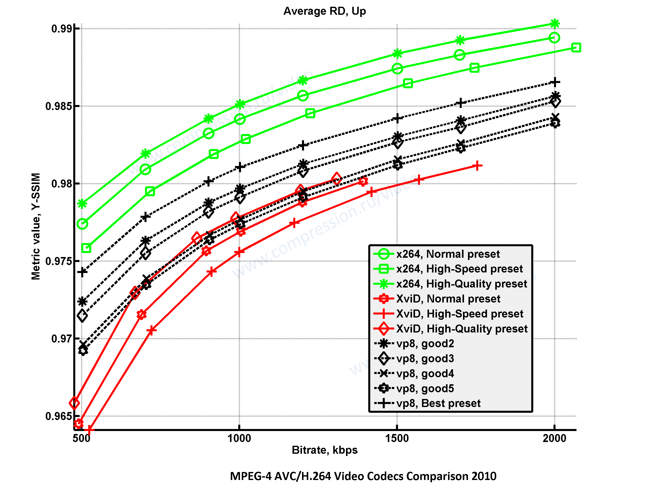
Fiona Glaser, an x264 developer and co-author of FFmpeg's fast native VP8 decoder, wrote an [influential analysis](https://web.archive.org/web/20150301015756/http://x264dev.multimedia.cx/archives/486) at launch. She liked parts of the design, including TrueMotion prediction and the simple arithmetic coding, but criticised the slow loop filter, parts of the transform design, and above all the specification: the "bitstream guide" was incomplete and libvpx's behaviour differed from it. That problem was never fully fixed. When the format was published as [RFC 6386](https://www.rfc-editor.org/rfc/rfc6386) in November 2011, it stated that the bitstream is defined by the reference decoder source code, and the text yields to the code where they conflict.
Later royalty-free formats learned from this: AV1 was developed with a written specification and conformance streams alongside the reference code. VP8 also set a precedent for web video by dropping interlacing entirely.
## Encoders and decoders
**VP8 implementations**
| Relationship | Project or format | Evidence and scope | Status |
| --- | --- | --- | --- |
| Implements by | [libvpx / vpxenc](/tools/software-encoders/vpxenc/) | libvpx v1.17.0 provides VP8 encoding and decoding. Scope: Encoder Decoder. Sources: [libvpx v1.17.0 source](https://chromium.googlesource.com/webm/libvpx/+/refs/tags/v1.17.0). | Documented |
[Open the complete typed relationship catalog](/api/v1/catalog.json).
[libvpx](/tools/software-encoders/vpxenc/) is the only encoder in practical use (`vpxenc`, or `libvpx` in FFmpeg). Decoding is cheap: FFmpeg's native `vp8` decoder and libvpx both run fast in software, and some Intel, NVIDIA and mobile SoCs also decode VP8 in hardware.
A VP8 WebM with FFmpeg:
```sh
ffmpeg -i input.mkv -c:v libvpx -crf 10 -b:v 1M -c:a libopus output.webm
```
For VP8, `-crf` (libvpx's `cq-level`, 0–63, lower is better) works as constrained quality: the encoder aims for that quality with `-b:v` as the bitrate ceiling. Always set both: without `-b:v`, FFmpeg falls back to a 256 kbit/s target, and that cap rather than `-crf` decides the quality. Choose `-b:v` for your resolution and content. See [vpxenc](/tools/software-encoders/vpxenc/) for realtime settings.
## Licensing
VP8 is royalty-free; Google licenses its patents under the WebM project's patent grant and libvpx is BSD-licensed. In 2013 Google and MPEG LA reached an agreement licensing VP8-related patents from a group of H.264 patent holders, which ended MPEG LA's effort to form a VP8 patent pool.
---
# VP9
Canonical URL: https://encode.wiki/codecs/video/vp9/
Collection: docs
Status: current
License: CC BY-SA 4.0
Checksum: caf0f3a8b4f429169c481c9b1c3de6023dc189caaf0ba24f04c63ca51e50933a
VP9 is a royalty-free video format developed by Google as the successor to [VP8](/codecs/video/vp8/) and released in June 2013 as part of the WebM Project. It competes with [HEVC](/codecs/video/hevc/): efficiency is in the same range, decoding is relatively light, and licensing is simpler. YouTube adopted it early and still serves much of its catalogue in VP9; it is also widely used in WebRTC, where its scalable (SVC) mode suits multi-party video calls.
VP9 was never put through a standards body. The bitstream has been frozen since 2013, and the WebM Project's published specification is still labelled draft v0.7 (2017).
## When to use VP9
- **Web delivery** to browsers and devices that lack AV1 decode. Nearly every browser plays VP9, including Safari (macOS since Safari 14.1, iOS since 17.4).
- **HDR on the web or YouTube** via profile 2 (10-bit), where HEVC is not an option.
- For new encodes where [AV1](/codecs/video/av1/) decode is available, AV1 is more efficient; VP9 remains a solid middle rung between AV1 and [H.264](/codecs/video/avc/).
## Profiles and levels
| Profile | Bit depth | Chroma |
| ------- | --------- | ---------------------- |
| 0 | 8 | 4:2:0 |
| 1 | 8 | 4:2:2, 4:4:0, 4:4:4 |
| 2 | 10, 12 | 4:2:0 |
| 3 | 10, 12 | 4:2:2, 4:4:0, 4:4:4 |
RGB is coded as 4:4:4 in profile 1 or 3. Profile 0 is what every decoder supports; profile 2 at 10-bit is the usual HDR profile and is widely hardware-decoded on recent devices. Profiles 1 and 3 are mostly software-only.
[Levels](https://www.webmproject.org/vp9/levels/) run from 1 to 6.2 and limit sample rate, picture size, bitrate and tile columns. They matter mostly for hardware decoders.
## Coding tools
VP9 sits between VP8 and AV1 in design:
- 64×64 superblocks, recursively partitioned down to 4×4.
- 10 intra modes: DC, vertical, horizontal, six diagonal directions and TrueMotion.
- Three active references per frame (last, golden, alt-ref), chosen from eight stored frames, with compound prediction and 1/8-pel motion vectors using regular, sharp or smooth interpolation filters.
- **Alt-ref frames**: hidden frames built from future (often temporally filtered) source frames and used only as references. They do much of the job of B-frames without frame reordering; libvpx's `--auto-alt-ref` and `--lag-in-frames` control them.
- DCT and ADST transforms (mixed per direction) from 4×4 to 32×32, and a lossless mode using a Walsh-Hadamard transform.
- A boolean arithmetic coder whose probabilities adapt between frames.
- Segmentation (up to 8 segments with their own quantiser, loop-filter level, reference or skip), a deblocking loop filter, tiles for parallel encoding and decoding, and reference scaling so resolution can change without a keyframe.
## Encoders and decoders
**VP9 implementations**
| Relationship | Project or format | Evidence and scope | Status |
| --- | --- | --- | --- |
| Implements by | [libvpx / vpxenc](/tools/software-encoders/vpxenc/) | libvpx v1.17.0 provides VP9 encoding and decoding. Scope: Encoder Decoder. Sources: [libvpx v1.17.0 source](https://chromium.googlesource.com/webm/libvpx/+/refs/tags/v1.17.0), [VP9 bitstream and decoding process specification](https://www.webmproject.org/vp9/). | Documented |
| Implements by | [SVT-VP9](/tools/software-encoders/svt-vp9/) | SVT-VP9 v0.3.1 provides an experimental VP9 encoder. Scope: Experimental Encoder. Sources: [SVT-VP9 v0.3.1 repository](https://github.com/OpenVisualCloud/SVT-VP9/tree/v0.3.1). | Documented |
[Open the complete typed relationship catalog](/api/v1/catalog.json).
- **[libvpx](/tools/software-encoders/vpxenc/)** (`vpxenc`, or `libvpx-vp9` in FFmpeg) is the reference and practically the only software encoder in use. High-bit-depth (profile 2/3) encoding needs a build with high-bit-depth support enabled; most FFmpeg builds have it.
- **[SVT-VP9](/tools/software-encoders/svt-vp9/)** and **[Eve-VP9](/tools/software-encoders/eve-vp9/)** are alternatives with limited adoption.
- **Hardware encoding**: on PCs only Intel GPUs encode VP9 ([Quick Sync](/tools/hardware-encoders/qsv/), [VA-API](/tools/hardware-encoders/vaapi/)); NVIDIA NVENC and AMD AMF do not. Some Android SoCs (Qualcomm, Samsung Exynos) expose VP9 encoders through [MediaCodec](/tools/hardware-encoders/mediacodec/), mainly used by WebRTC.
A constant-quality VP9 WebM with FFmpeg:
```sh
ffmpeg -i input.mkv -c:v libvpx-vp9 -crf 31 -row-mt 1 -c:a libopus output.webm
```
With `-crf` and no bitrate, FFmpeg runs libvpx in constant-quality mode (older guides add `-b:v 0` for the same effect; with a non-zero `-b:v`, `-crf` becomes constrained quality with that bitrate as a cap). `-row-mt 1` enables row-based multithreading, which libvpx leaves off by default and which speeds up encoding considerably on multi-core machines. Lower CRF means higher quality; see [vpxenc](/tools/software-encoders/vpxenc/) for speed (`-cpu-used`), two-pass and tile settings.
**Decoders**: FFmpeg's native `vp9` decoder is fast and is what most players use; libvpx also decodes. Hardware decode of profile 0 is near-universal on current GPUs and phones; on NVIDIA it starts with the GTX 950/960 (8-bit only) and 10/12-bit with Pascal (GTX 10 series). See [video codec support](/reference/video-codec-support/) for browsers.
## Containers and HDR
**VP9 container mappings**
| Relationship | Project or format | Evidence and scope | Status |
| --- | --- | --- | --- |
| Carried By | [WebM](/containers/webm/) | WebM's documented codec subset includes VP9. Scope: Container Subset. Sources: [WebM container guidelines](https://www.webmproject.org/docs/container/). | Documented |
| Carried By | [ISO Base Media File Format](/containers/isobmff/) | The WebM Project publishes a VP codec binding for ISO Base Media File Format. Scope: Container Mapping. Sources: [VP Codec ISO Media File Format Binding](https://www.webmproject.org/vp9/mp4/). | Documented |
| Carried By | [Matroska](/containers/matroska/) | The Matroska mapping uses the V_VP9 Codec ID. Scope: Container Mapping. Sources: [Matroska codec mappings](https://www.matroska.org/technical/codec_specs.html). | Documented |
[Open the complete typed relationship catalog](/api/v1/catalog.json).
- **WebM / Matroska** (`V_VP9`) is the normal container.
- **MP4** via the WebM Project's [VP codec ISOBMFF binding](https://www.webmproject.org/vp9/mp4/) (`vp09` sample entry). Browser MSE and DASH players support it, but some players and editors expect VP9 only in WebM.
- **IVF** is the simple raw format `vpxenc` writes for testing.
VP9's own header carries bit depth, chroma subsampling, range and a colour-space value. It has no field for the transfer function (PQ or HLG), so HDR VP9 relies on the container's colour metadata: WebM/Matroska `Colour` elements, or in MP4 the `vpcC` box (primaries, transfer, matrix) plus `SmDm`/`CoLL` boxes for mastering metadata. Check that your muxer writes them. HDR10+ metadata can be carried in WebM as ITU-T T.35 data.
## Licensing
Google released VP9 royalty-free with an [additional patent grant](https://www.webmproject.org/license/additional/) for its own patents, and libvpx is BSD-licensed. Sisvel has offered a VP9 patent pool to device makers since 2019, claiming patents from third parties not bound by Google's grant.
## Pitfalls
- **Slow encoding at default settings**: libvpx's best-quality modes are slow; use `-row-mt 1` and a higher `-cpu-used` for faster turnaround.
- **Profile 1/3 output**: 4:4:4 or RGB input produces profile 1 or 3 streams that many hardware decoders reject. Use `-pix_fmt yuv420p` (or `yuv420p10le` for HDR) for delivery.
- **HDR without metadata**: a 10-bit profile 2 stream with no transfer and primaries in the container plays as SDR with wrong colours.
---
# VVC / H.266
Canonical URL: https://encode.wiki/codecs/video/vvc/
Collection: docs
Status: current
License: CC BY-SA 4.0
Checksum: 856a4dda5395abcadc6b3b4b1041d6049c45595cc0960eacaa8e9791afb6ae5e
Versatile Video Coding (VVC), published as ITU-T H.266 and ISO/IEC 23090-3, is the successor to [HEVC](/codecs/video/hevc/). It was developed by the Joint Video Experts Team (JVET) of ITU-T and ISO/IEC and finalised in July 2020. The second edition (2022) added 12- and 16-bit profiles; the current ITU-T edition is from January 2026.
JVET's target was about 50% lower bitrate than HEVC at the same subjective quality. Against real encoders the picture is less dramatic: [VVenC](/tools/software-encoders/vvenc/) at slow presets is broadly competitive with the best [AV1](/codecs/video/av1/) encoders, and VVC is more demanding to decode than AV1 or HEVC.
## When to use VVC
- **Broadcast and IPTV systems that specify it.** Brazil's TV 3.0 system selected VVC as its video codec, and DVB's specifications include it.
- **Evaluation and research**, for example comparing VVenC against AV1 encoders on your content.
- **Not for general distribution yet.** No browser plays VVC natively, few consumer devices decode it in hardware, and it carries patent-pool licensing like HEVC. For files people will play on PCs and phones, use AV1, HEVC or H.264.
## Profiles
| Profile | Bit depth | Chroma | Notes |
| ---------------------- | --------- | ---------------- | ------------------------------------------- |
| Main 10 | 8–10 | 4:0:0, 4:2:0 | The profile decoders and devices implement |
| Main 10 4:4:4 | 8–10 | up to 4:4:4 | |
| Main 12, Main 12 4:4:4 | up to 12 | 4:2:0 / up to 4:4:4 | Added in the 2022 edition |
| Main 16 4:4:4 | up to 16 | up to 4:4:4 | Added in the 2022 edition |
Each has Still Picture variants, the 12- and 16-bit profiles also have Intra variants, and the Multilayer Main 10 profiles cover scalable and multi-layer streams. As with HEVC there are Main and High tiers, and levels that limit picture size, sample rate and bitrate.
## Coding tools
VVC extends HEVC's design with many new tools. The main ones:
- **Partitioning**: coding tree units up to 128×128, split by a quadtree followed by binary and ternary splits (the "multi-type tree"), so blocks can be rectangular at many aspect ratios.
- **Intra**: 65 angular modes plus planar and DC; matrix-based intra prediction (MIP); cross-component linear model (CCLM) prediction of chroma from luma; intra sub-partitions.
- **Inter**: affine motion compensation; geometric partitioning (GPM), which splits a block along a slanted line; decoder-side motion refinement (DMVR) and bi-directional optical flow (BDOF); merge with motion vector differences; adaptive motion-vector resolution.
- **Transforms and quantisation**: multiple transform selection (DCT-II, DST-VII, DCT-VIII), transforms up to 64×64, a low-frequency non-separable secondary transform, and dependent (trellis-style) quantisation.
- **In-loop filtering**: luma mapping with chroma scaling (LMCS), deblocking, SAO, and an adaptive loop filter (ALF) with cross-component ALF.
- **System features**: reference picture resampling (resolution can change mid-stream without a keyframe, useful for adaptive streaming and conferencing), subpictures that can be extracted or merged (useful for 360° video), and screen-content tools (intra block copy, palette, adaptive colour transform).
## Encoders and decoders
**VVC implementations**
| Relationship | Project or format | Evidence and scope | Status |
| --- | --- | --- | --- |
| Implements by | [VVenC](/tools/software-encoders/vvenc/) | VVenC v1.14.0 provides VVC encoder applications and a library. Scope: Encoder. Sources: [VVenC v1.14.0 release](https://github.com/fraunhoferhhi/vvenc/releases/tag/v1.14.0), [ITU-T H.266 — Versatile video coding](https://www.itu.int/rec/T-REC-H.266). | Documented |
| Implements by | [uvg266](/tools/software-encoders/uvg266/) | uvg266 v0.8.1 is an open-source VVC encoder release. Scope: Experimental Encoder. Sources: [uvg266 v0.8.1 release](https://github.com/ultravideo/uvg266/releases/tag/v0.8.1), [ITU-T H.266 — Versatile video coding](https://www.itu.int/rec/T-REC-H.266). | Documented |
| Targets by | [x266](/tools/software-encoders/x266/) | MulticoreWare describes x266 as a VVC encoder project, but no public release was verified. Scope: Announced Unreleased Encoder. Sources: [x266 webinar FAQ](https://multicorewareinc.com/faq-x266-webinar/). | Project Claimed |
[Open the complete typed relationship catalog](/api/v1/catalog.json).
- **[VVenC](/tools/software-encoders/vvenc/)** (Fraunhofer HHI) is the practical open-source encoder, with five presets from `faster` to `slower`, perceptual optimisation, multi-threading and two-pass rate control. FFmpeg can use it through `libvvenc` (FFmpeg 7.1 and later, if built with it).
- **[uvg266](/tools/software-encoders/uvg266/)** (Tampere University's Ultra Video Group, built on the Kvazaar HEVC encoder) is a BSD-licensed open-source encoder that is still under development.
- **[VTM](/tools/software-encoders/vtm/)** is the reference software: complete but far too slow for practical use.
- **[x266](/tools/software-encoders/x266/)** was announced by MulticoreWare but has never been released.
**Decoders**: [VVdeC](https://github.com/fraunhoferhhi/vvdec) is Fraunhofer's fast decoder for the Main 10 profile. FFmpeg has a native VVC decoder, experimental in 7.0 and enabled by default from 7.1, with Quick Sync (7.1) and VA-API (8.0) hardware decoding. Hardware VVC decode exists in Intel's Lunar Lake integrated graphics (not the discrete Arc B-series) and some TV SoCs; NVIDIA and AMD GPUs have none. No browser supports VVC natively; see [video codec support](/reference/video-codec-support/).
## Containers and HDR
**VVC container mappings**
| Relationship | Project or format | Evidence and scope | Status |
| --- | --- | --- | --- |
| Carried By | [ISO Base Media File Format](/containers/isobmff/) | MP4RA registers VVC sample entries including vvc1 and vvi1. Scope: Container Mapping. Sources: [MP4 Registration Authority codec registry](https://mp4ra.org/registered-types/codecs). | Registered |
| Carried By | [Matroska](/containers/matroska/) | The Matroska mapping uses V_MPEGI/ISO/VVC and a VVC decoder configuration record. Scope: Container Mapping. Sources: [Matroska codec mappings](https://www.matroska.org/technical/codec_specs.html). | Documented |
[Open the complete typed relationship catalog](/api/v1/catalog.json).
- **MP4/ISOBMFF**: `vvc1` and `vvi1` sample entries (parameter sets in the sample entry, or in-band).
- **Matroska**: `V_MPEGI/ISO/VVC`. FFmpeg muxes VVC into Matroska from 8.0.
- **MPEG-TS** for broadcast, and raw `.266` / `.vvc` Annex B streams from encoders.
VVC signals colour and HDR with the same VUI and SEI mechanisms as HEVC (PQ and HLG transfer, mastering-display and content-light metadata). Main 10 covers HDR10 and HLG. Check that your encoder writes the metadata and your muxer keeps it; tool support is thinner than for HEVC.
## Licensing
VVC is patent-encumbered. [Access Advance](https://accessadvance.com/licensing-programs/vvc-advance/) runs the VVC Advance pool and, since acquiring Via LA's program in December 2025, the VCL Advance pool that covers HEVC and VVC. Avanci Video licenses streaming services.
---
# Containers overview
Canonical URL: https://encode.wiki/containers/
Collection: docs
Status: current
License: CC BY-SA 4.0
Checksum: a6f03b3a1b447ec6e28b0debc5bff4cf91b87423be9f612d737c28a25eb16422
A container (or "muxer format") is the file that holds your encoded video, audio, subtitles, chapters and metadata together and keeps them in sync. It does not change quality: moving streams between containers is a **remux** and, with `-c copy`, is lossless and takes seconds. The file extension is only a label; what matters is which streams are inside and whether your player understands them.
## Which container should I use?
| Container | Extensions | Use it for | Watch out for |
| --------------------------------- | ----------------------- | --------------------------------------------------------------------------------- | ----------------------------------------------------------------- |
| [Matroska](/containers/matroska/) | `.mkv`, `.mka`, `.mks` | Archives and releases: any codec, many tracks, ASS/PGS subtitles, fonts, chapters | Not accepted by most phones, TVs and web browsers |
| [MP4](/containers/mp4/) | `.mp4`, `.m4a`, `.m4v` | Sharing, web, phones, TVs, streaming | Text subtitles only as `mov_text`; no ASS or PGS |
| [WebM](/containers/webm/) | `.webm` | Browser playback with VP8/VP9/AV1 and Vorbis/Opus | Nothing else fits: no H.264, AAC or SRT |
| [MOV](/containers/mov/) | `.mov` | Editing and mezzanine files (ProRes, DNxHR), Apple workflows | Looks like MP4 but accepts codecs MP4 players may not |
| [Ogg](/containers/ogg/) | `.ogg`, `.oga`, `.opus` | Opus, Vorbis and FLAC audio; Theora video | Poor video container; `.opus` is Opus in Ogg |
| [AVI](/containers/avi/) | `.avi` | Playing old files | No real timestamps, no modern features; remux old files out of it |
For a file you will keep or edit later, use MKV. For a file you will send to someone or put on a website, use MP4 (H.264 or HEVC plus AAC or Opus) or WebM. [ISOBMFF](/containers/isobmff/) is the shared base format behind MP4, MOV, HEIF and AVIF.
## Remuxing
Copy streams from one container to another without re-encoding:
```sh
ffmpeg -i input.mkv -c copy output.mp4
mkvmerge -o output.mkv input.mp4
```
This only works if the target container can hold the streams. Without `-map`, FFmpeg keeps one video, one audio and at most one subtitle stream, and it can drop the subtitles without complaint when they cannot be copied, so check the result with `ffprobe`. Subtitles are the usual casualty; see [Audio and subtitle handling](/guides/audio-and-subtitles/) and the [subtitle formats](/codecs/subtitles/) overview.
## What containers do not do
- They do not fix a bad encode or add compatibility to a codec: an MP4 holding a codec your TV cannot decode will not play.
- They do not decide the codec. A `.mp4` can hold H.264, HEVC, AV1 or VP9; check with `ffprobe` rather than trusting the extension.
- Colour and HDR signalling live partly in the bitstream and partly in the container. Remuxing between families can drop or rewrite the container-level part, so verify HDR files after remuxing. See [Preserve colour and HDR](/guides/preserve-color-and-hdr/).
---
# AVI
Canonical URL: https://encode.wiki/containers/avi/
Collection: docs
Status: current
License: CC BY-SA 4.0
Checksum: be7ab6d988b5ff764a297aaebc6b3d3fc16812939572fa1c77450c3dd4d18baf
AVI (Audio Video Interleave) is a RIFF-based container Microsoft introduced in 1992. It was the standard for DivX/Xvid files and old camcorders, and a great deal of legacy material is still stored in it. It works for playback of those files, but it is a poor target for anything new: use [MKV](/containers/matroska/) or [MP4](/containers/mp4/).
## What AVI cannot do well
- **No timestamps.** AVI stores a fixed frame rate in the stream header and each chunk is just "the next frame". There is no presentation time per frame.
- **Variable frame rate** therefore has to be faked by inserting empty "dropped frame" chunks, or it is lost. Footage from phones and screen recorders often breaks, drifts, or gets retimed when put in AVI.
- **B-frames** are a problem for the same reason: a decoder cannot derive presentation order from timestamps that are not there. MPEG-4 ASP (DivX/Xvid) used a "packed bitstream" workaround, which can confuse some remuxers; H.264 in AVI is non-standard, and many players mishandle it. Avoid B-frames in AVI-bound encodes, or better, do not use AVI.
- **Limited codecs and features.** AVI has no standard place for modern codecs, multiple audio languages, subtitles (beyond non-portable hacks), chapters, or HDR/colour metadata. AAC and Opus audio are not reliably supported, and the format predates VBR audio, so VBR MP3 in AVI often seeks badly.
- **Size.** Original AVI files are limited to 2 GB. The OpenDML extension (also called AVI 2.0) lifts that limit and is written by current tools, but very old players do not read it.
## Convert AVI to MKV or MP4
If the streams are acceptable to the target, copy them:
```sh
ffmpeg -i input.avi -c copy output.mkv
ffmpeg -i input.avi -c copy output.mp4
```
Old AVI files commonly contain MPEG-4 ASP (DivX/Xvid), MP3 or AC-3, which can be stream-copied to either container. Two things go wrong with B-frame files:
- FFmpeg stops with "Can't write packet with unknown timestamp" because the AVI has no presentation times. Add `-fflags +genpts` before `-i` so FFmpeg generates them: `ffmpeg -fflags +genpts -i input.avi -c copy output.mkv`. `mkvmerge -o output.mkv input.avi` handles these files without extra options.
- If FFmpeg warns about "packed B-frames" (the DivX/Xvid packed bitstream), add `-bsf:v mpeg4_unpack_bframes` to store them normally.
If the remux shows A/V desync or stuttering, the timing was damaged in the AVI; re-encoding the video usually fixes it:
```sh
ffmpeg -i input.avi -c:v libx264 -crf 20 -c:a aac -b:a 192k output.mp4
```
Re-encoding lossy sources such as DivX adds a generation of loss, so use a low CRF and only when you have to. Do not use AVI to hold new H.264/HEVC/AV1 content. The one place AVI is still reasonable is uncompressed or lossless intermediates (for example Lagarith or UT Video from old Windows tools), but those fit just as well in MKV.
---
# ISO Base Media File Format
Canonical URL: https://encode.wiki/containers/isobmff/
Collection: docs
Status: current
License: CC BY-SA 4.0
Checksum: 297a2b2af57566b98fdabda240547c4bf6320d7ea0c2f0b0b954adf12ab4d76f
The ISO Base Media File Format (ISOBMFF, ISO/IEC 14496-12) is a generic container structure: a file is a tree of "boxes", each with a size and a four-character type. It is not something you encode to directly. It is the base that other formats specialise, and that is what the common file extensions actually are.
## How the names relate
| Name | What it is |
| ----------------------------------- | -------------------------------------------------------------------------------------- |
| ISOBMFF (14496-12) | The base format: boxes, tracks, sample tables, fragments |
| [MP4](/containers/mp4/) (14496-14) | ISOBMFF plus rules for MPEG-4 codecs; `.mp4`, `.m4a`, `.m4v` |
| [MOV](/containers/mov/) / QuickTime | Apple's original format that ISOBMFF and MP4 were derived from; still differs from MP4 |
| 3GP / 3G2 | Mobile-phone profiles from 3GPP/3GPP2 |
| HEIF / AVIF / HEIC | Still images (and sequences) stored as items in an ISOBMFF file |
| CMAF, fragmented MP4 | ISOBMFF fragments used for DASH and HLS streaming |
An "MP4 file" is an ISOBMFF file whose `ftyp` brand is `isom`, `mp42` or similar, and a "MOV file" is one with brand `qt` (padded with two spaces to four characters). Players decide by brand and by what the sample entries contain, not by extension. MOV and MP4 share the box structure but QuickTime allows codecs and track types MP4 does not define, which is why a `.mov` full of ProRes plays in Apple software but not in a typical MP4 player.
## Boxes you will meet
| Box | Role |
| ---------------------- | ------------------------------------------------------------------------------ |
| `ftyp` | Major brand and compatible brands: identifies the profile |
| `moov` | Movie header and track descriptions, including the sample tables |
| `mdat` | The encoded samples themselves |
| `moof` / `mfra` | Per-fragment index and random-access index in fragmented files |
| `stsd` sample entry | Codec identifier such as `avc1`, `hvc1`, `hev1`, `av01`, `mp4a`, `Opus` |
| `colr`, `mdcv`, `clli` | Colour description, mastering display and content light level (HDR) signalling |
Each codec has a binding that defines its sample entry and configuration box, for example `av01` with `av1C` for [AV1](/codecs/video/av1/), `avc1` with `avcC` for H.264, and `Opus` with `dOps` for Opus. The Opus binding on opus-codec.org is still a draft but is what encoders and players implement. The [MP4 Registration Authority](https://mp4ra.org/) lists registered brands and sample entries; being registered does not mean a particular player supports it.
**Codecs and formats documented for ISOBMFF on this wiki**
| Relationship | Project or format | Evidence and scope | Status |
| --- | --- | --- | --- |
| Carried By by | [AV1](/codecs/video/av1/) | Uses the av01 sample entry and av1C configuration box. Scope: Container Mapping. Sources: [AV1 Codec ISO Media File Format Binding](https://aomediacodec.github.io/av1-isobmff/). | Normative |
| Registered With by | [Dolby Vision](/hdr/) | MP4RA registers dav1 for Dolby Vision carried with AV1; actual support is profile- and vendor-dependent. Scope: Container Mapping. Sources: [MP4 Registration Authority codec registry](https://mp4ra.org/registered-types/codecs). | Registered |
| Carried By by | [Opus](/codecs/audio/opus/) | The public Opus binding defines the Opus sample entry and dOps box, but remains an old incomplete draft. Scope: Container Mapping. Sources: [Encapsulation of Opus in ISO Base Media File Format](https://www.opus-codec.org/docs/opus_in_isobmff.html), [MP4 Registration Authority codec registry](https://mp4ra.org/registered-types/codecs). | Registered |
| Carried By by | [AVC / H.264](/codecs/video/avc/) | MP4RA registers AVC sample entries including avc1 and avc3. Scope: Container Mapping. Sources: [MP4 Registration Authority codec registry](https://mp4ra.org/registered-types/codecs). | Registered |
| Carried By by | [HEVC / H.265](/codecs/video/hevc/) | MP4RA registers HEVC sample entries including hvc1 and hev1. Scope: Container Mapping. Sources: [MP4 Registration Authority codec registry](https://mp4ra.org/registered-types/codecs). | Registered |
| Carried By by | [VP9](/codecs/video/vp9/) | The WebM Project publishes a VP codec binding for ISO Base Media File Format. Scope: Container Mapping. Sources: [VP Codec ISO Media File Format Binding](https://www.webmproject.org/vp9/mp4/). | Documented |
| Carried By by | [VVC / H.266](/codecs/video/vvc/) | MP4RA registers VVC sample entries including vvc1 and vvi1. Scope: Container Mapping. Sources: [MP4 Registration Authority codec registry](https://mp4ra.org/registered-types/codecs). | Registered |
| Operates On by | [MP4Box](/tools/utilities/mp4box/) | MP4Box is GPAC's ISO Base Media File Format inspection, muxing, fragmentation, and packaging CLI. Scope: Muxing Fragmentation Packaging. Sources: [GPAC v26.07.0 release](https://github.com/gpac/gpac/releases/tag/v26.07.0), [MP4 Registration Authority codec registry](https://mp4ra.org/registered-types/codecs). | Documented |
[Open the complete typed relationship catalog](/api/v1/catalog.json).
## Layout: progressive and fragmented
A conventional file has one `moov` and one `mdat`. Putting `moov` first (`-movflags +faststart` in FFmpeg) lets a file start playing during download. A fragmented file instead interleaves `moof` + media chunks, which is what live recording, DASH, CMAF and browser Media Source Extensions need. These are two different layouts; see [MP4](/containers/mp4/) for the commands.
## Inspecting a file
```sh
ffprobe -v error -show_entries format_tags=major_brand,compatible_brands -show_streams input.mp4
```
`ffprobe -v trace` prints the box tree. For full box-level inspection or HEIF/AVIF image items, use [MP4Box](/tools/utilities/mp4box/) (`MP4Box -info`); ffprobe reports streams, not boxes or item properties.
---
# Matroska (MKV/MKA)
Canonical URL: https://encode.wiki/containers/matroska/
Collection: docs
Status: current
License: CC BY-SA 4.0
Checksum: d1042443d1f64f0f9f0fa5a9723c6f1e3a354248700bc2550ffbb75d9d4465e9
Matroska is an open, EBML-based container (standardised as [RFC 9559](https://datatracker.ietf.org/doc/rfc9559/)) that can hold nearly any codec. `.mkv` is video with audio, `.mka` is audio only, `.mks` is subtitles only. [WebM](/containers/webm/) is a restricted Matroska profile.
It is the default choice for archives, releases and anything you are still going to edit, because it can carry what other containers cannot:
- any video and audio codec, including ones MP4 does not define (TrueHD, DTS-HD, PCM variants, FFV1, VP8/VP9/AV1 side by side with H.264)
- any number of video, audio and subtitle tracks, each with language, name, and default/forced flags
- ASS/SSA, SRT and WebVTT text subtitles, and PGS and VobSub image subtitles, unmodified
- **attachments**, mainly the fonts an ASS subtitle needs, plus cover art
- chapters (including named editions and ordered chapters) and tags
- HDR signalling: colour primaries, transfer, matrix, range, mastering display metadata, MaxCLL/MaxFALL
- recovery from truncation: a partly written file stays playable up to where it stopped
The cost is compatibility. Apple software does not play MKV, browser support is partial, and phones and TVs vary, so make an [MP4](/containers/mp4/) for sharing.
**Codecs documented for Matroska on this wiki**
| Relationship | Project or format | Evidence and scope | Status |
| --- | --- | --- | --- |
| Carried By by | [AV1](/codecs/video/av1/) | Uses the V_AV1 Codec ID and an AV1CodecConfigurationRecord in CodecPrivate. Scope: Container Mapping. Sources: [Matroska codec mappings](https://www.matroska.org/technical/codec_specs.html). | Normative |
| Carried By by | [Opus](/codecs/audio/opus/) | Uses the A_OPUS Codec ID and stores the Opus identification header in CodecPrivate. Scope: Container Mapping. Sources: [Matroska codec mappings](https://www.matroska.org/technical/codec_specs.html). | Normative |
| Carried By by | [AVC / H.264](/codecs/video/avc/) | The Matroska mapping uses V_MPEG4/ISO/AVC and an AVCDecoderConfigurationRecord. Scope: Container Mapping. Sources: [Matroska codec mappings](https://www.matroska.org/technical/codec_specs.html). | Documented |
| Carried By by | [HEVC / H.265](/codecs/video/hevc/) | The Matroska mapping uses V_MPEGH/ISO/HEVC and an HEVCDecoderConfigurationRecord. Scope: Container Mapping. Sources: [Matroska codec mappings](https://www.matroska.org/technical/codec_specs.html). | Documented |
| Carried By by | [VP9](/codecs/video/vp9/) | The Matroska mapping uses the V_VP9 Codec ID. Scope: Container Mapping. Sources: [Matroska codec mappings](https://www.matroska.org/technical/codec_specs.html). | Documented |
| Carried By by | [VVC / H.266](/codecs/video/vvc/) | The Matroska mapping uses V_MPEGI/ISO/VVC and a VVC decoder configuration record. Scope: Container Mapping. Sources: [Matroska codec mappings](https://www.matroska.org/technical/codec_specs.html). | Documented |
| Operates On by | [MKVToolNix](/tools/utilities/mkvtoolnix/) | MKVToolNix creates, inspects, extracts, and edits Matroska and WebM files. Scope: Muxing Inspection Metadata. Sources: [MKVToolNix command manuals (locally exercised with102.0)](https://mkvtoolnix.download/doc/mkvmerge.html), [RFC 9559: Matroska Media Container Format Specification](https://datatracker.ietf.org/doc/rfc9559/). | Documented |
[Open the complete typed relationship catalog](/api/v1/catalog.json).
## Remux with FFmpeg
```sh
ffmpeg -i input.mp4 -map 0 -c copy output.mkv
```
`-map 0` keeps every stream; without it FFmpeg takes one video, one audio and one subtitle. Matroska accepts nearly everything, so remuxing into it rarely fails. To add an SRT or ASS subtitle as a new track:
```sh
ffmpeg -i video.mkv -i subs.srt -map 0 -map 1 -c copy output.mkv
```
To attach a font for ASS subtitles, give it a MIME type; FFmpeg refuses to write an attachment without one:
```sh
ffmpeg -i input.mkv -map 0 -c copy -attach font.ttf -metadata:s:t mimetype=font/ttf output.mkv
```
## Mux and edit with MKVToolNix
[MKVToolNix](/tools/utilities/mkvtoolnix/) (`mkvmerge`, `mkvpropedit`, `mkvextract`, and the `mkvtoolnix-gui` front end) understands Matroska natively and is the tool to use when track flags, languages, chapters, or timestamps matter.
```sh
mkvmerge -o output.mkv input.mp4 subs.srt
mkvmerge -o output.mkv --language 1:jpn --track-name 1:"Commentary" --default-track-flag 1:0 input.mp4
mkvmerge -o output.mkv --attach-file font.ttf --chapters chapters.txt input.mkv
mkvmerge -o part%02d.mkv --split duration:00:20:00 input.mkv
```
`--language`, `--track-name` and other per-track options take `TID:value`, where `TID` is the track ID within the **next input file** as listed by `mkvmerge --identify file`. Use `-A`, `-S`, `-d 0 -a 1` and similar to leave tracks out. `mkvmerge -J file.mkv` prints the same information as JSON.
For changes that do not need re-muxing, `mkvpropedit` edits the file in place in seconds:
```sh
mkvpropedit input.mkv --edit track:a1 --set language=jpn --set flag-default=1
mkvpropedit input.mkv --chapters chapters.txt
mkvpropedit input.mkv --add-attachment font.ttf
```
Extract with `mkvextract input.mkv tracks 2:subs.srt`, `mkvextract input.mkv attachments 1`, or `mkvextract input.mkv chapters chapters.xml`. Track IDs here are the ones `mkvmerge --identify` prints.
## Pitfalls
- **ASS subtitles need their fonts.** If the fonts are not attached, players fall back to whatever is installed and typesetting breaks. See [SubStation Alpha](/codecs/subtitles/ssa/).
- **Track order and default flags decide what plays.** A player picks the track flagged default, or the first one, so set flags with `mkvpropedit` instead of reordering streams.
- **MKV → MP4 loses things.** Fonts, ASS/PGS subtitles and chapter detail do not survive; see [MP4](/containers/mp4/) for what MP4 can hold.
---
# QuickTime File Format (MOV)
Canonical URL: https://encode.wiki/containers/mov/
Collection: docs
Status: current
License: CC BY-SA 4.0
Checksum: 75a18f45c22e3a5bfe268f2cf0316fc81d18bf4b4fcfbecfa135229cc98c2759
MOV is the QuickTime File Format, Apple's container from the 1990s. The structure of [ISOBMFF](/containers/isobmff/) and [MP4](/containers/mp4/) was derived from it, so the two look alike and FFmpeg treats them as one demuxer, but MOV allows codecs, track types and metadata that MP4 does not. Use it for editing and intermediate files, not for delivery.
## What MOV is used for
- **Mezzanine and editing codecs**: [ProRes](/codecs/video/prores/), DNxHD/DNxHR, QuickTime Animation and uncompressed video. FFmpeg refuses to put ProRes or DNxHR in MP4.
- **PCM audio**: 16/24-bit PCM is the usual audio for editing files; AAC also works.
- **Timecode tracks**: MOV carries a start timecode that NLEs read.
- **H.264 and HEVC** also work, so a `.mov` from a camera or screen recorder is often just MP4-style video in a QuickTime wrapper.
- **Apple software**: Final Cut Pro, QuickTime Player, Compressor and iOS capture all use it.
Outside Apple's ecosystem, MOV is well handled by editors (Resolve, Premiere, Final Cut) but poorly by browsers and TVs. If the codec inside is H.264/HEVC + AAC, remuxing to MP4 is lossless and fixes most compatibility problems:
```sh
ffmpeg -i input.mov -c copy -movflags +faststart output.mp4
```
## Create an editing master
A ProRes 422 HQ file with PCM audio and a start timecode:
```sh
ffmpeg -i input.mkv -c:v prores_ks -profile:v 3 -pix_fmt yuv422p10le -c:a pcm_s24le -timecode 01:00:00:00 output.mov
```
`-profile:v` runs 0 (Proxy), 1 (LT), 2 (422), 3 (HQ), 4 (4444), 5 (4444 XQ). Set the pixel format to match: `yuv422p10le` for the 422 profiles (otherwise a 4:4:4 or RGB source produces a non-standard 4:4:4 stream labelled HQ) and `yuv444p10le` for 4444. DNxHR is the cross-platform alternative:
```sh
ffmpeg -i input.mkv -c:v dnxhd -profile:v dnxhr_hq -pix_fmt yuv422p -c:a pcm_s24le output.mov
```
Both are intra-only and very large (ProRes 422 HQ is about 176–220 Mb/s at 1080p23.976–29.97), meant to survive repeated edits, not to be uploaded as the final file. See the [ProRes](/codecs/video/prores/) page.
## Pitfalls
- **MOV is not MP4 with a different extension.** Rewrapping with `-c copy` only works when the codecs are valid in the target. FFmpeg's MP4 muxer rejects ProRes and DNxHD/DNxHR, and it will write PCM audio into MP4 that most players then refuse.
- **Colour tags.** QuickTime uses `colr`/`nclc` tags to decide how to display colour; a file with missing or wrong tags can look washed out or shifted in QuickTime Player compared with other players. Check the primaries, transfer and matrix with `ffprobe` and set them when encoding. See [Preserve colour and HDR](/guides/preserve-color-and-hdr/).
- **Apple and HEVC.** Same as MP4: tag HEVC `hvc1` (`-tag:v hvc1`) for Apple players.
---
# MP4
Canonical URL: https://encode.wiki/containers/mp4/
Collection: docs
Status: current
License: CC BY-SA 4.0
Checksum: e733bc7f0c6fdb8cb17dff58d930deca649c6dbac511230e70c61ffa5350ccad
MP4 is the container you reach for when a file has to play everywhere: phones, TVs, browsers, game consoles, editors, social platforms. It is a profile of the [ISO Base Media File Format](/containers/isobmff/) (ISO/IEC 14496-14), closely related to [MOV](/containers/mov/). `.m4a` and `.m4v` are the same container used for audio-only and video files; renaming a file does not convert it.
## What goes in an MP4
| Type | Works broadly | Works, but check the player | Avoid or not allowed |
| --------- | ------------------------- | --------------------------- | ------------------------------------------------------------- |
| Video | H.264 (AVC), HEVC (H.265) | AV1, VP9, VVC | Theora, ProRes, DNxHR (rejected; use [MOV](/containers/mov/)) |
| Audio | AAC, MP3, AC-3, E-AC-3 | Opus, FLAC, ALAC | Vorbis, PCM (FFmpeg writes them; few players read them) |
| Subtitles | `mov_text` (tx3g) | — | SRT, ASS/SSA, WebVTT, PGS, VobSub as such |
MP4 can only carry text subtitles as `mov_text`, which keeps basic italics/bold/colour and loses everything ASS does. Convert SRT with `-c:s mov_text`. For ASS or image subtitles use [Matroska](/containers/matroska/), or burn them in; see [subtitle formats](/codecs/subtitles/). Browsers want WebVTT as a separate file next to the video, not inside the MP4.
## Remux into MP4
```sh
ffmpeg -i input.mkv -c copy -movflags +faststart output.mp4
```
`+faststart` rewrites the file so the index (`moov`) sits before the media data (`mdat`). Without it, a player streaming the file over HTTP has to fetch the end of the file before it can start, and players or servers without range requests download the whole thing first. It is a cheap second pass and harmless for local files, so use it for anything you will upload.
FFmpeg's default stream selection quietly drops an SRT track here; with `-map 0` the same command fails instead ("codec not currently supported in container"). To keep SRT subtitles, convert them:
```sh
ffmpeg -i input.mkv -map 0:v -map 0:a -map '0:s?' -c copy -c:s mov_text output.mp4
```
> **Tip — HEVC on Apple devices.**
>
> Apple players only accept HEVC tagged `hvc1`. FFmpeg writes `hev1` by default, which plays on most other things but not in Safari, QuickTime or iOS. Add `-tag:v hvc1` when encoding or remuxing HEVC for Apple devices.
If a remux fails with "codec not currently supported in container", that stream cannot go into MP4. Encode it to something that can (for example `-c:a aac` or `-c:a libopus`), or choose another container.
## Streaming and fragmented MP4
A normal MP4 has one `moov` index describing the whole file. A fragmented MP4 instead stores a short `moof` index before each chunk of media, so it can be written live and read before it is finished. DASH, CMAF, HLS with fMP4 segments and browser Media Source Extensions all use fragmented MP4:
```sh
ffmpeg -i input.mp4 -c copy -movflags +frag_keyframe+empty_moov+default_base_moof fragmented.mp4
```
Fragments start at keyframes, so fragment length follows your keyframe interval. This produces one fragmented file, not a playlist or manifest; for adaptive streaming use FFmpeg's `hls`/`dash` muxers or [MP4Box](/tools/utilities/mp4box/). Do not combine this with `+faststart`; they are alternative layouts.
## Pitfalls
- **Chapters become an extra stream.** FFmpeg stores chapters as a QuickTime text track, which `ffprobe` lists as a `bin_data` stream. That is expected, not a broken map.
- **Metadata and covers.** MP4 supports iTunes-style tags and one cover image (`-disposition:v:1 attached_pic`). There is no attachment mechanism like Matroska's, so embedded fonts and files are lost.
- **Cutting with `-c copy`** can only start on a keyframe. A cut elsewhere gives a frozen or black start, or an audio/video offset, because the leading frames cannot be decoded. Cut on keyframes or re-encode.
- **Truncated or crashed encodes.** If recording stopped before `moov` was written, the file has media but no index and nothing will open it. Record to MKV or fragmented MP4 instead, since those survive interruption.
- **"Optimised for the web" is a layout, not a quality setting.** It changes where the index is, nothing else.
## Inspect a file
```sh
ffprobe -v error -show_format -show_streams -show_chapters input.mp4
```
`ffprobe -v trace input.mp4 2>&1 | grep -E "type:'(ftyp|moov|mdat|moof)'"` shows the top-level box order if you need to confirm that `moov` comes first.
---
# Ogg
Canonical URL: https://encode.wiki/containers/ogg/
Collection: docs
Status: current
License: CC BY-SA 4.0
Checksum: 0b477115f3fd131ec73ceecbeab82d4bf4bab7507f1afebf28d33490bd92886e
Ogg is Xiph.Org's open container. Today it is mostly used for audio: [Opus](/codecs/audio/opus/) in a `.opus` file is the most common case, followed by [Vorbis](/codecs/audio/vorbis/), [FLAC](/codecs/audio/flac/) and Speex. It can also hold [Theora](/codecs/video/theora/) video, but nobody should start a new video project on that combination.
## Extensions
| Extension | Contents |
| --------- | -------------------------------------------------------------- |
| `.opus` | Opus audio in Ogg (the recommended extension for Opus) |
| `.ogg` | Historically Vorbis; now ambiguous, can be Opus, FLAC or video |
| `.oga` | Ogg audio, any codec |
| `.ogv` | Ogg video, normally Theora + Vorbis |
| `.spx` | Speex |
The extension does not say which codec is inside; `ffprobe` does.
**Codecs documented for Ogg on this wiki**
| Relationship | Project or format | Evidence and scope | Status |
| --- | --- | --- | --- |
| Carried By by | [Opus](/codecs/audio/opus/) | Ogg Opus uses OpusHead and OpusTags headers with 48 kHz granule-position semantics. Scope: Container Mapping. Sources: [RFC 7845: Ogg Encapsulation for the Opus Audio Codec](https://datatracker.ietf.org/doc/rfc7845/). | Normative |
[Open the complete typed relationship catalog](/api/v1/catalog.json).
## Make Ogg files
```sh
ffmpeg -i input.flac -c:a libopus -b:a 128k output.opus
ffmpeg -i input.flac -c:a libvorbis -q:a 5 output.ogg
ffmpeg -i input.mkv -c:v libtheora -q:v 7 -c:a libvorbis -q:a 5 output.ogv
```
Opus is the better modern choice; see [Opus](/codecs/audio/opus/) for bitrates. Moving an existing Opus stream between Ogg and MP4/MKV is lossless: `ffmpeg -i input.mp4 -c copy output.opus`. Ogg cannot hold AAC, MP3 or H.264 (FFmpeg rejects them), so converting from those means re-encoding.
For standalone Opus encoding, `opusenc` from opus-tools writes Ogg Opus directly and can embed cover art with `--picture`.
## Properties of Ogg
- **Streaming-first design.** Ogg is made of self-contained pages with no global index, so it can be written live and chained (several files concatenated into one stream). Seeking works by bisection, which is fast for audio and sloppy for video.
- **Metadata** is stored as Vorbis-style comments (`ARTIST=`, `TITLE=`…). Opus adds `R128_TRACK_GAIN` and `R128_ALBUM_GAIN` for loudness; players apply the header's output gain and these tags. Edit tags with `opustags`, `vorbiscomment` or `ffmpeg -metadata`.
- **Opus timing.** An Ogg Opus stream always decodes at 48 kHz, whatever the input rate, and carries a pre-skip value the decoder discards so the first sample lines up. That is why `ffprobe` shows `sample_rate=48000` for any `.opus`.
- **Overhead.** Ogg's page structure costs a bit more than MKV or MP4 for the same stream, which is small next to Opus bitrates.
## Support
Ogg Opus and Vorbis play in Chrome, Firefox, VLC, mpv, Android and most Linux and Windows players. Safari added Ogg support for Opus and Vorbis in 18.4 (March 2025, on macOS 15.4, iOS/iPadOS 18.4 and visionOS 2.4); older Apple software cannot play `.opus` files without help. For maximum compatibility, deliver MP4 with AAC, or an Opus-in-MP4/WebM file where the player supports it.
---
# WebM
Canonical URL: https://encode.wiki/containers/webm/
Collection: docs
Status: current
License: CC BY-SA 4.0
Checksum: cbf32df80b36bb17b1945998f9d48c0a3247834f2ca18db6d1e2d9eea2393f55
WebM is [Matroska](/containers/matroska/) restricted to a small royalty-free set of codecs so that every browser can play it. It is what you use for video on the web that is not H.264 and AAC in [MP4](/containers/mp4/). Every WebM file is valid Matroska, but not every Matroska file is WebM.
## What can go in a WebM
| Type | Allowed |
| --------- | ------------- |
| Video | VP8, VP9, AV1 |
| Audio | Vorbis, Opus |
| Subtitles | WebVTT |
Nothing else is allowed: no H.264 or HEVC, no AAC or MP3, no SRT or ASS. FFmpeg's muxer enforces this and refuses to write the file otherwise ("Only VP8 or VP9 or AV1 video and Vorbis or Opus audio and WebVTT subtitles are supported for WebM"). If you want those streams, use MKV or MP4.
**Codecs documented for WebM on this wiki**
| Relationship | Project or format | Evidence and scope | Status |
| --- | --- | --- | --- |
| Carried By by | [AV1](/codecs/video/av1/) | AV1-in-WebM is implemented in common tools, but the current public WebM codec list does not document it. Scope: Container Mapping. Sources: [WebM container guidelines](https://www.webmproject.org/docs/container/), [Matroska codec mappings](https://www.matroska.org/technical/codec_specs.html). | Common Implementation |
| Carried By by | [Opus](/codecs/audio/opus/) | Opus is one of the audio codecs listed by the WebM Project. Scope: Container Mapping. Sources: [WebM container guidelines](https://www.webmproject.org/docs/container/). | Documented |
| Carried By by | [VP8](/codecs/video/vp8/) | WebM's documented codec subset includes VP8. Scope: Container Subset. Sources: [WebM container guidelines](https://www.webmproject.org/docs/container/). | Documented |
| Carried By by | [VP9](/codecs/video/vp9/) | WebM's documented codec subset includes VP9. Scope: Container Subset. Sources: [WebM container guidelines](https://www.webmproject.org/docs/container/). | Documented |
[Open the complete typed relationship catalog](/api/v1/catalog.json).
## Encode to WebM
```sh
ffmpeg -i input.mkv -c:v libvpx-vp9 -crf 32 -b:v 0 -row-mt 1 -c:a libopus -b:a 128k output.webm
ffmpeg -i input.mkv -c:v libsvtav1 -crf 32 -c:a libopus -b:a 128k output.webm
```
See [VP9](/codecs/video/vp9/), [AV1](/codecs/video/av1/) and [Opus](/codecs/audio/opus/) for encoder settings. If the source is already VP9/AV1 and Opus, a remux is enough: `ffmpeg -i input.mkv -c copy output.webm`. `mkvmerge -o output.webm input.mkv` also writes a WebM when the content qualifies.
## Subtitles
WebM only carries WebVTT. Convert SRT during muxing:
```sh
ffmpeg -i input.mkv -i subs.srt -map 0 -map 1 -c copy -c:s webvtt output.webm
```
WebVTT inside a WebM is mainly useful for desktop players such as mpv and VLC. For web pages, ship a separate `.vtt` file referenced with a `` element, as described on the [WebVTT](/codecs/subtitles/webvtt/) page.
## Browser support
Chrome, Firefox and Edge play every WebM codec, AV1 included (they ship a software AV1 decoder). Safari's WebM support depends on version and device, and it decodes AV1 only on hardware that has an AV1 decoder (A17 Pro, M3 and later). Check [Can I use](https://caniuse.com/webm) and [AV1](/codecs/video/av1/) for current status.
## Pitfalls
- **Do not rename MKV to WebM.** A file with H.264 or AAC inside is not a valid WebM and browsers will refuse or mis-handle it.
- **Live or DASH output.** FFmpeg's WebM muxer has `-live 1` for live streams and `-dash 1` for WebM DASH segments; a normal file needs neither.
---
# Encoding guides
Canonical URL: https://encode.wiki/guides/
Collection: docs
Status: current
License: CC BY-SA 4.0
Checksum: b242b90c6c91ed3fdd58381c57608a78452a6e6abdba25d8922985198878a1ac
These guides walk through common encoding jobs with commands you can adapt. If you are new to
encoding, read them roughly in this order:
1. [Your first FFmpeg encode](/guides/first-ffmpeg-encode/): a good H.264 encode, CRF and presets,
choosing streams, and testing on a short clip.
2. [Choose a codec and encoder](/guides/choose-a-codec/): what to use for compatibility, efficient
delivery, editing and archival.
3. [Quality controls](/guides/quality-controls/): CRF, bitrate modes, VBV caps and two-pass
encoding.
4. [AV1 with SVT-AV1](/guides/av1-with-svt-av1/): presets, CRF, 10-bit output, film-grain synthesis
and keyframes.
5. [Audio and subtitles](/guides/audio-and-subtitles/): keeping, labelling and converting tracks,
fonts, burn-in and audio sync.
6. [Preserve color and HDR](/guides/preserve-color-and-hdr/): keeping color tags and HDR metadata
intact.
7. [Compare encoding quality](/guides/compare-encoding-quality/): comparing encodes with your eyes
and with metrics.
## Recipes on other pages
| Task | Page |
| ------------------------------------- | -------------------------------------------------------------------------------- |
| Chunked AV1 encoding | [Av1an](/tools/utilities/av1an/) |
| VP9 encoding | [libvpx / vpxenc](/tools/software-encoders/vpxenc/) |
| Opus audio | [Opus](/codecs/audio/opus/) |
| AVIF images | [AVIF](/codecs/images/avif/) |
| WebP images | [WebP](/codecs/images/webp/) |
| JPEG XL images and JPEG recompression | [JPEG XL](/codecs/images/jxl/) |
| Remuxing and editing Matroska files | [Matroska](/containers/matroska/) and [MKVToolNix](/tools/utilities/mkvtoolnix/) |
| Web video files | [WebM](/containers/webm/) |
---
# Audio and subtitles
Canonical URL: https://encode.wiki/guides/audio-and-subtitles/
Collection: docs
Status: current
License: CC BY-SA 4.0
Checksum: 41a5ccc8d423e61cdb8edd94121c9b75b45bf17c84ab334c687ddeb9841f42b7
A film or episode usually carries more than one video and one audio stream: several languages,
commentary, full and forced subtitles, chapters and attached fonts. This guide covers keeping the
ones you want, re-encoding audio, labelling tracks, getting subtitles into MP4, burning subtitles in,
and fixing audio delay.
## Stream numbering
Run `ffprobe -hide_banner input.mkv` to list the streams. FFmpeg's stream specifiers count in two
ways:
- `0:3` is stream 3 of input 0, counting all streams.
- `0:a:1` is the second **audio** stream of input 0, counting only that type from zero.
Options that act on output streams, such as `-c:a:1` or `-metadata:s:a:1`, use the numbering of the
**output** file. If you map the source's second audio track first, it becomes output `a:0`.
Once you use `-map`, FFmpeg writes only the streams you list. Without it, it keeps one video, one
audio and one subtitle stream and drops the rest.
## Keep everything and change nothing
```sh
ffmpeg -i input.mkv -map 0 -c copy output.mkv
```
`-map 0` takes every stream, including attachments such as fonts; `-c copy` copies them without
re-encoding. Chapters and global metadata are copied by default. This is how you change container
or drop tracks without any quality loss. For detailed Matroska editing (track order, flags, header
edits without remuxing) [MKVToolNix](/tools/utilities/mkvtoolnix/) is often more convenient.
To drop tracks, map selectively. This keeps the video, the first audio track and every subtitle
stream (`?` makes the subtitle map optional; the quotes stop zsh from treating `?` as a wildcard):
```sh
ffmpeg -i input.mkv -map 0:v:0 -map 0:a:0 -map '0:s?' -map '0:t?' -c copy output.mkv
```
## Re-encode audio, copy the rest
```sh
ffmpeg -i input.mkv -map 0 -c copy -c:a libopus -b:a:0 128k -b:a:1 256k output.mkv
```
`-c copy` applies to everything and `-c:a libopus` then overrides it for audio. Set bitrates per
output stream: about 128 kbit/s for stereo and 256 kbit/s for 5.1 are good Opus starting points.
libopus rejects the common `5.1(side)` layout with `Invalid channel layout 5.1(side) for specified
mapping family`, and `-mapping_family 1` on its own does not change that. Convert the surround
track to plain 5.1 with a filter that targets only that output stream:
```sh
ffmpeg -i input.mkv -map 0 -c copy -c:a libopus -b:a:0 128k -b:a:1 256k \
-filter:a:1 aformat=channel_layouts=5.1 -mapping_family:a:1 1 output.mkv
```
`aformat` moves the side channels to the back positions without downmixing. A bare `-af` would
apply to every audio stream and upmix the stereo track to 5.1 as well. `-mapping_family 1` switches
libopus to its surround encoder, which uses masking between channels to spend the bits better.
Copy audio that already plays on your targets. Re-encoding a lossy track (AC-3, DTS, AAC) adds
another generation of loss; re-encoding lossless tracks (FLAC, PCM, TrueHD, DTS-HD MA) to Opus saves
most of their size.
## Set languages, titles and default tracks
```sh
ffmpeg -i input.mkv -map 0:v:0 -map 0:a:0 -map 0:a:1 -map 0:s:0 -c copy \
-metadata:s:a:0 language=eng -metadata:s:a:0 title="Stereo" \
-metadata:s:a:1 language=jpn \
-disposition:a:0 default -disposition:a:1 0 -disposition:s:0 0 \
output.mkv
```
Languages are ISO 639-2 codes (`eng`, `jpn`, `ger`…). A disposition value replaces all of that
stream's flags, so `0` clears them. Players use the `default` flag when the viewer has no language
preference; they may ignore it when one is set.
A **forced** subtitle track holds only what should appear when full subtitles are off, such as
translated signs and foreign-language lines. Mark such a track with `-disposition:s:0 forced`. The
flag does not extract forced lines from a full subtitle track.
## Subtitles in MP4 and on the web
| Target | Subtitle format | Notes |
| -------------------------------- | ---------------------------------------------------------------------------------------- | --------------------------------------------------------------------------- |
| MKV | Copy anything: [SRT](/codecs/subtitles/srt/), [ASS](/codecs/subtitles/ssa/), PGS, VobSub | Keep ASS fonts as attachments. |
| MP4 | `mov_text` (converted from SRT or ASS) | ASS styling and positioning are lost. Bitmap subtitles cannot be converted. |
| HTML `` | External [WebVTT](/codecs/subtitles/webvtt/) file in a `` element | Most browsers ignore subtitle tracks embedded in the video file. |
| Players without subtitle support | Burn in (below) | Cannot be turned off. |
An MP4 with AAC audio and text subtitles converted to `mov_text`:
```sh
ffmpeg -i input.mkv -map 0:v:0 -map 0:a:0 -map 0:s:0 \
-c:v copy -c:a aac -b:a 192k -c:s mov_text -movflags +faststart output.mp4
```
`-movflags +faststart` moves the MP4 index to the front so web playback can start before the file
has fully downloaded. Turning PGS or VobSub (bitmap) subtitles into text needs OCR, for example
with Subtitle Edit.
## Fonts for ASS subtitles
ASS styles refer to fonts by family name, so the fonts have to travel with the file. In MKV they are
stored as attachments; `-map 0` (or `-map '0:t?'`) keeps them. To add a font, use mkvmerge:
```sh
mkvmerge -o output.mkv input.mkv --attach-file MyFont-Regular.ttf
```
Include the bold and italic faces the script uses, and only attach fonts whose licence allows it.
## Burn subtitles into the picture
Burning in renders the subtitles onto the video, so the video must be re-encoded. For text
subtitles (SRT, ASS) use the `subtitles` filter. It needs an FFmpeg build with libass, and it loads
fonts attached to the file:
```sh
ffmpeg -i input.mkv -map 0:v:0 -map 0:a:0 -vf "subtitles=input.mkv:si=0" \
-c:v libx264 -preset slow -crf 20 -c:a copy output.mkv
```
`si=0` picks the first subtitle stream in the file. For an external file use
`subtitles=captions.ass`, and add `:fontsdir=fonts` if its fonts are in a separate directory.
For bitmap subtitles (PGS, VobSub, DVB), overlay them instead:
```sh
ffmpeg -i input.mkv -filter_complex "[0:v][0:s:0]overlay=shortest=1" -map 0:a:0 \
-c:v libx264 -preset slow -crf 20 -c:a copy output.mkv
```
`shortest=1` ends the output with the video; without it the last subtitle event can stretch the
output far past the end. The subtitle canvas must match the video size; if it does not (for example after cropping or
scaling), scale or crop the video after the overlay rather than before.
## Fix audio that is out of sync
Check sync near the start, middle and end. A constant offset is a delay you can fix with timestamps.
Drift that grows over time comes from a frame-rate or speed mismatch (for example a 25 fps PAL track
against a 23.976 fps video) and needs the audio to be time-stretched or resampled instead.
To delay an audio track by 250 ms, offset the input it comes from:
```sh
ffmpeg -i video.mkv -itsoffset 0.250 -i audio.mka -map 0:v:0 -map 1:a:0 -c copy output.mkv
```
`-itsoffset` applies to the input that follows it; use a negative value to make the audio earlier.
The same input can be opened twice (`-i input.mkv -itsoffset 0.250 -i input.mkv`) to shift a track
within one file. In MKVToolNix the equivalent is the track's delay setting
(`--sync TID:250`).
---
# AV1 with SVT-AV1
Canonical URL: https://encode.wiki/guides/av1-with-svt-av1/
Collection: docs
Status: current
License: CC BY-SA 4.0
Checksum: 61287f65c69dd733d86cb20b01461be9f10ada5f685d6d851f0801fe0b1b3552
SVT-AV1 is the AV1 encoder hosted by AOMedia. It is fast, scales well across CPU cores, and gives
excellent compression at its slower presets. The current release is v4.2.0. The easiest way to use
it is through FFmpeg's `libsvtav1` encoder.
```sh
ffmpeg -i input.mkv -c:v libsvtav1 -preset 4 -crf 30 -pix_fmt yuv420p10le \
-svtav1-params tune=0:enable-variance-boost=1:keyint=10s -c:a copy output.mkv
```
That is a sound starting point for a high-quality 1080p encode. The audio is copied unchanged; the
[audio and subtitles guide](/guides/audio-and-subtitles/) covers re-encoding it. Settings that are not FFmpeg options
go in `-svtav1-params` as colon-separated `key=value` pairs, using the same names as the standalone
encoder without the leading dashes. The sections below explain each choice and the options worth
adding.
## Preset
Presets run from 0 (slowest, most efficient) to 13 (fastest); negative values are for debugging.
The default is 8.
| Presets | Typical use |
| ------- | ------------------------------------------------------------------------------------------------- |
| 2–3 | Maximum efficiency when encode time does not matter much. Much slower than 4. |
| 4–6 | The usual range for quality encodes at home: a good balance of efficiency and time. |
| 7–9 | Faster encodes with a noticeable efficiency loss. |
| 10–13 | Real-time and automation use. The encoder warns that visual artifacts may occur at these presets. |
Outside real-time mode (`rtc=1`), presets 12 and 13 run as 11.
Use the lowest preset you can afford. In CRF mode SVT-AV1's multithreading does not change the
output, so CPU count affects speed but not quality.
## CRF
CRF ranges from 1 to 70; the default is 35. Lower is better quality and larger. Upstream suggests
starting around 30 for 1080p and uses 25 in its high-efficiency VOD example. 2D animation usually
holds up well at higher values than live action. FFmpeg's own `-crf` option takes integers up to
63 (`-crf 27.5` becomes 28); set `-svtav1-params crf=…` for quarter steps or higher values.
SVT-AV1 CRF values are not comparable with x264 or x265 values. The wider range means a given
quality sits at a higher number than in those encoders.
## Tune
The default is `tune=1`, which optimizes for PSNR. `tune=0` (visual quality) is designed to look
better to people, usually with more retained sharpness, at the cost of PSNR scores. Use `tune=0`
for anything meant to be watched. The other tunes (SSIM, MS-SSIM, VMAF, and IQ for still images)
target metrics or images, not video viewing.
## 10-bit output
Use `-pix_fmt yuv420p10le` even for 8-bit sources. Encoding at 10 bits uses less rounding inside the
encoder and reduces banding in gradients and dark areas, for little extra size and little extra
encoding time. AV1's Main profile includes 10-bit 4:2:0, so every AV1 decoder, hardware included,
can play it. Without `-pix_fmt`, SVT-AV1 keeps the source bit depth.
## Film grain
Grain and sensor noise are random, so they take a lot of bits to encode faithfully. AV1 can
describe grain with a small set of parameters and let the decoder add synthetic grain on top of a
cleaner picture. `film-grain=N` turns this on; N is the strength (0–50).
| Source | Starting film-grain |
| ---------------------------------- | ------------------- |
| Live action with normal grain | 8 |
| Heavy grain or noise | 10–15 |
| Hand-drawn 2D animation | 4–6 |
| Clean or CGI sources with no grain | Leave it off |
`film-grain-denoise` controls what happens to the source grain:
- **`film-grain-denoise=0`** (the default since v2.0.0) keeps the source as it is and adds synthetic
grain on top. This preserves the most detail, but the encoder still spends bits on the real grain,
and too high a level stacks extra noise on the picture.
- **`film-grain-denoise=1`** denoises the source before encoding and lets the synthetic grain replace
it. This saves the most bits, but the denoiser can also remove fine detail such as small
particles or skin texture.
```sh
ffmpeg -i input.mkv -c:v libsvtav1 -preset 4 -crf 30 -pix_fmt yuv420p10le \
-svtav1-params tune=0:enable-variance-boost=1:keyint=10s:film-grain=8 -c:a copy output.mkv
```
Check the result at normal speed, since grain is a moving texture. Grain synthesis is meant for
presets 6 and below; the encoder warns about the compute cost above that. Synthetic grain lowers
full-reference metric scores even when it looks right, because it does not match the source grain
pixel for pixel.
## Keyframe interval
By default SVT-AV1 inserts a keyframe about every 5 seconds (160 frames at 24 fps). Keyframes are
large, so a longer interval improves efficiency at the cost of slower seeking. For local playback,
5–10 seconds is common, which is why the starting command sets `keyint=10s`. FFmpeg's `-g` sets the
same thing in frames (`-g 240` at 24 fps) but has no seconds form. Video-on-demand streaming
typically uses keyframes about once per second.
SVT-AV1 never places keyframes at scene changes; `scd=1` is ignored with a warning. For
scene-aligned keyframes, encode in scene chunks with [Av1an](/tools/utilities/av1an/).
## Other useful options
| Option | Default | What it does |
| ------------------------- | ------- | --------------------------------------------------------------------------------------------------------------------- |
| `enable-variance-boost=1` | 0 | Gives more bits to low-contrast areas (skin, clouds, dark and foggy scenes) that otherwise blur or band. |
| `variance-boost-strength` | 2 | 1–4. Upstream recommends 2 for most content, 1 for flat animation and 3 for films mixing very dark and bright scenes. |
| `ac-bias` | 0.0 | Energy-preserving psychovisual bias, similar to x264/x265 psy-rd. Upstream suggests 1.0–1.5 for texture retention. |
| `fast-decode=1` or `2` | 0 | Tunes the encode so it decodes faster on weak devices; 2 is the stronger level. |
## Using SvtAv1EncApp directly
The standalone encoder accepts every option, including some not exposed through FFmpeg. Feed it
Y4M from FFmpeg:
```sh
ffmpeg -i input.mkv -pix_fmt yuv420p10le -strict -1 -f yuv4mpegpipe - | \
SvtAv1EncApp -i - --preset 4 --crf 30 --tune 0 --enable-variance-boost 1 --keyint 10s -b video.ivf
```
FFmpeg needs `-strict -1` to write 10-bit Y4M. The output is a bare IVF video stream. Mux it with the
audio, subtitles and chapters from the source:
```sh
mkvmerge -o output.mkv video.ivf --no-video input.mkv
```
Y4M does not carry color metadata. For HDR sources, pass it on the command line, for example
`--color-primaries bt2020 --transfer-characteristics smpte2084 --matrix-coefficients bt2020-ncl`
plus `--mastering-display` and `--content-light` with the source's values. FFmpeg's `libsvtav1`
passes the color tags and static HDR metadata through automatically. See
[preserve color and HDR](/guides/preserve-color-and-hdr/), and the
[SVT-AV1-HDR fork](/tools/software-encoders/svt-av1-hdr/) for HDR10+ and Dolby Vision work.
## Chunked encoding with Av1an
Even with good threading, one SVT-AV1 process does not keep a large CPU fully busy at slow presets.
[Av1an](/tools/utilities/av1an/) splits the video at scene changes, encodes the chunks in parallel,
and can pick a CRF per scene to hit a quality target. It is the usual tool for long, high-quality
AV1 encodes.
The [SVT-AV1 encoder page](/tools/software-encoders/svt-av1/) covers the full option set.
---
# Choose a codec and encoder
Canonical URL: https://encode.wiki/guides/choose-a-codec/
Collection: docs
Status: current
License: CC BY-SA 4.0
Checksum: 4fb553a77c1b6c2b440dfb75447a8b79a25bf8aae82f87ae7b19d854f6792ef2
Pick the codec your playback targets can decode, then the best encoder for that codec. Better
compression is worthless if the device that has to play the file cannot decode it in hardware or
software.
## Quick recommendations
| Goal | Video | Audio | Container |
| ------------------------------------------- | ----------------------------------------------------------- | ------------------------ | ----------- |
| Efficient personal library or lossy archive | AV1 ([SVT-AV1](/guides/av1-with-svt-av1/)), 10-bit | Opus, or copy the source | MKV |
| Plays on practically anything | H.264 ([x264](/tools/software-encoders/x264/)), 8-bit 4:2:0 | AAC-LC | MP4 |
| TVs, set-top boxes and Apple devices; HDR | HEVC ([x265](/tools/software-encoders/x265/)), 10-bit | AAC, or copy AC-3/E-AC-3 | MP4 or MKV |
| Web video | AV1 or VP9, with an H.264 fallback | Opus (WebM) or AAC (MP4) | WebM or MP4 |
| Editing intermediate | ProRes, DNxHR, or lossless UT Video | PCM | MOV or MKV |
| Lossless archive | [FFV1](/codecs/video/ffv1/) | FLAC | MKV |
## Video codecs
**AV1** gives the best compression of the widely supported codecs, and the encoders are free. Use
it for your own library and for modern delivery. Its limitation is hardware decoding on older
devices: Android has had an AV1 decoder since Android 10 and requires AV1 on Android 14 devices,
and Safari only plays AV1 on devices with a hardware decoder (iPhone 15 Pro, M3 Macs and later).
Software decoding with [dav1d](/tools/utilities/dav1d/) is fast on desktop CPUs, but an old TV or
streaming stick without AV1 hardware may not play it at all. AV1's Main profile includes 10-bit, so
10-bit output costs no compatibility.
**HEVC (H.265)** compresses better than H.264 and has hardware decoding on most TVs, phones and
GPUs made in the last several years. It is the usual choice for HDR10, HDR10+ and Dolby Vision
delivery to TVs. Browser support depends on hardware decoding and is uneven.
**H.264 (AVC)** is the compatibility choice: it plays on essentially every device and browser.
Stick to 8-bit 4:2:0 (High profile); most hardware decoders and browsers cannot play the 10-bit and
4:2:2 profiles.
**VP9** sits between H.264 and AV1 in efficiency. It is still useful as a web fallback where AV1
is unavailable, but for new encodes AV1 is usually the better choice.
**VVC (H.266)** compresses better again, but player and hardware support is still thin. Use it only
when you know the target can decode it.
## Audio codecs
- **Opus** is the best general-purpose lossy codec: around 128 kbit/s is close to transparent for
stereo music, and it stays usable for speech at very low bitrates. Use it in MKV, WebM and Ogg.
- **AAC-LC** is the compatibility choice for MP4, Apple software and older hardware.
- **FLAC** is the standard lossless format. Use it for archives and when you want to re-encode later
without stacking losses.
- **Copy the source track** (`-c:a copy`) when it already plays on your targets. Converting one lossy
format to another always costs some quality.
## Lossless and archival video
[FFV1](/codecs/video/ffv1/) is the usual archival codec. It is standardized (RFC 9043), stores
per-slice CRCs so damage can be detected, and is used by memory institutions. x264 and x265 also
have lossless modes (`-qp 0` for x264, `-x265-params lossless=1`), which are smaller but slower to
decode and edit. Lossless only means what you think if the pixel format stays the same: converting
4:2:2 10-bit to `yuv420p` throws data away before the lossless encoder sees it.
ProRes and DNxHR are high-bitrate intermediates for editing. They are lossy, though visually very
close to the source at their higher profiles.
## Containers
- **MKV** holds practically any codec, any number of audio and subtitle tracks, chapters and font
attachments. It is the best container for a personal library.
- **MP4** has the widest playback support (phones, browsers, TVs, Apple software). It officially
supports AV1, HEVC, H.264 and VP9 video and AAC, Opus and FLAC audio, but its subtitle support is
limited to timed-text formats such as `mov_text`.
- **WebM** is a restricted Matroska profile for the web: VP8, VP9 or AV1 video, Vorbis or Opus audio,
and WebVTT subtitles.
See [video codec support](/reference/video-codec-support/) and
[browser support](/reference/browser-support-check/) for device and browser details, and
[quality controls](/guides/quality-controls/) once you have chosen an encoder.
---
# Compare encoding quality with metrics and visual checks
Canonical URL: https://encode.wiki/guides/compare-encoding-quality/
Collection: docs
Status: current
License: CC BY-SA 4.0
Checksum: fdbca95c9ddfb83bff544f189e7c94473a678b7ba8aeaad9b1b4b82097aa84f9
Metrics narrow down settings, find bad frames and let you compare many encodes; your eyes make the
final call. A fair comparison needs one reference, aligned frames, several quality levels, metrics
that track perception, a summary that shows the worst parts, and a look at those parts.
## Make one reference
Encode every candidate from the same file with the same preprocessing, and measure against that
file, not the original release. Use a few 10–30 second clips that stress encoders: grain, dark
gradients, foliage, fast motion, line art. Cutting them to lossless FFV1 gives every encoder and
metric identical frames (`-map 0:v:0` keeps just the video):
```sh
ffmpeg -ss 00:12:30 -i source.mkv -t 20 -map 0:v:0 -c:v ffv1 reference.mkv
```
## Encode several quality levels
A setting can win at one bitrate and lose at another, so encode each candidate at four or more
levels and compare **rate–quality curves** (size or bitrate against score):
```sh
for crf in 20 25 30 35; do
ffmpeg -i reference.mkv -c:v libx264 -preset slow -crf $crf x264-crf$crf.mkv
done
```
CRF values aren't comparable between encoders or even presets, so compare at equal size, not equal
CRF. **BD-rate** condenses two curves into the average bitrate difference at equal quality; the
[`bjontegaard`](https://github.com/FAU-LMS/bjontegaard) Python package computes it:
```python
import bjontegaard as bd
print(bd.bd_rate(rate_a, score_a, rate_b, score_b, method="akima"))
```
−10 means candidate B needs 10% fewer bits for the same score. It expects higher-is-better scores,
so negate Butteraugli distances, and it only covers the quality range where the curves overlap.
**Score encodes without film-grain synthesis.** Synthesised grain never matches the source pixel
for pixel, so full-reference metrics punish it even when it looks better. For AV1 in FFmpeg, put
`-export_side_data film_grain` before the encode's `-i` to decode it without the grain, and judge
the grain by eye. If the encoder also denoised the source (SVT-AV1 `--film-grain-denoise 1`,
aomenc's `--denoise-noise-level`), the decode is still a clean picture measured against a grainy
reference, and the scores stay low however good it looks.
## Check that the frames line up
```sh
ffprobe -v error -select_streams v:0 -count_frames -show_entries stream=width,height,nb_read_frames -of csv=p=0 x264-crf30.mkv
```
- Frame counts must match. FFmpeg's metric filters silently repeat the last frame of a shorter
input, and a one-frame offset ruins every score. If everything scores terribly, check alignment
first; [PSNR](/reference/metrics/psnr/) is a quick sanity check.
- Scale a downscaled encode back to the reference resolution (bicubic) before measuring.
- SSIMULACRA2, Butteraugli and CVVDP convert to RGB using the files' colour tags, so missing or
wrong matrix, range or transfer tags give wrong scores. FFVship guesses missing tags;
`FFVship --verbose` prints what it used for each file.
## Pick the metrics
Use more than one. They fail in different ways, and where they disagree is worth a look.
| Metric | Role | How to run it |
| ----------------------------------------------------- | ------------------------------------------ | ----------------------------------- |
| [SSIMULACRA2](/reference/metrics/ssimulacra2/) | Main perceptual score | FFVship or Vship (GPU), vszip (CPU) |
| [Butteraugli](/reference/metrics/butteraugli/) 3-norm | High-fidelity and near-transparent encodes | FFVship or Vship |
| [XPSNR](/reference/metrics/xpsnr/) | Fast, motion-aware first pass | FFmpeg `xpsnr` (reference first) |
| [CVVDP](/reference/metrics/cvvdp/) | Temporal, colour and display-aware; HDR | `cvvdp`, FFVship |
| [VMAF](/reference/metrics/vmaf/) NEG or v1 | Optional streaming-style score | FFmpeg `libvmaf` |
| PSNR, [SSIM](/reference/metrics/ssim/) | Sanity checks only; they reward blur | FFmpeg `psnr`, `ssim` |
```sh
FFVship --source reference.mkv --encoded x264-crf30.mkv --json x264-crf30-ssimu2.json
FFVship --source reference.mkv --encoded x264-crf30.mkv -m Butteraugli --json x264-crf30-butter.json
ffmpeg -i reference.mkv -i x264-crf30.mkv -lavfi xpsnr=stats_file=x264-crf30-xpsnr.log -f null -
```
## Summarise with the worst frames
A short ugly section is what viewers notice, and a mean hides it. For each encode keep the
**mean**, a **low percentile** (the 5th for SSIMULACRA2, the 95th for Butteraugli, where lower is
better) and the **worst frames** by number. FFVship prints the mean and percentiles; this lists the
ten worst frames from its SSIMULACRA2 JSON:
```sh
jq -c 'to_entries | sort_by(.value[0]) | .[:10] | map(.key)' x264-crf30-ssimu2.json
```
Plot curves for the low percentile as well as the mean. A setting that lifts the mean but lowers
the percentile is trading consistency for average quality.
## Look at the worst sections
Watch the scenes around the worst frames at normal speed, at the size people will watch them. Then
step frame by frame and flip between the reference and each candidate at the same frame; flipping
shows differences that side-by-side views hide. A [video player](/tools/video-players/) with frame
stepping or [YUView](/tools/utilities/yuview/) works, or extract a frame:
```sh
ffmpeg -i x264-crf30.mkv -vf "select=eq(n\,1234)" -frames:v 1 x264-crf30-1234.png
```
Look for banding, blocking, ringing, smeared texture, lost grain, colour shifts and flicker, and
compare blind if you can.
## Keep it reproducible
Record encoder versions and commands, the source and clip timestamps, and each metric tool with
its settings (VMAF model, Butteraugli norm and intensity target, CVVDP display model). Otherwise
nobody, including you later, can tell whether a difference came from the encoder or from the
measurement.
---
# Your first FFmpeg encode
Canonical URL: https://encode.wiki/guides/first-ffmpeg-encode/
Collection: docs
Status: current
License: CC BY-SA 4.0
Checksum: 88a0f8d6bd58a4ec9450af71905728402f903e3f5368e826657d250ef11791b3
If your FFmpeg build includes libx264 and libopus (most distribution packages and the common
Windows and macOS builds do), this is a good general-purpose encode:
```sh
ffmpeg -i input.mkv -c:v libx264 -preset slow -crf 20 -c:a libopus -b:a 128k output.mkv
```
It produces H.264 video, which plays on practically everything, with Opus audio in Matroska. If
FFmpeg stops with `Invalid channel layout 5.1(side)`, see
[copy or re-encode the audio](#copy-or-re-encode-the-audio); using `-c:a copy` instead is the quick
fix. The rest of this page covers what the two numbers mean, how to test settings on a short clip, how to
choose streams when the source has several, and when to copy audio instead of re-encoding it.
## Look at the input
```sh
ffprobe -hide_banner input.mkv
```
`-hide_banner` skips FFmpeg's build-configuration header. The stream list looks like this
(trimmed):
```text
Stream #0:0: Video: h264 (High), yuv420p(tv, bt709, progressive), 1920x1080, 23.98 fps
Stream #0:1(eng): Audio: ac3, 48000 Hz, 5.1(side), fltp, 640 kb/s (default)
Stream #0:2(jpn): Audio: flac, 48000 Hz, stereo, s16
Stream #0:3(eng): Subtitle: subrip (srt)
```
Note the audio and subtitle languages and the video pixel format. This recipe is for ordinary 8-bit
SDR video. If you see `yuv420p10le` together with `bt2020` and `smpte2084` or `arib-std-b67`, the
source is HDR: use HEVC or AV1 and follow [preserve color and HDR](/guides/preserve-color-and-hdr/)
instead.
## CRF and preset
**`-crf`** sets the quality target. The encoder spends whatever bitrate each scene needs to reach
it, so file size depends on the content. Lower is better quality and bigger. For x264 the default is
23, and about ±6 halves or doubles the bitrate. Values around 17–18 usually look the same as the
source; most encodes land between 18 and 24. Pick the highest value that still looks good to you.
CRF scales differ between encoders: x265, SVT-AV1 and others use different numbers for similar
quality (see [quality controls](/guides/quality-controls/)).
**`-preset`** trades encoding time for compression. The x264 presets run from `ultrafast` to
`placebo`; the default is `medium`. Slower presets find better ways to code the same picture, so at
the same CRF you get a smaller file or more retained detail. `slow` is a common choice; `veryslow` is
worth it for encodes you keep. `placebo` costs a lot of time for almost nothing.
**`-tune`** is optional. `film`, `animation` and `grain` adjust x264's deblocking, psychovisual and
adaptive-quantization settings for that kind of content; use `grain` for grainy film sources you
want to keep grainy.
## Test on a short clip first
Encode a minute from a demanding part of the source before committing to a full run:
```sh
ffmpeg -ss 10:00 -i input.mkv -t 60 -c:v libx264 -preset slow -crf 20 -c:a libopus -b:a 128k test-crf20.mkv
```
`-ss` before `-i` seeks quickly in the input, and `-t 60` stops after 60 seconds. Because the video
is re-encoded, the cut is frame-accurate. Make two or three versions at different CRF values, then
watch them at normal speed and pause on dark scenes, faces, grain and fast motion. Your eyes are the
final judge; [compare encoding quality](/guides/compare-encoding-quality/) covers metrics when you
want numbers as well.
## Choose the streams you want
Without `-map`, FFmpeg keeps one video stream (the highest resolution), one audio stream (the one
with the most channels) and the first subtitle stream the output format's default subtitle encoder
can handle. Within a file, a stream flagged default wins over a bigger one, so a default stereo
track beats a non-default 5.1 track. Everything else is dropped without a warning. When writing
Matroska, text subtitles are converted to ASS; MP4 output gets no subtitles at all.
As soon as you use `-map`, only the streams you list are written:
```sh
ffmpeg -i input.mkv -map 0:v:0 -map 0:a:1 -map '0:s?' \
-c:v libx264 -preset slow -crf 20 -c:a libopus -b:a 128k -c:s copy output.mkv
```
`0:a:1` is the second audio stream of the first input (counting from zero within each type), so with
the input above this keeps the Japanese track. `0:s?` takes every subtitle stream; the `?` means "if
there are any", and the quotes stop shells such as zsh from treating `?` as a wildcard. `-c:s copy`
keeps the subtitles in their original format. To keep every stream, use `-map 0`. The
[audio and subtitles guide](/guides/audio-and-subtitles/) covers languages, default/forced flags and
fonts.
## Copy or re-encode the audio
Use `-c:a copy` when the source audio already plays where you need it. It costs no quality and no
time. Re-encoding pays off for lossless or very large tracks (FLAC, PCM, TrueHD, DTS-HD MA), where
Opus saves most of the space. Re-encoding a lossy track such as AC-3 or AAC adds another generation
of loss, so do it only for size or compatibility.
Opus at 128 kbit/s is close to transparent for stereo music; use roughly 256 kbit/s for 5.1. If the
source layout is `5.1(side)`, libopus refuses it with `Invalid channel layout 5.1(side)`. Convert it
to plain 5.1:
```sh
ffmpeg -i input.mkv -map 0:v:0 -map 0:a:0 -c:v libx264 -preset slow -crf 20 \
-c:a libopus -b:a 256k -af aformat=channel_layouts=5.1 -mapping_family 1 output.mkv
```
`aformat` moves the side channels to the back positions; nothing is downmixed. `-mapping_family 1`
switches libopus to its surround encoder, which uses masking between channels to spend the bits
better. `-af` applies to every audio stream you encode, so with several audio tracks use
`-filter:a:N` instead (see the [audio and subtitles guide](/guides/audio-and-subtitles/)).
For MP4 output aimed at older devices, use AAC (`-c:a aac -b:a 192k`) instead of Opus.
## Compatibility settings
libx264 keeps the input's bit depth and chroma format. A 10-bit or 4:2:2 source therefore becomes
High 10 or High 4:2:2 H.264, which most hardware decoders and browsers cannot play. Add
`-pix_fmt yuv420p` when you need 8-bit 4:2:0 output that plays everywhere.
For MP4 files that will be streamed over the web, add `-movflags +faststart`. It moves the index to
the start of the file so playback can begin before the whole file has downloaded.
## Common errors
| Message | Cause and fix |
| ----------------------------------------------------------------------------------- | ---------------------------------------------------------------------------------------------------------------- |
| `Unknown encoder 'libx264'` | Your FFmpeg build lacks that library. Install a build that includes it. |
| `Stream map '...' matches no streams` | That stream does not exist. Check the ffprobe list, or add `?` if the stream is optional. |
| `Invalid channel layout 5.1(side) for specified mapping family` | libopus does not accept that layout. Add `-af aformat=channel_layouts=5.1`. |
| `Automatic encoder selection failed` or `Could not find tag for codec subrip` (MP4) | MP4 cannot hold that subtitle format. Use `-c:s mov_text` for text subtitles, or leave them out. |
| Colors look washed out or too dark | Usually an HDR source or a range/matrix mismatch. See [preserve color and HDR](/guides/preserve-color-and-hdr/). |
---
# Preserve color and HDR
Canonical URL: https://encode.wiki/guides/preserve-color-and-hdr/
Collection: docs
Status: current
License: CC BY-SA 4.0
Checksum: f85643670578eef8a3959c1d78f2f67019f90d2729225308158793744aaba11f
Color mistakes rarely make an encode fail. They make it look slightly wrong on some players, and
nobody notices until later. The rule is simple: find out what the source really is, keep it that
way through the pipeline, and tag the output to match the pixels you actually wrote.
## Find out what the source is
```sh
ffprobe -v error -select_streams v:0 -show_entries stream=pix_fmt,color_range,color_space,color_transfer,color_primaries,chroma_location -of default=nw=1 input.mkv
```
If everything is filled in and plausible, preserve it. If fields are `unknown`, work out the truth
from where the video came from: DVDs are BT.601 (`smpte170m` for NTSC, `bt470bg` for PAL), HD
Blu-ray and HD broadcast are BT.709, UHD Blu-ray HDR is BT.2020 + PQ. A 1080p file that was
upscaled from DVD can still carry BT.601 colors. See the [colorimetry
reference](/reference/colorimetry/intro/) for what each field means.
## Preserve: let FFmpeg carry the tags
Current FFmpeg passes the decoded frames' primaries, transfer, matrix, range and chroma location
to the encoder, and (since 7.0) passes HDR10 mastering-display and content-light metadata through
to libx264, libx265 and libsvtav1; libaom-av1 also passes it. A plain transcode keeps them:
```sh
ffmpeg -i input.mkv -c:v libsvtav1 -crf 30 -preset 6 -c:a copy output.mkv
```
What breaks preservation:
- **Dropping bit depth.** `-pix_fmt yuv420p` on a 10-bit HDR source keeps the HDR tags but
quantizes PQ to 8 bits, which bands badly. Keep HDR at 10-bit.
- **Filters that change color without retagging**, or third-party tools in the middle of the
pipeline (see standalone encoders below).
- **Dynamic metadata.** HDR10+ and Dolby Vision need extra steps; see
[HDR10+ and Dolby Vision](#hdr10-and-dolby-vision).
## Retag: fix missing or wrong tags
Use `setparams` to change the tags on the frames without touching the samples. For an untagged
NTSC DVD encode:
```sh
ffmpeg -i input.mkv -vf setparams=color_primaries=smpte170m:color_trc=smpte170m:colorspace=smpte170m:range=tv -c:v libx264 -crf 18 output.mkv
```
> **Caution — Don't use the output options to tag when encoding.**
>
> In current FFmpeg (7.1 and later, including 9.0) the encoder's color properties are taken from the
> filtered frames. When you re-encode, the output options behave differently from what most guides
> assume:
>
> - `-color_primaries` and `-color_trc` are overwritten by the frame values, so they do nothing.
> - `-colorspace` and `-color_range` are passed to filter negotiation, so FFmpeg auto-inserts a
> scaler and **converts** the samples (an untagged frame is treated as BT.601 when converting to
> `-colorspace bt709`). Depending on the pixel format they can also do nothing at all.
>
> Use `setparams` to tag and an explicit filter to convert. Encoder-private options such as
> `-x265-params colorprim=…` do set the bitstream tags, but FFmpeg's muxer then writes no Matroska
> color elements.
To retag without re-encoding, rewrite the bitstream's VUI or sequence header with a bitstream
filter, and pass the same values as output options so the container agrees:
```sh
ffmpeg -i input.mkv -c copy -bsf:v h264_metadata=colour_primaries=1:transfer_characteristics=1:matrix_coefficients=1 -color_primaries bt709 -color_trc bt709 -colorspace bt709 output.mkv
```
`hevc_metadata` takes the same options and `av1_metadata` uses `color_primaries`,
`transfer_characteristics`, `matrix_coefficients` and `color_range`; values are the H.273 numbers.
The bitstream filter doesn't touch the container: from a Matroska or MP4 input FFmpeg copies the old
color fields (the Matroska `Colour` elements, the MP4 `colr` box), and ffprobe and other tools that
read them keep reporting the old values. With `-c copy` the output options only set those fields.
To fix a Matroska file that already has stale values, edit it in place with `mkvpropedit`;
remuxing with `mkvmerge` doesn't help, because it keeps the container values of a Matroska input:
```sh
mkvpropedit output.mkv --edit track:v1 --set color-transfer-characteristics=1 --set color-primaries=1 --set color-matrix-coefficients=1
```
## Convert: change the samples, then tag
### SD BT.601 to HD BT.709
Upscaling a DVD to 1080p and tagging it BT.709 without converting shifts the colors (greens and
skin tones most visibly). Convert while you scale. `zscale` takes the input interpretation
explicitly, which is what you want for an untagged source:
```sh
ffmpeg -i dvd.mkv -vf zscale=w=1440:h=1080:f=spline36:min=170m:pin=170m:tin=601:m=709:p=709:t=709 -c:v libx264 -crf 18 output.mkv
```
For PAL use `min=470bg:pin=bt470bg`. The matrix is the part that visibly matters; the transfer
function is the same and the primaries differ only slightly. The built-in `scale` filter converts
only the matrix, so keep the source's primaries and transfer tags when you use it:
```sh
ffmpeg -i dvd.mkv -vf scale=1440:1080:in_color_matrix=bt601:out_color_matrix=bt709,setparams=color_primaries=smpte170m:color_trc=smpte170m -c:v libx264 -crf 18 output.mkv
```
In VapourSynth, declare the source properties if the source filter didn't set them, then let
`resize` convert:
```py
clip = core.std.SetFrameProps(clip, _Matrix=6, _Primaries=6, _Transfer=6, _Range=0)
clip = core.resize.Spline36(clip, 1440, 1080, matrix_s="709", primaries_s="709", transfer_s="709")
```
`_Range` uses 0 for limited and 1 for full, like H.273. The older `_ColorRange` property, now
deprecated, used the opposite numbering.
### Full range to limited range
```sh
ffmpeg -i full.mkv -vf scale=out_range=limited,format=yuv420p -c:v libx264 -crf 18 output.mkv
```
The `format=yuv420p` matters: FFmpeg decodes full-range 8-bit H.264/HEVC as the legacy
`yuvj420p` format, which cannot hold limited range. Without it `scale` silently does nothing, and
`zscale` converts the samples but leaves the output tagged full range. See [color range](/reference/colorimetry/range/) for diagnosing range problems.
### HDR to SDR
That is tone mapping, not a tag change. See [tone mapping to SDR](/hdr/#tone-map-hdr-to-sdr).
## Standalone encoders: tag everything yourself
Y4M carries no primaries, transfer or matrix. When you pipe from FFmpeg or VapourSynth into
`x264`, `x265`, `SvtAv1EncApp` or `aomenc`, the encoder knows nothing about the source's color
unless you pass it. FFmpeg also needs `-strict -1` to write 10-bit or 12-bit Y4M.
| Property | x264 / x265 | SvtAv1EncApp | aomenc |
| --------------- | --------------------------------------------- | ----------------------------------- | ----------------------------------- |
| Primaries | `--colorprim bt709` | `--color-primaries bt709` | `--color-primaries=bt709` |
| Transfer | `--transfer bt709` | `--transfer-characteristics bt709` | `--transfer-characteristics=bt709` |
| Matrix | `--colormatrix bt709` | `--matrix-coefficients bt709` | `--matrix-coefficients=bt709` |
| Range | `--range tv` (x264), `--range limited` (x265) | `--color-range studio` | read from Y4M only |
| Chroma location | `--chromaloc 0` | `--chroma-sample-position left` | `--chroma-sample-position=vertical` |
| HDR10 values | `bt2020`, `smpte2084`, `bt2020nc` | `bt2020`, `smpte2084`, `bt2020-ncl` | `bt2020`, `smpte2084`, `bt2020ncl` |
Range is the trap. FFmpeg writes `XCOLORRANGE=FULL` into the Y4M header for full-range video;
x264 and aomenc read it, but x265 4.3 and SvtAv1EncApp 4.2 ignore it and tag the output as limited.
Pass the range explicitly to those two.
A 10-bit HDR10 pipe into x265:
```sh
ffmpeg -i input.mkv -strict -1 -f yuv4mpegpipe - | x265 --y4m --input - --output-depth 10 --crf 18 --preset slow \
--colorprim bt2020 --transfer smpte2084 --colormatrix bt2020nc --range limited --chromaloc 2 \
--master-display "G(13250,34500)B(7500,3000)R(34000,16000)WP(15635,16450)L(10000000,1)" \
--max-cll "1000,400" -o output.hevc
```
`--output-depth 10` is needed because multi-bit-depth x265 builds encode at 8 bits unless told
otherwise, even when the input is 10-bit. Copy the mastering-display and MaxCLL values from the
source — see [HDR10 metadata](#hdr10-static-metadata). With `aomenc`, use `--passes=1` when reading
from a pipe; its default two-pass mode tries to read the input twice.
## HDR10 static metadata
Read the source values from the first frame:
```sh
ffprobe -v error -select_streams v:0 -read_intervals "%+#1" -show_frames input.mkv
```
ffprobe prints chromaticities and luminances as fractions (`red_x=34000/50000`,
`max_luminance=10000000/10000`, `max_content=1000`). Each encoder wants them in a different form:
| Encoder | Mastering display (P3-D65, 1000 / 0.0001 nits) | Content light (MaxCLL, MaxFALL) |
| ------------------------- | -------------------------------------------------------------------------------------------------------------------------- | ------------------------------- |
| x265, `-x265-params` | `--master-display "G(13250,34500)B(7500,3000)R(34000,16000)WP(15635,16450)L(10000000,1)"` — x,y × 50000; luminance × 10000 | `--max-cll "1000,400"` |
| x264 | `--mastering-display` with the same integer format as x265 | `--cll "1000,400"` |
| SVT-AV1, `-svtav1-params` | `--mastering-display "G(0.265,0.690)B(0.150,0.060)R(0.680,0.320)WP(0.3127,0.3290)L(1000,0.0001)"` — plain x,y and nits | `--content-light 1000,400` |
| aomenc | no option; use FFmpeg's libaom-av1, which passes the source's metadata | — |
In `-x265-params` and `-svtav1-params`, drop the leading dashes and separate options with colons
(`master-display=G(…)…:max-cll=1000,400`). The order is G, B, R, then white point. For a BT.2020 mastering display the x265 primaries are
`G(8500,39850)B(6550,2300)R(35400,14600)`. Use the numbers from your source, not from an example:
the mastering display's peak is a property of the grade, and MaxCLL/MaxFALL are measured from the
content. When a source has none, leave them out rather than inventing them.
In FFmpeg you usually don't need these options at all, because the metadata is passed through. Set
them via `-x265-params` or `-svtav1-params` only when the source lacks them or you are fixing them.
## HDR10+ and Dolby Vision
Dynamic metadata is per frame, so it only survives if the encoder writes it for each frame and the
frames still line up with the source.
| | Re-encode with FFmpeg | Standalone workflow |
| -------------------- | --------------------------------------------------------------------------------------------------------------------------------------- | ---------------------------------------------------------------------------------------------------------------------------------------------------------- |
| HDR10+ to HEVC | Dropped by libx265. Extract with [hdr10plus_tool](/tools/utilities/hdr10plus_tool/), then pass `-x265-params dhdr10-info=metadata.json` | `x265 --dhdr10-info metadata.json`, or inject into the encoded stream with `hdr10plus_tool inject` |
| HDR10+ to AV1 | Passed through by libaom-av1 (FFmpeg 8.0 and later); dropped by libsvtav1 | — |
| Dolby Vision to HEVC | `-dolbyvision 1` with libx265 writes profile 8.x; x265 also needs VBV (`vbv-maxrate`, `vbv-bufsize`) | Extract the RPU with [dovi_tool](/tools/utilities/dovi_tool/), then `x265 --dolby-vision-profile 8.1 --dolby-vision-rpu RPU.bin` or `dovi_tool inject-rpu` |
| Dolby Vision to AV1 | `-dolbyvision 1` with libsvtav1 or libaom-av1 writes profile 10 | — (dovi_tool handles HEVC only) |
Profile 7 (dual-layer) sources cannot be passed through by FFmpeg; convert the RPU to 8.1 with
dovi_tool first. Any trim, crop, frame-rate change or frame drop must be applied to the metadata as
well. See [HDR formats](/hdr/) for what the profiles mean.
When muxing Dolby Vision into MP4 with FFmpeg, add `-strict unofficial`; without it the Dolby
Vision configuration box is not written and players treat the file as plain HDR10. `mkvmerge`
writes it to Matroska by default.
## Check the output
Run the same two ffprobe commands on the finished file and compare them with the source. Then watch
it in a player that honors the tags (mpv does) next to the source, paying attention to skin tones,
saturated reds and greens, and shadow detail. Tags that match the source plus pixels that look the
same are the goal: tags can match the source even when the samples were converted on the way.
---
# Quality controls: CRF, bitrate and presets
Canonical URL: https://encode.wiki/guides/quality-controls/
Collection: docs
Status: current
License: CC BY-SA 4.0
Checksum: 46e83c8174e67dd3200c7b64b71f169c1da1a75aecde3a4ffe33fbbd9de0bbb7
Rate control decides how many bits each frame gets. Choose the mode by what has to stay fixed:
the quality, the file size, or the bitrate at every moment.
| Mode | You set | Result | Use it for |
| ---------------------- | ----------------------------------- | ------------------------------------------------------- | ----------------------------------------------------- |
| CRF / constant quality | A quality value | Consistent quality; file size depends on the content | Almost every encode you keep, archive or upload |
| Capped CRF (CRF + VBV) | Quality value plus peak rate/buffer | Constant quality, except that peaks are limited | Streaming and devices with a bitrate limit |
| Two-pass VBR | Average bitrate | Predictable size; quality close to CRF at the same size | Hitting a file size or an average-bitrate requirement |
| One-pass ABR | Average bitrate | Roughly the right size; bits are spent poorly | Live encoding where two passes are impossible |
| CBR | Constant bitrate | Bitrate held constant, with padding if needed | Broadcast and some live transport |
| Constant QP (CQP) | A fixed quantizer | Same quantizer everywhere; wastes bits on hard scenes | Codec development and testing, not delivery |
## CRF and constant quality
CRF (constant rate factor) is quality-based variable bitrate. The encoder raises or lowers the
quantizer from frame to frame and block to block, spending fewer bits where loss is hard to see
(fast motion, complex texture) and more where it shows. At the same file size this looks better
than constant QP, which ignores where the eye notices errors.
CRF numbers are encoder-specific. They do not mean the same quality across encoders, and sometimes
not across versions of one encoder.
| Encoder (FFmpeg name) | Option | Default | Notes |
| --------------------- | ------ | ------- | -------------------------------------------------------------------------------------------------- |
| x264 (`libx264`) | `-crf` | 23 | Lower is better; about ±6 halves or doubles the bitrate. 18–24 covers most uses. |
| x265 (`libx265`) | `-crf` | 28 | Same 0–51 scale as x264, but the same number does not give the same quality. |
| SVT-AV1 (`libsvtav1`) | `-crf` | 35 | Range 1–70 (FFmpeg's `-crf` accepts up to 63). Upstream suggests 30 as a starting point for 1080p. |
| libaom (`libaom-av1`) | `-crf` | 32 | Range 0–63. `-crf` alone is constant quality; adding `-b:v` makes it constrained quality. |
| libvpx (`libvpx-vp9`) | `-crf` | 32 | Range 0–63. In current FFmpeg, `-crf` alone is constant quality; the old `-b:v 0` is not needed. |
Hardware encoders have their own constant-quality modes (NVENC `-cq`, Quick Sync ICQ, and others).
They are not interchangeable with software CRF values; see the
[hardware encoder pages](/tools/hardware-encoders/nvenc/).
**Presets** trade speed for compression efficiency and are also encoder-specific: x264 and x265 use
names (`ultrafast` … `placebo`), SVT-AV1 uses numbers where lower is slower and better. Change the
preset to fit your time budget, then adjust CRF until the result looks right. At the same CRF a
slower preset usually gives a smaller file or more detail.
## Cap the bitrate with VBV
VBV (video buffering verifier) models a decoder's input buffer: data arrives at up to `-maxrate`
and the buffer holds `-bufsize` bits. Combined with CRF it keeps constant-quality behaviour but
stops peaks from exceeding what a player or connection can take:
```sh
ffmpeg -i input.mkv -c:v libx264 -preset slow -crf 20 -maxrate 6M -bufsize 12M -c:a copy output.mkv
```
`-maxrate` is the peak rate and `-bufsize` the buffer it is averaged over; you need both. A larger
buffer allows short bursts; a smaller one enforces the limit more strictly. When the cap kicks in,
quality drops in those scenes, so set it from the real limit of the target, not lower. The same
`-maxrate`/`-bufsize` options work with libx265, and `-maxrate` with libsvtav1 turns its CRF mode
into capped CRF.
## Hit a file size with two passes
Work out the video bitrate from the size you want:
```text
video kbit/s = target MiB × 8388.608 / duration in seconds − audio kbit/s
```
For a 60-minute file of 1,500 MiB with 128 kbit/s audio: 1500 × 8388.608 / 3600 − 128 ≈ 3367 kbit/s.
```sh
ffmpeg -i input.mkv -c:v libx264 -preset slow -b:v 3367k -pass 1 -an -f null /dev/null
ffmpeg -i input.mkv -c:v libx264 -preset slow -b:v 3367k -pass 2 -c:a libopus -b:a 128k output.mkv
```
The first pass analyses the whole video and writes a stats file (`ffmpeg2pass-0.log`); its output
is discarded, and `-an` skips audio work in that pass. The second pass uses the stats to put bits
where they are needed. With x264, a two-pass encode looks about the same as a CRF encode
that happens to produce the same size, so use two passes when the size matters and CRF otherwise.
For SVT-AV1, multi-pass mainly serves VBR; upstream describes it as not critical in CRF mode. CBR is
always single-pass.
## Testing settings
Test on a short clip that includes the hardest material in the source, and change one thing at a
time. Compare the clips by watching them, not just by file size or a single metric score; the
[quality comparison guide](/guides/compare-encoding-quality/) covers metrics and how to use them
properly.
---
# HDR formats and tone mapping
Canonical URL: https://encode.wiki/hdr/
Collection: docs
Status: current
License: CC BY-SA 4.0
Checksum: 31c0f449f5d9c6b7b20f76a43c62324ea4279343d683b43a9583600297699187
HDR video is ordinary video with three things changed: a transfer function that can describe much brighter highlights (PQ or HLG), wide-gamut BT.2020 primaries, and at least 10 bits per sample. HDR10, HDR10+ and Dolby Vision add metadata on top of that to help a display that is dimmer than the mastering monitor. None of them is a codec — the same HDR10 signal can be carried in HEVC, AV1, VP9 or AVC.
## The formats
| Format | Transfer | Metadata | On a display without support | Where you meet it |
| ------------ | ------------------------------------------ | ---------------------------------------------------------------------- | ----------------------------------------------- | ---------------------------------------- |
| HDR10 | PQ (`smpte2084`) | Static: mastering display (SMPTE ST 2086) and MaxCLL/MaxFALL | SDR displays need a tone-mapped version | UHD Blu-ray, streaming, games |
| HDR10+ | PQ | HDR10 static metadata plus per-scene SMPTE ST 2094-40 dynamic metadata | Plays as HDR10 | Some UHD Blu-rays and streaming services |
| Dolby Vision | PQ (profiles 5, 7, 8.1, 10.1) or HLG (8.4) | Per-frame RPU, plus HDR10 static metadata in compatible profiles | Depends on profile, see below | UHD Blu-ray, streaming, phone cameras |
| HLG | HLG (`arib-std-b67`) | None required | Designed to look acceptable on SDR displays too | Broadcast and live TV, phone cameras |
Newer systems — HDR10+ Advanced (a backward-compatible extension of HDR10+), Dolby Vision 2 (a display-side engine announced in September 2025) and the ETSI SL-HDR family (an SDR or HDR base signal plus reconstruction metadata) — have no support in the open-source encoders and tools covered on this wiki.
## Identify what a file contains
```sh
ffprobe -v error -select_streams v:0 -show_entries stream=pix_fmt,color_transfer,color_primaries,color_space -of default=nw=1 input.mkv
ffprobe -v error -select_streams v:0 -read_intervals "%+#1" -show_frames input.mkv
```
| ffprobe shows | It is |
| ---------------------------------------------------------------------------------------- | ------------------------------------------------------------------------------------------------------------ |
| `color_transfer=smpte2084`, `Mastering display metadata`, `Content light level metadata` | HDR10 |
| The above plus `HDR Dynamic Metadata SMPTE2094-40 (HDR10+)` | HDR10+ |
| `DOVI configuration record` on the stream; `Dolby Vision Metadata` on frames | Dolby Vision; the record's `dv_profile` and `dv_bl_signal_compatibility_id` give the profile (8 and 1 → 8.1) |
| `color_transfer=arib-std-b67` | HLG |
| `dv_profile=5`, with color tags `unknown` or `ipt-c2` | Dolby Vision profile 5: no standard base layer |
A file can be several at once: an HDR10+ and Dolby Vision 8.1 stream is still valid HDR10 underneath. `dovi_tool info` and `hdr10plus_tool --verify extract` give a fuller picture of the dynamic metadata.
## HDR10 static metadata
Two SEI messages (or AV1 metadata OBUs), normally repeated at every keyframe:
- **Mastering display color volume** (SMPTE ST 2086): the primaries, white point and minimum/maximum luminance of the monitor the content was graded on — for example P3-D65 at 1000 cd/m² peak.
- **Content light level** (CTA-861.3): **MaxCLL**, the brightest pixel anywhere in the program, and **MaxFALL**, the highest frame-average light level, both in cd/m².
The display uses these to decide how to compress highlights it cannot reproduce. They describe the grade, so copy them from the source; never make them up. The exact x265, SVT-AV1 and FFmpeg syntax is in [preserving HDR10 metadata](/guides/preserve-color-and-hdr/#hdr10-static-metadata). x265 has `--hdr10-opt` (block-level QP adjustment for PQ content), which it recommends using together with adaptive quantization.
## HDR10+
HDR10+ adds SMPTE ST 2094-40 metadata — per-scene brightness statistics and a tone-mapping curve — to an HDR10 stream. In HEVC it is an ITU-T T.35 SEI message, normally on every frame; AV1 carries the same payload in a metadata OBU. Because the base is HDR10, a display without HDR10+ support just ignores it.
Encoders don't create HDR10+ metadata from the picture, so it has to be carried over from the source: FFmpeg's libaom-av1 passes it through, libx265 and libsvtav1 drop it, and for HEVC you extract it with [hdr10plus_tool](/tools/utilities/hdr10plus_tool/) and give it to x265. The commands are in [the color and HDR guide](/guides/preserve-color-and-hdr/#hdr10-and-dolby-vision).
## Dolby Vision
Dolby Vision adds an RPU (reference processing unit) to every frame: per-shot brightness (L1), trims for target displays (L2, L8), active-area offsets (L5) and static values (L6), among others. The profile defines the base layer and therefore what a non-Dolby Vision player sees.
| Profile | Codec and layers | Base layer | Notes |
| ------- | ------------------------------ | ---------------------------------- | ----------------------------------------------------------------------------------------------------- |
| 5 | HEVC, single layer | IPTPQc2 (proprietary) | Streaming. Without Dolby Vision processing the picture has wrong, typically green and purple, colors. |
| 7 | HEVC, base + enhancement layer | HDR10 | UHD Blu-ray. The enhancement layer is either MEL (metadata only) or FEL (extra picture data). |
| 8.1 | HEVC, single layer | HDR10 | The usual target for re-encodes; falls back to HDR10. |
| 8.2 | HEVC, single layer | SDR BT.709 | |
| 8.4 | HEVC, single layer | HLG | Phone cameras. |
| 10 | AV1, single layer | 10.1 HDR10, 10.4 HLG, 10.0 IPTPQc2 | What FFmpeg writes when re-encoding Dolby Vision to AV1. |
A re-encode keeps the source's RPU and has to match it frame for frame: extract it with [dovi_tool](/tools/utilities/dovi_tool/) (converting profile 7 to 8.1 on the way), then let x265 write it or inject it into the new stream; FFmpeg can also pass single-layer Dolby Vision through with `-dolbyvision 1`. Converting profile 7 FEL to 8.1 discards the enhancement layer's picture data; with MEL nothing visible is lost. The steps are in [the color and HDR guide](/guides/preserve-color-and-hdr/#hdr10-and-dolby-vision) and on the [dovi_tool](/tools/utilities/dovi_tool/) page.
## HLG
HLG (`arib-std-b67`, transfer code 18) is relative rather than absolute: its signal describes scene light, and the display scales it to its own peak brightness. It needs no metadata, which is why broadcasters use it for live production. Encode it as 10-bit with `bt2020` primaries, `bt2020nc` matrix and `arib-std-b67` transfer, and do not add HDR10 mastering metadata unless the source has it.
## Tone-map HDR to SDR
Converting HDR to SDR is a real conversion — linearize, compress the highlights, map BT.2020 colors into BT.709, re-encode with the SDR transfer. Retagging PQ as `bt709` only produces a gray, washed-out picture.
With a Vulkan-capable GPU, `libplacebo` does this in one filter and also applies Dolby Vision RPUs, so it handles profile 5 sources correctly:
```sh
ffmpeg -i hdr.mkv -vf "libplacebo=colorspace=bt709:color_primaries=bt709:color_trc=bt709:range=tv:format=yuv420p,sidedata=mode=delete:type=MASTERING_DISPLAY_METADATA,sidedata=mode=delete:type=CONTENT_LIGHT_LEVEL" -c:v libx264 -crf 18 sdr.mkv
```
On the CPU, `zscale` plus `tonemap` is the classic chain. The `tonemap` filter needs linear-light floating-point input, which the first two steps provide:
```sh
ffmpeg -i hdr.mkv -vf "zscale=t=linear:npl=100,format=gbrpf32le,zscale=p=bt709,tonemap=hable:desat=0,zscale=t=bt709:m=bt709:r=tv,format=yuv420p,sidedata=mode=delete:type=MASTERING_DISPLAY_METADATA,sidedata=mode=delete:type=CONTENT_LIGHT_LEVEL" -c:v libx264 -crf 18 sdr.mkv
```
`npl=100` maps 100 cd/m² in the source to SDR white; raise it to darken the result. This chain ignores Dolby Vision metadata, so a profile 5 source comes out with wrong colors.
> **Caution — Strip the HDR metadata.**
>
> FFmpeg passes the source's mastering-display and content-light metadata to the encoder, even after tone mapping. Without the `sidedata=mode=delete` filters above, the SDR output still carries HDR10 mastering and content-light SEI messages describing a signal it no longer contains.
Automatic tone mapping is a compromise. A dark scene and a bright scene need different curves, and a fixed curve that suits one will clip or dull the other, so watch the result on an SDR display. When an official SDR version exists, it is usually better than any automatic conversion.
---
# Encode Wiki
Canonical URL: https://encode.wiki/
Collection: docs
Status: current
License: CC BY-SA 4.0
Checksum: 9e613cece6d5a8d2bb5b23e32618e30ac60b85a10e5b48d58efba49eee028a74
## Explore Encode Wiki
Encode Wiki is a community project that grew out of the AV1 Community Contributors' Codec Wiki.
Pages imported from it keep their original source and attribution.
---
# Reference
Canonical URL: https://encode.wiki/reference/
Collection: docs
Status: current
License: CC BY-SA 4.0
Checksum: ee8198b0d15771f1c7423c320146c55b03df6fc1876fb41f1de009fb91bfd62f
The reference section covers terminology, colorimetry, quality metrics, FAQs and links to primary
sources.
Every encoder and image-format page ends with a full option table for the release it covers;
[Reading option tables](/reference/encoder-parameters/) lists where they are and explains the Default
column. [Data compression tools](/reference/data-compression-tools/) covers byte streams and archives.
To compare what formats each platform handles, see [video codec support](/reference/video-codec-support/)
and [image and audio support](/reference/image-audio-support/). [Check this browser](/reference/browser-support-check/)
reports the codec and container support the current browser declares.
---
# Check browser media support
Canonical URL: https://encode.wiki/reference/browser-support-check/
Collection: docs
Status: current
License: CC BY-SA 4.0
Checksum: af61dfbc8ddd7e705c3ae38b614014434b826c8a96f8bcbb8ae347ed33fc606b
The table below asks this browser which codec and container combinations it supports, through three
media APIs. A positive answer is a declaration, not a decoded file, so play a real output file before
you ship it.
` lists only an encoder wrapper's private options. These generic options
apply to every encoder and are not repeated in the per-encoder tables:
| Option | What it sets |
| ----------------------------------------------- | ---------------------------------------------------------------------------------------------------- |
| `-b:v`, `-b:a` | Target bitrate in bits/s (`5M`, `160k`). |
| `-maxrate`, `-minrate`, `-bufsize` | Rate-control limits in bits/s and the VBV buffer in bits, for encoders and modes that honour them. |
| `-g`, `-bf`, `-refs` | Maximum GOP length in frames, consecutive B-frames and reference frames. |
| `-q:v`, `-global_quality`, `-crf`, `-cq`, `-qp` | Quality controls. Which one an encoder uses, and its scale, is encoder-specific. |
| `-preset`, `-tune`, `-profile:v`, `-level:v` | Encoder-specific names. A profile or level constrains compatibility; it is not a quality setting. |
| `-pix_fmt`, `-ar`, `-ac` | Pixel format, audio sample rate in Hz and channel count. Setting them converts if the input differs. |
| `-threads` | Requested threads; encoders may cap or ignore it. |
Use stream specifiers (`-b:v:0`, `-c:a:1`) when an option could match several streams. Library
pass-through strings such as `-svtav1-params`, `-x264-params` and `-x265-params` use the library's own
`key=value:key=value` syntax, not the standalone command-line spelling.
---
# FAQ
Canonical URL: https://encode.wiki/reference/faq/
Collection: docs
Status: current
License: CC BY-SA 4.0
Checksum: d7f3f2f9d375bfc00cc89a31fd732694bae3388ad1cff29f7e36255a7aec5241
## Where should I start?
Follow [the first FFmpeg encode](/guides/first-ffmpeg-encode/) for a complete beginner workflow, then
[choose a codec and encoder](/guides/choose-a-codec/) for your playback and editing targets. Codec
pages describe formats; encoder pages describe the programs that write them. A codec name alone
does not tell you the profile, chroma format, HDR support or browser compatibility.
## Why Encode Wiki?
Multimedia compression has no easy entry point: Wikipedia covers individual topics, and the rest of
the knowledge is scattered across forums, Discord servers and old guides. Encode Wiki puts codec
explanations, encoder settings, practical guides and dated experiments in one place. It includes
material migrated from the community [Codec Wiki](https://github.com/av1-community-contributors/codec-wiki),
with provenance and license kept; in older articles, “Codec Wiki” means that original project.
## How old is too old for a benchmark?
Encoders change quickly, so a comparison is only as current as the versions it tested. Check an
article's encoder versions, presets, metric implementation and hardware before reusing its
conclusions, and expect old presets and fork-specific flags to behave differently or not exist in
current releases. [Comparing encoding quality](/guides/compare-encoding-quality/) explains what a
fair comparison needs.
## Where are more resources?
The [resource page](/reference/resources/) lists upstream specifications and tool documentation
first, then community tutorials. The tutorials explain workflows well, but several were written for
older plugin interfaces and encoder versions.
## How can I contribute?
Open a merge request against `master` in the [GitLab project](https://gitgud.io/encode/encode.wiki).
Cite primary sources for technical claims and say which tool versions you used for commands. The
repository's [CONTRIBUTING.md](https://gitgud.io/encode/encode.wiki/-/blob/master/CONTRIBUTING.md)
covers the details; [the contribution guide](/reference/legacy/contribution-guide/) summarizes it and
explains what changed from the old Codec Wiki process.
---
# Image and audio decoder support
Canonical URL: https://encode.wiki/reference/image-audio-support/
Collection: docs
Status: current
License: CC BY-SA 4.0
Checksum: 71ece7bf53326bbea286b36f095fe35c476be868e7e366697c64d86899ff98c8
Browser support for a format depends on more than the codec: container, profile, bit depth,
operating system and decoder build all matter. Use the matrices below to plan delivery, then test
your own files.
## Image delivery matrix
| Image format | Native web delivery status | Features needing independent tests |
| ------------------------------------- | ----------------------------------------------------------------------------------------------- | -------------------------------------------------------------------------------------------------- |
| [JPEG](/codecs/images/jpeg/) | Ordinary 8-bit baseline and progressive JPEG is broadly deployed. | Predictive lossless, higher precision, CMYK, color metadata and gain-map rendering. |
| [PNG / APNG](/codecs/images/png/) | Mature still and alpha support; APNG in current major browsers. | All animation frames, 16-bit handling, color management and third-edition HDR chunks. |
| [GIF](/codecs/images/gif/) | Mature still and animation support. | Palette appearance, short-delay clamping, disposal and loop behavior. |
| [WebP](/codecs/images/webp/) | Mature still, lossless, alpha and animation support in current major browsers. | Older embedded clients, hidden RGB samples, ICC/Exif/XMP preservation and animation compositing. |
| [AVIF](/codecs/images/avif/) | Supported by current major browser families. Still and sequence milestones differ. | AV1 profile, precision and chroma; HDR, gain maps, grids, layered images and progressive painting. |
| [JPEG XL](/codecs/images/jxl/) | Safari 17+ (stills only), Chrome 155+, Firefox 158+ (stable due 2026-10-13). | Stable rollout, Safari animation limitation, progressive download behavior, high depth and HDR. |
| [HEIC](/codecs/images/heic/) | Safari 17+ on supported Apple platform paths; narrower general web compatibility. | HEVC profile, auxiliary alpha and depth, collections, sequence timing and color. |
| [JPEG 2000](/codecs/images/jpeg2000/) | No current browser. Safari, the only browser that ever supported it, removed it in Safari 18.0. | JP2 versus JPX, HTJ2K and MJ2; component precision and signedness; alpha and color. |
| [QOI](/codecs/images/qoi/) | Plan an application decoder or a web-format derivative. Do not assume native HTML display. | Plugin or Wasm presence, straight-alpha handling and sample preservation. |
Sources: [MDN image types](https://developer.mozilla.org/en-US/docs/Web/Media/Guides/Formats/Image_types),
[WebKit Safari 17 features](https://webkit.org/blog/14445/webkit-features-in-safari-17-0/) and
[Safari 18.0 features](https://webkit.org/blog/15865/webkit-features-in-safari-18-0/). Native image
support in an OS does not mean every browser on that OS supports the format.
### JPEG XL
Chrome 155 ([stable from 6 October 2026](https://chromestatus.com/release-notes/155)) decodes JPEG XL
by default using the Rust decoder `jxl-rs`. Firefox adds it in 158 ([beta notes](https://www.firefox.com/en-US/firefox/158.0beta/releasenotes/);
stable due 13 October 2026), also via `jxl-rs`. Safari has supported still JPEG XL images since
Safari 17 but not animation. Chromium derivatives and WebViews follow their own release schedules,
so keep a JPEG or AVIF fallback (``) while older browsers are still in use.
List the formats in order of preference and end with a JPEG:
```html
```
The browser picks a source by MIME type alone. It does not check HDR, alpha precision or animation for
that particular file, so check each selected variant's color and loading behavior.
### Probe an actual image fixture
Images have no `canPlayType()` equivalent, so decode a small, representative fixture:
```js
async function canDecodeImage(url) {
const image = new Image();
image.src = url;
try {
await image.decode();
return image.naturalWidth > 0 && image.naturalHeight > 0;
} catch {
return false;
}
}
const stillJxlWorks = await canDecodeImage('/fixtures/still.jxl');
```
A successful decode shows that one fixture decodes. It does not show that every animation frame,
progressive pass or HDR value is correct. A failure can also come from CORS, a missing file or a network
error. Canvas pixel inspection requires an origin-clean image.
## Audio delivery matrix
| Codec and carriage | Practical native browser path | Limits to validate |
| ------------------------------------------- | ----------------------------------------------------------- | ------------------------------------------------------------------------------------------------------- |
| [AAC-LC](/codecs/audio/aac/) in MP4/M4A | Broad consumer browser and device delivery. | Chromium distribution and OS codec dependencies, multichannel layouts, priming and profile signaling. |
| HE-AAC / xHE-AAC / AAC-LD/ELD | Profile-specific platform and decoder paths. | AAC-LC support says nothing about these profiles. Codec configuration and effective sample rate matter. |
| [MP3](/codecs/audio/mp3/) as `audio/mpeg` | Broad current-browser playback. | Rate generation, free-format restrictions, VBR seeking, delay and padding, and tags. |
| [Opus](/codecs/audio/opus/) in Ogg/WebM | Broad modern paths. Safari Ogg depends on newer OS support. | Exact carriage, pre-skip and end trimming, mapping family, multichannel and older Safari. |
| [Vorbis](/codecs/audio/vorbis/) in Ogg/WebM | Broad modern Chromium and Firefox; newer Safari Ogg paths. | OS version, chaining and seeking, and channel mapping. |
| [FLAC](/codecs/audio/flac/) in native FLAC | Broad modern native decode. | Native versus Ogg/MP4 carriage, bit depth, subset limits, high rates and channel placement. |
| [ALAC](/codecs/audio/alac/) in MP4/M4A | Apple and Safari native support. | Writer precision, channel order and non-Apple targets. |
| [Speex](/codecs/audio/speex/) in Ogg/RTP | Legacy endpoint or application-decoder path. | Do not assume browser-native playback. Rate, mode and packetization matter. |
| [WavPack](/codecs/audio/wavpack/) | Specialist player, or an application or Wasm decoder. | Float, DSD, hybrid correction and wrapper restoration are separate from native HTML support. |
| [Dolby](/codecs/audio/dolby/) delivery | Codec, profile, OS and device dependent. | AC-3, E-AC-3, TrueHD and AC-4 differ. Atmos metadata, rendering and pass-through are separate. |
[WebKit 18.4 added Ogg Opus and Vorbis](https://webkit.org/blog/16574/webkit-features-in-safari-18-4/)
on macOS Sequoia 15.4, iOS and iPadOS 18.4, and visionOS 2.4. An older supported macOS is therefore a
different compatibility target. Older codec tables that say "CAF-only Opus" or "no Safari Vorbis" are
out of date for these builds.
### Check the MIME type and carriage
```js
const audio = document.createElement('audio');
const probes = {
aacLcMp4: 'audio/mp4; codecs="mp4a.40.2"',
opusOgg: 'audio/ogg; codecs="opus"',
opusWebm: 'audio/webm; codecs="opus"',
vorbisOgg: 'audio/ogg; codecs="vorbis"',
nativeFlac: 'audio/flac',
mp3: 'audio/mpeg',
eac3Mp4: 'audio/mp4; codecs="ec-3"',
};
for (const [name, type] of Object.entries(probes)) {
console.log(name, audio.canPlayType(type));
}
```
[`canPlayType()`](https://developer.mozilla.org/en-US/docs/Web/API/HTMLMediaElement/canPlayType) returns
`""`, `"maybe"` or `"probably"`. Neither positive result guarantees a particular profile, file, layout,
DRM path or audible output. Play a representative file, and test seeking and end-of-stream trimming.
Playback policy may also require user activation. `` alternatives can cover unsupported types,
but a file that fails after selection needs fallback handling in your application.
For performance-sensitive playback, [`MediaCapabilities.decodingInfo()`](https://developer.mozilla.org/en-US/docs/Web/API/MediaCapabilities/decodingInfo)
returns supported, smooth and power-efficient estimates for a configuration. These estimates do not
identify every internal decoder or confirm hardware acceleration. WebRTC negotiation, MSE, encrypted
media and ordinary file playback each have their own constraints.
### Check browser coding APIs independently
```js
async function supportsOpusApi(apiName) {
const api = globalThis[apiName];
if (!api?.isConfigSupported) return false;
try {
const result = await api.isConfigSupported({
codec: 'opus',
sampleRate: 48000,
numberOfChannels: 2,
});
return result.supported;
} catch {
return false;
}
}
console.log('WebCodecs decode', await supportsOpusApi('AudioDecoder'));
console.log('WebCodecs encode', await supportsOpusApi('AudioEncoder'));
```
[WebCodecs codec support](https://developer.mozilla.org/en-US/docs/Web/API/WebCodecs_API/Codec_selection)
varies by API and platform. WebCodecs works on encoded chunks. It does not demux an Ogg or MP4 file, and
it does not mux encoder output. AAC decoding can require the file's codec description. MediaRecorder has
its own `isTypeSupported()` query. Receiving Opus over WebRTC does not mean an application can use these
other APIs.
Test on the target OS and browser builds with representative still, animated, HDR, stereo and surround,
seeking and fallback files. For immersive audio, test the renderer and output route as well as the codec.
---
# Interactive chart authoring
Canonical URL: https://encode.wiki/reference/interactive-charts/
Collection: docs
Status: current
License: CC BY-SA 4.0
Checksum: 855c6dbf8aa1289e6248ca698f57bd31d97a2fc5ad20f8c42ddeda509293e908
Encode Wiki can render responsive line, scatter-point, and grouped bar charts directly from versioned CSV or JSON data. The component adds hover, touch, and keyboard highlighting; lets readers show or hide individual series; and preserves the complete data as an accessible HTML table.
## Vertical line chart
The default orientation plots the independent `xField` horizontally and each series value vertically.
> **Chart — Illustrative quality comparison.** Synthetic data demonstrating two selectable series. These values are not benchmark results.
## Horizontal line chart
Horizontal orientation transposes the visual axes while preserving the same data, tooltips, series controls, and accessible table. It is useful when the independent-axis labels or the shape of the comparison read better from top to bottom.
> **Chart — Illustrative horizontal quality comparison.** The same synthetic values with bitrate running vertically and quality running horizontally.
## Vertical bar chart
Set `type="bar"` to compare numeric series across named categories. Vertical bars place the `xField` categories along the horizontal axis and grow each series value from a shared zero baseline.
> **Chart — Illustrative preset comparison.** Synthetic categorical data demonstrating grouped vertical bars. These values are not benchmark results.
## Horizontal bar chart
Horizontal bars put category labels on the vertical axis. This is often easier to scan when labels are long, while retaining the same hover, touch, keyboard, legend, and table behavior.
> **Chart — Illustrative horizontal preset comparison.** The same synthetic categorical data rendered as grouped horizontal bars.
## CSV data
Store data in `public/data/` so it is both build-time input and a downloadable source. The first row defines field names. Series fields must contain finite numbers; `xField` may contain category labels when `type="bar"`.
```csv
bitrate,encoder_a,encoder_b
500,72.1,73.4
1000,78.3,79.8
```
Then import and embed the component in an MDX page:
```mdx
import InteractiveChart from '../../../components/InteractiveChart.astro';
` to refresh matching URLs. Entries that fail keep their previous data and the script exits non-zero.
### Repository, issue and pull request cards
`ForgeCard` accepts a repository, issue, pull request or merge request URL. The examples below pass `preview` data from `src/data/examples/forge-previews.ts` instead of reading the snapshot.
> **Repository:** [xiph/rav1e](https://github.com/xiph/rav1e). The fastest and safest AV1 encoder. Last commit: Aug 31, 2026. License: BSD-2-Clause. Stars: 4,160.
> **Forge link:** [#2182 SVT-AV1](https://gitlab.com/AOMediaCodec/SVT-AV1/-/issues/2182). Repository: [AOMediaCodec/SVT-AV1](https://gitlab.com/AOMediaCodec/SVT-AV1).
> **Forge link:** [#1 forgejo](https://codeberg.org/forgejo/forgejo/pulls/1). Repository: [forgejo/forgejo](https://codeberg.org/forgejo/forgejo).
```mdx
import ForgeCard from '../../../components/ForgeCard.astro';
Read the historical Codec Wiki document
This site is hosted on GitHub Pages, & usage of this site is subject to [GitHub's Privacy Policy](https://docs.github.com/en/site-policy/privacy-policies/github-privacy-statement). GitHub may store information about your visit in the form of log files.
Furthermore, this site uses a self-hosted instance of [Plausible Analytics](https://plausible.io) located in Singapore. Plausible Analytics is a lightweight and open source web analytics platform for website traffic analysis. We do not track, collect nor store any personally identifiable information; Plausible Analytics collects only aggregated information, which does not allow us to identify any visitor to our website.
This information is collected to understand how users interact with the Codec Wiki and improve our efforts to better suit the needs of these users.
We do not employ the use of cookies. The following information is collected:
- Page URL
- HTTP Referer
- Browser & Browser Version
- Operating System type & version
- Device type
- Country, region, & city
Given this information, we ensure:
- Analytics data is not shared explicitly with advertising companies or any other companies in general. It was made available to everyone for free on a public analytics page that is no longer available.
- Analytics data isn't explicitly sent to any third parties
- Analytics data is not monetized
As a wiki dedicated to making multimedia codec knowledge more accessible, analytics information was made public via that former analytics page.
You may opt out with various means of ad & tracker blocking. An example would be [UBlock Origin](https://ublockorigin.com/), which blocks our analytics script.
If you have any questions, comments or concerns, you may reach out to site maintainer Gianni Rosato via [grosatowork@proton.me](mailto:grosatowork@proton.me).
*Last updated 12 September 2023*
---
# Historical Codec Wiki terms of use
Canonical URL: https://encode.wiki/reference/legacy/codec-wiki-terms-of-use/
Collection: docs
Status: archived
License: CC BY-SA 4.0
Checksum: 24c10f6f9afb90a3c8f1a23ab4a29261e87ff67f401e8ff91af8f5a279ac521b
> **Note — Archive scope — editorial clarification, 7 September 2026.**
>
> This is a historical document from **Codec Wiki**, preserved with its original attribution. References below to “this site,” hosting, analytics, cookies, comments, contributors, and the maintainer describe the old project and do not describe or establish policy for Encode Wiki. See the [Encode Wiki content license](/reference/content-license/) for the current project.
Read the historical Codec Wiki document
These terms & conditions outline the rules & regulations for the use of the Codec Wiki Website as a visitor, contributor, or any other party who falls under the jurisdiction of these terms.
By accessing this website we assume you accept these terms & conditions. Do not continue to use the site if you do not agree to all of the terms & conditions stated on this page.
The following terminology applies to these Terms & Conditions & all other Agreements: “Client”, “You” & “Your” refers to you, the person log on this website & compliant to these terms & conditions. “Ourselves”, “We”, “Our” & “Us”, refers to the site's owner. “Party”, “Parties”, or “Us”, refers to both the Client & ourselves. Any use of the above terminology or other words in the singular, plural, capitalization and/or they/he/she, are taken as interchangeable & therefore as referring to the same.
1. Cookies
We may employ the use of cookies in the future. At the time of writing, we do not. If accessing the site employs the use of cookies, you will be prompted to agree to use cookies in agreement with our Privacy Policy. As of writing, our Privacy Policy does not require users' consent to the use of cookies due to the fact that we do not use cookies.
Some interactive websites use cookies to let them retrieve user details for each visit. Cookies may be used by our website to enable the functionality of certain areas to make it easier for people visiting our website.
2. Licensing
Unless otherwise stated, the site's contributors and/or its licensors own the intellectual property rights for all material on the Codec Wiki. All intellectual property is distributed under CC BY-SA 4.0 unless it is specified otherwise. You may assess the terms & conditions of this Creative Commons license via this link: https://creativecommons.org/licenses/by-sa/4.0/. Using assets and/or intellectual property from the Codec Wiki site is subject to these terms unless otherwise specified.
Under CC BY-SA 4.0, you may:
> Share - copy and redistribute the material in any medium or format.
> Adapt - remix, transform, and build upon the material for any purpose, even commercially.
No party can revoke these freedoms as long as you follow the license terms. The terms are as follows:
> Attribution - You must give appropriate credit, provide a link to the license, and indicate if changes were made. You may do so in any reasonable manner, but not in any way that suggests the licensor endorses you or your use.
> ShareAlike - If you remix, transform, or build upon the material, you must distribute your contributions under the same license as the original.
Contributors may not apply legal terms or technological measures that legally restrict others from doing anything the license permits.
Parts of this website may offer an opportunity for users to post & exchange opinions & information in certain areas of the site. We do not filter, edit, publish or review Comments prior to their presence on the website. Comments do not reflect the views & opinions of contributors, its agents and/or affiliates. Comments reflect the views & opinions of the person who posts their views & opinions. To the extent permitted by applicable laws, the site's host & wiki contributors shall not be liable for the Comments or any liability, damages or expenses caused and/or suffered as a result of any use of and/or posting of and/or appearance of the Comments on this website.
Part of the nature of a community-developed wiki is the ability for members of the community to make contributions to the contents of the site. Contributors are responsible for their own contributions to the site, & we shall not be liable for the contributions or any liability, damages or expenses caused and/or suffered as a result of any use of and/or posting of and/or appearance of the contributions to this website.
We reserve the right to monitor all Comments and/or contributions & to remove any Comments and/or contributions which can be considered inappropriate, offensive or causes a breach of these Terms & Conditions.
You warrant & represent that:
You are entitled to post the Comments/contributions on our website & have all necessary licenses & consents to do so;
The Comments/contributions do not invade any intellectual property right, including without limitation copyright, patent or trademark of any third party;
The Comments/contributions do not contain any defamatory, libelous, offensive, indecent or otherwise unlawful material which is an invasion of privacy
The Comments/contributions will not be used to promote unlawful activity.
You hereby grant the Codec Wiki a non-exclusive license to use, reproduce, edit & authorize others to use, reproduce & edit any of your Comments/contributions in any & all forms, formats or media.
3. iFrames
You may not create frames around our Webpages that alter in any way the visual presentation or appearance of our Website without proper attribution per CC BY-SA 4.0 where the license applies. Elsewhere, written permission is required if an asset is not under the CC BY-SA 4.0 license.
4. Content Liability
We shall not be held responsible for any content that appears on your Website. You agree to protect & defend us against all claims that arise on your Website. No link(s) should appear on any Website that may be interpreted as libelous, obscene, or criminal, or which infringes, otherwise violates, or advocates the infringement or other violation of, any third party rights.
5. Your Privacy
Please read our Privacy Policy.
6. Reservation of Rights
We reserve the right to request that you remove all links or any particular link to our Website. You approve to immediately remove all links to our Website upon request. We also reserve the right to amend these terms & conditions & its linking policy at any time. By continuously linking to our Website, you agree to be bound to & follow these terms & conditions.
7. Removal of links from our website
If you find any link on our Website that is offensive for any reason, you are free to contact & inform us at any moment. We will consider requests to remove links but we are not obligated to or so or to respond to you directly. We do not ensure that the information on this website is correct, we do not warrant its completeness or accuracy; nor do we promise to ensure that the website remains available or that the material on the website is kept up-to-date.
8. Disclaimer
To the maximum extent permitted by applicable law, we exclude all representations, warranties & conditions relating to our website & the use of this website. Nothing in this disclaimer will:
limit or exclude our or your liability for death or personal injury;
limit or exclude our or your liability for fraud or fraudulent misrepresentation;
limit any of our or your liabilities in any way that is not permitted under applicable law; or
exclude any of our or your liabilities that may not be excluded under applicable law.
The limitations & prohibitions of liability set in this Section & elsewhere in this disclaimer: (a) are subject to the preceding paragraph; & (b) govern all liabilities arising under the disclaimer, including liabilities arising in contract, in tort & for breach of statutory duty.
As long as the website & the information on the website are provided free of charge, we will not be liable for any loss or damage of any nature.
---
# Contributing after the Codec Wiki migration
Canonical URL: https://encode.wiki/reference/legacy/contribution-guide/
Collection: docs
Status: current
License: CC BY-SA 4.0
Checksum: e67ebfc9bada3667deefe7572c15cd8fb49c680870aec66603cefea69fb4509e
The migrated Codec Wiki instructions used a different GitHub repository, Node 18, Yarn, Docusaurus, and a deployment branch. Those steps do not apply to Encode Wiki.
## Contribute to Encode Wiki
Use the [Encode Wiki repository](https://gitgud.io/encode/encode.wiki) and its [CONTRIBUTING.md](https://gitgud.io/encode/encode.wiki/-/blob/master/CONTRIBUTING.md) as the authoritative workflow. This project uses Astro/Starlight and pnpm; install the Node and package-manager versions declared in the checkout's `package.json`.
1. Read the checkout's repository instructions and choose the merge-request target specified for the task. Ordinary integration uses `master`; older refresh-branch names are not a standing requirement for every contribution.
2. Edit canonical pages under `src/content/docs` or `src/content/articles`. Preserve attribution, licenses, origin metadata, and modification notices for migrated material.
3. Cite primary sources, identify versions for commands, and describe uncertainty and request review before publication.
4. Run `pnpm verify`, inspect the rendered page, and open a merge request. An independent approving reviewer is required for the refresh. Production promotion is a separate operator action.
Do not follow the old direct-push or `yarn deploy` instructions. The [historical guide at its migration commit](https://github.com/av1-community-contributors/codec-wiki/blob/37c3317fd058b23c71a87679bed5619a98f77752/docs/contribution-guide.mdx) remains available for provenance.
---
# Machine-readable access
Canonical URL: https://encode.wiki/reference/machine-access/
Collection: docs
Status: current
License: CC BY-SA 4.0
Checksum: c66db724709f53a2b8d3fbdd8410e12e8bab537095b3220a4b3bf86a8c9ab178
Encode Wiki publishes the same public content in deterministic, machine-readable forms. These
interfaces are generated during the static build and require no account or API key.
## Start with the index
[`/api/v1/index.json`](/api/v1/index.json) enumerates every public document and article. Each record
contains its stable ID, canonical page URL, clean Markdown and JSON retrieval URLs, status, tags,
dates, authors, source and license metadata, headings, heading-scoped section URLs, outbound
references, byte count, and SHA-256 checksum.
Retrieve an individual record using the URL in its `apiUrl` field. The corresponding `markdownUrl`
returns plain Markdown with a short attribution header. Do not construct URLs from titles; follow
the URLs in the index so nested identifiers remain opaque to clients.
## Retrieve only the section you need
Every document record has a `sections` array. Each entry identifies either the page introduction
or a heading-scoped section and provides its own JSON and Markdown URLs, byte count, and checksum.
Heading sections include their nested subsections so a client can retrieve a useful unit without
downloading or parsing the whole page. Duplicate heading names receive stable numeric suffixes.
For example, the AV1 "Containers and HDR" section is available as
[`/api/v1/sections/docs/codecs/video/av1/containers-and-hdr.json`](/api/v1/sections/docs/codecs/video/av1/containers-and-hdr.json)
or [attributed Markdown](/api/v1/sections/docs/codecs/video/av1/containers-and-hdr.md).
Clients should discover these URLs from `sections` rather than constructing them.
## Contracts and release detection
- [`/api/v1/openapi.json`](/api/v1/openapi.json) describes the read-only API using OpenAPI 3.1.
- [`/api/v1/schema.json`](/api/v1/schema.json) is the JSON Schema for an individual corpus record.
- [`/api/v1/section-schema.json`](/api/v1/section-schema.json) is the JSON Schema for a
heading-scoped section record.
- [`/api/v1/release.json`](/api/v1/release.json) reports the Git content version, deterministic
timestamp, corpus checksum, counts, and knowledge-bundle checksums.
- [`/api/v1/catalog.json`](/api/v1/catalog.json) publishes typed codec, implementation, container,
HDR, spatial-audio, and tool entities together with evidence-backed relationships and their
primary sources. Relationship tables in page Markdown are rendered from the same records.
The API path changes only for breaking contract revisions. Compare `schemaVersion` before parsing
and `contentVersion` or `contentChecksum` to detect a new release. Page checksums cover cleaned
Markdown only.
## Bulk and agent-oriented files
- [`/llms.txt`](/llms.txt) is a compact curated map of high-value pages and complete interfaces.
- [`/llms-docs.txt`](/llms-docs.txt) and [`/llms-articles.txt`](/llms-articles.txt) contain full,
cleaned collection text.
- [`/llms-full.txt`](/llms-full.txt) combines both collections and may be too large for smaller
context windows.
- [`/api/v1/knowledge.ndjson.gz`](/api/v1/knowledge.ndjson.gz) is the complete corpus as
gzip-compressed newline-delimited JSON for ingestion by future search, Ask AI, or MCP services.
All API and text responses permit cross-origin reads and use short shared-cache lifetimes. The
downloadable `.gz` file is an actual gzip payload, not an HTTP content-encoding wrapper. Its
uncompressed and compressed checksums are in the release record.
## Attribution and content status
Machine clients must retain each record's `canonicalUrl`, `license`, sources, provenance, and
modification notice when redistributing migrated material. Check the stated versions and verification dates, and treat `archived` content as historical. The API does not turn those records into
current recommendations.
---
# Butteraugli
Canonical URL: https://encode.wiki/reference/metrics/butteraugli/
Collection: docs
Status: current
License: CC BY-SA 4.0
Checksum: a4fe05c8c1579a4e011f203087bbfdbb0b3fe0ddce4e0aee0c058c6001c9cb94
Butteraugli is a psychovisual image difference metric from Google. It models how the eye's colour receptors and early visual processing respond to an image, and outputs both a per-pixel difference map and a single **distance**: 0 for identical images, higher for more visible differences. It is maintained in [libjxl](https://github.com/libjxl/libjxl), whose encoder uses it; the original standalone Google repository is archived.
## What it is good for
Butteraugli is designed for the **high-fidelity range**. Its authors describe it as reliable "in the domain of barely noticeable differences", tuned mostly around JPEG quality 90–95, and say they don't know how well it handles major distortions. libjxl's distance setting is defined as a target maximum Butteraugli distance, with 1.0 described as visually lossless, which gives a feel for the scale.
That makes it a good check when you are comparing high-quality or near-transparent encodes, alongside [SSIMULACRA2](/reference/metrics/ssimulacra2/), which covers a wider quality range. The correlation tables in the SSIMULACRA2 README show the split: on the near-threshold KonFiG-IQA set the Butteraugli 3-norm is among the best metrics, while on TID2013 and KADID-10k, which are full of heavy distortions, it does no better than PSNR. It is strict: Vship's documentation notes that it rarely calls a frame good when it isn't, but it does flag differences a typical viewer wouldn't see. Like SSIMULACRA2 it is an image metric, so on video it scores frames independently.
## Distance and norms
The difference map has a value for every pixel, so a single score needs a pooling rule. Always say which one you report.
| Norm | What it measures | Where you see it |
| ------------ | ---------------------------------------------------------------------- | ----------------------------------------------------------------------------------- |
| Max (∞-norm) | The single worst spot in the image | First line of libjxl's `butteraugli_main`; Vship `_BUTTERAUGLI_INFNorm` |
| 3-norm | A mean over the whole map that weights larger errors more heavily | Second line of `butteraugli_main` (default `--pnorm 3`); Vship `_BUTTERAUGLI_3Norm` |
| q-norm | Any other p-norm you choose | `butteraugli_main --pnorm`; Vship `qnorm` (default 2), `_BUTTERAUGLI_QNorm` |
The max norm is the classic Butteraugli score, but one bad block decides it, so it is noisy for comparing encodes. The 3-norm is the figure commonly used for comparisons, including the correlation tables in the SSIMULACRA2 README and Av1an's `butteraugli-3` target.
Butteraugli also assumes a display brightness, the **intensity target** in nits. A brighter display makes artifacts more visible and raises the distance. libjxl's tool uses 80 nits for SDR input by default, while Vship uses 203 nits, so the two give different numbers for the same images unless you set the same value.
## Score images
`butteraugli_main` is included in the [libjxl release archives](https://github.com/libjxl/libjxl/releases) for Linux and Windows, next to `ssimulacra2`:
```sh
butteraugli_main reference.png distorted.png --distmap diff.png
```
It prints the max-norm distance, then the 3-norm. `--distmap` writes a heatmap of where the differences are; `--pnorm` and `--intensity_target` change the pooling and display brightness. Images without an embedded colour profile are read as sRGB.
## Score video
Butteraugli is slow on a CPU, so for video most people use [Vship](/tools/utilities/vship/) on a GPU. With FFVship:
```sh
FFVship --source reference.mkv --encoded distorted.mkv -m Butteraugli --json butteraugli.json
```
FFVship prints the mean, percentiles, minimum and maximum for the 2-norm, 3-norm and max norm. The JSON holds `[q-norm, 3-norm, max-norm]` for every frame. `--qnorm` and `--intensity-target` change the extra norm and the display brightness.
In VapourSynth, run with `python`:
```python
import vapoursynth as vs
core = vs.core
ref = core.bs.VideoSource("reference.mkv")
dist = core.bs.VideoSource("distorted.mkv")
clip = core.vship.BUTTERAUGLI(ref, dist)
d = sorted(f.props["_BUTTERAUGLI_3Norm"] for f in clip.frames())
print(f"3-norm mean {sum(d) / len(d):.3f} 95th percentile {d[len(d) * 19 // 20]:.3f} worst {d[-1]:.3f}")
```
Lower is better here, so the bad tail is the high end: report the mean, a high percentile and the worst frames. With `distmap=1`, `core.vship.BUTTERAUGLI(ref, dist, distmap=1)` returns a greyscale clip of the difference map that you can step through in a previewer to see where an encode falls apart. The old `_BUTTERAUGLI_2Norm` property is a deprecated alias of `_BUTTERAUGLI_QNorm`.
Both clips must have the same dimensions and frame count; scale the encode to the reference size first if needed. See [Compare encoding quality](/guides/compare-encoding-quality/) for the rest of the workflow.
---
# CVVDP
Canonical URL: https://encode.wiki/reference/metrics/cvvdp/
Collection: docs
Status: current
License: CC BY-SA 4.0
Checksum: 759b87c873c4d0d9fd713801ba63e3942c95bacb840242068faa12b8ce1e8126
ColorVideoVDP (CVVDP) is a full-reference visual difference predictor from the University of Cambridge, published at SIGGRAPH 2024. It models colour vision and spatial and temporal sensitivity together, and it takes the display and viewing conditions as input: size, resolution, viewing distance, peak brightness and room light. That makes it one of the few metrics that is genuinely video-aware and works for HDR.
## Scores and when to use it
CVVDP reports quality in **JOD** (just-objectionable-difference) units. 10 means no visible difference from the reference; lower is worse, and very strong distortion can go below 0. A difference of 1 JOD means about 75% of viewers would pick the higher-scoring version.
Use it when motion, colour or HDR matter, or when you care about a particular kind of screen. It complements [SSIMULACRA2](/reference/metrics/ssimulacra2/) and [Butteraugli](/reference/metrics/butteraugli/), which score frames independently, and unlike [VMAF](/reference/metrics/vmaf/), which has no HDR model, it handles HDR properly.
The score depends on the display model, so always say which one you used. The reference tool prints a line such as `ColorVideoVDP v0.5.7, 37.84 [pix/deg], Lpeak=200, ... (standard_fhd)` for exactly that purpose.
## Run the reference implementation
The reference implementation is a Python/PyTorch package. Install PyTorch with CUDA support first if you have an NVIDIA GPU (on a CPU it works, but video is slow), plus FFmpeg for video input, then:
```sh
pip install cvvdp
cvvdp --test distorted.mkv --ref reference.mkv --display standard_fhd
```
It prints the result as `cvvdp=9.3584 [JOD]`. Several `--test` files can be compared against one reference in one run.
| Option | Use |
| ------------------------------- | ------------------------------------------------------------------------------------------- |
| `--display NAME` | Display and viewing model; `--display '?'` lists them |
| `--full-screen-resize bicubic` | Scale both videos to the display's resolution (video only) |
| `--heatmap threshold` | Write a heatmap video of where differences are visible (`supra-threshold` for large ones) |
| `--distogram` | Plot the differences per channel and per frame |
| `--result results.csv` | Write scores to a CSV file |
| `--device cuda` | Pick the PyTorch device (`cpu`, `cuda`, `mps`) |
## Choose a display model
| Model | Display and viewing conditions |
| --------------------- | --------------------------------------------------------------------- |
| `standard_fhd` | 24-inch 1080p monitor, 200 cd/m², office lighting, 2× display height |
| `standard_4k` | 30-inch 4K monitor, 200 cd/m², office lighting, 2× display height |
| `standard_hdr_pq` | 30-inch 4K HDR monitor, 1500 cd/m², dim room, PQ input |
| `standard_hdr_hlg` | As above, HLG input |
| `standard_hdr_linear` | As above, for linear OpenEXR images in absolute units |
| `standard_phone` | 6-inch 2400×1080 phone, 500 cd/m², office lighting, 40 cm away |
The display model also sets how the input is decoded, so HDR video must use `standard_hdr_pq` or `standard_hdr_hlg`. For your own screen, copy `display_models.json`, add an entry, and pass its folder with `--config-paths`.
> **Caution — Resolution changes the score.**
>
> A video smaller than the display's resolution is assumed to fill only the middle of the screen at 1:1, which makes artifacts smaller and raises the score. If the video will be shown full screen, measure it that way with `--full-screen-resize` (or `--resizeToDisplay` in FFVship).
## Run it with Vship
[Vship](/tools/utilities/vship/) has a faster GPU implementation. With FFVship:
```sh
FFVship --source reference.mkv --encoded distorted.mkv -m CVVDP --displayModel standard_fhd
```
`--resizeToDisplay` does the same job as `--full-screen-resize`. In VapourSynth, `core.vship.CVVDP(ref, dist, model_name="standard_fhd")` stores a `_CVVDP` score on every frame, but the score on frame *i* covers frames 0 to *i*: request the frames in order and use the last one as the video's score.
Vship uses the same names for the standard displays (`standard_fhd`, `standard_4k`, `standard_hdr_pq`, `standard_hdr_hlg`), and its scores are close to, but not identical with, the reference implementation's. [fcvvdp](https://github.com/halidecx/fcvvdp) is a separate C implementation for CPUs. Use one implementation throughout a comparison, and note its version, since bug fixes have changed CVVDP scores in both Vship and the reference package.
## How it works
- The display model converts the input to absolute light, including black level and reflected room light.
- Colour is converted to an opponent space with one achromatic and two chromatic channels.
- Temporal filters split the signal into sustained channels and a transient (flicker and motion) luminance channel.
- A multi-scale pyramid splits each channel into spatial frequency bands, and contrast in each band is weighted by a contrast sensitivity model (castleCSF) that depends on frequency, luminance and colour.
- Visual masking reduces the weight of differences in busy areas, then the differences are pooled over space, bands, channels and time and mapped to JOD.
Details are in the [paper](https://doi.org/10.1145/3658144) and the [project page](https://www.cl.cam.ac.uk/research/rainbow/projects/colorvideovdp/).
---
# PSNR
Canonical URL: https://encode.wiki/reference/metrics/psnr/
Collection: docs
Status: current
License: CC BY-SA 4.0
Checksum: 2c3328deb444d5c419f321a6bf961c74472d4ce892841d487106c262bb650443
PSNR (peak signal-to-noise ratio) is the mean squared error (MSE) between a reference and a distorted image, expressed in decibels relative to the largest possible sample value: `10 × log10(MAX² / MSE)`. Higher is better, and identical inputs score infinity. It is cheap and exact, which makes it the standard yardstick for codec development, but it rewards blur and ignores how the eye works, so it can't tell you which of two encodes looks better.
## What PSNR is good for, and what it isn't
PSNR is the classic metric for regression tests, conformance work and BD-rate figures in codec papers. It is also a good pipeline check: a PSNR far below what you expect usually means misaligned frames, an unintended scale, or a wrong colour range or matrix rather than a bad encode.
It is a poor judge of how an encode looks. Squared error treats every difference the same, whether it sits in flat sky or in busy foliage where nobody would notice it. A smooth approximation of grain or fine texture has lower squared error than a sharp reproduction that doesn't match the source pixel for pixel, so blur and denoising raise PSNR while the detail that psychovisual tuning keeps lowers it. On Cloudinary's CID22 image dataset, PSNR-Y's rank correlation with viewer scores is 0.62, against 0.88 for SSIMULACRA2.
This is why encodes tuned for PSNR (x264 and x265 `--tune psnr`, SVT-AV1 `--tune 1`, which is its default) look worse than psychovisually tuned encodes that score lower. x264 warns that `--psnr` results "will be invalid" when psy optimisations are on. Don't use PSNR to compare encoders or settings that use psychovisual tuning, or to decide whether an encode looks good enough.
For perceptual comparisons use [SSIMULACRA2](/reference/metrics/ssimulacra2/), [Butteraugli](/reference/metrics/butteraugli/), [XPSNR](/reference/metrics/xpsnr/) or [CVVDP](/reference/metrics/cvvdp/), and watch the video. See [Compare encoding quality](/guides/compare-encoding-quality/) for the full method. The reasoning behind psy tuning is on the [psychovisual](/start-here/psychovisual/) page.
## Measure PSNR with FFmpeg
```sh
ffmpeg -i distorted.mkv -i reference.mkv -lavfi psnr=stats_file=psnr.log -f null -
```
FFmpeg prints a summary at the end: PSNR per plane (`y`, `u`, `v`), an `average` over all planes, and the `min` and `max` frame. `psnr.log` has one line per frame with the MSE and PSNR of each plane.
- PSNR is symmetric, but keep the distorted file first and the reference second. That is the order `ssim` and `libvmaf` expect too; [XPSNR](/reference/metrics/xpsnr/) is the exception.
- Both inputs must have the same dimensions. If the encode was downscaled, scale it back to the reference size first: `-lavfi "[0:v]scale=1920:1080:flags=bicubic[d];[d][1:v]psnr"`.
- A mismatched pixel format, such as a 10-bit encode of an 8-bit source, is converted automatically.
- Only if one file starts at a non-zero timestamp (for example a clip cut from a longer stream), add `setpts=PTS-STARTPTS` to both inputs before the `psnr` filter.
- Check that both files have the same frame count. FFmpeg won't complain if they don't: it repeats the last frame of the shorter input and keeps scoring until the longer one ends.
## Read the numbers
FFmpeg's per-plane and `average` summary figures are computed from the MSE averaged over all frames, then converted to dB. That differs slightly from averaging per-frame dB values, which some tools do, so compare numbers produced the same way. One identical frame does not make the summary infinite.
Codec papers usually quote luma PSNR (`y`). FFmpeg's `average` weights the planes by pixel count, so with 4:2:0 luma makes up two-thirds of it.
libvmaf's `psnr` feature caps scores at 60 dB for 8-bit and 72 dB for 10-bit input, while FFmpeg's filter does not, so the two disagree for near-lossless encodes.
---
# SSIM
Canonical URL: https://encode.wiki/reference/metrics/ssim/
Collection: docs
Status: current
License: CC BY-SA 4.0
Checksum: a772caa956591a4d43a9fd3bdfea0dfa0de4990283cdf7b3f28a841a27065e8e
SSIM (structural similarity index) compares a reference and a distorted image window by window, combining differences in local brightness, contrast and structure (correlation) instead of raw per-pixel error. It was published by Wang, Bovik, Sheikh and Simoncelli in 2004. A score of 1 means identical; lower is worse. MS-SSIM (multi-scale SSIM) repeats the comparison at several downscaled resolutions. Both track perception better than PSNR, but they still reward smoothing and mostly ignore colour, so a higher SSIM doesn't mean an encode looks better.
## What SSIM is good for, and what it isn't
SSIM is cheap and appears in almost every codec paper, so it is useful for codec development, regression tests and as a second sanity check on a pipeline next to [PSNR](/reference/metrics/psnr/).
It is still a weak predictor of how an encode looks:
- **It rewards smoothing.** A flat area scores higher than texture or grain that looks right but doesn't match the source pixel for pixel, which is exactly the trade psychovisual tuning makes. Encoder tunes for SSIM (x264 and x265 `--tune ssim`, SVT-AV1 `--tune 2`) drop psychovisual optimisations to score higher, and x264 warns that `--ssim` results "will be invalid" with psy on.
- **It is mostly luma.** Many implementations only measure luma, and FFmpeg's combined score weights planes by pixel count, so colour shifts and chroma artifacts barely register.
On Cloudinary's CID22 image dataset, SSIM's and MS-SSIM's rank correlation with viewer scores is 0.76, against 0.88 for SSIMULACRA2. For comparing encoders or settings, use [SSIMULACRA2](/reference/metrics/ssimulacra2/), [Butteraugli](/reference/metrics/butteraugli/), [XPSNR](/reference/metrics/xpsnr/) or [CVVDP](/reference/metrics/cvvdp/), and look at the video; see [Compare encoding quality](/guides/compare-encoding-quality/).
## Measure SSIM with FFmpeg
```sh
ffmpeg -i distorted.mkv -i reference.mkv -lavfi ssim=stats_file=ssim.log -f null -
```
The summary prints SSIM for each plane (`Y`, `U`, `V`) and `All`, with each value also given in dB in parentheses. `ssim.log` has the values for every frame.
The input rules are the same as for PSNR: distorted first, reference second; equal dimensions (scale the encode back to the reference size with `scale=W:H:flags=bicubic` if needed); the same frame count, since FFmpeg silently repeats the last frame of a shorter input; and `setpts=PTS-STARTPTS` on both inputs only if one starts at a non-zero timestamp.
## Read the numbers
- Scores crowd towards 1, so a visible difference can be a change in the third decimal place. The dB value, `-10 × log10(1 − SSIM)`, spreads out the top of the scale: 0.99 is 20 dB and 0.999 is 30 dB.
- `All` weights the planes by pixel count, so with 4:2:0 luma makes up two-thirds of it. Quote `Y` if you need a figure comparable with tools that measure luma only.
- SSIM numbers from different tools aren't interchangeable. libvmaf's `float_ssim`, for example, downsamples the image first as the original authors suggest, and FFmpeg's filter does not.
## MS-SSIM
FFmpeg has no MS-SSIM filter, but libvmaf computes it as an extra feature (a VMAF score is calculated alongside it):
```sh
ffmpeg -i distorted.mkv -i reference.mkv -lavfi libvmaf=feature=name=float_ms_ssim:log_fmt=json:log_path=msssim.json -f null -
```
The per-frame and pooled `float_ms_ssim` values are in the JSON log. MS-SSIM handles viewing distance and resolution changes better than single-scale SSIM, but it shares SSIM's luma-only view and its preference for smooth output.
---
# SSIMULACRA2
Canonical URL: https://encode.wiki/reference/metrics/ssimulacra2/
Collection: docs
Status: current
License: CC BY-SA 4.0
Checksum: a1230d16a8f0f8a88cb319cc59e78ab60fefdd6d13a685ab8e93f8a828cf971e
SSIMULACRA2 (Structural SIMilarity Unveiling Local And Compression Related Artifacts) is a full-reference image metric by Jon Sneyers at Cloudinary, released in 2022 and updated to version 2.1 in 2023. It extends multi-scale SSIM with a perceptual colour space and separate penalties for added artifacts and lost detail, and it was tuned against large sets of viewer ratings.
It is the community's main metric for comparing encoders and settings. It correlates with viewer scores better than [PSNR](/reference/metrics/psnr/), [SSIM](/reference/metrics/ssim/) or [VMAF](/reference/metrics/vmaf/) on every dataset in its README, and it penalises both blur and ringing, so smoothing an encode doesn't buy points. For the very-high-fidelity end, many people also check [Butteraugli](/reference/metrics/butteraugli/).
SSIMULACRA2 is an image metric: on video it scores each frame independently and knows nothing about motion. Pair it with [XPSNR](/reference/metrics/xpsnr/) or [CVVDP](/reference/metrics/cvvdp/) if temporal artifacts matter, and watch the result.
## Score scale
Scores run from 100 (mathematically lossless) down without a lower limit; higher is better. The upstream README relates them to subjective quality like this:
| Score | Upstream description | Typical output of |
| -------- | --------------------------------------------------------------------------------------------------------------------- | ------------------------------------------ |
| 100 | Mathematically lossless | |
| 90 | Visually lossless: not noticeable by an average observer in a flicker test at 1:1 from a normal viewing distance | `cjxl -d 0.5`, libjpeg-turbo 4:4:4 q95 |
| 85 | Excellent: not noticeable in an in-place comparison at 1:1 | `cjxl -d 1`, libjpeg-turbo 4:4:4 q90 |
| 80 | Very high: not noticeable in a side-by-side comparison at 1:1 | `cjxl -d 1.5`, libjpeg-turbo 4:2:2 q85 |
| 70 | High: MOS around 4 ("good"); artifacts perceptible but not annoying, barely noticeable side by side at 1:1 | `cjxl -d 2.5`, libjpeg-turbo 4:2:0 q70 |
| 50 | Medium: MOS around 3 ("fair"); slightly annoying artifacts | `cjxl -d 5`, libjpeg-turbo 4:2:0 q35 |
| 30 | Low: MOS around 2 ("poor"); obvious and annoying artifacts | `cjxl -d 9`, libjpeg-turbo 4:2:0 q20 |
| 10 | Very low: MOS close to 1 ("bad"); very obvious and annoying artifacts | `cjxl -d 14`, libjpeg-turbo 4:2:0 q14 |
| Negative | Extremely low quality, very strong distortion | |
The scale was calibrated on still images viewed at 1:1. For video it is a useful orientation, but compare encodes of the same clip with each other rather than aiming at a fixed number.
## Score images
Cloudinary's reference implementation ships as the `ssimulacra2` tool in the [libjxl release archives](https://github.com/libjxl/libjxl/releases) for Linux and Windows. Many distribution packages of libjxl leave it out. Give it the original first:
```sh
ssimulacra2 original.png distorted.png
```
It prints a single score. [fssimu2](https://github.com/gianni-rosato/fssimu2) is a faster, lower-memory derivative that also reads JPEG, WebP, AVIF and Y4M; its scores differ slightly from the reference implementation, so don't mix the two in one comparison.
## Score video
For video, compute a score for every frame. The common tools are:
- **[Vship](/tools/utilities/vship/)**: GPU implementation (CUDA, HIP or Vulkan). Its `FFVship` command decodes the files itself; the VapourSynth plugin works inside scripts.
- **[vszip](https://github.com/dnjulek/vapoursynth-zip)**: CPU VapourSynth plugin, installed with `pip install vapoursynth-vszip`.
- **[Av1an](/tools/utilities/av1an/)** uses either plugin for its SSIMULACRA2 target-quality mode.
With FFVship, SSIMULACRA2 is the default metric, and `--json` saves the per-frame scores:
```sh
FFVship --source reference.mkv --encoded distorted.mkv --json ssimu2.json
```
FFVship prints the mean, standard deviation, median, 5th and 95th percentiles, minimum and maximum. In a VapourSynth script run with `python` (not `vspipe`), the same summary looks like this:
```python
import vapoursynth as vs
core = vs.core
ref = core.bs.VideoSource("reference.mkv")
dist = core.bs.VideoSource("distorted.mkv")
clip = core.vship.SSIMULACRA2(ref, dist)
scores = sorted(f.props["_SSIMULACRA2"] for f in clip.frames())
n = len(scores)
print(f"mean {sum(scores) / n:.2f} 5th percentile {scores[n // 20]:.2f} worst {scores[0]:.2f}")
```
For vszip, call `core.vszip.SSIMULACRA2(ref, dist)` instead and read the `SSIMULACRA2` property (no underscore).
Both inputs must have the same dimensions and frame count. FFVship resizes a mismatched encode on its own; in VapourSynth, scale it yourself, e.g. `dist = dist.resize.Bicubic(ref.width, ref.height)`. The tools convert YUV to RGB using the clip's matrix, transfer and primaries properties, so missing or wrong colour tags give wrong scores; FFVship guesses missing tags, and `--verbose` shows what it used.
## Summarise per-frame scores
A mean hides a short ugly section, and that section is what viewers notice. Report at least:
- the **mean**, for the overall level;
- a **low percentile** such as the 5th, for how bad the worse parts get;
- the **worst frames**, by number, so you can look at them.
A large standard deviation, or a low percentile far below the mean, points to specific scenes worth inspecting at normal speed and frame by frame. See [Compare encoding quality](/guides/compare-encoding-quality/) for the whole workflow.
## How it works
- Both images are converted to linear light and then to the XYB colour space used by JPEG XL.
- Three error maps are computed for each of the X, Y and B channels: an SSIM map, a ringing/blockiness map (edges in the distorted image where the original is smooth) and a smoothing/blur map (the reverse).
- Each map is computed at six scales, from 1:1 to 1:32, downscaling in linear light.
- For each of the 54 maps, the mean (1-norm) and the 4-norm are taken; the 4-norm emphasises localised errors.
- A weighted sum of those 108 values, tuned on the CID22, TID2013, KADID-10k and KonFiG-IQA datasets, is mapped to the final score.
---
# VMAF
Canonical URL: https://encode.wiki/reference/metrics/vmaf/
Collection: docs
Status: current
License: CC BY-SA 4.0
Checksum: 3592b1cbeec65df9edade4f0fd4ea18c6217d4cc892c8d54cad56abd18daad1e
VMAF (Video Multimethod Assessment Fusion) is Netflix's full-reference video quality model. It computes a few elementary features, such as detail loss and motion, and a regression model trained on viewer ratings turns them into a score, normally 0–100, predicting how an average viewer would rate the video under one specific viewing condition. It was built for streaming: choosing bitrates and resolutions for an encoding ladder. It is good at that, but sharpening can inflate it, it barely separates high-quality encodes, and the classic models ignore colour, so a VMAF number alone won't tell you which encoder or setting looks better.
## What VMAF is good for, and what it isn't
For that job it tracks viewer opinion better than [PSNR](/reference/metrics/psnr/) or [SSIM](/reference/metrics/ssim/) when you compare encodes of the same content at different bitrates and resolutions, and it is supported almost everywhere, from FFmpeg to Av1an's target-quality mode.
It is widely criticised as a judge for encoder and settings comparisons:
- **Enhancement inflates it.** Sharpening and contrast boosts raise the score even though they move the picture away from the source. Encoders exploit this: SVT-AV1's `--tune 5` and libaom's `--tune=vmaf` sharpen the source before encoding to gain VMAF points. Netflix added "no enhancement gain" (NEG) models for codec evaluation for exactly this reason, and made NEG behaviour the default in v1.
- **It discriminates poorly near transparency.** It was trained on streaming-quality video, and differences between high-quality encodes get squeezed into the top few points. On the KonFiG-IQA image dataset, which focuses on fine, near-threshold differences, Cloudinary measured a rank correlation of 0.49 for VMAF against 0.92 for SSIMULACRA2 and Butteraugli.
- **Grain and psychovisual tuning are open problems.** Netflix itself lists film-grain noise and perceptual optimisations such as adaptive quantisation among the things v1 still doesn't handle well.
- **The classic models are luma-only.** Every v0 model ignores chroma entirely. v1 adds a chroma feature.
- **It is SDR-only.** No released model is designed for PQ or HLG; Netflix says an HDR version of v1 is planned. Feeding it HDR produces numbers, not meaningful ones.
- **Scores depend on viewing assumptions.** The default model predicts a 1080p TV viewed from three picture heights. Computed on 480p video at native size, it effectively assumes a much longer viewing distance and scores high.
For comparing encoders or settings, use [SSIMULACRA2](/reference/metrics/ssimulacra2/), [Butteraugli](/reference/metrics/butteraugli/), [XPSNR](/reference/metrics/xpsnr/) or [CVVDP](/reference/metrics/cvvdp/), with a NEG VMAF score as an optional extra, and look at the video. See [Compare encoding quality](/guides/compare-encoding-quality/).
## Choose a model
libvmaf compiles its models into the library, so you select them with `version=` and need no model files. Use `path=` for a JSON model from the repository's `model/` directory.
| Model (version=) | Viewing condition | Notes |
| ------------------------------------------- | ------------------------------------------- | ---------------------------------------------------------------------------------------- |
| `vmaf_v0.6.1` | 1080p TV at 3× picture height (3H) | Default in FFmpeg and the `vmaf` tool, and what most published numbers and tools use |
| `vmaf_v0.6.1neg` | 1080p TV at 3H | No enhancement gain; the v0 model to use for encoder comparisons |
| `vmaf_4k_v0.6.1`, `vmaf_4k_v0.6.1neg` | 4K TV at 1.5H | Compute at 2160p |
| `vmaf_v0.6.1` with `enable_transform=true` | Phone | v0 phone mode; scores higher than the TV model for the same video |
| `vmaf_v1.0.16_3d0h` | 1080p at 3H | v1 standard model |
| `vmaf_v1.0.16_5d0h` | Phone (1080p at 5H) | |
| `vmaf_v1.0.16_1d5h_2160` | 4K at 1.5H | The default choice for 4K |
| `vmaf_v1.0.16_3d0h_2160` | 4K at 3H (consumer TV) | Range 0–110, to show the benefit of 4K over 1080p at that distance |
| `vmaf_v1.0.16_hfr_*` | As above, for ~50–60 fps content | Same four variants with a wider motion window |
VMAF v1, released with libvmaf 3.2.0 in June 2026, adds a banding feature (CAMBI), a chroma feature and an additive-impairment term for blocking, drops VIF, and has NEG behaviour built in. Netflix recommends computing SDR v1 at 10 bits, even for 8-bit encodes, so banding is captured. v1 and v0 scores come from different models and aren't interchangeable, so don't mix them in one comparison.
> **Caution — v1 needs a recent libvmaf.**
>
> The v1 models need libvmaf 3.2.1 or newer, or 3.2.0 built with `-Denable_float=true`. FFmpeg builds linked against an older libvmaf only offer the v0 models.
## Run VMAF in FFmpeg
Your FFmpeg needs to be built with `--enable-libvmaf`. Put the distorted file first and the reference second:
```sh
ffmpeg -i distorted.mkv -i reference.mkv -lavfi libvmaf -f null -
```
This uses `vmaf_v0.6.1` and prints the mean score over all frames. A more useful run picks the model, writes per-frame scores and uses more than one thread:
```sh
ffmpeg -i distorted.mkv -i reference.mkv -lavfi "[0:v]format=yuv420p10le[d];[1:v]format=yuv420p10le[r];[d][r]libvmaf=model=version=vmaf_v1.0.16_3d0h:log_fmt=json:log_path=vmaf.json:n_threads=8" -f null -
```
- `n_threads`: libvmaf is single-threaded by default. Set it to the number of cores you can spare.
- `log_fmt=json:log_path=vmaf.json`: per-frame scores, plus the min, max, mean and harmonic mean over the clip.
- `format=yuv420p10le` on both inputs: the 10-bit measurement Netflix recommends for v1. Leave it out for v0 models.
To compute the regular and NEG scores in one pass, give each model a name:
```sh
ffmpeg -i distorted.mkv -i reference.mkv -lavfi libvmaf='model=version=vmaf_v0.6.1\\:name=vmaf|version=vmaf_v0.6.1neg\\:name=vmaf_neg' -f null -
```
**Compare at the model's resolution.** If the encode is smaller than the reference, upscale it with bicubic, as Netflix does, rather than downscaling the reference:
```sh
ffmpeg -i distorted.mkv -i reference.mkv -lavfi "[0:v]scale=1920:1080:flags=bicubic[d];[d][1:v]libvmaf" -f null -
```
For a 4K source, use a 4K model at 2160p. Both inputs need the same frame count; FFmpeg silently repeats the last frame of a shorter input. Add `setpts=PTS-STARTPTS` to both inputs only if one of them starts at a non-zero timestamp.
**Find the worst frames.** The mean hides short bad sections, which is what viewers notice. With a JSON log:
```sh
jq '.frames | sort_by(.metrics.vmaf) | .[:5] | map({frameNum, vmaf: .metrics.vmaf})' vmaf.json
```
Setting the filter's `pool` option to `harmonic_mean` or `min` makes the printed summary weigh bad frames more heavily.
> **Tip — Model paths on Windows.**
>
> Built-in `version=` models and relative paths avoid the problem. An absolute path needs forward slashes and the drive colon escaped for both libvmaf and the filtergraph. In PowerShell or cmd this works as written: `-lavfi "libvmaf=model='path=C\\\:/vmaf/model.json'"`.
## Use the standalone vmaf tool
The `vmaf` command-line tool from libvmaf reads only Y4M or raw YUV, but it doesn't need an FFmpeg build with libvmaf and exposes every libvmaf option. Prebuilt binaries for Linux and Windows are on the [libvmaf releases page](https://github.com/Netflix/vmaf/releases).
```sh
vmaf -r reference.y4m -d distorted.y4m -m version=vmaf_v1.0.16_3d0h --json -o vmaf.json
```
Raw YUV input also needs `--width`, `--height`, `--pixel_format` and `--bitdepth`. Like the filter, it is single-threaded unless you add `--threads N`. `--feature psnr`, `--feature float_ssim` and similar add extra metrics to the log.
When a v1 measurement uses an upscaled or 8-bit encode, give the banding feature the encode's real size and bit depth by appending them to the model, e.g. `-m version=vmaf_v1.0.16_3d0h:cambi.enc_width=1280:cambi.enc_height=720:cambi.enc_bitdepth=8`.
To avoid writing huge Y4M files, decode into named pipes:
```sh
mkfifo ref.y4m dist.y4m
ffmpeg -nostdin -v error -i reference.mkv -pix_fmt yuv420p10le -strict -1 -y ref.y4m &
ffmpeg -nostdin -v error -i distorted.mkv -pix_fmt yuv420p10le -strict -1 -y dist.y4m &
vmaf -r ref.y4m -d dist.y4m -m version=vmaf_v1.0.16_3d0h --json -o vmaf.json
rm ref.y4m dist.y4m
```
FFmpeg needs `-strict -1` to write Y4M above 8 bits, `-y` because the pipe file already exists, and `-nostdin` because the shell stops a background FFmpeg that touches the terminal, which hangs the pipeline.
## Further reading
- [Netflix VMAF documentation](https://github.com/Netflix/vmaf/tree/master/resource/doc)
- [VMAF FAQ](https://github.com/Netflix/vmaf/blob/master/resource/doc/faq.md), including why comparing a video with itself may not give exactly 100
- [VMAF v1: Good Is Not Good Enough](https://netflixtechblog.com/vmaf-v1-good-is-not-good-enough-60d7e4244ea8) (Netflix tech blog)
---
# XPSNR
Canonical URL: https://encode.wiki/reference/metrics/xpsnr/
Collection: docs
Status: current
License: CC BY-SA 4.0
Checksum: 3fae47156e4973730cdbd551e339709b53951f16e84994b1819ddb3a8e21e015
XPSNR (extended perceptually weighted peak signal-to-noise ratio) is a full-reference video metric from Fraunhofer HHI. It computes PSNR block by block and weights each block by the reference's local spatial activity and, for video, its temporal activity. Errors in busy or fast-moving areas, where they are hard to see, count for less; errors in flat, static areas count for more. Scores are in dB, per plane, like PSNR.
## Why use it
XPSNR keeps PSNR's low cost but correlates better with how video looks, and unlike image metrics such as [SSIMULACRA2](/reference/metrics/ssimulacra2/) it takes motion into account. That makes it a good first pass over many test encodes and a useful companion to SSIMULACRA2 and [Butteraugli](/reference/metrics/butteraugli/): the metrics have different blind spots, so agreement between them means more than any one score.
It is still a PSNR derivative. Scores depend heavily on the content, so there is no fixed "good" value; compare encodes of the same clip with each other.
## Measure XPSNR with FFmpeg
The `xpsnr` filter has been built into FFmpeg since 7.1; the Fraunhofer patch for FFmpeg 7.0 is no longer needed or maintained.
```sh
ffmpeg -i reference.mkv -i distorted.mkv -lavfi xpsnr=stats_file=xpsnr.log -f null -
```
> **Caution — Reference first.**
>
> Unlike `psnr`, `ssim` and `libvmaf`, the `xpsnr` filter expects the **reference first** and the distorted video second. The perceptual weights come from the first input, so swapping the files gives different, wrong scores. FFMetrics 1.7.0 had them swapped; 1.8.0 beta 1 fixed it.
The summary looks like `XPSNR y: 29.5228 u: 30.0330 v: 29.9182 (minimum: 29.5228)`, and `xpsnr.log` holds the per-frame values for each plane.
- Both inputs need the same dimensions. Scale the encode to the reference size if needed: `-lavfi "[1:v]scale=1920:1080:flags=bicubic[d];[0:v][d]xpsnr"`.
- The bit depths may differ. Other pixel-format differences are converted automatically; the filter is designed for YCbCr input.
- As with the other FFmpeg metric filters, check that frame counts match, because FFmpeg repeats the last frame of a shorter input. Add `setpts=PTS-STARTPTS` to both inputs only if one starts at a non-zero timestamp.
## Read the results
The XPSNR authors recommend reporting the **minimum** of the per-plane averages, which FFmpeg prints as `minimum`. Some community tools, such as Av1an's `xpsnr-weighted` target, instead combine the planes with luma weighted 4:1:1 against the two chroma planes. That gives a different number, so say which one you report and don't mix them.
The printed averages hide short bad sections. Use the per-frame log to find the lowest-scoring frames and look at them; see [Compare encoding quality](/guides/compare-encoding-quality/).
## In VapourSynth
[vszip](https://github.com/dnjulek/vapoursynth-zip) (`pip install vapoursynth-vszip`) has an XPSNR filter that matches FFmpeg's numbers. It also takes the reference first and stores per-frame scores in the `XPSNR_Y`, `XPSNR_U` and `XPSNR_V` frame properties:
```python
clip = core.vszip.XPSNR(reference, distorted)
```
---
# Privacy
Canonical URL: https://encode.wiki/reference/privacy/
Collection: docs
Status: current
License: CC BY-SA 4.0
Checksum: c392b98cc06d76ca79da015ccf3c9e57793d3fb9645a07164b1c18ccff838c3d
Encode Wiki serves static documentation and articles. Reading its public pages does not require an account. The homepage also links to **Ask Encode Wiki**, a separate public service at [ask.encode.wiki](https://ask.encode.wiki/). Submitting a question there contacts the Ask service; following the homepage link does not submit a question automatically.
The production domain uses a self-hosted [Umami](https://umami.is/) analytics service at
`u.servers.moe` to understand aggregate site usage. The local analytics loader injects the tracker
only when the browser hostname is exactly `encode.wiki`, and the tracker itself is also restricted to
that domain. Local development and `dev.encode.wiki` therefore do not contact or record production
analytics. No analytics API or administrative credential is included in the site.
Pages may include [social-post components](/reference/interactive-media/) for X,
Bluesky, or LinkedIn. Each displays a local placeholder and direct link by default; no resource from
the social platform is requested unless the reader chooses **Load post**. When selected, the
component loads that platform's official embed. X's widget uses its do-not-personalize option. The
resulting connection is governed by the selected platform's privacy and cookie policies. Declining an
embed does not prevent access to the rest of the page.
[Repository and release cards](/reference/interactive-media/#repository-and-release-cards) for
GitHub, GitLab and Forgejo are different: their public API metadata is fetched by a maintainer-run
refresh script, committed to the repository and rendered as first-party static HTML. A reader's
browser does not contact the forge merely by viewing a card. Following the card's link opens the forge in the usual way. Private forge addresses and
credentials are not supported.
The hosting and analytics servers necessarily receive ordinary network request data such as IP
addresses, user-agent headers, requested URLs, timestamps, and error information. Encode Wiki does not
use advertising cookies or sell reader data. The separate Ask service is described below; linking to it does not submit a question from a wiki page.
## Ask Encode Wiki
The public Ask app does not require an account. Its development preview at [ask-dev.encode.wiki](https://ask-dev.encode.wiki/) remains protected by Cloudflare Access and requires an approved session. Public wiki reading remains available without using either app.
When a reader submits an enabled chat question, the Ask server receives that question and a bounded portion of the conversation history. It retrieves relevant wiki excerpts and sends the assembled context to the configured model provider. The selected live configuration uses **OpenCode Zen / GLM 5.3 Flash**; the actual provider/model is shown by Ask. Do not submit secrets or material you are not authorized to share. Provider processing and retention depend on its [Zen privacy terms](https://opencode.ai/docs/zen/#privacy) and account configuration; this wiki does not promise zero retention by a third party.
The current Ask UI holds messages in the browser tab's memory and provides a new-conversation control. Its application database stores rate-limit counters under a keyed hash of the network address (IPv6 addresses share a /64 bucket), plus aggregate token/cost counters. The application does not write question/answer transcripts into that database. Operational chat logs record request identifiers, timings, provider/model, corpus/source identifiers, usage, and error status; the model error handler deliberately omits prompt bodies. Access, proxy, host, and provider systems can process additional request/authentication information under their own configurations. These implementation facts are not a claim of anonymity or a fixed retention schedule.
See the [Ask architecture](https://gitgud.io/encode/ask.encode.wiki/-/blob/master/docs/ARCHITECTURE.md), [chat handler](https://gitgud.io/encode/ask.encode.wiki/-/blob/master/src/pages/api/chat.ts), and [provider adapter](https://gitgud.io/encode/ask.encode.wiki/-/blob/master/src/lib/chat/provider.ts) for the reviewed behavior. This description was checked against the October 2026 deployment code; future provider or storage changes require an updated notice.
Questions or privacy concerns can be reported through a confidential issue in the project's GitLab
repository.
---
# Resources
Canonical URL: https://encode.wiki/reference/resources/
Collection: docs
Status: current
License: CC BY-SA 4.0
Checksum: 8b360861608e51e0073bffa7d3d1258aac106f5bb6c011985b89f4d181f5df69
Upstream documentation tells you what a parameter means; tutorials teach a workflow. Read the
documentation for the release you actually run, because a `master` or `latest` page can describe
different defaults from your build.
## Specifications and upstream tool documentation
| Reference | Useful for |
| ------------------------------------------------------------- | -------------------------------------------------------------------------------------------------------- |
| [ITU-T H.273](https://www.itu.int/rec/T-REC-H.273) | Color-signaling code points. The in-force edition is 07/24. |
| [FFmpeg manuals](https://ffmpeg.org/documentation.html) | Stream selection, encoders, filters, formats, and ffprobe. Your build's `-h` output lists what it actually includes. |
| [x265 documentation](https://x265.readthedocs.io/en/master/) | Native x265 CLI/API controls and release notes. FFmpeg's wrapper is a separate interface. |
| [VapourSynth documentation](https://www.vapoursynth.com/doc/) | Core and Python APIs. External plugin dependencies are separate. |
| [Xiph.Org documentation](https://xiph.org/) | Opus, Vorbis, FLAC, Theora and Ogg project pages. |
Each tool page on this wiki ends with a full option table; [Reading option tables](/reference/encoder-parameters/)
lists them.
## Community workflows
- [Fansubbing Guide](https://guide.encode.moe/) covers fansubbing, filtering, resampling and
encoding. Its introduction says it is still under construction, so check individual examples and
dependency versions.
- [SilentAperture's Advanced Encoding Guide](https://silentaperture.gitlab.io/mdbook-guide/introduction.html)
covers source preparation, filtering and test encodes for high-quality encodes.
- [lvsfunc documentation](https://lvsfunc.encode.moe/en/latest/) describes VapourSynth helper
functions. The project warns that its public API may change at any time, so pin a package version
for reproducible scripts.
- [Kokomins' anime/x265 article](https://kokomins.wordpress.com/2019/10/10/anime-encoding-guide-for-x265-and-why-to-never-use-flac/)
walks through x265's psychovisual options (`psy-rd`, `psy-rdoq`, AQ, deblocking, `no-sao`) for
anime. It dates from 2019, so check its values against current x265 defaults.
The old third-party [x264 settings summary](http://www.chaneru.com/Roku/HLS/X264_Settings.htm) still
explains many options well but is not maintained; use [the x264 page](/tools/software-encoders/x264/)
and `x264 --fullhelp` for current values.
---
# Video codec support in browsers and devices
Canonical URL: https://encode.wiki/reference/video-codec-support/
Collection: docs
Status: current
License: CC BY-SA 4.0
Checksum: 1d36808335534a2f642209bc3f441a149decadb9033d5fcffe705227b3dd3ae6
Checking a codec name is not enough. A file plays only if the browser handles the whole
combination: codec, profile, level or tier, bit depth, chroma, container and audio codec, through the
playback API you use.
## Native browser playback
| Format | Native browser playback | Check on your targets |
| ----------------------------------- | --------------------------------------------------------------------------------------------------------------------------------------------------------------------------------------------------------------------------------------------------------------------------------------------------------- | ------------------------------------------------------------------------------------------ |
| [AVC / H.264](/codecs/video/avc/) | All major browsers. Chromium builds without proprietary codecs lack it. | Profile, level and MP4 setup |
| [HEVC / H.265](/codecs/video/hevc/) | Safari. Chrome only with a hardware decoder. Mozilla lists Firefox support as limited. | Hardware and OS availability, `hvc1` versus `hev1`, depth, chroma and HDR display behavior |
| [VP8](/codecs/video/vp8/) | Chrome and Firefox. Safari on macOS since 14.1, on iOS and iPadOS since 17.4. | File playback versus WebRTC, audio track and WebM/MSE path |
| [VP9](/codecs/video/vp9/) | Chrome and Firefox. Safari on macOS since 14.1, on iOS and iPadOS since 17.4. | Profile 0 versus 2, 8/10/12-bit, chroma, HDR and hardware decode |
| [AV1](/codecs/video/av1/) | Chrome and Firefox. Safari 17+ only on devices with hardware AV1 decoding. | Device, profile, depth, level, software decode speed and container |
| [Theora](/codecs/video/theora/) | Legacy. Firefox disabled it by default in 126, and Chromium no longer lists it. | Not a web fallback any more |
| Everything else | None: [VVC](/codecs/video/vvc/), [AV2](/codecs/video/av2/), [AVS3](/codecs/video/avs3/), [VC-1](/codecs/video/vc-1/), [FFV1](/codecs/video/ffv1/), [ProRes](/codecs/video/prores/), [Ut Video](/codecs/video/utvideo/), [DSV](/codecs/video/dsv/), [DSV2](/codecs/video/dsv2/), [ECM](/codecs/video/ecm/) | Ship a web rendition in one of the codecs above, or bring your own application decoder |
Sources: [Chromium's codec list](https://www.chromium.org/audio-video/),
[Mozilla's supported-format table](https://support.mozilla.org/en-US/kb/audio-and-video-firefox),
[Firefox 126 release notes](https://developer.mozilla.org/en-US/docs/Mozilla/Firefox/Releases/126), and
WebKit's [Safari 17.0](https://webkit.org/blog/14445/webkit-features-in-safari-17-0/) and
[Safari 17.4](https://webkit.org/blog/15063/webkit-features-in-safari-17-4/) notes. Edge and other
Chromium browsers follow Chrome, except where the vendor removes proprietary codecs.
## Four playback paths
| Path | Appropriate check | What a positive result leaves unresolved |
| ------------------------------ | -------------------------------------------------------------------- | --------------------------------------------------------------------------- |
| Native file / HTML video | `HTMLMediaElement.canPlayType()` and an actual file | Decode rate, seeking, timestamps, audio, HDR and display correctness |
| Media Source Extensions (MSE) | `MediaSource.isTypeSupported()` for the intended byte-stream type | Segmentation, initialization data, append boundaries and adaptive switching |
| WebCodecs | `VideoDecoder.isConfigSupported()` for the exact codec configuration | Demuxing, timestamps, audio synchronization and frame rendering |
| JavaScript / WebAssembly codec | Application-specific decode test | Integration, CPU and memory budget, battery cost and renderer correctness |
The same browser can give different answers for each path. A WebCodecs decoder does not demux MP4 or
play audio by itself, and a software WASM decoder does not add to the browser's native codec list. The
[WebCodecs specification](https://www.w3.org/TR/webcodecs/) defines the configuration queries and the
encode and decode model.
## Probe a concrete rendition
Run this in the target page's browser console. The configurations are examples. Derive the real codec
string, dimensions, bitrate and frame rate from your encoded file, and use its container's MIME type.
```js
const candidates = [
{ name: 'AVC High 8-bit', contentType: 'video/mp4; codecs="avc1.640028"' },
{ name: 'HEVC Main 10', contentType: 'video/mp4; codecs="hvc1.2.4.L120.B0"' },
{ name: 'VP9 profile 0', contentType: 'video/webm; codecs="vp09.00.40.08"' },
{ name: 'VP9 profile 2', contentType: 'video/webm; codecs="vp09.02.40.10"' },
{ name: 'AV1 Main 10-bit', contentType: 'video/mp4; codecs="av01.0.08M.10"' },
];
const element = document.createElement('video');
for (const candidate of candidates) {
const result = {
name: candidate.name,
canPlayType: element.canPlayType(candidate.contentType),
mse: globalThis.MediaSource?.isTypeSupported(candidate.contentType) ?? null,
};
if (navigator.mediaCapabilities?.decodingInfo) {
try {
result.mediaCapabilities = await navigator.mediaCapabilities.decodingInfo({
type: 'file',
video: {
contentType: candidate.contentType,
width: 1920,
height: 1080,
bitrate: 6_000_000,
framerate: 30,
},
});
} catch (error) {
result.error = String(error);
}
}
console.log(result);
}
```
`canPlayType()` returns an empty string, `maybe` or `probably`. [Media Capabilities](https://www.w3.org/TR/media-capabilities/)
adds `supported`, `smooth` and `powerEfficient` estimates. These can be unavailable, and they do not
certify an HDR display, a specific decoder, or every frame of a file. For MSE, query with
`type: 'media-source'` and your real configuration.
A WebCodecs check uses the same idea with an AV1 configuration:
```js
if (globalThis.VideoDecoder?.isConfigSupported) {
const result = await VideoDecoder.isConfigSupported({
codec: 'av01.0.08M.10',
codedWidth: 1920,
codedHeight: 1080,
hardwareAcceleration: 'prefer-hardware',
});
console.log(result);
}
```
`prefer-hardware` is a preference: a `supported: true` result can still mean software decoding. For AVC,
supply the AVC configuration data when your input needs it. The [AVC registration](https://www.w3.org/TR/webcodecs-avc-codec-registration/)
distinguishes AVC-format input from Annex B, and the [AV1 registration](https://www.w3.org/TR/webcodecs-av1-codec-registration/)
defines AV1 codec strings and chunk expectations. Handle unsupported configurations and decode errors
in code rather than choosing a codec from a user-agent string.
## Hardware and device validation
Hardware encoding and decoding are separate capabilities. Check the GPU or SoC model, OS, driver,
application backend, profile, depth, chroma, resolution and frame-rate limit. The
[vendor matrix](https://developer.nvidia.com/video-encode-and-decode-gpu-support-matrix-new) lists encode and decode
support per sample format, and a newer chip in a product family is not evidence for an older one.
For each rendition you deliver:
1. Inspect the final file with `ffprobe -show_streams -show_format`, and note the codec, profile, pixel
format, dimensions, frame rate and color metadata.
2. Run a full decode with an independent software decoder to catch stream errors before device testing.
3. Play the exact file on representative browsers and devices, including low-power and older supported
targets. Check startup, seeking, audio sync, captions, adaptive switching and dropped frames.
4. Compare SDR range and matrix, and HDR output, against a known-good source and display path. A picture
on screen does not confirm color or tone mapping.
Keep a fallback rendition, and handle playback errors without breaking the page.
For preservation and editing codecs, keep the original or a lossless master, and encode delivery
renditions separately. For AV2, ECM or custom codecs, use the matching decoder revision and state the
research or deployment constraints of the output.
---
# Start here
Canonical URL: https://encode.wiki/start-here/
Collection: docs
Status: current
License: CC BY-SA 4.0
Checksum: 332ce41c5c5d16c815f69d300aa57fdef4df05b4a7b0a326a5ae2b9c637c2b8f
Encoding turns audio, video and images into a compact form for storage and delivery, and decoding
turns it back into something you can watch or hear. Nearly every practical decision is a trade
between quality, file size, encoding time and compatibility.
Read these pages in order if you are new:
1. [Encoding basics](/start-here/encoding-basics/): what codecs, encoders and containers are.
2. [Terminology](/start-here/terminology/): the words you will see everywhere else on this wiki.
3. [Lossless compression](/start-here/lossless/): how data shrinks without losing anything.
4. [Lossy compression](/start-here/lossy/): where information is thrown away, and why it can still
look and sound right.
5. [Psychovisual encoding](/start-here/psychovisual/): why encoders optimize for what people see,
not for simple error measures.
6. [Video artifacts](/start-here/video-artifacts/): recognizing blocking, banding, ringing and other
compression damage.
7. [High dynamic range](/start-here/high-dynamic-range/): PQ, HLG, HDR10, HDR10+ and Dolby Vision.
When you are ready to encode something, continue with the [guides](/guides/), starting with
[a first FFmpeg encode](/guides/first-ffmpeg-encode/).
---
# Encoding basics
Canonical URL: https://encode.wiki/start-here/encoding-basics/
Collection: docs
Status: current
License: CC BY-SA 4.0
Checksum: 4293c28f3e72c96d46294d81e489389f9444c552d1b3dc867430c9fc8e66941f
Media compression is what makes streaming video, music libraries and photo-heavy web pages practical. Uncompressed 1080p video at 24 frames per second in 8-bit 4:2:0 takes roughly 600 Mbit/s; a good AV1 or HEVC encode of the same film looks almost identical at a few Mbit/s. This wiki explains how that works and how to get good results with the tools people actually use.
## What is a codec
A **codec** (coder/decoder) is a way of representing media in compressed form, defined by a specification. H.264, AV1 and Opus are codecs. It helps to keep three things apart:
- The **format** is the standard itself: what a valid compressed stream looks like and how to decode it.
- An **encoder** is a program that produces such a stream. One format can have many encoders of very different quality and speed: for AV1 there are [SVT-AV1](/tools/software-encoders/svt-av1/), [aomenc](/tools/software-encoders/aomenc/), [rav1e](/tools/software-encoders/rav1e/) and hardware encoders in GPUs.
- A **decoder** turns the stream back into pictures or sound. For modern video codecs every conforming decoder produces bit-identical pictures from the same stream, so picture quality is decided at encode time.
Most media codecs are **lossy**: they throw away information you are unlikely to notice in exchange for much smaller files (see [lossy compression](/start-here/lossy/)). **Lossless** codecs reconstruct the input exactly and compress far less (see [lossless compression](/start-here/lossless/)).
Codecs exist for each kind of media:
- **Video**: [H.264](/codecs/video/avc/), [HEVC](/codecs/video/hevc/), [VP9](/codecs/video/vp9/), [AV1](/codecs/video/av1/), and lossless formats such as [FFV1](/codecs/video/ffv1/).
- **Audio**: [Opus](/codecs/audio/opus/), [AAC](/codecs/audio/aac/), [MP3](/codecs/audio/mp3/), and lossless [FLAC](/codecs/audio/flac/).
- **Images**: [JPEG](/codecs/images/jpeg/), [PNG](/codecs/images/png/), [WebP](/codecs/images/webp/), [AVIF](/codecs/images/avif/) and [JPEG XL](/codecs/images/jxl/). Image formats also have to handle bit depth, transparency, color profiles, HDR and metadata such as EXIF.
- **General data**: [ZIP](/codecs/data/zip/), [zstd](/codecs/data/zstd/) and similar compressors work on any data, not just media.
## Containers
A video file is usually a **container** holding several compressed streams: video, one or more audio tracks, subtitles, chapters and metadata. [Matroska (MKV)](/containers/matroska/), [MP4](/containers/mp4/) and [WebM](/containers/webm/) are containers, not codecs. Changing the container (**remuxing**) copies the streams without re-encoding them; changing the codec (**transcoding**) decodes and re-encodes, which for lossy codecs always costs some quality.
The [terminology](/start-here/terminology/) page defines these and other terms in more detail.
---
# High dynamic range
Canonical URL: https://encode.wiki/start-here/high-dynamic-range/
Collection: docs
Status: current
License: CC BY-SA 4.0
Checksum: 917f9ebc2d4a1a73009347555a425bbc3570d410e6c4fb32a17ed98f5283e5e6
HDR (high dynamic range) video can represent much brighter highlights and more shadow detail than SDR. It usually comes with a wider color gamut (BT.2020 primaries) and 10-bit or higher precision, but those are separate properties: a 10-bit BT.2020 file is not HDR unless it uses an HDR transfer function. What makes video HDR is the **transfer function**, the curve that maps code values to light. [ITU-R BT.2100](https://www.itu.int/rec/R-REC-BT.2100) defines the two in use, PQ and HLG.
## PQ and HLG
**PQ** (Perceptual Quantizer, SMPTE ST 2084) is an absolute curve: each code value means a specific luminance, up to 10,000 cd/m². Content is graded on a mastering display (commonly 1,000 or 4,000 cd/m²), and a consumer display that cannot reach those levels has to tone-map the picture down. HDR10, HDR10+ and most Dolby Vision content use PQ.
**HLG** (Hybrid Log-Gamma, [ARIB STD-B67](https://www.arib.or.jp/english/std_tr/broadcasting/desc/std-b67.html), developed by the BBC and NHK) is relative, like SDR gamma: the display maps the signal to its own peak brightness. Its name describes the curve: a square-root (gamma-like) segment for darker values and a logarithmic segment for highlights. It needs no metadata and looks reasonable on SDR displays that understand BT.2020, which suits live broadcast.
## HDR formats
| Format | Transfer | Metadata |
| ---------------- | -------- | ------------------------------------------------------------------------------------------------------------ |
| HDR10 | PQ | Static: mastering-display color volume (SMPTE ST 2086) plus MaxCLL and MaxFALL, one set for the whole title. |
| HDR10+ | PQ | HDR10's static metadata plus dynamic per-scene or per-frame metadata (SMPTE ST 2094-40) for tone mapping. |
| Dolby Vision | PQ or HLG | Dynamic metadata (the RPU) plus a profile-specific base layer, sometimes with an enhancement layer. |
| HLG | HLG | None required. |
Dynamic metadata tells the display how to tone-map each scene instead of using one compromise for the whole film. HDR10+ falls back to HDR10 on displays that do not support it. Whether a Dolby Vision file still plays as HDR10 or HLG elsewhere depends on its profile; the [Dolby Vision section](/hdr/#dolby-vision) lists them.
## Encoding HDR
An HDR encode has to keep the color tags (transfer, BT.2020 primaries and matrix), 10-bit or higher precision, the static metadata, and any dynamic metadata. If the tags are lost, players treat the video as SDR BT.709 and it looks washed out. Encoders do not create HDR10+ or Dolby Vision metadata from the picture; it is extracted from the source and injected into the new stream with [hdr10plus_tool](/tools/utilities/hdr10plus_tool/) or [dovi_tool](/tools/utilities/dovi_tool/).
Converting HDR to SDR needs real tone mapping, not just new tags. The [preserve color and HDR guide](/guides/preserve-color-and-hdr/) has the encoding commands, and the [HDR section](/hdr/) covers identifying formats, metadata tools and tone mapping.
---
# Lossless compression
Canonical URL: https://encode.wiki/start-here/lossless/
Collection: docs
Status: current
License: CC BY-SA 4.0
Checksum: 435cdd1d89194746ebe9f7a6f47b2c693fc0dfdbd7e57b70969d14b8d1cf64e2
Lossless compression makes data smaller in a way that can be reversed exactly: decoding gives back every original bit. It is used for archiving, for editing intermediates, for general file compression, and as the final stage inside every lossy media codec.
## Redundancy and entropy
**Redundancy** is the part of the data that is repetitive or predictable, and therefore carries no new information. **Entropy** measures how unpredictable the data is. Low entropy means high redundancy and good compressibility; random noise has high entropy and barely compresses at all. Lossless compression removes redundancy so that the encoded size approaches the entropy of the data.
That is also why lossless video and audio files stay large: real camera and microphone signals contain a lot of noise, which is unpredictable by nature.
## Run-length encoding
Run-length encoding (RLE) stores a run of identical values as one value and a count, so `AAAAABBBCC` becomes `5A3B2C`. It works well on long runs, such as flat-color graphics or digital silence, and does nothing for varied data.
## Huffman coding
Huffman coding gives frequent symbols short codes and rare symbols long ones. It builds a binary tree from the symbol probabilities; each symbol's code is the path from the root to its leaf, and no code is a prefix of another, so a decoder can read them back without separators.
Suppose you log the state of a traffic light: green 50% of the time, red 40%, yellow 9%, and off for maintenance 1%. Four states fit in two bits each (`00`, `01`, `10`, `11`), an average of 2 bits per symbol. Huffman coding does better:
| State | Probability | Code |
| -------- | ----------- | ----- |
| Green | 50% | `0` |
| Red | 40% | `11` |
| Yellow | 9% | `100` |
| Off | 1% | `101` |
The average code length is (0.5 × 1) + (0.4 × 2) + (0.09 × 3) + (0.01 × 3) = **1.6 bits per symbol**. ([NIST: Huffman coding](https://xlinux.nist.gov/dads/HTML/huffmanCoding.html))
## Arithmetic coding
Huffman codes must be a whole number of bits per symbol. Arithmetic coding removes that limit by representing a whole sequence as one number inside an interval that narrows with each symbol, in proportion to the symbol's probability. Real implementations work with finite-precision integers and emit bits as they go, but the idea is easiest to see with fractions. ([NIST: arithmetic coding](https://xlinux.nist.gov/dads/HTML/arithmeticCoding.html))
Give each state a slice of `[0, 1)` matching its probability: green `[0, 0.5)`, red `[0.5, 0.9)`, yellow `[0.9, 0.99)`, off `[0.99, 1)`. For each symbol, with `width = high − low` of the current interval:
```text
new_low = low + width × symbol_low
new_high = low + width × symbol_high
```
Encoding **green, red, yellow, green**:
| Symbol | Interval before | New interval |
| ------ | --------------- | ------------ |
| Green | [0, 1) | [0, 0.5) |
| Red | [0, 0.5) | [0.25, 0.45) |
| Yellow | [0.25, 0.45) | [0.43, 0.448) |
| Green | [0.43, 0.448) | [0.43, 0.439) |
Any number in the final interval identifies the sequence; 7/16 = 0.4375 (binary `0.0111`) is a short one. To decode, the decoder repeatedly finds which slice the number falls in and rescales: 0.4375 is green, rescaled to 0.875 is red, then 0.9375 is yellow, then about 0.4167 is green. It also needs to know when to stop, from a stored length or an end-of-message symbol.
Over long sequences, arithmetic coding approaches the entropy of the source. For these probabilities that is −Σ p·log₂(p) ≈ **1.408 bits per symbol**, compared with Huffman's 1.6. Modern video codecs use adaptive arithmetic coders as their entropy-coding stage: CABAC in H.264 and HEVC, and a multi-symbol arithmetic coder in AV1.
## Prediction and residual coding
Media samples are usually close to their neighbors, so a codec can predict each sample from previous ones and store only the difference (the **residual**). Residuals are small numbers clustered around zero, which entropy-code far better than the raw samples.
- **FLAC** predicts each audio sample with a linear predictor (LPC) from previous samples and Rice-codes the residual.
- **PNG** applies a per-row prediction filter (for example, "subtract the pixel to the left") and then compresses the result with DEFLATE.
- **FFV1** predicts each pixel from its neighbors and codes the residual with a context-modelled range coder (or Golomb–Rice coding).
General-purpose compressors such as ZIP and zstd add **dictionary coding** (LZ77 and relatives): repeated byte sequences are replaced with references to an earlier occurrence.
## Lossless in practice
| Media | Common lossless formats |
| ------ | --------------------------------------------------------------------------------------- |
| Audio | [FLAC](/codecs/audio/flac/), [WavPack](/codecs/audio/wavpack/), [ALAC](/codecs/audio/alac/) |
| Video | [FFV1](/codecs/video/ffv1/) for archiving, [UT Video](/codecs/video/utvideo/) for editing, x264/x265 lossless modes for small files |
| Images | [PNG](/codecs/images/png/), lossless [WebP](/codecs/images/webp/), lossless [JPEG XL](/codecs/images/jxl/) |
A lossless encode is only lossless if nothing changes before it. Converting 10-bit to 8-bit, 4:2:2 to 4:2:0, or RGB to YUV throws information away before the lossless encoder ever sees it. Keep the source's pixel format and sample format, and compare decoded output against the source (for example with FFmpeg's `framemd5` muxer) when it matters.
---
# Lossy compression
Canonical URL: https://encode.wiki/start-here/lossy/
Collection: docs
Status: current
License: CC BY-SA 4.0
Checksum: 227b03ca45b6c42f169d4c9d3b43dde2fa83dd2e080c96d38aa5e148dbcbbf2f
Lossy compression permanently discards information to make files much smaller. A good lossy codec discards what people are least likely to notice, guided by models of human vision and hearing, so that a file a fraction of the [lossless](/start-here/lossless/) size can look or sound the same. **Transparent** or **visually lossless** means a viewer or listener cannot tell the encode from the source under normal conditions; it does not mean the data is identical.
## Where the information goes
Most lossy codecs follow the same pipeline. Only one step actually loses information:
1. **Prediction.** Video codecs predict each block from neighboring pixels (intra prediction) or from other frames using motion vectors (inter prediction), leaving a residual. Audio codecs predict too, for example with linear prediction for speech.
2. **Transform.** The residual is converted to frequency coefficients, usually with a DCT-like transform for images and video and an MDCT for audio. This loses nothing by itself, but concentrates the energy into a few coefficients.
3. **Quantization.** Coefficients are divided by a step size and rounded. This is where information is lost: with a step of 10, values 23 and 24 both become 2. Larger steps mean smaller files and more distortion. Most high-frequency coefficients are small, so they round to zero first; JPEG and some video encoders also use quantization matrices that give high frequencies, which people notice less, coarser steps.
4. **Entropy coding.** The quantized values are coded losslessly, with variable-length codes (JPEG, MP3, AAC) or adaptive arithmetic coding (H.264's CABAC, HEVC, AV1).
Video encoders then filter the reconstructed picture (deblocking, and in newer codecs further restoration filters) to hide block edges, and use that reconstruction as the reference for later frames. Encoder quality differs mostly in how well each step is decided: which prediction, which block sizes, how many bits for which part of the picture. See [psychovisual quality](/start-here/psychovisual/).
## Perceptual tricks
- **Chroma subsampling.** Eyes resolve color detail less finely than brightness detail, so video usually stores color at half resolution (4:2:0). Sharp colored edges and text show the loss.
- **Visual masking.** Errors are harder to see in busy texture and fast motion than in flat areas and gradients. Adaptive quantization moves bits from the former to the latter.
- **Auditory masking.** A loud sound hides quieter sounds close to it in frequency and time. Audio codecs such as AAC and Opus give masked parts of the spectrum fewer bits rather than simply cutting off frequencies.
- **Noise and grain substitution.** Random texture costs many bits to code exactly but looks the same if replaced with similar noise. AV1's film-grain synthesis exploits this, and Opus fills bands that receive no bits with folded spectrum or pseudo-random noise instead of leaving holes.
## What lossy compression costs you
The errors show up as [artifacts](/start-here/video-artifacts/): blocking, banding, ringing, blur and smeared detail in video; pre-echo, "swishy" high frequencies and narrowed stereo in audio.
Every lossy encode adds its own errors, so re-encoding a lossy file loses more quality each time (**generation loss**). Keep the best source you have, encode from it rather than from an earlier encode, and avoid converting between lossy formats when stream copy (`-c copy`) will do. Converting a lossy file to a lossless format preserves its damage; it does not undo it.
How much loss is acceptable depends on the codec, the encoder and your settings. See [choose a codec](/guides/choose-a-codec/) and [quality controls](/guides/quality-controls/).
---
# Psychovisual encoding
Canonical URL: https://encode.wiki/start-here/psychovisual/
Collection: docs
Status: current
License: CC BY-SA 4.0
Checksum: 0a979e0c2afc9879ff531eaada737853da4a469821a6004efafe944163cc5af1
**Psychovisual quality** (also called perceptual, subjective or visual quality) is quality as the human visual system perceives it. Psychovisual options in an encoder exist because the encoder's own idea of quality, a simple error measure, often disagrees with what people see.
How much care an encoder puts into psychovisual quality is a good sign of its maturity. It is a large part of why [x264](/tools/software-encoders/x264/) and [x265](/tools/software-encoders/x265/) are so well regarded.
## Why encoders need psychovisual tuning
An encoder chooses between coding options with rate–distortion optimization: it picks whichever option gives the least distortion for the bits spent. Distortion is usually measured as squared error, the same thing [PSNR](/reference/metrics/psnr/) measures. The [x265 documentation](https://x265.readthedocs.io/en/master/cli.html#psycho-visual-options) explains the problem:
> Left to its own devices, the encoder will make mode decisions based on a simple rate distortion formula, trading distortion for bitrate. This is generally effective except for the manner in which this distortion is measured. It tends to favor blurred reconstructed blocks over blocks which have wrong motion. The human eye generally prefers the wrong motion over the blur and thus x265 offers psycho-visual adjustments to the rate distortion algorithm.
The same applies to detail. Viewers prefer a block with texture of roughly the right **energy** (amount of detail), even if the texture is not exactly the source's, over a smooth block that is numerically closer. A blurred picture looks lifeless and smeared; a picture with slightly wrong grain or texture usually looks like the original. Psychovisual options push the encoder towards preserving visual energy.
## Fidelity versus appeal
Jon Sneyers draws a useful distinction in [Cloudinary's blog](https://cloudinary.com/blog/what_to_focus_on_in_image_compression_fidelity_or_appeal):
> Fidelity in images is about visually preserving the original; appeal is about hiding the compression artifacts.
At high bitrates the goal is fidelity: keep the source's detail and grain, which is where psychovisual options shine. At very low bitrates the encoder cannot keep the detail anyway, and a little blur often looks better than blocky or noisy artifacts. That is why psychovisual strength should drop as bitrate drops: x265's documentation notes that "the lower the bitrate, the lower the optimal psycho-visual settings", and too much at low bitrates produces ringing and motion judder.
## Common psychovisual options
**Psy-RD** adds a cost to blocks whose visual energy does not match the source, so the encoder stops choosing blurry prediction modes just because they are cheap. In x264 it is `--psy-rd :` (default `1.0:0.0`); the second value is psy-trellis. In x265 it is `--psy-rd` (default 2.0).
**Psy-RDOQ** (x265 `--psy-rdoq`, default 0, or 1.0 at the slow presets) biases quantization towards keeping more non-zero coefficients, which preserves energy in general rather than the source's energy specifically. x265's documentation describes the pair this way:
> `--psy-rd` will add an extra cost to reconstructed blocks which do not match the visual energy of the source block. […] psy-rdoq is less accurate than psy-rd, it is biasing towards energy in general while psy-rd biases towards the energy of the source image.
**Adaptive quantization (AQ)** varies the quantizer within a frame. Flat areas and smooth gradients show errors far more readily than busy texture, so AQ moves bits towards them, which prevents banding and blocking in skies, walls and dark scenes. x264 enables variance AQ by default (`--aq-mode 1`); `--aq-mode 3` adds a bias towards dark scenes.
**In SVT-AV1**, `--tune 0` selects visual-quality tuning (the default, `--tune 1`, targets PSNR), `--enable-variance-boost` is a variance-based AQ for low-contrast areas, and `--ac-bias` is an energy-preserving bias similar to x264 and x265's psy-rd. Several of these came from the community [SVT-AV1-PSY](/tools/software-encoders/svt-av1-psy/) fork, which is now archived; its work continues in mainline and in forks such as [SVT-AV1-HDR](/tools/software-encoders/svt-av1-hdr/) and [SVT-AV1-Essential](/tools/software-encoders/svt-av1-essential/).
## Psychovisual options and metrics
Most metrics penalize psychovisual optimizations. Retained grain or texture that is not pixel-identical to the source counts as error, while a smooth, slightly blurred block scores well. That is why x264's `--tune psnr` and `--tune ssim` simply turn psy-rd off (`--no-psy`), and why an encode tuned for PSNR, SSIM or VMAF can score higher while looking worse.
Use metrics to narrow down settings and find problem scenes, then decide by watching. Some newer metrics such as [SSIMULACRA2](/reference/metrics/ssimulacra2/) and [Butteraugli](/reference/metrics/butteraugli/) track perceived quality better than [PSNR](/reference/metrics/psnr/), [SSIM](/reference/metrics/ssim/) or [VMAF](/reference/metrics/vmaf/), but none of them fully captures the value of psychovisual tuning. The [quality comparison guide](/guides/compare-encoding-quality/) covers how to use metrics well.
---
# Terminology
Canonical URL: https://encode.wiki/start-here/terminology/
Collection: docs
Status: current
License: CC BY-SA 4.0
Checksum: cb1ab43d28e93d10c7907b8a763deee25e0726e631dcaff4528a2bbcf670d650
Most encoding vocabulary describes simple ideas. These are the terms you will meet most often on this wiki and in tool documentation.
## Files, streams and containers
### Codec, encoder and decoder
A **codec** is a compression format such as H.264, AV1 or Opus, defined by a specification. An **encoder** is a program that produces that format (x264, SVT-AV1, libopus); a **decoder** reads it back (dav1d decodes AV1). One codec can have many encoders of very different quality. See the [prologue](/start-here/encoding-basics/#what-is-a-codec).
### Bitstream and elementary stream
A **bitstream** is the compressed data an encoder produces, following the codec's syntax. An **elementary stream** is one such stream on its own: a single video, audio or subtitle track, before it is put into a container.
### Container
A **container** (MKV, MP4, WebM, MOV) is a file format that holds one or more elementary streams together with timing, chapters, metadata and attachments. The container decides which codecs and how many tracks a file can hold, and some of the compatibility of the result. See [containers](/containers/).
### Muxing, demuxing and remuxing
**Muxing** packs elementary streams into a container; **demuxing** extracts them. **Remuxing** moves streams to a different container without re-encoding, so it is fast and lossless (`ffmpeg -i in.mkv -c copy out.mp4`).
### Transcoding
**Transcoding** decodes a stream and encodes it again, usually into a different codec or at a different quality. Transcoding from one lossy format to another always loses some quality, even at high settings. It has nothing to do with the container.
### Filter
A **filter** processes decoded frames or audio samples: scaling, cropping, denoising, deinterlacing, sharpening, tone mapping and so on. Filtering requires re-encoding.
### Bitstream filter
A **bitstream filter** modifies compressed data without decoding it. Examples are converting H.264 from MP4-style to Annex B start codes for MPEG-TS (`h264_mp4toannexb`) or rewriting color metadata in an HEVC stream header (`hevc_metadata`).
## Common containers
### MP4 / M4V
The most widely supported container: phones, browsers, TVs and editing software all handle it. Common contents are H.264, HEVC or AV1 video with AAC audio. AV1, VP9, Opus and FLAC all have official MP4 mappings, although older players may not support them. Subtitle support is limited to timed-text formats such as `mov_text` (tx3g); ASS and bitmap subtitles cannot be stored. FFmpeg and [MP4Box](/tools/utilities/mp4box/) both write MP4; `.m4v` and `.m4a` are the same format with different extensions.
### MOV
Apple's QuickTime format, which MP4 is based on. It is the usual container for [ProRes](/codecs/video/prores/) and other editing formats.
### MKV (Matroska)
Holds practically any codec, any number of video, audio and subtitle tracks, chapters and attachments such as fonts. It is the most flexible container and the usual choice for personal libraries and for intermediate work. Some devices and browsers do not play it. See [Matroska](/containers/matroska/).
### WebM
A restricted subset of Matroska for the web: VP8, VP9 or AV1 video, Vorbis or Opus audio, and WebVTT subtitles. Browsers do not display WebVTT tracks stored inside a WebM file; put subtitles in a separate `.vtt` file loaded with the `` element instead ([MDN](https://developer.mozilla.org/en-US/docs/Web/Media/Guides/Audio_and_video_delivery/Adding_captions_and_subtitles_to_HTML5_video)).
## Encoding controls
### Rate control, CRF and bitrate
**Rate control** decides how many bits each frame gets. **CRF** (constant rate factor) and similar constant-quality modes target a quality level and let the size vary; **bitrate** modes target a size or data rate and let quality vary. See [quality controls](/guides/quality-controls/).
### Preset
A **preset** bundles many encoder settings into one speed level. Slower presets search harder for efficient ways to code each frame, giving smaller files at the same quality.
### Keyframe and GOP
A **keyframe** (intra frame) can be decoded on its own; other frames are predicted from frames around them. A **GOP** (group of pictures) is the run of frames from one keyframe to the next. Players can only start decoding at a keyframe, so the GOP length trades seeking speed against compression.
### RDO
**Rate–distortion optimization** is how an encoder chooses between coding options: it weighs the bits each option costs against the distortion it causes. What counts as "distortion" matters a great deal: a simple squared-error measure favors blur, which is why good encoders add [psychovisual](/start-here/psychovisual/) terms.
## Picture properties
### Bit depth
The number of bits per sample: 8-bit gives 256 levels per channel, 10-bit gives 1,024. More levels mean smoother gradients and less banding. 10-bit is standard for HDR and often used for SDR AV1 and HEVC encodes as well.
### Chroma subsampling
Video is usually stored as brightness (luma, Y) plus two color-difference channels (chroma, Cb and Cr). Because eyes resolve color detail less sharply than brightness detail, chroma is often stored at lower resolution: **4:2:0** halves it in both directions (the norm for delivery), **4:2:2** halves it horizontally (common in production), and **4:4:4** keeps it at full resolution. Fine colored text and sharp red edges show the loss first.
## Perception and quality
### Perceptual, psychovisual and psychoacoustic quality
**Perceptual quality** is quality as people experience it: **psychovisual** for images and video, **psychoacoustic** for sound. Encoders that model perception spend bits where viewers and listeners notice errors. No metric fully captures it: metrics help narrow down settings and find bad scenes, but the final check is watching or listening. See [psychovisual quality](/start-here/psychovisual/) and the [quality comparison guide](/guides/compare-encoding-quality/).
### Discrete Cosine Transform (DCT)
The **DCT** converts a block of samples (pixels, or audio samples over time) into a set of frequency coefficients. For natural images and sound, most of the energy ends up in a few low-frequency coefficients, so the rest can be quantized coarsely or dropped with little visible or audible effect. The DCT is the core of JPEG; H.264, HEVC and AV1 use integer approximations of it alongside other transforms, and the related MDCT is used by AAC, Vorbis and Opus's CELT layer.
---
# Video artifacts
Canonical URL: https://encode.wiki/start-here/video-artifacts/
Collection: docs
Status: current
License: CC BY-SA 4.0
Checksum: 43f6a7347efb2210e4fa6b4fa17882310824b907273e708fcfa313382d2764dd
*[xkcd 2414](https://xkcd.com/2414/)*
Artifacts are visible distortions that were not in the original picture. Learning to name them makes it much easier to judge an encode and to pick the right fix. A useful first split: **spatial** artifacts are visible in a paused frame; **temporal** artifacts mostly show while the video plays. Check both, at normal speed and frame by frame.
Not every artifact comes from the encoder. Moiré, jagged edges, halos and some banding are often already in the source, introduced by the camera, scaling or earlier processing. Compare with the source before blaming your settings.
## Blocking
Block-based codecs split the picture into blocks and code each one with a transform such as the [DCT](/start-here/terminology/#discrete-cosine-transform-dct). When too few bits are available, each block is reduced to a coarse approximation, and the edges between neighboring blocks no longer line up, leaving a visible grid. Deblocking filters in H.264 and later codecs hide most of this, so in modern encodes blocking mainly shows at very low bitrates, in fast motion, and in dark or flat areas.
## Banding
Banding (contouring) turns smooth gradients such as skies, walls and dark fades into visible steps. Coarse quantization flattens the subtle variations and fine noise that kept the gradient smooth, and 8-bit precision leaves few levels to work with in dark scenes. Encoding at 10 bits, giving flat areas more bits through adaptive quantization, and keeping a little grain or dither all help. If the source already has banding, a [deband filter](/tools/filtering/deband/) can fix it before encoding.
## Ringing
Ringing appears as ripples or faint halos running parallel to sharp edges, like the colored fringes around the star above. A sharp edge needs many high-frequency coefficients; when quantization removes some of them, the edge is rebuilt with oscillations around it. Line art and text show it most. Similar halos also come from sharpening and some resizing filters; see [dehalo](/tools/filtering/dehalo/).
## Mosquito noise
Mosquito noise is the temporal relative of ringing: busy, shimmering specks around edges and fine detail that change from frame to frame, like insects buzzing around the edge. The quantization error near the edge is different in each frame, so it flickers during playback even when each frame looks acceptable on its own.
## Color bleed
Color bleeds or smears across edges into neighboring areas. Most video stores color at lower resolution than brightness ([chroma subsampling](/start-here/terminology/#chroma-subsampling)), so color edges are softer and less precise than luma edges, and low bitrates smear them further. Saturated reds and blues against dark areas show it most.
## Blur and loss of detail
The most common artifact in modern encodes is not blocks but smoothness: grain, skin texture, foliage and fine fabric become flat or waxy. Squared-error decisions favor blur because it is cheap and scores well on simple metrics. Lower CRF values, [psychovisual](/start-here/psychovisual/) options, and film-grain synthesis for grainy sources counter it.
## Pulsing and flicker
Quality that visibly "breathes" in a regular rhythm usually lines up with keyframes or the encoder's frame hierarchy: some frames get more bits than their neighbors, and texture sharpens and softens as they pass. It is easiest to see in static shots with grain or fine texture. More bits help, as do encoder options that even out quality between frame types, such as SVT-AV1's `--qp-scale-compress-strength`.
## Moiré
Moiré is a large, swirling interference pattern over fine regular detail such as brickwork, fabric or screens. It appears when that detail is sampled at too low a resolution, by the camera sensor or by downscaling with a poor filter. Compression can exaggerate it, but the usual cause is sampling or scaling.
## Staircase effect (aliasing)
Diagonal and curved edges that should be smooth look jagged, like stair steps. This is aliasing, usually from scaling, poor deinterlacing or low-resolution rendering rather than from the encoder. [Anti-aliasing filters](/tools/filtering/antialiasing/) reduce it.
---
# Tools
Canonical URL: https://encode.wiki/tools/
Collection: docs
Status: current
License: CC BY-SA 4.0
Checksum: 38b2d00b139277609f2f641821d24f9d7d18b8566c7cf47677b361f52a55ad4b
This section covers the software you actually run: encoders, the frameworks that drive them,
filtering, muxing and inspection tools, and players.
## Where to start
- [FFmpeg](/tools/utilities/ffmpeg/) decodes, filters, encodes and muxes almost anything, and most
other tools rely on it.
- [Av1an](/tools/utilities/av1an/) runs encoders in parallel on scene-based chunks; it is the usual
way to use slow, high-quality AV1 settings on a many-core CPU.
- [MKVToolNix](/tools/utilities/mkvtoolnix/) assembles the finished Matroska file from video,
audio, subtitles and fonts. [MP4Box](/tools/utilities/mp4box/) does the same job for MP4 and
streaming packages.
- [VapourSynth](/tools/filtering/vapoursynth/) is the filtering framework behind denoising,
debanding and other source cleanup.
- [Video players](/tools/video-players/) covers checking your encodes, frame by frame if needed.
## Sections
- **Software encoders**: the encoders themselves, such as [SVT-AV1](/tools/software-encoders/svt-av1/),
[aomenc](/tools/software-encoders/aomenc/), [x264](/tools/software-encoders/x264/) and
[x265](/tools/software-encoders/x265/), plus community forks.
- **Hardware encoders**: GPU and SoC encoders such as [NVENC](/tools/hardware-encoders/nvenc/),
[Quick Sync](/tools/hardware-encoders/qsv/) and [VideoToolbox](/tools/hardware-encoders/videotoolbox/).
- **Filtering**: VapourSynth and the common filtering tasks.
- **Utilities**: muxers, analysers, metric tools and encoding front ends.
Each encoder page ends with a full option table for the release it covers; see
[Reading option tables](/reference/encoder-parameters/) for how to read them.
---
# Antialiasing
Canonical URL: https://encode.wiki/tools/filtering/antialiasing/
Collection: docs
Status: current
License: CC BY-SA 4.0
Checksum: 3bf6bbe00c309451ef0ec1c47f1ba4c050a174dbb089e58e4705da4c3ffc45b6
Aliasing is the stair-step look on diagonal and curved edges, and the crawling or shimmering of thin lines in motion. It is most common in animation and CG that was rendered or drawn without antialiasing, and in anything that was resized badly, sharpened, or upscaled from a lower resolution with a poor kernel. Live-action camera footage rarely needs it.
Look at the edge before you act. Horizontal teeth that appear only around moving objects are [combing](/tools/filtering/decombing/), which needs deinterlacing or [IVTC](/tools/filtering/ivtc/), not antialiasing. Halos along an edge are [ringing](/tools/filtering/dehalo/). Stair-steps that are present in a still frame are aliasing.
## When to filter
Antialiasing works by interpolating edges from the pixels around them, so it softens and can bend fine detail. Use it on lines that visibly alias, ideally only on the scenes that need it, and keep it off everything else. If the aliasing came from an earlier resize, fixing the resize (or descaling, if the source was upscaled from a known resolution) is better than smoothing the damage afterwards.
FFmpeg has no dedicated antialiasing filter. A proper scaler (`scale=...:flags=bicubic` or `lanczos`) avoids creating aliasing when you downscale, but repairing existing aliasing is a VapourSynth job.
## Antialiasing with vs-jetpack
`vsaa` wraps the edge-directed interpolators behind one interface. Each has an `antialias` method:
```python
from vsaa import NNEDI3, EEDI3, SangNom
aa = NNEDI3().antialias(clip) # the usual first try
aa = EEDI3().antialias(clip) # slower, more parameters to tune
aa = SangNom().antialias(clip) # the other classic option
```
All of them process both directions by default. To restrict one to vertical or horizontal edges, pass `direction=NNEDI3.AADirection.VERTICAL` (or `HORIZONTAL`).
Running the interpolator over the whole frame is blunt, because it touches everything that isn't an edge too. `based_aa` supersamples the clip, antialiases it, scales it back, and merges the result into the original through an edge mask, so only edges change:
```python
from vsaa import based_aa
aa = based_aa(clip)
```
The default supersampler is ArtCNN, a neural-network upscaler that needs its ONNX models (`vsscale onnx download ArtCNN`) and an inference backend that works on your machine. Without those, use a CPU supersampler:
```python
from vsaa import NNEDI3, based_aa
aa = based_aa(clip, supersampler=NNEDI3())
```
`rfactor` (default 2.0) sets the supersampling factor and `mask_thr` the edge-mask threshold. Lower `mask_thr` to catch weaker edges, raise it to protect more of the picture. `show_mask=True` displays the mask so you can see what is being touched.
## Checking the result
View an affected edge at 1:1 and then enlarged, comparing against the original at the same frame. Good antialiasing removes the stair-steps without thinning or blurring the line. Watch for lines that go soft, small text and thin details that vanish, and edges that flicker between frames because the mask switches on and off. If it only needs to apply to a few shots, trim those shots out, filter them, and splice them back.
---
# Basics of Filtering
Canonical URL: https://encode.wiki/tools/filtering/basics/
Collection: docs
Status: current
License: CC BY-SA 4.0
Checksum: a85fe8ecb8d6d0cf56b590d45649868e19d55c255c8cf4e62b47d92de2fbaac7
Filtering is everything you do to the picture between decoding the source and handing it to the encoder: cropping borders, fixing interlacing, removing noise or banding. Most clean modern sources need little or none of it. Filter when you can point at a specific defect, and compare the result with the untouched source, because every filter that repairs something also discards or invents some detail.
## FFmpeg or VapourSynth
FFmpeg's `-vf` filters are fine for one-step jobs: cropping, scaling, a plain deinterlace, light denoising. [VapourSynth](/tools/filtering/vapoursynth/) is the better choice once you chain several filters, want higher internal precision, need masks or per-scene settings, or want to preview frames while you tune. This section uses VapourSynth with the [vs-jetpack](https://github.com/Jaded-Encoding-Thaumaturgy/vs-jetpack) collection and gives the FFmpeg equivalent wherever it is good enough.
## Filter order
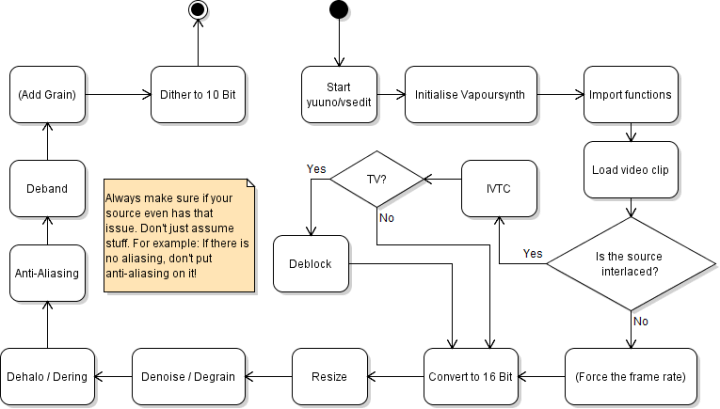
The usual order, skipping every step the source doesn't need:
1. [Inverse telecine](/tools/filtering/ivtc/) or [deinterlace](/tools/filtering/deinterlace/), on the source exactly as decoded. Anything that resizes or blends first mixes the fields and ruins the match.
2. Crop.
3. Convert to 16-bit, so later filters round less.
4. Resize.
5. [Denoise](/tools/filtering/denoise/), so noise doesn't confuse the edge masks of the filters after it.
6. [Dehalo](/tools/filtering/dehalo/).
7. [Antialias](/tools/filtering/antialiasing/).
8. [Deband](/tools/filtering/deband/), late because earlier filters can create banding.
9. [Grain](/tools/filtering/graining/), if you want it.
10. Dither down to the output bit depth, usually 10-bit.
Check that the problem exists before you filter for it. Antialiasing a source with no aliasing only blurs it.
## Starting script
```python
import vapoursynth as vs
from vssource import BestSource
from vstools import finalize_clip
core = vs.core
clip = BestSource.source("input.mkv", bits=16)
# filters go here
clip = finalize_clip(clip, bits=10)
clip.set_output()
```
`BestSource.source` loads the file frame-accurately (the first load indexes the whole file, so it is slow once) and runs vstools' `initialize_clip` on it. That converts to the requested bit depth with dithering and fills in any missing colour properties (matrix, primaries, transfer, range). Without `bits` it converts to 32-bit float, which many plugins don't accept, so pass `bits=16`.
Missing properties are guessed from the resolution, which is right for most sources and wrong for, say, a 1080p BT.709 master upscaled to 4K. When you know better, say so:
```python
from vstools import Matrix, Primaries, Transfer
clip = BestSource.source(
"input.mkv", bits=16,
matrix=Matrix.BT709, primaries=Primaries.BT709, transfer=Transfer.BT709,
)
```
These tags only label the samples; they don't convert anything, so don't tag HDR or unknown material as BT.709 to make a warning go away. See [colorimetry](/reference/colorimetry/intro/) for what each property means.
`finalize_clip` dithers down to 10-bit by default. Pass `clamp_tv_range=True` to also clip limited-range video to the legal range.
[VFM](/tools/filtering/ivtc/) only accepts 8-bit input, so for IVTC load with `bits=None`, do the field matching, and convert afterwards.
## Cropping
Remove black bars so you don't spend bits and encoder effort on them. FFmpeg's `cropdetect` finds them; run it over a minute or so of bright footage, since dark scenes fool it:
```sh
ffmpeg -ss 300 -t 60 -i input.mkv -vf cropdetect=round=2 -f null -
```
The last `crop=w:h:x:y` it prints is the answer. Look at the edges in several scenes before trusting it; bars are not always symmetric. For 4:2:0 video all four crop values must be even.
```python
clip = clip.std.Crop(top=138, bottom=138)
```
The FFmpeg equivalent is `-vf crop=1920:804:0:138`.
## Resizing
Don't upscale unless you have to. A larger file at the same quality is not a better encode, and the extra pixels are invented. When you do resize, the kernel matters.
The built-in resizers are the simplest:
```python
clip = clip.resize.Spline36(1280, 720)
```
Bicubic is fast and soft, Lanczos is sharper but rings more, and Spline36 sits between them. FFmpeg's default `scale` is bicubic; use `scale=-2:720:flags=lanczos` for the sharper option.
vskernels offers more control, including resizing in linear light or with a sigmoid curve, which reduces ringing:
```python
from vskernels import Catrom, Hermite
clip = Catrom().scale(clip, 1280, 720)
clip = Catrom(sigmoid=True).scale(clip, 1280, 720)
clip = Hermite(linear=True).scale(clip, 1280, 720)
```
Catrom (Catmull-Rom) is a sharp bicubic and a good default for downscaling. Hermite in linear light rings very little but thins fine lines, which some people dislike. Linear-light scaling only gives correct results when the transfer is tagged correctly.
For upscaling, `EwaLanczos` is a sharp general-purpose kernel, and NNEDI3 doubles resolution with a neural-network interpolator that keeps edges clean:
```python
from vskernels import EwaLanczos
from vsaa import NNEDI3
clip = EwaLanczos().scale(clip, 3840, 2160)
clip = NNEDI3().scale(clip, 3840, 2160) # alternative
```
Machine-learning upscalers such as Waifu2x and ArtCNN are available through `vsscale`, but they need ONNX models (`vsscale onnx download`) and an inference backend, and they can invent texture, so compare them with a plain kernel first. [slow.pics](https://slow.pics/) is the usual place to put screenshots side by side.
## Trimming
VapourSynth clips use Python slices. The end frame is exclusive:
```python
clip = clip[1805:3185] # frames 1805-3184
clip = clip[:1805] + clip[3185:] # cut that section out instead
clip = clip[3185:] + clip[:1805] # reorder: second part first
```
Trimming only affects the video. Apply the same cuts to audio and subtitles, and check sync after muxing; see [audio and subtitles](/guides/audio-and-subtitles/).
---
# Deband
Canonical URL: https://encode.wiki/tools/filtering/deband/
Collection: docs
Status: current
License: CC BY-SA 4.0
Checksum: b16c6f6816c04897c5bab9cc06708cecc5d7b43bf692b9c67ad4edf765b79556
Banding is visible stepping in what should be a smooth gradient: skies, fades, dark rooms, flat-shaded animation backgrounds. It comes from too few code values to describe the gradient (8-bit sources and dark scenes are the worst), from earlier lossy compression that flattened the noise which hid the steps, or from an 8-bit conversion without dithering. A debander finds those flat steps, smooths across them and adds a little dither so the new values don't re-band.
It only helps when the banding is in what the encoder receives. Banding that appears only in your encode is the encoder removing noise and flattening the gradient; encode at 10-bit (even from an 8-bit source), use a lower CRF, and consider [adding grain](/tools/filtering/graining/) or letting the codec synthesise it.
## FFmpeg
FFmpeg has two debanders. `deband` is the one to use before encoding:
```sh
ffmpeg -i input.mkv -vf "format=yuv420p10le,deband" -c:v libsvtav1 -crf 30 -pix_fmt yuv420p10le output.mkv
```
`deband` replaces pixels that look banded with the average of randomly chosen pixels around them. It runs at any bit depth, but an 8-bit frame has no values between two adjacent steps, so the filter can only scatter pixels across each step edge. Converting to 10-bit first gives it room to produce the in-between values of a smooth gradient, and the encode should be 10-bit anyway. Keep `-pix_fmt yuv420p10le` on the output: without it, FFmpeg may negotiate `deband`'s output back down to 8-bit for the encoder.
`gradfun` fits a gradient and dithers the result back to 8-bit. It only accepts 8-bit formats (FFmpeg silently converts higher bit depths down before it), and its documentation says it is designed for playback: lossy compression tends to remove the dither and bring the bands back. Keep it out of encoding chains.
| Option | What it does |
| ---------------------- | ------------------------------------------------------------------------------------------------------------------------------------------------------------------------------------------------------------------------------- |
| `1thr`, `2thr`, `3thr` | Per-plane threshold, 0.00003 to 0.5, default 0.02. A pixel counts as banded when its difference from its reference pixels is below the threshold, so raising it deals with stronger banding and also flattens more real detail. |
| `range` | How far away the reference pixels are picked, in pixels (randomly up to this value). Default 16. |
| `blur` | On by default: compare against the average of the surrounding pixels. Turning it off requires all four neighbours to be within the threshold, which touches less real detail. |
## VapourSynth
For anything beyond a quick pass, `vsdeband` in [vs-jetpack](/tools/filtering/vapoursynth/) is more flexible. `f3k_deband` implements f3kdb-style debanding through the vszip plugin; `placebo_deband` uses libplacebo's GPU-based debander. Both take a radius and a threshold:
```python
from vsdeband import f3k_deband, deband_detail_mask, Grainer
deband = f3k_deband(clip, radius=16, thr=96)
mask = deband_detail_mask(clip)
deband = core.std.MaskedMerge(deband, clip, mask) # keep detailed areas untouched
deband = Grainer.GAUSS(deband, strength=0.5, luma_scaling=10)
```
Deband at high bit depth (the [starting script](/tools/filtering/basics/#starting-script) works in 16-bit) and let the final dither to 10-bit carry the result. `thr` uses the old neo_f3kdb scale (default 96); raise it for stronger banding, and use `grain` or a separate `Grainer` pass to add dither-like noise afterwards. A higher `luma_scaling` reduces the grain in brighter areas, which suits banding because it shows up in the darks. `mdb_bilateral` is a multi-stage option for extreme banding, and `pfdeband` blurs first and limits how far the result may move from the original.
The detail mask keeps the debander away from edges and texture. Without it, a threshold high enough to fix the sky also smooths faces and fabric. View the mask (`mask.set_output()`): it should be white on edges and texture, which keep the original pixels, and black in the flat gradients you want debanded.
## Pitfalls
- **Too strong a threshold** blurs low-contrast detail: dark-scene texture, film grain, skin. Start low and raise it only until the steps vanish.
- **Debanding the whole video** when only a few scenes band. Apply it to those shots, or at least check the others for damage.
- **No grain.** A perfectly smooth gradient is exactly what an encoder will quantise back into bands. Fine noise added after debanding survives better.
- **HDR.** Thresholds are in code values, and a step of a given size looks different in PQ or HLG than in SDR, so re-tune and judge on an HDR display.
---
# Decombing
Canonical URL: https://encode.wiki/tools/filtering/decombing/
Collection: docs
Status: current
License: CC BY-SA 4.0
Checksum: 9dbc9ba6dac514e547d00e0a38ff0bf5a6a3a70cebd3bb730acf591cb85f9b6d
Combing is the set of horizontal teeth along moving edges that appear when two fields from different moments are shown as one frame. Decombing fixes only the frames or areas that have it and leaves the rest alone. It is what you want when most of a video is clean progressive and a minority of frames are not, and it is the wrong tool for video that is combed throughout, which needs a proper [deinterlace](/tools/filtering/deinterlace/).
## Where leftover combing comes from
- **Hybrid sources.** Film that was telecined, with credits, titles or inserted footage that were added at video rate. After [IVTC](/tools/filtering/ivtc/) the film is clean and those sections are still combed.
- **Failed field matching.** Bad edits, cadence changes, orphaned fields. A handful of frames come out with two different film frames woven together.
- **Interlaced video encoded as progressive.** Many web rips and re-encodes were never deinterlaced and are flagged progressive, so nothing in the container tells a player to deinterlace.
- **Resized interlaced footage**, which smears the combing into soft ghosting.
Ghosting from blended fields (a double image rather than teeth) can't be fixed by a deinterlacer, because the two moments are already averaged together. That needs deblending, which is a separate and difficult problem.
## Finding combed frames
Look at a moving edge at 1:1 in a previewer. Combing is a regular alternating-line tooth pattern along the edge; it is easy to miss when the picture is scaled. `idet` gives an overview of the video:
```sh
ffmpeg -i input.mkv -vf idet -f null -
```
If a video flagged progressive still shows a large TFF or BFF count, parts of it are interlaced. Static scenes classify as progressive whatever the source was, so a count is a hint, not a map. Scrub through credits, scene cuts and the places where IVTC is likely to have slipped.
## Repairing only the combed frames
The most reliable approach is to let the field matcher find combed frames and apply a deinterlacer to those alone. In FFmpeg the field-matching IVTC chain does this, because `fieldmatch` marks the frames it could not repair and `deint=interlaced` makes `yadif` process only those:
```sh
ffmpeg -i input.mkv -vf "fieldmatch,yadif=deint=interlaced,decimate" -c:v libx264 -crf 18 output.mkv
```
This also decimates, so only use it on telecined sources. In VapourSynth, `vfm` from vs-jetpack accepts a `postprocess` function that runs on whatever it still sees as combed, without necessarily decimating:
```python
from vsaa import NNEDI3
from vsdeinterlace import vfm
clip = vfm(clip, tff=True, postprocess=NNEDI3(double_rate=False).deinterlace)
```
Detection is controlled by `cthresh` (how strong combing must be at a pixel; defaults to 9) and `mi` (how many combed pixels in a block make the frame count as combed; defaults to 80). Sharp, high-contrast detail such as text and animation lines can be flagged falsely when the thresholds are too low, and faint combing is missed when they are too high. Set `chroma=False` only when chroma problems such as rainbowing cause false detections.
For light combing left in an otherwise progressive video, `vinverse` removes it by blurring vertically and then restoring detail:
```python
from vsdeinterlace import vinverse
clip = vinverse(clip, amnt=255)
```
`amnt` limits how far any pixel may change (in 8-bit units); 255 means no limit. Because it filters every frame, it softens clean frames slightly, so apply it to the affected sections only: trim them out, filter, and join them back.
## Risks
Decombing wrongly applied to clean frames costs detail for nothing, so verify what the detector flags. The opposite mistake, leaving combing in the encode, is much more visible once the video is scaled up or played on a high-resolution display. If you find that most of the video is combed, stop decombing and deinterlace it.
---
# Dehalo
Canonical URL: https://encode.wiki/tools/filtering/dehalo/
Collection: docs
Status: current
License: CC BY-SA 4.0
Checksum: 233a947f13a8028e4aff43caa4a8bf1eaf6bb13adfdf3711a641a70b7f2faebd
A halo is a thin bright or dark outline that runs alongside a strong edge, like a glow or a shadow. It usually comes from sharpening: edge enhancement applied in mastering, an oversharp resize kernel such as Lanczos, or an upscale that overshoots at edges. Ringing is the related effect of waves that fade out away from an edge, and heavy lossy compression produces something similar. Both are most visible on thin, high-contrast lines such as anime linework and text.
First check whether you can avoid the damage. If your own resize caused the halos, use a softer kernel such as Spline36 or Catrom (see [resizing](/tools/filtering/basics/#resizing)) and don't sharpen. A dehalo filter is for halos that are already baked into the source.
FFmpeg has no purpose-built dehalo filter, so this is VapourSynth territory.
## Filters in vs-jetpack
The old standalone `vs-dehalo` package is deprecated; its functions now live in `vsdehalo` in [vs-jetpack](/tools/filtering/vapoursynth/). The ones you will use:
| Function | Use it for |
| ----------------------------- | ---------------------------------------------------------------------------------------------------------------------------------------------------------------------------- |
| `dehalo_alpha` | The classic general-purpose dehaloer (a port of AviSynth's `DeHalo_alpha`). It processes edges and their surroundings aggressively, so it also softens lines unless limited. |
| `fine_dehalo` | `dehalo_alpha` plus an edge mask and optional contra-sharpening, so it protects real line detail. The usual first choice. |
| `fine_dehalo2` | Halo removal for second-order halos. |
| `edge_cleaner`, `vine_dehalo` | Alternatives: edge-aware cleaning, and dehaloing by non-local errors filtering. |
| `hq_dering`, `smooth_dering` | Ringing close to edges rather than a halo; they smooth only near edges. |
```python
from vsdehalo import dehalo_alpha, fine_dehalo
dehalo = dehalo_alpha(clip, brightstr=0.8)
dehalo = fine_dehalo(clip, brightstr=0.85, darkstr=0.3)
```
The parameters that matter for both:
| Parameter | Effect |
| ---------------------- | ----------------------------------------------------------------------------------------------------------------------------------------------------------------------------- |
| `brightstr`, `darkstr` | Strength against bright and dark halos. Defaults are 1.0 and 0.0, so only bright halos are treated unless you raise `darkstr`. |
| `blur` | Gaussian sigma of the blur used as the reference. Larger values reach wider halos but are more destructive. |
| `lowsens`, `highsens` | Sensitivity range (default 50 and 50): the halo is fully removed below the lower value and left alone above the upper. Raise `highsens` to reach halos around stronger edges. |
| `ss` | Supersampling factor (default 1.5) to reduce aliasing from the process. |
| `rx` (`fine_dehalo`) | Radius of the halo to remove; the default is 2. |
Only luma is processed by default (`planes=0`). Halos in chroma are rarer; add planes if you can see colour fringes.
To see what `fine_dehalo` changes, look at the mask it built after the call:
```python
dehalo = fine_dehalo(clip)
fine_dehalo.masks.MAIN.set_output(1)
```
## Tuning and checking
Compare a clean, high-contrast edge before and after at 1:1, and look at the difference. The goal is for the halo to disappear without the line getting thinner or fading, and without a new halo of the opposite colour on the other side. Check fine detail that looks like an edge (hair, thin lines, small text), where aggressive settings erode detail. Prefer a mask or per-scene application when only some shots are affected. Don't sharpen afterwards: it brings back what you just removed.
Dehalo before antialiasing and debanding, and after [denoising](/tools/filtering/denoise/); noise confuses the edge detection.
---
# Deinterlace
Canonical URL: https://encode.wiki/tools/filtering/deinterlace/
Collection: docs
Status: current
License: CC BY-SA 4.0
Checksum: 660f8a8da384f1d0bcd5181993d683496a3ffe552d199b42ef9cac72c1ffdda4
Interlaced video stores each frame as two fields captured a moment apart, one holding the odd lines and the other the even lines. A 1080i or 576i broadcast, a DVD or a camcorder recording carries 50 or 59.94 fields per second this way. Shown as a single frame, any moving edge looks like a comb. Deinterlacing rebuilds full progressive frames from the fields.
Before you deinterlace, work out what you actually have, because three different things get called "interlaced":
| Source | What it looks like | What to do |
| --------------------------------------------------------------------- | ----------------------------------------------------------------------------- | ---------------------------------------------------------------------------------------------- |
| True interlaced (video camera, sports, live TV) | Every moving frame is combed; each field is a separate moment in time | Deinterlace, as on this page |
| Telecined film (NTSC DVDs of movies, some anime) | A repeating pattern of three clean frames and two combed ones in every five | [Inverse telecine](/tools/filtering/ivtc/), which gets back the original 24 progressive frames |
| Progressive content stored as fields (most PAL film DVDs, 25p as 50i) | Combing only when the fields are mismatched; matching them gives clean frames | Field-match and weave; no interpolation needed |
Deinterlacing telecined or already-progressive material throws away detail for nothing. Mixed sources and leftover combing are covered in [decombing](/tools/filtering/decombing/).
## Check the source
FFmpeg's `idet` classifies frames. Run it over part of the video that has motion:
```sh
ffmpeg -ss 600 -t 30 -i input.mkv -vf idet -f null -
```
The summary reports how many frames are top field first (TFF), bottom field first (BFF) and progressive, plus a "Repeated Fields" line whose Top/Bottom counts are the sign of telecine. Mostly TFF or BFF with no repeated fields means true interlaced. Then step through a few moving frames in a previewer to confirm: you should see combing, and in true interlaced video each field-to-field step has fresh motion.
Container flags are often wrong, especially on DVD rips, so don't rely on them alone. Field order matters: if you deinterlace with the wrong order, motion steps backward and forward and looks jerky. When `idet` and the container disagree, test both on a clip with a pan and keep the smooth one.
## Single rate or double rate
A deinterlacer can output one frame per frame (25 or 29.97 fps, a "single-rate" or `send_frame` result), or one frame per field (50 or 59.94 fps, "double rate" or "bob"). Double rate keeps all the motion the source captured and is what you want for sports and anything with fast movement, but it needs a higher-framerate encode and player support. Single rate discards half the temporal information; it is a fine choice when you need to stay at the source frame rate and the motion is moderate.
## FFmpeg
`bwdif` is the usual FFmpeg choice: a motion-adaptive deinterlacer based on yadif, with w3fdif and cubic interpolation added. It outputs double rate by default:
```sh
ffmpeg -i input.mkv -vf bwdif -c:v libx264 -crf 18 output.mkv
```
Add `mode=send_frame` for single rate. Field order is detected from the stream; if that is wrong, set it with `parity=tff` or `parity=bff`. Leave `deint` alone unless you want to touch only frames flagged as interlaced, which trusts the flags.
`yadif` is the older filter with similar options, and it defaults to single rate. FFmpeg's `nnedi` filter needs a separate weights file. For a one-off conversion any of these is adequate; use VapourSynth when you want better quality or control.
Deinterlace before scaling or any filter that mixes lines, since resizing blends the two fields together.
## VapourSynth
[QTGMC](http://avisynth.nl/index.php/QTGMC) is the community's highest-quality deinterlacer: motion-compensated, with built-in noise handling and temporal stabilisation, and much slower than FFmpeg's filters. In vs-jetpack it is `QTempGaussMC` in `vsdeinterlace`. The `havsfunc` package no longer provides QTGMC, and its parameter names differ from the new implementation (there is a [mapping](https://gist.github.com/Ichunjo/76c96f1130c9e9f972de956f40571e54)).
```python
from vsdeinterlace import QTempGaussMC
clip = QTempGaussMC().deinterlace(clip, tff=True)
```
That returns double rate. For single rate, QTGMC's motion-blur stage can divide the frame rate:
```python
clip = QTempGaussMC().motion_blur(fps_divisor=2).deinterlace(clip, tff=True)
```
If `tff` is omitted it is read from the clip's `_FieldBased` property, so set it yourself when you aren't sure the source filter marked it correctly. For something lighter, `vsaa` has plain bobbers:
```python
from vsaa import NNEDI3, BWDIF
clip = NNEDI3().deinterlace(clip, tff=True, double_rate=True)
clip = BWDIF().deinterlace(clip, tff=True, double_rate=True)
```
NNEDI3 interpolates only the missing lines of each field with a neural network and is much quicker than QTGMC, though it doesn't clean up temporal artefacts the way QTGMC does.
## Check the result
Look at scrolling text, thin horizontal lines and fast pans. Remaining combing means the wrong field order or a missed mode; shimmering thin lines are normal single-pass bobbing and what QTGMC's stabilisation exists to reduce. If the frame count of your output isn't what you expected (double rate doubles it), check it with `ffprobe` before encoding.
---
# Denoise
Canonical URL: https://encode.wiki/tools/filtering/denoise/
Collection: docs
Status: current
License: CC BY-SA 4.0
Checksum: ed0fe336eb00a02346758f722fa7b9f7d178df314a1bceb7d5d69e41d3226327
Noise is random variation from the sensor, film grain, analog transfer or earlier compression. An encoder cannot predict it, so noisy video eats bitrate that would otherwise go to real detail. Denoising before encoding either lowers the bitrate at the same look or gives you a cleaner picture for the same bitrate.
Whether to do it depends on what the noise is. Ugly digital noise, low-light sensor noise and compression residue are worth removing. Film grain is part of the image: leave it, or remove it and have the encoder [synthesise it back](/tools/filtering/graining/), but don't denoise it away and leave nothing. Denoising always costs some detail, so use the least that gets the result you want. Clean sources need none.
## FFmpeg
`hqdn3d` is fast and does spatial plus temporal smoothing; `nlmeans` is far slower and more precise.
```sh
ffmpeg -i input.mkv -vf hqdn3d -c:v libx264 -crf 18 output.mkv
ffmpeg -i input.mkv -vf nlmeans -c:v libx264 -crf 18 output.mkv
```
The defaults of `hqdn3d` are 4 for `luma_spatial`, with the other three strengths (chroma spatial, luma temporal, chroma temporal) derived from it as 3, 6 and 4.5. If there is still too much noise, raise `luma_spatial` (`hqdn3d=8` is the same as `hqdn3d=8:6:12:9`). Strong settings cause ghosting behind moving objects, [banding](/start-here/video-artifacts/#banding) and blocking.
`nlmeans` compares each pixel's neighbourhood with others nearby and averages the similar ones. It is slow, so reserve it for very noisy sources or when you need high-quality denoising; below that, `hqdn3d` is more efficient. Its artefacts are less obvious than `hqdn3d`'s; on very noisy input the typical one is a flat, cartoonish look.
| Option | Meaning | Default |
| ------ | --------------------------------------------------------------------------------- | ------- |
| `s` | Denoising strength, from 1.0 to 30.0. | 1.0 |
| `p` | Patch size: the neighbourhood compared. Odd number. | 7 |
| `r` | Research size: how far to look for similar patches. Odd number; larger is slower. | 15 |
`nlmeans=s=3:r=31:p=15` is a stronger, much slower setting for heavy noise at high resolutions, and `nlmeans=s=1:r=5:p=3` trades quality for speed.
## VapourSynth
`vsdenoise` in [vs-jetpack](/tools/filtering/vapoursynth/) offers the denoisers most people use:
- **`DFTTest`** is a frequency-domain denoiser. It is fast, handles most noise well, and lets you set a different strength for each frequency, so you can leave coarse detail alone and hit fine noise.
- **`mc_degrain`** is motion-compensated temporal denoising built on MVTools. It averages a pixel with its matching positions in neighbouring frames, so it removes noise from static and slowly moving areas without smearing the way plain temporal averaging does.
- **`bm3d`** is a state-of-the-art algorithm and very slow; it has CUDA, HIP, SYCL and Metal backends as well as a CPU one.
```python
from vsdenoise import DFTTest, mc_degrain
dn = DFTTest().denoise(clip, {0: 0, 0.25: 4, 0.5: 8, 0.75: 16, 1.0: 32}, tr=1)
# or
dn = mc_degrain(clip, tr=2)
```
In the DFTTest example, the dictionary maps frequency (0 is the coarsest detail, 1 the finest) to strength, and `tr` is the temporal radius in frames. In `mc_degrain`, `tr` is likewise the number of frames used on each side (default 1). Its strength control is `thsad` (default 400), how different a matching block may be before it is rejected: a noisier source needs a higher value or nothing gets averaged.
To check that you removed noise and not detail, look at what the filter took out. With the 16-bit clip from the [starting script](/tools/filtering/basics/#starting-script):
```python
diff = core.std.MakeDiff(clip, dn)
diff = core.std.Expr(diff, ["x 32768 - 8 * 32768 +", ""]) # amplify 8x, grey = no change
```
The difference should look like random noise. If you can see outlines of objects in it, the filter is removing detail.
## Checking the result
Look at faces, foliage, dark gradients and scene cuts. Over-denoising shows as waxy skin, flattened texture, trails behind moving objects and banding in gradients (which you can then repair with [debanding](/tools/filtering/deband/)). Watch for grain that pulses between frames when temporal denoising only partly matches. Full-reference metrics compare against the noisy original, so they penalise a denoise that looks better; decide by eye.
---
# Graining
Canonical URL: https://encode.wiki/tools/filtering/graining/
Collection: docs
Status: current
License: CC BY-SA 4.0
Checksum: 544a94c46e85950d1ec2f15518262d7270a4cac9c4d747a42996a6fcb75ad2b0
Grain is a texture, and there are three separate things you might do with it:
| Approach | What happens | Cost |
| ------------------------ | ------------------------------------------------------------------------------------------------------- | ------------------------------------------------------------------------- |
| Keep the source grain | The encoder codes the noise as it is | A lot of bitrate on grainy sources |
| Add grain as pixels | You add noise in the filter chain, and the encoder codes it | Bitrate, since the added noise has to be coded like any other |
| AV1 film grain synthesis | The encoder writes a small grain model into the stream, and the decoder generates matching grain on playback | Little bitrate, and the grain is statistical rather than the original pixels |
## Why add grain
After [denoising](/tools/filtering/denoise/) or [debanding](/tools/filtering/deband/) the picture can look plastic, and smooth gradients are exactly what an encoder re-quantises into [bands](/tools/filtering/deband/). A little fresh grain restores texture and breaks up banding. Adding grain also gives you a way to reintroduce a film look in an encoder such as x264 or x265 that can't signal synthetic grain, at the price of the bitrate to encode it.
Grain is added near the end of the chain, after everything else and before the final dither to the output bit depth.
## Adding grain as pixels
In VapourSynth, `Grainer` from `vsdeband` (part of [vs-jetpack](/tools/filtering/vapoursynth/)) offers several noise types, including Gaussian, Perlin, Simplex and Poisson:
```python
from vsdeband import Grainer
clip = Grainer.GAUSS(clip, strength=0.5, luma_scaling=10)
```
`strength` can be a pair for luma and chroma. `luma_scaling` reduces grain in brighter areas. `static=True` repeats one grain pattern on every frame, `temporal` smooths the grain across frames, and `scale` makes it coarser. Pixel values near the limits of the legal range are protected by default.
In FFmpeg, the `noise` filter is the simple option. `alls` is the strength on all planes, `t` makes the pattern change every frame (without it the same noise repeats on every frame), and `u` makes it uniform instead of Gaussian:
```sh
ffmpeg -i input.mkv -vf "noise=alls=3:allf=t+u" -c:v libx264 -crf 18 output.mkv
```
Coarse grain is expensive to encode, so add no more than the look needs.
## AV1 film grain synthesis
AV1 can signal a grain model in the bitstream and have the decoder add the grain. The encoder estimates the grain by comparing the source with a denoised copy and writes the model into the stream; the decoder applies grain on top of the decoded picture. What gets encoded differs: aomenc encodes the denoised frames by default, while SVT-AV1 by default encodes the original source and only adds the model (`--film-grain-denoise 0`). On a heavy-grain source this can save a large share of the bitrate.
**SVT-AV1** enables it with `--film-grain`:
```sh
SvtAv1EncApp -i input.y4m --crf 30 --preset 6 --film-grain 8 -b output.ivf
```
| Option | Meaning |
| --------------------------- | -------------------------------------------------------------------------------------------------------------------------------------------------------------------- |
| `--film-grain 0-50` | 0 is off; 1-50 is the level of denoising for film grain. |
| `--film-grain-denoise 0/1` | With 0 (the default) the source is not denoised and the grain data is still written to the stream; with 1 the source is denoised at the level set by `--film-grain`. |
| `--fgs-table FILE` | Path to a pre-generated film grain table to use for synthesis. |
| `--adaptive-film-grain 0/1` | Vary the grain block size with resolution; on by default. |
**aomenc** has `--denoise-noise-level` (0-50, where 0 disables denoising), `--enable-dnl-denoising` and `--film-grain-table` for a grain table file.
Some practical points:
- Grain synthesis happens in the decoder. dav1d applies it by default (its `--filmgrain` option can turn it off), but a player or hardware decoder that ignores grain data will show a clean image.
- The grain is a statistical match to the original, not a copy of it. That is the intent, and the reason full-reference metrics score a grain-synthesised encode lower than a plain one even when it looks closer to the source; compare by eye, or with grain disabled.
- Don't stack sources of grain. If you use synthesis, don't also add pixel grain to the input, and if you add pixel grain, turn denoising and synthesis off.
- Stronger denoising removes more detail along with the grain; compare faces and textures against the source.
See [SVT-AV1](/tools/software-encoders/svt-av1/) for the encoder's other options.
---
# Inverse Telecine
Canonical URL: https://encode.wiki/tools/filtering/ivtc/
Collection: docs
Status: current
License: CC BY-SA 4.0
Checksum: 9c9c6615f8b14a8f38c60403b36cdeac32acf72794c9d416107cd9985cdb3bbd
Film is shot at 24 frames per second, but NTSC video runs at 29.97. Telecine bridges the gap with 3:2 pulldown, which spreads every four film frames (A, B, C, D) over five video frames by repeating fields: AA, BB, BC, CD, DD. Two of every five frames are a mix of two film frames and look combed. Inverse telecine (IVTC) reverses this: it matches fields back into the original progressive frames and then drops the repeated one, giving back 24000/1001 fps with no interpolation and no loss.
That is why IVTC is the right fix for telecined film and [deinterlacing](/tools/filtering/deinterlace/) is the wrong one. Deinterlacing would interpolate frames that never needed it and leave you at 29.97 fps with an uneven cadence.
## Is it telecined?
Run `idet` over a few thousand frames:
```sh
ffmpeg -t 60 -i input.mkv -vf idet -f null -
```
Telecine shows up as repeated fields: the "Repeated Fields" line reports Top or Bottom repeats in roughly two of every five frames. Stepping through frames in a previewer shows the same thing, three clean frames and two combed ones in a fixed rhythm. True interlaced video combs every moving frame instead.
There are two kinds of telecine:
- **Hard telecine** has the pulldown baked into the frames. Most NTSC TV recordings and many anime DVDs are like this. This is what IVTC is for.
- **Soft telecine** stores 24p video with flags that tell the player to repeat fields. NTSC film DVDs are often like this. There is nothing to undo; ignore the flags and you already have clean 24p. Plain `core.bs.VideoSource` ignores them (its `rff` option is off by default, and you may need to set the frame rate to 24000/1001 with `std.AssumeFPS`), but the vs-jetpack `BestSource` wrapper applies them by default (`rff=True`) and hands you hard-telecined 30i that needs the IVTC below.
## FFmpeg
`fieldmatch` pairs fields into frames, `yadif` deinterlaces the few frames that field matching couldn't repair, and `decimate` drops one frame in every five:
```sh
ffmpeg -i input.mkv -vf "fieldmatch,yadif=deint=interlaced,decimate" -c:v libx264 -crf 18 output.mkv
```
`deint=interlaced` makes `yadif` touch only the frames `fieldmatch` still marked as combed, so clean frames pass through untouched. Field order is taken from the stream; set `fieldmatch=order=tff` or `bff` if the stream is flagged wrong. `decimate` only works on constant-frame-rate input, so a source that mixes telecined and genuinely 24p sections needs `dejudder,fps=30000/1001,fieldmatch,decimate` instead (from the FFmpeg documentation); anything more tangled belongs in VapourSynth.
FFmpeg is fine for clean, constant-cadence sources. When the cadence changes partway, or you want to check what each frame did, use VapourSynth.
## VapourSynth
VIVTC's `VFM` (field matcher) and `VDecimate` do the same job with more control. `VFM` only accepts 8-bit input, so field-match before converting to a higher bit depth. `order` is mandatory: 1 for top field first, 0 for bottom field first.
```python
from vssource import BestSource
clip = BestSource.source("input.mkv", bits=None)
clip = core.vivtc.VFM(clip, order=1)
clip = core.vivtc.VDecimate(clip)
```
`VDecimate` removes one frame per cycle of five, whichever is the most nearly duplicate. vs-jetpack's `vsdeinterlace` wraps both and can deinterlace frames VFM could not match, much like the FFmpeg chain:
```python
from vsaa import NNEDI3
from vsdeinterlace import vfm, vdecimate
clip = vfm(clip, tff=True, postprocess=NNEDI3(double_rate=False).deinterlace)
clip = vdecimate(clip)
```
`VFM`'s `mode` trades safety against matching. `mode=0` is the safest and never creates duplicate-frame jerkiness, but outputs combed frames where a good match existed in damaged sections (bad edits, blended or orphaned fields); `mode=5` finds a match almost everywhere at the risk of jerky motion. The default is 1. `vsdeinterlace` also has `sivtc`, a minimal fixed-pattern IVTC for sources whose cadence never changes, and `jivtc` for the case where a normal IVTC leaves chroma blends on every fourth frame.
For difficult hard-telecined sources, especially anime with changing cadence, [Wobbly](https://github.com/Jaded-Encoding-Thaumaturgy/Wobbly) is an assistant for fixing field matching and decimation scene by scene by hand, on top of VFM and VDecimate's output.
## Check the result
You should get exactly four fifths of the original frame count, at 24000/1001 fps, with the same duration so audio stays in sync. Scrub through motion and look for duplicate frames or sudden jumps. Check the credits and any inserted video too: sections that were not film (credits, titles, commercials, 30i video) don't follow the pattern, and a fixed one-in-five decimation drops real motion from them. Those need separate handling; see [decombing](/tools/filtering/decombing/).
Don't use `-r 24` or `fps=24` as a shortcut. They drop frames on a schedule without matching fields, so you keep combed frames and lose clean ones.
---
# Stabilizing
Canonical URL: https://encode.wiki/tools/filtering/stabilizing/
Collection: docs
Status: current
License: CC BY-SA 4.0
Checksum: d4f9520bc2c7b9ee8d09f2bc3f496041994cb2d64f83e81d36be39a5128d8cf0
Stabilization estimates how the camera moved from frame to frame and warps each frame to cancel the shake. It suits handheld and action-camera footage. It cannot add information that wasn't captured, so it always costs something: the warp needs interpolation, and the borders exposed by the movement are cropped or zoomed away.
Stabilizing can help compression, since removing erratic global motion leaves the encoder less to predict. The saving is secondary; the reason to stabilize is a steadier picture.
## Two passes with vid.stab
FFmpeg's `vidstabdetect` and `vidstabtransform` filters wrap the vid.stab library, and your FFmpeg build needs `--enable-libvidstab`. The first pass analyses motion and writes it to a file; the second applies it.
```sh
ffmpeg -i input.mp4 -vf vidstabdetect -f null -
ffmpeg -i input.mp4 -vf "vidstabtransform,unsharp=5:5:0.8:3:3:0.4" -c:v libx264 -crf 18 output.mp4
```
The first command writes `transforms.trf` in the current directory, which you can delete afterwards. The `unsharp` filter is recommended by the FFmpeg documentation because the interpolation in the transform softens the picture. Both passes must see the same frames, so don't trim or filter differently between them. You cannot use `-c:v copy`, since the video is being changed.
For very shaky, fast footage, such as action-camera video, detect with a higher `shakiness`, write to a named file, and smooth more with a small zoom-out:
```sh
ffmpeg -i input.mp4 -vf "vidstabdetect=shakiness=8:result=a.trf" -f null -
ffmpeg -i input.mp4 -vf "vidstabtransform=input=a.trf:smoothing=30:zoom=-5,unsharp=5:5:0.8:3:3:0.4" -c:v libx264 -crf 18 output.mp4
```
## Options that matter
| Option | Filter | What it does |
| ----------- | --------- | -------------------------------------------------------------------------------------------------------------------------------------------------------------------------------------------------------------------------- |
| `shakiness` | detect | How shaky the video is and how fast the camera moves, 1-10 (default 5). It tunes detection; it is not a stabilization strength. |
| `accuracy` | detect | Detection accuracy, 1-15 (default 15). Lower is faster. |
| `smoothing` | transform | Frames on each side used to smooth the camera path (default 15). Larger is steadier but fights real pans and tilts. 0 simulates a static camera. |
| `optzoom` | transform | Automatic zoom to hide borders: 1 (default) picks one static zoom, 2 adapts it per frame, 0 disables it. |
| `zoom` | transform | Extra zoom in percent, added to `optzoom`. Negative values zoom out and expose more border. |
| `crop` | transform | What to do with exposed borders: `keep` the previous frame's content (default) or fill with `black`. |
| `interpol` | transform | `bilinear` (default), `bicubic` (slower, sharper) or `no`. |
| `tripod` | both | Virtual tripod for a camera that should be locked off: every frame is compared to a reference frame. In `vidstabdetect` the value is the reference frame number (counted from 1); in `vidstabtransform` it is 1 to enable. |
## What it can't fix
vid.stab estimates translation and rotation of the whole frame. It will not fix rolling-shutter wobble ("jello"), parallax between near and far objects, or motion blur from the shake, and low-contrast or very dark footage can confuse the detection. FFmpeg also has a single-pass `deshake` filter that needs no extra library. If your camera records gyroscope data, [Gyroflow](https://github.com/gyroflow/gyroflow) stabilizes from that data instead of from the image.
## Checking the result
Watch the intended pans and any foreground subject, since a large `smoothing` makes them lag or drift. Check the edges: stronger stabilization means more zoom or more visible border, and the picture will be a little softer. If the result wobbles in a way the original did not, reduce `smoothing` or `shakiness`, or give up on that clip. Stabilization is lossy and cannot be repeated without further loss, so do it once, from the original, and encode after.
---
# VapourSynth
Canonical URL: https://encode.wiki/tools/filtering/vapoursynth/
Collection: docs
Status: current
License: CC BY-SA 4.0
Checksum: 86701458ce76914f1387ecfebc0716d45cdc0f928e5cb9540e2a136383b1a742
> **Repository:** [vapoursynth/vapoursynth](https://github.com/vapoursynth/vapoursynth). A video processing framework with simplicity in mind. Latest release: [R81](https://github.com/vapoursynth/vapoursynth/releases/tag/R81), Oct 4, 2026. Last commit: Oct 7, 2026. License: LGPL-2.1. Stars: 2,108.
VapourSynth is a video filtering framework driven by Python scripts. A script describes a chain of filters; a program such as `vspipe`, an encoder or a previewer then requests frames from it. It is not an encoder or a player, and it has no GUI of its own. It is where most of the encoding community's filtering work happens, because it is scriptable, fast, and has a large plugin ecosystem. The older [AviSynth](https://avisynth.nl/index.php/Main_Page) does the same job, and plenty of people still use it, but the filters this section describes are VapourSynth's.
Scripts are plain Python, and you don't need to know much Python to write them.
## Install
On any platform with Python 3.12 or newer, `pip install vapoursynth` followed by `vapoursynth config` installs the core and `vspipe`. On Windows the official installer or the portable package are alternatives; most Linux distributions also package it.
Plugins and script collections come from several places. The simplest route for the filters on these pages is [vs-jetpack](https://github.com/Jaded-Encoding-Thaumaturgy/vs-jetpack), a collection of Python modules (`vstools`, `vskernels`, `vsdenoise`, `vsdeband`, `vsdehalo`, `vsaa`, `vsdeinterlace`, `vsscale`, `vssource`, `vsmasktools` and others) whose extras also install the native plugins they call as wheels:
```sh
pip install "vsjetpack[full]" --extra-index-url https://jaded-encoding-thaumaturgy.github.io/vs-wheels/simple
```
> **Caution.**
>
> vapoursynth-mvutensils 10 (8 October 2026) removed arguments that vs-jetpack 2.2.6 still passes, so `QTempGaussMC` and `mc_degrain` fail with `AnalyseMany: Function does not take argument(s) named fields`. Until vs-jetpack catches up, add `"vapoursynth-mvutensils<10"` to the install command.
Not every plugin has a wheel for every platform; for the rest use [VSRepo](https://github.com/vapoursynth/vsrepo) (`pip install vsrepo`, then `vsrepo install `), your distribution's packages, or build from source. vs-jetpack replaces the older collections: the standalone `vs-tools`/`vs-dehalo` repositories are deprecated, and `havsfunc` has dropped nearly all its functions, QTGMC included, in favour of vs-jetpack.
## Previewing
You'll want to see frames while tuning. [VSView](https://jaded-encoding-thaumaturgy.github.io/vs-view/) (`pip install vsview`, then `vsview script.vpy`) is the current JET previewer and replaces vs-preview, whose repository is now archived. [VapourSynth Editor](https://github.com/YomikoR/VapourSynth-Editor) bundles a code editor with a previewer, which is the easiest start for newcomers. A previewer also lets you compare before/after at the same frame number, which is how filter settings should be judged.
## Loading a source
A script has to load a video through a source plugin:
| Plugin | Notes |
| --------------------------------------------------------------------------------------- | ----------------------------------------------------------------------------------------------------------------------------------------------------------------------- |
| [BestSource](https://github.com/vapoursynth/bestsource) (`bs`) | Frame-accurate for every format, including awkward seeking. The first load decodes the whole file to build an index, then it is cached. VC-1 cannot be seeked reliably. |
| [L-SMASH-Works](https://github.com/HomeOfAviSynthPlusEvolution/L-SMASH-Works) (`lsmas`) | Fast and usually reliable for MP4, MKV and TS. Can return wrong frames after seeking in some inputs (VC-1 is the classic case). |
| [ffms2](https://github.com/FFMS/ffms2) (`ffms2`) | FFmpeg-based; a good fallback if L-SMASH-Works has trouble with a file. |
```python
import vapoursynth as vs
core = vs.core
clip = core.bs.VideoSource("input.mkv")
# or: core.lsmas.LWLibavSource("input.mkv"), core.ffms2.Source("input.mkv")
clip.set_output()
```
If seeking is unreliable for a source and you need random access, for example because you're splitting it for [Av1an](/tools/utilities/av1an/), encode it to a lossless intermediate first. The latest Av1an release can't load VapourSynth R73 or newer; see the [Av1an page](/tools/utilities/av1an/) for what to use instead.
With vs-jetpack, `vssource` wraps all three (`BestSource`, `LSMAS`, `FFMS2`) and also converts bit depth and fills in colour properties; see [basics](/tools/filtering/basics/#starting-script). BestSource keeps its index in a cache directory (`~/bsindex` on Linux unless `XDG_CACHE_HOME` is set); `cachemode=3` writes it next to the source instead. L-SMASH-Works and ffms2 write theirs next to the source by default.
## Getting frames out
`vspipe` renders a script's output. Most encoders read Y4M from a pipe:
```sh
vspipe -c y4m script.vpy - | x264 --demuxer y4m --crf 18 -o output.mkv -
vspipe -c y4m script.vpy - | SvtAv1EncApp -i stdin --crf 30 --preset 6 -b output.ivf
vspipe -c y4m script.vpy - | x265 --y4m --crf 20 -o output.hevc -
vspipe -c y4m script.vpy - | ffmpeg -f yuv4mpegpipe -i - -c:v libsvtav1 -crf 30 output.mkv
```
Y4M carries the resolution, frame rate and pixel format, so the encoder needs no extra arguments. It does not carry audio, and vspipe does not give you a muxed file: encode video, then mux with the audio and subtitles from the source (see [audio and subtitles](/guides/audio-and-subtitles/)).
Useful `vspipe` options:
| Option | Use |
| --------------- | --------------------------------------------------------------------------------------------------------- |
| `--info` | Print the output's resolution, frame rate and format without rendering. Run this after changing a script. |
| `-s N`, `-e N` | Render only a frame range; the end frame is inclusive. Good for test encodes. |
| `-a key=value` | Pass a value (a string) into the script as a global variable. |
| `-o N` | Select which `set_output(N)` clip to render. |
| `-p` | Show progress on stderr. |
| `-t FILE` | Write a timecodes v2 file, needed to keep timing for variable frame rate sources. |
| `--filter-time` | Report how long each filter took, to find the slow one. |
Filters that use a lot of memory or threads can bring a machine down on a long encode. Cap the cache and thread count in the script with `core.max_cache_size` and `core.num_threads`, and render a short range first.
## Related pages
- [Basics of filtering](/tools/filtering/basics/)
- [FFmpeg](/tools/utilities/ffmpeg/)
- [Av1an](/tools/utilities/av1an/)
- [SVT-AV1](/tools/software-encoders/svt-av1/)
---
# AMF
Canonical URL: https://encode.wiki/tools/hardware-encoders/amf/
Collection: docs
Status: current
License: CC BY-SA 4.0
Checksum: a35b1d1586309febbc399eea5452470cb4086fe5bff1eec0e179b59d55ad2541
AMF (Advanced Media Framework) is AMD's API for the video encode/decode block (VCN) on Radeon GPUs and Ryzen APUs. FFmpeg exposes it as `h264_amf`, `hevc_amf` and `av1_amf`. It is mainly a Windows route: on Linux most people encode through [VAAPI](/tools/hardware-encoders/vaapi/) with Mesa instead.
## Hardware or software encoder?
AMF is fast and cheap on power, but its compression efficiency has historically trailed [NVENC](/tools/hardware-encoders/nvenc/#hardware-or-software-encoder) and [QSV](/tools/hardware-encoders/qsv/), and all of them trail [x264](/tools/software-encoders/x264/), [x265](/tools/software-encoders/x265/) and [SVT-AV1](/tools/software-encoders/svt-av1/) at slow presets. It suits game capture, streaming and fast transcodes. For archival encodes, use a software encoder.
## Which hardware supports what
| Codec | Support |
| --- | --- |
| H.264, HEVC | AMD's current support table starts at VCN 2.0: RDNA 1 (RX 5000), Cezanne (Ryzen 5000) APUs and everything after. H.264 is 8-bit; HEVC is 8 and 10-bit. |
| AV1 | VCN 4.0 and newer: RDNA 3 (RX 7000), RDNA 4 (RX 9000) and Phoenix (Ryzen 7040/8040, 8000G) or newer APUs, 8 and 10-bit. RDNA 1 and RDNA 2 (RX 6000) cannot encode AV1. |
| VP9 | No encoder. |
The AMF runtime comes with the Windows Radeon driver. FFmpeg must be built with `--enable-amf`. On Linux the AMF runtime from the amdgpu-pro packages is required, and it initialises through Vulkan.
## Quality-oriented encode
Constant QP is the simplest quality-targeted mode:
```sh
ffmpeg -i input.mkv -c:v hevc_amf -usage transcoding -quality quality -rc cqp -qp_i 24 -qp_p 24 -c:a copy output.mkv
```
`-usage transcoding` is the offline profile. `-quality quality` is a slow preset; `high_quality` is slower still. CQP makes size unpredictable; give `-qp_b` too when H.264 or AV1 uses B-frames. The scale is 0–51 for H.264 and HEVC and 0–255 for AV1, so AV1 values are several times higher:
```sh
ffmpeg -i input.mkv -c:v av1_amf -usage transcoding -quality high_quality -rc cqp -qp_i 100 -qp_p 100 -c:a copy output.mkv
```
For a size target, use peak-constrained VBR (also what FFmpeg picks when you give only `-b:v`):
```sh
ffmpeg -i input.mkv -c:v hevc_amf -usage transcoding -quality quality -rc vbr_peak -b:v 8M -maxrate 12M -c:a copy output.mkv
```
For 10-bit HEVC or AV1 pass `-pix_fmt p010le`. Rate control is chosen automatically if you leave `-rc` out: any `-qp_*`, `-min_qp_*` or `-max_qp_*` option means CQP, `-b:v` equal to `-maxrate` means CBR, otherwise peak VBR.
The closest thing to CRF is QVBR: `-rc qvbr -qvbr_quality_level N` with `-preanalysis 1`, since AMD's API documentation says QVBR, HQVBR and HQCBR only work with pre-analysis enabled.
FFmpeg also has AMF filters that keep frames on the GPU, `vpp_amf` for scaling and format conversion and `sr_amf` for upscaling, but a plain command that uploads frames is the common case.
## Options that matter
| Option | What it does |
| --- | --- |
| `-usage` | `transcoding`, `high_quality`, `lowlatency`, `lowlatency_high_quality`, `ultralowlatency`, `webcam`. Sets the encoder's overall tuning. |
| `-quality` | Speed/quality preset: `speed`, `balanced`, `quality`, `high_quality`. The numeric values differ between codecs, so use the names. |
| `-rc` | `cqp`, `cbr`, `vbr_peak`, `vbr_latency`, `qvbr`, `hqvbr`, `hqcbr`. The last three need `-preanalysis 1`. |
| `-qp_i`, `-qp_p`, `-qp_b` | Quantizers for `-rc cqp`. HEVC has no `-qp_b`. |
| `-bf`, `-max_b_frames` | B-frames (H.264 and AV1, 0–3). The HEVC wrapper has no B-frame option. |
| `-preanalysis 1` | Pre-analysis pass for better bit distribution on supported hardware. Adds latency; the `-pa_*` options tune it. |
| `-vbaq 1` (H.264, HEVC), `-aq_mode caq` (AV1) | Adaptive quantization. |
| `-header_insertion_mode` | Repeat headers per GOP or frame; useful for streaming. |
## Pitfalls
- Quality presets, QP scales and `-quality` numbers differ between H.264, HEVC and AV1. Do not copy values across codecs.
- An accepted option does not mean the hardware used it. Many `auto` defaults leave the choice to the driver, and pre-analysis and B-frames depend on the GPU generation.
- If the encoder fails to open on Linux, AMF could not initialise (`libamfrt64.so.1` or the amdgpu-pro runtime is missing). Switch to VAAPI.
## Full option reference
Every private option of `av1_amf` in FFmpeg 9.0.2; `h264_amf` and `hevc_amf` have a similar but not identical set. `-1` and `auto` leave the setting to the AMF driver. `-qvbr_quality_level` uses its own 0–51 scale.
{/* ffmpeg-parameters:start */}
### Private options
| Parameter | Type | Default | Meaning | Range / named values |
| --- | --- | --- | --- | --- |
| `-usage` | `int` | `-1` | Use case that sets the encoder's defaults: `transcoding`, `high_quality`, `lowlatency`, `ultralowlatency`, `webcam`, `lowlatency_high_quality`. -1 = driver default. | `-1` to `5`; `transcoding`=`0`, `ultralowlatency`=`2`, `lowlatency`=`1`, `webcam`=`3`, `high_quality`=`4`, `lowlatency_high_quality`=`5` |
| `-bitdepth` | `int` | `0` | Output bit depth, 8 or 10. 0 follows the input pixel format. | `0` to `10`; `8`=`8`, `10`=`10` |
| `-profile` | `int` | `-1` | AV1 profile (`main`); -1 = driver default. | `-1` to `1`; `main`=`1` |
| `-level` | `int` | `auto` | AV1 level limit; `auto` lets the driver choose. | `-1` to `23`; `auto`=`-1`, `2.0`=`0`, `2.1`=`1`, `2.2`=`2`, `2.3`=`3`, `3.0`=`4`, `3.1`=`5`, `3.2`=`6`, `3.3`=`7`, `4.0`=`8`, `4.1`=`9`, `4.2`=`10`, `4.3`=`11`, `5.0`=`12`, `5.1`=`13`, `5.2`=`14`, `5.3`=`15`, `6.0`=`16`, `6.1`=`17`, `6.2`=`18`, `6.3`=`19`, `7.0`=`20`, `7.1`=`21`, `7.2`=`22`, `7.3`=`23` |
| `-quality` | `int` | `-1` | Quality preset: `high_quality`, `quality`, `balanced`, `speed`. Same field as `-preset`. | `-1` to `100`; `high_quality`=`0`, `quality`=`30`, `balanced`=`70`, `speed`=`100` |
| `-preset` | `int` | `-1` | Alias of `-quality`. | `-1` to `100`; `high_quality`=`0`, `quality`=`30`, `balanced`=`70`, `speed`=`100` |
| `-latency` | `int` | `-1` | Latency mode: `none`, `power_saving_real_time`, `real_time`, `lowest_latency`. -1 = driver default. | `-1` to `3`; `none`=`0`, `power_saving_real_time`=`1`, `real_time`=`2`, `lowest_latency`=`3` |
| `-rc` | `int` | `-1` | Rate control: `cqp`, `cbr`, `vbr_peak`, `vbr_latency`, `qvbr`, `hqvbr`, `hqcbr`. -1 picks `cqp` if any QP option is set, `cbr` if `-b:v` equals `-maxrate`, otherwise `vbr_peak`. | `-1` to `6`; `cqp`=`0`, `vbr_latency`=`1`, `vbr_peak`=`2`, `cbr`=`3`, `qvbr`=`4`, `hqvbr`=`5`, `hqcbr`=`6` |
| `-qvbr_quality_level` | `int` | `-1` | Quality target for `-rc qvbr`. | `-1` to `51` |
| `-header_insertion_mode` | `int` | `-1` | When to repeat sequence headers: `none`, `gop` or `frame`. -1 = driver default. | `-1` to `2`; `none`=`0`, `gop`=`1`, `frame`=`2` |
| `-async_depth` | `int` | `16` | Frames queued on the GPU; higher improves throughput and adds latency. | `1` to `42` |
| `-preencode` | `boolean` | `auto` | Pre-encode pass that assists rate control; ignored with CQP. | `-1` to `1` |
| `-enforce_hrd` | `boolean` | `auto` | Enforce HRD (decoder buffer) compliance. | `-1` to `1` |
| `-filler_data` | `boolean` | `auto` | Insert filler data to keep CBR output at the target rate. | `-1` to `1` |
| `-max_b_frames` | `int` | `-1` | Maximum consecutive B-frames the encoder may use (0–3). | `-1` to `3` |
| `-bf` | `int` | `-1` | B-frame pattern: number of B-frames between references (0–3), if the GPU supports them. | `-1` to `3` |
| `-high_motion_quality_boost_enable` | `boolean` | `auto` | Spend more bits on high-motion scenes. | `-1` to `1` |
| `-min_qp_i` | `int` | `-1` | Lowest QP for I-frames. | `-1` to `255` |
| `-max_qp_i` | `int` | `-1` | Highest QP for I-frames. | `-1` to `255` |
| `-min_qp_p` | `int` | `-1` | Lowest QP for P-frames. | `-1` to `255` |
| `-max_qp_p` | `int` | `-1` | Highest QP for P-frames. | `-1` to `255` |
| `-min_qp_b` | `int` | `-1` | Lowest QP for B-frames. | `-1` to `255` |
| `-max_qp_b` | `int` | `-1` | Highest QP for B-frames. | `-1` to `255` |
| `-qp_p` | `int` | `-1` | Fixed QP for P-frames (CQP). | `-1` to `255` |
| `-qp_i` | `int` | `-1` | Fixed QP for I-frames (CQP). | `-1` to `255` |
| `-qp_b` | `int` | `-1` | Fixed QP for B-frames (CQP). | `-1` to `255` |
| `-skip_frame` | `boolean` | `auto` | Let rate control drop frames to hold the bitrate. | `-1` to `1` |
| `-aq_mode` | `int` | `-1` | Adaptive quantization: `none` or `caq` (content-adaptive). | `-1` to `1`; `none`=`0`, `caq`=`1` |
| `-forced_idr` | `boolean` | `false` | Make forced I-frames key frames. | `0` to `1` |
| `-align` | `int` | `none` | Resolution alignment: `none`, `64x16` (reject other sizes) or `1080p` (64×16 plus 1920×1080). | `1` to `3`; `64x16`=`1`, `1080p`=`2`, `none`=`3` |
| `-smart_access_video` | `boolean` | `auto` | On systems with an AMD APU and GPU, use both for better performance. | `-1` to `1` |
| `-preanalysis` | `boolean` | `auto` | Pre-analysis stage that feeds AQ, scene-change and lookahead decisions; enables the `pa_*` options. | `-1` to `1` |
| `-pa_activity_type` | `int` | `-1` | Activity measure for pre-analysis: luma only (`y`) or `yuv`. | `-1` to `1`; `y`=`0`, `yuv`=`1` |
| `-pa_scene_change_detection_enable` | `boolean` | `auto` | Detect scene changes in pre-analysis. | `-1` to `1` |
| `-pa_scene_change_detection_sensitivity` | `int` | `-1` | Scene-change sensitivity: `low`, `medium`, `high`. | `-1` to `2`; `low`=`0`, `medium`=`1`, `high`=`2` |
| `-pa_static_scene_detection_enable` | `boolean` | `auto` | Detect static scenes in pre-analysis. | `-1` to `1` |
| `-pa_static_scene_detection_sensitivity` | `int` | `-1` | Static-scene sensitivity: `low`, `medium`, `high`. | `-1` to `2`; `low`=`0`, `medium`=`1`, `high`=`2` |
| `-pa_initial_qp_after_scene_change` | `int` | `-1` | QP used immediately after a scene change. | `-1` to `51` |
| `-pa_max_qp_before_force_skip` | `int` | `-1` | QP threshold above which a frame may be skipped. | `-1` to `51` |
| `-pa_caq_strength` | `int` | `-1` | Content-adaptive quantization strength: `low`, `medium`, `high`. | `-1` to `2`; `low`=`0`, `medium`=`1`, `high`=`2` |
| `-pa_frame_sad_enable` | `boolean` | `auto` | Use frame SAD (sum of absolute differences) in pre-analysis. | `-1` to `1` |
| `-pa_ltr_enable` | `boolean` | `auto` | Long-term reference management from pre-analysis. | `-1` to `1` |
| `-pa_lookahead_buffer_depth` | `int` | `-1` | Pre-analysis lookahead, in frames. | `-1` to `41` |
| `-pa_paq_mode` | `int` | `-1` | Perceptual AQ: `none` or `caq`. | `-1` to `1`; `none`=`0`, `caq`=`1` |
| `-pa_taq_mode` | `int` | `-1` | Temporal AQ: `none`, `1` or `2`. | `-1` to `2`; `none`=`0`, `1`=`1`, `2`=`2` |
| `-pa_high_motion_quality_boost_mode` | `int` | `-1` | High-motion quality boost from pre-analysis: `none` or `auto`. | `-1` to `1`; `none`=`0`, `auto`=`1` |
| `-pa_adaptive_mini_gop` | `boolean` | `auto` | Adapt the number of B-frames to the content. | `-1` to `1` |
### Codec-specific generic initialization overrides
The wrapper replaces these generic FFmpeg defaults for this encoder. `-b` is in bits/s; `-g` and
`-bf` count frames. `-1`, and `0` for `-b` and `-refs`, leave the value to the preset, driver or
rate-control logic.
| Generic parameter | Default |
| --- | --- |
| `-refs` | `-1` |
| `-aspect` | `0` |
| `-b` | `0` |
| `-g` | `-1` |
| `-qmin` | `-1` |
| `-qmax` | `-1` |
{/* ffmpeg-parameters:end */}
---
# MediaCodec
Canonical URL: https://encode.wiki/tools/hardware-encoders/mediacodec/
Collection: docs
Status: current
License: CC BY-SA 4.0
Checksum: 7af906232650540eb5acdb1b512e0ac673eeb2fef858f3f12b4fd528a2817bdd
MediaCodec is Android's framework for the codec components that ship with a device, which on a phone are mostly hardware blocks in the SoC. FFmpeg wraps its encoders as `h264_mediacodec`, `hevc_mediacodec`, `vp8_mediacodec`, `vp9_mediacodec`, `mpeg4_mediacodec` and `av1_mediacodec`, so you need an FFmpeg build for Android configured with MediaCodec support. The H.264 and HEVC encoders arrived in FFmpeg 6.0, the others in 6.1. It is the Android counterpart of [VideoToolbox](/tools/hardware-encoders/videotoolbox/).
Which codecs you get depends on the phone. H.264 and HEVC encoders are nearly universal, VP9 and AV1 encoders are rarer, and quality, rate-control accuracy and bugs vary between vendors much more than with desktop GPUs.
## Hardware or software encoder?
Hardware encoders in phones are designed for camera recording and video calls: real time, low power, forgiving of bitrate. They lose to [x264](/tools/software-encoders/x264/), [x265](/tools/software-encoders/x265/) and [SVT-AV1](/tools/software-encoders/svt-av1/) at slow presets in quality per bit, and many components accept only bitrate modes. Use MediaCodec for quick on-device transcodes. For anything you keep, encode on a computer. More in [NVENC: hardware or software](/tools/hardware-encoders/nvenc/#hardware-or-software-encoder).
## Find the encoders on your device
Apps such as [Codec Info](https://play.google.com/store/apps/details?id=com.parseus.codecinfo) list every encoder component with its supported codecs, bitrate modes and quality range. Names are vendor-specific, for example `c2.exynos.h264.encoder` or `c2.google.av1.encoder`, and you pass the exact name to FFmpeg with `-codec_name` when a device has several encoders for a codec. Without `-codec_name` Android picks one for you.
## Example commands
Bitrate modes work on virtually every encoder:
```sh
ffmpeg -i input.mkv -c:v hevc_mediacodec -bitrate_mode vbr -b:v 4M -g 60 output.mp4
```
```sh
ffmpeg -i input.mkv -c:v av1_mediacodec -codec_name c2.google.av1.encoder -bitrate_mode vbr -b:v 4M -g 60 output.mkv
```
Constant quality only works if the encoder reports `BITRATE_MODE_CQ` and a quality range:
```sh
ffmpeg -i input.mkv -c:v hevc_mediacodec -bitrate_mode cq -global_quality 70 output.mp4
```
FFmpeg passes `-global_quality` straight to Android's `quality` key, so the value must be inside the range the device reports. It has no relation to CRF.
## Options that matter
| Option | What it does |
| --- | --- |
| `-bitrate_mode` | `cq`, `vbr`, `cbr` or `cbr_fd` (CBR that may drop frames). Unset leaves it to the component. Check what the device supports first. |
| `-b:v` | Target bitrate. Required for every mode but `cq`. |
| `-g` | Keyframe interval. Android takes whole seconds, so FFmpeg divides `-g` by the integer frame rate and drops the remainder: `-g 60` at 30 fps is a 2-second interval, `-g 89` is still 2 seconds. Anything under one second, including FFmpeg's default of 12 frames, becomes one second. |
| `-codec_name` | Pick a specific encoder component. |
| `-operating_rate` | Hint for how fast the encoder will be fed; not a frame-rate conversion. |
| `-level` | AV1 level. FFmpeg's values are Android bit flags, so use the named values (`4.1`), never numbers copied from NVENC or Vulkan. |
| `-qp_i_min` … `-qp_b_max` | Quantizer bounds per frame type, when the component honours them. |
## Pitfalls
- Input must be 8-bit `yuv420p` or `nv12`; the wrapper does not take 10-bit pixel formats.
- Frame-dropping CBR (`cbr_fd`) changes frame cadence and is wrong for anything that must stay frame-exact.
- An encoder that opens is not necessarily good. Check the output for distortion, missing headers (AV1 and VP9 in particular) and correct timestamps before trusting a device.
## Full option reference
Every private option of `av1_mediacodec` in FFmpeg 9.0.2; the H.264, HEVC, VP8, VP9 and MPEG-4 MediaCodec encoders share all of them except `-level`, which each defines with its own codec's levels. FFmpeg passes these to the Android component, which may ignore a key it does not support. `INT_MAX` is 2147483647. `-profile:v` also accepts `main`, `high` and `professional` for AV1.
| Parameter | Initial default | Accepted values / meaning |
| ----------------- | ------------------------ | ---------------------------------------------------------------------------------------------------------------------------------------------------------------------------------------------------------------- |
| `-ndk_codec` | `-1` (auto) | Use the NDK MediaCodec API (1) or the Java one (0); auto uses NDK when no Java VM is available |
| `-ndk_async` | `0` | Use the NDK API in asynchronous mode |
| `-codec_name` | unset | Pick a specific component, e.g. `c2.google.av1.encoder`; unset uses the default for the MIME type |
| `-bitrate_mode` | `-1` (component default) | `cq`=`0`, `vbr`=`1`, `cbr`=`2`, `cbr_fd`=`3` (CBR with frame dropping). `cq` takes its quality from `-global_quality` |
| `-pts_as_dts` | `-1` (auto) | Copy PTS to DTS; auto enables it when `-bf` is 0 or unset |
| `-operating_rate` | `0` (unspecified) | Frames per second the component should be able to process, a speed hint; it does not change the output frame rate |
| `-qp_i_min` | `-1` (unset) | Lowest QP for I-frames |
| `-qp_p_min` | `-1` (unset) | Lowest QP for P-frames |
| `-qp_b_min` | `-1` (unset) | Lowest QP for B-frames |
| `-qp_i_max` | `-1` (unset) | Highest QP for I-frames |
| `-qp_p_max` | `-1` (unset) | Highest QP for P-frames |
| `-qp_b_max` | `-1` (unset) | Highest QP for B-frames |
| `-level` | `0` (unspecified) | AV1 level, e.g. `5.1`; named `2`, `2.1`, `2.2`, `2.3`, `3`, `3.1`, `3.2`, `3.3`, `4`, `4.1`, `4.2`, `4.3`, `5`, `5.1`, `5.2`, `5.3`, `6`, `6.1`, `6.2`, `6.3`, `7`, `7.1`, `7.2`, `7.3` map to Android's `AV1Level*` bit constants |
---
# NVENC
Canonical URL: https://encode.wiki/tools/hardware-encoders/nvenc/
Collection: docs
Status: current
License: CC BY-SA 4.0
Checksum: c0a2649e0a4c595e88f04363770a414635abcde580f894baae639e9619d4e1c0
NVENC is the dedicated encoder block on NVIDIA GPUs. It is separate from the CUDA cores and from the NVDEC decoder, so encoding barely loads the rest of the GPU or the CPU. People use it for game capture, streaming (OBS), screen recording and fast transcodes. FFmpeg exposes it as `h264_nvenc`, `hevc_nvenc` and `av1_nvenc`; there is no VP9 encoder.
## Hardware or software encoder?
A fixed-function encoder buys speed and low power draw by giving up compression efficiency. At the same bitrate, NVENC output is worse than x264, x265 or SVT-AV1 at slow presets, and it needs noticeably more bitrate to match their quality. Newer generations have narrowed the gap without closing it.
Use NVENC when speed matters more than size: live streaming, recording, previews, a big batch you need done today. For archival encodes or anything where quality per bit is the point, use [x264](/tools/software-encoders/x264/), [x265](/tools/software-encoders/x265/) or [SVT-AV1](/tools/software-encoders/svt-av1/). The other [hardware encoders](/tools/hardware-encoders/qsv/) on this wiki have the same trade-off.
## Which GPU supports what
| Codec | FFmpeg encoder | Notes |
| --- | --- | --- |
| H.264 | `h264_nvenc` | Every NVENC generation. 4:2:0 and 4:4:4. |
| HEVC | `hevc_nvenc` | Maxwell 2nd gen (GTX 950/960) onward; 10-bit from Pascal (GTX 10 series). B-frames need the 7th-gen NVENC in Turing (RTX 20, GTX 1660) and newer. |
| AV1 | `av1_nvenc` | Ada Lovelace (RTX 40 series) and newer. 4:2:0, 8 and 10-bit. |
Blackwell (RTX 50 series) adds 4:2:2 for H.264 and HEVC, and 10-bit H.264. The GTX 1630 and most GTX 1650 variants carry the older 6th-gen block: HEVC 10-bit, but no HEVC B-frames. NVIDIA's [support matrix](https://developer.nvidia.com/video-encode-and-decode-gpu-support-matrix-new) lists every card.
FFmpeg has to be built with nv-codec-headers, and the driver must be new enough for the header version. Otherwise you get "Driver does not support the required nvenc API version". Update the driver, or use a build with older headers.
## Quality-oriented encode
```sh
ffmpeg -i input.mkv -c:v hevc_nvenc -preset p7 -tune hq -rc vbr -cq 24 -c:a copy output.mkv
```
`-rc vbr -cq N` is NVENC's constant-quality mode: it holds quality and lets the bitrate float. Setting `-cq` makes the wrapper drop its default 2 Mbit/s average target, so the old `-b:v 0` habit is harmless but no longer needed; add `-maxrate` if you want a ceiling. Without `-cq` or `-b:v`, NVENC encodes VBR at that 2 Mbit/s default, which is the usual cause of unexpectedly blocky output. `-preset p7` is the slowest, best-quality preset; on a modern card it is still far faster than real time at 1080p. `-tune hq` is the offline-quality tuning (it is also the default).
`-cq` goes 1–51 for H.264 and HEVC and 1–63 for AV1, lower is better; the default 0 leaves CQ off. These numbers are not comparable to x264/x265 CRF or SVT-AV1 CRF. Pick a value by encoding a short clip and looking at it. AV1 needs higher numbers than HEVC for similar quality:
```sh
ffmpeg -i input.mkv -c:v av1_nvenc -preset p7 -tune hq -rc vbr -cq 30 -c:a copy output.mkv
```
For 10-bit output add `-pix_fmt p010le`. `-highbitdepth 1` encodes an 8-bit source as 10-bit, which helps against banding (HEVC and AV1; H.264 only on Blackwell).
### Streaming and recording
```sh
ffmpeg -i input -c:v h264_nvenc -preset p4 -tune ll -rc cbr -b:v 6M -g 120 -bf 0 -c:a aac -b:a 160k output.mp4
```
`-tune ll` selects the low-latency preset set, `-bf 0` keeps B-frames out, `-rc cbr` gives the steady rate streaming ingest expects, and `-g 120` is a two-second keyframe interval at 60 fps. Use `-tune ull` only when latency matters more than anything else.
## Full-GPU pipeline
Decoding and scaling on the GPU avoids copying frames back to system memory:
```sh
ffmpeg -hwaccel cuda -hwaccel_output_format cuda -i input.mkv -vf scale_cuda=1920:1080 -c:v hevc_nvenc -preset p7 -tune hq -rc vbr -cq 24 output.mkv
```
This only works while every filter has a CUDA version. For anything else (crop, denoise, subtitles, most colour filters) decode in software or add `hwdownload,format=nv12` and take the copy. For a single encode the copy is rarely the bottleneck.
## Options that matter
| Option | What it does |
| --- | --- |
| `-preset p1`–`p7` | Speed/quality ladder. p1 is fastest, p7 slowest and best. The older `slow`/`medium`/`fast` names are legacy presets; use p1–p7. |
| `-tune` | `hq` for offline, `ll` and `ull` for low latency, `lossless`. `uhq` (HEVC and AV1 only) is slower than `hq` and somewhat better; it needs a recent driver. |
| `-rc` | `vbr` (with `-cq` for constant quality), `cbr`, `constqp` (with `-qp`). |
| `-rc-lookahead N` | Looks N frames ahead for better bit distribution and scene-change handling. Adds latency and memory use. p6 and p7 may already enable lookahead from the preset. |
| `-bf N`, `-b_ref_mode middle` | B-frames and using them as references. HEVC B-frames need Turing or newer. |
| `-spatial-aq 1`, `-temporal-aq 1` | Adaptive quantization. Spatial AQ (`-aq-strength` 1–15, default 8) moves bits toward flat areas where blocking and banding show. Temporal AQ shifts bits toward static areas that later frames reference. |
| `-multipass fullres` | Two-pass analysis inside the encoder (not FFmpeg's `-pass 1`/`-pass 2`). Slower, steadier bit allocation. |
| `-gpu N` | Choose the GPU. `-gpu list` prints the devices. |
## Pitfalls
- `-global_quality` is rejected. Use `-cq` (with `-rc vbr`) or `-qp`.
- Presets and CQ values from other encoders do not transfer. `-cq 24` is not CRF 24.
- GeForce cards are limited to a fixed number of simultaneous encode sessions (12 on current drivers); professional cards are unrestricted.
- Features differ by GPU generation and codec. If you ask for one the card lacks (B-frames on HEVC before Turing, temporal AQ, lookahead, 10-bit), FFmpeg stops with "… not supported" rather than silently ignoring it.
- For HDR, use a 10-bit pixel format and keep the colour tags and metadata through the whole chain. A 10-bit pixel format alone does not make the file HDR.
## Full option reference
Every private option of `av1_nvenc` in FFmpeg 9.0.2; `h264_nvenc` and `hevc_nvenc` share most of them. `-1` leaves the setting to the preset and driver, and `INT_MAX` is 2147483647. `-cq` and `-qp` use the codec's quantizer scale (0–255 for AV1, 0–51 for H.264/HEVC).
{/* ffmpeg-parameters:start */}
### Private options
| Parameter | Type | Default | Meaning | Range / named values |
| --- | --- | --- | --- | --- |
| `-preset` | `int` | `p4` | Speed/quality preset from `p1` (fastest) to `p7` (slowest, best). `slow`, `medium` and `fast` are legacy aliases for `p7` with two-pass, `p4` and `p1`. | `0` to `9`; `slow`=`0`, `medium`=`1`, `fast`=`2`, `p1`=`3`, `p2`=`4`, `p3`=`5`, `p4`=`6`, `p5`=`7`, `p6`=`8`, `p7`=`9` |
| `-tune` | `int` | `hq` | `hq` for normal encodes; `uhq` is slower and better on recent GPUs/drivers; `ll`/`ull` for low latency; `lossless`. | `1` to `5`; `hq`=`1`, `uhq`=`5`, `ll`=`2`, `ull`=`3`, `lossless`=`4` |
| `-level` | `int` | `auto` | AV1 level limit; `auto` lets the driver choose. | `0` to `24`; `auto`=`24`, `2`=`0`, `2.0`=`0`, `2.1`=`1`, `2.2`=`2`, `2.3`=`3`, `3`=`4`, `3.0`=`4`, `3.1`=`5`, `3.2`=`6`, `3.3`=`7`, `4`=`8`, `4.0`=`8`, `4.1`=`9`, `4.2`=`10`, `4.3`=`11`, `5`=`12`, `5.0`=`12`, `5.1`=`13`, `5.2`=`14`, `5.3`=`15`, `6`=`16`, `6.0`=`16`, `6.1`=`17`, `6.2`=`18`, `6.3`=`19`, `7`=`20`, `7.0`=`20`, `7.1`=`21`, `7.2`=`22`, `7.3`=`23` |
| `-tier` | `int` | `0` | AV1 tier: 0 Main, 1 High. | `0` to `1`; `0`=`0`, `1`=`1` |
| `-rc` | `int` | `-1` | Rate control: `constqp`, `vbr` or `cbr`. -1 picks `constqp` when `-qp` is set, otherwise `vbr`. | `-1` to `INT_MAX`; `constqp`=`0`, `vbr`=`1`, `cbr`=`2` |
| `-multipass` | `int` | `disabled` | Extra analysis pass within one run: `qres` (quarter resolution, cheaper) or `fullres`. The legacy `slow` preset forces `fullres`. | `0` to `2`; `disabled`=`0`, `qres`=`1`, `fullres`=`2` |
| `-highbitdepth` | `boolean` | `false` | Encode 10-bit from 8-bit input; reduces banding at little cost. | `0` to `1` |
| `-tile-rows` | `int` | `-1` | Tile rows; -1 lets the driver choose. | `-1` to `64` |
| `-tile-columns` | `int` | `-1` | Tile columns; -1 lets the driver choose. | `-1` to `64` |
| `-surfaces` | `int` | `0` | Input frame buffers; 0 sizes them from B-frames and lookahead. | `0` to `64` |
| `-gpu` | `int` | `any` | GPU index (0 = first). `list` prints the available GPUs; `any` uses the default device. | `-2` to `INT_MAX`; `any`=`-1`, `list`=`-2` |
| `-rgb_mode` | `int` | `yuv420` | Packed RGB input is converted to `yuv420` or `yuv444`; `disabled` rejects RGB input. | `0` to `INT_MAX`; `yuv420`=`1`, `yuv444`=`2`, `disabled`=`0` |
| `-delay` | `int` | `INT_MAX` | Frames of output delay (async depth); INT_MAX means automatic (surfaces − 1). Too small a value disables lookahead. | `0` to `INT_MAX` |
| `-rc-lookahead` | `int` | `0` | Lookahead frames for rate control and adaptive I/B placement; 0 = off. Clipped to what `-surfaces`/`-delay` allow. | `0` to `INT_MAX` |
| `-cq` | `float` | `0` | Quality target for VBR (lower = better). 0 = automatic. Pair with `-b:v 0` so the 2 Mbit/s default bitrate does not cap it. | `0` to `63` |
| `-init_qpP` | `int` | `-1` | Starting QP for P-frames in VBR/CBR; -1 derives it from `-qmin`/`-qmax`. | `-1` to `255` |
| `-init_qpB` | `int` | `-1` | Starting QP for B-frames in VBR/CBR; -1 derives it. | `-1` to `255` |
| `-init_qpI` | `int` | `-1` | Starting QP for I-frames in VBR/CBR; -1 derives it. | `-1` to `255` |
| `-qp` | `int` | `-1` | Constant QP for all frames (selects `constqp`). AV1 scale 0–255. | `-1` to `255` |
| `-qp_cb_offset` | `int` | `0` | QP offset for Cb (blue-difference chroma). | `-12` to `12` |
| `-qp_cr_offset` | `int` | `0` | QP offset for Cr. The AV1 driver ignores it and applies the Cb offset to both. | `-12` to `12` |
| `-qmin` | `int` | `-1` | Lowest QP rate control may use; -1 = no limit. | `-1` to `255` |
| `-qmax` | `int` | `-1` | Highest QP rate control may use; -1 = no limit. | `-1` to `255` |
| `-no-scenecut` | `boolean` | `false` | With lookahead on, stop inserting I-frames at scene cuts. | `0` to `1` |
| `-forced-idr` | `boolean` | `false` | Make keyframes requested with `-force_key_frames` full key frames instead of intra-only frames. | `0` to `1` |
| `-b_adapt` | `boolean` | `true` | With lookahead on, adapt the B-frame count to the content; 0 keeps a fixed pattern. | `0` to `1` |
| `-spatial-aq` | `boolean` | `false` | Spatial adaptive quantization: moves bits into flat areas where blocking shows. Strength from `-aq-strength`. | `0` to `1` |
| `-temporal-aq` | `boolean` | `false` | Temporal adaptive quantization: more bits for static areas that later frames reference. | `0` to `1` |
| `-zerolatency` | `boolean` | `false` | No reordering delay in the output; for low-latency streaming. | `0` to `1` |
| `-nonref_p` | `boolean` | `false` | Automatically insert non-reference P-frames. | `0` to `1` |
| `-strict_gop` | `boolean` | `false` | Hold each GOP to its bit budget, reducing rate swings between GOPs. | `0` to `1` |
| `-aq-strength` | `int` | `8` | Spatial AQ strength, 1 (weak) to 15 (strong). | `1` to `15` |
| `-weighted_pred` | `boolean` | `false` | Weighted prediction, which helps fades. | `0` to `1` |
| `-b_ref_mode` | `int` | `-1` | Use B-frames as references: `disabled`, `each` or `middle`. -1 keeps the preset's choice. | `-1` to `4`; `disabled`=`0`, `each`=`1`, `middle`=`2`, `hierarchical`=`4` |
| `-dpb_size` | `int` | `0` | Reference-frame buffer size; 0 = automatic. | `0` to `INT_MAX` |
| `-ldkfs` | `int` | `0` | How much larger a scene-change frame may be with single-frame VBV or CBR; 0 = driver default. | `0` to `255` |
| `-intra-refresh` | `boolean` | `false` | Rolling intra refresh instead of periodic key frames; for low-latency streaming. | `0` to `1` |
| `-timing-info` | `boolean` | `false` | Write timing information into the sequence/frame headers. | `0` to `1` |
| `-extra_sei` | `boolean` | `true` | Pass side data such as captions into the bitstream as metadata. | `0` to `1` |
| `-a53cc` | `boolean` | `true` | Carry A/53 closed captions from the input. | `0` to `1` |
| `-s12m_tc` | `boolean` | `true` | Carry SMPTE 12M timecode from the input. | `0` to `1` |
| `-cbr_padding` | `boolean` | `false` | Pad CBR output so the bitrate never falls below the target. | `0` to `1` |
| `-tf_level` | `int` | `-1` | Temporal filtering before encoding: `0` off, `4` on. Needs at least 4 B-frames (`-bf 4`). | `-1` to `INT_MAX`; `0`=`0`, `4`=`4` |
| `-lookahead_level` | `int` | `-1` | Lookahead analysis depth 0–3 or `auto`; higher is slower and better. Only with `-rc-lookahead`. | `-1` to `15`; `auto`=`15`, `0`=`0`, `1`=`1`, `2`=`2`, `3`=`3` |
| `-split_encode_mode` | `int` | `auto` | Split each frame across several NVENC engines on GPUs that have them: `auto`, `forced`, `2`/`3`/`4` engines, or `disabled`. | `0` to `15`; `disabled`=`15`, `auto`=`0`, `forced`=`1`, `2`=`2`, `3`=`3`, `4`=`4` |
### Codec-specific generic initialization overrides
The wrapper replaces these generic FFmpeg defaults for this encoder. `-b` is in bits/s; `-g` and
`-bf` count frames. `-1`, and `0` for `-b` and `-refs`, leave the value to the preset, driver or
rate-control logic.
| Generic parameter | Default |
| --- | --- |
| `-b` | `2M` |
| `-qmin` | `-1` |
| `-qmax` | `-1` |
| `-qdiff` | `-1` |
| `-qblur` | `-1` |
| `-qcomp` | `-1` |
| `-g` | `-1` |
| `-bf` | `-1` |
| `-refs` | `0` |
{/* ffmpeg-parameters:end */}
---
# QSV
Canonical URL: https://encode.wiki/tools/hardware-encoders/qsv/
Collection: docs
Status: current
License: CC BY-SA 4.0
Checksum: 8f16191a2b4309262cdbfc033ebcbdc7bf26f1233bcf6e3c084fcb4457413625
Quick Sync Video (QSV) is the fixed-function media engine in Intel integrated graphics and Arc GPUs. FFmpeg exposes it as `h264_qsv`, `hevc_qsv`, `vp9_qsv`, `av1_qsv`, `mpeg2_qsv` and `mjpeg_qsv`. It is fast and sips power, which is why it is popular for home servers, Plex/Jellyfin transcoding, laptops and recording.
## Hardware or software encoder?
QSV trades compression efficiency for speed and power like every hardware encoder: at the same bitrate it loses to [x264](/tools/software-encoders/x264/), [x265](/tools/software-encoders/x265/) and [SVT-AV1](/tools/software-encoders/svt-av1/) at slow presets. It is generally considered competitive with [NVENC](/tools/hardware-encoders/nvenc/#hardware-or-software-encoder) and ahead of [AMF](/tools/hardware-encoders/amf/). Use it for transcodes where speed matters; use a software encoder when quality per bit does.
## Which hardware supports what
| Codec | Support |
| --- | --- |
| H.264 | Every Quick Sync generation. 8-bit 4:2:0 only in FFmpeg (`nv12`). |
| HEVC | 8-bit from Skylake (6th gen), 10-bit from Kaby Lake (7th gen). The Linux media driver only exposes 10-bit encode from Ice Lake. |
| VP9 | Ice Lake onward, 8 and 10-bit, low-power mode only. Lunar Lake and Battlemage have no VP9 encoder. |
| AV1 | Arc (Alchemist, Battlemage) and Meteor Lake or newer integrated graphics, 8 and 10-bit. Tiger Lake, Alder Lake and Raptor Lake only decode AV1. |
Current FFmpeg builds QSV against libvpl (2.6 or newer); the older libmfx path is deprecated and has no `av1_qsv`. On Linux you also need `intel-media-driver` and a GPU runtime: `vpl-gpu-rt` for Tiger Lake and newer (including Arc), or the legacy Media SDK runtime for older iGPUs. On Windows the regular Intel graphics driver includes it.
## Quality-oriented encode
```sh
ffmpeg -i input.mkv -c:v hevc_qsv -preset slower -global_quality 24 -c:a copy output.mkv
```
`-global_quality` without `-maxrate` selects ICQ (intelligent constant quality), QSV's CRF-like mode. The range is 1–51 and lower is better, but the number is not comparable to x264/x265 CRF. For AV1:
```sh
ffmpeg -i input.mkv -c:v av1_qsv -preset slower -global_quality 30 -c:a copy output.mkv
```
For 10-bit HEVC or AV1 add `-pix_fmt p010le`. `h264_qsv` only takes `nv12`.
With neither `-global_quality` nor `-b:v` you get fixed-QP encoding (CQP at 26, or 128 for AV1) and a warning, which is rarely what you want.
H.264 can add `-look_ahead 1` to `-global_quality` for LA_ICQ, which looks ahead for better bit distribution at the cost of latency.
### Bitrate-targeted
```sh
ffmpeg -i input.mkv -c:v hevc_qsv -preset slower -b:v 6M -maxrate 9M -bufsize 12M -c:a copy output.mkv
```
FFmpeg picks the mode from the options: `-b:v` with `-maxrate` equal to it is CBR, otherwise VBR. Adding `-global_quality` to a VBR command turns it into QVBR, quality-targeted with the bitrate settings as limits. For better VBR on supported hardware add `-extbrc 1 -look_ahead_depth 40`.
## Full-GPU pipeline
```sh
ffmpeg -hwaccel qsv -hwaccel_output_format qsv -i input.mkv -vf vpp_qsv=w=1920:h=1080 -c:v hevc_qsv -preset slower -global_quality 24 output.mkv
```
Frames stay in GPU memory from decode to encode. `vpp_qsv` scales and converts formats on the GPU; any filter that is not a QSV filter needs `hwdownload` first. With more than one GPU on Linux, create the device explicitly, for example `-init_hw_device vaapi=va:/dev/dri/renderD128 -init_hw_device qsv=hw@va -filter_hw_device hw`.
## Options that matter
| Option | What it does |
| --- | --- |
| `-preset veryfast`–`veryslow` | Speed/quality trade-off, `veryslow` is the best quality. |
| `-global_quality` | Quality target for ICQ (1–51). Combined with `-look_ahead 1` (H.264) it selects LA_ICQ. |
| `-b:v`, `-maxrate`, `-bufsize` | Bitrate mode selection: CBR when `-maxrate` equals `-b:v`, VBR otherwise. |
| `-extbrc 1`, `-look_ahead_depth N` | Extended bitrate control with lookahead (up to 100 frames) for CBR and VBR. Needs support from the runtime and codec. |
| `-bf`, `-b_strategy`, `-adaptive_b`, `-adaptive_i` | B-frame count and adaptive B/I placement. `-1` leaves it to the driver. |
| `-low_power` | Selects the fixed-function (VDENC) encoder instead of the programmable one. Default `auto`. Some codecs and GPUs only have this path; it has a smaller feature set, so some options are rejected. |
| `-async_depth` | Frames in flight. Lower it for latency, raise it for throughput. |
| `-qsv_params key=value:…` | Passes options straight to the VPL runtime when FFmpeg has no named option. |
## Pitfalls
- A listed encoder only means FFmpeg was built with it. Whether AV1, 10-bit or low-power works depends on the GPU and runtime; `vpl-inspect` (from libvpl) lists what the runtime supports.
- The runtime can end up in a different rate-control mode than the one you asked for. `-v verbose` prints a "Using the … ratecontrol method" line with the mode FFmpeg requested.
- `-bf` and lookahead interact with latency settings; low-delay settings (`-async_depth 1 -bf 0 -low_delay_brc 1`) cost compression efficiency.
## Full option reference
Every private option of `av1_qsv` in FFmpeg 9.0.2; `h264_qsv` and `hevc_qsv` have more. `-1` and `auto` leave the setting to the oneVPL runtime, and `INT_MAX` is 2147483647.
{/* ffmpeg-parameters:start */}
### Private options
| Parameter | Type | Default | Meaning | Range / named values |
| --- | --- | --- | --- | --- |
| `-async_depth` | `int` | `4` | Frames processed in parallel; higher improves throughput and adds latency. | `1` to `INT_MAX` |
| `-preset` | `int` | `0` | Target usage from `veryslow` (1, best) to `veryfast` (7). 0 leaves it to the runtime. `-compression_level` overrides it. | `0` to `7`; `veryfast`=`7`, `faster`=`6`, `fast`=`5`, `medium`=`4`, `slow`=`3`, `slower`=`2`, `veryslow`=`1` |
| `-forced_idr` | `boolean` | `false` | Make every I-frame a key frame, not only those flagged as keyframes. | `0` to `1` |
| `-low_power` | `boolean` | `auto` | Use the fixed-function (VDEnc) encoder. `auto` leaves it to the runtime. | `-1` to `1` |
| `-qsv_params` | `dictionary` | `not exposed` | Pass oneVPL/MediaSDK parameters directly, as `key=value:key=value`. | — |
| `-b_strategy` | `int` | `-1` | 1 uses B-frames as references (pyramid); 0 keeps them non-reference. -1 = runtime default. | `-1` to `1` |
| `-adaptive_i` | `int` | `-1` | Let the encoder insert I-frames at scene changes. -1 = runtime default. | `-1` to `1` |
| `-adaptive_b` | `int` | `-1` | Let the encoder adapt B-frame placement. -1 = runtime default. | `-1` to `1` |
| `-extbrc` | `int` | `-1` | Extended bitrate control, required for `-look_ahead_depth` with VBR/CBR. -1 = runtime default. | `-1` to `1` |
| `-low_delay_brc` | `boolean` | `auto` | Strictly obey the average frame size, for low-latency streaming. `auto` = runtime default. | `-1` to `1` |
| `-max_frame_size` | `int` | `-1` | Largest encoded frame, in bytes; -1 = no limit. | `-1` to `INT_MAX` |
| `-max_frame_size_i` | `int` | `-1` | Largest encoded I-frame, in bytes; -1 = no limit. | `-1` to `INT_MAX` |
| `-max_frame_size_p` | `int` | `-1` | Largest encoded P-frame, in bytes; -1 = no limit. | `-1` to `INT_MAX` |
| `-profile` | `int` | `unknown` | AV1 profile; `unknown` lets the runtime choose. | `0` to `INT_MAX`; `unknown`=`0`, `main`=`1` |
| `-tile_cols` | `int` | `0` | Tile columns; 0 = runtime default. | `0` to `65535` |
| `-tile_rows` | `int` | `0` | Tile rows; 0 = runtime default. | `0` to `65535` |
| `-look_ahead_depth` | `int` | `0` | Lookahead frames for VBR/CBR when `-extbrc 1` is set; 0 = off. | `0` to `100` |
### Codec-specific generic initialization overrides
The wrapper replaces these generic FFmpeg defaults for this encoder. `-b` is in bits/s; `-g` and
`-bf` count frames. `-1`, and `0` for `-b` and `-refs`, leave the value to the preset, driver or
rate-control logic.
| Generic parameter | Default |
| --- | --- |
| `-b` | `0` |
| `-g` | `-1` |
| `-bf` | `-1` |
| `-refs` | `0` |
{/* ffmpeg-parameters:end */}
---
# VAAPI
Canonical URL: https://encode.wiki/tools/hardware-encoders/vaapi/
Collection: docs
Status: current
License: CC BY-SA 4.0
Checksum: 01c46a915c21bd2b82294cbee8b1f7bdf40ec4f2e794c3995f4277fdc0ea318b
VAAPI is the Linux API for GPU video encoding and decoding. Intel GPUs use the `intel-media-driver` (iHD) backend and AMD GPUs use Mesa's `radeonsi` backend. FFmpeg's wrappers are `h264_vaapi`, `hevc_vaapi`, `vp9_vaapi`, `av1_vaapi` and a few older codecs. Which of them work depends on the GPU, not on FFmpeg. NVIDIA GPUs have no VAAPI encoder; use [NVENC](/tools/hardware-encoders/nvenc/).
Unlike NVENC and AMF, VAAPI is a common API over different hardware, so the same command can behave differently on Intel and AMD. It is the usual Linux route for [Intel Quick Sync](/tools/hardware-encoders/qsv/) and for AMD, where [AMF](/tools/hardware-encoders/amf/) is awkward on Linux.
## Hardware or software encoder?
Hardware encoders are quick and cheap on power but lose to [x264](/tools/software-encoders/x264/), [x265](/tools/software-encoders/x265/) and [SVT-AV1](/tools/software-encoders/svt-av1/) at slow presets in quality per bit. Use VAAPI for fast transcodes, recording and streaming. Use a software encoder for archival work. More in [NVENC: hardware or software](/tools/hardware-encoders/nvenc/#hardware-or-software-encoder).
## Check what your GPU can encode
```sh
vainfo --display drm --device /dev/dri/renderD128
```
Look for the profile with `VAEntrypointEncSlice`, for example `VAProfileHEVCMain : VAEntrypointEncSlice`. `VAEntrypointEncSliceLP` is the low-power engine, which is what `-low_power 1` selects. A profile listed only as `VAEntrypointVLD` is decode-only. `vainfo` ships in `libva-utils`.
AV1 encode needs an Intel Arc or Meteor Lake-or-newer GPU, or an AMD RDNA 3 or newer GPU (or a Phoenix-or-newer APU). See [QSV](/tools/hardware-encoders/qsv/#which-hardware-supports-what) and [AMF](/tools/hardware-encoders/amf/#which-hardware-supports-what) for the generation lists.
## Quality-oriented encode
```sh
ffmpeg -vaapi_device /dev/dri/renderD128 -i input.mkv -vf 'format=nv12,hwupload' -c:v hevc_vaapi -global_quality 24 -c:a copy output.mkv
```
VAAPI only accepts frames in GPU memory, so `hwupload` after a `format=nv12` conversion is required with software-decoded input. `-global_quality` alone is enough for constant quality: FFmpeg tries ICQ and falls back to CQP when the driver has no ICQ, as with Mesa on AMD. Lower is better. Do not combine it with `-b:v`, which asks for QVBR instead. The numbers are not comparable to CRF.
For AV1:
```sh
ffmpeg -vaapi_device /dev/dri/renderD128 -i input.mkv -vf 'format=nv12,hwupload' -c:v av1_vaapi -rc_mode CQP -global_quality 100 -c:a copy output.mkv
```
AV1 uses the 0–255 quantizer, so values run higher than for HEVC, and the explicit `-rc_mode CQP` stops FFmpeg from picking ICQ, whose scale is 1–51. For 10-bit use `format=p010le,hwupload`.
### Bitrate-targeted
```sh
ffmpeg -vaapi_device /dev/dri/renderD128 -i input.mkv -vf 'format=nv12,hwupload' -c:v hevc_vaapi -b:v 6M -maxrate 9M -bufsize 12M -c:a copy output.mkv
```
`-b:v` with a larger `-maxrate` is VBR; equal values give CBR. A bare `-b:v` with no `-bufsize` tries AVBR first, which ignores buffer constraints. Force a mode with `-rc_mode CQP|CBR|VBR|ICQ|QVBR|AVBR` when the automatic choice is wrong. Drivers support only a subset, and FFmpeg errors out if you request an unsupported one.
## Full-GPU pipeline
```sh
ffmpeg -hwaccel vaapi -hwaccel_output_format vaapi -hwaccel_device /dev/dri/renderD128 -i input.mkv -vf scale_vaapi=w=1920:h=1080 -c:v hevc_vaapi -global_quality 24 output.mkv
```
Decode, scale and encode stay on the GPU. Filters that are not VAAPI filters need `hwdownload,format=nv12` first. The decoder must support the input codec and profile, or the command fails at decode; fall back to the software-decode command above.
## Options that matter
| Option | What it does |
| --- | --- |
| `-global_quality` | Constant-quality target (ICQ or CQP). `h264_vaapi` and `hevc_vaapi` also have `-qp`, which forces CQP. |
| `-rc_mode` | Force `CQP`, `CBR`, `VBR`, `ICQ`, `QVBR` or `AVBR`. Default `auto`. |
| `-b:v`, `-maxrate`, `-bufsize` | Bitrate constraints. |
| `-compression_level` | Speed/quality trade-off passed to the driver as its quality level; higher is faster and worse. The range is driver-specific. |
| `-bf`, `-b_depth` | B-frames and B-pyramid depth. Some drivers ignore or reject them. |
| `-low_power 1` | Use the fixed-function low-power encoder. Fewer features; some other options may be rejected. |
| `-g`, `-idr_interval` | GOP length; `-idr_interval N` makes only every Nth I-frame an IDR (open GOP). |
| `-async_depth` | Frames in flight. |
## Pitfalls
- A profile with only a decode entry point cannot encode. Check `vainfo` before blaming FFmpeg.
- `hwupload` needs a device: use `-vaapi_device` (or `-init_hw_device`/`-filter_hw_device`) when decoding in software.
- Pick the right render node (`/dev/dri/renderD128`, `renderD129`, …) on systems with an iGPU and a discrete GPU.
- Behaviour differs across drivers. A command tuned on Intel may need `-rc_mode` or `-global_quality` changes on AMD.
## Full option reference
Every private option of `av1_vaapi` in FFmpeg 9.0.2. The driver may support fewer rate-control modes and profiles than FFmpeg can name; `vainfo` lists them. `INT_MAX` is 2147483647.
{/* ffmpeg-parameters:start */}
### Private options
| Parameter | Type | Default | Meaning | Range / named values |
| --- | --- | --- | --- | --- |
| `-idr_interval` | `int` | `0` | Number of non-key I-frames between key frames; 0 makes every I-frame a key frame. | `0` to `INT_MAX` |
| `-b_depth` | `int` | `1` | B-frame reference depth: 1 = flat B-frames, higher builds a hierarchy. Needs `-bf`. | `1` to `INT_MAX` |
| `-async_depth` | `int` | `2` | Frames in flight on the GPU; raise it for single-stream throughput. | `1` to `64` |
| `-low_power` | `boolean` | `false` | Use the low-power encode entrypoint (VDEnc on Intel). Some GPUs have only this one, and it can lack features. | `0` to `1` |
| `-max_frame_size` | `int` | `0` | Largest encoded frame, in bytes; 0 = no limit. | `0` to `2.68435e+08` |
| `-rc_mode` | `int` | `auto` | Rate control: `CQP`, `CBR`, `VBR`, `ICQ`, `QVBR`, `AVBR`. `auto` uses CQP with `-q:v`, ICQ with `-global_quality` (QVBR if `-b:v` is also set), CBR when `-b:v` equals `-maxrate`, otherwise AVBR or VBR; with no rate options, ICQ or CQP. | `0` to `6`; `auto`=`0`, `CQP`=`1`, `CBR`=`2`, `VBR`=`3`, `ICQ`=`4`, `QVBR`=`5`, `AVBR`=`6` |
| `-blbrc` | `boolean` | `false` | Block-level rate control (finer bit allocation within a frame) where the driver supports it. | `0` to `1` |
| `-profile` | `int` | `-99` | AV1 profile: `main`, `high`, `professional`. -99 chooses from the input format. | `-99` to `255`; `main`=`0`, `high`=`1`, `professional`=`2` |
| `-tier` | `int` | `main` | AV1 tier: `main` or `high`. | `0` to `1`; `main`=`0`, `high`=`1` |
| `-level` | `int` | `-99` | AV1 level (`seq_level_idx`); -99 chooses automatically. | `-99` to `31`; `2.0`=`0`, `2.1`=`1`, `3.0`=`4`, `3.1`=`5`, `4.0`=`8`, `4.1`=`9`, `5.0`=`12`, `5.1`=`13`, `5.2`=`14`, `5.3`=`15`, `6.0`=`16`, `6.1`=`17`, `6.2`=`18`, `6.3`=`19` |
| `-tiles` | `image_size` | `not exposed` | Tile layout as columns×rows, e.g. `2x2`; unset uses the minimum the resolution needs. | — |
| `-tile_groups` | `int` | `1` | Number of tile groups per frame. | `1` to `4096` |
### Codec-specific generic initialization overrides
The wrapper replaces these generic FFmpeg defaults for this encoder. `-b` is in bits/s; `-g` and
`-bf` count frames. `-1`, and `0` for `-b` and `-refs`, leave the value to the preset, driver or
rate-control logic.
| Generic parameter | Default |
| --- | --- |
| `-b` | `0` |
| `-bf` | `2` |
| `-g` | `120` |
| `-qmin` | `1` |
| `-qmax` | `255` |
| `-refs` | `0` |
{/* ffmpeg-parameters:end */}
---
# VideoToolbox
Canonical URL: https://encode.wiki/tools/hardware-encoders/videotoolbox/
Collection: docs
Status: current
License: CC BY-SA 4.0
Checksum: 35c7bf499876ad10afeeb81a511b056d6fe3f82ae3ac6e38c841b90a4dcdc7af
VideoToolbox is Apple's low-level framework for hardware video encoding and decoding on macOS and iOS. On Apple Silicon (and Macs with a T2 chip) the work runs on the media engine, which makes it fast and very efficient. FFmpeg exposes `h264_videotoolbox`, `hevc_videotoolbox` and `prores_videotoolbox`; HandBrake offers the same engines as its VideoToolbox H.264, H.265 and H.265 10-bit encoders.
## Hardware or software encoder?
As with every hardware encoder, you get speed and low power use at the cost of compression efficiency: [x264](/tools/software-encoders/x264/) and [x265](/tools/software-encoders/x265/) at slow presets give better quality at the same bitrate. VideoToolbox is a good fit for fast exports, recordings and previews, and for hardware ProRes. For archival or size-critical H.264 and HEVC encodes, use the software encoders. More in [NVENC: hardware or software](/tools/hardware-encoders/nvenc/#hardware-or-software-encoder).
## Codec support
| Codec | FFmpeg encoder | Notes |
| --- | --- | --- |
| H.264 | `h264_videotoolbox` | 8-bit 4:2:0. |
| HEVC | `hevc_videotoolbox` | 8-bit and 10-bit (`-profile:v main10 -pix_fmt p010le`), alpha channel input, 4:2:2 10-bit on hardware that supports it. |
| ProRes | `prores_videotoolbox` | Profiles `proxy`, `lt`, `standard`, `hq`, `4444`, `xq`. Hardware ProRes needs a chip with a ProRes engine: M1 Pro, Max and Ultra, and every M2 or later chip. |
| AV1 | none | FFmpeg has no AV1 VideoToolbox encoder. Apple chips from the M3 and A17 Pro decode AV1 in hardware, but that is decode only. |
## Quality-oriented encode
On Apple Silicon Macs, `-q:v` sets a constant-quality target from 0 to 100, higher is better (FFmpeg enables it only in native arm64 macOS builds):
```sh
ffmpeg -i input.mkv -c:v hevc_videotoolbox -q:v 60 -tag:v hvc1 -c:a copy output.mp4
```
`-tag:v hvc1` makes QuickTime, Safari and iOS accept HEVC in MP4 or MOV; without it the file carries the `hev1` tag that Apple players do not recognise. The 0–100 scale is not CRF, and a good value depends on the source, so encode a short clip and look at it. 10-bit HEVC:
```sh
ffmpeg -i input.mkv -c:v hevc_videotoolbox -q:v 60 -profile:v main10 -pix_fmt p010le -tag:v hvc1 -c:a copy output.mp4
```
On Intel Macs `-q:v` is not available (FFmpeg stops with "-q:v qscale not available for encoder. Use -b:v bitrate instead"), so set a bitrate:
```sh
ffmpeg -i input.mkv -c:v h264_videotoolbox -b:v 8M -c:a copy output.mp4
```
## Full-GPU pipeline
```sh
ffmpeg -hwaccel videotoolbox -hwaccel_output_format videotoolbox_vld -i input.mkv -vf scale_vt=1920:1080 -c:v hevc_videotoolbox -q:v 60 -tag:v hvc1 output.mp4
```
Decode, scale and encode stay on the media engine. `scale_vt` is the only scaler in this path; any other filter needs `hwdownload,format=nv12` first.
## Options that matter
| Option | What it does |
| --- | --- |
| `-q:v` | Quality 0–100, Apple Silicon only. |
| `-b:v` | Bitrate target, used when no quality is set. `-constant_bit_rate 1` asks for true CBR (macOS 13 or newer). |
| `-profile:v` | H.264 `baseline`, `main`, `high`, `constrained_high`; HEVC `main`, `main10`, `main42210`; ProRes names above. |
| `-allow_sw 1`, `-require_sw 1` | Permit or force Apple's software encoder. Off by default, so a missing hardware encoder is an error, not a silent fallback. |
| `-realtime 1` | Hint for live capture. Lowers latency, may cost efficiency. |
| `-prio_speed 1` | Prefer speed over quality. |
| `-power_efficient 1` | Ask for the lower-power path when available. |
| `-spatial_aq 1` | Spatial adaptive quantization where supported. |
| `-alpha_quality` | Quality of the alpha channel in HEVC with alpha (0–1). |
## HandBrake
HandBrake can drive VideoToolbox as well. In HandBrakeCLI the encoders are `vt_h264`, `vt_h265`, `vt_h265_10bit` and `vt_prores`:
```sh
HandBrakeCLI -i input.mkv -o output.mp4 --encoder vt_h265 --quality 60
```
HandBrake's own scaler is sharper than the VideoToolbox one, so prefer it for resizing.
## Pitfalls
- Constant quality does not work on Intel Macs or with an x86_64 FFmpeg running under Rosetta; use a bitrate there.
- Missing `-tag:v hvc1` is the usual reason an HEVC file will not play in Apple software.
- The hardware encoder cannot be tuned like x264/x265: there are no presets, and most encoder internals are not exposed.
---
# Vulkan Video
Canonical URL: https://encode.wiki/tools/hardware-encoders/vulkan/
Collection: docs
Status: current
License: CC BY-SA 4.0
Checksum: 1f7bdb512f10c7f7cb5c740b8e1336099d74a5dd1b2078f200d7532151ca28a1
Vulkan Video exposes the fixed-function video engines of a GPU through the cross-vendor Vulkan API instead of a vendor API like [NVENC](/tools/hardware-encoders/nvenc/), [AMF](/tools/hardware-encoders/amf/) or [VAAPI](/tools/hardware-encoders/vaapi/). FFmpeg has `h264_vulkan` and `hevc_vulkan` (added in FFmpeg 7.1) and `av1_vulkan` (added in 8.0). The same engine is used underneath, so the quality is that of the GPU's hardware encoder, not something new.
It is the newest and least settled hardware path. Driver support is uneven and still changing, there are fewer tuning options than in the vendor APIs, and for most people the vendor encoder on the same GPU is the better choice. It is interesting mainly where a driver offers Vulkan Video but no other encode API, or when you want the encode on the same Vulkan device as your filters (`scale_vulkan`, `libplacebo`).
## Hardware or software encoder?
The usual hardware trade-off applies: fast and efficient, but worse than [x264](/tools/software-encoders/x264/), [x265](/tools/software-encoders/x265/) or [SVT-AV1](/tools/software-encoders/svt-av1/) at slow presets in quality per bit. See [NVENC: hardware or software](/tools/hardware-encoders/nvenc/#hardware-or-software-encoder).
## Check that your driver can encode
The device must expose the encode extensions: `VK_KHR_video_encode_queue` plus `VK_KHR_video_encode_h264`, `_h265` or `_av1`.
```sh
vulkaninfo | grep -i video_encode
```
FFmpeg fails at start-up with "Device does not support the VK_KHR_video_encode_queue extension" when it is missing. A Vulkan graphics device or decode support does not imply encode support. At build time FFmpeg needs Vulkan headers 1.3.277 or newer, and 1.4.317 or newer for `av1_vulkan`.
FFmpeg 9 also has Vulkan compute encoders for ProRes (`prores_ks_vulkan`) and FFV1 (`ffv1_vulkan`). Those run on shaders and have nothing to do with the video engine.
## Quality-oriented encode
```sh
ffmpeg -init_hw_device vulkan=vk -filter_hw_device vk -i input.mkv -vf 'format=nv12,hwupload' -c:v hevc_vulkan -qp 26 -c:a copy output.mkv
```
`-qp N` (or `-global_quality N`) selects constant-quantizer mode, the only quality-targeted mode here. The option accepts 0–255, but H.264 and HEVC quantizers stop at 51, while AV1's go to 255 and need values several times higher for similar quality:
```sh
ffmpeg -init_hw_device vulkan=vk -filter_hw_device vk -i input.mkv -vf 'format=nv12,hwupload' -c:v av1_vulkan -qp 100 -c:a copy output.mkv
```
For a size target give `-b:v 6M -maxrate 9M`; FFmpeg picks VBR if the driver has it, otherwise CBR (force either with `-rc_mode vbr` or `-rc_mode cbr`). With no rate options at all, FFmpeg falls back to a fixed QP of 18 for every codec, which for AV1 means very large files. `-tune hq` and `-usage transcode` are hints that suit offline encodes, and `-quality N` picks a slower, higher-quality driver preset where the driver offers more than one level.
## Full-GPU pipeline
```sh
ffmpeg -hwaccel vulkan -hwaccel_output_format vulkan -i input.mkv -vf scale_vulkan=w=1920:h=1080 -c:v hevc_vulkan -qp 26 output.mkv
```
Vulkan decode covers H.264, HEVC, AV1 and VP9 in FFmpeg. As elsewhere, a filter without a Vulkan version forces `hwdownload,format=nv12`.
## Options that matter
| Option | What it does |
| --- | --- |
| `-rc_mode` | `auto` (CQP if a QP is set, VBR or CBR if a bitrate is), `driver`, `cqp`, `cbr`, `vbr`. FFmpeg errors out if the driver lacks the requested mode. |
| `-qp` | Quantizer for `cqp`. |
| `-quality` | Driver-defined quality level, higher is slower. The effective range comes from the device. |
| `-tune` | `default`, `hq`, `ll`, `ull`, `lossless`. A hint; drivers may ignore it. |
| `-usage`, `-content` | Hints: `transcode`, `stream`, `record`, `conference` and `camera`, `desktop`, `rendered`. |
| `-b_depth`, `-bf` | B-frame structure. Defaults `1` and `2`. |
| `-g`, `-idr_interval` | GOP length (default 300) and IDR spacing in I-frames. |
| `-async_depth` | Frames in flight. |
| `-profile`, `-level`, `-tier` | AV1: `main`, `high`, `professional`; level names are the AV1 level numbers (`40`, `51`). |
## Pitfalls
- Vulkan device selection matters when a machine has both hardware and software (llvmpipe) Vulkan devices. Pick the GPU with `vulkan=vk:N`.
- Frames need to be in Vulkan memory; `hwupload` with `-filter_hw_device` handles that for software-decoded input.
- The AV1 wrapper's numeric level IDs are sequence-level indices, not Android's flags or NVENC's numbers. Use the names.
## Full option reference
Every private option of `av1_vulkan` in FFmpeg 9.0.2; `h264_vulkan` and `hevc_vulkan` share the GOP, rate-control, quality and hint options. `INT_MAX` is 2147483647; `rc_mode` `auto` is stored as `UINT32_MAX` (4294967295).
{/* ffmpeg-parameters:start */}
### Private options
| Parameter | Type | Default | Meaning | Range / named values |
| --- | --- | --- | --- | --- |
| `-idr_interval` | `int` | `0` | Number of non-key I-frames between key frames; 0 makes every I-frame a key frame. | `0` to `INT_MAX` |
| `-b_depth` | `int` | `1` | B-frame reference depth: 1 = flat B-frames, higher builds a hierarchy. Needs `-bf`. | `1` to `INT_MAX` |
| `-async_depth` | `int` | `2` | Frames in flight on the GPU; raise it for single-stream throughput. | `1` to `64` |
| `-qp` | `int` | `-1` | Constant QP for all frames (selects `cqp`). | `-1` to `255` |
| `-quality` | `int` | `0` | Driver quality level, from 0 to the driver maximum; higher is slower. Out-of-range values are rejected. | `0` to `INT_MAX` |
| `-rc_mode` | `int` | `auto` | Rate control: `driver`, `cqp`, `cbr`, `vbr`. `auto` uses CQP with `-qp`/`-global_quality`, VBR (or CBR) with `-b:v`, and otherwise CQP at QP 18. | `0` to `UINT32_MAX`; `auto`=`4294967295`, `driver`=`0`, `cqp`=`1`, `cbr`=`2`, `vbr`=`4` |
| `-tune` | `int` | `default` | Tuning hint: `hq`, `ll`, `ull`, `lossless`; `default` leaves it to the driver. | `0` to `INT_MAX`; `default`=`0`, `hq`=`1`, `ll`=`2`, `ull`=`3`, `lossless`=`4` |
| `-usage` | `flags` | `0` | Usage hint (combinable): `transcode`, `stream`, `record`, `conference`. | `default`, `transcode`, `stream`, `record`, `conference` |
| `-content` | `flags` | `0` | Content hint (combinable): `camera`, `desktop`, `rendered`. | `default`, `camera`, `desktop`, `rendered` |
| `-profile` | `int` | `-99` | AV1 profile: `main`, `high`, `professional`. -99 chooses from the input format. | `-99` to `65535`; `main`=`0`, `high`=`1`, `professional`=`2` |
| `-tier` | `int` | `main` | AV1 tier: `main` or `high`. | `0` to `1`; `main`=`0`, `high`=`1` |
| `-level` | `int` | `-99` | AV1 level; -99 chooses automatically. | `-99` to `255`; `20`=`0`, `21`=`1`, `22`=`2`, `23`=`3`, `30`=`4`, `31`=`5`, `32`=`6`, `33`=`7`, `40`=`8`, `41`=`9`, `42`=`10`, `43`=`11`, `50`=`12`, `51`=`13`, `52`=`14`, `53`=`15`, `60`=`16`, `61`=`17`, `62`=`18`, `63`=`19`, `70`=`20`, `71`=`21`, `72`=`22`, `73`=`23` |
| `-units` | `flags` | `hdr` | Metadata to write: `hdr` writes mastering-display and content-light-level metadata from the input. | `hdr` |
### Codec-specific generic initialization overrides
The wrapper replaces these generic FFmpeg defaults for this encoder. `-b` is in bits/s; `-g` and
`-bf` count frames. `-1`, and `0` for `-b` and `-refs`, leave the value to the preset, driver or
rate-control logic.
| Generic parameter | Default |
| --- | --- |
| `-b` | `0` |
| `-bf` | `2` |
| `-g` | `300` |
| `-qmin` | `1` |
| `-qmax` | `255` |
| `-refs` | `0` |
{/* ffmpeg-parameters:end */}
---
# aom-av1-lavish
Canonical URL: https://encode.wiki/tools/software-encoders/aom-av1-lavish/
Collection: docs
Status: current
License: CC BY-SA 4.0
Checksum: 656b638088afb0ea128575f334aa7327fa042e8f3d32a915fa103ffdcbe99c4f
> **Repository:** [Clybius/aom-av1-lavish](https://github.com/Clybius/aom-av1-lavish) (No commits since Nov 2022). A fork of aom-av1-psy, which is a fork of aomenc. Designed to open up the encoder for hyper-tuning and fidelity. Last commit: Nov 20, 2022. License: BSD-2-Clause. Stars: 59.
aom-av1-lavish is a fork of [aomenc](/tools/software-encoders/aomenc/) by Clybius. It builds on BlueSwordM's aom-av1-psy and was "designed to open up the encoder for hyper-tuning and fidelity". It was popular for high-fidelity Av1an encodes in 2022–2023.
> **Caution — Unmaintained.**
>
> Development has stopped. The default branch was last changed on 20 November 2022, `Endless_Merging` on 4 March 2023, and the repository as a whole on 14 November 2023. `Endless_Merging` is based on libaom 3.6.0 (February 2023) and the default branch on 3.4.0, so both lack later libaom work such as `--tune=iq`, Variance Boost and three years of speed and efficiency improvements. For new encodes, use [aom-psy101](/tools/software-encoders/aom-psy101/), which carries several lavish patches on current libaom, or mainline aomenc.
## Branches
| Branch | Contents |
| ------------------------------- | ------------------------------------------------------------------------------------------------------------------------------------------------------------------ |
| `Endless_Possibility` (default) | The main psy and configuration changes. |
| `Endless_Instability` | Unstable and public-testing changes. |
| `Endless_Merging` | `Endless_Instability` merged with libaom updates up to 3.6.0. This is the branch community guides and builds used. |
| `Endless_Butter` | Temporary experimental Butteraugli fixes. |
| `opmox/mainline-merge` | `Endless_Merging` plus seven experimental commits from November 2023, including the fork's own `--deltaq-mode=6`, which is unrelated to mainline's Variance Boost. |
## Building
`Endless_Merging` no longer builds with current toolchains as is. Its CMake check rejects NASM 3.x (libaom fixed this upstream in 2025), and GCC 14 and later stop on a missing include (the fix is in the repository's unmerged pull request 1). Patch both and build:
```sh
git clone -b Endless_Merging https://github.com/Clybius/aom-av1-lavish
cd aom-av1-lavish
sed -i 's/if(NOT "${nasm_helptext}" MATCHES "-Ox")/if(FALSE)/' build/cmake/aom_optimization.cmake
sed -i '/#include "av1\/encoder\/encodeframe_utils.h"/a #include "av1/encoder/aq_variance.h"' av1/encoder/encodeframe_utils.c
cmake -S . -B aom_build -DCMAKE_BUILD_TYPE=Release -DENABLE_TESTS=0 -DENABLE_DOCS=0
cmake --build aom_build -j"$(nproc)"
```
`aom_build/aomenc --help` should report `AOMedia Project AV1 Encoder Psy v3.6.0`. The `lavish` and `butteraugli` tunes also need `-DCONFIG_TUNE_BUTTERAUGLI=1` and libjxl. The VMAF-based tunes need `-DCONFIG_TUNE_VMAF=1` and libvmaf. Keep the binary out of your system paths if you also use mainline libaom, and put it first in `PATH` when running Av1an.
## Community settings
This is the Av1an parameter set from community guides, without options that restate defaults or that Av1an adds itself:
```sh
--end-usage=q --cq-level=24 --cpu-used=4 --threads=2 --lag-in-frames=64 --tune-content=psy --tune=ssim --enable-qm=1 --deltaq-mode=0 --quant-b-adapt=1 --arnr-strength=1
```
Most options mean the same as in [mainline aomenc](/tools/software-encoders/aomenc/#options-that-matter-for-quality). The differences:
- Lavish allows `--lag-in-frames` up to 128; mainline caps it at 48.
- `--tune-content=psy` enables the fork's perceptual adjustments to adaptive quantisation and mode decisions. Community guides advise against it for live action above about `--cq-level=30`.
- `--arnr-strength=1` suits animation and clean CGI. Use the default (5) or higher for noisy live action.
- The default `--cpu-used` is 3 instead of mainline's 0.
The same guides add film-grain synthesis with `--denoise-noise-level=8 --enable-dnl-denoising=0` (see [film grain synthesis](/tools/software-encoders/aomenc/#film-grain-synthesis)).
## Fork-specific options
| Option | Default | What it does |
| ---------------------------------------------------------------------------- | ----------- | --------------------------------------------------------------------------------------------------------------------------------------------------------------------------------------------------------------------------------------------------------------------------------------- |
| `--tune` | `psnr` | Adds `lavish` (Butteraugli-driven RD with SSIM-style scaling; needs a Butteraugli build), `lavish_fast` (the same curve adjustment without Butteraugli), `lavish_vmaf_rd`, `omni`, `ipq`, `ipq_vmaf_psy`, `vmaf_psy_qp` and `experimental`. `psnr`, `ssim`, `lavish_fast`, `omni` and `ipq` work in any build. |
| `--tune-content` | `default` | Adds `psy`, `animation` and `default_no_screen`. |
| `--quant-sharpness` | 0 | −7 to 7. Non-zero values narrow the quantiser's dead zone so that more small coefficients (fine detail) survive, at some bitrate cost. |
| `--loopfilter-sharpness` | 0 | 0–7. Sets loop-filter sharpness. Higher values reduce deblocking blur but allow more artefacts. |
| `--luma-bias` | 1 | −5 to 5. Scales each block's RD multiplier by brightness, so positive values give brighter blocks relatively more bits and negative values favour dark blocks. Upstream recommends leaving it at the default. |
| `--chroma-q-offset-u`, `--chroma-q-offset-v` | 0 | −63 to 63. Adjusts the automatic chroma quantiser offsets. |
| `--dq-modulate` | 1 | Selects the perceptual modulation used by `--deltaq-mode=2` (1 = wavelet). It is marked work in progress. |
| `--delta-qindex-mult`, `--delta-qindex-pos`, `--delta-qindex-neg` | 100, −1, −1 | Scale how strongly delta-q (the TPL model) changes the quantiser, overall or separately for positive and negative changes. |
| `--ssim-rd-mult`, `--tpl-rd-mult`, `--vmaf-rd-mult`, `--butteraugli-rd-mult` | 100 | RD multipliers for hyper-tuning the corresponding tunes. |
| `--butteraugli-resize-factor` | 1 | 0 = full resolution, 1 = half, 2 = quarter. Community guides use 2 to speed up the Butteraugli tunes with little loss. |
| `--butteraugli-intensity-target` | 100 | Display brightness in nits that Butteraugli assumes. Match it to your viewing brightness (guides used 250). |
| `--enable-experimental-psy` | 0 | Experimental changes (VP9-style film modifications). Upstream warns that it may hurt quality. |
VMAF tunes also need `--vmaf-model-path` pointing to a VMAF model file.
## Complete native parameter reference
Every option aomenc accepts on the default `Endless_Possibility` branch (commit `52f6a00b`, based on libaom 3.4.0), including those that need optional build features. Defaults are for good-quality mode in a normal (not realtime-only) build. Rows note where the fork changes a default or where its `--help` text is wrong. `Endless_Merging` (commit `83500ccf`) adds `--butteraugli-loop-count`, `--butteraugli-quant-mult`, `--butteraugli-quant-pos`, `--butteraugli-quant-neg`, `--global-motion-method`, `--sb-qp-sweep`, `--enable-rate-guide-deltaq` and `--rate-distribution-info`.
Application and output (19 options)
| Option | Default | Description |
| --- | --- | --- |
| `--help` | — | Print the full option list and exit. |
| `--cfg`, `-c` | unset | Read low-level tool settings from a key–value file in the format of libaom's `Sample.cfg`. Only the first `--cfg` is used. |
| `--debug`, `-D` | off | Leave the application version out of the WebM tags so that repeated encodes are byte-identical. |
| `--output`, `-o` | required | Output file. A `.ivf` or `.obu` extension selects that format unless `--webm` is given; any other name gets WebM. |
| `--codec` | `av1` | Encoder to use. libaom builds contain only `av1`. |
| `--limit` | 0 (all frames) | Stop after this many input frames. |
| `--skip` | 0 | Skip this many input frames before encoding. |
| `--quiet`, `-q` | off | Do not print progress. |
| `--verbose`, `-v` | off | Print the encoder configuration before encoding. |
| `--psnr` | 0 (off) | Report PSNR: 1 at the input bit depth, 2 at the stream bit depth. `--psnr` without a value means 1. |
| `--test-decode` | off | Decode every frame while encoding and compare it with the encoder's reconstruction: `warn` reports a mismatch, `fatal` stops the encode. |
| `--webm` | on | WebM output. Requires a build with WebM I/O (`CONFIG_WEBM_IO`, on by default); without it the default output is raw OBU. |
| `--ivf` | off | IVF output, the minimal frame container used by libaom's own tools and test vectors. |
| `--obu` | off | Raw low-overhead OBU stream (AV1 Section 5) with no container. |
| `--annexb` | 0 (off) | Write the length-delimited Annex B bitstream format instead of Section 5 OBUs. Range 0–1. |
| `--q-hist` | 0 (off) | After encoding, print a histogram of frame quantisers with this many buckets. |
| `--rate-hist` | 0 (off) | After encoding, print a histogram of frame bitrates with this many buckets. |
| `--disable-warnings` | off | Suppress the warnings about questionable settings. |
| `--disable-warning-prompt`, `-y` | off | Print those warnings but do not stop to ask whether to continue. |
Usage modes and passes (12 options)
| Option | Default | Description |
| --- | --- | --- |
| `--good` | selected | Good-quality mode (`--usage=0`), the normal mode for offline video. |
| `--rt` | off | Realtime mode (`--usage=1`): one pass, no lookahead, speeds 5–12, for low-latency streaming and conferencing. |
| `--allintra` | off | All-intra mode (`--usage=2`): every frame is a keyframe, no lookahead, speeds 0–9. Meant for still images and image sequences; it also turns CDEF off and changes the QM range and screen-content detection defaults. |
| `--usage`, `-u` | 0 (good) | Usage mode by number: 0 good quality, 1 realtime, 2 all-intra. Same as `--good`, `--rt` and `--allintra`. |
| `--passes`, `-p` | 2 (1 in realtime and all-intra) | Number of passes, 1–3. Two-pass good-quality encodes use the first-pass statistics even in `q` mode; realtime and all-intra always run one pass. Three passes add a half-resolution second pass whose decisions guide the final pass. |
| `--pass` | all passes | Run only pass 1, 2 or 3 of a multi-pass encode, so that the passes can run as separate processes (each needs the same `--fpf`). |
| `--fpf` | in memory | First-pass statistics file. Needed when passes run as separate processes; otherwise the statistics stay in memory. |
| `--two-pass-output` | `_pass2_.ivf` | Three-pass encoding: IVF file that receives the second (downscaled) pass. |
| `--second-pass-log`, `-spf` | unset | Three-pass encoding: file in which the second pass stores its GOP and TPL decisions for the third pass. |
| `--two-pass-input` | unset | Three-pass encoding: an already-downscaled source to read in the second pass instead of scaling the input to half size. |
| `--two-pass-width` | 0 (half the input) | Three-pass encoding: frame width of the second pass (and of raw `--two-pass-input`). |
| `--two-pass-height` | 0 (half the input) | Three-pass encoding: frame height of the second pass (and of raw `--two-pass-input`). |
Input format (19 options)
| Option | Default | Description |
| --- | --- | --- |
| `--i420` | on for raw input | Raw input is 4:2:0 planar (I420). Y4M input takes its format from the header. |
| `--yv12` | off | Raw input is YV12 (4:2:0 planar with V before U). |
| `--nv12` | off | Raw input is NV12 (4:2:0 with interleaved U and V). |
| `--i422` | off | Raw input is 4:2:2 planar. |
| `--i444` | off | Raw input is 4:4:4 planar. |
| `--width`, `-w` | from Y4M | Frame width in pixels. Required for raw input. |
| `--height`, `-h` | from Y4M | Frame height in pixels. Required for raw input. |
| `--fps` | from Y4M (raw: 30/1) | Frame rate as a fraction, e.g. `24000/1001`. |
| `--timebase` | 1/fps | Timestamp precision in fractional seconds. aomenc overwrites it with the inverse frame rate before encoding, so setting it has no effect. |
| `--bit-depth`, `-b` | 8 (or the input's, if higher) | Bit depth of the encoded stream: 8, 10 or 12. Encoding 8-bit sources at 10 bits reduces banding and usually improves efficiency. `--help` claims a 10-bit default, but the code default is 8. |
| `--input-bit-depth` | from Y4M (raw: `--bit-depth`) | Bit depth of raw input when it differs from the stream bit depth. |
| `--input-chroma-subsampling-x` | 0 | Horizontal chroma subsampling (0 or 1) of 12-bit raw input in profile 2. Y4M input supplies it from the header. |
| `--input-chroma-subsampling-y` | 0 | Vertical chroma subsampling (0 or 1) of 12-bit raw input in profile 2. |
| `--profile` | 0 (Main) | AV1 profile: 0 Main (4:2:0 and monochrome, 8–10 bit), 1 High (adds 4:4:4), 2 Professional (adds 4:2:2 and 12 bit). aomenc raises it when the input needs a higher profile. |
| `--monochrome` | off | Encode luma only, with no chroma planes. |
| `--use-16bit-internal` | off (on above 8 bit) | Use the high-bit-depth (16-bit) pipeline for an 8-bit encode. |
| `--stereo-mode` | `mono` | Stereo 3D layout written to the WebM header: `mono`, `left-right`, `bottom-top`, `top-bottom` or `right-left`. Requires a build with WebM I/O. |
| `--forced_max_frame_width` | 0 (first frame) | Maximum frame width written to the sequence header, so that later frames (for example after a resize) may be wider than the first. |
| `--forced_max_frame_height` | 0 (first frame) | Maximum frame height written to the sequence header. |
Rate control (23 options)
| Option | Default | Description |
| --- | --- | --- |
| `--end-usage` | vbr (q in all-intra, cbr in realtime) | Rate-control mode: `vbr`, `cbr`, `cq` (constrained quality: `--cq-level` capped by `--target-bitrate`) or `q` (constant quality at `--cq-level`). Quality-targeted encodes use `q`. |
| `--target-bitrate` | 256 | Target bitrate in kbit/s for `vbr` and `cbr`, and the bitrate cap in `cq` mode. |
| `--cq-level` | 10 | Quality level for `q` and `cq` modes, 0–63; lower is better. It maps to qindex 4×N (255 at 63). The scale does not match x264, x265 or SVT-AV1 CRF values. |
| `--min-q` | 0 | Best (lowest) quantiser rate control may use, 0–63. In `q` mode `--cq-level` must not be below it. |
| `--max-q` | 63 | Worst (highest) quantiser rate control may use, 0–63. |
| `--lossless` | 0 (off) | Mathematically lossless coding (qindex 0 with the lossless transform). Range 0–1. |
| `--undershoot-pct` | 25 | How far below the target bitrate a GOP may fall, in percent (0–100), before rate control compensates. |
| `--overshoot-pct` | 25 | How far above the target bitrate a GOP may go, in percent (0–100), before rate control compensates. |
| `--buf-sz` | 6000 | Decoder buffer size in milliseconds at the target bitrate, for the rate-control buffer model. |
| `--buf-initial-sz` | 4000 | Initial decoder buffer fill in milliseconds. |
| `--buf-optimal-sz` | 5000 | Target decoder buffer fill in milliseconds. |
| `--bias-pct` | 50 | Two-pass VBR bit distribution, 0–100: 0 spreads bits evenly like CBR, 100 follows frame complexity fully. Ignored in one pass. |
| `--minsection-pct` | 0 | Lowest bitrate a GOP may get in two-pass VBR, as a percentage of the target. Ignored in one pass. |
| `--maxsection-pct` | 2000 | Highest bitrate a GOP may get in two-pass VBR, as a percentage of the target. Ignored in one pass. |
| `--drop-frame` | 0 (off) | Drop frames when the rate buffer falls below this fill level (percent, 0–100). Used with CBR. |
| `--max-intra-rate` | 0 (unlimited) | Cap on keyframe size as a percentage of the average frame size (450 allows 4.5 frames' worth). |
| `--max-inter-rate` | 0 (unlimited) | Cap on inter-frame size as a percentage of the average frame size. |
| `--gf-cbr-boost` | 0 (off) | Extra bits for golden frames in CBR mode, as a percentage of the average frame bitrate. |
| `--frame-boost` | 0 (off) | Periodic quantiser boost (0–1). The setting is accepted but the AV1 encoder does not use it. |
| `--vbr-corpus-complexity-lap` | 0 (off) | One-pass VBR with lookahead only: average complexity per macroblock of the content corpus (0–10000), used to distribute bits. |
| `--min-cr` | 0 (off) | Minimum compression ratio per frame ×100 (850 means 8.5:1), used to stay within level limits. |
| `--use-fixed-qp-offsets` | 0 (adaptive) | `q` mode only: 1 uses fixed per-layer quantiser offsets derived from `--cq-level` instead of adaptive ones. Range 0–1. |
| `--fixed-qp-offsets` | unset | Meant to give five offsets (keyframe, ALTREF and three internal alt-ref levels). aomenc only uses it to switch on `--use-fixed-qp-offsets=1` and ignores the values. |
Keyframes and GOP structure (12 options)
| Option | Default | Description |
| --- | --- | --- |
| `--kf-min-dist` | 12 | Minimum keyframe interval in frames. Set it equal to `--kf-max-dist` for a fixed interval. Mainline defaults to 0. |
| `--kf-max-dist` | 240 (0 in all-intra) | Maximum keyframe interval in frames; scene-cut keyframes can come sooner. For standalone encodes set it to the seek granularity you want, e.g. ten seconds of frames. Mainline defaults to 9999. |
| `--disable-kf` | off | Place no keyframes after the first frame. Av1an sets this for each chunk. |
| `--enable-fwd-kf` | 0 (off) | Forward keyframes (open GOP): the keyframe is coded early as an alt-ref, so frames shown before it can reference it. Range 0–1. |
| `--fwd-kf-dist` | -1 (off) | Distance in frames between repeated forward keyframes. |
| `--sframe-dist` | 0 (off) | Insert a switch frame (S-frame, a point where a player can switch between streams) every N frames. |
| `--sframe-mode` | 1 | S-frame placement, 1–2: 1 turns the frame into an S-frame only if it is an alt-ref, 2 uses the next alt-ref. |
| `--min-gf-interval` | 0 (auto) | Shortest golden-frame group (distance between alt-refs) in frames, up to 127. |
| `--max-gf-interval` | 0 (auto) | Longest golden-frame group in frames, 2–127. |
| `--gf-min-pyr-height` | 0 | Minimum depth of the hierarchical reference pyramid in a GF group, 0–5. |
| `--gf-max-pyr-height` | 4 | Maximum depth of the hierarchical reference pyramid in a GF group, 0–5. Lower values mean fewer reference layers and less temporal quality variation. `--help` still says 5, the mainline default. |
| `--kf-max-pyr-height` | -1 (off) | Maximum pyramid depth for the GF group that starts at a keyframe, −1–5; the smaller of this and `--gf-max-pyr-height` applies. |
Lookahead, alt-refs and temporal filtering (7 options)
| Option | Default | Description |
| --- | --- | --- |
| `--lag-in-frames` | 35 (0 in realtime and all-intra) | Lookahead in frames for frame-type, alt-ref and rate-control decisions, 0–128 (mainline allows 48). Larger values use more memory. |
| `--auto-alt-ref` | 1 (on) | Use alternate reference frames: hidden, temporally filtered frames that the frames around them predict from. Values above 1 are treated as 1. |
| `--enable-overlay` | 1 (on) | Code an overlay frame where a filtered alt-ref is displayed. With 0 the filtered alt-ref is shown as it is. |
| `--enable-tpl-model` | 1 (on) | Temporal dependency model (TPL): estimates how much later frames reference each block and spends bits accordingly. Required by `--deltaq-mode=1` and `2`. |
| `--enable-keyframe-filtering` | 1 | Temporal filtering of keyframes: 0 off, 1 on, 2 on with an overlay frame (experimental; can break seeking in players). |
| `--arnr-maxframes` | 7 | Number of frames, 0–15, that the alt-ref temporal filter averages; 0 or 1 disables filtering. |
| `--arnr-strength` | 5 | Alt-ref temporal filter strength, 0–6. Lower values keep more fine detail; community guides use 1–2 for animation and clean CGI. |
Speed and tuning (8 options)
| Option | Default | Description |
| --- | --- | --- |
| `--cpu-used` | 3 | Speed preset; lower is slower and more efficient. Good-quality mode uses 0–6 (the library accepts up to 9, but nothing changes beyond 6), realtime 5–10, all-intra 0–9. Mainline defaults to 0; a realtime-only build of the fork (`CONFIG_REALTIME_ONLY`) defaults to 7. |
| `--tune` | `psnr` | Metric that RD decisions optimise: `psnr`, `ssim`, `lavish_fast`, `omni` and `ipq` work in any build; `butteraugli`, `lavish` (Butteraugli RD with SSIM-style scaling) and `experimental` need `-DCONFIG_TUNE_BUTTERAUGLI=1`; `lavish_vmaf_rd`, `ipq_vmaf_psy`, `vmaf_psy_qp`, `experimental` and the `vmaf*` tunes need `-DCONFIG_TUNE_VMAF=1` and `--vmaf-model-path`. The fork predates `iq` and `ssimulacra2`. |
| `--tune-content` | `default` | Content type: `screen` (screen-content tools), `default_no_screen` (never uses screen-content tools), `film` (synthesised grain with a fixed pattern), `animation` (full CDEF search at speeds up to 5 and all-intra-style intra RD) and `psy` (no screen-content tools, 64×64 superblocks at `--cq-level` 30 or lower up to 4K, self-guided restoration only and all-intra-style intra and partition decisions). Community guides advise against `psy` for live action above about `--cq-level=30`. |
| `--dist-metric` | `psnr` | Distortion measure inside block decisions: `psnr`, or `qm-psnr`, which weights errors by the quantisation matrices. |
| `--sharpness` | 0 | Bias, 0–7, of coefficient RD decisions towards keeping block detail. Loop-filter sharpness is the separate `--loopfilter-sharpness`. |
| `--static-thresh` | 0 | Motion threshold inherited from VP8/VP9. The setting is accepted but the AV1 encoder does not use it. |
| `--noise-sensitivity` | 0 (off) | Temporal denoiser strength, 0–6, for realtime encodes. Requires a build with `-DCONFIG_AV1_TEMPORAL_DENOISING=1` and only acts on 8-bit encodes at speed 8 and above. |
| `--vmaf-model-path` | `/usr/local/share/model/vmaf_v0.6.1.json` | VMAF model file used by the `vmaf*` tunes. Requires a build with `-DCONFIG_TUNE_VMAF=1`. |
Adaptive quantisation and delta-q (6 options)
| Option | Default | Description |
| --- | --- | --- |
| `--deltaq-mode` | 1 (objective) | Per-superblock quantiser modulation: 0 off; 1 objective, from the TPL model; 2 perceptual (see `--dq-modulate`); 3 perceptual for all-intra; 4 user-rating-based (all-intra); 5 HDR (only for 10-bit BT.2020 input). Modes 1 and 2 need `--enable-tpl-model=1`. The fork predates Variance Boost (mode 6). |
| `--deltaq-strength` | 100 | Strength of `--deltaq-mode=4`, in percent (0–1000). |
| `--delta-lf-mode` | 0 (off) | Also vary the loop-filter level per superblock. Only works with a non-zero `--deltaq-mode`. Range 0–1. |
| `--aq-mode` | 0 (off) | Segment-based adaptive quantisation, separate from delta-q: 0 off, 1 variance, 2 complexity, 3 cyclic refresh (realtime). |
| `--enable-chroma-deltaq` | 1 (on) | Automatic chroma quantiser offsets (4:2:0 −2, 4:2:2 −1, 4:4:4 +2 qindex). The fork applies them only when `--chroma-q-offset-u` and `--chroma-q-offset-v` are both non-zero, so the default changes nothing on its own. |
| `--auto-intra-tools-off` | 0 (off) | All-intra with `--deltaq-mode=3`: let the encoder switch off intra tools that rarely pay off. |
Quantisation (5 options)
| Option | Default | Description |
| --- | --- | --- |
| `--enable-qm` | 0 (off) | Quantisation matrices: quantise high frequencies more coarsely than low ones. Commonly enabled for perceptual encodes. |
| `--qm-min` | 5 | Lowest QM level, 0–15 (15 is flat, lower levels weight frequencies more strongly). The level used rises with the quantiser from `--qm-min` to `--qm-max`. `--help` claims 8, but the code default is 5. |
| `--qm-max` | 9 | Highest QM level, 0–15. `--help` claims 15, but the code default is 9. |
| `--quant-b-adapt` | 0 (off) | Adaptive quantiser: a wider dead zone for the trailing (highest-frequency) coefficients of each block, and a lone ±1 coefficient is dropped. Saves bits on fine noise. `--help` claims 1, but the code default is 0. |
| `--disable-trellis-quant` | 3 | Trellis (RD-optimised) coefficient quantisation: 0 always, 1 never, 2 not during the RD search, 3 not in the fast luma RD estimate. |
Threads and tiles (10 options)
| Option | Default | Description |
| --- | --- | --- |
| `--threads`, `-t` | 0 (one thread) | Maximum number of worker threads. aomenc stays single-threaded unless this is set. |
| `--row-mt` | 1 (on) | Row-based multithreading inside tiles; needs `--threads` above 1. Range 0–1. |
| `--fp-mt` | 0 (off) | Frame-parallel multithreading: encode several frames at once for more speed with many threads, at a small efficiency cost. Range 0–1. |
| `--tile-columns` | 0 | Number of tile columns as log2, 0–6 (2 means four columns). Tiles let encoder and decoder work in parallel but cost some efficiency; the frame width limits how many are possible. |
| `--tile-rows` | 0 | Number of tile rows as log2, 0–6. |
| `--tile-width` | unset (uniform) | Non-uniform tile widths in superblocks, comma-separated; the list repeats across the frame. Needs `--tile-height` as well. |
| `--tile-height` | unset (uniform) | Non-uniform tile heights in superblocks, comma-separated; the list repeats down the frame. |
| `--large-scale-tile` | 0 (off) | Large-scale tile coding for random access to individual tiles (light-field and VR use). IVF output only. Range 0–1. |
| `--num-tile-groups` | 1 | Maximum number of tile groups (OBUs) per frame. `--mtu-size` overrides it. |
| `--mtu-size` | 0 (off) | Maximum bytes per tile group, for packetised transport. A single tile larger than this still goes in one group. |
Partitioning and superblocks (7 options)
| Option | Default | Description |
| --- | --- | --- |
| `--sb-size` | `dynamic` | Superblock size: `dynamic` (the encoder picks 64×64 or 128×128 from resolution and speed), `64` or `128`. |
| `--enable-rect-partitions` | 1 (on) | Rectangular partitions (horizontal and vertical halves). |
| `--enable-ab-partitions` | 1 (on) | AB partitions: a split into one half and two quarters. |
| `--enable-1to4-partitions` | 1 (on) | 1:4 and 4:1 partitions (four horizontal or vertical strips). |
| `--min-partition-size` | 4 | Smallest block size searched: 4, 8, 16, 32, 64 or 128. At 4K and above, or at faster speeds, it is at least 8. |
| `--max-partition-size` | 128 | Largest block size searched: 4, 8, 16, 32, 64 or 128. |
| `--partition-info-path` | `.` | Directory for partition statistics read and written by libaom's partition experiments. |
Intra prediction (11 options)
| Option | Default | Description |
| --- | --- | --- |
| `--enable-directional-intra` | 1 (on) | Directional (angular) intra modes. |
| `--enable-diagonal-intra` | 1 (on) | The diagonal subset of directional modes (D45 to D203). No effect when directional modes are off. |
| `--enable-angle-delta` | 1 (on) | Fine angle offsets (up to ±3 steps of 3°) on directional modes. |
| `--enable-intra-edge-filter` | 1 (on) | Smoothing and upsampling of the reference edge used for directional prediction. |
| `--enable-smooth-intra` | 1 (on) | Smooth, smooth-horizontal and smooth-vertical intra modes, which interpolate between edges. |
| `--enable-paeth-intra` | 1 (on) | Paeth intra predictor, which picks the left, top or top-left neighbour per pixel. |
| `--enable-filter-intra` | 1 (on) | Filter-intra modes: recursive filtered prediction in 4×2 cells, for smooth texture. |
| `--enable-cfl-intra` | 1 (on) | Chroma from luma: chroma predicted from the reconstructed luma. |
| `--enable-palette` | 1 (on) | Palette mode, which codes a block as up to eight colours. Used only when screen-content tools are active. |
| `--enable-intrabc` | 1 (on) | Intra block copy from an already coded area of the same frame. Used only in intra frames with screen-content tools. |
| `--force-video-mode` | 0 (off) | Use video coding settings even when only one frame is encoded, instead of still-picture settings. `--help` claims 1, but the code default is 0. |
Inter prediction (16 options)
| Option | Default | Description |
| --- | --- | --- |
| `--max-reference-frames` | 7 | Maximum number of reference frames searched per frame, 3–7. |
| `--reduced-reference-set` | 0 (off) | Search a reduced set of single and compound references, which is faster. |
| `--enable-order-hint` | 1 (on) | Frame order hints. Distance-weighted compound, temporal motion-vector projection and reference sign bias depend on them. |
| `--enable-ref-frame-mvs` | 1 (on) | Temporal motion-vector prediction from the motion fields of reference frames. |
| `--enable-dual-filter` | 1 (on) | Separate interpolation filters for horizontal and vertical sub-pixel motion. |
| `--enable-global-motion` | 1 (on) | Frame-level global motion models for camera pans, zooms and rotation. |
| `--enable-warped-motion` | 1 (on) | Local warped motion: a per-block affine model derived from neighbouring motion vectors. |
| `--enable-obmc` | 1 (on) | Overlapped block motion compensation: blends in predictions made with neighbouring blocks' motion to soften block edges. |
| `--enable-dist-wtd-comp` | 1 (on) | Distance-weighted compound prediction, weighting two references by their temporal distance. Off when order hints are off. |
| `--enable-onesided-comp` | 1 (on) | Compound prediction from two references on the same side (both past or both future). |
| `--enable-masked-comp` | 1 (on) | Masked compound prediction (wedge and difference-weighted); 0 turns both off. |
| `--enable-diff-wtd-comp` | 1 (on) | Difference-weighted compound, with a mask derived from the difference between the two predictions. |
| `--enable-interinter-wedge` | 1 (on) | Wedge-shaped masks for compound prediction from two references. |
| `--enable-interintra-comp` | 1 (on) | Inter-intra prediction: an inter prediction blended with an intra prediction. |
| `--enable-smooth-interintra` | 1 (on) | Smooth (gradual) blending for inter-intra prediction. |
| `--enable-interintra-wedge` | 1 (on) | Wedge-shaped masks for inter-intra prediction. |
Transforms (8 options)
| Option | Default | Description |
| --- | --- | --- |
| `--enable-tx64` | 1 (on) | 64-point transforms for blocks of 64 pixels and larger. |
| `--enable-flip-idtx` | 1 (on) | Extended transform types: flipped ADST, identity and one-dimensional (horizontal or vertical) transforms. |
| `--enable-rect-tx` | 1 (on) | Rectangular transforms. They need rectangular partitions. |
| `--enable-tx-size-search` | 1 (on) | Search the transform size per block. With 0 each block uses its largest possible transform. |
| `--reduced-tx-type-set` | 0 (off) | Search a reduced set of transform types, which is faster. |
| `--use-intra-dct-only` | 0 (off) | Use only the DCT for intra blocks. |
| `--use-inter-dct-only` | 0 (off) | Use only the DCT for inter blocks. |
| `--use-intra-default-tx-only` | 0 (off) | Use only the default transform type of each intra mode. |
Loop filters (3 options)
| Option | Default | Description |
| --- | --- | --- |
| `--loopfilter-control` | 1 (all frames) | Deblocking filter: 0 off, 1 all frames, 2 skip non-reference frames, 3 skip low-motion frames. |
| `--enable-cdef` | 1 (0 in all-intra) | CDEF, the constrained directional enhancement (deringing) filter: 0 off, 1 all frames, 2 reference frames only. |
| `--enable-restoration` | 1 (0 in realtime) | Loop restoration (Wiener and self-guided filters). It is slow to search and is always off in realtime mode. |
Resize and super-resolution (8 options)
| Option | Default | Description |
| --- | --- | --- |
| `--resize-mode` | 0 (off) | Code frames at a lower resolution while the render size keeps the original: 0 off, 1 fixed (`--resize-denominator`), 2 random (testing), 3 dynamic (realtime CBR). |
| `--resize-denominator` | 8 | Resize factor 8/N for non-key frames, N = 8–16 (16 halves both dimensions). |
| `--resize-kf-denominator` | 8 | Resize factor 8/N for keyframes, N = 8–16. |
| `--superres-mode` | 0 (off) | Super-resolution: code frames at reduced width and let the decoder upscale them in-loop: 0 off, 1 fixed, 2 random, 3 above a quantiser threshold, 4 automatic. |
| `--superres-denominator` | 8 | Horizontal super-resolution factor 8/N for non-key frames, N = 8–16. |
| `--superres-kf-denominator` | 8 | Horizontal super-resolution factor 8/N for keyframes, N = 8–16. |
| `--superres-qthresh` | 63 | Mode 3: use super-resolution on non-key frames whose quantiser (1–63) exceeds this. |
| `--superres-kf-qthresh` | 32 | Mode 3: the same threshold for keyframes. |
Film grain and denoising (5 options)
| Option | Default | Description |
| --- | --- | --- |
| `--denoise-noise-level` | 0 (off) | Film-grain synthesis: estimate the source grain, denoise before encoding and signal grain for the decoder to add back. 0–50; keep it low (single digits to about 10) to avoid patterned grain. |
| `--denoise-block-size` | 32 | Block size in pixels for the grain estimator. |
| `--enable-dnl-denoising` | 0 (off) | Encode the denoised frame. With the fork's default 0 the original frame is encoded and only the estimated grain parameters are added, which avoids the denoiser's smearing. Mainline defaults to 1. |
| `--film-grain-table` | unset | Read film-grain parameters from a table file, such as a photon-noise table from Av1an or grav1synth, instead of estimating them. |
| `--film-grain-test` | 0 (off) | Use one of libaom's 16 built-in film-grain test parameter sets (1–16). |
Entropy coding and cost updates (5 options)
| Option | Default | Description |
| --- | --- | --- |
| `--cdf-update-mode` | 1 | Adaptation of the entropy-coding probabilities (CDFs): 0 never, 1 every frame, 2 selectively. |
| `--coeff-cost-upd-freq` | 0 (superblock) | How often the encoder refreshes its coefficient rate estimates: 0 each superblock, 1 each superblock row, 2 each tile, 3 never. Higher values are faster. |
| `--mode-cost-upd-freq` | 0 (superblock) | Refresh interval for mode rate estimates, with the same values. |
| `--mv-cost-upd-freq` | 0 (superblock) | Refresh interval for motion-vector rate estimates, with the same values. |
| `--dv-cost-upd-freq` | 0 (superblock) | Refresh interval for intra-block-copy vector rate estimates, with the same values. |
Signalling, levels and error resilience (12 options)
| Option | Default | Description |
| --- | --- | --- |
| `--color-primaries` | `unspecified` | Colour primaries (CICP) written to the sequence header; signalling only, no conversion. Values: `bt709`, `unspecified`, `bt601`, `bt470m`, `bt470bg`, `smpte240`, `film`, `bt2020`, `xyz`, `smpte431`, `smpte432`, `ebu3213`. |
| `--transfer-characteristics` | `unspecified` | Transfer characteristics (CICP), e.g. `bt709`, `smpte2084` (PQ) or `hlg`. Values: `unspecified`, `bt709`, `bt470m`, `bt470bg`, `bt601`, `smpte240`, `lin`, `log100`, `log100sq10`, `iec61966`, `bt1361`, `srgb`, `bt2020-10bit`, `bt2020-12bit`, `smpte2084`, `hlg`, `smpte428`. |
| `--matrix-coefficients` | `unspecified` | Matrix coefficients (CICP). Values: `identity`, `bt709`, `unspecified`, `fcc73`, `bt470bg`, `bt601`, `smpte240`, `ycgco`, `bt2020ncl`, `bt2020cl`, `smpte2085`, `chromncl`, `chromcl`, `ictcp`. |
| `--chroma-sample-position` | `unknown` | 4:2:0 chroma siting: `unknown`, `vertical` (left, as MPEG-2) or `colocated` (top-left, as BT.2020). |
| `--timing-info` | `unspecified` | Timing information in the sequence header: `unspecified`, `constant` (fixed frame rate) or `model` (decoder model; not with hidden frames or super-resolution). |
| `--target-seq-level-idx` | 31 (unconstrained) | Target level per operating point, written `ABxy`: operating point AB, level index xy, where index = (major − 2) × 4 + minor (8 is level 4.0, 19 is 6.3). The encoder limits its decisions to meet it. |
| `--strict-level-conformance` | 0 (off) | Stop with an error if the stream cannot meet `--target-seq-level-idx`. |
| `--set-tier-mask` | 0 (Main) | Bit mask of operating points that use the High tier instead of Main (bit n is point n). |
| `--full-still-picture-hdr` | off | For single-frame encodes, write the full sequence header instead of the reduced still-picture header. |
| `--error-resilient` | 0 (off) | Error-resilient frames, which stay decodable when references are lost. Range 0–1. |
| `--global-error-resilient` | 0 (off) | Same effect as `--error-resilient`, set through the generic encoder configuration (the two are combined). |
| `--frame-parallel` | 0 (off) | Disable backward probability adaptation so that a decoder can decode frames in parallel. Range 0–1. |
Options added by aom-av1-lavish (21 options)
| Option | Default | Description |
| --- | --- | --- |
| `--quant-sharpness` | 0 | −7–7. Any non-zero value narrows the quantiser dead zone and raises rounding so that more small coefficients (fine detail) survive, more so at larger magnitudes; the sign makes no difference in the code. Costs bitrate. |
| `--loopfilter-sharpness` | 0 | Deblocking-filter sharpness, 0–7. Higher values filter block edges less, keeping detail but leaving more blocking. |
| `--luma-bias` | 1 | −5–5. Scales each block's RD multiplier by 1 − brightness × bias / 5100 (brightness 0–255), so positive values give brighter blocks relatively more bits and negative values favour dark blocks. Upstream recommends leaving it alone. |
| `--chroma-q-offset-u` | 0 | Chroma qindex offset for the U plane, −63–63 (positive is coarser). |
| `--chroma-q-offset-v` | 0 | Chroma qindex offset for the V plane, −63–63. |
| `--dq-modulate` | 1 (wavelet) | Activity measure for `--deltaq-mode=2`: 1 block wavelet energy, 0 block variance. Marked work in progress. |
| `--delta-qindex-mult` | 100 | 0–1000 (%). Scales the TPL-based superblock quantiser offsets of `--deltaq-mode=1` and the matching RD multipliers; 100 is mainline behaviour. |
| `--delta-qindex-pos` | -1 (use `--delta-qindex-mult`) | −1–1000 (%). Separate RD-multiplier scaling for superblocks whose delta-q is positive. |
| `--delta-qindex-neg` | -1 (use `--delta-qindex-mult`) | −1–1000 (%). Separate RD-multiplier scaling for superblocks whose delta-q is negative. |
| `--ssim-rd-mult` | 100 | 1–1000 (%). Scales the SSIM-based RD multiplier of `--tune=ssim` and the `ipq` tunes. |
| `--tpl-rd-mult` | 100 | 1–1000 (%). Scales the RD-multiplier factors derived from the TPL model. |
| `--vmaf-motion-mult` | 100 | 1–1000 (%). Scales the motion term of the VMAF tunes' quantiser adjustment; only active with those tunes. |
| `--vmaf-rd-mult` | 100 | 1–1000 (%). Scales the RD multiplier of tunes that use VMAF RD. Requires a build with `-DCONFIG_TUNE_VMAF=1`. |
| `--vmaf-resize-factor` | 0 (half) | Downscale for VMAF calculations in the VMAF tunes: 0 half resolution, 1 quarter. Requires a build with `-DCONFIG_TUNE_VMAF=1`. |
| `--vmaf-preprocessing` | 0 (off) | Force libaom's VMAF preprocessing (sharpening) whatever the tune: 0 off, 1 VMAF-NEG, 2 block-based, 3 frame-based. Requires a build with `-DCONFIG_TUNE_VMAF=1`. |
| `--vmaf-quantization` | 0 (off) | Force the VMAF tunes' quantiser adjustment whatever the tune. Range 0–1. Requires a build with `-DCONFIG_TUNE_VMAF=1`. |
| `--butteraugli-intensity-target` | 100 | Display brightness in nits (0–2000) that Butteraugli assumes. Requires a build with `-DCONFIG_TUNE_BUTTERAUGLI=1`. |
| `--butteraugli-hf-asymmetry` | 5 | Butteraugli's high-frequency asymmetry parameter ×10, 0–100 (5 means 0.5). Requires a build with `-DCONFIG_TUNE_BUTTERAUGLI=1`. |
| `--butteraugli-rd-mult` | 100 | 1–1000 (%). Scales the RD multiplier of the Butteraugli-based tunes. Requires a build with `-DCONFIG_TUNE_BUTTERAUGLI=1`. |
| `--butteraugli-resize-factor` | 1 (half) | Downscale for Butteraugli calculations: 0 full resolution, 1 half, 2 quarter. Community guides use 2 to speed up the Butteraugli tunes. Requires a build with `-DCONFIG_TUNE_BUTTERAUGLI=1`. |
| `--enable-experimental-psy` | 0 (off) | Experimental changes, currently VP9-style film tuning and RD tweaks. Upstream warns that they may hurt quality. Range 0–1. |
---
# aom-psy101
Canonical URL: https://encode.wiki/tools/software-encoders/aom-psy101/
Collection: docs
Status: current
License: CC BY-SA 4.0
Checksum: a0173773e349a1bcc4aa18bb44c3b2704ad23eeb5f348cc22db1693ccba07125
> **Repository:** [damian101/aom-psy101](https://gitlab.com/damian101/aom-psy101). Latest release: [2023-12-03](https://gitlab.com/damian101/aom-psy101/-/releases/2023-12-03), Dec 2, 2023. Last commit: Jun 2, 2026. License: BSD-2-Clause. Stars: 7.
aom-psy101 is a fork of [libaom/aomenc](/tools/software-encoders/aomenc/) maintained by Damian Höster (damian101) at [gitlab.com/damian101/aom-psy101](https://gitlab.com/damian101/aom-psy101). It combines selected patches from aom-av1-psy and [aom-av1-lavish](/tools/software-encoders/aom-av1-lavish/) with its own changes, and it keeps tracking current libaom.
**Status:** the default `psy101` branch last merged upstream libaom on 2 June 2026, and the binary reports `3.14.1-174-g74890d72b`. The fork's own changes were last updated on 21 February 2025. The project has no release builds and no usage documentation beyond `--help`.
This page covers only what the fork changes. For rate control, presets, Av1an usage, grain synthesis and the other mainline options, see [aomenc](/tools/software-encoders/aomenc/).
## Building
```sh
git clone https://gitlab.com/damian101/aom-psy101.git
cmake -S aom-psy101 -B psy101_build -DCMAKE_BUILD_TYPE=Release -DENABLE_TESTS=0 -DENABLE_DOCS=0
cmake --build psy101_build -j"$(nproc)"
```
`psy101_build/aomenc --help` should list `AOMedia Project AV1 Encoder Psy101`. Av1an runs whichever `aomenc` comes first in `PATH`, so put the fork's binary there or in a directory you prepend. FFmpeg's `libaom-av1` uses the fork only if FFmpeg is built against the fork's libaom.
## Encoding
The fork's defaults are already perceptually oriented, so a plain constant-quality command is a good start:
```sh
aomenc --end-usage=q --cq-level=24 --bit-depth=10 -o output.webm input.y4m
```
Add `--tune-content=psy101` to use the fork's preset (described below). Everything else works as in mainline: piping, two-pass behaviour and Av1an usage are described on the [aomenc page](/tools/software-encoders/aomenc/#constant-quality-encoding).
## Defaults that differ from mainline
| Option | psy101 | Mainline 3.15.1 |
| ------------------------------------- | -------------------------- | ---------------- |
| `--cpu-used` | 4 (good-quality range 0–9) | 0 (0–6) |
| `--tune` | `ssim` | `psnr` |
| `--enable-qm`, `--qm-min` | 1, 0 (4 in all-intra) | 0, 5 |
| `--kf-min-dist` | 12 | 0 |
| `--enable-chroma-deltaq` | 1 | 0 |
| `--quant-b-adapt` | 1 | 0 |
| `--enable-cdef` | 0 (off) | 1 |
| `--arnr-strength`, `--arnr-maxframes` | 2 (range 0–4), 15 | 5 (0–6), 7 |
| `--lag-in-frames` maximum | 128 | 48 |
| `--denoise-block-size` | 16 | 32 |
| Automatic tiling | `--auto-tiling=3` | `--auto-tiles=0` |
CDEF, AV1's deringing filter, is off by default. If ringing or mosquito noise shows up around edges at lower bitrates, turn it back on with `--enable-cdef=1`, or use `--enable-cdef=3` for CDEF that adapts to the frame qindex.
## Fork-specific options
| Option | Default | What it does |
| ------------------------------------ | ------- | ------------------------------------------------------------------------------------------------------------------------------------------------------------------------------------------------------------------------------------------------------------------------------------------------------------------------- |
| `--tune-content=psy101` | — | Applies the fork's preset. It disables loop restoration and 64-point transforms, forces 64×64 superblocks and caps the GF pyramid height at 4. It uses perceptual delta-q (`--deltaq-mode=2`) in two-pass encodes and Variance Boost (`--deltaq-mode=6`) in all-intra mode, whatever `--deltaq-mode` says. |
| `--tune-content=psy` | — | Perceptual adjustments to intra-mode, partition and RD decisions without the psy101 tool restrictions. It was retuned for low-bitrate encoding in January 2025. |
| `--tune=image_perceptual_quality` | — | An SSIM-style tune that scales rate–distortion decisions with libaom's user-rating variance model, adjusted by `cq-level`. Mainline's `iq` and `ssimulacra2` tunes are also available. |
| `--luma-bias` | 0 | 0–15. Lowers the RD multiplier in dark blocks so they get more bits, which counters crushed or blocky shadows. It is ignored for PQ (`smpte2084`) and log transfer characteristics. |
| `--auto-tiling` | 3 | 0–7. Sets the minimum tile size: higher values pick more, smaller tiles for better encoder and decoder threading, so the default already tiles larger frames. Values above 5 also force 64×64 superblocks. Explicit `--tile-columns` and `--tile-rows` take precedence. With Av1an, set `--auto-tiling=0` to avoid tiles. |
| `--fast-decode` | 0 | 0–3. Trades efficiency for easier decoding. Level 1 and above cap the GF pyramid height, 2 and above also disable loop restoration, and 3 also enables frame-parallel decoding mode. |
| `--ssim-rd-mult` | 100 | Scales the SSIM-based RD multiplier used by `--tune=ssim`, `iq`, `ssimulacra2` and `image_perceptual_quality`. |
| `--ssim-vmaf-rd`, `--vmaf-rd-resize` | 0, 1 | Mix SSIM RD into VMAF RD (percent) and set the VMAF RD downscale. They need a build with `-DCONFIG_TUNE_VMAF=1`. |
## Complete native parameter reference
Every option aomenc accepts at psy101 commit `74890d72` (libaom 3.14.1 plus later upstream commits), including those that need optional build features. Defaults are for good-quality mode; rows note where the fork changes a default or behaviour, or where its `--help` text is wrong.
Application and output (19 options)
| Option | Default | Description |
| --- | --- | --- |
| `--help` | — | Print the full option list and exit. |
| `--cfg`, `-c` | unset | Read low-level tool settings from a key–value file in the format of libaom's `Sample.cfg`. Only the first `--cfg` is used. |
| `--debug`, `-D` | off | Leave the application version out of the WebM tags so that repeated encodes are byte-identical. |
| `--output`, `-o` | required | Output file. A `.ivf` or `.obu` extension selects that format unless `--webm` is given; any other name gets WebM. |
| `--codec` | `av1` | Encoder to use. libaom builds contain only `av1`. |
| `--limit` | 0 (all frames) | Stop after this many input frames. |
| `--skip` | 0 | Skip this many input frames before encoding. |
| `--quiet`, `-q` | off | Do not print progress. |
| `--verbose`, `-v` | off | Print the encoder configuration before encoding. |
| `--psnr` | 0 (off) | Report PSNR: 1 at the input bit depth, 2 at the stream bit depth. `--psnr` without a value means 1. |
| `--test-decode` | off | Decode every frame while encoding and compare it with the encoder's reconstruction: `warn` reports a mismatch, `fatal` stops the encode. |
| `--webm` | on | WebM output. Requires a build with WebM I/O (`CONFIG_WEBM_IO`, on by default); without it the default output is raw OBU. |
| `--ivf` | off | IVF output, the minimal frame container used by libaom's own tools and test vectors. |
| `--obu` | off | Raw low-overhead OBU stream (AV1 Section 5) with no container. |
| `--annexb` | 0 (off) | Write the length-delimited Annex B bitstream format instead of Section 5 OBUs. Range 0–1. |
| `--q-hist` | 0 (off) | After encoding, print a histogram of frame quantisers with this many buckets. |
| `--rate-hist` | 0 (off) | After encoding, print a histogram of frame bitrates with this many buckets. |
| `--disable-warnings` | off | Suppress the warnings about questionable settings. |
| `--disable-warning-prompt`, `-y` | off | Print those warnings but do not stop to ask whether to continue. |
Usage modes and passes (12 options)
| Option | Default | Description |
| --- | --- | --- |
| `--good` | selected | Good-quality mode (`--usage=0`), the normal mode for offline video. |
| `--rt` | off | Realtime mode (`--usage=1`): one pass, no lookahead, speeds 5–12, for low-latency streaming and conferencing. |
| `--allintra` | off | All-intra mode (`--usage=2`): every frame is a keyframe, no lookahead, speeds 0–9. Meant for still images and image sequences; it also turns CDEF off and changes the QM range and screen-content detection defaults. |
| `--usage`, `-u` | 0 (good) | Usage mode by number: 0 good quality, 1 realtime, 2 all-intra. Same as `--good`, `--rt` and `--allintra`. |
| `--passes`, `-p` | 2 (1 in realtime and all-intra) | Number of passes, 1–3. Two-pass good-quality encodes use the first-pass statistics even in `q` mode; realtime and all-intra always run one pass. Three passes add a half-resolution second pass whose decisions guide the final pass. |
| `--pass` | all passes | Run only pass 1, 2 or 3 of a multi-pass encode, so that the passes can run as separate processes (each needs the same `--fpf`). |
| `--fpf` | in memory | First-pass statistics file. Needed when passes run as separate processes; otherwise the statistics stay in memory. |
| `--two-pass-output` | `_pass2_.ivf` | Three-pass encoding: IVF file that receives the second (downscaled) pass. |
| `--second-pass-log`, `-spf` | unset | Three-pass encoding: file in which the second pass stores its GOP and TPL decisions for the third pass. |
| `--two-pass-input` | unset | Three-pass encoding: an already-downscaled source to read in the second pass instead of scaling the input to half size. |
| `--two-pass-width` | 0 (half the input) | Three-pass encoding: frame width of the second pass (and of raw `--two-pass-input`). |
| `--two-pass-height` | 0 (half the input) | Three-pass encoding: frame height of the second pass (and of raw `--two-pass-input`). |
Input format (20 options)
| Option | Default | Description |
| --- | --- | --- |
| `--i420` | on for raw input | Raw input is 4:2:0 planar (I420). Y4M input takes its format from the header. |
| `--yv12` | off | Raw input is YV12 (4:2:0 planar with V before U). |
| `--nv12` | off | Raw input is NV12 (4:2:0 with interleaved U and V). |
| `--i422` | off | Raw input is 4:2:2 planar. |
| `--i444` | off | Raw input is 4:4:4 planar. |
| `--width`, `-w` | from Y4M | Frame width in pixels. Required for raw input. |
| `--height`, `-h` | from Y4M | Frame height in pixels. Required for raw input. |
| `--fps` | from Y4M (raw: 30/1) | Frame rate as a fraction, e.g. `24000/1001`. |
| `--timebase` | 1/fps | Timestamp precision in fractional seconds. aomenc overwrites it with the inverse frame rate before encoding, so setting it has no effect. |
| `--bit-depth`, `-b` | 8 (or the input's, if higher) | Bit depth of the encoded stream: 8, 10 or 12. Encoding 8-bit sources at 10 bits reduces banding and usually improves efficiency. |
| `--input-bit-depth` | from Y4M (raw: `--bit-depth`) | Bit depth of raw input when it differs from the stream bit depth. |
| `--input-chroma-subsampling-x` | 0 | Horizontal chroma subsampling (0 or 1) of 12-bit raw input in profile 2. Y4M input supplies it from the header. |
| `--input-chroma-subsampling-y` | 0 | Vertical chroma subsampling (0 or 1) of 12-bit raw input in profile 2. |
| `--profile` | 0 (Main) | AV1 profile: 0 Main (4:2:0 and monochrome, 8–10 bit), 1 High (adds 4:4:4), 2 Professional (adds 4:2:2 and 12 bit). aomenc raises it when the input needs a higher profile. |
| `--monochrome` | off | Encode luma only, with no chroma planes. |
| `--use-16bit-internal` | off (on above 8 bit) | Use the high-bit-depth (16-bit) pipeline for an 8-bit encode. |
| `--validate-hbd-input` | 1 (on) | Check that every high-bit-depth input sample lies within the range of the bit depth. Range 0–1. |
| `--stereo-mode` | `mono` | Stereo 3D layout written to the WebM header: `mono`, `left-right`, `bottom-top`, `top-bottom` or `right-left`. Requires a build with WebM I/O. |
| `--forced_max_frame_width` | 0 (first frame) | Maximum frame width written to the sequence header, so that later frames (for example after a resize) may be wider than the first. |
| `--forced_max_frame_height` | 0 (first frame) | Maximum frame height written to the sequence header. |
Rate control (24 options)
| Option | Default | Description |
| --- | --- | --- |
| `--end-usage` | vbr (q in all-intra, cbr in realtime) | Rate-control mode: `vbr`, `cbr`, `cq` (constrained quality: `--cq-level` capped by `--target-bitrate`) or `q` (constant quality at `--cq-level`). Quality-targeted encodes use `q`. |
| `--target-bitrate` | 256 | Target bitrate in kbit/s for `vbr` and `cbr`, and the bitrate cap in `cq` mode. |
| `--cq-level` | 10 | Quality level for `q` and `cq` modes, 0–63; lower is better. It maps to qindex 4×N (255 at 63). The scale does not match x264, x265 or SVT-AV1 CRF values. |
| `--min-q` | 0 | Best (lowest) quantiser rate control may use, 0–63. In `q` mode `--cq-level` must not be below it. |
| `--max-q` | 63 | Worst (highest) quantiser rate control may use, 0–63. |
| `--lossless` | 0 (off) | Mathematically lossless coding (qindex 0 with the lossless transform). Range 0–1. |
| `--undershoot-pct` | 25 (50 in realtime) | How far below the target bitrate a GOP may fall, in percent (0–100), before rate control compensates. |
| `--overshoot-pct` | 25 (50 in realtime) | How far above the target bitrate a GOP may go, in percent (0–100), before rate control compensates. |
| `--buf-sz` | 6000 (1000 in realtime) | Decoder buffer size in milliseconds at the target bitrate, for the rate-control buffer model. |
| `--buf-initial-sz` | 4000 (600 in realtime) | Initial decoder buffer fill in milliseconds. |
| `--buf-optimal-sz` | 5000 (600 in realtime) | Target decoder buffer fill in milliseconds. |
| `--bias-pct` | 50 | Two-pass VBR bit distribution, 0–100: 0 spreads bits evenly like CBR, 100 follows frame complexity fully. Ignored in one pass. |
| `--minsection-pct` | 0 | Lowest bitrate a GOP may get in two-pass VBR, as a percentage of the target. Ignored in one pass. |
| `--maxsection-pct` | 2000 | Highest bitrate a GOP may get in two-pass VBR, as a percentage of the target. Ignored in one pass. |
| `--drop-frame` | 0 (off) | Drop frames when the rate buffer falls below this fill level (percent, 0–100). Used with CBR. |
| `--max-intra-rate` | 0 (unlimited) | Cap on keyframe size as a percentage of the average frame size (450 allows 4.5 frames' worth). |
| `--max-inter-rate` | 0 (unlimited) | Cap on inter-frame size as a percentage of the average frame size. |
| `--gf-cbr-boost` | 0 (off) | Extra bits for golden frames in CBR mode, as a percentage of the average frame bitrate. |
| `--frame-boost` | 0 (off) | Periodic quantiser boost (0–1). The setting is accepted but the AV1 encoder does not use it. |
| `--vbr-corpus-complexity-lap` | 0 (off) | One-pass VBR with lookahead only: average complexity per macroblock of the content corpus (0–10000), used to distribute bits. |
| `--min-cr` | 0 (off) | Minimum compression ratio per frame ×100 (850 means 8.5:1), used to stay within level limits. |
| `--use-fixed-qp-offsets` | 0 (adaptive) | `q` mode only: 0 derives per-layer quantiser offsets from `--cq-level` adaptively, 1 uses fixed offsets, 2 codes every frame at `--cq-level` with no offsets. |
| `--fixed-qp-offsets` | unset | Meant to give five offsets (keyframe, ALTREF and three internal alt-ref levels). aomenc only uses it to switch on `--use-fixed-qp-offsets=1` and ignores the values. |
| `--sb-qp-sweep` | 0 (off) | Try several quantisers per superblock and keep the one with the lowest RD cost. Intended for libaom's unit tests; very slow. |
Keyframes and GOP structure (12 options)
| Option | Default | Description |
| --- | --- | --- |
| `--kf-min-dist` | 12 | Minimum keyframe interval in frames. Set it equal to `--kf-max-dist` for a fixed interval. Mainline defaults to 0. |
| `--kf-max-dist` | 9999 (0 in all-intra) | Maximum keyframe interval in frames; scene-cut keyframes can come sooner. For standalone encodes set it to the seek granularity you want, e.g. ten seconds of frames. |
| `--disable-kf` | off | Place no keyframes after the first frame. Av1an sets this for each chunk. |
| `--enable-fwd-kf` | 0 (off) | Forward keyframes (open GOP): the keyframe is coded early as an alt-ref, so frames shown before it can reference it. Range 0–1. |
| `--fwd-kf-dist` | -1 (off) | Distance in frames between repeated forward keyframes. |
| `--sframe-dist` | 0 (off) | Insert a switch frame (S-frame, a point where a player can switch between streams) every N frames. |
| `--sframe-mode` | 1 | S-frame placement, 1–2: 1 turns the frame into an S-frame only if it is an alt-ref, 2 uses the next alt-ref. |
| `--min-gf-interval` | 0 (auto) | Shortest golden-frame group (distance between alt-refs) in frames, up to 127. |
| `--max-gf-interval` | 0 (auto) | Longest golden-frame group in frames, 2–127. |
| `--gf-min-pyr-height` | 0 | Minimum depth of the hierarchical reference pyramid in a GF group, 0–5. |
| `--gf-max-pyr-height` | 5 | Maximum depth of the hierarchical reference pyramid in a GF group, 0–5. Lower values mean fewer reference layers and less temporal quality variation. `--tune-content=psy101` and `--fast-decode` lower the default 5 to 4. |
| `--kf-max-pyr-height` | -1 (off) | Maximum pyramid depth for the GF group that starts at a keyframe, −1–5; the smaller of this and `--gf-max-pyr-height` applies. |
Lookahead, alt-refs and temporal filtering (7 options)
| Option | Default | Description |
| --- | --- | --- |
| `--lag-in-frames` | 35 (0 in realtime and all-intra) | Lookahead in frames for frame-type, alt-ref and rate-control decisions, 0–128 (mainline allows 48). Larger values use more memory. |
| `--auto-alt-ref` | 1 (on) | Use alternate reference frames: hidden, temporally filtered frames that the frames around them predict from. Values above 1 are treated as 1. |
| `--enable-overlay` | 1 (on) | Code an overlay frame where a filtered alt-ref is displayed. With 0 the filtered alt-ref is shown as it is. |
| `--enable-tpl-model` | 1 (on) | Temporal dependency model (TPL): estimates how much later frames reference each block and spends bits accordingly. Required by `--deltaq-mode=1`. |
| `--enable-keyframe-filtering` | 1 | Temporal filtering of keyframes: 0 off, 1 on, 2 on with an overlay frame (experimental; can break seeking in players). |
| `--arnr-maxframes` | 15 | Number of frames, 0–15, that the alt-ref temporal filter averages; 0 or 1 disables filtering. Mainline defaults to 7. |
| `--arnr-strength` | 2 | Alt-ref temporal filter strength, 0–4 (mainline allows 0–6 and defaults to 5). Lower values keep more fine detail. |
Speed and tuning (11 options)
| Option | Default | Description |
| --- | --- | --- |
| `--cpu-used` | 4 | Speed preset; lower is slower and more efficient. Good-quality mode accepts 0–9, but as in mainline its speed features stop at 6; realtime uses 5–12 and all-intra 0–9. Mainline defaults to 0. |
| `--tune` | `ssim` | Metric that RD decisions optimise: `ssim`, `psnr`, `image_perceptual_quality` (the fork's SSIM-based tune, scaled by libaom's user-rating variance model and adjusted by `--cq-level`), mainline's `iq` and `ssimulacra2`, `butteraugli` (requires `-DCONFIG_TUNE_BUTTERAUGLI=1`), the `vmaf*` tunes (require `-DCONFIG_TUNE_VMAF=1` and `--vmaf-model-path`) and `vmaf_saliency_map` (requires `-DCONFIG_SALIENCY_MAP=1`). Mainline defaults to `psnr`. |
| `--tune-content` | `default` | Content type: `screen`, `film` (synthesised grain with a fixed pattern), `psy` (perceptual intra-mode, partition and RD adjustments) and `psy101`, the fork's preset: it also disables loop restoration and 64-point transforms, forces 64×64 superblocks, caps the GF pyramid at 4 and uses `--deltaq-mode=2` in two-pass encodes and `6` in all-intra, whatever `--deltaq-mode` says. |
| `--dist-metric` | `psnr` | Distortion measure inside block decisions: `psnr`, or `qm-psnr`, which weights errors by the quantisation matrices (set by `--tune=iq` and `ssimulacra2`). |
| `--sharpness` | 0 | Bias, 0–7, of coefficient RD decisions towards keeping block detail. In all-intra mode it also sets the bitstream's loop-filter sharpness, which weakens deblocking on block edges. |
| `--enable-adaptive-sharpness` | 0 (off) | Vary the effective sharpness with the frame quantiser, using `--sharpness` as the maximum; reduces blocking at low and medium quality. No effect while `--sharpness` is 0. `--tune=iq` turns it on. |
| `--screen-detection-mode` | 1 (2 in all-intra) | Screen-content detection: 1 standard, 2 also recognises anti-aliased text and graphics. |
| `--enable-low-complexity-decode` | 0 (off) | Restrict tools so the stream is cheaper to decode. It only applies to good-quality speeds 1–3 when the shorter frame side is 608–1080 pixels. |
| `--static-thresh` | 0 | Motion threshold inherited from VP8/VP9. The setting is accepted but the AV1 encoder does not use it. |
| `--noise-sensitivity` | 0 (off) | Temporal denoiser strength, 0–6, for realtime encodes. Requires a build with `-DCONFIG_AV1_TEMPORAL_DENOISING=1` and only acts on 8-bit encodes at speed 8 and above. |
| `--vmaf-model-path` | `/usr/local/share/model/vmaf_v0.6.1.json` | VMAF model file used by the `vmaf*` tunes. Requires a build with `-DCONFIG_TUNE_VMAF=1`. |
Adaptive quantisation and delta-q (8 options)
| Option | Default | Description |
| --- | --- | --- |
| `--deltaq-mode` | 1 (objective) | Per-superblock quantiser modulation: 0 off; 1 objective, from the TPL model; 2 perceptual (wavelet energy); 3 perceptual for all-intra; 4 user-rating-based (all-intra); 5 HDR (BT.2020 input); 6 Variance Boost, which gives flat, low-variance areas more bits. Modes 1 and 2 need `--enable-tpl-model=1`. `--tune-content=psy101` overrides it. |
| `--deltaq-strength` | 100 | Strength of `--deltaq-mode=4` and `6`, in percent (0–1000). |
| `--delta-lf-mode` | 0 (off) | Also vary the loop-filter level per superblock. Only works with a non-zero `--deltaq-mode`. Range 0–1. |
| `--aq-mode` | 0 (off) | Segment-based adaptive quantisation, separate from delta-q: 0 off, 1 variance, 2 complexity, 3 cyclic refresh (realtime). |
| `--enable-chroma-deltaq` | 1 (on) | Chroma quantiser offsets. In all-intra mode with `--tune=iq` or `ssimulacra2` they follow mainline's subsampling-dependent values; otherwise 4:2:0 gets no offset and 4:2:2 and 4:4:4 get +3 and +6 qindex (coarser chroma). Mainline defaults to 0. |
| `--enable-rate-guide-deltaq` | 0 (off) | All-intra only: rate-guided delta-q from a per-16×16-block rate file given with `--rate-distribution-info`. Needs `--deltaq-mode=3`. |
| `--rate-distribution-info` | `./rate_map.txt` | Rate-distribution file for `--enable-rate-guide-deltaq`. |
| `--auto-intra-tools-off` | 0 (off) | All-intra with `--deltaq-mode=3`: let the encoder switch off intra tools that rarely pay off. |
Quantisation (5 options)
| Option | Default | Description |
| --- | --- | --- |
| `--enable-qm` | 1 (on) | Quantisation matrices: quantise high frequencies more coarsely than low ones. Commonly enabled for perceptual encodes. Mainline defaults to 0. |
| `--qm-min` | 0 (4 in all-intra) | Lowest QM level, 0–15 (15 is flat, lower levels weight frequencies more strongly). The level used rises with the quantiser from `--qm-min` to `--qm-max`. Mainline defaults to 5. |
| `--qm-max` | 9 (10 in all-intra) | Highest QM level, 0–15. |
| `--quant-b-adapt` | 1 (on) | Adaptive quantiser: a wider dead zone for the trailing (highest-frequency) coefficients of each block, and a lone ±1 coefficient is dropped. Saves bits on fine noise. Mainline defaults to 0. |
| `--disable-trellis-quant` | 3 | Trellis (RD-optimised) coefficient quantisation: 0 always, 1 never, 2 not during the RD search, 3 not in the fast luma RD estimate. |
Threads and tiles (10 options)
| Option | Default | Description |
| --- | --- | --- |
| `--threads`, `-t` | 0 (one thread) | Maximum number of worker threads. aomenc stays single-threaded unless this is set. |
| `--row-mt` | 1 (on) | Row-based multithreading inside tiles; needs `--threads` above 1. Range 0–1. |
| `--fp-mt` | 0 (off) | Frame-parallel multithreading: encode several frames at once for more speed with many threads, at a small efficiency cost. Range 0–1. |
| `--tile-columns` | 0 | Number of tile columns as log2, 0–6 (2 means four columns). Tiles let encoder and decoder work in parallel but cost some efficiency; the frame width limits how many are possible. A non-zero value takes precedence over `--auto-tiling`. |
| `--tile-rows` | 0 | Number of tile rows as log2, 0–6. A non-zero value takes precedence over `--auto-tiling`. |
| `--tile-width` | unset (uniform) | Non-uniform tile widths in superblocks, comma-separated; the list repeats across the frame. Needs `--tile-height` as well. |
| `--tile-height` | unset (uniform) | Non-uniform tile heights in superblocks, comma-separated; the list repeats down the frame. |
| `--large-scale-tile` | 0 (off) | Large-scale tile coding for random access to individual tiles (light-field and VR use). IVF output only. Range 0–1. |
| `--num-tile-groups` | 1 | Maximum number of tile groups (OBUs) per frame. `--mtu-size` overrides it. |
| `--mtu-size` | 0 (off) | Maximum bytes per tile group, for packetised transport. A single tile larger than this still goes in one group. |
Partitioning and superblocks (7 options)
| Option | Default | Description |
| --- | --- | --- |
| `--sb-size` | `dynamic` | Superblock size: `dynamic` (the encoder picks 64×64 or 128×128 from resolution and speed), `64` or `128`. `--tune-content=psy101` and `--auto-tiling` above 5 force `64`. |
| `--enable-rect-partitions` | 1 (on) | Rectangular partitions (horizontal and vertical halves). |
| `--enable-ab-partitions` | 1 (on) | AB partitions: a split into one half and two quarters. |
| `--enable-1to4-partitions` | 1 (on) | 1:4 and 4:1 partitions (four horizontal or vertical strips). |
| `--min-partition-size` | 4 | Smallest block size searched: 4, 8, 16, 32, 64 or 128. At 4K and above, or at faster speeds, it is at least 8. |
| `--max-partition-size` | 128 | Largest block size searched: 4, 8, 16, 32, 64 or 128. |
| `--partition-info-path` | `.` | Directory for partition statistics read and written by libaom's partition experiments. |
Intra prediction (11 options)
| Option | Default | Description |
| --- | --- | --- |
| `--enable-directional-intra` | 1 (on) | Directional (angular) intra modes. |
| `--enable-diagonal-intra` | 1 (on) | The diagonal subset of directional modes (D45 to D203). No effect when directional modes are off. |
| `--enable-angle-delta` | 1 (on) | Fine angle offsets (up to ±3 steps of 3°) on directional modes. |
| `--enable-intra-edge-filter` | 1 (on) | Smoothing and upsampling of the reference edge used for directional prediction. |
| `--enable-smooth-intra` | 1 (on) | Smooth, smooth-horizontal and smooth-vertical intra modes, which interpolate between edges. |
| `--enable-paeth-intra` | 1 (on) | Paeth intra predictor, which picks the left, top or top-left neighbour per pixel. |
| `--enable-filter-intra` | 1 (on) | Filter-intra modes: recursive filtered prediction in 4×2 cells, for smooth texture. |
| `--enable-cfl-intra` | 1 (on) | Chroma from luma: chroma predicted from the reconstructed luma. |
| `--enable-palette` | 1 (on) | Palette mode, which codes a block as up to eight colours. Used only when screen-content tools are active. |
| `--enable-intrabc` | 1 (on) | Intra block copy from an already coded area of the same frame. Used only in intra frames with screen-content tools. |
| `--force-video-mode` | 0 (off) | Use video coding settings even when only one frame is encoded, instead of still-picture settings. |
Inter prediction (16 options)
| Option | Default | Description |
| --- | --- | --- |
| `--max-reference-frames` | 7 | Maximum number of reference frames searched per frame, 3–7. |
| `--reduced-reference-set` | 0 (off) | Search a reduced set of single and compound references, which is faster. |
| `--enable-order-hint` | 1 (on) | Frame order hints. Distance-weighted compound, temporal motion-vector projection and reference sign bias depend on them. |
| `--enable-ref-frame-mvs` | 1 (on) | Temporal motion-vector prediction from the motion fields of reference frames. |
| `--enable-dual-filter` | 1 (on) | Separate interpolation filters for horizontal and vertical sub-pixel motion. |
| `--enable-global-motion` | 1 (on) | Frame-level global motion models for camera pans, zooms and rotation. |
| `--enable-warped-motion` | 1 (on) | Local warped motion: a per-block affine model derived from neighbouring motion vectors. |
| `--enable-obmc` | 1 (on) | Overlapped block motion compensation: blends in predictions made with neighbouring blocks' motion to soften block edges. |
| `--enable-dist-wtd-comp` | 1 (on) | Distance-weighted compound prediction, weighting two references by their temporal distance. Off when order hints are off. |
| `--enable-onesided-comp` | 1 (on) | Compound prediction from two references on the same side (both past or both future). |
| `--enable-masked-comp` | 1 (on) | Masked compound prediction (wedge and difference-weighted); 0 turns both off. |
| `--enable-diff-wtd-comp` | 1 (on) | Difference-weighted compound, with a mask derived from the difference between the two predictions. |
| `--enable-interinter-wedge` | 1 (on) | Wedge-shaped masks for compound prediction from two references. |
| `--enable-interintra-comp` | 1 (on) | Inter-intra prediction: an inter prediction blended with an intra prediction. |
| `--enable-smooth-interintra` | 1 (on) | Smooth (gradual) blending for inter-intra prediction. |
| `--enable-interintra-wedge` | 1 (on) | Wedge-shaped masks for inter-intra prediction. |
Transforms (8 options)
| Option | Default | Description |
| --- | --- | --- |
| `--enable-tx64` | 1 (on) | 64-point transforms for blocks of 64 pixels and larger. `--tune-content=psy101` turns it off. |
| `--enable-flip-idtx` | 1 (on) | Extended transform types: flipped ADST, identity and one-dimensional (horizontal or vertical) transforms. |
| `--enable-rect-tx` | 1 (on) | Rectangular transforms. They need rectangular partitions. |
| `--enable-tx-size-search` | 1 (on) | Search the transform size per block. With 0 each block uses its largest possible transform. |
| `--reduced-tx-type-set` | 0 (off) | Search a reduced set of transform types, which is faster. |
| `--use-intra-dct-only` | 0 (off) | Use only the DCT for intra blocks. |
| `--use-inter-dct-only` | 0 (off) | Use only the DCT for inter blocks. |
| `--use-intra-default-tx-only` | 0 (off) | Use only the default transform type of each intra mode. |
Loop filters (3 options)
| Option | Default | Description |
| --- | --- | --- |
| `--loopfilter-control` | 1 (all frames) | Deblocking filter: 0 off, 1 all frames, 2 skip non-reference frames, 3 skip low-motion frames. |
| `--enable-cdef` | 0 (off) | CDEF, the constrained directional enhancement (deringing) filter: 0 off, 1 all frames, 2 reference frames only, 3 adaptive, which weakens it at high quality. Mainline enables it; turn it back on with 1 or 3 if ringing shows around edges at low bitrates. |
| `--enable-restoration` | 1 (0 in realtime) | Loop restoration (Wiener and self-guided filters). It is slow to search and is always off in realtime mode. `--tune-content=psy101` and `--fast-decode=2` or higher turn it off. |
Resize and super-resolution (8 options)
| Option | Default | Description |
| --- | --- | --- |
| `--resize-mode` | 0 (off) | Code frames at a lower resolution while the render size keeps the original: 0 off, 1 fixed (`--resize-denominator`), 2 random (testing), 3 dynamic (realtime CBR). |
| `--resize-denominator` | 8 | Resize factor 8/N for non-key frames, N = 8–16 (16 halves both dimensions). |
| `--resize-kf-denominator` | 8 | Resize factor 8/N for keyframes, N = 8–16. |
| `--superres-mode` | 0 (off) | Super-resolution: code frames at reduced width and let the decoder upscale them in-loop: 0 off, 1 fixed, 2 random, 3 above a quantiser threshold, 4 automatic. |
| `--superres-denominator` | 8 | Horizontal super-resolution factor 8/N for non-key frames, N = 8–16. |
| `--superres-kf-denominator` | 8 | Horizontal super-resolution factor 8/N for keyframes, N = 8–16. |
| `--superres-qthresh` | 63 | Mode 3: use super-resolution on non-key frames whose quantiser (1–63) exceeds this. |
| `--superres-kf-qthresh` | 32 | Mode 3: the same threshold for keyframes. |
Film grain and denoising (5 options)
| Option | Default | Description |
| --- | --- | --- |
| `--denoise-noise-level` | 0 (off) | Film-grain synthesis: estimate the source grain, denoise before encoding and signal grain for the decoder to add back. 0–50; keep it low (single digits to about 10) to avoid patterned grain. |
| `--denoise-block-size` | 16 | Block size in pixels for the grain estimator. Mainline defaults to 32. |
| `--enable-dnl-denoising` | 1 (on) | Encode the denoised frame. With 0 the original frame is encoded and only the estimated grain parameters are added, which avoids the denoiser's smearing. `--help` claims 0, but the default in normal builds is 1. |
| `--film-grain-table` | unset | Read film-grain parameters from a table file, such as a photon-noise table from Av1an or grav1synth, instead of estimating them. |
| `--film-grain-test` | 0 (off) | Use one of libaom's 16 built-in film-grain test parameter sets (1–16). |
Entropy coding and cost updates (5 options)
| Option | Default | Description |
| --- | --- | --- |
| `--cdf-update-mode` | 1 | Adaptation of the entropy-coding probabilities (CDFs): 0 never, 1 every frame, 2 selectively. |
| `--coeff-cost-upd-freq` | 0 (superblock) | How often the encoder refreshes its coefficient rate estimates: 0 each superblock, 1 each superblock row, 2 each tile, 3 never. Higher values are faster. |
| `--mode-cost-upd-freq` | 0 (superblock) | Refresh interval for mode rate estimates, with the same values. |
| `--mv-cost-upd-freq` | 0 (superblock) | Refresh interval for motion-vector rate estimates, with the same values. |
| `--dv-cost-upd-freq` | 0 (superblock) | Refresh interval for intra-block-copy vector rate estimates, with the same values. |
Signalling, levels and error resilience (12 options)
| Option | Default | Description |
| --- | --- | --- |
| `--color-primaries` | `unspecified` | Colour primaries (CICP) written to the sequence header; signalling only, no conversion. Values: `bt709`, `unspecified`, `bt601`, `bt470m`, `bt470bg`, `smpte240`, `film`, `bt2020`, `xyz`, `smpte431`, `smpte432`, `ebu3213`. |
| `--transfer-characteristics` | `unspecified` | Transfer characteristics (CICP), e.g. `bt709`, `smpte2084` (PQ) or `hlg`. Values: `unspecified`, `bt709`, `bt470m`, `bt470bg`, `bt601`, `smpte240`, `lin`, `log100`, `log100sq10`, `iec61966`, `bt1361`, `srgb`, `bt2020-10bit`, `bt2020-12bit`, `smpte2084`, `hlg`, `smpte428`. |
| `--matrix-coefficients` | `unspecified` | Matrix coefficients (CICP). Values: `identity`, `bt709`, `unspecified`, `fcc73`, `bt470bg`, `bt601`, `smpte240`, `ycgco`, `bt2020ncl`, `bt2020cl`, `smpte2085`, `chromncl`, `chromcl`, `ictcp`, `ipt-c2`, `ycgco-re`, `ycgco-ro`. |
| `--chroma-sample-position` | `unknown` | 4:2:0 chroma siting: `unknown`, `vertical` (left, as MPEG-2) or `colocated` (top-left, as BT.2020). |
| `--timing-info` | `unspecified` | Timing information in the sequence header: `unspecified`, `constant` (fixed frame rate) or `model` (decoder model; not with hidden frames or super-resolution). |
| `--target-seq-level-idx` | 31 (unconstrained) | Target level per operating point, written `ABxy`: operating point AB, level index xy, where index = (major − 2) × 4 + minor (8 is level 4.0, 19 is 6.3). The encoder limits its decisions to meet it. |
| `--strict-level-conformance` | 0 (off) | Stop with an error if the stream cannot meet `--target-seq-level-idx`. |
| `--set-tier-mask` | 0 (Main) | Bit mask of operating points that use the High tier instead of Main (bit n is point n). |
| `--full-still-picture-hdr` | off | For single-frame encodes, write the full sequence header instead of the reduced still-picture header. |
| `--error-resilient` | 0 (off) | Error-resilient frames, which stay decodable when references are lost. Range 0–1. |
| `--global-error-resilient` | 0 (off) | Same effect as `--error-resilient`, set through the generic encoder configuration (the two are combined). |
| `--frame-parallel` | 0 (off) | Disable backward probability adaptation so that a decoder can decode frames in parallel. Range 0–1. `--fast-decode=3` turns it on. |
Options added by aom-psy101 (8 options)
| Option | Default | Description |
| --- | --- | --- |
| `--auto-tiling` | 3 | Automatic tiling, 0–7 (0 off). Higher values allow smaller tiles: at least 32 superblocks per tile side at 1, down to 4 at 7 (halved with 128×128 superblocks). It fills in only tile columns and rows not set explicitly; values above 5 force 64×64 superblocks. With Av1an, set 0 to avoid tiles. Replaces mainline's `--auto-tiles`. |
| `--fast-decode` | 0 (off) | Easier decoding at some efficiency cost, 0–3: 1 caps the GF pyramid height at 4, 2 also disables loop restoration, 3 also enables frame-parallel decoding mode. |
| `--luma-bias` | 0 (off) | 0–15. Lowers the RD multiplier of dark blocks by a perceptual (PQ-slope) weight of their brightness, so shadows get more bits. Ignored for PQ (`smpte2084`) and log transfer characteristics. |
| `--ssim-rd-mult` | 100 | 0–1000 (%). Scales the SSIM-based RD multiplier used by `--tune=ssim`, `iq`, `ssimulacra2` and `image_perceptual_quality`. |
| `--ssim-vmaf-rd` | 0 | Share of SSIM RD, in percent (0–100), that replaces VMAF RD in the VMAF tunes. Requires a build with `-DCONFIG_TUNE_VMAF=1`. |
| `--vmaf-rd-resize` | 1 (half) | Downscale for VMAF RD calculations: 0 full resolution, 1 half, 2 quarter, 3 eighth. Requires a build with `-DCONFIG_TUNE_VMAF=1`. |
| `--vmaf-preprocessing` | 0 (off) | Force libaom's VMAF preprocessing (sharpening) whatever the tune: 0 off, 1 block-based VMAF-NEG, 2 block-based, 3 frame-based. Requires a build with `-DCONFIG_TUNE_VMAF=1`. |
| `--vmaf-quantization` | 0 (off) | Force the VMAF tunes' quantiser adjustment whatever the tune. Range 0–1. Requires a build with `-DCONFIG_TUNE_VMAF=1`. |
---
# aomenc
Canonical URL: https://encode.wiki/tools/software-encoders/aomenc/
Collection: docs
Status: current
License: CC BY-SA 4.0
Checksum: d0f245f9b000fcb8809adb562ab6bdca98c41dda1d516ef99b346b58e5dd07a6
`aomenc` is the command-line encoder of **libaom**, the Alliance for Open Media's reference AV1 library. The same library is FFmpeg's `libaom-av1` encoder and libavif's `aom` codec.
People use it today for:
- **Quality-first video encodes.** A single aomenc process threads poorly, so it is usually run through [Av1an](/tools/utilities/av1an/), which splits the source at scene changes and encodes many chunks in parallel.
- **AVIF and other still images**, where libaom's all-intra mode and image tunes are strong.
- **A base for community forks** with perceptual tuning (see [community forks](#community-forks)).
For most video, [SVT-AV1](/tools/software-encoders/svt-av1/) is the more practical encoder: it is much faster at comparable presets and parallelises well on its own. Mainline libaom also defaults to `--tune=psnr`, so good perceptual results depend on the settings below.
## Getting aomenc
Linux distributions, Homebrew and MSYS2 package libaom with `aomenc`, and most FFmpeg builds include `libaom-av1`. Packaged builds normally lack the optional VMAF and Butteraugli tunes, which need `-DCONFIG_TUNE_VMAF=1` or `-DCONFIG_TUNE_BUTTERAUGLI=1` (plus libvmaf or libjxl) at build time.
To build the current release:
```sh
git clone --depth 1 --branch v3.15.1 https://aomedia.googlesource.com/aom
cmake -S aom -B aom_build -DCMAKE_BUILD_TYPE=Release -DENABLE_TESTS=0 -DENABLE_DOCS=0
cmake --build aom_build -j"$(nproc)"
```
The encoder is `aom_build/aomenc`. If you add `-march=native` to `CMAKE_C_FLAGS` and `CMAKE_CXX_FLAGS`, do not share the binary with machines that have a different CPU: it can crash on instructions they lack.
## Constant-quality encoding
```sh
aomenc --end-usage=q --cq-level=24 --cpu-used=4 --bit-depth=10 -o output.webm input.y4m
```
- `--end-usage=q --cq-level=N` selects constant quality. `cq-level` runs from 0 to 63; lower is higher quality. Without `--end-usage`, aomenc does 256 kbit/s VBR. Values in the 20s are typical for high-quality encodes; the scale does not match x264, x265 or SVT-AV1 CRF numbers.
- `--cpu-used` is the speed preset (0–6 in the default good-quality mode; lower is slower and more efficient). The default, 0, is extremely slow. 4 is the usual balance, 3 if you have time, 6 when speed matters.
- `--bit-depth=10` encodes 8-bit sources at 10 bits, which improves efficiency and reduces banding. A 10-bit Y4M input is encoded at 10 bits automatically.
- Good-quality mode runs **two passes by default**. Keep them: libaom uses first-pass statistics even in constant-quality mode.
- Output is WebM by default; `--ivf` and `--obu` select other formats. Mux the result into MKV or MP4 with [mkvmerge](/tools/utilities/mkvtoolnix/) or FFmpeg.
To feed aomenc from FFmpeg, pipe Y4M. aomenc cannot read a pipe twice, so the default two-pass mode fails with a WebM finalisation error and leaves an empty file. Use `--passes=1`:
```sh
ffmpeg -i input.mkv -f yuv4mpegpipe - | aomenc - --passes=1 --end-usage=q --cq-level=24 --cpu-used=4 --bit-depth=10 -o output.webm
```
For two passes, run the pipe twice, once with `--passes=2 --pass=1 --fpf=stats.log` and once with `--pass=2` and the same `--fpf`. To pipe a source that is already 10-bit, add `-pix_fmt yuv420p10le -strict -1` before `-f yuv4mpegpipe`, because FFmpeg refuses to write high-bit-depth Y4M without `-strict -1`.
## Encoding with Av1an
Av1an runs aomenc in two passes and pipes 10-bit `yuv420p10le` by default. Give each worker a couple of threads and let Av1an's scene detection place keyframes:
```sh
av1an -i input.mkv -e aom -v "--end-usage=q --cq-level=24 --cpu-used=4 --threads=2 --lag-in-frames=48 --tune=ssim --enable-qm=1 --enable-chroma-deltaq=1 --deltaq-mode=0" -o output.mkv
```
Av1an adds `--disable-kf --kf-max-dist=9999` itself, so aomenc does not place keyframes inside a chunk. Each chunk starts with a keyframe, and Av1an splits scenes longer than 10 seconds by default (`--extra-split-sec`). The perceptual options are explained in the next section. Av1an's `--photon-noise=N` adds synthetic film grain; see [film grain](#film-grain-synthesis).
## Options that matter for quality
Defaults below are for good-quality mode in libaom 3.15.1.
| Option | Default | What it does and how people set it |
| ----------------------------------------------------------------------- | ------------------------------- | -------------------------------------------------------------------------------------------------------------------------------------------------------------------------------------------------------------------------------------------------------------------------------------------------------------------------------------------------------------------------------------------- |
| `--tune` | `psnr` | `ssim` is the usual choice for video. `iq` and `ssimulacra2` are image tunes: they turn on quantisation matrices, `--sharpness=7`, Variance Boost (`--deltaq-mode=6`), chroma delta-q and adaptive CDEF. Since 3.14 they also work outside all-intra mode, for layered images. `vmaf*` and `butteraugli` require a build with those tunes enabled; VMAF tunes also need `--vmaf-model-path`. |
| `--tune-content` | `default` | `screen` for screen recordings and slides. `film` turns on film-grain synthesis with a fixed grain pattern. |
| `--deltaq-mode` | `1` | Per-superblock quantiser modulation. Mode 1 uses the temporal (TPL) model to optimise objective quality, and community settings commonly turn it off with `0`. Mode 6 is Variance Boost, from SVT-AV1-PSY, which gives flat, low-variance areas more bits to fight banding and blocking. Mode 6 works in good-quality mode since 3.14, and `--deltaq-strength` scales it. |
| `--enable-qm`, `--qm-min`, `--qm-max` | `0`, `5`, `9` | Quantisation matrices quantise high frequencies more coarsely than low ones. They are off by default and commonly enabled for perceptual encodes. The levels run from 0 to 15, and a lower level means a less flat matrix. |
| `--enable-chroma-deltaq` | `0` | Automatic chroma quantiser offsets. With `--tune=iq` or `ssimulacra2` they depend on subsampling; with other tunes (including `ssim`) chroma qindex is only raised by 2. |
| `--sharpness` | `0` | 0–7. Biases rate–distortion decisions towards keeping detail; in all-intra mode it also reduces loop filtering. Higher values retain texture at the cost of more ringing. |
| `--arnr-strength`, `--arnr-maxframes` | `5`, `7` | Strength and length of the temporal denoising filter applied to alt-ref frames. It smooths fine detail. Community guides lower the strength to 1–2 for animation and clean CGI and keep the default or higher for noisy live action and low bitrates. |
| `--lag-in-frames` | `35` | Lookahead for frame-type and rate-control decisions. The maximum in mainline is 48, so older guides' `--lag-in-frames=64` is rejected with “g_lag_in_frames out of range”. Some forks allow more. |
| `--enable-keyframe-filtering` | `1` | Temporal filtering on keyframes. `2` adds an overlay frame and is marked experimental because it can break seeking. Leave it at 1. |
| `--kf-max-dist`, `--enable-fwd-kf` | `9999`, `0` | For standalone encodes, set `--kf-max-dist` to the seek granularity you want (e.g. 10 seconds' worth of frames). Av1an disables aomenc's keyframe placement itself. |
| `--denoise-noise-level`, `--enable-dnl-denoising`, `--film-grain-table` | `0`, `1`, unset | Film-grain synthesis. See below. |
| `--threads`, `--row-mt`, `--tile-columns`, `--tile-rows` | `0` (one thread), `1`, `0`, `0` | aomenc does not thread unless you set `--threads`. Tile values are log2: `--tile-columns=2` means four columns. Tiles speed up encoding and decoding but cost some efficiency. With Av1an, use no tiles and `--threads=2`. For standalone encodes, a common rule is no tiles up to 1080p, `--tile-columns=1` at 1440p, and `--tile-columns=2 --tile-rows=1` at 2160p. |
Options are applied in command-line order, and `--tune=iq`/`--tune=ssimulacra2` set several of the options above. Put the tune first if you want to override any of them.
### Film grain synthesis
`--denoise-noise-level=N` (0–50) makes libaom estimate the source's grain, denoise the frame, encode the cleaner picture and signal grain parameters that the decoder re-synthesises. Grain is expensive to encode, so this saves a lot of bitrate on grainy sources.
The built-in denoiser smears detail. Many encoders therefore add `--enable-dnl-denoising=0`: the grain is still estimated and synthesised, but the encoded frame is not denoised first. Keep the level low (single digits to about 10), because high values produce visible, patterned grain. As an alternative, pass a photon-noise table with `--film-grain-table`. Av1an's `--photon-noise=N` generates one for you.
Grain synthesis lowers full-reference metric scores even when the result looks better, so turn it off when comparing encoders with [metrics](/reference/metrics/ssimulacra2/).
## FFmpeg (libaom-av1)
```sh
ffmpeg -i input.mkv -c:v libaom-av1 -crf 24 -cpu-used 4 -pix_fmt yuv420p10le -aom-params tune=ssim:enable-qm=1:enable-chroma-deltaq=1 -c:a copy output.mkv
```
- `-crf` on its own selects constant-quality (`q`) mode. Adding `-b:v` turns it into constrained quality. FFmpeg's `-b:v` is in bit/s, whereas aomenc's `--target-bitrate` is in kbit/s.
- The wrapper's default `-cpu-used` is 1, which is very slow. Always set it.
- FFmpeg runs a single pass unless you use `-pass 1` and `-pass 2`.
- `-aom-params key=value:key=value` passes libaom options that have no FFmpeg equivalent, using aomenc's long option names. Options stored in libaom's main encoder configuration (end usage, bitrate, min/max quantiser, lag, keyframe distances, bit depth, threads, frame limit) cannot be set this way; use FFmpeg's own options for those.
## AVIF images
For still images, use [libavif's `avifenc`](/codecs/images/avif/), which uses libaom by default:
```sh
avifenc -q 65 -s 4 input.png output.avif
```
With libavif 1.4 and libaom 3.13 or newer, still images are encoded with libaom's `tune=iq` image tune by default, so there is no need to pass it with `-a`. Speeds of 4 and below give the best compression. The [AVIF page](/codecs/images/avif/) covers bit depth, chroma subsampling and the other `avifenc` options.
## Community forks
Mainline libaom defaults to PSNR-oriented decisions. Community forks change defaults and add perceptual tunes and controls:
- [aom-psy101](/tools/software-encoders/aom-psy101/) by Damian Höster follows current libaom. Its fork-specific work last changed in February 2025, and upstream libaom was last merged in June 2026.
- [aom-av1-lavish](/tools/software-encoders/aom-av1-lavish/) by Clybius is unmaintained. It is based on libaom 3.6.0 and was last committed to in November 2023.
- [aom-av1-psy](https://github.com/BlueSwordM/aom-av1-psy) by BlueSwordM is archived. Its last commit was on 13 January 2023.
- [aom-av1ador](https://github.com/porcino/aom-av1ador) by porcino was last committed to on 31 May 2024.
Some psy-community work has since reached mainline. `--tune=iq` and Variance Boost (`--deltaq-mode=6`) were ported from SVT-AV1-PSY in libaom 3.12.
## Related pages
- [SVT-AV1](/tools/software-encoders/svt-av1/) and [rav1e](/tools/software-encoders/rav1e/) are the other main open-source AV1 encoders.
- [Av1an](/tools/utilities/av1an/) handles chunked, parallel encoding with aomenc.
- [AVIF](/codecs/images/avif/) covers the image format.
## FFmpeg libaom-av1 private options (n9.0.2)
Private options of the `libaom-av1` encoder in FFmpeg n9.0.2. A value of -1 or `auto` keeps the libaom default, shown in brackets or listed in the native table below; the boolean coding-tool options take `auto`, 0 or 1. FFmpeg's generic options set the rest: `-b:v` (bit/s, where aomenc uses kbit/s), `-qmin`/`-qmax`, `-g`, `-keyint_min`, `-pass`, `-profile` and `-threads`, which defaults to all CPU cores (up to 64) rather than aomenc's single thread.
Speed, usage and tuning (4 options)
| Option | Default | Description |
| --- | --- | --- |
| `-cpu-used` | 1 | Speed preset, as aomenc `--cpu-used`. FFmpeg limits it to 0–8; realtime speeds 9–12 need `-aom-params cpu-used=N`. The default 1 is very slow, so always set it. |
| `-usage` | good (0) | `good` (0), `realtime` (1) or `allintra` (2), as aomenc `--usage`. |
| `-tune` | -1 (libaom: psnr) | `psnr` or `ssim`. Other tunes, such as `iq` or `ssimulacra2`, go through `-aom-params tune=…`. |
| `-still-picture` | 0 (off) | Single-frame mode for AVIF: one frame, no lookahead, keyframes only, and libaom writes the reduced still-picture header. |
Rate control (8 options)
| Option | Default | Description |
| --- | --- | --- |
| `-crf` | -1 (32 without -b:v) | Quality level 0–63 (aomenc `--cq-level`). On its own it selects `q` mode; with `-b:v` it selects constrained quality (`cq`). `-crf 0` without `-qmax` is lossless. |
| `-aq-mode` | -1 (libaom: 0) | Segment-based adaptive quantisation: `none` (0), `variance` (1), `complexity` (2) or `cyclic` (3). |
| `-undershoot-pct` | -1 (libaom: 25) | Allowed bitrate undershoot in percent, 0–100 (aomenc `--undershoot-pct`). |
| `-overshoot-pct` | -1 (libaom: 25) | Allowed bitrate overshoot in percent (aomenc `--overshoot-pct`). FFmpeg accepts up to 1000, libaom only 100. |
| `-minsection-pct` | -1 (libaom: 0) | Two-pass minimum GOP bitrate in percent of the target. When unset it is derived from `-minrate`. |
| `-maxsection-pct` | -1 (libaom: 2000) | Two-pass maximum GOP bitrate in percent of the target. When unset and `-maxrate` is given, it is derived from `-maxrate`. |
| `-drop-threshold` | 0 (off) | Drop frames when the rate buffer falls below this fill level in percent (aomenc `--drop-frame`). Used with CBR. |
| `-static-thresh` | 0 | Passed to libaom, which does not use it for AV1. |
Lookahead, alt-refs and denoising (6 options)
| Option | Default | Description |
| --- | --- | --- |
| `-lag-in-frames` | -1 (libaom: 35) | Lookahead in frames, 0–48 (aomenc `--lag-in-frames`). FFmpeg forces 0 in the first pass of a two-pass encode. |
| `-auto-alt-ref` | -1 (libaom: 1) | Alternate reference frames, 0 or 1 (aomenc `--auto-alt-ref`). |
| `-arnr-max-frames` | -1 (libaom: 7) | Frames averaged by the alt-ref temporal filter, 0–15 (aomenc `--arnr-maxframes`). |
| `-arnr-strength` | -1 (libaom: 5) | Alt-ref temporal filter strength, 0–6. Lower values keep more fine detail. |
| `-denoise-noise-level` | -1 (libaom: 0) | Film-grain synthesis level, 0–50 (aomenc `--denoise-noise-level`). Add `-aom-params enable-dnl-denoising=0` to encode the original frame rather than the denoised one. |
| `-denoise-block-size` | -1 (libaom: 32) | Block size in pixels for the grain estimator. |
Tiles, threads and error resilience (6 options)
| Option | Default | Description |
| --- | --- | --- |
| `-tiles` | unset | Tile grid as actual columns × rows, e.g. `4x2`. FFmpeg uses uniform tiling when it can and explicit tile sizes otherwise. |
| `-tile-columns` | -1 (libaom: 0) | Number of tile columns as log2, 0–6. |
| `-tile-rows` | -1 (libaom: 0) | Number of tile rows as log2, 0–6. |
| `-row-mt` | auto | Row-based multithreading inside tiles; needs `-threads` above 1. |
| `-frame-parallel` | auto | Disable backward probability adaptation so that a decoder can decode frames in parallel. |
| `-error-resilience` | 0 (off) | `default` turns on error-resilient frames (aomenc `--global-error-resilient`). |
Coding tools (32 options)
| Option | Default | Description |
| --- | --- | --- |
| `-enable-cdef` | auto | CDEF deringing filter, on or off. Modes 2 and 3 of aomenc `--enable-cdef` need `-aom-params enable-cdef=N`. |
| `-enable-restoration` | auto | Loop restoration (Wiener and self-guided filters). Slow to search; always off in realtime mode. |
| `-enable-global-motion` | auto | Frame-level global motion models for camera pans, zooms and rotation. |
| `-enable-intrabc` | auto | Intra block copy from an already coded area of the same frame. Used only in intra frames with screen-content tools. |
| `-enable-rect-partitions` | auto | Rectangular partitions (horizontal and vertical halves). |
| `-enable-1to4-partitions` | auto | 1:4 and 4:1 partitions (four horizontal or vertical strips). |
| `-enable-ab-partitions` | auto | AB partitions: a split into one half and two quarters. |
| `-enable-angle-delta` | auto | Fine angle offsets (up to ±3 steps of 3°) on directional modes. |
| `-enable-cfl-intra` | auto | Chroma from luma: chroma predicted from the reconstructed luma. |
| `-enable-filter-intra` | auto | Filter-intra modes: recursive filtered prediction in 4×2 cells, for smooth texture. |
| `-enable-intra-edge-filter` | auto | Smoothing and upsampling of the reference edge used for directional prediction. |
| `-enable-smooth-intra` | auto | Smooth, smooth-horizontal and smooth-vertical intra modes, which interpolate between edges. |
| `-enable-paeth-intra` | auto | Paeth intra predictor, which picks the left, top or top-left neighbour per pixel. |
| `-enable-palette` | auto | Palette mode, which codes a block as up to eight colours. Used only when screen-content tools are active. |
| `-enable-flip-idtx` | auto | Extended transform types: flipped ADST, identity and one-dimensional (horizontal or vertical) transforms. |
| `-enable-tx64` | auto | 64-point transforms for blocks of 64 pixels and larger. |
| `-reduced-tx-type-set` | auto | Search a reduced set of transform types, which is faster. |
| `-use-intra-dct-only` | auto | Use only the DCT for intra blocks. |
| `-use-inter-dct-only` | auto | Use only the DCT for inter blocks. |
| `-use-intra-default-tx-only` | auto | Use only the default transform type of each intra mode. |
| `-enable-ref-frame-mvs` | auto | Temporal motion-vector prediction from the motion fields of reference frames. |
| `-enable-reduced-reference-set` | auto | Search a reduced set of single and compound references, which is faster. |
| `-enable-obmc` | auto | Overlapped block motion compensation: blends in predictions made with neighbouring blocks' motion to soften block edges. |
| `-enable-dual-filter` | auto | Separate interpolation filters for horizontal and vertical sub-pixel motion. |
| `-enable-diff-wtd-comp` | auto | Difference-weighted compound, with a mask derived from the difference between the two predictions. |
| `-enable-dist-wtd-comp` | auto | Distance-weighted compound prediction, weighting two references by their temporal distance. Off when order hints are off. |
| `-enable-onesided-comp` | auto | Compound prediction from two references on the same side (both past or both future). |
| `-enable-interinter-wedge` | auto | Wedge-shaped masks for compound prediction from two references. |
| `-enable-interintra-wedge` | auto | Wedge-shaped masks for inter-intra prediction. |
| `-enable-masked-comp` | auto | Masked compound prediction (wedge and difference-weighted); 0 turns both off. |
| `-enable-interintra-comp` | auto | Inter-intra prediction: an inter prediction blended with an intra prediction. |
| `-enable-smooth-interintra` | auto | Smooth (gradual) blending for inter-intra prediction. |
Metadata and pass-through (2 options)
| Option | Default | Description |
| --- | --- | --- |
| `-dolbyvision` | auto | Write Dolby Vision RPUs from frame side data; `auto` does so when the input carries a Dolby Vision configuration. |
| `-aom-params` | unset | Any libaom encoder control by its aomenc long name, as `key=value:key=value` (e.g. `tune=iq:enable-qm=1`). Rate-control mode, bitrate, quantiser limits, keyframe interval, bit depth and threads cannot be set this way; use FFmpeg's own options for those. |
## Complete native parameter reference
Every option aomenc 3.15.1 accepts, including those that need optional build features and a few that `--help` does not list (`--tile-width`, `--tile-height`, `--use-fixed-qp-offsets`, `--fixed-qp-offsets`, `--two-pass-input`, `--two-pass-width` and `--two-pass-height`). Defaults are for good-quality mode; realtime and all-intra defaults are given where they differ.
Application and output (19 options)
| Option | Default | Description |
| --- | --- | --- |
| `--help` | — | Print the full option list and exit. |
| `--cfg`, `-c` | unset | Read low-level tool settings from a key–value file in the format of libaom's `Sample.cfg`. Only the first `--cfg` is used. |
| `--debug`, `-D` | off | Leave the application version out of the WebM tags so that repeated encodes are byte-identical. |
| `--output`, `-o` | required | Output file. A `.ivf` or `.obu` extension selects that format unless `--webm` is given; any other name gets WebM. |
| `--codec` | `av1` | Encoder to use. libaom builds contain only `av1`. |
| `--limit` | 0 (all frames) | Stop after this many input frames. |
| `--skip` | 0 | Skip this many input frames before encoding. |
| `--quiet`, `-q` | off | Do not print progress. |
| `--verbose`, `-v` | off | Print the encoder configuration before encoding. |
| `--psnr` | 0 (off) | Report PSNR: 1 at the input bit depth, 2 at the stream bit depth. `--psnr` without a value means 1. |
| `--test-decode` | off | Decode every frame while encoding and compare it with the encoder's reconstruction: `warn` reports a mismatch, `fatal` stops the encode. |
| `--webm` | on | WebM output. Requires a build with WebM I/O (`CONFIG_WEBM_IO`, on by default); without it the default output is raw OBU. |
| `--ivf` | off | IVF output, the minimal frame container used by libaom's own tools and test vectors. |
| `--obu` | off | Raw low-overhead OBU stream (AV1 Section 5) with no container. |
| `--annexb` | 0 (off) | Write the length-delimited Annex B bitstream format instead of Section 5 OBUs. Range 0–1. |
| `--q-hist` | 0 (off) | After encoding, print a histogram of frame quantisers with this many buckets. |
| `--rate-hist` | 0 (off) | After encoding, print a histogram of frame bitrates with this many buckets. |
| `--disable-warnings` | off | Suppress the warnings about questionable settings. |
| `--disable-warning-prompt`, `-y` | off | Print those warnings but do not stop to ask whether to continue. |
Usage modes and passes (12 options)
| Option | Default | Description |
| --- | --- | --- |
| `--good` | selected | Good-quality mode (`--usage=0`), the normal mode for offline video. |
| `--rt` | off | Realtime mode (`--usage=1`): one pass, no lookahead, speeds 5–12, for low-latency streaming and conferencing. |
| `--allintra` | off | All-intra mode (`--usage=2`): every frame is a keyframe, no lookahead, speeds 0–9. Meant for still images and image sequences; it also turns CDEF off and changes the QM range and screen-content detection defaults. |
| `--usage`, `-u` | 0 (good) | Usage mode by number: 0 good quality, 1 realtime, 2 all-intra. Same as `--good`, `--rt` and `--allintra`. |
| `--passes`, `-p` | 2 (1 in realtime and all-intra) | Number of passes, 1–3. Two-pass good-quality encodes use the first-pass statistics even in `q` mode; realtime and all-intra always run one pass. Three passes add a half-resolution second pass whose decisions guide the final pass. |
| `--pass` | all passes | Run only pass 1, 2 or 3 of a multi-pass encode, so that the passes can run as separate processes (each needs the same `--fpf`). |
| `--fpf` | in memory | First-pass statistics file. Needed when passes run as separate processes; otherwise the statistics stay in memory. |
| `--two-pass-output` | `_pass2_.ivf` | Three-pass encoding: IVF file that receives the second (downscaled) pass. |
| `--second-pass-log`, `-spf` | unset | Three-pass encoding: file in which the second pass stores its GOP and TPL decisions for the third pass. |
| `--two-pass-input` | unset | Three-pass encoding: an already-downscaled source to read in the second pass instead of scaling the input to half size. |
| `--two-pass-width` | 0 (half the input) | Three-pass encoding: frame width of the second pass (and of raw `--two-pass-input`). |
| `--two-pass-height` | 0 (half the input) | Three-pass encoding: frame height of the second pass (and of raw `--two-pass-input`). |
Input format (20 options)
| Option | Default | Description |
| --- | --- | --- |
| `--i420` | on for raw input | Raw input is 4:2:0 planar (I420). Y4M input takes its format from the header. |
| `--yv12` | off | Raw input is YV12 (4:2:0 planar with V before U). |
| `--nv12` | off | Raw input is NV12 (4:2:0 with interleaved U and V). |
| `--i422` | off | Raw input is 4:2:2 planar. |
| `--i444` | off | Raw input is 4:4:4 planar. |
| `--width`, `-w` | from Y4M | Frame width in pixels. Required for raw input. |
| `--height`, `-h` | from Y4M | Frame height in pixels. Required for raw input. |
| `--fps` | from Y4M (raw: 30/1) | Frame rate as a fraction, e.g. `24000/1001`. |
| `--timebase` | 1/fps | Timestamp precision in fractional seconds. aomenc overwrites it with the inverse frame rate before encoding, so setting it has no effect. |
| `--bit-depth`, `-b` | 8 (or the input's, if higher) | Bit depth of the encoded stream: 8, 10 or 12. Encoding 8-bit sources at 10 bits reduces banding and usually improves efficiency. |
| `--input-bit-depth` | from Y4M (raw: `--bit-depth`) | Bit depth of raw input when it differs from the stream bit depth. |
| `--input-chroma-subsampling-x` | 0 | Horizontal chroma subsampling (0 or 1) of 12-bit raw input in profile 2. Y4M input supplies it from the header. |
| `--input-chroma-subsampling-y` | 0 | Vertical chroma subsampling (0 or 1) of 12-bit raw input in profile 2. |
| `--profile` | 0 (Main) | AV1 profile: 0 Main (4:2:0 and monochrome, 8–10 bit), 1 High (adds 4:4:4), 2 Professional (adds 4:2:2 and 12 bit). aomenc raises it when the input needs a higher profile. |
| `--monochrome` | off | Encode luma only, with no chroma planes. |
| `--use-16bit-internal` | off (on above 8 bit) | Use the high-bit-depth (16-bit) pipeline for an 8-bit encode. |
| `--validate-hbd-input` | 1 (on) | Check that every high-bit-depth input sample lies within the range of the bit depth. Range 0–1. |
| `--stereo-mode` | `mono` | Stereo 3D layout written to the WebM header: `mono`, `left-right`, `bottom-top`, `top-bottom` or `right-left`. Requires a build with WebM I/O. |
| `--forced_max_frame_width` | 0 (first frame) | Maximum frame width written to the sequence header, so that later frames (for example after a resize) may be wider than the first. |
| `--forced_max_frame_height` | 0 (first frame) | Maximum frame height written to the sequence header. |
Rate control (24 options)
| Option | Default | Description |
| --- | --- | --- |
| `--end-usage` | vbr (q in all-intra, cbr in realtime) | Rate-control mode: `vbr`, `cbr`, `cq` (constrained quality: `--cq-level` capped by `--target-bitrate`) or `q` (constant quality at `--cq-level`). Quality-targeted encodes use `q`. |
| `--target-bitrate` | 256 | Target bitrate in kbit/s for `vbr` and `cbr`, and the bitrate cap in `cq` mode. |
| `--cq-level` | 10 | Quality level for `q` and `cq` modes, 0–63; lower is better. It maps to qindex 4×N (255 at 63). The scale does not match x264, x265 or SVT-AV1 CRF values. |
| `--min-q` | 0 | Best (lowest) quantiser rate control may use, 0–63. In `q` mode `--cq-level` must not be below it. |
| `--max-q` | 63 | Worst (highest) quantiser rate control may use, 0–63. |
| `--lossless` | 0 (off) | Mathematically lossless coding (qindex 0 with the lossless transform). Range 0–1. |
| `--undershoot-pct` | 25 (50 in realtime) | How far below the target bitrate a GOP may fall, in percent (0–100), before rate control compensates. |
| `--overshoot-pct` | 25 (50 in realtime) | How far above the target bitrate a GOP may go, in percent (0–100), before rate control compensates. |
| `--buf-sz` | 6000 (1000 in realtime) | Decoder buffer size in milliseconds at the target bitrate, for the rate-control buffer model. |
| `--buf-initial-sz` | 4000 (600 in realtime) | Initial decoder buffer fill in milliseconds. |
| `--buf-optimal-sz` | 5000 (600 in realtime) | Target decoder buffer fill in milliseconds. |
| `--bias-pct` | 50 | Two-pass VBR bit distribution, 0–100: 0 spreads bits evenly like CBR, 100 follows frame complexity fully. Ignored in one pass. |
| `--minsection-pct` | 0 | Lowest bitrate a GOP may get in two-pass VBR, as a percentage of the target. Ignored in one pass. |
| `--maxsection-pct` | 2000 | Highest bitrate a GOP may get in two-pass VBR, as a percentage of the target. Ignored in one pass. |
| `--drop-frame` | 0 (off) | Drop frames when the rate buffer falls below this fill level (percent, 0–100). Used with CBR. |
| `--max-intra-rate` | 0 (unlimited) | Cap on keyframe size as a percentage of the average frame size (450 allows 4.5 frames' worth). |
| `--max-inter-rate` | 0 (unlimited) | Cap on inter-frame size as a percentage of the average frame size. |
| `--gf-cbr-boost` | 0 (off) | Extra bits for golden frames in CBR mode, as a percentage of the average frame bitrate. |
| `--frame-boost` | 0 (off) | Periodic quantiser boost (0–1). The setting is accepted but the AV1 encoder does not use it. |
| `--vbr-corpus-complexity-lap` | 0 (off) | One-pass VBR with lookahead only: average complexity per macroblock of the content corpus (0–10000), used to distribute bits. |
| `--min-cr` | 0 (off) | Minimum compression ratio per frame ×100 (850 means 8.5:1), used to stay within level limits. |
| `--use-fixed-qp-offsets` | 0 (adaptive) | `q` mode only: 0 derives per-layer quantiser offsets from `--cq-level` adaptively, 1 uses fixed offsets, 2 codes every frame at `--cq-level` with no offsets. |
| `--fixed-qp-offsets` | unset | Meant to give five offsets (keyframe, ALTREF and three internal alt-ref levels). aomenc only uses it to switch on `--use-fixed-qp-offsets=1` and ignores the values. |
| `--sb-qp-sweep` | 0 (off) | Try several quantisers per superblock and keep the one with the lowest RD cost. Intended for libaom's unit tests; very slow. |
Keyframes and GOP structure (12 options)
| Option | Default | Description |
| --- | --- | --- |
| `--kf-min-dist` | 0 | Minimum keyframe interval in frames. Set it equal to `--kf-max-dist` for a fixed interval. |
| `--kf-max-dist` | 9999 (0 in all-intra) | Maximum keyframe interval in frames; scene-cut keyframes can come sooner. For standalone encodes set it to the seek granularity you want, e.g. ten seconds of frames. |
| `--disable-kf` | off | Place no keyframes after the first frame. Av1an sets this for each chunk. |
| `--enable-fwd-kf` | 0 (off) | Forward keyframes (open GOP): the keyframe is coded early as an alt-ref, so frames shown before it can reference it. Range 0–1. |
| `--fwd-kf-dist` | -1 (off) | Distance in frames between repeated forward keyframes. |
| `--sframe-dist` | 0 (off) | Insert a switch frame (S-frame, a point where a player can switch between streams) every N frames. |
| `--sframe-mode` | 1 | S-frame placement, 1–2: 1 turns the frame into an S-frame only if it is an alt-ref, 2 uses the next alt-ref. |
| `--min-gf-interval` | 0 (auto) | Shortest golden-frame group (distance between alt-refs) in frames, up to 47. |
| `--max-gf-interval` | 0 (auto) | Longest golden-frame group in frames, 2–47. |
| `--gf-min-pyr-height` | 0 | Minimum depth of the hierarchical reference pyramid in a GF group, 0–5. |
| `--gf-max-pyr-height` | 5 | Maximum depth of the hierarchical reference pyramid in a GF group, 0–5. Lower values mean fewer reference layers and less temporal quality variation. |
| `--kf-max-pyr-height` | -1 (off) | Maximum pyramid depth for the GF group that starts at a keyframe, −1–5; the smaller of this and `--gf-max-pyr-height` applies. |
Lookahead, alt-refs and temporal filtering (7 options)
| Option | Default | Description |
| --- | --- | --- |
| `--lag-in-frames` | 35 (0 in realtime and all-intra) | Lookahead in frames for frame-type, alt-ref and rate-control decisions, 0–48. Larger values use more memory. Older guides' `--lag-in-frames=64` is rejected as out of range. |
| `--auto-alt-ref` | 1 (on) | Use alternate reference frames: hidden, temporally filtered frames that the frames around them predict from. Values above 1 are treated as 1. |
| `--enable-overlay` | 1 (on) | Code an overlay frame where a filtered alt-ref is displayed. With 0 the filtered alt-ref is shown as it is. |
| `--enable-tpl-model` | 1 (on) | Temporal dependency model (TPL): estimates how much later frames reference each block and spends bits accordingly. Required by `--deltaq-mode=1`. |
| `--enable-keyframe-filtering` | 1 | Temporal filtering of keyframes: 0 off, 1 on, 2 on with an overlay frame (experimental; can break seeking in players). |
| `--arnr-maxframes` | 7 | Number of frames, 0–15, that the alt-ref temporal filter averages; 0 or 1 disables filtering. |
| `--arnr-strength` | 5 | Alt-ref temporal filter strength, 0–6. Lower values keep more fine detail; community guides use 1–2 for animation and clean CGI. |
Speed and tuning (11 options)
| Option | Default | Description |
| --- | --- | --- |
| `--cpu-used` | 0 | Speed preset; lower is slower and more efficient. Good-quality mode uses 0–6 (the library accepts up to 9, but nothing changes beyond 6), realtime 5–12, all-intra 0–9. 4 is a common balance. |
| `--tune` | `psnr` | Metric that RD decisions optimise: `psnr`, `ssim` (the usual choice for video), `iq` and `ssimulacra2` (image tunes, accepted in every usage mode since 3.14), `butteraugli` (requires `-DCONFIG_TUNE_BUTTERAUGLI=1`), the `vmaf*` tunes (require `-DCONFIG_TUNE_VMAF=1` and `--vmaf-model-path`) and `vmaf_saliency_map` (requires `-DCONFIG_SALIENCY_MAP=1`). `iq` and `ssimulacra2` also set QMs, `--sharpness=7`, `--deltaq-mode=6`, chroma delta-q, QM-PSNR and adaptive CDEF, so give them before any option you want to override. |
| `--tune-content` | `default` | Content type: `screen` enables screen-content tools for desktop recordings and slides; `film` adds film-grain synthesis with a fixed built-in grain pattern. |
| `--dist-metric` | `psnr` | Distortion measure inside block decisions: `psnr`, or `qm-psnr`, which weights errors by the quantisation matrices (set by `--tune=iq` and `ssimulacra2`). |
| `--sharpness` | 0 | Bias, 0–7, of coefficient RD decisions towards keeping block detail. In all-intra mode it also sets the bitstream's loop-filter sharpness, which weakens deblocking on block edges. |
| `--enable-adaptive-sharpness` | 0 (off) | Vary the effective sharpness with the frame quantiser, using `--sharpness` as the maximum; reduces blocking at low and medium quality. No effect while `--sharpness` is 0. `--tune=iq` turns it on. |
| `--screen-detection-mode` | 1 (2 in all-intra) | Screen-content detection: 1 standard, 2 also recognises anti-aliased text and graphics. |
| `--enable-low-complexity-decode` | 0 (off) | Restrict tools so the stream is cheaper to decode. It only applies to good-quality speeds 1–3 when the shorter frame side is 608–1080 pixels and `--sharpness` is not 3. |
| `--static-thresh` | 0 | Motion threshold inherited from VP8/VP9. The setting is accepted but the AV1 encoder does not use it. |
| `--noise-sensitivity` | 0 (off) | Temporal denoiser strength, 0–6, for realtime encodes. Requires a build with `-DCONFIG_AV1_TEMPORAL_DENOISING=1` and only acts on 8-bit encodes at speed 8 and above. |
| `--vmaf-model-path` | `/usr/local/share/model/vmaf_v0.6.1.json` | VMAF model file used by the `vmaf*` tunes. Requires a build with `-DCONFIG_TUNE_VMAF=1`. |
Adaptive quantisation and delta-q (8 options)
| Option | Default | Description |
| --- | --- | --- |
| `--deltaq-mode` | 1 (objective) | Per-superblock quantiser modulation: 0 off; 1 objective, from the TPL model (needs `--enable-tpl-model=1`); 2 perceptual (wavelet energy); 3 perceptual for all-intra; 4 user-rating-based (all-intra); 5 HDR (only for 10-bit BT.2020 input); 6 Variance Boost, which gives flat, low-variance areas more bits against banding and blocking. Community video settings often use 0 or 6. |
| `--deltaq-strength` | 100 | Strength of `--deltaq-mode=4` and `6`, in percent (0–1000). |
| `--delta-lf-mode` | 0 (off) | Also vary the loop-filter level per superblock. Only works with a non-zero `--deltaq-mode`. Range 0–1. |
| `--aq-mode` | 0 (off) | Segment-based adaptive quantisation, separate from delta-q: 0 off, 1 variance, 2 complexity, 3 cyclic refresh (realtime). |
| `--enable-chroma-deltaq` | 0 (off) | Chroma quantiser offsets. With `--tune=iq` or `ssimulacra2` they depend on subsampling (finer chroma for 4:2:0, coarser chroma AC for 4:2:2 and 4:4:4); with other tunes chroma qindex is simply raised by 2. |
| `--enable-rate-guide-deltaq` | 0 (off) | All-intra only: rate-guided delta-q from a per-16×16-block rate file given with `--rate-distribution-info`. Needs `--deltaq-mode=3`. |
| `--rate-distribution-info` | `./rate_map.txt` | Rate-distribution file for `--enable-rate-guide-deltaq`. |
| `--auto-intra-tools-off` | 0 (off) | All-intra with `--deltaq-mode=3`: let the encoder switch off intra tools that rarely pay off. |
Quantisation (5 options)
| Option | Default | Description |
| --- | --- | --- |
| `--enable-qm` | 0 (off) | Quantisation matrices: quantise high frequencies more coarsely than low ones. Commonly enabled for perceptual encodes. |
| `--qm-min` | 5 (4 in all-intra) | Lowest QM level, 0–15 (15 is flat, lower levels weight frequencies more strongly). The level used rises with the quantiser from `--qm-min` to `--qm-max`. |
| `--qm-max` | 9 (10 in all-intra) | Highest QM level, 0–15. |
| `--quant-b-adapt` | 0 (off) | Adaptive quantiser: a wider dead zone for the trailing (highest-frequency) coefficients of each block, and a lone ±1 coefficient is dropped. Saves bits on fine noise. |
| `--disable-trellis-quant` | 3 | Trellis (RD-optimised) coefficient quantisation: 0 always, 1 never, 2 not during the RD search, 3 not in the fast luma RD estimate. |
Threads and tiles (11 options)
| Option | Default | Description |
| --- | --- | --- |
| `--threads`, `-t` | 0 (one thread) | Maximum number of worker threads. aomenc stays single-threaded unless this is set. |
| `--row-mt` | 1 (on) | Row-based multithreading inside tiles; needs `--threads` above 1. Range 0–1. |
| `--fp-mt` | 0 (off) | Frame-parallel multithreading: encode several frames at once for more speed with many threads, at a small efficiency cost. Range 0–1. |
| `--tile-columns` | 0 | Number of tile columns as log2, 0–6 (2 means four columns). Tiles let encoder and decoder work in parallel but cost some efficiency; the frame width limits how many are possible. |
| `--tile-rows` | 0 | Number of tile rows as log2, 0–6. |
| `--auto-tiles` | 0 (off) | Choose tile columns and rows from the thread count and frame size, replacing `--tile-columns` and `--tile-rows`. Range 0–1. |
| `--tile-width` | unset (uniform) | Non-uniform tile widths in superblocks, comma-separated; the list repeats across the frame. Needs `--tile-height` as well. |
| `--tile-height` | unset (uniform) | Non-uniform tile heights in superblocks, comma-separated; the list repeats down the frame. |
| `--large-scale-tile` | 0 (off) | Large-scale tile coding for random access to individual tiles (light-field and VR use). IVF output only. Range 0–1. |
| `--num-tile-groups` | 1 | Maximum number of tile groups (OBUs) per frame. `--mtu-size` overrides it. |
| `--mtu-size` | 0 (off) | Maximum bytes per tile group, for packetised transport. A single tile larger than this still goes in one group. |
Partitioning and superblocks (7 options)
| Option | Default | Description |
| --- | --- | --- |
| `--sb-size` | `dynamic` | Superblock size: `dynamic` (the encoder picks 64×64 or 128×128 from resolution and speed), `64` or `128`. |
| `--enable-rect-partitions` | 1 (on) | Rectangular partitions (horizontal and vertical halves). |
| `--enable-ab-partitions` | 1 (on) | AB partitions: a split into one half and two quarters. |
| `--enable-1to4-partitions` | 1 (on) | 1:4 and 4:1 partitions (four horizontal or vertical strips). |
| `--min-partition-size` | 4 | Smallest block size searched: 4, 8, 16, 32, 64 or 128. At 4K and above, or at faster speeds, it is at least 8. |
| `--max-partition-size` | 128 | Largest block size searched: 4, 8, 16, 32, 64 or 128. |
| `--partition-info-path` | `.` | Directory for partition statistics read and written by libaom's partition experiments. |
Intra prediction (11 options)
| Option | Default | Description |
| --- | --- | --- |
| `--enable-directional-intra` | 1 (on) | Directional (angular) intra modes. |
| `--enable-diagonal-intra` | 1 (on) | The diagonal subset of directional modes (D45 to D203). No effect when directional modes are off. |
| `--enable-angle-delta` | 1 (on) | Fine angle offsets (up to ±3 steps of 3°) on directional modes. |
| `--enable-intra-edge-filter` | 1 (on) | Smoothing and upsampling of the reference edge used for directional prediction. |
| `--enable-smooth-intra` | 1 (on) | Smooth, smooth-horizontal and smooth-vertical intra modes, which interpolate between edges. |
| `--enable-paeth-intra` | 1 (on) | Paeth intra predictor, which picks the left, top or top-left neighbour per pixel. |
| `--enable-filter-intra` | 1 (on) | Filter-intra modes: recursive filtered prediction in 4×2 cells, for smooth texture. |
| `--enable-cfl-intra` | 1 (on) | Chroma from luma: chroma predicted from the reconstructed luma. |
| `--enable-palette` | 1 (on) | Palette mode, which codes a block as up to eight colours. Used only when screen-content tools are active. |
| `--enable-intrabc` | 1 (on) | Intra block copy from an already coded area of the same frame. Used only in intra frames with screen-content tools. |
| `--force-video-mode` | 0 (off) | Use video coding settings even when only one frame is encoded, instead of still-picture settings. |
Inter prediction (16 options)
| Option | Default | Description |
| --- | --- | --- |
| `--max-reference-frames` | 7 | Maximum number of reference frames searched per frame, 3–7. |
| `--reduced-reference-set` | 0 (off) | Search a reduced set of single and compound references, which is faster. |
| `--enable-order-hint` | 1 (on) | Frame order hints. Distance-weighted compound, temporal motion-vector projection and reference sign bias depend on them. |
| `--enable-ref-frame-mvs` | 1 (on) | Temporal motion-vector prediction from the motion fields of reference frames. |
| `--enable-dual-filter` | 1 (on) | Separate interpolation filters for horizontal and vertical sub-pixel motion. |
| `--enable-global-motion` | 1 (on) | Frame-level global motion models for camera pans, zooms and rotation. |
| `--enable-warped-motion` | 1 (on) | Local warped motion: a per-block affine model derived from neighbouring motion vectors. |
| `--enable-obmc` | 1 (on) | Overlapped block motion compensation: blends in predictions made with neighbouring blocks' motion to soften block edges. |
| `--enable-dist-wtd-comp` | 1 (on) | Distance-weighted compound prediction, weighting two references by their temporal distance. Off when order hints are off. |
| `--enable-onesided-comp` | 1 (on) | Compound prediction from two references on the same side (both past or both future). |
| `--enable-masked-comp` | 1 (on) | Masked compound prediction (wedge and difference-weighted); 0 turns both off. |
| `--enable-diff-wtd-comp` | 1 (on) | Difference-weighted compound, with a mask derived from the difference between the two predictions. |
| `--enable-interinter-wedge` | 1 (on) | Wedge-shaped masks for compound prediction from two references. |
| `--enable-interintra-comp` | 1 (on) | Inter-intra prediction: an inter prediction blended with an intra prediction. |
| `--enable-smooth-interintra` | 1 (on) | Smooth (gradual) blending for inter-intra prediction. |
| `--enable-interintra-wedge` | 1 (on) | Wedge-shaped masks for inter-intra prediction. |
Transforms (8 options)
| Option | Default | Description |
| --- | --- | --- |
| `--enable-tx64` | 1 (on) | 64-point transforms for blocks of 64 pixels and larger. |
| `--enable-flip-idtx` | 1 (on) | Extended transform types: flipped ADST, identity and one-dimensional (horizontal or vertical) transforms. |
| `--enable-rect-tx` | 1 (on) | Rectangular transforms. They need rectangular partitions. |
| `--enable-tx-size-search` | 1 (on) | Search the transform size per block. With 0 each block uses its largest possible transform. |
| `--reduced-tx-type-set` | 0 (off) | Search a reduced set of transform types, which is faster. |
| `--use-intra-dct-only` | 0 (off) | Use only the DCT for intra blocks. |
| `--use-inter-dct-only` | 0 (off) | Use only the DCT for inter blocks. |
| `--use-intra-default-tx-only` | 0 (off) | Use only the default transform type of each intra mode. |
Loop filters (3 options)
| Option | Default | Description |
| --- | --- | --- |
| `--loopfilter-control` | 1 (all frames) | Deblocking filter: 0 off, 1 all frames, 2 skip non-reference frames, 3 skip low-motion frames. |
| `--enable-cdef` | 1 (0 in all-intra) | CDEF, the constrained directional enhancement (deringing) filter: 0 off, 1 all frames, 2 reference frames only, 3 adaptive, which weakens it at high quality. |
| `--enable-restoration` | 1 (0 in realtime) | Loop restoration (Wiener and self-guided filters). It is slow to search and is always off in realtime mode. |
Resize and super-resolution (8 options)
| Option | Default | Description |
| --- | --- | --- |
| `--resize-mode` | 0 (off) | Code frames at a lower resolution while the render size keeps the original: 0 off, 1 fixed (`--resize-denominator`), 2 random (testing), 3 dynamic (realtime CBR). |
| `--resize-denominator` | 8 | Resize factor 8/N for non-key frames, N = 8–16 (16 halves both dimensions). |
| `--resize-kf-denominator` | 8 | Resize factor 8/N for keyframes, N = 8–16. |
| `--superres-mode` | 0 (off) | Super-resolution: code frames at reduced width and let the decoder upscale them in-loop: 0 off, 1 fixed, 2 random, 3 above a quantiser threshold, 4 automatic. |
| `--superres-denominator` | 8 | Horizontal super-resolution factor 8/N for non-key frames, N = 8–16. |
| `--superres-kf-denominator` | 8 | Horizontal super-resolution factor 8/N for keyframes, N = 8–16. |
| `--superres-qthresh` | 63 | Mode 3: use super-resolution on non-key frames whose quantiser (1–63) exceeds this. |
| `--superres-kf-qthresh` | 32 | Mode 3: the same threshold for keyframes. |
Film grain and denoising (5 options)
| Option | Default | Description |
| --- | --- | --- |
| `--denoise-noise-level` | 0 (off) | Film-grain synthesis: estimate the source grain, denoise before encoding and signal grain for the decoder to add back. 0–50; keep it low (single digits to about 10) to avoid patterned grain. |
| `--denoise-block-size` | 32 | Block size in pixels for the grain estimator. |
| `--enable-dnl-denoising` | 1 (on) | Encode the denoised frame. With 0 the original frame is encoded and only the estimated grain parameters are added, which avoids the denoiser's smearing. |
| `--film-grain-table` | unset | Read film-grain parameters from a table file, such as a photon-noise table from Av1an or grav1synth, instead of estimating them. |
| `--film-grain-test` | 0 (off) | Use one of libaom's 16 built-in film-grain test parameter sets (1–16). |
Entropy coding and cost updates (5 options)
| Option | Default | Description |
| --- | --- | --- |
| `--cdf-update-mode` | 1 | Adaptation of the entropy-coding probabilities (CDFs): 0 never, 1 every frame, 2 selectively. |
| `--coeff-cost-upd-freq` | 0 (superblock) | How often the encoder refreshes its coefficient rate estimates: 0 each superblock, 1 each superblock row, 2 each tile, 3 never. Higher values are faster. |
| `--mode-cost-upd-freq` | 0 (superblock) | Refresh interval for mode rate estimates, with the same values. |
| `--mv-cost-upd-freq` | 0 (superblock) | Refresh interval for motion-vector rate estimates, with the same values. |
| `--dv-cost-upd-freq` | 0 (superblock) | Refresh interval for intra-block-copy vector rate estimates, with the same values. |
Signalling, levels and error resilience (12 options)
| Option | Default | Description |
| --- | --- | --- |
| `--color-primaries` | `unspecified` | Colour primaries (CICP) written to the sequence header; signalling only, no conversion. Values: `bt709`, `unspecified`, `bt601`, `bt470m`, `bt470bg`, `smpte240`, `film`, `bt2020`, `xyz`, `smpte431`, `smpte432`, `ebu3213`. |
| `--transfer-characteristics` | `unspecified` | Transfer characteristics (CICP), e.g. `bt709`, `smpte2084` (PQ) or `hlg`. Values: `unspecified`, `bt709`, `bt470m`, `bt470bg`, `bt601`, `smpte240`, `lin`, `log100`, `log100sq10`, `iec61966`, `bt1361`, `srgb`, `bt2020-10bit`, `bt2020-12bit`, `smpte2084`, `hlg`, `smpte428`. |
| `--matrix-coefficients` | `unspecified` | Matrix coefficients (CICP). Values: `identity`, `bt709`, `unspecified`, `fcc73`, `bt470bg`, `bt601`, `smpte240`, `ycgco`, `bt2020ncl`, `bt2020cl`, `smpte2085`, `chromncl`, `chromcl`, `ictcp`, `ipt-c2`, `ycgco-re`, `ycgco-ro`. |
| `--chroma-sample-position` | `unknown` | 4:2:0 chroma siting: `unknown`, `vertical` (left, as MPEG-2) or `colocated` (top-left, as BT.2020). |
| `--timing-info` | `unspecified` | Timing information in the sequence header: `unspecified`, `constant` (fixed frame rate) or `model` (decoder model; not with hidden frames or super-resolution). |
| `--target-seq-level-idx` | 31 (unconstrained) | Target level per operating point, written `ABxy`: operating point AB, level index xy, where index = (major − 2) × 4 + minor (8 is level 4.0, 19 is 6.3). The encoder limits its decisions to meet it. |
| `--strict-level-conformance` | 0 (off) | Stop with an error if the stream cannot meet `--target-seq-level-idx`. |
| `--set-tier-mask` | 0 (Main) | Bit mask of operating points that use the High tier instead of Main (bit n is point n). |
| `--full-still-picture-hdr` | off | For single-frame encodes, write the full sequence header instead of the reduced still-picture header. |
| `--error-resilient` | 0 (off) | Error-resilient frames, which stay decodable when references are lost. Range 0–1. |
| `--global-error-resilient` | 0 (off) | Same effect as `--error-resilient`, set through the generic encoder configuration (the two are combined). |
| `--frame-parallel` | 0 (off) | Disable backward probability adaptation so that a decoder can decode frames in parallel. Range 0–1. |
---
# Aurora1
Canonical URL: https://encode.wiki/tools/software-encoders/aurora1/
Collection: docs
Status: current
License: CC BY-SA 4.0
Checksum: 62c73579ee6d51dfe938e0807dc79d7b534b1ed0a89637152e1b5214a31b3a09
[Aurora1](https://visionular.ai/aurora1-av1-encoder/) is a proprietary [AV1](/codecs/video/av1/) encoder from Visionular, a video-encoding company founded in 2018. Its output is standard AV1, playable by any AV1 decoder.
## What Visionular offers
- **SDKs** for x86 and ARM servers and for mobile, for on-premises or private-cloud deployment.
- **AuroraCloud**, a managed transcoding service for live, VOD and real-time communication (RTC), which is also the route to a free trial.
- Use cases across VOD, live and sports streaming, video conferencing and screen content, with real-time presets for low-delay encoding and content-adaptive tools for film grain and screen content.
## Vendor claims
Visionular claims 30–50% lower bitrates than open-source AV1 encoders, encoding "several times" faster than other AV1 encoders, and lower CPU use for real-time encoding. It also says Aurora1 has won the MSU codec comparison several times. The product page gives no versions, settings or test conditions for these figures, and no public documentation or option reference exists for the SDK.
For open-source AV1 encoding, use [SVT-AV1](/tools/software-encoders/svt-av1/) or [aomenc](/tools/software-encoders/aomenc/). If you evaluate Aurora1, compare it with those at several bitrates on your own content, following the [quality-comparison guide](/guides/compare-encoding-quality/).
---
# AVM reference software
Canonical URL: https://encode.wiki/tools/software-encoders/avm/
Collection: docs
Status: current
License: CC BY-SA 4.0
Checksum: 3ebdb74503c0035ece02792156933d34ac49c375bd2f46d67363c04c8caa3ff5
> **Repository:** [AOMediaCodec/avm](https://github.com/AOMediaCodec/avm). AVM (AOM Video Model) is the reference software for AV2 codec from Alliance for Open Media (https://aomedia.org/). Latest tag: [v1.0.0](https://github.com/AOMediaCodec/avm/tree/v1.0.0), May 26, 2026. Last commit: Oct 8, 2026. License: BSD-3-Clause-Clear. Stars: 232.
AVM (AOM Video Model) is the Alliance for Open Media's reference software for [AV2](/codecs/video/av2/), the successor to AV1. It contains the reference encoder `avmenc` and decoder `avmdec`. Use it to experiment with AV2 coding tools, to produce and check conformance streams, or to see roughly what AV2 can do. It is not a production encoder. It is very slow, and almost nothing outside AVM can play its output yet.
## Status
AOMedia finalised the AV2 v1.0.0 specification on 28 May 2026 and announced it in June 2026. AVM **v1.0.0**, tagged the day before the specification ("First released version of AV2"), is the matching reference release. Development continues on the `main` branch of the [GitHub repository](https://github.com/AOMediaCodec/avm); the old GitLab repository is marked deprecated.
Before v1.0.0, AVM went through `research-v*` tags whose bitstreams changed between versions. Older guides that describe AVM producing AV1 (`av01`) streams, or binaries named `aomenc`, are out of date.
## Build
You need CMake 3.16+, a C/C++ compiler, Perl, Git, and Yasm or NASM on x86:
```sh
git clone --branch v1.0.0 https://github.com/AOMediaCodec/avm.git
cmake -S avm -B avm-build -DCMAKE_BUILD_TYPE=Release -DENABLE_TESTS=0
cmake --build avm-build -j"$(nproc)"
```
This produces `avm-build/avmenc` and `avm-build/avmdec`. The build also compiles Abseil and other dependencies, so the first build takes a while.
## Encode and decode
`avmenc` reads Y4M (or raw YUV with explicit dimensions). This encodes a short constant-QP test clip:
```sh
avmenc --end-usage=q --qp=160 --cpu-used=6 --limit=60 -o output.ivf input.y4m
avmdec -o decoded.y4m output.ivf
```
From another source, pipe 10-bit Y4M through FFmpeg:
```sh
ffmpeg -i input.mkv -pix_fmt yuv420p10le -strict -1 -f yuv4mpegpipe - | \
avmenc --end-usage=q --qp=160 --cpu-used=6 --limit=60 -o output.ivf -
```
What matters:
- **Set `--end-usage=q`.** The default rate control is VBR, so `--qp` on its own does not give a constant-QP encode.
- **`--qp` is on a 0–255 scale** at every bit depth; only `--min-qp`/`--max-qp` reach down to −48 at 10-bit. Lower means higher quality. AV1 CRF/cq-level values do not carry over.
- **`--cpu-used` runs from 0 to 9 and defaults to 0**, the slowest setting. Even `--cpu-used=6` encodes well under 1 fps at 320×180 on a modern desktop CPU, so test with short clips (`--limit`) and small resolutions.
- **Only one pass** is supported (`--passes` must be 1).
- **Output format follows the file extension.** `.ivf` writes IVF, `.obu` writes a raw OBU stream, and anything else writes WebM. No standard container mapping for AV2 exists yet (AOMedia has announced a planned ISO BMFF binding), so stick to IVF or OBU.
To play the result, decode it with `avmdec` to Y4M and watch that. As of October 2026, no mainstream player, browser or hardware decoder supports AV2. VideoLAN's [dav2d](https://code.videolan.org/videolan/dav2d) software decoder is in early development.
For codec research, the AV2 common test conditions (CTC) document and test sequences are linked from the repository README.
## Complete native parameter reference
All 250 option spellings that `avmenc` accepts at AVM v1.0.0 (commit `966a7d7cd6fc`), grouped by purpose. Defaults are those of a plain command line without `--cfg`. On/off tools take `0` or `1`. Options marked “not shown in `--help`” are parsed but missing from the help text. `--qp` uses the 0–255 scale at every bit depth; `--min-qp` and `--max-qp` extend down to −48 at 10-bit.
Application and output (24 options)
| Option | Default | What it does |
| --- | --- | --- |
| `--help` | off | Print the full option list and exit. |
| `--cfg`, `-c` | unset | Read coding-tool settings from a `key = value` file (format: `Sample.cfg` in the source tree). Only the first `--cfg` counts, and command-line options override it. Tools the file leaves out take the config-file defaults, which differ from the command-line ones in two places: global motion on and 256×256 superblocks. |
| `--debug`, `-D` | off | Deterministic WebM output: omits the encoder version and settings and uses a fixed track UID, so repeated encodes are byte-identical. |
| `--output`, `-o` | required | Output file, or `-` for stdout. The file name can also pick the container; see `--webm`. WebM needs a seekable output, so pipe IVF or OBU. |
| `--recon` | unset | Also write the encoder's reconstructed frames to this file as headerless planar YUV. |
| `--codec` | av2 | Encoder to use. AVM contains only `av2`. |
| `--passes`, `-p` | 1 | Number of passes. Only 1 is accepted. |
| `--pass` | 0 (all passes) | Run a single pass. With one pass, `0` and `1` both run it; other values are rejected. |
| `--fpf` | not parsed | Listed in `--help`, but avmenc never parses it: any use stops with “Unrecognized option”. |
| `--limit` | 0 (all frames) | Stop after this many input frames. `--limit=1` produces a still picture with the reduced still-picture header. |
| `--skip` | 0 | Discard this many frames from the start of the input. |
| `--step` | 1 | Encode only every Nth input frame after `--skip`. Must be at least 1. |
| `--good` | on (usage 0) | Good-quality usage, the only usage AVM has. Same as `--usage=0`. |
| `--quiet`, `-q` | off | Don't print per-frame progress. |
| `--verbose`, `-v` | off | Print the input format and the complete coding-tool configuration before encoding. |
| `--psnr` | 0 (off) | Report PSNR: `1` at the input bit depth, `2` at the coded bit depth. The bare flag means `2`, which falls back to `1` when the two depths are equal. |
| `--webm` | WebM, unless -o ends in .ivf or .obu | Write WebM. WebM is the default container, but an `-o` name ending in lowercase `.ivf` or `.obu` switches to IVF or a raw OBU stream. After `--webm`, later `-o` extensions are ignored. Requires a build with WebM I/O (on by default); without it avmenc writes OBU. |
| `--ivf` | off | Write IVF. The container flags and `-o` are applied left to right, so `--obu -o out.ivf` writes IVF and `-o out.ivf --obu` writes OBU. |
| `--obu` | off | Write a raw OBU stream with no container, like an `.obu` output name. Same ordering rule as `--ivf`. |
| `--q-hist` | 0 (off) | At the end, print a histogram of frame quantizers with this many buckets. |
| `--rate-hist` | 0 (off) | At the end, print a bitrate histogram with this many buckets. |
| `--disable-warnings` | off | Skip avmenc's checks for suspicious settings. |
| `--disable-warning-prompt`, `-y` | off | Print those warnings but don't stop to ask whether to continue. |
| `--test-decode` | off | Decode every frame inside avmenc and compare it with the encoder's reconstruction: `off`, `warn` (report mismatches) or `fatal` (stop at the first). |
Input, profile and bit depth (20 options)
| Option | Default | What it does |
| --- | --- | --- |
| `--i420` | on for raw input | Raw input is 4:2:0 I420. Y4M input carries its own format, so the four layout flags only matter for raw YUV. |
| `--yv12` | off | Raw input is 4:2:0 with the V plane before U. |
| `--i422` | off | Raw input is 4:2:2; the profile is raised to 3. |
| `--i444` | off | Raw input is 4:4:4; the profile is raised to 4. |
| `--width`, `-w` | from Y4M header | Frame width in pixels. Required for raw input. |
| `--height`, `-h` | from Y4M header | Frame height in pixels. Required for raw input. |
| `--fps` | from Y4M; 30/1 for raw | Frame rate as `num/den`, overriding the Y4M header. It also sets the stream timebase. |
| `--timebase` | 1/frame rate | No effect: avmenc always replaces the timebase with the inverse of the frame rate. |
| `--bit-depth`, `-b` | 8 (raised to the input depth) | Coded bit depth, `8` or `10`. `12` is listed but rejected unless the build has test-only 12-bit support. |
| `--input-bit-depth` | from Y4M, else --bit-depth | Bit depth of raw input samples. If it is lower than `--bit-depth`, samples are shifted up before encoding. |
| `--input-chroma-subsampling-x` | 0 | Horizontal chroma subsampling (0–1) for the test-only 12-bit profile. Normal builds take subsampling from the profile. |
| `--input-chroma-subsampling-y` | 0 | Vertical chroma subsampling (0–1) for the test-only 12-bit profile. |
| `--monochrome` | off | Code luma only (4:0:0). |
| `--profile` | 0 | Bitstream profile: 0–2 are the Main 4:2:0 10-bit profiles (`MAIN_420_10_IP0`–`IP2`), 3 is 4:2:2 and 4 is 4:4:4. avmenc raises a 4:2:0 profile automatically for 4:2:2 or 4:4:4 input. |
| `--usage`, `-u` | 0 (good quality) | Usage preset. Only `0` exists; other values fail with “Failed to get config”. |
| `--forced_max_frame_width` | 0 (frame width) | Signal a larger maximum frame width in the sequence header than the first frame needs. Note the underscores. |
| `--forced_max_frame_height` | 0 (frame height) | Same for the maximum frame height. |
| `--stereo-mode` | mono | Stereo 3D layout written to the WebM header: `mono`, `left-right`, `bottom-top`, `top-bottom` or `right-left`. Requires a build with WebM I/O. |
| `--force-video-mode` | 0 | With `--limit=1`, code a normal one-frame video stream instead of a still picture. |
| `--full-still-picture-hdr` | off | For still pictures, write the full sequence header instead of the reduced one. |
Threads and tiles (8 options)
| Option | Default | What it does |
| --- | --- | --- |
| `--threads`, `-t` | 0 (one thread) | Maximum worker threads, up to 64. `0` and `1` both run single-threaded. Extra threads need `--row-mt` or several tiles. |
| `--row-mt` | 1 | Row-based multithreading inside tiles, `0` or `1`. |
| `--tile-columns` | 0 | Tile columns as log2, 0–6 (1–64 columns), evenly spaced and limited by the frame width. |
| `--tile-rows` | 0 | Tile rows as log2, 0–6. |
| `--tile-width` | unset (uniform tiles) | Explicit tile-column widths in superblocks, comma-separated; the list repeats until the frame is covered. Overrides `--tile-columns`. Not shown in `--help`. |
| `--tile-height` | unset (uniform tiles) | Explicit tile-row heights in superblocks, as for `--tile-width`. Not shown in `--help`. |
| `--num-tile-groups` | 1 | Split each frame's tiles into up to this many tile-group OBUs. |
| `--mtu-size` | 0 (off) | Target maximum tile-group size in bytes for packetised transport. Overrides `--num-tile-groups`. |
Rate control and quantizer (28 options)
| Option | Default | What it does |
| --- | --- | --- |
| `--end-usage` | vbr | Rate control: `vbr`, `cbr`, `cq` (constrained quality: `--qp` level under a bitrate cap) or `q` (constant quality from `--qp`). Use `q` for quality-targeted tests. |
| `--qp` | 40 | Quality level for `q` and `cq`, 0–255 at every bit depth; lower is better. At 10-bit the encoder offsets it internally, but unlike `--min-qp`/`--max-qp` it rejects negative values. |
| `--target-bitrate` | 256 | Target bitrate in kbit/s for `vbr`, `cbr` and `cq`. |
| `--min-qp` | 0 | Best (lowest) quantizer allowed: −48 to 255 at 10-bit, 0 to 255 at 8-bit. Setting `--min-qp` and `--max-qp` both to the bottom of the range turns on lossless coding. |
| `--max-qp` | 255 | Worst (highest) quantizer allowed, same scale as `--min-qp`. |
| `--cq-level` | unset | Deprecated 0–63 form of `--qp`, mapped to the 0–255 scale with a warning. Not shown in `--help`. |
| `--min-q` | unset | Deprecated 0–63 form of `--min-qp`, mapped with a warning. |
| `--max-q` | unset | Deprecated 0–63 form of `--max-qp`, mapped with a warning. |
| `--lossless` | 0 | `1` codes losslessly; TCQ, parity hiding, secondary and data-driven transforms are turned off. Requires `--aq-mode=0` and `--enable-chroma-deltaq=0`. |
| `--undershoot-pct` | 25 | How far below the target bitrate, in percent (0–100), rate control lets the encode run before correcting. |
| `--overshoot-pct` | 25 | How far above the target, in percent (0–100). |
| `--buf-sz` | 6000 | Decoder buffer size in ms for `cbr`, `cq` and `q`. VBR uses a fixed 240000 ms model and ignores the three buffer options. |
| `--buf-initial-sz` | 4000 | Initial buffer fullness in ms (non-VBR). |
| `--buf-optimal-sz` | 5000 | Target buffer fullness in ms (non-VBR). |
| `--minsection-pct` | 0 | Minimum bitrate of a frame group as a percentage of the target (VBR). avmenc prints a one-pass warning when it is set. |
| `--maxsection-pct` | 2000 | Maximum bitrate of a frame group as a percentage of the target (VBR). |
| `--drop-frame` | 0 (off) | Drop frames when the rate-control buffer falls below this fullness, in percent (0–100). |
| `--max-intra-rate` | 0 (no cap) | Cap a keyframe's size at this percentage of the average per-frame budget. |
| `--max-inter-rate` | 0 (no cap) | Cap an inter frame's size at this percentage of the average per-frame budget. |
| `--gf-cbr-boost` | 0 | Extra bits for golden/alt-ref frames in CBR, in percent. |
| `--vbr-corpus-complexity-lap` | 0 (off) | VBR only: average corpus complexity per macroblock (0–10000) used by lookahead rate allocation. Other modes reject a non-zero value. |
| `--use-fixed-qp-offsets` | 0 (adaptive) | `q` mode only: use fixed QP offsets per pyramid level instead of adaptive ones. `1` uses modelled offsets, `2` q-dependent modelled offsets. Not shown in `--help`. |
| `--fixed-qp-offsets` | unset | `q` mode only: comma-separated QP offsets for the keyframe, alt-ref and four deeper pyramid levels. At least two values; missing levels are halved from the previous one. Implies `--use-fixed-qp-offsets=1`. Not shown in `--help`. |
| `--min-cr` | 0 (off) | Minimum compression ratio ×100: the encoder tries to keep each frame's compression ratio above value/100. |
| `--frame-boost` | 0 | Accepted (0–1) but not used by the v1.0.0 encoder. |
| `--resize-mode` | 0 (off) | Frame resizing: 0 none, 1 fixed scale, 2 random, 3 dynamic (rate-control driven), 4 the fixed CTC pattern, 5 a bridge-frame test pattern. Resizing turns off TPL and BRU. |
| `--resize-denominator` | 8 (no scaling) | Scale for `--resize-mode=1` as 8/denominator, 8–16. |
| `--resize-kf-denominator` | 8 (no scaling) | Keyframe scale for `--resize-mode=1`, 8–16. |
Speed, tuning and adaptive quantization (11 options)
| Option | Default | What it does |
| --- | --- | --- |
| `--cpu-used` | 0 | Speed preset, 0–9; higher is faster, 0 is slowest. From 2 up, TCQ is switched off and many searches are pruned. |
| `--tune` | psnr | Distortion metric for rate–distortion decisions: `psnr` or `ssim`. `vmaf`, `vmaf_neg`, `vmaf_with_preprocessing` and `vmaf_without_preprocessing` require a build with VMAF. |
| `--vmaf-model-path` | /usr/local/share/model/vmaf_v0.6.1.json | VMAF model file for the VMAF tunings. Requires a build with VMAF. |
| `--tune-content` | default | Content type: `default` or `screen` (desktop capture, slides, games). |
| `--enable-tpl-model` | 1 | Temporal dependency model (TPL), which spends more bits on blocks that later frames reference. Required by `--deltaq-mode`; turned off when resizing. |
| `--deltaq-mode` | 1 (objective) | Per-superblock QP modulation: 0 off, 1 objective (TPL-based), 2 perceptual. Needs `--enable-tpl-model=1`. |
| `--aq-mode` | 0 (off) | Segment-based adaptive quantization: 0 off, 1 variance, 2 complexity, 3 cyclic refresh. |
| `--enable-chroma-deltaq` | 0 | Allow separate delta QP for the chroma planes. |
| `--enable-ext-seg` | 0 | Allow 16 segments instead of 8. |
| `--noise-sensitivity` | 0 | Accepted (0–6) but not used by the v1.0.0 encoder. |
| `--static-thresh` | 0 | Accepted but not used by the v1.0.0 encoder. |
Keyframes, frame groups and references (30 options)
| Option | Default | What it does |
| --- | --- | --- |
| `--kf-max-dist` | 9999 | Maximum keyframe interval in frames. `0` makes every frame a keyframe (all-intra), which also disables TIP, optical-flow refinement, BRU and sub-block deblocking. |
| `--kf-min-dist` | 0 | Minimum keyframe interval in frames. Equal to `--kf-max-dist` gives keyframes at a fixed interval. |
| `--disable-kf` | off | No automatic keyframes; only the first frame is a keyframe. |
| `--enable-fwd-kf` | 0 | Forward keyframes: the keyframe is coded early as a hidden alt-ref and shown later, so the frames before it can reference it (open GOP). |
| `--lag-in-frames` | 19 | Lookahead in frames; values up to 70 are accepted but capped at 35. `0` gives low-delay coding without alt-refs and also disables optical-flow refinement. |
| `--auto-alt-ref` | 1 | Use alt-reference frames: hidden, temporally filtered future frames that later frames predict from. Values above 1 are reset to 1. |
| `--arnr-maxframes` | 7 | Maximum number of frames in the alt-ref temporal filter, 0–15. |
| `--arnr-strength` | 5 | Alt-ref temporal filter strength, 0–6. |
| `--enable-keyframe-filtering` | 2 | Temporally filter keyframes: 0 off, 1 filter without an overlay, 2 filter and code an overlay frame. |
| `--enable-overlay` | 0 | Code overlay frames after filtered alt-refs. |
| `--min-gf-interval` | 0 (auto) | Minimum distance between alt-ref/golden frames, 0–34. |
| `--max-gf-interval` | 0 (auto) | Maximum distance between alt-ref/golden frames, 2–34 when set. |
| `--gf-min-pyr-height` | 0 | Minimum depth of the frame-group pyramid, 0–5. |
| `--gf-max-pyr-height` | 5 | Maximum depth of the frame-group pyramid, 0–5; must be at least the minimum. |
| `--subgop-config-str` | unset (built-in structure) | Explicit sub-GOP structures as a string, or a preset name: `def`, `enh`, `asym`, `ts` (temporally scalable) or `ld` (low delay). |
| `--subgop-config-path` | unset (built-in structure) | Read the sub-GOP structures from a file. |
| `--max-reference-frames` | 7 | References a frame may use, 1–7; capped at `--dpb-size`. |
| `--reduced-reference-set` | 0 | Search a smaller set of single and compound reference combinations. |
| `--dpb-size` | 8 | Decoded picture buffer slots, 1–16. |
| `--explicit-ref-frame-map` | 0 | Signal the reference-slot mapping explicitly instead of letting the decoder derive it. |
| `--add-sef-for-output` | 0 | Show hidden frames with show-existing-frame (SEF) OBUs that carry no order hint. |
| `--monotonic-output-order` | 0 | Set the monotonic-output-order flag, so hidden frames are shown with SEF OBUs as in AV1. Implies `--add-sef-for-output=1` and requires `--enable-keyframe-filtering=0`. |
| `--enable-bru` | 0 | Backward reference update: 1 for the regular decoder, 2 for an optimised decoder. Takes effect only with `--lag-in-frames=0`, no resizing and not all-intra. |
| `--enable-short-refresh-frame-flags` | 1 | Signal reference refresh flags with 3 bits instead of 8. |
| `--enable-sframe` | 0 | Allow S-frames (switch frames), inter frames that serve as stream-switching points. Place them with `--sframe-dist` and `--sframe-mode`. |
| `--sframe-dist` | 0 (off) | S-frame interval in frames. |
| `--sframe-mode` | 1 | S-frame placement, 0–2: 0 turns every alt-ref into an S-frame; 1 and 2 insert them at the `--sframe-dist` interval, aligned to alt-ref frames. |
| `--sframe-type` | 0 (regular S-frame) | `0` regular S-frame, `1` RAS frame. |
| `--global-error-resilient` | 0 | Error-resilient mode: non-key frames are coded as S-frames, so decoding can recover after loss at a cost in efficiency. |
| `--frame-parallel` | 0 | Frame-parallel decoding mode: frames don't inherit entropy-coder state from earlier frames. |
Partitioning (12 options)
| Option | Default | What it does |
| --- | --- | --- |
| `--sb-size` | dynamic | Superblock size: `64`, `128`, `256` or `dynamic`. Dynamic picks 256 when the shorter side is at least 720 pixels, otherwise 128; at `--cpu-used` 2 and up it picks 128 above 480 pixels, otherwise 64. |
| `--min-partition-size` | 4 | Smallest block size: 4, 8, 16, 32, 64 or 128. 4K frames and faster presets use at least 8. |
| `--max-partition-size` | 256 | Largest block size, 4–256 (at least 8 with SDP). |
| `--enable-rect-partitions` | 1 | Allow rectangular (horizontal and vertical) splits. |
| `--enable-ext-partitions` | 1 | Allow AV2's extended (H-shaped) partition types. |
| `--enable-uneven-4way-partitions` | 1 | Allow uneven four-way splits in 1:2:4:1 and 1:4:2:1 proportions. |
| `--max-pb-aspect-ratio` | 8 | Maximum block aspect ratio: 2, 4 or 8. |
| `--enable-sdp` | 1 | Semi-decoupled partitioning: separate luma and chroma partition trees in intra frames. Off for monochrome. |
| `--enable-extended-sdp` | 1 | Semi-decoupled partitioning in inter frames as well. Needs `--enable-sdp=1`. |
| `--erp-pruning-level` | 5 | Pruning of the ERP partition search: 0 off, 1 reuse decisions from the co-located block, 2–6 increasingly aggressive. |
| `--use-ml-erp-pruning` | 2 | ML model for ERP pruning: 0 off, 1 prune rectangular splits, 2 prune splits, 3 both. |
| `--disable-ml-partition-speed-features` | 1 | Turn off the ML-based partition speed-ups. Set `0` to allow them. |
Intra prediction and intra block copy (14 options)
| Option | Default | What it does |
| --- | --- | --- |
| `--enable-mrls` | 1 | Multiple reference line selection: predict from one of several rows/columns of neighbouring pixels. |
| `--enable-ibp` | 1 | Intra bi-prediction. |
| `--enable-intra-dip` | 1 | Data-driven intra prediction (DIP) mode. |
| `--enable-smooth-intra` | 1 | Smooth intra prediction modes. |
| `--enable-paeth-intra` | 1 | Paeth intra prediction mode. |
| `--enable-angle-delta` | 1 | Fine angle offsets for directional intra modes. |
| `--enable-intra-edge-filter` | 1 | Smooth the neighbouring edge pixels before directional prediction. |
| `--enable-cfl-intra` | 1 | Chroma-from-luma prediction. |
| `--select-adaptive-ds` | 3 (adaptive) | Luma downsampling filter used by chroma-from-luma: 0, 1 or 2 for a fixed filter, 3 adaptive. |
| `--enable-mhccp` | 1 | Multi-hypothesis cross-component prediction for chroma. |
| `--enable-palette` | 1 | Palette mode, mostly useful for screen content. |
| `--enable-intrabc` | 1 | Intra block copy: predict from already-coded areas of the same frame, mostly useful for screen content. |
| `--enable-intrabc-ext` | 1 | Intra block copy search range: 0 default range, 1 add the local area, 2 local area only. |
| `--max-drl-refbvs` | 0 (auto) | Number of reference block vectors in the intra-block-copy candidate list: 0 auto, or 2–4. |
Inter prediction and motion vectors (32 options)
| Option | Default | What it does |
| --- | --- | --- |
| `--enable-tip` | 1 | Temporal interpolated prediction (TIP): 1 the interpolated frame can be a reference or be output directly, 2 reference only, 0 off. Needs `--enable-ref-frame-mvs=1`. |
| `--enable-tip-refinemv` | 1 | Motion-vector refinement and optical flow for TIP. |
| `--enable-mv-traj` | 1 | Motion-vector trajectory tracking for temporal MV projection. |
| `--enable-ref-frame-mvs` | 1 | Temporal motion-vector prediction from reference frames. Turning it off also disables TIP and MV trajectories. |
| `--reduced-ref-frame-mvs-mode` | 0 | `1` projects temporal MVs from only one reference-frame combination. |
| `--enable-opfl-refine` | 1 | Optical-flow MV refinement: 0 off, 1 switchable per block, 2 all simple-average compound blocks, 3 the encoder chooses per frame. Off with `--lag-in-frames=0` or all-intra. |
| `--enable-refinemv` | 1 | Decoder-side motion-vector refinement (RefineMV) mode. |
| `--enable-high-motion` | 0 | Use a large motion search window for fast motion. |
| `--enable-global-motion` | 0 | Global motion models per reference frame (camera pans, zooms). |
| `--enable-warped-motion` | 1 | Local warped motion. Turning it off also disables the four warp options below. |
| `--enable-warp-causal` | 1 | Warp models derived from neighbouring blocks. |
| `--enable-warp-delta` | 1 | Warp models signalled explicitly as deltas. |
| `--enable-six-param-warp-delta` | 1 | Allow six-parameter (affine) explicit warp models. |
| `--enable-warp-extend` | 1 | Extend a neighbouring block's warp model into the current block. |
| `--enable-skip-mode` | 1 | Skip mode: compound prediction from the two nearest references with no residual or MVs signalled. |
| `--enable-bawp` | 1 | Block adaptive weighted prediction (BAWP): per-block weight and offset on the prediction, which helps with fades and lighting changes. |
| `--enable-cwp` | 1 | Compound weighted prediction (CWP): unequal weights for the two predictions. |
| `--enable-masked-comp` | 1 | Masked compound (wedge and difference-weighted). Turning it off also disables the two options below. |
| `--enable-diff-wtd-comp` | 1 | Difference-weighted compound. |
| `--enable-interinter-wedge` | 1 | Wedge-masked compound of two inter predictions. |
| `--enable-imp-msk-bld` | 1 | Implicit masked blending of compound predictions. |
| `--enable-onesided-comp` | 1 | Compound prediction from two references on the same side in time. |
| `--enable-interintra-comp` | 1 | Inter-intra compound. Turning it off also disables the two options below. |
| `--enable-smooth-interintra` | 1 | Smooth blending for inter-intra. |
| `--enable-interintra-wedge` | 1 | Wedge masks for inter-intra. |
| `--enable-adaptive-mvd` | 1 | Adaptive motion-vector-difference resolution. |
| `--enable-flex-mvres` | 1 | Flexible motion-vector precision per block. |
| `--enable-joint-mvd` | 1 | Joint coding of the two MV differences in compound blocks. |
| `--enable-mvd-sign-derive` | 1 | Derive MV-difference signs instead of coding them. |
| `--max-drl-refmvs` | 0 (auto) | Number of reference MVs in the dynamic reference list per reference: 0 auto, or 2–8. |
| `--enable-refmvbank` | 1 | Reference-MV bank: keep recent MVs as extra candidates. |
| `--enable-drl-reorder` | 1 | Reorder the dynamic reference list: 0 never, 1 with constraints, 2 always. |
Transforms and quantization (22 options)
| Option | Default | What it does |
| --- | --- | --- |
| `--enable-tx-partition` | 1 | Transform partitioning inside a block. |
| `--reduced-tx-part-set` | 0 | Search a reduced set of transform partitions. |
| `--enable-flip-idtx` | 1 | Flipped-ADST, identity and one-dimensional transform types. |
| `--reduced-tx-type-set` | 0 | Search a reduced set of transform types, 0–3. |
| `--use-intra-dct-only` | 0 | Use only DCT in intra blocks. |
| `--use-inter-dct-only` | 0 | Use only DCT in inter blocks. |
| `--use-intra-default-tx-only` | 0 | Use only the default transform type in intra blocks. |
| `--enable-ist` | 1 | Intra secondary transform. |
| `--enable-inter-ist` | 1 | Secondary transform for inter blocks. |
| `--enable-inter-ddt` | 1 | Data-driven transforms for inter blocks. |
| `--enable-chroma-dctonly` | 0 | Use only DCT for chroma. |
| `--enable-cctx` | 1 | Cross-chroma component transform: jointly transform the Cb and Cr residuals. Off for monochrome. |
| `--enable-fsc` | 1 | Forward skip coding: intra residuals coded with the identity transform and their own coefficient coding. |
| `--enable-idtx-intra` | 1 | Allow the identity transform in intra blocks when `--enable-fsc=0`. |
| `--disable-ml-transform-speed-features` | 0 | Turn off the ML-based transform-search speed-ups. |
| `--enable-tcq` | 1 (every frame) | Trellis-coded quantization: 0 off, 1 every frame, 2 keyframes and alt-refs only. `--cpu-used` 2 and up turn it off. |
| `--enable-trellis-quant` | 3 | Trellis optimisation of quantized coefficients: 0 off, 1 all stages, 2 final pass only, 3 all except the superblock RD estimate. |
| `--enable-parity-hiding` | 1 | Hide one coefficient's parity in the sum of the others. Not used together with TCQ mode 1. |
| `--enable-qm` | 0 | Quantization matrices: quantize high frequencies more coarsely than low ones. |
| `--qm-min` | 5 | Lowest quantization-matrix level the encoder may pick, 0–15. Lower levels quantize high frequencies more coarsely; 15 is flat. |
| `--qm-max` | 9 | Highest quantization-matrix level the encoder may pick, 0–15. |
| `--quant-b-adapt` | 0 | Use the adaptive variant of the quantizer. |
Loop filters and restoration (13 options)
| Option | Default | What it does |
| --- | --- | --- |
| `--enable-deblocking` | 1 | Deblocking filter. |
| `--sharpness` | 0 | Deblocking sharpness, 0–7; higher values filter edges less. |
| `--enable-lf-sub-pu` | 1 | Also deblock sub-block edges inside a prediction block. Off for all-intra. |
| `--enable-cdef` | 1 | Constrained directional enhancement filter (CDEF). |
| `--enable-cdef-on-skip-txfm` | 1 | CDEF on blocks without residual: 0 never, 1 always, 2 decided per frame. |
| `--enable-gdf` | 1 | Guided detail filter (GDF). |
| `--gdf-unit-matches-sb` | 0 | Make GDF units the size of a superblock. |
| `--enable-ccso` | 1 | Cross-component sample offset (CCSO) filter. |
| `--ccso-unit-matches-sb` | 0 | Make CCSO units the size of a superblock. |
| `--enable-restoration` | 1 | Loop restoration. Turns off when both filter types below are disabled. |
| `--enable-pc-wiener` | 1 | Pixel-classified Wiener restoration filter. |
| `--enable-wiener-nonsep` | 1 | Non-separable Wiener restoration filter. |
| `--disable-loopfilters-across-tiles` | 0 | Don't filter across tile boundaries, so tiles can be decoded independently. |
Film grain and denoising (5 options)
| Option | Default | What it does |
| --- | --- | --- |
| `--film-grain-test` | 0 (off) | Apply built-in film-grain test vector 1–16. |
| `--film-grain-table` | unset | Read film-grain parameters from a table file and signal them for decoder-side grain synthesis. |
| `--film-grain-block-size` | 0 (16×16) | Grain synthesis block size: 0 is 16×16, 1 is 32×32. |
| `--denoise-noise-level` | 0 (off) | Denoise the input and signal matching film-grain parameters; strength 0–50. Requires a build with denoising (on by default). |
| `--denoise-block-size` | 32 | Block size for noise estimation in `--denoise-noise-level`. |
Entropy coding and cost updates (7 options)
| Option | Default | What it does |
| --- | --- | --- |
| `--cdf-update-mode` | 1 | Adapt the entropy-coder probabilities (CDFs): 0 never, 1 on every frame, 2 on selected frames. |
| `--cross-frame-cdf-init-mode` | 1 | `1` initialises each frame's CDFs from a previous frame, `0` from defaults. |
| `--enable-avg-cdf` | 1 | Initialise CDFs from an average over frames or tiles. |
| `--avg-cdf-type` | 1 | What `--enable-avg-cdf` averages: 0 frames, 1 tiles. Frame averaging is always used when `--tile-columns` and `--tile-rows` are both 0. |
| `--coeff-cost-upd-freq` | 0 (superblock) | How often the encoder refreshes its coefficient rate estimates: 0 per superblock, 1 per superblock row, 2 per tile. |
| `--mode-cost-upd-freq` | 0 (superblock) | How often it refreshes mode rate estimates: 0 per superblock, 1 per superblock row, 2 per tile. |
| `--mv-cost-upd-freq` | 0 (superblock) | How often it refreshes MV rate estimates: 0 per superblock, 1 per superblock row, 2 per tile, 3 never. |
Color, metadata and stream structure (24 options)
| Option | Default | What it does |
| --- | --- | --- |
| `--color-primaries` | unspecified | CICP primaries to signal: `bt709`, `unspecified`, `bt601`, `bt470m`, `bt470bg`, `smpte240`, `film`, `bt2020`, `xyz`, `smpte431`, `smpte432`, `ebu3213`. Signalling only; nothing is converted. |
| `--transfer-characteristics` | unspecified | CICP transfer function: `unspecified`, `bt709`, `bt470m`, `bt470bg`, `bt601`, `smpte240`, `lin`, `log100`, `log100sq10`, `iec61966`, `bt1361`, `srgb`, `bt2020-10bit`, `bt2020-12bit`, `smpte2084` (PQ), `hlg`, `smpte428`. |
| `--matrix-coefficients` | unspecified | CICP matrix: `identity`, `bt709`, `unspecified`, `fcc73`, `bt470bg`, `bt601`, `smpte240`, `ycgco`, `bt2020ncl`, `bt2020cl`, `smpte2085`, `chromncl`, `chromcl`, `ictcp`, `ipt-c2`, `ycgco-re`, `ycgco-ro`. |
| `--chroma-sample-position` | unspecified | Chroma siting for 4:2:0 and 4:2:2: `unspecified`, `left`, `center`, `topleft`, `top`, `bottomleft`, `bottom`. |
| `--timing-info` | unspecified | Timing information in the bitstream: `unspecified` (none), `constant` (fixed frame rate) or `model` (decoder model; only without hidden frames). |
| `--icc` | unset | Attach an ICC profile from this file as keyframe metadata. Only the first 128 bytes of the file are read. |
| `--scan-type-info` | 0 | Signal scan type (progressive or interlaced) in the content-interpretation OBU and a metadata OBU. |
| `--enable-banding-metadata` | 0 | Detect banding and write banding-hint metadata for decoder-side debanding. |
| `--frame-hash` | off | Write decoded-frame hash metadata: `off`, `raw` (before grain synthesis), `filmgrain` (after), or `both`. Not shown in `--help`. |
| `--use-per-plane-frame-hash` | 0 | Hash each plane separately instead of the whole frame. Not shown in `--help`. |
| `--use-short-metadata` | 0 (group format) | Write metadata OBUs in the short format instead of the group format. |
| `--enable-cropping-window` | 0 | Signal a cropping window given by the four `--crop-win-*` offsets. |
| `--crop-win-left-offset` | 0 | Cropping-window left offset in pixels, 0–65535. |
| `--crop-win-right-offset` | 0 | Cropping-window right offset in pixels, 0–65535. |
| `--crop-win-top-offset` | 0 | Cropping-window top offset in pixels, 0–65535. |
| `--crop-win-bottom-offset` | 0 | Cropping-window bottom offset in pixels, 0–65535. |
| `--target-seq-level-idx` | 31 (no level target) | Target level for an operating point, written `ABxy`: AB is the operating point, xy the level index (`1021` = level index 21 for point 10). Repeat for several points. |
| `--set-tier-mask` | 0 (all Main tier) | Bit mask over the 32 possible operating points; a set bit marks that point as High tier. |
| `--operating-points-count` | 1 | Number of operating points, 1–31. |
| `--enable-lcr` | 0 | Write a layer configuration record (LCR) OBU. |
| `--enable-operating-point-sets` | 0 | Write operating point set (OPS) OBUs. |
| `--num-operating-point-sets` | 1 | Number of operating point sets to write, 1–16. |
| `--enable-atlas` | 0 | Write an atlas segment OBU. |
| `--enable-mfh-obu-signaling` | 0 | Signal a multi-frame header (MFH) OBU. |
---
# Eve-AV1
Canonical URL: https://encode.wiki/tools/software-encoders/eve-av1/
Collection: docs
Status: current
License: CC BY-SA 4.0
Checksum: c9be8bc9e4c1e484b77246c990f3ecb782cffe8df070d74d76048315a9e9410b
Eve-AV1 is a proprietary [AV1](/codecs/video/av1/) encoder from Two Orioles, the company that co-developed the [dav1d](/tools/utilities/dav1d/) decoder with VideoLabs and MultiCoreWare. It belongs to Two Orioles' EVE (Efficient Video Encoder) family, which started as a VP9 encoder ([Eve-VP9](/tools/software-encoders/eve-vp9/)), and is aimed at video-on-demand: high-view-count content where encoding cost is worth spending to save bandwidth.
## Vendor claims
According to the [product page](https://www.twoorioles.com/eve-av1), Eve-AV1 gives about 20% lower bitrate than other AV1 encoders at the same visual quality, or matches their quality at 3–5× the encoding speed. The page backs this with charts (including one labelled "Netflix (720) – June 2025") but does not say which encoder versions, settings or metrics were compared. No independent public comparison was found, so these figures can't be checked.
## Availability
Eve-AV1 is licensed commercially, with a subscription for updates and support. Evaluation copies are available on request through Two Orioles. There is no public binary, documentation or option reference, and FFmpeg does not include it. Its output is standard AV1, so any AV1 decoder or player can play it.
For open-source AV1 encoding, use [SVT-AV1](/tools/software-encoders/svt-av1/) or [aomenc](/tools/software-encoders/aomenc/). If you evaluate Eve-AV1, compare it with those at several bitrates on your own content, following the [quality-comparison guide](/guides/compare-encoding-quality/).
---
# Eve-VP9
Canonical URL: https://encode.wiki/tools/software-encoders/eve-vp9/
Collection: docs
Status: current
License: CC BY-SA 4.0
Checksum: 145ffab88483ebb983e0f81fe1fb72bf69f3ae7938eb09f3bd112ae0f6d9ec16
Eve-VP9 is a proprietary [VP9](/codecs/video/vp9/) encoder from Two Orioles, the company that co-developed the [dav1d](/tools/utilities/dav1d/) AV1 decoder. It was the first encoder in Two Orioles' EVE (Efficient Video Encoder) family, and its framework was later extended to [AV1 as Eve-AV1](/tools/software-encoders/eve-av1/).
## Vendor claims
The [product page](https://www.twoorioles.com/eve-vp9) claims nearly 20% better compression than libvpx at the same speed, and nearly 40% better than x264. Its bitrate-reduction table reports totals of −22.26% against libvpx 1.15.1, −38.45% against x264 and −13.82% against x265 4.1 over 19 named test clips. It also lists speed presets and multithreaded encoding. The page does not give the encoder settings or the quality metric behind these numbers, and no independent public comparison was found.
## Availability
Eve-VP9 is licensed commercially, with a subscription for updates and support. Evaluation copies are available on request. There is no public binary, documentation or option reference, and FFmpeg does not include it. Its output is standard VP9, so normal VP9 decoders, browsers and hardware decoders can play it, within the limits of the VP9 profile used.
The open-source VP9 encoder is libvpx; see [vpxenc](/tools/software-encoders/vpxenc/) for recommended settings.
---
# exhale
Canonical URL: https://encode.wiki/tools/software-encoders/exhale/
Collection: docs
Status: current
License: CC BY-SA 4.0
Checksum: a5e3e31989c4005d0524b828595b1e3753c1d9eb3fe0922f3f197c73934e45f1
> **Repository:** [ecodis/exhale](https://gitlab.com/ecodis/exhale). ecodis extended high-efficiency and low-complexity encoder - an open-source ISO/IEC 23003-3 (USAC, Extended HE-AAC) encoder. Latest release: [v1.2.2](https://gitlab.com/ecodis/exhale/-/releases/v1.2.2), Dec 20, 2025. Last commit: Dec 30, 2025. Stars: 48.
`exhale` ("Ecodis eXtended High-efficiency And Low-complexity Encoder") by Christian Helmrich turns WAV files into MPEG-D **USAC / xHE-AAC** in an M4A file, with loudness and peak metadata for decoders that support MPEG-D DRC. It is the only free xHE-AAC encoder. Version 1.2.2 (December 2025) is the latest and, per its release notes, the end of active development.
xHE-AAC is a different codec from [AAC-LC and HE-AAC](/codecs/audio/aac/), so ordinary AAC players cannot decode it. Use exhale only when the playback side is known to support USAC (current Android, Apple and Windows 11 platforms do). Otherwise encode AAC-LC or [Opus](/codecs/audio/opus/).
exhale implements the frequency-domain USAC tools only: no ACELP, TCX or MPEG Surround. It is built for medium and high bitrates, and its author asks that the lowest preset (`a`, about 36 kbit/s stereo or 18 kbit/s mono) be used only when required, since without those low-rate tools it does not show what xHE-AAC can do.
## Get it
Build from the [source](https://gitlab.com/ecodis/exhale) with `make release` on Linux or macOS (the binary lands in `bin/`), or open `exhale_vs2012.sln` on Windows. New releases are announced on [ecodis.de](https://www.ecodis.de).
## Usage
```sh
exhale 5 input.wav output.m4a
```
The first argument is a preset: `0`–`9` for plain xHE-AAC, `a`–`g` for lower rates with eSBR. Preset `5` is roughly 128 kbit/s stereo; `b` is roughly 48 kbit/s stereo with eSBR. Bitrates scale for mono and multichannel.
Input is WAV, from a file or stdin. The highest sample rate a preset accepts rises with the preset: preset 0 takes up to 32 kHz, 1 up to 44.1 kHz, 2 and above 48 kHz, and 5 and above 96 kHz; the eSBR presets need at least 22.05 kHz. Piping from FFmpeg avoids a lossless intermediate file:
```sh
ffmpeg -i input.flac -f wav - | exhale 5 output.m4a
```
Presets `a`–`g` support mono and stereo only; the numeric presets accept up to six channels. Rates follow 16 × preset + 48 kbit/s for `0`–`9` and 12 × index + 36 kbit/s for `a`–`g`; the table at the end lists them all.
### Expert mode
Two extra positional arguments go between the preset and the input:
```sh
exhale b s 42 input.wav output.m4a
```
The first is a single letter: `s` forces media time 0 in the edit list (seamless operation), `l` levels loudness to about −23 LUFS, `n` disables core noise filling (not recommended); any other letter, such as `x`, changes nothing. The second is the independent-frame interval, 10–99 encoded frames, which sets seeking granularity. Keep it under about 2.5 seconds, for example 78 at 32 kHz. Presets `10`–`12` (non-eSBR, very high rates) are only available in expert mode.
### Decoding in FFmpeg
FFmpeg 9.0.2 decodes exhale's eSBR output (presets `a`–`g`), but fails on non-eSBR files with "Not yet implemented in FFmpeg". Playback on Android, Apple platforms and Windows 11 is unaffected. Add `-xerror` when checking files with FFmpeg, otherwise it reports success despite the errors.
foobar2000 can run exhale as a custom encoder: set the encoder to `exhale.exe`, extension `m4a`, and parameters `# %d`, where `#` is the preset character.
## Full option reference
exhale 1.2.2 takes positional arguments only ([`exhaleApp.cpp`](https://gitlab.com/ecodis/exhale/-/blob/v1.2.2/src/app/exhaleApp.cpp)); there is no `--help`, bitrate or thread option. Run it with no arguments to print usage.
```text
exhale PRESET INPUT.wav OUTPUT.m4a
exhale PRESET OUTPUT.m4a # WAV from stdin
exhale PRESET MODIFIER INTERVAL INPUT.wav OUTPUT.m4a # expert mode
exhale PRESET MODIFIER INTERVAL OUTPUT.m4a # expert mode, stdin
```
| Argument / parameter | Default | Values / units | Effect |
| --- | --- | --- | --- |
| `PRESET` | Required; `#` means `3` | `0`–`9`, `a`–`g`; `10`–`12` in expert mode | Bitrate preset. `0`–`9` are plain xHE-AAC; `a`–`g` add eSBR for low bitrates. Quote `'#'` in a shell. |
| `INPUT.wav` | stdin | WAV file | Input. Omit it to read WAV from stdin. |
| `OUTPUT.m4a` | Required | `.m4a` or `.mp4` filename | Output MP4 file. |
| Expert `MODIFIER` | None | One character: `s`, `l`, `n` (either case) or any other | Expert mode only. `s` starts media time at 0 in the edit list; `l` levels loudness to about −23 LUFS; `n` disables noise filling; anything else, such as `x`, changes nothing. Only one applies. |
| Expert `INTERVAL` | About one second | `10`–`99` frames | Expert mode only. Frames between independent (seekable) frames. Keep it under about 2.5 seconds, e.g. at most 78 at 32 kHz. Anything else falls back to the default. |
| `-V` | — | Flag | Print version, architecture and build date, then exit. |
| `-v` | — | Flag | Print version and architecture, then exit. |
| No arguments | — | Empty invocation | Print usage. |
### Preset rates
Stereo targets as exhale reports them when encoding; actual bitrates vary with the content. Mono is half the stereo figure and 5.1 is 2.5 times it.
| Preset | SBR | Stereo target |
| --- | --- | --- |
| `0` | Off | 48 kbit/s |
| `1` | Off | 64 kbit/s |
| `2` | Off | 80 kbit/s |
| `3`, `#` | Off | 96 kbit/s |
| `4` | Off | 112 kbit/s |
| `5` | Off | 128 kbit/s |
| `6` | Off | 144 kbit/s |
| `7` | Off | 160 kbit/s |
| `8` | Off | 176 kbit/s |
| `9` | Off | 192 kbit/s |
| `10` (expert) | Off | 208 kbit/s |
| `11` (expert) | Off | 256 kbit/s |
| `12` (expert) | Off | 288 kbit/s |
| `a` | On | 36 kbit/s |
| `b` | On | 48 kbit/s |
| `c` | On | 60 kbit/s |
| `d` | On | 72 kbit/s |
| `e` | On | 84 kbit/s |
| `f` | On | 96 kbit/s |
| `g` | On | 108 kbit/s |
---
# HM
Canonical URL: https://encode.wiki/tools/software-encoders/hm/
Collection: docs
Status: current
License: CC BY-SA 4.0
Checksum: 0ec2b04b84b1d74b57629935c13eb9db2de90429dfd49de0ab098da282dc05f9
> **Repository:** [jvet/HM](https://vcgit.hhi.fraunhofer.de/jvet/HM). HEVC HM reference software. Latest release: [HM-18.0](https://vcgit.hhi.fraunhofer.de/jvet/HM/-/releases/HM-18.0), Apr 20, 2023. Last commit: Jul 27, 2026. License: BSD-3-Clause.
HM (HEVC Test Model) is the reference encoder and decoder for [H.265 / HEVC](/codecs/video/hevc/). It exists for conformance testing and HEVC coding-tool research.
As an encoder it is a curiosity. HM has no threading and is slower than [x265](/tools/software-encoders/x265/)'s slowest presets, it places keyframes on a fixed `IntraPeriod` rather than detecting scene changes, and it takes only raw YUV. Use x265 for real work. The VVC and AVC counterparts are [VTM](/tools/software-encoders/vtm/) and [JM](/tools/software-encoders/jm/).
## Build
The latest release is `HM-18.0` (April 2023).
```sh
git clone --branch HM-18.0 https://vcgit.hhi.fraunhofer.de/jvet/HM.git
cd HM
cmake -S . -B build -DCMAKE_BUILD_TYPE=Release
cmake --build build --parallel
```
Current GCC (16) stops on new warnings because the project builds with `-Werror`; add `-DCMAKE_CXX_FLAGS=-w` to the first `cmake` command to get past them.
This produces `TAppEncoderStatic` and `TAppDecoderStatic` in `bin/`. The manual is in `doc/software-manual.pdf`.
## Encode a raw file
HM needs raw planar YUV plus the size, frame rate and frame count. Settings come from a config file in `cfg/` (`encoder_randomaccess_main10.cfg`, `encoder_lowdelay_main10.cfg`, `encoder_intra_main10.cfg` and so on):
```sh
./bin/TAppEncoderStatic -c cfg/encoder_randomaccess_main10.cfg -i input.yuv -b stream.265 -o recon.yuv \
-wdt 1280 -hgt 720 -fr 24 -f 48 --InputBitDepth=10 -q 32
./bin/TAppDecoderStatic -b stream.265 -o decoded.yuv
```
`-q` is a fixed QP, not a CRF equivalent. The decoder output should match `recon.yuv` bit for bit. The result is a bare HEVC elementary stream; mux it with [MP4Box](/tools/utilities/mp4box/) or [FFmpeg](/tools/utilities/ffmpeg/).
---
# JM
Canonical URL: https://encode.wiki/tools/software-encoders/jm/
Collection: docs
Status: current
License: CC BY-SA 4.0
Checksum: ac1e8b7a6a39f14e7038229852502e2e924386de2b60f1d9c03047d54ecdf1cc
> **Repository:** [jvet/JM](https://vcgit.hhi.fraunhofer.de/jvet/JM). H.264/AVC JM reference software. Latest release: [JM-19.1](https://vcgit.hhi.fraunhofer.de/jvet/JM/-/releases/JM-19.1), Apr 20, 2023. Last commit: Apr 13, 2026.
JM (Joint Model) is the reference encoder and decoder for [H.264 / AVC](/codecs/video/avc/). It exists for conformance testing and standards work, not for making video people will watch. [x264](/tools/software-encoders/x264/) is far faster and looks better at a given bitrate, thanks to its psychovisual optimizations, adaptive quantization and MB-tree. The HEVC and VVC counterparts are [HM](/tools/software-encoders/hm/) and [VTM](/tools/software-encoders/vtm/).
## Build
The latest release is `JM-19.1` (April 2023).
```sh
git clone --branch JM-19.1 https://vcgit.hhi.fraunhofer.de/jvet/JM.git
cd JM
cmake -S . -B build -DCMAKE_BUILD_TYPE=Release
cmake --build build --parallel
```
Current GCC (16) stops on new warnings because the project builds with `-Werror`; add `-DCMAKE_C_FLAGS=-w -DCMAKE_CXX_FLAGS=-w` to the first `cmake` command to get past them. The encoder and decoder are copied to `bin/lencod_static` and `bin/ldecod_static`.
## Encode with a config file
JM is driven entirely by config files, and it reads raw YUV. The `cfg/` directory ships a tiny QCIF clip and a matching baseline-profile config, which is the easiest way to see it work:
```sh
cd cfg
../bin/lencod_static -d encoder_baseline.cfg
../bin/ldecod_static -d decoder.cfg
```
The decoder's `decoder.cfg` reads `test.264`, the encoder's default output name.
For your own input, copy a config and change `InputFile`, `OutputFile`, `ReconFile`, `SourceWidth`, `SourceHeight`, `FramesToBeEncoded` and `FrameRate` together. `ProfileIDC` picks the profile (66 baseline, 77 main, 88 extended, 100 high, 110 high 10, 122 high 4:2:2, 244 high 4:4:4), and `QPISlice`, `QPPSlice` and `QPBSlice` set the quantizer for I, P and B slices (0–51). They are fixed QPs, not a CRF. JM also has rate control (`RateControlEnable`, `Bitrate` in bits/s). Start from `encoder_main.cfg` (Main profile with B-frames) rather than the baseline one if you want anything beyond baseline tools. To decode another stream, change `InputFile` in `decoder.cfg`.
---
# Kvazaar
Canonical URL: https://encode.wiki/tools/software-encoders/kvazaar/
Collection: docs
Status: current
License: CC BY-SA 4.0
Checksum: 0f9e040c84d235a5d2d19dd239428f0f0382b345c64d649f79f0e968ad3e16cc
> **Repository:** [ultravideo/kvazaar](https://github.com/ultravideo/kvazaar). An open-source HEVC encoder. Latest release: [v2.3.2](https://github.com/ultravideo/kvazaar/releases/tag/v2.3.2), Sep 17, 2025. Last commit: Sep 30, 2026. License: BSD-3-Clause. Stars: 966.
Kvazaar is an open-source [H.265 / HEVC](/codecs/video/hevc/) encoder written in C by the [Ultra Video Group](https://ultravideo.fi/kvazaar.html) at Tampere University, Finland. It is an academic project, licensed under the 3-clause BSD licence, and is still maintained: the latest release is v2.3.2 (September 2025), with ongoing commits on master. The same group's VVC encoder, [uvg266](/tools/software-encoders/uvg266/), is based on Kvazaar.
For quality-focused HEVC encoding most people use [x265](/tools/software-encoders/x265/), which has a more mature rate control and psychovisual tuning. Kvazaar is mainly of interest for research, for its fast presets and low-delay GOP structures, and when a permissive licence matters (x265 is GPL).
## Get Kvazaar
Arch Linux packages it as `kvazaar`; other platforms usually build from source with CMake or Autotools as described in the [README](https://github.com/ultravideo/kvazaar/blob/v2.3.2/README.md#compiling-kvazaar). On MinGW/MSYS2, build with Clang (`CC=clang ./configure`): with GCC the AVX2 optimizations are disabled because of a long-standing GCC issue, and performance suffers badly.
The sample bit depth is fixed at compile time and defaults to 8. For 10-bit, build with `-DKVZ_BIT_DEPTH=10`:
```sh
cmake -S kvazaar -B build -DCMAKE_BUILD_TYPE=Release -DCMAKE_C_FLAGS="-DKVZ_BIT_DEPTH=10"
cmake --build build
```
FFmpeg's `libkvazaar` wrapper accepts only 8-bit `yuv420p`, and many FFmpeg builds do not include it. Extra options go through `-kvazaar-params` as a comma-separated `key=value` list.
## Encode with Kvazaar
```sh
kvazaar -i input.y4m --preset slow --qp 24 -o output.hevc
ffmpeg -i input.mkv -f yuv4mpegpipe - | kvazaar -i - --input-file-format y4m --preset slow --qp 24 -o output.hevc
```
Kvazaar detects Y4M from the file extension; for a pipe, give `--input-file-format y4m`, or `--input-res` and `--input-fps` for raw YUV. It does not take the bit depth from the Y4M header, so a 10-bit build needs `--input-bitdepth 10` for 10-bit input. The output is a raw HEVC stream to mux afterwards.
| Option | Default | Notes |
| --- | --- | --- |
| `--preset` | `medium` | `ultrafast` to `placebo`, same names as x264/x265. The README lists what each preset sets. |
| `--qp` | `22` | Base QP. There is no CRF mode; B-frames in the GOP pyramid get higher QPs automatically. |
| `--bitrate` | `0` (off) | Target bitrate in **bits** per second, not kbit/s. Uses lambda-domain rate control by default. |
| `--vaq` | Off | Variance-based adaptive quantization, strength 1–20; upstream recommends 5. |
| `--gop` | `16` (8 at `fast` and faster) | GOP structure: 8 or 16 for a B-frame pyramid, `0` to disable, or `lp-…` for low-delay P/B GOPs. |
| `--period` | `64` | Intra period in frames (0 = only the first frame). |
| `--open-gop` | On | Use `--no-open-gop` for streams that will be cut at keyframes. |
| `--threads` / `--owf` | auto | Worker threads and number of frames encoded in parallel. |
## Related pages
- [H.265 / HEVC](/codecs/video/hevc/)
- [x265](/tools/software-encoders/x265/)
- [uvg266](/tools/software-encoders/uvg266/)
- [FFmpeg](/tools/utilities/ffmpeg/)
---
# qaac
Canonical URL: https://encode.wiki/tools/software-encoders/qaac/
Collection: docs
Status: current
License: CC BY-SA 4.0
Checksum: a322c7632ce83bdebc3ba14278563e3145555e21efe762af230f8b1e4a29508f
> **Repository:** [nu774/qaac](https://github.com/nu774/qaac). CLI QuickTime AAC/ALAC encoder. Latest release: [v3.07](https://github.com/nu774/qaac/releases/tag/v3.07), Sep 10, 2026. Last commit: Sep 10, 2026. Stars: 999.
`qaac` is a command-line frontend to Apple's Core Audio [AAC encoder](/codecs/audio/aac/). Apple's encoder is generally regarded as the best AAC encoder available, which is why people use qaac on Windows: it gives you Apple's AAC-LC, HE-AAC and ALAC from a normal command line, without iTunes.
It is Windows-only. The Apple encoder itself is not bundled and not redistributable, so it has to come from an Apple installer. On macOS use `afconvert` (or FFmpeg's `aac_at`) instead. On Linux the repository only builds `refalac`, the ALAC-only sibling.
## Install
1. Download `qaac_3.07.zip` from the [GitHub releases](https://github.com/nu774/qaac/releases). It contains 32-bit (`x86`) and 64-bit (`x64`) builds; use `qaac64.exe` on 64-bit Windows.
2. Get Apple Application Support (it contains `CoreAudioToolbox.dll`). Download the iTunes installer from Apple's "other versions" link, **not** the Microsoft Store version, which does not work. You do not have to install iTunes: unpack the installer with 7-Zip and install the `AppleApplicationSupport64.msi` inside, or just install iTunes.
3. Optionally add `libFLAC.dll`, `wavpackdll.dll` or `libsndfile` DLLs next to `qaac64.exe` so qaac can read FLAC, WavPack and others directly. Without them, pipe the input from FFmpeg.
Run `qaac64 --check` to see the loaded Apple library versions and `qaac64 --formats` to list the rate and channel combinations your installation supports.
> **Caution.**
>
> CoreAudioToolbox 7.9.8 and newer (through at least 7.10.9.0) can put glitches in AAC **CBR** output, according to the qaac README. Avoid `--cbr`; the problem was only found in CBR mode.
## Good settings
True VBR (`--tvbr`, quality 0–127) is the normal choice for music. The resulting bitrate depends on the material. Typical stereo music averages, measured on Hydrogenaudio and quoted on [Doom9](https://forum.doom9.org/archive/index.php/t-182671.html):
| --tvbr | Approx. kbit/s (stereo) |
| --- | --- |
| 127 | 320 |
| 109 | 255 |
| 91 | 195 |
| 82 | 165 |
| 73 | 150 |
| 64 | 135 |
The default for AAC-LC is `--tvbr 90`. Apple's encoder snaps the value to 15 steps (0, 9, 18 … 91, 100, 109, 118, 127), so 90 and the often-quoted 91 encode identically; step up to 100 or 109 for more margin. 127 only makes sense if you want the largest file the encoder can produce. Multichannel sources scale up a lot (a 5.1 file at `--tvbr 91` ran at roughly 450 kbit/s in the same thread).
```sh
qaac64 --tvbr 91 -o output.m4a input.wav
ffmpeg -i input.flac -f wav - | qaac64 --tvbr 91 -o output.m4a -
```
`--quality` (0–2, default 2) is encoder effort, not an audio-quality setting; leave it at 2.
HE-AAC has no TVBR; use constrained VBR with a bitrate:
```sh
qaac64 --he --cvbr 64 -o he-aac.m4a input.wav
```
Apple ALAC (lossless) is `qaac64 -A -o output.m4a input.wav`.
## Things that bite
- Only one rate mode (`--tvbr`, `--abr`, `--cvbr`, `--cbr`) may be given.
- qaac keeps the input sample rate when it can (`-r keep`). Pass `-r 48000`, or `-r auto` to let the encoder choose.
- Gapless playback metadata is written in iTunes style by default. `--no-smart-padding` disables the boundary extrapolation that makes gapless transitions smooth; it exists as a workaround for a Core Audio HE-AAC bug, and can break gapless playback.
- `--drc` and `--gain` change the audio samples; they do not write AAC metadata.
- `-o -` writes to stdout only for ADTS or WAV output, not M4A.
## Full option reference
Every qaac 3.07 option, with defaults from the [option parser](https://github.com/nu774/qaac/blob/v3.07/options.cpp). Which sample rates, bitrates and HE-AAC modes are accepted depends on the installed Apple encoder; `--formats` lists them. The `--fast` switch in the source belongs to `refalac`, not qaac.
### Codec, rate, and container
Pick one of `-V`, `-a`, `-v` or `-c`; qaac rejects more than one.
| Parameter | Default | Values / units | Effect |
| --- | --- | --- | --- |
| `-V`, `--tvbr N` | `90` (the default mode for AAC-LC) | `0`–`127` | True VBR quality. Apple uses 15 steps (0, 9, 18, 27, 36, 45, 54, 63, 73, 82, 91, 100, 109, 118, 127) and maps other values onto them, so `90` encodes as q91. Not available with `--he`. |
| `-a`, `--abr N` | Off | kbit/s; `0` = highest available | Average bitrate. |
| `-v`, `--cvbr N` | Off; `0` with `--he` | kbit/s; `0` = highest available | Constrained VBR. The default mode for HE-AAC. |
| `-c`, `--cbr N` | Off | kbit/s; `0` = highest available | Constant bitrate. |
| `--he` | Off (AAC-LC) | Flag | HE-AAC (SBR). TVBR is unavailable, so the default becomes `-v 0`. |
| `-q`, `--quality N` | `2` | `0`–`2` | Encoder effort; 2 is slowest and best. Separate from the TVBR quality. |
| `-A`, `--alac` | Off | Flag | Encode ALAC (lossless) instead of AAC. |
| `-D`, `--decode` | Off | Flag | Decode to WAV instead of encoding. |
| `--play` | Off | Flag | Decode and play to a WaveOut device. |
| `--peak` | Off | Flag | Print the peak level after any DSP options; writes no file. Can't be combined with an encoding mode or `-D`. |
| `--adts` | Off (M4A) | Flag | Write raw ADTS instead of M4A. AAC only. |
| `--caf` | Off | Flag | Write CAF instead of M4A, WAV or ADTS. Not with `--adts`. |
| `--no-optimize` | Off | Flag | Accepted, but has no effect in 3.x. |
| `--no-smart-padding` | Off | Flag | Disable the extrapolation at the start and end that gives smooth gapless transitions. Output then matches iTunes bit for bit, but gapless playback can suffer, especially with HE-AAC. Can't be combined with `--num-priming`. |
| `--gapless-mode N` | `0` | `0` iTunSMPB, `1` ISO (`elst` + `sbgp` + `sgpd`), `2` both | How encoder delay and padding are signalled. |
| `--num-priming N` | `2112` | `0`–`2112` samples | Experimental: change the AAC-LC encoder delay (priming). LC only. |
| `--no-delay` | Off | Flag | Same as `--num-priming 0`: prepends 960 samples of silence and trims the first three AAC frames so the output has no encoder delay. Intended for A/V sync in video. |
### PCM processing, sampling, and channels
| Parameter | Default | Values / units | Effect |
| --- | --- | --- | --- |
| `-r`, `--rate VALUE` | `keep` | `keep`, `auto` or Hz | Output sample rate: keep the input rate where the encoder supports it, let the encoder choose, or resample to the given rate. |
| `--lowpass N` | `0` (Apple default) | Hz | Use a lower cut-off than Apple's default. |
| `--native-resampler[=MODE,QUALITY]` | Off | `line`, `norm` or `bats`, then quality `0`–`127` | Use Core Audio's resampler instead of libsoxr. Without arguments it uses `bats` (best), quality 0. Arguments must follow `=`, e.g. `--native-resampler=norm,96`. |
| `--builtin-resampler` | Off | Flag | Use qaac's built-in polyphase resampler instead of libsoxr. It is used anyway when libsoxr is missing. |
| `-b`, `--bits-per-sample N` | From input | `2`–`32` | Output bit depth, WAV and ALAC only. |
| `--no-dither` | Off | Flag | Don't dither when reducing bit depth. |
| `--gain N` | `0` | dB | Change the level; use a negative value to avoid clipping after DSP. |
| `-N`, `--normalize` | Off | Flag | Peak-normalize in two passes. Piped input is spooled to a temporary file, which can be huge. |
| `--drc SPEC` | Off | `threshold:ratio:knee:attack:release[:statfile]` | Dynamic range compressor applied to the samples: threshold below 0 dBFS, ratio above 1, knee in dB, attack and release in ms. Repeatable. |
| `--limiter` | Off | Flag | Soft-clip peaks that reach about 0 dBFS. |
| `--matrix-preset NAME` | None | Preset name | Remix channels with a user-defined matrix preset. |
| `--matrix-file FILE` | None | Filename | Remix channels with coefficients from a file. |
| `--no-matrix-normalize` | Off | Flag | Don't normalize the matrix coefficients. |
| `--chanmap LIST` | Input order | 1-based list, e.g. `2,1` | Reorder input channels; `2,1` swaps left and right. |
| `--chanmask N` | From input | Decimal or `0x` hex; `0` ignores the input mask | Override the input channel mask (speaker layout). Doesn't remix. |
### Trimming and input interpretation
| Parameter | Default | Values / units | Effect |
| --- | --- | --- | --- |
| `--start TIME` | Start of input | `[[hh:]mm:]ss[.sss]`, `s` (samples) or `f` (cue frames) | Start point. A negative value prepends silence instead. |
| `--end TIME` | End of input | As `--start` | End point (exclusive). |
| `--delay TIME` | None | As `--start` | `--start` with the sign reversed: a positive value prepends silence. Not with `--start`. |
| `-R`, `--raw` | Off | Flag | Read headerless PCM described by the `--raw-*` options. |
| `--raw-channels N` | `2` | `1`–`8` | Raw channel count. |
| `--raw-rate N` | `44100` | Hz | Raw sample rate. |
| `--raw-format SPEC` | `S16L` | `S`, `U` or `F`, bit width, optional `L`/`B` | Raw sample format, case-insensitive (`S24L`, `F32L`). `F` needs 32 or 64 bits. |
| `-i`, `--ignorelength` | Off | Flag | Treat the input as WAV and ignore its data-chunk length, for piped WAV. Not with `--raw`. |
| `--concat` | Off | Flag | Encode all inputs into one file; needs `-o`. |
| `--cue-tracks LIST` | All tracks | `n[-n][,n[-n]]…`, `0`–`99` | Tracks to extract from a cue sheet; `2-99` skips track 1 and the hidden pregap. |
### Output, files, and reporting
| Parameter | Default | Values / units | Effect |
| --- | --- | --- | --- |
| `-o FILE` | Input name, new extension | Filename; `-` for stdout (ADTS or WAV output) | Output file, for a single input or with `--concat`. |
| `-d DIR` | Current directory | Directory | Output directory. |
| `--fname-from-tag` | Off | Flag | Name output files from the input tags, using `--fname-format`. |
| `--fname-format TEXT` | `${tracknumber}${title& }${title}` | Template | Output filename template for `--fname-from-tag`. |
| `--tmpdir DIR` | `%TMP%` | Directory | Directory for temporary files. |
| `--sort-args` | Off | Flag | Sort input filenames before processing. |
| `--text-codepage N` | `0` (auto-detect) | Code page, e.g. `65001` UTF-8, `1252` Latin-1 | Encoding of cue sheets, chapter and lyrics files; set it when auto-detection writes garbled tags. |
| `--threading` | Off | Flag | Run decoding and DSP on a separate thread from the encoder (AAC and ALAC). |
| `-n`, `--nice` | Off | Flag | Run at lower process priority. |
| `-s`, `--silent` | Off | Flag | No console output. |
| `--verbose` | Off | Flag | More detailed console output. |
| `-S`, `--stat` | Off | Flag | Save per-frame bitrate statistics to `.stat.txt`. |
| `--log FILE` | None | Filename | Also write messages to a file. |
| `-h`, `--help` | — | Flag | Print help. |
| `--check` | — | Flag | Print the versions of the loaded Apple and helper libraries, then exit. |
| `--formats` | — | Flag | List the AAC formats, sample rates and bitrates your Apple encoder supports, then exit. |
| `--exec COMMAND ARG...` | Off | Program and arguments; must come last | Decode each track and pipe it as WAV (or CAF with `--caf`, which also carries tags) to a program, e.g. `--exec ffmpeg -i - -c:a libopus {}.opus`. `{}` becomes the output name without extension. No shell is involved. |
### Tags, artwork, and chapters
Tags from the input are copied; these options set or override them. The same values go to every file in one invocation.
| Parameter | Default | Values / syntax | Effect |
| --- | --- | --- | --- |
| `--title TEXT` | — | Text | Title. |
| `--artist TEXT` | — | Text | Artist. |
| `--band TEXT` | — | Text | Album artist. |
| `--album TEXT` | — | Text | Album. |
| `--grouping TEXT` | — | Text | Grouping. |
| `--composer TEXT` | — | Text | Composer. |
| `--comment TEXT` | — | Text | Comment. |
| `--genre TEXT` | — | Text | Genre. |
| `--date TEXT` | — | Text | Date. |
| `--track N[/TOTAL]` | — | `N` or `N/TOTAL` | Track number. |
| `--disk N[/TOTAL]` | — | `N` or `N/TOTAL` | Disc number. |
| `--compilation[=N]` | Off | `0`/`1`; the bare flag means `1` | iTunes compilation flag. |
| `--lyrics FILE` | — | Filename | Lyrics from a text file. |
| `--artwork FILE` | — | Image file; repeatable | Attach cover art. |
| `--artwork-size N` | `0` (no limit) | Pixels | Downscale attached or copied artwork whose width or height exceeds this. |
| `--copy-artwork` | Off | Flag | Copy the front cover from the input. Ignored when `--artwork` is given. |
| `--chapter FILE` | — | Filename | Chapters from a file. |
| `--tag FCC:VALUE` | — | `FCC:VALUE` | Set an iTunes atom by four-character code; a three-character code gets the `©` prefix. |
| `--tag-from-file FCC:FILE` | — | `FCC:FILE` | As `--tag`, with the value read from a file. |
| `--long-tag NAME:VALUE` | — | `NAME:VALUE` | Custom iTunes (`----`) tag, stored as UTF-8. |
---
# rav1e
Canonical URL: https://encode.wiki/tools/software-encoders/rav1e/
Collection: docs
Status: current
License: CC BY-SA 4.0
Checksum: b9ad6392af0bcfa52c982ad4460e6801f7f46210a68f614dbbeb81d3fd1f8f06
> **Repository:** [xiph/rav1e](https://github.com/xiph/rav1e). The fastest and safest AV1 encoder. Latest release: [v0.8.1](https://github.com/xiph/rav1e/releases/tag/v0.8.1), Jun 16, 2025. Last commit: Aug 31, 2026. License: BSD-2-Clause. Stars: 4,160.
[rav1e](https://github.com/xiph/rav1e) is an AV1 encoder written in Rust with hand-written assembly, developed by Xiph.org and Mozilla. It is BSD-2-Clause licensed. Its defaults are sensible, it is easy to build, and it is the AV1 encoder behind several Rust and AVIF tools: libavif can use it (`avifenc -c rav1e`), and the [cavif/ravif](https://github.com/kornelski/cavif-rs) AVIF encoder is built on it.
## Where rav1e stands
The latest stable release is **v0.8.1** (June 2025). The weekly pre-release builds stopped in September 2025. Since then the repository has seen mostly maintenance commits (toolchain bumps, lint fixes) rather than encoder work.
For video, most encoders now use [SVT-AV1](/tools/software-encoders/svt-av1/) (or one of its community forks) or [aomenc](/tools/software-encoders/aomenc/). rav1e is considerably slower than SVT-AV1, and the [mendevi encoder dataset](https://mendevi.readthedocs.io/1.3.5/dataset/explore/svtav1_vs_rav1e_vs_aom.html) found SVT-AV1 better at equal encoding time. rav1e has changed little since, while SVT-AV1 has kept improving. rav1e is still a reasonable choice if you need a pure-Rust library or already use it through libavif or GStreamer. For a new video workflow, start with SVT-AV1.
## Install
Prebuilt binaries are on the [releases page](https://github.com/xiph/rav1e/releases), and most distributions package `rav1e`. To build v0.8.1 you need a Rust toolchain and, on x86-64, NASM 2.14.02 or newer:
```sh
cargo install --locked rav1e
```
Or build the tagged release from source:
```sh
git clone --branch v0.8.1 https://github.com/xiph/rav1e.git
cd rav1e
cargo build --release
```
The binary is at `target/release/rav1e`. rav1e picks its SIMD code paths at runtime, so a normal build already uses your CPU's AVX2/AVX-512. `RUSTFLAGS="-C target-cpu=native"` produces a binary that only runs on CPUs like yours.
## Encode
rav1e reads Y4M and writes IVF. The input is a **positional** argument: `-i` is the minimum keyframe interval, not an input switch, so older commands like `rav1e -i input.y4m` do not work.
```sh
rav1e input.y4m -o output.ivf --quantizer 80 --speed 6
```
Pipe from FFmpeg to encode anything else. 10-bit output is more efficient and bands less, even from 8-bit sources:
```sh
ffmpeg -i input.mkv -pix_fmt yuv420p10le -strict -1 -f yuv4mpegpipe - | \
rav1e - -o output.ivf --quantizer 80 --speed 6 --photon-noise 8
```
FFmpeg still needs `-strict -1` to write Y4M above 8 bits. Mux the IVF into MKV or MP4 afterwards (for example `ffmpeg -i output.ivf -i input.mkv -map 0:v -map 1:a -c copy final.mkv`), or use [mkvmerge](/tools/utilities/mkvtoolnix/).
For 4K, add tiles. They help both encoding speed and decoding speed:
```sh
ffmpeg -i input.mkv -pix_fmt yuv420p10le -strict -1 -f yuv4mpegpipe - | \
rav1e - -o output.ivf --quantizer 72 --speed 6 --tile-cols 2 --photon-noise 8
```
### Two-pass target bitrate
```sh
rav1e input.y4m -o /dev/null --bitrate 3000 --first-pass stats.bin
rav1e input.y4m -o output.ivf --bitrate 3000 --second-pass stats.bin
```
`--bitrate` is in kbit/s. The first pass also writes a video file, so send it to `/dev/null` (otherwise the second pass stops to ask before overwriting). In bitrate mode `--quantizer` becomes the worst (maximum) quantizer allowed, and `--min-quantizer` the best. Each pass reads the input, so use a file or regenerate an identical pipe.
## Options that matter
| Option | Default | Notes |
| -------------------------------------------------- | -------------------------- | -------------------------------------------------------------------------------------------------------------------------------------------------------------------------------------------------------------------------------------------------------------- |
| `--quantizer N` | 100 | Constant quantizer, 1–255 (0 aborts: lossless is not implemented). Lower is higher quality. This is the AV1 `base_q_idx` scale (see below). |
| `--speed N`, `-s` | 6 | 0 (slowest) to 10 (fastest). Faster speeds also shorten the RDO lookahead (40 frames at speeds 0–2, 30 at 3–5, 20 at 6–7, 10 at 8–10). |
| `--photon-noise N` | 0 (off) | AV1 film-grain synthesis, strength 0–64. The decoder adds the noise, so it costs almost no bitrate and can mask banding. It does not copy the source's grain. It also lowers full-reference metric scores, so turn it off when comparing encodes with metrics. |
| `--tile-cols N`, `--tile-rows N`, `--tiles N` | automatic | Tile **counts** (powers of two), not log2 values. `--tiles` sets a minimum total and cannot be combined with the other two. More tiles raise thread utilisation and decoder parallelism at a small efficiency cost. |
| `--threads N` | all logical CPUs | Thread pool size. A single rav1e encode does not use many cores well without more tiles. On many-core machines, running several chunked encodes (e.g. via [Av1an](/tools/utilities/av1an/)) scales better. |
| `--keyint N`, `-I` / `--min-keyint N`, `-i` | 240 / 12 | Maximum and minimum keyframe distance in frames. Scene-cut keyframes are on by default. |
| `--tune` | `Psychovisual` | `Psnr` optimises for the metric and looks worse. Leave the default. |
| `--bitrate N`, `--first-pass`, `--second-pass` | quantizer mode | Bitrate targeting, single or two-pass. |
| `--no-scene-detection` | off | For chunked encoders that place keyframes themselves. |
| `--primaries`, `--transfer`, `--matrix`, `--range` | unspecified, limited range | Colour signalling written into the stream. It labels the colour; it does not convert it. |
| `--mastering-display`, `--content-light` | unset | HDR10 static metadata. |
> **Tip — Converting from aomenc or SVT-AV1.**
>
> aomenc's `--cq-level` and SVT-AV1's `--crf` use a 0–63 scale that maps to AV1's 0–255 quantizer index at roughly ×4. rav1e's `--quantizer` is that index directly. A 0–63 value multiplied by 4 (`--crf 20` → `--quantizer 80`) therefore lands on a similar base quantizer. Each encoder distributes bits differently around that base, so file size and quality will not match exactly.
## HDR
For HDR10, signal the colour and static metadata from your source:
```sh
rav1e input.y4m -o output.ivf --quantizer 80 --speed 6 \
--primaries BT2020 --transfer SMPTE2084 --matrix BT2020NCL \
--mastering-display "G(0.17,0.797)B(0.131,0.046)R(0.708,0.292)WP(0.3127,0.329)L(1000,0.0001)" \
--content-light 1000,400
```
Replace the mastering-display and content-light values with your source's. `ffprobe -show_frames -read_intervals "%+#1"` prints them as fractions, which you need to convert to decimals and cd/m². HDR10+ dynamic metadata is not supported in a release: quietvoid's [pull request #3000](https://github.com/xiph/rav1e/pull/3000), which adds `--hdr10plus-json`, is still unmerged.
## FFmpeg (`librav1e`)
```sh
ffmpeg -i input.mkv -c:v librav1e -qp 80 -speed 6 -c:a libopus output.mkv
```
`-qp` maps to `--quantizer`, and `-tiles`/`-tile-rows`/`-tile-columns` map to the tile options. Other settings go through `-rav1e-params key=value:key=value`, which only accepts rav1e's C API keys: `speed`, `quantizer`, `min_quantizer`, `bitrate`, `key_frame_interval`, `min_key_frame_interval`, `switch_frame_interval`, `reservoir_frame_delay`, `rdo_lookahead_frames`, `low_latency`, `no_scene_detection`, `tune`, `tiles`, `tile_rows`, `tile_cols`, `threads`, `still_picture`, `level` and `enable_timing_info`.
> **Caution.**
>
> Photon noise is not one of those keys, so grain synthesis is only available through the rav1e CLI. FFmpeg prints a warning for an unknown `-rav1e-params` key but encodes anyway.
## FFmpeg librav1e private options (n9.0.2)
These are the private options of the `librav1e` encoder in FFmpeg 9.0.2. Generic FFmpeg options also reach rav1e: `-g` and `-keyint_min` set the keyframe interval, `-b:v` (bit/s) switches to bitrate mode with `-qmax` (default 255) and `-qmin` as quantizer limits, `-pass 1`/`-pass 2` run a two-pass encode (needs `-b:v`), `-threads` sets the thread pool, and the input's colour range, primaries, transfer and matrix are signalled automatically. `-rav1e-params` is applied first, so these and the private options below override the same setting given there.
Private AVOptions (6 options)
| Option | Default | Type and range | What it does |
| --------------- | ------- | -------------- | --------------------------------------------------------------------------------------------------------------------------------------------------------------------------------------------------------------------------------------------------------- |
| `-qp` | -1 | int, -1–255 | Constant quantizer, same scale as `--quantizer`. -1 leaves rav1e's default of 100. Takes priority over `-b:v` if both are given. |
| `-speed` | -1 | int, -1–10 | Speed preset, as `--speed`. -1 leaves rav1e's default of 6. Setting it resets the speed-derived keys `rdo_lookahead_frames` and `no_scene_detection` given in `-rav1e-params`. |
| `-tiles` | 0 | int, ≥ -1 | Minimum total tile count, as `--tiles`; rav1e picks the rows and columns and ignores `-tile-rows`/`-tile-columns`. 0 or -1 leaves tiling to rav1e. |
| `-tile-rows` | 0 | int, ≥ -1 | Number of tile rows: a count (power of two), not log2. 0 or -1 leaves it automatic. |
| `-tile-columns` | 0 | int, ≥ -1 | Number of tile columns, same rules as `-tile-rows`. The FFmpeg name is `-tile-columns`, not `-tile-cols`. |
| `-rav1e-params` | unset | dictionary | `key=value` pairs separated by `:`, using rav1e's C API keys (listed above), not CLI flag names. Booleans must be `true` or `false`, and `bitrate` is in bit/s. Put `speed` first: it resets lookahead and scene-detection keys. Bad keys only warn. |
## Complete native parameter reference
Every option of the `rav1e` 0.8.1 command-line encoder. Options of the `advanced` subcommand go after the main options and the `advanced` keyword (`rav1e in.y4m -o out.ivf advanced --save-config enc.toml`). Named values such as `Psnr`, `Full` or `BT2020` are case-insensitive.
Input and output (7 options)
| Option | Default | What it does |
| ----------------- | -------------- | --------------------------------------------------------------------------------------------------------------------------------------- |
| `INPUT` | required | Y4M input file, or `-` for stdin. It is positional: `-i` is `--min-keyint`, not an input flag. |
| `--output`, `-o` | required | IVF output file, or `-` for stdout. A file name must end in `.ivf` or have no extension. |
| `-y` | off | Overwrite an existing output file. Without it rav1e asks for confirmation on stdin, so an encode with piped input exits instead. |
| `--limit`, `-l` | 0 (all frames) | Stop after this many frames. `--still-picture` allows at most 1. |
| `--skip` | 0 | Read and discard this many frames from the start of the input before encoding. |
| `--help`, `-h` | — | Print help; `-h` gives the short form. |
| `--version`, `-V` | — | Print the version. `--version` also shows the compiler, assembly level and whether threading and unstable features were built in. |
Rate control and speed (9 options)
| Option | Default | What it does |
| ------------------------- | ------------------------------------ | -------------------------------------------------------------------------------------------------------------------------------------------------------------- |
| `--quantizer` | 100 (255 with `--bitrate`) | Quantizer index 1–255; lower is higher quality. 0 (lossless) is not implemented and aborts. With `--bitrate` it is the highest quantizer rate control may use. |
| `--min-quantizer` | 0 | Lowest quantizer (best quality) rate control may use in bitrate mode, 0–255. |
| `--bitrate`, `-b` | unset (quantizer mode) | Target bitrate in kbit/s. Switches from constant quantizer to rate control. |
| `--first-pass` | unset | Run the first pass of a two-pass encode and write its statistics to this file. Needs `--bitrate`. |
| `--second-pass` | unset | Run the second pass using statistics from `--first-pass`. Needs `--bitrate` and the same input. |
| `--reservoir-frame-delay` | min(240, 1.5 × keyint), at least 12 | Window, in frames, over which rate control spreads its bit reservoir; minimum 12. A longer window lets the bitrate vary more between scenes. |
| `--speed`, `-s` | 6 | Preset 0–10; 0 is slowest and best. Slower presets search more partition sizes, transform types and motion vectors. Upstream does not recommend 0 or 10. |
| `--rdo-lookahead-frames` | 20 at speed 6 | Frames analysed ahead for rate–distortion decisions. The preset sets 40 at speeds 0–2, 30 at 3–5, 20 at 6–7 and 10 at 8–10. |
| `--tune` | Psychovisual | `Psychovisual` or `Psnr`. `Psnr` optimises for the metric and looks worse. |
Keyframes and frame structure (7 options)
| Option | Default | What it does |
| ------------------------------- | ------------------ | -------------------------------------------------------------------------------------------------------------------------------------------------- |
| `--keyint`, `-I` | 240 | Maximum frames between keyframes. 0 removes the limit, leaving only scene-cut keyframes. |
| `--min-keyint`, `-i` | 12 | Minimum frames between scene-cut keyframes; capped at `--keyint`. |
| `--no-scene-detection` | off | Turn off scene-cut keyframes. Use it when a chunking tool such as Av1an already splits at scene cuts; on a full encode it costs quality. |
| `--scd-speed` | 0 (1 at speed 10) | Scene-detection mode: 0 standard, 1 fast. |
| `--switch-frame-interval`, `-S` | 0 (off) | Insert an AV1 switch frame at most every N frames. A player can change to another stream of the same content at a switch frame. |
| `--low-latency` | off | Disable frame reordering so no frame waits for later ones, for real-time use. Compresses much less efficiently. |
| `--still-picture` | off | Encode only the first frame, with the AV1 still-picture sequence header. The output is still IVF; use an AVIF encoder such as avifenc or cavif for images. |
Film grain (2 options)
| Option | Default | What it does |
| -------------------------------------------- | ------- | ---------------------------------------------------------------------------------------------------------------------------------------------------------------------------------------------------------------------------------- |
| `--photon-noise` | 0 (off) | Add synthetic luma grain at strength 0–64 (strength × 100 is the simulated ISO, so 8 ≈ ISO 800). The decoder renders it through AV1 film-grain synthesis; it does not model the source's grain. Cannot combine with a grain table. |
| `--film-grain-table`, `--photon-noise-table` | unset | Apply grain from a film-grain table file, in the text format aomenc and SVT-AV1 also read. `--photon-noise-table` is a hidden alias. |
Threading and tiles (5 options)
| Option | Default | What it does |
| ------------- | ------------------- | ---------------------------------------------------------------------------------------------------------------------------------------------------------------------------- |
| `--threads` | 0 (logical CPUs) | Maximum worker threads. One encode needs several tiles to keep many threads busy. |
| `--tile-cols` | 0 (automatic) | Number of tile columns: a count (power of two, up to 64), not log2. 0 uses the fewest the frame size allows, and rav1e adjusts other values to fit the frame. |
| `--tile-rows` | 0 (automatic) | Number of tile rows, same rules as `--tile-cols`. |
| `--tiles` | unset | Minimum total tile count; rav1e picks the rows and columns. Cannot be combined with `--tile-rows` or `--tile-cols`. |
| `--slots` | 0 (off) | Encode up to N GOPs in parallel; values above 1 enable it. Requires a build with the `unstable` feature, and only the `rav1e-ch` binary (also needing `channel-api`) uses it. |
Colour and HDR metadata (6 options)
These options only label the stream. They do not convert pixels.
| Option | Default | What it does |
| --------------------- | ----------- | ---------------------------------------------------------------------------------------------------------------------------------------------------------------------------------------------------- |
| `--range` | Limited | `Limited` or `Full`. rav1e does not read the range from the Y4M header, so set `Full` yourself for full-range input. |
| `--primaries` | Unspecified | `BT709`, `BT470M`, `BT470BG`, `BT601`, `SMPTE240`, `GenericFilm`, `BT2020`, `XYZ`, `SMPTE431`, `SMPTE432`, `EBU3213` or `Unspecified`. |
| `--transfer` | Unspecified | `BT709`, `BT470M`, `BT470BG`, `BT601`, `SMPTE240`, `Linear`, `Log100`, `Log100Sqrt10`, `IEC61966`, `BT1361`, `SRGB`, `BT2020_10Bit`, `BT2020_12Bit`, `SMPTE2084` (PQ), `SMPTE428`, `HLG` or `Unspecified`. |
| `--matrix` | Unspecified | `Identity`, `BT709`, `FCC`, `BT470BG`, `BT601`, `SMPTE240`, `YCgCo`, `BT2020NCL`, `BT2020CL`, `SMPTE2085`, `ChromatNCL`, `ChromatCL`, `ICtCp` or `Unspecified`. |
| `--mastering-display` | unset | HDR mastering display as `G(x,y)B(x,y)R(x,y)WP(x,y)L(max,min)`: CIE xy chromaticities as decimals 0–1, luminance in cd/m². |
| `--content-light` | unset | MaxCLL and MaxFALL in cd/m², as `max_cll,max_fall` (for example `1000,400`). `0,0` writes nothing. |
Frame rate and level (3 options)
| Option | Default | What it does |
| -------------- | --------------- | ------------------------------------------------------------------------------------------------------------------------------------------------------------------------------------------------- |
| `--frame-rate` | from Y4M header | Override the output frame rate's numerator; needs `--time-scale` (`--frame-rate 24000 --time-scale 1001` is 23.976 fps). Changes timestamps only. |
| `--time-scale` | 0 (unset) | Frame-rate denominator for `--frame-rate`; use 1 for whole-number rates. Ignored without `--frame-rate`. |
| `--level` | auto | AV1 level to signal and enforce: 2.0, 2.1, 3.0, 3.1, 4.0, 4.1, 5.0–5.3 or 6.0–6.3. `auto` and `unconstrained` both write level 31 (no level). The encode fails if the frame size exceeds the level. |
Statistics and debugging (7 options)
| Option | Default | What it does |
| ------------------------ | ------- | ---------------------------------------------------------------------------------------------------------------- |
| `--verbose`, `-v` | off | Print statistics for every frame. Cannot combine with `--quiet`. |
| `--quiet`, `-q` | off | Print no progress or summary. |
| `--benchmark` | off | Print a timing summary at the end. |
| `--psnr` | off | Report PSNR of the reconstruction against the input. Cannot combine with `--metrics`. |
| `--metrics` | off | Report PSNR, PSNR-HVS, SSIM, MS-SSIM and CIEDE2000 against the input. Slows the encode. |
| `--reconstruction`, `-r` | unset | Also write the encoder's reconstructed frames (what a decoder outputs) to this Y4M file. |
| `--high-bitdepth` | off | Use the high-bit-depth code path for 8-bit input too. For debugging. |
Advanced subcommand (4 options)
| Option | Default | What it does |
| --------------------------------------- | ------- | ---------------------------------------------------------------------------------------------------------------------------------------------------- |
| `advanced --completion`, `advanced -c` | unset | Print a shell completion script for `bash`, `elvish`, `fish`, `powershell` or `zsh`; `zsh` panics in 0.8.1. An input and `-o` are still required (`rav1e - -o - advanced -c bash`). |
| `advanced --save-config`, `advanced -s` | unset | Write the encoder configuration to a TOML file. Requires a build with the `serialize` feature, which default builds lack. |
| `advanced --load-config`, `advanced -l` | unset | Load the encoder configuration from a TOML file made by `--save-config`; encoder options on the command line are then ignored. Requires `serialize`. |
| `advanced --help`, `advanced -h` | — | Print help for the subcommand. |
---
# SVT-AV1
Canonical URL: https://encode.wiki/tools/software-encoders/svt-av1/
Collection: docs
Status: current
License: CC BY-SA 4.0
Checksum: 131d0b4191ff96197f16addaee9cabc8fef19f0ddc2fe53ca95d1f1a6db81661
> **Repository:** [AOMediaCodec/SVT-AV1](https://gitlab.com/AOMediaCodec/SVT-AV1). Welcome to the Gitlab repo for the SVT-AV1!. Latest release: [v4.2.0](https://gitlab.com/AOMediaCodec/SVT-AV1/-/releases/v4.2.0), Jul 14, 2026. Last commit: Oct 8, 2026. License: BSD-3-Clause-Clear. Stars: 305.
SVT-AV1 (Scalable Video Technology for AV1) is the AV1 encoder founded by Intel with Netflix and maintained since 2020 by AOMedia's Software Implementation Working Group. It is the usual choice for AV1 encoding on a CPU: it is much faster than [aomenc](/tools/software-encoders/aomenc/) at comparable efficiency, and it parallelises without tiles, so threading costs no quality. A single 1080p encode at presets 4–6 uses about 16 cores well; beyond that, chunked encoding with [Av1an](/tools/utilities/av1an/) is the way to fill a bigger CPU. Since v2.1 it has also absorbed much of the psychovisual work from the community [SVT-AV1-PSY](/tools/software-encoders/svt-av1-psy/) fork.
The current release is **v4.2.0** (14 July 2026). SVT-AV1 is licensed under BSD 3-Clause Clear plus the AOMedia Patent License 1.0.
SVT-AV1 encodes 8-bit and 10-bit 4:2:0 only. There is no 4:2:2, 4:4:4 or 12-bit support; use [aomenc](/tools/software-encoders/aomenc/) or [rav1e](/tools/software-encoders/rav1e/) for those.
## Get it
- **FFmpeg** exposes it as `libsvtav1` when built with `--enable-libsvtav1`. Most distribution and static FFmpeg builds include it. The SVT-AV1 version is whatever library FFmpeg was linked against, which is often older than the latest release.
- **`SvtAv1EncApp`** is the standalone encoder. Distributions package it (often as `svt-av1`), or build it from the [GitLab repository](https://gitlab.com/AOMediaCodec/SVT-AV1) with CMake, NASM and GCC or Clang:
```sh
git clone --depth 1 --branch v4.2.0 https://gitlab.com/AOMediaCodec/SVT-AV1.git
cd SVT-AV1/Build/linux
./build.sh release static
```
The binary ends up in `Bin/Release/SvtAv1EncApp`. `build.sh` compiles with `-march=native` by default, so the binary may not run on other CPUs; add `disable-native` for a portable build. LTO is on by default with GCC 9+ or Clang 12+, and `enable-pgo` adds a profile-guided build (see `./build.sh --help`).
## Starting commands
With FFmpeg, for a typical 1080p film or episode:
```sh
ffmpeg -i input.mkv -c:v libsvtav1 -preset 4 -crf 30 -pix_fmt yuv420p10le \
-svtav1-params tune=0:enable-variance-boost=1:keyint=10s -c:a copy output.mkv
```
`-pix_fmt yuv420p10le` gives 10-bit output even from an 8-bit source, `tune=0` selects the visual-quality tune instead of the PSNR-optimised default, variance boost protects low-contrast areas, and `keyint=10s` sets a 10-second GOP instead of the default of about 5 s. For grainy live-action sources, add `:film-grain=8` (see [film grain](#film-grain-synthesis)).
With `SvtAv1EncApp`, feed it Y4M from FFmpeg and mux the IVF output afterwards:
```sh
ffmpeg -i input.mkv -pix_fmt yuv420p10le -strict -1 -f yuv4mpegpipe - \
| SvtAv1EncApp -i stdin --preset 4 --crf 30 --tune 0 --enable-variance-boost 1 --keyint 10s -b video.ivf
mkvmerge -o output.mkv video.ivf -D input.mkv
```
FFmpeg still needs `-strict -1` to write 10-bit Y4M. `-D input.mkv` takes everything except the video track from the source. The standalone encoder is what tools such as [Av1an](/tools/utilities/av1an/) drive. For a step-by-step walkthrough, see [AV1 with SVT-AV1](/guides/av1-with-svt-av1/).
## Options that matter
The `SvtAv1EncApp` spelling is shown. In FFmpeg, pass the same names without `--` through `-svtav1-params key=value:key=value`. The exceptions are preset, CRF and GOP length, which have FFmpeg equivalents (`-preset`, `-crf`, `-g`).
| Option | Default | What to use |
| --- | --- | --- |
| `--preset` | 8 | Speed/efficiency trade-off, -1 (slowest, research) to 13. **2–6** for quality-focused encodes: upstream calls 1–3 "extremely high efficiency" and 4–6 the common balance. 7–9 for fast encodes. Use the slowest preset you can afford. |
| `--crf` | 35 | Quality target, 1–70, lower is better. Upstream suggests **30** as a 1080p starting point; high-fidelity encodes usually land in the low-to-mid 20s, small files at 35–40. Quarter steps (e.g. 27.25) are allowed. |
| `--tune` | 1 (PSNR) | Use **0 (VQ)** for video meant to be watched. See [tunes](#tunes). |
| `--input-depth` | 8 | Output bit depth follows the input. Feed 10-bit (`yuv420p10le`) to get a 10-bit encode. 10-bit output is the usual choice even for 8-bit sources because it reduces banding and rounding error. |
| `--film-grain` | 0 (off) | Grain synthesis level, 1–50. **8** for normally grainy live action, 10–15 for very noisy sources, ~4 for hand-drawn animation. |
| `--film-grain-denoise` | 0 | 0 keeps the source pixels and adds synthetic grain on top; 1 also denoises the picture before encoding. |
| `--keyint` | -2 (~5 s) | Keyframe interval in frames, or seconds with an `s` suffix (`10s`). The default is 5 s rounded up to whole mini-GOPs (160 frames at 24 fps). 5–10 s is typical for files; streaming needs shorter, segment-aligned GOPs. |
| `--enable-variance-boost` | 0 | Set to **1** for most content. Raises quality in low-contrast areas (skin, sky, dark scenes) that AQ otherwise starves. |
| `--variance-boost-strength` | 2 | 1 for flat, untextured animation, 2 for most content, 3 for films that mix very dark and high-contrast scenes. 4 is rarely worth the bitrate. |
| `--variance-octile` | 5 | Which part of a superblock's variance distribution decides the boost, 1–8. Upstream recommends 4–7; the PSY forks used 6. Lower boosts more blocks and costs more bitrate. |
| `--enable-qm` | 0 | Quantisation matrices. `1` is a common addition. `--qm-min` (default 8, range 0–15) sets the steepest matrix allowed: lower values give smaller files at slightly lower quality for the same CRF, most noticeably at low CRF. |
| `--tf-strength` | 3 | Temporal filtering strength on alt-ref frames, 0–4. Strong filtering smooths fine texture and grain; 1–2 keeps more of it, and the PSY-derived forks default to 1. |
| `--sharpness` | 0 | -7 to 7. Positive values bias deblocking and RD towards sharper output. |
| `--ac-bias` | 0.0 | Psychovisual energy preservation, like x264/x265 psy-rd. 1.0–1.5 retains texture; 4–6, with `--enable-tf 0` and `--enable-cdef 0`, is for preserving heavy grain. |
| `--qp-scale-compress-strength` | 0 | 0–3. 1 evens out quality between frames of a mini-GOP at almost no cost; 2–3 at very high quality. |
### Tunes
| Tune | Optimises for | Notes |
| --- | --- | --- |
| 0 | VQ (visual quality) | The tune for viewing. Sharper, psychovisually tuned; forced to 1 in low-delay mode. |
| 1 | PSNR | Default. Scores well on PSNR and looks softer. |
| 2 | SSIM | CRF only. |
| 3 | IQ (image quality) | Still images (all-intra) only; rejected for normal random-access video. |
| 4 | MS-SSIM / SSIMULACRA2 | CRF only. Overrides sharpness, variance boost and QM settings. |
| 5 | VMAF | CRF only, added in v4.2.0. Applies unsharp-mask preprocessing to raise [VMAF](/reference/metrics/vmaf/) scores. Use it only when VMAF itself is the delivery target. |
Tunes 1, 2, 4 and 5 optimise for a metric, so judge them by watching the result rather than by the score they target. If you also use metrics, use perceptual ones such as [SSIMULACRA2](/reference/metrics/ssimulacra2/) or [Butteraugli](/reference/metrics/butteraugli/).
### Film grain synthesis
Grain and sensor noise are expensive to code, and at normal bitrates the encoder smooths them away. With `--film-grain N`, SVT-AV1 denoises a copy of each frame, models the removed noise, and signals grain parameters that the decoder re-synthesises on playback. This can save a lot of bitrate on grainy sources while keeping their look.
- With the default `--film-grain-denoise 0`, the encoder still codes the original (noisy) frames and adds synthetic grain on top. Too high a level then stacks synthetic grain over real grain, so match the level to the source.
- `--film-grain-denoise 1` codes the denoised frames. This compresses better, but denoising can also remove fine detail (small particles, skin texture).
- Clean digital and CGI content gains nothing from grain synthesis. It costs detail and decoder work, so leave it off.
- Synthetic grain is random, so full-reference metrics (PSNR, SSIM, VMAF, SSIMULACRA2) score grain-synthesised encodes badly even when they look closer to the source. Compare encoders with grain synthesis off, or judge by eye.
## Bitrate-targeted encoding
CRF is the right mode for files. When you need a bitrate, use two-pass VBR (`--rc 1`, `--tbr` in kbps):
```sh
SvtAv1EncApp -i input.y4m --preset 6 --rc 1 --tbr 3000 --passes 2 -b output.ivf
```
Two-pass needs a seekable file: with `stdin` the encoder warns and falls back to one pass. CBR (`--rc 2`) is one-pass, requires the low-delay prediction structure (`--pred-struct 1`) and is meant for real-time use.
## Pitfalls
- **No scene-cut keyframes.** SVT-AV1 never places keyframes at scene changes (`--scd` is ignored), so `--keyint` is a fixed interval. If you want keyframes on scene cuts, split the video by scenes with [Av1an](/tools/utilities/av1an/) and set `--keyint -1` (or `0`) so the encoder adds none of its own within a chunk.
- **FFmpeg's `-crf` is an integer from 0 to 63.** `-crf 27.5` is silently rounded to 28. Pass `-svtav1-params crf=27.5` for quarter steps or values above 63. `-crf 0` and `-preset -2` are FFmpeg's "unset" sentinels, not lossless or a real preset.
- **`keyint` in seconds** (`10s`) works in `SvtAv1EncApp` and `-svtav1-params`. FFmpeg's `-g` only takes frames.
- **Fast presets outside real-time mode.** Presets 12 and 13 are mapped to 11 unless `--rtc 1` is set, and the encoder warns that presets 10 and above are meant for automated tooling and may show visual artefacts.
- **Threads.** SVT-AV1 picks its parallelism automatically, and in CRF mode the output does not depend on `--lp`. Lower `--lp` only when running several encodes in parallel, for example under Av1an.
- **Fork options don't transfer.** `--psy-rd`, `--spy-rd`, `--complex-hvs`, `--noise-norm-strength` and similar options exist only in forks. Fork tune numbers also differ: SVT-AV1-PSY's tune 3 was "Subjective SSIM", not IQ.
- **HDR metadata.** FFmpeg's wrapper passes colour primaries, transfer, matrix, range, chroma location, mastering display and content light metadata from the source. With `SvtAv1EncApp` you must set `--color-primaries`, `--transfer-characteristics`, `--matrix-coefficients`, `--mastering-display` and `--content-light` yourself (`--color-help` lists the syntax). See [High dynamic range](/start-here/high-dynamic-range/).
- **Decoding cost.** If the target device struggles, try `--fast-decode 1` (or 2) before resorting to tiles; it was tuned with `--tune 1`, so check the result when combining it with tune 0. Grain synthesis and 10-bit also add some decoder load on weak software decoders.
## Forks
Community forks change defaults and add psychovisual options on top of mainline. Most of the original fork's features are now in mainline, and the forks vary in how current they are:
- [SVT-AV1-PSY](/tools/software-encoders/svt-av1-psy/): the original psychovisual fork, discontinued in 2025 and archived.
- [SVT-AV1-PSYEX](/tools/software-encoders/svt-av1-psyex/): a continuation of PSY based on SVT-AV1 3.0.2, now on hold.
- [SVT-AV1-HDR](/tools/software-encoders/svt-av1-hdr/): the actively developed successor named by the PSY project, with SDR and HDR perceptual tuning.
- [SVT-AV1-5fish](/tools/software-encoders/svt-av1-5fish/) and [SVT-AV1-Essential](/tools/software-encoders/svt-av1-essential/): other community forks with their own defaults.
Fork pages describe their differences from mainline. Defaults and tune numbers differ between forks, so a command line copied from one fork may not work on another.
## FFmpeg libsvtav1 private options (n9.0.2)
FFmpeg’s `libsvtav1` wrapper has five private options. Everything else goes through `-svtav1-params`, whose keys are the native option names without `--`; application-only options such as `--progress`, `--stats` and the input/output options are not accepted. `-svtav1-params` is applied last, so its keys override the direct and generic options. These generic FFmpeg options also reach the encoder:
- `-g N` sets the keyframe interval in frames (`-g 1` makes every frame a keyframe). The default `-1` keeps SVT-AV1’s own `keyint`.
- `-b:v` selects VBR, or CBR when `-maxrate` equals `-b:v`; `-qmin`/`-qmax` (wrapper defaults 1 and 63) then limit the QP, and `-bufsize` sets the buffer. `-maxrate` with CRF gives capped CRF.
- The wrapper sets `+cgop` by default, so keyframes are closed-GOP; `-flags -cgop` switches to open GOP.
- Colour primaries, transfer, matrix, range, chroma location, profile and level come from the stream or the matching FFmpeg options, and mastering-display and content-light side data are passed through.
Private AVOptions (5 options)
| Option | Default | Type and range | Description |
| --- | --- | --- | --- |
| `-preset` | -2 (unset) | int, −2–13 | Encoder preset. −2 leaves the library default (8); −1 and up are passed through. |
| `-crf` | 0 (unset) | int, 0–63 | CRF as an integer; 0 means unset, not lossless. For quarter steps or values above 63 use `-svtav1-params crf=27.25`. |
| `-qp` | 0 (unset) | int, 0–63 | Constant QP with adaptive quantization off (`aq-mode 0`); used only when `-crf` is not set. |
| `-svtav1-params` | none | `key=value:key=value` | Native options without `--`, e.g. `tune=0:enable-variance-boost=1:keyint=10s`. Unknown keys or bad values only warn unless `-err_detect explode` is set. |
| `-dolbyvision` | auto | boolean | Write the stream’s Dolby Vision RPU side data into the encode: `auto` when present, 0 off, 1 on. |
## Complete native parameter reference
Every option `SvtAv1EncApp` v4.2.0 accepts, grouped by purpose; aliases share a row. “auto” defaults are resolved from the preset, tune and input. `--tier` and `--intra-period` work but are missing from `--help`.
Input, output and application (20 options)
| Option | Default | Description |
| --- | --- | --- |
| `--help` | — | Print the option list and exit. |
| `--version` | — | Print the library version and exit. |
| `--input`, `-i` | required | Input file, Y4M or raw YUV; `-` or `stdin` reads from a pipe. Raw YUV also needs `--width`, `--height`, the frame rate and `--input-depth`. |
| `--allow-mmap-file` | 1 | Memory-map regular input files instead of reading them (0 or 1); the speed difference depends on the platform. |
| `--output`, `-b` | none | Output file; `-` or `stdout` writes to a pipe. An `.obu` extension selects raw OBU output, anything else IVF. |
| `--ivf` | on | Write an IVF file (the default unless the output name ends in `.obu`). |
| `--obu` | off | Write a raw OBU stream without the IVF wrapper; an `.obu` output extension does the same. |
| `--config`, `-c` | none | Read options from a configuration file of `Name : value` lines (the config-file names, e.g. `EncoderMode`). |
| `--errlog` | stderr | Write warnings and errors to this file. |
| `--recon`, `-o` | none | Write the reconstructed (decoded) frames as raw YUV, for debugging or metrics. |
| `--stat-file` | none | Write per-frame PSNR and SSIM to this file; needs `--enable-stat-report 1`. |
| `--progress` | 1 | Progress output: 0 none, 1 normal, 2 detailed. |
| `--no-progress` | 0 | `--no-progress 1` is the same as `--progress 0`. |
| `--svtav1-params` | none | Colon-separated `key=value` list using option names without `--`, e.g. `tune=0:enable-variance-boost=1`. Handy when a wrapper passes a single parameter string. |
| `--frames`, `-n` | 0 (all) | Number of frames to encode; 0 encodes to the end of the input. A count longer than the input loops back to the start. |
| `--skip` | 0 | Skip this many frames at the start of the input. |
| `--nb` | -1 (off) | Preload this many frames into memory and encode only those, for benchmarking without I/O. |
| `--inj` | 0 | Feed frames to the encoder at a fixed rate (`--inj-frm-rt`) to simulate live input. |
| `--inj-frm-rt` | 60 | Injection rate in frames per second (0–240) for `--inj 1`. |
| `--enable-stat-report` | 0 | Compute PSNR and SSIM against the source and print a summary at the end; per-frame values go to `--stat-file`. Slows encoding. |
Source format, profile and level (11 options)
| Option | Default | Description |
| --- | --- | --- |
| `--width`, `-w` | 0 (from Y4M) | Frame width in pixels, 4–16384. Required for raw YUV; Y4M headers supply it. |
| `--height`, `-h` | 0 (from Y4M) | Frame height in pixels, 4–8704. Required for raw YUV. |
| `--forced-max-frame-width` | 0 (input width) | Maximum frame width written to the sequence header (4–16384), for streams whose frame size changes later. |
| `--forced-max-frame-height` | 0 (input height) | Maximum frame height written to the sequence header (4–8704). |
| `--color-format` | 1 (4:2:0) | Chroma format of raw input: 0 4:0:0, 1 4:2:0, 2 4:2:2, 3 4:4:4. Mainline encodes 4:2:0 only. |
| `--profile` | 0 (main) | AV1 profile: 0 main, 1 high, 2 professional. Main covers 8- and 10-bit 4:2:0, which is all mainline can encode. |
| `--level` | 0 (auto) | AV1 level to signal, 2.0–7.3 (e.g. `5.1`); 0 derives it from the input. |
| `--fps-num` | 60000 | Frame-rate numerator for raw input; Y4M headers override it. |
| `--fps-denom` | 1000 | Frame-rate denominator; the default pair means 60 fps. |
| `--input-depth` | 8 | Bit depth of raw input and of the encode, 8 or 10; Y4M headers supply it. Feeding 10-bit (`-pix_fmt yuv420p10le`) usually improves efficiency even for 8-bit sources. |
| `--tier` | 0 (main) | AV1 tier: 0 main, 1 high (higher bitrate limits for levels 4.0 and up). Accepted but not listed in `--help`. |
Preset, tune and threading (6 options)
| Option | Default | Description |
| --- | --- | --- |
| `--preset` | 8 | Speed/efficiency trade-off, −1–13; lower is slower and more efficient. 2–6 is the usual range for quality encodes and −1 is for debugging; the encoder warns that 10 and up (outside RTC) are meant for automated tooling. Above 11 runs as 11 except in RTC mode (all-intra stops at 9), and 8K inputs need preset 5 or faster. |
| `--asm` | max | Highest instruction set to use. x86: `c`, `mmx`, `sse` … `sse4_2`, `avx`, `avx2`, `avx512`, `max`; Arm: `c`, `neon`, `crc32`, `neon_dotprod`, `neon_i8mm`, `sve`, `sve2`, `max`. Lower it only to debug or compare. |
| `--lp` | 0 (auto) | Level of parallelism, 1–6: higher levels create more threads and picture buffers and use more memory. 0 picks a level from the core count. It is not a thread count. |
| `--fast-decode` | 0 | Decoder-speed optimizations, 0–2 (2 decodes fastest) at a small efficiency cost. Developed with `--tune 1`; the encoder warns when it is combined with `--tune 0`. Try it before tiles. |
| `--tune` | 1 (PSNR) | 0 VQ (psychovisual; the usual choice for watching), 1 PSNR, 2 SSIM, 3 IQ (still images; all-intra, or low delay experimentally), 4 MS-SSIM (MS-SSIM/SSIMULACRA2-oriented), 5 VMAF (video only). |
| `--hbd-mds` | -1 (preset) | Precision of mode decision for 10-bit input: −1 preset default, 0 8-bit, 1 10-bit (slower), 2 hybrid 8/10-bit. |
Rate control and passes (23 options)
| Option | Default | Description |
| --- | --- | --- |
| `--rc` | 0 | Rate-control mode: 0 CRF (or CQP with `--aq-mode 0`), 1 VBR, 2 CBR, both with `--tbr`. VBR needs random access and CBR needs low delay (`--pred-struct 1`). |
| `--qp`, `-q` | 35 | Base QP, 1–63: the fixed QP in CQP and the starting point otherwise. For constant quality use `--crf`. |
| `--crf` | 35 | Constant rate factor, 1–70 in 0.25 steps; lower is higher quality and larger. Same as `--rc 0 --aq-mode 2 --qp N` on a finer scale. |
| `--cqp` | off | Constant QP, 1–70 in 0.25 steps; same as `--rc 0 --aq-mode 0 --qp N`. No adaptive quantization, so it is mainly for testing. |
| `--tbr` | 2000 kbps | Target bitrate for VBR and CBR in kbps (1–100000); `b`, `k` and `m` suffixes are accepted, e.g. `--tbr 3.5m`. |
| `--mbr` | 0 (off) | Maximum bitrate for capped CRF, in kbps (same suffixes). Dropped with a warning when TPL is off: `--aq-mode 0`, all-intra or low-delay. |
| `--max-qp` | 63 | Highest QP rate control may use, 0–63; mainly for VBR and CBR. |
| `--min-qp` | auto (0 for CRF, 4 for VBR/CBR) | Lowest QP rate control may use, 0–63; mainly for VBR and CBR. |
| `--undershoot-pct` | auto (50 for VBR, 25 for CBR) | How far below the target VBR/CBR may undershoot, in percent (0–100). |
| `--overshoot-pct` | auto (25) | How far above the target VBR/CBR may overshoot, in percent (0–100). |
| `--mbr-overshoot-pct` | 50 | Allowed overshoot of `--mbr` in capped CRF, in percent (0–100). |
| `--max-intra-bitrate-pct` | 300 | Cap intra frames at this percentage of the per-frame target bitrate; 0 removes the cap. VBR/CBR only. |
| `--max-inter-bitrate-pct` | 0 (off) | Cap inter frames at this percentage of the per-frame target bitrate; 0 means no cap. VBR/CBR only. |
| `--gop-constraint-rc` | 0 | Make VBR hit the target within each GOP instead of over the whole clip; useful for chunked or segmented encoding. |
| `--buf-sz` | 1000 | CBR decoder buffer size in milliseconds (20–10000). |
| `--buf-initial-sz` | 600 | CBR initial buffer level in milliseconds (20–10000); must be below `--buf-sz`. |
| `--buf-optimal-sz` | 600 | CBR target buffer level in milliseconds (20–10000). |
| `--recode-loop` | 4 (preset-based) | Re-encode frames that miss the rate target (VBR, capped CRF and RTC CBR only): 0 off, 1 key frames and oversized frames, 2 key/alt-ref/golden frames, 3 all frames, 4 auto (level 2 for capped CRF and presets ≤3, otherwise 1). |
| `--minsection-pct` | 0 | VBR: lowest bitrate a GOP may get, as a percentage of the target (0–100). |
| `--maxsection-pct` | 2000 | VBR: highest bitrate a GOP may get, as a percentage of the target (0–10000). |
| `--pass` | 0 | Run one pass of a two-pass encode: 0 single pass, 1 first pass, 2 second pass (VBR only). Use the same `--stats` file in both. |
| `--stats` | svtav1_2pass.log | Statistics file written by the first pass and read by the second. |
| `--passes` | 1 | `--passes 2` runs both passes of a VBR two-pass encode in one command. |
Quantization offsets and matrices (20 options)
| Option | Default | Description |
| --- | --- | --- |
| `--use-q-file` | 0 | Take per-frame QPs from `--qpfile` instead of the encoder’s own assignment. |
| `--qpfile` | none | File with one QP per line, one line per frame, for `--use-q-file 1`. |
| `--aq-mode` | 2 | Adaptive quantization: 0 off (constant QP), 1 variance-based segments, 2 delta-q from TPL prediction efficiency. |
| `--use-fixed-qindex-offsets` | 0 | Override per-layer QP assignment: 1 use the base q-index plus `--qindex-offsets` and `--key-frame-qindex-offset`, 2 add those offsets on top of the encoder’s own assignment. |
| `--key-frame-qindex-offset` | 0 | Q-index offset for key frames, −64–63, used with `--use-fixed-qindex-offsets`. Q-index runs 0–255, about four steps per QP. |
| `--key-frame-chroma-qindex-offset` | 0 | Chroma q-index offset for key frames, −64–63. |
| `--qindex-offsets` | 0 per layer | Comma-separated luma q-index offsets, one per temporal layer (each −64–63), for `--use-fixed-qindex-offsets`. |
| `--chroma-qindex-offsets` | 0 per layer | Comma-separated chroma q-index offsets, one per temporal layer (each −64–63). |
| `--luma-y-dc-qindex-offset` | 0 | Luma DC quantizer offset in q-index steps (−64–63); positive values quantize DC more coarsely. |
| `--chroma-u-dc-qindex-offset` | 0 | Cb DC quantizer offset in q-index steps (−64–63). |
| `--chroma-u-ac-qindex-offset` | 0 | Cb AC quantizer offset in q-index steps (−64–63). |
| `--chroma-v-dc-qindex-offset` | 0 | Cr DC quantizer offset in q-index steps (−64–63). |
| `--chroma-v-ac-qindex-offset` | 0 | Cr AC quantizer offset in q-index steps (−64–63). |
| `--lambda-scale-factors` | 128 for every frame type | Comma-separated RD lambda multipliers per frame-update type, in units of 1/128 (128 = 1.0). A research control. |
| `--enable-qm` | 0 | Use quantization matrices, which quantize high frequencies more coarsely than low ones. |
| `--qm-min` | 8 | Lowest (steepest) luma QM level the encoder may pick, 0–15; 15 is flat. |
| `--qm-max` | 15 | Highest (flattest) luma QM level, 0–15. |
| `--chroma-qm-min` | 8 | Lowest chroma QM level, 0–15. |
| `--chroma-qm-max` | 15 | Highest chroma QM level, 0–15. |
| `--roi-map-file` | none | Region-of-interest file giving per-block QP offsets for chosen frames. |
GOP structure and keyframes (12 options)
| Option | Default | Description |
| --- | --- | --- |
| `--keyint` | -2 (about 5 s) | Maximum keyframe interval in frames, or seconds with an `s` suffix (`--keyint 10s`). −2 is about 5 seconds; −1 or 0 means no periodic keyframes (CRF only). |
| `--irefresh-type` | 2 (closed GOP) | Keyframe type at each interval: 1 forward keyframe (open GOP), 2 key frame (closed GOP). Open GOP is slightly more efficient; closed GOP makes every keyframe a clean seek point. |
| `--scd` | 0 | Scene-change detection. v4.2.0 switches it back off with a warning: scene changes are handled inside mode decision and no keyframe is inserted. |
| `--lookahead` | -1 (auto) | Frames of extra look-ahead for rate control and TPL, 0–120, beyond the mini-GOP and temporal-filter window. |
| `--hierarchical-levels` | auto (5; 4 above preset 12) | Temporal layers above the base layer, 0–5; 5 gives 32-frame mini-GOPs. Fewer levels lower latency and memory use. |
| `--pred-struct` | 2 (random access) | Prediction structure: 1 low delay, 2 random access (normal for files). 0 all-intra is also accepted. |
| `--rtc` | 0 | Real-time mode: fast low-delay settings; forces `--pred-struct 1`. |
| `--force-key-frames` | none | Comma-separated keyframe positions: a number followed by `f` for frames or `s` for seconds (e.g. `0f,120f,30.5s`). |
| `--startup-mg-size` | 0 (off) | Use a smaller mini-GOP right after each keyframe: 2, 3 or 4 temporal layers (4, 8 or 16 frames). CRF only, and not above `--hierarchical-levels`. |
| `--startup-qp-offset` | 0 | QP offset (−63–63) for that startup mini-GOP. |
| `--enable-dg` | 1 | Dynamic mini-GOP: adapt the hierarchical structure to the content. |
| `--intra-period` | -2 | Deprecated form of `--keyint`, counted as keyint − 1. Not listed in `--help`. |
Filters and coding tools (15 options)
| Option | Default | Description |
| --- | --- | --- |
| `--tf-strength` | 3 | Alt-ref temporal filter strength, 0–4; higher filters more. Lower values keep more fine detail and grain. |
| `--tile-rows` | auto | Tile rows as log2 (0–6; 2 means 4 rows). Tiles help decoder threading at a small efficiency cost; the encoder does not need them for its own threading. |
| `--tile-columns` | auto | Tile columns as log2 (0–4); at most 128 tiles in total. |
| `--enable-dlf` | 1 | Deblocking filter: 0 off, 1 on, 2 more accurate and slower. |
| `--enable-cdef` | auto (on) | CDEF deringing filter, 0 or 1. |
| `--enable-restoration` | auto (on) | Loop restoration filter (Wiener and self-guided), 0 or 1. |
| `--enable-mfmv` | -1 (auto) | Motion-field motion vector projection, 0 or 1; −1 lets the preset decide. |
| `--enable-tf` | 1 | Temporal filtering of alt-ref frames: 0 off, 1 on, 2 adaptive strength per 64×64 block (overrides `--tf-strength`). |
| `--enable-kf-tf` | 1 | Apply temporal filtering to key frames as well. |
| `--enable-overlays` | 0 | Insert overlay frames after filtered alt-refs as extra references. Not supported with low delay or multi-pass. |
| `--scm` | 2 (detect) | Screen-content tools (palette, intra block copy): 0 off, 1 on, 2 detect per frame, 3 detect with anti-aliasing awareness. |
| `--enable-intrabc` | 1 | Allow intra block copy when screen-content tools are active (preset-dependent). |
| `--lossless` | 0 | Lossless coding. |
| `--avif` | 0 | Still-picture mode for AVIF and single images: better efficiency and less memory. |
| `--max-tx-size` | 64 | Largest transform size, 32 or 64. 32 can help detail at high-fidelity CRFs. |
Super-resolution, resizing and switch frames (16 options)
| Option | Default | Description |
| --- | --- | --- |
| `--superres-mode` | 0 (off) | Super-resolution (code at reduced width, upscale in the decoder): 0 off, 1 fixed, 2 random, 3 by QP threshold, 4 auto. Not available with two-pass. |
| `--superres-denom` | 8 | Mode 1 scale: width × 8/denom, 8–16 (8 none, 16 half width). |
| `--superres-kf-denom` | 8 | Mode 1 scale for key frames, 8–16. |
| `--superres-qthres` | 43 | Mode 3: frames with QP above this (0–63) use super-resolution. |
| `--superres-kf-qthres` | 43 | Mode 3 threshold for key frames, 0–63. |
| `--sframe-dist` | 0 (off) | Insert a switch frame every N frames; S-frames let a decoder switch between streams. |
| `--sframe-mode` | 2 | S-frame placement: 1 only if that frame is an alt-ref, 2 the next alt-ref, 3 exactly at `--sframe-posi` (mini-GOP adjusted), 4 the same in decode order. |
| `--sframe-posi` | none | Comma-separated frame numbers (0-based) for S-frames in modes 3 and 4. |
| `--sframe-qp` | none | QP for each S-frame (1–63), comma-separated; a single value applies to all. |
| `--sframe-qp-offset` | none | QP offset for each S-frame (−63–63), comma-separated; a single value applies to all. |
| `--resize-mode` | 0 (off) | Reference scaling (resize frames inside the codec loop): 0 off, 1 fixed, 2 random, 3 dynamic, 4 per-event list. |
| `--resize-denom` | 8 | Mode 1 scale 8/denom, 8–16. |
| `--resize-kf-denom` | 8 | Mode 1 scale for key frames, 8–16. |
| `--frame-resz-events` | none | Mode 4: comma-separated frame numbers (0-based) where a new scale starts. |
| `--frame-resz-kf-denoms` | none | Mode 4: key-frame denominators (8–16), one per event. |
| `--frame-resz-denoms` | none | Mode 4: denominators (8–16), one per event. |
Film grain (4 options)
| Option | Default | Description |
| --- | --- | --- |
| `--film-grain` | 0 (off) | Film-grain synthesis, 1–50: estimate grain from the source and signal it for the decoder to add back. Saves a lot of bitrate on grainy sources; the encoder warns about the compute cost above preset 6. |
| `--film-grain-denoise` | 0 | 1 also codes a denoised picture at the `--film-grain` strength; 0 codes the source picture and only adds the grain parameters. |
| `--fgs-table` | none | Use a pre-made grain table file (aomenc `--film-grain-table` format) instead of estimating grain. |
| `--adaptive-film-grain` | 1 | Choose the grain-estimation block size from the resolution, which reduces visible repeating grain patterns. |
Colour and HDR metadata (8 options)
| Option | Default | Description |
| --- | --- | --- |
| `--color-help` | — | Print the colour-metadata reference (primaries, transfer and matrix names, mastering-display syntax) and exit. |
| `--color-primaries` | 2 (unspecified) | Colour primaries, 0–12 or 22, by number or name (`bt709`, `bt2020`…); see `--color-help`. Signalling only: pixels are not converted. |
| `--transfer-characteristics` | 2 (unspecified) | Transfer function, 0–22 (`bt709`, `smpte2084` for PQ, `hlg`…). |
| `--matrix-coefficients` | 2 (unspecified) | YUV matrix, 0–14 (`bt709`, `bt2020-ncl`…). 0 (identity) needs 4:4:4. |
| `--color-range` | 0 (limited) | 0 limited (studio) range, 1 full range. |
| `--chroma-sample-position` | unknown | Chroma siting: `unknown`, `vertical`/`left` or `colocated`/`topleft`. |
| `--mastering-display` | none | SMPTE ST 2086 mastering display as `G(x,y)B(x,y)R(x,y)WP(x,y)L(max,min)`: CIE xy chromaticities and luminance in cd/m². |
| `--content-light` | none | Content light level as `MaxCLL,MaxFALL` in cd/m², e.g. `1000,400`. |
Psychovisual tuning (8 options)
| Option | Default | Description |
| --- | --- | --- |
| `--luminance-qp-bias` | 0 | Spend more bits on dark frames: lowers frame QP based on average luma, strength 0–100. |
| `--sharpness` | 0 | Bias deblocking and RD decisions toward sharpness (positive) or smoothness (negative), −7–7. |
| `--enable-variance-boost` | 0 | Variance Boost: lower QP in low-contrast superblocks to prevent banding and blocking in flat and dark areas, at some bitrate cost. |
| `--variance-boost-strength` | 2 | Variance Boost strength: 1 mild, 2 gentle, 3 medium, 4 aggressive. Upstream suggests 1 for smooth animation and 3 for stills or very contrasty films. |
| `--variance-octile` | 5 | How much of a superblock must be low-contrast before it is boosted, 1–8 (1 boosts readily, 8 only uniform blocks). Lower values spend more bits; upstream recommends 4–7. |
| `--variance-boost-curve` | 0 | Variance Boost curve: 0 default, 1 low-to-medium contrast boost, 2 still-picture curve. |
| `--qp-scale-compress-strength` | 0 | Compress QP differences between temporal layers, 0–3, for steadier quality within a mini-GOP; helps grain and fast motion. |
| `--ac-bias` | 0.0 | Psychovisual RD bias toward keeping high-frequency energy, 0.0–8.0; helps texture and grain retention. |
---
# 5fish/SVT-AV1
Canonical URL: https://encode.wiki/tools/software-encoders/svt-av1-5fish/
Collection: docs
Status: current
License: CC BY-SA 4.0
Checksum: eccd3dcf9d7b382802aa8a7c7514f4d0b257a497d0e6ad1c9b424c8511cd391e
> **Repository:** [5fish/SVT-AV1](https://github.com/5fish/SVT-AV1). Focused on high efficiency and high fidelity encoding, with additional parameters tailored for 2D content. Latest release: [v2.3.261005](https://github.com/5fish/SVT-AV1/releases/tag/v2.3.261005), Oct 5, 2026. Last commit: Oct 5, 2026. License: BSD-3-Clause-Clear. Stars: 24.
5fish/SVT-AV1 is a fork of [SVT-AV1](/tools/software-encoders/svt-av1/) aimed at high-efficiency and high-fidelity encoding of 2D content such as anime and games. Akatsumekusa (Akatmks) is the main developer, alongside 5fish. It pulls in work from [SVT-AV1-PSY](/tools/software-encoders/svt-av1-psy/), [SVT-AV1-HDR](/tools/software-encoders/svt-av1-hdr/), [SVT-AV1-PSYEX](/tools/software-encoders/svt-av1-psyex/) and [SVT-AV1-Essential](/tools/software-encoders/svt-av1-essential/), and adds its own "psy-bias" system for line art and texture. The project judges changes by visual quality, not metric scores.
The codebase descends from SVT-AV1-PSY 2.3.0, which was based on mainline SVT-AV1 2.3.0. That is why version numbers start with 2.3 (`v2.3.YYMMDD`). Mainline 3.x/4.x options such as `--avif`, `--lossless`, `--rtc` and `--max-tx-size` are not available, and the tune list is PSY's, not mainline's.
## Versions and downloads
Releases are dated builds published often. The latest as of October 8, 2026 is **v2.3.261005** (October 5, 2026); some intermediate builds are marked as pre-releases. [GitHub Releases](https://github.com/5fish/SVT-AV1/releases) has LTO + PGO builds of `SvtAv1EncApp` for Linux and Windows x86-64, Windows arm64 and macOS arm64, with Dolby Vision and HDR10+ support. On x86-64, try `icelake-server+znver5` first, then `znver2`, then `x86-64-v3+znver2`; a build that crashes immediately needs CPU features your machine lacks.
[HandBrake builds](https://github.com/Uranite/HandBrake-5fish-SVT-AV1) are maintained separately. To build it yourself, upstream recommends Clang and `Build/linux/build.sh --native --static --release --enable-lto --enable-pgo`.
## Start with four parameters
Upstream asks you to start with `--preset`, `--crf`, `--lineart-psy-bias` and `--texture-psy-bias` on their own, and **not** to paste parameters from other SVT-AV1 forks: many newer 5fish features conflict with options commonly used elsewhere. This is upstream's example for a small ("mini") encode:
```sh
ffmpeg -i input.mkv -strict -1 -f yuv4mpegpipe -pix_fmt yuv420p10le - | SvtAv1EncApp -i - --preset 2 --crf 26 --lineart-psy-bias 3 --texture-psy-bias 3 --color-primaries 1 --transfer-characteristics 1 --matrix-coefficients 1 -b output.ivf
```
`-strict -1` is needed because 10-bit Y4M is outside the official Y4M spec. The colour flags signal BT.709; Y4M carries no colour description, so set them to match your source. Mux the IVF with [MKVToolNix](/tools/utilities/mkvtoolnix/) afterwards.
**Preset.** Upstream recommends `--preset 2` for the best quality, `--preset 4` or at most `--preset 6` for speed. They currently advise against `--preset 0`: preset 2's candidate filtering often beats preset 0's exhaustive search.
**CRF.** The community bands upstream uses:
| CRF | Typical use |
| --- | --- |
| ≤ 12 | High-fidelity encodes |
| 16–20 | High-quality encodes |
| 24–28 | Larger mini encodes |
| 32–40 | Tiny mini encodes |
**Psy-bias.** Higher values make the encoder try harder to retain that kind of detail. Set both together.
| Situation | Starting point |
| --- | --- |
| High-quality and high-fidelity encodes | `--lineart-psy-bias 5 --texture-psy-bias 4` |
| Mini encodes | `--lineart-psy-bias 3 --texture-psy-bias 3` |
| Weak line art | raise `--lineart-psy-bias` to 6–7 |
| Heavy texture or noise | raise `--texture-psy-bias` to 5–7 (in mini encodes, too high can cause blocking on noisy sources) |
| Little texture | lower `--texture-psy-bias` to 3 or less to save bits |
| Almost everything is texture | lower `--lineart-psy-bias` to 3 |
If you set neither, both are 0 (off). If you set only one, the other defaults to the smaller of that value and 2. Each level switches on a bundle of internal tweaks (mode decision, deblocking, CDEF, QM and rate-control biases); [Parameters.md](https://github.com/5fish/SVT-AV1/blob/v2.3.261005/Docs/Parameters.md) has the full per-level tables. Upstream points to Parameters.md rather than `--help` for explanations.
## Tunes and defaults
The tune list comes from SVT-AV1-PSY 2.3, so the numbers do not match mainline 4.x or SVT-AV1-HDR:
| --tune | 5fish/SVT-AV1 |
| --- | --- |
| 0 | VQ (default) |
| 1 | PSNR |
| 2 | SSIM |
| 3 | Subjective SSIM |
| 4 | Still Picture |
Other defaults that differ from mainline SVT-AV1 4.2: `--preset 4` (mainline 8), scene-change detection on, so it places keyframes at scene cuts (mainline ignores `--scd`), quantization matrices on with `--qm-min 8`, or 9 when `--texture-psy-bias` is 3 or higher (mainline QMs off), `--sharpness 2` (mainline 0) and `--tf-strength 1` (mainline 3).
## Fork-specific options
The options you are most likely to touch after the four above. Many more `--psy-bias-*`, `--dlf-bias-*` and `--cdef-bias-*` controls exist; the psy-bias levels set most of them for you.
| Option | Range (default) | What it does |
| --- | --- | --- |
| `--lineart-psy-bias` | 0–7 (0) | Line-art retention level. `-2` is a test mode for tuning the variance threshold. |
| `--texture-psy-bias` | 0–7 (0) | Texture retention level. |
| `--noise-psy-bias` | 0–7 (0) | Noise retention. Set automatically to 2/4/6 by `--texture-psy-bias` 5/6/7, and to 4 by high-fidelity mode. |
| `--lineart-variance-thr`, `--texture-variance-thr` | 0.0–16.0 (5.5) | Variance thresholds that decide what counts as line art and texture. |
| `--high-quality-encode-psy-bias` | 0–1 | Extra biases for high-quality encodes. On automatically at CRF ≤ 24 when a psy-bias is set. |
| `--high-fidelity-encode-psy-bias` | 0–1 | Aims to match the source frame by frame rather than just keep texture. On automatically at CRF ≤ 16 when a psy-bias is set. |
| `--balancing-q-bias` | 0–1 | Biases TPL per frame and per superblock for detail retention. On automatically when a psy-bias is set. |
| `--noise-level-thr` | −2, −1, >0 (−1) | Noise threshold above which CDEF, restoration and some mode decisions are disabled. `-2` prints each frame's noise level so you can choose a value. |
| `--satd-bias` | 0.0–16.0 (0.0) | Adds SATD to the distortion calculation; upstream suggests trying 0.5 for some textures. |
| `--photon-noise` | 0–100000 (0) | Generates a photon-noise grain table at the given ISO. `--photon-noise-chroma 1` adds chroma noise. |
| `--chroma-grain` | 0–1 (1) | Whether film-grain synthesis applies to chroma. |
| `--auto-tiling` | 0–1 (0) | Essential's automatic tile layout, off by default here. |
| `--min-keyint` | −1, 0+ (−1) | Minimum distance between scene-cut keyframes. |
| `--frame-luma-bias` | 0–100 (0) | Raises quality in dark frames. This is PSY's name for mainline's `--luminance-qp-bias`. |
| `--max-32-tx-size` | 0–1 (0) | Limits transforms to 32×32 (mainline uses `--max-tx-size 32`). |
| `--pin`, `--ss` | | Pin to the first N cores; choose a CPU socket. |
For texture-heavy sources, upstream also recommends `--enable-cdef 0` whenever the source and the target size allow it.
## Complete native parameter reference
Every option 5fish/SVT-AV1 v2.3.261005 accepts, grouped by purpose; aliases share a row. Many defaults are “auto”: they are resolved at startup from `--lineart-psy-bias`, `--texture-psy-bias`, CRF and preset, and the value in brackets is what you get with neither psy-bias set. The fork’s own [Parameters.md](https://github.com/5fish/SVT-AV1/blob/v2.3.261005/Docs/Parameters.md) has the full tables of what each psy-bias level switches on.
Input, output and application (17 options)
| Option | Default | Description |
| --- | --- | --- |
| `--help` | — | Print the option list and exit. |
| `--version` | — | Print the library version and exit. |
| `--input`, `-i` | required | Input file, Y4M or raw YUV; `-` or `stdin` reads from a pipe. Raw YUV also needs `--width`, `--height`, the frame rate and `--input-depth`. |
| `--output`, `-b` | none | Output IVF file; `-` or `stdout` writes to a pipe. |
| `--config`, `-c` | none | Read options from a configuration file of `Name : value` lines (the config-file names, e.g. `EncoderMode`). |
| `--errlog` | stderr | Write warnings and errors to this file. |
| `--recon`, `-o` | none | Write the reconstructed (decoded) frames as raw YUV, for debugging or metrics. |
| `--stat-file` | none | Write per-frame PSNR and SSIM to this file; needs `--enable-stat-report 1`. |
| `--progress` | 1 | Progress output: 0 none, 1 normal, 2 detailed. |
| `--no-progress` | 0 | `--no-progress 1` is the same as `--progress 0`. |
| `--svtav1-params` | none | Colon-separated `key=value` list using option names without `--`, e.g. `tune=0:enable-variance-boost=1`. Handy when a wrapper passes a single parameter string. |
| `--skip` | 0 | Skip this many frames at the start of the input. |
| `--frames`, `-n` | 0 (all) | Number of frames to encode; 0 encodes to the end of the input. A count longer than the input loops back to the start. |
| `--nb` | -1 (off) | Preload this many frames into memory and encode only those, for benchmarking without I/O. |
| `--inj` | 0 | Feed frames to the encoder at a fixed rate (`--inj-frm-rt`) to simulate live input. |
| `--inj-frm-rt` | 60 | Injection rate in frames per second (0–240) for `--inj 1`. |
| `--enable-stat-report` | 0 | Compute PSNR and SSIM against the source and print a summary at the end; per-frame values go to `--stat-file`. Slows encoding. |
Source format, profile and level (12 options)
| Option | Default | Description |
| --- | --- | --- |
| `--width`, `-w` | 0 (from Y4M) | Frame width in pixels, 4–16384. Required for raw YUV; Y4M headers supply it. |
| `--height`, `-h` | 0 (from Y4M) | Frame height in pixels, 4–8704. Required for raw YUV. |
| `--forced-max-frame-width` | 0 (input width) | Maximum frame width written to the sequence header (4–16384), for streams whose frame size changes later. |
| `--forced-max-frame-height` | 0 (input height) | Maximum frame height written to the sequence header (4–8704). |
| `--color-format` | 1 (4:2:0) | Chroma format of raw input: 0 4:0:0, 1 4:2:0, 2 4:2:2, 3 4:4:4. Mainline encodes 4:2:0 only. |
| `--profile` | 0 (main) | AV1 profile: 0 main, 1 high, 2 professional. Main covers 8- and 10-bit 4:2:0, which is all mainline can encode. |
| `--level` | 0 (auto) | AV1 level to signal, 2.0–7.3 (e.g. `5.1`); 0 derives it from the input. |
| `--fps` | 60 | Integer frame rate for raw input, 1–240; Y4M headers override it. Use `--fps-num`/`--fps-denom` for fractional rates. |
| `--fps-num` | 60000 | Frame-rate numerator for raw input; Y4M headers override it. |
| `--fps-denom` | 1000 | Frame-rate denominator; the default pair means 60 fps. |
| `--input-depth` | 10 | Bit depth of raw input and of the encode, 8 or 10; Y4M headers supply it. Raw input defaults to 10-bit. |
| `--tier` | 0 (main) | AV1 tier: 0 main, 1 high (higher bitrate limits for levels 4.0 and up). Accepted but not listed in `--help`. |
Preset, tune and threading (8 options)
| Option | Default | Description |
| --- | --- | --- |
| `--preset` | 4 | Speed/efficiency trade-off, −3–13; lower is slower. Upstream recommends 2 for best quality and 4–6 for speed, and advises against 0. Above 11 runs as 11 (10 for 4K and larger random-access encodes), and 8K inputs need preset 2 or faster. |
| `--asm` | max | Highest instruction set to use. x86: `c`, `mmx`, `sse` … `sse4_2`, `avx`, `avx2`, `avx512`, `max`; Arm: `c`, `neon`, `crc32`, `neon_dotprod`, `neon_i8mm`, `sve`, `sve2`, `max`. Lower it only to debug or compare. |
| `--lp` | 0 (auto) | Level of parallelism, 1–6: higher levels create more threads and picture buffers and use more memory. 0 picks a level from the core count. It is not a thread count. |
| `--pin` | 0 (off) | Pin the encoder to the first N logical cores; 0 disables pinning. |
| `--ss` | -1 (any) | CPU socket to run on: −1 any, 0 or 1 a specific socket of a two-socket system. |
| `--fast-decode` | 0 | Decoder-speed optimizations, 0–2 (2 decodes fastest) at a small efficiency cost. Try it before tiles. |
| `--tune` | 0 (VQ) | 0 VQ, 1 PSNR, 2 SSIM, 3 Subjective SSIM, 4 Still Picture (all-intra images). |
| `--hbd-mds` | 0 (preset) | Precision of mode decision for 10-bit input: 0 preset default, 1 10-bit, 2 hybrid 8/10-bit, 3 8-bit. |
Rate control and passes (21 options)
| Option | Default | Description |
| --- | --- | --- |
| `--rc` | 0 | Rate-control mode: 0 CRF (or CQP with `--aq-mode 0`), 1 VBR, 2 CBR, both with `--tbr`. |
| `--qp`, `-q` | 35 | Base QP, 1–63: the fixed QP in CQP and the starting point otherwise. For constant quality use `--crf`. |
| `--crf` | 35 | Constant rate factor, 1–70 in 0.25 steps; lower is higher quality and larger. Equivalent to `--rc 0 --aq-mode 2 --qp N` on a finer scale. |
| `--tbr` | 2000 kbps | Target bitrate for VBR and CBR in kbps (1–100000); `b`, `k` and `m` suffixes are accepted, e.g. `--tbr 3.5m`. |
| `--mbr` | 0 (off) | Maximum bitrate for capped CRF, in kbps (same suffixes). Dropped with a warning when TPL is off: `--aq-mode 0`, all-intra or low-delay. |
| `--max-qp` | 63 | Highest QP rate control may use, 0–63; mainly for VBR and CBR. |
| `--min-qp` | 1 | Lowest QP rate control may use in VBR/CBR, 1–63; CRF always uses 1. |
| `--undershoot-pct` | auto (50 for VBR, 25 for CBR) | How far below the target VBR/CBR may undershoot, in percent (0–100). |
| `--overshoot-pct` | auto (25) | How far above the target VBR/CBR may overshoot, in percent (0–100). |
| `--mbr-overshoot-pct` | 50 | Allowed overshoot of `--mbr` in capped CRF, in percent (0–100). |
| `--gop-constraint-rc` | 0 | Make VBR hit the target within each GOP instead of over the whole clip; useful for chunked or segmented encoding. |
| `--buf-sz` | 1000 | CBR decoder buffer size in milliseconds (20–10000). |
| `--buf-initial-sz` | 600 | CBR initial buffer level in milliseconds (20–10000); must be below `--buf-sz`. |
| `--buf-optimal-sz` | 600 | CBR target buffer level in milliseconds (20–10000). |
| `--recode-loop` | 4 (preset-based) | Re-encode frames that miss the rate target: 0 off, 1 key frames and oversized frames, 2 key/alt-ref/golden frames, 3 all frames, 4 preset-based. |
| `--minsection-pct` | 0 | VBR: lowest bitrate a GOP may get, as a percentage of the target (0–100). |
| `--maxsection-pct` | 2000 | VBR: highest bitrate a GOP may get, as a percentage of the target (0–10000). |
| `--pass` | 0 | Run one pass of a two-pass encode: 0 single pass, 1 first pass, 2 second pass (VBR only). Use the same `--stats` file in both. |
| `--stats` | svtav1_2pass.log | Statistics file written by the first pass and read by the second. |
| `--passes` | 1 | `--passes 2` runs both passes of a VBR two-pass encode in one command. |
| `--enable-tpl-la` | 1 | Temporal dependency (TPL) model. The library forces it on for CRF/CQP, so 0 only matters in VBR/CBR. |
Quantization offsets and matrices (20 options)
| Option | Default | Description |
| --- | --- | --- |
| `--use-q-file` | 0 | Take per-frame QPs from `--qpfile` instead of the encoder’s own assignment. |
| `--qpfile` | none | File with one QP per line, one line per frame, for `--use-q-file 1`. |
| `--aq-mode` | 2 | Adaptive quantization: 0 off (constant QP), 1 variance-based segments, 2 delta-q from TPL prediction efficiency. |
| `--use-fixed-qindex-offsets` | 0 | Override per-layer QP assignment: 1 use the base q-index plus `--qindex-offsets` and `--key-frame-qindex-offset`, 2 add those offsets on top of the encoder’s own assignment. |
| `--key-frame-qindex-offset` | 0 | Q-index offset for key frames, −64–63, used with `--use-fixed-qindex-offsets`. Q-index runs 0–255, about four steps per QP. |
| `--key-frame-chroma-qindex-offset` | 0 | Chroma q-index offset for key frames, −64–63. |
| `--qindex-offsets` | 0 per layer | Comma-separated luma q-index offsets, one per temporal layer (each −64–63), for `--use-fixed-qindex-offsets`. |
| `--chroma-qindex-offsets` | 0 per layer | Comma-separated chroma q-index offsets, one per temporal layer (each −64–63). |
| `--luma-y-dc-qindex-offset` | 0 | Luma DC quantizer offset in q-index steps (−64–63); positive values quantize DC more coarsely. |
| `--chroma-u-dc-qindex-offset` | 0 | Cb DC quantizer offset in q-index steps (−64–63). |
| `--chroma-u-ac-qindex-offset` | 0 | Cb AC quantizer offset in q-index steps (−64–63). |
| `--chroma-v-dc-qindex-offset` | 0 | Cr DC quantizer offset in q-index steps (−64–63). |
| `--chroma-v-ac-qindex-offset` | 0 | Cr AC quantizer offset in q-index steps (−64–63). |
| `--lambda-scale-factors` | 128 for every frame type | Comma-separated RD lambda multipliers per frame-update type, in units of 1/128 (128 = 1.0). A research control. |
| `--enable-qm` | 1 | Use quantization matrices, which quantize high frequencies more coarsely than low ones. |
| `--qm-min` | auto (8; 9 with texture psy-bias ≥3) | Lowest (steepest) luma QM level, 0–15; 15 is flat. |
| `--qm-max` | 15 | Highest (flattest) luma QM level, 0–15. |
| `--roi-map-file` | none | Region-of-interest file giving per-block QP offsets for chosen frames. |
| `--chroma-qm-min` | auto (10; 11 with lineart psy-bias ≥3) | Lowest chroma QM level, 0–15. |
| `--chroma-qm-max` | 15 | Highest chroma QM level, 0–15. |
GOP structure and keyframes (10 options)
| Option | Default | Description |
| --- | --- | --- |
| `--keyint` | -2 (257 frames) | Maximum keyframe interval in frames: −2 is 257 frames, −1 no periodic keyframes (CRF with `--scd 0`), 0 no periodic keyframes (CRF). |
| `--min-keyint` | -1 (33 frames) | Minimum distance between scene-change keyframes: −1 is 33 frames (129 with `--balancing-q-bias 1`), 0 no minimum. |
| `--irefresh-type` | 2 (closed GOP) | Keyframe type at each interval: 1 forward keyframe (open GOP), 2 key frame (closed GOP). Open GOP is slightly more efficient; closed GOP makes every keyframe a clean seek point. |
| `--scd` | 1 | Scene-change detection: insert keyframes at scene cuts (0 or 1). |
| `--lookahead` | -1 (auto) | Frames of extra look-ahead for rate control and TPL, 0–120, beyond the mini-GOP and temporal-filter window. |
| `--hierarchical-levels` | auto (5; 4 above preset 12) | Temporal layers above the base layer, 0–5; 5 gives 32-frame mini-GOPs. Fewer levels lower latency and memory use. |
| `--pred-struct` | 2 (random access) | Prediction structure: 1 low delay, 2 random access (normal for files). 0 all-intra is also accepted. |
| `--force-key-frames` | none | Comma-separated keyframe positions: a number followed by `f` for frames or `s` for seconds (e.g. `0f,120f,30.5s`). |
| `--startup-mg-size` | 0 (off) | Use a smaller mini-GOP right after each keyframe: 2, 3 or 4 temporal layers (4, 8 or 16 frames). CRF only, and not above `--hierarchical-levels`. |
| `--enable-dg` | 1 | Dynamic mini-GOP: adapt the hierarchical structure to the content. |
Filters and coding tools (16 options)
| Option | Default | Description |
| --- | --- | --- |
| `--auto-tiling` | 0 | Choose tile rows and columns from the resolution to speed up decoding, when they are not set manually. |
| `--tile-rows` | auto | Tile rows as log2 (0–6; 2 means 4 rows). Tiles help decoder threading at a small efficiency cost; the encoder does not need them for its own threading. |
| `--tile-columns` | auto | Tile columns as log2 (0–4); at most 128 tiles in total. |
| `--enable-dlf` | 1 | Deblocking filter: 0 off, 1 on, 2 more accurate and slower. |
| `--enable-cdef` | auto (on) | CDEF deringing filter, 0 or 1. |
| `--enable-restoration` | auto (on) | Loop restoration filter (Wiener and self-guided), 0 or 1. |
| `--enable-mfmv` | -1 (auto) | Motion-field motion vector projection, 0 or 1; −1 lets the preset decide. |
| `--enable-tf` | 1 | Temporal filtering of alt-ref frames: 0 off, 1 on, 2 adaptive strength per 64×64 block (overrides `--tf-strength`). |
| `--enable-overlays` | 0 | Insert overlay frames after filtered alt-refs as extra references. Not supported with low delay or multi-pass. |
| `--scm` | auto (2; 0 with psy-bias) | Screen-content tools (palette, intra block copy): 0 off, 1 on, 2 detect per frame. Defaults to 0 when `--lineart-psy-bias` or `--texture-psy-bias` is 1 or more. |
| `--rmv` | 0 | Restrict motion vectors so they never point outside the picture. |
| `--max-32-tx-size` | 0 | Limit transforms to 32×32 (0 or 1); can help detail at high-fidelity CRFs. |
| `--tf-strength` | 1 | Alt-ref temporal filter strength, 0–4; each step doubles it. The default 1 is 4× weaker than mainline’s 3, which keeps more detail and grain. |
| `--kf-tf-strength` | 1 | Temporal filter strength on key frames, 0–4; each step doubles it (1 is 4× weaker than mainline). Removes keyframe artifacts from strong filtering. |
| `--filtering-noise-detection` | 0 (tune default) | Noise detection that turns CDEF and restoration off on noisy frames: 0 tune default (on for tunes 0 and 3), 1 on, 2 off, 3 CDEF only, 4 restoration only. |
| `--alt-tf-decay` | 0 | Apply tune 0/3’s alt-ref temporal-filter decay to any tune. |
Super-resolution, resizing and switch frames (13 options)
| Option | Default | Description |
| --- | --- | --- |
| `--superres-mode` | 0 (off) | Super-resolution (code at reduced width, upscale in the decoder): 0 off, 1 fixed, 2 random, 3 by QP threshold, 4 auto. Not available with two-pass. |
| `--superres-denom` | 8 | Mode 1 scale: width × 8/denom, 8–16 (8 none, 16 half width). |
| `--superres-kf-denom` | 8 | Mode 1 scale for key frames, 8–16. |
| `--superres-qthres` | 43 | Mode 3: frames with QP above this (0–63) use super-resolution. |
| `--superres-kf-qthres` | 43 | Mode 3 threshold for key frames, 0–63. |
| `--sframe-dist` | 0 (off) | Insert a switch frame every N frames; S-frames let a decoder switch between streams. |
| `--sframe-mode` | 2 | S-frame placement: 1 only if that frame is an alt-ref, 2 the next alt-ref. |
| `--resize-mode` | 0 (off) | Reference scaling (resize frames inside the codec loop): 0 off, 1 fixed, 2 random, 3 dynamic, 4 per-event list. |
| `--resize-denom` | 8 | Mode 1 scale 8/denom, 8–16. |
| `--resize-kf-denom` | 8 | Mode 1 scale for key frames, 8–16. |
| `--frame-resz-events` | none | Mode 4: comma-separated frame numbers (0-based) where a new scale starts. |
| `--frame-resz-kf-denoms` | none | Mode 4: key-frame denominators (8–16), one per event. |
| `--frame-resz-denoms` | none | Mode 4: denominators (8–16), one per event. |
Film grain (8 options)
| Option | Default | Description |
| --- | --- | --- |
| `--film-grain` | 0 (off) | Film-grain synthesis, 1–50: estimate grain from the source and signal it for the decoder to add back. Saves a lot of bitrate on grainy sources; the encoder warns about the compute cost above preset 6. |
| `--film-grain-denoise` | 0 | 1 also codes a denoised picture at the `--film-grain` strength; 0 codes the source picture and only adds the grain parameters. |
| `--fgs-table` | none | Use a pre-made grain table file (aomenc `--film-grain-table` format) instead of estimating grain. |
| `--photon-noise` | 0 (off) | Add synthetic photon (sensor) noise through a generated grain table, as an ISO value 1–100000. |
| `--photon-noise-chroma` | 0 | Also add chroma noise with `--photon-noise`. |
| `--static-fgs-seed` | 0 (off) | Fixed random seed for grain synthesis: 0 off, −2 built-in seed, 1–65535 custom. With `--photon-noise` or `--fgs-table` this gives static noise. |
| `--adaptive-film-grain` | 0 | Choose the grain-estimation block size from the resolution, which reduces visible repeating grain patterns. |
| `--chroma-grain` | 1 | Apply synthesized grain to the chroma planes too. |
Colour and HDR metadata (11 options)
| Option | Default | Description |
| --- | --- | --- |
| `--color-help` | — | Print the colour-metadata reference (primaries, transfer and matrix names, mastering-display syntax) and exit. |
| `--enable-hdr` | 0 | Accepted (0 or 1) but read by nothing else in this release; HDR metadata comes from `--mastering-display` and `--content-light`. |
| `--color-primaries` | 2 (unspecified) | Colour primaries, 0–12 or 22, by number or name (`bt709`, `bt2020`…); see `--color-help`. Signalling only: pixels are not converted. |
| `--transfer-characteristics` | 2 (unspecified) | Transfer function, 0–22 (`bt709`, `smpte2084` for PQ, `hlg`…). |
| `--matrix-coefficients` | 2 (unspecified) | YUV matrix, 0–14 (`bt709`, `bt2020-ncl`…). 0 (identity) needs 4:4:4. |
| `--color-range` | 0 (limited) | 0 limited (studio) range, 1 full range. |
| `--chroma-sample-position` | unknown | Chroma siting: `unknown`, `vertical`/`left` or `colocated`/`topleft`. |
| `--mastering-display` | none | SMPTE ST 2086 mastering display as `G(x,y)B(x,y)R(x,y)WP(x,y)L(max,min)`: CIE xy chromaticities and luminance in cd/m². |
| `--content-light` | none | Content light level as `MaxCLL,MaxFALL` in cd/m², e.g. `1000,400`. |
| `--dolby-vision-rpu` | none | Dolby Vision RPU file to embed, frame-aligned with the encode. Requires a build with libdovi. |
| `--hdr10plus-json` | none | HDR10+ JSON metadata file to embed. Requires a build with hdr10plus support. |
Psychovisual tuning (18 options)
| Option | Default | Description |
| --- | --- | --- |
| `--enable-variance-boost` | auto (1; 0 with psy-bias) | Variance Boost (0 or 1): lower QP in low-contrast superblocks. Off by default when `--lineart-psy-bias` or `--texture-psy-bias` is 1 or more. |
| `--variance-boost-strength` | 2 | Variance Boost strength: 1 mild, 2 gentle, 3 medium, 4 aggressive. Upstream suggests 1 for smooth animation and 3 for stills or very contrasty films. |
| `--variance-octile` | 5 | How much of a superblock must be low-contrast before it is boosted, 1–8 (1 boosts readily, 8 only uniform blocks). Lower values spend more bits; upstream recommends 4–7. |
| `--enable-alt-curve` | 0 | Alternative Variance Boost curve with different boost trade-offs. |
| `--sharpness` | 2 | Bias RD decisions toward block sharpness, −14–14. |
| `--qp-scale-compress-strength` | auto (1.0; 0 with balancing-q-bias) | Compress QP differences between temporal layers, 0.0–8.0 (mainline allows 0–3), for steadier quality within a mini-GOP; helps grain and fast motion. Defaults to 0 when `--balancing-q-bias` is on, which psy-bias turns on. |
| `--frame-luma-bias` | 0 | Spend more bits on dark frames: lowers frame QP based on average luma, strength 0–100. |
| `--luminance-qp-bias` | 0 | Alias of `--frame-luma-bias`; if both are given, the larger value wins. |
| `--noise-norm-strength` | auto (1) | Noise normalization, 0–4: boosts some AC coefficients so fine texture survives in otherwise flat areas. Auto is 1; 4 with `--texture-psy-bias` 5+; 0 with `--lineart-psy-bias` 5+ and texture below 4. |
| `--ac-bias` | auto (1.0) | Psychovisual RD bias toward keeping high-frequency energy, 0.0–8.0. Auto is 1.0; 1.5 in high-fidelity mode with texture psy-bias 1–4; 2.5 with texture psy-bias 5+. |
| `--texture-ac-bias` | auto (follows `--ac-bias`) | `--ac-bias` strength in low-variance (texture) regions, 0.0–64.0. Auto follows `--ac-bias`, or 2.5–6.0 with `--texture-psy-bias` 4+. |
| `--lineart-energy-bias` | auto (1.0) | Prefer more energy than the source in high-variance (lineart) regions, 0.667–1.5. Auto is 1.0, 0.98 in high-quality mode; upstream suggests trying 0.98. |
| `--texture-energy-bias` | auto (1.0) | Prefer more energy than the source in low-variance regions, 0.667–1.5. Auto is 1.0, or 1.02–1.10 with `--texture-psy-bias` 3+. |
| `--satd-bias` | auto (0.0) | Add SATD to the distortion measure, 0.0–16.0; upstream suggests trying 0.5. |
| `--tx-bias` | 0 | Bias transform size/type choices toward sharpness and detail, at some risk of blocking and banding: 0 off, 1 full, 2 transform size only, 3 interpolation filter only. Psy-bias 3+ is meant to replace it. |
| `--low-q-taper` | 0 | Taper Variance Boost so that boosted blocks do not reach extremely low q (below q 11). |
| `--sharp-tx` | 1 | Sharp transform optimizations: cleaner detail with a slightly higher risk of artifacts; pair with `--ac-bias`. |
| `--alt-ssim-tuning` | 0 | Tunes 2 and 4: add VQ optimizations and an alternative SSIM calculation. |
Psy-bias controls (20 options)
| Option | Default | Description |
| --- | --- | --- |
| `--noise-level-thr` | -1 (auto) | Noise level above which noise-sensitive features switch off: −1 encoder default, −2 print each frame’s noise level, a positive value sets the threshold. |
| `--lineart-psy-bias` | off | Lineart retention for 2D content, 0–7; higher is more aggressive. Set it together with `--texture-psy-bias`: if only one is given, the other becomes min(value, 2). Upstream starting points: 3 for small encodes, 5 for high quality, 6–7 for weak lineart. −2 tests the variance threshold. |
| `--texture-psy-bias` | off | Texture and noise retention, 0–7. Upstream starting points: 3 for small encodes, 4 for high quality, 5–7 for heavy texture or noise; 3 or lower for sources with little texture. |
| `--noise-psy-bias` | auto (0) | Noise retention, 0–7. Auto is 0, or 2, 4 and 6 with `--texture-psy-bias` 5, 6 and 7 (4 in high-fidelity mode). |
| `--lineart-variance-thr` | 5.5 | Variance threshold on a log2 scale, 0.0–16.0, above which detail counts as lineart for `--lineart-psy-bias`. |
| `--texture-variance-thr` | 5.5 | Variance threshold on a log2 scale, 0.0–16.0, below which detail counts as texture for `--texture-psy-bias`. |
| `--psy-bias-mds0-sad` | auto (0) | Use SAD in the first mode-decision stage; auto on with lineart psy-bias 2+ or texture 3+. |
| `--psy-bias-disable-warped-motion` | auto (0) | Disable warped motion; auto on with lineart psy-bias 3+. |
| `--psy-bias-disable-me-8x8` | auto (0) | Disable 8×8 motion estimation and 8×8 temporal-filter prediction; auto on with lineart psy-bias 3+ outside high-fidelity mode. |
| `--psy-bias-disable-sgrproj` | auto (0) | Disable the self-guided restoration filter; auto on with lineart psy-bias 4+. |
| `--psy-bias-coeff-lvl-offset` | auto (0) | Offset the encoder’s coefficient-level classification, −3–3; auto 2 with texture psy-bias 5+. |
| `--psy-bias-mds0-intra-inter-mode-bias` | auto (0) | Favour intra modes in base layers and inter modes in higher layers; auto on with noise psy-bias 4+. |
| `--psy-bias-inter-mode-bias` | auto (0) | Bias against intra modes in non-base layers, 0–5; auto 1 with lineart or texture psy-bias 3+ or noise psy-bias 1+. |
| `--psy-bias-qm-bias` | auto (0) | Use higher QM levels in higher temporal layers; auto on with psy-bias 2+. |
| `--psy-bias-sharpness-rounding` | auto (64; 48 for tune 3) | Quantization rounding offset, 1–256. |
| `--psy-bias-optimize-b` | auto (0) | Slow full-distortion quantization optimization: 0 off, 1 optimize end-of-block then the normal pass, 2 replace the normal pass (EOB and coefficients), 4 EOB only, −2 normal pass off. Auto 1 with psy-bias at presets ≤4. |
| `--texture-psy-bias-optimize-b` | auto (follows `--psy-bias-optimize-b`) | The same choices for low-variance regions; auto 4 with texture psy-bias 3+ or 2 with lineart 4+, at presets ≤4. |
| `--psy-bias-dg` | auto (1) | Psychovisual dynamic mini-GOP decisions (0 or 1); forced on while `--balancing-mg-dist-q-bias` is active, as it is by default. −2 prints mini-GOP distances. |
| `--high-quality-encode-psy-bias` | auto (0) | High-quality mode for several features; auto on when a psy-bias is set and CRF ≤24. |
| `--high-fidelity-encode-psy-bias` | auto (0) | High-fidelity mode (implies high-quality mode); auto on when a psy-bias is set and CRF ≤16. |
Balancing (TPL) controls (8 options)
| Option | Default | Description |
| --- | --- | --- |
| `--balancing-q-bias` | auto (0; 1 with psy-bias) | Bias TPL at frame and superblock level toward detail retention (0 or 1). |
| `--balancing-r0-dampening-layer` | auto (1) | Dampen TPL r0 boosting in temporal layers at or above hierarchical levels plus this value, −5–1 (1 off). Auto −2 with balancing-q-bias, −3 with texture psy-bias 5+ or noise psy-bias 3+. |
| `--balancing-mg-dist-q-bias` | 3 | Strengthen balancing-q-bias by mini-GOP distortion; the value is a log2 exponent, 0.0–8.0, and −2 disables it. Also forces `--psy-bias-dg 1` and `--enable-dg 1`. |
| `--balancing-noise-level-q-bias` | 1 | Strengthen balancing-q-bias by frame noise level; log2 exponent 0.0–8.0, −2 disables. Setting this and `--balancing-mg-dist-q-bias` both to −2 restores the older balancing behaviour. |
| `--balancing-luminance-q-bias` | auto (0; 4.0 with balancing-q-bias) | Boost dark superblocks, 0.0–25.0; auto 4.0 (6.0 with lineart psy-bias 5+) when balancing-q-bias is on. |
| `--balancing-luminance-lambda-bias` | auto (0.0) | Bias the mode-decision lambda in dark superblocks, 0.0–0.999. |
| `--balancing-texture-lambda-bias` | auto (0.0) | Bias the mode-decision lambda in low-variance regions, 0.0–0.999; upstream suggests trying 0.5. |
| `--balancing-tpl-intra-mode-beta-bias` | auto (0) | Boost superblocks whose TPL search prefers intra prediction; auto on with noise psy-bias 1+. Needs balancing-q-bias. |
Deblocking and CDEF bias (12 options)
| Option | Default | Description |
| --- | --- | --- |
| `--dlf-bias` | 0 (1 with psy-bias) | Alternative deblocking search with its own AC bias and strength limits (`--dlf-bias-max-dlf`, `--dlf-bias-min-dlf`); psy-bias 1+ turns it on. |
| `--dlf-sharpness` | auto (1) | Deblocking sharpness, 0–7, also usable without `--dlf-bias`; auto 7 with lineart psy-bias 5+ and texture below 4. |
| `--dlf-bias-max-dlf` | auto (8,2) | Maximum deblocking strength as `luma,chroma` (each 0–63) for `--dlf-bias`; auto rises with `--texture-psy-bias` 4+ above CRF 28. |
| `--dlf-bias-min-dlf` | auto (2,0) | Minimum deblocking strength as `luma,chroma`; strength 0 is not tried when the minimum is above 0. |
| `--cdef-bias` | 0 (1 with psy-bias) | Alternative CDEF search (signalling fix, SAD/MSE distortion, strength taper) limited by the CDEF-bias strength options; psy-bias 1+ turns it on. |
| `--cdef-bias-max-cdef` | auto (4,1,2,0) | Maximum CDEF strengths as `Y primary,Y secondary,UV primary,UV secondary`; primary 0–15, secondary 0, 1, 2 or 4. |
| `--cdef-bias-min-cdef` | auto (0,0,0,0) | Minimum CDEF strengths in the same order; strength 0 is always tried. |
| `--cdef-bias-max-sec-cdef-rel` | 0 | Cap each block’s secondary CDEF strength at its primary strength plus this value, −12–4. |
| `--texture-cdef-bias-max-cdef` | auto (follows `--cdef-bias-max-cdef`) | Maximum CDEF strengths in low-variance regions; 1,0,0,0 in high-fidelity mode. |
| `--texture-cdef-bias-min-cdef` | auto (follows `--cdef-bias-min-cdef`) | Minimum CDEF strengths in low-variance regions. |
| `--texture-cdef-bias-max-sec-cdef-rel` | 0 | `--cdef-bias-max-sec-cdef-rel` for low-variance regions. |
| `--cdef-bias-damping-offset` | 0 | Offset the CDEF damping that is normally derived from each frame’s q-index, −4–8. |
---
# SVT-AV1-Essential
Canonical URL: https://encode.wiki/tools/software-encoders/svt-av1-essential/
Collection: docs
Status: current
License: CC BY-SA 4.0
Checksum: 67af4551aa830896f96af4bcbfc456d68c2f62d34528e1dc0021e2ae7b5d22d4
> **Repository:** [nekotrix/SVT-AV1-Essential](https://github.com/nekotrix/SVT-AV1-Essential). A no-nonsense SVT-AV1 encoder fork with sensible defaults and Quality of Life improvements. Latest release: [v4.0.1-Essential](https://github.com/nekotrix/SVT-AV1-Essential/releases/tag/v4.0.1-Essential), Mar 14, 2026. Last commit: Jun 8, 2026. License: BSD-3-Clause-Clear. Stars: 245.
SVT-AV1-Essential is a fork of [SVT-AV1](/tools/software-encoders/svt-av1/) by nekotrix (Trix) that aims for the best out-of-the-box result for ordinary users. It changes many defaults toward perceptual quality and consistency, adds simple `--speed` and `--quality` presets, and borrows psychovisual and HDR features from [SVT-AV1-PSY](/tools/software-encoders/svt-av1-psy/) and [SVT-AV1-HDR](/tools/software-encoders/svt-av1-hdr/). It targets normal-latency encoding at common resolutions; it does not support real-time/low-delay use and does not focus on SD or above-4K content.
The current release is **v4.0.1-Essential** (March 14, 2026), built on mainline SVT-AV1 4.0.1. Essential only releases on top of official mainline releases, and no Essential build has followed mainline 4.1 or 4.2 yet; the last change to the repository (June 8, 2026) was a documentation update. Mainline features added in 4.1 and 4.2 are therefore missing.
## Downloads and builds
The [release page](https://github.com/nekotrix/SVT-AV1-Essential/releases/tag/v4.0.1-Essential) has `SvtAv1EncApp` for Linux and Windows (`Generic`, and `Optimized` for x86-64-v3 CPUs) and macOS arm64. These release binaries include WebM output (the default; `--webm 0` writes IVF) but are built **without** FFMS2 input, Dolby Vision or HDR10+, so they take only Y4M or raw YUV.
nekotrix also maintains [FFmpeg](https://github.com/nekotrix/FFmpeg-Builds-SVT-AV1-Essential) and [HandBrake](https://github.com/nekotrix/HandBrake-SVT-AV1-Essential) builds and the [AUR package](https://aur.archlinux.org/packages/svt-av1-essential-git); StaxRip also ships it. To build it yourself (Clang recommended):
```sh
git clone https://github.com/nekotrix/SVT-AV1-Essential
cd SVT-AV1-Essential/Build/linux
./build.sh --native --static --release --enable-lto
```
Add `use-ffms2`, `use-webm-io`, `enable-dovi` or `enable-hdr10plus` to the `build.sh` arguments for those features; a plain build has none of them. FFMS2, libdovi and libhdr10plus must be installed first; WebM support is bundled.
## Starting command
With no options, Essential picks its own speed and quality from the resolution, so the shortest useful command is just input and output. From FFmpeg, pipe 10-bit Y4M (`-strict -1` is required because 10-bit Y4M is outside the official Y4M spec):
```sh
ffmpeg -i input.mkv -strict -1 -f yuv4mpegpipe -pix_fmt yuv420p10le - | SvtAv1EncApp -i - --speed slow --quality medium -b output.webm
```
Y4M carries no colour description, so add the source's colour flags (for BT.709 SDR: `--color-primaries bt709 --transfer-characteristics bt709 --matrix-coefficients bt709`). A build with FFMS2 reads MKV/MP4 directly, converts to 10-bit 4:2:0 and carries colour and HDR10 metadata over automatically; a build with WebM I/O writes WebM by default (`--webm 0` returns to IVF). If you omit `-b`, the output is named after the input.
Adjust `--quality` until the size or quality is right, then choose the slowest `--speed` you can afford. Essential's defaults are much slower than mainline's; upstream suggests a faster `--speed` if that is a problem, which it says still looks better than mainline at a similar speed.
### `--speed` and `--quality`
| --speed | Preset |
| --- | --- |
| `slower` | 2 |
| `slow` | 4 |
| `medium` | 5 |
| `fast` | 6 |
| `faster` | 8 |
| --quality | CRF up to 1080p | CRF above 1080p |
| --- | --- | --- |
| `higher` | 20 | 25 |
| `high` | 25 | 30 |
| `medium` | 30 | 35 |
| `low` | 35 | 40 |
| `lower` | 40 | 45 |
"Up to 1080p" means at most 1920 × 1080 pixels per frame. If you set neither option, the encoder uses preset 4 and CRF 30 up to 1080p, and preset 5 and CRF 35 above. `--speed` overrides `--preset`, and `--quality` overrides `--crf`/`--qp`; set `--preset` or `--crf` without the corresponding layer if you want an exact value.
## How defaults differ from mainline
| Setting | Essential 4.0.1 | Mainline 4.2 |
| --- | --- | --- |
| Preset / CRF | 4 / 30 (≤ 1080p), 5 / 35 (above) | 8 / 35 |
| Output bit depth | always 10-bit, with high-bit-depth mode decision | follows the input |
| `--scd` | 1 (keyframes on scene changes) | 0 |
| `--auto-tiling` | 1 | not available |
| `--enable-dlf` | 2 | 1 |
| `--enable-variance-boost` / strength / octile | 1 / 1 / 4 | 0 / 2 / 5 |
| `--tf-strength` | 1, and no temporal filtering on keyframes | 3 |
| `--luminance-qp-bias` | 10 | 0 |
| `--sharpness` | 1 | 0 |
| `--qp-scale-compress-strength` | 1 | 0 |
| `--enable-qm` / `--qm-min` / `--chroma-qm-min` | 1 / 2 / 4 | 0 / 8 / 8 |
| `--ac-bias` | 0.25 | 0.0 |
| `--enable-dg` | 0 | 1 |
| `--adaptive-film-grain` | 0 | 1 |
`--tune` accepts 0 VQ, 1 PSNR (default), 2 SSIM, 3 IQ and 4 MS-SSIM; mainline 4.2's tune 5 (VMAF) is not available. The fork also fixes a chroma-quality regression in the restoration filter that appeared in mainline 3.x.
## Fork-specific options
`--help` shows a short list; `--full-help` shows everything. Mainline options are documented on the [SVT-AV1](/tools/software-encoders/svt-av1/) page.
| Option | Range (default) | What it does |
| --- | --- | --- |
| `--speed`, `--quality` | see above | Resolution-aware preset and CRF layers. |
| `--zones` | `start,end,crf;…` | Different CRF/QP for inclusive frame ranges in CRF/CQP mode, e.g. `--zones 0,100,20;101,200,40`. Quarter steps are allowed. |
| `--scd` | 0–1 (1) | Keyframes on scene changes, tuned for accuracy. |
| `--keyint` | (−2) | −2 places periodic keyframes about every 5 seconds; −1 or 0 disables periodic keyframes. Upstream suggests multiples of 32 plus 1 (225, 257) and no more than 300 for hardware decoders. |
| `--min-keyint` | −1, 0+ (−1) | Minimum frames between scene-cut keyframes; −1 is a multiple of the mini-GOP, 0 removes the limit (not recommended). |
| `--auto-tiling` | 0–1 (1) | Picks tiles for the resolution (crop-aware) to speed up decoding with minimal efficiency loss. |
| `--enable-tf 3` | 0–3 (1) | Strong temporal filtering on all frames, usable as a fast built-in denoiser; adjust with `--tf-strength`. |
| `--enable-dlf 3` | 0–3 (2) | Most accurate deblocking at every preset; slow at fast presets. |
| `--enable-alt-cdef` | 0–3 (0) | Weaker deringing for better fidelity; 2 and 3 also force the best CDEF search. |
| `--enable-alt-dlf` | 0–3 (0) | Weaker deblocking for better fidelity; pair with `--enable-dlf 3`. |
| `--distortion-bias-preset` | 0–4 (0) | Bundles of settings that trade higher distortion and larger files for detail retention, 1 mild to 3 strong. 4 imitates SVT-AV1-HDR's film-grain tune. |
| `--low-memory` | 0–1 (0) | Substantially lower RAM use at some cost in speed and quality; most effective in CRF/CQP random-access mode. |
| `--photon-noise` | 0–100000 (0) | Generates a photon-noise grain table at the given ISO; `--photon-noise-chroma 1` adds chroma grain. |
| `--pin` | 0–cores (0) | Pins the encoder to the first N threads (removed from mainline in 4.0). |
| `--variance-boost-curve 3` | 0–3 | PQ-optimized curve from SVT-AV1-HDR, selected automatically for PQ content when variance boost is on. |
| `--tx-bias`, `--complex-hvs`, `--sharp-tx`, `--noise-norm-strength`, `--noise-adaptive-filtering` | | Psychovisual options from SVT-AV1-PSY/HDR. All off by default except `--noise-adaptive-filtering 2` (tune behaviour). |
| `--webm` | | WebM output with settings and metadata written to the file (WebM I/O builds only). |
| `--dolby-vision-rpu`, `--hdr10plus-json` | file | Dynamic HDR metadata (builds with `enable-dovi` / `enable-hdr10plus` only). |
| `--hide-banner`, `--full-help` | | Hide the detailed settings banner; print every option. |
[Auto-Boost-Essential](https://github.com/nekotrix/auto-boost-algorithm/tree/main/Auto-Boost-Essential) is a companion script by the same author. It uses SSIMULACRA2 to decide which scenes need more or fewer bits, adjusts CRF per scene for more consistent quality, and runs the final encode for you.
## Complete native parameter reference
Every option SVT-AV1-Essential v4.0.1-Essential accepts, grouped by purpose; aliases share a row. `--help` lists only the common ones; `--full-help` shows the rest. Defaults marked by resolution are decided from the input size.
Input, output and application (21 options)
| Option | Default | Description |
| --- | --- | --- |
| `--help` | — | Print the main options and exit; `--full-help` lists everything. |
| `--full-help` | — | Print every option and exit. |
| `--version` | — | Print the library version and exit. |
| `--input`, `-i` | required | Input file: Y4M or raw YUV, or (in builds with FFMS2) other containers such as MKV and MP4, which are decoded and converted to 10-bit. `-` reads from a pipe. |
| `--webm` | on in WebM-enabled builds | Write WebM instead of IVF; the default when the build includes WebM output. |
| `--output`, `-b` | from the input name | Output file, IVF or WebM; `-` or `stdout` writes to a pipe. Without it, the encoder writes the input name plus `_essential` and the matching extension. |
| `--progress` | 2 | Progress output: 0 none, 1 basic, 2 detailed. |
| `--hide-banner` | 0 | Don’t print the encoder-settings banner. |
| `--frames` | 0 (all) | Number of frames to encode; 0 encodes to the end of the input. A count longer than the input loops back to the start. |
| `--skip` | 0 | Skip this many frames at the start of the input. |
| `--allow-mmap-file` | 1 | Memory-map regular input files instead of reading them (0 or 1); the speed difference depends on the platform. |
| `--config`, `-c` | none | Read options from a configuration file of `Name : value` lines (the config-file names, e.g. `EncoderMode`). |
| `--errlog` | stderr | Write warnings and errors to this file. |
| `--recon`, `-o` | none | Write the reconstructed (decoded) frames as raw YUV, for debugging or metrics. |
| `--stat-file` | none | Write per-frame PSNR and SSIM to this file; needs `--enable-stat-report 1`. |
| `--no-progress` | 0 | `--no-progress 1` is the same as `--progress 0`. |
| `--svtav1-params` | none | Colon-separated `key=value` list using option names without `--`, e.g. `tune=0:enable-variance-boost=1`. Handy when a wrapper passes a single parameter string. |
| `--nb` | -1 (off) | Preload this many frames into memory and encode only those, for benchmarking without I/O. |
| `--inj` | 0 | Feed frames to the encoder at a fixed rate (`--inj-frm-rt`) to simulate live input. |
| `--inj-frm-rt` | 60 | Injection rate in frames per second (0–240) for `--inj 1`. |
| `--enable-stat-report` | 0 | Compute PSNR and SSIM against the source and print a summary at the end; per-frame values go to `--stat-file`. Slows encoding. |
Source format, profile and level (11 options)
| Option | Default | Description |
| --- | --- | --- |
| `--width`, `-w` | 0 (from Y4M) | Frame width in pixels, 4–16384. Required for raw YUV; Y4M headers supply it. |
| `--height`, `-h` | 0 (from Y4M) | Frame height in pixels, 4–8704. Required for raw YUV. |
| `--fps-num` | 60000 | Frame-rate numerator for raw input; Y4M headers override it. |
| `--fps-denom` | 1000 | Frame-rate denominator; the default pair means 60 fps. |
| `--forced-max-frame-width` | 0 (input width) | Maximum frame width written to the sequence header (4–16384), for streams whose frame size changes later. |
| `--forced-max-frame-height` | 0 (input height) | Maximum frame height written to the sequence header (4–8704). |
| `--color-format` | 1 (4:2:0) | Chroma format of raw input: 0 4:0:0, 1 4:2:0, 2 4:2:2, 3 4:4:4. Mainline encodes 4:2:0 only. |
| `--profile` | 0 (main) | AV1 profile: 0 main, 1 high, 2 professional. Main covers 8- and 10-bit 4:2:0, which is all mainline can encode. |
| `--level` | 0 (auto) | AV1 level to signal, 2.0–7.3 (e.g. `5.1`); 0 derives it from the input. |
| `--input-depth` | 10 | Essential encodes 10-bit only and rejects 8-bit Y4M or YUV input: convert first (`-pix_fmt yuv420p10le`). FFMS2 inputs are converted automatically. |
| `--tier` | 0 (main) | AV1 tier: 0 main, 1 high (higher bitrate limits for levels 4.0 and up). Accepted but not listed in `--help`. |
Preset, tune and threading (8 options)
| Option | Default | Description |
| --- | --- | --- |
| `--speed` | auto (slow up to 1080p, medium above) | Speed preset that overrides `--preset`: `slower` (preset 2), `slow` (4), `medium` (5), `fast` (6), `faster` (8). |
| `--lp` | 0 (auto) | Level of parallelism, 1–6: higher levels create more threads and picture buffers and use more memory. 0 picks a level from the core count. It is not a thread count. |
| `--fast-decode` | 0 | Decoder-speed optimizations, 0–2 (2 decodes fastest) at a small efficiency cost. Developed with `--tune 1`; the encoder warns when it is combined with `--tune 0`. Try it before tiles. |
| `--tune` | 1 (PSNR) | 0 VQ, 1 PSNR, 2 SSIM, 3 IQ (still images), 4 MS-SSIM. |
| `--low-memory` | 0 | Settings that cut RAM use a lot, at some speed and quality cost; most effective in CRF/CQP random-access mode. |
| `--preset` | auto (4 up to 1080p, 5 above) | Numeric preset, −1–13, used when `--speed` is not set; lower is slower and more efficient. Above 11 runs as 11 (12 for RTC and all-intra), and 8K inputs need preset 5 or faster. |
| `--asm` | max | Highest instruction set to use. x86: `c`, `mmx`, `sse` … `sse4_2`, `avx`, `avx2`, `avx512`, `max`; Arm: `c`, `neon`, `crc32`, `neon_dotprod`, `neon_i8mm`, `sve`, `sve2`, `max`. Lower it only to debug or compare. |
| `--pin` | 0 (off) | Pin the encoder to the first N logical cores; 0 disables pinning. |
Rate control and passes (22 options)
| Option | Default | Description |
| --- | --- | --- |
| `--quality` | auto (medium) | Quality preset that sets the CRF: `higher` 20, `high` 25, `medium` 30, `low` 35, `lower` 40 up to 1080p, each 5 higher above 1080p. Overrides `--crf`/`--qp`. |
| `--mbr` | 0 (off) | Maximum bitrate for capped CRF, in kbps (same suffixes). Dropped with a warning when TPL is off: `--aq-mode 0`, all-intra or low-delay. |
| `--mbr-overshoot-pct` | 0 | Allowed overshoot of `--mbr` in capped CRF, in percent (0–100). |
| `--zones` | none | Per-range CRF/CQP overrides as `start,end,crf;start,end,crf;…`, e.g. `0,100,20;101,200,40`. |
| `--rc` | 0 | Rate-control mode: 0 CRF (or CQP with `--aq-mode 0`), 1 VBR, 2 CBR, both with `--tbr`. VBR needs random access and CBR needs low delay (`--pred-struct 1`). |
| `--qp`, `-q` | 30 (35 above 1080p) | Base QP, 1–63, used when `--quality` is not set: the fixed QP in CQP and the starting point otherwise. |
| `--crf` | 30 (35 above 1080p) | Constant rate factor, 1–70 in 0.25 steps, used when `--quality` is not set; lower is higher quality and larger. |
| `--tbr` | 2000 kbps | Target bitrate for VBR and CBR in kbps (1–100000); `b`, `k` and `m` suffixes are accepted, e.g. `--tbr 3.5m`. |
| `--max-qp` | 63 | Highest QP rate control may use, 0–63; mainly for VBR and CBR. |
| `--min-qp` | auto (0 for CRF, 4 for VBR/CBR) | Lowest QP rate control may use, 0–63; mainly for VBR and CBR. |
| `--undershoot-pct` | auto (50 for VBR, 25 for CBR) | How far below the target VBR/CBR may undershoot, in percent (0–100). |
| `--overshoot-pct` | auto (25) | How far above the target VBR/CBR may overshoot, in percent (0–100). |
| `--gop-constraint-rc` | 0 | Make VBR hit the target within each GOP instead of over the whole clip; useful for chunked or segmented encoding. |
| `--buf-sz` | 1000 | CBR decoder buffer size in milliseconds (20–10000). |
| `--buf-initial-sz` | 600 | CBR initial buffer level in milliseconds (20–10000); must be below `--buf-sz`. |
| `--buf-optimal-sz` | 600 | CBR target buffer level in milliseconds (20–10000). |
| `--recode-loop` | 4 (preset-based) | Re-encode frames that miss the rate target (VBR, capped CRF and RTC CBR only): 0 off, 1 key frames and oversized frames, 2 key/alt-ref/golden frames, 3 all frames, 4 auto (level 2 for capped CRF and presets ≤3, otherwise 1). |
| `--minsection-pct` | 0 | VBR: lowest bitrate a GOP may get, as a percentage of the target (0–100). |
| `--maxsection-pct` | 2000 | VBR: highest bitrate a GOP may get, as a percentage of the target (0–10000). |
| `--pass` | 0 | Run one pass of a two-pass encode: 0 single pass, 1 first pass, 2 second pass (VBR only). Use the same `--stats` file in both. |
| `--stats` | svtav1_2pass.log | Statistics file written by the first pass and read by the second. |
| `--passes` | 1 | `--passes 2` runs both passes of a VBR two-pass encode in one command. |
Quantization offsets and matrices (20 options)
| Option | Default | Description |
| --- | --- | --- |
| `--enable-qm` | 1 | Use quantization matrices, which quantize high frequencies more coarsely than low ones. |
| `--qm-min` | 2 | Lowest (steepest) luma QM level the encoder may pick, 0–15; 15 is flat. |
| `--qm-max` | 15 | Highest (flattest) luma QM level, 0–15. |
| `--chroma-qm-min` | 4 | Lowest chroma QM level, 0–15. |
| `--chroma-qm-max` | 15 | Highest chroma QM level, 0–15. |
| `--use-q-file` | 0 | Take per-frame QPs from `--qpfile` instead of the encoder’s own assignment. |
| `--qpfile` | none | File with one QP per line, one line per frame, for `--use-q-file 1`. |
| `--aq-mode` | 2 | Adaptive quantization: 0 off (constant QP), 1 variance-based segments, 2 delta-q from TPL prediction efficiency. |
| `--use-fixed-qindex-offsets` | 0 | Override per-layer QP assignment: 1 use the base q-index plus `--qindex-offsets` and `--key-frame-qindex-offset`, 2 add those offsets on top of the encoder’s own assignment. |
| `--key-frame-qindex-offset` | 0 | Q-index offset for key frames, −64–63, used with `--use-fixed-qindex-offsets`. Q-index runs 0–255, about four steps per QP. |
| `--key-frame-chroma-qindex-offset` | 0 | Chroma q-index offset for key frames, −64–63. |
| `--qindex-offsets` | 0 per layer | Comma-separated luma q-index offsets, one per temporal layer (each −64–63), for `--use-fixed-qindex-offsets`. |
| `--chroma-qindex-offsets` | 0 per layer | Comma-separated chroma q-index offsets, one per temporal layer (each −64–63). |
| `--luma-y-dc-qindex-offset` | 0 | Luma DC quantizer offset in q-index steps (−64–63); positive values quantize DC more coarsely. |
| `--chroma-u-dc-qindex-offset` | 0 | Cb DC quantizer offset in q-index steps (−64–63). |
| `--chroma-u-ac-qindex-offset` | 0 | Cb AC quantizer offset in q-index steps (−64–63). |
| `--chroma-v-dc-qindex-offset` | 0 | Cr DC quantizer offset in q-index steps (−64–63). |
| `--chroma-v-ac-qindex-offset` | 0 | Cr AC quantizer offset in q-index steps (−64–63). |
| `--lambda-scale-factors` | 128 for every frame type | Comma-separated RD lambda multipliers per frame-update type, in units of 1/128 (128 = 1.0). A research control. |
| `--roi-map-file` | none | Region-of-interest file giving per-block QP offsets for chosen frames. |
GOP structure and keyframes (13 options)
| Option | Default | Description |
| --- | --- | --- |
| `--keyint` | -2 (about 5 s) | Maximum keyframe interval in frames, or seconds with an `s` suffix. −2 is about 5 seconds (10 mini-GOPs); −1 or 0 means no periodic keyframes. Upstream suggests a multiple of 32 plus 1 (225, 257) and no more than about 300 for hardware decoders. |
| `--min-keyint` | -1 (auto) | Minimum distance between scene-change keyframes: −1 a multiple of the mini-GOP length, 0 no limit (not recommended). |
| `--scd` | 1 | Scene-change detection: insert keyframes at scene cuts (0 or 1). |
| `--hierarchical-levels` | auto (5; 4 above preset 12) | Temporal layers above the base layer, 0–5; 5 gives 32-frame mini-GOPs. Fewer levels lower latency and memory use. |
| `--startup-mg-size` | 0 (off) | Use a smaller mini-GOP right after each keyframe: 2, 3 or 4 temporal layers (4, 8 or 16 frames). CRF only, and not above `--hierarchical-levels`. |
| `--irefresh-type` | 2 (closed GOP) | Keyframe type at each interval: 1 forward keyframe (open GOP), 2 key frame (closed GOP). Open GOP is slightly more efficient; closed GOP makes every keyframe a clean seek point. |
| `--lookahead` | -1 (auto) | Frames of extra look-ahead for rate control and TPL, 0–32, beyond the mini-GOP and temporal-filter window. |
| `--pred-struct` | 2 (random access) | Prediction structure: 1 low delay, 2 random access (normal for files). 0 all-intra is also accepted. |
| `--rtc` | 0 | Real-time mode: fast low-delay settings; forces `--pred-struct 1`. |
| `--force-key-frames` | none | Comma-separated keyframe positions: a number followed by `f` for frames or `s` for seconds (e.g. `0f,120f,30.5s`). |
| `--startup-qp-offset` | 0 | QP offset (−63–63) for that startup mini-GOP. |
| `--enable-dg` | 0 | Dynamic mini-GOP: adapt the hierarchical structure to the content. |
| `--intra-period` | -2 | Deprecated form of `--keyint`, counted as keyint − 1. Not listed in `--help`. |
Filters and coding tools (17 options)
| Option | Default | Description |
| --- | --- | --- |
| `--tf-strength` | 1 | Alt-ref temporal filter strength, 0–4; each step doubles it. The default 1 is 4× weaker than mainline’s 3. |
| `--auto-tiling` | 1 | Choose tiles from the resolution to speed up decoding with little efficiency loss; manual tile options override it. |
| `--tile-rows` | auto | Tile rows as log2 (0–6; 2 means 4 rows). Tiles help decoder threading at a small efficiency cost; the encoder does not need them for its own threading. |
| `--tile-columns` | auto | Tile columns as log2 (0–4); at most 128 tiles in total. |
| `--enable-dlf` | 2 | Deblocking filter: 0 off, 1 on, 2 more accurate, 3 most accurate in every case (slow at fast presets). |
| `--enable-cdef` | auto (on) | CDEF deringing filter, 0 or 1. |
| `--enable-restoration` | auto (on) | Loop restoration filter (Wiener and self-guided), 0 or 1. |
| `--enable-tf` | 1 | Temporal filtering: 0 off, 1 alt-refs, 2 adaptive strength per 64×64 block, 3 strong filtering on all frames, a built-in temporal denoiser (adjust with `--tf-strength`). |
| `--enable-overlays` | 0 | Insert overlay frames after filtered alt-refs as extra references. Not supported with low delay or multi-pass. |
| `--scm` | 2 (detect) | Screen-content tools (palette, intra block copy): 0 off, 1 on, 2 detect per frame, 3 detect with anti-aliasing awareness. |
| `--lossless` | 0 | Lossless coding. |
| `--avif` | 0 | Still-picture mode for AVIF and single images: better efficiency and less memory. |
| `--enable-alt-cdef` | 0 | Alternative CDEF trade-offs, 0–3: weaker deringing and better fidelity; 2 and 3 also force the best CDEF search, at a speed cost. |
| `--enable-alt-dlf` | 0 | Alternative deblocking trade-offs, 0–3: weaker deblocking and better fidelity; pair with `--enable-dlf 3`. |
| `--enable-mfmv` | -1 (auto) | Motion-field motion vector projection, 0 or 1; −1 lets the preset decide. |
| `--max-tx-size` | 64 | Largest transform size, 32 or 64. 32 can help detail at high-fidelity CRFs. |
| `--noise-adaptive-filtering` | 2 | Noise-adaptive filtering turns CDEF and restoration off on noisy frames: 0 off, 1 both, 2 tune default, 3 CDEF only, 4 restoration only. |
Super-resolution, resizing and switch frames (16 options)
| Option | Default | Description |
| --- | --- | --- |
| `--superres-mode` | 0 (off) | Super-resolution (code at reduced width, upscale in the decoder): 0 off, 1 fixed, 2 random, 3 by QP threshold, 4 auto. Not available with two-pass. |
| `--superres-denom` | 8 | Mode 1 scale: width × 8/denom, 8–16 (8 none, 16 half width). |
| `--superres-kf-denom` | 8 | Mode 1 scale for key frames, 8–16. |
| `--superres-qthres` | 43 | Mode 3: frames with QP above this (0–63) use super-resolution. |
| `--superres-kf-qthres` | 43 | Mode 3 threshold for key frames, 0–63. |
| `--sframe-dist` | 0 (off) | Insert a switch frame every N frames; S-frames let a decoder switch between streams. |
| `--sframe-mode` | 2 | S-frame placement: 1 only if that frame is an alt-ref, 2 the next alt-ref, 3 exactly at `--sframe-posi` (mini-GOP adjusted), 4 the same in decode order. |
| `--sframe-posi` | none | Comma-separated frame numbers (0-based) for S-frames in modes 3 and 4. |
| `--sframe-qp` | none | QP for each S-frame (1–63), comma-separated; a single value applies to all. |
| `--sframe-qp-offset` | none | QP offset for each S-frame (−63–63), comma-separated; a single value applies to all. |
| `--resize-mode` | 0 (off) | Reference scaling (resize frames inside the codec loop): 0 off, 1 fixed, 2 random, 3 dynamic, 4 per-event list. |
| `--resize-denom` | 8 | Mode 1 scale 8/denom, 8–16. |
| `--resize-kf-denom` | 8 | Mode 1 scale for key frames, 8–16. |
| `--frame-resz-events` | none | Mode 4: comma-separated frame numbers (0-based) where a new scale starts. |
| `--frame-resz-kf-denoms` | none | Mode 4: key-frame denominators (8–16), one per event. |
| `--frame-resz-denoms` | none | Mode 4: denominators (8–16), one per event. |
Film grain (6 options)
| Option | Default | Description |
| --- | --- | --- |
| `--film-grain` | 0 (off) | Film-grain synthesis, 1–50: estimate grain from the source and signal it for the decoder to add back. Saves a lot of bitrate on grainy sources; the encoder warns about the compute cost above preset 6. |
| `--film-grain-denoise` | 0 | 1 also codes a denoised picture at the `--film-grain` strength; 0 codes the source picture and only adds the grain parameters. |
| `--fgs-table` | none | Use a pre-made grain table file (aomenc `--film-grain-table` format) instead of estimating grain. |
| `--photon-noise` | 0 (off) | Add synthetic photon (sensor) noise through a generated grain table, as an ISO value 1–100000. |
| `--photon-noise-chroma` | 0 | Also add chroma noise with `--photon-noise`. |
| `--adaptive-film-grain` | 0 | Choose the grain-estimation block size from the resolution, which reduces visible repeating grain patterns. |
Colour and HDR metadata (10 options)
| Option | Default | Description |
| --- | --- | --- |
| `--color-help` | — | Print the colour-metadata reference (primaries, transfer and matrix names, mastering-display syntax) and exit. |
| `--color-primaries` | 2 (unspecified) | Colour primaries, 0–12 or 22, by number or name (`bt709`, `bt2020`…); see `--color-help`. Signalling only: pixels are not converted. |
| `--transfer-characteristics` | 2 (unspecified) | Transfer function, 0–22 (`bt709`, `smpte2084` for PQ, `hlg`…). |
| `--matrix-coefficients` | 2 (unspecified) | YUV matrix, 0–14 (`bt709`, `bt2020-ncl`…). 0 (identity) needs 4:4:4. |
| `--color-range` | 0 (limited) | 0 limited (studio) range, 1 full range. |
| `--chroma-sample-position` | unknown | Chroma siting: `unknown`, `vertical`/`left` or `colocated`/`topleft`. |
| `--mastering-display` | none | SMPTE ST 2086 mastering display as `G(x,y)B(x,y)R(x,y)WP(x,y)L(max,min)`: CIE xy chromaticities and luminance in cd/m². |
| `--content-light` | none | Content light level as `MaxCLL,MaxFALL` in cd/m², e.g. `1000,400`. |
| `--dolby-vision-rpu` | none | Dolby Vision RPU file to embed, frame-aligned with the encode. Requires a build with libdovi. |
| `--hdr10plus-json` | none | HDR10+ JSON metadata file to embed. Requires a build with hdr10plus support. |
Psychovisual tuning (13 options)
| Option | Default | Description |
| --- | --- | --- |
| `--luminance-qp-bias` | 10 | Spend more bits on dark frames: lowers frame QP based on average luma, strength 0–100. |
| `--sharpness` | 1 | Bias deblocking and RD decisions toward sharpness (positive) or smoothness (negative), −7–7. |
| `--qp-scale-compress-strength` | 1 | Compress QP differences between temporal layers, 0–8, for steadier quality within a mini-GOP; upstream advises staying at 3 or below. |
| `--variance-boost-strength` | 1 | Variance Boost strength: 1 mild, 2 gentle, 3 medium, 4 aggressive. Upstream suggests 1 for smooth animation and 3 for stills or very contrasty films. |
| `--variance-octile` | 4 | How much of a superblock must be low-contrast before it is boosted, 1–8 (1 boosts readily, 8 only uniform blocks). Lower values spend more bits; upstream recommends 4–7. |
| `--ac-bias` | 0.25 | Psychovisual RD bias toward keeping high-frequency energy, 0.0–8.0; helps texture and grain retention. |
| `--distortion-bias-preset` | 0 | Bundles of fidelity-over-distortion settings: 1 mild, 2 medium, 3 strong (each gives larger files at the same CRF), 4 imitates SVT-AV1-HDR’s film-grain tune. |
| `--noise-norm-strength` | 0 | Noise normalization, 0–4: boosts some AC coefficients so fine texture survives in otherwise flat areas. |
| `--enable-variance-boost` | 1 | Variance Boost: lower QP in low-contrast superblocks to prevent banding and blocking in flat and dark areas, at some bitrate cost. |
| `--variance-boost-curve` | 0 (3 for PQ) | Variance Boost curve, 0–3; 3 is a PQ HDR curve, used by default for PQ content. |
| `--sharp-tx` | 0 | Sharp transform optimizations that complement `--ac-bias` (0 or 1). |
| `--tx-bias` | 0 | Bias transform size/type choices toward sharpness and detail, at some risk of blocking and banding: 0 off, 1 full, 2 transform size only, 3 interpolation filter only. |
| `--complex-hvs` | 0 | Use the highest-complexity HVS model in mode decision (0 or 1); much slower. |
---
# SVT-AV1-HDR
Canonical URL: https://encode.wiki/tools/software-encoders/svt-av1-hdr/
Collection: docs
Status: current
License: CC BY-SA 4.0
Checksum: 2ef1a66586b9b6403dce8dd57796f725c1b55773fbfc3a887d7893cc42d91282
> **Repository:** [juliobbv-p/SVT-AV1-HDR](https://github.com/juliobbv-p/SVT-AV1-HDR). An all-purpose AV1 video encoder designed for visually-optimal SDR and HDR image and video encoding. Latest release: [pgo-build-2026-09-29-a46bc2d](https://github.com/juliobbv-p/SVT-AV1-HDR/releases/tag/pgo-build-2026-09-29-a46bc2d), Oct 3, 2026. Last commit: Oct 3, 2026. License: BSD-3-Clause-Clear. Stars: 273.
SVT-AV1-HDR is a fork of [SVT-AV1](/tools/software-encoders/svt-av1/) maintained by Julio Barba (juliobbv-p), the successor to [SVT-AV1-PSY](/tools/software-encoders/svt-av1-psy/). It aims for the best perceptual quality from SVT-AV1 for both SDR and HDR video, with extra work on PQ HDR and on content with film grain. Despite the name, it is a general-purpose encoder: use it for SDR sources too.
Its defaults are tuned for detail retention and differ a lot from mainline. Bits are allocated differently, so the same CRF does not give the same file size as mainline SVT-AV1; pick the CRF that hits your size or quality target.
## Versions and downloads
The current source release is **v4.2.0** (tagged September 2026), rebased onto mainline SVT-AV1 4.2.0. The fork rebases onto mainline only on major versions; minor releases happen when they happen.
Standalone LTO + PGO builds of `SvtAv1EncApp` are published on the [Releases page](https://github.com/juliobbv-p/svt-av1-hdr/releases), built from `main` by an automated pipeline. The newest as of October 2026 is `pgo-build-2026-09-29-a46bc2d` (v4.2.0 plus three fixes), for Linux and Windows x86-64, Windows arm64 and macOS arm64, with Dolby Vision and HDR10+ support compiled in. On x86-64, try the `icelake-server+znver5` build first when it is offered, then `znver2`, then `x86-64-v3+znver2`. A build that crashes immediately needs CPU features your machine lacks.
Community [HandBrake](https://github.com/Uranite/HandBrake-SVT-AV1-HDR) and [FFmpeg](https://github.com/QuickFatHedgehog/FFmpeg-Builds-SVT-AV1-HDR/releases) builds also exist. To build it yourself, follow the mainline build guide; add `enable-dovi` and/or `enable-hdr10plus` to `Build/linux/build.sh` to get `--dolby-vision-rpu` and `--hdr10plus-json`.
> **Caution — Tune numbers changed in 4.2.**
>
> Mainline 4.2 added tune 5 (VMAF), so the film-grain tune moved from **5** to **6**. Builds older than v4.2 (including the September 1, 2026 build) use `--tune 5` for film grain. Check the `--tune` line of `--help` on the binary you actually run.
## Starting commands
The fork's own guidance is that most users only need tune, CRF and preset. Feed it 10-bit Y4M from FFmpeg; `-strict -1` is required because 10-bit Y4M is outside the official Y4M spec.
```sh
ffmpeg -i input.mkv -strict -1 -f yuv4mpegpipe -pix_fmt yuv420p10le - | SvtAv1EncApp -i - --tune 0 --crf 35 --preset 4 -b output.ivf
```
| Goal | Upstream suggestion |
| --- | --- |
| General video, maximum detail (tune VQ) | `--tune 0 --crf 35` (any CRF), presets 2–6 |
| Film grain retention | `--tune 6 --crf 30` (20–40 recommended), preset 1 or 2 strongly recommended |
| Still images / AVIF (tune IQ) | `--tune 3 --crf 30 --avif 1`, presets 2–6 |
Tune 6 is a shortcut for `--tune 0 --enable-tf 0 --enable-restoration 0 --enable-cdef 0 --complex-hvs 1 --tx-bias 1 --ac-bias 4.00`. It keeps grain by spending bits on it, so expect larger files than tune 0 at the same CRF. It is meant for moderate to heavy grain and lowers metric scores, as the encoder warns when you select it.
Y4M carries no colour description, so pass the source's colour flags yourself (for BT.709 SDR: `--color-primaries bt709 --transfer-characteristics bt709 --matrix-coefficients bt709`). Mux the IVF with [MKVToolNix](/tools/utilities/mkvtoolnix/) or FFmpeg afterwards, for example `mkvmerge -o final.mkv output.ivf --no-video input.mkv`.
## Tunes
| --tune | Name | Notes |
| --- | --- | --- |
| 0 | VQ | Psychovisual tuning; the usual choice for video. |
| 1 | PSNR | Default. |
| 2 | SSIM | `--alt-ssim-tuning 1` adds VQ optimizations and an alternative SSIM path. |
| 3 | IQ | Still images; not recommended outside all-intra encoding. |
| 4 | MS-SSIM | MS-SSIM/SSIMULACRA2-optimized mode from mainline. |
| 5 | VMAF | From mainline 4.2. |
| 6 | Film Grain | Fork-specific; see above. |
## How defaults differ from mainline
| Setting | SVT-AV1-HDR 4.2 | Mainline 4.2 |
| --- | --- | --- |
| `--preset` | 4 | 8 |
| `--input-depth` (raw YUV input) | 10 | 8 |
| `--keyint -2` (auto) | about 10 seconds, capped at about 300 frames | about 5 seconds |
| `--enable-qm` / `--qm-min` / `--qm-max` | 1 / 6 / 10 | 0 / 8 / 15 |
| `--enable-variance-boost` | 1 | 0 |
| `--tf-strength` | 1 (4× weaker than mainline) | 3 |
| `--kf-tf-strength` | 1 | not available |
| `--sharpness` | 1 | 0 |
| `--ac-bias` | 1.0, with `--sharp-tx 1` | 0.0 |
| `--qp-scale-compress-strength` | 1.0 | 0 |
## Fork-specific options
These are not in mainline SVT-AV1 4.2. Everything else behaves as documented on the [SVT-AV1](/tools/software-encoders/svt-av1/) page, subject to the defaults above.
| Option | Range (default) | What it does |
| --- | --- | --- |
| `--variance-boost-curve 3` | 0–3 (0) | PQ-optimized variance boost curve. Selected automatically when variance boost is on and `--transfer-characteristics` is PQ (16 / `smpte2084`). Mainline stops at curve 2. |
| `--noise` | 0–200 (0) | Generates a film-grain table at this strength and uses it as the grain table. 50 is roughly equivalent to `--film-grain 50`. |
| `--noise-chroma` | −1–200 (−1) | Chroma grain strength; −1 uses about 60% of `--noise`, 0 turns it off. |
| `--noise-chroma-from-luma` | 0–1 (0) | Derive chroma noise from luma, so grain also appears on grayscale content. |
| `--noise-size` | −1–13 (−1) | Grain size for the generated table; −1 picks it from the resolution. |
| `--complex-hvs` | 0–1 (0) | Highest-complexity psychovisual model; slower. |
| `--tx-bias` | 0–3 (0) | Biases transform size/type choices toward sharpness and detail, at some risk of blocking and banding. 1 = full, 2 = transform size only, 3 = interpolation filter only. |
| `--sharp-tx` | 0–1 (1) | Sharp transform optimizations that support `--ac-bias`. Upstream suggests disabling it if you set `--ac-bias 0`. |
| `--kf-tf-strength` | 0–4 (1) | Temporal filtering strength on keyframes; each step doubles it. |
| `--noise-norm-strength` | 0–4 (1) | Boosts some AC coefficients to keep fine texture in otherwise flat areas. |
| `--noise-adaptive-filtering` | 0–4 (2) | Whether high detected noise disables CDEF/restoration: 0 off, 1 both, 2 tune default, 3 CDEF only, 4 restoration only. |
| `--cdef-scaling` | 1–30 (15) | Scales CDEF strength: 1 ≈ 0.06×, 15 = 1×, 30 = 2×. Lower is sharper with more ringing; users report 10–12 as useful. |
| `--enable-qmpsnr` | −1–1 (−1) | QM-weighted distortion in RD search; on for tune 3 by default. |
| `--alt-ssim-tuning` | 0–1 (0) | Alternative SSIM tuning; only affects tune 2. |
| `--alt-lambda-factors` | 0–1 (0) | RDO lambda factors from SVT-AV1 3.0.2. |
| `--dolby-vision-rpu` | file | Dolby Vision RPU to embed (build needs `enable-dovi`). |
| `--hdr10plus-json` | file | HDR10+ JSON metadata to embed (build needs `enable-hdr10plus`). |
Several tools that started in this fork or in SVT-AV1-PSY are now in mainline (`--variance-boost-strength`, `--variance-octile`, `--ac-bias`, `--tf-strength`, `--sharpness`, `--luminance-qp-bias`, `--max-tx-size`, `--adaptive-film-grain`, `--hbd-mds`, extended CRF up to 70 in quarter steps). The fork mostly changes their defaults.
## Grain: keep it or synthesize it
Tune 6 keeps the source grain as real coded detail. AV1 film-grain synthesis is the alternative: `--film-grain N` estimates grain parameters from the source (the coded picture is only denoised with `--film-grain-denoise 1`), while `--noise N` or `--fgs-table` supplies a grain table without analysing the source. Synthesized grain saves a lot of bits, but it is a decoder-side effect that does not match the source grain exactly. Do not combine a high synthesis strength with tune 6 unless you want visibly more grain than the source had.
## HDR10 encoding
Take the HDR10 signalling from the source's metadata (read it with `ffprobe` or MediaInfo). For BT.2020 PQ:
```sh
ffmpeg -i input.mkv -strict -1 -f yuv4mpegpipe -pix_fmt yuv420p10le - | SvtAv1EncApp -i - --tune 0 --crf 30 --preset 4 \
--color-primaries bt2020 --transfer-characteristics smpte2084 --matrix-coefficients bt2020-ncl \
--mastering-display "G(0.265,0.690)B(0.150,0.060)R(0.680,0.320)WP(0.3127,0.3290)L(1000,0.0001)" \
--content-light 1000,400 -b output.ivf
```
Replace the mastering-display and content-light values with the source's own; `--color-help` prints the syntax. Signalling PQ also switches on the PQ variance boost curve. For HLG, signal `--transfer-characteristics hlg` instead.
For Dolby Vision or HDR10+, extract the metadata with [dovi_tool](/tools/utilities/dovi_tool/) or [hdr10plus_tool](/tools/utilities/hdr10plus_tool/) and pass it with `--dolby-vision-rpu` or `--hdr10plus-json`. The metadata must match the encoded frames one-to-one, so apply any trims or frame-rate changes to the metadata too.
## Complete native parameter reference
Every option SVT-AV1-HDR v4.2.0 accepts, grouped by purpose; aliases share a row. Options not mentioned in the sections above behave as in [mainline SVT-AV1](/tools/software-encoders/svt-av1/), with the fork’s defaults shown here. “auto” defaults are resolved from the preset, tune and input.
Input, output and application (20 options)
| Option | Default | Description |
| --- | --- | --- |
| `--help` | — | Print the option list and exit. |
| `--version` | — | Print the library version and exit. |
| `--input`, `-i` | required | Input file, Y4M or raw YUV; `-` or `stdin` reads from a pipe. Raw YUV also needs `--width`, `--height`, the frame rate and `--input-depth`. |
| `--allow-mmap-file` | 1 | Memory-map regular input files instead of reading them (0 or 1); the speed difference depends on the platform. |
| `--output`, `-b` | none | Output file; `-` or `stdout` writes to a pipe. An `.obu` extension selects raw OBU output, anything else IVF. |
| `--ivf` | on | Write an IVF file (the default unless the output name ends in `.obu`). |
| `--obu` | off | Write a raw OBU stream without the IVF wrapper; an `.obu` output extension does the same. |
| `--config`, `-c` | none | Read options from a configuration file of `Name : value` lines (the config-file names, e.g. `EncoderMode`). |
| `--errlog` | stderr | Write warnings and errors to this file. |
| `--recon`, `-o` | none | Write the reconstructed (decoded) frames as raw YUV, for debugging or metrics. |
| `--stat-file` | none | Write per-frame PSNR and SSIM to this file; needs `--enable-stat-report 1`. |
| `--progress` | 1 | Progress output: 0 none, 1 normal, 2 detailed. |
| `--no-progress` | 0 | `--no-progress 1` is the same as `--progress 0`. |
| `--svtav1-params` | none | Colon-separated `key=value` list using option names without `--`, e.g. `tune=0:enable-variance-boost=1`. Handy when a wrapper passes a single parameter string. |
| `--frames`, `-n` | 0 (all) | Number of frames to encode; 0 encodes to the end of the input. A count longer than the input loops back to the start. |
| `--skip` | 0 | Skip this many frames at the start of the input. |
| `--nb` | -1 (off) | Preload this many frames into memory and encode only those, for benchmarking without I/O. |
| `--inj` | 0 | Feed frames to the encoder at a fixed rate (`--inj-frm-rt`) to simulate live input. |
| `--inj-frm-rt` | 60 | Injection rate in frames per second (0–240) for `--inj 1`. |
| `--enable-stat-report` | 0 | Compute PSNR and SSIM against the source and print a summary at the end; per-frame values go to `--stat-file`. Slows encoding. |
Source format, profile and level (11 options)
| Option | Default | Description |
| --- | --- | --- |
| `--width`, `-w` | 0 (from Y4M) | Frame width in pixels, 4–16384. Required for raw YUV; Y4M headers supply it. |
| `--height`, `-h` | 0 (from Y4M) | Frame height in pixels, 4–8704. Required for raw YUV. |
| `--forced-max-frame-width` | 0 (input width) | Maximum frame width written to the sequence header (4–16384), for streams whose frame size changes later. |
| `--forced-max-frame-height` | 0 (input height) | Maximum frame height written to the sequence header (4–8704). |
| `--color-format` | 1 (4:2:0) | Chroma format: 1 or `420` for 4:2:0, 3 or `444` for 4:4:4. A 4:4:4 Y4M selects 4:4:4 automatically. |
| `--profile` | 0 (main) | AV1 profile: 0 main (switched to high automatically for 4:4:4), 1 high, 2 professional. |
| `--level` | 0 (auto) | AV1 level to signal, 2.0–7.3 (e.g. `5.1`); 0 derives it from the input. |
| `--fps-num` | 60000 | Frame-rate numerator for raw input; Y4M headers override it. |
| `--fps-denom` | 1000 | Frame-rate denominator; the default pair means 60 fps. |
| `--input-depth` | 10 | Bit depth of raw input and of the encode, 8 or 10; Y4M headers supply it. Raw input defaults to 10-bit. |
| `--tier` | 0 (main) | AV1 tier: 0 main, 1 high (higher bitrate limits for levels 4.0 and up). Accepted but not listed in `--help`. |
Preset, tune and threading (6 options)
| Option | Default | Description |
| --- | --- | --- |
| `--preset` | 4 | Speed/efficiency trade-off, −3–13; lower is slower and more efficient. −2 and −3 are extremely slow research modes. Above 11 runs as 11 except in RTC mode (all-intra stops at 9), and 8K inputs need preset 2 or faster. |
| `--asm` | max | Highest instruction set to use. x86: `c`, `mmx`, `sse` … `sse4_2`, `avx`, `avx2`, `avx512`, `max`; Arm: `c`, `neon`, `crc32`, `neon_dotprod`, `neon_i8mm`, `sve`, `sve2`, `max`. Lower it only to debug or compare. |
| `--lp` | 0 (auto) | Level of parallelism, 1–6: higher levels create more threads and picture buffers and use more memory. 0 picks a level from the core count. It is not a thread count. |
| `--fast-decode` | 0 | Decoder-speed optimizations, 0–2 (2 decodes fastest) at a small efficiency cost. Developed with `--tune 1`; the encoder warns when it is combined with `--tune 0`. Try it before tiles. |
| `--tune` | 1 (PSNR) | 0 VQ, 1 PSNR, 2 SSIM, 3 IQ (still images; all-intra or low delay), 4 MS-SSIM, 5 VMAF, 6 Film Grain (tune 0 with TF, restoration and CDEF off plus `--complex-hvs 1 --tx-bias 1 --ac-bias 4`). |
| `--hbd-mds` | -1 (preset) | Precision of mode decision for 10-bit input: −1 preset default, 0 8-bit, 1 10-bit (slower), 2 hybrid 8/10-bit. |
Rate control and passes (23 options)
| Option | Default | Description |
| --- | --- | --- |
| `--rc` | 0 | Rate-control mode: 0 CRF (or CQP with `--aq-mode 0`), 1 VBR, 2 CBR, both with `--tbr`. VBR needs random access and CBR needs low delay (`--pred-struct 1`). |
| `--qp`, `-q` | 35 | Base QP, 1–63: the fixed QP in CQP and the starting point otherwise. For constant quality use `--crf`. |
| `--crf` | 35 | Constant rate factor, 1–70 in 0.25 steps; lower is higher quality and larger. Same as `--rc 0 --aq-mode 2 --qp N` on a finer scale. |
| `--cqp` | off | Constant QP, 1–70 in 0.25 steps; same as `--rc 0 --aq-mode 0 --qp N`. No adaptive quantization, so it is mainly for testing. |
| `--tbr` | 2000 kbps | Target bitrate for VBR and CBR in kbps (1–100000); `b`, `k` and `m` suffixes are accepted, e.g. `--tbr 3.5m`. |
| `--mbr` | 0 (off) | Maximum bitrate for capped CRF, in kbps (same suffixes). Dropped with a warning when TPL is off: `--aq-mode 0`, all-intra or low-delay. |
| `--max-qp` | 63 | Highest QP rate control may use, 0–63; mainly for VBR and CBR. |
| `--min-qp` | auto (0 for CRF, 4 for VBR/CBR) | Lowest QP rate control may use, 0–63; mainly for VBR and CBR. |
| `--undershoot-pct` | auto (50 for VBR, 25 for CBR) | How far below the target VBR/CBR may undershoot, in percent (0–100). |
| `--overshoot-pct` | auto (25) | How far above the target VBR/CBR may overshoot, in percent (0–100). |
| `--mbr-overshoot-pct` | 50 | Allowed overshoot of `--mbr` in capped CRF, in percent (0–100). |
| `--max-intra-bitrate-pct` | 300 | Cap intra frames at this percentage of the per-frame target bitrate; 0 removes the cap. VBR/CBR only. |
| `--max-inter-bitrate-pct` | 0 (off) | Cap inter frames at this percentage of the per-frame target bitrate; 0 means no cap. VBR/CBR only. |
| `--gop-constraint-rc` | 0 | Make VBR hit the target within each GOP instead of over the whole clip; useful for chunked or segmented encoding. |
| `--buf-sz` | 1000 | CBR decoder buffer size in milliseconds (20–10000). |
| `--buf-initial-sz` | 600 | CBR initial buffer level in milliseconds (20–10000); must be below `--buf-sz`. |
| `--buf-optimal-sz` | 600 | CBR target buffer level in milliseconds (20–10000). |
| `--recode-loop` | 4 (preset-based) | Re-encode frames that miss the rate target (VBR, capped CRF and RTC CBR only): 0 off, 1 key frames and oversized frames, 2 key/alt-ref/golden frames, 3 all frames, 4 auto (level 2 for capped CRF and presets ≤3, otherwise 1). |
| `--minsection-pct` | 0 | VBR: lowest bitrate a GOP may get, as a percentage of the target (0–100). |
| `--maxsection-pct` | 2000 | VBR: highest bitrate a GOP may get, as a percentage of the target (0–10000). |
| `--pass` | 0 | Run one pass of a two-pass encode: 0 single pass, 1 first pass, 2 second pass (VBR only). Use the same `--stats` file in both. |
| `--stats` | svtav1_2pass.log | Statistics file written by the first pass and read by the second. |
| `--passes` | 1 | `--passes 2` runs both passes of a VBR two-pass encode in one command. |
Quantization offsets and matrices (20 options)
| Option | Default | Description |
| --- | --- | --- |
| `--use-q-file` | 0 | Take per-frame QPs from `--qpfile` instead of the encoder’s own assignment. |
| `--qpfile` | none | File with one QP per line, one line per frame, for `--use-q-file 1`. |
| `--aq-mode` | 2 | Adaptive quantization: 0 off (constant QP), 1 variance-based segments, 2 delta-q from TPL prediction efficiency. |
| `--use-fixed-qindex-offsets` | 0 | Override per-layer QP assignment: 1 use the base q-index plus `--qindex-offsets` and `--key-frame-qindex-offset`, 2 add those offsets on top of the encoder’s own assignment. |
| `--key-frame-qindex-offset` | 0 | Q-index offset for key frames, −64–63, used with `--use-fixed-qindex-offsets`. Q-index runs 0–255, about four steps per QP. |
| `--key-frame-chroma-qindex-offset` | 0 | Chroma q-index offset for key frames, −64–63. |
| `--qindex-offsets` | 0 per layer | Comma-separated luma q-index offsets, one per temporal layer (each −64–63), for `--use-fixed-qindex-offsets`. |
| `--chroma-qindex-offsets` | 0 per layer | Comma-separated chroma q-index offsets, one per temporal layer (each −64–63). |
| `--luma-y-dc-qindex-offset` | 0 | Luma DC quantizer offset in q-index steps (−64–63); positive values quantize DC more coarsely. |
| `--chroma-u-dc-qindex-offset` | 0 | Cb DC quantizer offset in q-index steps (−64–63). |
| `--chroma-u-ac-qindex-offset` | 0 | Cb AC quantizer offset in q-index steps (−64–63). |
| `--chroma-v-dc-qindex-offset` | 0 | Cr DC quantizer offset in q-index steps (−64–63). |
| `--chroma-v-ac-qindex-offset` | 0 | Cr AC quantizer offset in q-index steps (−64–63). |
| `--lambda-scale-factors` | 128 for every frame type | Comma-separated RD lambda multipliers per frame-update type, in units of 1/128 (128 = 1.0). A research control. |
| `--enable-qm` | 1 | Use quantization matrices, which quantize high frequencies more coarsely than low ones. |
| `--qm-min` | 6 | Lowest (steepest) luma QM level the encoder may pick, 0–15; 15 is flat. |
| `--qm-max` | 10 | Highest (flattest) luma QM level, 0–15. |
| `--chroma-qm-min` | 8 | Lowest chroma QM level, 0–15. |
| `--chroma-qm-max` | 15 | Highest chroma QM level, 0–15. |
| `--roi-map-file` | none | Region-of-interest file giving per-block QP offsets for chosen frames. |
GOP structure and keyframes (12 options)
| Option | Default | Description |
| --- | --- | --- |
| `--keyint` | -2 (about 10 s) | Maximum keyframe interval in frames, or seconds with an `s` suffix. −2 is about 10 seconds, at most 305 frames; −1 or 0 means no periodic keyframes (CRF only). |
| `--irefresh-type` | 2 (closed GOP) | Keyframe type at each interval: 1 forward keyframe (open GOP), 2 key frame (closed GOP). Open GOP is slightly more efficient; closed GOP makes every keyframe a clean seek point. |
| `--scd` | 0 | Scene-change detection. v4.2.0 switches it back off with a warning: scene changes are handled inside mode decision and no keyframe is inserted. |
| `--lookahead` | -1 (auto) | Frames of extra look-ahead for rate control and TPL, 0–120, beyond the mini-GOP and temporal-filter window. |
| `--hierarchical-levels` | auto (5; 4 above preset 12) | Temporal layers above the base layer, 0–5; 5 gives 32-frame mini-GOPs. Fewer levels lower latency and memory use. |
| `--pred-struct` | 2 (random access) | Prediction structure: 1 low delay, 2 random access (normal for files). 0 all-intra is also accepted. |
| `--rtc` | 0 | Real-time mode: fast low-delay settings; forces `--pred-struct 1`. |
| `--force-key-frames` | none | Comma-separated keyframe positions: a number followed by `f` for frames or `s` for seconds (e.g. `0f,120f,30.5s`). |
| `--startup-mg-size` | 0 (off) | Use a smaller mini-GOP right after each keyframe: 2, 3 or 4 temporal layers (4, 8 or 16 frames). CRF only, and not above `--hierarchical-levels`. |
| `--startup-qp-offset` | 0 | QP offset (−63–63) for that startup mini-GOP. |
| `--enable-dg` | 1 | Dynamic mini-GOP: adapt the hierarchical structure to the content. |
| `--intra-period` | -2 | Deprecated form of `--keyint`, counted as keyint − 1. Not listed in `--help`. |
Filters and coding tools (18 options)
| Option | Default | Description |
| --- | --- | --- |
| `--tf-strength` | 1 | Alt-ref temporal filter strength, 0–4; each step doubles it. The default 1 is 4× weaker than mainline’s 3, which keeps more detail and grain. |
| `--tile-rows` | auto | Tile rows as log2 (0–6; 2 means 4 rows). Tiles help decoder threading at a small efficiency cost; the encoder does not need them for its own threading. |
| `--tile-columns` | auto | Tile columns as log2 (0–4); at most 128 tiles in total. |
| `--enable-dlf` | 1 | Deblocking filter: 0 off, 1 on, 2 more accurate and slower. |
| `--enable-cdef` | auto (on) | CDEF deringing filter, 0 or 1. |
| `--enable-restoration` | auto (on) | Loop restoration filter (Wiener and self-guided), 0 or 1. |
| `--enable-mfmv` | -1 (auto) | Motion-field motion vector projection, 0 or 1; −1 lets the preset decide. |
| `--enable-tf` | 1 | Temporal filtering of alt-ref frames: 0 off, 1 on, 2 adaptive strength per 64×64 block (overrides `--tf-strength`). |
| `--enable-kf-tf` | 1 | Apply temporal filtering to key frames as well. |
| `--enable-overlays` | 0 | Insert overlay frames after filtered alt-refs as extra references. Not supported with low delay or multi-pass. |
| `--scm` | 2 (detect) | Screen-content tools (palette, intra block copy): 0 off, 1 on, 2 detect per frame, 3 detect with anti-aliasing awareness. |
| `--enable-intrabc` | 1 | Allow intra block copy when screen-content tools are active (preset-dependent). |
| `--lossless` | 0 | Lossless coding. |
| `--avif` | 0 | Still-picture mode for AVIF and single images: better efficiency and less memory. |
| `--max-tx-size` | 64 | Largest transform size, 32 or 64. 32 can help detail at high-fidelity CRFs. |
| `--kf-tf-strength` | 1 | Temporal filter strength on key frames, 0–4; each step doubles it (1 is 4× weaker than mainline). Removes keyframe artifacts from strong filtering. |
| `--noise-adaptive-filtering` | 2 | Noise-adaptive filtering turns CDEF and restoration off on noisy frames: 0 off, 1 both, 2 tune default, 3 CDEF only, 4 restoration only. |
| `--cdef-scaling` | 15 (1×) | Scale CDEF strength, 1–30: 1 ≈ 0.06×, 15 = 1×, 30 = 2×. Lower is sharper but rings more; users report 10–12 as useful. |
Super-resolution, resizing and switch frames (16 options)
| Option | Default | Description |
| --- | --- | --- |
| `--superres-mode` | 0 (off) | Super-resolution (code at reduced width, upscale in the decoder): 0 off, 1 fixed, 2 random, 3 by QP threshold, 4 auto. Not available with two-pass. |
| `--superres-denom` | 8 | Mode 1 scale: width × 8/denom, 8–16 (8 none, 16 half width). |
| `--superres-kf-denom` | 8 | Mode 1 scale for key frames, 8–16. |
| `--superres-qthres` | 43 | Mode 3: frames with QP above this (0–63) use super-resolution. |
| `--superres-kf-qthres` | 43 | Mode 3 threshold for key frames, 0–63. |
| `--sframe-dist` | 0 (off) | Insert a switch frame every N frames; S-frames let a decoder switch between streams. |
| `--sframe-mode` | 2 | S-frame placement: 1 only if that frame is an alt-ref, 2 the next alt-ref, 3 exactly at `--sframe-posi` (mini-GOP adjusted), 4 the same in decode order. |
| `--sframe-posi` | none | Comma-separated frame numbers (0-based) for S-frames in modes 3 and 4. |
| `--sframe-qp` | none | QP for each S-frame (1–63), comma-separated; a single value applies to all. |
| `--sframe-qp-offset` | none | QP offset for each S-frame (−63–63), comma-separated; a single value applies to all. |
| `--resize-mode` | 0 (off) | Reference scaling (resize frames inside the codec loop): 0 off, 1 fixed, 2 random, 3 dynamic, 4 per-event list. |
| `--resize-denom` | 8 | Mode 1 scale 8/denom, 8–16. |
| `--resize-kf-denom` | 8 | Mode 1 scale for key frames, 8–16. |
| `--frame-resz-events` | none | Mode 4: comma-separated frame numbers (0-based) where a new scale starts. |
| `--frame-resz-kf-denoms` | none | Mode 4: key-frame denominators (8–16), one per event. |
| `--frame-resz-denoms` | none | Mode 4: denominators (8–16), one per event. |
Film grain (8 options)
| Option | Default | Description |
| --- | --- | --- |
| `--film-grain` | 0 (off) | Film-grain synthesis, 1–50: estimate grain from the source and signal it for the decoder to add back. Saves a lot of bitrate on grainy sources; the encoder warns about the compute cost above preset 6. |
| `--film-grain-denoise` | 0 | 1 also codes a denoised picture at the `--film-grain` strength; 0 codes the source picture and only adds the grain parameters. |
| `--fgs-table` | none | Use a pre-made grain table file (aomenc `--film-grain-table` format) instead of estimating grain. |
| `--noise` | 0 (off) | Generate a film-grain table at this strength (0–200) and use it as the grain table, without analysing the source; 50 is roughly `--film-grain 50`. |
| `--noise-chroma` | -1 | Chroma grain strength: −1 about 60% of `--noise`, 0 none, 1–200 set independently. |
| `--noise-chroma-from-luma` | 0 | Derive chroma noise from luma, so grain also appears on grayscale content. |
| `--noise-size` | -1 (auto) | Grain size of the generated table, 0–13; −1 picks it from the resolution. |
| `--adaptive-film-grain` | 1 | Choose the grain-estimation block size from the resolution, which reduces visible repeating grain patterns. |
Colour and HDR metadata (10 options)
| Option | Default | Description |
| --- | --- | --- |
| `--color-help` | — | Print the colour-metadata reference (primaries, transfer and matrix names, mastering-display syntax) and exit. |
| `--color-primaries` | 2 (unspecified) | Colour primaries, 0–12 or 22, by number or name (`bt709`, `bt2020`…); see `--color-help`. Signalling only: pixels are not converted. |
| `--transfer-characteristics` | 2 (unspecified) | Transfer function, 0–22 (`bt709`, `smpte2084` for PQ, `hlg`…). |
| `--matrix-coefficients` | 2 (unspecified) | YUV matrix, 0–14 (`bt709`, `bt2020-ncl`…). 0 (identity) needs 4:4:4. |
| `--color-range` | 0 (limited) | 0 limited (studio) range, 1 full range. |
| `--chroma-sample-position` | unknown | Chroma siting: `unknown`, `vertical`/`left` or `colocated`/`topleft`. |
| `--mastering-display` | none | SMPTE ST 2086 mastering display as `G(x,y)B(x,y)R(x,y)WP(x,y)L(max,min)`: CIE xy chromaticities and luminance in cd/m². |
| `--content-light` | none | Content light level as `MaxCLL,MaxFALL` in cd/m², e.g. `1000,400`. |
| `--dolby-vision-rpu` | none | Dolby Vision RPU file to embed, frame-aligned with the encode. Requires a build with libdovi. |
| `--hdr10plus-json` | none | HDR10+ JSON metadata file to embed. Requires a build with hdr10plus support. |
Psychovisual tuning (15 options)
| Option | Default | Description |
| --- | --- | --- |
| `--luminance-qp-bias` | 0 | Spend more bits on dark frames: lowers frame QP based on average luma, strength 0–100. |
| `--sharpness` | 1 | Bias deblocking and RD decisions toward sharpness (positive) or smoothness (negative), −7–7. |
| `--enable-variance-boost` | 1 | Variance Boost: lower QP in low-contrast superblocks to prevent banding and blocking in flat and dark areas, at some bitrate cost. |
| `--variance-boost-strength` | 2 | Variance Boost strength: 1 mild, 2 gentle, 3 medium, 4 aggressive. Upstream suggests 1 for smooth animation and 3 for stills or very contrasty films. |
| `--variance-octile` | 5 | How much of a superblock must be low-contrast before it is boosted, 1–8 (1 boosts readily, 8 only uniform blocks). Lower values spend more bits; upstream recommends 4–7. |
| `--variance-boost-curve` | 0 (3 for PQ) | Variance Boost curve: 0 default, 1 low-to-medium contrast, 2 still picture, 3 PQ HDR. Curve 3 is chosen automatically when `--transfer-characteristics` is PQ (16). |
| `--qp-scale-compress-strength` | 1.0 | Compress QP differences between temporal layers, 0.0–8.0 (mainline allows 0–3), for steadier quality within a mini-GOP; helps grain and fast motion. |
| `--ac-bias` | 1.0 | Psychovisual RD bias toward keeping high-frequency energy, 0.0–8.0; helps texture and grain retention. |
| `--noise-norm-strength` | 1 | Noise normalization, 0–4: boosts some AC coefficients so fine texture survives in otherwise flat areas. |
| `--alt-lambda-factors` | 0 | Use the RDO lambda factors of SVT-AV1 3.0.2 (0 or 1). |
| `--sharp-tx` | 1 | Sharp transform optimizations that complement `--ac-bias`; upstream suggests turning them off if you set `--ac-bias 0`. |
| `--alt-ssim-tuning` | 0 | Tune 2 only: add tune 0’s VQ optimizations and an alternative SSIM RD calculation. |
| `--tx-bias` | 0 | Bias transform size/type choices toward sharpness and detail, at some risk of blocking and banding: 0 off, 1 full, 2 transform size only, 3 interpolation filter only. |
| `--complex-hvs` | 0 | Use the highest-complexity HVS model in mode decision (0 or 1); much slower. |
| `--enable-qmpsnr` | -1 (auto) | QM-weighted distortion in RD search: −1 on for tune IQ only, 0 off (plain PSNR), 1 on. Helps images most. |
---
# SVT-AV1-PSY
Canonical URL: https://encode.wiki/tools/software-encoders/svt-av1-psy/
Collection: docs
Status: current
License: CC BY-SA 4.0
Checksum: 8ec2ae6ac3909a64a8c2efb6f3d43672d7fa41c6deb1b7ff7c33dff674c0bdfe
> **Repository:** [psy-ex/svt-av1-psy](https://github.com/psy-ex/svt-av1-psy) (Archived). The Scalable Video Technology for AV1 (SVT-AV1 Encoder and Decoder) with perceptual enhancements for psychovisually optimal AV1 encoding. Latest release: [v3.0.2](https://github.com/psy-ex/svt-av1-psy/releases/tag/v3.0.2), Apr 20, 2025. Last commit: Feb 12, 2026. License: BSD-3-Clause-Clear. Stars: 396.
SVT-AV1-PSY was a community fork of [SVT-AV1](/tools/software-encoders/svt-av1/) aimed at the best perceptual quality per bit rather than better metric scores. It was developed by Gianni Rosato, Julio Barba, Clybius and BlueSwordM, with SSIMULACRA2 and XPSNR as guide metrics and visual testing as the final check. It became widely used for quality-focused AV1 encoding and was bundled by tools such as [Aviator](/tools/utilities/aviator/), [rAV1ator CLI](/tools/utilities/rav1ator-cli/) and StaxRip.
**The project has ended.** The lead maintainer announced its end on 20 April 2025, alongside the final release, **v3.0.2** "Supernova" (based on mainline SVT-AV1 3.0.2). The repository, now at [psy-ex/svt-av1-psy](https://github.com/psy-ex/svt-av1-psy), is archived and read-only. Its README names [SVT-AV1-HDR](/tools/software-encoders/svt-av1-hdr/) as the official continuation.
## What to use instead
- **[Mainline SVT-AV1](/tools/software-encoders/svt-av1/)** now contains most of PSY's important features (see below) plus over a year of upstream speed and efficiency work. Use `--tune 0` and enable variance boost.
- **[SVT-AV1-HDR](/tools/software-encoders/svt-av1-hdr/)** is the actively developed successor. It is based on current mainline and keeps several PSY-only options.
- [SVT-AV1-PSYEX](/tools/software-encoders/svt-av1-psyex/) continued PSY directly but has been put on hold in favour of SVT-AV1-HDR.
## Where PSY's features went
At its end, the project named merging into mainline as its sole mission. Mainline's changelog credits SVT-AV1-PSY for most of these:
| PSY feature | Mainline status |
| --- | --- |
| Variance boost (`--enable-variance-boost`, `--variance-boost-strength`, `--variance-octile`, later `--variance-boost-curve`) | Since v2.1.0; off by default |
| `--sharpness`, `--tf-strength`, `--luminance-qp-bias` (`--frame-luma-bias` in earlier PSY releases), `--qp-scale-compress-strength`, `--fgs-table`, `--enable-dlf 2`, `--enable-tf 2` | In mainline |
| CRF up to 70 in quarter steps | Range in mainline; quarter steps since v4.0.0 |
| `--chroma-qm-min` / `--chroma-qm-max` | Since v3.1.0 |
| Adaptive film grain block size (`--adaptive-film-grain`) | Toggle since v4.0.0; on by default |
| Tune 4 "Still Picture" | Became tune IQ in libaom and mainline `--tune 3` (IQ, v4.0.0) |
| `--max-32-tx-size 1` | Mainline `--max-tx-size 32` (v4.0.0) |
| No film-grain denoising by default | Mainline default is now `--film-grain-denoise 0` |
| `--psy-rd`, `--spy-rd`, `--sharp-tx`, `--noise-norm-strength`, `--kf-tf-strength`, tune 3 "Subjective SSIM", presets -2 and -3, `--dolby-vision-rpu`, `--hdr10plus-json` | Never merged. PSYEX keeps all of them; SVT-AV1-HDR keeps `--sharp-tx`, `--noise-norm-strength`, `--kf-tf-strength` and the Dolby Vision/HDR10+ inputs, but not `--psy-rd`/`--spy-rd` |
Mainline v4.0.0 also added `--ac-bias`, a psy-rd-like texture-energy bias credited to PSY work.
## Reading old PSY commands
PSY changed many defaults, so a bare PSY command line does not mean the same thing on mainline. Its tune numbers also differ: in PSY, tune 3 is Subjective SSIM and tune 4 is Still Picture. In mainline, tune 3 is IQ (still images only), tune 4 is MS-SSIM and tune 5 is VMAF.
| Setting | PSY v3.0.2 default | Mainline v4.2.0 default |
| --- | --- | --- |
| `--tune` | 2 (SSIM) | 1 (PSNR) |
| `--enable-variance-boost` / `--variance-octile` | 1 / 6 | 0 / 5 |
| `--enable-qm` / `--qm-min` | 1 / 2 | 0 / 8 |
| `--tf-strength` | 1 | 3 |
| `--sharpness` | 1 | 0 |
| `--qp-scale-compress-strength` | 1 | 0 |
| `--keyint` default | ~10 s, rounded up to whole mini-GOPs | ~5 s, rounded up to whole mini-GOPs |
| `--psy-rd` / `--sharp-tx` | 0.5 / 1 | not available |
To carry the merged PSY defaults over to mainline, set them on the command line. Tune 0 replaces PSY's tune 2 here because it is mainline's visual-quality tune:
```sh
SvtAv1EncApp -i input.y4m --preset 4 --crf 30 --tune 0 --enable-variance-boost 1 --variance-octile 6 \
--enable-qm 1 --qm-min 2 --tf-strength 1 --sharpness 1 --qp-scale-compress-strength 1 --keyint 10s -b output.ivf
```
This reproduces the defaults that exist in mainline, not PSY's output: psy-rd, sharp-tx and PSY's tune changes have no mainline equivalent.
## Building the final release
Only build PSY to reproduce an old encode. It builds like mainline:
```sh
git clone --depth 1 --branch v3.0.2 https://github.com/psy-ex/svt-av1-psy.git
cd svt-av1-psy/Build/linux
./build.sh release
```
The encoder is written to `Bin/Release/SvtAv1EncApp`, so keep it apart from a mainline binary of the same name.
## Complete native parameter reference
Every option SVT-AV1-PSY v3.0.2 accepts, grouped by purpose; aliases share a row. “auto” defaults are resolved from the preset, tune and input.
Input, output and application (17 options)
| Option | Default | Description |
| --- | --- | --- |
| `--help` | — | Print the option list and exit. |
| `--version` | — | Print the library version and exit. |
| `--input`, `-i` | required | Input file, Y4M or raw YUV; `-` or `stdin` reads from a pipe. Raw YUV also needs `--width`, `--height`, the frame rate and `--input-depth`. |
| `--output`, `-b` | none | Output IVF file; `-` or `stdout` writes to a pipe. |
| `--config`, `-c` | none | Read options from a configuration file of `Name : value` lines (the config-file names, e.g. `EncoderMode`). |
| `--errlog` | stderr | Write warnings and errors to this file. |
| `--recon`, `-o` | none | Write the reconstructed (decoded) frames as raw YUV, for debugging or metrics. |
| `--stat-file` | none | Write per-frame PSNR and SSIM to this file; needs `--enable-stat-report 1`. |
| `--progress` | 1 | Progress output: 0 none, 1 normal, 2 aomenc-style, 3 detailed. |
| `--no-progress` | 0 | `--no-progress 1` is the same as `--progress 0`. |
| `--svtav1-params` | none | Colon-separated `key=value` list using option names without `--`, e.g. `tune=0:enable-variance-boost=1`. Handy when a wrapper passes a single parameter string. |
| `--frames`, `-n` | 0 (all) | Number of frames to encode; 0 encodes to the end of the input. A count longer than the input loops back to the start. |
| `--skip` | 0 | Skip this many frames at the start of the input. |
| `--nb` | -1 (off) | Preload this many frames into memory and encode only those, for benchmarking without I/O. |
| `--inj` | 0 | Feed frames to the encoder at a fixed rate (`--inj-frm-rt`) to simulate live input. |
| `--inj-frm-rt` | 60 | Injection rate in frames per second (0–240) for `--inj 1`. |
| `--enable-stat-report` | 0 | Compute PSNR and SSIM against the source and print a summary at the end; per-frame values go to `--stat-file`. Slows encoding. |
Source format, profile and level (12 options)
| Option | Default | Description |
| --- | --- | --- |
| `--width`, `-w` | 0 (from Y4M) | Frame width in pixels, 4–16384. Required for raw YUV; Y4M headers supply it. |
| `--height`, `-h` | 0 (from Y4M) | Frame height in pixels, 4–8704. Required for raw YUV. |
| `--forced-max-frame-width` | 0 (input width) | Maximum frame width written to the sequence header (4–16384), for streams whose frame size changes later. |
| `--forced-max-frame-height` | 0 (input height) | Maximum frame height written to the sequence header (4–8704). |
| `--color-format` | 1 (4:2:0) | Chroma format of raw input: 0 4:0:0, 1 4:2:0, 2 4:2:2, 3 4:4:4. Mainline encodes 4:2:0 only. |
| `--profile` | 0 (main) | AV1 profile: 0 main, 1 high, 2 professional. Main covers 8- and 10-bit 4:2:0, which is all mainline can encode. |
| `--level` | 0 (auto) | AV1 level to signal, 2.0–7.3 (e.g. `5.1`); 0 derives it from the input. |
| `--fps` | 60 | Integer frame rate for raw input, 1–240; Y4M headers override it. Use `--fps-num`/`--fps-denom` for fractional rates. |
| `--fps-num` | 60000 | Frame-rate numerator for raw input; Y4M headers override it. |
| `--fps-denom` | 1000 | Frame-rate denominator; the default pair means 60 fps. |
| `--input-depth` | 10 | Bit depth of raw input and of the encode, 8 or 10; Y4M headers supply it. Raw input defaults to 10-bit. |
| `--tier` | 0 (main) | AV1 tier: 0 main, 1 high (higher bitrate limits for levels 4.0 and up). Accepted but not listed in `--help`. |
Preset, tune and threading (8 options)
| Option | Default | Description |
| --- | --- | --- |
| `--preset` | 8 | Speed/efficiency trade-off, −3–13; lower is slower and more efficient. −2 and −3 are extremely slow research modes. Presets above 10 run as 10, and 8K inputs need preset 2 or faster. |
| `--asm` | max | Highest instruction set to use. x86: `c`, `mmx`, `sse` … `sse4_2`, `avx`, `avx2`, `avx512`, `max`; Arm: `c`, `neon`, `crc32`, `neon_dotprod`, `neon_i8mm`, `sve`, `sve2`, `max`. Lower it only to debug or compare. |
| `--lp` | 0 (auto) | Level of parallelism, 1–6: higher levels create more threads and picture buffers and use more memory. 0 picks a level from the core count. It is not a thread count. |
| `--pin` | 0 (off) | Pin the encoder to the first N logical cores; 0 disables pinning. |
| `--ss` | -1 (any) | CPU socket to run on: −1 any, 0 or 1 a specific socket of a two-socket system. |
| `--fast-decode` | 0 | Decoder-speed optimizations, 0–2 (2 decodes fastest) at a small efficiency cost. Try it before tiles. |
| `--tune` | 2 (SSIM) | 0 VQ, 1 PSNR, 2 SSIM, 3 Subjective SSIM (tune 2 with psychovisual tweaks: worse metrics, better looks), 4 Still Picture (all-intra images). |
| `--hbd-mds` | 0 (preset) | Precision of mode decision for 10-bit input: 0 preset default, 1 10-bit, 2 hybrid 8/10-bit, 3 8-bit. |
Rate control and passes (21 options)
| Option | Default | Description |
| --- | --- | --- |
| `--rc` | 0 | Rate-control mode: 0 CRF (or CQP with `--aq-mode 0`), 1 VBR, 2 CBR, both with `--tbr`. |
| `--qp`, `-q` | 35 | Base QP, 1–63: the fixed QP in CQP and the starting point otherwise. For constant quality use `--crf`. |
| `--crf` | 35 | Constant rate factor, 1–70 in 0.25 steps; lower is higher quality and larger. Equivalent to `--rc 0 --aq-mode 2 --qp N` on a finer scale. |
| `--tbr` | 2000 kbps | Target bitrate for VBR and CBR in kbps (1–100000); `b`, `k` and `m` suffixes are accepted, e.g. `--tbr 3.5m`. |
| `--mbr` | 0 (off) | Maximum bitrate for capped CRF, in kbps (same suffixes). Dropped with a warning when TPL is off: `--aq-mode 0`, all-intra or low-delay. |
| `--max-qp` | 63 | Highest QP rate control may use, 0–63; mainly for VBR and CBR. |
| `--min-qp` | auto (0 for CRF, 4 for VBR/CBR) | Lowest QP rate control may use, 0–63; mainly for VBR and CBR. |
| `--undershoot-pct` | auto (50 for VBR, 25 for CBR) | How far below the target VBR/CBR may undershoot, in percent (0–100). |
| `--overshoot-pct` | auto (25) | How far above the target VBR/CBR may overshoot, in percent (0–100). |
| `--mbr-overshoot-pct` | 50 | Allowed overshoot of `--mbr` in capped CRF, in percent (0–100). |
| `--gop-constraint-rc` | 0 | Make VBR hit the target within each GOP instead of over the whole clip; useful for chunked or segmented encoding. |
| `--buf-sz` | 1000 | CBR decoder buffer size in milliseconds (20–10000). |
| `--buf-initial-sz` | 600 | CBR initial buffer level in milliseconds (20–10000); must be below `--buf-sz`. |
| `--buf-optimal-sz` | 600 | CBR target buffer level in milliseconds (20–10000). |
| `--recode-loop` | 4 (preset-based) | Re-encode frames that miss the rate target: 0 off, 1 key frames and oversized frames, 2 key/alt-ref/golden frames, 3 all frames, 4 preset-based. |
| `--minsection-pct` | 0 | VBR: lowest bitrate a GOP may get, as a percentage of the target (0–100). |
| `--maxsection-pct` | 2000 | VBR: highest bitrate a GOP may get, as a percentage of the target (0–10000). |
| `--pass` | 0 | Run one pass of a two-pass encode: 0 single pass, 1 first pass, 2 second pass (VBR only). Use the same `--stats` file in both. |
| `--stats` | svtav1_2pass.log | Statistics file written by the first pass and read by the second. |
| `--passes` | 1 | `--passes 2` runs both passes of a VBR two-pass encode in one command. |
| `--enable-tpl-la` | 1 | Temporal dependency (TPL) model. The library forces it on for CRF/CQP, so 0 only matters in VBR/CBR. |
Quantization offsets and matrices (20 options)
| Option | Default | Description |
| --- | --- | --- |
| `--use-q-file` | 0 | Take per-frame QPs from `--qpfile` instead of the encoder’s own assignment. |
| `--qpfile` | none | File with one QP per line, one line per frame, for `--use-q-file 1`. |
| `--aq-mode` | 2 | Adaptive quantization: 0 off (constant QP), 1 variance-based segments, 2 delta-q from TPL prediction efficiency. |
| `--use-fixed-qindex-offsets` | 0 | Override per-layer QP assignment: 1 use the base q-index plus `--qindex-offsets` and `--key-frame-qindex-offset`, 2 add those offsets on top of the encoder’s own assignment. |
| `--key-frame-qindex-offset` | 0 | Q-index offset for key frames, −64–63, used with `--use-fixed-qindex-offsets`. Q-index runs 0–255, about four steps per QP. |
| `--key-frame-chroma-qindex-offset` | 0 | Chroma q-index offset for key frames, −64–63. |
| `--qindex-offsets` | 0 per layer | Comma-separated luma q-index offsets, one per temporal layer (each −64–63), for `--use-fixed-qindex-offsets`. |
| `--chroma-qindex-offsets` | 0 per layer | Comma-separated chroma q-index offsets, one per temporal layer (each −64–63). |
| `--luma-y-dc-qindex-offset` | 0 | Luma DC quantizer offset in q-index steps (−64–63); positive values quantize DC more coarsely. |
| `--chroma-u-dc-qindex-offset` | 0 | Cb DC quantizer offset in q-index steps (−64–63). |
| `--chroma-u-ac-qindex-offset` | 0 | Cb AC quantizer offset in q-index steps (−64–63). |
| `--chroma-v-dc-qindex-offset` | 0 | Cr DC quantizer offset in q-index steps (−64–63). |
| `--chroma-v-ac-qindex-offset` | 0 | Cr AC quantizer offset in q-index steps (−64–63). |
| `--lambda-scale-factors` | 128 for every frame type | Comma-separated RD lambda multipliers per frame-update type, in units of 1/128 (128 = 1.0). A research control. |
| `--enable-qm` | 1 | Use quantization matrices, which quantize high frequencies more coarsely than low ones. |
| `--qm-min` | 2 | Lowest (steepest) luma QM level the encoder may pick, 0–15; 15 is flat. |
| `--qm-max` | 15 | Highest (flattest) luma QM level, 0–15. |
| `--roi-map-file` | none | Region-of-interest file giving per-block QP offsets for chosen frames. |
| `--chroma-qm-min` | 8 | Lowest chroma QM level, 0–15. |
| `--chroma-qm-max` | 15 | Highest chroma QM level, 0–15. |
GOP structure and keyframes (11 options)
| Option | Default | Description |
| --- | --- | --- |
| `--keyint` | -2 (about 10 s) | Maximum keyframe interval in frames, or seconds with an `s` suffix. −2 is about 10 seconds; −1 or 0 means no periodic keyframes (CRF only). |
| `--irefresh-type` | 2 (closed GOP) | Keyframe type at each interval: 1 forward keyframe (open GOP), 2 key frame (closed GOP). Open GOP is slightly more efficient; closed GOP makes every keyframe a clean seek point. |
| `--scd` | 0 | Scene-change detection. The encoder switches it back off with a warning: scene changes are handled inside mode decision and no keyframe is inserted. |
| `--lookahead` | -1 (auto) | Frames of extra look-ahead for rate control and TPL, 0–120, beyond the mini-GOP and temporal-filter window. |
| `--hierarchical-levels` | auto (5; 4 above preset 12) | Temporal layers above the base layer, 0–5; 5 gives 32-frame mini-GOPs. Fewer levels lower latency and memory use. |
| `--pred-struct` | 2 (random access) | Prediction structure: 1 low delay, 2 random access (normal for files). 0 all-intra is also accepted. |
| `--force-key-frames` | none | Comma-separated keyframe positions: a number followed by `f` for frames or `s` for seconds (e.g. `0f,120f,30.5s`). |
| `--startup-mg-size` | 0 (off) | Use a smaller mini-GOP right after each keyframe: 2, 3 or 4 temporal layers (4, 8 or 16 frames). CRF only, and not above `--hierarchical-levels`. |
| `--startup-qp-offset` | 0 | QP offset (−63–63) for that startup mini-GOP. |
| `--enable-dg` | 1 | Dynamic mini-GOP: adapt the hierarchical structure to the content. |
| `--intra-period` | -2 | Deprecated form of `--keyint`, counted as keyint − 1. Not listed in `--help`. |
Filters and coding tools (14 options)
| Option | Default | Description |
| --- | --- | --- |
| `--tf-strength` | 1 | Alt-ref temporal filter strength, 0–4; each step doubles it. The default 1 is 4× weaker than mainline’s 3, which keeps more detail and grain. |
| `--tile-rows` | auto | Tile rows as log2 (0–6; 2 means 4 rows). Tiles help decoder threading at a small efficiency cost; the encoder does not need them for its own threading. |
| `--tile-columns` | auto | Tile columns as log2 (0–4); at most 128 tiles in total. |
| `--enable-dlf` | 1 | Deblocking filter: 0 off, 1 on, 2 more accurate and slower. |
| `--enable-cdef` | auto (on) | CDEF deringing filter, 0 or 1. |
| `--enable-restoration` | auto (on) | Loop restoration filter (Wiener and self-guided), 0 or 1. |
| `--enable-mfmv` | -1 (auto) | Motion-field motion vector projection, 0 or 1; −1 lets the preset decide. |
| `--enable-tf` | 1 | Temporal filtering of alt-ref frames: 0 off, 1 on, 2 adaptive strength per 64×64 block (overrides `--tf-strength`). |
| `--enable-overlays` | 0 | Insert overlay frames after filtered alt-refs as extra references. Not supported with low delay or multi-pass. |
| `--scm` | 2 (detect) | Screen-content tools (palette, intra block copy): 0 off, 1 on, 2 detect per frame. |
| `--lossless` | 0 | Lossless coding. |
| `--avif` | 0 | Still-picture mode for AVIF and single images: better efficiency and less memory. |
| `--max-32-tx-size` | 0 | Limit transforms to 32×32 (0 or 1); can help detail at high-fidelity CRFs. |
| `--kf-tf-strength` | 1 | Temporal filter strength on key frames, 0–4; each step doubles it (1 is 4× weaker than mainline). Removes keyframe artifacts from strong filtering. |
Super-resolution, resizing and switch frames (13 options)
| Option | Default | Description |
| --- | --- | --- |
| `--superres-mode` | 0 (off) | Super-resolution (code at reduced width, upscale in the decoder): 0 off, 1 fixed, 2 random, 3 by QP threshold, 4 auto. Not available with two-pass. |
| `--superres-denom` | 8 | Mode 1 scale: width × 8/denom, 8–16 (8 none, 16 half width). |
| `--superres-kf-denom` | 8 | Mode 1 scale for key frames, 8–16. |
| `--superres-qthres` | 43 | Mode 3: frames with QP above this (0–63) use super-resolution. |
| `--superres-kf-qthres` | 43 | Mode 3 threshold for key frames, 0–63. |
| `--sframe-dist` | 0 (off) | Insert a switch frame every N frames; S-frames let a decoder switch between streams. |
| `--sframe-mode` | 2 | S-frame placement: 1 only if that frame is an alt-ref, 2 the next alt-ref. |
| `--resize-mode` | 0 (off) | Reference scaling (resize frames inside the codec loop): 0 off, 1 fixed, 2 random, 3 dynamic, 4 per-event list. |
| `--resize-denom` | 8 | Mode 1 scale 8/denom, 8–16. |
| `--resize-kf-denom` | 8 | Mode 1 scale for key frames, 8–16. |
| `--frame-resz-events` | none | Mode 4: comma-separated frame numbers (0-based) where a new scale starts. |
| `--frame-resz-kf-denoms` | none | Mode 4: key-frame denominators (8–16), one per event. |
| `--frame-resz-denoms` | none | Mode 4: denominators (8–16), one per event. |
Film grain (3 options)
| Option | Default | Description |
| --- | --- | --- |
| `--film-grain` | 0 (off) | Film-grain synthesis, 1–50: estimate grain from the source and signal it for the decoder to add back. Saves a lot of bitrate on grainy sources; the encoder warns about the compute cost above preset 6. |
| `--film-grain-denoise` | 0 | 1 also codes a denoised picture at the `--film-grain` strength; 0 codes the source picture and only adds the grain parameters. |
| `--fgs-table` | none | Use a pre-made grain table file (aomenc `--film-grain-table` format) instead of estimating grain. |
Colour and HDR metadata (10 options)
| Option | Default | Description |
| --- | --- | --- |
| `--color-help` | — | Print the colour-metadata reference (primaries, transfer and matrix names, mastering-display syntax) and exit. |
| `--color-primaries` | 2 (unspecified) | Colour primaries, 0–12 or 22, by number or name (`bt709`, `bt2020`…); see `--color-help`. Signalling only: pixels are not converted. |
| `--transfer-characteristics` | 2 (unspecified) | Transfer function, 0–22 (`bt709`, `smpte2084` for PQ, `hlg`…). |
| `--matrix-coefficients` | 2 (unspecified) | YUV matrix, 0–14 (`bt709`, `bt2020-ncl`…). 0 (identity) needs 4:4:4. |
| `--color-range` | 0 (limited) | 0 limited (studio) range, 1 full range. |
| `--chroma-sample-position` | unknown | Chroma siting: `unknown`, `vertical`/`left` or `colocated`/`topleft`. |
| `--mastering-display` | none | SMPTE ST 2086 mastering display as `G(x,y)B(x,y)R(x,y)WP(x,y)L(max,min)`: CIE xy chromaticities and luminance in cd/m². |
| `--content-light` | none | Content light level as `MaxCLL,MaxFALL` in cd/m², e.g. `1000,400`. |
| `--dolby-vision-rpu` | none | Dolby Vision RPU file to embed, frame-aligned with the encode. Requires a build with libdovi. |
| `--hdr10plus-json` | none | HDR10+ JSON metadata file to embed. Requires a build with hdr10plus support. |
Psychovisual tuning (11 options)
| Option | Default | Description |
| --- | --- | --- |
| `--luminance-qp-bias` | 0 | Spend more bits on dark frames: lowers frame QP based on average luma, strength 0–100. |
| `--sharpness` | 1 | Bias deblocking and RD decisions toward sharpness (positive) or smoothness (negative), −7–7. |
| `--enable-variance-boost` | 1 | Variance Boost: lower QP in low-contrast superblocks to prevent banding and blocking in flat and dark areas, at some bitrate cost. |
| `--variance-boost-strength` | 2 | Variance Boost strength: 1 mild, 2 gentle, 3 medium, 4 aggressive. Upstream suggests 1 for smooth animation and 3 for stills or very contrasty films. |
| `--variance-octile` | 6 | How much of a superblock must be low-contrast before it is boosted, 1–8 (1 boosts readily, 8 only uniform blocks). Lower values spend more bits; upstream recommends 4–7. |
| `--variance-boost-curve` | 0 | Variance Boost curve: 0 default, 1 low-to-medium contrast boost, 2 still-picture curve. |
| `--qp-scale-compress-strength` | 1 | Compress QP differences between temporal layers, 0–3, for steadier quality within a mini-GOP; helps grain and fast motion. |
| `--noise-norm-strength` | 1 | Noise normalization, 0–4: boosts some AC coefficients so fine texture survives in otherwise flat areas. Upstream suggests 3 for tune 3 and difficult content. |
| `--psy-rd` | 0.5 | Psychovisual RD strength, 0.0–6.0: tries to keep the energy of high-frequency detail and texture. At 0.6 and above with presets ≤6 it also enables a slower high-quality mode. |
| `--spy-rd` | 0 | Alternative psychovisual RD pathways that favour sharpness and detail, at some risk of blocking and banding: 0 off, 1 full (most aggressive), 2 partial. |
| `--sharp-tx` | 1 | Skip conventional transform optimizations and let other metrics such as psy-rd decide, which makes psy-rd much stronger. Upstream suggests turning it off if you set `--psy-rd 0`. |
---
# SVT-AV1-PSYEX
Canonical URL: https://encode.wiki/tools/software-encoders/svt-av1-psyex/
Collection: docs
Status: current
License: CC BY-SA 4.0
Checksum: 3e6bb3e895aacd0dd0f62d0b7528724428c2ac865130983366ff9449de6fa77c
> **Repository:** [BlueSwordM/svt-av1-psyex](https://github.com/BlueSwordM/svt-av1-psyex). The Scalable Video Technology for AV1 (SVT-AV1 Encoder and Decoder) with perceptual enhancements for psychovisually optimal AV1 encoding. Latest release: [v3.0.2-B](https://github.com/BlueSwordM/svt-av1-psyex/releases/tag/v3.0.2-B), Sep 27, 2025. Last commit: Nov 9, 2025. License: BSD-3-Clause-Clear. Stars: 185.
SVT-AV1-PSYEX ("psychovisually extended") is BlueSwordM's continuation of [SVT-AV1-PSY](/tools/software-encoders/svt-av1-psy/), started when PSY ended in 2025. It keeps PSY's perceptual options and adds stronger ones, chiefly a higher-quality psy-rd path (`--complex-hvs`) and control over noise-adaptive filtering. It is built on mainline [SVT-AV1](/tools/software-encoders/svt-av1/) **3.0.2**.
**Status:** the latest release is **v3.0.2-B** "Solid-state stability" (27 September 2025), and the last commit was in November 2025. The repository is not archived. However, the PSY project's README says BlueSwordM has put PSYEX on hold to work on [SVT-AV1-HDR](/tools/software-encoders/svt-av1-hdr/), and names SVT-AV1-HDR as the recommended continuation.
Because it is based on mainline 3.0.2, PSYEX lacks newer mainline work: the 3.1–4.2 speed and efficiency improvements and the IQ, MS-SSIM and VMAF tunes. Mainline's `--ac-bias` is absent too; PSYEX's `--psy-rd` is the equivalent. It does have PSY's quarter-step CRF up to 70. Use PSYEX if you specifically want its psy-rd and complex HVS behaviour. Otherwise, use SVT-AV1-HDR or current mainline.
## Get it
The [v3.0.2-B release](https://github.com/BlueSwordM/svt-av1-psyex/releases/tag/v3.0.2-B) has x86-64 binaries for Linux (AVX2 and AVX-512) and Windows. To build it yourself, use the same steps as mainline:
```sh
git clone --depth 1 --branch v3.0.2-B https://github.com/BlueSwordM/svt-av1-psyex.git
cd svt-av1-psyex/Build/linux
./build.sh release
```
Add `enable-dovi` or `enable-hdr10plus` to `build.sh` to accept Dolby Vision RPU (`--dolby-vision-rpu`) or HDR10+ JSON (`--hdr10plus-json`) input; the build needs libdovi or libhdr10plus to be installed. The result is another `SvtAv1EncApp`, so keep it apart from a mainline binary.
## Starting commands
PSYEX's defaults are already tuned for visual quality, so start with preset and CRF only:
```sh
SvtAv1EncApp -i input.y4m --preset 4 --crf 30 -b output.ivf
```
For more fidelity at preset 6 or slower, raise psy-rd and enable the complex HVS model:
```sh
SvtAv1EncApp -i input.y4m --preset 4 --crf 30 --psy-rd 1.5 --complex-hvs 1 -b output.ivf
```
Feed 10-bit Y4M from FFmpeg (`-pix_fmt yuv420p10le -strict -1 -f yuv4mpegpipe -`) as with mainline. The maintainer recommends presets 2–6 and advises against copying long setting strings: keep the defaults, then change preset, CRF and psy-rd first.
## Differences from mainline
### Defaults
| Setting | PSYEX v3.0.2-B | Mainline v4.2.0 |
| --- | --- | --- |
| `--tune` | 0 (VQ) | 1 (PSNR) |
| `--noise-adaptive-filtering` | 0 (CDEF/restoration always on) | not available |
| `--enable-variance-boost` | 1 | 0 |
| `--enable-qm` / `--qm-min` / `--chroma-qm-min` | 1 / 4 / 10 | 0 / 8 / 8 |
| `--tf-strength` / `--kf-tf-strength` | 1 / 1 | 3 / not available |
| `--sharpness` | 1 | 0 |
| `--qp-scale-compress-strength` | 1.0 (0.0–8.0) | 0 (0–3) |
| `--psy-rd` / `--sharp-tx` | 1.0 / 1 | not available |
| `--keyint` default | ~10 s | ~5 s |
PSYEX made tune 0 the default in v3.0.2-B. It also disabled tune 0's noise-adaptive filtering by default because switching CDEF and restoration off on noisy frames hurt line stability, especially in 2D animation at lower bitrates.
Tune numbers follow PSY, not mainline: 0 VQ, 1 PSNR, 2 SSIM, 3 Subjective SSIM, 4 Still Picture.
### Fork-only options
| Option | Default | What it does |
| --- | --- | --- |
| `--psy-rd` | 1.0 | Psychovisual RD strength, 0.0–6.0. Preserves high-frequency energy (texture, grain). A higher-quality mode activates at 1.2 and above on preset 6 or slower. |
| `--complex-hvs` | 0 | 1 switches mode decisions to an SSD-based metric, so psy-rd behaves like a cheap PSNR-HVS. Recommended with psy-rd at preset 6 and slower; the maintainer estimates ~20% slower encodes. |
| `--spy-rd` | 0 | Alternative psychovisual pathways biased to sharpness: 1 = full, 2 = partial. Can increase blocking and banding. |
| `--sharp-tx` | 1 | Disables some transform optimisations so psy-rd has more effect. Turn off if you set `--psy-rd 0`. |
| `--noise-norm-strength` | 1 | 0–4. Boosts AC coefficients in fine textures and flat areas; 3 for difficult content. |
| `--noise-adaptive-filtering` | 0 | 0 always filter; 1 noise-adaptive CDEF and restoration; 2 tune default; 3 CDEF only; 4 restoration only (keeps CDEF cleaning lines, useful for anime). |
| `--kf-tf-strength` | 1 | Temporal-filter strength on keyframes, 0–4. |
| `--low-q-taper` | 0 | Tapers QP boosts below q11, which helps efficiency at very low CRF. |
| `--hbd-mds` | 0 | 0 preset default, 1 10-bit, 2 hybrid, 3 8-bit mode decision. The values differ from mainline's (-1 default, 0 8-bit, 1 10-bit, 2 hybrid). |
| `--max-32-tx-size` | 0 | 1 limits transforms to 32×32 (mainline: `--max-tx-size 32`). |
| `--preset -2`, `-3` | | Extra research presets, slower than -1. |
The maintainer's other suggestions: `--qp-scale-compress-strength 2` for more frame-to-frame consistency, `--hbd-mds 1` at preset 3 and faster, and `--enable-dlf 2` at preset 4 and faster.
## Complete native parameter reference
Every option SVT-AV1-PSYEX v3.0.2-B accepts, grouped by purpose; aliases share a row. “auto” defaults are resolved from the preset, tune and input.
Input, output and application (17 options)
| Option | Default | Description |
| --- | --- | --- |
| `--help` | — | Print the option list and exit. |
| `--version` | — | Print the library version and exit. |
| `--input`, `-i` | required | Input file, Y4M or raw YUV; `-` or `stdin` reads from a pipe. Raw YUV also needs `--width`, `--height`, the frame rate and `--input-depth`. |
| `--output`, `-b` | none | Output IVF file; `-` or `stdout` writes to a pipe. |
| `--config`, `-c` | none | Read options from a configuration file of `Name : value` lines (the config-file names, e.g. `EncoderMode`). |
| `--errlog` | stderr | Write warnings and errors to this file. |
| `--recon`, `-o` | none | Write the reconstructed (decoded) frames as raw YUV, for debugging or metrics. |
| `--stat-file` | none | Write per-frame PSNR and SSIM to this file; needs `--enable-stat-report 1`. |
| `--progress` | 1 | Progress output: 0 none, 1 normal, 2 aomenc-style, 3 detailed. |
| `--no-progress` | 0 | `--no-progress 1` is the same as `--progress 0`. |
| `--svtav1-params` | none | Colon-separated `key=value` list using option names without `--`, e.g. `tune=0:enable-variance-boost=1`. Handy when a wrapper passes a single parameter string. |
| `--frames`, `-n` | 0 (all) | Number of frames to encode; 0 encodes to the end of the input. A count longer than the input loops back to the start. |
| `--skip` | 0 | Skip this many frames at the start of the input. |
| `--nb` | -1 (off) | Preload this many frames into memory and encode only those, for benchmarking without I/O. |
| `--inj` | 0 | Feed frames to the encoder at a fixed rate (`--inj-frm-rt`) to simulate live input. |
| `--inj-frm-rt` | 60 | Injection rate in frames per second (0–240) for `--inj 1`. |
| `--enable-stat-report` | 0 | Compute PSNR and SSIM against the source and print a summary at the end; per-frame values go to `--stat-file`. Slows encoding. |
Source format, profile and level (12 options)
| Option | Default | Description |
| --- | --- | --- |
| `--width`, `-w` | 0 (from Y4M) | Frame width in pixels, 4–16384. Required for raw YUV; Y4M headers supply it. |
| `--height`, `-h` | 0 (from Y4M) | Frame height in pixels, 4–8704. Required for raw YUV. |
| `--forced-max-frame-width` | 0 (input width) | Maximum frame width written to the sequence header (4–16384), for streams whose frame size changes later. |
| `--forced-max-frame-height` | 0 (input height) | Maximum frame height written to the sequence header (4–8704). |
| `--color-format` | 1 (4:2:0) | Chroma format of raw input: 0 4:0:0, 1 4:2:0, 2 4:2:2, 3 4:4:4. Mainline encodes 4:2:0 only. |
| `--profile` | 0 (main) | AV1 profile: 0 main, 1 high, 2 professional. Main covers 8- and 10-bit 4:2:0, which is all mainline can encode. |
| `--level` | 0 (auto) | AV1 level to signal, 2.0–7.3 (e.g. `5.1`); 0 derives it from the input. |
| `--fps` | 60 | Integer frame rate for raw input, 1–240; Y4M headers override it. Use `--fps-num`/`--fps-denom` for fractional rates. |
| `--fps-num` | 60000 | Frame-rate numerator for raw input; Y4M headers override it. |
| `--fps-denom` | 1000 | Frame-rate denominator; the default pair means 60 fps. |
| `--input-depth` | 10 | Bit depth of raw input and of the encode, 8 or 10; Y4M headers supply it. Raw input defaults to 10-bit. |
| `--tier` | 0 (main) | AV1 tier: 0 main, 1 high (higher bitrate limits for levels 4.0 and up). Accepted but not listed in `--help`. |
Preset, tune and threading (8 options)
| Option | Default | Description |
| --- | --- | --- |
| `--preset` | 8 | Speed/efficiency trade-off, −3–13; lower is slower and more efficient. −2 and −3 are extremely slow research modes. Presets above 10 run as 10, and 8K inputs need preset 2 or faster. |
| `--asm` | max | Highest instruction set to use. x86: `c`, `mmx`, `sse` … `sse4_2`, `avx`, `avx2`, `avx512`, `max`; Arm: `c`, `neon`, `crc32`, `neon_dotprod`, `neon_i8mm`, `sve`, `sve2`, `max`. Lower it only to debug or compare. |
| `--lp` | 0 (auto) | Level of parallelism, 1–6: higher levels create more threads and picture buffers and use more memory. 0 picks a level from the core count. It is not a thread count. |
| `--pin` | 0 (off) | Pin the encoder to the first N logical cores; 0 disables pinning. |
| `--ss` | -1 (any) | CPU socket to run on: −1 any, 0 or 1 a specific socket of a two-socket system. |
| `--fast-decode` | 0 | Decoder-speed optimizations, 0–2 (2 decodes fastest) at a small efficiency cost. Try it before tiles. |
| `--tune` | 0 (VQ) | 0 VQ, 1 PSNR, 2 SSIM, 3 Subjective SSIM (tune 2 with psychovisual tweaks), 4 Still Picture (all-intra images). |
| `--hbd-mds` | 0 (preset) | Precision of mode decision for 10-bit input: 0 preset default, 1 10-bit, 2 hybrid 8/10-bit, 3 8-bit. |
Rate control and passes (21 options)
| Option | Default | Description |
| --- | --- | --- |
| `--rc` | 0 | Rate-control mode: 0 CRF (or CQP with `--aq-mode 0`), 1 VBR, 2 CBR, both with `--tbr`. |
| `--qp`, `-q` | 35 | Base QP, 1–63: the fixed QP in CQP and the starting point otherwise. For constant quality use `--crf`. |
| `--crf` | 35 | Constant rate factor, 1–70 in 0.25 steps; lower is higher quality and larger. Equivalent to `--rc 0 --aq-mode 2 --qp N` on a finer scale. |
| `--tbr` | 2000 kbps | Target bitrate for VBR and CBR in kbps (1–100000); `b`, `k` and `m` suffixes are accepted, e.g. `--tbr 3.5m`. |
| `--mbr` | 0 (off) | Maximum bitrate for capped CRF, in kbps (same suffixes). Dropped with a warning when TPL is off: `--aq-mode 0`, all-intra or low-delay. |
| `--max-qp` | 63 | Highest QP rate control may use, 0–63; mainly for VBR and CBR. |
| `--min-qp` | auto (0 for CRF, 4 for VBR/CBR) | Lowest QP rate control may use, 0–63; mainly for VBR and CBR. |
| `--undershoot-pct` | auto (50 for VBR, 25 for CBR) | How far below the target VBR/CBR may undershoot, in percent (0–100). |
| `--overshoot-pct` | auto (25) | How far above the target VBR/CBR may overshoot, in percent (0–100). |
| `--mbr-overshoot-pct` | 50 | Allowed overshoot of `--mbr` in capped CRF, in percent (0–100). |
| `--gop-constraint-rc` | 0 | Make VBR hit the target within each GOP instead of over the whole clip; useful for chunked or segmented encoding. |
| `--buf-sz` | 1000 | CBR decoder buffer size in milliseconds (20–10000). |
| `--buf-initial-sz` | 600 | CBR initial buffer level in milliseconds (20–10000); must be below `--buf-sz`. |
| `--buf-optimal-sz` | 600 | CBR target buffer level in milliseconds (20–10000). |
| `--recode-loop` | 4 (preset-based) | Re-encode frames that miss the rate target: 0 off, 1 key frames and oversized frames, 2 key/alt-ref/golden frames, 3 all frames, 4 preset-based. |
| `--minsection-pct` | 0 | VBR: lowest bitrate a GOP may get, as a percentage of the target (0–100). |
| `--maxsection-pct` | 2000 | VBR: highest bitrate a GOP may get, as a percentage of the target (0–10000). |
| `--pass` | 0 | Run one pass of a two-pass encode: 0 single pass, 1 first pass, 2 second pass (VBR only). Use the same `--stats` file in both. |
| `--stats` | svtav1_2pass.log | Statistics file written by the first pass and read by the second. |
| `--passes` | 1 | `--passes 2` runs both passes of a VBR two-pass encode in one command. |
| `--enable-tpl-la` | 1 | Temporal dependency (TPL) model. The library forces it on for CRF/CQP, so 0 only matters in VBR/CBR. |
Quantization offsets and matrices (20 options)
| Option | Default | Description |
| --- | --- | --- |
| `--use-q-file` | 0 | Take per-frame QPs from `--qpfile` instead of the encoder’s own assignment. |
| `--qpfile` | none | File with one QP per line, one line per frame, for `--use-q-file 1`. |
| `--aq-mode` | 2 | Adaptive quantization: 0 off (constant QP), 1 variance-based segments, 2 delta-q from TPL prediction efficiency. |
| `--use-fixed-qindex-offsets` | 0 | Override per-layer QP assignment: 1 use the base q-index plus `--qindex-offsets` and `--key-frame-qindex-offset`, 2 add those offsets on top of the encoder’s own assignment. |
| `--key-frame-qindex-offset` | 0 | Q-index offset for key frames, −64–63, used with `--use-fixed-qindex-offsets`. Q-index runs 0–255, about four steps per QP. |
| `--key-frame-chroma-qindex-offset` | 0 | Chroma q-index offset for key frames, −64–63. |
| `--qindex-offsets` | 0 per layer | Comma-separated luma q-index offsets, one per temporal layer (each −64–63), for `--use-fixed-qindex-offsets`. |
| `--chroma-qindex-offsets` | 0 per layer | Comma-separated chroma q-index offsets, one per temporal layer (each −64–63). |
| `--luma-y-dc-qindex-offset` | 0 | Luma DC quantizer offset in q-index steps (−64–63); positive values quantize DC more coarsely. |
| `--chroma-u-dc-qindex-offset` | 0 | Cb DC quantizer offset in q-index steps (−64–63). |
| `--chroma-u-ac-qindex-offset` | 0 | Cb AC quantizer offset in q-index steps (−64–63). |
| `--chroma-v-dc-qindex-offset` | 0 | Cr DC quantizer offset in q-index steps (−64–63). |
| `--chroma-v-ac-qindex-offset` | 0 | Cr AC quantizer offset in q-index steps (−64–63). |
| `--lambda-scale-factors` | 128 for every frame type | Comma-separated RD lambda multipliers per frame-update type, in units of 1/128 (128 = 1.0). A research control. |
| `--enable-qm` | 1 | Use quantization matrices, which quantize high frequencies more coarsely than low ones. |
| `--qm-min` | 4 | Lowest (steepest) luma QM level the encoder may pick, 0–15; 15 is flat. |
| `--qm-max` | 15 | Highest (flattest) luma QM level, 0–15. |
| `--roi-map-file` | none | Region-of-interest file giving per-block QP offsets for chosen frames. |
| `--chroma-qm-min` | 10 | Lowest chroma QM level, 0–15. |
| `--chroma-qm-max` | 15 | Highest chroma QM level, 0–15. |
GOP structure and keyframes (11 options)
| Option | Default | Description |
| --- | --- | --- |
| `--keyint` | -2 (about 10 s) | Maximum keyframe interval in frames, or seconds with an `s` suffix. −2 is about 10 seconds; −1 or 0 means no periodic keyframes (CRF only). |
| `--irefresh-type` | 2 (closed GOP) | Keyframe type at each interval: 1 forward keyframe (open GOP), 2 key frame (closed GOP). Open GOP is slightly more efficient; closed GOP makes every keyframe a clean seek point. |
| `--scd` | 0 | Scene-change detection. The encoder switches it back off with a warning: scene changes are handled inside mode decision and no keyframe is inserted. |
| `--lookahead` | -1 (auto) | Frames of extra look-ahead for rate control and TPL, 0–120, beyond the mini-GOP and temporal-filter window. |
| `--hierarchical-levels` | auto (5; 4 above preset 12) | Temporal layers above the base layer, 0–5; 5 gives 32-frame mini-GOPs. Fewer levels lower latency and memory use. |
| `--pred-struct` | 2 (random access) | Prediction structure: 1 low delay, 2 random access (normal for files). 0 all-intra is also accepted. |
| `--force-key-frames` | none | Comma-separated keyframe positions: a number followed by `f` for frames or `s` for seconds (e.g. `0f,120f,30.5s`). |
| `--startup-mg-size` | 0 (off) | Use a smaller mini-GOP right after each keyframe: 2, 3 or 4 temporal layers (4, 8 or 16 frames). CRF only, and not above `--hierarchical-levels`. |
| `--startup-qp-offset` | 0 | QP offset (−63–63) for that startup mini-GOP. |
| `--enable-dg` | 1 | Dynamic mini-GOP: adapt the hierarchical structure to the content. |
| `--intra-period` | -2 | Deprecated form of `--keyint`, counted as keyint − 1. Not listed in `--help`. |
Filters and coding tools (15 options)
| Option | Default | Description |
| --- | --- | --- |
| `--tf-strength` | 1 | Alt-ref temporal filter strength, 0–4; each step doubles it. The default 1 is 4× weaker than mainline’s 3, which keeps more detail and grain. |
| `--tile-rows` | auto | Tile rows as log2 (0–6; 2 means 4 rows). Tiles help decoder threading at a small efficiency cost; the encoder does not need them for its own threading. |
| `--tile-columns` | auto | Tile columns as log2 (0–4); at most 128 tiles in total. |
| `--enable-dlf` | 1 | Deblocking filter: 0 off, 1 on, 2 more accurate and slower. |
| `--enable-cdef` | auto (on) | CDEF deringing filter, 0 or 1. |
| `--enable-restoration` | auto (on) | Loop restoration filter (Wiener and self-guided), 0 or 1. |
| `--enable-mfmv` | -1 (auto) | Motion-field motion vector projection, 0 or 1; −1 lets the preset decide. |
| `--enable-tf` | 1 | Temporal filtering of alt-ref frames: 0 off, 1 on, 2 adaptive strength per 64×64 block (overrides `--tf-strength`). |
| `--enable-overlays` | 0 | Insert overlay frames after filtered alt-refs as extra references. Not supported with low delay or multi-pass. |
| `--scm` | 2 (detect) | Screen-content tools (palette, intra block copy): 0 off, 1 on, 2 detect per frame. |
| `--lossless` | 0 | Lossless coding. |
| `--avif` | 0 | Still-picture mode for AVIF and single images: better efficiency and less memory. |
| `--max-32-tx-size` | 0 | Limit transforms to 32×32 (0 or 1); can help detail at high-fidelity CRFs. |
| `--kf-tf-strength` | 1 | Temporal filter strength on key frames, 0–4; each step doubles it (1 is 4× weaker than mainline). Removes keyframe artifacts from strong filtering. |
| `--noise-adaptive-filtering` | 0 | Noise-adaptive filtering turns CDEF and restoration off on noisy frames: 0 off (filters always available), 1 both, at every tune and preset, 2 tune default, 3 CDEF only, 4 restoration only. The fork defaults to 0 so that tune 0 stays stable on 2D animation and at low bitrates. |
Super-resolution, resizing and switch frames (13 options)
| Option | Default | Description |
| --- | --- | --- |
| `--superres-mode` | 0 (off) | Super-resolution (code at reduced width, upscale in the decoder): 0 off, 1 fixed, 2 random, 3 by QP threshold, 4 auto. Not available with two-pass. |
| `--superres-denom` | 8 | Mode 1 scale: width × 8/denom, 8–16 (8 none, 16 half width). |
| `--superres-kf-denom` | 8 | Mode 1 scale for key frames, 8–16. |
| `--superres-qthres` | 43 | Mode 3: frames with QP above this (0–63) use super-resolution. |
| `--superres-kf-qthres` | 43 | Mode 3 threshold for key frames, 0–63. |
| `--sframe-dist` | 0 (off) | Insert a switch frame every N frames; S-frames let a decoder switch between streams. |
| `--sframe-mode` | 2 | S-frame placement: 1 only if that frame is an alt-ref, 2 the next alt-ref. |
| `--resize-mode` | 0 (off) | Reference scaling (resize frames inside the codec loop): 0 off, 1 fixed, 2 random, 3 dynamic, 4 per-event list. |
| `--resize-denom` | 8 | Mode 1 scale 8/denom, 8–16. |
| `--resize-kf-denom` | 8 | Mode 1 scale for key frames, 8–16. |
| `--frame-resz-events` | none | Mode 4: comma-separated frame numbers (0-based) where a new scale starts. |
| `--frame-resz-kf-denoms` | none | Mode 4: key-frame denominators (8–16), one per event. |
| `--frame-resz-denoms` | none | Mode 4: denominators (8–16), one per event. |
Film grain (4 options)
| Option | Default | Description |
| --- | --- | --- |
| `--film-grain` | 0 (off) | Film-grain synthesis, 1–50: estimate grain from the source and signal it for the decoder to add back. Saves a lot of bitrate on grainy sources; the encoder warns about the compute cost above preset 6. |
| `--film-grain-denoise` | 0 | 1 also codes a denoised picture at the `--film-grain` strength; 0 codes the source picture and only adds the grain parameters. |
| `--fgs-table` | none | Use a pre-made grain table file (aomenc `--film-grain-table` format) instead of estimating grain. |
| `--adaptive-film-grain` | 1 | Choose the grain-estimation block size from the resolution, which reduces visible repeating grain patterns. |
Colour and HDR metadata (10 options)
| Option | Default | Description |
| --- | --- | --- |
| `--color-help` | — | Print the colour-metadata reference (primaries, transfer and matrix names, mastering-display syntax) and exit. |
| `--color-primaries` | 2 (unspecified) | Colour primaries, 0–12 or 22, by number or name (`bt709`, `bt2020`…); see `--color-help`. Signalling only: pixels are not converted. |
| `--transfer-characteristics` | 2 (unspecified) | Transfer function, 0–22 (`bt709`, `smpte2084` for PQ, `hlg`…). |
| `--matrix-coefficients` | 2 (unspecified) | YUV matrix, 0–14 (`bt709`, `bt2020-ncl`…). 0 (identity) needs 4:4:4. |
| `--color-range` | 0 (limited) | 0 limited (studio) range, 1 full range. |
| `--chroma-sample-position` | unknown | Chroma siting: `unknown`, `vertical`/`left` or `colocated`/`topleft`. |
| `--mastering-display` | none | SMPTE ST 2086 mastering display as `G(x,y)B(x,y)R(x,y)WP(x,y)L(max,min)`: CIE xy chromaticities and luminance in cd/m². |
| `--content-light` | none | Content light level as `MaxCLL,MaxFALL` in cd/m², e.g. `1000,400`. |
| `--dolby-vision-rpu` | none | Dolby Vision RPU file to embed, frame-aligned with the encode. Requires a build with libdovi. |
| `--hdr10plus-json` | none | HDR10+ JSON metadata file to embed. Requires a build with hdr10plus support. |
Psychovisual tuning (13 options)
| Option | Default | Description |
| --- | --- | --- |
| `--luminance-qp-bias` | 0 | Spend more bits on dark frames: lowers frame QP based on average luma, strength 0–100. |
| `--sharpness` | 1 | Bias deblocking and RD decisions toward sharpness (positive) or smoothness (negative), −7–7. |
| `--enable-variance-boost` | 1 | Variance Boost: lower QP in low-contrast superblocks to prevent banding and blocking in flat and dark areas, at some bitrate cost. |
| `--variance-boost-strength` | 2 | Variance Boost strength: 1 mild, 2 gentle, 3 medium, 4 aggressive. Upstream suggests 1 for smooth animation and 3 for stills or very contrasty films. |
| `--variance-octile` | 6 | How much of a superblock must be low-contrast before it is boosted, 1–8 (1 boosts readily, 8 only uniform blocks). Lower values spend more bits; upstream recommends 4–7. |
| `--variance-boost-curve` | 0 | Variance Boost curve: 0 default, 1 low-to-medium contrast boost, 2 still-picture curve. |
| `--qp-scale-compress-strength` | 1 | Compress QP differences between temporal layers, 0.0–8.0 (mainline allows 0–3), for steadier quality within a mini-GOP; helps grain and fast motion. Upstream: higher values have diminishing returns. |
| `--noise-norm-strength` | 1 | Noise normalization, 0–4: boosts some AC coefficients so fine texture survives in otherwise flat areas. Upstream suggests 3 for tune 3 and difficult content. |
| `--psy-rd` | 1.0 | Psychovisual RD strength, 0.0–6.0: tries to keep the energy of high-frequency detail and texture. At 1.2 and above with presets ≤6 it also enables a slower high-quality mode; preset −1 adds the complex HVS model. |
| `--spy-rd` | 0 | Alternative psychovisual RD pathways that favour sharpness and detail, at some risk of blocking and banding: 0 off, 1 full (most aggressive), 2 partial. |
| `--low-q-taper` | 0 | Taper boosts that would push blocks or keyframes below q 11, so the encoder avoids extremely low quantizers; helps efficiency at very low CRF. |
| `--sharp-tx` | 1 | Skip conventional transform optimizations and let other metrics such as psy-rd decide, which makes psy-rd much stronger. Upstream suggests turning it off if you set `--psy-rd 0`. |
| `--complex-hvs` | 0 | Switch mode and transform decisions from SAD/variance to SSD (0 or 1), about 20% slower. Mainly worth it with `--psy-rd` at preset 6 and slower. |
---
# SVT-HEVC
Canonical URL: https://encode.wiki/tools/software-encoders/svt-hevc/
Collection: docs
Status: current
License: CC BY-SA 4.0
Checksum: 9761cf689878dbc4bd7cd3c9c779d9b97dd44d07784623f652c347f464c91fc6
> **Repository:** [OpenVisualCloud/SVT-HEVC](https://github.com/OpenVisualCloud/SVT-HEVC) (Archived). SVT HEVC encoder. Scalable Video Technology (SVT) is a software-based video coding technology that is highly optimized for Intel® Xeon® processors. Using the open source SVT-HEVC encoder, it is possible to spread video encoding processing…. Latest release: [v1.5.1](https://github.com/OpenVisualCloud/SVT-HEVC/releases/tag/v1.5.1), Jun 2, 2021. Last commit: Jul 29, 2024. Stars: 527.
SVT-HEVC (Scalable Video Technology for HEVC) is Intel's open-source [H.265 / HEVC](/codecs/video/hevc/) encoder, licensed under BSD+Patent. It was built for throughput on Intel Xeon servers, runs only on x86, and offers 12 speed presets (`-encMode` 0–11, default 7).
> **Caution — Discontinued.**
>
> Intel has stopped all development, maintenance and patch acceptance, and the GitHub repository is archived (read-only). The last release is v1.5.1 from June 2021. For new HEVC work use [x265](/tools/software-encoders/x265/).
SVT-HEVC was never merged into FFmpeg. `libsvt_hevc` only exists in FFmpeg builds patched with the project's [plugin patches](https://github.com/OpenVisualCloud/SVT-HEVC/tree/v1.5.1/ffmpeg_plugin), which target FFmpeg 4.4-era sources. x265 can also use SVT-HEVC as a backend (`--svt`) if it was compiled with the library.
## Legacy use
If you have to maintain an old workflow, build the last tag (`./build.sh release` in `Build/linux` on Linux; binaries land in `Bin/Release`) and use the [v1.5.1 user guide](https://github.com/OpenVisualCloud/SVT-HEVC/blob/v1.5.1/Docs/svt-hevc_encoder_user_guide.md) for the full option list.
```sh
SvtHevcEncApp -i input.y4m -encMode 4 -q 22 -b output.265
```
The default rate control is constant QP (`-rc 0`, `-q`, default 32). `-rc 1 -tbr ` selects VBR. Lower `-encMode` values are slower and higher quality. Y4M input carries its bit depth; for 10-bit raw YUV, add `-bit-depth 10` along with `-w`, `-h` and `-fps`.
> **Danger — Pipes never end on their own.**
>
> Reading from stdin is unreliable ([issue #634](https://github.com/OpenVisualCloud/SVT-HEVC/issues/634)). Without a frame count, a Y4M pipe is not stopped at the end of input and the encoder keeps writing output until the disk fills. Always pass the frame count with `-n`:
>
> ```sh
ffmpeg -i input.mkv -f yuv4mpegpipe - | SvtHevcEncApp -i stdin -n 1440 -encMode 4 -q 22 -b output.265
```
## Related pages
- [H.265 / HEVC](/codecs/video/hevc/)
- [x265](/tools/software-encoders/x265/)
- [SVT-AV1](/tools/software-encoders/svt-av1/)
---
# SVT-VP9
Canonical URL: https://encode.wiki/tools/software-encoders/svt-vp9/
Collection: docs
Status: current
License: CC BY-SA 4.0
Checksum: 09ec7a8569d9bc0d551fa59ea48db2e39f8af0467401706a7d19ba6ae0595cae
> **Repository:** [OpenVisualCloud/SVT-VP9](https://github.com/OpenVisualCloud/SVT-VP9). SVT VP9 encoder. Scalable Video Technology (SVT) is a software-based video coding technology that is highly optimized for Intel® Xeon® processors. Using the open source SVT-VP9 encoder, it is possible to spread video encoding processing ac…. Latest release: [v0.3.1](https://github.com/OpenVisualCloud/SVT-VP9/releases/tag/v0.3.1), Dec 4, 2025. Last commit: Dec 30, 2025. Stars: 249.
SVT-VP9 is the [VP9](/codecs/video/vp9/) member of Intel's Scalable Video Technology family, alongside [SVT-HEVC](/tools/software-encoders/svt-hevc/) and [SVT-AV1](/tools/software-encoders/svt-av1/). Like its siblings, it was built for throughput on many-core servers, and its presets are much faster than [libvpx](/tools/software-encoders/vpxenc/)'s good-quality mode. It is limited, though: **8-bit 4:2:0 only** (VP9 profile 0), raw YUV input, and fewer rate-control options than libvpx.
## Status
The repository is not archived, but it is not under active development. v0.3.1 (December 2025) was the first release since v0.3.0 in 2020. Recent commits are mostly upkeep: rebasing the FFmpeg patch, build fixes and occasional bug fixes. For quality-focused VP9, especially 10-bit, use libvpx. Use SVT-VP9 when you need 8-bit VP9 fast.
## Build
```sh
git clone --branch v0.3.1 https://github.com/OpenVisualCloud/SVT-VP9.git
cmake -S SVT-VP9 -B SVT-VP9/Build -DCMAKE_BUILD_TYPE=Release
cmake --build SVT-VP9/Build -j"$(nproc)"
```
The encoder is written to `SVT-VP9/Bin/Release/SvtVp9EncApp`.
## Encode
`SvtVp9EncApp` takes raw 8-bit YUV 4:2:0, so give it the dimensions and frame rate, and pipe from FFmpeg:
```sh
ffmpeg -i input.mkv -pix_fmt yuv420p -f rawvideo - | \
SvtVp9EncApp -i stdin -w 1920 -h 1080 -fps 24 -n 1000 -enc-mode 4 -tune 0 -q 40 -b output.ivf
```
When reading from `stdin`, set `-n` to the number of frames. Without it, the encoder can hang at the end of the input. Width and height must both be multiples of 8, so crop or pad sources such as 1920×1036 first (for example `-vf crop=1920:1032`). The output is IVF; mux it into WebM or MKV with FFmpeg (`ffmpeg -i output.ivf -i input.mkv -map 0:v -map 1:a -c:v copy -c:a libopus final.webm`).
| Option | App default | Notes |
| --------------- | ---------------------- | -------------------------------------------------------------------------------------- |
| `-enc-mode` | 9 | Preset, 0 (best quality) to 9 (fastest). |
| `-tune` | 1 | 0 = visual quality, 1 = PSNR/SSIM, 2 = VMAF. Use 0 unless you are tuning for a metric. |
| `-rc` | 0 | 0 = constant QP, 1 = VBR, 2 = CBR. |
| `-q` | 45 | QP, 0–63, used with `-rc 0`. Lower is higher quality. |
| `-tbr` | 7000000 | Target bitrate in **bits** per second, for `-rc 1`/`-rc 2`. |
| `-intra-period` | −2 (auto) | Keyframe interval in frames, up to 255. −1 means only the first frame is a keyframe. |
| `-lp`, `-ss` | all cores, all sockets | Logical-processor count and CPU socket, for running several encodes side by side. |
## FFmpeg
FFmpeg does not include SVT-VP9. The repository ships a patch (`ffmpeg_plugin/master-0001-Add-ability-for-ffmpeg-to-run-svt-vp9.patch`) that adds a `libsvt_vp9` encoder when FFmpeg is configured with `--enable-libsvtvp9`. Its options are `-preset` (0–9, default 9), `-tune` (`vq`, `ssim`, `vmaf`; default `vq`), `-rc` (`cqp`, `vbr`, `cbr`), `-qp` (0–51, default 32), `-level` and `-socket`, plus FFmpeg's `-b:v` and `-g`:
```sh
ffmpeg -i input.mkv -c:v libsvt_vp9 -preset 4 -tune vq -rc cqp -qp 32 -g 240 -c:a libopus output.webm
```
---
# uavs3e
Canonical URL: https://encode.wiki/tools/software-encoders/uavs3e/
Collection: docs
Status: current
License: CC BY-SA 4.0
Checksum: 0fec658c38edd55377e49021ef763bd710ef0b56186d4d7d03a982e87e1cb8f7
> **Repository:** [uavs3/uavs3e](https://github.com/uavs3/uavs3e) (No commits since Aug 2023). AVS3 encoder which supports AVS3-P2 baseline profile. Latest release: [v1.1](https://github.com/uavs3/uavs3e/releases/tag/v1.1), Oct 12, 2022. Last commit: Aug 3, 2023. Stars: 162.
[uavs3e](https://github.com/uavs3/uavs3e) is an open-source encoder for [AVS3](/codecs/video/avs3/), the Chinese video standard, supporting the AVS3-P2 baseline profile. It was developed by Peking University Shenzhen Graduate School, Peng Cheng Laboratory and Guangdong Bohua UHD Innovation, and is licensed under the BSD 4-clause license. It is optimized for SSE4/AVX2 and also builds for ARM and LoongArch.
Development has stopped: the last commit on `master` is from August 2023, and the only tags, `v1.3` and `v1.1`, date from 2022. It is slow by default and awkward to build today.
## Build
There are no binaries. On Linux:
```sh
git clone https://github.com/uavs3/uavs3e.git
cd uavs3e
mkdir -p build/linux && cd build/linux
cmake ../.. -DCOMPILE_10BIT=0 -DCMAKE_POLICY_VERSION_MINIMUM=3.5 \
-DCMAKE_C_FLAGS="-Wno-incompatible-pointer-types -D_LARGEFILE64_SOURCE -include unistd.h"
make -j8
```
The extra flags work around three problems with current toolchains: CMake 4 rejects the project's old minimum version, GCC 14+ and recent Clang treat an incompatible-pointer warning in the AVX2 code as an error, and `test/utest.c` (where the encoder's `main` lives) uses `lseek64`/`read`/`write` without including ``. The result is a `uavs3enc` binary in the build directory. On Windows, run `version.bat` and build `build/x86_windows/uavs3e.sln` in Visual Studio.
> **Caution.**
>
> `-DCOMPILE_10BIT=1` enables 10-bit encoding, but without SIMD, and builds with it [crash on AVX2 Linux](https://github.com/uavs3/uavs3e/issues/53) (reported, unfixed). Stay with the 8-bit build unless you need 10-bit.
## Encode
uavs3enc reads **raw planar YUV only**, from a seekable file: no Y4M, and `-i -` (stdin) does not work. Convert first, and give it the size and frame rate yourself:
```sh
ffmpeg -i input.mkv -pix_fmt yuv420p -f rawvideo input.yuv
uavs3enc -i input.yuv -w 1920 -h 1080 -d 8 --fps_num 24000 --fps_den 1001 -q 30 -o output.avs3
```
Note that `-h` is the height, not help. For rate-controlled encodes and more threads:
```sh
uavs3enc -i input.yuv -w 1920 -h 1080 -d 8 --fps_num 24000 --fps_den 1001 -p 120 \
--speed_level 2 --rc_type 1 --rc_crf 28 --wpp_threads 8 --frm_threads 8 -o output.avs3
```
With `--rc_type 1` (CRF) the quality comes from `--rc_crf`, and `-q` is ignored.
| Option | Meaning |
| ---------------------------------- | ----------------------------------------------------------------------- |
| `-q` | Fixed QP in CQP mode (the default): 0–63 for 8-bit, −16–63 for 10-bit. |
| `--rc_type` | `0` CQP (default), `1` CRF, `2` ABR, `3` CBR. |
| `--rc_crf` | CRF value, 0–63. |
| `--rc_bitrate`, `--rc_max_bitrate` | Target and maximum bitrate in kbit/s for ABR/CBR. |
| `--speed_level` | `0` to `4`. **`0` is the default and the slowest**; `4` is the fastest. |
| `-p` | Intra period in frames; `0` means only the first frame is intra. |
| `--wpp_threads`, `--frm_threads` | Wavefront and frame-level threading. |
| `-f` | Maximum number of frames to encode. |
| `--config` | Read options from a file; command-line options override it. |
## Decode and play
The output is a raw AVS3 stream. Decode it with [uavs3d](https://github.com/uavs3/uavs3d), or with FFmpeg built with `--enable-libuavs3d`, which is not the default.
---
# uvg266
Canonical URL: https://encode.wiki/tools/software-encoders/uvg266/
Collection: docs
Status: current
License: CC BY-SA 4.0
Checksum: 98a0d1246d3927cbc0ca0163880bf5b06645aa2ea5dc31badf90e7c8f1422cc2
> **Repository:** [ultravideo/uvg266](https://github.com/ultravideo/uvg266). An open-source VVC encoder based on Kvazaar. Latest release: [v0.8.1](https://github.com/ultravideo/uvg266/releases/tag/v0.8.1), Jul 1, 2024. Last commit: Apr 24, 2026. License: BSD-3-Clause. Stars: 296.
[uvg266](https://github.com/ultravideo/uvg266) is an open-source C encoder for [H.266 / VVC](/codecs/video/vvc/) from Tampere University's [Ultra Video Group](https://ultravideo.fi/). It is derived from their HEVC encoder [Kvazaar](/tools/software-encoders/kvazaar/), uses x264-style preset names, and is BSD-3-Clause licensed. The README still describes it as under development with speed and rate-distortion performance improving.
For serious VVC work [VVenC](/tools/software-encoders/vvenc/) is the encoder with FFmpeg integration and perceptual optimisation, but uvg266 is a quick, simple alternative with a Kvazaar-style command line.
## Get it
There are no official binaries. The last tagged release is v0.8.1 (July 2024), but `master` has had newer work, including a rewritten CMake build in April 2026. Build from `master` unless you need the tag:
```sh
git clone https://github.com/ultravideo/uvg266.git
cmake -S uvg266 -B uvg266/build -DCMAKE_BUILD_TYPE=Release
cmake --build uvg266/build --parallel
```
The binary is `uvg266/build/bin/uvg266`.
> **Caution.**
>
> The default build is **8-bit only**. Passing `--input-bitdepth 10` to it fails with a usage error. For 10-bit input and output, configure with `-DUVG_BIT_DEPTH=10`; that build then codes everything, 8-bit sources included, as 10-bit.
## Encode
```sh
uvg266 -i input.y4m --preset medium --qp 30 -o output.266
```
Y4M input carries its own resolution and frame rate. Raw YUV needs `--input-res=1920x1080 --input-fps 24` (and `--input-bitdepth 10` on a 10-bit build). To feed it from FFmpeg:
```sh
ffmpeg -i input.mkv -f yuv4mpegpipe - | uvg266 -i - --input-file-format y4m -o output.266
```
For 10-bit sources, use `-pix_fmt yuv420p10le -strict -1` in FFmpeg (it refuses to write 10-bit Y4M otherwise) and add `--input-bitdepth 10`. uvg266 ignores the bit depth in the Y4M header: without that option a 10-bit build reads 10-bit input as 8-bit and silently encodes garbage.
The output is a bare VVC stream. Wrap it with `ffmpeg -framerate 24 -i output.266 -c copy output.mp4` or [MP4Box](/tools/utilities/mp4box/), and decode with FFmpeg 7.1 or newer or [VVdeC](https://github.com/fraunhoferhhi/vvdec).
## Options that matter
| Option | Default | Notes |
| ---------------- | ------------ | ------------------------------------------------------------------------------------------ |
| `--preset` | `medium` | `ultrafast` … `veryslow`, `placebo`, as in x264. The README has the per-preset tool table. |
| `-q`, `--qp` | `22` | Fixed quantizer. There is no CRF mode; the rate–quality trade-off is set by QP. |
| `--bitrate` | `0` (off) | Target bits per second; enables rate control. `--rc-algorithm` picks `lambda` or `oba`. |
| `-p`, `--period` | `64` | Intra period in frames (`0` = first frame only, `1` = all intra). |
| `--gop` | preset-based | `8` or `16` for B-frame pyramids, or `lp-…` for low-delay structures. |
| `-r`, `--ref` | preset-based | Reference frames, 1–15. |
| `--threads` | auto | Number of encoder threads. |
Run `uvg266 --help` for the full list.
---
# vpxenc / libvpx
Canonical URL: https://encode.wiki/tools/software-encoders/vpxenc/
Collection: docs
Status: current
License: CC BY-SA 4.0
Checksum: 08bbbcf5c8ba76a7cc808ec57baa3ae1b19bfb427290ab097b3d439656103098
> **Repository:** [webmproject/libvpx](https://github.com/webmproject/libvpx). Mirror only. Please do not send pull requests. Latest tag: [v1.17.0](https://github.com/webmproject/libvpx/tree/v1.17.0), Aug 20, 2026. Last commit: Oct 8, 2026. License: BSD-3-Clause. Stars: 975.
vpxenc is the command-line encoder in [libvpx](https://chromium.googlesource.com/webm/libvpx/), Google's implementation of [VP8](/codecs/video/vp8/) and [VP9](/codecs/video/vp9/). The same library is what [FFmpeg](/tools/utilities/ffmpeg/) uses for `libvpx` (VP8) and `libvpx-vp9`.
VP9 is still worth encoding when you need wide playback: every major browser decodes it, and many TVs, phones and streaming boxes have VP9 hardware decoding but no AV1. When the audience can decode [AV1](/codecs/video/av1/), a modern AV1 encoder such as [SVT-AV1](/tools/software-encoders/svt-av1/) gives better quality per bit. libvpx's defaults are not tuned for offline quality, so most of this page covers which options to set.
## Get vpxenc
Most Linux distributions and Homebrew package libvpx (on Debian and Ubuntu the command-line tools are in `vpx-tools`). To build the current release (v1.17.0) yourself, you need make, a C/C++ compiler and NASM or Yasm:
```sh
git clone --branch v1.17.0 https://chromium.googlesource.com/webm/libvpx
cd libvpx
./configure --enable-vp9-highbitdepth
make -j"$(nproc)"
```
`--enable-vp9-highbitdepth` is what makes 10- and 12-bit VP9 possible; many distribution builds already include it. WebM output and Y4M input work in a default build. The end of `vpxenc --help` lists the compiled-in encoders and the library version.
## Constant-quality VP9 with vpxenc
Give vpxenc a Y4M file, which carries the frame size, rate and bit depth:
```sh
ffmpeg -i input.mkv -pix_fmt yuv420p input.y4m
vpxenc --codec=vp9 --good --cpu-used=2 --end-usage=q --cq-level=30 \
--kf-max-dist=240 --row-mt=1 -o output.webm input.y4m
```
For VP9 in `--good` mode, vpxenc runs **two passes by default**, which is what you want for offline encodes. `--end-usage=q` with `--cq-level` is libvpx's constant-quality mode, the closest thing it has to x264's CRF. Lower values give higher quality and bigger files. Values around 30 are a reasonable place to start at 1080p. Use lower values at higher resolutions: Google's VP9 VOD guidance uses 31 at 1080p, 24 at 1440p and 15 at 2160p.
`--cpu-used` is the speed preset. Lower is slower and more efficient. 0–2 suits final encodes, and 3–4 is for quicker turnaround. `--best` costs a lot of time for little gain over `--good --cpu-used=0`. `--rt` is for live and realtime use only.
The output contains only video. To add audio, mux it in afterwards. For example, copy the VP9 track and encode Opus audio from the source:
```sh
ffmpeg -i output.webm -i input.mkv -map 0:v -map 1:a:0 -c:v copy -c:a libopus -b:a 128k final.webm
```
### 10-bit VP9
10-bit encoding reduces banding, even from 8-bit sources. It requires VP9 profile 2 and a high-bit-depth build. Hardware decoders support profile 2 less often than 8-bit profile 0, especially on older devices.
```sh
ffmpeg -i input.mkv -pix_fmt yuv420p10le -strict -1 input10.y4m
vpxenc --codec=vp9 --profile=2 --bit-depth=10 --good --cpu-used=2 \
--end-usage=q --cq-level=30 --kf-max-dist=240 --row-mt=1 -o output.webm input10.y4m
```
FFmpeg still needs `-strict -1` to write high-bit-depth Y4M. vpxenc reads the input depth from the Y4M header, so `--input-bit-depth` is unnecessary. If `--profile=2` is omitted, vpxenc refuses to start ("high bit-depth not supported in profile < 2"). For 4:4:4 or 4:2:2, use profile 1 (8-bit) or profile 3 (10/12-bit).
### Piping from FFmpeg
```sh
ffmpeg -i input.mkv -pix_fmt yuv420p -f yuv4mpegpipe - | \
vpxenc --codec=vp9 --passes=1 --good --cpu-used=2 --end-usage=q --cq-level=30 \
--kf-max-dist=240 --row-mt=1 -o output.webm -
```
> **Caution — Pipes need `--passes=1`.**
>
> Standard input cannot be rewound for a second pass. If you pipe into VP9 vpxenc without `--passes=1`, the first pass consumes the stream, and the second pass encodes nothing. You get a broken file and no error. For two-pass encoding, write a Y4M file first, or run `--pass=1` and `--pass=2` as separate commands with `--fpf=stats.log`, feeding identical frames to each.
### Target bitrate (two-pass VBR)
When a bitrate budget matters more than a fixed quality level:
```sh
vpxenc --codec=vp9 --good --cpu-used=2 --end-usage=vbr --target-bitrate=2000 \
--kf-max-dist=240 --row-mt=1 -o output.webm input.y4m
```
`--target-bitrate` is in kbit/s. `--end-usage=cq` combines the two: `--cq-level` sets a quality floor and `--target-bitrate` caps the rate.
## VP9 with FFmpeg (`libvpx-vp9`)
FFmpeg handles decoding, audio and muxing in one step:
```sh
ffmpeg -i input.mkv -c:v libvpx-vp9 -crf 30 -b:v 0 -deadline good -cpu-used 2 \
-row-mt 1 -g 240 -c:a libopus -b:a 128k output.webm
```
`-crf N -b:v 0` selects the same constant-quality (`q`) mode as `--end-usage=q`. If you give `-crf` together with a nonzero `-b:v`, it becomes constrained quality, with `-b:v` as the cap. Current FFmpeg defaults `-b:v` to 0 for libvpx, but writing it out is harmless and keeps the command working on older builds. FFmpeg's `-cpu-used` defaults to 1.
FFmpeg encodes **one pass** unless you ask for two, and some tools (multi-layer alt-refs, below) only work in the second pass of a two-pass encode. For the best results, run two passes:
```sh
ffmpeg -i input.mkv -c:v libvpx-vp9 -crf 30 -b:v 0 -deadline good -cpu-used 2 \
-row-mt 1 -g 240 -pass 1 -an -f null /dev/null
ffmpeg -i input.mkv -c:v libvpx-vp9 -crf 30 -b:v 0 -deadline good -cpu-used 2 \
-row-mt 1 -g 240 -pass 2 -c:a libopus -b:a 128k output.webm
```
On Windows, use `NUL` instead of `/dev/null`. For a bitrate target, replace `-crf 30 -b:v 0` with `-b:v 2M`.
FFmpeg's wrapper also turns alt-ref noise filtering off by default (it sends `arnr-maxframes 0`), where vpxenc uses 7 frames at strength 5. Add `-arnr-maxframes 7 -arnr-strength 5` to match vpxenc, or a lower strength on grainy sources.
For 10-bit, add `-pix_fmt yuv420p10le`; FFmpeg selects profile 2 automatically. `libvpx-vp9` also encodes alpha from `yuva420p` input into WebM.
## Options that matter
| vpxenc | FFmpeg | Default | Notes |
| ---------------------------- | ---------------------------- | ------------------------------------------ | ----------------------------------------------------------------------------------------------------------------------------------------------------------------------------------- |
| `--end-usage=q --cq-level=N` | `-crf N -b:v 0` | vpxenc: VBR at 256 kbit/s | Constant quality, scale 0–63. Always set a rate-control mode; vpxenc's default is a low-bitrate VBR encode. |
| `--good --cpu-used=N` | `-deadline good -cpu-used N` | `--good`; cpu-used 0 (vpxenc), 1 (FFmpeg) | Speed preset. |
| `--passes=2` | `-pass 1` / `-pass 2` | vpxenc 2 for VP9 (1 with `--rt`); FFmpeg 1 | Two passes improve rate allocation and enable multi-layer alt-refs. |
| `--kf-max-dist=N` | `-g N` | 128 frames | The default is short for VOD. 5–10 s of frames (240 at 24 fps) is typical. Scene cuts still get keyframes. |
| `--row-mt=1` | `-row-mt 1` | off | Row-based multithreading. A large speedup for a negligible efficiency cost; always enable it. |
| `--tile-columns=N` | `-tile-columns N` | 6 (log2), clamped to the width | Tiles are at least 256 px wide, so 1080p allows at most 4 columns (`2`) and 2160p at most 8 (`3`). More tiles enable more encoder and decoder threads but cost a little efficiency. |
| `--lag-in-frames=N` | `-lag-in-frames N` | 25 (the maximum) | Lookahead. The default is already the maximum. |
| `--auto-alt-ref=N` | `-auto-alt-ref N` | 1 | Alternate reference frames. 2–6 enable multi-layer alt-refs, which only take effect in two-pass mode. Community encoders commonly use 6. |
| `--arnr-strength=N` | `-arnr-strength N` | vpxenc 5; FFmpeg 3 | Strength of the temporal filter applied to alt-ref frames (0–6). Lower values keep more grain and fine detail. Try 2–3 on grainy sources. |
| `--arnr-maxframes=N` | `-arnr-maxframes N` | vpxenc 7; FFmpeg 0 (filter off) | Number of frames the alt-ref filter averages. FFmpeg's wrapper sends 0 unless you set it, so pass `-arnr-maxframes 7` to match vpxenc. |
| `--tune-content=` | `-tune-content` | `default` | `screen` for screen recordings and slides. `film` biases decisions toward keeping texture and noise. |
| `--aq-mode=N` | `-aq-mode N` | 0 (off) | 1 variance, 2 complexity, 3 cyclic refresh (realtime). |
| `--profile=2 --bit-depth=10` | `-pix_fmt yuv420p10le` | profile 0, 8-bit | 10-bit encoding; see above. |
| `--threads=N` | `-threads N` | 8 (vpxenc) | Worker limit. Useful parallelism depends on tiles and row-mt. |
| `--lossless=1` | `-lossless 1` | off | Mathematically lossless relative to the YUV input. |
## Pitfalls
- **Bare vpxenc is not constant quality.** Without `--end-usage`, VP9 vpxenc encodes VBR at 256 kbit/s, whatever the resolution.
- **FFmpeg `-crf` with a nonzero `-b:v` is not CRF.** It is constrained quality with a bitrate ceiling. Use `-b:v 0` for pure constant quality.
- **Piping without `--passes=1`** produces an empty or broken file, as described above.
- **Short default GOP.** Both vpxenc and FFmpeg default to a 128-frame maximum keyframe interval, which wastes bits on long-form content. Set `--kf-max-dist`/`-g`.
- **Tile rows add little.** They cost efficiency and add less parallelism than columns. Leave `--tile-rows` at 0 unless a decoder needs them.
- **High-bit-depth input validation.** Since v1.17.0, VP9 rejects high-bit-depth input samples outside the valid range. Fix the source conversion instead of disabling the check with `--validate-hbd-input=0`.
## VP8
VP8 is legacy. Use it only for devices or WebRTC endpoints that cannot decode VP9. It supports 8-bit 4:2:0 only (plus alpha in WebM via FFmpeg). In FFmpeg, VP8's `-crf` is always constrained quality, so give it a bitrate ceiling:
```sh
ffmpeg -i input.mkv -c:v libvpx -crf 10 -b:v 2M -deadline good -cpu-used 1 \
-auto-alt-ref 1 -lag-in-frames 16 -c:a libopus output.webm
```
The vpxenc equivalent is:
```sh
vpxenc --codec=vp8 --good --cpu-used=1 --passes=2 --end-usage=cq --cq-level=10 \
--target-bitrate=2000 -o output.webm input.y4m
```
VP8 uses the same 0–63 quality scale, a `--cpu-used` range of −16 to 16, and, unlike VP9, a single pass by default.
## Complete native VP9 parameter reference
Every `vpxenc` 1.17.0 option that applies to VP9, with its short form where one exists. The first five groups are generic vpxenc options that VP8 shares; the last two apply only to VP9. VP8's own group (`--token-parts`, `--screen-content-mode` and VP8 ranges for shared names) is not listed. The default is what vpxenc uses when you omit the option.
General options (VP8 and VP9)
| Option | Default | What it does |
| --- | --- | --- |
| `--help` | Off | Print the option list and exit. The end of the output lists the compiled-in encoders and the library version. |
| `-D`, `--debug` | Off | Deterministic output: leaves the application version out of the WebM tags so repeated encodes are byte-identical. |
| `-o`, `--output` | None (required) | Output file name. The container is WebM unless `--ivf` is given. |
| `--codec` | vp9 | `vp8` or `vp9`. The default is VP9 when the build includes it. |
| `-p`, `--passes` | 2 for VP9; 1 with `--rt` or for VP8 | 1 or 2. Two passes read the input twice, so use `--passes=1` when reading from a pipe. |
| `--pass` | Unset (run all passes) | Run only pass 1 or pass 2 of a two-pass encode; needs `--fpf`. `--pass=2` on its own implies `--passes=2`. |
| `--fpf` | Unset (stats kept in memory) | First-pass statistics file. Required when running the passes separately with `--pass`. |
| `--limit` | 0 (all frames) | Stop after this many input frames. |
| `--skip` | 0 | Discard this many frames from the start of the input. |
| `-d`, `--deadline` | 1000000 (good) | Per-frame time budget in µs: 0 selects best mode, 1 realtime, larger values good mode. The `--best`, `--good` and `--rt` shortcuts set it for you. |
| `--best` | Off | Best-quality mode (deadline 0). Far slower than `--good --cpu-used=0` for little gain. |
| `--good` | On | Good-quality mode (deadline 1000000), the normal choice for file encodes. Speed is set with `--cpu-used`. |
| `--rt` | Off | Realtime mode (deadline 1) for live and low-latency use. Forces one pass and a `--cpu-used` of at least 5. |
| `-q`, `--quiet` | Off | Do not print progress. |
| `-v`, `--verbose` | Off | Print the full encoder configuration before encoding. |
| `--psnr` | Off | Compute PSNR against the input and print it in the status line and summary. |
| `--webm` | On (WebM-enabled builds) | Write WebM. The file holds video only; mux audio in afterwards. |
| `--ivf` | Off | Write a bare IVF stream instead of WebM. |
| `-P`, `--output-partitions` | Off | VP8 only: output each token partition as a separate packet. Requires `--ivf`. |
| `--q-hist` | 0 (off) | Print a histogram of frame quantizers with N buckets at the end. |
| `--rate-hist` | 0 (off) | Print a histogram of per-frame bitrate with N buckets at the end. |
| `--disable-warnings` | Off | Parsed but unused in 1.17.0; warnings still print. Use `-y` to skip the prompt. |
| `-y`, `--disable-warning-prompt` | Off | Print configuration warnings (min-q and max-q less than 8 apart, non-zero lag in realtime CBR) without stopping to ask whether to continue. |
| `--test-decode` | off | Decode each frame and compare it with the encoder reconstruction: `off`, `fatal` (abort on mismatch) or `warn`. A debugging aid. |
Input and stream options (VP8 and VP9)
| Option | Default | What it does |
| --- | --- | --- |
| `--nv12` | Off | Raw input is NV12 (8-bit 4:2:0, interleaved U/V). |
| `--yv12` | Off | Raw input is YV12 (planar 4:2:0, V plane before U). |
| `--i420` | On (raw input) | Raw input is I420 (planar 4:2:0). Y4M input carries its own format. |
| `--i422` | Off | Raw input is planar 4:2:2 (VP9 profile 1 or 3). |
| `--i444` | Off | Raw input is planar 4:4:4 (VP9 profile 1 or 3). |
| `--i440` | Off | Raw input is planar 4:4:0 (VP9 profile 1 or 3). |
| `-u`, `--usage` | 0 | Encoder usage profile. VP9 defines only 0. |
| `-t`, `--threads` | 8 | Maximum worker threads (VP9 limit 64). Without `--row-mt=1`, VP9 uses at most one thread per tile column. |
| `--profile` | 0 | VP9 profile: 0 = 8-bit 4:2:0; 1 = 8-bit 4:2:2, 4:4:0 or 4:4:4; 2 = 10/12-bit 4:2:0; 3 = 10/12-bit 4:2:2, 4:4:0 or 4:4:4. Must match `--bit-depth`. |
| `-w`, `--width` | From the Y4M header | Frame width in pixels. Required for raw input. |
| `-h`, `--height` | From the Y4M header | Frame height in pixels. Required for raw input. `-h` is height, not help. |
| `--stereo-mode` | mono | WebM stereo-3D tag: `mono`, `left-right`, `bottom-top`, `top-bottom` or `right-left`. Signalling only. |
| `--timebase` | 1/frame rate; 1/1000 with `--fps` | Output timestamp unit as a fraction of a second. Only takes effect together with `--fps`; otherwise vpxenc uses the inverse of the input frame rate. |
| `--fps` | From the Y4M header; 30/1 for raw | Input frame rate as `num/den`, e.g. `24000/1001`. |
| `--error-resilient` | 0 (off) | Error-resilient coding for lossy real-time transports: frames stay decodable after losses, at an efficiency cost. Leave off for files. |
| `--test-16bit-internal` | Off | VP9, high-bit-depth builds only: use 16-bit internal buffers even for 8-bit input. A test option. |
| `--lag-in-frames` | 25 | Lookahead in frames, 0–25 (25 is the maximum). Alt-ref frames need a non-zero lag; use 0 for low-latency realtime CBR. |
Rate control (VP8 and VP9)
| Option | Default | What it does |
| --- | --- | --- |
| `--drop-frame` | 0 (off) | Drop frames when the decoder buffer falls below this percentage of its optimal level. For CBR streaming. |
| `--resize-allowed` | 0 (off) | 1 lets the encoder code frames at reduced resolution when bits run short (mainly one-pass CBR). |
| `--resize-width` | 0 (dynamic) | Coded width when resizing is allowed. With width and height both 0, VP9 chooses the size dynamically. |
| `--resize-height` | 0 (dynamic) | Coded height when resizing is allowed; see `--resize-width`. |
| `--resize-up` | 30% | VP8 only: buffer level above which a downscaled stream returns to full size. VP9 ignores it. |
| `--resize-down` | 60% | VP8 only: buffer level below which the encoder downscales. VP9 ignores it. |
| `--end-usage` | vbr | Rate control: `vbr`, `cbr`, `cq` (`--cq-level` with `--target-bitrate` as a cap) or `q` (constant quality from `--cq-level`). Use `q` for quality-targeted file encodes. |
| `--target-bitrate` | 256 kbit/s | Average bitrate in kbit/s for `vbr` and `cbr`, and the cap in `cq`. Not used by `q`. |
| `--min-q` | 0 | Best (lowest) quantizer rate control may use, 0–63. |
| `--max-q` | 63 | Worst (highest) quantizer rate control may use, 0–63. Lowering it limits quality drops in hard scenes. |
| `--undershoot-pct` | 25% | How far below the target rate control may run, 0–100 %. |
| `--overshoot-pct` | 25% | How far above the target rate control may run, 0–100 % for VP9. |
| `--buf-sz` | 6000 ms | Decoder buffer size, in milliseconds at the target bitrate. Matters for CBR. |
| `--buf-initial-sz` | 4000 ms | Buffer fullness at the start of the stream, in ms. |
| `--buf-optimal-sz` | 5000 ms | Buffer level rate control tries to maintain, in ms. |
Two-pass rate control (VP8 and VP9)
| Option | Default | What it does |
| --- | --- | --- |
| `--bias-pct` | 50% | Two-pass bit distribution: 0 spreads bits evenly (CBR-like), 100 lets hard scenes take far more (fully variable). |
| `--minsection-pct` | 0% | Two-pass floor: lowest bitrate any GOP may get, as a percentage of the target. |
| `--maxsection-pct` | 2000% | Two-pass ceiling: highest bitrate any GOP may get, as a percentage of the target. |
| `--corpus-complexity` | 0 (off) | Two-pass "corpus VBR": a non-zero value (up to 10000) fixes the complexity midpoint so bitrate allocation is comparable across many videos instead of normalised per clip. |
Keyframe placement (VP8 and VP9)
| Option | Default | What it does |
| --- | --- | --- |
| `--kf-min-dist` | 0 | Minimum keyframe interval in frames. VP9 accepts only 0 or the same value as `--kf-max-dist`, which gives a fixed interval. |
| `--kf-max-dist` | 128 | Maximum keyframe interval in frames. 5–10 seconds of frames is typical for files; scene cuts still get keyframes. |
| `--disable-kf` | Off | No automatic keyframes: only the first frame is a keyframe. |
VP9-specific options
| Option | Default | What it does |
| --- | --- | --- |
| `--cpu-used` | 0 | Speed: higher is faster and less efficient. VP9 uses the absolute value (−9–9). The useful range is 0–5 with `--good` and 5–9 with `--rt`. |
| `--auto-alt-ref` | 1 | Alt-ref frames (hidden, temporally filtered references): 0 off, 1 on, 2–6 allow that many alt-ref layers in the second pass of a two-pass encode. Needs a non-zero `--lag-in-frames`. |
| `--sharpness` | 0 | Loop-filter sharpness, 0–7. Higher values filter edges less, keeping detail at some cost in PSNR and blocking. |
| `--static-thresh` | 0 | Encode-breakout threshold: blocks whose residual falls below it are skipped. Used by the realtime mode decision; 0 is off. |
| `--tile-columns` | 6 | Tile columns as log2, 0–6, clamped so tiles are at least 256 px wide (1080p allows 2, i.e. 4 columns). More tiles allow more encoder and decoder threads but cost a little efficiency. |
| `--tile-rows` | 0 | Tile rows as log2, 0–2. VP9 forces 0 when using more than one thread with tile columns. |
| `--enable-tpl` | 1 | Temporal dependency model: spends more bits on blocks that later frames reference. 0 or 1. |
| `--enable-keyframe-filtering` | 0 (off) | Temporally filter keyframes with neighbouring frames, as alt-refs are. Only applies outside realtime mode with `--cpu-used` 0–1. |
| `--arnr-maxframes` | 7 | Frames the alt-ref temporal filter averages, 0–15; 0 disables the filter. |
| `--arnr-strength` | 5 | Alt-ref temporal filter strength, 0–6; 0 disables the filter. Lower values keep more grain and fine detail. |
| `--arnr-type` | None (ignored) | VP8 filter direction (1–3). VP9 accepts and ignores it. |
| `--tune` | psnr | `psnr` or `ssim`. `ssim` scales per-block rate–distortion weights by local SSIM. |
| `--cq-level` | 10 | Quality level for `--end-usage=q` and `cq`, 0–63; lower is higher quality. Has no effect in `vbr` or `cbr`. |
| `--max-intra-rate` | 0 (no cap) | Cap on keyframe size as a percentage of the average per-frame bitrate. |
| `--max-inter-rate` | 0 (no cap) | Cap on inter-frame size as a percentage of the average per-frame bitrate. |
| `--gf-cbr-boost` | 0 | Extra bits for golden frames in CBR, as a percentage. |
| `--lossless` | 0 (off) | 1 encodes losslessly relative to the YUV input; quantizer settings are ignored. |
| `--frame-parallel` | 1 | Frame-parallel decoding mode: 1 turns off backward probability adaptation so decoders can work on several frames at once. 0 compresses slightly better. |
| `--aq-mode` | 0 (off) | Adaptive quantization: 0 off, 1 variance, 2 complexity, 3 cyclic refresh (realtime), 4 equator360 (360° video). |
| `--alt-ref-aq` | 0 | Experimental separate adaptive quantization for alt-ref frames, 0 or 1. |
| `--frame-boost` | 0 (off) | Periodic quality boost on selected frames, 0 or 1. |
| `--noise-sensitivity` | 0 | Realtime temporal denoiser level, 0 (off) to 6. Needs a build with `--enable-vp9-temporal-denoising`; ignored above 8-bit. |
| `--tune-content` | default | `default`, `screen` (screen recordings and slides) or `film` (keeps more texture and grain). |
| `--color-space` | unknown | Colour space written to the bitstream: `unknown`, `bt601`, `bt709`, `smpte170`, `smpte240`, `bt2020`, `reserved` or `sRGB` (RGB, profile 1 or 3). Signalling only, no conversion. |
| `--min-gf-interval` | 0 (automatic) | Minimum distance between golden/alt-ref frames, 0–24. |
| `--max-gf-interval` | 0 (automatic) | Maximum distance between golden/alt-ref frames, 2–24 when set. `--lag-in-frames` must then be 0 or at least this plus 2. |
| `--target-level` | 255 (off) | VP9 level: 255 off, 0 only collect level statistics, 1 adapt alt-ref distance and tile columns to the picture size, or a level number such as 41 for level 4.1 (10–62). |
| `--row-mt` | 0 (off) | Row-based multithreading: lets VP9 use more threads than tile columns. A large speedup on multi-core machines. |
| `--disable-loopfilter` | 0 | Loop filter: 0 on for all frames, 1 off for non-reference frames, 2 off for all frames. |
| `--validate-hbd-input` | 1 (on) | Reject high-bit-depth input samples outside the valid range for the bit depth. Fix the source conversion rather than disabling it. |
| `-b`, `--bit-depth` | 8 | Coded bit depth: 8, 10 or 12. 10 and 12 need `--profile=2` or `3` and a high-bit-depth build. |
| `--input-bit-depth` | 8; from the Y4M header | Bit depth of the input samples. Raw input is read as 8-bit unless you set this; Y4M input sets it from the header. |
Vizier rate-control factors (VP9, experimental)
| Option | Default | What it does |
| --- | --- | --- |
| `--use-vizier-rc-params` | 0 (off) | 1 applies the factors below to two-pass rate control. Experimental tuning hooks. |
| `--active-wq-factor` | 1/1 | Active worst-quality factor. Fraction `num/den`, denominator 1–1000. Only used with `--use-vizier-rc-params=1`. |
| `--err-per-mb-factor` | 1/1 | Error-per-macroblock factor. Fraction `num/den`, denominator 1–1000. Only used with `--use-vizier-rc-params=1`. |
| `--sr-default-decay-limit` | 1/1 | Second-reference default decay limit. Fraction `num/den`, denominator 1–1000. Only used with `--use-vizier-rc-params=1`. |
| `--sr-diff-factor` | 1/1 | Second-reference difference factor. Fraction `num/den`, denominator 1–1000. Only used with `--use-vizier-rc-params=1`. |
| `--kf-err-per-mb-factor` | 1/1 | Keyframe error-per-macroblock factor. Fraction `num/den`, denominator 1–1000. Only used with `--use-vizier-rc-params=1`. |
| `--kf-frame-min-boost-factor` | 1/1 | Minimum keyframe boost factor. Fraction `num/den`, denominator 1–1000. Only used with `--use-vizier-rc-params=1`. |
| `--kf-frame-max-boost-first-factor` | 1/1 | Maximum boost factor for the first keyframe. Fraction `num/den`, denominator 1–1000. Only used with `--use-vizier-rc-params=1`. |
| `--kf-frame-max-boost-subs-factor` | 1/1 | Maximum boost factor for later keyframes. Fraction `num/den`, denominator 1–1000. Only used with `--use-vizier-rc-params=1`. |
| `--kf-max-total-boost-factor` | 1/1 | Keyframe maximum total boost factor. Fraction `num/den`, denominator 1–1000. Only used with `--use-vizier-rc-params=1`. |
| `--gf-max-total-boost-factor` | 1/1 | Golden-frame maximum total boost factor. Fraction `num/den`, denominator 1–1000. Only used with `--use-vizier-rc-params=1`. |
| `--gf-frame-max-boost-factor` | 1/1 | Golden-frame maximum per-frame boost factor. Fraction `num/den`, denominator 1–1000. Only used with `--use-vizier-rc-params=1`. |
| `--zm-factor` | 1/1 | Zero-motion power factor. Fraction `num/den`, denominator 1–1000. Only used with `--use-vizier-rc-params=1`. |
| `--rd-mult-inter-qp-fac` | 1/1 | RD multiplier adjustment for inter frames. Fraction `num/den`, denominator 1–1000. Only used with `--use-vizier-rc-params=1`. |
| `--rd-mult-arf-qp-fac` | 1/1 | RD multiplier adjustment for alt-ref frames. Fraction `num/den`, denominator 1–1000. Only used with `--use-vizier-rc-params=1`. |
| `--rd-mult-key-qp-fac` | 1/1 | RD multiplier adjustment for keyframes. Fraction `num/den`, denominator 1–1000. Only used with `--use-vizier-rc-params=1`. |
## Complete FFmpeg libvpx-vp9 private options
All 36 private options of FFmpeg 9.0.2's `libvpx-vp9` encoder. A default of `-1` or `auto` means FFmpeg leaves the libvpx default in place. Generic options such as `-b:v`, `-g` (`--kf-max-dist`), `-qmin`/`-qmax`, `-threads` and `-pass` are not listed.
> **Caution — Legacy aliases override the defaults.**
>
> The legacy spellings (`-speed`, `-quality`, `-rc_lookahead`, `-arnr_max_frames`, `-arnr_strength`, `-arnr_type`) write the same fields as the newer names, and their defaults are applied last. As a result FFmpeg sends `arnr-maxframes` 0 and `arnr-strength` 3, which turns alt-ref temporal filtering off. Set `-arnr-maxframes 7 -arnr-strength 5` (or your own values) to get vpxenc's behaviour, and set each option under one name only.
All libvpx-vp9 private options
| Option | Type | Default | Range / values | What it does |
| --- | --- | --- | --- | --- |
| `-lag-in-frames` | `int` | `-1` | `-1` to `INT_MAX` | Lookahead frames (libvpx maximum 25). Shares its field with `-rc_lookahead`, whose default of 25 is what is applied. |
| `-arnr-maxframes` | `int` | `-1` | `-1` to `INT_MAX` | Frames the alt-ref filter averages, 0–15. Shares its field with `-arnr_max_frames`, whose default of 0 is applied: alt-ref filtering is off unless you set this (libvpx default 7). |
| `-arnr-strength` | `int` | `-1` | `-1` to `INT_MAX` | Alt-ref filter strength, 0–6. Shares its field with `-arnr_strength`, whose default of 3 is applied (libvpx default 5). |
| `-arnr-type` | `int` | `-1` | `-1` to `INT_MAX`; `backward`=`1`, `forward`=`2`, `centered`=`3` | VP8 filter direction; VP9 ignores it. |
| `-tune` | `int` | `-1` | `-1` to `INT_MAX`; `psnr`=`0`, `ssim`=`1` | Rate–distortion tuning, `psnr` or `ssim`; libvpx default `psnr`. |
| `-deadline` | `int` | `good` | `INT_MIN` to `INT_MAX`; `best`=`0`, `good`=`1000000`, `realtime`=`1` | Encoding mode: `best`, `good` or `realtime` (or a µs value). `realtime` forces speed 5 or higher. |
| `-error-resilient` | `flags` | `0` | `default`=`1`, `partitions`=`2` | `default` turns on error-resilient coding for lossy transports; `partitions` is VP8 only. |
| `-max-intra-rate` | `int` | `-1` | `-1` to `INT_MAX` | Keyframe size cap as a percentage of the average frame bitrate; 0 means no cap. |
| `-crf` | `int` | `-1` | `-1` to `63` | Quality level 0–63 (`--cq-level`). With `-b:v 0` it is constant quality (`q`); with a non-zero `-b:v` it is constrained quality capped at `-b:v`. Without `-crf` or `-b:v`, FFmpeg uses `q` at 32. |
| `-static-thresh` | `int` | `0` | `0` to `INT_MAX` | Encode-breakout threshold, used by the realtime mode decision; 0 is off. |
| `-drop-threshold` | `int` | `0` | `INT_MIN` to `INT_MAX` | Frame-drop threshold as a percentage of the buffer level (`--drop-frame`). For CBR. |
| `-noise-sensitivity` | `int` | `0` | `0` to `4` | VP8 only: the wrapper does not pass it to VP9. |
| `-undershoot-pct` | `int` | `-1` | `-1` to `100` | How far below the target rate control may run, 0–100 %. |
| `-overshoot-pct` | `int` | `-1` | `-1` to `1000` | How far above the target rate control may run. VP9 rejects values above 100. |
| `-ts-parameters` | `dictionary` | `unset` | `key=value` list | Temporal-scalability layers for RTC as `key=value` pairs separated by `:`: `ts_number_layers`, `ts_target_bitrate`, `ts_rate_decimator`, `ts_periodicity`, `ts_layer_id`, `ts_layering_mode` (put it last). |
| `-auto-alt-ref` | `int` | `-1` | `-1` to `6` | 0 off, 1 on, 2–6 multi-layer alt-refs (second pass of a two-pass encode only); libvpx default 1. |
| `-cpu-used` | `int` | `1` | `-8` to `8` | Speed, −8 to 8; higher is faster. FFmpeg sends 1 by default (libvpx default 0). `-speed 9` reaches speed 9. |
| `-lossless` | `int` | `-1` | `-1` to `1` | 1 encodes losslessly; quantizer settings are ignored. |
| `-tile-columns` | `int` | `-1` | `-1` to `6` | Tile columns as log2, 0–6; libvpx default 6, clamped so tiles are at least 256 px wide. |
| `-tile-rows` | `int` | `-1` | `-1` to `2` | Tile rows as log2, 0–2; libvpx forces 0 when multi-threaded with tile columns. |
| `-frame-parallel` | `boolean` | `auto` | `-1` to `1` | Frame-parallel decoding mode; libvpx default on (no backward probability adaptation). `0` compresses slightly better. |
| `-aq-mode` | `int` | `-1` | `-1` to `4`; `none`=`0`, `variance`=`1`, `complexity`=`2`, `cyclic`=`3`, `equator360`=`4` | Adaptive quantization; libvpx default `none`. `cyclic` is for realtime, `equator360` for 360° video. |
| `-level` | `float` | `-1` | `-1` to `6.2` | Target VP9 level such as `4.1`; FFmpeg logs the achieved level at the end. Unset means no level target. |
| `-row-mt` | `boolean` | `auto` | `-1` to `1` | Row-based multithreading; libvpx default off. Set `1` on multi-core machines. |
| `-tune-content` | `int` | `-1` | `-1` to `2`; `default`=`0`, `screen`=`1`, `film`=`2` | `default`, `screen` (screen recordings) or `film` (keeps more grain). |
| `-corpus-complexity` | `int` | `-1` | `-1` to `10000` | Two-pass corpus-VBR complexity midpoint; 0 is off. |
| `-enable-tpl` | `boolean` | `auto` | `-1` to `1` | Temporal dependency model; libvpx default on. |
| `-min-gf-interval` | `int` | `-1` | `-1` to `INT_MAX` | Minimum golden/alt-ref interval; 0 lets the encoder choose. There is no FFmpeg option for the maximum. |
| `-speed` | `int` | `1` | `-16` to `16` | Legacy alias of `-cpu-used` with a ±16 range; libvpx-vp9 accepts −9 to 9. |
| `-quality` | `int` | `good` | `INT_MIN` to `INT_MAX`; `best`=`0`, `good`=`1000000`, `realtime`=`1` | Legacy alias of `-deadline`. |
| `-vp8flags` | `flags` | `0` | `error_resilient`=`1`, `altref`=`2` | Legacy flags: `error_resilient` (same as `-error-resilient default`) and `altref` (same as `-auto-alt-ref 1`). |
| `-arnr_max_frames` | `int` | `0` | `0` to `15` | Legacy alias of `-arnr-maxframes`. Its default of 0 is the value FFmpeg sends. |
| `-arnr_strength` | `int` | `3` | `0` to `6` | Legacy alias of `-arnr-strength`. Its default of 3 is the value FFmpeg sends. |
| `-arnr_type` | `int` | `3` | `1` to `3` | Legacy alias of `-arnr-type`; VP9 ignores it. |
| `-rc_lookahead` | `int` | `25` | `0` to `25` | Legacy alias of `-lag-in-frames`. Its default of 25 is the value FFmpeg sends. |
| `-sharpness` | `int` | `-1` | `-1` to `7` | Loop-filter sharpness, 0–7; libvpx default 0. |
---
# VTM
Canonical URL: https://encode.wiki/tools/software-encoders/vtm/
Collection: docs
Status: current
License: CC BY-SA 4.0
Checksum: 9608f02bba029bbef1c6caff5a4455b5d8ab930beb9050fbfa147ecc70d74b44
> **Repository:** [jvet/VVCSoftware_VTM](https://vcgit.hhi.fraunhofer.de/jvet/VVCSoftware_VTM). VVC VTM reference software. Latest release: [VTM-24.0](https://vcgit.hhi.fraunhofer.de/jvet/VVCSoftware_VTM/-/releases/VTM-24.0), Apr 8, 2026. Last commit: Jun 30, 2026. License: BSD-3-Clause.
VTM (VVC Test Model) is the reference encoder and decoder for [H.266 / VVC](/codecs/video/vvc/), developed by JVET. It exists to define and test the standard: it produces conformance bitstreams, is the anchor for evaluating coding tools, and is the base for research on new ones.
It is not a practical encoder. VTM is single-threaded and extremely slow; Fraunhofer's benchmarks put [VVenC](/tools/software-encoders/vvenc/)'s `medium` preset, with 8 threads, at roughly 280× (HD) to 380× (UHD) the speed of VTM-19.2, with compression close to VTM's. For real VVC encodes use VVenC or [uvg266](/tools/software-encoders/uvg266/). The HEVC and AVC equivalents are [HM](/tools/software-encoders/hm/) and [JM](/tools/software-encoders/jm/).
## Build
The current release is `VTM-24.0` (April 2026). Build a 64-bit binary with CMake:
```sh
git clone --branch VTM-24.0 https://vcgit.hhi.fraunhofer.de/jvet/VVCSoftware_VTM.git
cd VVCSoftware_VTM
cmake -S . -B build -DCMAKE_BUILD_TYPE=Release
cmake --build build --parallel
```
Current GCC (16) stops on new warnings because the project builds with `-Werror`; add `-DCMAKE_CXX_FLAGS=-w` to the first `cmake` command to get past them. On Linux the build copies `EncoderAppStatic` and `DecoderAppStatic` into `bin/`. OpenSSL is only needed for signed-content SEI messages. The software manual is in `doc/`.
## Encode a file
VTM reads Y4M (recognised by the `.y4m` extension, which supplies size, frame rate and bit depth) or raw planar YUV. Coding settings come from a config file; `cfg/` has `encoder_randomaccess_vtm.cfg`, `encoder_lowdelay_vtm.cfg` and `encoder_intra_vtm.cfg`.
```sh
./bin/EncoderAppStatic -c cfg/encoder_randomaccess_vtm.cfg -i input.y4m -b stream.266 -o recon.yuv -q 32
./bin/DecoderAppStatic -b stream.266 -o decoded.yuv
```
For raw YUV, add `-wdt 1280 -hgt 720 -fr 24` and `--InputBitDepth=10` for 10-bit input. `-f` limits the frame count. `-q` is a fixed QP; JVET's common test conditions use 22, 27, 32 and 37. The shipped configs code at 10 bits internally, so `recon.yuv` and the decoded output are 10-bit even for 8-bit input. The decoded output should match `recon.yuv` exactly. The random-access config uses a 32-frame GOP with the intra period set as a multiple of 32 based on frame rate (`IntraPeriod`). There is a basic rate control (`RateControl`, `TargetBitrate`), off by default.
The output is a bare VVC elementary stream. Mux it with [FFmpeg](/tools/utilities/ffmpeg/) or [MP4Box](/tools/utilities/mp4box/) if you need a container.
---
# VVenC
Canonical URL: https://encode.wiki/tools/software-encoders/vvenc/
Collection: docs
Status: current
License: CC BY-SA 4.0
Checksum: 162061754b5ef18e971e543bd97a4292b6c2b17f136a186d34ccb3f361073ce8
> **Repository:** [fraunhoferhhi/vvenc](https://github.com/fraunhoferhhi/vvenc). VVenC, the Fraunhofer Versatile Video Encoder. Latest release: [v1.14.0](https://github.com/fraunhoferhhi/vvenc/releases/tag/v1.14.0), Jan 21, 2026. Last commit: Oct 2, 2026. License: BSD-3-Clause-Clear. Stars: 1,214.
VVenC is the Fraunhofer HHI encoder for [H.266 / VVC](/codecs/video/vvc/) and the practical choice for encoding VVC: it is hundreds of times faster than the [VTM](/tools/software-encoders/vtm/) reference encoder with compression close to it (Fraunhofer measures `medium` with 8 threads at about 280× VTM's speed on HD and 380× on UHD test sequences), scales across many threads, and has a perceptual mode (QPA, based on [XPSNR](/reference/metrics/xpsnr/)). The current release is **v1.14.0** (January 2026), under the BSD-3-Clause-Clear license. Its decoder counterpart is [VVdeC](https://github.com/fraunhoferhhi/vvdec) (v3.2.1).
## Pick an interface
| Interface | Use it for |
| ----------------- | ------------------------------------------------------------------------------------------------------------------------------------------------------------------------------------------------------------------- |
| `vvencapp` | The simple command-line encoder. Reads Y4M or raw YUV. This is what most people want. |
| `vvencFFapp` | The "expert" encoder with VTM-style config files and every tuning option. It is built with the project but not installed by default (`install-ffapp=1` with the Makefile, or `-DVVENC_INSTALL_FULLFEATURE_APP=ON`). |
| FFmpeg `libvvenc` | Encoding straight from any source FFmpeg can read, and muxing to MP4 in one step. Needs FFmpeg 7.1 or newer built with `--enable-libvvenc`; the wrapper only accepts `yuv420p10le`, so output is always 10-bit. |
The two standalone apps write a raw VVC stream (`.266`). See [muxing](#mux-and-play) below.
## Get it
There are no official binaries; build from source with CMake or use a package (`brew install vvenc` on macOS, `vvenc` and `vvenc-git` in the Arch AUR).
```sh
git clone --branch v1.14.0 https://github.com/fraunhoferhhi/vvenc.git
cmake -S vvenc -B vvenc/build -DCMAKE_BUILD_TYPE=Release
cmake --build vvenc/build --parallel
```
The executables land in `vvenc/bin/release-static/`. For FFmpeg, install VVenC where pkg-config finds it, then configure FFmpeg with `--enable-libvvenc`; the [VVenC wiki](https://github.com/fraunhoferhhi/vvenc/wiki/FFmpeg-Integration) has per-platform steps.
## Starting commands
With `vvencapp` (constant QP, perceptual QPA on by default):
```sh
vvencapp -i input.y4m --preset medium --qp 32 -o output.266
```
With FFmpeg:
```sh
ffmpeg -i input.mkv -c:v libvvenc -preset medium -qp 32 output.mp4
```
Piping from FFmpeg into `vvencapp`:
```sh
ffmpeg -i input.mkv -f yuv4mpegpipe - | vvencapp -i - --y4m --preset medium -o output.266
```
For 10-bit sources use `-pix_fmt yuv420p10le -strict -1` in the FFmpeg command (FFmpeg refuses to write 10-bit Y4M without it) and keep `--internal-bitdepth 10`, the default. Raw YUV input has no header, so give `-s 1920x1080 --fps 24` (and `--format yuv420_10` for 10-bit); Y4M carries all of that itself.
With the expert encoder, using the shipped config files:
```sh
vvencFFapp -c cfg/randomaccess_medium.cfg -i input.y4m -t -1 -q 32 --PerceptQPA=1 -b output.266
```
Unlike `vvencapp`, the expert app leaves perceptual QP adaptation off unless you set `--PerceptQPA=1`, and runs single-threaded unless you pass `-t` (`-1` picks the thread count from the resolution). Don't add the shipped `cfg/sequence.cfg` as is: it forces level 4.1 and 600 frames. Here `-b` is the bitstream and `-o` is the reconstructed YUV, the opposite of `vvencapp`'s `-o`.
## Presets
`--preset` takes `faster`, `fast`, `medium`, `slow` or `slower`, and defaults to `medium`. Slower presets enable more coding tools and a deeper search for better compression. Fraunhofer recommends `medium` as the speed/efficiency trade-off; `faster` is for when speed matters most and `slower` gives the best compression. There is also `medium_lowDecEnergy`, a `medium` variant tuned for lower decoding energy. Set the preset first on expert command lines, because presets reset groups of tools.
## Rate control
- **Constant QP** (`--qp`, 0–63, default 32): the default. Fraunhofer reports good results between QP 21 and 47. Lower is higher quality. QPA varies the QP per block by perceptual activity, so the picture-level QP is only a base.
- **Capped quality** (`-q 27 -m 5M`): constant QP with a maximum bitrate for peaks.
- **Bitrate** (`-b 2M`, optionally `-m 5M`): rate control, two-pass by default (`-p 2`; `-p 1` for single pass). The max rate should be at least 1.5× the target. To run the passes separately, use `--pass 1` and `--pass 2` with the same `--rcstatsfile stats.json` and identical other options.
In `vvencapp` bitrates are in **bits per second** (`1500k`, `2M`), so a bare `-b 2000` is 2 kbit/s, unlike x264 and x265's native kbit/s. Rate control needs the correct frame rate. Setting a bitrate switches to rate control, which derives the QP itself, so `--qp` no longer controls quality.
## Options that matter
| Option | Default | Notes |
| ---------------------- | ------------- | ---------------------------------------------------------------------------------------------------------------------------------- |
| `--preset` | `medium` | Speed/efficiency trade-off, see above. |
| `-q`, `--qp` | `32` | Quantizer, 0–63. FFmpeg: `-qp`. |
| `--qpa` | on | Perceptual QP adaptation. Turn off only when you are scoring with PSNR. FFmpeg: `-qpa 0`. |
| `-b`, `-m`, `-p` | off, off, `2` | Bitrate, max bitrate, passes. FFmpeg: `-b:v`, `-maxrate`, `-pass`. |
| `-rs`, `--refreshsec` | `1` | Intra refresh period in seconds, using CRA pictures. Raise it for files that don't need frequent random access. FFmpeg: `-period`. |
| `-rt`, `--refreshtype` | `cra` | `idr` for closed GOPs (FFmpeg: `-flags +cgop`), `cra_cre` for chunked adaptive-streaming output. |
| `-t`, `--threads` | by resolution | 4 below 720p, 8 up to 5K, 12 above. VVenC scales well to many cores. |
| `--internal-bitdepth` | `10` | Coded bit depth. Streams are Main 10 (`--profile` accepts `auto`, `main_10` and `main_10_still_picture`). |
| `--sdr`, `--hdr` | off | Writes colour signalling (VUI) for BT.709/BT.2020 SDR, PQ or HLG. Without one of these the stream has no colour tags. |
| `--additional` | | Expert options as colon-separated `name=value` pairs, e.g. `--additional "MCTF=0:BIM=0"` to turn off the temporal pre-filter. |
In FFmpeg, anything else goes through `-vvenc-params "name=value:name=value"`.
## Mux and play
Raw `.266` files play in few things. Put the stream in MP4 (`ffmpeg -framerate 24 -i output.266 -c copy output.mp4`, or MP4Box) and decode with FFmpeg or VVdeC. FFmpeg cannot mux a raw `.266` straight into Matroska ("unknown timestamp") and MKVToolNix does not read raw VVC, so mux to MP4 first.
- FFmpeg has a native VVC decoder: experimental in 7.0, normal from **7.1**. Hardware decoding exists through Intel QSV (7.1) and VAAPI (8.0). Otherwise decoding is in software.
- VVdeC (`vvdecapp`) is Fraunhofer's software decoder, which also has a WebAssembly build for browsers.
- VVC remains far less widely supported than HEVC or AV1 on TVs, phones and in browsers. Check your target device before encoding an archive in it.
Related: [uvg266](/tools/software-encoders/uvg266/), [VTM](/tools/software-encoders/vtm/), [FFmpeg](/tools/utilities/ffmpeg/), [MP4Box](/tools/utilities/mp4box/).
## Full option reference
Every option of the VVenC 1.14.0 command-line encoders and of FFmpeg's `libvvenc` wrapper. The sections above cover normal use.
## Complete simple-application parameter reference
The `vvencapp` options, with the value used when an option is not given. Names are lower case. Expert options from the next section can be added with `--additional`, e.g. `--additional "MCTF=0:BIM=0"`.
General Options
| Option | Default | Description |
| --- | --- | --- |
| `-h`, `--help` | `0` | Print the short option list. |
| `--fullhelp` | `0` | Print every option with its default. |
| `-v`, `--verbosity` | `info` | Log level: `silent`, `error`, `warning`, `info`, `notice`, `verbose`, `details`, or `0`–`6`. |
| `--stats` | `1` | Print encoding speed, bitrate and an estimate of the remaining time while encoding; `0` hides them. |
| `--version` | `0` | Print the version and exit. |
| `--additional` | none | Expert options as `Name=value` pairs separated by `:`, e.g. `MCTF=0:BIM=0`. Any `vvencFFapp` option name works; parsed after all other options. |
Input Options
| Option | Default | Description |
| --- | --- | --- |
| `-i`, `--input` | none | Input file: raw YUV, or Y4M (detected by the `.y4m` extension or `--y4m`). `-` reads stdin. |
| `-s`, `--size` | `1920x1080` | Raw input size as `WIDTHxHEIGHT`. Y4M input carries its own size. |
| `-c`, `--format` | `yuv420` | Raw input format: `yuv420`, `yuv420_10`, `yuv420_10_packed`, `yuv400` (`gray`), `yuv400_10` (`gray10`). |
| `-r`, `--framerate` | `60` | Frame-rate numerator, e.g. `24`, `30000`. Y4M input carries its own rate. |
| `--framescale` | `1` | Frame-rate denominator, e.g. `1001` for 30000/1001. |
| `--fps` | `60/1` | Frame rate as an integer or fraction (`24`, `24000/1001`); sets the numerator and denominator together. |
| `--tickspersec` | `27000000` | Clock rate for the generated decode timestamps, 1–27000000; `-1` uses one tick per frame. |
| `-f`, `--frames` | `0` | Number of frames to encode; `0` encodes the whole input. |
| `-fs`, `--frameskip` | `0` | Skip this many frames at the start of the input. |
| `--segment` | `off` | Position of this chunk when a video is encoded in separately encoded segments that are concatenated afterwards: `first`, `mid`, `last`. Not available with rate control or `--maxrate`. |
| `--y4m` | `0` | Force Y4M parsing. Needed when piping Y4M through stdin; `.y4m` files are detected by extension. |
| `--logofile` | none | JSON file describing a logo image (raw YUV, position, opacity) to overlay on every input frame. |
Output Options
| Option | Default | Description |
| --- | --- | --- |
| `-o`, `--output` | none | Output file: raw VVC Annex B bitstream (`.266`). |
Encoder Options
| Option | Default | Description |
| --- | --- | --- |
| `--preset` | `medium` | `faster`, `fast`, `medium`, `slow`, `slower`, or `medium_lowDecEnergy` (medium with tools that cost the decoder less energy). Slower presets enable more tools and search. |
| `-b`, `--bitrate` | `0` | Target bitrate in bits/s (`1500k`, `2M`, `2Mbps`); a bare number is bits/s. `0` encodes at constant QP. A bitrate enables rate control, two-pass unless `--passes 1`. |
| `-m`, `--maxrate` | `0` | Approximate maximum instantaneous bitrate in bits/s, or a multiple of the target such as `1.5x`. Without `--bitrate` it caps a constant-QP encode. `0` means no cap. |
| `-p`, `--passes` | `-1` (auto) | Rate-control passes, `1` or `2`. `-1` uses two passes when a bitrate is set, otherwise one. |
| `--pass` | `-1` | Run only pass `1` or `2` of a two-pass encode, storing statistics in `--rcstatsfile`; `-1` runs both passes in one call. |
| `--rcstatsfile` | none | Rate-control statistics file (JSON) shared by separate `--pass 1` and `--pass 2` runs. |
| `-q`, `--qp` | `-1` (auto: 32, or set by rate control) | Base quantizer, 0–63; lower is higher quality. `-1` means 32 at constant QP; with a bitrate, rate control picks it. |
| `--qpa` | `on` | Perceptual QP adaptation based on an XPSNR model: varies the QP per block. Turn off (`0`) only when you are measuring PSNR. |
| `-t`, `--threads` | `-1` (auto) | Worker threads. `-1` uses 4 when the shorter picture side is below 720, 8 below 2880 and 12 above, capped at the CPU count. `0` runs single-threaded. |
| `--mtprofile` | `auto` | Picks tiles, WPP and IFP for the thread count: `auto`, `0` off, or `1`–`3` for increasing parallelism. `auto` uses `0` unless `--threads` exceeds the default for the resolution. |
| `-rt`, `--refreshtype` | `cra` | Random-access point type: `cra` (open GOP), `idr` (closed GOP), `cra_cre` (CRA with constrained RASL pictures, for segment switching), `idr_no_radl` (IDR without leading pictures, for DASH), `rpsei` (recovery point SEI), `none`. |
| `-rs`, `--refreshsec` | `1` | Random-access (intra) period in seconds; rounded to a multiple of 8 frames. Used when `--intraperiod` is 0. |
| `-ip`, `--intraperiod` | `0` | Intra period in frames; best as a multiple of the GOP size (32). `0` uses `--refreshsec`. |
| `--internal-bitdepth` | `10` | Coded bit depth, `8` or `10`. HDR modes need 10. |
| `--ifp` | `auto` | Inter-frame parallelism: a frame starts coding before its reference frames are finished, staying two CTU lines behind them. `auto` follows `--mtprofile`. |
| `--tiles` | `-1x-1` | Tile columns×rows, e.g. `2x2`. `-1x-1` lets `--mtprofile` decide (2x2 or 2x1 for HD when enabled). |
| `-aud`, `--accessunitdelimiter` | `auto` | Write access unit delimiter NAL units: `auto` (only when another option needs them), `0`, `1`. |
| `-vui`, `--vuiparameterspresent` | `auto` | Write VUI: `auto` (when colour, range or aspect information is set), `0`, `1`. |
| `-hrd`, `--hrdparameterspresent` | `1` | Write HRD (hypothetical reference decoder) parameters; needed for buffering-period and picture-timing SEI. |
| `-dph`, `--decodedpicturehash` | `off` | Decoded picture hash SEI for conformance checks: `off`/`0`, `md5`/`1`, `crc`/`2`, `checksum`/`3`. |
Profile, Level, Tier
| Option | Default | Description |
| --- | --- | --- |
| `--profile` | `auto` | `auto`, `main_10` or `main_10_still_picture` (the parser also takes the 4:4:4 and multilayer names). `auto` picks Main 10, or Main 10 Still Picture for a single frame. |
| `--level` | `auto` | Level limit: `auto`, `1.0`, `2.0`, `2.1`, `3.0`, `3.1`, `4.0`, `4.1`, `5.0`, `5.1`, `5.2`, `6.0`–`6.3`, `15.5`. `auto` picks the lowest level that fits size, frame rate and bitrate. |
| `--tier` | `main` | `main` or `high`. High tier allows higher bitrates at the same level. |
HDR/SDR and Color Options
| Option | Default | Description |
| --- | --- | --- |
| `--sdr` | `off` | Write SDR colour signalling (no pixel conversion): `sdr`/`sdr_709` (BT.709), `sdr_2020` (BT.2020), `sdr_470bg` (BT.470BG), or `off`. |
| `--hdr` | `off` | Set HDR mode and colour signalling (no pixel conversion): `pq`/`hdr10` and `pq_2020`/`hdr10_2020` (PQ, BT.709 or BT.2020 primaries), `hlg` and `hlg_2020` (HLG, with an alternative transfer characteristics SEI). Also tunes chroma QP for HDR. Needs 10-bit. |
| `--range` | `unknown` | Signal sample range: `limited` (`mpeg`, `tv`, `0`) or `full` (`jpeg`, `pc`, `1`). Setting it turns on VUI colour description. |
Tracing
| Option | Default | Description |
| --- | --- | --- |
| `--tracechannellist` | `0` | List the trace channels. Tracing works only in builds configured with `VVENC_ENABLE_TRACING=ON`. |
| `--tracerule` | none | Debug: trace rule, e.g. `"D_CABAC:poc==8"`. Needs a tracing build. |
| `--tracefile` | none | Debug: trace output file. Needs a tracing build. |
Film grain analysis
| Option | Default | Description |
| --- | --- | --- |
| `--fga` | `0` | Experimental film-grain analysis: estimates the source grain and writes a film grain characteristics (FGC) SEI so decoders that support it can re-synthesize grain. |
## Complete expert/configuration parameter reference
The `vvencFFapp` options. Names are case-insensitive and work on the command line (`--Name=value`) and in config files (`Name : value` lines, loaded with `-c`). The defaults are the library's built-in configuration: the `medium` preset's coding tools, but with QPA off, single-threaded, and no default input size or frame rate, so they differ from `vvencapp`. `-1` and `auto` values are resolved from other settings when the encoder starts.
General Options
| Option | Default | Description |
| --- | --- | --- |
| `-h`, `--help` | `0` | Print the short option list. |
| `--fullhelp` | `0` | Print every option with its default. |
| `-v`, `--Verbosity` | `verbose` | Log level: `silent`, `error`, `warning`, `info`, `notice`, `verbose`, `details`, or `0`–`6`. |
| `--stats` | `1` | Print encoding speed, bitrate and an estimate of the remaining time while encoding; `0` hides them. |
| `--version` | `0` | Print the version and exit. |
| `--additional` | none | Expert options as `Name=value` pairs separated by `:`, e.g. `MCTF=0:BIM=0`. Any `vvencFFapp` option name works; parsed after all other options. |
| `-c` | none | Read a configuration file (`Name : value` lines). Repeat to layer files; later values win. |
| `--WriteConfig` | none | Write the parsed configuration to this file (before `-1`/`auto` values are resolved). |
| `-w`, `--WarnUnknowParameter` | `0` | Warn about unknown options instead of stopping. (The option name is spelled this way.) |
| `--SIMD` | none | Force a SIMD level: `SCALAR`, `SSE41`, `SSE42`, `AVX`, `AVX2`, `AVX512` on x86 (`NEON` on Arm). Empty uses the best available. |
Input Options
| Option | Default | Description |
| --- | --- | --- |
| `-i`, `--InputFile` | none | Input file: raw YUV, or Y4M (detected by the `.y4m` extension or `--y4m`). `-` reads stdin. |
| `-s`, `--Size` | `0x0` | Raw input size as `WIDTHxHEIGHT`; same as `SourceWidth` and `SourceHeight`. Required for raw YUV. |
| `--InputBitDepth` | `8` | Bit depth of the raw input file, 8 or 10. |
| `-f`, `--FramesToBeEncoded` | `0` | Number of frames to encode; `0` encodes the whole input. |
| `-fr`, `--FrameRate` | `0` | Frame-rate numerator, e.g. `24`, `30000`. Required for raw YUV. |
| `--FrameScale` | `1` | Frame-rate denominator, e.g. `1001` for 30000/1001. |
| `--fps` | `0/1` | Frame rate as an integer or fraction (`24`, `24000/1001`); sets the numerator and denominator together. |
| `--TicksPerSecond` | `27000000` | Clock rate for the generated decode timestamps, 1–27000000; `-1` uses one tick per frame. |
| `--LeadFrames` | `0` | Frames read before the first encoded frame, for encoding a video in overlapping chunks. Up to 64. |
| `--TrailFrames` | `0` | Frames read after the last encoded frame, for encoding in overlapping chunks. Up to 6. |
| `-fs`, `--FrameSkip` | `0` | Skip this many frames at the start of the input. |
| `--segment` | `off` | Position of this chunk when a video is encoded in separately encoded segments that are concatenated afterwards: `first`, `mid`, `last`. Not available with rate control or `--maxrate`. |
| `--y4m` | `0` | Force Y4M parsing. Needed when piping Y4M through stdin; `.y4m` files are detected by extension. |
| `--logofile` | none | JSON file describing a logo image (raw YUV, position, opacity) to overlay on every input frame. |
| `--SourceWidth` | `0` | Input picture width in pixels. |
| `--SourceHeight` | `0` | Input picture height in pixels. |
| `--ConformanceWindowMode` | `1` | `0` none, `1` pad automatically to the minimum coding size and crop on decode, `2` use `HorizontalPadding`/`VerticalPadding`, `3` use the `ConfWin*` offsets. |
| `--ConfWinLeft` | `0` | Left crop offset in pixels for `ConformanceWindowMode=3`. |
| `--ConfWinRight` | `0` | Right crop offset for `ConformanceWindowMode=3`. |
| `--ConfWinTop` | `0` | Top crop offset for `ConformanceWindowMode=3`. |
| `--ConfWinBottom` | `0` | Bottom crop offset for `ConformanceWindowMode=3`. |
| `--HorizontalPadding` | `0` | Pixels of padding added to the right for `ConformanceWindowMode=2`. |
| `--VerticalPadding` | `0` | Pixels of padding added at the bottom for `ConformanceWindowMode=2`. |
| `--InputChromaFormat` | `420` | Chroma format of the raw input: `400`, `420`, `422`, `444`. The encoder codes 4:0:0 and 4:2:0 only. |
| `--PackedInput` | `0` | Read 10-bit input packed as 4 samples in 5 bytes. |
| `--MaxPicSize` | `0x0` | Maximum picture size `WIDTHxHEIGHT` signalled for resolution changes (RPR); needs RPR enabled. |
| `--MaxPicWidth` | `0` | Maximum picture width for resolution changes. |
| `--MaxPicHeight` | `0` | Maximum picture height for resolution changes. |
| `--HorCollocatedChroma` | `1` | Signal horizontal chroma siting for reference picture resampling: `1` co-sited with luma, `0` shifted by half a luma sample. |
| `--VerCollocatedChroma` | `0` | Signal vertical chroma siting for CCLM and resampling: `0` shifted by half a luma sample (MPEG-2 style 4:2:0), `1` co-sited. HDR and BT.2020 modes set `1`. |
| `--ClipInputVideoToRec709Range` | `0` | Clip input samples to the nominal Rec. 709 range when reducing bit depth on input. |
Output options
| Option | Default | Description |
| --- | --- | --- |
| `-b`, `--BitstreamFile` | none | Output bitstream file (`.266`). |
| `-o`, `--ReconFile` | none | Write the reconstructed (decoded) video as raw YUV. Note that `-o` is this, not the bitstream. |
| `--OutputBitDepth` | `0` | Bit depth of the reconstructed YUV file; `0` uses the internal bit depth. |
Threading, performance
| Option | Default | Description |
| --- | --- | --- |
| `-t`, `--Threads` | `0` (single-threaded) | Worker threads. `0` (the expert-app default) runs single-threaded; `-1` uses 4 when the shorter picture side is below 720, 8 below 2880 and 12 above, capped at the CPU count. |
| `--MTProfile` | `off` | Picks tiles, WPP and IFP for the thread count: `auto`, `0` off, or `1`–`3` for increasing parallelism. |
| `--preset` | `medium` | `faster`, `fast`, `medium`, `slow`, `slower`, `medium_lowDecEnergy`. Applies a group of tool settings, so put it before options that should override it. The built-in defaults are `medium`. |
| `--Tiles` | `-1x-1` | Tile columns×rows, e.g. `2x2`; `-1x-1` lets `MTProfile` decide. |
| `--MaxParallelFrames` | `-1` | Frames encoded in parallel; `-1` uses up to 4 with threading, `0` off. Rate control allows at most 4. |
| `--WppBitEqual` | `-1` | WPP-style CTU-line context handling for threaded encoding: `0` off (sequential), `1` copy contexts from the line above, `2` reset per line. `-1` picks `1` with threads; threading requires it. |
| `--EnablePicPartitioning` | `0` | Allow multiple tiles/slices. Turned on automatically when tiles are set. |
| `--TileColumnWidthArray` | none | Explicit tile column widths in CTUs, comma-separated; the last value repeats. |
| `--TileRowHeightArray` | none | Explicit tile row heights in CTUs, comma-separated; the last value repeats. |
| `--TileParallelCtuEnc` | `1` | Search CTUs in different tiles in parallel. |
| `--FppLinesSynchro` | `-1` | Deprecated name for `IFPLines`. |
| `--IFPLines` | `-1` | IFP sync offset in CTU lines; `-1` uses 2. |
| `--IFP` | `auto` | Inter-frame parallelism: a frame starts coding before its reference frames are finished, staying `IFPLines` CTU lines behind them. `auto` follows `MTProfile`. Incompatible with `ALFTempPred`. |
| `--NumParallelGOPs` | `0` | Additional GOPs encoded in parallel. Needs threads, parallel frames and IFP. |
Slice decision options
| Option | Default | Description |
| --- | --- | --- |
| `-ip`, `--IntraPeriod` | `0` | Intra period in frames; best as a multiple of `GOPSize`. `0` uses `RefreshSec`; `1` encodes all-intra. |
| `-rs`, `--RefreshSec` | `1` | Random-access (intra) period in seconds; rounded to a multiple of 8 frames. Used when `IntraPeriod` is 0. |
| `-dr`, `--DecodingRefreshType` | `cra` | Random-access point type: `cra` (open GOP), `idr` (closed GOP), `cra_cre`, `idr_no_radl` (for DASH), `rpsei`, `none`. |
| `-g`, `--GOPSize` | `32` | GOP (hierarchy) size. Built-in GOPs exist for 32 and 16 (random access), 8 (low delay, needs `PicReordering=0`) and 1 (all-intra); others need `Frame1`… entries. |
| `--PicReordering` | `1` | Allow out-of-order (B-pyramid) coding. `0` for low delay. |
| `--POC0IDR` | `0` | Code the first picture as IDR. Required for all-intra and low delay (set automatically for all-intra). |
Rate control, Perceptual Quantization
| Option | Default | Description |
| --- | --- | --- |
| `--NumPasses` | `-1` | Rate-control passes, `1` or `2`. `-1` uses two when a bitrate is set, otherwise one. |
| `--Passes` | `-1` | Same as `NumPasses`. |
| `--Pass` | `-1` | Run only pass `1` or `2` of a two-pass encode with `RCStatsFile`; `-1` runs both. |
| `--LookAhead` | `-1` | Pre-analysis look-ahead for single-pass rate control: `-1` auto (on for one-pass RC), `0`, `1`. Not used with two passes or constant QP. |
| `--RCStatsFile` | none | Rate-control statistics file (JSON) for separate `Pass=1` and `Pass=2` runs. |
| `--TargetBitrate` | `0` | Target bitrate in bits/s (`1500k`, `2M`); `0` encodes at constant QP. |
| `--MaxBitrate` | `0` | Approximate maximum instantaneous bitrate in bits/s, or a multiple of the target (`1.5x`). Without a target bitrate it caps a constant-QP encode. |
| `-qpa`, `--PerceptQPA` | `0` | Perceptual QP adaptation (XPSNR model). Off in the expert app unless set, e.g. by `cfg/qpa.cfg`; `vvencapp` turns it on by default. |
| `--STA` | `-1` | Slice type adaptation: insert intra pictures at scene cuts. `-1` auto (on for GOP size above 8), `0` off, `1` adapt slice type, `2` also adapt the NAL unit type. |
| `--MinIntraDistance` | `-1` | With STA, minimum distance in frames from the previous intra picture. `-1` uses the GOP size. |
| `--RCInitialQP` | `0` | Rate control: base QP for the first pass. `0` lets the encoder estimate it from the bitrate. |
| `--PerceptQPATempFiltIPic` | `-1` | Temporal high-pass filtering in the QPA activity of key pictures: `0` off, `1` on, `2` also reduce temporal pumping, `3`/`4` = `1`/`2` without the forced second-order filter. `-1` auto (`2` for two-pass RC, otherwise `1`; off without QPA or MCTF). |
Quantization parameters
| Option | Default | Description |
| --- | --- | --- |
| `-q`, `--QP` | `32` | Base quantizer, 0–63; lower is higher quality. |
| `--SameCQPTablesForAllChroma` | `1` | Use one chroma QP mapping table for Cb, Cr and joint Cb-Cr. PQ mode turns this off. |
| `--IntraQPOffset` | `-3` | QP offset for intra pictures relative to the base QP. |
| `--LambdaFromQpEnable` | `1` | Derive lambda directly from the QP (then `IntraQPOffset` is used for intra pictures). |
| `--LambdaModifier` | `1x1x1x1x1x1x1` | Lambda multipliers for temporal layers 0–6, `x`-separated. |
| `--LambdaModifierI` | none | Lambda multipliers for intra pictures per temporal layer, comma-separated; empty uses `LambdaModifier`. |
| `--IQPFactor` | `-1` | Intra QP factor for the lambda calculation; negative derives it from the GOP size. |
| `--QpInValCb` | `17,22,34,42` | Input QPs of the Cb chroma QP mapping table (piecewise-linear points). |
| `--QpInValCr` | none | Input QPs of the Cr mapping table; empty reuses Cb when `SameCQPTablesForAllChroma=1`. |
| `--QpInValCbCr` | none | Input QPs of the joint Cb-Cr mapping table. |
| `--QpOutValCb` | `17,23,35,39` | Output QPs of the Cb chroma QP mapping table. |
| `--QpOutValCr` | none | Output QPs of the Cr mapping table. |
| `--QpOutValCbCr` | none | Output QPs of the joint Cb-Cr mapping table. |
| `--MaxCuDQPSubdiv` | `-1` | Finest CU subdivision that can carry a luma QP delta. `-1` auto: `2` with QPA at QP ≤ 42 when the shorter side is at most 1280, otherwise `0`. |
| `--MaxCuChromaQpOffsetSubdiv` | `-1` | Finest CU subdivision for chroma QP offsets; negative disables CU chroma QP offsets. |
| `--CbQpOffset` | `0` | Cb QP offset. |
| `--CrQpOffset` | `0` | Cr QP offset. |
| `--CbQpOffsetDualTree` | `0` | Cb QP offset for dual-tree intra slices. |
| `--CrQpOffsetDualTree` | `0` | Cr QP offset for dual-tree intra slices. |
| `--CbCrQpOffset` | `-1` | QP offset for joint Cb-Cr coding, −12 to 12. |
| `--CbCrQpOffsetDualTree` | `0` | Joint Cb-Cr QP offset for dual-tree intra slices. |
| `--SliceChromaQPOffsetPeriodicity` | `-1` | Apply the slice-level chroma QP offsets periodically: `0` off, `1` on. `-1` auto (on with QPA). |
| `--SliceCbQpOffsetIntraOrPeriodic` | `0` | Slice-level Cb QP offset for intra or periodic slices. |
| `--SliceCrQpOffsetIntraOrPeriodic` | `0` | Slice-level Cr QP offset for intra or periodic slices. |
| `--LumaLevelToDeltaQPMode` | `0` | Luma-level-dependent QP: `0` off, `1` from the CTU average luma. |
| `--GOPQPA` | `auto` | GOP-level QP cascade. `-1` auto: on when QPA is off; cannot be combined with QPA. |
Profile, Level, Tier
| Option | Default | Description |
| --- | --- | --- |
| `--Profile` | `auto` | `auto`, `main_10` or `main_10_still_picture` (the parser also takes the 4:4:4 and multilayer names). `auto` picks Main 10, or Main 10 Still Picture for a single frame. |
| `--Level` | `auto` | Level limit: `auto`, `1.0`, `2.0`, `2.1`, `3.0`, `3.1`, `4.0`, `4.1`, `5.0`, `5.1`, `5.2`, `6.0`–`6.3`, `15.5`. `auto` picks the lowest level that fits size, frame rate and bitrate. |
| `--Tier` | `main` | `main` or `high`. High tier allows higher bitrates at the same level. |
| `--SubProfile` | `0` | Value written as sub-profile IDC. |
| `--MaxBitDepthConstraint` | `10` | Bit-depth constraint for profile signalling; `0` derives it. |
| `--IntraConstraintFlag` | `0` | Set `general_intra_constraint_flag` (intra-only stream). |
HDR/SDR and Color Options
| Option | Default | Description |
| --- | --- | --- |
| `--Sdr` | `off` | Write SDR colour signalling (no pixel conversion): `sdr`/`sdr_709`, `sdr_2020`, `sdr_470bg`, or `off`. |
| `--Hdr` | `off` | HDR mode and colour signalling (no pixel conversion): `pq`/`hdr10`, `pq_2020`/`hdr10_2020`, `hlg`, `hlg_2020`. Also tunes chroma QP. Setting mastering-display or content-light-level data turns on PQ. |
SEI and auxiliary options
| Option | Default | Description |
| --- | --- | --- |
| `-dph`, `--SEIDecodedPictureHash` | `off` | Decoded picture hash SEI: `off`/`0`, `md5`/`1`, `crc`/`2`, `checksum`/`3`. |
| `--SEIBufferingPeriod` | `0` | Write buffering-period SEI. Needs rate control and HRD parameters. |
| `--SEIPictureTiming` | `0` | Write picture-timing SEI. Needs rate control and HRD parameters. |
| `--SEIDecodingUnitInfo` | `0` | Write decoding-unit information SEI. |
| `--MasteringDisplayColourVolume` | none | Mastering display SEI (SMPTE ST 2086): `Gx,Gy,Bx,By,Rx,Ry,WPx,WPy,Lmax,Lmin`, chromaticities in 1/50000, luminance in 1/10000 cd/m². P3-D65 1000 nits: `13250,34500,7500,3000,34000,16000,15635,16450,10000000,1`. |
| `--MaxContentLightLevel` | none | Content light level SEI as `MaxCLL,MaxFALL` in cd/m², e.g. `1000,400`. |
| `--PreferredTransferCharacteristics` | `auto` | Alternative transfer characteristics SEI value (same names as `TransferCharacteristics`). `auto` writes `arib-std-b67` in HLG modes. |
| `-aud`, `--AccessUnitDelimiter` | `auto` | Write access unit delimiter NAL units: `auto` (only when another option needs them), `0`, `1`. |
| `-hrd`, `--HrdParametersPresent` | `1` | Write HRD parameters; needed for buffering-period and picture-timing SEI. |
| `--EnableDecodingParameterSet` | `0` | Write a decoding capability information NAL unit. |
VUI options
| Option | Default | Description |
| --- | --- | --- |
| `-vui`, `--VuiParametersPresent` | `auto` | Write VUI: `auto` (when colour, range or aspect information is set), `0`, `1`. |
| `--AspectRatioInfoPresent` | `0` | Write `aspect_ratio_idc` in the VUI. |
| `--AspectRatioIdc` | `1` | Sample aspect ratio code: `1` = 1:1, `14` = 4:3, `15` = 3:2, `16` = 2:1, `255` = use `SarWidth`/`SarHeight`; other codes per H.273. |
| `--Sar` | `0x0` | Sample aspect ratio as `WIDTHxHEIGHT`. |
| `--SarWidth` | `0` | Horizontal part of the sample aspect ratio. |
| `--SarHeight` | `0` | Vertical part of the sample aspect ratio. |
| `--ColourDescriptionPresent` | `0` | Write colour primaries, transfer and matrix in the VUI. Set automatically by `Sdr`, `Hdr` and `Range`. |
| `--ColourPrimaries` | `unknown` | Colour primaries: `bt709`, `unknown`, `bt470bg`, `smpte170m`, `bt2020`, `smpte432` (P3-D65) and other H.273 names or numbers 0–12. |
| `--TransferCharacteristics` | `unknown` | Transfer function: `bt709`, `unknown`, `smpte2084` (PQ), `arib-std-b67` (HLG), `bt2020-10`, `iec61966-2-1` (sRGB) and other H.273 names or numbers 0–18. |
| `--MatrixCoefficients` | `unknown` | YCbCr matrix: `bt709`, `unknown`, `bt470bg`, `smpte170m`, `bt2020nc`, `bt2020c`, `ictcp`, `gbr` and other H.273 names or numbers 0–14. |
| `--ChromaLocInfoPresent` | `auto` | Write chroma sample location in the VUI: `auto`, `0`, `1`. |
| `--ChromaSampleLocType` | `-1` | Chroma sample location type 0–5; `-1` derives it from the chroma siting flags. |
| `--OverscanInfoPresent` | `0` | Write overscan information in the VUI. |
| `--OverscanAppropriate` | `0` | Signal that the picture is suitable for overscan display. |
| `--VideoFullRange` | `unknown` | Same as `Range`. |
| `--Range` | `unknown` | Signal sample range: `limited` (`mpeg`, `tv`, `0`) or `full` (`jpeg`, `pc`, `1`); turns on the VUI colour description. |
Quality reporting metrics
| Option | Default | Description |
| --- | --- | --- |
| `--MSEBasedSequencePSNR` | `0` | Also report sequence PSNR computed from the average MSE, not only the average of frame PSNRs. |
| `--PrintHexPSNR` | `0` | Also print per-frame PSNR in hexadecimal (bit-exact comparisons). |
| `--PrintFrameMSE` | `0` | Print per-frame MSE. |
| `--PrintSequenceMSE` | `0` | Print sequence MSE. |
Bitstream options
| Option | Default | Description |
| --- | --- | --- |
| `--CabacZeroWordPaddingEnabled` | `1` | Add CABAC zero words where the standard requires them for conformance. |
Coding structure parameters
| Option | Default | Description |
| --- | --- | --- |
| `--ReWriteParamSets` | `1` | Repeat the parameter sets before every random-access point, so decoding can start there. |
| `--IDRRefParamList` | `0` | Write reference picture list syntax in IDR slice headers. |
Misc. options
| Option | Default | Description |
| --- | --- | --- |
| `-cf`, `--ChromaFormatIDC` | `0` | Coded chroma format, `400` or `420`; `0` uses the input format. |
| `--UseIdentityTableForNon420Chroma` | `1` | Use identity chroma QP tables for 4:2:2/4:4:4. |
| `--InputBitDepthC` | `0` | Chroma input bit depth; `0` uses `InputBitDepth`. |
| `--InternalBitDepth` | `10` | Coded bit depth, 8 or 10. HDR modes need 10. |
| `--OutputBitDepthC` | `0` | Chroma bit depth of the reconstructed file; `0` uses `OutputBitDepth`. |
| `--MSBExtendedBitDepth` | `0` | Luma bit depth after padding the input with zero MSBs; `0` uses `InputBitDepth`. |
| `--MSBExtendedBitDepthC` | `0` | Chroma equivalent of `MSBExtendedBitDepth`. |
| `--WaveFrontSynchro` | `auto` | Wavefront parallel processing (entropy coding sync): `auto` (follows `MTProfile`), `0`, `1`. |
| `--EntryPointsPresent` | `1` | Write entry points for tiles/WPP substreams in slice headers. |
| `--TreatAsSubPic` | `0` | Make the stream usable for subpicture merging; disables LMCS, ALF temporal prediction and joint Cb-Cr. |
| `--ExplicitAPSid` | `0` | ALF adaptation parameter set ID to use. |
| `--AddGOP32refPics` | `0` | GOP 32 with alternative QP offsets and reference pictures. |
| `--NumRefPics` | `222221` | Reference pictures per list. `0` uses the GOP default, 1–9 applies to all temporal layers, longer numbers give one digit per layer (last digit = highest layer). Medium: `222221`. |
| `--NumRefPicsSCC` | `0` | Reference pictures for screen content pictures, same format as `NumRefPics`; `-1` copies `NumRefPics`. |
| `--ForceSCC` | `0` | Override screen content detection: `0` detect, `1` treat all frames as camera content, `2` weak SCC, `3` strong SCC. |
Low-level QT-BTT partitioning options
| Option | Default | Description |
| --- | --- | --- |
| `--CTUSize` | `128` | CTU size: 32, 64 or 128. |
| `--MinQTISlice` | `8` | Minimum quadtree leaf size for luma in intra slices. |
| `--MinQTLumaISlice` | `8` | Same as `MinQTISlice`. |
| `--MinQTNonISlice` | `8` | Minimum quadtree leaf size in inter slices. |
| `--MinQTChromaISliceInChromaSamples` | `4` | Minimum quadtree leaf size for chroma in intra slices, in chroma samples. |
| `--MaxMTTDepth` | `1` | Maximum binary/ternary split depth in inter slices; longer numbers give one digit per temporal layer. |
| `--MaxMTTDepthI` | `2` | Maximum binary/ternary split depth for luma in intra slices. |
| `--MaxMTTDepthISliceL` | `2` | Same as `MaxMTTDepthI`. |
| `--MaxMTTDepthISliceC` | `-1` | Maximum binary/ternary split depth for chroma in intra slices; `-1` uses `MaxMTTDepthI`. |
| `--MaxBTLumaISlice` | `32` | Largest block that may be binary-split, luma in intra slices. |
| `--MaxBTChromaISlice` | `64` | Largest block that may be binary-split, chroma in intra slices. |
| `--MaxBTNonISlice` | `128` | Largest block that may be binary-split in inter slices. |
| `--MaxTTLumaISlice` | `32` | Largest block that may be ternary-split, luma in intra slices. |
| `--MaxTTChromaISlice` | `32` | Largest block that may be ternary-split, chroma in intra slices. |
| `--MaxTTNonISlice` | `64` | Largest block that may be ternary-split in inter slices. |
| `--DualITree` | `1` | Separate luma and chroma partitioning trees in intra slices. |
| `--Log2MaxTbSize` | `6` | Maximum transform size, log2 (6 = 64×64). |
| `--Log2MinCodingBlockSize` | `2` | Minimum coding block size, log2. |
Coding tools
| Option | Default | Description |
| --- | --- | --- |
| `--CostMode` | `lossy` | RD cost mode: `lossy`, `sequence_level_lossless`, `lossless`, `mixed_lossless_lossy`. |
| `--ASR` | `1` | Adaptive motion search range. |
| `--HadamardME` | `1` | Use Hadamard (SATD) cost in fractional-pel motion estimation. |
| `--FastHAD` | `0` | Sub-sampled Hadamard for square blocks of 32×32 and larger. |
| `--RDOQ` | `1` | Rate-distortion optimized quantization. |
| `--RDOQTS` | `1` | RDOQ for transform-skip blocks. |
| `--SelectiveRDOQ` | `0` | Selective RDOQ: `0` never, `1` always, `2` for camera content only. |
| `--JointCbCr` | `1` | Joint coding of chroma residuals (JCCR). |
| `--CabacInitPresent` | `-1` | Choose CABAC initialisation tables per slice from the previous frame. `-1` auto (only single-threaded). |
| `--LCTUFast` | `1` | Speed-ups for 128×128 CTUs. |
| `--PBIntraFast` | `1` | Skip intra search when inter prediction is clearly better: `0` off, `1`–`2` faster. |
| `--FastMrg` | `3` | Fast merge-mode decisions, `0`–`3`. |
| `--AMaxBT` | `-1` | Adapt the maximum binary-tree size per picture. `-1` auto (only single-threaded). |
| `--FastQtBtEnc` | `1` | Fast QTBT partition search. |
| `--ContentBasedFastQtbt` | `1` | Skip partition tests based on the block content. |
| `--FEN` | `3` | Fast inter search mode, `0`–`3`. |
| `--ECU` | `0` | Early CU termination: `0` off, `1` limited to some block sizes and layers, `2` unconstrained. |
| `--FDM` | `1` | Fast merge RD decision. |
| `--DisableIntraInInter` | `0` | Disallow intra CUs in inter slices. |
| `--FastUDIUseMPMEnabled` | `1` | Fast intra direction search using the most probable modes. |
| `--FastMEForGenBLowDelayEnabled` | `1` | Fast motion estimation for low-delay B slices. |
| `--MTSImplicit` | `1` | Implicit multiple transform selection when explicit MTS is off. |
| `--TMVPMode` | `1` | Temporal motion vector prediction: `0` off, `1` all slices, `2` some slices. |
| `--DepQuant` | `1` | Dependent quantization (trellis-coded quantization). Sign hiding is only used when it is off. |
| `--QuantThrVal` | `-1` | Threshold for the dependent-quantization last-coefficient search; `-1` uses 8. |
| `--SignHideFlag` | `0` | Sign data hiding. Only used without dependent quantization. |
| `--MIP` | `1` | Matrix-based intra prediction. |
| `--FastMIP` | `3` | Fast MIP search, `0`–`3`. |
| `--MaxNumMergeCand` | `5` | Maximum merge candidates, 1–6. |
| `--MaxNumAffineMergeCand` | `3` | Maximum affine merge candidates. |
| `--Geo` | `4` | Geometric partitioning mode: `0` off, `1` on, `2`–`4` faster searches. |
| `--MaxNumGeoCand` | `3` | Maximum geometric partitioning candidates. |
| `--FastIntraTools` | `1` | Speed-ups for LFNST, ISP and MTS: `0` off, `1`, `2`. |
| `--IntraEstDecBit` | `2` | Test only every 2^N-th intra direction in the first estimation pass. |
| `--SMVD` | `3` | Symmetric MVD: `0` off, `1` full search, `2` fast, `3` faster. |
| `--AMVR` | `5` | Adaptive motion vector resolution: `0` off, `1`–`7` speed settings. |
| `--IMV` | `5` | Same as `AMVR` (VTM name). |
| `--LMChroma` | `1` | Cross-component linear model (CCLM) chroma prediction. |
| `--MRL` | `1` | Multiple reference lines for intra prediction. |
| `--BDOF` | `1` | Bi-directional optical flow. |
| `--BIO` | `1` | Same as `BDOF` (VTM name). |
| `--DMVR` | `1` | Decoder-side motion vector refinement. |
| `--EncDbOpt` | `2` | Account for deblocking in mode decisions: `0` off, `1` full, `2` fast. |
| `--EDO` | `2` | Same as `EncDbOpt`. |
| `--LMCSEnable` | `0` | Luma mapping with chroma scaling. Deprecated. |
| `--LMCS` | `0` | Same as `LMCSEnable`. Deprecated. |
| `--LMCSSignalType` | `0` | LMCS signal type: `0` SDR, `1` PQ, `2` HLG. Set by the HDR modes. |
| `--LMCSUpdateCtrl` | `0` | LMCS model update: `0` random access, `1` all-intra, `2` low delay. |
| `--LMCSAdpOption` | `0` | LMCS adaptation option, `0` automatic or `1`–`4`. |
| `--LMCSInitialCW` | `0` | LMCS initial total codeword, 0–1023, when `LMCSAdpOption` > 0. |
| `--LMCSOffset` | `6` | LMCS chroma residual scaling offset. |
| `--ALF` | `1` | Adaptive loop filter. |
| `--ALFSpeed` | `0` | Skip ALF on the highest N temporal layers; `0` filters all. |
| `--CCALF` | `1` | Cross-component ALF. |
| `--UseNonLinearAlfLuma` | `0` | Non-linear ALF for luma. |
| `--UseNonLinearAlfChroma` | `0` | Non-linear ALF for chroma. |
| `--MaxNumAlfAlternativesChroma` | `8` | Maximum alternative chroma ALF filters, 1–8. |
| `--ALFTempPred` | `-1` | Reuse ALF parameters from earlier pictures. `-1` auto (off with IFP). |
| `--ALFUnitSize` | `-1` | ALF search unit size; `-1` uses the CTU size. |
| `--PROF` | `1` | Prediction refinement with optical flow for affine blocks. |
| `--Affine` | `4` | Affine motion prediction: `0` off, `1`–`5` speed settings. |
| `--AffineType` | `1` | Allow the 6-parameter affine model. |
| `--MMVD` | `3` | Merge with motion vector difference: `0` off, `1`–`4` speed settings. |
| `--MmvdDisNum` | `6` | Number of MMVD distance entries. |
| `--AllowDisFracMMVD` | `1` | Allow disabling fractional MMVD distances per picture. |
| `--MCTF` | `2` | Motion-compensated temporal pre-filter (denoising): `0` off, `1` all frames, `2` off for detected screen content. |
| `--MCTFSpeed` | `2` | MCTF speed, `0` (best) to `4` (fastest). |
| `--MCTFUnitSize` | `-1` | MCTF block size, 8–32; `-1` uses 8 below 720 lines and 16 otherwise. |
| `--MCTFFutureReference` | `1` | Let MCTF use future frames. Turn off for low delay. |
| `--MCTFFrame` | none | Frames (POCs within the GOP) that MCTF filters; empty derives them from the GOP size and QP. |
| `--MCTFStrength` | none | Filter strength for each `MCTFFrame` entry; empty derives them from the QP. |
| `--BIM` | `1` | Block importance mapping: adjusts block QPs by how much later frames reference them, using MCTF motion data. Needs MCTF. |
| `--FastLocalDualTreeMode` | `1` | Fast intra coding for local dual trees: `0` off, `1` threshold, `2` one intra mode only. |
| `--QtbttExtraFast` | `3` | Extra partitioning speed-ups not in VTM, `0`–`7`. |
| `--FastTTSplit` | `5` | Fast ternary-split decisions, `0`–`7`. |
| `--SbTMVP` | `1` | Subblock-based temporal motion vector prediction. |
| `--CIIP` | `0` | Combined inter/intra prediction: `0` off, `1` full, `2` fast, `3` faster. |
| `--SBT` | `0` | Subblock transform for inter blocks: `0` off, `1` full, `2` fast, `3` faster. |
| `--LFNST` | `1` | Low-frequency non-separable transform. |
| `--MTS` | `0` | Explicit multiple transform selection. |
| `--MTSIntraMaxCand` | `3` | Additional MTS candidates tested in intra slices. |
| `--ISP` | `3` | Intra subpartitions: `0` off, `1` full, `2` fast, `3` faster. |
| `--TransformSkip` | `2` | Transform skip: `0` off, `1` on, `2` only for detected screen content. |
| `--TransformSkipLog2MaxSize` | `4` | Largest transform-skip block, log2, 2–5. |
| `--ChromaTS` | `0` | Transform skip for chroma (needs `TransformSkip`). |
| `--BDPCM` | `2` | Block DPCM: `0` off, `1` on, `2` only for detected screen content. |
| `--RPR` | `-1` | Reference picture resampling: `0` off, `1` on, `2` RPR-ready (for `cra_cre`/`idr_no_radl`). `-1` picks `2` for those refresh types, else `0`. |
| `--IBC` | `2` | Intra block copy: `0` off, `1` on, `2` only for detected screen content. |
| `--IBCFastMethod` | `3` | IBC speed-ups: `1` default, `2`–`6` faster. |
| `--BCW` | `0` | Bi-prediction with CU-level weights: `0` off, `1` on, `2` fast. |
| `--FastInferMerge` | `0` | Skip inter/intra modes after merge decisions: `0` off, `1`–`4` faster. |
| `--NumIntraModesFullRD` | `-1` | Intra modes evaluated with full RD cost, 1–3; `-1` auto. |
| `--ReduceIntraChromaModesFullRD` | `1` | Evaluate fewer chroma intra modes with full RD cost. |
| `--FirstPassMode` | `0` | Speed of the first rate-control pass: `0` normal, `1` faster, `2` plus temporal downsampling, `3` plus spatial downsampling, `4` both. `3`/`4` fall back to `1`/`2` below 720 lines or with one pass. |
Motion search options
| Option | Default | Description |
| --- | --- | --- |
| `--FastSearch` | `4` | Motion search: `0` full, `1` diamond, `3` enhanced diamond, `4` fast diamond. |
| `--FastSearchSCC` | `2` | Motion search for screen content: `0` same as `FastSearch`, `2` diamond SCC, `3` fast diamond SCC. |
| `-sr`, `--SearchRange` | `384` | Motion search range in luma samples. |
| `--BipredSearchRange` | `4` | Search range for bi-prediction refinement. |
| `--MinSearchWindow` | `96` | Minimum search window for adaptive search range. |
| `--ClipForBiPredMEEnabled` | `0` | Clip samples during bi-prediction motion estimation. |
| `--FastMEAssumingSmootherMVEnabled` | `1` | Fast motion estimation assuming a smooth motion field. |
| `--IntegerET` | `0` | Early termination of integer-pel motion search. |
| `--FastSubPel` | `1` | Sub-pel motion estimation: `0` normal, `1` fast, `2` disabled. |
| `--ReduceFilterME` | `2` | Interpolation filter taps during sub-pel refinement: `0` 8-tap, `1` 6-tap, `2` 4-tap. |
Loop filters (deblock and SAO)
| Option | Default | Description |
| --- | --- | --- |
| `--LoopFilterDisable` | `0` | Disable the deblocking filter. |
| `--LoopFilterOffsetInPPS` | `1` | Signal deblocking offsets in the PPS instead of slice headers. |
| `--LoopFilterBetaOffset_div2` | `0` | Luma deblocking β offset ÷ 2, −12 to 12; positive filters more, negative less. |
| `--LoopFilterTcOffset_div2` | `0` | Luma deblocking tC offset ÷ 2, −12 to 12; positive filters more, negative less. |
| `--LoopFilterCbBetaOffset_div2` | `0` | Cb deblocking β offset ÷ 2. |
| `--LoopFilterCbTcOffset_div2` | `0` | Cb deblocking tC offset ÷ 2. |
| `--LoopFilterCrBetaOffset_div2` | `0` | Cr deblocking β offset ÷ 2. |
| `--LoopFilterCrTcOffset_div2` | `0` | Cr deblocking tC offset ÷ 2. |
| `--DeblockLastTLayers` | `0` | Deblock only the highest N temporal layers; `0` deblocks all. |
| `--DisableLoopFilterAcrossTiles` | `0` | Do not filter across tile boundaries. |
| `--DisableLoopFilterAcrossSlices` | `0` | Do not filter across slice boundaries. |
| `--SAO` | `1` | Sample adaptive offset: `0` off, `1` on, `2` only for screen content pictures. `--fullhelp` prints `0`, but the presets turn SAO on. |
| `--SaoEncodingRate` | `-1` | Early SAO termination rate, 0–1; `-1` auto (0.75 single-threaded, 0 with threads). |
| `--SaoEncodingRateChroma` | `-1` | Early SAO termination rate for chroma; `-1` auto (0.5 single-threaded, 0 with threads). |
| `--SaoLumaOffsetBitShift` | `0` | Luma SAO offset bit shift; negative derives it from bit depth and QP. |
| `--SaoChromaOffsetBitShift` | `0` | Chroma SAO offset bit shift; negative derives it from bit depth and QP. |
Summary options (debugging)
| Option | Default | Description |
| --- | --- | --- |
| `--SummaryOutFilename` | none | Debug: write a summary file. |
| `--SummaryPicFilenameBase` | none | Debug: base name for per-slice-type summary files (`I.txt`, `P.txt`, `B.txt` appended). |
| `--SummaryVerboseness` | `0` | Debug: summary verbosity level. |
Reconstructed video options
| Option | Default | Description |
| --- | --- | --- |
| `--ClipOutputVideoToRec709Range` | `0` | Clip the reconstructed YUV to the nominal Rec. 709 range when reducing bit depth. |
| `--PYUV` | `0` | Write the reconstructed 10/12-bit YUV packed (5 or 3 bytes per group). |
Tracing
| Option | Default | Description |
| --- | --- | --- |
| `--tracechannellist` | `0` | List the trace channels. Tracing works only in builds configured with `VVENC_ENABLE_TRACING=ON`. |
| `--tracerule` | none | Debug: trace rule, e.g. `"D_CABAC:poc==8"`. Needs a tracing build. |
| `--tracefile` | none | Debug: trace output file. Needs a tracing build. |
Film grain analysis
| Option | Default | Description |
| --- | --- | --- |
| `--fga` | `0` | Experimental film-grain analysis: estimates the source grain and writes a film grain characteristics (FGC) SEI so decoders that support it can re-synthesize grain. |
Custom GOP entries (config files; not listed by --fullhelp)
| Option | Default | Description |
| --- | --- | --- |
| `--Frame1` … `--Frame64` | none | Custom GOP entry, one per picture of the GOP, given in a config file together with `GOPSize` (see `cfg/gop32.cfg`). Fields: type, POC, QP offset, QP offset model offset and scale, Cb/Cr QP offsets, QP factor, tC and β offsets, four Cb/Cr offset fields that VVenC reads but ignores, temporal ID, then active/total reference pictures and deltas for L0 and L1. Without entries the built-in GOP for `GOPSize` is used. |
vvencapp names also accepted by vvencFFapp (not listed by --fullhelp)
| Option | Default | Description |
| --- | --- | --- |
| `--tickspersec` | `27000000` | Same as `--TicksPerSecond`. |
| `--framerate` | `0` | Same as `FrameRate`. |
| `--frames` | `0` | Same as `FramesToBeEncoded`. |
| `--bitrate` | `0` | Same as `TargetBitrate`. |
| `--maxrate` | `0` | Same as `MaxBitrate`. |
| `--qpa` | `0` | Same as `PerceptQPA`. |
| `--internal-bitdepth` | `10` | Same as `InternalBitDepth`. |
| `--refreshtype` | `cra` | Same as `DecodingRefreshType`. |
| `--decodedpicturehash` | `off` | Same as `SEIDecodedPictureHash`. |
## Complete FFmpeg libvvenc private options
The private options of the `libvvenc` wrapper in FFmpeg 9.0.2. The wrapper also uses FFmpeg's generic options: `-b:v` switches to rate control (single pass with look-ahead, or two passes with `-pass 1`/`-pass 2`), `-maxrate` caps the bitrate (also without `-b:v`), `-threads` sets the thread count, `-g 1` encodes all-intra (other `-g` values are ignored) and `-flags +cgop` uses IDR instead of CRA. `-color_trc smpte2084` selects PQ mode and `arib-std-b67` or `bt2020-10` selects HLG mode. Input must be `yuv420p10le`, and the wrapper always writes access unit delimiters.
All libvvenc private options
| Option | Type | Default | Description |
| --- | --- | --- | --- |
| `-preset` | `int` | `2` (`medium`) | `faster` (0), `fast` (1), `medium` (2), `slow` (3) or `slower` (4). |
| `-qp` | `int` | `32` | Base QP, −1 to 63, for constant-QP encoding; ignored when `-b:v` is set. |
| `-qpa` | `boolean` | `true` | Perceptual QP adaptation; `-qpa 0` turns it off. |
| `-passlogfile` | `string` | `unset` | Statistics file for two-pass encoding with `-pass 1` and `-pass 2`. Same option as `-stats`. |
| `-stats` | `string` | `unset` | Same as `-passlogfile`. |
| `-period` | `int` | `1` | Intra (random-access) period in seconds, 1 or more. Ignored with `-g 1`. |
| `-vvenc-params` | `dictionary` | `unset` | Library options as `name=value` pairs separated by `:`, using the expert option names, e.g. `-vvenc-params "MCTF=0:BIM=0"`. `rcstatsfile`, `passes` and `pass` are rejected; use `-passlogfile` and `-pass`. |
| `-level` | `string` | `unset` | Level such as `5.1`; unset chooses the level automatically. |
| `-tier` | `int` | `0` (`main`) | `main` (0) or `high` (1). |
---
# x264
Canonical URL: https://encode.wiki/tools/software-encoders/x264/
Collection: docs
Status: current
License: CC BY-SA 4.0
Checksum: b2dfeb2e7fc82f48a2038b904a0dc87a8d2da1506b95fee901b139b71688c889
> **Repository:** [videolan/x264](https://code.videolan.org/videolan/x264) (No commits since Sep 2025). x264, the best and fastest H.264 encoder. Last commit: Sep 10, 2025. License: GPL-2.0-or-later.
x264 is VideoLAN's open-source encoder for [H.264 / AVC](/codecs/video/avc/), available as a command-line program and as the `libx264` library used by FFmpeg, HandBrake and most other tools. It is fast, well threaded and keeps fine detail and grain well thanks to its psychovisual optimizations. Because H.264 decodes on practically everything, x264 is still the default choice when compatibility matters more than compression efficiency.
x264 has no numbered releases. Builds are identified by API core and revision, for example `core 165 r3222`; development now consists mostly of occasional platform and assembly work. Most FFmpeg builds include `libx264`; standalone binaries are published at [artifacts.videolan.org](https://artifacts.videolan.org/x264/), and the source is at [code.videolan.org/videolan/x264](https://code.videolan.org/videolan/x264).
## Encode with x264
Pick the slowest preset you can tolerate, pick a CRF, and adjust from there:
```sh
x264 --preset slow --crf 20 -o output.mkv input.y4m
ffmpeg -i input.mkv -c:v libx264 -preset slow -crf 20 -c:a copy output.mkv
```
The standalone program reads Y4M and raw YUV (plus anything else if built with libavformat or FFMS2 input) and writes raw `.264`, Matroska, FLV, or MP4 when built with L-SMASH or GPAC. It handles video only, so mux audio and subtitles afterwards. To feed it from FFmpeg, pipe Y4M:
```sh
ffmpeg -i input.mkv -f yuv4mpegpipe - | x264 --demuxer y4m --preset slow --crf 20 -o output.264 -
```
> **Caution — Remux x264's Matroska output.**
>
> x264's built-in Matroska writer does not write a seek index (Cues), so seeking in its `.mkv` files can be slow or broken. Remux the file (or a raw `.264` output) with [mkvmerge](/tools/utilities/mkvtoolnix/) or FFmpeg (`-c copy`).
In FFmpeg, `-preset`, `-tune`, `-crf`, `-profile:v`, `-g` (keyint) and `-b:v` map to x264 settings; anything else goes through `-x264-params` as colon-separated `key=value` pairs (use `,` inside values such as `psy-rd=1.0,0.15`). FFmpeg leaves x264's own defaults alone unless you set something, so a plain `-c:v libx264` encode is preset medium, CRF 23.
## Rate control
| Mode | Use it for | How |
| --- | --- | --- |
| CRF | Almost everything: constant perceived quality, file size follows the content | `--crf 20` / `-crf 20` |
| Two-pass bitrate | Hitting a file size | `--pass 1` then `--pass 2` with the same `--bitrate` |
| VBV | Streaming, Blu-ray or device limits on peak bitrate | `--vbv-maxrate` + `--vbv-bufsize`, with CRF or bitrate |
| Constant QP | Lossless (`--qp 0`) and testing only | `--qp N` |
**CRF** defaults to 23. Lower is higher quality and larger files; ±6 roughly halves or doubles the bitrate. Most encodes land between about 16 (close to transparent) and 23. CRF values are not comparable between encoders, and changing the preset or tune changes the size you get at a given CRF. With 10-bit output the CRF scale extends down to -12.
**Two-pass** gives the best quality for a target size. x264 runs the first pass with faster analysis settings automatically (`--slow-firstpass` disables that), and the first-pass output can be thrown away:
```sh
x264 --preset slow --pass 1 --bitrate 4000 -o /dev/null input.y4m
x264 --preset slow --pass 2 --bitrate 4000 -o output.mkv input.y4m
```
With FFmpeg, use `-pass 1`/`-pass 2` with `-b:v 4M`; the first pass can skip audio and discard its output with `-an -f null /dev/null`.
**VBV** limits the peak bitrate a decoder's buffer has to absorb. `--vbv-maxrate` is in kbit/s and `--vbv-bufsize` in kbit, so `--vbv-maxrate 10000 --vbv-bufsize 20000` caps the rate at 10 Mbit/s over a 2-second buffer. Combined with CRF ("capped CRF") it keeps CRF's quality targeting until a scene would exceed the cap. In FFmpeg the equivalents are `-maxrate` and `-bufsize`.
**Levels.** Without `--level`, x264 signals whatever level the settings need. At 1080p, `--preset veryslow` uses 16 reference frames and produces level 5.1, which some TVs and hardware players reject. Set `--level 4.1` (or whatever your target device needs) and x264 caps the reference count to fit.
## Presets and tunes
Presets run `ultrafast`, `superfast`, `veryfast`, `faster`, `fast`, `medium` (default), `slow`, `slower`, `veryslow` and `placebo`. Each step trades speed for compression efficiency. `veryslow` is the usual practical ceiling; `placebo` is much slower for a negligible gain. Choose a preset first, then tune individual options.
Tunes adjust settings for a type of content and are applied after the preset; your own options override both. Only one of the psy tunes (film, animation, grain, stillimage, psnr, ssim) can be used at a time, though `fastdecode` and `zerolatency` can be combined with one.
| Tune | Changes (from x264 --fullhelp) | Use for |
| --- | --- | --- |
| `film` | `--deblock -1:-1 --psy-rd :0.15` | Live action |
| `animation` | `--bframes +2 --deblock 1:1 --psy-rd 0.4: --aq-strength 0.6`, doubled refs | Cel animation, flat colours |
| `grain` | `--aq-strength 0.5 --no-dct-decimate --deadzone-inter 6 --deadzone-intra 6 --deblock -2:-2 --ipratio 1.1 --pbratio 1.1 --psy-rd :0.25 --qcomp 0.8` | Keeping heavy film grain at high bitrates |
| `stillimage` | `--aq-strength 1.2 --deblock -3:-3 --psy-rd 2.0:0.7` | Slideshows, still content |
| `psnr` / `ssim` | Disable psy optimizations (`--no-psy`; AQ off for psnr, auto-variance AQ for ssim) | Metric benchmarking only |
| `fastdecode` | `--no-cabac --no-deblock --no-weightb --weightp 0` | Weak decoders, very high bitrates |
| `zerolatency` | `--bframes 0 --force-cfr --no-mbtree --sync-lookahead 0 --sliced-threads --rc-lookahead 0` | Real-time streaming, video calls |
> **Caution — `--tune psnr` and `--tune ssim` make video look worse.**
>
> They switch off the psychovisual optimizations so the encode scores higher on PSNR or SSIM. The result is blurrier and loses texture, so use them only when you are measuring the encoder against those metrics. For judging quality, look at the video, and see [Compare encoding quality](/guides/compare-encoding-quality/) for better metrics.
## Options worth adjusting
Defaults are for preset medium with no tune. Most people only touch a few of these: a common high-quality starting point for live action is `--preset veryslow --tune film --crf 18`, adding `--aq-mode 3` if dark scenes band. See [Psychovisual optimization](/start-here/psychovisual/) for the background.
| Option | Default | What it does and when to change it |
| --- | --- | --- |
| `--psy-rd :` | `1.0:0.0` | Psy-RD (first value) favours keeping the source's energy and detail; psy-trellis (second) does the same in quantization. Film and grain tunes raise psy-trellis to 0.15/0.25. Lower psy-RD (e.g. 0.4 in the animation tune) for flat content. Psy-RD needs `--subme` 6 or higher; psy-trellis needs trellis. |
| `--aq-mode` | `1` | 0 off, 1 variance AQ, 2 auto-variance, 3 auto-variance with a bias toward dark scenes. Mode 3 is a popular choice to reduce banding and blocking in dark areas; it spends more bits on dark scenes. |
| `--aq-strength` | `1.0` | How strongly AQ moves bits between flat and textured areas. Animation tune lowers it to 0.6, grain to 0.5. |
| `--deblock :` | `0:0` | Loop-filter strength offsets. Negative values keep more detail and grain at high bitrates (film -1:-1, grain -2:-2); positive values smooth more (animation 1:1). |
| `--no-mbtree` / `--qcomp` | MB-tree on, qcomp `0.60` | MB-tree gives more bits to areas that later frames reference and fewer to areas that quickly disappear. It is a large efficiency gain, but it can flatten grain and dark detail. Raising `--qcomp` weakens it (MB-tree strength is 5 × (1 − qcomp)); the grain tune uses 0.8. Turning MB-tree off entirely costs a lot of efficiency. |
| `--bframes` | `3` | Maximum consecutive B-frames. 8 (veryslow) is common for high-efficiency encodes; animation benefits from more. |
| `--b-adapt` | `1` | B-frame placement: 0 fixed, 1 fast, 2 optimal. Use 2 (slower and up) with high `--bframes`. |
| `--ref` | `3` | Reference frames, up to 16. More helps efficiency, especially for animation, but costs speed and raises the required level. |
| `--me` | `hex` | Motion search: `dia`, `hex`, `umh`, `esa`, `tesa`. `umh` (slower and up) is the usual quality choice; `esa`/`tesa` are rarely worth the time. |
| `--subme` | `7` | Subpixel motion estimation and mode decision, 0–11. 10 needs `--trellis 2` and AQ; 11 disables all early terminations. |
| `--merange` | `16` | Motion search range for `umh`/`esa`/`tesa`. 24 in veryslow; raise it for fast motion or high resolutions. |
| `--rc-lookahead` | `40` | Frames analysed for frame types and MB-tree. 60 in slower and up; more costs memory and speed. |
| `--trellis` | `1` | Rate-distortion optimized quantization: 0 off, 1 final decision, 2 all decisions. |
| `--keyint` / `--min-keyint` | `250` / auto | Maximum and minimum keyframe interval in frames. Lower `--keyint` gives faster seeking and is often set to about 10 × the frame rate. |
| `--open-gop` | Off | Lets frames reference across keyframe boundaries for slightly better compression. Leave it off if the stream will be cut or segmented at keyframes. |
| `--threads` | auto | 1.5 × the logical CPU count by default. x264 scales well, so only lower it to leave CPU for other work. |
## 10-bit, 4:2:2 and 4:4:4
Current x264 builds include 8-bit and 10-bit in one binary (`--output-depth 10`, or `-pix_fmt yuv420p10le` in FFmpeg). 10-bit H.264 (High 10 profile) reduces banding and compresses a little better, which made it popular for anime releases, but few hardware decoders, phones, TVs or browsers support it. Use 10-bit x264 only when the video will be played in software players.
FFmpeg 9.0.2 still refuses to write more than 8 bits to Y4M without `-strict -1`, so a 10-bit pipe looks like this:
```sh
ffmpeg -i input.mkv -pix_fmt yuv420p10le -strict -1 -f yuv4mpegpipe - | x264 --demuxer y4m --output-depth 10 --preset slow --crf 20 -o output.mkv -
```
x264 also encodes 4:0:0, 4:2:2 and 4:4:4 (`--output-csp`, or the input pixel format in FFmpeg) and RGB (`--output-csp rgb`, or `libx264rgb` in FFmpeg). These use the High 4:2:2 and High 4:4:4 Predictive profiles, which have even less decoder support.
## Lossless
`--qp 0` (`-qp 0` in FFmpeg) is lossless and uses the High 4:4:4 Predictive profile. `--crf 0` is also lossless with 8-bit output but not with 10-bit, so use `--qp 0`. Slower presets make smaller lossless files.
Lossless x264 is a very fast intermediate format. `--preset ultrafast` gives the fastest encoding and decoding, and adding `--tune fastdecode` speeds decoding further; `--preset superfast` produces noticeably smaller files and is still very fast. For archival, compare against [FFV1](/codecs/video/ffv1/), which is designed for that job and has wider support in archival tools.
## Complete standalone parameter reference
Every long option in the x264 r3222 command-line parser, grouped as in `x264 --fullhelp`, with short forms where they exist. Defaults are x264's own with `--preset medium` and no tune or profile; presets, tunes and `--profile` change many of them. Apart from `--range`, the Video Usability Info options only write metadata and never convert the picture. Optional demuxers, muxers and OpenCL support depend on how your binary was built.
Help
| Option | Default | Description |
| --- | --- | --- |
| `-h`, `--help` | — | Print the basic options and exit. |
| `--longhelp` | — | Print the basic and common advanced options and exit. |
| `--fullhelp` | — | Print every option, including what each preset and tune changes, and exit. |
Presets
| Option | Default | Description |
| --- | --- | --- |
| `--profile` | none (lowest profile the settings need) | Restrict output to an H.264 profile: `baseline`, `main`, `high`, `high10`, `high422` or `high444`. Turns off tools the profile forbids, overriding other options, and fails if the bit depth, chroma format or lossless mode needs a higher profile. |
| `--preset` | medium | Speed/compression trade-off: `ultrafast`, `superfast`, `veryfast`, `faster`, `fast`, `medium`, `slow`, `slower`, `veryslow`, `placebo`. Applied first; any option you set explicitly overrides it. Use the slowest preset you can afford. |
| `--tune` | none | Adjust for the source or use case. Psy tunes (pick at most one): `film`, `animation`, `grain`, `stillimage`, `psnr`, `ssim`. Others: `fastdecode`, `zerolatency`. Combine with commas, e.g. `film,fastdecode`. |
| `--slow-firstpass` | off | Keep the full analysis settings in `--pass 1`. By default the first pass switches to `--ref 1 --me dia --partitions none --trellis 0 --no-8x8dct` and at most `--subme 2` for speed. `placebo` implies it. |
Frame-type options
| Option | Default | Description |
| --- | --- | --- |
| `-I`, `--keyint` | 250 | Maximum distance between IDR frames, in frames; `infinite` for none. Lower it for faster seeking or to match a streaming segment length. |
| `-i`, `--min-keyint` | auto (`keyint`/10, at most the frame rate) | Minimum distance between IDR frames. A scene cut closer than this to the previous IDR gets a non-IDR I-frame instead. Clamped to `keyint`/2+1. |
| `--no-scenecut` | off | Disable scene-cut detection, so keyframes are placed only by `--keyint`. Same as `--scenecut 0`. |
| `--scenecut` | 40 | Scene-cut sensitivity: higher values insert I/IDR frames at more scene changes. `0` disables detection. |
| `--intra-refresh` | off | Replace IDR keyframes with a column of intra blocks that sweeps across the picture over `keyint` frames. Evens out frame sizes for low-latency streaming; forces `--ref 1`, and disables `--open-gop`. |
| `-b`, `--bframes` | 3 | Maximum consecutive B-frames, 0–16. With adaptive B-frames x264 uses fewer where that is cheaper. |
| `--b-adapt` | 1 | B-frame placement: `0` always use `--bframes`, `1` fast, `2` optimal (slower, especially with many B-frames). |
| `--b-bias` | 0 | Bias the adaptive B-frame decision toward (positive) or against (negative) B-frames, −90 to 100. |
| `--b-pyramid` | normal | Let B-frames be used as references: `none`, `strict` (hierarchy allowed by Blu-ray) or `normal`. Needs at least 2 B-frames. |
| `--open-gop` | off | Let frames after a keyframe reference frames before it, with recovery-point SEI marking the random-access point. Slightly more efficient; some players and editors handle open GOPs poorly. Needs B-frames. |
| `--no-cabac` | off | Use CAVLC instead of CABAC entropy coding: larger files, faster decoding. Required for Baseline profile. |
| `-r`, `--ref` | 3 | Maximum reference frames, 1–16. More helps compression with diminishing returns and costs speed and decoder memory. If you set `--level` but not `--ref`, x264 lowers it to fit the level's DPB. |
| `--no-deblock` | off | Disable the in-loop deblocking filter. |
| `-f`, `--deblock` | 0:0 | Deblocking strength and threshold offsets as `alpha:beta`, each −6 to 6. Negative values keep more fine detail and grain, positive values smooth more. A single number sets both. |
| `--slices` | 0 (one slice) | Slices per frame. Forces rectangular slices; overridden by `--slice-max-size` and `--slice-max-mbs`. Mainly for specs that require slices (Blu-ray, broadcast). |
| `--slices-max` | 0 (no limit) | Absolute maximum slices per frame; takes priority over `--slice-max-size` and `--slice-max-mbs`. |
| `--slice-max-size` | 0 (off) | Maximum slice size in bytes, including NAL overhead. Used to fit slices into network packets. |
| `--slice-max-mbs` | 0 (off) | Maximum macroblocks per slice. |
| `--slice-min-mbs` | 0 (off) | Minimum macroblocks per slice when slices are split by size or macroblock count. |
| `--tff` | off | Encode interlaced, top field first. x264 also switches to interlaced coding when the input is flagged interlaced. |
| `--bff` | off | Encode interlaced, bottom field first. |
| `--constrained-intra` | off | Intra macroblocks may only predict from intra-coded neighbours. Limits error propagation; costs compression. |
| `--pulldown` | none | Soft pulldown: code progressive frames and flag repeated fields/frames with pic_struct. Values: `none`, `22`, `32`, `64`, `double`, `triple`, `euro`; `32` turns 23.976p into 29.97i. Requires CFR input. |
| `--fake-interlaced` | off | Flag the stream as interlaced while coding progressive frames. Allows 25p and 30p on Blu-ray, which only permits those rates as interlaced. |
| `--frame-packing` | -1 (none) | Stereo 3D frame-packing SEI: 0 checkerboard, 1 column interleave, 2 row interleave, 3 side by side, 4 top-bottom, 5 frame alternation, 6 2D, 7 tile format. |
Ratecontrol
| Option | Default | Description |
| --- | --- | --- |
| `-q`, `--qp` | none (CRF mode) | Constant-QP mode. Range 0–69 for 8-bit and 0–81 for 10-bit output (10-bit QPs are 12 higher for the same quantizer step); `0` is lossless. Turns off AQ and MB-tree, so CRF compresses better at the same quality. |
| `-B`, `--bitrate` | none | Average bitrate in kbit/s (ABR). Use it with `--pass` for a target file size, or with VBV for capped streaming; single-pass ABR without VBV is the weakest mode. |
| `--crf` | 23.0 | Constant rate factor, the default mode: constant quality with variable bitrate. Lower is better quality; +6 roughly halves the bitrate. Range 0–51 for 8-bit and −12–51 for 10-bit output; CRF 0 is lossless only for 8-bit. 17–28 is the usual range. |
| `--rc-lookahead` | 40 | Frames analysed ahead for frame-type decisions, MB-tree and VBV, up to 250. More helps MB-tree slightly but adds memory and latency. Capped at the larger of `--keyint` and the VBV buffer duration. |
| `--vbv-maxrate` | 0 (off) | VBV maximum rate in kbit/s; needs `--vbv-bufsize`. With CRF it caps peaks; set it equal to `--bitrate` for CBR-like output. |
| `--vbv-bufsize` | 0 (off) | VBV buffer size in kbit; needs `--vbv-maxrate` except in ABR mode, where maxrate defaults to the bitrate. Buffer size divided by maxrate is roughly the averaging window in seconds. |
| `--vbv-init` | 0.9 | Initial VBV buffer fill: values up to 1 are a fraction of `--vbv-bufsize`, larger values are in kbit. |
| `--crf-max` | none | With CRF and VBV, the highest rate factor VBV may push to. Stops quality collapsing in hard scenes but can cause VBV underflows. |
| `--qpmin` | 0 | Lowest QP rate control may use. Raising it saves bits on easy content at the cost of quality there. |
| `--qpmax` | 81 (no cap) | Highest QP rate control may use. The default is clamped to x264's internal maximum for the bit depth (69 for 8-bit, 81 for 10-bit). Lowering it prevents very coarse frames but can break bitrate or VBV targets. |
| `--qpstep` | 4 | Maximum QP change between consecutive frames, minimum 2. |
| `--ratetol` | 1.0 | How far ABR may drift from the target bitrate while spreading bits (higher = freer distribution, less exact size); also how aggressively VBV avoids underflow. Accepts `inf`. |
| `--ipratio` | 1.40 | QP factor between I- and P-frames: 1.4 makes I-frames about 3 QP lower. |
| `--pbratio` | 1.30 | QP factor between P- and B-frames. Has no effect with MB-tree on (the default), which sets B-frame QPs itself. |
| `--chroma-qp-offset` | 0 | Chroma QP offset relative to luma, −12 to 12. x264 adds its own adjustment on top: −2 with psy-rd (−1 below 0.25), another −1 or −2 with psy-trellis, and +6 for 4:4:4 with psy on. |
| `--aq-mode` | 1 | Adaptive quantization: `0` off, `1` variance AQ, `2` auto-variance, `3` auto-variance biased toward dark scenes. AQ moves bits from detailed to flat areas, reducing banding and blocking; mode 3 helps dark gradients. |
| `--aq-strength` | 1.0 | AQ strength, 0–3; `0` disables AQ. Tunes set 0.6 (`animation`), 0.5 (`grain`) and 1.2 (`stillimage`). |
| `-p`, `--pass` | none | Multipass: `1` writes the stats file, `2` reads it (final pass), `3` reads and rewrites it (middle passes). Use with `--bitrate` for an exact file size. |
| `--stats` | x264_2pass.log | Stats file for `--pass`. With MB-tree, x264 also writes `.mbtree`. |
| `--no-mbtree` | off | Disable MB-tree, which lowers QP for blocks that later frames reference. MB-tree is a large compression gain; leave it on. |
| `--qcomp` | 0.60 | Quantizer curve compression, 0–1: 0 is constant bitrate, 1 is constant QP. Also sets MB-tree strength (higher = weaker); `1` disables MB-tree. `--tune grain` uses 0.8. |
| `--cplxblur` | 20.0 | Temporal smoothing of frame complexity before the QP curve is applied; reduces QP fluctuation in ABR and multipass. |
| `--qblur` | 0.5 | Temporal smoothing of QPs after the curve is applied (multipass). |
| `--zones` | none | Per-range overrides, separated by `/`: `start,end,q=N` (force QP) or `start,end,b=F` (bitrate multiplier), optionally followed by more `option=value` settings such as `crf=` or `deblock=`. Frame numbers are inclusive. |
| `--qpfile` | none | File of `frame type [QP]` lines that force frame types (`I`, `i`, `K`, `P`, `B`, `b`) and optional QPs. `K` is an IDR, or a recovery-point I-frame with `--open-gop`. Used to put keyframes on chapter or segment boundaries. |
Analysis
| Option | Default | Description |
| --- | --- | --- |
| `-A`, `--partitions` | p8x8,b8x8,i8x8,i4x4 | Macroblock partitions searched: `p8x8`, `p4x4`, `b8x8`, `i8x8`, `i4x4`, `none`, `all`. `p4x4` needs `p8x8`; `i8x8` needs 8×8 DCT. `slower` and above use `all`. |
| `--direct` | spatial | Direct motion-vector prediction in B-frames: `none`, `spatial`, `temporal` or `auto` (picks per frame; used from `slow` up). |
| `--no-weightb` | off | Disable weighted prediction in B-frames. |
| `--weightp` | 2 | Weighted prediction in P-frames, mainly for fades: `0` off, `1` weighted references, `2` also adds duplicate references with different weights. Some players mishandle `2`; `--bluray-compat` limits it to 1. |
| `--me` | hex | Integer-pel motion search: `dia` (fastest), `hex`, `umh` (uneven multi-hexagon, used by `slower` and `veryslow`), `esa` (exhaustive), `tesa` (exhaustive with Hadamard transform). Beyond `umh` the gains are tiny. |
| `--merange` | 16 | Motion search range in pixels, 4–1024. With `dia` and `hex` anything above 16 is ignored; `veryslow` uses 24 with `umh`. |
| `--mvrange` | -1 (auto) | Maximum vertical motion-vector length in pixels. Auto uses the level's limit; lower it only for a decoder that needs it. |
| `--mvrange-thread` | -1 (auto) | Minimum row buffer between frame threads, in pixels. Limits how far motion vectors may reach into a frame still being encoded; leave on auto. |
| `-m`, `--subme` | 7 | Subpixel refinement and mode decision, 0–11: 1–5 progressively more quarter-pel search, 6 RD mode decision on I/P-frames, 7 on all frames, 8–9 RD refinement, 10 QP-RD (needs `--trellis 2` and AQ), 11 full RD. Psy-RD needs 6 or higher. |
| `--psy-rd` | 1.0:0.0 | Psychovisual strengths as `rd:trellis`, each 0–10. Psy-RD (needs `--subme` 6+) keeps detail and grain instead of blurring them; psy-trellis (needs trellis) does the same during quantization. A single number sets psy-RD and zeroes psy-trellis. Tunes: `film` `:0.15`, `grain` `:0.25`, `animation` `0.4:`, `stillimage` `2.0:0.7`. |
| `--no-psy` | off | Disable all psychovisual optimizations that lower PSNR and SSIM, including psy-RD and psy-trellis. Used by `--tune psnr` and `--tune ssim`; the result looks worse. |
| `--no-mixed-refs` | off | Choose references per macroblock instead of per 8×8 partition. Slightly faster and less efficient; irrelevant with `--ref 1`. |
| `--no-chroma-me` | off | Use only luma in motion search. Slightly faster, slightly worse. |
| `--no-8x8dct` | off | Disable the adaptive 8×8 transform, a High-profile tool. Main and Baseline profiles turn it off. |
| `-t`, `--trellis` | 1 | Trellis (rate-distortion optimized) quantization: `0` off, `1` on the final encode of each macroblock, `2` in all mode decisions (`slow` and above). Psy-trellis needs it. |
| `--no-fast-pskip` | off | Disable early skip detection in P-frames. Slower; can help flat areas and gradients. `placebo` uses it. |
| `--no-dct-decimate` | off | Keep the small coefficients that DCT decimation would zero in inter blocks. Preserves fine detail and grain at a bit cost; used by `--tune grain`. |
| `--nr` | 0 (off) | Fast noise reduction in the DCT domain, 0–65536. Values of a few hundred are typical; a real denoising filter does a better job. |
| `--deadzone-inter` | 21 | Inter luma quantization deadzone, 0–32: larger values discard more small coefficients. Only applies where trellis is not used (everything with `--trellis 0`, mode decisions with `--trellis 1`). `--tune grain` sets 6. |
| `--deadzone-intra` | 11 | Intra luma quantization deadzone, 0–32. Same rules as `--deadzone-inter`. |
| `--cqm` | flat | Quantization-matrix preset: `flat` or `jvt` (the JVT default matrices). Non-flat matrices need High profile. |
| `--cqmfile` | none | Read custom matrices from a JM-format file. Overrides all other `--cqm*` options. |
| `--cqm4` | flat | Set all four 4×4 matrices: 16 comma-separated integers. |
| `--cqm8` | flat | Set all 8×8 matrices: 64 comma-separated integers. |
| `--cqm4i`, `--cqm4p`, `--cqm8i`, `--cqm8p` | flat | Set intra or inter (`p`) 4×4 or 8×8 matrices for luma and chroma together: 16 or 64 integers. |
| `--cqm4iy`, `--cqm4ic`, `--cqm4py`, `--cqm4pc` | flat | Set one 4×4 matrix (intra/inter × luma/chroma): 16 integers. |
Video Usability Info (Annex E)
| Option | Default | Description |
| --- | --- | --- |
| `--overscan` | undef | Overscan hint: `undef`, `show` or `crop`. |
| `--videoformat` | undef | Analog source format flag: `component`, `pal`, `ntsc`, `secam`, `mac` or `undef`. |
| `--range` | auto (from input; `pc` for RGB) | Signalled sample range: `tv` (limited) or `pc` (full). If it differs from the input range, the CLI converts the samples. |
| `--colorprim` | undef | Colour primaries flag, e.g. `bt709`, `bt470bg`, `smpte170m`, `bt2020`. |
| `--transfer` | undef | Transfer characteristics flag, e.g. `bt709`, `smpte2084` (PQ), `arib-std-b67` (HLG). |
| `--colormatrix` | auto (`GBR` for RGB, otherwise `undef`) | Matrix coefficients flag, e.g. `bt709`, `bt470bg`, `smpte170m`, `bt2020nc`. |
| `--chromaloc` | 0 | Chroma sample location type, 0–5. `0` (left) suits most 4:2:0 video; `2` (top-left) is used for BT.2020/UHD. |
| `--mastering-display` | none | HDR10 mastering display SEI: `G(x,y)B(x,y)R(x,y)WP(x,y)L(max,min)`, chromaticity in 0.00002 units and luminance in 0.0001 cd/m². |
| `--cll` | none | Content light level SEI: `MaxCLL,MaxFALL` in cd/m². |
| `--alternative-transfer` | undef | Alternative transfer characteristics SEI, same values as `--transfer`. Used for HLG: `--transfer bt2020-10 --alternative-transfer arib-std-b67`. |
| `--nal-hrd` | none | Write HRD parameters and buffering-period/picture-timing SEI: `none`, `vbr` or `cbr`. Requires VBV. Needed for broadcast and Blu-ray; `cbr` pads with filler and is not allowed in MP4. |
| `--filler` | off | Hard CBR: add filler data so the stream never drops below `--vbv-maxrate`. Implied by `--nal-hrd cbr`. |
| `--pic-struct` | off | Always write pic_struct in picture-timing SEI. Pulldown and interlaced coding write it anyway. |
| `--crop-rect` | 0,0,0,0 | Add `left,top,right,bottom` to the bitstream cropping rectangle, so decoders hide those pixels. Values must be multiples of the chroma subsampling. |
Input/Output
| Option | Default | Description |
| --- | --- | --- |
| `-o`, `--output` | required | Output file. The extension selects the container: `.mkv`, `.flv`, `.mp4` (needs L-SMASH or GPAC), anything else raw H.264; `-` writes raw H.264 to stdout. |
| `--muxer` | auto | Force the container: `auto`, `raw`, `mkv`, `flv` or `mp4`. |
| `--demuxer` | auto | Force the input reader: `auto`, `raw`, `y4m`, plus `avs`, `lavf` and `ffms` when compiled in. |
| `--input-fmt` | none | Force the libavformat input format (lavf builds only). |
| `--input-csp` | i420 (raw) | Pixel format of raw input, e.g. `i420`, `nv12`, `i422`, `i444`, `rgb`. Y4M, lavf and ffms inputs carry their own. |
| `--output-csp` | i420 | Chroma format to encode: `i400`, `i420`, `i422`, `i444` or `rgb`. The CLI converts other inputs to it, so a 4:2:2 or 4:4:4 source is encoded as 4:2:0 unless you set this. |
| `--input-depth` | 8 (raw) | Bit depth of raw input, 8–16. Y4M carries its own. |
| `--output-depth` | 8 (10 in a 10-bit-only build) | Encoding bit depth, 8 or 10. Current builds support both in one binary; input of another depth is converted, with dithering when reducing. |
| `--input-range` | auto | Range of the input: `auto`, `tv` or `pc`. Overrides what the demuxer reports. |
| `--input-res` | required (raw) | Size of raw input as `WIDTHxHEIGHT`. |
| `--index` | none | Index file for the ffms demuxer; written on the first run and reused afterwards. |
| `--sar` | from input | Sample (pixel) aspect ratio as `W:H`, e.g. `1:1` or `40:33`. Set it for anamorphic video. |
| `--fps` | from input (25 for raw) | Frame rate as a decimal or rational (`24000/1001`). Forces constant-frame-rate timestamps. |
| `--seek` | 0 | First input frame to encode (0-based). |
| `--frames` | all | Maximum number of frames to encode. |
| `--level` | auto | H.264 level to signal, e.g. `4.1`, `41` or `1b`. Without `--ref`, x264 reduces the reference count to fit; it only warns about VBV and other limits, so set `--vbv-maxrate` and `--vbv-bufsize` for real compliance. |
| `--bluray-compat` | off | Blu-ray restrictions: at most 3 B-frames and 6 references, strict pyramid, `--weightp` 1 or lower, AUDs, HRD (vbr), no intra refresh, `--min-keyint 1`. Combine with the other Blu-ray settings (level, VBV, slices, keyint). |
| `--avcintra-class` | 0 (off) | Produce AVC-Intra class 50, 100, 200, 300 or 480 (300 and 480 need `--avcintra-flavor sony`). Requires a matching resolution, frame rate and pixel format, and overrides most settings. |
| `--avcintra-flavor` | panasonic | AVC-Intra variant: `panasonic` or `sony` (XAVC). |
| `--stitchable` | off | Don't optimize headers for the content, so separately encoded segments can be joined. |
| `-v`, `--verbose` | off | Print statistics for every frame (debug log level). |
| `--no-progress` | off | Hide the progress line. |
| `--quiet` | off | Suppress all log output. |
| `--log-level` | info | Log verbosity: `none`, `error`, `warning`, `info` or `debug`. |
| `--psnr` | off | Compute and report PSNR. x264 warns that the numbers are invalid unless psy is off and AQ is off (`--tune psnr`). |
| `--ssim` | off | Compute and report SSIM. x264 warns unless psy is off and AQ is on (`--tune ssim`). |
| `--threads` | auto (1.5 × logical CPUs) | Frame-encoding threads, up to 128. Auto is also limited to one thread per two macroblock rows. Very high counts cost a little compression. |
| `--lookahead-threads` | auto | Threads for the lookahead; auto derives a count from `--threads` and the analysis settings. |
| `--sliced-threads` | off | Thread by slices within a frame instead of by frames: no extra latency, but less efficient. Used by `--tune zerolatency`. |
| `--thread-input` | auto (on with more than one thread) | Read and decode input in its own thread. |
| `--sync-lookahead` | auto (`bframes` + 1) | Frames buffered between the threaded lookahead and the encoder; `0` disables threaded lookahead for lower latency. |
| `--non-deterministic` | off | Let frame threads use slightly more information for marginally better quality, at the cost of run-to-run repeatability. |
| `--cpu-independent` | off | Produce identical output on different CPUs by not letting them pick different algorithms. |
| `--asm` | auto | Override CPU feature detection with a bitmask or comma-separated names (e.g. `sse2,avx2`). For debugging. |
| `--no-asm` | off | Disable all assembly optimizations. Much slower; for debugging. |
| `--opencl` | off | Use OpenCL for the lookahead (OpenCL builds, 8-bit only). |
| `--opencl-clbin` | none | File for caching the compiled OpenCL kernel. |
| `--opencl-device` | 0 | OpenCL device index. |
| `--dump-yuv` | none | Write reconstructed frames to a raw YUV file, for debugging. |
| `--sps-id` | 0 | ID written into the SPS and PPS, 0–31. |
| `--aud` | off | Write access unit delimiters. Some broadcast, transport-stream and Blu-ray targets need them. |
| `--force-cfr` | off | Ignore input timestamps and generate constant-frame-rate ones. |
| `--tcfile-in` | none | Take timestamps from a Matroska timecode v1 or v2 file for VFR output. Can't be combined with `--fps`. |
| `--tcfile-out` | none | Write the input timestamps to a timecode v2 file. |
| `--timebase` | from input | Timebase as `num/den`. A single integer is the numerator with `--tcfile-in` and the denominator otherwise. Not allowed with CFR input. |
| `--dts-compress` | off | Remove the initial delay caused by B-frames by shifting DTS in FLV and MP4 output. |
Filtering
| Option | Default | Description |
| --- | --- | --- |
| `--vf`, `--video-filter` | none | Input filter chain, filters separated by `/`: `crop:left,top,right,bottom`, `select_every:step,offset1[,...]`, and `resize` (scaling, SAR and pixel-format conversion) in builds with libswscale. |
Additional accepted flags and aliases
| Option | Default | Description |
| --- | --- | --- |
| `-V`, `--version` | — | Print the version and build configuration and exit. |
| `--no-b-adapt` | off | Same as `--b-adapt 0`. |
| `--nf` | off | Old spelling of `--no-deblock`. |
| `--filter` | 0:0 | Old spelling of `--deblock`. |
| `--interlaced` | off | Encode interlaced; field order defaults to top field first. |
| `--no-interlaced` | off | Encode progressive even if the input is flagged interlaced. |
| `--cabac` | on | Use CABAC entropy coding (the default). |
| `--stdout` | auto | Old alias of `--muxer`; takes the same values. |
| `--stdin` | auto | Old alias of `--demuxer`; takes the same values. |
| `--analyse` | p8x8,b8x8,i8x8,i4x4 | Old spelling of `--partitions`. |
| `-w`, `--weightb` | on | Weighted prediction in B-frames (the default). |
| `--psy` | on | Psychovisual optimizations (the default). |
| `--mixed-refs` | on | Per-partition reference selection (the default). |
| `-8`, `--8x8dct` | on | Adaptive 8×8 transform (the default). |
| `--fast-pskip` | on | Early P-frame skip detection (the default). |
| `--mbtree` | on | MB-tree rate control (the default). |
| `--no-sliced-threads` | on (frame threading) | Thread by frames (the default); cancels `--sliced-threads`. |
## Complete FFmpeg libx264 private options
The private `libx264` options in FFmpeg 9.0.2; the last column names the x264 setting each one sets. A default of `-1`, `auto`, `unset` or `INT_MIN` means not set: FFmpeg passes nothing and x264's preset value applies, so `-crf -1` does not mean CRF −1. Generic FFmpeg options also reach x264: `-b:v` (`--bitrate`), `-maxrate` and `-bufsize` (VBV), `-g` (`--keyint`), `-keyint_min`, `-bf` (`--bframes`), `-refs`, `-qmin`, `-qmax`, `-qcomp`, `-trellis`, `-me_range`, `-subq`, `-threads` and the stream's colour metadata. `-x264-params` and `-x264opts` take x264 library settings, not CLI-only options such as `--output` or `--demuxer`.
All libx264 private options
| Option | Type | Default | Range / values | Maps to and meaning |
| --- | --- | --- | --- | --- |
| `-preset` | `string` | `medium` | string | x264 `--preset`. |
| `-tune` | `string` | `unset` | string | x264 `--tune`; combine with commas, e.g. `film,fastdecode`. |
| `-profile` | `string` | `unset` | string | x264 `--profile`: `baseline`, `main`, `high`, `high10`, `high422`, `high444`. |
| `-fastfirstpass` | `boolean` | `true` | `0` to `1` | With `-pass 1`, use x264's fast first-pass settings. `0` is the same as x264 `--slow-firstpass`. |
| `-level` | `string` | `unset` | string | x264 `--level`, e.g. `4.1`. |
| `-passlogfile` | `string` | `unset` | string | Same field as `-stats`. On the `ffmpeg` command line this name belongs to the generic two-pass prefix option, which sets `stats` to `-.log` (default `ffmpeg2pass-0.log`). |
| `-wpredp` | `string` | `unset` | string | x264 `--weightp` as a string (`0`, `1`, `2`). Older duplicate of `-weightp`, which wins if both are set. |
| `-a53cc` | `boolean` | `true` | `0` to `1` | Write A/53 closed captions from the input frames as SEI. |
| `-x264opts` | `string` | `unset` | string | x264 settings as `key=value:key=value`; a bare `key` means `key=1`. Applied after the other wrapper options. An unknown key or bad value stops the encode. |
| `-crf` | `float` | `-1` | `-1` to `FLT_MAX` | x264 `--crf`. Takes priority over `-b:v` and `-qp`; ignored with `-pass 2`. |
| `-crf_max` | `float` | `-1` | `-1` to `FLT_MAX` | x264 `--crf-max`. Ignored with `-pass 2`. |
| `-qp` | `int` | `-1` | `-1` to `INT_MAX` | x264 `--qp` (constant QP, `0` = lossless). Used only if `-crf` is not set; ignored with `-pass 2`. |
| `-aq-mode` | `int` | `-1` | `-1` to `INT_MAX`; `none`=`0`, `variance`=`1`, `autovariance`=`2`, `autovariance-biased`=`3` | x264 `--aq-mode`. |
| `-aq-strength` | `float` | `-1` | `-1` to `FLT_MAX` | x264 `--aq-strength`. |
| `-psy` | `boolean` | `auto` | `-1` to `1` | x264 `--psy` (`0` = `--no-psy`). |
| `-psy-rd` | `string` | `unset` | string | x264 `--psy-rd`, as `rd:trellis`. |
| `-rc-lookahead` | `int` | `-1` | `-1` to `INT_MAX` | x264 `--rc-lookahead`. |
| `-weightb` | `boolean` | `auto` | `-1` to `1` | x264 `--weightb`. |
| `-weightp` | `int` | `-1` | `-1` to `INT_MAX`; `none`=`0`, `simple`=`1`, `smart`=`2` | x264 `--weightp`. |
| `-ssim` | `boolean` | `auto` | `-1` to `1` | x264 `--ssim`: report SSIM at the end. For PSNR use the generic `-flags +psnr`. |
| `-intra-refresh` | `boolean` | `auto` | `-1` to `1` | x264 `--intra-refresh`. |
| `-bluray-compat` | `boolean` | `auto` | `-1` to `1` | x264 `--bluray-compat`; setting it also forces constant-frame-rate timestamps. |
| `-b-bias` | `int` | `INT_MIN` | `INT_MIN` to `INT_MAX` | x264 `--b-bias`; `INT_MIN` means not set. |
| `-b-pyramid` | `int` | `-1` | `-1` to `INT_MAX`; `none`=`0`, `strict`=`1`, `normal`=`2` | x264 `--b-pyramid`. |
| `-mixed-refs` | `boolean` | `auto` | `-1` to `1` | x264 `--mixed-refs`. |
| `-8x8dct` | `boolean` | `auto` | `-1` to `1` | x264 `--8x8dct`. |
| `-fast-pskip` | `boolean` | `auto` | `-1` to `1` | x264 `--fast-pskip`. |
| `-aud` | `boolean` | `auto` | `-1` to `1` | x264 `--aud`. |
| `-mbtree` | `boolean` | `auto` | `-1` to `1` | x264 `--mbtree`. |
| `-deblock` | `string` | `unset` | string | x264 `--deblock` (`alpha:beta`). |
| `-cplxblur` | `float` | `-1` | `-1` to `FLT_MAX` | x264 `--cplxblur`. |
| `-partitions` | `string` | `unset` | `p8x8`, `p4x4`, `b8x8`, `i8x8`, `i4x4`, `none`, `all` | x264 `--partitions`, comma-separated. |
| `-direct-pred` | `int` | `-1` | `-1` to `INT_MAX`; `none`=`0`, `spatial`=`1`, `temporal`=`2`, `auto`=`3` | x264 `--direct`. |
| `-slice-max-size` | `int` | `-1` | `-1` to `INT_MAX` | x264 `--slice-max-size`, in bytes. |
| `-stats` | `string` | `unset` | string | x264 `--stats`. The `ffmpeg` CLI fills it in from `-passlogfile` when you use `-pass`. |
| `-nal-hrd` | `int` | `-1` | `-1` to `INT_MAX`; `none`=`0`, `vbr`=`1`, `cbr`=`2` | x264 `--nal-hrd`; needs `-maxrate` and `-bufsize`. `cbr` is not allowed in MP4. |
| `-avcintra-class` | `int` | `-1` | `-1` to `480` | x264 `--avcintra-class`; 300 and 480 also select the Sony flavor. |
| `-me_method` | `int` | `-1` | `-1` to `4`; `dia`=`0`, `hex`=`1`, `umh`=`2`, `esa`=`3`, `tesa`=`4` | x264 `--me`; same field as `-motion-est`. |
| `-motion-est` | `int` | `-1` | `-1` to `4`; `dia`=`0`, `hex`=`1`, `umh`=`2`, `esa`=`3`, `tesa`=`4` | x264 `--me`. |
| `-forced-idr` | `boolean` | `false` | `-1` to `1` | Code forced keyframes (e.g. from `-force_key_frames`) as IDR frames. Otherwise they are x264 keyframes, which are non-IDR recovery points with open GOP. |
| `-coder` | `int` | `default` | `-1` to `1`; `default`=`-1`, `cavlc`=`0`, `cabac`=`1`, `vlc`=`0`, `ac`=`1` | Entropy coder: `cabac`/`ac` or `cavlc`/`vlc`. `default` keeps x264's choice (CABAC unless the profile or tune disables it). |
| `-b_strategy` | `int` | `-1` | `-1` to `2` | x264 `--b-adapt` (0, 1, 2). |
| `-chromaoffset` | `int` | `0` | `INT_MIN` to `INT_MAX` | x264 `--chroma-qp-offset`; `0` leaves x264's value. |
| `-sc_threshold` | `int` | `-1` | `INT_MIN` to `INT_MAX` | x264 `--scenecut`; `0` disables scene-cut detection. |
| `-noise_reduction` | `int` | `-1` | `INT_MIN` to `INT_MAX` | x264 `--nr`. |
| `-udu_sei` | `boolean` | `false` | `0` to `1` | Write user-data-unregistered SEI from the input frames' side data. |
| `-x264-params` | `dictionary` | `unset` | `key=value` list | x264 settings as `key=value:key=value`, using x264's long option names without `--` (e.g. `no-mbtree=1`). Applied last, so it overrides everything else. An invalid entry only logs a warning and is skipped. |
| `-mb_info` | `boolean` | `false` | `0` to `1` | Pass per-macroblock hints (`AVVideoHint` side data) to x264. Only useful for applications using the API. |
## Related pages
- [H.264 / AVC](/codecs/video/avc/)
- [x265](/tools/software-encoders/x265/)
- [FFmpeg](/tools/utilities/ffmpeg/)
- [MKVToolNix](/tools/utilities/mkvtoolnix/)
- [Psychovisual optimization](/start-here/psychovisual/)
---
# x265
Canonical URL: https://encode.wiki/tools/software-encoders/x265/
Collection: docs
Status: current
License: CC BY-SA 4.0
Checksum: 3510eaa55ebe1846b81656c180cb92d89fa73fa5465a1c7ce0ab748db8e23362
> **Repository:** [Multicorewareinc/x265](https://github.com/Multicorewareinc/x265). Open Source H.265 / HEVC video encoder. Latest release: [4.3](https://github.com/Multicorewareinc/x265/releases/tag/4.3), Jul 31, 2026. Last commit: Oct 8, 2026. License: GPL-2.0. Stars: 60.
x265 is an open-source encoder for [H.265 / HEVC](/codecs/video/hevc/) developed by MulticoreWare, available as a command-line program and as the `libx265` library used by FFmpeg, HandBrake and others. It is GPL-licensed, with a commercial licence also offered by MulticoreWare. x265 is actively developed: version 4.3 was released on 31 July 2026, and the [GitHub repository](https://github.com/Multicorewareinc/x265) is the main upstream.
Its defaults are aimed at low-bitrate streaming: SAO, deblocking and AQ smooth the picture to hide artifacts. With a few changes (lower CRF, SAO limited or off, stronger psy-rdoq) it is also an excellent high-fidelity encoder, which is how most enthusiast encodes use it.
Most FFmpeg builds include `libx265`. Source releases are tagged on [GitHub](https://github.com/Multicorewareinc/x265/releases); many distribution and third-party builds are "multilib" builds that include 8-, 10- and 12-bit encoding in one binary.
## Encode with x265
```sh
x265 --preset slow --crf 20 --output-depth 10 -o output.hevc input.y4m
ffmpeg -i input.mkv -c:v libx265 -preset slow -crf 20 -pix_fmt yuv420p10le -c:a copy output.mkv
```
The standalone program reads Y4M or raw YUV and writes a raw HEVC bitstream; mux it with [mkvmerge](/tools/utilities/mkvtoolnix/), [MP4Box](/tools/utilities/mp4box/) or FFmpeg. To feed it from FFmpeg, pipe Y4M. FFmpeg 9.0.2 still needs `-strict -1` to write more than 8 bits to Y4M:
```sh
ffmpeg -i input.mkv -pix_fmt yuv420p10le -strict -1 -f yuv4mpegpipe - | x265 --input - --y4m --preset slow --crf 20 --output-depth 10 -o output.hevc
```
In FFmpeg, `-preset`, `-tune`, `-crf`, `-profile:v`, `-g`, `-b:v`, `-maxrate`/`-bufsize` and `-pass` map to x265 settings. Everything else goes through `-x265-params` using the CLI's long option names without the dashes, separated by colons: `-x265-params aq-mode=3:no-sao=1:deblock=-1,-1`. For MP4 output, add `-tag:v hvc1`; Apple's players (QuickTime, Safari, iOS) require that sample entry and will not play FFmpeg's default `hev1`.
## Rate control
**CRF** is the mode to use unless you need a specific file size or bitrate. The default is 28, which targets small files. High-quality encodes usually sit somewhere around 16–22, and 4K sources tolerate higher values than 720p or 1080p. CRF values do not carry over from x264 or other encoders, and the preset changes the size you get at a given CRF.
**Two-pass** hits a target size. Unlike x264, x265 runs the first pass with the full settings by default (`--slow-firstpass`), because the second pass is better when the passes match:
```sh
x265 --preset slow --output-depth 10 --pass 1 --bitrate 4000 -o /dev/null input.y4m
x265 --preset slow --output-depth 10 --pass 2 --bitrate 4000 -o output.hevc input.y4m
```
With FFmpeg, use `-b:v 4M -pass 1 -an -f null /dev/null`, then `-b:v 4M -pass 2` with your real output.
**VBV** caps the peak bitrate for streaming or device limits: `--vbv-maxrate` in kbit/s and `--vbv-bufsize` in kbit (`-maxrate`/`-bufsize` in FFmpeg). With CRF this gives "capped CRF". `--crf-max` with VBV can cause buffer underflows, as the help warns.
## Presets and tunes
Presets run `ultrafast`, `superfast`, `veryfast`, `faster`, `fast`, `medium` (default), `slow`, `slower`, `veryslow` and `placebo`. Pick the slowest preset you can live with before changing anything else. `slow` is where x265 starts doing serious RDO (rd 4, rdoq-level 2, psy-rdoq 1.0, rectangular partitions), so it is the usual minimum for quality-focused encodes; `slower` and `veryslow` add more B-frames, references and analysis. `ultrafast` is poor enough that x264 is usually the better choice at that speed, and `placebo` is much slower than `veryslow` for little gain.
| Tune | Changes | Use for |
| --- | --- | --- |
| `animation` | `--psy-rd 0.4 --aq-strength 0.4 --deblock 1:1`, B-frames +2 | Animated content. Not listed in `--fullhelp` but accepted. |
| `grain` | `--aq-mode 0 --no-cutree --ipratio 1.1 --pbratio 1.0 --qpstep 1 --no-sao --psy-rd 4.0 --psy-rdoq 10.0 --rskip 0`, plus `--rc-grain` | Heavy grain at high bitrates, where grain must not pulse or clump between frames. It costs a lot of bitrate; for moderate grain, the manual settings below usually do better. Overriding AQ or CU-tree on top of it can bring back grain strobing. |
| `psnr` | AQ strength 0, psy-rd and psy-rdoq off | Metric benchmarking only |
| `ssim` | Auto-variance AQ, psy-rd and psy-rdoq off | Metric benchmarking only |
| `fastdecode` | No deblock, no SAO, no weighted prediction, no intra in B-frames | High-bitrate 4K for weak decoders |
| `zerolatency` | No B-frames, no lookahead, no scenecut, no CU-tree, one frame thread | Real-time streaming |
> **Caution — `--tune psnr` and `--tune ssim` make video look worse.**
>
> They turn off the psychovisual optimizations so the encoder scores higher on those metrics. The x265 documentation recommends them only for benchmarking with PSNR or SSIM. For judging quality, look at the video; see [Compare encoding quality](/guides/compare-encoding-quality/).
## 10-bit and HDR
Use 10-bit (Main 10) even for 8-bit sources. It reduces banding and is usually more efficient, and unlike 10-bit H.264, HEVC Main 10 is supported by most current hardware decoders (it is the profile HDR10 uses). Set `--output-depth 10` (or `--profile main10`) in a multilib build, or `-pix_fmt yuv420p10le` in FFmpeg. 12-bit and 4:2:2/4:4:4 use range-extension profiles with little hardware support.
For HDR10, signal the colour description and copy the static metadata from the source; do not reuse another title's values:
```sh
x265 --preset slow --crf 18 --output-depth 10 --colorprim bt2020 --transfer smpte2084 --colormatrix bt2020nc --master-display "G(13250,34500)B(7500,3000)R(34000,16000)WP(15635,16450)L(10000000,1)" --max-cll "1000,400" -o output.hevc input.y4m
```
`--master-display` primaries are in units of 0.00002 and luminance in 0.0001 cd/m². `--hdr10-opt` adds block-level QP tuning for HDR10 content. HDR10+ and Dolby Vision need extra metadata files (`--dhdr10-info`, `--dolby-vision-rpu`); see [HDR](/start-here/high-dynamic-range/) and [Preserve colour and HDR](/guides/preserve-color-and-hdr/).
## Options worth adjusting
Defaults are for preset medium; where other presets change a value, it is noted. See [Psychovisual optimization](/start-here/psychovisual/) for the background.
For high-fidelity live action, a common starting point is to turn SAO off, lower deblocking, use dark-biased AQ and raise psy-rdoq:
```sh
x265 --preset slow --crf 18 --output-depth 10 --no-sao --deblock -2:-2 --aq-mode 3 --psy-rdoq 2 -o output.hevc input.y4m
```
For animation, start from `--deblock -1:-1 --aq-strength 0.8`, two more B-frames than the preset and `--limit-sao` or `--no-sao`. Raise `--psy-rdoq` further for grainy sources and lower `--psy-rd` if lines start to ring. These are starting points: adjust them per source by watching the result.
### Psychovisual and adaptive quantization
| Option | Default | What it does and when to change it |
| --- | --- | --- |
| `--psy-rd` | `2.0` | Keeps the energy (detail, sharpness) of the source in mode decisions. Only active at `--rd` 3 and above. Range 0–5. |
| `--psy-rdoq` | `0.0` (`1.0` from slow upward) | Keeps energy during quantization, which mostly preserves grain and noise. Only active when `--rdoq-level` is 1 or 2. Values around 1–2 are common for high-fidelity live action and higher for heavy grain; the grain tune uses 10. |
| `--aq-mode` | `2` | 0 off, 1 uniform AQ, 2 auto-variance, 3 auto-variance with a bias toward dark scenes, 4 auto-variance with edge information. Upstream recommends 3 for 8-bit or low-bitrate 10-bit encodes to prevent banding. Mode 3 is a common choice for high-fidelity encodes too, but it can raise bitrate noticeably for little visible gain, so compare it against 2 on your source. |
| `--aq-strength` | `1.00` | How strongly AQ redistributes bits, 0–3. Commonly lowered to 0.7–0.8 for flat animation or already-compressed sources; the animation tune uses 0.4. |
| `--no-cutree` | CU-tree on | CU-tree is x265's version of x264's MB-tree: blocks that later frames reference get more bits. Leave it on; disabling it costs a lot of efficiency. The grain tune turns it off together with AQ to keep grain stable. |
| `--hevc-aq` | Off | An alternative AQ algorithm based on CU variance. |
| `--no-strong-intra-smoothing` | Smoothing on | Strong intra smoothing filters the reference samples of 32×32 intra blocks to avoid banding in flat areas. High-fidelity encodes often turn it off to keep detail. |
`--psy-rd` favours specific detail and sharpness; `--psy-rdoq` favours overall noise and texture. Both depend heavily on the source, so change them in small steps and compare at playback speed as well as frame by frame.
### Loop filters
| Option | Default | What it does and when to change it |
| --- | --- | --- |
| `--sao` / `--no-sao` | On (off at ultrafast and superfast) | Sample Adaptive Offset reduces ringing and banding but smooths fine detail and grain. Fine at moderate and low bitrates; at high quality (roughly CRF 18 and below) many encoders turn it off. |
| `--limit-sao` | Off | Early-terminates SAO decisions, which in practice keeps somewhat more detail than full SAO. A middle ground before `--no-sao`. |
| `--selective-sao` | 4 when SAO is on | Applies SAO only to some slice types: 1 I-slices, 2 I and P, 3 all reference slices, 4 all. Lower values are a middle ground between full SAO and `--no-sao`. |
| `--deblock :` | `0:0` | Deblocking offsets, -6 to 6. At high quality, -1:-1 for animation and -2:-2 for live action are common to keep detail and grain; the animation tune uses 1:1 for lower bitrates. |
### Analysis and frame structure
| Option | Default | What it does and when to change it |
| --- | --- | --- |
| `--rd` | `3` (4 slow, 6 slower+) | Rate-distortion optimization level in mode decision, 1–6. Levels 3/4 and 5/6 are currently the same pairs. |
| `--rdoq-level` | `0` (2 at slow+) | RDO in quantization: 0 none, 1 levels, 2 levels and coding groups. Needed for `--psy-rdoq` to do anything. |
| `--tskip` | Off | Tries transform skip on 4×4 blocks. Helps sharp synthetic content such as screen captures. Requires `--rd` 3 or above. |
| `--rect` / `--amp` | Off (rect from slow, amp from slower) | Rectangular and asymmetric motion partitions. Better efficiency, slower. |
| `--bframes` | `4` (8 at slower+) | Maximum consecutive B-frames, 0–16. Animation benefits from about 2 more than the preset default. |
| `--b-adapt` | `2` (0 at veryfast to fast) | B-frame placement: 0 none, 1 fast, 2 full trellis. Keep 2. |
| `--bframe-bias` | `0` | Makes B-frames more or less likely. Rarely worth changing. |
| `--ref` | `3` (4 slow, 5 slower+) | Reference frames, 1–16. |
| `--me` | `hex` (star at slow+) | Motion search: `dia`, `hex`, `umh`, `star`, `full`. |
| `--subme` | `2` (3 slow, 4 slower and veryslow, 5 placebo) | Subpixel motion refinement, 0–7. |
| `--merange` | `57` | Motion search range. Rarely needs changing. |
| `--rc-lookahead` | `20` (25 slow, 40 slower) | Frames analysed for frame types and CU-tree. Longer helps scenecut detection and CU-tree; more than `--keyint` does not help. |
| `--keyint` / `--min-keyint` | `250` / auto | Maximum and minimum keyframe interval in frames. |
| `--open-gop` | On | Unlike x264, open GOP is the default. Use `--no-open-gop` if the stream will be cut or segmented at keyframes. |
### Threading
x265 parallelizes with Wavefront Parallel Processing (`--wpp`, on by default: rows start once the row above is two CTUs ahead, about 1% efficiency cost per the upstream docs) and frame threads (`--frame-threads`, automatic by default). A single frame thread compresses slightly better but is much slower. x265 does not saturate many-core CPUs on lower-resolution content, which is why chunked encoders such as [Av1an](/tools/utilities/av1an/) are sometimes used to run several x265 instances in parallel.
## Lossless
`--lossless` (`-x265-params lossless=1`) bypasses transform, quantization and loop filters and reproduces the input exactly; rate-control options are ignored. It is not a common choice: lossless x264 (`--qp 0`) is much faster for intermediates, and [FFV1](/codecs/video/ffv1/) is usually preferred for archiving.
## Complete standalone parameter reference
Every option the x265 4.3 CLI accepts, grouped as in `x265 --fullhelp`, followed by aliases, legacy spellings and options that exist only in builds with optional features. Defaults are for preset medium with no tune, which is also what you get without `--preset` (one exception is noted). Where x265 changes a value at startup, for example from the frame rate, core count or another option, the default cell says so. Full syntax is in the [4.3 CLI documentation](https://github.com/Multicorewareinc/x265/blob/4.3/doc/reST/cli.rst).
Executable Options
| Parameter | Default | Meaning |
| --- | --- | --- |
| `--help` | — | Print the common options and exit (`-h`). |
| `--fullhelp` | — | Print every option, including those `--help` hides, and exit. |
| `--version` | — | Print the version, the bit depths built in and the detected CPU features, then exit (`-V`). |
Output Options
| Parameter | Default | Meaning |
| --- | --- | --- |
| `--output` | unset | Output file (`-o`); the second positional argument is used if omitted. Always a raw HEVC elementary stream, so mux it afterwards (FFmpeg, MKVToolNix, MP4Box). |
| `--output-depth` | 8 | Output and internal bit depth: 8, 10 or 12 (`-D`). The CLI loads the matching libx265 build; without it, a `--profile` name such as `main10` sets the depth. |
| `--log-level` | info | Console verbosity: `none`, `error`, `warning`, `info`, `debug` (adds per-frame QP and bits) or `full`. |
| `--no-progress` | progress shown | Turn off the periodic progress line. |
| `--csv` | unset | Write encode statistics to this CSV file (created if missing, otherwise appended). |
| `--csv-log-level` | 0 | CSV detail: 0 one summary line per run, 1 one line per frame, 2 per-frame lines with performance statistics. |
Input Options
| Parameter | Default | Meaning |
| --- | --- | --- |
| `--input` | unset | Input file, raw YUV or Y4M; `-` reads stdin. The first positional argument is used if omitted. |
| `--y4m` | off (implied by a `.y4m` name) | Parse the input as Y4M whatever its name; needed when piping Y4M through stdin. |
| `--fps` | from Y4M header | Frame rate as a number or `num/den` (e.g. `24000/1001`). Required for raw YUV; overrides the Y4M header. |
| `--input-res` | from Y4M header | Picture size `WxH`; required for raw YUV. |
| `--input-depth` | 8 (raw YUV); Y4M header otherwise | Bit depth of raw YUV input, 8–16. Deeper input is reduced to the output depth (see `--dither`). |
| `--input-csp` | `i420` (raw YUV); Y4M header otherwise | Chroma format of raw input: `i400`, `i420`, `i422`, `i444`, `nv12`, `nv16`. x265 never resamples chroma, so this also sets the output format. |
| `--dolby-vision-profile` | 0 (off) | Make the stream conform to Dolby Vision profile 5, 8.1, 8.2 or 8.4 (`8.1` or `81`). Requires 10-bit 4:2:0 and VBV; 8.1 also needs `--master-display`. The RPUs come from `--dolby-vision-rpu`. |
| `--dolby-vision-rpu` | unset | Binary RPU file (for example extracted from the source with dovi_tool); one RPU is attached to each input frame in order. CLI only. |
| `--nalu-file` | unset | Text file of extra prefix SEI messages, one per line: `POC PREFIX NALtype/SEItype payload`. |
| `--frames` | all | Encode at most this many frames (`-f`). Knowing the count also helps rate control. |
| `--seek` | 0 | Skip this many input frames before encoding. |
| `--[no-]interlace` | progressive | Input is interlaced, `tff` or `bff`. HEVC codes each field as a picture: supply field-sized pictures and the field rate. Experimental. |
| `--[no-]field` | off | Field coding from interleaved frames: with `--interlace`, x265 halves the height and doubles the frame rate itself. |
| `--dither` | off | Error-diffusion dither when reducing high-bit-depth input to the output depth. CLI only. |
| `--[no-]copy-pic` | on | Copy input pictures into internal buffers. Only API users that supply padded buffers turn this off. |
Quality reporting metrics
| Parameter | Default | Meaning |
| --- | --- | --- |
| `--[no-]ssim` | off | Report SSIM against the source. Only meaningful with psy-rd/psy-rdoq off (`--tune ssim`); x265 warns otherwise. |
| `--[no-]psnr` | off | Report PSNR against the source. Only meaningful with psy and AQ off (`--tune psnr`); x265 warns otherwise. |
Profile, Level, Tier
| Parameter | Default | Meaning |
| --- | --- | --- |
| `--profile` | auto (from bit depth and chroma format) | Enforce a profile such as `main`, `main10`, `main12`, `main422-10`, `main444-8`, `main444-10`, or an `-intra`/still-picture variant (`-P`). Aborts if the settings cannot meet it. |
| `--level-idc` | 0 (auto-detect) | Minimum decoder level as `5.1` or `51`. x265 constrains the encode to fit (enabling VBV for CRF), signals that level, and aborts if it cannot be met. |
| `--[no-]high-tier` | on | Allow High tier when the VBV rate or buffer exceeds the Main-tier limit for the level; Main tier is signaled otherwise. `--no-high-tier` stays in Main tier. |
| `--uhd-bd` | off | Apply Ultra HD Blu-ray constraints (level 5.1, closed GOP, keyint up to 1 s, at most 6 refs, AUD, HRD and repeated headers). Needs 1920×1080 or 3840×2160 with BT.709 or BT.2020 colour. |
| `--[no-]allow-non-conformance` | off | Write streams that exceed profile/level limits (signaled as NONE) instead of aborting. Usual cause: too many references. |
Threading, performance
| Parameter | Default | Meaning |
| --- | --- | --- |
| `--pools` | auto (all cores) | Worker threads per NUMA node, comma-separated: a count, `+` (all cores on that node), `-` (none) or `*` (all remaining nodes). `none` disables the pool, leaving only frame threads. Alias `--numa-pools`. |
| `--frame-threads` | 0 (auto) | Frames encoded in parallel (`-F`). Auto: 1 below 4 threads, 2 from 4, 3 from 8, 4 from 16, 5 from 32 (6 above 2000 lines). Fewer compress slightly better; more mostly add memory. |
| `--[no-]wpp` | on | Wavefront parallel processing: a CTU row starts once the row above is two CTUs ahead. Large speed-up for about 1% efficiency. |
| `--slices` | 1 | Full-width slices per picture. Costs efficiency; only useful when WPP and frame threads cannot fill the CPU. |
| `--[no-]pmode` | off | Parallel mode decision. Deprecated since 4.1: the CLI rejects `--pmode`. |
| `--[no-]pme` | off | Parallel motion estimation. Deprecated since 4.1: the CLI rejects `--pme`. |
| `--[no-]threaded-me` | off | Dedicated motion-estimation thread pool that works ahead across CTUs. Experimental; lowers efficiency and turns itself off below 32 threads or with VBV. |
| `--[no-]asm` | auto (detected; AVX-512 off) | Override CPU feature detection with names (`avx2`) or a bitmask; `--no-asm` disables SIMD. `--asm avx512` enables the AVX-512 kernels that detection leaves off. Naming features the CPU lacks crashes the encoder. |
Presets
| Parameter | Default | Meaning |
| --- | --- | --- |
| `--preset` | medium | Speed/efficiency preset (`-p`): `ultrafast`, `superfast`, `veryfast`, `faster`, `fast`, `medium`, `slow`, `slower`, `veryslow`, `placebo`, or 0–9. Applied before every other option. |
| `--tune` | none | Applied after the preset (`-t`): `psnr`, `ssim`, `grain`, `zerolatency`, `fastdecode`, `animation`. `grain` turns off AQ, cuTree and SAO, flattens the frame-type QP ratios and raises psy-rd. |
Quad-Tree size and depth
| Parameter | Default | Meaning |
| --- | --- | --- |
| `--ctu` | 64 | Largest coding unit: 64, 32 or 16 (`-s`). 64 compresses flat areas best; ultrafast and superfast use 32. |
| `--min-cu-size` | 8 | Smallest coding unit: 8, 16, 32 or 64. Larger is faster and costs bitrate. |
| `--max-tu-size` | 32 | Largest transform: 32, 16, 8 or 4; never larger than `--ctu`. |
| `--tu-intra-depth` | 1 | Extra transform-tree depth for intra CUs, 1–4 (1 = transform as large as the CU). slower and veryslow use 3, placebo 4. |
| `--tu-inter-depth` | 1 | Extra transform-tree depth for inter CUs, 1–4. slower and veryslow use 3, placebo 4. |
| `--limit-tu` | 0 (off) | Early exit from inter transform recursion, 1–4 (heavier heuristics at higher levels). Needs `--tu-inter-depth` 2 or more; slower uses 4. |
Analysis
| Parameter | Default | Meaning |
| --- | --- | --- |
| `--rd` | 3 | Rate-distortion level for mode decision, 1–6: 2 RDO for splits and merge/skip (ultrafast to fast), 3 RDO for mode and split, 4 same as 3 (slow), 5 adds RDO prediction decisions, 6 same as 5 (slower and above). |
| `--[no-]psy-rd` | 2.0 | Psychovisual RD strength, 0–5.0: keeps source energy (detail, grain) instead of the lowest distortion. Takes effect at `--rd` 3 and above. |
| `--[no-]rdoq-level` | 0 (off) | Rate-distortion optimised quantisation: 1 per-coefficient level decisions, 2 also drops whole coefficient groups. slow and slower presets use 2. |
| `--[no-]psy-rdoq` | 0.0 (1.0 at slow and slower) | Psychovisual strength inside RDOQ, 0–50: keeps more high-frequency energy. Forced to 0 when `--rdoq-level` is 0, so at medium it only works if you also raise rdoq-level. |
| `--dynamic-rd` | 0 (off) | Raise RD effort where VBV forces quality down, strength 0–4. Only with VBV, AQ on and `--rd` 4 or lower. |
| `--[no-]ssim-rd` | off | Use SSIM-based distortion in mode decision; turns psy-rd off. `--rd` 3 and above. |
| `--[no-]rd-refine` | off | Try several QPs on the best partition of each CU to find the best rounding. `--rd` 5–6 with AQ on. |
| `--[no-]early-skip` | on | Check 2N×2N merge first and stop if it leaves no residual. The fast preset and slow and above turn it off. |
| `--rskip` | 1 | Early exit from CU depth recursion: 0 off, 1 neighbour cost and homogeneity (or a 2N×2N inter comparison at `--rd` 5–6), 2 CU edge density. placebo and `--tune grain` use 0. |
| `--rskip-edge-threshold` | 5 (%) | Edge density, in percent (0–100), below which `--rskip 2` stops recursing. |
| `--[no-]tskip-fast` | off | Evaluate transform skip only for 4×4 intra NxN blocks (chroma only where luma used it). Needs `--tskip`. |
| `--[no-]splitrd-skip` | off | Skip split RD analysis of an intra CU once the split cost already exceeds the unsplit cost. |
| `--nr-intra` | 0 (off) | Noise-reduction deadzone for intra blocks, 0–2000, applied to transform coefficients. Output then varies with the frame-thread count. |
| `--nr-inter` | 0 (off) | Noise-reduction deadzone for inter blocks, 0–2000. |
| `--ctu-info` | 0 (off) | API only: react to CTU information passed with `x265_encoder_ctu_info` (1, 2, 4 or 6). If set without calling it, the encoder waits forever. |
Coding tools
| Parameter | Default | Meaning |
| --- | --- | --- |
| `--[no-]weightp` | on | Weighted prediction in P slices (`-w`); large gains on fades and lighting changes. |
| `--[no-]weightb` | off | Weighted prediction in B slices. On at slower and above. |
| `--[no-]cu-lossless` | off | Also try lossless (transform and quantisation bypass) coding of each CU in RDO. `--rd` 3 and above. |
| `--[no-]signhide` | on | Sign-bit hiding: one coefficient sign per TU is inferred from parity. |
| `--[no-]tskip` | off | Try transform skip on 4×4 blocks; helps text and screen content. `--rd` 3 and above; placebo enables it. |
Temporal / motion search options
| Parameter | Default | Meaning |
| --- | --- | --- |
| `--max-merge` | 3 | Merge candidates, 1–5. Faster presets use 2, slower 4, veryslow and placebo 5. |
| `--ref` | 3 | L0 reference frames, 1–16. With B-pyramid at most 6 stay within HEVC's 8-picture limit; beyond that x265 aborts unless `--allow-non-conformance`. |
| `--limit-refs` | 1 | Reference pruning: 0 off, 1 use the references chosen by the four sub-CUs, 2 limit rect/AMP to the 2N×2N choice, 3 both. |
| `--me` | `hex` (1) | Integer-pel motion search: `dia` (0), `hex` (1), `umh` (2), `star` (3), `sea` (4), `full` (5). slow and above use `star`. |
| `--subme` | 2 | Sub-pixel refinement effort, 0–7 (`-m`). slow uses 3, slower and veryslow 4, placebo 5. |
| `--merange` | 57 | Motion search range in pixels; 57 fits a 64-pixel CTU without an extra row of latency. placebo uses 92. |
| `--[no-]rect` | off | Evaluate rectangular partitions (N×2N, 2N×N). On at slow and above. |
| `--[no-]amp` | off | Evaluate asymmetric 75/25 partitions; needs `--rect`. On at slower and above. |
| `--[no-]limit-modes` | off | Skip rect/AMP modes that sub-CU costs mark as unlikely. On at slow and slower. |
| `--[no-]temporal-mvp` | on | Temporal motion-vector predictors from the co-located picture. |
| `--[no-]hme` | off | Three-level hierarchical motion estimation (1/16, 1/4 and full resolution). Needs 540 or more lines; replaces `--me`/`--merange` with the level-2 values. |
| `--hme-search` | hex,umh,umh | Search method for each HME level (names or 0–5); one value applies to all levels. Setting it enables `--hme`. |
| `--hme-range` | 16,32,48 | Search range for each HME level. Setting it enables `--hme`. |
Spatial / intra options
| Parameter | Default | Meaning |
| --- | --- | --- |
| `--[no-]strong-intra-smoothing` | on | Bilinear smoothing of 32×32 intra reference samples; reduces banding in smooth gradients. |
| `--[no-]constrained-intra` | off | In inter slices, intra prediction uses only intra-coded neighbours, limiting error propagation. Alias `--cip`. |
| `--[no-]b-intra` | on | Evaluate intra modes in B slices. Off in ultrafast to fast and in slow. |
| `--[no-]fast-intra` | off | Coarse-to-fine angular intra search (about 10 of 33 modes). Used by ultrafast to fast; `--rd` 4 and lower. |
| `--rdpenalty` | 0 (off) | Penalise 32×32 intra transforms in P/B slices: 1 quadruples their bit cost, 2 avoids them unless depth limits require them. Needs `--tu-intra-depth` 2+ to affect 32×32 CUs. |
Slice decision options
| Parameter | Default | Meaning |
| --- | --- | --- |
| `--[no-]open-gop` | on | Open GOP: keyframes after the first may be CRA pictures with leading pictures that reference the previous GOP. Use `--no-open-gop` when the stream is cut into independently decodable segments. |
| `--cra-nal` | off | Code every frame after the first as a CRA picture; only valid with `--keyint 1`. |
| `--keyint` | 250 | Maximum keyframe interval in frames (`-I`). `-1` = a single keyframe, `1` = all-intra. |
| `--min-keyint` | auto: min(fps, keyint/10), e.g. 24 at 24 fps | Scene cuts closer than this to the previous keyframe become non-IDR I-frames (`-i`). Set it equal to `--keyint` for a fixed GOP. |
| `--gop-lookahead` | 0 | If a scene cut falls within this many frames after the `--keyint` limit, extend the GOP to it. Range 0 to `--rc-lookahead` minus the mini-GOP length. |
| `--no-scenecut` | scene-cut detection on | Disable adaptive I-frame insertion; same as `--scenecut 0`. |
| `--scenecut` | 40 | Scene-cut sensitivity; higher inserts more I-frames, 0 disables. |
| `--scenecut-bias` | 5 | Inter/intra cost difference, in percent, that marks a scene cut (5 = inter cost at least 95% of intra cost). Upstream recommends 5–15. |
| `--hist-scenecut` | off | Detect scene cuts from histograms, intensity and variance of the picture. |
| `--no-hist-scenecut` | histogram detection off | Disable histogram-based scene-cut detection. |
| `--[no-]fades` | off | Detect fade-ins and handle them in frame-type decisions. |
| `--scenecut-aware-qp` | 0 (off) | Second pass only: raise the QP of inter frames after (1), before (2) or on both sides of (3) a scene cut, where the cut masks the loss. |
| `--masking-strength` | built-in (1200 ms forward, 600 ms backward windows) | Windows (ms) and QP offsets for `--scenecut-aware-qp`: `window,refQpDelta,nonRefQpDelta` per direction, or six such triples per direction. |
| `--scenecut-qp-config` | unset | File with `--scenecut-aware-qp` and `--masking-strength` settings for the second pass. CLI only. |
| `--radl` | 0 | RADL leading pictures before each IDR, 0 to `--bframes`. Closed GOP only; upstream suggests 2–3 when used. |
| `--intra-refresh` | off | Periodic intra refresh: a column of intra blocks sweeps across the picture every `--keyint` frames instead of IDR frames. For low-latency streams; forces one reference and turns off open GOP and scene cuts. |
| `--rc-lookahead` | 20 | Frames analysed ahead for frame types, cuTree and rate control, up to 250. Must exceed `--bframes` or x265 refuses to start. slow uses 25, slower and veryslow 40, placebo 60. |
| `--lookahead-slices` | 8 (0 below 720 lines) | Split lookahead cost estimates into slices for parallelism, at some cost in decision accuracy. Capped by height (4 at 720p, 6 at 1080p); slow uses 4, slower and above 0. |
| `--lookahead-threads` | 0 (shared pool) | Threads dedicated to the lookahead, up to half the hardware threads. |
| `--bframes` | 4 | Maximum consecutive B-frames, 0–16 (`-b`). slower and above use 8; 0 gives a low-latency I/P stream. |
| `--bframe-bias` | 0 | Bias toward B-frames in frame-type decisions, −90 to 100. |
| `--b-adapt` | 2 | B-frame placement: 0 fixed pattern, 1 fast, 2 full trellis. ultrafast to fast use 0. |
| `--[no-]b-pyramid` | on | Use B-frames as references. |
| `--qpfile` | unset | Force frame types and optionally QPs: one `frame type [QP]` per line, types `I i K P B b`. |
| `--force-flush` | 0 | Flushing (API): 0 only at end of input, 1 flush all frames immediately, 2 flush frames whose type is decided. |
| `--[no-]hrd-concat` | off | Set the concatenation flag in the first buffering-period SEI; for every chunk after the first in chunked encoding. |
Rate control, Adaptive Quantization
| Parameter | Default | Meaning |
| --- | --- | --- |
| `--bitrate` | 0 (CRF mode) | Average bitrate in kbit/s: one-pass ABR, or the target for `--pass`. |
| `--qp` | unset (CRF mode) | Constant QP for P frames, 0–51 (`-q`); I and B follow `--ipratio`/`--pbratio`. Turns off AQ and cuTree. QP 0 is not lossless. |
| `--crf` | 28.0 | Constant rate factor, 0–51; lower means higher quality and larger files. The default rate-control mode. |
| `--[no-]lossless` | off | Bypass transform, quantisation and loop filters for bit-exact output; rate-control options are ignored. |
| `--crf-max` | 0 (off) | Highest rate factor a frame may reach under CRF with VBV; can cause VBV underflows. |
| `--crf-min` | 0 (off) | Lowest rate factor a frame may get under CRF with VBV. |
| `--vbv-maxrate` | 0 (off) | VBV maximum rate in kbit/s. With `--vbv-bufsize` it caps a CRF encode or constrains ABR. |
| `--vbv-bufsize` | 0 (off) | VBV buffer size in kbit. |
| `--vbv-init` | 0.9 | Initial buffer fill: a fraction of the buffer (up to 1) or kbit. |
| `--vbv-end` | 0 (off) | Required final buffer fill (fraction or kbit), so separately encoded chunks join without VBV violations. |
| `--min-vbv-fullness` | 50 | Minimum buffer fullness, in percent, that rate control tries to keep. Experimental. |
| `--max-vbv-fullness` | 80 | Maximum buffer fullness, in percent. Experimental. |
| `--vbv-end-fr-adj` | 0 | Fraction of the frames after which QP is steered toward `--vbv-end`; needs a known frame count. |
| `--chunk-start` | 0 (off) | First frame written to the bitstream; earlier frames are encoded and discarded. Closed GOP only. |
| `--chunk-end` | 0 (off) | Last frame written; later frames feed only the lookahead. Closed GOP only. |
| `--pass` | 0 (off) | Multipass: 1 writes statistics, 2 reads them (final pass), 3 reads and rewrites them (middle passes). |
| `--[no-]multi-pass-opt-analysis` | off | Reuse first-pass analysis (MVs, depths, modes) in the final pass. Not with `--analysis-save`/`--analysis-load`. |
| `--[no-]multi-pass-opt-distortion` | off | Lower the QP of CTUs that had high distortion in the first pass, raise it for low-distortion CTUs. |
| `--[no-]vbv-live-multi-pass` | off | In the second pass, adjust QP from the live VBV fill to reduce violations (ABR with VBV). Experimental. |
| `--stats` | x265_2pass.log | Multipass statistics file; a `.cutree` file is written next to it. |
| `--[no-]analyze-src-pics` | off | Run motion estimation on source pictures instead of reconstructed ones. |
| `--[no-]slow-firstpass` | on | Run the first pass with full settings. `--no-slow-firstpass` uses a faster first pass (rd 2, `dia` search, one reference, no rect/AMP). |
| `--strict-cbr` | off | ABR: hold the bitrate tightly, prioritising rate over quality (also sets `--pbratio` 1.0). For short segments that must not overshoot. |
| `--analysis-save` | unset | Save analysis data for a later encode of the same source; amount set by `--analysis-save-reuse-level`. |
| `--analysis-load` | unset | Load analysis data saved by an earlier encode of the same source to skip work. |
| `--analysis-reuse-file` | x265_analysis.dat | File used by `--multi-pass-opt-analysis` and `--multi-pass-opt-distortion`. |
| `--analysis-reuse-level` | 0 | Deprecated: sets both save and load reuse levels. |
| `--analysis-save-reuse-level` | 0 (5 when saving) | How much analysis to save, 1 (lookahead only) to 10 (everything). 0 becomes 5 with `--analysis-save`. |
| `--analysis-load-reuse-level` | 0 (5 when loading) | How much saved analysis to reuse, 1–10. 0 becomes 5 with `--analysis-load`. |
| `--refine-analysis-type` | off | Reuse analysis passed through the API from an `avc` or `hevc` encode. |
| `--scale-factor` | 0 | Resolution ratio between the saving and the loading encode (2 when 1080p reuses 540p analysis). |
| `--refine-intra` | 0 | Intra refinement when loading analysis: 0 reuse mode and depth, up to 4 re-analyse every intra block. |
| `--refine-inter` | 0 | Inter refinement when loading analysis: 0 reuse mode and depth, up to 3 re-evaluate all inter modes at the reused depth. |
| `--[no-]dynamic-refine` | off | Pick the `--refine-inter` level per CU from the content. |
| `--refine-mv` | 1 | MV refinement for scaled analysis reuse: 1 search around the scaled MV, 2 also the best AMVP candidate, 3 also the other candidate. |
| `--refine-ctu-distortion` | 0 | 1 stores CTU distortion with `--analysis-save` and normalises it on `--analysis-load`. |
| `--aq-mode` | 2 | Adaptive quantisation: 0 off, 1 uniform, 2 auto-variance, 3 auto-variance biased toward dark scenes (helps banding in 8-bit and low-bitrate encodes), 4 auto-variance with edge information. Constant QP turns AQ off; mode 0 with cuTree on becomes mode 1 at strength 0. |
| `--[no-]hevc-aq` | off | Alternative AQ using the minimum variance of sub-blocks; replaces the other AQ modes. |
| `--aq-strength` | 1.0 | AQ strength, 0–3.0; 0 disables the AQ offsets. |
| `--qp-adaptation-range` | 1.0 | Maximum delta-QP range for `--hevc-aq`, 1.0–6.0. |
| `--[no-]aq-motion` | off | Raise QP for blocks that move relative to the frame. Experimental. |
| `--[no-]sbrc` | off | Segment-based rate control: capped CRF per keyframe-interval segment. Needs CRF with VBV; forces closed, fixed-length GOPs. Experimental. |
| `--qg-size` | 32 | Quantisation-group size (64, 32, 16 or 8): the smallest block that gets its own AQ offset. Clamped to the CU size range. |
Foveated encoding options (gaze-contingent per-QG QP mapping)
| Parameter | Default | Meaning |
| --- | --- | --- |
| `--fovea-gaze` | -1,-1 (frame centre) | Gaze point in pixels; negative values use the frame centre. |
| `--fovea-delta` | 0 (off) | QP increase at the periphery, 5–40; 0 disables foveated encoding. |
| `--fovea-sigma` | 0 (auto: 95 px) | Gaussian radius of the sharp region in pixels; 0 uses 95 px (about 2.5° at 60 cm). |
| `--fovea-gaze-file` | unset | Per-frame gaze points, one `frame x y` per line; overrides `--fovea-gaze`. |
Quantizer curve, chroma offsets and zones
| Parameter | Default | Meaning |
| --- | --- | --- |
| `--[no-]cutree` | on | Lower the QP of blocks that later frames reference heavily, using lookahead motion data. `--tune grain` and `--tune zerolatency` turn it off. |
| `--[no-]rc-grain` | off | Rate control that minimises QP fluctuation so grain does not pulse; part of `--tune grain`. |
| `--ipratio` | 1.4 | QP factor between I and P frames. |
| `--pbratio` | 1.3 | QP factor between P and B frames. |
| `--qcomp` | 0.6 | Quantiser curve compression, 0.5–1.0: lower holds bitrate steadier, 1.0 approaches constant QP. Also scales cuTree strength. |
| `--qpstep` | 4 | Largest QP change between frames allowed to rate control. |
| `--qpmin` | 0 | Lowest QP rate control may use. |
| `--qpmax` | 69 | Highest QP rate control may use. |
| `--[no-]const-vbv` | off | Make VBV decisions repeatable between runs; part of `--tune grain`. |
| `--cbqpoffs` | 0 | Cb QP offset from luma, −12 to 12; negative spends more bits on chroma. With 4:4:4 input and psy-rd on, x265 sets 6 for both offsets if neither is given. |
| `--crqpoffs` | 0 | Cr QP offset from luma, −12 to 12. |
| `--scaling-list` | off | Quantisation scaling lists: `off`, `default` (the HEVC default lists) or an HM-format file. |
| `--zones` | unset | Per-range overrides separated by `/`: `start,end,q=QP` or `start,end,b=multiplier`. Later zones win. |
| `--zonefile` | unset | File of `frame options…` lines that reconfigure the encoder from that frame on. Forces closed GOP and repeated headers. CLI only. |
| `--no-zonefile-rc-init` | rate control reset per zone | Keep rate-control history across zonefile zones. |
| `--lambda-file` | unset | Replacement lambda tables (70 values each for lambda and lambda²). Process-global; for experiments. |
| `--max-ausize-factor` | 1.0 | Fraction (0.5–1.0) of the specification's maximum access-unit size to allow. |
Loop filters (deblock and SAO)
| Parameter | Default | Meaning |
| --- | --- | --- |
| `--[no-]deblock` | on, `0:0` | Deblocking filter with optional `tC:beta` offsets from −6 to 6; negative values filter less (sharper, more blocking risk). `--no-deblock` disables it. |
| `--[no-]sao` | on | Sample adaptive offset filter. Cleans ringing and banding but also softens fine texture; often turned off for high-quality and grainy encodes (`--tune grain` does). |
| `--[no-]sao-non-deblock` | off | Analyse SAO on non-deblocked pixels instead of skipping the right/bottom CTU edges. |
| `--[no-]limit-sao` | off | End SAO analysis early using mode and neighbour heuristics; faster, slightly less effective. |
| `--selective-sao` | 0 stored; 4 (all slices) when SAO is on | SAO per slice type: 1 I only, 2 I and P, 3 all reference slices, 4 all slices. With SAO on, 0 is promoted to 4; with `--no-sao` it stays 0, and any non-zero value turns SAO back on. |
VUI options
| Parameter | Default | Meaning |
| --- | --- | --- |
| `--sar` | 0 (undefined; Y4M header if present) | Sample aspect ratio: index 1–16 (1 = 1:1) or `w:h`. |
| `--display-window` | unset | Default display window: `left,top,right,bottom` pixels for the player to crop. Signaling only. |
| `--overscan` | not signaled | `show` or `crop` overscan hint. |
| `--videoformat` | not signaled | Original analog format: `component`, `pal`, `ntsc`, `secam`, `mac`, `unknown`. |
| `--range` | not signaled (players assume limited) | `limited` or `full`. Signaling only; samples are not converted. |
| `--colorprim` | not signaled | Colour primaries, e.g. `bt709`, `bt2020`, `smpte432`. Signaling only. |
| `--transfer` | not signaled | Transfer characteristics, e.g. `bt709`, `smpte2084` (PQ), `arib-std-b67` (HLG). Signaling only. |
| `--colormatrix` | not signaled | Matrix coefficients, e.g. `bt709`, `bt2020nc`, `ictcp`. Signaling only. |
| `--chromaloc` | not signaled | Chroma sample location type 0–5 (HDR10 4:2:0 normally uses 2). |
| `--master-display` | unset | SMPTE ST 2086 mastering display SEI: `G(x,y)B(x,y)R(x,y)WP(x,y)L(max,min)`, chromaticities in 0.00002 units and luminance in 0.0001 cd/m². Copy it from the source. Turns on HDR10 SEI. |
| `--max-cll` | 0,0 (unset) | Content light level SEI as `MaxCLL,MaxFALL` in cd/m². Turns on HDR10 SEI. |
| `--video-signal-type-preset` | unset | Set primaries, transfer, matrix, range and chroma location at once, e.g. `BT709_YCC` or `BT2100_PQ_YCC`, optionally with `:P3D65x1000n0005` for the mastering display. Overrides the individual options. |
| `--[no-]cll` | on | Include the content light level SEI (0,0 when `--max-cll` is unset) whenever HDR10 SEI is written. |
| `--[no-]hdr10` | off | Force HDR10 SEI even with zero values. Implied by `--master-display` or `--max-cll`; also turns on repeated headers. |
| `--[no-]hdr-opt` | off | Deprecated alias of `--hdr10-opt`. |
| `--[no-]hdr10-opt` | off | Block-level luma and chroma QP adjustment for HDR10; only for 10-bit 4:2:0 BT.2020 PQ sources (otherwise disabled). Use with AQ. |
| `--min-luma` | 0 | Clip input luma below this value. |
| `--max-luma` | bit-depth maximum (255 at 8-bit, 1023 at 10-bit) | Clip input luma above this value. |
Bitstream options
| Parameter | Default | Meaning |
| --- | --- | --- |
| `--[no-]repeat-headers` | off | Repeat VPS/SPS/PPS at every keyframe, for raw streams that must be decodable from any keyframe. Turned on automatically for HDR metadata, zonefiles, all-intra and `--uhd-bd`. |
| `--[no-]info` | on | Write an SEI with the x265 version and full settings string. |
| `--[no-]hrd` | off | Signal HRD parameters with buffering-period and picture-timing SEI. Needs VBV; ignored without it. |
| `--[no-]idr-recovery-sei` | off | Recovery point SEI at each IDR. |
| `--temporal-layers` | 0 (off) | Temporal sub-layers, 2–5. 3, 4 and 5 fix the mini-GOP at 3, 7 and 15 B-frames and turn off adaptive B placement. |
| `--[no-]aud` | off | Access unit delimiter NAL units. |
| `--[no-]eob` | off | End-of-bitstream NAL unit at the end. |
| `--[no-]eos` | off | End-of-sequence NAL unit after each coded video sequence. |
| `--hash` | 0 (off) | Decoded picture hash SEI for decoder checks: 1 MD5, 2 CRC, 3 checksum. |
| `--atc-sei` | off | Alternative transfer characteristics SEI with this preferred transfer value; used for HLG (`--atc-sei 18`). |
| `--pic-struct` | -1 (not signaled) | `pic_struct` value, 0–12, in the picture timing SEI. |
| `--log2-max-poc-lsb` | 8 | Bits for the picture order count LSB in slice headers (minimum 4). |
| `--[no-]vui-timing-info` | on | Frame-rate timing information in the VUI. |
| `--[no-]vui-hrd-info` | on | HRD parameters in the VUI when `--hrd` is on. |
| `--[no-]opt-qp-pps` | off | Set the PPS initial QP from the previous GOP instead of 26; needs repeated headers. |
| `--[no-]opt-ref-list-length-pps` | off | Set the PPS L0/L1 list lengths from the previous GOP instead of 0. |
| `--[no-]multi-pass-opt-rps` | off | In multipass encodes, store the most used reference picture sets in the SPS. |
| `--[no-]opt-cu-delta-qp` | off | Pull low CU QPs toward the frame mean to reduce delta-QP signaling. `--rd` 5–6. |
Reconstructed output, temporal filter and ABR ladder
| Parameter | Default | Meaning |
| --- | --- | --- |
| `--recon` | unset | Write reconstructed pictures (`-r`): Y4M for a `.y4m` name, raw YUV otherwise. For debugging. |
| `--recon-depth` | output bit depth | Bit depth of the `--recon` file. |
| `--recon-y4m-exec` | unset | Pipe reconstructed Y4M to a viewer command, e.g. `"ffplay -i pipe:0 -autoexit"`. |
| `--lowpass-dct` | off | Low-pass subband DCT approximation for 16×16 and 32×32 blocks: up to about 10% faster with a small efficiency loss. Experimental. |
| `--[no-]frame-dup` | off | Replace 2–3 near-identical frames with one and signal frame doubling/tripling in `pic_struct`. Needs VBV and `--hrd`. |
| `--dup-threshold` | 70 | Similarity threshold (PSNR) for `--frame-dup`, 1–99. A non-default value turns frame duplication on. |
| `--[no-]mcstf` | off | Motion-compensated spatio-temporal filter: denoises I and P frames before encoding, saving bits on noisy sources. |
| `--mcstf-ref-range` | 2 (1 when `--preset` ultrafast–medium is given) | Frames on each side used by `--mcstf`, 1–4. The ultrafast to medium preset definitions set 1, so an explicit `--preset medium` gives 1 while omitting `--preset` leaves 2. |
| `--[no-]selective-mcstf` | off | Apply MCSTF only to GOPs estimated as noisy; implies `--mcstf`. |
| `--abr-ladder` | unset | Config file listing several encodes (`[id:reuse-level:ref-id] options` per line) run together with analysis reuse. Experimental; CLI only. |
SEI message options
| Parameter | Default | Meaning |
| --- | --- | --- |
| `--film-grain` | unset | Binary film grain characteristics model to write as an FGC SEI; the decoder synthesises the grain. x265 does not estimate or remove grain. |
| `--aom-film-grain` | unset | Binary AOM film grain parameters to carry in an SEI message. |
| `--[no-]frame-rc` | off | API: allow per-frame QP, CRF or bitrate changes through `x265_encoder_reconfig`. |
Additional accepted flags, aliases and legacy declarations
| Parameter | Default | Meaning |
| --- | --- | --- |
| `--numa-pools` | auto | Alias of `--pools`. |
| `--no-cu-stats` | off | Turn off the deprecated CU statistics flag. |
| `--cu-stats` | off | Deprecated; 4.3 only prints a warning. |
| `--frame-skip` | 0 | Alias of `--seek`. |
| `--no-fast-cbf` | rejected | Declared by the CLI but rejected by the 4.3 parser ("invalid argument"). |
| `--fast-cbf` | rejected | Declared by the CLI but rejected by the 4.3 parser. |
| `--cip` | off | Alias of `--constrained-intra`. |
| `--no-cip` | off | Alias of `--no-constrained-intra`. |
| `--no-b-adapt` | b-adapt 2 | Same as `--b-adapt 0`. |
| `--ratetol` | rejected | Declared by the CLI but rejected by the 4.3 parser. |
| `--cplxblur` | 20 | Temporal blur of frame complexity before the QP curve is built (ABR and multipass). |
| `--qblur` | 0.5 | Temporal blur of QPs after the curve is built. |
| `--no-lft` | deblocking on | Deprecated alias of `--no-deblock`. |
| `--lft` | deblocking on | Deprecated alias of `--deblock`. |
| `--crop-rect` | unset | Deprecated alias of `--display-window`. |
| `--no-dither` | rejected | Declared but rejected by the 4.3 parser; dithering is off unless `--dither` is given. |
| `--analysis-reuse-mode` | 0 (off) | Deprecated and ignored; use `--analysis-save`/`--analysis-load`. |
| `--hdr` | off | Deprecated alias of `--hdr10`. |
| `--no-hdr` | off | Deprecated alias of `--no-hdr10`. |
| `--no-dhdr10-opt` | off | Turn off `--dhdr10-opt`. |
| `--single-sei` | off | Put all SEI messages of an access unit in one NAL unit. The HM decoder warns about this when HRD SEI is present. |
| `--no-single-sei` | off | One NAL unit per SEI message. |
| `--no-svt` | SVT-HEVC builds only | Use x265's own encoder instead of SVT-HEVC. |
| `--no-svt-hme` | SVT-HEVC builds only | Turn off SVT-HEVC hierarchical motion estimation. |
| `--no-svt-compressed-ten-bit-format` | SVT-HEVC builds only | Turn off SVT-HEVC packed 10-bit input. |
| `--no-svt-speed-control` | SVT-HEVC builds only | Turn off SVT-HEVC speed control. |
| `--no-svt-fps-in-vps` | SVT-HEVC builds only | Leave timing information out of the VPS (SVT-HEVC). |
Conditional build features
| Parameter | Default | Meaning |
| --- | --- | --- |
| `--dhdr10-info` | unset (HDR10+ builds) | JSON file of HDR10+ (SMPTE ST 2094-40) dynamic metadata to insert per frame. Needs a build with `ENABLE_HDR10_PLUS`. |
| `--dhdr10-opt` | off (HDR10+ builds) | Insert HDR10+ SEI only at IDRs and when the metadata changes. |
| `--alpha` | off (`ENABLE_ALPHA` builds) | Encode an alpha auxiliary layer; input must be YUVA 4:2:0. |
| `--num-views` | 1 (`ENABLE_MULTIVIEW` builds) | Number of views for MV-HEVC; normally set in `--multiview-config`. |
| `--multiview-config` | unset (`ENABLE_MULTIVIEW` builds) | File with `--num-views`, `--format` and one `--input` per view. |
| `--format` | 0 (`ENABLE_MULTIVIEW` builds) | Multiview input layout: 0 separate files, 1 side by side, 2 top and bottom. |
| `--scc` | 0 (`ENABLE_SCC_EXT` builds) | Screen content coding with intra block copy: 1 limited search, 2 full search. |
| `--svt` | off (SVT-HEVC builds only) | Encode with the SVT-HEVC library instead of x265's encoder. |
| `--svt-hme` | on (SVT-HEVC builds only) | SVT-HEVC hierarchical motion estimation. |
| `--svt-search-width` | resolution-dependent (SVT-HEVC builds only) | SVT-HEVC motion search width, 1–256. |
| `--svt-search-height` | resolution-dependent (SVT-HEVC builds only) | SVT-HEVC motion search height, 1–256. |
| `--svt-compressed-ten-bit-format` | off (SVT-HEVC builds only) | Accept SVT-HEVC's packed 10-bit input format. |
| `--svt-speed-control` | off (SVT-HEVC builds only) | Adjust SVT-HEVC speed to reach `--fps` in real time. |
| `--svt-preset-tuner` | unset (SVT-HEVC builds only) | With `--preset placebo`, select SVT-HEVC preset 0 or 1. |
| `--svt-hierarchical-level` | 3 (SVT-HEVC builds only) | SVT-HEVC hierarchy: 0 flat to 3 four levels. |
| `--svt-base-layer-switch-mode` | 0 (SVT-HEVC builds only) | SVT-HEVC base layer: 0 B-frames, 1 P-frames. |
| `--svt-pred-struct` | 2 (SVT-HEVC builds only) | SVT-HEVC prediction structure: 0 low-delay P, 1 low-delay B, 2 random access. |
| `--svt-fps-in-vps` | off (SVT-HEVC builds only) | Timing information in the VPS (SVT-HEVC). |
## Complete FFmpeg libx265 private options
FFmpeg 9.0.2's `libx265` wrapper adds the private options below. Several x265 settings come from FFmpeg's generic options instead: `-b:v` (ABR bitrate), `-maxrate` and `-bufsize` (VBV), `-g`, `-keyint_min`, `-bf`, `-refs`, `-qmin`/`-qmax` and `-pass`. The output bit depth follows `-pix_fmt` (for example `yuv420p10le` loads the 10-bit libx265). Anything else goes through `-x265-params`.
All libx265 private options
| Parameter | Type | Default | Range | Meaning |
| --- | --- | --- | --- | --- |
| `-crf` | float | `-1` | `-1` to `FLT_MAX` | x265 CRF (0–51). `-1` passes nothing, so x265's CRF 28 applies unless `-b:v` or `-qp` is set. Takes priority over `-b:v` and `-qp`. |
| `-qp` | int | `-1` | `-1` to `INT_MAX` | Constant QP; used only when neither `-crf` nor `-b:v` is set. |
| `-forced-idr` | boolean | `false` | `0` to `1` | Code forced keyframes (e.g. from `-force_key_frames`) as IDR instead of I/CRA frames. |
| `-preset` | string | `unset` | x265 preset name | x265 preset; unset gives x265's defaults, which match `medium`. |
| `-tune` | string | `unset` | x265 tune name | x265 tune (`psnr`, `ssim`, `grain`, `zerolatency`, `fastdecode`, `animation`). |
| `-profile` | string | `unset` | x265 profile name | Enforce a profile such as `main10` or `main422-10`. It does not change the bit depth or chroma format; `-pix_fmt` does. |
| `-x265-stats` | string | `unset` | file name | Statistics file for `-pass 1`/`-pass 2` (x265 `--stats`); x265 uses `x265_2pass.log` when unset. |
| `-udu_sei` | boolean | `false` | `0` to `1` | Copy user-data-unregistered SEI from the input frames into the output. |
| `-a53cc` | boolean | `false` | `0` to `1` | Copy A/53 closed captions from the input frames into SEI. |
| `-x265-params` | dictionary | `unset` | `key=value:key=value` | Any x265 library option without the leading `--`, e.g. `-x265-params aq-mode=3:sao=0`. Applied after the preset, tune and generic options. CLI-only options (`input`, `output`, `dither`, `seek`…) do not exist here, and unknown names or bad values only log a warning. |
| `-dolbyvision` | boolean | `auto` | `-1` (`auto`) to `1` | Write Dolby Vision RPUs regenerated from the per-frame Dolby Vision metadata of the input (a decoded Dolby Vision source). `auto` enables it when that metadata is present, `0` disables it, `1` fails if it cannot. Profiles 5 and 8.x only (10-bit 4:2:0); profile 7 enhancement layers are not supported. |
## Related pages
- [H.265 / HEVC](/codecs/video/hevc/)
- [x264](/tools/software-encoders/x264/)
- [Kvazaar](/tools/software-encoders/kvazaar/)
- [FFmpeg](/tools/utilities/ffmpeg/)
- [Psychovisual optimization](/start-here/psychovisual/)
---
# x266
Canonical URL: https://encode.wiki/tools/software-encoders/x266/
Collection: docs
Status: current
License: CC BY-SA 4.0
Checksum: 34909d05592f13eada5d56fbd77662e186d69efe3dc4d5582340197ef12fce28
x266 is a software encoder for [H.266 / VVC](/codecs/video/vvc/) announced by MulticoreWare, the company behind [x265](/tools/software-encoders/x265/). It has not been released. No source code, binaries or command-line documentation have been published, so there is nothing to install or run.
## What MulticoreWare has said
- MulticoreWare announced x266 in September 2020 as an open-source VVC encoder that would follow the x265 model: a paid consortium funds development and the code is released as open source.
- Its product page describes x266 as built on top of x265 and still invites companies to join the consortium. A January 2023 webinar FAQ left the release date and license undecided.
- MulticoreWare's site links no repository or download as of October 2026. Nothing is known about its features, speed or compression, and any benchmark or command you see for "x266" is not from MulticoreWare.
> **Note.**
>
> The x266.mov domain, where this wiki was originally hosted, is unrelated to the encoder.
## What to use instead
For VVC today, use [VVenC](/tools/software-encoders/vvenc/) (Fraunhofer HHI, with FFmpeg integration), [uvg266](/tools/software-encoders/uvg266/) (Tampere University's Kvazaar-derived encoder), or the [VTM](/tools/software-encoders/vtm/) reference encoder, which is far too slow for normal use.
---
# Auto-Boost Av1an Portable
Canonical URL: https://encode.wiki/tools/utilities/auto-boost-av1an/
Collection: docs
Status: current
License: CC BY-SA 4.0
Checksum: 2ee2f753e457b1b854a31694d37f98917bcf6dc162e4c7f1b7750fadfdc67f16
> **Repository:** [LastBreeze/Auto-Boost-Av1an-portable](https://github.com/LastBreeze/Auto-Boost-Av1an-portable). Fully automated AV1 encoding workflow for Windows. Drop .mkv files, double-click a batch .bat, done. Uses av1an with Auto-Boost for consistent visual-metric quality. Supports any quarter-step CRF SVT-AV1 fork, zones.txt, and multiple worke…. Latest release: [3.4.7](https://github.com/LastBreeze/Auto-Boost-Av1an-portable/releases/tag/3.4.7), Sep 29, 2026. Last commit: Aug 22, 2026. License: GPL-3.0. Stars: 28.
Auto-Boost is a technique for more consistent quality from [Av1an](/tools/utilities/av1an/) encodes. A fast first encode is made at the base CRF, every scene is scored with [SSIMULACRA2](/reference/metrics/ssimulacra2/) (and in later versions XPSNR), and the CRF of each scene is then raised or lowered so that its score moves toward the average. The adjusted values are written as an Av1an `zones.txt` file and used for the final encode. Hard scenes get more bits; easy scenes give some back.
The scripts were written by nekotrix and others in the [auto-boost-algorithm](https://github.com/nekotrix/auto-boost-algorithm) repository; the current script there, Auto-Boost-Essential, pairs with the [SVT-AV1-Essential](/tools/software-encoders/svt-av1-essential/) fork. Like Av1an's own target-quality mode, it is slower than a single encode and spends bits by metric rather than by eye.
## Auto-Boost Av1an Portable
[Auto-Boost-Av1an-portable](https://github.com/LastBreeze/Auto-Boost-Av1an-portable) packages this workflow for Windows users who do not want to set up Av1an, VapourSynth and Python themselves. It is maintained (3.4.7, September 2026) and GPL-3.0 licensed. A [Linux fork](https://github.com/abdalrahmanx9/Auto-Boost-Av1an-Linux) exists separately.
1. Download and extract the release archive.
2. Put your `.mkv`, `.mp4` or `.m2ts` files in `video-input`.
3. Double-click one of the included batch files, such as `autoboost-anime-crf30.bat` or `autoboost-liveaction-crf30.bat`, or run `bat-builder.bat` to generate one for your content and hardware.
4. Collect the results from `video-output`. The original audio and subtitle tracks are remuxed back in.
The `autoboost-*` scripts run the two-pass Auto-Boost process; the `av1an-batch-*` scripts do a single Av1an encode. You choose among bundled SVT-AV1 forks (`5fish`, `essential`, `hdr`, or your own build in `custom`). The first run benchmarks your machine to pick a worker count and whether SSIMULACRA2 can run on the GPU through Vship; delete `tools\workercount-config.txt` to repeat it. Interrupted batches resume on the next run, except that a file's final pass restarts from the beginning.
---
# Autocompressor
Canonical URL: https://encode.wiki/tools/utilities/autocompressor/
Collection: docs
Status: current
License: CC BY-SA 4.0
Checksum: 45dc546ccdb8181caff0e8f51db2e68ebb260f5e56b8161d3a81e65f044a9567
[Autocompressor](https://autocompressor.net/) is a hosted compression service by Auto-Rez Media Technologies. You upload a file, or paste a link to a video page or file, pick a target size, and it re-encodes the media to fit: videos stay videos, images stay images, animations stay animations. It is meant for people who need something under a size limit quickly, typically for chat apps, and do not want to work out bitrates themselves. According to its [About page](https://autocompressor.net/about), it chooses resolution and bitrate automatically and uses FFmpeg, ImageMagick, Gifsicle, MozJPEG and ECT behind the scenes.
How to use it:
1. Upload a file (up to 2 GiB) or paste a URL. Links are fetched with yt-dlp; videos longer than an hour are rejected.
2. Pick a target size: presets from 1 to 500 MiB, plus Discord emote and sticker modes. Custom sizes need a paid plan.
3. Pick a format family. MP4 is the most compatible; WebM (including AV1 in WebM) embeds in Discord; the AV1 MKV/AVIF and VVC/JPEG XL families are smaller but play in fewer places.
4. Pick an effort level from Fastest to Extreme; the two slowest require paid plans.
Finished files are deleted after 24 hours, so download the result rather than sharing the link. The service is closed source and its encoder settings are not published. If you need control over the settings, encode locally with [FFmpeg](/tools/utilities/ffmpeg/); for Discord's limits and supported formats see [Discord](/tools/utilities/discord/).
---
# Av1an
Canonical URL: https://encode.wiki/tools/utilities/av1an/
Collection: docs
Status: current
License: CC BY-SA 4.0
Checksum: d249dfd506eccfcd7cc96afbfa198f4dce0a8f87105ace4a14a7c645d4868aac
> **Repository:** [rust-av/Av1an](https://github.com/rust-av/Av1an). Cross-platform command-line AV1 / VP9 / HEVC / H264 encoding framework with per scene quality encoding. Latest release: [v0.5.2](https://github.com/rust-av/Av1an/releases/tag/v0.5.2), Jan 4, 2026. Last commit: Sep 14, 2026. License: GPL-3.0. Stars: 1,997.
Av1an is a command-line encoding framework. It detects scene changes, cuts the video into chunks at those scenes, runs several encoder processes ("workers") at once, and joins the results with the audio. Encoders scale poorly across many cores on their own, so running one instance per chunk is how most people keep a modern CPU fully busy with slow AV1 presets.
It can also run in target-quality mode, where it searches for the CRF/quantizer of each chunk that hits a metric score (VMAF, SSIMULACRA2, Butteraugli or XPSNR).
Av1an does not encode anything itself. It drives the encoder executables (`aomenc`, `SvtAv1EncApp`, `rav1e`, `vpxenc`, `x264`, `x265`), and uses FFmpeg and VapourSynth for decoding. The cost of parallelism is memory: every worker holds its own encoder instance and source decoder, so RAM use grows with the worker count.
## Install it
- **Windows:** download `av1an.exe` from the [`latest`](https://github.com/rust-av/Av1an/releases/tag/latest) pre-release, a nightly build of `master`. The tagged releases carry no binaries.
- **Arch Linux:** `pacman -S av1an` (release build) or `av1an-git` from the AUR (master).
- **Cargo:** `cargo install av1an` for the release. For master, clone the repository and run `cargo build --release`. Building needs Rust, NASM, clang, FFmpeg and VapourSynth.
- **macOS:** build with Cargo; MacPorts also has a port.
- **Docker:** `masterofzen/av1an:master` contains every supported encoder and the optional plugins. Mount your working directory at `/videos`:
```sh
docker run --privileged -v "$(pwd):/videos" --user $(id -u):$(id -g) -it --rm masterofzen/av1an:master -i input.mkv -o output.mkv
```
> **Caution — Use a master build with current VapourSynth.**
>
> The latest tagged release, v0.5.2 (January 2026), cannot load VapourSynth R74 or newer, which changed how VapourSynth is packaged. It panics with `Failed to get VSScript API`. Compatibility landed on `master` in April and May 2026. If your VapourSynth is R74 or newer, use the nightly Windows build, `av1an-git`, the Docker image, or build master yourself.
Outside Docker you provide the dependencies yourself:
| Dependency | Needed for |
| --------------------------------------------------------------------------------------------------------------------------------------------------------------------------------------------- | --------------------------------------------------------------------------------------- |
| [FFmpeg](/tools/utilities/ffmpeg/) and [VapourSynth](/tools/filtering/vapoursynth/) | Always |
| At least one encoder executable | Always. A library package such as `libSvtAv1Enc` is not enough; you need `SvtAv1EncApp`. |
| A VapourSynth source plugin: [L-SMASH-Works](https://github.com/HomeOfAviSynthPlusEvolution/L-SMASH-Works), [FFMS2](https://github.com/FFMS/ffms2) or [BestSource](https://github.com/vapoursynth/bestsource) | Fast, frame-accurate chunking (strongly recommended) |
| [mkvmerge](/tools/utilities/mkvtoolnix/) | The default concatenation method |
| FFmpeg with libvmaf | VMAF target quality |
| [Vship](/tools/utilities/vship/) (GPU) or [vszip](https://github.com/dnjulek/vapoursynth-zip) (CPU) | SSIMULACRA2 target quality |
| Vship or [vapoursynth-julek-plugin](https://github.com/dnjulek/vapoursynth-julek-plugin) | Butteraugli target quality |
On Windows, install the plugins with VapourSynth's plugin manager from the VapourSynth directory: `python3 vsrepo.py install lsmas ffms2 bs vszip julek`. `av1an --version` lists which plugins and encoders it can find.
## Encode with SVT-AV1
```sh
av1an -i input.mkv -o output.mkv -e svt-av1 -v "--preset 4 --crf 30 --tune 0" -m lsmash
```
- `-e` picks the encoder and `-v` passes options straight to its executable, so use the encoder's own syntax (`--crf 30`, not FFmpeg's `-crf 30`). Run `SvtAv1EncApp --help` for the list.
- `--tune 0` selects SVT-AV1's visual-quality tune; its default (tune 1) optimises for PSNR.
- `-m lsmash` is the chunk method. Without `-m`, Av1an picks the first installed of `bestsource`, `lsmash`, `ffms2`, `dgdecnv`, then falls back to `hybrid`. BestSource is accurate but slow, so set `-m lsmash` when L-SMASH-Works is installed.
- Audio is copied (`-c:a copy`) and subtitles are passed through by default. Output is 10-bit 4:2:0 (`--pix-format yuv420p10le`) even from 8-bit sources, which is what you want for AV1.
To re-encode the audio, pass FFmpeg audio options with `-a`:
```sh
av1an -i input.mkv -o output.mkv -e svt-av1 -v "--preset 4 --crf 30 --tune 0" -a "-c:a libopus -b:a 128k"
```
`-a` uses stream specifiers rather than `-map`; for example `-a "-c:a:0 libopus -b:a:0 128k -c:a:1 copy"` treats two audio tracks differently.
## Encode with aomenc
```sh
av1an -i input.mkv -o output.mkv -e aom -v "--cpu-used=4 --end-usage=q --cq-level=30 --threads=2"
```
aomenc options use `=`. Av1an runs aomenc (and vpxenc) in two passes by default even in constant-quality mode, because both encoders use the first pass for better decisions; `-p 1` turns that off. `--threads=2` keeps each instance small so that more workers fit, which is the usual way to run aomenc under Av1an. The automatic worker count assumes about four threads per aomenc worker whatever `--threads` says, so set `-w` yourself (up to about half your CPU threads, RAM permitting).
## Options that matter
| Option | Default | What it does |
| ------------------------------------------ | --------------------------- | -------------------------------------------------------------------------------------------------------------------------------------------------------------------- |
| `-w`, `--workers` | `0` (automatic) | Number of parallel encoder instances. Automatic picks the smaller of a CPU-based count (for example threads ÷ 6 for SVT-AV1, ÷ 4 for aomenc) and a RAM-based estimate. |
| `-m`, `--chunk-method` | First available (see above) | How exact frame ranges are fed to each encoder. See [Chunk methods](#chunk-methods). |
| `-c`, `--concat` | `mkvmerge` | How chunks are joined. `ffmpeg` can write WebM but does not work with x265; `ivf` is video-only. |
| `-x`, `--extra-split` / `--extra-split-sec` | 10 seconds | Maximum chunk length. Longer scenes are split, which also caps the keyframe interval. |
| `--min-scene-len` | 24 frames | Shortest scene Av1an will cut. |
| `--sc-downscale-height` | Off | Run scene detection on a downscaled copy (for example `720`) to make it faster on 4K sources. |
| `-s`, `--scenes` | None | Save scene cuts to a JSON file, or reuse an existing one. Add `--sc-only` to detect scenes and exit. |
| `-f`, `--ffmpeg` | None | FFmpeg filter arguments applied to the source, such as `-f "-vf crop=1920:800"`. For real filtering, use a VapourSynth script as input. |
| `--photon-noise` | `0` (off) | Generates an AV1 film-grain table (ISO-like strength, 1–64) for aomenc, rav1e and SVT-AV1. Do not combine it with the encoder's own grain option. |
| `--zones` | None | File of frame ranges with different encoder settings. |
| `--resume` / `-k` | Off | `-k` keeps the temporary directory; `--resume` continues an interrupted job from it. |
| `--temp` | Hash of the input name | Location of the work directory, which holds the encoded chunks. |
## Target quality
```sh
av1an -i input.mkv -o output.mkv -e svt-av1 -v "--preset 4 --tune 0" --target-metric ssimulacra2 --target-quality 80
```
For each chunk, Av1an encodes a few fast probes at different CRFs (four by default), measures them, interpolates the CRF that should hit the target, and encodes the chunk at that value. It costs extra encoding time but evens out quality between easy and hard scenes.
| --target-metric | Scale | Requires |
| ------------------ | -------------------------- | ----------------------------------------------------------- |
| `vmaf` (default) | 0–100, higher is better | FFmpeg built with libvmaf |
| `ssimulacra2` | Up to 100, higher is better | Vship or vszip, and a VapourSynth chunk method |
| `butteraugli-inf` | Distance, lower is better | Vship or vapoursynth-julek-plugin, and a VapourSynth chunk method |
| `butteraugli-3` | Distance, lower is better | Vship, and a VapourSynth chunk method |
| `xpsnr` | dB, higher is better | FFmpeg's `xpsnr` filter (vszip when `--probing-rate` > 1). Scores the weakest of the Y, U and V planes. |
| `xpsnr-weighted` | dB, higher is better | As `xpsnr`; weights luma 4:1:1 over the chroma planes |
Useful knobs: `--qp-range 15-45` bounds the CRF search; `--probes` sets the number of probes; `--probing-stat` chooses how per-frame scores are pooled (a low percentile or harmonic mean protects the worst frames better than a mean). Probes use a fast fixed preset by default; `--probe-video-params copy` probes with your real `-v` settings, which is more accurate and much slower, or you can pass your own probe settings.
VMAF is the default, but the community generally prefers SSIMULACRA2 or Butteraugli for this: VMAF's default model scores 1080p viewing on a TV and can be inflated by sharpening. Whatever metric you target, watch the result. See [SSIMULACRA2](/reference/metrics/ssimulacra2/), [Butteraugli](/reference/metrics/butteraugli/), [XPSNR](/reference/metrics/xpsnr/) and [VMAF](/reference/metrics/vmaf/).
## Use a VapourSynth script
Pass a `.vpy` or `.py` script as the input to filter (denoise, deband, crop, resize) before encoding:
```sh
av1an -i script.vpy -o output.mkv -e svt-av1 -v "--preset 4 --crf 30 --tune 0"
```
Scene detection and target-quality probing also run through the script, so expensive filters slow them down too. `--proxy` points those steps at a cheaper input with the same frame count, such as the unfiltered source. With a script input, Av1an has no source file to take audio from; mux audio separately with [mkvmerge](/tools/utilities/mkvtoolnix/) afterwards.
## Chunk methods
| Method | Notes |
| ------------ | -------------------------------------------------------------------------------------------------------------------------- |
| `lsmash` | L-SMASH-Works. Usually the best choice: fast, frame-accurate, and errors out on a broken stream instead of hiding it. |
| `ffms2` | FFMS2. Similar to lsmash, but occasionally produces artifacts that lsmash does not. |
| `bestsource` | BestSource. The default when installed. Decodes linearly, so it is slow, but it is the most reliable when seeking is the problem. |
| `dgdecnv` | DGDecNV. Very fast NVIDIA hardware decoding; AVC, HEVC, MPEG-2 and VC-1 only; needs `dgindexnv` in `PATH`. |
| `hybrid` | FFmpeg only. Splits the source at keyframes into temporary files, then trims precisely; needs disk space. |
| `segment` | FFmpeg only. Cuts at existing keyframes, so chunks are not frame-exact. |
| `select` | FFmpeg only. Decodes from the start every time; extremely slow. |
The VapourSynth methods write an index next to the source file on the first run. `--cache-mode temp` puts it in the work directory instead.
## Common problems
- **Av1an adds its own encoder defaults.** Unless you pass `--no-defaults`, Av1an puts its default arguments in front of your `-v` string, dropping any flag you set yourself. For SVT-AV1 that leaves `--keyint 0 --scd 0 --rc 0`; for aomenc it prepends `--threads=8 --cpu-used=6 --disable-kf --kf-max-dist=9999` (your own `--threads=`/`--cpu-used=` come later and win). The point is that keyframes come from Av1an: every chunk starts with exactly one keyframe and the encoder places none of its own. Use `--extra-split-sec` (or `-x` in frames) to change the maximum interval rather than `--keyint`. With `--no-defaults`, only your `-v` is passed, so add `--keyint 0` (SVT-AV1) or `--disable-kf --kf-max-dist=9999` (aomenc) yourself.
- **Gray or corrupted frames at chunk boundaries.** The source filter seeked inaccurately, which happens with some files. Switch to `-m bestsource`, which decodes linearly, or encode a lossless intermediate first (for example x264 with `--qp 0`), which fixes seeking problems at the cost of a very large file.
- **Running out of memory.** Lower `-w`. A 4K SVT-AV1 worker can need several gigabytes, and the automatic worker count is estimated from total RAM, not free RAM.
- **Too many short scenes.** Flashes and strobes can trigger extra cuts. `--min-scene-len` stops cuts closer together than that many frames; save the scenes with `-s` so later attempts reuse the same cuts instead of detecting them again.
- **XPSNR target scores use swapped inputs.** FFmpeg's `xpsnr` filter treats its first input as the reference, but Av1an (v0.5.2 and current master) passes the encoded probe first. With the default `--probing-rate 1`, XPSNR targets are therefore computed with the perceptual weighting taken from the encode and do not match XPSNR measured correctly elsewhere. The vszip path (`--probing-rate` 2–4) passes the inputs correctly.
- **Changed settings while resuming.** `--resume` reuses finished chunks as they are. If you change the encoder settings, the input or the scenes, delete the work directory and start again.
---
# av1an-command-gen
Canonical URL: https://encode.wiki/tools/utilities/av1an-command-gen/
Collection: docs
Status: current
License: CC BY-SA 4.0
Checksum: d0843614a30dc7fefabdba4658ebc2d84709893c9142839046339be248c6b8b3
> **Caution — Archived.**
>
> The [repository](https://github.com/gianni-rosato/av1an-command-gen) is archived; its last commit was in April 2024. The settings it generates predate current SVT-AV1 and Av1an releases. For a current starting command, see [Av1an](/tools/utilities/av1an/).
> **Repository:** [gianni-rosato/av1an-command-gen](https://github.com/gianni-rosato/av1an-command-gen) (Archived). A tool for easily generating Av1an commands for AV1 encoding. Written in Zig. Last commit: Apr 26, 2024. License: BSD-3-Clause. Stars: 11.
av1an-command-gen is a command-line program by Gianni Rosato, written in Zig, that prints an [Av1an](/tools/utilities/av1an/) command for aomenc, SVT-AV1 or rav1e. You give it the source resolution and frame rate, the encoder, a speed and a size target; it fills in tiles, lag-in-frames, CRF and preset. It was aimed at beginners, similar to [rAV1ator CLI](/tools/utilities/rav1ator-cli/), and does not look at the source file itself.
```sh
av1an-command-gen 1920 1080 24 svt med low
```
The arguments are `width height fps encoder speed bitrate_target`, where `encoder` is `aom`, `svt` or `rav1e`, `speed` is `slower`, `slow`, `med`, `fast` or `faster`, and `bitrate_target` is `lowest`, `low`, `med` or `high`. Building it needs Zig 0.11.0 (`zig build`, output in `zig-out/bin/`). BSD-3-Clause licensed.
---
# Aviator
Canonical URL: https://encode.wiki/tools/utilities/aviator/
Collection: docs
Status: current
License: CC BY-SA 4.0
Checksum: 0f994185d2ccecd1104fa5a2c3f47d68f8c9bb28ccf0e522d32a978871c2c3eb
> **Repository:** [gianni-rosato/aviator](https://github.com/gianni-rosato/aviator). A lightweight, Flatpak-first, easy-to-use GUI utility for encoding with SVT-AV1 & Opus. Latest release: [0.6.0](https://github.com/gianni-rosato/aviator/releases/tag/0.6.0), Mar 12, 2024. Last commit: Apr 25, 2026. License: GPL-3.0. Stars: 252.
Aviator is a GUI by Gianni Rosato and Nate Sales for encoding [AV1](/codecs/video/av1/) video and [Opus](/codecs/audio/opus/) audio on Linux. It is aimed at people who want a good AV1 encode without learning encoder options: open a file, adjust a few sliders, and encode. It uses the [SVT-AV1-HDR](/tools/software-encoders/svt-av1-hdr/) fork (older versions used SVT-AV1-PSY) and a bundled FFmpeg.
--help` list the options; the [California Condor guide](https://github.com/BoatsMcGee/Av1an/blob/master/california-condor/docs/guide.md) explains the configuration file.
---
# dav1d
Canonical URL: https://encode.wiki/tools/utilities/dav1d/
Collection: docs
Status: current
License: CC BY-SA 4.0
Checksum: 18b6d8413b77c266418cb2a1295cc6c71e99fc3946d4f63315cde15ca827f307
> **Repository:** [videolan/dav1d](https://code.videolan.org/videolan/dav1d). dav1d is the fastest AV1 decoder on all platforms :) Targeted to be small, portable and very fast. Latest release: [1.5.4](https://code.videolan.org/videolan/dav1d/-/releases/1.5.4), Jul 14, 2026. Last commit: Oct 1, 2026. License: BSD-2-Clause.
dav1d ("dav1d is an AV1 decoder") is the AV1 software decoder from VideoLAN, developed largely by Two Orioles and VideoLAN contributors. It supports every AV1 feature, bit depth (8, 10 and 12) and chroma subsampling, and has hand-written assembly for x86 (SSE2 up to AVX-512) and Arm, which makes it much faster than libaom's decoder. It is BSD-2-Clause licensed so that anyone can embed it.
You rarely run it directly: it is the AV1 decoder inside FFmpeg (`libdav1d`), VLC, mpv, Firefox and Chromium-based browsers, so whenever you watch an AV1 encode without hardware decoding, dav1d is probably doing the work. The standalone `dav1d` tool is still handy for checking how hard a stream is to decode and whether two decodes are identical.
## Get it
Most Linux distributions, Homebrew and MSYS2 package it as `dav1d` (the library and the CLI). To build it, you need Meson, Ninja and, on x86, NASM:
```sh
git clone https://code.videolan.org/videolan/dav1d.git
cd dav1d && meson setup build && ninja -C build
```
The binary is `build/tools/dav1d`. The canonical repository is on VideoLAN's GitLab; the GitHub repository is a mirror.
## Use the CLI
dav1d reads raw AV1 only: IVF, Annex B or Section 5 OBU streams. It cannot open MKV, WebM or MP4, so extract the track first:
```sh
mkvextract input.mkv tracks 0:video.ivf
ffmpeg -i input.mp4 -map 0:v:0 -c copy video.ivf
```
Then:
```sh
dav1d -i video.ivf -o decoded.y4m # decode to Y4M
dav1d -i video.ivf --muxer null # decode and discard, printing the speed
dav1d -i video.ivf --muxer null --threads 1 # single-threaded speed
dav1d -i video.ivf --muxer md5 -o decoded.md5 # MD5 of the decoded frames, without grain
```
The `--muxer null` run is the quickest way to see whether an encode will play smoothly on a weak device: compare the fps with one or two threads against the video's frame rate. Resolution, frame rate and film-grain synthesis all raise decode cost.
| Option | Default | Use |
| ------------------- | ------- | ------------------------------------------------------------------------------------ |
| `--threads N` | 0 (all cores) | Worker threads. |
| `--framedelay N` | 0 (automatic) | Maximum frames in flight; `1` gives lowest latency at the cost of speed. |
| `--filmgrain 0/1` | 1 | Apply signalled film grain. An explicit `--muxer md5` or `xxh3`, and `--verify`, switch it off so checksums cover the picture without grain; `-o file.md5` alone still applies grain. |
| `--limit N` | none | Stop after N frames. |
| `--skip N` | 0 | Skip the first N frames. |
| `--verify MD5` | off | Decode and compare against an expected MD5; exits non-zero on a mismatch. |
| `--cpumask` | all | Restrict SIMD (`sse2`, `ssse3`, `sse41`, `avx2`, `avx512icl`) to see how slower CPUs fare. |
| `--oppoint N`, `--alllayers` | 0, 1 | Choose the operating point and layers of scalable streams. |
## In FFmpeg
FFmpeg uses libdav1d automatically for AV1 when the build includes it; FFmpeg's native AV1 decoder only works with hardware acceleration. Decoder options go before `-i`. To decode without applying film grain, for example to look at the encoded picture before synthesis, export the grain parameters instead of applying them:
```sh
ffmpeg -export_side_data film_grain -i input.mkv -c:v ffv1 nograin.mkv
```
The older `-filmgrain 0` option does the same but is deprecated. `-threads`, `-max_frame_delay`, `-oppoint` and `-alllayers` correspond to the CLI options above.
## Related pages
- [AV1](/codecs/video/av1/)
- [FFmpeg](/tools/utilities/ffmpeg/) and [MKVToolNix](/tools/utilities/mkvtoolnix/)
---
# Discord
Canonical URL: https://encode.wiki/tools/utilities/discord/
Collection: docs
Status: current
License: CC BY-SA 4.0
Checksum: 3e1a148dc79a319b2fae60bd051e27587efad15b18a502ff1969616ca7c51032
Discord plays uploaded videos inline using each viewer's own app or browser, so a video has to fit the upload limit **and** use a format every recipient's client can decode.
## Upload limits
From Discord's [File Attachments FAQ](https://support.discord.com/hc/en-us/articles/25444343291031-File-Attachments-FAQ):
| Account | Limit |
| ------------------------- | -------------------------- |
| Free | 20 MB (raised from 10 MB in August 2026) |
| Nitro Basic | 50 MB |
| Nitro | Up to 1 GB |
Boosted servers raise the limit for everyone in them (50 MB at level 2, 100 MB at level 3), and Discord is experimenting with larger limits, so check what your client shows. The limit applies to the file as you select it: the mobile apps now check the size before compressing, as desktop always has.
## Which format to use
Discord's FAQ lists MP4 with H.264, HEVC or AV1 for video.
- **H.264 + AAC in MP4** plays on every client. Use it when you do not know who will watch.
- **AV1** looks much better at the same small size, which matters at 20 MB. Older iPhones and iPads, which only decode AV1 in hardware, may not play it.
- **HEVC** plays only where the viewer's device and browser have HEVC support, which often means hardware decoding; avoid it for general sharing. If you do use it, add `-tag:v hvc1` so Apple devices recognise the stream.
Use 8-bit 4:2:0 (`-pix_fmt yuv420p`) for H.264; browsers and phones generally cannot decode 10-bit or 4:4:4 H.264. Convert HDR sources to SDR first unless you know your viewers have HDR displays (see [Preserve colour and HDR](/guides/preserve-color-and-hdr/)).
## Hit a target size
Work out the bitrate the file can afford:
```text
total kbit/s = size in MB × 8000 ÷ duration in seconds
video kbit/s = total − audio bitrate − a few percent for overhead
```
For a 60-second clip under 20 MB: 20 × 8000 ÷ 60 ≈ 2,666 kbit/s in total, so about 2,450 kbit/s for video with 128 kbit/s audio. Two-pass encoding lands close to the target:
```sh
ffmpeg -i input.mkv -c:v libx264 -preset slow -b:v 2450k -pix_fmt yuv420p -pass 1 -an -f null -
ffmpeg -i input.mkv -c:v libx264 -preset slow -b:v 2450k -pix_fmt yuv420p -pass 2 -c:a aac -b:a 128k -movflags +faststart output.mp4
```
Both passes need the same video options. `-movflags +faststart` puts the MP4 index at the front so playback can start before the whole file has loaded. If the bitrate comes out very low for the resolution, downscale (for example `-vf scale=-2:720`) or trim the clip; a sharp 720p video looks better than a blocky 1080p one.
CRF modes cannot promise a size. Single-pass bitrate modes, such as SVT-AV1's, can overshoot by several percent, so leave more margin. [Autocompressor](/tools/utilities/autocompressor/) does this calculation for you if you would rather not.
---
# DEAD / distributed-encode
Canonical URL: https://encode.wiki/tools/utilities/distributed-encode/
Collection: docs
Status: current
License: CC BY-SA 4.0
Checksum: 5c8dc25535d4c93c920d6c0d4e4fc4d3a81ca9d2c61db172c0f0381dad027168
> **Repository:** [Kosaka/distributed-encode](https://codeberg.org/Kosaka/distributed-encode) (No commits since May 2025). Poorly coded distributed encoding using av1an, python-rq, Redis, and optionally S3. Last commit: May 30, 2025. Stars: 3.
DEAD ("Distributed Encoding AV1, Dude!"), the `distributed-encode` project by Kosaka, splits a video into scenes the way [Av1an](/tools/utilities/av1an/) does, then hands the chunks to Av1an workers on several machines. It is for people with more than one encoding box who want them to work on the same file.
> **Caution — Alpha and dormant.**
>
> The author describes it as an early alpha with minimal documentation. The last commit was in May 2025.
## How it works
A client process detects scenes with Av1an and puts groups of scenes into a Redis queue as jobs (via python-rq). Worker processes on each machine take jobs, encode them with Av1an, and return the results, either through a shared network folder that every machine mounts at the same path or through an S3-compatible bucket. The client then joins the chunks with mkvmerge.
Requirements:
- Python 3.12 or newer and a reachable Redis server.
- On every worker, a patched Av1an from the author's [Av1an-verbosity](https://github.com/KosakaIsMe/Av1an-verbosity) fork, which reports per-chunk progress; stock Av1an does not work.
- Run it from the repository (or a distribution package; an Arch PKGBUILD is included), not from a virtual environment or pipx, because Av1an breaks inside one.
Audio is dropped, so mux it back afterwards with [mkvmerge](/tools/utilities/mkvtoolnix/). A VapourSynth script can be used for filtering with `--vs-input` (and `--vs-scene-input` for scene detection).
## Usage
With a shared folder mounted at `/mnt/dead` on all machines, start a worker on each encoding machine and then the client, from the root of the repository (an installed package provides the same commands as `dead`):
```sh
python src/distributed_encode.py server --name worker1 --basedir /mnt/dead --output-dir worker1_output
python src/distributed_encode.py client --input /mnt/dead/file.mkv --av1an-options "-e svt-av1" --encoder-options "--preset 4 --crf 30" --basedir /mnt/dead --output-dir client_output
```
Redis defaults to `127.0.0.1:6379`; point remote machines at it with `--host`, `--port` and `--password`. The `--s3-*` options replace the shared folder. Only expose Redis on a trusted network.
---
# dovi_tool
Canonical URL: https://encode.wiki/tools/utilities/dovi_tool/
Collection: docs
Status: current
License: CC BY-SA 4.0
Checksum: 9a1d153355744b0b080577ff2dd179328d57d84f8d8c2985069217ef9361ff39
> **Repository:** [quietvoid/dovi_tool](https://github.com/quietvoid/dovi_tool). dovitool is a CLI tool combining multiple utilities for working with Dolby Vision. Latest release: [2.3.4](https://github.com/quietvoid/dovi_tool/releases/tag/2.3.4), Sep 10, 2026. Last commit: Sep 9, 2026. License: MIT. Stars: 1,023.
dovi_tool is a command-line tool by quietvoid for working with Dolby Vision. Its main job in an encoding workflow is moving the RPU — the per-frame Dolby Vision metadata — from a source to a new encode, converting the profile on the way when needed. It also inspects, edits, plots and generates RPUs. It works on HEVC (raw Annex B streams, or Matroska files with an HEVC track); it doesn't decode or encode video.
The same repository contains the `dolby_vision` Rust crate, also built as the C library `libdovi`, which other tools use for RPU parsing. See [HDR formats](/hdr/#dolby-vision) for what the profiles mean.
## Install
Download a binary from the [GitHub releases](https://github.com/quietvoid/dovi_tool/releases): builds are provided for x86-64 and ARM64 Linux (static musl), x64 and ARM64 Windows, and universal macOS. To build from source you need Rust 1.88 or newer and, on Linux, fontconfig (or build with `--no-default-features --features internal-font`):
```sh
git clone https://github.com/quietvoid/dovi_tool.git
cd dovi_tool
cargo build --release
```
## Keep Dolby Vision through a re-encode
1. Extract the RPU. dovi_tool reads Matroska directly:
```sh
dovi_tool extract-rpu input.mkv -o RPU.bin
```
For a profile 7 source (UHD Blu-ray), convert to 8.1 while extracting, since single-layer 8.1 is what you are going to encode:
```sh
dovi_tool -m 2 extract-rpu input.mkv -o RPU.bin
```
For MP4 or other containers, pipe the stream through FFmpeg:
```sh
ffmpeg -i input.mp4 -c:v copy -f hevc - | dovi_tool extract-rpu - -o RPU.bin
```
2. Check what you have: `dovi_tool info -i RPU.bin --summary` prints the frame count, profile, scene count, L5 offsets and L6 values.
3. Encode the HDR10 base layer at the same frame count. x265 can write the RPU itself:
```sh
x265 --input video.y4m --output-depth 10 --crf 18 --preset slow --colorprim bt2020 --transfer smpte2084 --colormatrix bt2020nc \
--master-display "G(13250,34500)B(7500,3000)R(34000,16000)WP(15635,16450)L(10000000,1)" --max-cll "1000,400" \
--vbv-maxrate 40000 --vbv-bufsize 50000 --dolby-vision-profile 8.1 --dolby-vision-rpu RPU.bin -o output.hevc
```
x265 refuses Dolby Vision without VBV settings (it needs them to write HRD information); pick values that suit the level you target. Take the mastering-display and MaxCLL values from the source.
4. Or encode with anything that outputs HEVC and inject the RPU afterwards:
```sh
dovi_tool inject-rpu -i output.hevc --rpu-in RPU.bin -o injected.hevc
```
5. Mux. `mkvmerge -o final.mkv injected.hevc` writes the Dolby Vision configuration record automatically. For MP4 with FFmpeg add `-strict unofficial`, or the configuration box is left out and players treat the file as plain HDR10.
The RPU must line up with the new video frame for frame. If you cut, trim or drop frames, edit the RPU the same way first (see [edit an RPU](#edit-an-rpu)). If you crop away letterbox bars, add the global `--crop` option when extracting, which sets the L5 active-area offsets to zero.
## Conversion modes
The global `-m`/`--mode` option rewrites the RPU during `extract-rpu`, `convert`, `demux` and `mux`. `inject-rpu` ignores global options.
| Mode | Result |
| --- | --- |
| none | RPU copied untouched |
| `0` | Parsed and rewritten without changes |
| `1` | Profile 7 FEL converted to MEL |
| `2` | Profile 8.1; luma/chroma mapping removed for profile 7 FEL |
| `3` | Profile 5 converted to 8.1 |
| `4` | Profile 8.4 |
| `5` | Profile 8.1, mapping preserved (the old mode 2) |
Mode 2 is the usual choice for profile 7. With a FEL source the enhancement layer carries real picture data, so dropping it and using a converted RPU gives a result that is close to, but not the same as, the full dual-layer image; with MEL nothing visible is lost. Mode 3 changes only the RPU: a profile 5 base layer is in Dolby's IPTPQc2 color space, not HDR10, so the video itself must also be converted (for example decoded through libplacebo) for the result to be valid 8.1.
## Other commands
| Command | What it does |
| --- | --- |
| `info -i RPU.bin --summary` / `--frame N` | Summary, or one frame's RPU as JSON (frames count from 0) |
| `export -i RPU.bin -d all=RPU.json` | Export all RPUs as JSON; `-d scenes=scenes.txt` exports scene-cut frames, `level5=L5.json` the active-area edits |
| `plot RPU.bin -o L1.png` | Plot L1 brightness; `-p l2` or `-p l8` plots trims |
| `editor -i RPU.bin -j edits.json -o out.bin` | Remove or duplicate frames, change active areas, scene cuts or L6 values |
| `generate -j config.json -o RPU.bin` | Generate a profile 8.1 or 8.4 RPU from a JSON config, a Dolby Vision XML, an HDR10+ JSON (`--hdr10plus-json`) or a madVR measurement file |
| `convert`, `demux`, `mux` | Convert the RPU in place, split a dual-layer stream into `BL.hevc` and `EL.hevc`, or interleave them again |
| `remove` | Strip the RPU and enhancement layer, leaving the HDR10 base layer in `BL.hevc` |
Other global options: `--drop-hdr10plus` removes HDR10+ SEI messages when writing HEVC, and `--start-code annex-b` writes variable-length start codes like x265 instead of always four bytes. `extract-rpu` accepts `-l N` to stop after N frames and `-t N` to pick a Matroska track. `convert`, `demux` and `remove` on Matroska input are experimental in 2.3.4.
## Edit an RPU
The editor takes a JSON file. Frame ranges are inclusive and count from 0; removals run before duplications. To drop the first 40 frames of metadata, for example after trimming 40 frames from the start of the video:
```json
{
"remove": ["0-39"]
}
```
To repeat metadata for inserted frames, use `"duplicate": [{ "source": 100, "offset": 100, "length": 24 }]`. The full schema, including active-area presets and L6 replacement, is in [editor.md](https://github.com/quietvoid/dovi_tool/blob/2.3.4/docs/editor.md).
---
# eac3to
Canonical URL: https://encode.wiki/tools/utilities/eac3to/
Collection: docs
Status: current
License: CC BY-SA 4.0
Checksum: 026a3a6eb534155d96b794e63feab71ed200f1a57617eb93bb665492a185a3e3
eac3to is a command-line tool for Windows, originally written by madshi, for working with Blu-ray (and HD DVD) content and its audio. It lists the titles on an unencrypted disc folder, demuxes the video, audio, subtitle and chapter tracks of a chosen title, and converts audio between formats: decoding DTS-HD MA, TrueHD and LPCM to FLAC or WAV, extracting the DTS core from a DTS-HD track, applying delays and gain, and fixing frame-rate (speed-up/slow-down) conversions.
For most remuxing work, [FFmpeg](/tools/utilities/ffmpeg/) and [MKVToolNix](/tools/utilities/mkvtoolnix/) are simpler and run on every platform; MKVToolNix opens Blu-ray playlists directly. eac3to is still used when you want its title listing for a disc folder or its audio handling in one step.
## Get it
madshi stopped development at version 3.36. The code was handed over to the DG tools developers (DGDecNV), who publish new builds at [rationalqm.us/eac3to](https://www.rationalqm.us/eac3to/) and support it on their forum. It is a portable archive: extract it to a folder and add that folder to `PATH`. Some conversions (for example AAC or DTS encoding) depend on external encoders that are not bundled; `eac3to -test` reports which are found.
## Usage
The general form is:
```text
eac3to source [title)] [track: destination ...] [options]
```
List the titles of a disc folder, then the tracks of one title:
```text
eac3to "D:\Movie\BDMV"
eac3to "D:\Movie\BDMV" 1)
```
A number followed by `)` selects a title (playlist); a number followed by `:` selects a track in it. Extract several tracks of title 1 in one pass:
```text
eac3to "D:\Movie\BDMV" 1) 1: chapters.txt 2: video.mkv 3: audio.flac 4: subs.sup
```
The output extension decides what happens to each track: `.flac` or `.wav` decodes audio losslessly, while a matching extension (`.dts`, `.thd`, `.ac3`) copies the stream. `-demux` extracts the main video track and all audio tracks in their original formats.
Other common jobs:
```text
eac3to input.dts output.dts -core # keep only the DTS core of a DTS-HD track
eac3to input.ac3 output.ac3 +200ms # delay audio by 200 ms
eac3to input.dts output.flac -slowdown # 25 fps PAL audio to 23.976 fps
```
| Option | Effect |
| ---------------------------- | ------------------------------------------------------------------------------ |
| `-core` | Extract the DTS core of a DTS-HD track, or the AC3 core of a TrueHD track. |
| `+100ms`, `-100ms` | Delay or advance audio. |
| `+3dB`, `-3dB` | Change the gain. |
| `-slowdown`, `-speedup` | Undo PAL speed-up (25 to 23.976 fps), or apply it (23.976 to 25 fps). |
| `-down16` | Reduce decoded audio to 16-bit. |
| `-downStereo`, `-downDpl` | Downmix to plain stereo or Dolby Pro Logic II. |
| `-keepDialnorm` | Keep dialogue normalisation, which eac3to otherwise removes when decoding. |
| `-demux` | Extract the main video track and all audio tracks in their original formats. |
| `-log=file.txt` | Write the log to a specific file. |
Read eac3to's output before trusting the result: it reports problems such as gaps or overlaps in the source and what it did about them.
## Related pages
- [Handle audio and subtitles](/guides/audio-and-subtitles/)
- [MKVToolNix](/tools/utilities/mkvtoolnix/) and [FFmpeg](/tools/utilities/ffmpeg/)
- [FLAC](/codecs/audio/flac/) and [Dolby audio formats](/codecs/audio/dolby/)
---
# FFMetrics
Canonical URL: https://encode.wiki/tools/utilities/ffmetrics/
Collection: docs
Status: current
License: CC BY-SA 4.0
Checksum: 529d2f8b6df07bc6aeb60920d9ab547c781a50da296e7ba8765a6b7798748aa3
> **Repository:** [fifonik/FFMetrics](https://github.com/fifonik/FFMetrics). Visualizes Video Quality Metrics (PSNR, SSIM, XPSNR & VMAF) calculated by ffmpeg.exe. Latest release: [v1.7.0](https://github.com/fifonik/FFMetrics/releases/tag/v1.7.0), May 6, 2026. Last commit: May 13, 2026. Stars: 1,034.
FFMetrics is a free Windows program by fifonik that runs FFmpeg's quality metrics, [PSNR](/reference/metrics/psnr/), [SSIM](/reference/metrics/ssim/), [VMAF](/reference/metrics/vmaf/) and [XPSNR](/reference/metrics/xpsnr/), for one reference and up to 24 encodes in one go, and draws interactive per-frame graphs. It saves you writing FFmpeg commands and makes it easy to see where in a clip each encode drops.
It only offers FFmpeg's metrics. PSNR, SSIM and VMAF are weak judges for comparing encoders or psychovisual settings, and XPSNR is the most useful of the four. For SSIMULACRA2, Butteraugli and CVVDP, use [Vship](/tools/utilities/vship/), whose FFVship tool can also draw per-frame graphs. Either way, look at the frames the graph points to; see [Compare encoding quality](/guides/compare-encoding-quality/).
> **Caution — XPSNR in 1.7.0.**
>
> FFmpeg's `xpsnr` filter takes the reference first, the opposite of the other metric filters. FFMetrics 1.7.0 passes the files the other way round, so its XPSNR results are wrong; 1.8.0 beta 1 fixed this. Use the 1.8.0 beta for XPSNR.
## Install
1. Download the latest release from [GitHub](https://github.com/fifonik/FFMetrics/releases) (stable 1.7.0, or 1.8.0 beta 2) and unpack it.
2. Put `ffmpeg.exe` (and its DLLs, for a shared build) in the program folder or on your `PATH`.
3. For VMAF, the FFmpeg build needs libvmaf. FFMetrics uses the models built into recent libvmaf, or JSON/PKL model files in its `vmaf-models` subfolder; the archive includes the common ones.
It needs .NET Framework 4.8, which Windows 10 1903 and later already include. The repository has no licence file; the author describes the program as free, with no registration or tracking.
## Use it
Drag the reference file onto the Reference field and the encodes onto the file list, tick the metrics you want, and click **Start**. The graphs update while FFmpeg runs and can be zoomed, panned and saved as PNG or SVG. You can also:
- analyse only part of the files;
- save "bad" frames as PNG images to look at;
- export per-frame values and summary results as tab-separated CSV files;
- log the FFmpeg commands it runs, which helps when a result looks wrong.
FFMetrics picks a VMAF model from the reference's resolution and, by default, scales both inputs to the model's resolution when they differ from it by more than 10%; with that turned off it scales the encode to the reference's size. Both can be changed in the VMAF options.
**Keep colour range and tags consistent.** If the files differ in colour range, or carry wrong range metadata, FFmpeg's automatic conversion can give incorrect results. The 1.8.0 betas add a pixel format control for the conversion applied before measuring.
## Command line
```text
FFMetrics.exe [options] reference.mp4 encode1.mp4 [encode2.mp4 ...]
```
| Option | Effect |
| ------------------------------ | -------------------------------------------------------------- |
| `-metric=PSNR\|SSIM\|VMAF\|XPSNR` | Metric to calculate; repeat for several |
| `-run`, `-exit` | Start immediately; quit when finished |
| `-skip=`, `-duration=` | Analyse only part of the video |
| `-log-frames` | Save per-frame values as CSV |
| `-log-commands` | Log the FFmpeg commands used |
| `-vmaf-model=` | VMAF model, e.g. `vmaf_v0.6.1neg` |
| `-vmaf-scale-to-model=0` | Don't scale to the model's resolution |
| `-scaling-method=` | Scaler for resizing (default `BICUBIC`) |
For example, to score two encodes with XPSNR (1.8.0 beta) and NEG VMAF and save per-frame CSVs:
```text
FFMetrics.exe -log-frames -metric=XPSNR -metric=VMAF -vmaf-model=vmaf_v0.6.1neg -run reference.mp4 encode1.mp4 encode2.mp4
```
---
# FFmpeg
Canonical URL: https://encode.wiki/tools/utilities/ffmpeg/
Collection: docs
Status: current
License: CC BY-SA 4.0
Checksum: 82902c05a012dc79b13cdc4c310fff2ecbb053f47394b2cf5879a72fc82b7b75
> **Repository:** [FFmpeg/FFmpeg](https://code.ffmpeg.org/FFmpeg/FFmpeg). Latest tag: [n9.0.2](https://code.ffmpeg.org/FFmpeg/FFmpeg/src/tag/n9.0.2), Sep 18, 2026. Last commit: Oct 8, 2026.
[FFmpeg](https://ffmpeg.org/) is the multimedia framework almost every other tool on this wiki leans on. It ships three command-line programs: `ffmpeg` (decode, filter, encode, mux), `ffprobe` (inspect files) and `ffplay` (a minimal player), plus the `libav*` libraries that players, browsers and encoders such as [Av1an](/tools/utilities/av1an/) use internally.
FFmpeg wraps external encoders rather than replacing them: `libx264`, `libx265`, `libsvtav1`, `libaom-av1`, `libopus` and so on are the same libraries as the standalone encoders, exposed through FFmpeg options. Which of them you have depends entirely on how your binary was built.
For a guided first encode, see [Make your first FFmpeg encode](/guides/first-ffmpeg-encode/).
## Get a good build
| Platform | Recommended source |
| -------- | ---------------------------------------------------------------------------------------------------------------------------------------------------------------------------------------------------------------------------- |
| Windows | [gyan.dev](https://www.gyan.dev/ffmpeg/builds/) or [BtbN](https://github.com/BtbN/FFmpeg-Builds/releases). Both offer release and git-master builds. Pick gyan.dev's "full" build for encoding work; it includes libraries such as SVT-AV1 and dav1d that the "essentials" build leaves out. `winget install ffmpeg` installs it. |
| macOS | [Homebrew](https://formulae.brew.sh/formula/ffmpeg) (`brew install ffmpeg`) or the static builds linked from the [download page](https://ffmpeg.org/download.html#build-mac). |
| Linux | Your distribution's package if it is recent. Debian/Ubuntu LTS packages are often several major versions behind; [BtbN](https://github.com/BtbN/FFmpeg-Builds/releases) publishes static Linux builds as well. |
| Any | Build from source following the [compilation guide](https://trac.ffmpeg.org/wiki/CompilationGuide) when you need a specific encoder version or a library no packaged build includes. |
The FFmpeg project itself only publishes source code; every binary above is a third-party build. Encoders improve quickly, so an old distribution FFmpeg can be stuck on an SVT-AV1 or libaom release that is years out of date. `ffmpeg -encoders` shows what your build actually contains.
Licensing follows the build: FFmpeg is LGPL by default, becomes GPL when GPL libraries such as x264 or x265 are enabled, and builds with "nonfree" components such as `libfdk_aac` cannot be redistributed. See [FFmpeg legal](https://ffmpeg.org/legal.html).
## How a command is put together
```sh
ffmpeg [global options] [input options] -i input [output options] output
```
Options apply to the next input or output file named after them, so position matters:
```sh
ffmpeg -r 24 -i input.mkv output.mkv # input option: treat the input as 24 fps
ffmpeg -i input.mkv -r 24 output.mkv # output option: convert to 24 fps, dropping or duplicating frames
```
A normal encode:
```sh
ffmpeg -i input.mkv -c:v libx264 -crf 20 -preset slow -c:a libopus -b:a 128k output.mkv
```
The `:v` and `:a` suffixes are stream specifiers. `-c:v` sets the video codec, `-b:a` the audio bitrate, `-c:a:1` the codec of the second audio stream only. Encoder-specific options (`-crf`, `-preset`, `-svtav1-params`, `-x265-params`) are documented on each encoder's page and in [FFmpeg codecs](https://ffmpeg.org/ffmpeg-codecs.html); `ffmpeg -h encoder=libsvtav1` prints the options your build's wrapper accepts.
The output container is chosen from the file extension. Use `-f` only when there is no extension to go by, for example `-f null -` to decode without writing a file or `-f yuv4mpegpipe -` to pipe to another program.
Common general options:
| Option | Use |
| ----------------------- | ------------------------------------------------------------------------------------------- |
| `-y` | Overwrite the output without asking. |
| `-ss`, `-t`, `-to` | Start time, duration and end time. Before `-i` they apply to the input, after it to the output. |
| `-frames:v N` | Stop after N video frames. |
| `-hide_banner` | Hide the build configuration that FFmpeg prints at startup. |
| `-loglevel error` | Print only errors (useful in scripts). |
## Choose streams with `-map`
Without `-map`, FFmpeg picks **one** video stream (highest resolution), **one** audio stream (most channels) and one subtitle stream if the output container can hold it. Extra audio tracks, subtitles, attachments and data streams are silently dropped. That is the most common surprise for newcomers.
Once you use `-map`, only the mapped streams go to the output:
```sh
ffmpeg -i input.mkv -map 0 -c:v libx264 -crf 20 -c:a copy -c:s copy output.mkv
```
| Map | Selects |
| ---------------------------- | ------------------------------------------------------------------------ |
| `-map 0` | Every stream of the first input |
| `-map 0:v:0` | The first video stream |
| `-map 0:a` | All audio streams |
| `-map 0:a:m:language:jpn` | Audio streams tagged Japanese |
| `-map -0:a:1` | Removes the second audio stream from what is already mapped |
| `-map '0:s?'` | All subtitle streams, without failing if there are none |
| `-map 1:a` | Audio from the second input file (inputs are numbered from 0) |
Quote maps that contain `?` so your shell does not treat it as a wildcard. `ffprobe input.mkv` lists the streams with their indexes and languages.
## Copy streams instead of re-encoding
`-c copy` copies the compressed stream into the new container untouched. It is fast and lossless, so use it for every stream you are not re-encoding:
```sh
ffmpeg -i input.mkv -map 0 -c copy output.mp4
```
The target container must support every copied codec. MP4, for example, cannot hold ASS or PGS subtitles, so the command above fails if the input has them; drop them with `-map -0:s` or keep Matroska. You can mix copy and encoding per stream:
```sh
ffmpeg -i input.mkv -map 0 -c copy -c:a:1 libopus -b:a:1 96k output.mkv
```
Cutting with `-c copy` can only start on a keyframe. With `-ss` before `-i`, FFmpeg keeps the frames from the previous keyframe so the cut starts earlier than you asked; re-encode the video if the cut has to be frame-accurate. For lossless cutting and joining of Matroska files, [mkvmerge](/tools/utilities/mkvtoolnix/) is usually easier.
## Filters
Filters only run on streams you re-encode; you cannot filter and `-c copy` the same stream. A single-input chain uses `-vf` (video) or `-af` (audio), with filters separated by commas:
```sh
ffmpeg -i input.mkv -vf "crop=1920:800,scale=-2:720" -c:v libsvtav1 -crf 35 -preset 6 -c:a copy output.mkv
```
`scale=-2:720` keeps the aspect ratio and rounds the width to an even number, which 4:2:0 encoders require. Filters with several inputs or outputs use `-filter_complex` with labelled pads. This one scales an encode back to the source resolution and stacks the two side by side for a visual comparison:
```sh
ffmpeg -i source.mkv -i encode.mkv -filter_complex "[1:v]scale=1920:1080:flags=bicubic[enc];[0:v][enc]hstack" -frames:v 1 compare.png
```
Commonly used filters include `scale` and `zscale` (resizing and colour conversion), `crop`, `format` (pixel format), `fps`, `yadif`/`bwdif` (deinterlacing) and the metric filters `libvmaf`, `xpsnr`, `ssim` and `psnr`. Anything more involved, such as denoising, debanding or inverse telecine, is usually done in [VapourSynth](/tools/filtering/vapoursynth/).
## Pipe into standalone encoders
Standalone encoders often get new features before FFmpeg's wrappers expose them. Pipe decoded frames to them as Y4M:
```sh
ffmpeg -i input.mkv -pix_fmt yuv420p10le -strict -1 -f yuv4mpegpipe - | SvtAv1EncApp -i - --crf 30 --preset 4 -b output.ivf
```
`-strict -1` is needed because 10-bit pixel formats are not part of the original Y4M specification and FFmpeg refuses to write them otherwise. The encoder writes video only; mux it with the audio afterwards using FFmpeg or mkvmerge.
## Inspect files with ffprobe
```sh
ffprobe input.mkv
ffprobe -v error -show_streams -show_format -of json input.mkv
```
The first prints a readable summary of every stream. The second gives the full stream properties (codec, profile, pixel format, colour metadata, frame rate, language and disposition) as JSON for scripts. `-select_streams v:0` limits the output to one stream, and `-show_entries stream=codec_name,pix_fmt,color_transfer` to specific fields.
To check that a file decodes cleanly from start to finish:
```sh
ffmpeg -v error -i output.mkv -f null -
```
Any decode error is printed; no output means the streams decoded without errors.
## Documentation
- [ffmpeg](https://ffmpeg.org/ffmpeg.html), [filters](https://ffmpeg.org/ffmpeg-filters.html), [codecs](https://ffmpeg.org/ffmpeg-codecs.html), [formats](https://ffmpeg.org/ffmpeg-formats.html) and [ffprobe](https://ffmpeg.org/ffprobe.html) manuals; `ffmpeg -h full` prints every option offline.
- The [FFmpeg wiki](https://trac.ffmpeg.org/wiki) has encoding guides for [H.264](https://trac.ffmpeg.org/wiki/Encode/H.264), [H.265](https://trac.ffmpeg.org/wiki/Encode/H.265) and [AV1](https://trac.ffmpeg.org/wiki/Encode/AV1), some of them dated.
- On this wiki: [first FFmpeg encode](/guides/first-ffmpeg-encode/), [audio and subtitles](/guides/audio-and-subtitles/), [preserving colour and HDR](/guides/preserve-color-and-hdr/), and the encoder pages such as [SVT-AV1](/tools/software-encoders/svt-av1/) and [x264](/tools/software-encoders/x264/).
---
# hdr10plus_tool
Canonical URL: https://encode.wiki/tools/utilities/hdr10plus_tool/
Collection: docs
Status: current
License: CC BY-SA 4.0
Checksum: f5e217ef28373c65a28ffce2461d6a4eaa4d9f4a79c6ce72cc379a5bc27c6521
> **Repository:** [quietvoid/hdr10plus_tool](https://github.com/quietvoid/hdr10plus_tool). CLI utility to work with HDR10+ in HEVC files. Latest release: [1.7.2](https://github.com/quietvoid/hdr10plus_tool/releases/tag/1.7.2), Dec 27, 2025. Last commit: Apr 27, 2026. License: MIT. Stars: 462.
hdr10plus_tool is a command-line tool by quietvoid for HDR10+ metadata in HEVC. It extracts the per-frame SMPTE ST 2094-40 metadata to a JSON file, injects it into another HEVC stream, removes it, edits frame ranges and plots it. It was previously called `hdr10plus_parser`. It works on raw HEVC streams and on Matroska files with an HEVC track; it doesn't handle AV1. See [HDR formats](/hdr/#hdr10) for what HDR10+ is.
## Install
Download a binary from the [GitHub releases](https://github.com/quietvoid/hdr10plus_tool/releases) (x86-64 and ARM64 Linux, x64 and ARM64 Windows, universal macOS), or build with Rust 1.85 or newer. On Linux the build needs fontconfig, or use `--no-default-features --features internal-font`:
```sh
git clone https://github.com/quietvoid/hdr10plus_tool.git
cd hdr10plus_tool
cargo build --release
```
## Keep HDR10+ through a re-encode
1. Extract the metadata. Matroska is read directly:
```sh
hdr10plus_tool extract input.mkv -o metadata.json
```
For MP4 or other containers, pipe the stream through FFmpeg:
```sh
ffmpeg -i input.mp4 -c:v copy -f hevc - | hdr10plus_tool extract -o metadata.json -
```
2. Encode with x265 and give it the JSON. x265 writes the HDR10+ SEI for each frame, but only if it was built with `ENABLE_HDR10_PLUS`, which is off by default in x265's CMake files:
```sh
x265 --input video.y4m --output-depth 10 --crf 18 --preset slow --colorprim bt2020 --transfer smpte2084 --colormatrix bt2020nc \
--master-display "G(13250,34500)B(7500,3000)R(34000,16000)WP(15635,16450)L(10000000,1)" --max-cll "1000,400" \
--dhdr10-info metadata.json -o output.hevc
```
From FFmpeg the same option goes through `-x265-params dhdr10-info=metadata.json`. Without it, FFmpeg's libx265 encoder drops HDR10+.
3. Or inject into any finished HEVC stream:
```sh
hdr10plus_tool inject -i output.hevc -j metadata.json -o injected.hevc
```
4. Confirm it worked with `hdr10plus_tool --verify extract injected.hevc`, which prints `Dynamic HDR10+ metadata detected.` and exits.
The JSON has one entry per frame. If the new encode has a different number of frames or a different start point, adjust the metadata with the editor first.
## Commands
| Command | What it does |
| --- | --- |
| `extract INPUT -o metadata.json` | Extract metadata to JSON, with scene information compatible with Samsung's tools. Without `-o` it only checks for metadata. |
| `inject -i in.hevc -j metadata.json -o out.hevc` | Insert HDR10+ SEI messages before each frame's slices |
| `remove INPUT -o out.hevc` | Remove HDR10+ SEI messages, leaving plain HDR10 |
| `editor metadata.json -j edits.json -o new.json` | Remove or duplicate frames in the metadata |
| `plot metadata.json -o plot.png` | Plot brightness per frame; `-p` picks the peak source (`histogram`, `histogram99`, `max-scl`, `max-scl-luminance`), `-s`/`-e` a frame range |
Global options: `--verify` only checks whether the input contains HDR10+; `--skip-validation` skips the profile-conformity check, for metadata that fails it but that you still want to extract.
The editor JSON uses inclusive frame ranges; removals run before duplications:
```json
{
"remove": ["0-39"],
"duplicate": [{ "source": 100, "offset": 100, "length": 24 }]
}
```
## Wrong metadata order on some discs
A few retail discs were authored with the metadata inserted in decode order instead of presentation order, so with B-frames the metadata ends up on the wrong frames. The tell-tale sign is in the extracted JSON: many scenes in `SceneFrameNumbers` only one to three frames long, and `SceneFirstFrameIndex` values that don't line up with the cuts in the video. For those files extract with `--skip-reorder`. Don't use it on correctly authored streams.
## Related tools
[dovi_tool](/tools/utilities/dovi_tool/) can generate a Dolby Vision RPU from an HDR10+ JSON (`dovi_tool generate --hdr10plus-json`) and can strip HDR10+ from a stream while writing with `--drop-hdr10plus`.
---
# MKVToolNix
Canonical URL: https://encode.wiki/tools/utilities/mkvtoolnix/
Collection: docs
Status: current
License: CC BY-SA 4.0
Checksum: 0176ed798b2042580225909a3324110b8c53d3775a82415ff09a92403b1b47f9
> **Repository:** [mbunkus/mkvtoolnix](https://codeberg.org/mbunkus/mkvtoolnix). Creating and working with Matroska files. Latest tag: [release-102.0](https://codeberg.org/mbunkus/mkvtoolnix/src/tag/release-102.0), Sep 14, 2026. Last commit: Sep 28, 2026. Stars: 98.
MKVToolNix, by Moritz Bunkus, is the reference toolkit for [Matroska](/containers/matroska/) and [WebM](/containers/webm/). It is what most encoders use for the last step of a job: putting the encoded video, audio, subtitles, fonts and chapters together into one `.mkv`. It never re-encodes anything, so every operation is lossless and fast.
| Tool | Does |
| ---------------- | --------------------------------------------------------------------------------------- |
| MKVToolNix GUI | Front end for all of the below; most people use its multiplexer and header editor tabs. |
| `mkvmerge` | Muxes, remuxes, splits and appends files. Reads MKV, MP4, raw streams, IVF, Blu-ray playlists and more. |
| `mkvextract` | Extracts tracks, attachments, chapters, tags and timestamps. |
| `mkvpropedit` | Edits titles, track languages, names and flags in place, without remuxing. |
| `mkvinfo` | Shows the element structure of a file. |
## Install it
The [downloads page](https://mkvtoolnix.download/downloads.html) has a Windows installer and portable archive, macOS disk images, an AppImage, and repositories for Debian, Ubuntu, Fedora and other distributions. It is also on [Flathub](https://flathub.org/apps/org.bunkus.mkvtoolnix-gui) and in most distribution repositories. Releases are frequent; distribution packages may trail by a few versions.
## Using the GUI
Drag files into the **Multiplexer** tab, untick the tracks you do not want, set language, name and the default/forced flags for each track, choose the output file and click **Start multiplexing**. Useful features:
- Open a Blu-ray playlist (`.mpls`) or `index.bdmv` from an unencrypted disc folder to import a title with all its segments.
- **Output → Splitting** cuts by duration, size, timestamps, chapters or frame ranges without re-encoding.
- The **Output** tab's "Create WebM compliant file" option restricts the output to WebM.
- The **Header editor** tab changes titles, languages and flags in an existing file instantly, without remuxing.
- The **Multiplexer** menu can show the equivalent `mkvmerge` command line, handy for scripting.
## mkvmerge
List the tracks and their IDs first. mkvmerge numbers tracks from 0 within each file; these IDs are not FFmpeg's stream indexes.
```sh
mkvmerge -i input.mkv
mkvmerge -J input.mkv
```
`-J` prints full details as JSON.
Options before a file name apply to that file only. This muxes an encoded video, an Opus track and ASS subtitles with a font:
```sh
mkvmerge -o output.mkv video.ivf --language 0:ja audio.opus --language 0:en --track-name 0:"English" subs.ass --attach-file font.ttf
```
Keep or drop tracks from a source with `-d`/`-a`/`-s` (video/audio/subtitle IDs to keep) or `-D`/`-A`/`-S` (drop all of that type). For example, to keep the video, only audio track 2 and no subtitles:
```sh
mkvmerge -o output.mkv -a 2 -S input.mkv
```
The most-used options:
| Option | Use |
| ----------------------------------------- | ----------------------------------------------------------------------------------------- |
| `--language ID:LANG` | Track language as a BCP 47 tag (`en`, `ja`, `pt-BR`). |
| `--track-name ID:NAME` | Track title shown by players. |
| `--default-track-flag ID:0` / `:1` | Whether players pick this track by default. |
| `--forced-display-flag ID:1` | Marks a subtitle track as forced (for example, signs and foreign-language dialogue only). |
| `--sync ID:MS` | Delays (positive) or advances (negative) a track by milliseconds. |
| `--default-duration ID:24000/1001fps` | Overrides the frame rate of a raw video stream with no timing of its own. |
| `--attach-file FILE` | Attaches a file, typically a font used by ASS subtitles. |
| `--chapters FILE` | Adds chapters from an XML or simple `CHAPTER01=` text file. |
| `--split ...` | Splits the output (see below). |
| `--webm` | Produces a WebM file and rejects codecs WebM does not allow. |
| `--title TEXT` | Sets the file's title. |
### Split and join
```sh
mkvmerge -o part.mkv --split duration:00:20:00 input.mkv
mkvmerge -o clip.mkv --split parts:00:01:00-00:02:30 input.mkv
mkvmerge -o episode.mkv --split chapters:all input.mkv
mkvmerge -o joined.mkv part1.mkv + part2.mkv
```
A split can only happen right before a keyframe, so each cut moves to the first keyframe at or after the point you asked for: clean, but not frame-exact; numbered files (`part-001.mkv`, …) are created when there is more than one part. A `+` before a file appends it to the previous one, which requires matching codecs and parameters.
## mkvextract
```sh
mkvextract input.mkv tracks 0:video.ivf 1:audio.opus 2:subs.ass
mkvextract input.mkv attachments 1:font.ttf
mkvextract input.mkv chapters chapters.xml
mkvextract input.mkv timestamps_v2 0:timestamps.txt
```
Tracks come out as their raw bitstream; pick an extension that matches the codec. Add `--simple` to the `chapters` mode for the plain `CHAPTER01=` format.
## mkvpropedit
Edits are written into the file in place and take seconds even on large files:
```sh
mkvpropedit input.mkv --edit info --set "title=My encode"
mkvpropedit input.mkv --edit track:a1 --set language=ja --set flag-default=1 --edit track:s1 --set flag-forced=1
```
`track:a1` is the first audio track, `track:s1` the first subtitle track and `track:v1` the first video track; these selectors count from 1 per type, unlike mkvmerge's IDs. mkvpropedit can also add, replace and delete attachments and chapters. The GUI's header editor does the same thing interactively.
## Related pages
- [Matroska](/containers/matroska/) and [WebM](/containers/webm/)
- [FFmpeg](/tools/utilities/ffmpeg/), [MP4Box](/tools/utilities/mp4box/) for MP4
- [Handle audio and subtitles](/guides/audio-and-subtitles/)
---
# MP4Box
Canonical URL: https://encode.wiki/tools/utilities/mp4box/
Collection: docs
Status: current
License: CC BY-SA 4.0
Checksum: 6f5450ef41dc1f4f41c1ad6ec35a9a0e44ef55c736b00a8a9deae68e6081d564
> **Repository:** [gpac/gpac](https://github.com/gpac/gpac). GPAC Ultramedia OSS for Video Streaming & Next-Gen Multimedia Transcoding, Packaging & Delivery. Latest release: [v26.07.0](https://github.com/gpac/gpac/releases/tag/v26.07.0), Jul 24, 2026. Last commit: Oct 7, 2026. License: LGPL-2.1. Stars: 3,312.
MP4Box is the command-line MP4 tool from [GPAC](https://gpac.io/), the open-source multimedia framework developed at Télécom Paris. It is to [MP4](/containers/mp4/) roughly what [mkvmerge](/tools/utilities/mkvtoolnix/) is to Matroska: it muxes elementary streams into MP4, edits tracks and metadata, concatenates and splits files, fragments them, and packages them for DASH and HLS streaming. It never re-encodes.
FFmpeg can do much of the basic muxing, but MP4Box gives finer control over the MP4 structure (brands, sample descriptions, edit lists, interleaving, fragmentation) and is a common choice for streaming packaging and for files that must pass strict MP4 validators or hardware players.
## Install it
GPAC publishes installers for Windows and macOS, Linux packages and nightly builds on [gpac.io/downloads](https://gpac.io/downloads/). It is also packaged as `gpac` by most Linux distributions and by Homebrew. MP4Box is installed together with the `gpac` command, which exposes the same framework as a filter pipeline.
## Inspect a file
```sh
MP4Box -info input.mp4
MP4Box -diso input.mp4
```
`-info` lists the brands, tracks, track IDs, codecs, durations and whether the file is fragmented. `-diso` dumps the complete box structure to `input_info.xml` for detailed debugging.
## Mux streams into MP4
```sh
MP4Box -add video.ivf -add audio.opus -new output.mp4
```
`-new` creates a new file. Without it, MP4Box **edits the named file in place**, adding to whatever it already contains.
Import options are appended to the file name with `:` and track selectors with `#`:
```sh
MP4Box -add video.h264:fps=24000/1001 -add audio.m4a:lang=ja -new output.mp4
MP4Box -add input.mkv#video -add input.mkv#audio -new output.mp4
```
Raw H.264/HEVC streams carry no timing, so give their frame rate with `:fps=`. `#video`, `#audio` and `#trackID=N` pick tracks from container inputs. Other useful import options are `:name=` (track title), `:delay=` (in milliseconds) and `:dur=` (import only part of the stream).
## Edit, join and extract
```sh
MP4Box -lang 2=ja input.mp4 # set the language of track ID 2, in place
MP4Box -rem 3 input.mp4 # remove track ID 3, in place
MP4Box -cat part1.mp4 -cat part2.mp4 -new joined.mp4
MP4Box -raw 1 input.mp4 # extract track ID 1 as a raw stream
MP4Box -split 300 input.mp4 # split into 300-second pieces at keyframes
```
Track IDs come from `-info` and usually start at 1. `-cat` requires the same codec and compatible settings in every part.
## Fragment and package for streaming
```sh
MP4Box -frag 2000 input.mp4 -out fragmented.mp4
MP4Box -dash 4000 -rap -profile onDemand -out dash/manifest.mpd input.mp4#video input.mp4#audio
MP4Box -dash 4000 -rap -out hls/master.m3u8 input.mp4#video input.mp4#audio
```
`-frag` writes a fragmented MP4 with fragments of about the given length in milliseconds. `-dash` sets the segment duration in milliseconds, and `-rap` starts every segment on a keyframe; the manifest type follows the `-out` extension (`.mpd` for DASH, `.m3u8` for HLS). The `onDemand` profile writes one file per track, indexed for byte-range requests.
Segments can only start on keyframes, so encode with a fixed keyframe interval that divides the segment length (for example a keyframe every 2 seconds for 4-second segments). For adaptive streaming with several renditions, all renditions need their keyframes at the same timestamps; pass every rendition to the same `-dash` command.
## Documentation
The [MP4Box documentation](https://wiki.gpac.io/MP4Box/MP4Box/) on the GPAC wiki covers every option; `MP4Box -h import`, `-h dash` and `-h dump` print the same sections offline.
## Related pages
- [MP4](/containers/mp4/) and [ISO Base Media File Format](/containers/isobmff/)
- [FFmpeg](/tools/utilities/ffmpeg/) and [MKVToolNix](/tools/utilities/mkvtoolnix/)
---
# NMKODER
Canonical URL: https://encode.wiki/tools/utilities/nmkoder/
Collection: docs
Status: current
License: CC BY-SA 4.0
Checksum: 570119419465eab92562f3a780ecb05c4f7d729181083f45fc4eb6533bfd3540
> **Repository:** [n00mkrad/nmkoder](https://github.com/n00mkrad/nmkoder) (No commits since Jun 2024). Media encoding, muxing, analysis toolkit for Windows. Latest release: [v1.10.0](https://github.com/n00mkrad/nmkoder/releases/tag/v1.10.0), Mar 28, 2022. Last commit: Jun 5, 2024. License: GPL-3.0. Stars: 517.
[Nmkoder](https://github.com/n00mkrad/nmkoder) by N00MKRAD is a portable Windows GUI that bundles FFmpeg, ffprobe and Av1an for encoding, remuxing and simple analysis. Most people used it as a point-and-click front end for [Av1an](/tools/utilities/av1an/).
> **Caution — Unmaintained.**
>
> The last release, v1.10.0, is from March 2022, and the repository has had no commits since June 2024. Its bundled encoders and Av1an are years out of date. For an AV1 GUI on Linux see [Aviator](/tools/utilities/aviator/); on Windows, [Auto-Boost Av1an Portable](/tools/utilities/auto-boost-av1an/) is a maintained one-click Av1an bundle.
## Install and use
Download the 7z archive from the [releases page](https://github.com/n00mkrad/nmkoder/releases), extract it anywhere and run the executable. It needs 64-bit Windows 10 or 11 and .NET Framework 4.7.2.
Drag files onto the window, then work through the tabs:
- **File List** and **Track List**: choose inputs and which tracks to keep, in what order, with language and title.
- **Quick Convert**: encode or copy each stream type with FFmpeg, with resizing, cropping and trimming.
- **AV1AN**: set up an Av1an encode (encoder, workers, quality).
- **Utilities**: bitrate plots, quality metrics, concatenation and copying colour/HDR metadata between files.
Press **Start** when the job is configured.
---
# rAV1ator
Canonical URL: https://encode.wiki/tools/utilities/rav1ator/
Collection: docs
Status: current
License: CC BY-SA 4.0
Checksum: e1f664961e880e8249251638249bd4f64158e040f20bb902f7e41734039a51ed
> **Caution — End of life.**
>
> rAV1ator was declared end of life and its [repository](https://github.com/gianni-rosato/rAV1ator) archived in October 2024. The last release was 1.1.2 (May 2023). The README points users to [Aviator](/tools/utilities/aviator/).
> **Repository:** [gianni-rosato/rAV1ator](https://github.com/gianni-rosato/rAV1ator) (Archived). GUI utility for encoding with rav1e & Opus. Latest release: [1.1.2](https://github.com/gianni-rosato/rAV1ator/releases/tag/1.1.2), May 16, 2023. Last commit: Oct 20, 2024. License: GPL-3.0. Stars: 17.
rAV1ator was a Linux GUI by Gianni Rosato and Trix, a sister project of [Aviator](/tools/utilities/aviator/). Where Aviator encodes with SVT-AV1, rAV1ator used [Av1an](/tools/utilities/av1an/) with the [rav1e](/tools/software-encoders/rav1e/) encoder and Opus audio, for enthusiasts who specifically wanted that combination. It was distributed as a Flatpak from the developer's own repository rather than Flathub.
Today, use [Aviator](/tools/utilities/aviator/) for a simple AV1 GUI, or Av1an directly (`-e rav1e`) if you want rav1e with scene-based parallel encoding.
---
# rAV1ator CLI
Canonical URL: https://encode.wiki/tools/utilities/rav1ator-cli/
Collection: docs
Status: current
License: CC BY-SA 4.0
Checksum: c4d09f04cf9762c2b8ee0e584386f6b0ab82a433f21cdece5bf32944821ae8e1
> **Repository:** [ultimaxx/rav1ator-cli](https://github.com/ultimaxx/rav1ator-cli) (No commits since Jul 2025). An easy-to-use CLI utility for working with Av1an, written in Bash. Latest release: [v0.4.0](https://github.com/ultimaxx/rav1ator-cli/releases/tag/v0.4.0), Feb 2, 2025. Last commit: Jul 19, 2025. License: BSD-3-Clause. Stars: 32.
rAV1ator CLI (`rav1ator-cli`) is a Bash script that puts an interactive terminal interface in front of [Av1an](/tools/utilities/av1an/). It asks for the encoder (SVT-AV1, aomenc, rav1e, x265 or x264), speed preset, quality and any extra FFmpeg or encoder options using menus and prompts, then builds and runs the Av1an command. It is aimed at people who want Av1an's scene-based parallel encoding without memorising its options.
The original project by Gianni Rosato was archived in January 2025. Development moved to the [Ultimaxx fork](https://github.com/ultimaxx/rav1ator-cli), whose latest release is v0.4.0 (February 2025); it has had no commits since July 2025.
> **Repository:** [IENT/YUView](https://github.com/IENT/YUView). The Free and Open Source Cross Platform YUV Viewer with an advanced analytics toolset. Latest release: [v2.14](https://github.com/IENT/YUView/releases/tag/v2.14), Sep 21, 2023. Last commit: Oct 8, 2026. Stars: 2,312.
[YUView](https://github.com/IENT/YUView) is a Qt-based player and analysis tool from the Institut für Nachrichtentechnik (IENT) at RWTH Aachen. It is built for looking at video the way a codec developer does:
- plays raw YUV and RGB files in almost any subsampling and bit depth, plus image sequences and anything FFmpeg can open;
- zooms down to individual pixels and shows their values;
- compares two videos side by side, in a comparison view, or as a difference image;
- decodes HEVC, VVC and AV1 bitstreams with instrumented decoders and overlays their internals, such as block partitioning, prediction modes and motion vectors.
## Install it
The latest release is v2.14 (September 2023), with Windows and macOS builds on the [releases page](https://github.com/IENT/YUView/releases). On Linux, install it from [Flathub](https://flathub.org/apps/de.rwth_aachen.ient.YUView) or from the Ubuntu archive (`sudo apt install yuview`; 24.04 LTS ships 2.13, 22.04 the much older 2.9). Development continues on the `develop` branch. On macOS, remove the quarantine flag after copying the app: `xattr -d com.apple.quarantine /Applications/YUView.app`.
## Open raw video
Raw `.yuv` files have no header, so YUView has to be told, or has to guess, the width, height, pixel format and frame rate. It reads them from the file name, so name files like `clip_1920x1080_24_yuv420p10le.yuv` (size, frame rate, FFmpeg pixel-format name) and it opens them correctly; otherwise it guesses from the file size and the first frames, and you correct the values in the properties panel. Wrong guesses are obvious: wrong dimensions give diagonal shearing, a wrong bit depth or subsampling gives garbled colours and stripes.
To produce a raw file from any video:
```sh
ffmpeg -i input.mkv -frames:v 240 -pix_fmt yuv420p10le clip_1920x1080_24_yuv420p10le.yuv
```
Raw files are large (1080p 10-bit 4:2:0 is about 6 MB per frame), so export only the section you need. You can also open the MKV or MP4 directly through FFmpeg instead.
## Compare encodes
Open the source and the encode, select both in the playlist, and choose the side-by-side or comparison view. The difference view highlights where an encode deviates from the source, which quickly points you at banding, smeared detail or ringing worth looking at. Use the same frame of each: if one file has extra or missing frames at the start, trim the raw export rather than comparing offset frames.
## Inspect bitstreams
Open a raw bitstream to decode it with an analysis-capable decoder and show its statistics as overlays:
| Codec | Input | Decoder |
| ----- | ---------------------------------------- | ---------------------------------------------------------- |
| HEVC | Annex B stream (`.hevc`, `.h265`) | libde265 (a YUView-specific build), or the HM reference decoder |
| AV1 | AV1 bitstream | dav1d (a YUView-specific build) |
| VVC | Annex B stream | VTM reference decoder (experimental) |
The instrumented decoder libraries are separate downloads, linked from the [external decoders](https://github.com/IENT/YUView/wiki/External-Decoders) wiki page. To get an Annex B HEVC stream out of a container (FFmpeg converts it to Annex B automatically for raw `.hevc` output):
```sh
ffmpeg -i input.mkv -c:v copy out.hevc
```
## Related pages
- [FFmpeg](/tools/utilities/ffmpeg/) and [dav1d](/tools/utilities/dav1d/)
- [Compare encoding quality](/guides/compare-encoding-quality/)
---
# Video Players
Canonical URL: https://encode.wiki/tools/video-players/
Collection: docs
Status: current
License: CC BY-SA 4.0
Checksum: 0d226edcfd07b9a04257ece5d34efe34c97225df1d40d869e6e0cfbc4c3780d6
Any modern player will play your encodes. For checking them, you want one that decodes accurately, shows what it is doing, and steps through frames. That is usually mpv.
| Player | Platforms | Notes |
| ---------------------------------------------------------- | --------------------- | ----------------------------------------------------------------------------------------------------------------------------- |
| [mpv](https://mpv.io/) | Windows, macOS, Linux | Minimal interface, scriptable, high-quality libplacebo rendering. The usual choice for inspecting encodes. |
| [VLC](https://www.videolan.org/vlc/) | All, including mobile | Plays almost anything out of the box. Current release is 3.0.24; VLC 4.0 is still in development. |
| [MPC-HC](https://github.com/clsid2/mpc-hc) (clsid2) | Windows | Classic Windows player with LAV Filters built in and MPC Video Renderer included. The original project ended in 2017; clsid2's fork is the maintained one. |
| [MPC-BE](https://github.com/Aleksoid1978/MPC-BE) | Windows | A separate, also maintained MPC fork with its own interface and filters. |
| [IINA](https://iina.io/) | macOS | Native macOS interface built on mpv. |
mpv also has graphical front ends for each desktop: IINA on macOS, Celluloid (GNOME) and Haruna (KDE) on Linux, and mpv.net on Windows. They share mpv's decoding and rendering.
## Check an encode in mpv
Hardware decoding is off by default in mpv, so it uses FFmpeg's software decoders (dav1d for AV1). That is what you want for judging an encode: the picture is decoded exactly, and you see how heavy the file is for a CPU. Turn hardware decoding on with `Ctrl+h` or `--hwdec=auto` to test whether your GPU can play it.
The default keys most useful for inspection:
| Key | Action |
| --------------------- | ------------------------------------------------------- |
| `Space` | Pause / play |
| `.` / `,` | Step one frame forward / back (and pause) |
| `Shift+→` / `Shift+←` | Seek exactly 1 second, not to the nearest keyframe |
| `i` / `I` | Show statistics once / toggle them (decoder, format, dropped frames) |
| `s` / `S` | Screenshot with / without subtitles, at video resolution |
| `#` / `j` | Cycle audio / subtitle tracks |
| `[` / `]` | Slow down / speed up playback |
Screenshots are JPEG by default. Use `--screenshot-format=png` when you want to compare stills without adding JPEG artifacts.
To watch the source and an encode side by side, synchronised:
```sh
mpv --external-file=encode.mkv --lavfi-complex="[vid1][vid2]hstack[vo]" source.mkv
```
`hstack` needs both videos to have the same height; scale the encode in the filter graph if you changed the resolution. Watch at normal speed first, then step through the frames of any section that looks wrong. Metrics can tell you where to look, but your eyes decide; see [Compare encoding quality](/guides/compare-encoding-quality/).
## HDR
mpv's default renderer (`gpu-next`) tone-maps HDR to SDR on an SDR display. On Windows (D3D11) and Wayland it can also switch an HDR-capable display into HDR and pass the signal through, which it does automatically when the display's capabilities are known (`--target-colorspace-hint`). On Windows, MPC-HC plays HDR through MPC Video Renderer or madVR. Judge HDR encodes on an HDR display where you can; tone-mapped previews vary with the player's settings. See [Preserve colour and HDR](/guides/preserve-color-and-hdr/).


